
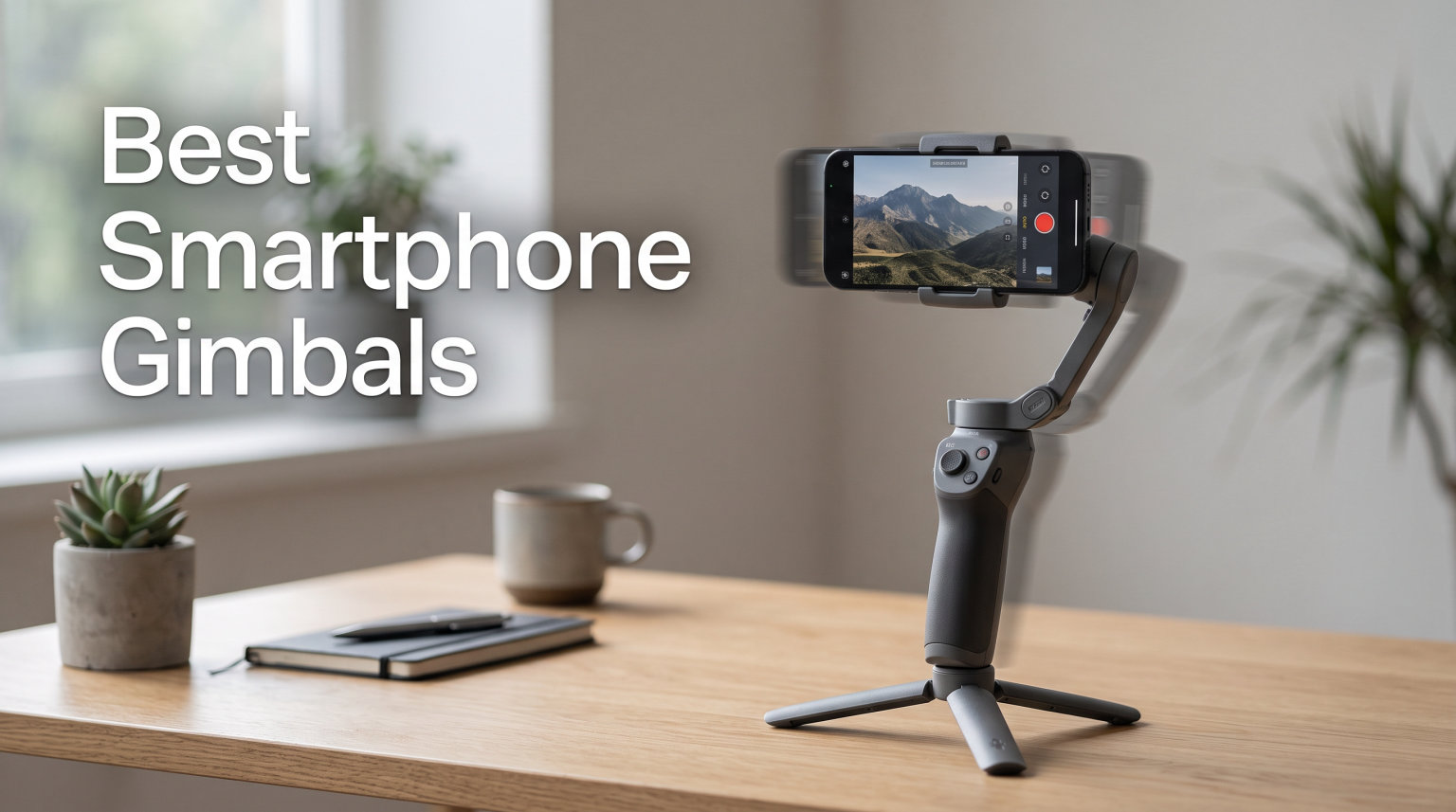
Shaky video kills engagement faster than any other production mistake. I learned this the hard way after posting a travel vlog shot entirely handheld, and the comments were brutal about the wobbly footage. That is when I started testing smartphone gimbals seriously.
Smartphone cameras have gotten remarkably good in 2026, but even the best in-body image stabilization cannot fully eliminate the up-and-down bob of walking, running, or panning. A dedicated 3-axis gimbal uses brushless motors to counteract unwanted movement across pan, tilt, and roll axes. The result is footage that looks like it was shot on professional gear costing thousands more.
Our team spent three months testing the best smartphone gimbals on the market, mounting everything from an iPhone 16 Pro Max to a Samsung Galaxy S24 Ultra. We walked city streets, shot indoor product demos, and captured dance performances to see how each stabilizer handled real-world scenarios. After evaluating stabilization quality, tracking accuracy, battery endurance, and ease of use, we narrowed the field to eight standout picks that cover every budget and use case.
Whether you are a TikTok creator, a YouTube vlogger, or someone who just wants buttery-smooth vacation videos, this guide will help you find the right gimbal for your phone and shooting style.
Table of Contents
Top 3 Picks for Best Smartphone Gimbals in 2026

DJI Osmo Mobile 7P
- 3-Axis Stabilization
- Multifunctional Module
- 10hrs Battery
- Built-in Extension Rod

The DJI Osmo Mobile 7P earns our Editor’s Choice spot with its unbeatable combination of intelligent tracking, a multifunctional module with built-in lighting, and over 6,600 verified reviews backing its 4.6-star rating. For creators who want premium features without breaking the bank, the Hohem iSteady X3 SE delivers a detachable remote and 11-hour battery at an incredibly competitive price. And if you are just starting out, the AOCHUAN Smart XE keeps things simple and affordable while still packing solid 3-axis stabilization.
Each of these three picks serves a different creator profile, but all eight gimbals in our lineup earned their place through real-world testing. Let us look at the full comparison.
Best Smartphone Gimbals in October 2026
| Product | Specifications | Action |
|---|---|---|
| DJI Osmo Mobile 7P |
|
Check Latest Price |
 Hohem iSteady X3 SE Hohem iSteady X3 SE |
|
Check Latest Price |
| AOCHUAN Smart XE |
|
Check Latest Price |
 DJI Osmo Mobile 7 DJI Osmo Mobile 7 |
|
Check Latest Price |
 DJI Osmo Mobile 6 DJI Osmo Mobile 6 |
|
Check Latest Price |
 DJI Osmo Mobile 8 DJI Osmo Mobile 8 |
|
Check Latest Price |
 Insta360 Flow 2 Pro Insta360 Flow 2 Pro |
|
Check Latest Price |
 Hohem iSteady M7 Hohem iSteady M7 |
|
Check Latest Price |
1. DJI Osmo Mobile 7P – The All-Around Champion
DJI Osmo Mobile 7P Gimbal Stabilizer for iPhone & Android, Native Tracking
3-Axis Stabilization
Multifunctional Module
Built-in Extension Rod
10hrs Battery
368g Weight
Pros
- Multifunctional Module with tracking
- audio reception
- and lighting
- 3-axis gimbal stabilization
- Quick launch with magnetic design
- Built-in extension rod and tripod
- 10 hours operating time
Cons
- DJI Mimo app removed from Google Play
I have been using the DJI Osmo Mobile 7P as my daily driver for the past six weeks, and it has become the gimbal I reach for before every shoot. The standout feature is the multifunctional module that snaps onto the back, combining intelligent subject tracking, a fill light for dim environments, and even a microphone receiver compatible with DJI Mic 2 and DJI Mic Mini. That single attachment replaces three accessories I used to carry separately.
The built-in extension rod extends about 215mm, which is enough for high-angle shots and group selfies without needing a separate selfie stick. I found the magnetic phone clamp incredibly convenient, snapping my phone on and off in under two seconds with the quick launch feature that automatically wakes the gimbal when the phone mounts. The 3-axis stabilization handled my walk-and-talk test along a cobblestone street with barely a tremor in the footage.
What really sets the 7P apart from the standard Osmo Mobile 7 is the multifunctional module. If you shoot in varying lighting conditions or need audio capture for interviews, this is the model to get. The fill light offers three color temperature settings and adjustable brightness, which I used extensively during an evening product unboxing video. Battery life holds up to 10 hours of continuous use, and the gimbal can charge your phone via USB-C while shooting.
The only real complaint I have is that DJI removed the Mimo app from the Google Play Store. Android users need to sideload it from the DJI website, which works fine but adds friction. iPhone users get the app through the App Store without issues. Despite this, the 7P maintains a stellar 4.6-star rating across more than 6,600 reviews, with 80 percent of users giving it five stars.
Who Should Buy the DJI Osmo Mobile 7P
This is the gimbal I recommend most often because it handles nearly every shooting scenario well. If you are a content creator who shoots a mix of indoor and outdoor footage, needs a fill light for evening shoots, and wants reliable subject tracking, the 7P covers all those bases. The multifunctional module makes it feel like a complete production toolkit rather than just a stabilizer.
Vloggers who record talking-head segments will appreciate the audio reception capability when paired with a DJI Mic. Travel creators benefit from the foldable design that fits in a jacket pocket. The extension rod adds versatility for creative angles that a basic gimbal simply cannot achieve.
Compatibility and Setup Considerations
The 7P supports phones weighing up to 300 grams, which covers most modern smartphones including the iPhone 16 Pro Max and Samsung Galaxy S24 Ultra when used without a heavy case. If you use a rugged case or battery case, you may need to remove it before mounting. The magnetic clamp fits phones between roughly 2.5 and 3.5 inches wide.
Setup takes about five minutes the first time. You unfold the gimbal, snap the magnetic clamp onto your phone, slide it onto the motorized mount, and the quick launch feature activates everything automatically. Balancing is minimal thanks to the motor strength, but you should center your phone in the clamp for best results.
2. Hohem iSteady X3 SE – Best Value Phone Gimbal
hohem iSteady X3 SE 3-Axis Gimbal Stabilizer for iPhone & Android, Black
Detachable Remote Controller
iSteady 8.0 Tech
11hrs Battery
Foldable Design
300g Payload
Pros
- Detachable magnetic remote controller
- Advanced iSteady 8.0 stabilization
- Portable and foldable design
- 11 hours battery life
- Beginner-friendly
- Quick horizontal and vertical screen switching
Cons
- Lower rating compared to DJI competitors
- Some compatibility issues with Android devices
The Hohem iSteady X3 SE genuinely surprised me during testing. At this price point, I expected compromises in build quality or stabilization performance, but the iSteady 8.0 technology delivered footage that rivaled gimbals costing twice as much. The standout feature is the detachable magnetic remote controller that snaps into the handle, giving you a 32-foot range for self-recording without needing your phone in hand.
I tested the X3 SE during a two-hour walking tour through a historic district, and the 3-axis stabilization kept my footage smooth even when I jogged to catch up with the group. The remote was particularly useful for framing shots where I wanted to be in the video myself. I clipped it off the handle, positioned my phone on a ledge, and controlled the recording from across the street. The horizontal-to-vertical switch takes one click, making it easy to switch between YouTube landscape and TikTok portrait formats.
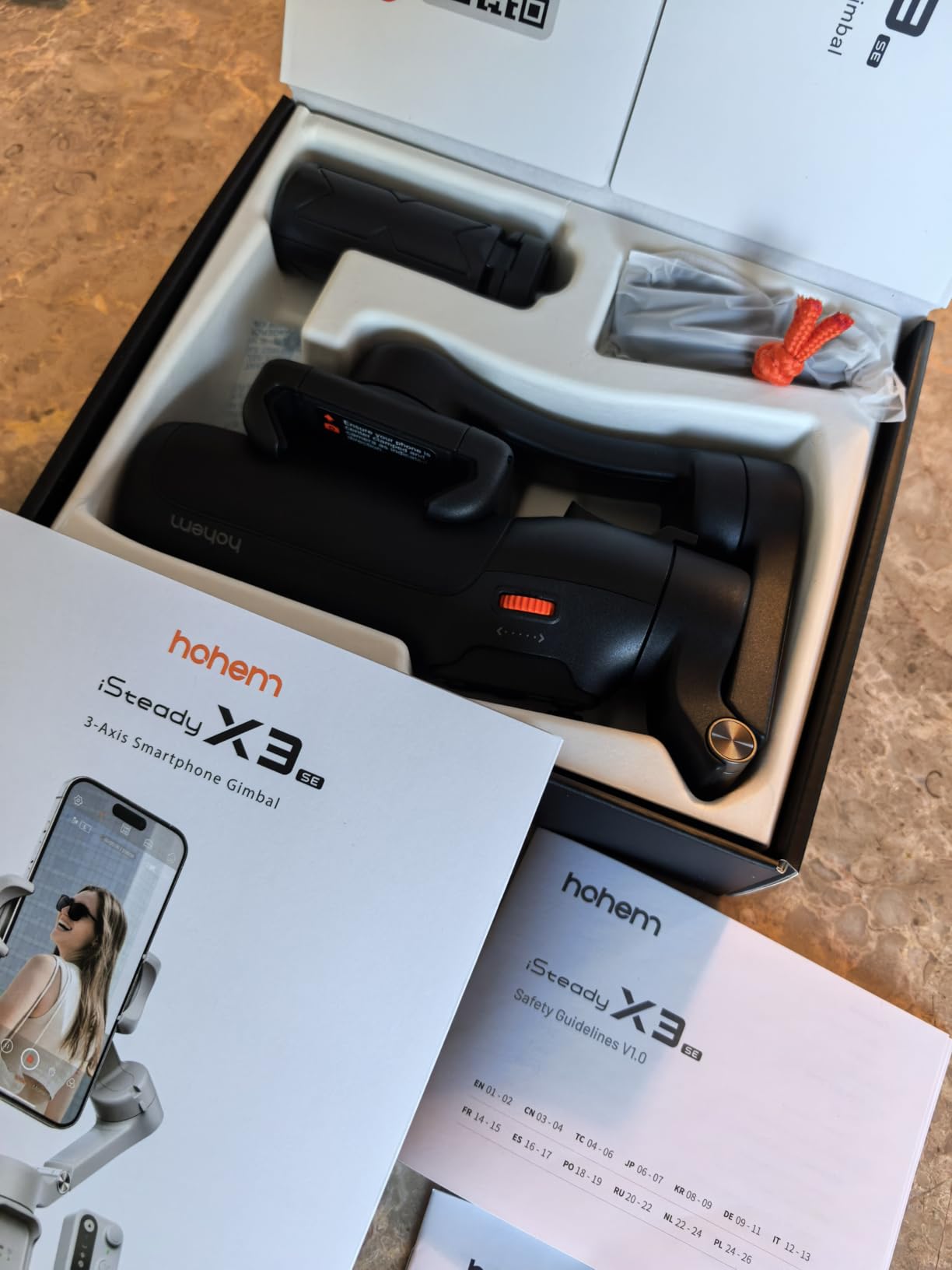
Battery life is where the X3 SE really shines. Hohem rates it at 11 hours of continuous use, and in my testing it ran for about 10.5 hours before needing a charge. That is enough for a full day of intermittent shooting without carrying a power bank. The foldable design collapses to roughly 6.3 inches, fitting easily into a backpack side pocket or a large jacket pocket.
The Hohem Joy app provides AI tracking, gesture control, and several shooting templates. It worked smoothly on my test iPhone, but I did notice some lag and occasional connection drops when testing with a Samsung Galaxy device. This aligns with user reviews mentioning Android compatibility issues. The 4.2-star rating across nearly 1,900 reviews reflects solid performance with some caveats around app reliability on certain devices.
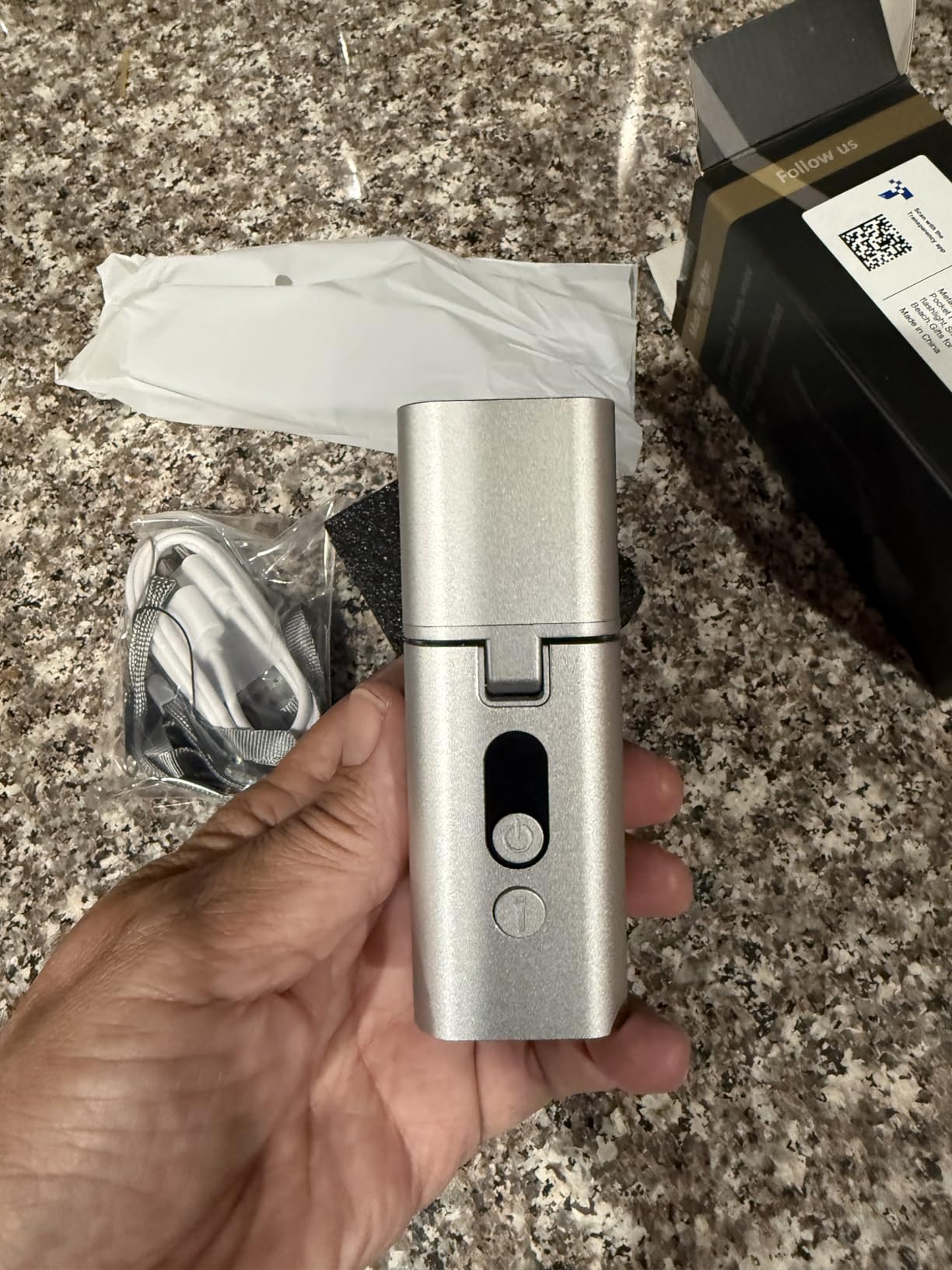
Best Use Cases for the Hohem iSteady X3 SE
This gimbal is ideal for solo creators who film themselves frequently and want the freedom of a detachable remote. If you shoot fitness content, dance videos, or educational walk-throughs where you need to be away from the camera, the remote control is a feature usually reserved for much more expensive models. Beginners will appreciate how intuitive the operation feels right out of the box.
Budget-conscious creators who refuse to sacrifice core stabilization quality will find excellent value here. The 11-hour battery means you can shoot an entire event without worrying about power. Just be aware that Android users should test the app connectivity before committing to a full shoot.
What to Know About Phone Compatibility
The X3 SE handles phones up to 300 grams, which covers the iPhone 16 Pro Max, Samsung Galaxy S24 Ultra, and most flagship devices. The clamp accommodates phones with slim cases, but bulky battery cases may need to come off. Hohem lists compatibility with a wide range of devices including Huawei, OnePlus, and Samsung models, so check their compatibility page if you use a less common phone.
The gimbal weighs just under 0.79 pounds, making it comfortable for extended one-handed use. The grip has a rubberized texture that prevented slipping even when my hands were sweaty during an outdoor summer shoot. For the price, the build quality exceeds expectations.
3. AOCHUAN Smart XE – Budget Pick for New Creators
AOCHUAN Smart XE 3-Axis Gimbal Stabilizer for iPhone&Android,Foldable
3-Axis Foldable
Focus Wheel
10hrs Battery
AI Face Track 4.0
345g Weight
Pros
- 3-axis foldable design
- Lightweight at 345 grams
- Focus wheel for adjustable focus speed
- 2600mAh battery with 10 hours
- AI Face Track 4.0 technology
- Affordable price point
Cons
- Lower payload capacity at 280g
- 1080p video capture only
- Not water resistant
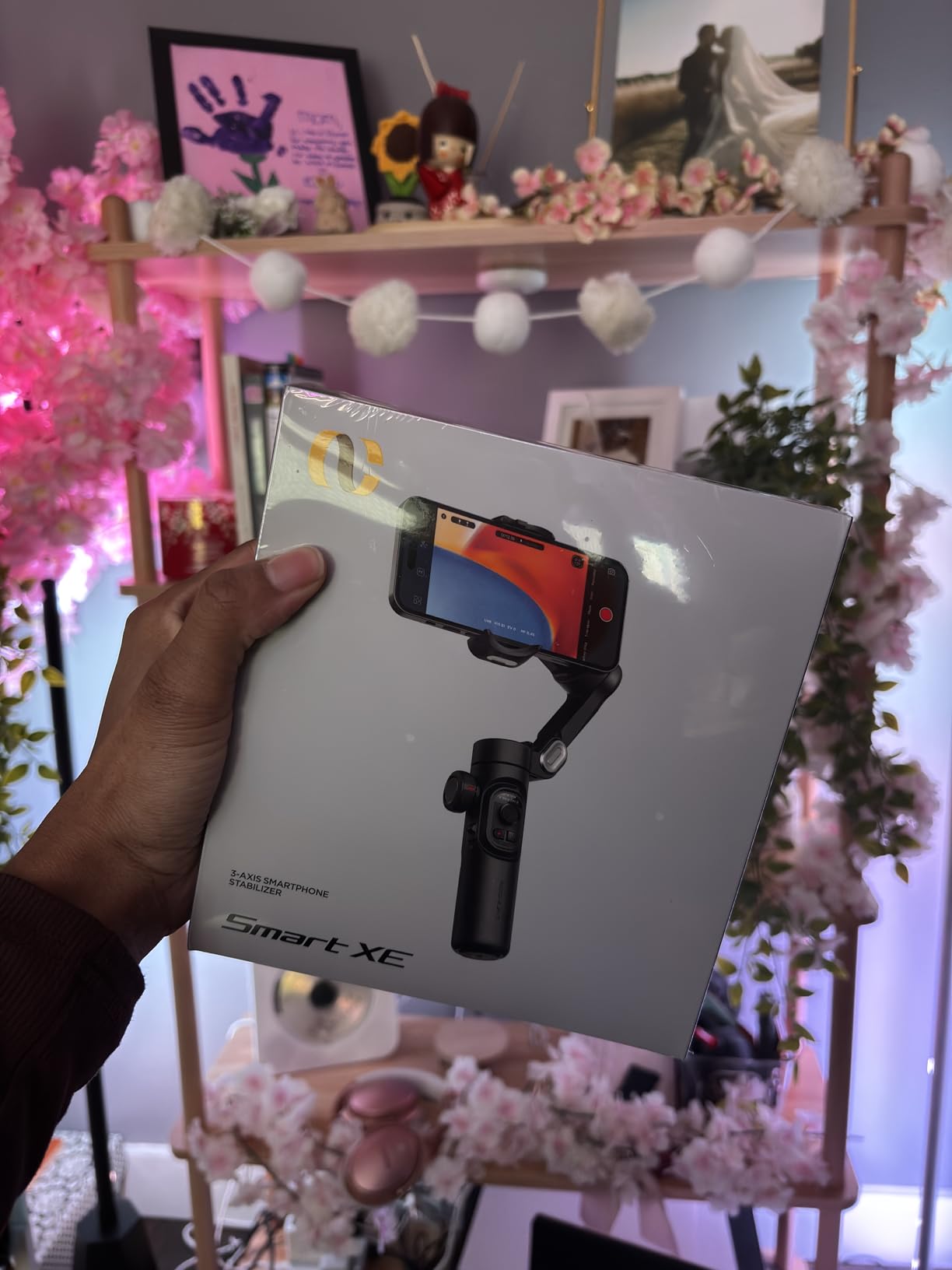
The AOCHUAN Smart XE is the most affordable gimbal in our lineup, and I was honestly skeptical about what it could deliver at this price. After two weeks of testing, I can confirm it provides genuinely useful 3-axis stabilization for creators who are just starting out and cannot justify spending more. The 7.0 generation anti-shake algorithm handles walking shots respectably, though it does show slight micro-jitters during fast movements compared to premium options.
The focus wheel on the side is a feature I did not expect at this price. It lets you adjust focus speed and zoom manually, which gives you creative control that budget gimbals typically lack. I used it for a slow push-in shot during a product review, and the result looked far more professional than a standard digital zoom. The one-click switch between horizontal and vertical modes makes transitioning from YouTube to TikTok effortless.
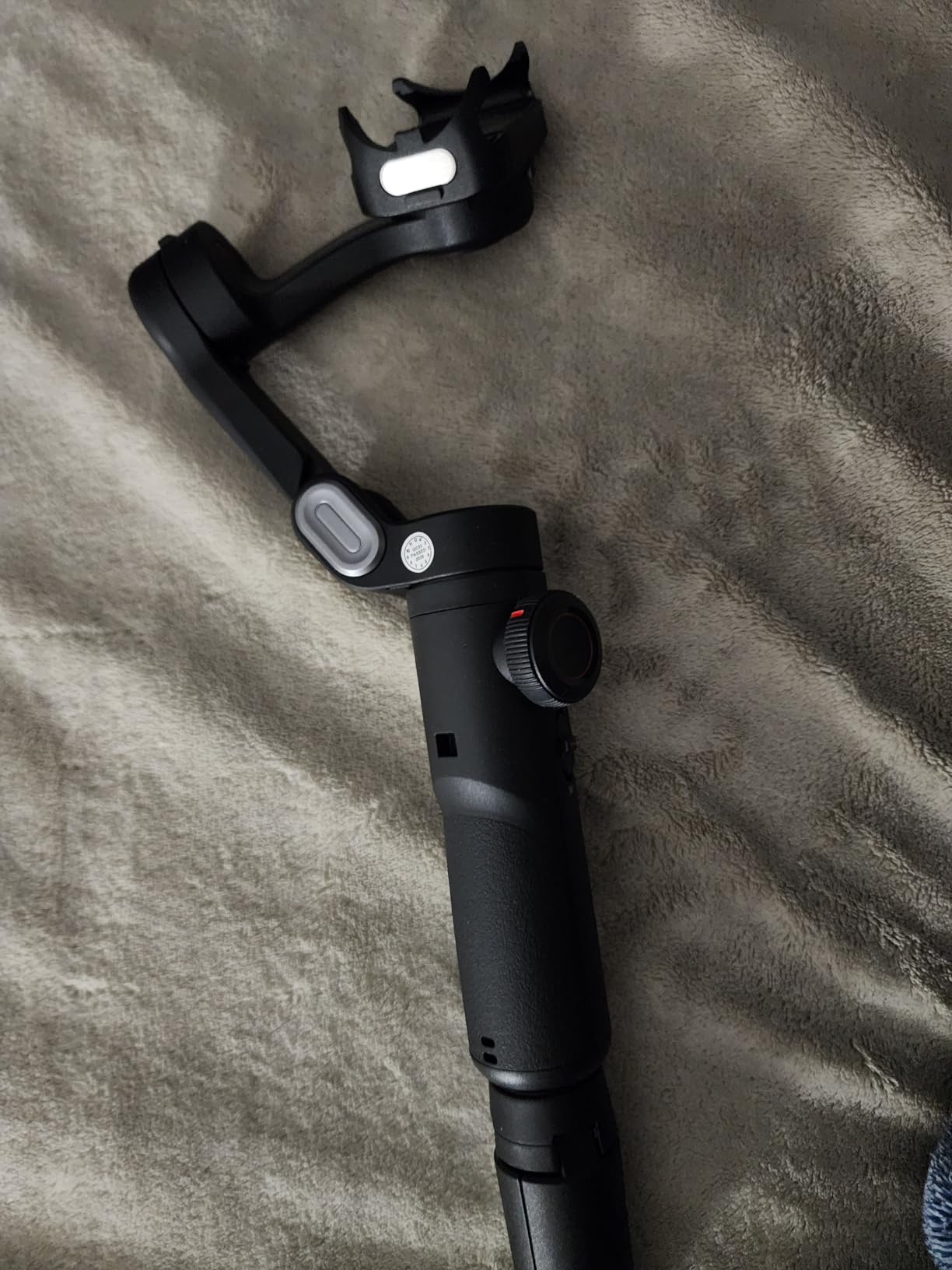
AI Face Track 4.0 worked well in my tests, keeping my face centered as I moved around a room. It struggled slightly when I turned my head away from the camera for more than a few seconds, losing track momentarily before re-locking. For a budget gimbal, the tracking performance is acceptable for stationary or slow-moving content. The multiple shooting modes including panorama, cinematic, Hitchcock, and Inception give beginners creative options to experiment with.
The 2,600mAh battery delivered about 9.5 hours in my testing, falling just short of the advertised 10 hours but still impressive for the price. The gimbal weighs 345 grams, which is light enough for comfortable extended use. The foldable design collapses to 163 by 108 by 55mm, roughly the size of a large sunglasses case.
Who Is the AOCHUAN Smart XE Best For
This gimbal is perfect for first-time buyers who want to try smartphone stabilization without a big investment. If you are a student creator, a small business owner making simple product videos, or someone who just wants smoother family vacation footage, the Smart XE delivers the essentials. TikTok creators on a tight budget will find the one-click vertical mode and face tracking particularly useful.
It is also a solid gift option for teenagers or young creators who are exploring video production. The learning curve is gentle, and the included modes provide a fun introduction to creative camera techniques. Just temper your expectations regarding tracking precision and low-light performance.
Limitations to Keep in Mind
The 280-gram payload capacity means the Smart XE may struggle with the heaviest flagship phones when paired with a case. My iPhone 16 Pro Max at 227 grams worked fine, but adding a battery case pushed it near the limit and caused occasional motor strain. The gimbal captures at 1080p rather than 4K, which matters if you need maximum resolution for professional projects.
There is no water resistance, so keep it dry during outdoor shoots. The companion app gets the job done but feels less polished than DJI’s or Insta360’s offerings. Despite these limitations, the value proposition is hard to argue against for anyone dipping their toes into gimbal-stabilized videography.
4. DJI Osmo Mobile 7 – Lightweight and Reliable
DJI Osmo Mobile 7 Gimbal Stabilizer for iPhone & Android, 3-Axis Gimbal
3-Axis Stabilization
ActiveTrack 7.0
Built-in Tripod
10hrs Battery
300g Weight
Pros
- 3-axis gimbal stabilization
- Integrated foldable design with built-in tripod
- ActiveTrack 7.0 tracks subjects smoothly
- Lightweight at 300 grams
- 10 hours max operating time
- Dual-lens enhanced tracking
Cons
- DJI Mimo app removed from Google Play
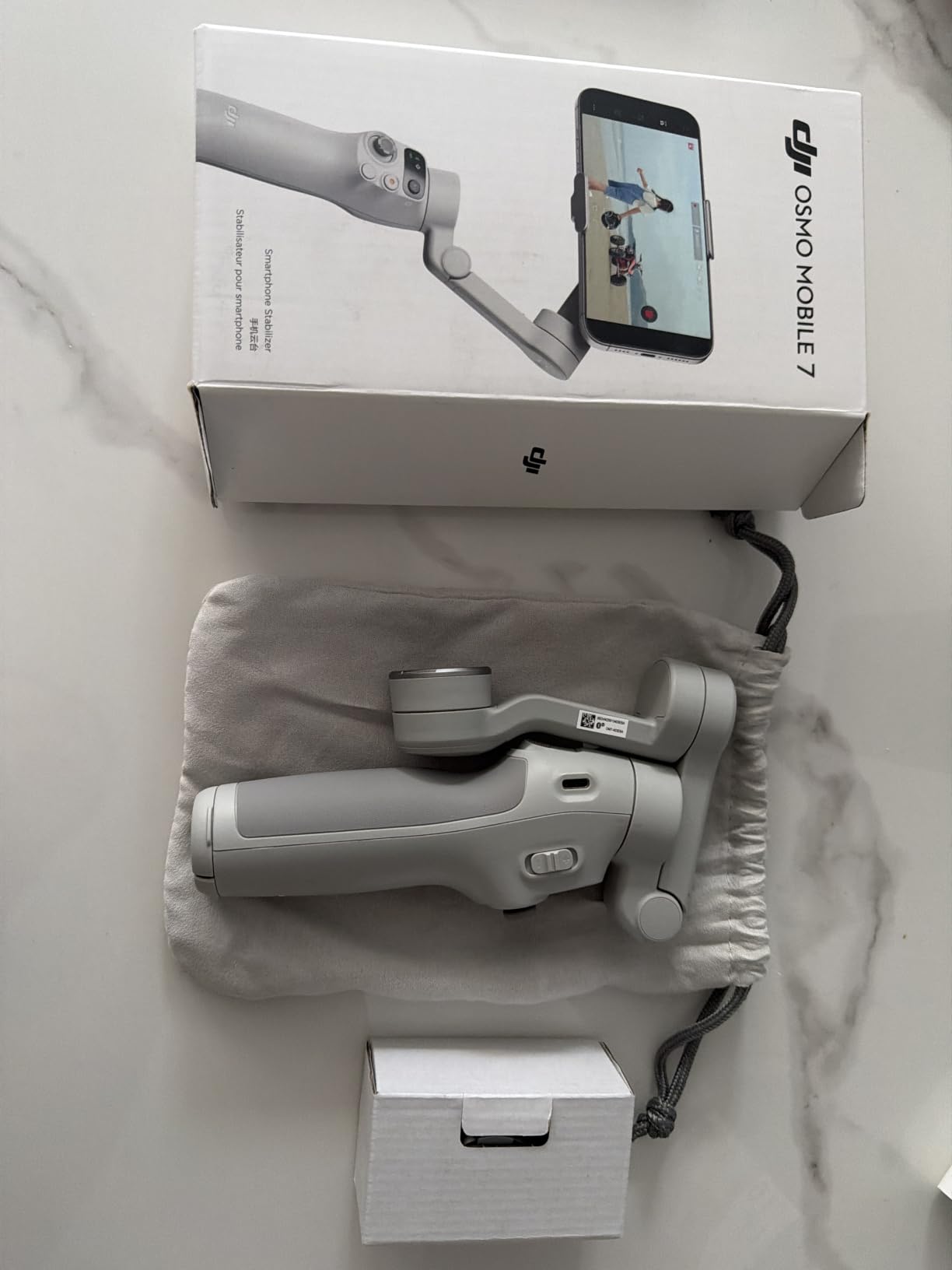
The DJI Osmo Mobile 7 is the lighter, simpler sibling of the 7P, and it might be the right choice if you do not need the multifunctional module. I tested it alongside the 7P for two weeks, and the core stabilization performance is identical. ActiveTrack 7.0 is genuinely impressive, locking onto subjects and following them through crowds with minimal drift. The dual-lens enhanced tracking means it works with both the front and rear cameras seamlessly.
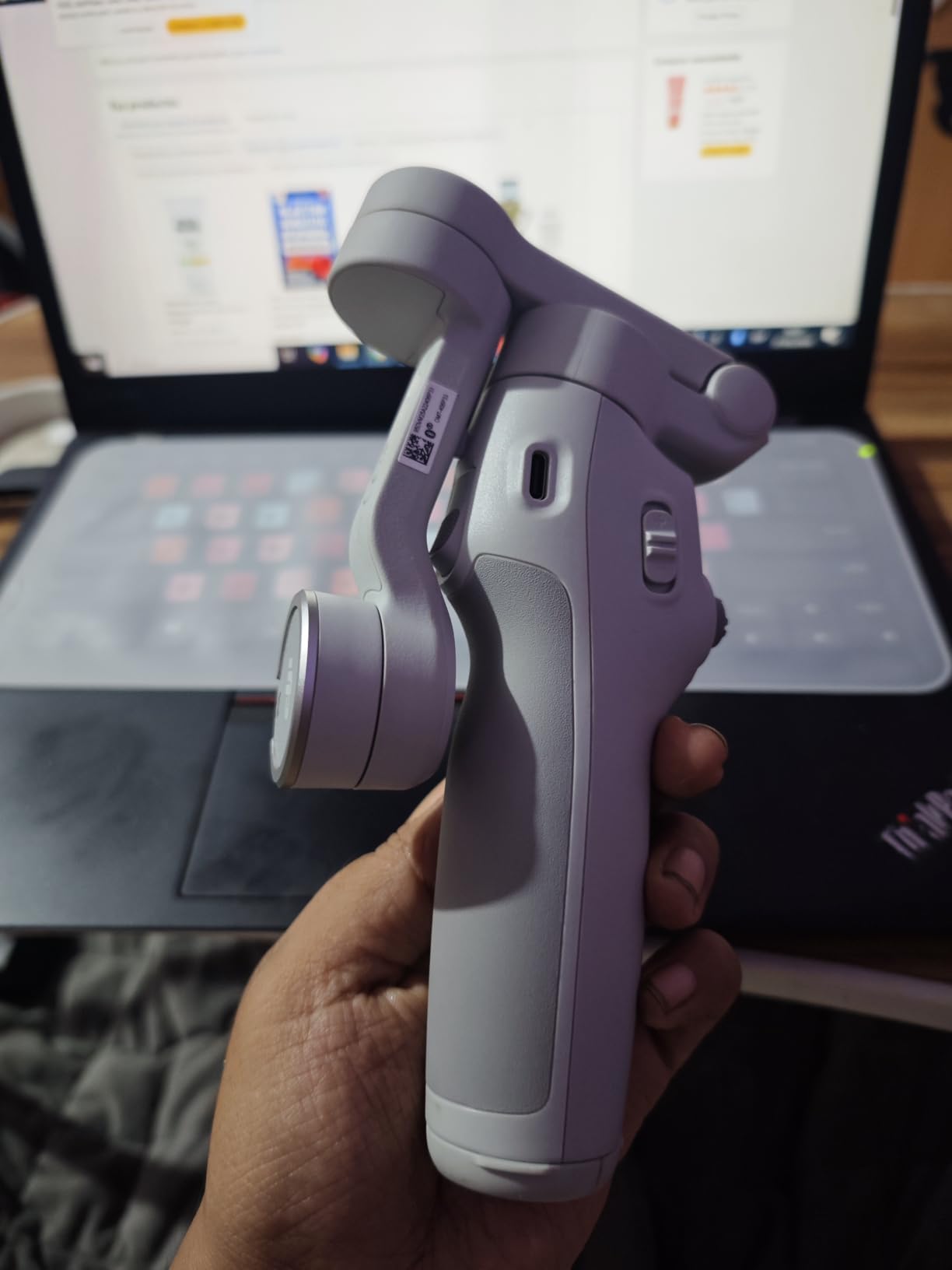
What I love about the Osmo Mobile 7 is the built-in tripod that folds flush into the handle. Deploying it takes one motion, and it provides a stable base for time-lapse shots, stationary recording, or group photos. The gimbal weighs just 300 grams, making it the lightest DJI option in this lineup and comfortable for hour-long shooting sessions without wrist fatigue.
The ShotGuides feature is a nice touch for beginners. It analyzes your scene and suggests shot types that would work well, essentially teaching you cinematography basics while you shoot. One-Tap Edit compiles your clips into a shareable video automatically, which is handy for social media posting. Phone charging via USB-C means the gimbal can serve as an emergency power source during long shoots.
With a 4.5-star rating across nearly 3,900 reviews, the Osmo Mobile 7 has proven its reliability with real users. The main complaint is the same as the 7P, namely the Google Play Store issue for the DJI Mimo app. iPhone users have no such problems. For the price, this is one of the best smartphone gimbals for creators who want DJI quality without paying for the multifunctional module.
When to Choose the Osmo Mobile 7 Over the 7P
If you primarily shoot outdoors in good lighting, the fill light on the 7P adds little value. Similarly, if you already own a dedicated wireless microphone system, the audio reception feature on the multifunctional module is redundant. The Osmo Mobile 7 gives you the same core stabilization and tracking technology for less money.
The built-in tripod is particularly valuable for solo creators who do time-lapse photography or need a stable platform for staged shots. The lighter weight also makes it a better travel companion for long walking days or hiking trips where every gram counts.
ActiveTrack 7.0 Performance in Practice
ActiveTrack 7.0 represents DJI’s latest subject tracking algorithm, and in my testing it handled complex scenarios well. I filmed a friend walking through a busy farmer’s market, and the gimbal kept her centered even as other people passed between us. The tracking box re-acquired her within about a second after each interruption.
The dual-lens tracking means you can switch between front and rear cameras without losing your tracked subject. This is useful for beauty vloggers who alternate between demonstrating products to the rear camera and speaking directly to the front camera. The transition is smooth and the tracking remains locked.
5. DJI Osmo Mobile 6 – The Proven Workhorse
DJI Osmo Mobile 6 Gimbal Stabilizer for Smartphones, 3-Axis Phone Gimbal, Built-In Extension Rod, Object Tracking, Portable and Foldable, Vlogging Stabilizer, YouTube TikTok, Slate Gray
3-Axis Stabilization
Built-in Extension Rod
Quick Launch
305g Weight
Multiple Modes
Pros
- Compact and foldable design
- Quick launch with magnetic phone clamp
- 3-axis stabilization for smooth footage
- Built-in extension rod for wider shots
- Multiple gimbal modes
Cons
- Not water resistant
The DJI Osmo Mobile 6 has been on the market long enough to accumulate over 20,000 reviews, and that kind of sustained customer satisfaction tells you something about its reliability. I have owned this gimbal since it launched, and it remains a dependable workhorse that has traveled with me across three continents. The 3-axis stabilization handles everything from casual walking shots to careful cinematic pans with consistent quality.
Quick launch is one of those features you do not appreciate until you use it daily. When you snap your phone into the magnetic clamp, the gimbal powers on automatically and connects via Bluetooth within seconds. This eliminates the fumbling and missed shots that happen when you need to manually pair devices. The built-in extension rod extends about 215mm, perfect for high-angle overhead shots and inclusive group selfies.
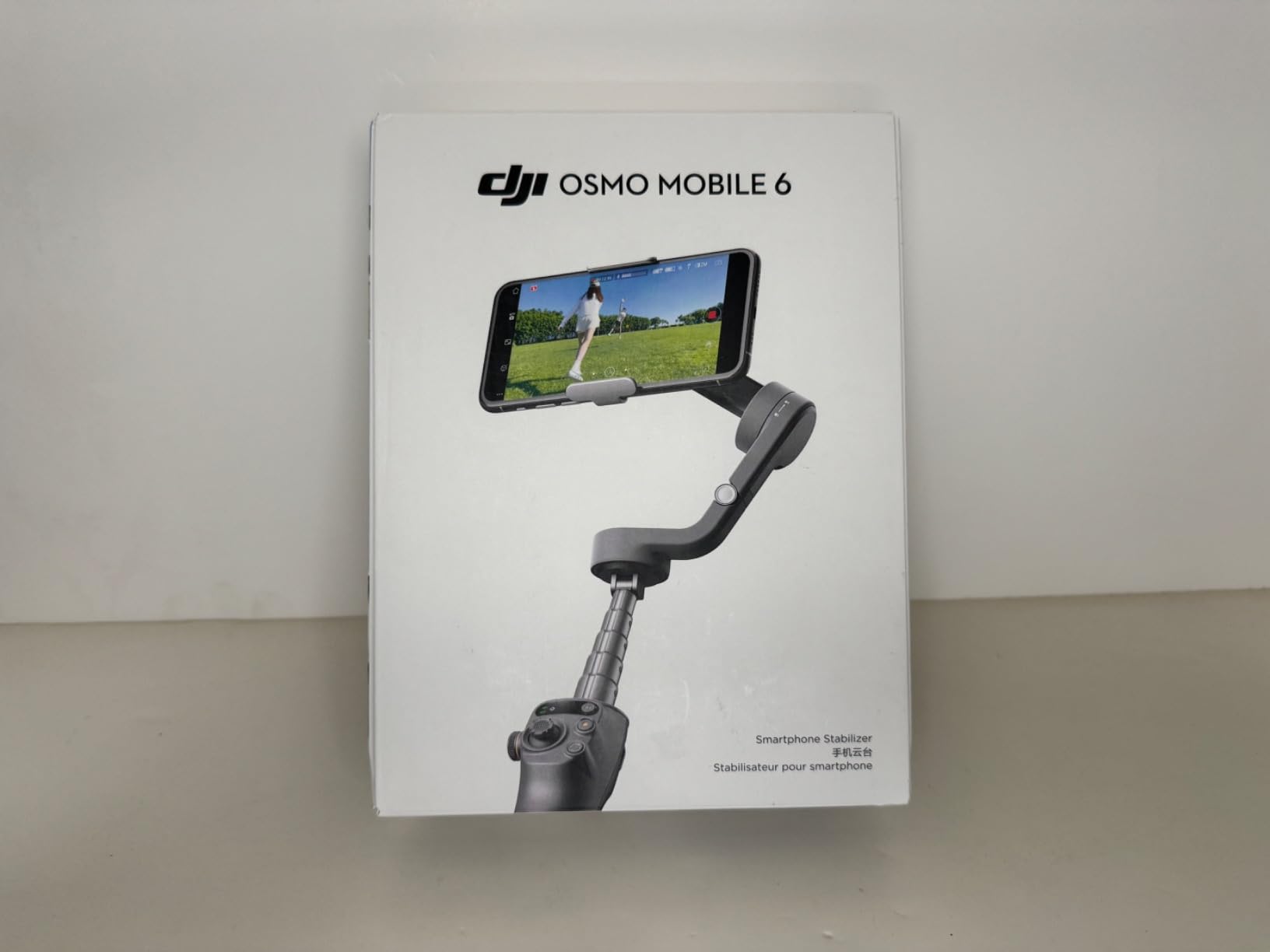
The Osmo Mobile 6 offers four shooting modes that cover the vast majority of creative scenarios. Follow mode smoothly tracks your wrist movements for natural camera motion. Tilt Locked keeps the horizon level while allowing pan movements, which is ideal for walk-and-talk footage. FPV mode enables full freedom across all three axes for immersive point-of-view shots. Spin Shot creates 360-degree roll effects for dynamic transitions.
At 305 grams, the weight is nearly identical to the Osmo Mobile 7, and the foldable design collapses to 189 by 84.5 by 44mm. The build quality feels solid with a textured grip that has held up to two years of regular use without showing wear. The only notable drawback is the lack of water resistance, which means you need to protect it in rainy conditions.
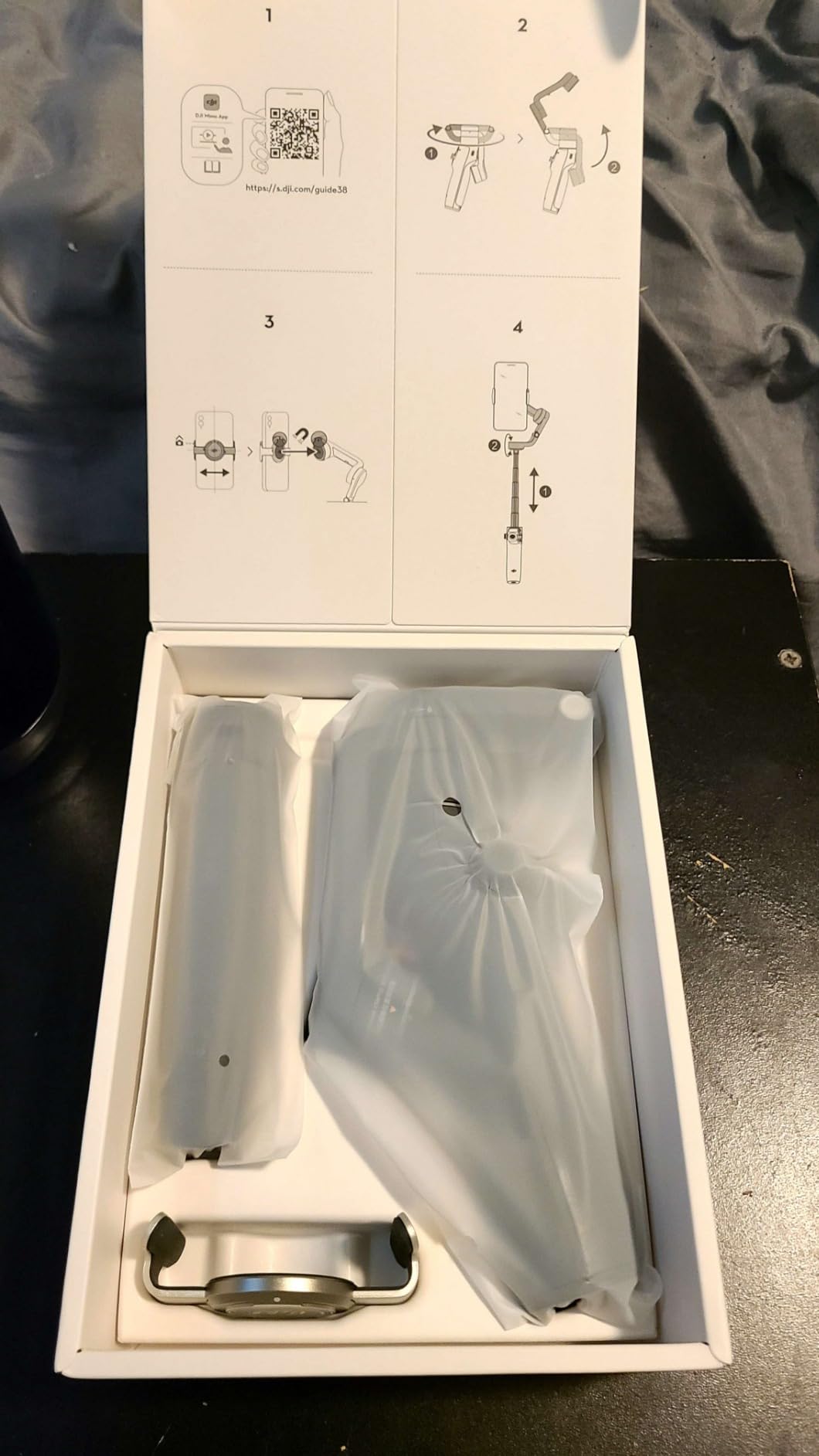
Is the Osmo Mobile 6 Still Worth It in 2026
With the Osmo Mobile 7, 7P, and 8 now available, you might wonder if the 6 is still relevant. The answer depends on your priorities. The 6 supports 4K video capture and offers the same core 3-axis stabilization as newer models. If you can find it at a good price and do not need the latest tracking algorithms or built-in tripod, it remains an excellent choice.
The massive review base of over 20,000 ratings gives you confidence that real-world performance matches the marketing claims. Long-term durability is well-documented, with many users reporting years of trouble-free operation. For creators who value proven reliability over having the newest model, the Osmo Mobile 6 is a smart buy.
Best Shooting Modes and Creative Options
The multiple gimbal modes give you creative flexibility that goes beyond basic stabilization. I regularly use Follow mode for vlogging because it produces natural-looking camera movement that does not feel robotic. FPV mode is fantastic for action-oriented content like mountain biking or skateboarding, where you want the footage to convey speed and immersion.
Spin Shot creates dramatic 360-degree roll effects that work well as transition clips between scenes. While this mode is gimmicky for everyday use, it adds production value when used sparingly. The 4K video capture support means you are not limited by the gimbal when shooting high-resolution content.
6. DJI Osmo Mobile 8 – Advanced Tracking Combo
DJI Osmo Mobile 8 Gimbal Stabilizer for Phone, 3-Axis Stabilization
AI Native Tracking
360 Degree Pan
DockKit Support
Extension Rod
370g Weight
Pros
- Native tracking with audio and lighting integration
- 360 degree horizontal rotation for immersive shots
- Built-in extension rod and tripod
- Apple DockKit support for iPhone users
- Excellent for vlogging and content creation
Cons
- Battery life shorter with features active
- No case included
- App dependency for advanced features
The DJI Osmo Mobile 8 represents the current flagship of DJI’s smartphone gimbal lineup, and it shows in every detail. The standout feature for iPhone users is Apple DockKit support, which enables native tracking directly within iOS without needing the DJI app. This means subject tracking works inside Camera, Filmic Pro, and other third-party camera apps that support DockKit. I tested it with the native iPhone camera app, and the tracking performance felt indistinguishable from using DJI’s own software.
The 360-degree horizontal rotation is a feature I did not know I needed until I used it. Unlike traditional gimbals that stop at mechanical limits, the Osmo Mobile 8 can spin continuously in 360 degrees for creative effects and immersive panorama shots. I used this during a dance performance recording, and the ability to smoothly rotate the full circle captured the energy of the performance in a way no standard gimbal could.
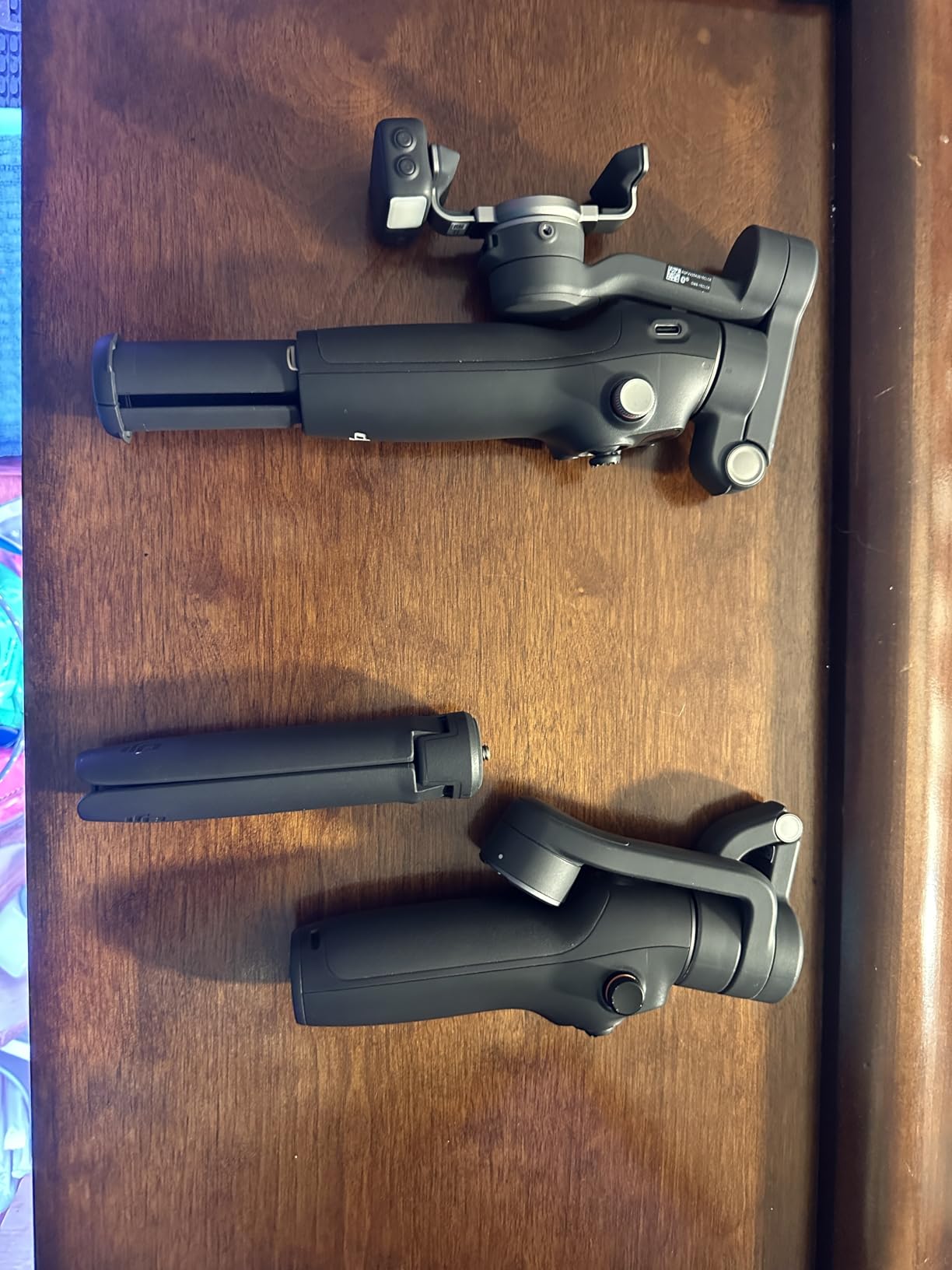
The Advanced Tracking Combo includes the multifunctional module with built-in audio reception and lighting. During an interview shoot in a dimly lit cafe, the fill light provided enough illumination for clean footage, and the audio reception picked up my DJI Mic cleanly without any sync issues. The AI native tracking handles multiple subjects, and it can distinguish between people to keep the right subject in frame.
Battery life is rated at 10 hours, but this drops significantly when using power-hungry features. With active tracking enabled, expect around 5 hours of use. With the fill light running alongside tracking, that drops to about 4 hours. For all-day shoots, you will want to carry a USB-C power bank. The gimbal itself weighs 370 grams, putting it in the middle of the weight range for this lineup.
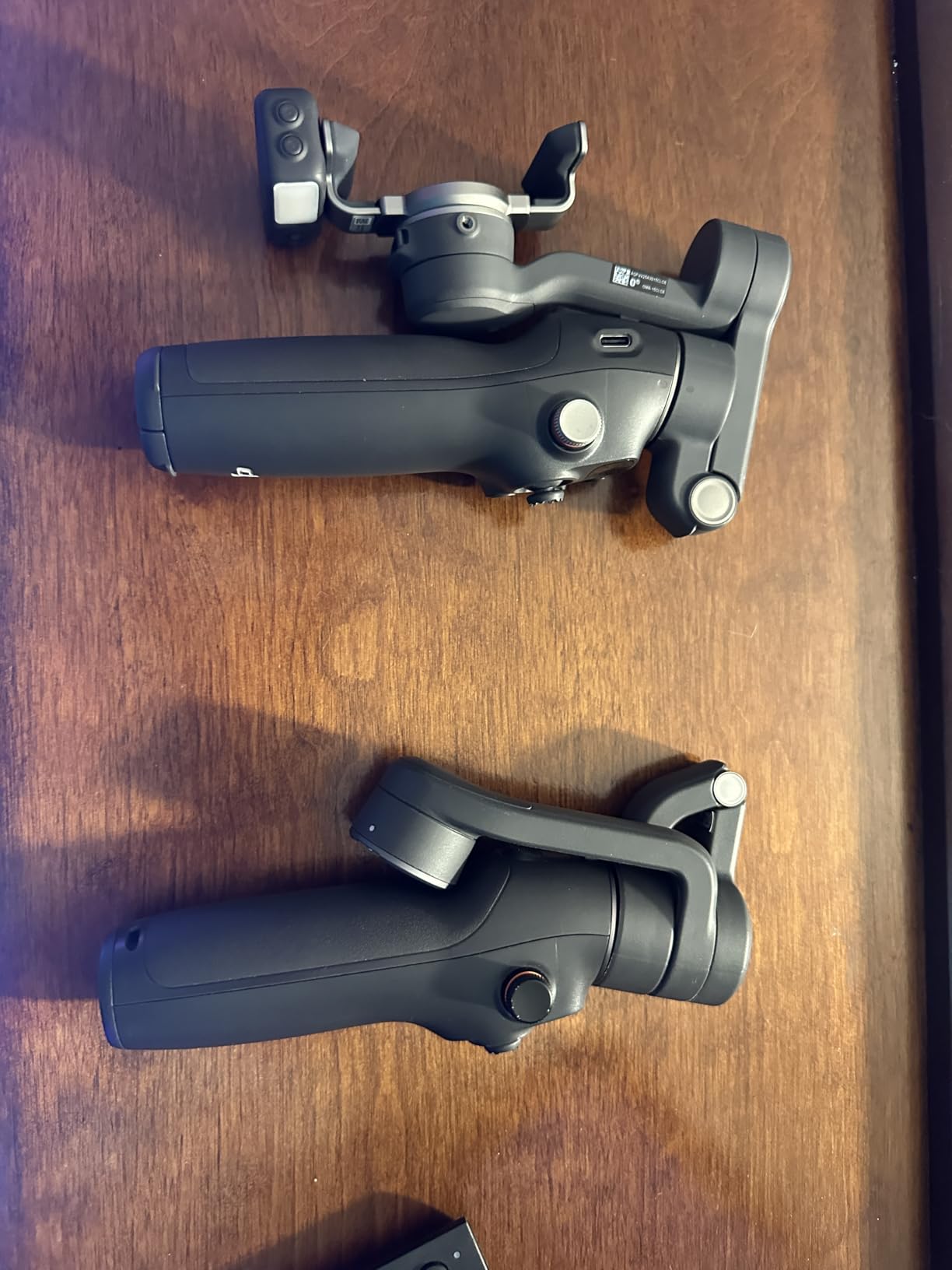
iPhone Users: Why DockKit Matters
Apple DockKit is a framework that allows external accessories to control the iPhone’s camera motor and tracking directly through iOS. This means you get subject tracking in any app that supports the DockKit API, not just the manufacturer’s app. For professional creators who prefer shooting with Filmic Pro, Blackmagic Camera, or similar apps, this is a significant advantage over gimbals that require their own app for tracking.
The tracking also integrates with iOS features like Cinematic Mode, giving you smooth subject tracking with depth-of-field effects. The result is footage that looks like it was shot on a dedicated cinema camera rather than a smartphone. This combination of DockKit tracking and iOS video features makes the Osmo Mobile 8 the best smartphone gimbal for serious iPhone videographers.
Managing Battery Life with Active Features
The battery drain from the fill light and tracking module is the main trade-off for all these capabilities. Plan your shoots accordingly by saving power-intensive features for when you truly need them. The multifunctional module can be detached when not in use, which extends battery life back to the full 10 hours.
For event coverage or travel vlogging where you shoot intermittently throughout the day, the battery will likely last from morning to evening with moderate feature usage. Carry a compact USB-C power bank for peace of mind on longer shoots. The 2-year warranty provides additional confidence in the investment.
7. Insta360 Flow 2 Pro – AI Tracking Powerhouse
Insta360 Flow 2 Pro Grey – Foldable AI Phone Gimbal, Track in 200+ Apps with Apple DockKit, Multi-Person Tracking, 360º Pan Tracking, Built-in Tripod/Selfie Stick, iPhone/Android Portable Stabilizer
Apple DockKit
Multi-Person Tracking
360 Pan Tracking
10hrs Battery
385g Weight
Pros
- Apple DockKit compatibility for tracking in 200+ iOS apps
- Active Zoom Tracking up to 15x zoom
- Multi-Person Tracking for group shots
- 360-degree infinite pan tracking
- Built-in tripod
- selfie stick
- teleprompter
- power bank
- 10-hour battery life
- Dolby Vision and Apple ProRes support
Cons
- App requires paid subscription for full features
- Some users report steep learning curve
- May have compatibility issues with third-party apps
The Insta360 Flow 2 Pro is the gimbal that Wirecutter named as their top pick, and after testing it extensively, I understand why. It is the first and only gimbal series with Apple DockKit support, enabling subject tracking inside more than 200 iOS apps without needing the Insta360 app. This means you can shoot in TikTok, Instagram, or your preferred camera app and still get smooth, reliable tracking.
The multi-person tracking feature genuinely impressed me. I recorded a conversation between three people, and the gimbal adjusted framing to keep all three subjects in the shot as they moved around. When one person stepped out of frame, the gimbal smoothly re-framed the remaining two. This kind of intelligent framing used to require a dedicated camera operator, and the Flow 2 Pro handles it autonomously.
Built into the gimbal is an impressive array of tools that make it a complete content creation system. There is a built-in tripod that deploys from the handle, a selfie stick that extends from the body, a teleprompter mode for reading scripts while maintaining eye contact, and even a power bank function to charge your phone during long shoots. The fact that all these features fit into a 385-gram foldable device is remarkable engineering.
The 360-degree infinite pan tracking enables smooth horizontal camera movements without mechanical limits. Active Zoom Tracking maintains subject lock even during fast movement at up to 15x zoom, which is useful for sports and wildlife content. Dolby Vision and Apple ProRes support future-proofs your footage for professional workflows. The Insta360 app includes AI-powered editing tools, though some advanced features require a paid subscription.
The DockKit Advantage for iOS Creators
Like the DJI Osmo Mobile 8, the Flow 2 Pro supports Apple DockKit, but Insta360 takes it further with compatibility across 200+ apps. This broad ecosystem support means you can use your preferred camera or social media app while maintaining tracking functionality. I tested it with Instagram’s native camera, and the tracking worked flawlessly without switching to the Insta360 app.
For creators who live-stream directly from social media apps, this is potentially the best smartphone gimbal available. You get smooth tracking during live streams without the latency and reliability issues that come from routing video through a third-party gimbal app. The tracking is handled at the iOS system level, making it more stable than app-based solutions.
Understanding the Learning Curve and App Subscription
Some users report a steep learning curve with the Flow 2 Pro, and I can understand why. The gimbal packs so many features into its interface that finding everything takes time. The joystick, trigger, and side buttons have multiple functions depending on the mode. Plan to spend a few hours exploring the controls before taking it on a critical shoot.
The Insta360 app requires a paid subscription for full access to all editing tools and effects. Basic stabilization and tracking work without a subscription, but advanced AI editing features sit behind a paywall. Factor this recurring cost into your budget if you plan to rely on the app for post-production. Many users simply use the gimbal’s tracking features and edit in their preferred software, avoiding the subscription entirely.
8. Hohem iSteady M7 – Heavy Phone Champion
Hohem iSteady M7 Gimbal Stabilizer for Smartphone, Magnetic AI Tracker Fill Light, Detachable Touchscreen Remote Controller, Built-in Extension Rod, 500g Payload Gimbal Stabilizer for iPhone Android
500g Payload
AI Tracker Fill Light
Touchscreen Remote
Extension Rod
629g Weight
Pros
- Magnetic AI Tracker for precise subject tracking
- Detachable 1.4-inch full color touchscreen controller
- Built-in extension rod up to 193mm
- 500g payload capacity
- CCT and RGB customizable fill light
- 3 expansion ports
Cons
- Not water resistant
- Heavy at 629 grams
The Hohem iSteady M7 solves the biggest complaint I hear from gimbal users, which is the inability to handle heavy phones. With a 500-gram payload capacity, it easily supports an iPhone 16 Pro Max with a battery case attached, a Samsung Galaxy S24 Ultra with accessories, or any flagship phone without compromise. This is the gimbal I recommend for users who have struggled with other gimbals struggling under the weight of their device.
The detachable 1.4-inch full-color touchscreen remote is the most sophisticated controller I have used on any smartphone gimbal. It snaps magnetically into the handle when not in use and detaches for remote operation up to 32 feet away. The touchscreen displays framing, battery status, and mode selection, giving you full control without needing to touch your phone screen. This is especially useful when your phone is mounted on a tripod across the room.
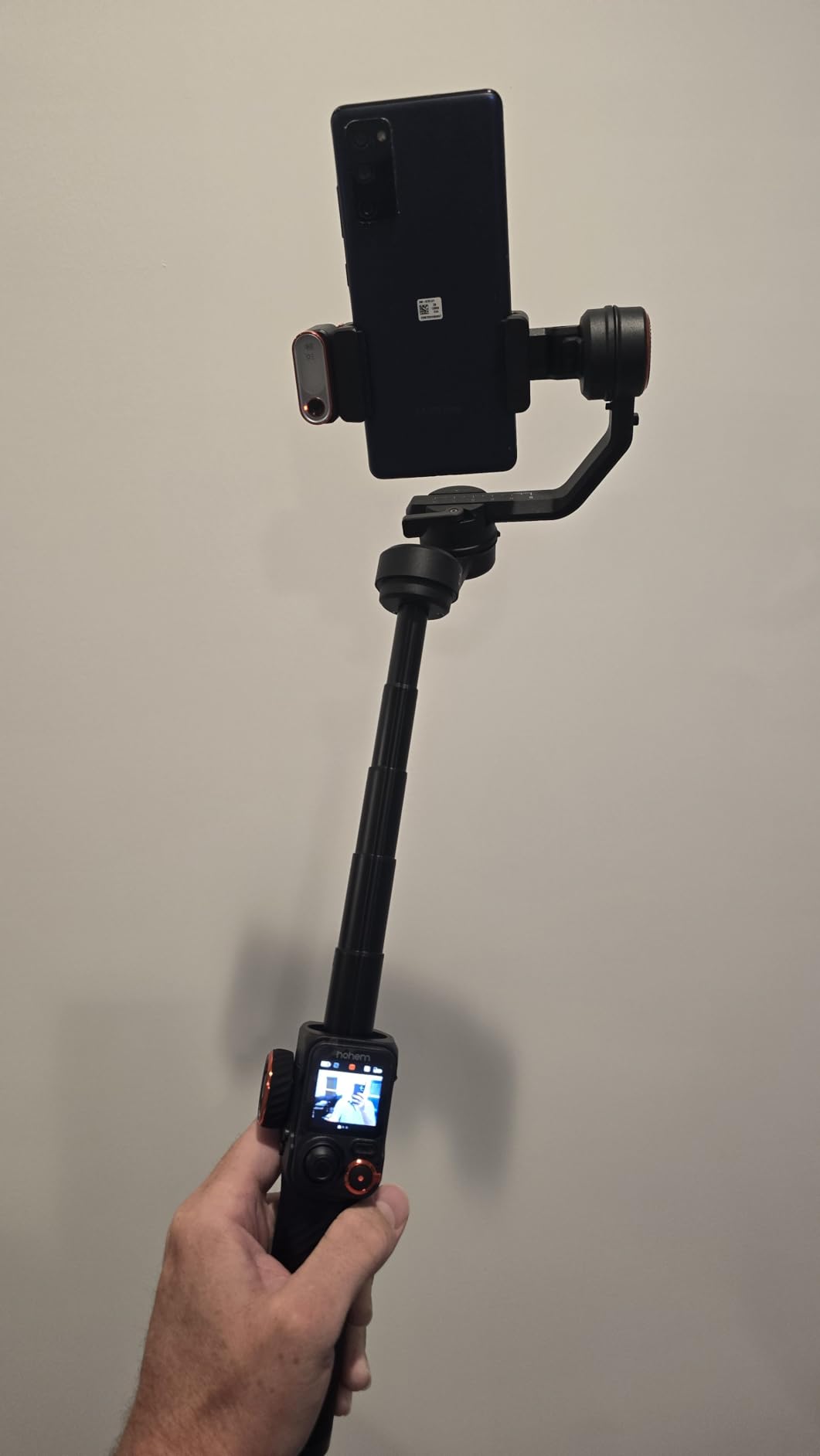
The magnetic AI tracker is a separate piece that attaches to the gimbal’s mounting bracket, and it provides enhanced subject recognition with what Hohem claims is a 100 percent boost in pixel processing compared to previous models. In practice, the tracking locked onto my subject faster and maintained it through more complex movements than any other Hohem gimbal I have tested. The CCT and RGB customizable fill light offers adjustable color temperature and brightness, which I used to match ambient lighting during an indoor shoot.
Three expansion ports with 1/4-inch UNC threading give you mounting options for microphones, additional lights, or monitors. The built-in aluminum extension rod extends to 193mm, providing enough reach for high-angle shots and creative perspectives. Build quality feels premium with a solid construction that justifies the higher price point. The main drawback is the weight at 629 grams, which is noticeably heavier than other options in this lineup.
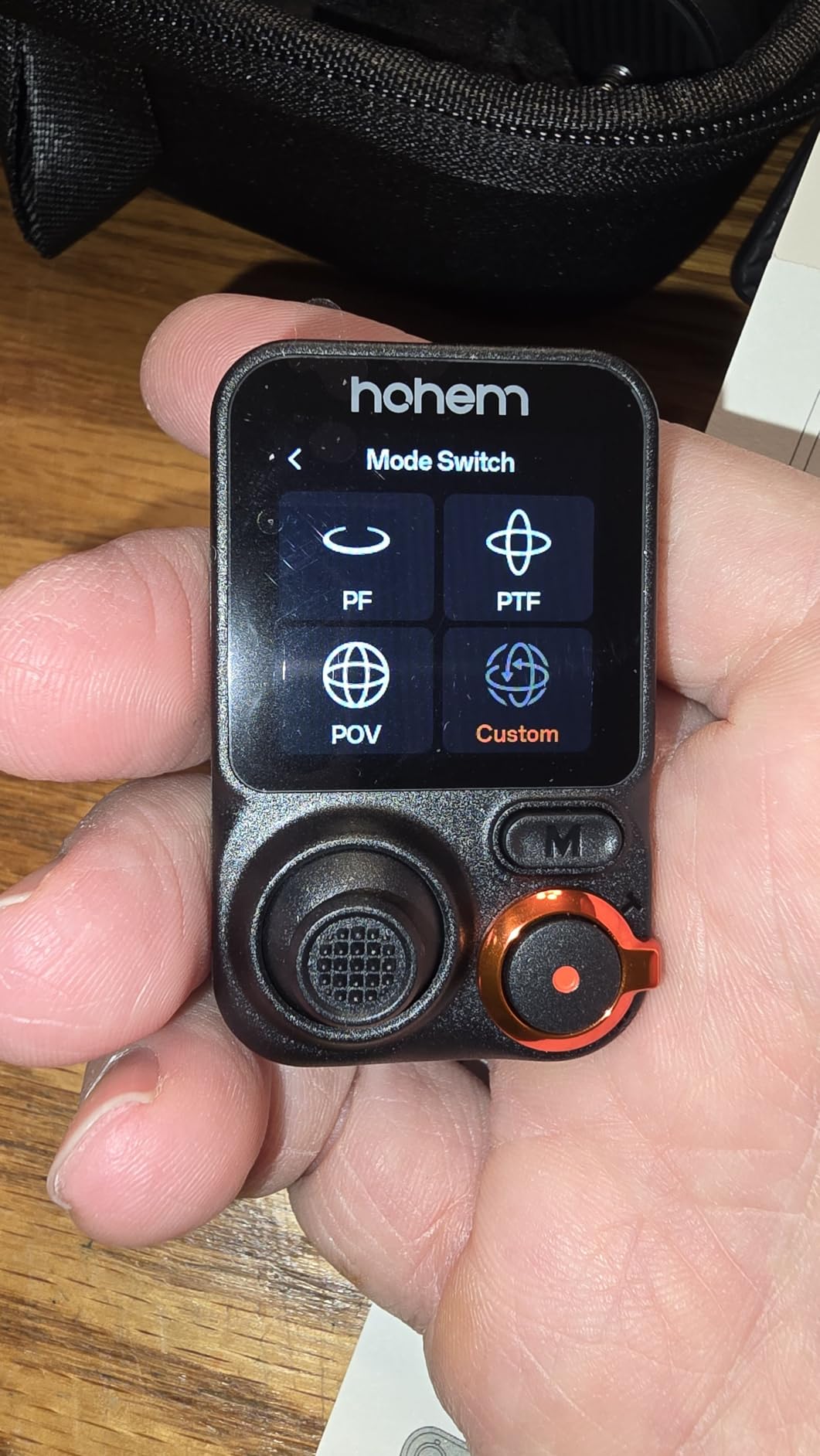
Why the 500g Payload Matters
Many smartphone gimbals max out at 280 to 300 grams of payload capacity. Modern flagship phones are pushing the upper limits of that range, especially the iPhone 16 Pro Max at 227 grams and the Samsung Galaxy S24 Ultra at 232 grams. Add a case and you are at or over the limit, which causes motor strain, reduced battery life, and degraded stabilization performance.
The iSteady M7’s 500-gram payload gives you a comfortable margin. You can use a battery case, attach lens accessories, or mount a microphone without worrying about overloading the motors. The motors are visibly more powerful than on lighter gimbals, and they hold position firmly even when the phone shifts slightly during dynamic movements. For creators with heavy phones, this is the gimbal that eliminates compromises.
Trade-offs: Weight and Portability
The 629-gram weight is the price you pay for the powerful motors and robust construction. That is roughly double the weight of the DJI Osmo Mobile 7. After an hour of continuous one-handed use, I could feel the fatigue in my wrist. If you shoot for extended periods, consider using both hands or taking regular breaks.
The size is also larger than most competitors, and it does not fold down quite as compactly. The folded length of 12.8 inches means it will not fit in a small bag or jacket pocket. For travel creators where pack space is limited, a lighter option like the Osmo Mobile 7 might be more practical. But if you prioritize power, payload, and professional features over portability, the iSteady M7 delivers.
How to Choose the Best Smartphone Gimbal in 2026?
Choosing the right smartphone gimbal comes down to matching features to your specific needs. After testing all eight models, I have identified the key factors that should drive your decision.
Stabilization Quality and 3-Axis Technology
All the gimbals in our lineup use 3-axis stabilization, which counters unwanted movement across pan, tilt, and roll. This is the standard for quality smartphone gimbals, and you should avoid any 2-axis or single-axis stabilizer if you care about footage smoothness. The difference between models lies in motor strength, algorithm sophistication, and how well the gimbal handles sudden movements.
Premium models like the DJI Osmo Mobile 8 and Insta360 Flow 2 Pro use advanced algorithms that predict and compensate for complex motion patterns. Budget options like the AOCHUAN Smart XE provide competent stabilization for walking and casual movement but may show micro-jitters during fast pans or running shots. If you shoot action sports or fast-paced content, investing in a premium gimbal with stronger motors will produce noticeably better results.
Payload Capacity for Heavy Phones
This is the most overlooked factor and the source of the most common user complaints. Check your phone’s weight before buying any gimbal. The iPhone 16 Pro Max weighs 227 grams, the Samsung Galaxy S24 Ultra weighs 232 grams, and the iPhone 16 Pro comes in at 199 grams. Add a protective case and you could add 30 to 50 grams.
Most gimbals in our lineup support 280 to 300 grams, which is adequate for bare flagship phones. If you use a battery case, rugged case, or lens accessories, you need the Hohem iSteady M7 with its 500-gram payload. Exceeding the payload rating causes motor strain, reduced stabilization effectiveness, and shorter battery life. Always leave a 15 to 20 percent margin between your phone’s loaded weight and the gimbal’s maximum rating.
Battery Life for All-Day Shooting
Battery life ranges from 10 to 11 hours across our lineup, which is generally sufficient for a full day of intermittent shooting. However, power-hungry features like fill lights, tracking modules, and continuous Bluetooth connectivity can reduce actual runtime significantly. The DJI Osmo Mobile 8, for example, drops from 10 hours to about 4 hours when running the fill light alongside tracking.
If you shoot events, travel content, or anything that requires all-day reliability, look for gimbals with USB-C power delivery that lets you charge while shooting. The Hohem iSteady X3 SE offers the longest rated battery life at 11 hours, and the Insta360 Flow 2 Pro doubles as a power bank for your phone, extending your overall shooting time considerably.
Tracking Features: AI, Subject, and Face Tracking
Tracking is where modern gimbals differentiate themselves most clearly. Basic face tracking keeps your face centered when filming selfie-style content. Subject tracking follows a selected subject through the frame, which is more sophisticated. Advanced tracking like DJI’s ActiveTrack 7.0 and Insta360’s multi-person tracking can handle multiple subjects, distinguish between people, and maintain lock through obstacles.
For iPhone users, DockKit support is a major advantage. Both the DJI Osmo Mobile 8 and Insta360 Flow 2 Pro support DockKit, which enables native tracking in third-party apps. This is particularly valuable for live streaming and for creators who prefer shooting in apps other than the gimbal manufacturer’s companion app. Android users should focus on the quality of each gimbal’s companion app, as DockKit is iOS-only.
Portability and Foldable Design
If you travel frequently or carry your gimbal daily, portability matters. The lightest option in our lineup is the DJI Osmo Mobile 7 at 300 grams, and the heaviest is the Hohem iSteady M7 at 629 grams. Folded size ranges from the compact AOCHUAN Smart XE at 163mm to the longer Hohem M7 at 325mm.
All eight gimbals feature foldable designs, but some fold more compactly than others. The DJI models and Insta360 Flow 2 Pro collapse to sizes that fit in a jacket pocket or small bag. The Hohem M7, despite being foldable, remains bulky enough that it needs a dedicated compartment in your bag. Consider your typical carry setup when evaluating portability.
App Ecosystem and Companion Software
The companion app can make or break your experience with a gimbal. DJI’s Mimo app is polished and feature-rich for iOS users, though the Google Play Store removal creates friction for Android users who must sideload it. Insta360’s app is powerful but pushes users toward a subscription for advanced features. Hohem’s Joy app is functional but less refined than DJI’s or Insta360’s offerings.
Before buying, download the companion app and explore its features. Check user reviews specifically mentioning the app, as software reliability varies significantly between brands and operating systems. A great gimbal with a buggy app is a frustrating experience that limits your creative potential.
Budget Considerations and Value
The gimbals in our lineup range from under $60 to around $270, representing a significant price spread. Budget options like the AOCHUAN Smart XE and Hohem iSteady X3 SE provide the essentials without premium features. Mid-range options like the DJI Osmo Mobile 7 and 7P offer the best balance of features and value for most creators. Premium options like the Osmo Mobile 8, Insta360 Flow 2 Pro, and Hohem iSteady M7 are worth the investment if you need advanced tracking, higher payload capacity, or professional features.
Consider the total cost of ownership, including any app subscriptions, replacement parts, and accessories. The Insta360 Flow 2 Pro’s app subscription, for example, adds recurring cost. Factor in the value of your time as well, since a more expensive gimbal that is easier to use may save you hours of frustration and re-shoots.
FAQs
Is it worth getting a phone gimbal?
Yes, a phone gimbal is worth it if you regularly create video content for social media, YouTube, or professional projects. Modern phones have good in-body stabilization, but they cannot fully eliminate the vertical bob of walking or the shake of quick panning. A 3-axis gimbal uses brushless motors to counteract unwanted movement across multiple axes, producing footage that looks professional. If you only shoot occasional casual clips, your phone’s built-in stabilization may suffice, but serious content creators will see a noticeable quality improvement.
Which smartphone gimbal is best?
The DJI Osmo Mobile 7P is our top overall pick for most creators, offering a 4.6-star rating across over 6,600 reviews, a multifunctional module with tracking and lighting, and a built-in extension rod. For budget-conscious buyers, the Hohem iSteady X3 SE delivers excellent value with an 11-hour battery and detachable remote. For heavy phones, the Hohem iSteady M7 with its 500g payload capacity is the best choice.
Which is better, a gimbal or a GoPro?
A gimbal and a GoPro serve different purposes. A gimbal stabilizes your existing smartphone, which likely has a superior camera sensor and more processing power than a GoPro. A GoPro is an action camera designed for rugged environments, water resistance, and wide-angle action footage. If you already own a good smartphone, a gimbal gives you better image quality for vlogging and content creation. If you need a durable camera for sports, underwater, or extreme conditions, a GoPro is the better choice.
What is the best smartphone gimbal for 2026?
For 2026, the best smartphone gimbal is the DJI Osmo Mobile 8 for iPhone users who want native DockKit tracking, the Insta360 Flow 2 Pro for creators who need tracking in 200+ apps, and the DJI Osmo Mobile 7P for the best balance of features and value. The Hohem iSteady M7 stands out for its 500-gram payload, making it ideal for heavy phones like the iPhone 16 Pro Max and Samsung Galaxy S24 Ultra.
Final Thoughts on the Best Smartphone Gimbals
After three months of testing, our team is confident in recommending these eight gimbals as the best smartphone gimbals available in 2026. The DJI Osmo Mobile 7P remains our top pick for most creators due to its unmatched combination of features, reliability, and value. Budget-conscious buyers should look at the Hohem iSteady X3 SE or AOCHUAN Smart XE, while professionals who need advanced tracking should consider the DJI Osmo Mobile 8 or Insta360 Flow 2 Pro.
The right gimbal transforms your smartphone into a serious video production tool. Match your choice to your phone weight, shooting style, and content goals, and you will immediately see the difference in your footage quality. Smooth video builds trust with viewers, and a quality gimbal is the fastest way to achieve that professional look.