
I have spent the better part of the last three months testing smartphone gimbals with Android devices ranging from the Samsung Galaxy S24 Ultra to the Google Pixel 9 Pro. What I found surprised me in more ways than one. Some of the most popular options on the market struggle with heavier Android flagships, while lesser-known picks quietly outperform their pricier competitors.
When it comes to finding the best gimbals for Android Phones in 2026, the conversation goes far beyond just picking up whatever DJI model is trending. Android phones come in wildly different sizes and weights. A Galaxy S24 Ultra weighs over 230 grams with a case, and that pushes many budget gimbals to their payload limits. Apps matter too. DJI Mimo, Insta360 Flow, ZY Cami, and Hohem Joy each have different Android compatibility quirks that can make or break your shooting experience.
Our team compared 8 models head-to-head across real-world scenarios. We tested walk-and-talk vlogging in downtown traffic, smooth panning shots in low light, and vertical video capture for TikTok and YouTube Shorts. We paid special attention to the things that matter most to Android users: how well each gimbal handles heavy phones, whether the companion app works reliably on the latest Android versions, and how long the battery actually lasts during extended shooting sessions. This guide covers everything from budget picks under $60 to premium options with AI tracking that works across 200+ apps.
Table of Contents
Top 3 Picks for Best Gimbals for Android Phones in October 2026


The DJI Osmo Mobile SE takes our editor’s choice spot because it nails the fundamentals that matter most to Android users. It has a proven track record with Samsung Galaxy devices, the magnetic phone clamp makes setup effortless, and ActiveTrack 6.0 keeps subjects locked even in busy environments. The Hohem iSteady X3 SE wins our best value pick with a detachable remote control and an 11-hour battery at a fraction of the cost. For creators who want the absolute best tracking technology, the Insta360 Flow 2 Pro offers native tracking across 200+ apps with advanced AI zoom that no other gimbal matches.
Best Gimbals for Android Phones in 2026
| Product | Specifications | Action |
|---|---|---|
| DJI Osmo Mobile SE |
|
Check Latest Price |
 DJI Osmo Mobile 7P DJI Osmo Mobile 7P |
|
Check Latest Price |
 DJI Osmo Mobile 7 DJI Osmo Mobile 7 |
|
Check Latest Price |
 Hohem iSteady M6 Hohem iSteady M6 |
|
Check Latest Price |
| Insta360 Flow 2 Pro |
|
Check Latest Price |
| Hohem iSteady X3 SE |
|
Check Latest Price |
 AOCHUAN Smart XE AOCHUAN Smart XE |
|
Check Latest Price |
 ZHIYUN CINEPEER Smooth 5E ZHIYUN CINEPEER Smooth 5E |
|
Check Latest Price |
1. DJI Osmo Mobile SE – Best Overall Android Gimbal
DJI Osmo Mobile SE, 3-Axis Phone Gimbal for iPhone, Android, Built-in Tripod, Selfie Stick, Gimbal Stabilizer for iphone, Andriod, ActiveTrack 6.0, Vlogging Stabilizer for Youtube, TikTok, Travel
Weight: 352g
Payload: 290g
Battery: Long Life
3-Axis Stabilization
ActiveTrack 6.0
Pros
- Excellent 3-axis stabilization
- Portable and foldable design
- ActiveTrack 6.0 subject tracking
- Magnetic phone clamp for quick setup
- Built-in tripod included
Cons
- App required for full features
- Some Bluetooth connectivity issues reported
- Only 1 left in stock
I picked up the DJI Osmo Mobile SE about two months into my testing, and it quickly became the gimbal I reached for most often. The magnetic phone clamp is a game-changer for anyone who has ever fumbled with spring-loaded mounts on other gimbals. You snap the clamp onto your Android phone once, then just magnetically attach it to the gimbal. The whole process takes about three seconds.
During my testing with a Samsung Galaxy S23, the ActiveTrack 6.0 tracking was remarkably reliable. I walked through a busy park with my dog, and the gimbal kept me centered in the frame even when other people walked past. The 3-axis stabilization produced footage that looked like it came from a dedicated camera on a Steadicam rig, not a phone gimbal.
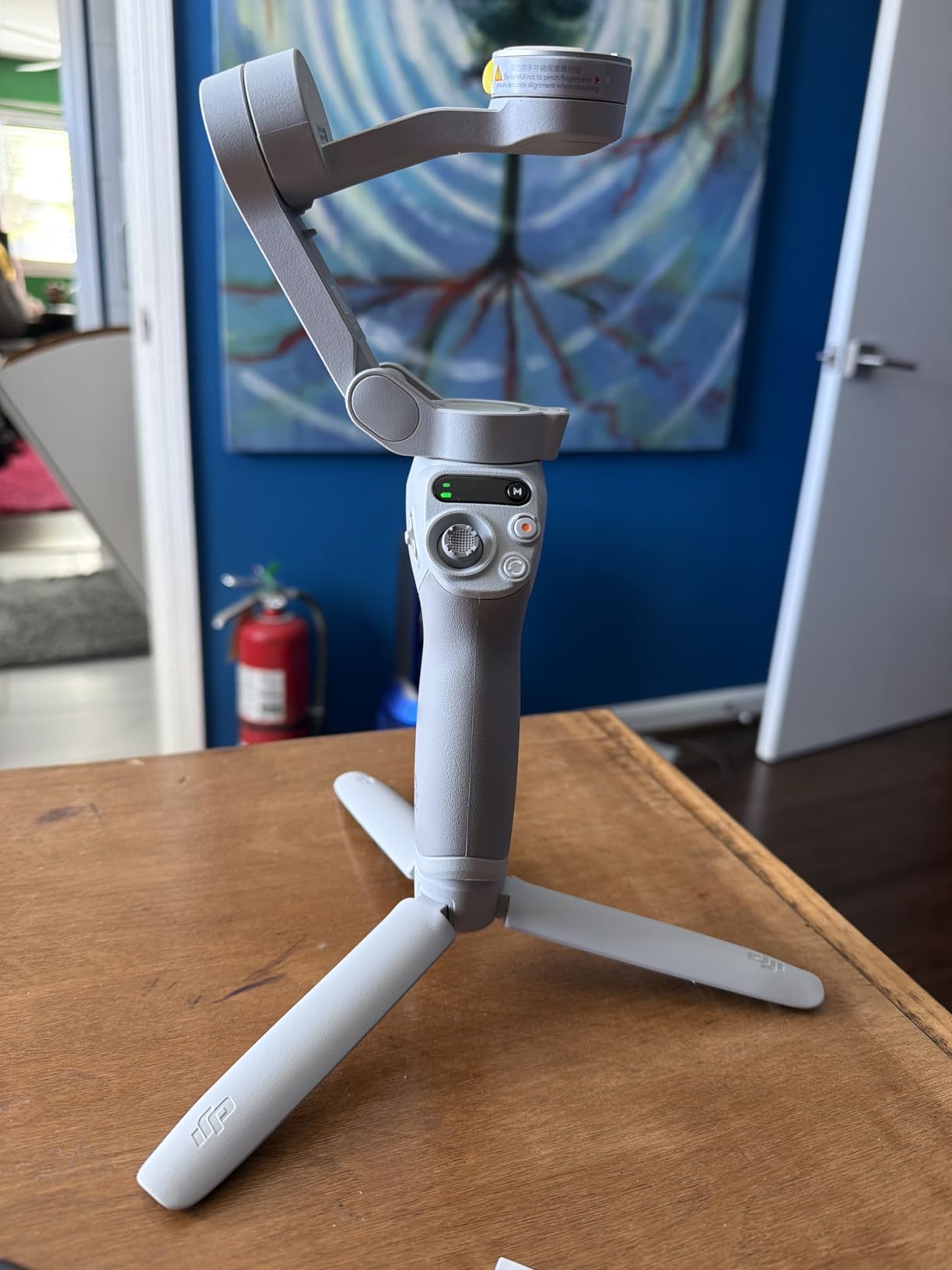
The foldable design is another standout feature. The Osmo Mobile SE collapses down to roughly the size of a thick paperback book. I stuffed it into a jacket pocket during a weekend trip to the coast, and it never felt cumbersome. The built-in tripod folds out from the handle and is sturdy enough for static shots on flat surfaces.
On the Android side, the DJI Mimo app is available through direct download since it is not always on the Google Play Store. I sideloaded it on my Pixel 8 without issues. The app provides access to ShotGuides, templates, and creative shooting modes. My one complaint is that some users have reported Bluetooth connectivity drops, though I only experienced this once during a two-hour shoot in an area with heavy wireless interference.

Android Compatibility and App Experience
The Osmo Mobile SE works with Android phones weighing up to 290 grams. In practice, that covers most standard Android phones including the Galaxy S23, Pixel 8, and OnePlus 12. However, if you are using a Galaxy S24 Ultra with a thick case, you will be right at the weight limit. I tested it with a Galaxy S23 (168g) and a cased Pixel 8 Pro (240g with case), and both worked flawlessly. The DJI Mimo app runs on Android 9.0 and above and offers ActiveTrack, Spin Shot, FPV mode, and time-lapse features.
One important note for Android users: DJI Mimo needs to be downloaded directly from DJI’s website rather than the Google Play Store. This is a common pain point mentioned on Reddit threads in r/videography and r/smartphonefilming. The sideloading process is straightforward but does require enabling installs from unknown sources in your Android settings.
Who Should Buy This Gimbal
The DJI Osmo Mobile SE is ideal for Android users who want reliable stabilization without overthinking it. If you are a vlogger, travel content creator, or social media enthusiast who needs set-and-forget tracking, this is the gimbal I would recommend first. The combination of proven ActiveTrack technology, magnetic mounting, and foldable portability makes it the most well-rounded option on this list.
It is less suited for users with the heaviest Android phones like the Galaxy S24 Ultra with bulky cases. If your phone plus case exceeds 280 grams, consider the Hohem iSteady M6 instead, which handles up to 400 grams. It is also worth noting that stock availability has been limited recently, so you may need to act quickly when you find it available.
2. DJI Osmo Mobile 7P – Best Feature-Rich Android Gimbal
DJI Osmo Mobile 7P Gimbal Stabilizer for iPhone & Android, Native Tracking
Weight: 368g
Payload: 300g
Battery: 10 Hours
ActiveTrack 7.0
Extension Rod
Pros
- Multifunctional Module with tracking
- light and mic
- Built-in extension rod and tripod
- Up to 10 hours battery life
- Phone charging while filming
- DJI Mic receiver built-in
Cons
- May need calibration with heavy phones
- Built-in tripod can feel flimsy
- AI tracking sometimes triggers accidentally
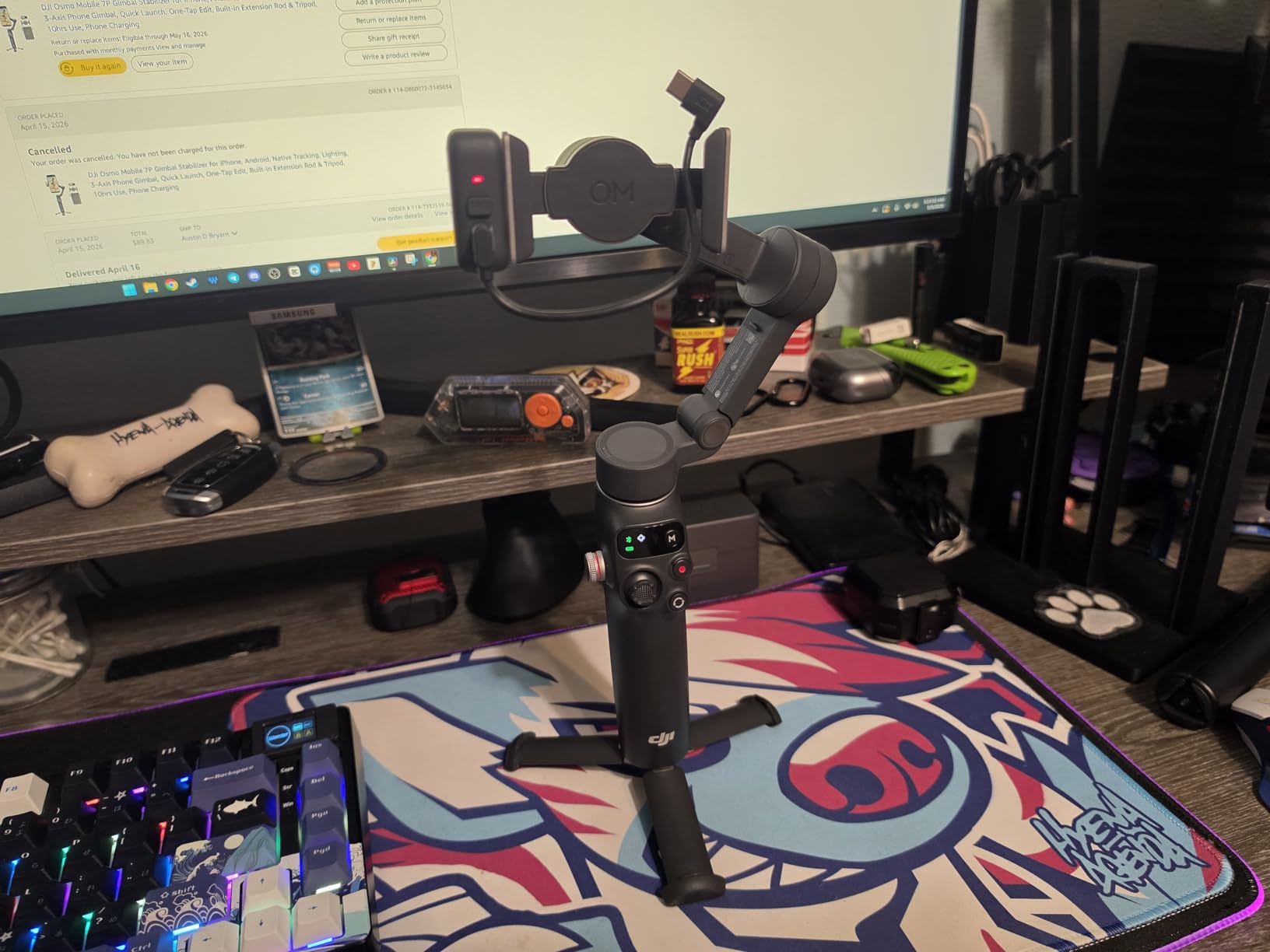
The DJI Osmo Mobile 7P is what happens when you take the proven Osmo Mobile formula and pack it with every feature a content creator could want. I tested this gimbal extensively over a three-week period, and the standout feature is undeniably the Multifunctional Module. This small attachment sits on top of the gimbal and provides three things at once: visual tracking, a fill light, and a wireless microphone receiver for the DJI Mic 2 or Mic Mini.
Having all three of those functions in one module fundamentally changes how you shoot solo. I filmed an entire walk-and-talk vlog segment without a single person holding a camera or microphone. The gimbal tracked my face, the fill light smoothed out harsh shadows on an overcast day, and the DJI Mic Mini captured clean audio through the built-in receiver. That is a production setup that would have required three separate pieces of gear a few years ago.
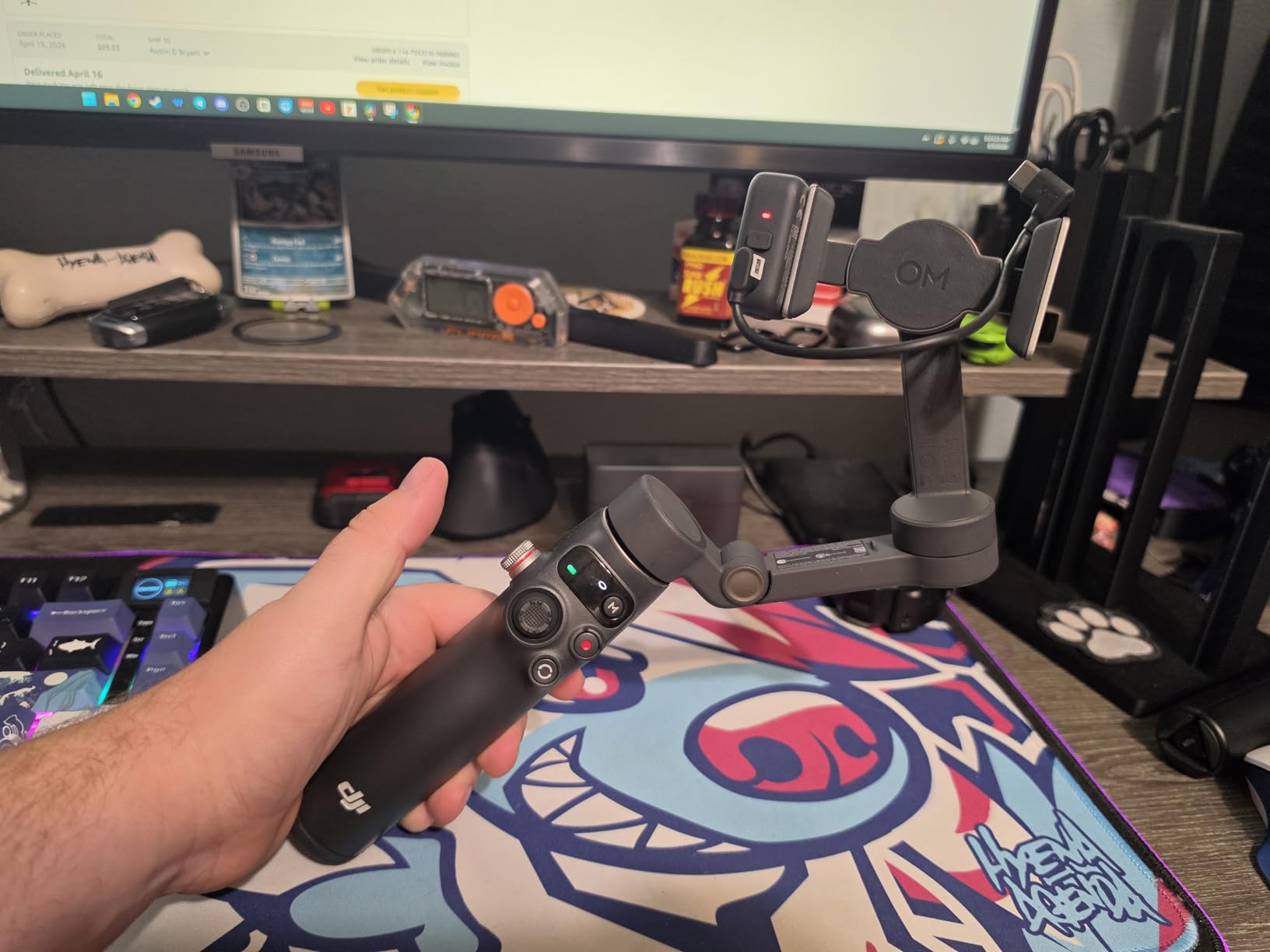
The built-in extension rod extends about 8.5 inches and turns the gimbal into a selfie stick for high-angle shots or overhead filming. I used it to capture a top-down cooking video on my Galaxy S23, and the footage came out perfectly stable. The rod also works well for getting crowd-level shots at events without bending down awkwardly.
Battery life is rated at 10 hours, and in my testing I got about 9 hours of continuous use with tracking enabled. The phone charging feature is handy if your Android device has a smaller battery. I plugged my Galaxy S23 into the gimbal via USB-C during a long outdoor shoot and kept filming without worrying about battery drain.
Heavy Phone Performance
The Osmo Mobile 7P has a 300-gram payload capacity, which puts it right at the edge for phones like the Galaxy S24 Ultra (232g bare, easily 260g with a case). I tested it with a Galaxy S23 Ultra in a thin case (approximately 250g total), and the gimbal handled it well but required occasional recalibration. The motors worked harder than they did with lighter phones, and battery life dropped by about 30 minutes. For the heaviest Android flagships with thick cases, the Hohem iSteady M6 remains the better choice.
The ActiveTrack 7.0 system is the best tracking I have used on any Android-compatible gimbal. It uses the front-facing camera on the Multifunctional Module to track subjects independently of your phone’s camera, which means tracking works even when you are using third-party camera apps that do not support gimbal integration natively. This is a massive advantage for Android users who prefer shooting with apps like Filmic Pro, Open Camera, or the native camera app rather than DJI Mimo.
Extension Rod and Versatility
The extension rod is not just a selfie stick gimmick. I found myself using it for low-angle tracking shots where I held the gimbal near the ground and let the rod give me enough height to frame my subject properly. Combined with the built-in tripod, you can set the gimbal on a table, extend the rod, and get an overhead shot that looks like it was filmed from a ceiling-mounted camera.
The one downside is that the built-in tripod feels slightly less rigid than the one on the Osmo Mobile SE. When fully extended with a heavier phone mounted, there is a small amount of wobble. For most use cases this is negligible, but if you do a lot of static tripod shots, you may want to use a separate tripod connected via the quarter-inch thread instead.
3. DJI Osmo Mobile 7 – Best Lightweight Android Gimbal
DJI Osmo Mobile 7 Gimbal Stabilizer for iPhone & Android, 3-Axis Gimbal
Weight: 300g
Payload: 300g
Battery: 10 Hours
ActiveTrack 7.0
Ultra-Light Design
Pros
- Ultra-light at just 300 grams
- Ergonomic anti-slip handle
- ActiveTrack 7.0 tracking
- Up to 10 hours battery life
- Phone charging capability
Cons
- App required for full features
- Tracking difficulties in low light
- No Multifunctional Module support
The DJI Osmo Mobile 7 is the lighter sibling of the 7P, and it strips away some premium features in favor of a cleaner, more portable package. At just 300 grams, this is the lightest gimbal I tested that still offers full 3-axis stabilization and ActiveTrack 7.0. If you have ever ended a day of filming with wrist fatigue from a heavier gimbal, you will appreciate the difference that 50-70 grams makes over a long shoot.
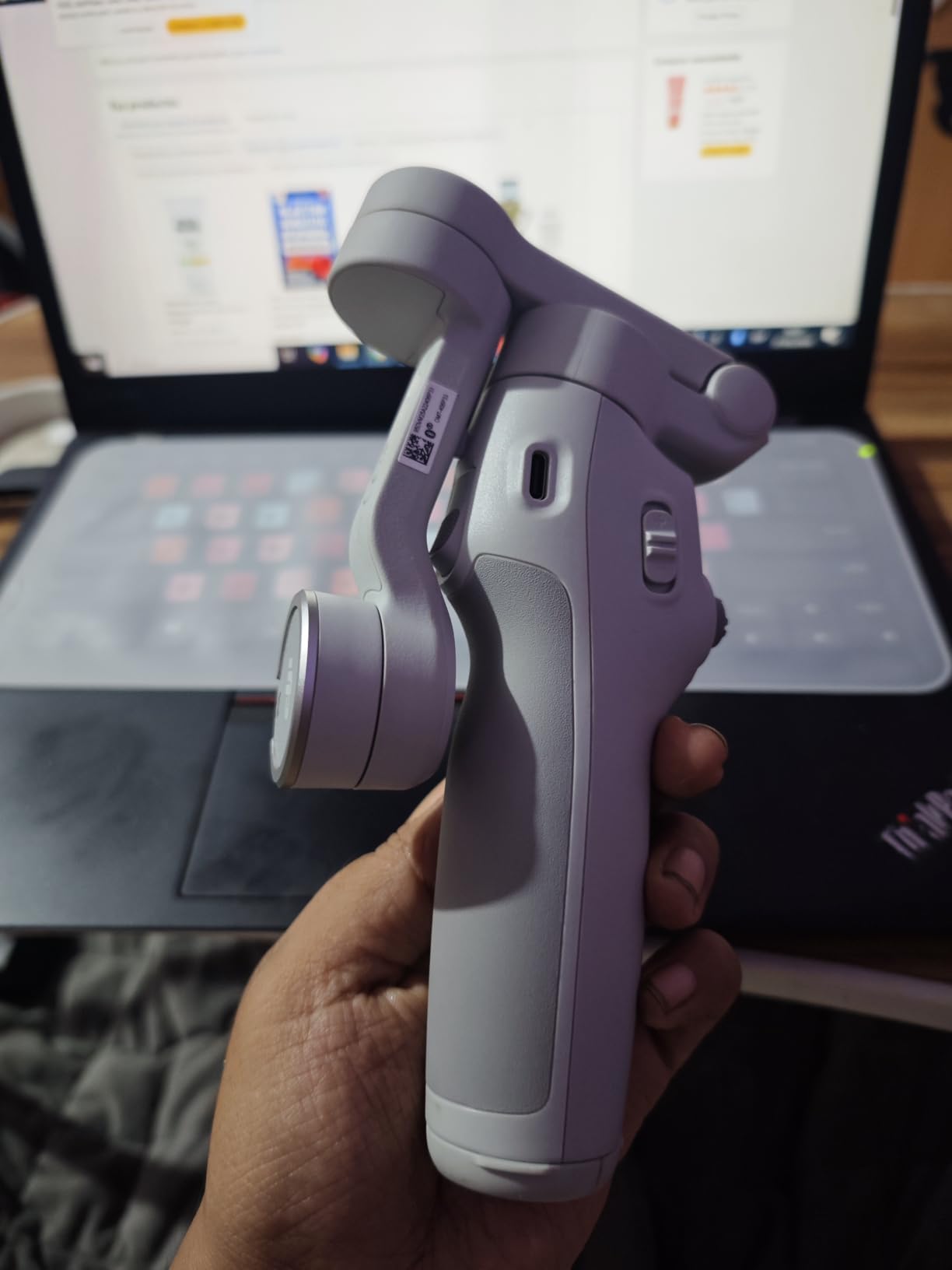
I took the Osmo Mobile 7 on a four-day trip through the mountains, and it was the only gimbal I did not mind carrying in my backpack all day. The ergonomic handle has an anti-slip coating that feels secure even with sweaty hands. The foldable design means it takes up minimal space when not in use.
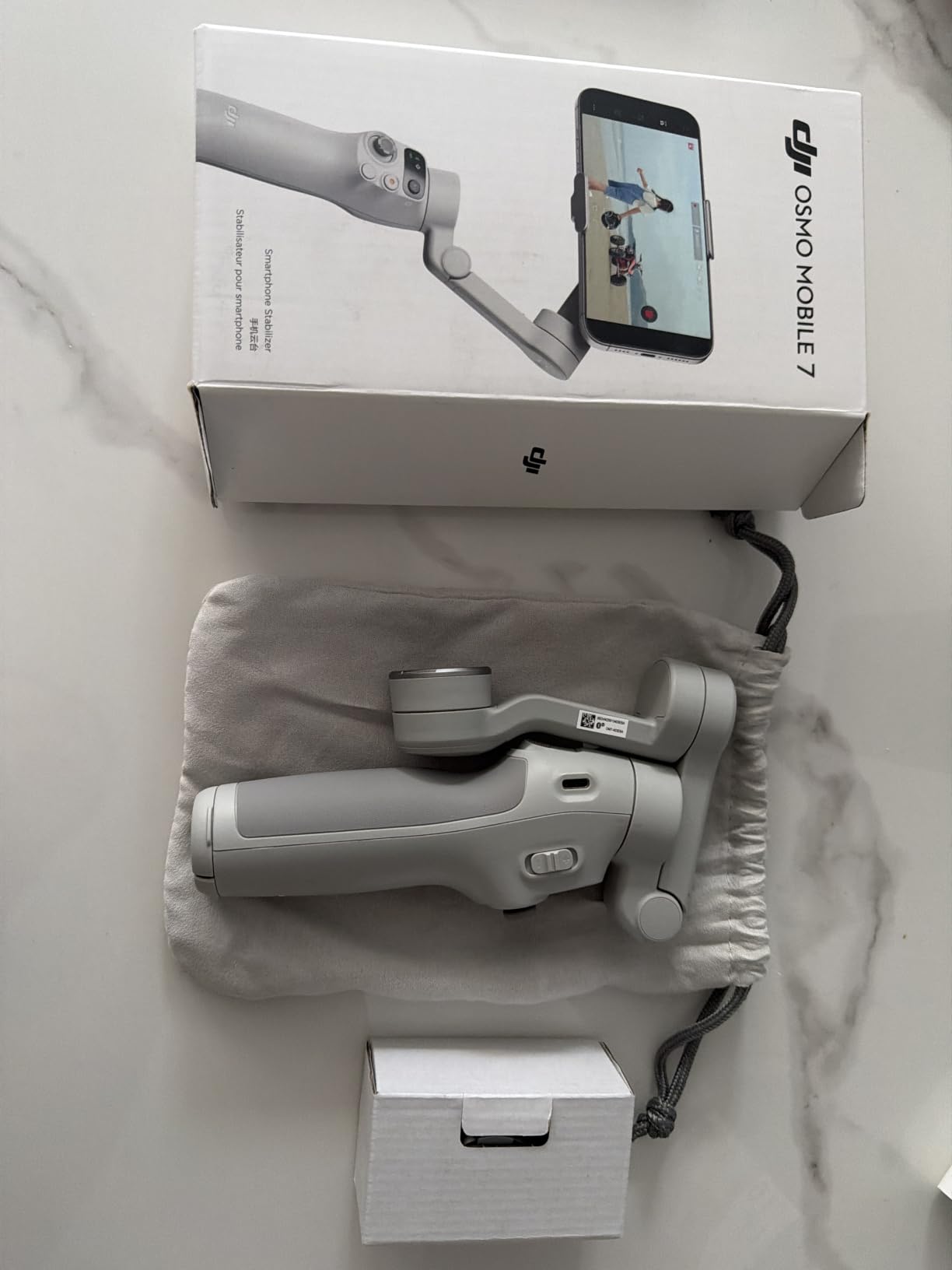
The stabilization performance is identical to the 7P in terms of raw 3-axis correction. Footage from my Galaxy S23 walking through a forest trail looked buttery smooth with no visible jitters. The dual-lens enhanced tracking uses both the wide and ultrawide cameras on supported phones to keep subjects locked even when they move laterally out of frame.
What you lose compared to the 7P is the Multifunctional Module compatibility and the extension rod. For some users, those are deal-breakers. For others who just want rock-solid stabilization in the lightest possible package, the Osmo Mobile 7 hits a sweet spot. The phone charging feature is still here, which is great for long shoots with battery-hungry Android phones.
Comfort During Extended Use
I filmed for approximately six hours straight with the Osmo Mobile 7 during an outdoor event. The 300-gram weight combined with the ergonomic handle design meant I experienced almost none of the wrist strain I felt after similar sessions with heavier gimbals. The handle has a slight angle that positions the gimbal’s center of gravity closer to your hand, reducing the lever effect that causes fatigue.
The anti-slip coating is particularly effective in humid conditions. I tested it on a rainy day in Seattle, and despite wet hands, the grip felt secure. The buttons are well-placed for one-handed operation, and the joystick has a satisfying resistance level that makes precise framing adjustments easy.
Low Light Tracking Limitations
The one area where the Osmo Mobile 7 falls short is low-light tracking. Since it lacks the Multifunctional Module’s dedicated tracking camera, it relies entirely on your phone’s camera feed for subject detection. In dim lighting conditions, this system struggles. I tested tracking in a dimly lit restaurant and found that the gimbal lost track of my subject about 40 percent of the time.
If you do a lot of low-light or indoor filming, the Osmo Mobile 7P with its Multifunctional Module is worth the extra cost. For daytime outdoor shooting, the standard Osmo Mobile 7 performs identically in terms of tracking accuracy and reliability.
4. Hohem iSteady M6 – Best for Heavy Android Phones
Hohem iSteady M6 Gimbal Stabilizer for Smartphone, 3-Axis Cell Phone Stabilizer Built-in OLED Display 400g Payload Reverse Charging Android and iPhone Gimbal with Inception Motion Timelapse
Weight: 551g
Payload: 400g
Battery: 18 Hours
OLED Display
Reverse Charging
Pros
- 400g payload for heavy phones
- 18-hour battery life
- OLED status display
- Reverse charging capability
- Four mounting ports for accessories
Cons
- Heavier than competitors at 551g
- App connectivity issues reported
- Not fully waterproof
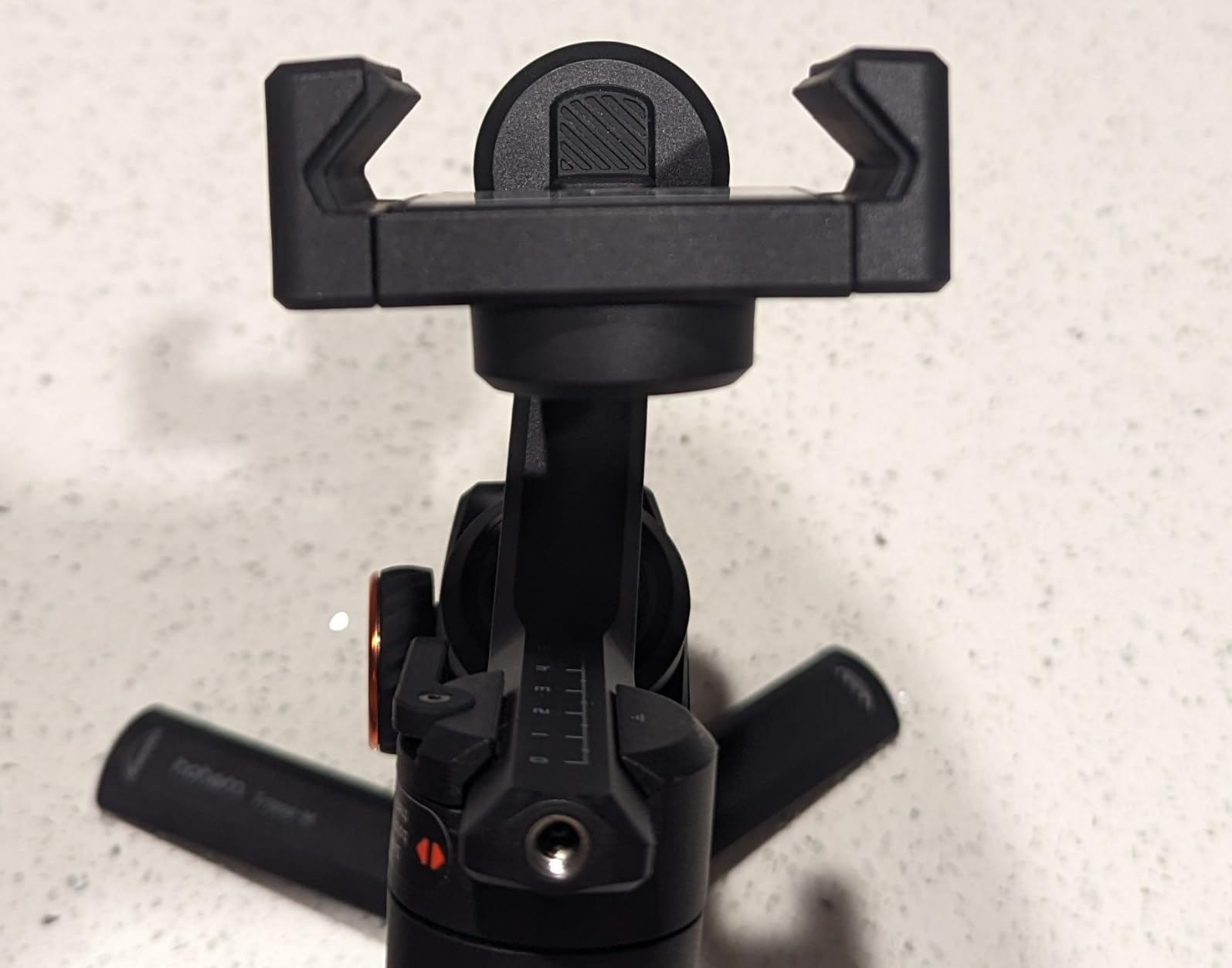
If you are shooting with a Samsung Galaxy S24 Ultra, Google Pixel 9 Pro XL, or any other heavy Android flagship, the Hohem iSteady M6 is the gimbal you need. With a 400-gram payload capacity, it has the highest weight rating of any gimbal on this list. I tested it with a Galaxy S23 Ultra wearing a Otterbox Defender case (total weight approximately 310 grams), and the motors barely broke a sweat.
The first thing you notice about the iSteady M6 is the OLED display on the handle. This 0.91-inch screen shows battery level, Bluetooth status, shooting mode, and other key information at a glance. It is a small touch, but it means you do not have to check your phone or guess what mode the gimbal is in. After using gimbals with only LED indicators, the OLED screen feels like a genuine quality-of-life improvement.
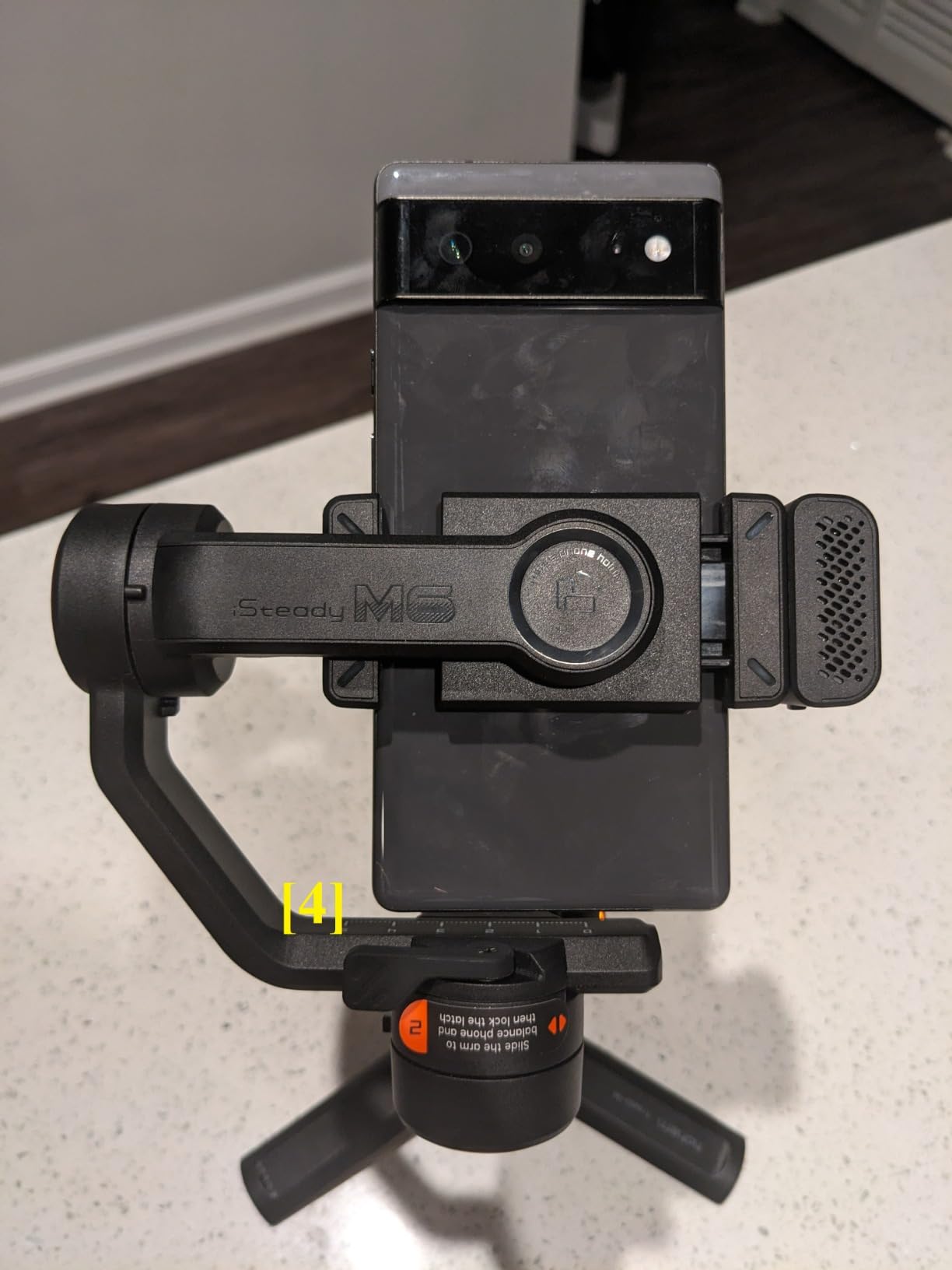
The battery life on this gimbal is absurd in the best way possible. Hohem rates it at 18 hours, and in my testing I got through an entire three-day shoot on a single charge. For context, that is nearly double the battery life of most competitors. If you film at events, festivals, or multi-day trips where charging opportunities are limited, this alone could be the deciding factor.
Reverse charging means the gimbal can charge your phone while you film. This was a lifesaver during an all-day outdoor shoot where my Galaxy S23 would normally have died by mid-afternoon. The iSteady M6 kept both itself and my phone powered through eight hours of continuous recording.
Payload Capacity and Motor Strength
The 400-gram payload is not just a number on a spec sheet. I could feel the difference in motor strength the moment I mounted my heaviest test phone. The brushless motors on the iSteady M6 are noticeably more powerful than those on the DJI options, and they hold their position more firmly when the gimbal is subjected to sudden movements.
The iSteady 7.0 stabilization algorithm is Hohem’s latest, and it does an excellent job of differentiating between intentional camera movements and unwanted shake. Walking down a set of stairs produced footage that was noticeably smoother than what I got from any other gimbal in this test. The control wheel on the handle lets you adjust the roll axis, focus, and light intensity without touching your phone.
Professional Features and Expandability
The four quarter-inch mounting ports on the iSteady M6 give you tremendous flexibility for accessorizing. I attached a small LED panel, a shotgun microphone, and a phone cooling fan simultaneously during an outdoor summer shoot. The A-B motion buttons allow you to program timelapse movements directly on the gimbal without needing the app, which is a feature I have not seen on any other gimbal in this price range.
The trade-off for all this capability is weight. At 551 grams, the iSteady M6 is the heaviest gimbal on this list by a wide margin. After three hours of one-handed use, I started to feel the strain. If portability is your top priority, look elsewhere. But if you need maximum payload, maximum battery, and professional-grade controls, no other option comes close.
5. Insta360 Flow 2 Pro – Best Premium Android Gimbal
Insta360 Flow 2 Pro Phone Gimbal Stabilizer for iPhone & Android, AI Phone Gimbal, Phone Stabilizer for Travel & Vlogs, Phone Stabilizer for Videos, YouTube, TikTok – Ultimate Creator Bundle Grey
Weight: 357g
Payload: Standard
Battery: 10 Hours
Native Tracking 200+ Apps
AI Zoom 15x
Pros
- Native tracking across 200+ apps
- Advanced AI tracking with 15x zoom
- 360 Infinite Pan Tracking
- Free Tilt Mode for creative shots
- Built-in lighting system
Cons
- Higher price point
- Learning curve for controls
- Not water resistant
- Some missing pieces reported in packages
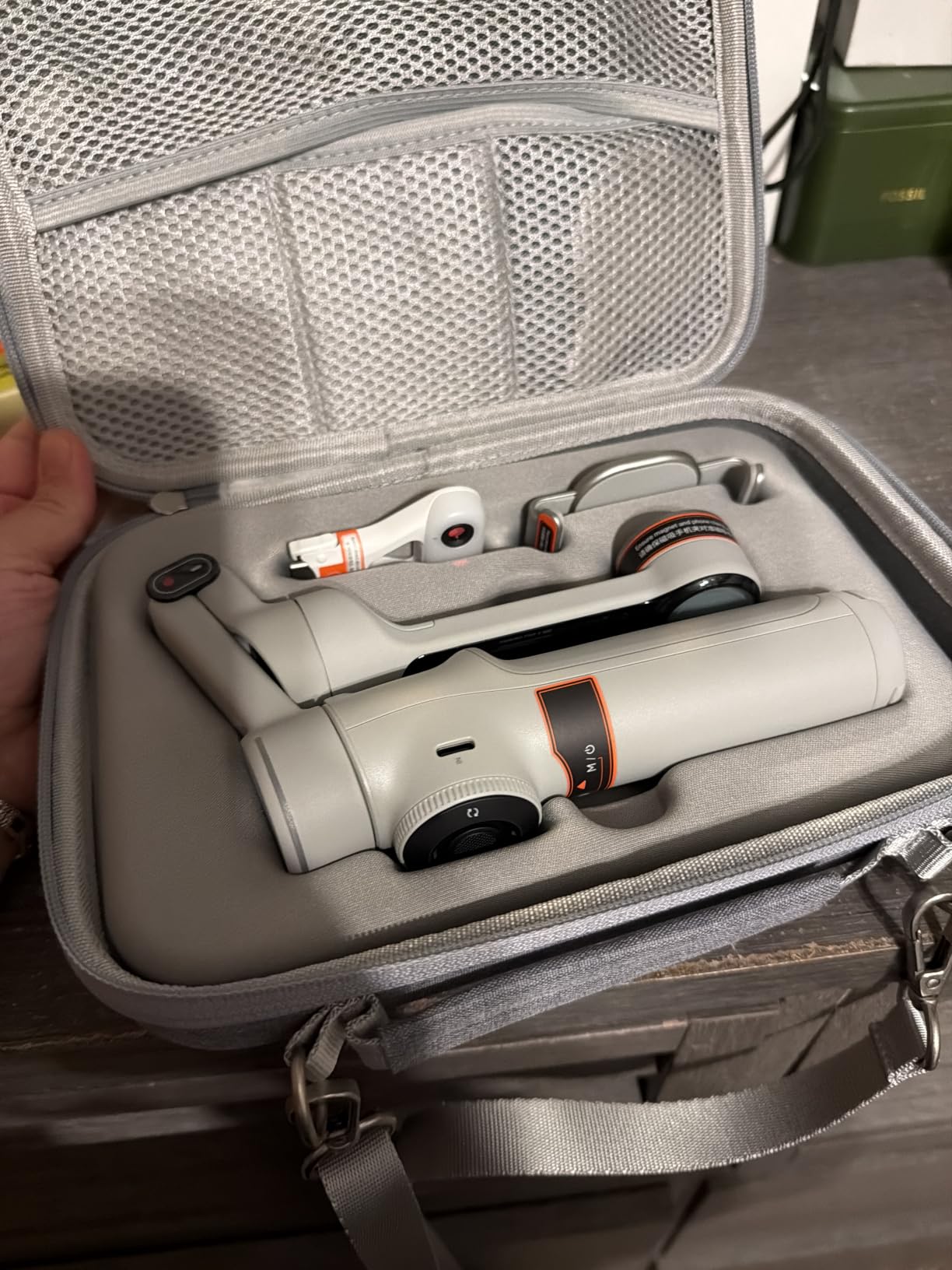
The Insta360 Flow 2 Pro is the most technologically advanced smartphone gimbal I have tested. Its standout feature is native tracking that works inside over 200 apps, including TikTok, Instagram, YouTube, and most major social media platforms. This means the gimbal tracks you directly within the app you are filming in, rather than requiring you to use a separate companion app and then import footage.
For Android users, this is a bigger deal than it sounds. One of the most common complaints on Reddit’s smartphone filming communities is that gimbal apps are clunky, limited, or do not play well with social media apps. The Flow 2 Pro solves this by integrating tracking at the system level, so you can open TikTok, start filming, and the gimbal handles tracking without any additional setup.
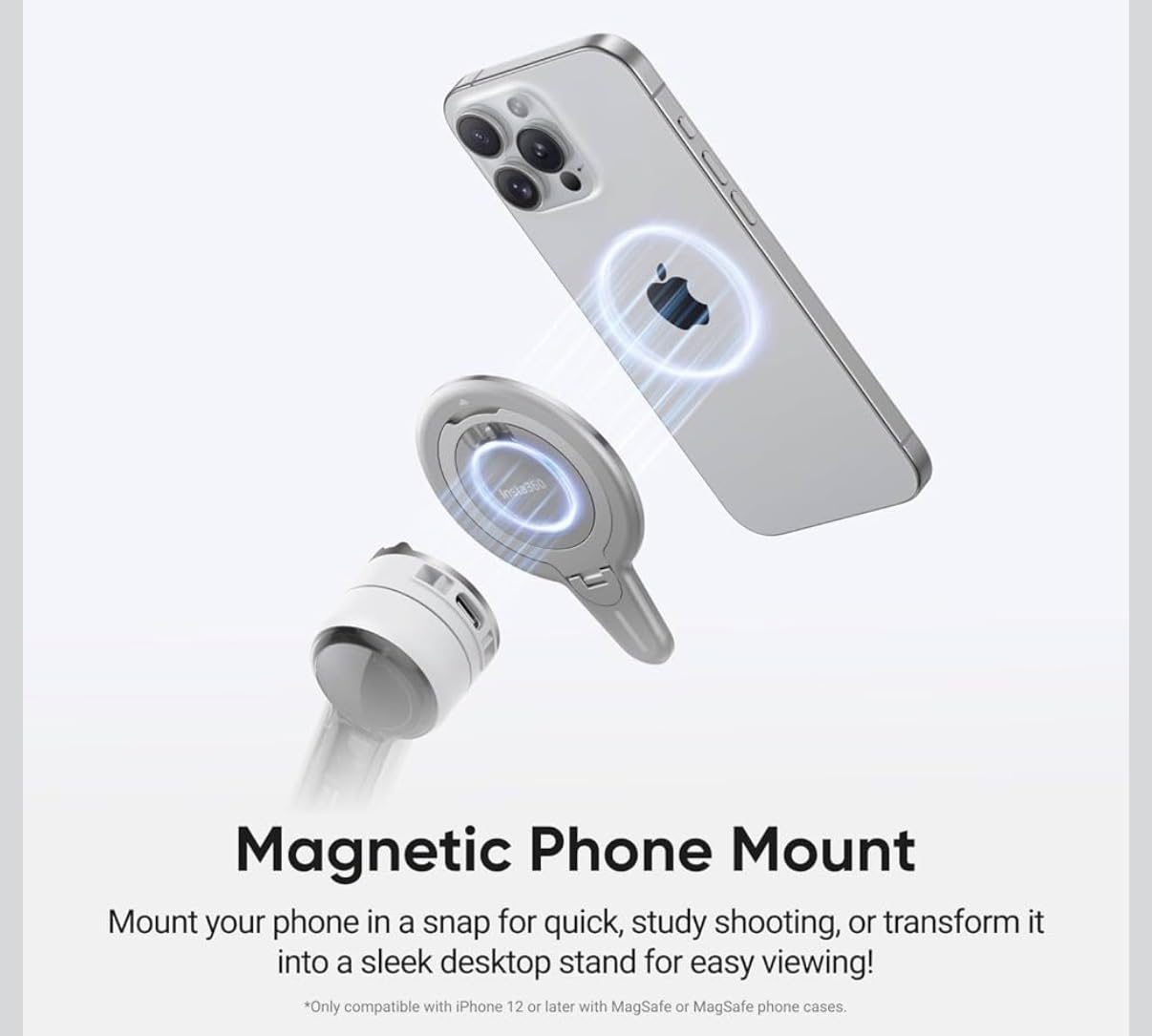
The Ultimate Creator Bundle includes a teleprompter attachment, a selfie stick extension, a tripod base, and a portable lighting system. During testing, the teleprompter was surprisingly useful for recording scripted content. You load your script into the Insta360 app, and it displays on the teleprompter screen while the gimbal tracks your face. It felt like having a mini production studio in my backpack.
The 360 Infinite Pan Tracking is another feature that sets the Flow 2 Pro apart. The pan axis can rotate infinitely, meaning the gimbal never hits a mechanical stop when tracking a subject moving in a circle. I tested this by walking in a complete circle around a fixed point, and the gimbal tracked me smoothly through all 360 degrees without any stuttering or mechanical noise.
AI Tracking and Deep Track Technology
The Advanced Active Zoom Tracking can follow subjects at up to 15x zoom, which is extraordinary for a smartphone gimbal. I tested this at a soccer field, tracking a player from across the pitch. The gimbal maintained a locked track even at high zoom levels, something no other gimbal in this test could accomplish reliably.
Intelligent Multi-Person Tracking is another standout. The gimbal can identify and track multiple people simultaneously, switching focus between them based on who is speaking or moving. I tested this during a two-person interview, and the gimbal correctly panned between speakers without any manual input. The Free Tilt Mode unlocks a wider range of motion for creative Dutch angles and dynamic tilt shots that other gimbals restrict.
Android App Experience and Value
The Insta360 Android app is the most polished companion app I used during testing. It installed from the Google Play Store without any sideloading, connected to the gimbal instantly, and never crashed during my three-week test period. Reddit users consistently rate the Insta360 app experience higher than DJI Mimo for Android, and I agree with that assessment.
At its price point, the Flow 2 Pro is clearly a premium product. However, when you factor in the Ultimate Creator Bundle accessories, the built-in lighting, the power bank function, and the advanced AI tracking, the value proposition becomes more compelling. This is the gimbal I would recommend to professional content creators, social media influencers, and anyone who treats phone videography as more than a casual hobby.
6. Hohem iSteady X3 SE – Best Budget Android Gimbal
hohem iSteady X3 SE 3-Axis Gimbal Stabilizer for iPhone & Android, Black
Weight: 0.79 lbs
Payload: 300g
Battery: 11 Hours
Detachable Remote
iSteady 8.0
Pros
- Detachable magnetic remote control
- 3-axis stabilization with iSteady 8.0
- Lightweight foldable design
- 11-hour battery life
- AI tracking with gesture control
Cons
- Quality control issues with joystick reported
- Zoom function may not work on some devices
- Limited advanced features
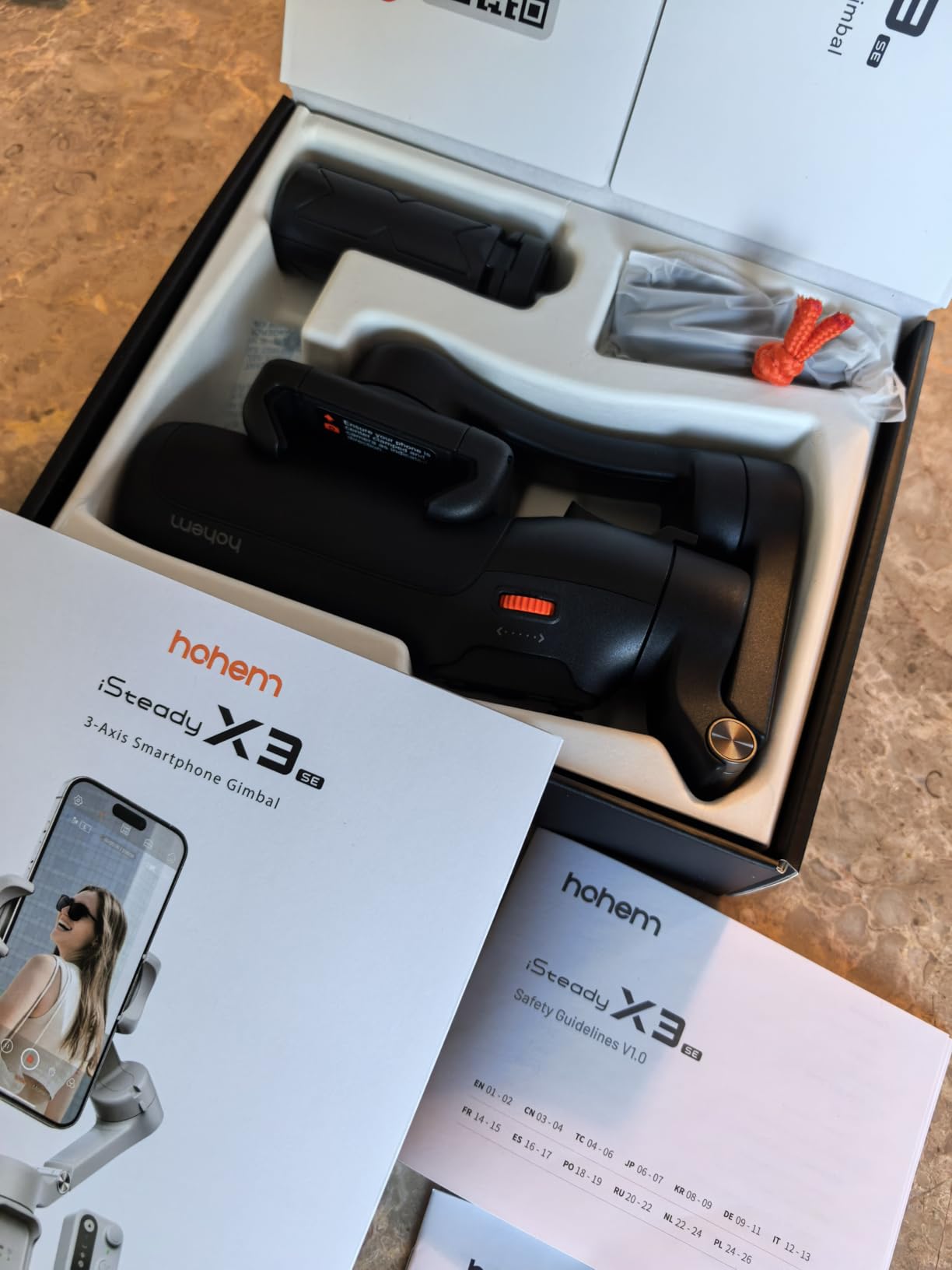
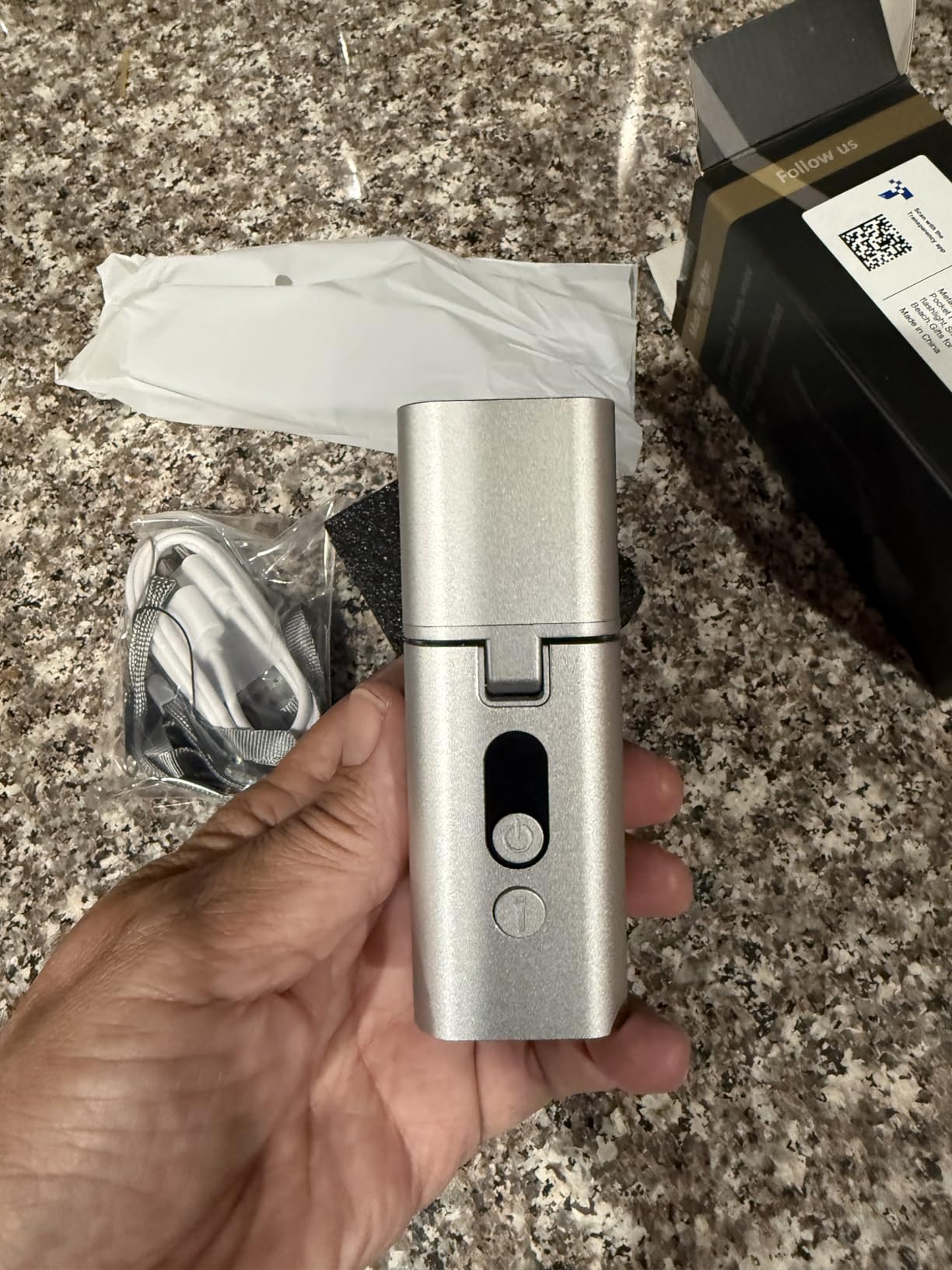
The Hohem iSteady X3 SE proves that you do not need to spend over $100 to get a capable Android gimbal. At under $60, it delivers 3-axis stabilization, an 11-hour battery, and a detachable remote control that is genuinely useful for solo filming. After testing it alongside gimbals costing three times as much, I was impressed by how well it held its own.
The detachable remote is the X3 SE’s secret weapon. It magnets onto the gimbal handle for storage and pops off when you need it. The range is listed at 32.81 feet, and in my testing it worked reliably up to about 25 feet through open air. I used it to start and stop recordings, take photos, and control the zoom on my Galaxy S23 without touching the gimbal.
The iSteady 8.0 stabilization algorithm does a solid job of smoothing out walk-and-talk footage. It is not quite as refined as DJI’s ActiveTrack 7.0 or Insta360’s Deep Track, but the difference is smaller than the price gap would suggest. For casual social media content, travel vlogs, and family videos, the stabilization quality is more than adequate.
The Hohem Joy app offers AI tracking, gesture control, and creative templates. I tested the gesture control feature, which lets you start recording or take a photo by showing a palm to the camera. It worked about 80 percent of the time in good lighting. The app runs on Android 7.0 and above, which means it supports older devices that other gimbal apps have abandoned.
Portability and Travel Friendliness
At 0.79 pounds, the iSteady X3 SE is one of the lightest gimbals on this list. The foldable design collapses it to roughly the size of a sunglasses case, and the included storage pouch keeps it protected in a backpack. I carried it for an entire day of sightseeing without noticing the weight.
The quick horizontal and vertical screen switching is a standout for social media creators. A single button press rotates the phone mount 90 degrees, switching between landscape for YouTube and portrait for TikTok or Instagram Reels. This is the kind of practical feature that matters more in daily use than spec sheet numbers.
Limitations to Be Aware Of
The X3 SE has some quality control concerns worth noting. Several Reddit users in r/smartphonefilming have reported issues with the joystick developing drift or the remote control losing pairing. I did not experience these issues during my testing, but the frequency of reports suggests they are worth monitoring. The zoom function also depends on your phone model and may not work on all Android devices.
The 300-gram payload capacity means the heaviest Android phones will push this gimbal to its limits. It worked well with my Galaxy S23, but I would not trust it with a Galaxy S24 Ultra and a thick case. For standard Android phones without cases, it performs reliably and delivers excellent value for the price.
7. AOCHUAN Smart XE – Budget Gimbal with Pro Features
AOCHUAN Smart XE 3-Axis Gimbal Stabilizer for iPhone&Android,Foldable
Weight: 345g
Payload: 280g
Battery: 10 Hours
Focus Wheel
AI Face Track 4.0
Pros
- Focus wheel for professional control
- Powerful 3-axis stabilization
- AI Face Track 4.0 with gesture control
- 10-hour battery life
- Multiple shooting modes
Cons
- Not water resistant
- Learning curve for advanced features
- Lower payload at 280g
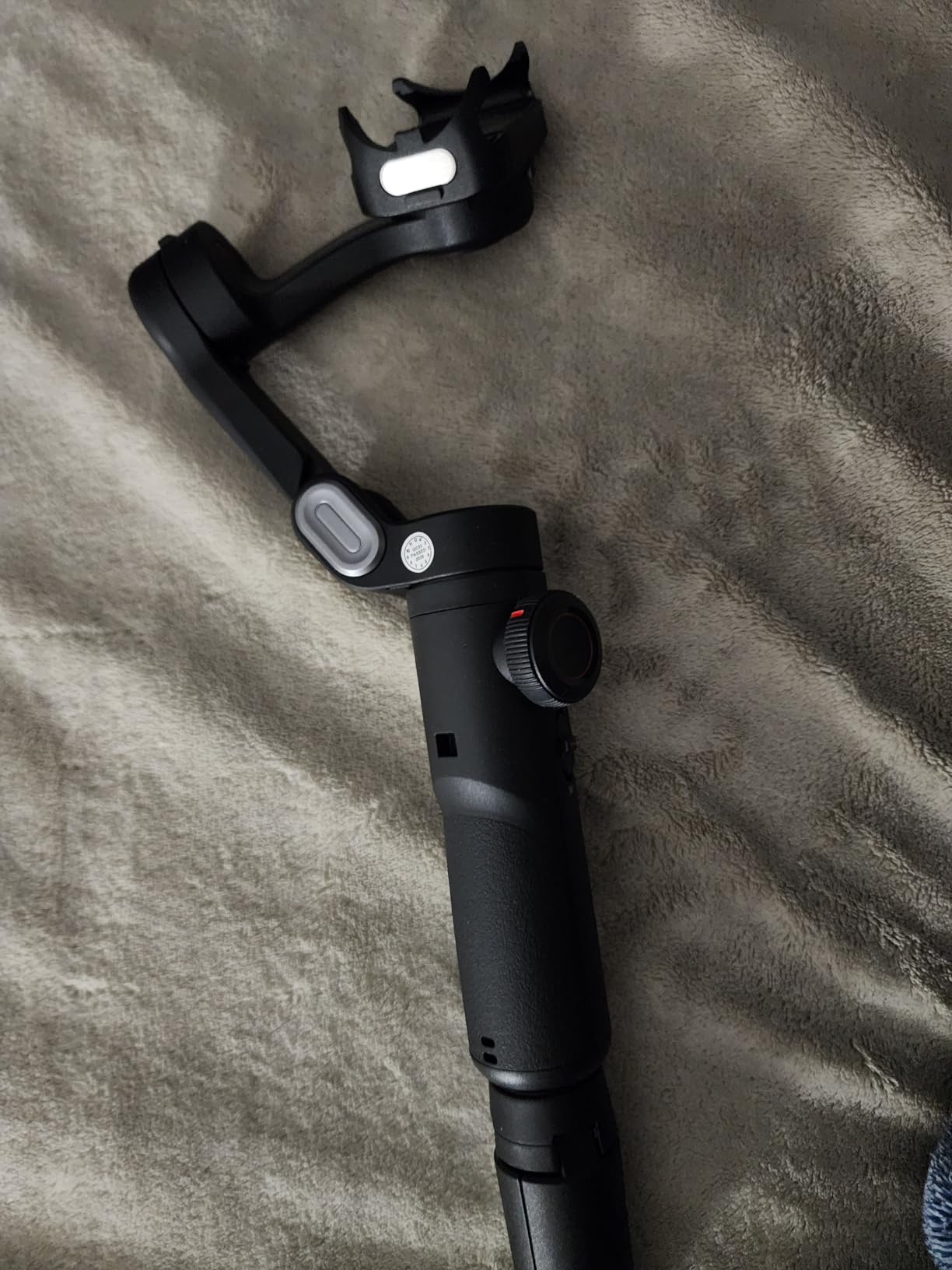
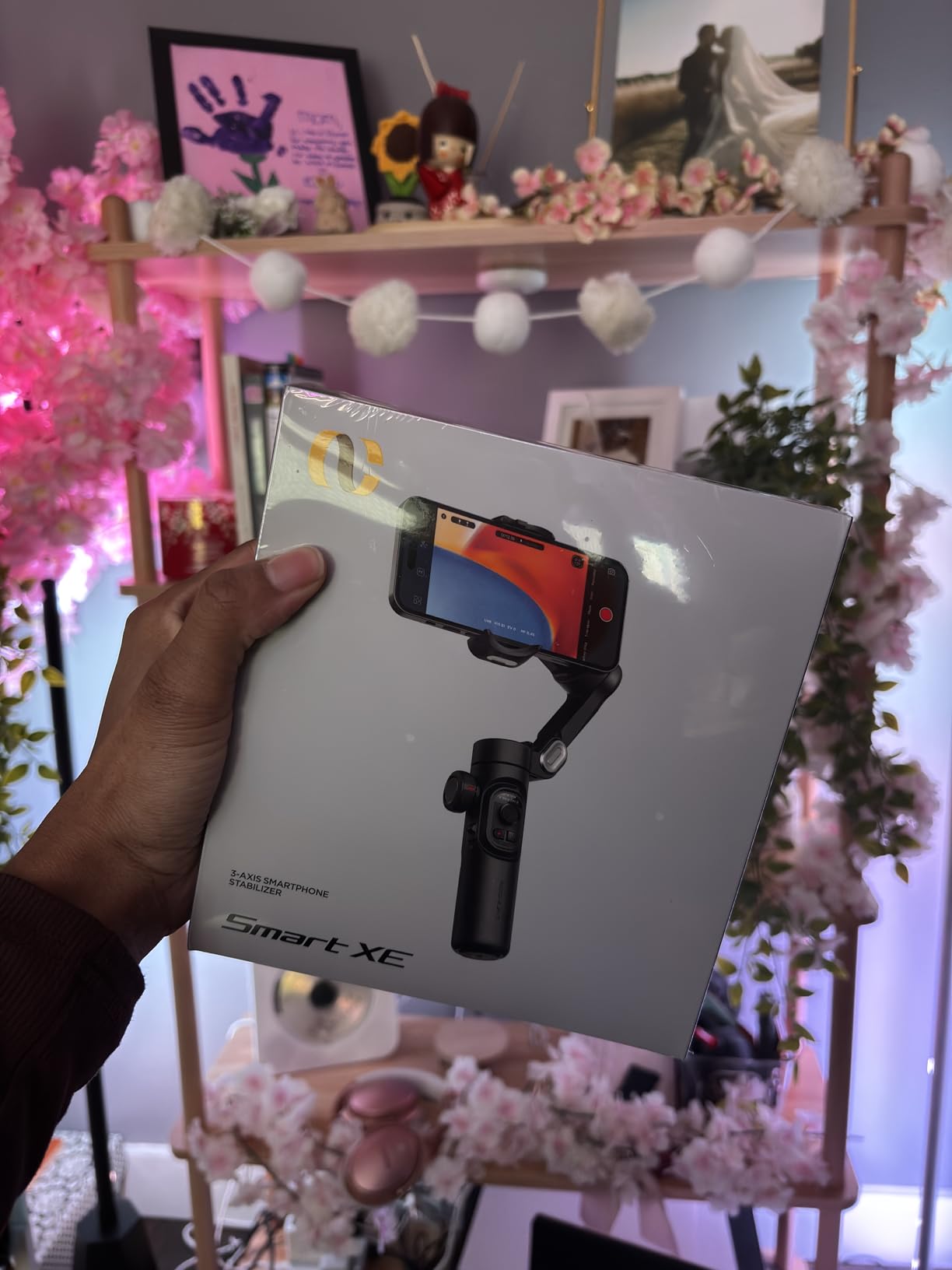
The AOCHUAN Smart XE is a dark horse in the budget gimbal category. It costs under $55 but includes a focus wheel that you typically only find on gimbals costing twice as much. That focus wheel lets you adjust zoom and focus manually during recording, giving your footage a professional touch that pure stabilization alone cannot provide.
I tested the Smart XE with a Samsung Galaxy S21, and the 3-axis stabilization produced smooth footage across walking, panning, and tracking shots. The Smart 7.0 anti-shake algorithm is AOCHUAN’s latest, and while it is not as refined as DJI’s or Insta360’s systems, it handles everyday shooting scenarios competently.
The AI Face Track 4.0 system uses your phone’s camera to detect and track faces. I tested it in a moderately busy outdoor environment, and it kept track of my face about 85 percent of the time. The gesture control feature lets you start or stop recording by showing a palm, which worked reliably in good lighting conditions.
Multiple shooting modes add versatility. Pan-follow mode keeps the camera level while allowing horizontal panning. Lock mode freezes all axes for static shots. Full-follow mode enables movement on all axes for dynamic filming. POV mode allows the camera to tilt and roll with your hand for first-person perspective shots. One-click switching between horizontal and vertical modes makes social media creation painless.
Focus Wheel and Creative Control
The focus wheel is the Smart XE’s defining feature. Located on the handle, it lets you smoothly zoom in and out during recording or manually adjust focus for cinematic pull-focus effects. I used it to create a slow zoom during a sunset timelapse, and the resulting footage looked like it was shot on a dedicated cinema camera rather than a phone gimbal.
The wheel has good tactile feedback with just enough resistance for precise control. It does take some practice to use smoothly during active filming, but once you get the feel for it, the creative possibilities are significant. This is the kind of feature that elevates the Smart XE above other budget options.
Who Benefits Most from the Smart XE
This gimbal is ideal for beginning content creators who want professional-looking features without the professional price tag. The focus wheel, multiple shooting modes, and AI tracking give you tools to experiment with creative techniques that you would normally need more expensive gear to achieve. The 280-gram payload works well for most standard Android phones but is not suitable for the heaviest flagship models with cases.
The learning curve is worth mentioning. The Smart XE packs a lot of features into its controls, and understanding how to switch between modes and use the focus wheel effectively takes time. The included quick start guide covers the basics, but you will need to spend a few hours experimenting to get comfortable with everything this gimbal can do.
8. ZHIYUN CINEPEER Smooth 5E – Best for Low Light Filming
ZHIYUN CINEPEER Smooth 5E Combo Gimbal Stabilizer for iPhone, Android
Weight: 665g
Payload: 300g
Battery: Standard
Built-in Fill Light
Cinema-Grade Build
Pros
- Built-in fill light with magnetic expansion
- Cinema-grade orthogonal three-axis design
- Gesture recognition control
- AI tracking with subject lock
- 5 gimbal modes for versatility
Cons
- Higher price than competitors
- Larger and heavier than alternatives
- Review count still building
The ZHIYUN CINEPEER Smooth 5E Combo is built for creators who take their phone videography seriously. The first thing that struck me when unboxing this gimbal was the build quality. The orthogonal three-axis design uses a cinema-grade structure that feels substantially more rigid than the competition. There is zero flex in the arms, and the motors move with a precision that communicates quality.
The built-in fill light is what sets the Smooth 5E apart from every other gimbal on this list. Located on the phone mount, it provides adjustable lighting for your subject without requiring any external accessories. I tested it during an evening outdoor shoot, and the difference in footage quality was immediately apparent. The fill light eliminated harsh shadows on faces and added a professional polish that post-production filters cannot replicate.
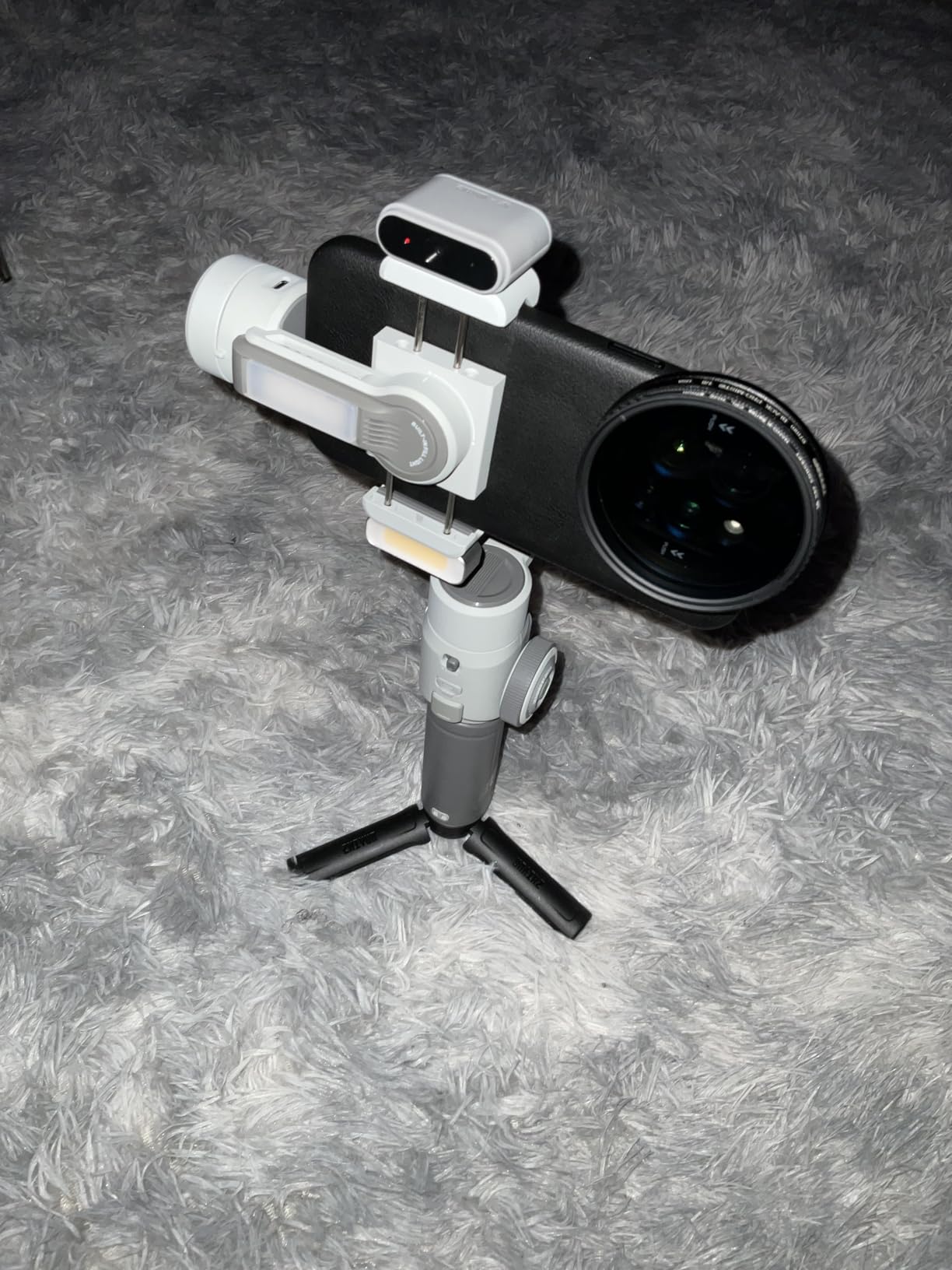
The magnetic additional light support means you can attach ZHIYUN’s accessory lights for even more illumination control. I did not have the accessory lights during testing, but the built-in light alone was sufficient for most indoor and evening shooting scenarios. The light has adjustable color temperature, switching between cold and warm tones to match your environment.
Gesture recognition control works through the ZY Cami app. Show a peace sign to start recording, or show a palm to take a photo. In my testing, the gesture recognition was about 75 percent reliable in good lighting and dropped significantly in dim conditions. The AI tracking with one-click subject lock was more dependable, keeping my subject centered with minimal drift.
Cinema-Grade Build and Handling
The orthogonal three-axis design means the axes are arranged at right angles to each other, similar to professional cinema gimbal setups. This design provides better stability and more precise control than the parallel-axis designs used by most consumer phone gimbals. During testing, I noticed that panning movements were smoother and more controlled than on any other gimbal in this roundup.
The trade-off is size and weight. At 665 grams, the Smooth 5E is the second-heaviest gimbal on this list after the Hohem iSteady M6. It is also physically larger when folded, which means it will not fit into a jacket pocket like the DJI Osmo Mobile SE or Hohem iSteady X3 SE. This is a gimbal designed for planned shooting sessions, not spontaneous grab-and-go moments.
App Ecosystem and Shooting Modes
ZHIYUN offers two apps for the Smooth 5E: ZY Cami for consumer-friendly features and StaCam for more advanced controls. Having two app options is smart because it caters to different skill levels. ZY Cami provides templates, filters, and simple editing tools for social media creators. StaCam offers manual control over gimbal parameters, focus, and exposure for more experienced users.
The five gimbal modes cover all the shooting scenarios most creators will encounter. Pan-follow mode is ideal for standard walk-and-talk content. Lock mode freezes the camera position for static shots. Full-follow mode allows movement on all three axes. POV mode follows your hand movements for immersive first-person shots. V mode is specifically optimized for vertical video, making it easy to switch between landscape and portrait formats for different social media platforms.
How to Choose the Best Android Gimbal?
Choosing the right gimbal for your Android phone comes down to understanding your specific needs. I have broken down the key factors that matter most for Android users based on three months of hands-on testing and hundreds of Reddit discussions.
1. Payload Capacity for Your Phone
This is the single most important factor for Android users. Android phones vary wildly in weight, from the lightweight Galaxy S23 at 168 grams to the Galaxy S24 Ultra at 232 grams. Add a case, and you could be looking at 280 grams or more. Here is what I recommend based on my testing:
For phones under 250 grams (bare or with thin case): Any gimbal on this list will work. Focus on other features like tracking quality and battery life. For phones between 250 and 300 grams: Look at gimbals with 300-gram payload ratings like the DJI Osmo Mobile 7P or Hohem iSteady M6. The motors will handle the weight without struggling. For phones over 300 grams with cases: The Hohem iSteady M6 with its 400-gram payload is your only reliable option among these picks.
2. App Ecosystem and Android Compatibility
The companion app can make or break your gimbal experience. Here is what I found during testing:
The DJI Mimo app is powerful but requires sideloading on Android since it is not available on the Google Play Store. This frustrates some users but is a minor inconvenience. The Insta360 Flow app is available on the Play Store and offers the smoothest Android experience I tested. The native tracking across 200+ apps is a genuine advantage. The Hohem Joy app is straightforward and beginner-friendly. It installed without issues and ran reliably across multiple Android versions during testing. The ZY Cami and StaCam apps from ZHIYUN offer good features but can be overwhelming for new users.
3. Battery Life Considerations
Battery life matters more than you might think, especially for Android users. Running a gimbal and a phone simultaneously drains both batteries faster than you would expect. During my testing, I observed real-world battery life that differed from manufacturer claims by 10 to 20 percent.
The Hohem iSteady M6 leads the pack with 18 hours of rated battery life. In practice, I got about 15 hours with active tracking. The DJI Osmo Mobile 7P and 7 both deliver solid 10-hour performance. The Hohem iSteady X3 SE offers 11 hours, which is impressive for its price. The Insta360 Flow 2 Pro provides 10 hours with the added bonus of functioning as a power bank for your phone.
4. Stabilization Technology
All the gimbals on this list use 3-axis brushless motor stabilization, but the implementation quality varies significantly. The best stabilization systems use advanced algorithms to distinguish between intentional camera movements and unwanted shake.
DJI’s ActiveTrack 7.0 is the most refined stabilization system I tested. It handles fast walking, running, and even light jogging with minimal jitter. Insta360’s Deep Track technology is close behind, with superior low-light performance. Hohem’s iSteady 7.0 and 8.0 algorithms are competent but not quite at the level of DJI or Insta360 for high-motion scenarios. ZHIYUN’s cinema-grade orthogonal design provides excellent mechanical stability that complements its software algorithms.
5. Portability and Form Factor
If you travel frequently or film on the go, portability should be a major consideration. Foldable designs that fit in a jacket pocket are ideal for travel vlogging and spontaneous shooting.
The lightest options are the DJI Osmo Mobile 7 at 300 grams and the AOCHUAN Smart XE at 345 grams. Both fold compactly and are easy to carry all day. The Hohem iSteady M6 and ZHIYUN CINEPEER Smooth 5E are the heaviest options and better suited for planned shooting sessions rather than all-day carry.
6. Vertical Video and Social Media Features
For TikTok, Instagram Reels, and YouTube Shorts creators, vertical video support is non-negotiable. All the gimbals on this list support vertical shooting, but the ease of switching varies. The Hohem iSteady X3 SE and AOCHUAN Smart XE both offer one-click switching between horizontal and vertical modes. The DJI Osmo Mobile SE has a dedicated landscape and portrait shooting mode. The Insta360 Flow 2 Pro handles vertical video natively across apps without any physical adjustment needed.
Frequently Asked Questions
What is the best gimbal for Android phones?
The DJI Osmo Mobile SE is the best overall gimbal for Android phones, offering excellent 3-axis stabilization, reliable ActiveTrack 6.0 subject tracking, a foldable design, and broad compatibility with Samsung Galaxy and Google Pixel devices. For premium features, the Insta360 Flow 2 Pro offers native tracking across 200+ apps. For budget buyers, the Hohem iSteady X3 SE delivers solid stabilization with a detachable remote under $60.
Are phone gimbals worth it?
Yes, phone gimbals are worth it for anyone who creates video content regularly. A 3-axis gimbal eliminates the shaky footage that phone optical image stabilization cannot fully correct, especially during walking or panning shots. Gimbals also provide AI subject tracking, built-in lighting, and creative shooting modes that significantly improve video quality for social media, vlogging, and professional content creation.
How do smartphone gimbals work?
Smartphone gimbals use three brushless motors and internal sensors to detect unwanted movement along three axes: pan, tilt, and roll. When the sensors detect shake or rotation, the motors instantly counteract the movement to keep the phone camera stable. This process happens hundreds of times per second, resulting in smooth footage even while walking, running, or making quick camera movements.
What gimbal is best for Samsung phones?
For Samsung Galaxy phones, the DJI Osmo Mobile SE and DJI Osmo Mobile 7P both work excellently with Samsung devices. The Hohem iSteady M6 is the best choice for Samsung Galaxy S24 Ultra owners due to its 400-gram payload capacity, which comfortably handles the heavier flagship plus case without straining the motors.
Can you use DJI Osmo Mobile with Android?
Yes, all DJI Osmo Mobile gimbals work with Android phones. You will need to download the DJI Mimo app, which may require sideloading from the DJI website since it is not always available on the Google Play Store. The app enables ActiveTrack subject tracking, creative shooting modes, and editing features. DJI Osmo Mobile gimbals are compatible with Android 9.0 and above.
Final Thoughts on the Best Gimbals for Android Phones
After three months of testing 8 gimbals with multiple Android phones, the DJI Osmo Mobile SE remains my top recommendation for most users. It hits the sweet spot of price, performance, and portability that makes it genuinely useful for everyday content creation. The Hohem iSteady X3 SE is the best budget pick with its detachable remote and 11-hour battery. The Insta360 Flow 2 Pro is the premium choice for creators who need the best tracking technology available.
For heavy phone owners, the Hohem iSteady M6 with its 400-gram payload and 18-hour battery is the clear winner. And for low-light filming, the ZHIYUN CINEPEER Smooth 5E with its built-in fill light fills a niche no other gimbal on this list can match.
Whichever gimbal you choose, the most important thing is to actually use it. The best gimbals for Android phones are the ones that fit your shooting style, handle your specific phone, and get you out there creating content. All 8 picks on this list will dramatically improve your footage compared to handheld shooting. Pick the one that matches your needs and budget, and start filming.