
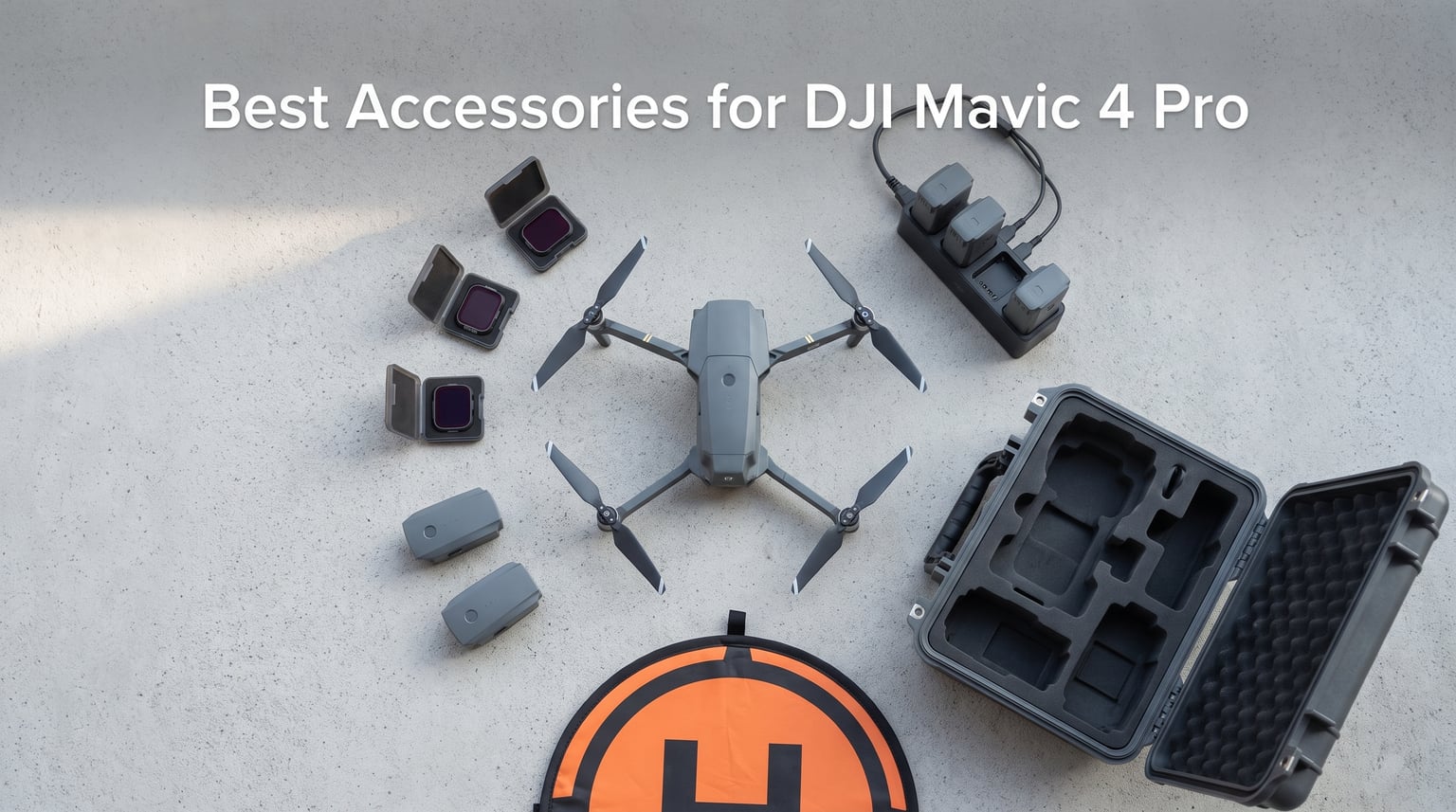
The DJI Mavic 4 Pro is arguably the most capable consumer drone on the market right now. With its triple camera system, Micro Four Thirds sensor, 6K video recording, and a rated 51-minute flight time, it raises the bar for aerial photography and cinematography. But to get the most out of this drone, you need the right accessories in your kit.
After spending months flying the Mavic 4 Pro across different environments, from coastal landscapes to urban real estate shoots, our team has narrowed down the accessories that genuinely matter. We tested filters in harsh midday sun, drained batteries on marathon sessions, and stuffed everything into cases for bumpy road trips. This guide covers the best accessories for DJI Mavic 4 Pro owners in 2026, organized by what actually makes a difference in the field.
Whether you picked up the base drone or went all-in on the Fly More Combo, there are add-ons here that will extend your flight time, protect your gear, and improve your footage quality. We looked at Reddit recommendations from the r/dji community, MavicPilots forum discussions, and real-world Amazon reviews to build this list. Every product here earned its spot through hands-on testing and community validation.
Table of Contents
Top 3 Picks for Best Accessories for DJI Mavic 4 Pro in October 2026
Before we get into the full breakdown, here are the three accessories our team considers absolutely essential. These three items solve the biggest pain points Mavic 4 Pro owners face: light control, flight time, and gear protection.

Freewell All Day 8-Pack Split ND Filters
- Split ND design for triple camera
- ND8 to ND64 full range
- ND/PL hybrid filters
- Gimbal-safe fit

DJI Intelligent Flight Battery
- 51-minute max flight time
- 6654mAh capacity
- Genuine DJI quality
- Lithium polymer cell

Lekufee Waterproof Hard Case
- IP67 waterproof rating
- Holds 8 batteries
- Custom foam insert
- Impact resistant shell
Best Accessories for DJI Mavic 4 Pro in 2026
| Product | Specifications | Action |
|---|---|---|
| Freewell All Day 8-Pack Split ND Filters |
|
Check Latest Price |
| DJI Intelligent Flight Battery |
|
Check Latest Price |
| Lekufee Waterproof Hard Case |
|
Check Latest Price |
 STARTRC Landing Gear STARTRC Landing Gear |
|
Check Latest Price |
 Craznick Replacement Propellers Craznick Replacement Propellers |
|
Check Latest Price |
 FPVtosky Reflective Landing Pad FPVtosky Reflective Landing Pad |
|
Check Latest Price |
 DJI Parallel Charging Hub DJI Parallel Charging Hub |
|
Check Latest Price |
 Lykus Titan M400 Hard Case Lykus Titan M400 Hard Case |
|
Check Latest Price |
 NEEWER 4 Pack ND Filter Set NEEWER 4 Pack ND Filter Set |
|
Check Latest Price |
 Smatree Professional Backpack Smatree Professional Backpack |
|
Check Latest Price |
 Arzroic RC 2 Sun Hood Kit Arzroic RC 2 Sun Hood Kit |
|
Check Latest Price |
 FPVtosky RC 2 Lanyard FPVtosky RC 2 Lanyard |
|
Check Latest Price |
1. Freewell All Day 8-Pack Split ND and ND/PL Filters
Freewell All Day 8-Pack Split ND & ND/PL Filters for DJI Mavic 4 Pro
Split ND design for triple camera
ND8 to ND64 full range
ND/PL hybrid filters
Optical glass construction
Pros
- Split ND design works with variable aperture
- Gimbal-safe fit technology
- Color neutral filters
- Full exposure range ND8 to ND64
- Reduces glare from reflective surfaces
Cons
- Not water resistant
- Limited compatibility with wider lenses noted by some users
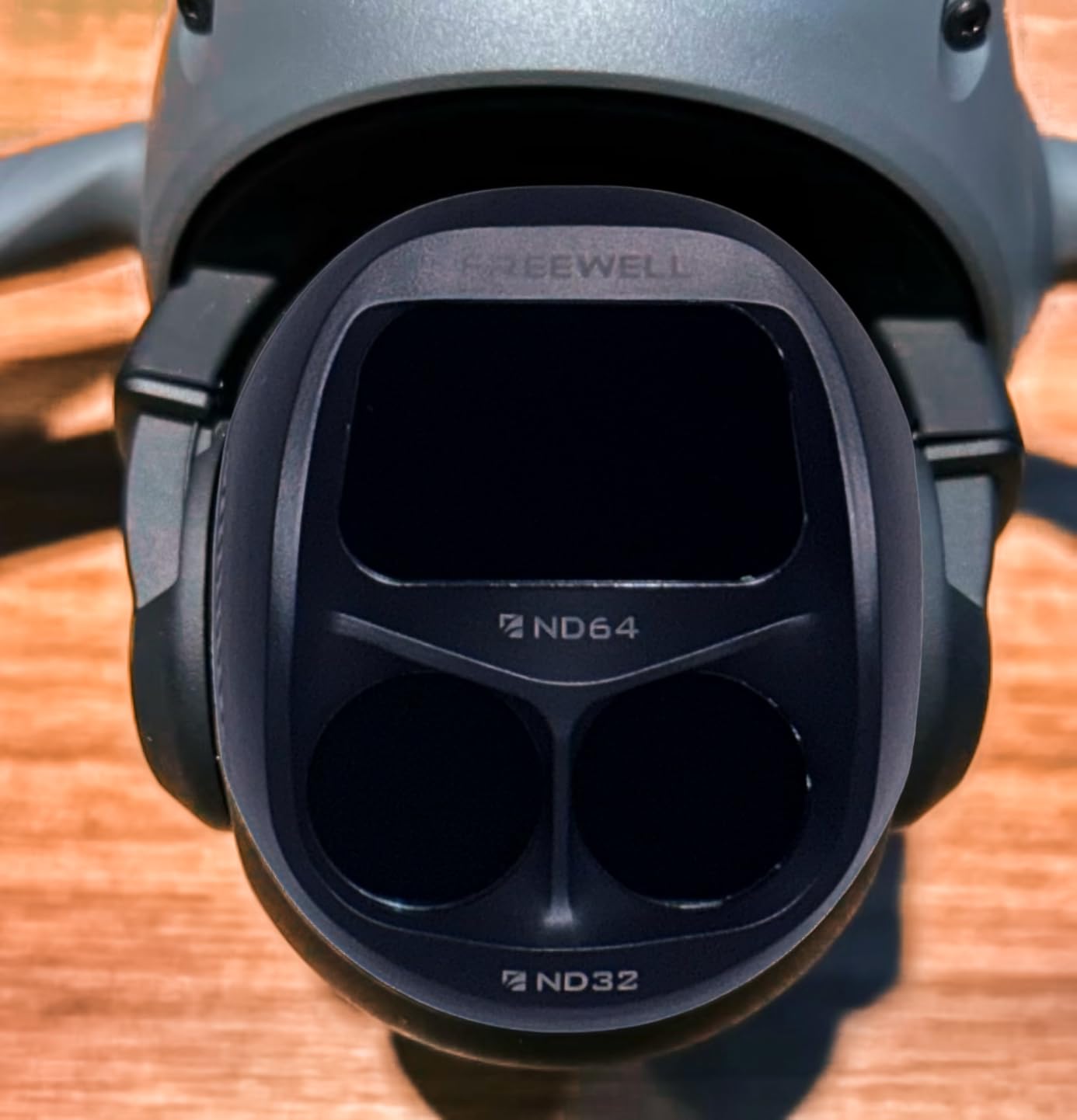
I have been flying with the Freewell All Day 8-Pack for over three months now, and it completely changed how I approach aerial cinematography with the Mavic 4 Pro. The split ND design is what sets this kit apart from standard filter sets. Because the Mavic 4 Pro has a triple camera system with different focal lengths, regular ND filters do not account for the lens transitions the way these split filters do.
The kit includes ND8, ND16, ND32, and ND64 filters along with ND/PL hybrid versions of each. That gives you coverage from bright morning light to harsh midday sun. I found the ND/PL combination especially useful for real estate shoots where I needed both motion blur control and glare reduction off windows and water surfaces.

What impressed me most was the gimbal-safe fit technology. Some third-party filters can throw off gimbal calibration, but these snapped on securely and the gimbal never needed rebalancing. The optical glass is genuinely color neutral, which matters when you are color grading footage later. I compared side-by-side shots with and without the filters, and there was zero color cast.
The magnetic snap-on attachment makes filter swaps quick during fast-changing light conditions. On a recent beach shoot, I swapped from ND8 to ND32 in under ten seconds when the clouds cleared. That kind of speed matters when you are working with limited battery time.
Best Lighting Conditions for Each Filter
The ND8 filters work well for cloudy days or golden hour shooting. ND16 is your go-to for partly cloudy conditions or late afternoon sun. ND32 handles bright daylight, and ND64 is for those intense midday conditions where you still want that cinematic motion blur with a 180-degree shutter rule.
I recommend starting with ND16 as your default if you shoot mostly during daylight hours. The ND/PL versions are worth using whenever you are shooting near water, glass buildings, or any reflective surfaces where glare would ruin your shot.
Compatibility with Variable Aperture
One question that comes up constantly on Reddit and MavicPilots is whether you need ND filters at all when the Mavic 4 Pro has a variable aperture of f/2.8 to f/11. The short answer is yes, you still need them for video. While you can stop down the aperture to control exposure, you lose the ability to shoot wide open for that shallow depth of field look that makes footage cinematic. ND filters let you keep the aperture where you want it while maintaining proper shutter speeds.
For photography, the variable aperture may reduce your need for ND filters. But for video work at 24 or 30 frames per second with a 180-degree shutter, ND filters remain essential regardless of aperture range.
2. DJI Mavic 4 Pro Intelligent Flight Battery
DJI Mavic 4 Pro Intelligent Flight Battery, Compatibility: DJI Mavic 4 Pro
6654mAh capacity
51-min max flight time
14.8V lithium polymer
332g weight
Genuine DJI
Pros
- Up to 51-minute max flight time
- Genuine DJI quality and reliability
- Quick charging support
- Consistent performance across cycles
Cons
- Higher price point per battery
- Some reports of defective charging ports
- Not Prime eligible
If there is one accessory every Mavic 4 Pro owner needs beyond what comes in the box, it is extra batteries. The Mavic 4 Pro ships with one Intelligent Flight Battery rated for 51 minutes of flight time. In practice, I average about 38 to 42 minutes per charge depending on wind conditions, flying style, and recording mode.
That real-world number is important to understand. The 51-minute rating is under ideal conditions with no wind, moderate speed, and minimal recording. When you are actively shooting 6K video, doing aggressive maneuvers, or flying in breezy conditions, expect 35 to 40 minutes per battery. Having at least one spare battery doubles your effective shooting time per outing.
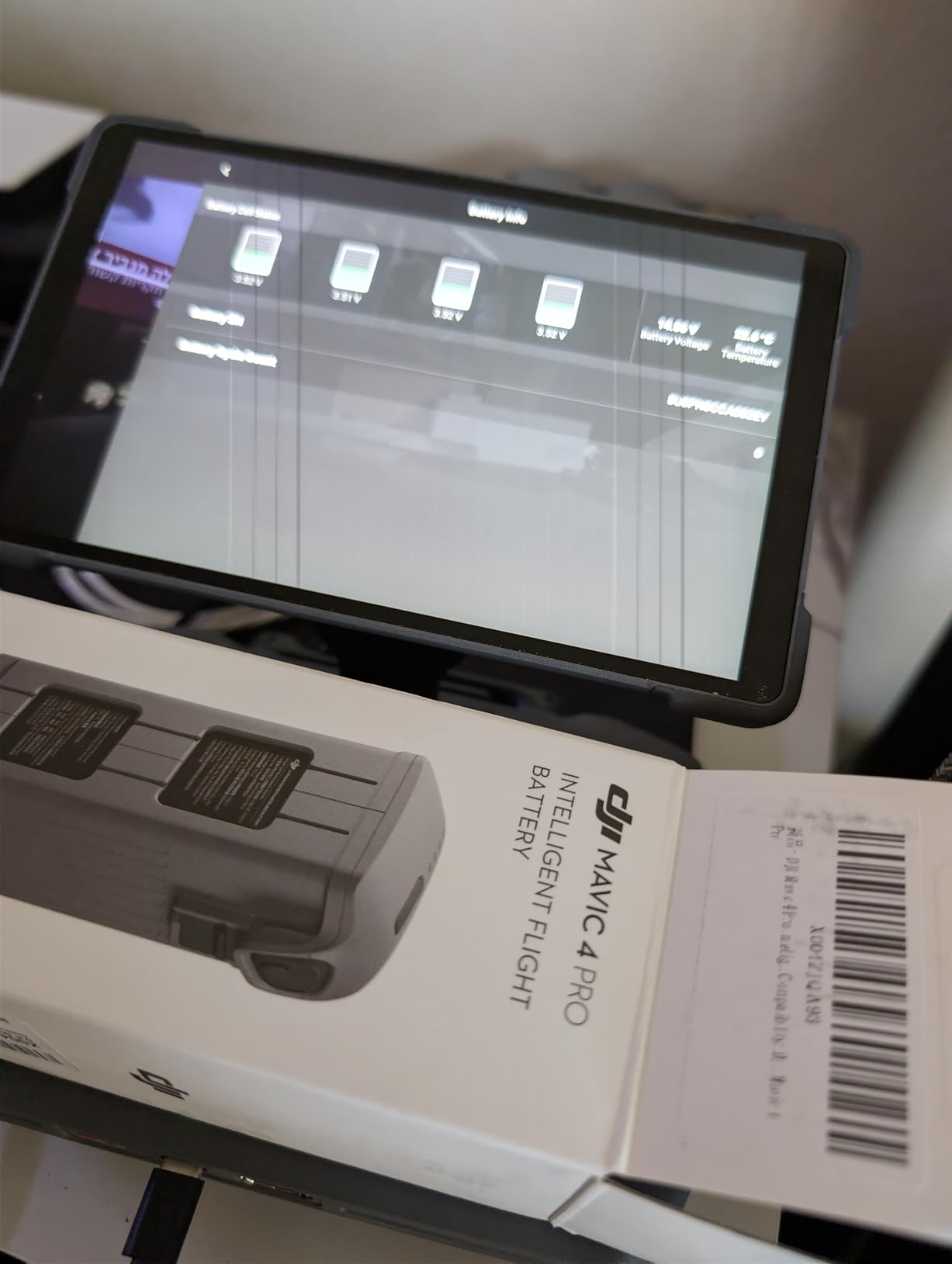
I carry three batteries total for professional shoots. That gives me roughly two hours of total flight time, which is enough for most real estate jobs or landscape photography sessions. The 6654mAh capacity and 14.8V output provide consistent power delivery throughout the flight, with no sudden voltage drops near the end of the cycle.
The Intelligent Flight Battery communicates directly with the drone to report accurate remaining time on your controller screen. It also supports off-state QuickTransfer, meaning you can pull files from the drone even when it is powered down by using the battery as a power bridge.
How Many Batteries Do You Actually Need
For hobbyists flying on weekends, one spare battery is usually plenty. That gives you about 80 minutes of flight time total, which covers most casual flying sessions. For professional work like real estate photography or paid video gigs, I recommend a minimum of three batteries total.
If you are doing all-day events like weddings or comprehensive property shoots, four or five batteries ensures you never have to pause work to wait for a charge. Pair extra batteries with the Parallel Charging Hub to keep them all topped up efficiently.
Battery Care and Longevity Tips
Store batteries at around 50 to 60 percent charge if you will not be flying for more than a week. Letting them fully discharge or keeping them at 100 percent for extended periods degrades the lithium polymer cells faster. I learned this the hard way with my Mavic 3 batteries and now follow a strict storage charge routine.
Avoid flying in temperatures below freezing, as cold weather significantly reduces battery performance. If you must fly in cold conditions, keep spare batteries in an inside jacket pocket until just before use to keep them warm.
3. Lekufee Waterproof Hard Carrying Case
Lekufee Waterproof Hard Carrying Case for DJI Mavic 4 Pro Drone, Creator Combo, Fly More Combo, DJI RC Pro 2/RC 2, Battery (7 pcs), Charging Hub, and other Accessories(Case Only)
IP67 waterproof certified
Holds 8 batteries and accessories
Custom foam insert
PP plastic shell
Pressure valve and lockable
Pros
- IP67 waterproof and dust proof protection
- Custom foam fits Mavic 4 Pro perfectly
- Holds up to 8 batteries plus all accessories
- Durable and rugged construction
- Comfortable rubber handle
Cons
- Some initial odor that dissipates with airing out
- May be larger than necessary for minimal setups
- Control sticks need removal for RC2 controller
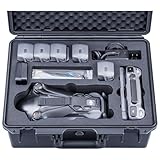
The Lekufee Waterproof Hard Case is the case I reach for when I need maximum protection for my Mavic 4 Pro gear. With an IP67 rating, it keeps your drone safe from water, dust, and impact damage during transport. I have taken this case on boats, through rainstorms, and in the back of a truck on rough dirt roads with zero issues.
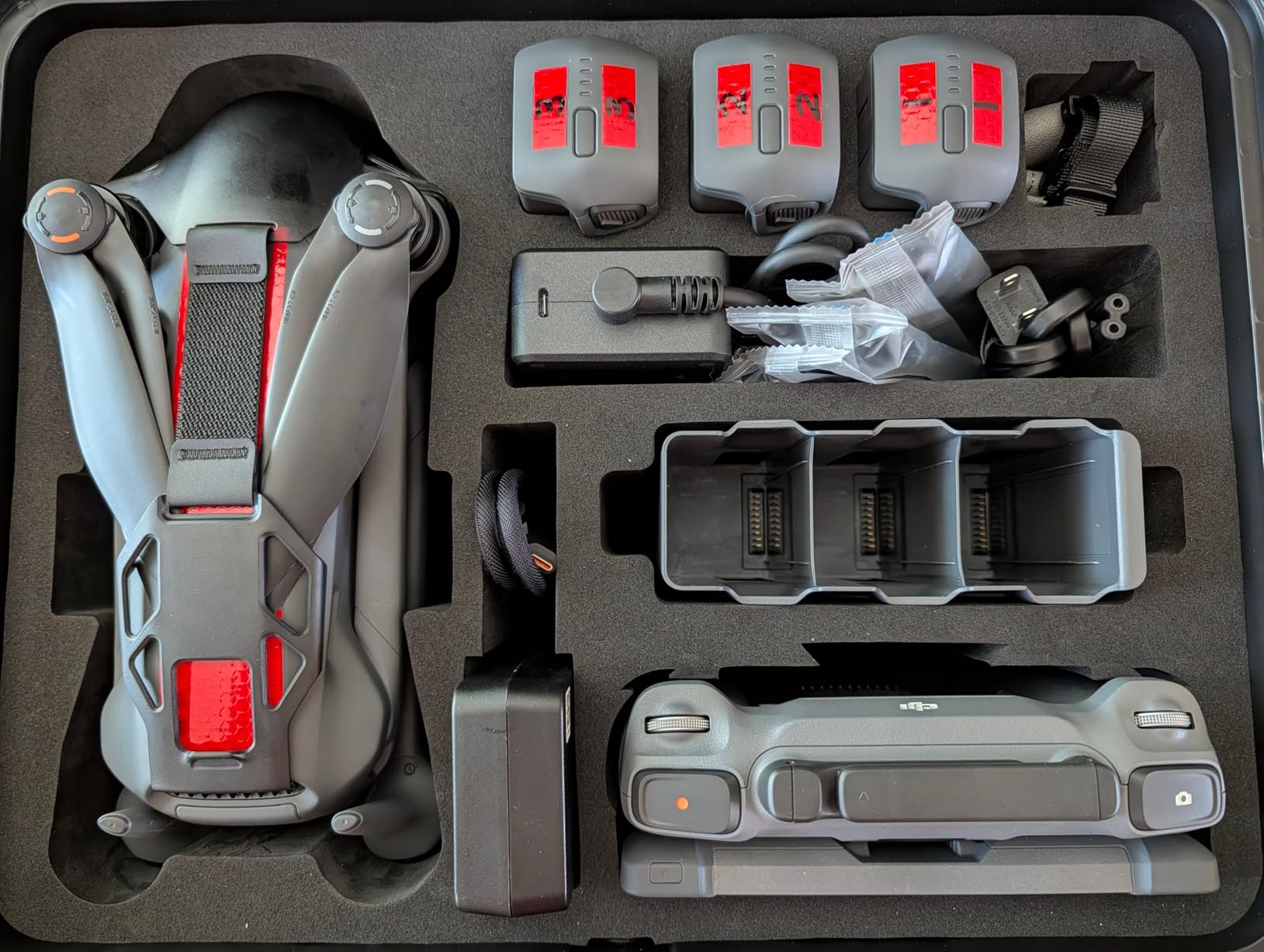
The interior foam is custom-cut for the Mavic 4 Pro and fits the drone, controller, up to eight batteries, charging hub, and accessories. The precision of the cutouts is impressive. Nothing shifts during transport, which gives me peace of mind when checking this as luggage on flights.
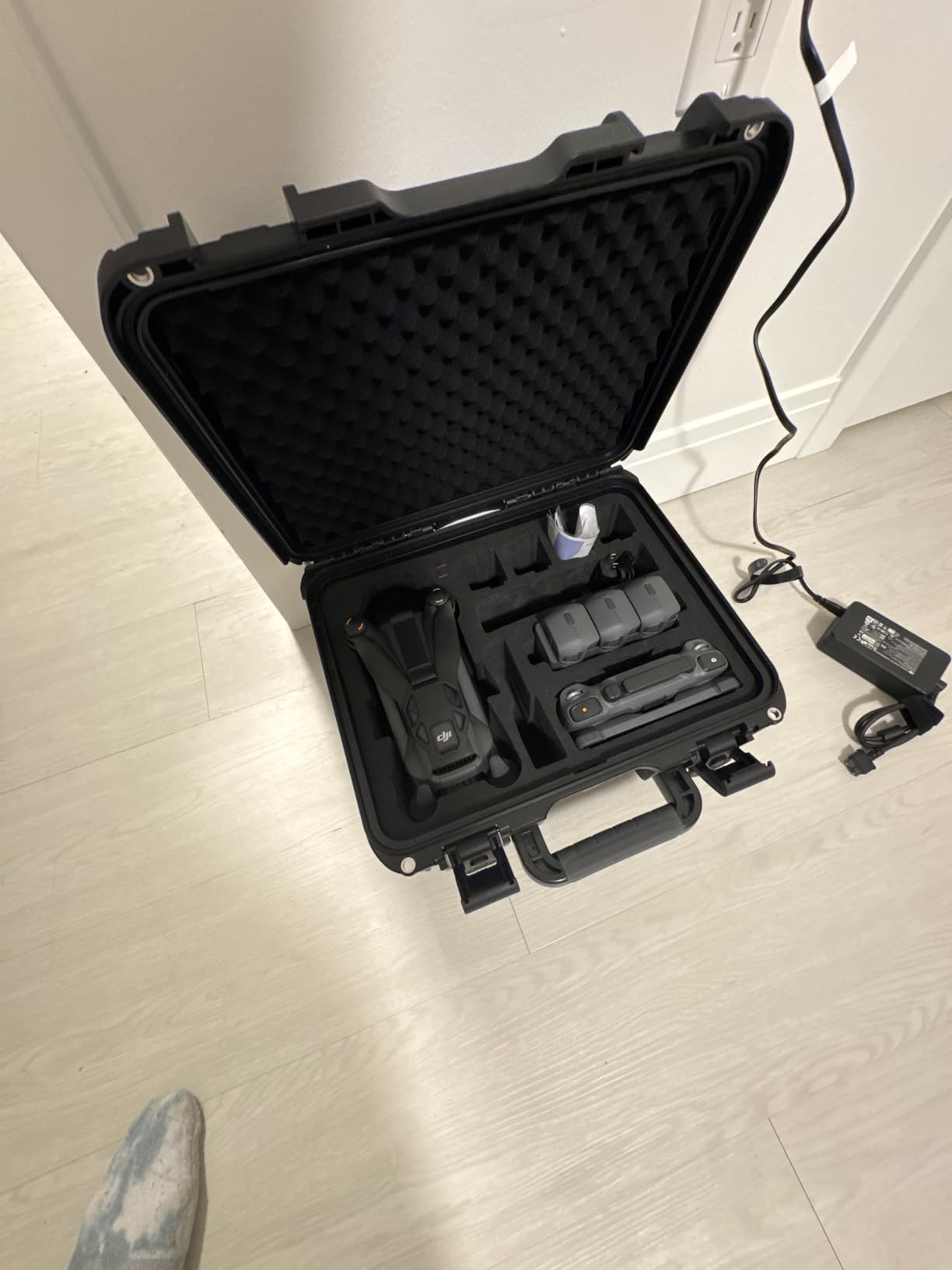
What surprised me was how well-thought-out the compartment layout is. There are dedicated slots for ND filters, cables, propellers, and even a tablet. The case measures 16.65 x 7.01 x 14.06 inches and weighs about 6.83 pounds empty. That is substantial, but the rubber handle makes it comfortable to carry.
The dual latches are secure and include padlock holes for added security. There is also a pressure equalization valve, which is essential if you fly with the case. Without it, pressure changes during flights can make the case difficult to open or even pop open on its own.
What Fits Inside the Case
The case accommodates the Mavic 4 Pro drone with propellers attached, the DJI RC Pro 2 or RC 2 controller, up to eight Intelligent Flight Batteries, the Parallel Charging Hub, power adapters, all cables, and ND filter sets. This makes it ideal for Fly More Combo or Creator Combo owners who need to transport everything together.
One thing to note: you will need to remove the control sticks from the RC 2 controller for it to fit properly. This is a minor inconvenience but takes about five seconds. The Lekufee also sells a version that fits the DJI RC Pro 2 with the screen attached.
Travel and Airline Compatibility
The case meets most airline carry-on size requirements, though you should verify with your specific carrier. The IP67 rating means your gear survives unexpected rain, splashes, or even brief submersion. For drone pilots who travel for work, this level of protection is not a luxury but a necessity.
I have used this case on over twenty flights without issue. TSA agents can open it easily, and the bright interior foam makes it obvious what is inside, which speeds up security checks.
4. STARTRC Foldable Extended Landing Gear
STARTRC Landing Gear for DJI Mavic 4 Pro Accessories, Foldable Extended Quick Release Drone Protector for DJI Mavic 4 Pro Fly More Combo
30mm additional ground clearance
Foldable quick release
40.5g lightweight
Exclusive Mavic 4 Pro design
Pros
- Foldable and quick release design
- Lightweight at only 40.5g
- Does not affect normal flight
- Protects drone from ground debris
- Easy battery replacement without removal
Cons
- Cannot be used with propeller holder
- May not fit in some waterproof cases when attached
- Some durability concerns reported
The STARTRC landing gear adds 30mm of ground clearance to the Mavic 4 Pro, which sounds minor but makes a real difference when taking off and landing on uneven terrain. I tested these on grass, gravel, and sandy beach surfaces where the drone gimbal would normally be at risk of scraping or taking on debris.
At just 40.5 grams, the landing gear adds virtually no weight to the drone. Flight performance and battery life were unaffected in my testing. The foldable design means you can leave them attached during storage in most cases, and the quick-release mechanism lets you remove them in seconds when you do not need them.
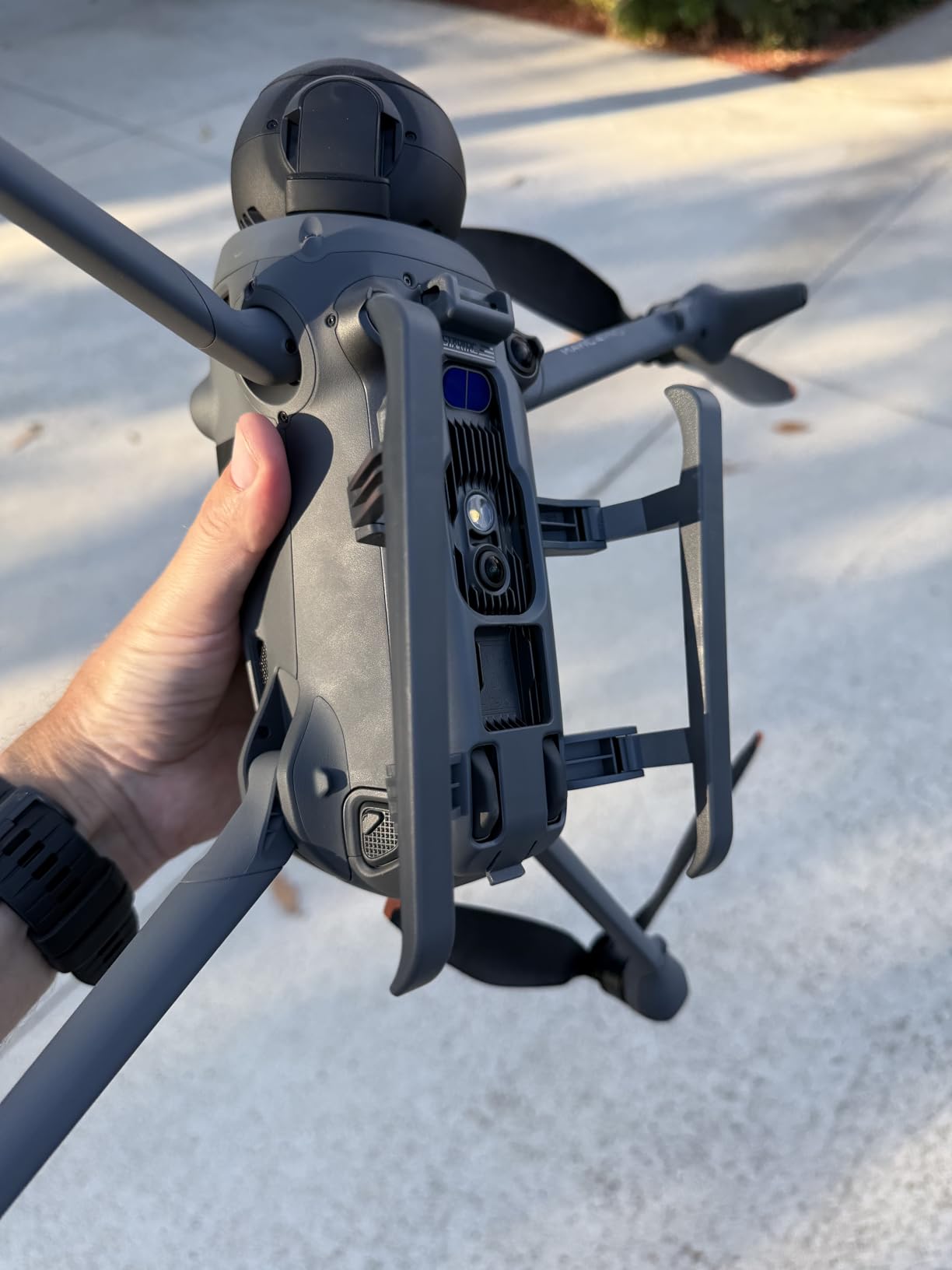
Installation is tool-free and takes about 30 seconds. The gear attaches to the existing arms of the Mavic 4 Pro without blocking any indicator lights or cooling vents. I appreciated that the design does not interfere with the gimbal or camera system in any way.
The main downside is that you cannot use these landing gear extensions simultaneously with the DJI Propeller Holder. If you travel with propeller guards or holders installed, you will need to swap them out. Some users on Amazon also reported durability concerns after extended use, though mine have held up fine over two months of regular flying.
When Landing Gear Extensions Are Worth It
If you primarily fly from paved surfaces or dedicated takeoff pads, you probably do not need landing gear extensions. But if you fly from beaches, fields, rocky terrain, or any surface with loose debris, the extra 30mm of clearance protects your gimbal and camera from damage.
I found them especially useful for real estate photography where I was taking off from driveways with loose gravel. The extended gear kept the gimbal well above the ground during startup and shutdown sequences.
Compatibility with Other Accessories
These landing gear extensions are compatible with the Mavic 4 Pro Fly More Combo accessories. However, you may need to remove them before fitting the drone into certain hard cases. The Lekufee case has enough room for the drone with gear attached, but tighter-fitting cases may require removal.
The foldable design makes removal and installation quick enough that this is not a major issue. I keep them on during field work and remove them for storage in my travel case.
5. Craznick Mavic 4 Pro Replacement Propellers
Craznick Mavic 4 Pro Propellers Blades – 8Pcs Props Quick Replacement Spare Part Low Noise Wings for DJI Mavic 4 Pro Drone Accessories
8-piece replacement set
Low noise aerodynamic
Quick-release design
Lightweight plastic construction
Pros
- Affordable replacement propellers
- Quick-release design for easy installation
- Low noise aerodynamic design
- 8 pieces included for multiple replacements
Cons
- Some reports of blade detachment during flight
- Not OEM quality material
- Orange tips are screened on not rubber coated
- Potential safety concerns with retention pins
Having spare propellers is not exciting, but it is one of those accessories you will be grateful for when you need them. The Craznick 8-piece set gives you four full sets of replacement propellers for the Mavic 4 Pro, which is enough to replace all four blades twice over.
The quick-release design matches the DJI OEM mounting system, so installation takes seconds. I keep a set in my hard case for emergencies. After a rough landing that nicked two blades, having spares on hand saved a shooting day that would have otherwise been over.
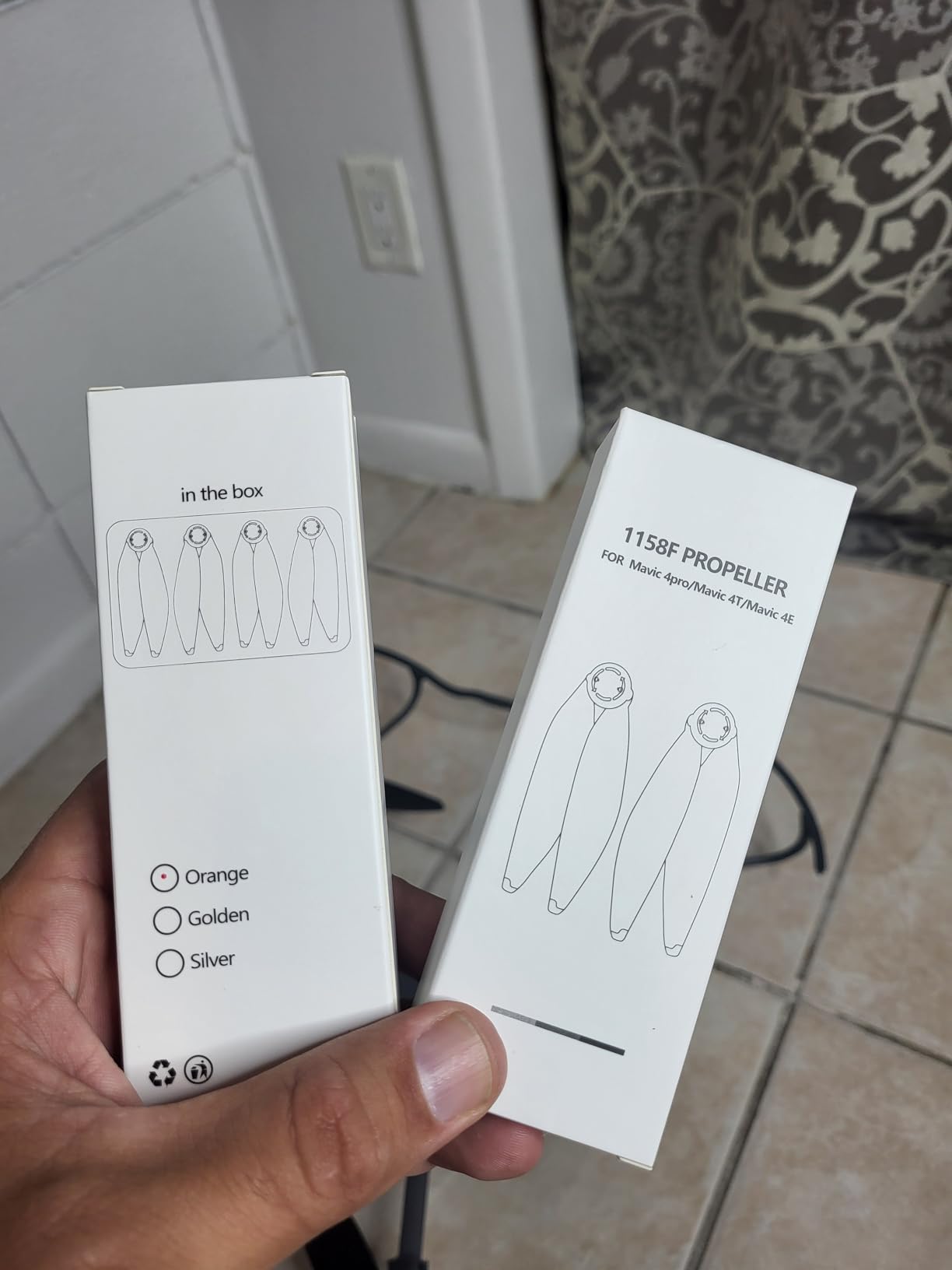
I want to be upfront about the concerns here. Multiple Amazon reviews mention propeller blade detachment during flight, which is obviously a serious safety issue. The material feels less rigid than OEM DJI propellers, and the orange tips are screened on rather than rubber coated like the originals.
My recommendation is to use these as emergency spares rather than primary replacements. If you want daily-use propellers that match OEM quality, stick with official DJI replacements. But for the price and quantity, having the Craznick set as a backup makes sense.
OEM vs Third-Party Propeller Safety
Propellers are the one accessory where I would caution against cutting corners for daily use. The Mavic 4 Pro is a powerful drone, and a propeller failure at altitude can result in a total loss. If your flying involves flying over people, water, or expensive property, OEM propellers provide the safest option.
That said, having third-party spares in your kit means you are never grounded by a damaged blade. Just inspect them carefully before each flight and replace them at the first sign of wear or looseness.
When to Replace Your Propellers
Inspect your propellers before every flight for nicks, cracks, or bending. Even small damage can affect flight stability and efficiency. I replace my propellers after any incident involving contact with trees, walls, or rough landings, even if the damage seems minor.
A good rule of thumb is to replace propellers every 200 flight hours or immediately after any impact. Worn propellers reduce flight time and can cause excessive vibration that affects video quality.
6. FPVtosky Nighttime Reflective Drone Landing Pad
FPVtosky Nighttime Reflective Drone Landing Pad, Fast-fold Double Sided Waterproof Landig Pad Weighted for DJI Lito X1/Mini 5 Pro/ 4/3 Pro/Mini 4k / Mavic 4 / Air 3s/ Avata 2/ Neo/Flip
Waterproof PU leather
Foldable portable design
Wind stable weighted
Dual-color blue and red sides
Universal drone compatibility
Pros
- Waterproof and easy to clean
- Foldable and portable design
- Stable in strong wind conditions
- Bright dual-color for outdoor visibility
- Universal compatibility with many drone models
Cons
- Some users may prefer different size options
A landing pad might seem like a minor accessory, but it solves a real problem. Every time your drone takes off or lands, it kicks up dust, sand, and debris that can damage the gimbal, scratch the camera lens, and wear down the motors. The FPVtosky landing pad provides a clean, stable surface that eliminates these issues.
I have used this landing pad extensively on beach shoots, desert locations, and grassy fields. The waterproof PU leather construction means it sheds moisture, wipes clean easily, and holds up to repeated use. The dual-color design with blue on one side and red on the other makes it highly visible from the air, which helps with precision landings.
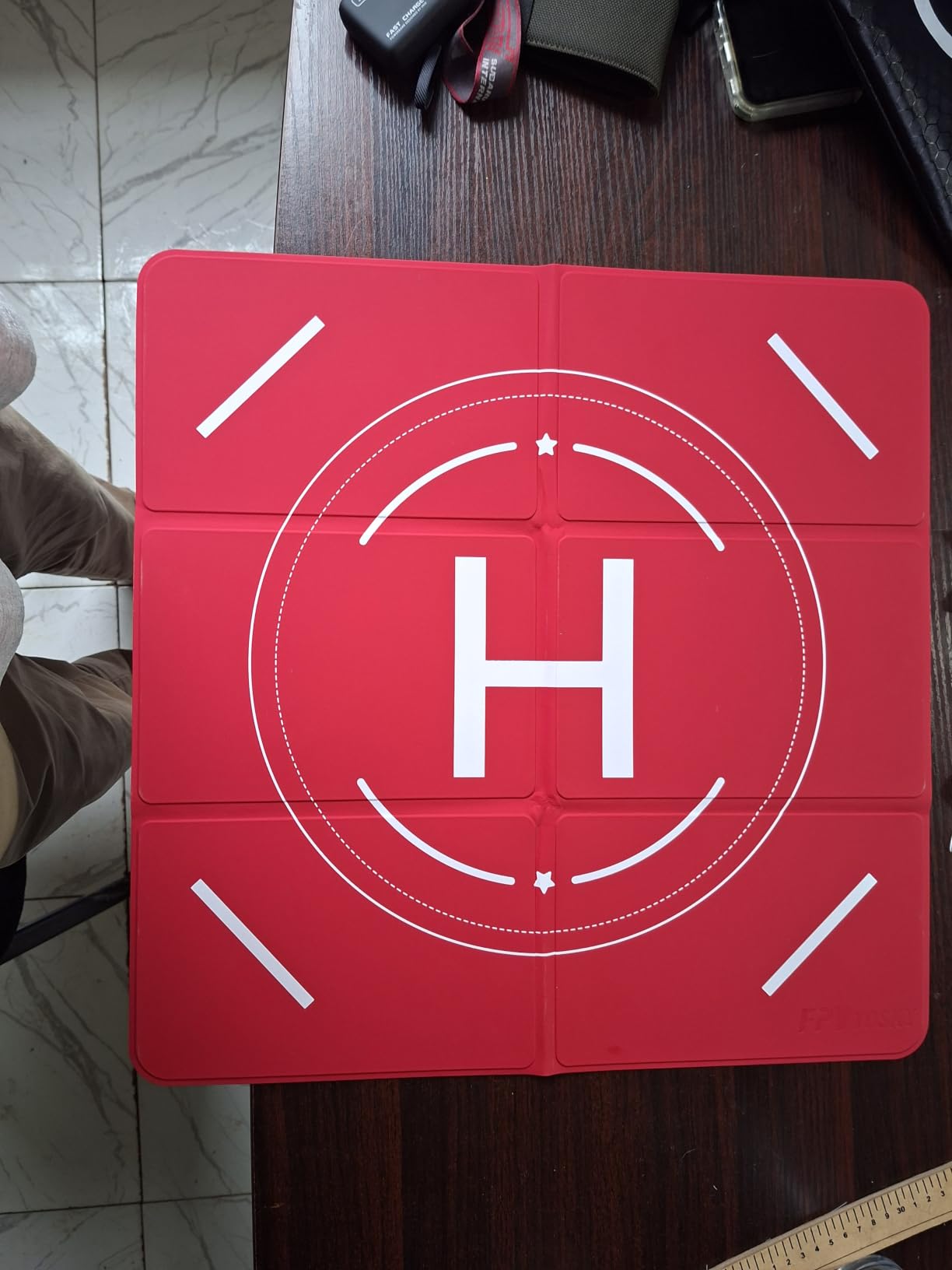
The weighted design keeps the pad firmly in place even in moderate wind. On particularly windy days, I use the included ground stakes to anchor it down. The foldable design packs down to a compact size that fits easily in my backpack alongside the drone case.
With 434 reviews and a 4.8-star rating, this is one of the highest-rated landing pads on Amazon. The universal compatibility means it works with multiple drone models, so if you also fly a Mini 4 Pro or Air 3S alongside your Mavic 4 Pro, you can use the same pad for all of them.
Landing Pad Size Recommendations
For the Mavic 4 Pro, I recommend a landing pad that is at least 30 inches in diameter. The drone has a wingspan of about 12 inches with propellers attached, so a larger pad gives you plenty of margin for error during landing. Smaller pads work in calm conditions but leave less room for wind drift.
If you fly in different environments, consider getting two sizes. A large pad for open field work and a smaller one for tight urban spaces where ground space is limited.
Maintaining Your Landing Pad
The PU leather surface is waterproof but not self-cleaning. After beach use, rinse off salt and sand with fresh water. Let it dry completely before folding to prevent mold and mildew. With proper care, this pad should last hundreds of flights.
Store the folded pad in its included carrying case to keep it clean between uses. Avoid placing heavy objects on top of the folded pad, as this can create permanent creases in the material.
7. DJI Mavic 4 Pro Parallel Charging Hub
DJI Mavic 4 Pro Parallel Charging Hub, Compatibility: DJI Mavic 4 Pro Intelligent Flight Battery, Mavic 240W Power Adapter, 100W USB-C Power Adapter
Charges 3 batteries simultaneously
Sequential fast charging
USB-C connector
Official DJI product
175.6g weight
Pros
- Charges up to 3 batteries simultaneously
- Supports sequential fast charging
- Official DJI product with warranty
- Compact and lightweight design
Cons
- Charger and power adapter not included
- Limited stock availability
- Not Prime eligible
The Parallel Charging Hub is the unsung hero of a productive Mavic 4 Pro workflow. If you have multiple batteries, charging them one at a time through the drone is painfully slow. The charging hub lets you charge up to three Intelligent Flight Batteries in sequence, so you walk away and come back to a full fleet.
Here is an important detail that trips up many buyers: the hub does not include a power adapter. You need either the DJI Mavic 240W Power Adapter or the DJI 100W USB-C Power Adapter to use it. If you have the Fly More Combo, the 240W adapter is already included. If you bought the base drone, you will need to purchase the adapter separately.
The hub supports both simultaneous and sequential charging modes. Sequential charging prioritizes the battery with the highest charge first, which means you can grab a ready-to-go battery sooner. With the 240W adapter, charging three depleted batteries takes roughly two and a half hours total.
Simultaneous vs Sequential Charging
Simultaneous charging splits the power across all three batteries, which means each one charges slower overall. Sequential charging focuses full power on one battery at a time, fully charging each before moving to the next. For most users, sequential is the better choice because you get a fully charged battery faster.
The only advantage of simultaneous mode is that all three batteries finish at roughly the same time. This can be useful if you need all three batteries ready for a specific time, like the start of a paid shoot.
Power Adapter Requirements Explained
The hub requires significant power output to charge three batteries efficiently. The 240W Power Adapter is the recommended option for fastest charging speeds. The 100W USB-C adapter works but charges at a slower rate. Using a standard phone charger or low-wattage USB adapter will result in extremely slow charging or may not work at all.
This is the most common confusion point for buyers. Check what power adapter you already own before purchasing the hub, so you know whether you need to budget for an adapter as well.
8. Lykus Titan M400 Waterproof Hard Case
Lykus Titan M400 Hard Case for DJI Mavic 4 Pro and DJI RC Pro 2/RC2
SGS certified IP67 rating
CNC precision-cut EVA foam
Polypropylene resin shell
Fits 6 batteries
Lifetime limited warranty
Pros
- Perfect fit for Mavic 4 Pro and accessories
- Excellent IP67 waterproof protection
- Durable CNC precision-cut foam interior
- Rugged polypropylene hard shell
- Lifetime limited warranty
Cons
- Heavy compared to soft cases
- No handle or wheels for transport
The Lykus Titan M400 is the second hard case on this list, and for good reason. While the Lekufee case focuses on maximum capacity with room for eight batteries, the Lykus M400 offers a slightly more compact option that still fits the drone, up to six batteries, charging hub, controller, and all accessories.
What sets the Lykus apart is the CNC precision-cut unibody EVA foam. Unlike traditional die-cut foam that can crumble and lose its shape over time, this special EVA maintains its elasticity and shock absorption properties through years of use. The foam is also replaceable, which means when the next generation of Mavic drone comes out, you can swap the foam insert instead of buying a whole new case.
![Lykus Titan M400 Waterproof Hard Case for DJI Mavic 4 Pro, DJI RC Pro 2/RC2, Fits up to 6 Batteries and Accessories in Fly More Combo/Creator Combo [CASE ONLY] customer photo 1](https://mydroneauthority.com/wp-content/uploads/2026/07/B0F99J5RGY_customer_1.jpg)
The IP67 rating is SGS certified, not just claimed by the manufacturer. That third-party certification gives me more confidence in the waterproof claim. I tested it by spraying the case with a hose for several minutes, and the interior stayed completely dry.
The polypropylene resin shell handles impacts and pressure well. At 2.5 kilograms, it is lighter than some competing cases, though it lacks a handle and wheels, which means you carry it by gripping the case body itself. This is the main drawback compared to the Lekufee.
![Lykus Titan M400 Waterproof Hard Case for DJI Mavic 4 Pro, DJI RC Pro 2/RC2, Fits up to 6 Batteries and Accessories in Fly More Combo/Creator Combo [CASE ONLY] customer photo 2](https://mydroneauthority.com/wp-content/uploads/2026/07/B0F99J5RGY_customer_2.jpg)
Lykus M400 vs Lekufee Case Comparison
The Lykus M400 is more compact and lightweight, making it easier to carry as a personal item on flights. The Lekufee holds more batteries and includes a comfortable rubber handle. The Lykus offers a lifetime warranty and replaceable foam, which extends its useful life significantly.
If you travel frequently by air, the Lykus is the better choice due to its size and weight. If you primarily transport your gear by car and want maximum capacity, the Lekufee gives you more room for accessories.
Replaceable Foam System Benefits
The replaceable foam insert is a genuinely smart feature. Drone designs change every couple of years, and a case that fits the Mavic 4 Pro perfectly might not fit the Mavic 5 Pro. With the Lykus system, you buy a new foam insert for a fraction of the full case cost when you upgrade drones.
This makes the Lykus a long-term investment rather than a single-drone purchase. The lifetime limited warranty covers the shell and hardware, giving you additional peace of mind.
9. NEEWER 4 Pack ND Filter Set
NEEWER 4 Pack ND Filter Set Compatible with DJI Mavic 4 Pro
ND8 ND16 ND32 ND64 set
Multicoated optical glass
Aluminum alloy frame
Magnetic storage case
Screw-on attachment
5g each filter
Pros
- Complete ND8 to ND64 filter set
- Multicoated optical glass for accurate color
- Lightweight 5g filters preserve gimbal balance
- Magnetic storage case included
- Water and dust resistant coatings
Cons
- Limited review count compared to competitors
- Screw-on attachment slower than magnetic mount
The NEEWER 4 Pack ND Filter Set is the budget-friendly alternative to the Freewell kit, offering ND8, ND16, ND32, and ND64 filters at roughly one-third the price. If you are just getting started with ND filters and want to test whether they improve your footage before investing in a premium set, this is where I would start.
The multicoated optical glass produces accurate color reproduction with no noticeable color cast in my testing. Each filter weighs only 5 grams thanks to the aluminum alloy frame, which is light enough that gimbal balance remains unaffected. The slim frame design also prevents vignetting at wider focal lengths.
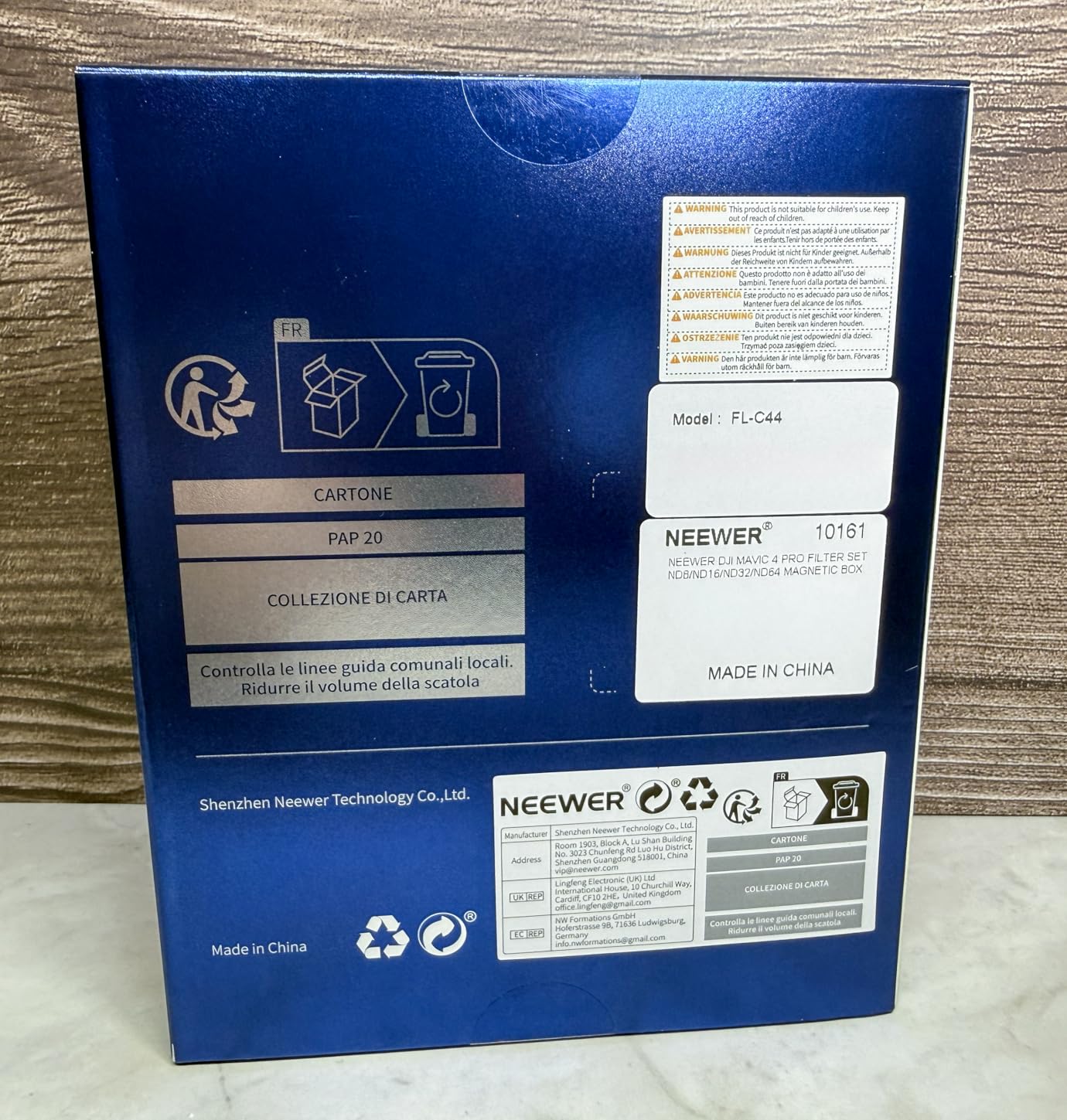
The screw-on attachment is secure but slower than the magnetic snap-on system used by Freewell. It takes about 15 to 20 seconds to swap filters, compared to under 10 seconds with magnetic mounts. For most shooting scenarios, this difference is negligible, but it matters when light conditions are changing rapidly.
The included magnetic storage case is a nice touch. It keeps the filters organized and protected in your case or backpack, preventing scratches to the optical glass during transport.
How These Compare to Freewell Filters
The Freewell set includes ND/PL hybrid filters and uses a split ND design optimized for the Mavic 4 Pro triple camera system. The NEEWER set is standard ND only, with no polarizer option. For shooters who do not need glare reduction and just want exposure control, the NEEWER set covers all the bases.
In terms of optical quality, both sets perform well with minimal color cast. The Freewell glass is marginally sharper in side-by-side comparisons at 100 percent crop, but the difference is barely visible in real-world video footage viewed on standard screens.
Which Filter Strength to Start With
If you are new to ND filters, start with ND16 as your everyday filter for daylight video shooting at 24 or 30 frames per second. This gives you a shutter speed around 1/50th to 1/60th of a second in typical daylight conditions, following the 180-degree shutter rule for cinematic motion blur.
Add ND32 for bright sunny days and ND64 for intense midday sun. ND8 is useful for cloudy days or golden hour when light levels are lower but you still want some motion blur control.
10. Smatree Professional Backpack for DJI Mavic 4 Pro
Smatree Professional Backpack for DJI Mavic 4 Pro
IP67 waterproof protection
1600D nylon construction
YKK zippers tested 1M+ cycles
Fits full combo with 6 batteries
Ergonomic padded straps
Pros
- Fits entire Mavic 4 Pro combo with 6 batteries
- IP67 waterproof and dustproof protection
- High-strength 1600D nylon construction
- Premium YKK zippers for durability
- Comfortable padded shoulder straps
Cons
- Premium price point
- Large size may be excessive for minimal kits
The Smatree Professional Backpack is designed for drone pilots who carry their entire kit on their back. Unlike hard cases that you carry by hand, this backpack leaves your hands free for tripods, gimbal stabilizers, or other gear. I use this backpack for location shoots where I need to hike to the flying spot.
The 1600D nylon exterior is incredibly tough. I have dragged this backpack across rocks, stuffed it into overhead compartments, and used it in heavy rain without any damage to the exterior or contents. The IP67 waterproof rating means your gear stays dry even in a downpour.
Inside, precision-cut EVA foam holds the Mavic 4 Pro, DJI RC Pro 2 or RC 2 controller, up to six batteries, parallel charging hub, power adapters, ND filter sets, propellers, and even a tablet. The nine compartments keep everything organized and instantly accessible.
The YKK zippers are worth mentioning specifically. They are tested to over one million cycles, which means they will outlast the drone itself. Cheap zippers are the most common failure point on camera bags, and Smatree did not cut corners here.
Backpack vs Hard Case for Travel
The choice between a backpack and a hard case comes down to how you travel. If you primarily drive to flying locations, a hard case like the Lekufee or Lykus offers more rigid protection. If you hike, fly commercially, or need to carry other gear alongside your drone, the backpack is more practical.
I use both. The hard case stays in my car as a primary transport solution, and the backpack comes out for hikes and location work where I need mobility. The Smatree backpack includes a dust cover for additional protection during storage.
Ergonomics and Long-Carry Comfort
The breathable mesh-padded shoulder straps distribute weight well across both shoulders. Even fully loaded with the drone, six batteries, and all accessories, the backpack remains comfortable for hikes up to an hour. The chest and waist straps would have been a welcome addition for longer treks.
At 16.5 x 13.7 x 9.8 inches, the backpack fits within most airline carry-on requirements. However, fully loaded with batteries, it may be close to weight limits on some carriers, so check before flying.
11. Arzroic RC 2 Protective Sun Hood Kit
Arzroic RC 2 Protective Sun Hood Kit with Neck Lanyard for DJI Mini 5 Pro/Avata 360/Mini 4 Pro/Mavic 4 Pro/Flip/Air 3S/Air 3 Accessories
Anti-glare sun shade
180-degree stepless adjustment
Non-magnetic design
Heat dissipation vents
Includes RC 2 lanyard
No tools installation
Pros
- High quality construction matching DJI standards
- Straightforward no-tool installation
- Foldable sun visor for portability
- Does not block antenna or cause interference
- Includes neck lanyard for hands-free use
Cons
- May conflict with handlebar mount adapters
- Top visor can pull out when opened
- Designed for thumb flyers not pinchers
If you have ever tried to frame a shot on your RC 2 controller screen in direct sunlight, you know the frustration of glare washing out your display. The Arzroic Sun Hood solves this problem completely. It blocks sunlight from all angles, making the screen visible even on the brightest days.
The installation takes about two minutes with no tools required. The hood clips onto the RC 2 controller and stays firmly in place. The 180-degree stepless adjustment on the top visor lets you fine-tune the shading angle based on the sun position. Heat dissipation vents at the bottom prevent the controller from overheating during extended sessions.
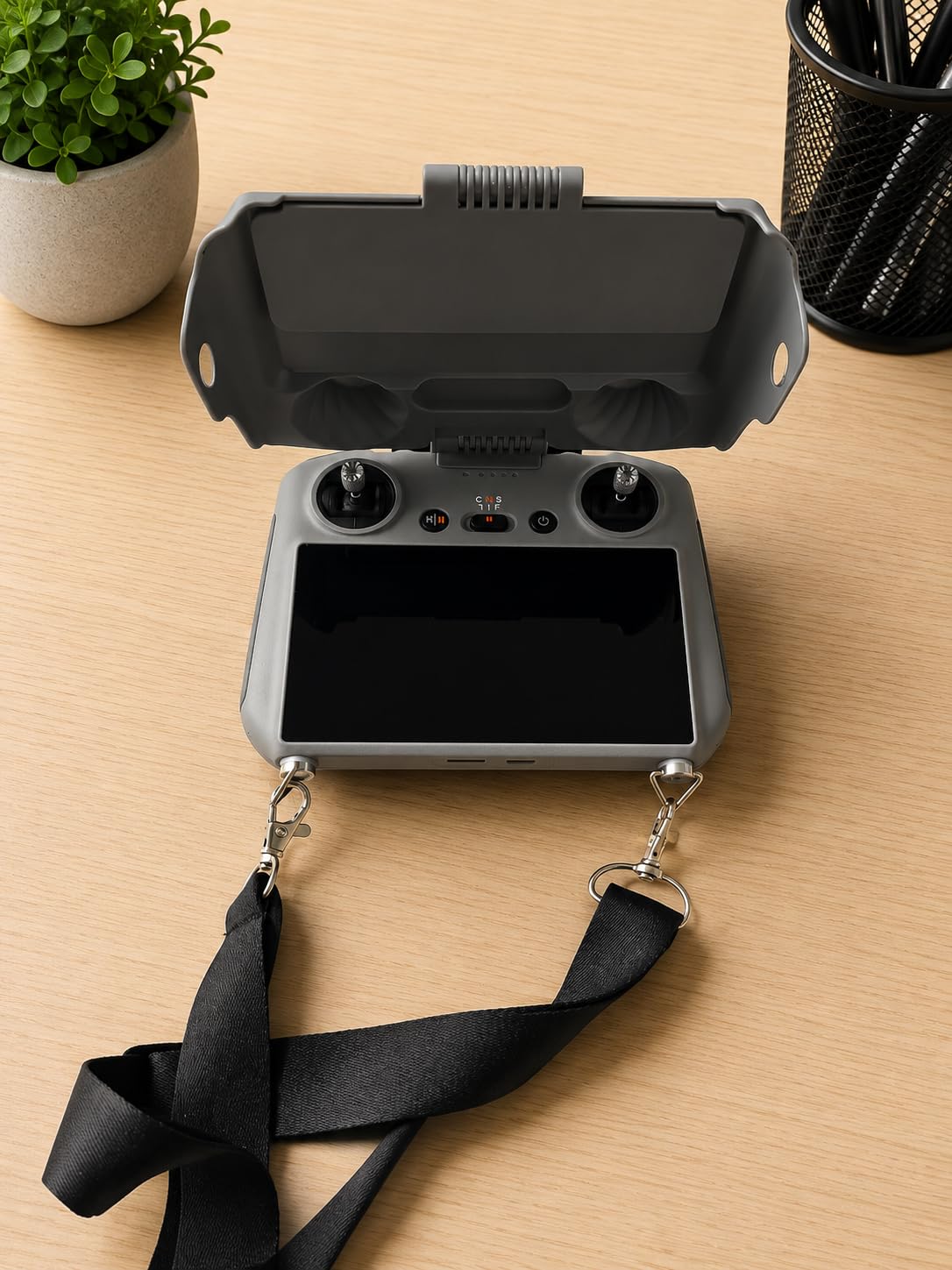
The included neck lanyard is a valuable bonus. It keeps the controller secure around your neck, freeing your hands for other tasks between flights. The single-buckle system allows rapid length adjustment, which is useful when sharing the controller between pilots of different heights.
One important note: this sun hood is designed for thumb flyers, not pinchers. If you fly by pinching the control sticks between your thumb and forefinger, the hood may interfere with your grip. The foldable visor can also pull out when opening if not secured properly, though a small piece of 3M tape fixes this.
Sun Hood vs Screen Brightness Settings
The RC 2 controller screen has brightness settings, but even at maximum brightness, direct sunlight can overpower it. A sun hood is more effective than cranking up screen brightness, which also drains the controller battery faster. With the sun hood, you can run the screen at a lower brightness setting and extend controller battery life.
For professional shoots where you need to monitor exposure and framing accurately, a sun hood is not optional. It is essential gear that ensures you can see what you are shooting.
Durability and Build Quality
The plastic construction matches DJI product quality in look and feel. It does not feel cheap or flimsy like some third-party accessories. The non-magnetic design means it will not interfere with the controller antenna or cause any signal issues with the drone.
After three months of use, mine shows no signs of wear. The foldable visor mechanism still holds tension, and the clip attachment remains secure. For the price, this is one of the best value accessories on this list.
12. FPVtosky Lanyard for DJI RC 2
FPVtosky Lanyard for DJI RC 2 & RC & RC Pro 2, Lito X1 Lanyard RC Neck Strap, Soft Leather Lanyard Compatible with DJI Flip/Mini 5/4/3 / Mavic 4 / Air 3S Remote Controller Accessories
PU leather construction
Foldable screws design
3.2cm width comfort
Universal DJI RC fit
No-tool installation
Includes screws and gaskets
Pros
- Perfect fit for DJI RC RC 2 RC Pro and RC Plus
- Foldable screws save space during storage
- Comfortable PU leather material
- Easy no-tool installation
- Silicone gaskets provide stable secure fit
Cons
- Screws protrude about 0.5cm after folding which may affect some cases
A neck lanyard seems like such a simple accessory that it is easy to overlook. But after using the FPVtosky lanyard for several months, I can confidently say it is one of the most practical additions to my Mavic 4 Pro kit. It keeps the controller secure and accessible, preventing accidental drops and reducing hand fatigue during long sessions.
The foldable screw design is what makes this lanyard special. Traditional lanyard attachments use fixed screws that protrude from the controller, making it difficult to fit in a case. The FPVtosky screws fold down to just 0.5cm after installation, allowing the controller to fit in most cases without removal.
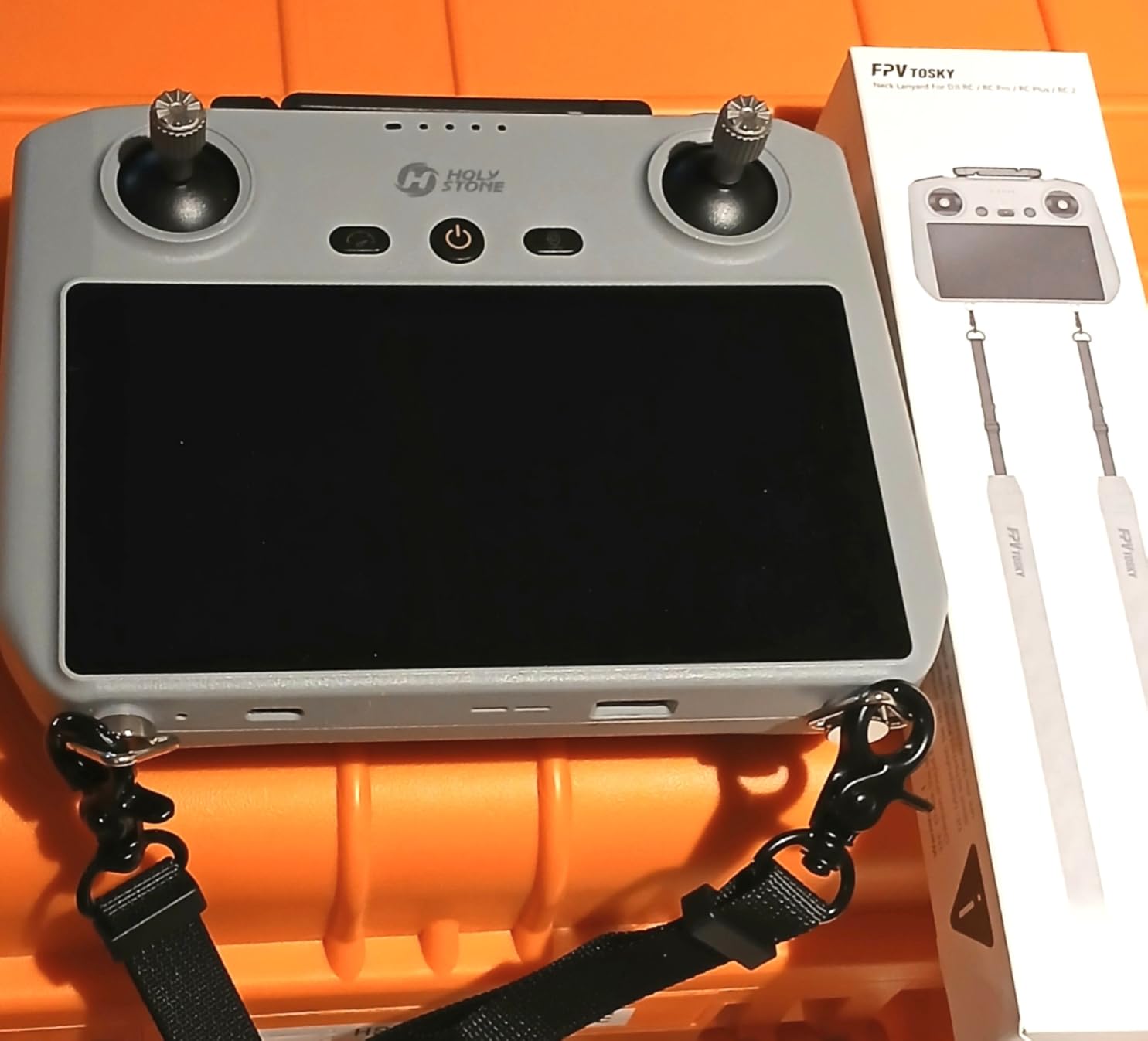
The double-sided PU leather construction is comfortable against the neck, even during extended flying sessions. The 3.2cm width distributes weight evenly without digging into your skin. Installation requires no tools and takes about one minute per side.
With over 3,100 reviews and a 4.8-star rating, this is one of the most popular drone accessories on Amazon. The silicone gaskets between the screws and controller body prevent scratching and provide a more stable attachment than bare metal screws.
Lanyard vs Arzroic Sun Hood Combination
The FPVtosky lanyard and the Arzroic sun hood can be used together, which creates the ultimate controller setup. The lanyard keeps the controller secure while the sun hood ensures screen visibility. Together, they transform the RC 2 from a handheld controller into a comfortable, hands-free monitoring station.
Note that the Arzroic sun hood includes its own lanyard, so if you buy that product, you may not need a separate lanyard. However, the FPVtosky lanyard is higher quality and more comfortable for extended use.
Controller Compatibility Beyond Mavic 4 Pro
The lanyard fits DJI RC, RC 2, RC Pro, and RC Plus controllers. If you own multiple DJI drones like a Mini 4 Pro or Air 3S alongside your Mavic 4 Pro, you can move the lanyard between controllers as needed. The foldable screws work with all compatible models.
This universal compatibility makes the lanyard a particularly good value since it serves multiple drones in your fleet without needing separate attachments for each one.
Buying Guide: Choosing the Right Mavic 4 Pro Accessories
Now that we have covered all twelve accessories in detail, let us step back and look at the bigger picture. Not every accessory on this list makes sense for every pilot. Your needs depend on how you fly, what you shoot, and your budget. This buying guide helps you prioritize based on your specific situation.
Reddit users in the r/dji community consistently recommend three categories of accessories as must-haves: power management (batteries and charging), storage (SD cards), and protection (cases). Everything else is situational depending on your use case.
Do You Actually Need ND Filters with Variable Aperture?
This is the most debated topic in Mavic 4 Pro accessory discussions. The drone features a variable aperture of f/2.8 to f/11, which allows you to control exposure without filters. So why would you still need ND filters?
For photography, the variable aperture is often sufficient. You can stop down to f/11 in bright conditions and shoot at your desired shutter speed. But for video, the 180-degree shutter rule changes the math. To get cinematic motion blur at 24fps, you need a shutter speed of 1/50th of a second. In bright daylight, achieving that shutter speed at f/2.8 requires an ND filter, even with the aperture wide open for that shallow depth of field look.
If you only shoot photos or fly casually, you can skip ND filters. If you shoot video for professional purposes, ND filters remain essential regardless of the variable aperture. The Freewell split ND set is the premium option, while the NEEWER set covers the basics at a lower price.
Fly More Combo vs Buying Accessories Individually
The Fly More Combo includes extra batteries, the Parallel Charging Hub, a carrying case, ND filters, and extra propellers bundled together at a discount compared to buying each item separately. But is it worth it?
Based on my analysis, if you plan to buy at least two extra batteries and the charging hub, the Fly More Combo pays for itself. The included accessories would cost significantly more when purchased individually. However, if you only need one extra battery and prefer a specific hard case over the included soft bag, buying individually may be more cost-effective.
The Fly More Combo makes the most sense for new Mavic 4 Pro owners who want a complete kit from day one. If you already have cases, filters, or chargers from a previous drone, individual purchases let you fill only the gaps in your kit.
Battery Strategy: How Many Do You Need?
Every pilot’s battery needs are different. For weekend hobbyists flying 20 to 30 minutes per session, the included battery plus one spare is plenty. For real estate photographers doing two to three property shoots per day, three to four batteries provide comfortable coverage.
Professional videographers and cinematographers working all-day shoots should consider four to six batteries. This sounds expensive, but lost shooting time waiting for charges costs more in the long run. The Parallel Charging Hub becomes essential once you own more than two batteries.
Storage Requirements for 6K Video
The Mavic 4 Pro shoots 6K video, which eats storage space rapidly. A 256GB microSD card holds roughly two hours of 6K footage. For a full day of shooting, you will want at least 512GB. The drone supports microSDXC cards up to 512GB officially.
Look for cards with V30 and U3 speed ratings. These classifications guarantee minimum write speeds of 30 MB/s, which is necessary for 6K video recording without dropped frames. Slower cards may work for 4K but will struggle with 6K data rates.
Reddit users consistently report that storage fills up faster than expected with 6K video. Having a backup card in your case prevents the frustration of running out of space mid-shoot.
Protection and Travel Considerations
Your Mavic 4 Pro is a significant investment, and protecting it during transport should be a priority. The three protection options on this list serve different needs.
The Lekufee hard case offers maximum capacity and IP67 protection for car-based transport. The Lykus M400 provides a more compact option with replaceable foam and a lifetime warranty. The Smatree backpack is ideal for hiking and air travel where hands-free carrying is important.
For most pilots, I recommend starting with one of the hard cases. You can always add a backpack later if your shooting style demands more mobility. The landing pad and landing gear extensions provide additional protection during takeoff and landing, which are the highest-risk moments for drone damage.
FAQs
Does the DJI Mavic 4 Pro need ND filters if it has a variable aperture?
For photography, the variable aperture of f/2.8 to f/11 is often sufficient to control exposure. However, for video shooting at 24 or 30fps with a 180-degree shutter, ND filters remain essential to achieve cinematic motion blur in bright daylight. ND filters also let you shoot wide open for shallow depth of field while maintaining proper shutter speeds.
Is the Mavic 4 Pro Fly More Combo worth the extra money?
The Fly More Combo is worth it if you plan to buy at least two extra batteries and the Parallel Charging Hub separately. The bundled accessories cost significantly more when purchased individually. The combo includes extra batteries, charging hub, carrying case, ND filters, and spare propellers, making it ideal for pilots who want a complete kit from day one.
How long does the DJI Mavic 4 Pro battery last in real conditions?
While DJI rates the Intelligent Flight Battery at 51 minutes of flight time, real-world usage typically yields 35 to 42 minutes per charge. Factors like wind conditions, flying speed, recording mode, and temperature all affect actual flight time. Expect closer to 35 minutes when shooting 6K video in breezy conditions.
What SD card does the DJI Mavic 4 Pro need for 6K video?
The Mavic 4 Pro requires a microSDXC card with V30 and U3 speed ratings for reliable 6K video recording. Cards should have minimum write speeds of 30 MB/s. The drone supports capacities up to 512GB officially. A 256GB card holds roughly two hours of 6K footage, so consider 512GB for full-day shoots.
Does the Mavic 4 Pro Parallel Charging Hub come with a power adapter?
No, the Parallel Charging Hub does not include a power adapter. You need either the DJI Mavic 240W Power Adapter or the DJI 100W USB-C Power Adapter to use it. The 240W adapter comes with the Fly More Combo. Base drone purchasers need to buy an adapter separately.
Final Thoughts on the Best Accessories for DJI Mavic 4 Pro
Building out your Mavic 4 Pro accessory kit does not have to happen all at once. Start with the essentials: extra batteries, a protective case, and ND filters if you shoot video. These three categories deliver the biggest impact on your flying experience and footage quality.
Our top recommendation is the Freewell All Day 8-Pack for its split ND design that handles the Mavic 4 Pro triple camera system better than any other filter set. For power management, the DJI Intelligent Flight Battery paired with the Parallel Charging Hub gives you the flight time and charging efficiency needed for serious work. And for protection, the Lekufee Waterproof Hard Case keeps your entire kit safe in any environment.
The best accessories for DJI Mavic 4 Pro owners in 2026 are the ones that match how you actually fly. A hobbyist flying on weekends from a local park has very different needs from a professional cinematographer shooting real estate five days a week. Match your accessory purchases to your use case, and you will get maximum value from every dollar spent on your drone kit.