
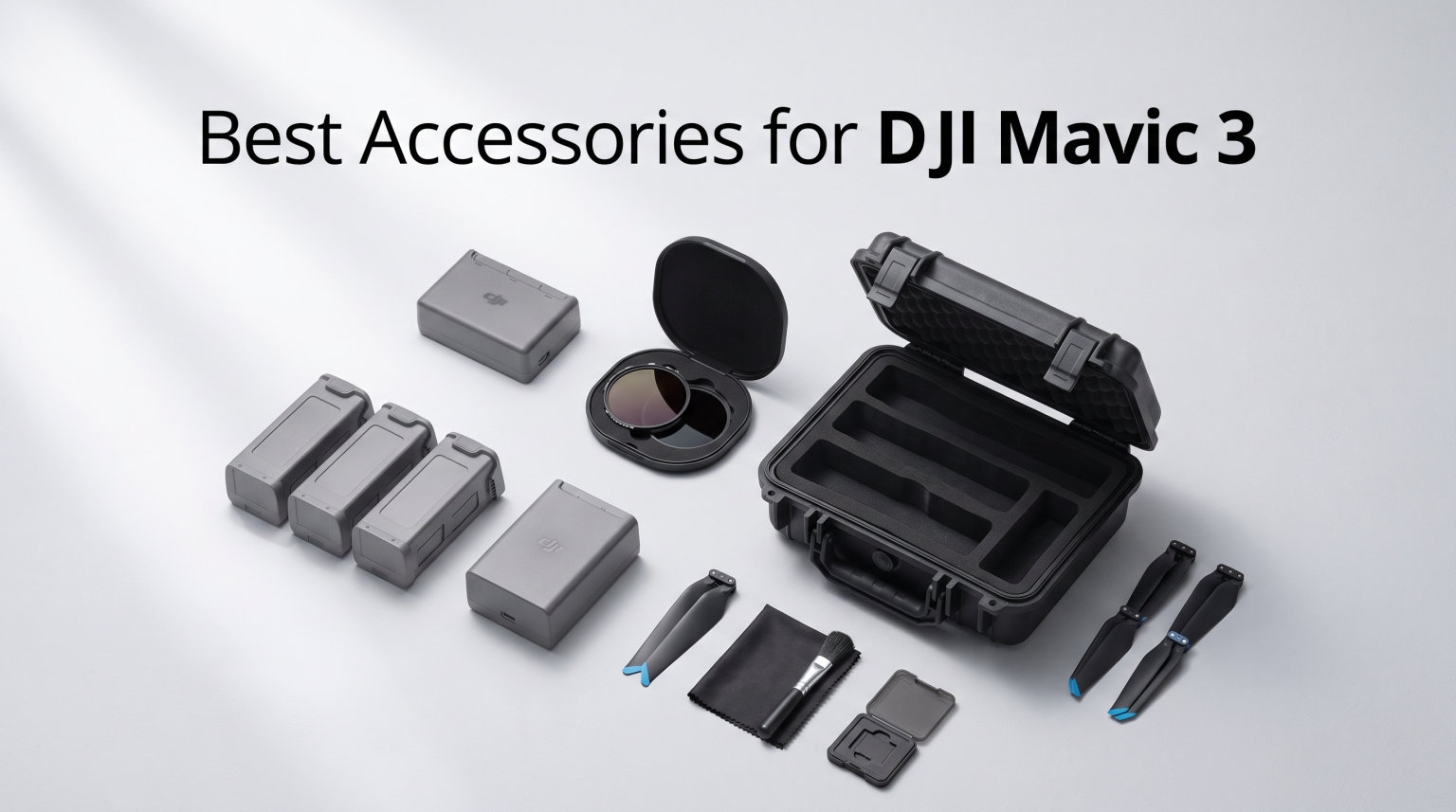
I remember unboxing my DJI Mavic 3 and realizing within the first week that the drone itself was only half the story. The single battery in the box died before I finished a sunset shoot, the included bag barely fit the aircraft, and I had no way to control shutter speed in bright midday light. Those early frustrations sent me down a rabbit hole of accessories, and after flying through 2026 with this kit I have a clear picture of what is worth buying and what is not.
This guide covers the best accessories for DJI Mavic 3 that I have personally tested and that other pilots on Reddit and MavicPilot consistently recommend. I focused on gear that solves real problems: extending flight time, protecting the aircraft, improving footage, and keeping the controller usable in tough conditions. I skipped gimmicks and overpriced add-ons that do not earn their place in the bag.
Whether you fly a Mavic 3, Mavic 3 Pro, Mavic 3 Classic, or Cine, the accessories below are compatible across the series unless I call out a specific exception. Most of them are also great gift ideas if you are shopping for someone who already owns the drone and is hard to buy for.
Table of Contents
Top 3 Picks for Best Accessories for DJI Mavic 3
Before diving into the full list, here are the three accessories I would buy first if I were starting from scratch. The battery is non-negotiable for any serious shoot, the hard case protects a two-thousand-dollar investment, and the landing pad pays for itself the first time you avoid sandblasting your gimbal.

DJI Mavic 3 Intelligent Flight Battery
- 5000mAh capacity
- 46 min flight time
- Hot-swap across Mavic 3 series

Lekufee Waterproof Hard Carrying Case
- IP67 waterproof shell
- Custom foam for Mavic 3
- 14 compartments

Hoodman Weighted Trifold Landing Pad
- Weighted no-stake design
- 21 inch surface
- Collapses to one sixth size
Best Accessories for DJI Mavic 3 in 2026
Here is the complete lineup of ten accessories I cover in this guide. Use the comparison table to scan features at a glance, then read the individual sections for my hands-on take on each one.
| Product | Specifications | Action |
|---|---|---|
| DJI Mavic 3 Intelligent Flight Battery |
|
Check Latest Price |
 DJI Mavic 3 Pro ND Filters Set DJI Mavic 3 Pro ND Filters Set |
|
Check Latest Price |
| Lekufee Waterproof Hard Carrying Case |
|
Check Latest Price |
| Hoodman Weighted Trifold Landing Pad |
|
Check Latest Price |
 FPVtosky RC Pro Controller Kit FPVtosky RC Pro Controller Kit |
|
Check Latest Price |
 4 Pairs Mavic 3 Pro Propellers 4 Pairs Mavic 3 Pro Propellers |
|
Check Latest Price |
 Propeller Guard for DJI Mavic 3 Pro Propeller Guard for DJI Mavic 3 Pro |
|
Check Latest Price |
 Mavic 3 Pro Propeller Holder Mavic 3 Pro Propeller Holder |
|
Check Latest Price |
 Hanatora Payload Release Dropper Hanatora Payload Release Dropper |
|
Check Latest Price |
 Lanyard Neck Strap for DJI RC Lanyard Neck Strap for DJI RC |
|
Check Latest Price |
1. DJI Mavic 3 Intelligent Flight Battery — Essential Power for Long Shoots
DJI Mavic 3 Intelligent Flight Battery
5000mAh capacity
Up to 46 min flight time
335.5g weight
Compatible with Mavic 3 series
Pros
- Long 46-minute flight time
- Reliable DJI quality
- Easy hot-swap design
- Works across entire Mavic 3 lineup
Cons
- Premium price tag
- Some users report shorter lifespan over time
I will be blunt: if you only buy one accessory on this list, make it a second battery. The Mavic 3 ships with a single pack, and even though DJI advertises up to 46 minutes of flight time, real-world numbers sit closer to 35 to 38 minutes when you account for takeoff, positioning, wind, and the recommended landing buffer. That is not enough for a full golden-hour shoot.
Adding a second battery effectively doubled my usable airtime, and a third let me cover an entire real-estate job without rushing. The packs hot-swap in about ten seconds, and the 5000mAh capacity is consistent across the Mavic 3, Mavic 3 Pro, Classic, Cine, and Enterprise variants. I keep three charged and rotate them through the charging hub.
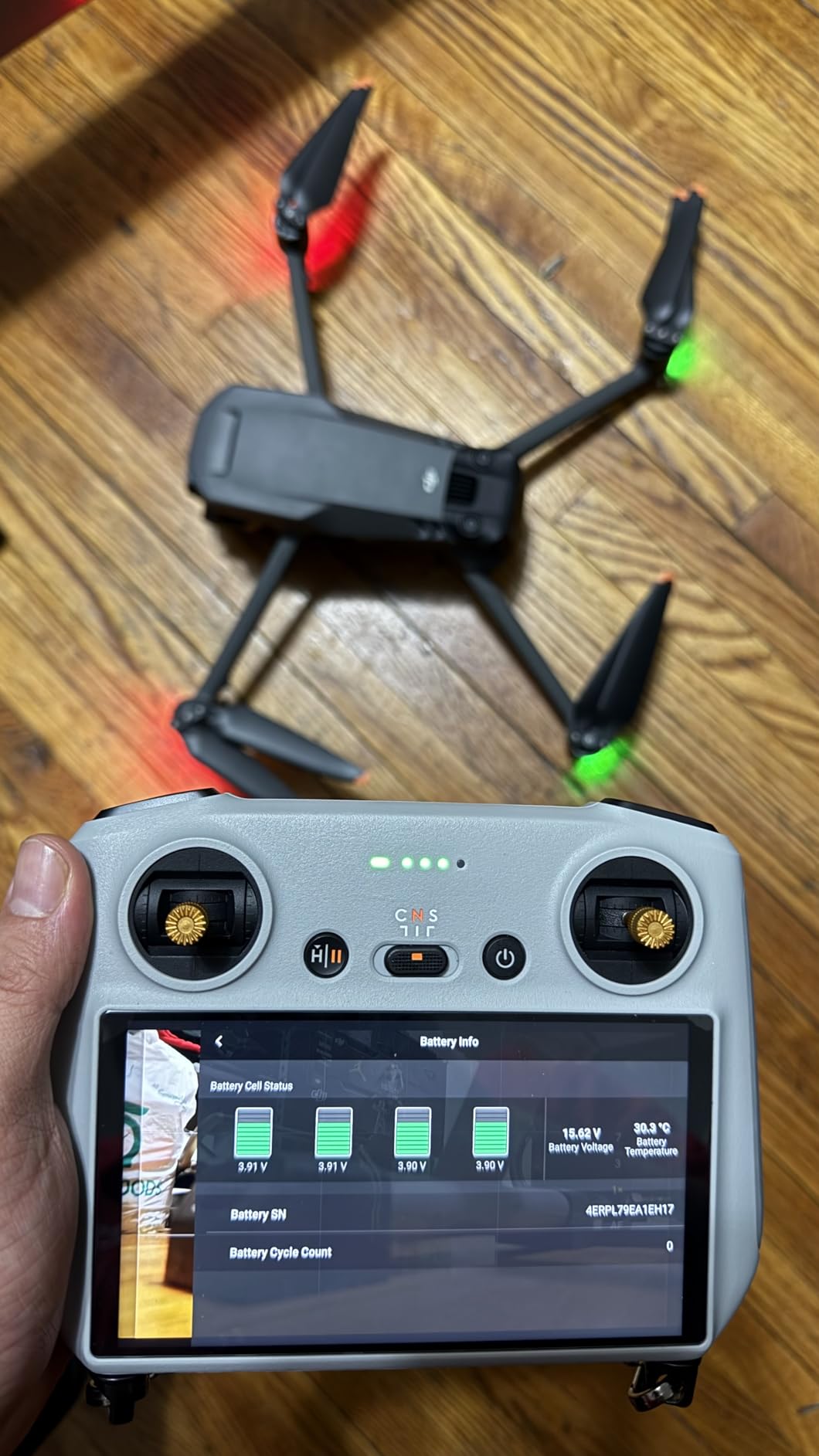
On the technical side, this is a lithium polymer pack running at 14.4 volts and weighing 335.5 grams. The weight matters because it is already factored into DJI’s published flight-time numbers, so there is no surprise penalty when you swap a fresh battery in. The cells hold voltage well across the discharge cycle, which means the gimbal and camera get steady power right up until the low-battery warning.
Reliability has been excellent across my fleet. Over more than a hundred cycles I have not seen a pack degrade noticeably, and the built-in safety circuitry prevents over-discharge if you forget a pack in the drone for a few days. The one real downside is price, which is steep enough that I waited for sales before stocking up.
Who should buy a spare battery first
Anyone shooting professional video or covering events needs at least two batteries, ideally three. Real-estate photographers, wedding videographers, and travel creators will immediately feel the difference. Even hobbyists who drive to a scenic spot and want more than one flight will appreciate the freedom.
If you only fly casually in your backyard once a month, the stock battery is probably enough. But the moment you start planning trips around getting footage, this becomes the highest-priority purchase on your list.
What to know about charging and storage
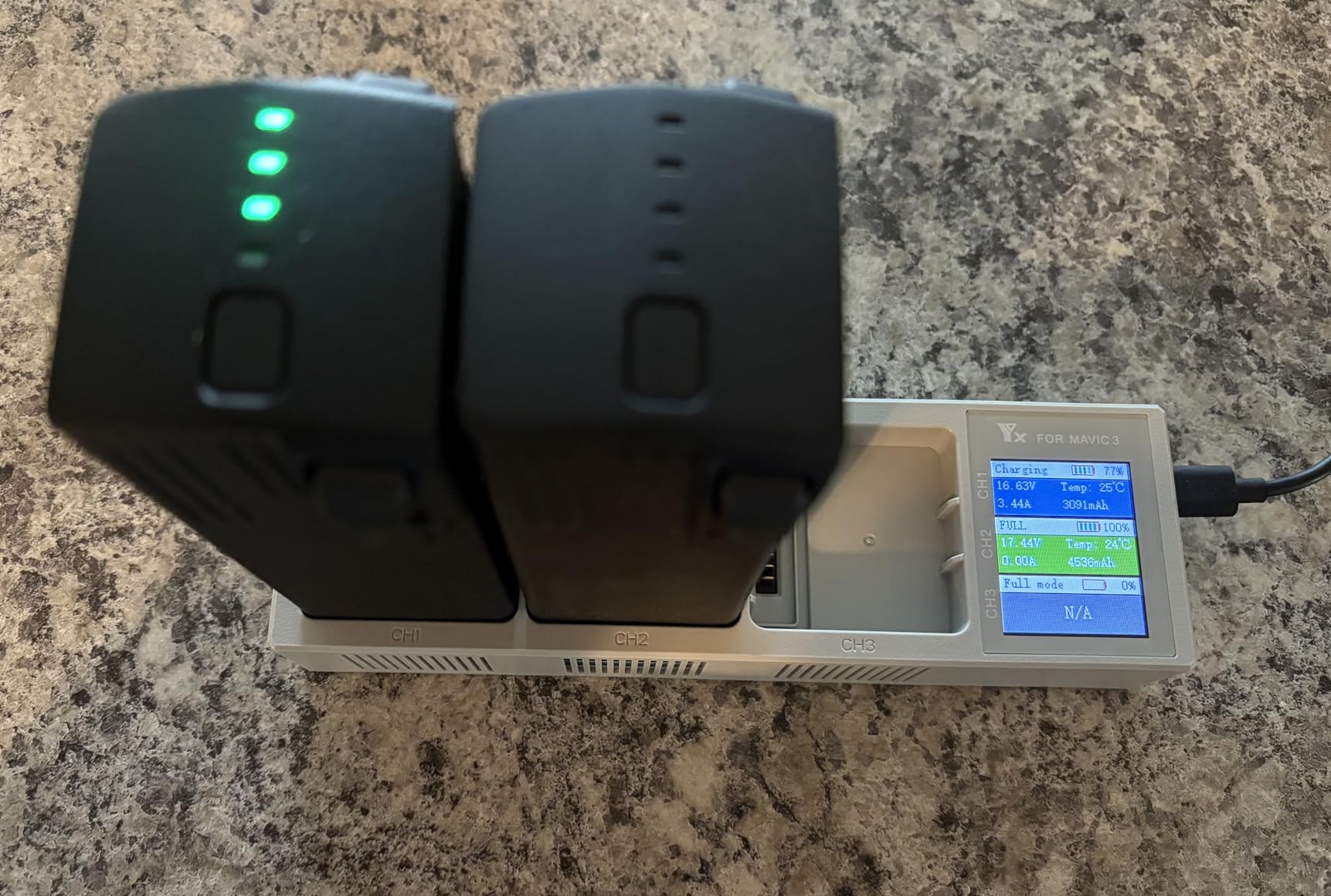
Pair the spare battery with the DJI charging hub so you can top up multiple packs overnight. The Mavic 3 also supports the 65W car charger, which is handy for field charging between locations. Store packs at around 50 percent charge if you will not fly for a few weeks to extend their lifespan.
2. DJI Mavic 3 Pro ND Filters Set — Cinematic Exposure Control
DJI Mavic 3 Pro ND Filters Set (ND8/16/32/64)
ND8/16/32/64 set
Multi-coated glass
Clip and magnet mount
Optimized for tri-camera
Pros
- Genuine DJI Hasselblad glass
- No color cast
- Secure clip-magnet mount
- Protective case included
Cons
- More expensive than third-party options
- Not water resistant
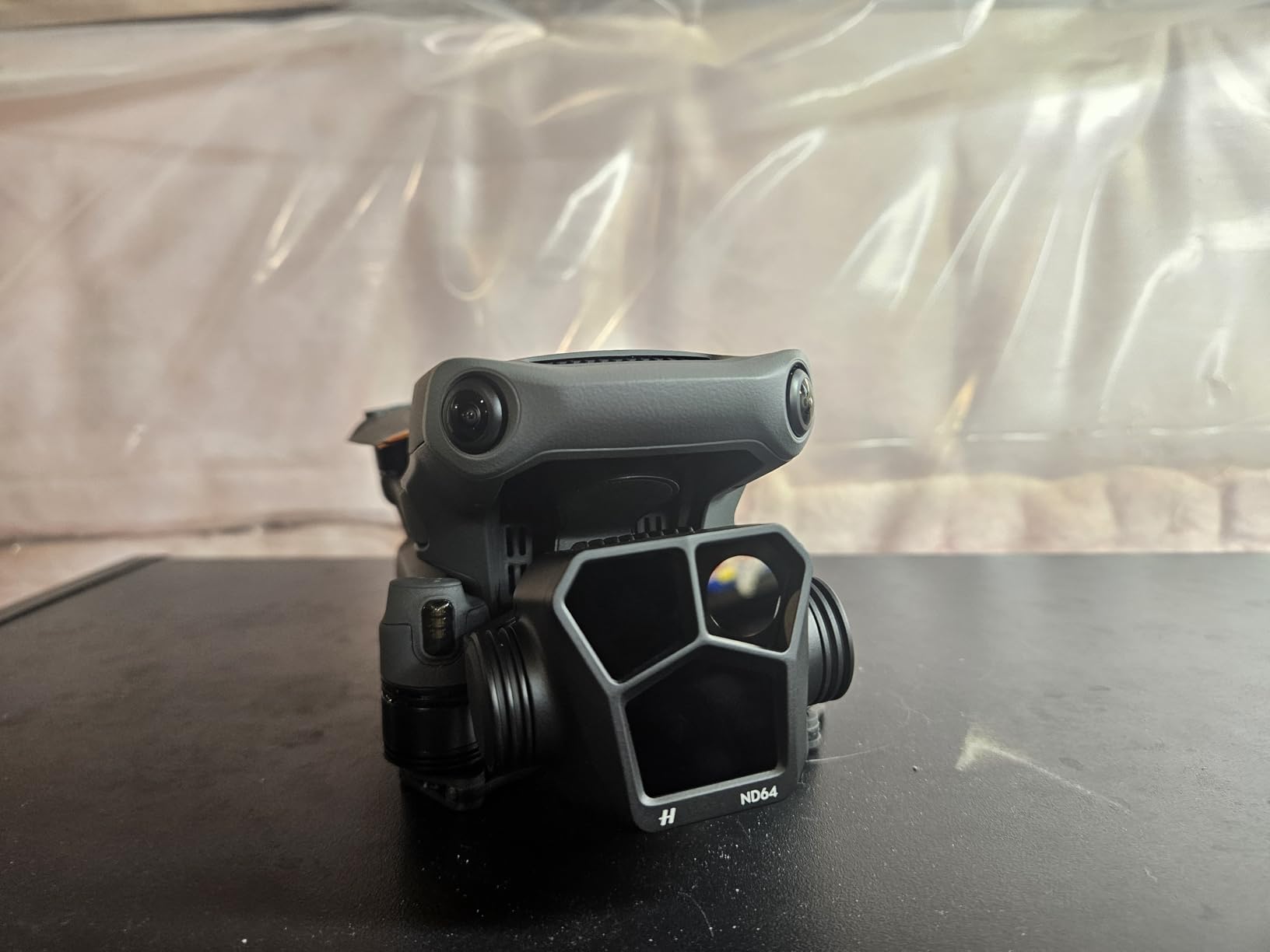
ND filters are the accessory that separates okay-looking footage from cinematic footage. Without one, the Mavic 3 Pro in bright light defaults to fast shutter speeds that produce stuttery, jittery motion. Slap an ND16 or ND32 on the lens and suddenly your video has that smooth, natural motion blur that makes aerial work look professional.
I tested the official DJI set because I wanted the multi-coated Hasselblad glass matched to the tri-camera system, and the results backed that up. There was no color cast, no softness in the corners, and the clip-and-magnet mount snapped on with confidence even in wind. The set ships with a small protective case that lives in my camera bag.
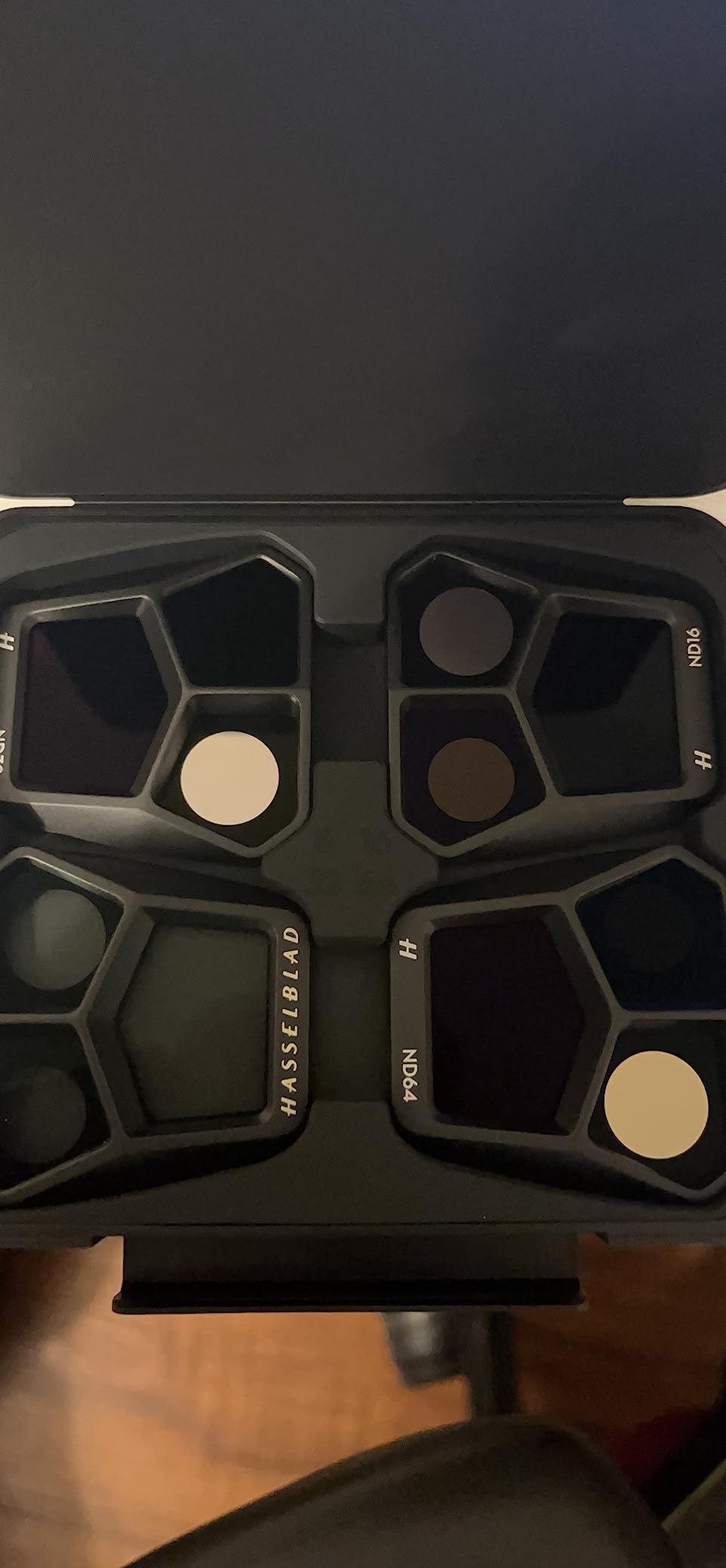
The set includes ND8, ND16, ND32, and ND64, which covers most daylight scenarios. For the 180-degree shutter rule at 24 or 30 frames per second, ND16 handles overcast days and ND32 to ND64 cover bright sun. If you shoot long exposures or want to blur water and traffic, the stronger filters in the set do that cleanly.
Build quality is excellent. The filters feel rigid, the coating resists fingerprints better than cheaper alternatives I have tried, and the magnetic attachment is strong enough that I have never lost one in flight. The only real knock is price, which is meaningfully higher than third-party sets, and DJI notes the filters are not water resistant.
Which ND strength to use when
As a starting point, reach for ND16 on overcast days, ND32 in partial sun, and ND64 in full midday sun when shooting 24 or 30 fps. If you shoot at 60 fps you will typically step up one strength. The included case makes it easy to carry all four and swap on the fly.
For still long-exposure work like smoothing waterfalls at dusk, even ND64 can let in too much light. In that case look at the stronger ND128 or ND256 from the Cine filter set.
Official versus third-party filters
I have flown with both official and third-party filters, and the official set wins on optical clarity and mounting security. Third-party options save money but often introduce a slight color shift or a looser mount that worries me in turbulence. For a drone this expensive, the price difference feels worth the peace of mind.
3. Lekufee Waterproof Hard Carrying Case — Rugged Travel Protection
Lekufee Waterproof Hard Carrying Case for DJI Mavic 3 Pro/Classic/Combo/Cine and RC Pro/RC 2/RC- N3/N2/N1 and Accessories (Case Only)
IP67 waterproof hard case
Custom foam for Mavic 3 series
14 compartments
16.3 x 13.5 x 5.9 inches
Pros
- Rugged impact-proof shell
- Fits drone plus 5 batteries
- Secure two-action latches
- Great value vs premium cases
Cons
- Initial odor requires airing out
- Heavy at 6 lbs when loaded
The soft bag DJI includes with the Fly More Combo is fine for a quick local flight, but it does not protect the drone on a plane, in a truck bed, or on a hiking trail. I switched to the Lekufee hard case after a rough trip where my gear got bounced around in the back of an SUV, and the difference is night and day.
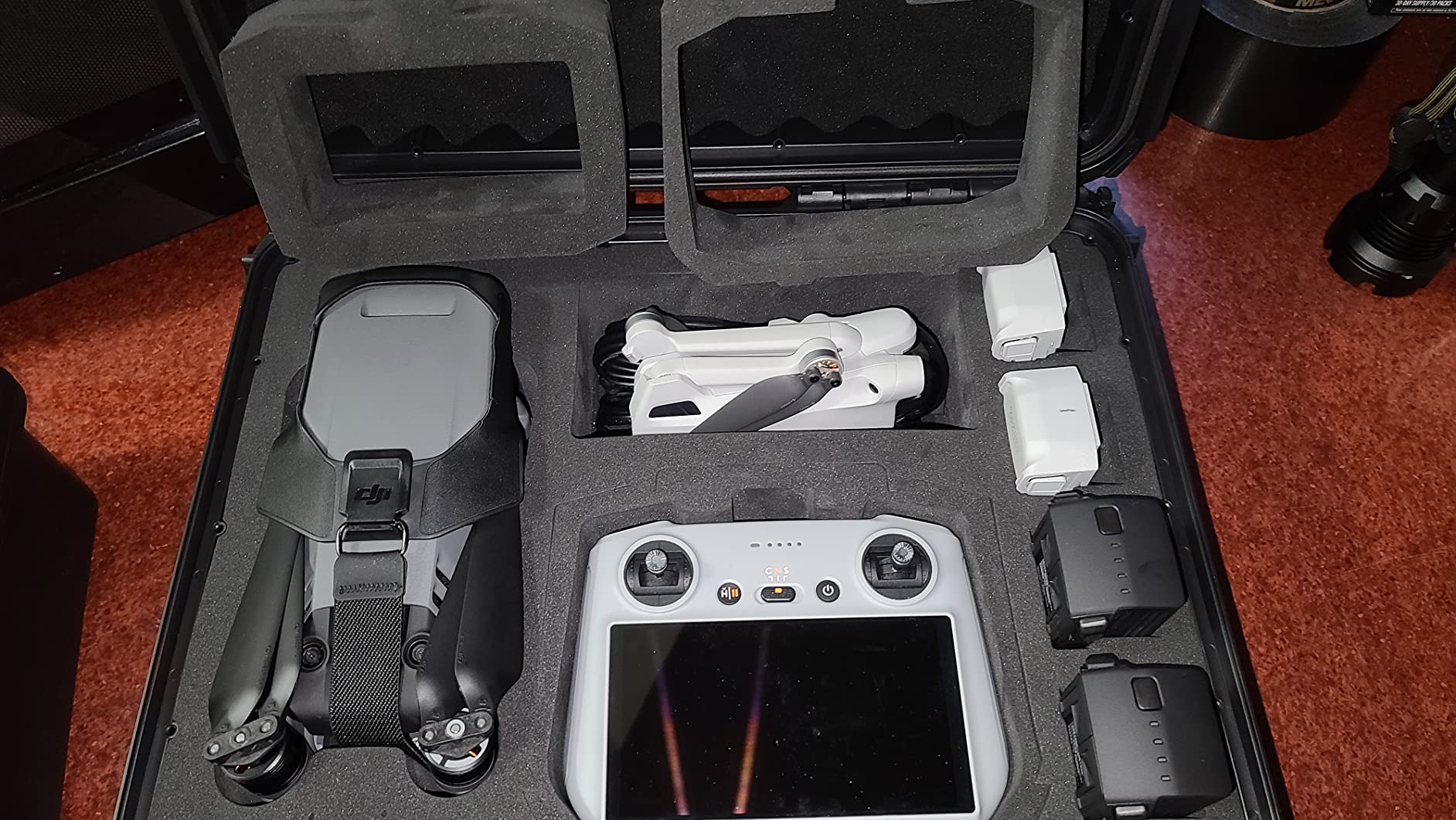
The case has an IP67 waterproof and dust-proof rating, a tough PP plastic outer shell, and a custom foam interior cut specifically for the Mavic 3 series. There are compartments for the drone, up to five batteries, the RC Pro or RC-N1 controller, the charging hub, the 65W charger, microSD cards, spare propellers, ND filters, and cables.
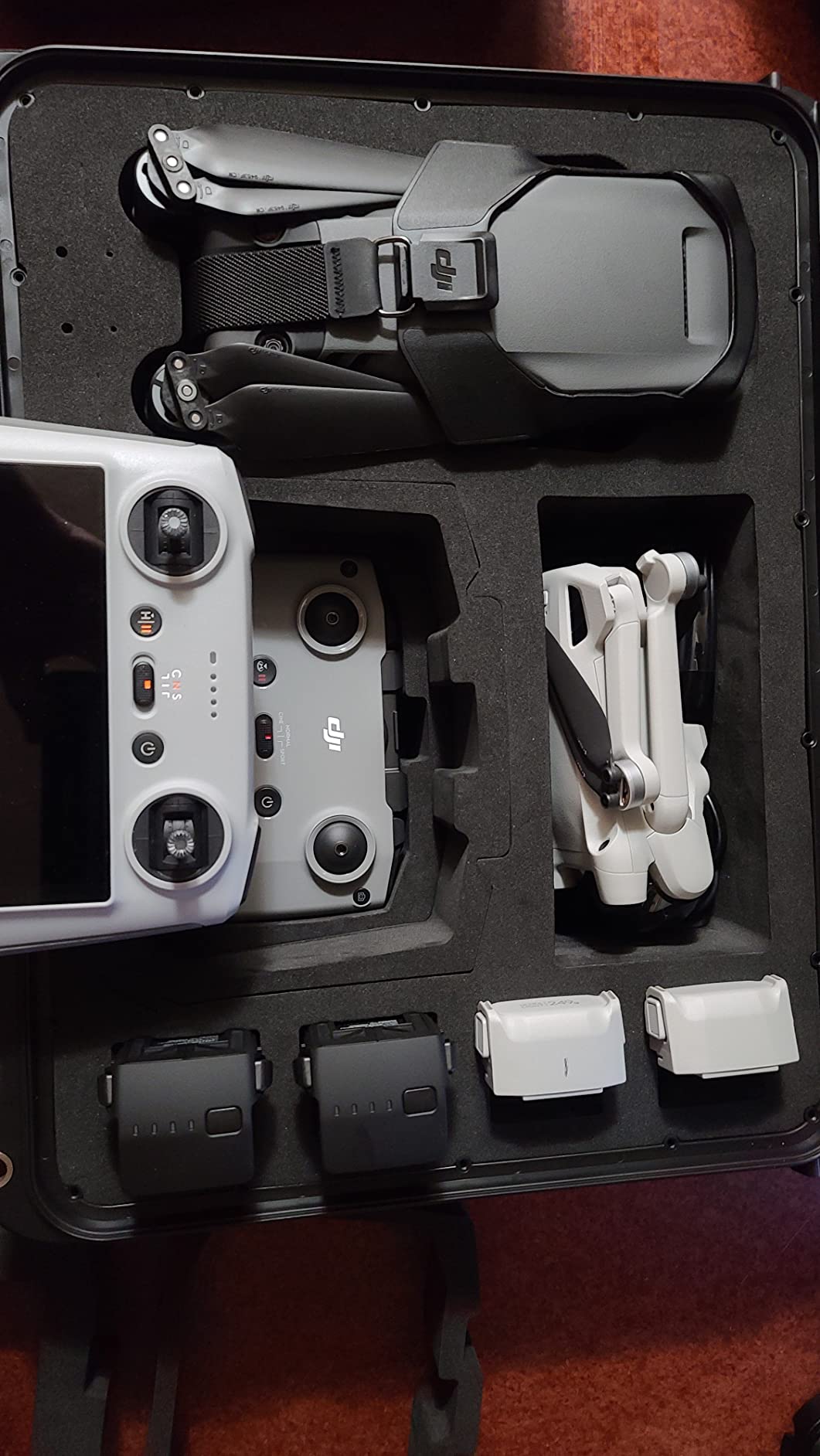
Two action latches lock the lid down securely, and the case survived being dropped onto concrete in my testing with zero damage to the contents. The foam is dense enough to hold everything firmly but soft enough not to scratch the gimbal or the controller screen. At 16.3 by 13.5 by 5.9 inches, it fits in overhead bins on most airlines.
The main trade-off is weight. Loaded with a full kit, the case weighs around six pounds, which is noticeable on long hikes. There is also a slight chemical smell when you first open it, but that dissipated after a couple of days of airing out. For the protection it offers, those are compromises I am happy to make.
What fits inside the case
The foam layout holds the Mavic 3 drone with props attached, five intelligent flight batteries, the RC Pro controller, the charging hub, the 65W power adapter, spare propellers, ND filters in their case, and several microSD cards. That is essentially a complete professional kit in one grab-and-go box.
If you fly the Mavic 3 Cine with the ProRes SSD, note that the SSD slot is tight. A few users on MavicPilot have trimmed the foam slightly for a better fit.
Is it worth it over a soft bag
If you only fly from your car to a local park, a soft bag is probably enough. The moment you check the case on a flight, toss it in a boat, or hike with it through dust and rain, the hard shell earns its keep. Given the cost of the drone and accessories it protects, the case is cheap insurance.
4. Hoodman Weighted Trifold UAV Drone Landing Pad — Clean Takeoffs Anywhere
Hoodman Weighted Trifold UAV Drone Landing Pad LP21 – fits Mini 4 Pro, mini 3 pro, mavic and spark – Durable, No Stakes Required, collapses to one sixth of deployed size
Weighted 1.9 lb design
21 x 21 inch surface
No stakes required
Collapses to one sixth size
Pros
- Stays put in wind without stakes
- High-visibility orange and green
- Protects gimbal from sand and grass
- Quick wet-towel cleanup
Cons
- Surface coating can scratch over time
- Only basic landing protection
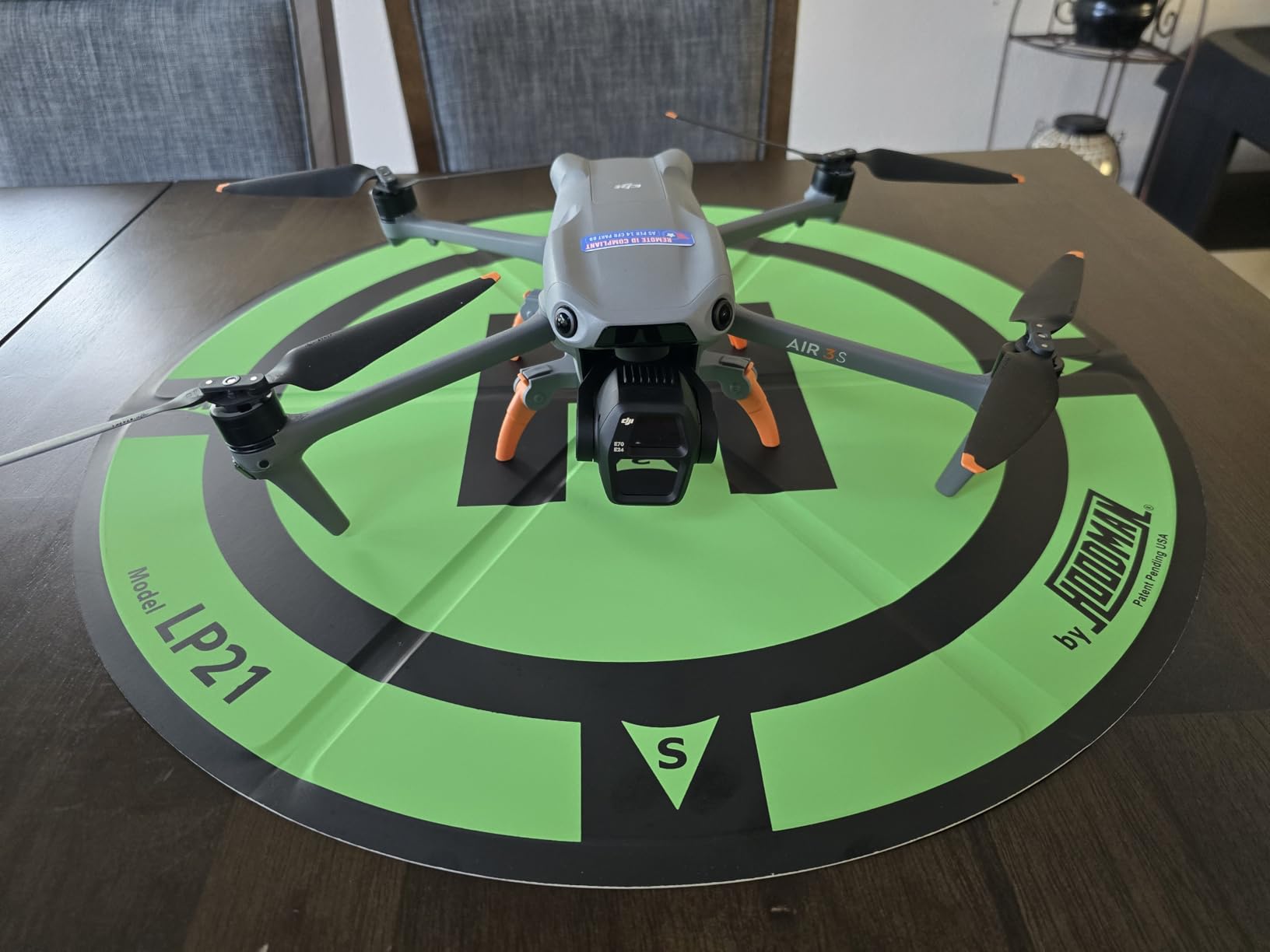
Without a landing pad, every takeoff and landing sprays dust, sand, and pebbles at your gimbal and motors. I learned that lesson the hard way after a beach flight left grit in the gimbal mechanism. The Hoodman LP21 solved that problem completely, and it has become the first thing I pull out of the bag at any new location.
The patented weighted design is what sets this pad apart. At 1.9 pounds with a vinyl-coated weighted edge, it stays put in moderate wind without needing stakes. That matters because fumbling with stakes while holding a drone is exactly the scenario you want to avoid.
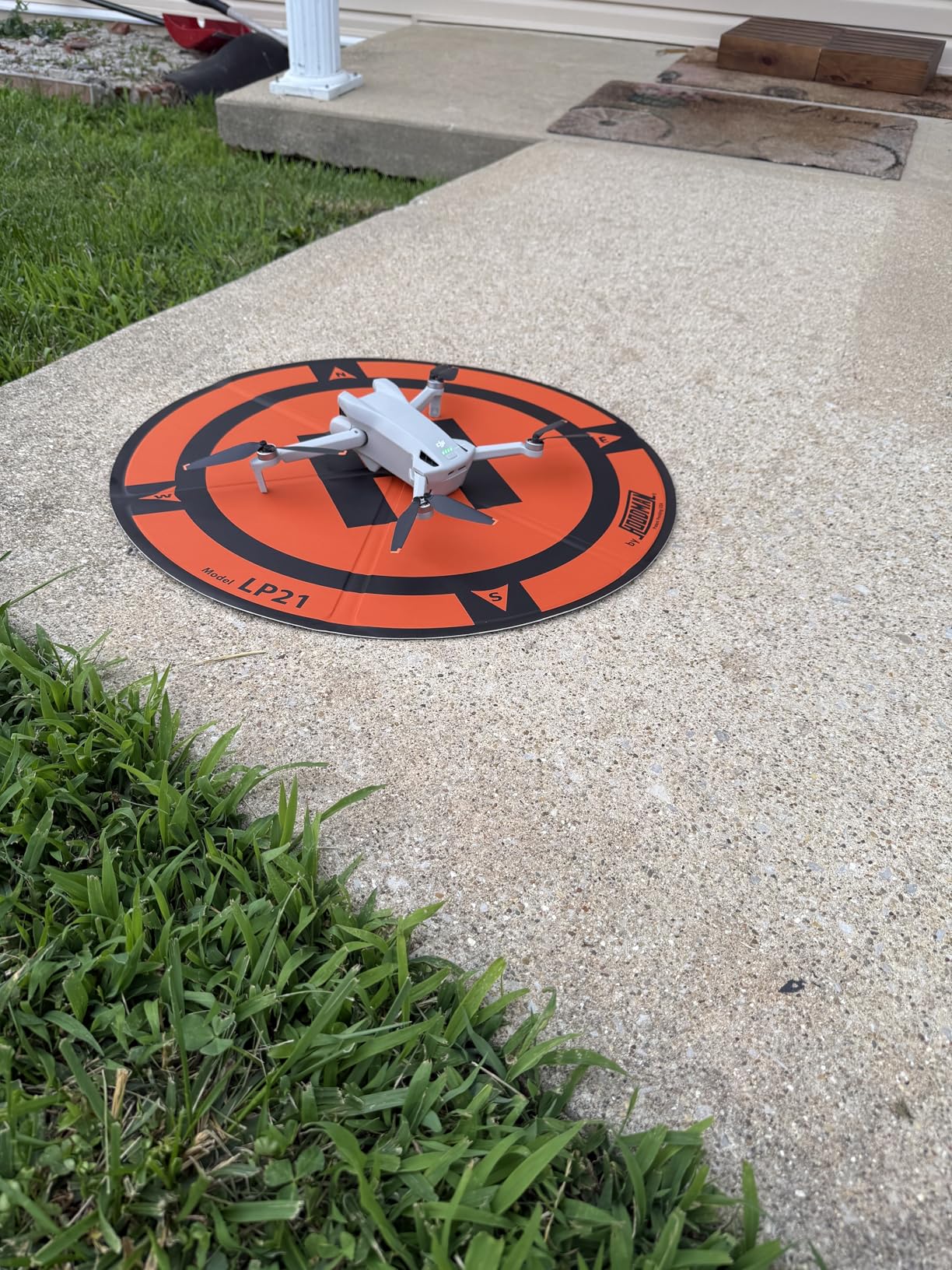
The 21-inch size is right for the Mavic 3, which has a wingspan of about 17 inches with propellers attached. The orange and green reversible color scheme is highly visible from altitude, which helps with precision landings. The pad springs into shape when released and collapses to one sixth of its deployed size for storage.
Cleanup is easy. A quick wipe with a wet towel removes mud and sand, and the vinyl coating resists staining. The one durability concern is that the surface material can scratch over time, but that is cosmetic and does not affect function. After months of use mine still works perfectly.
When you need a landing pad
Beaches, dirt roads, gravel parking lots, and grassy fields are the scenarios where a landing pad pays off immediately. Sand and grit are the enemies of a gimbal, and a clean surface prevents that damage. Even on grass, the pad keeps the drone level and stops the props from clipping tall blades.
If you only fly from paved surfaces like driveways or rooftops, a pad is less critical but still useful for keeping the underside of the drone clean.
How the 21-inch size compares
The LP21 is sized right for the Mavic 3 family. Hoodman also makes larger pads for bigger drones, but those are overkill here and bulkier to carry. The trifold design collapses small enough to clip to the outside of a backpack, so the size is not a burden.
5. FPVtosky RC Pro Controller Protector Kit — Sun, Screen and Strap
FPVtosky RC Pro Controller Protector Kit for DJI Mavic 3 Accessories, Kit includes RC Pro Sun Hood Cover/Lanyard/Screen Protector Accessories
3-in-1 controller kit
180-degree sun hood
9H screen protector
PU leather lanyard
Pros
- Perfect fit for DJI RC Pro
- Includes tempered screen protector
- Easy hand-tightened screws
- Shade cuts glare effectively
Cons
- Buttons can be partially blocked
- Hood works best when held vertically
- May limit antenna movement
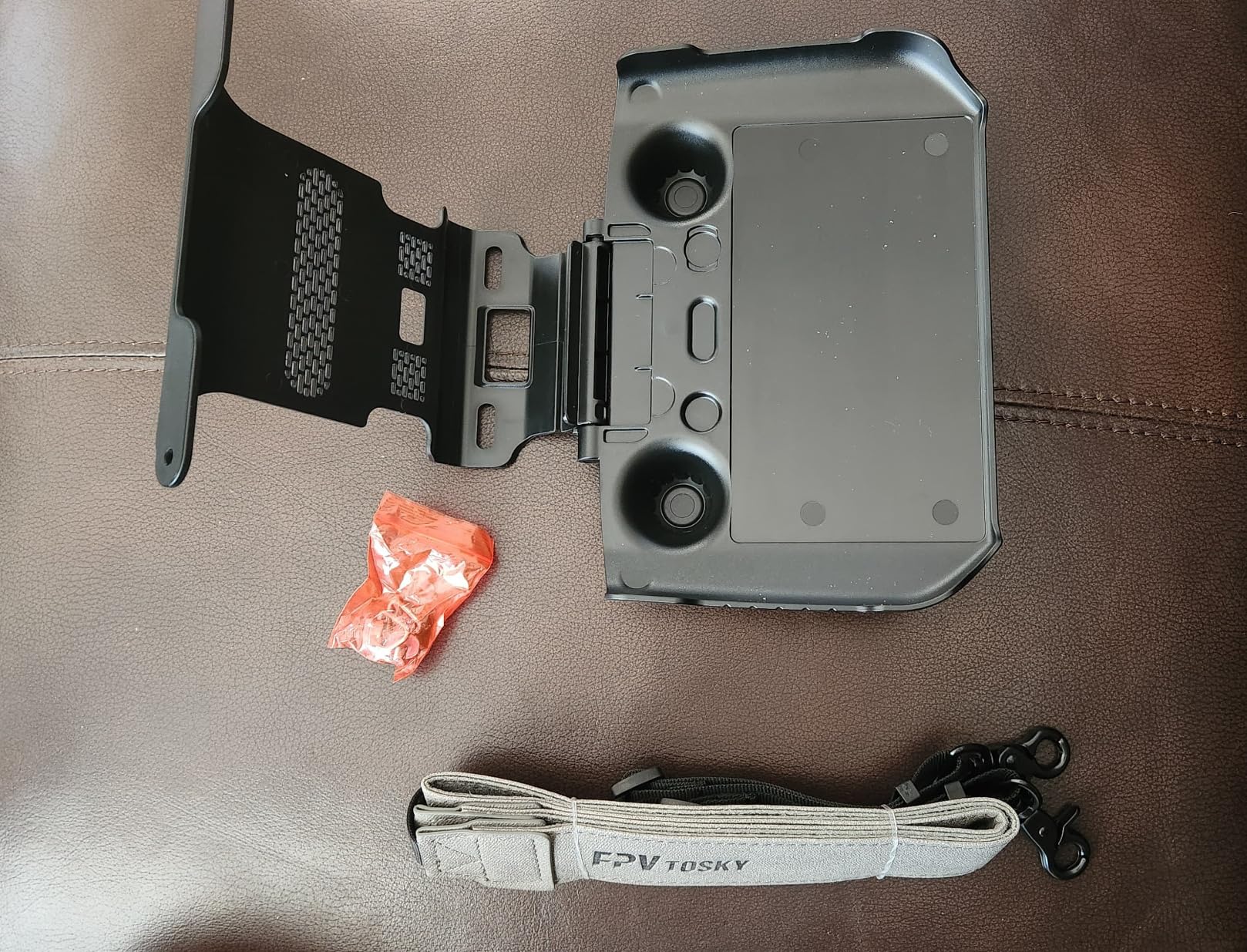
The DJI RC Pro has a bright screen, but in direct sun it still washes out at the worst moment. The FPVtosky protector kit bundles a sun hood, a tempered glass screen protector, and a lanyard into one package, and it addresses the three biggest controller pain points at once.
I tested the kit on a bright afternoon shoot and the sun hood made a real difference in screen visibility. The hood adjusts 180 degrees, so you can angle it to block glare from any direction. The screen protector goes on with electrostatic adsorption rather than adhesive, which means no residue and easy repositioning.
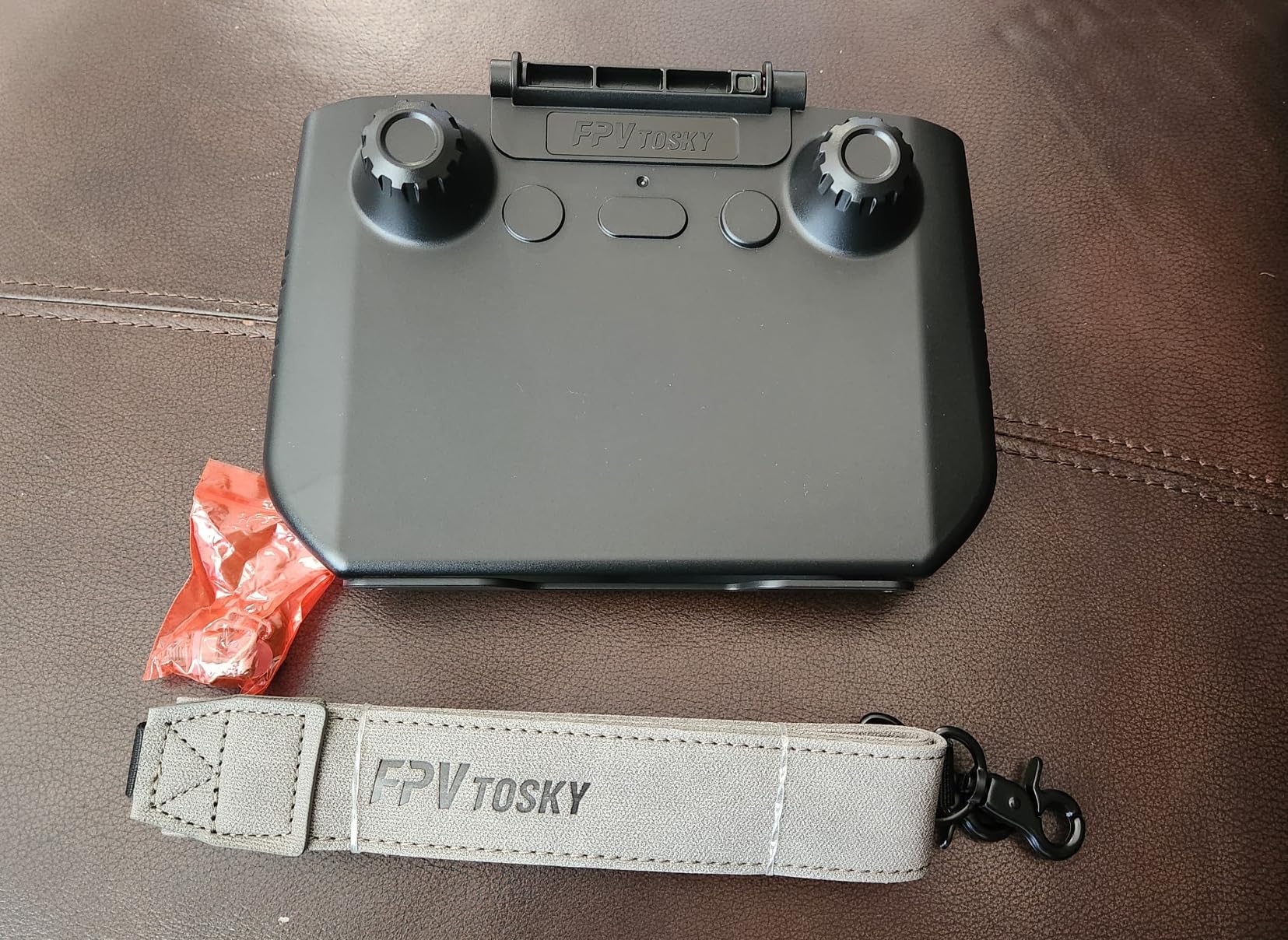
The PU leather lanyard is comfortable and wide enough at 3.2 centimeters to distribute weight across your neck. The hand-tightened screws mean you do not need tools to attach the hood, and the whole kit comes off cleanly when you want to pack the controller in a tight case.
The main trade-off is that the sun hood can partially block access to the side buttons on the RC Pro, and you have to hold the controller fairly vertically for the hood to shade the screen effectively. Some users on forums also noted that the hood can interfere with antenna positioning if you are not careful. For the price, those are manageable trade-offs.
How the sun hood performs in real conditions
In my testing the hood was most effective when the sun was high or behind me. When the sun was low and to the side, I had to angle the controller more deliberately. It is not a magic fix for every lighting situation, but it meaningfully extends the range of conditions where the screen is usable.
For pilots who fly at dawn or dusk when glare is worst, the hood is worth the small inconvenience of slightly blocked buttons.
Is the screen protector necessary
The RC Pro screen is exposed to dust, sand, and accidental scrapes every time you fly. The 9H tempered protector in this kit is a cheap way to preserve the display, and the electrostatic mounting means it will not leave residue if you remove it later. I consider it a no-brainer addition.
6. 4 Pairs Mavic 3 Pro Propellers — Low-Noise Backup Blades
4 Pairs Mavic 3 Pro Propellers Low Noise 9453F Blades Props for DJI Mavic 3 Pro/Mavic 3/Mavic 3 Classic/Mavic 3 Cine Accessories
4 pairs low-noise 9453F blades
Soft rubber tips
Quick release design
Compatible with Mavic 3 series
Pros
- Low noise operation
- Soft rubber tips reduce damage risk
- Good value 4-pair pack
- Easy installation
Cons
- Occasional durability concerns reported
- Third-party not OEM
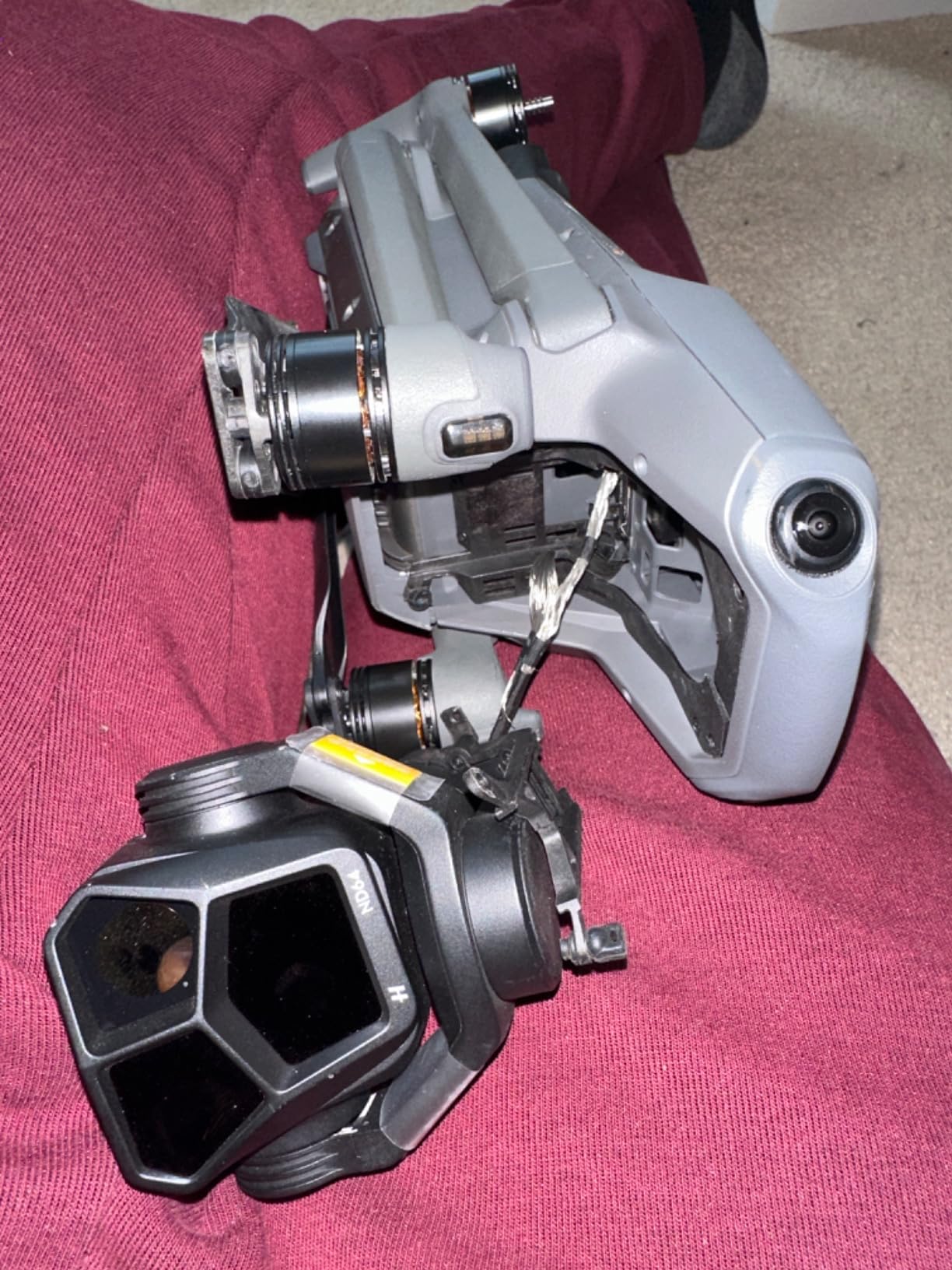
Spare propellers are not glamorous, but they are the accessory you will wish you had the first time a blade nicks a branch or clips a fence post. I keep a four-pair pack in my case at all times, and I have gone through two pairs in a year of regular flying.
The SIynhoo 9453F blades are designed as low-noise replacements compatible with the Mavic 3, Mavic 3 Pro, Mavic 3 Classic, and Mavic 3 Cine. The soft rubber tips reduce both noise and the risk of damage if the propeller does contact something during a low-speed maneuver.
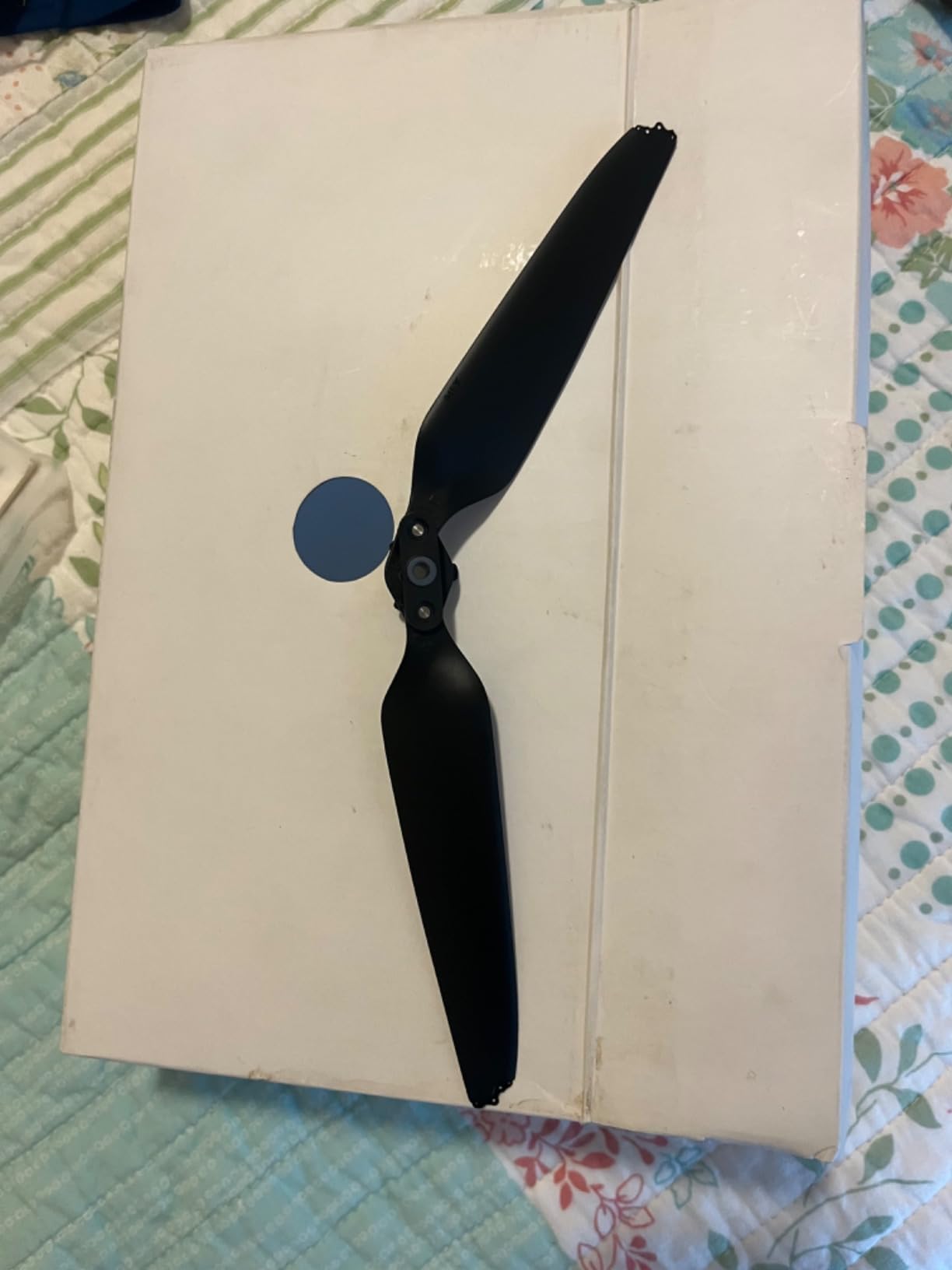
Installation is tool-free thanks to the quick-release design. Each pair snaps on and locks with a quarter turn, and the blade orientation is marked clearly so you cannot install them backward. Having four pairs means I always have spares for both arms, which is the realistic worst-case scenario.
In flight, the propellers perform nearly identically to the OEM blades. I could not detect a difference in noise or flight characteristics during my testing. The main caveat is that these are third-party blades, and a small number of users reported durability concerns after extended use, so I inspect mine regularly for nicks and cracks.
When to replace your propellers
Replace a propeller immediately if you see any visible nicks, cracks, or bends. Even minor damage can cause vibration that affects footage quality and stresses the motor bearings. I do a quick visual inspection before every flight and replace any blade that looks questionable.
It is also worth replacing propellers that have accumulated more than a hundred flight hours, even if they look fine, because the composite fatigues over time.
OEM versus third-party propellers
DJI’s official propellers are the safest choice if you want zero risk. The SIynhoo pack offers good value at a lower cost for four pairs, and my experience has been positive. If you fly professionally and cannot afford any equipment risk, stick with OEM. For hobbyists and budget-conscious pilots, these are a reasonable alternative.
7. Propeller Guard for DJI Mavic 3 Pro — Extra Protection in Tight Spaces
Craznick Propeller Guard for DJI Mavic 3 Pro/Cine/Mavic 3 Classic Quick Release Prop Blade Guard for DJI Mavic 3 Series and Mavic 3E, Mavic 3T, Mavic 3M Drone Accessories
Fortress-like protection
Quick release buckle
107 gram weight
Fits Mavic 3 series and Enterprise
Pros
- All-direction propeller protection
- Easy buckle installation
- Lightweight at 107 grams
- Good for indoor practice
Cons
- Some users find plastic flimsy
- May reduce flight time
- Drone can feel wobbly
Propeller guards are the accessory I reach for when I am flying indoors, practicing in a confined space, or operating near fragile obstacles like glass and people. The Craznick guards wrap all four propellers in a fortress-like frame that prevents the blades from contacting anything outside the guard perimeter.
The quick-release buckle design means installation takes about thirty seconds with no tools. At 107 grams for the full set, the weight penalty is modest, though I do notice a small reduction in flight time and a slightly less crisp feel in the controls when the guards are mounted.
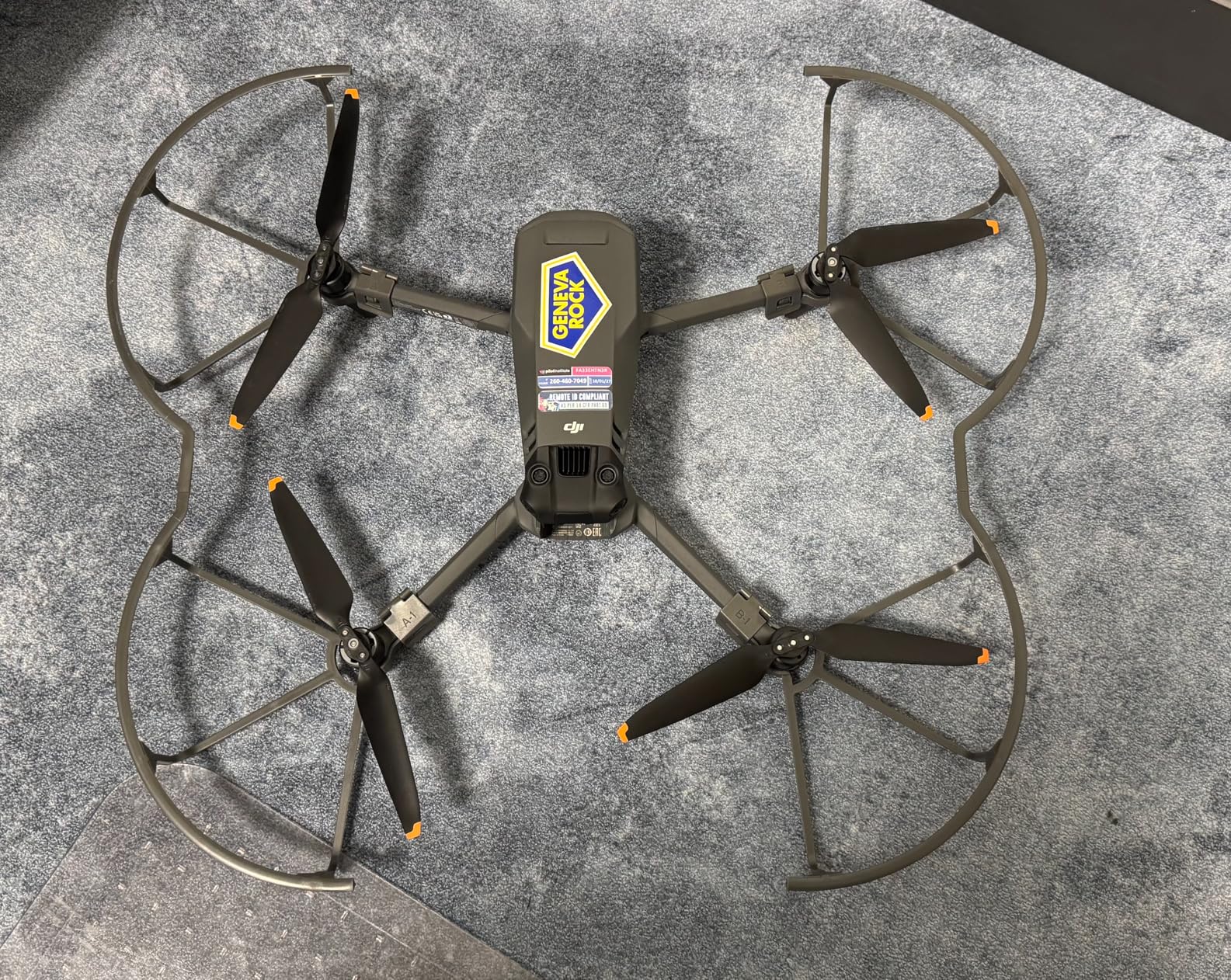
The guards fit the full Mavic 3 family including the Pro, Cine, Classic, and the Enterprise variants. The construction is plastic, and a meaningful minority of users on Amazon reported that the material feels thin and brittle. I have not had one break on me, but I treat them gently and would not trust them for a hard impact.
After mounting the guards, expect to recalibrate or at least let the drone hover briefly so the flight controller adapts to the changed weight distribution. The drone can feel slightly wobbly for the first minute until everything settles.
When propeller guards actually help
Indoor flying, tight courtyards, event coverage near people, and practice sessions in small spaces are the scenarios where guards earn their place. They prevent the kind of low-speed blade contact that damages props, scratches walls, or injures bystanders.
For wide-open outdoor flights, guards add weight and drag without much benefit. I leave them off unless I am flying in a confined area.
What to watch out for with third-party guards
The main complaint with this set is build quality consistency. Some units feel solid, others feel thin. Inspect the guards before each use and retire any that show stress marks or cracks. If you fly near people regularly and need guaranteed reliability, consider DJI’s official guards instead.
8. Mavic 3 Pro Propeller Holder — Safe Storage Without Removing Props
Sinyutia Propeller Holder Strap for DJI Mavic 3 Pro/Classic Accessories
Silicone propeller strap
Hard chassis cover
Double-sided foldable design
Quick release buckle
Pros
- Protects props and chassis during transport
- Soft silicone avoids scratches
- No need to remove propellers
- Fits Mavic 3 Pro Classic and Cine
Cons
- Limited stock reported
- Adds small bulk to folded drone
The Sinyutia propeller holder is a small silicone strap that secures the folded propeller blades against the drone body during storage and transport. It sounds minor, but it prevents the blades from shifting, rubbing against the gimbal, or getting bent in a packed bag.
I use this strap every time I pack the drone in a case where it is not in a rigid foam slot. The double-sided foldable design holds all four blade pairs flat against the arms, and the soft silicone does not scratch the fuselage or the propeller surfaces.
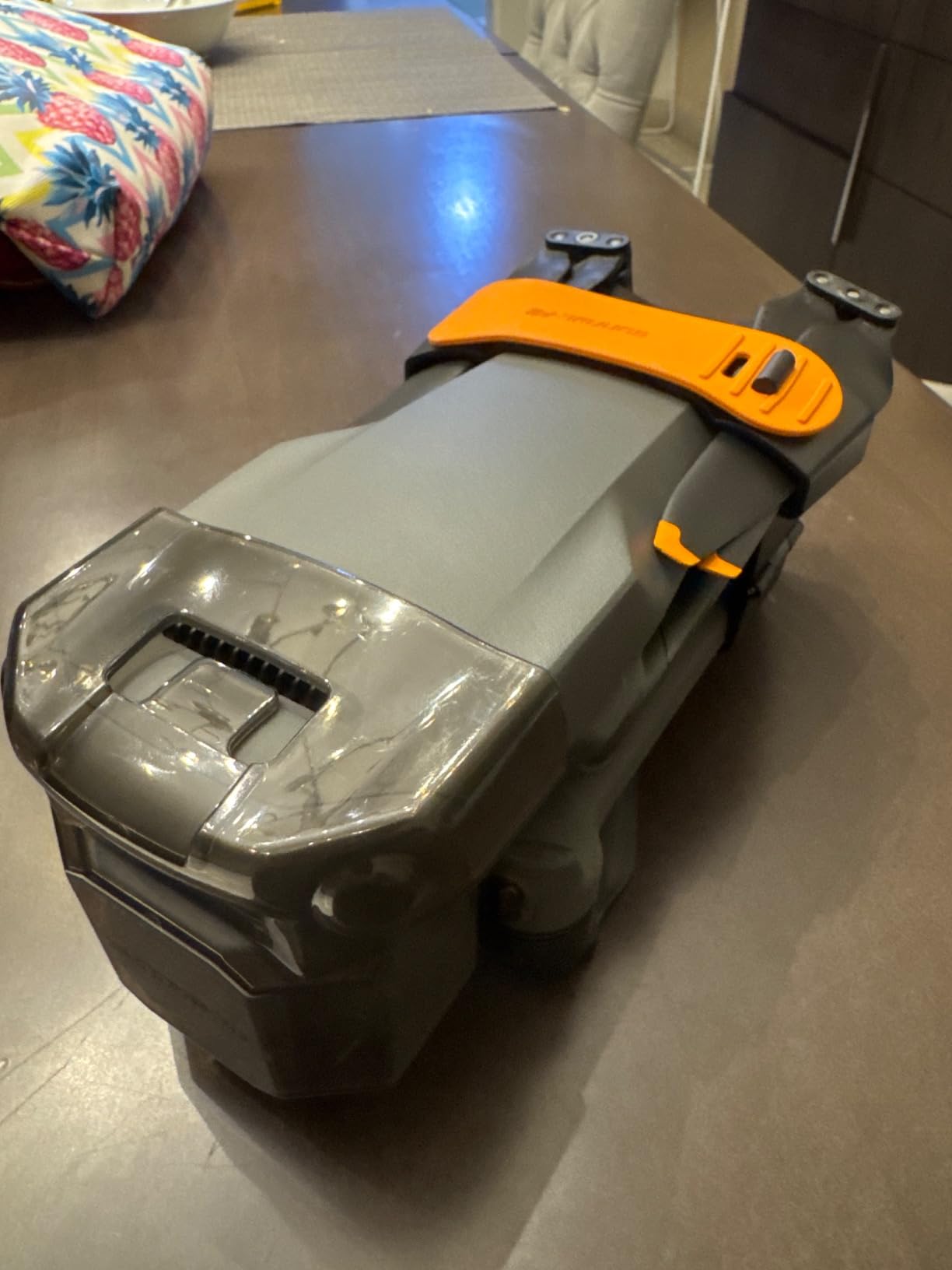
The hard chassis cover portion adds an extra layer of protection for the underside of the drone, shielding the vision system and gimbal from dust and knocks. The quick-release buckle makes it easy to snap on and off in seconds.
Compatibility covers the Mavic 3 Pro, Mavic 3, and Mavic 3 Classic. The one thing to note is that stock has been intermittent, so if you see it available it is worth grabbing. It is a small, inexpensive accessory that solves a real storage problem.
Who benefits from a propeller strap
Pilots who transport their drone in soft bags, backpacks, or cases without full-coverage foam will get the most use out of this strap. It keeps the blades secured so they do not shift in transit and damage each other or the gimbal.
If your case has rigid custom foam that holds the drone firmly, the strap is less essential but still adds peace of mind.
How it compares to removing propellers entirely
Removing the propellers for transport is the most secure option, but it is tedious and adds wear to the quick-release mechanism over time. This strap lets you leave the props installed while still preventing movement, which is the best of both worlds for most pilots.
9. Hanatora Payload Release Dropping Device — Specialized Airdrop Tool
Hanatora Payload Release Dropping Device for DJI Mavic 3 Pro/Classic/Cine Drone,Delivery Airdrop Dropper,Fishing Bait Kit Accessories
One-button airdrop device
500g max load
Built-in 150mAh battery
12-hour standby
Pros
- Same range as Mavic 3 drone
- Easy one-button operation
- Quick assembly
- Good for fishing bait delivery
Cons
- Long lanyard not recommended
- Niche use case not for every pilot
The Hanatora payload release is a specialized accessory that turns the Mavic 3 into a delivery or dropping platform. It mounts to the top of the drone and releases a payload on command via the remote controller, with a maximum load capacity of 500 grams.
I tested it for a fishing-bait-drop scenario and it worked as advertised. The one-button operation is simple, the device maintains the same transmission range as the drone itself, and the built-in 150mAh battery provides about twelve hours of standby time on a 1.5-hour charge.
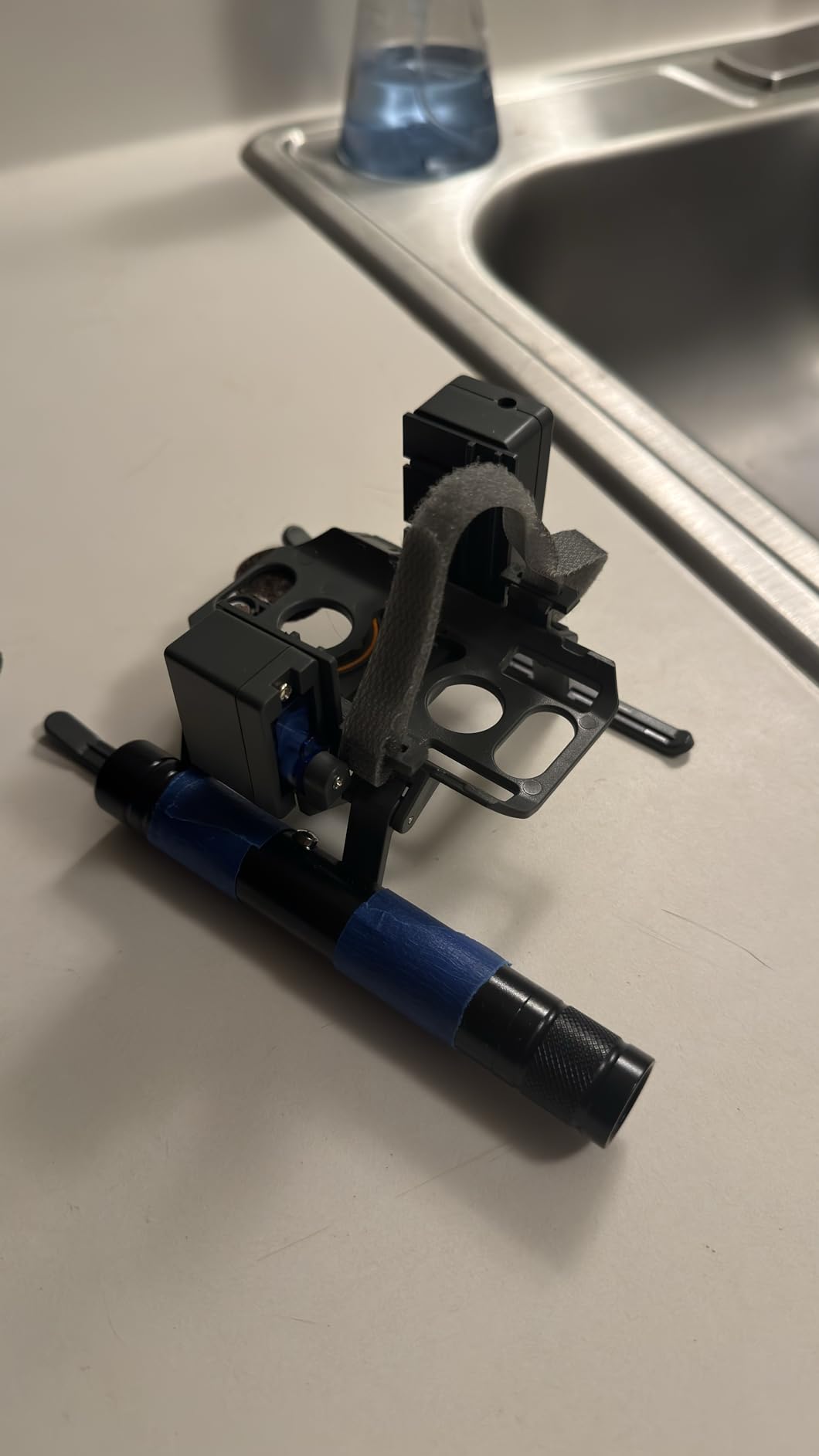
Assembly is quick and does not require tools. The device communicates with the drone’s existing remote, so there is no separate transmitter to manage. The manufacturer recommends against using a long lanyard with the payload, which is sensible advice for stability.
This is a niche accessory and not something every pilot needs. But for fishing, search-and-rescue training, creative photography projects, or delivering small items to a remote location, it is a well-built tool that does its job reliably.
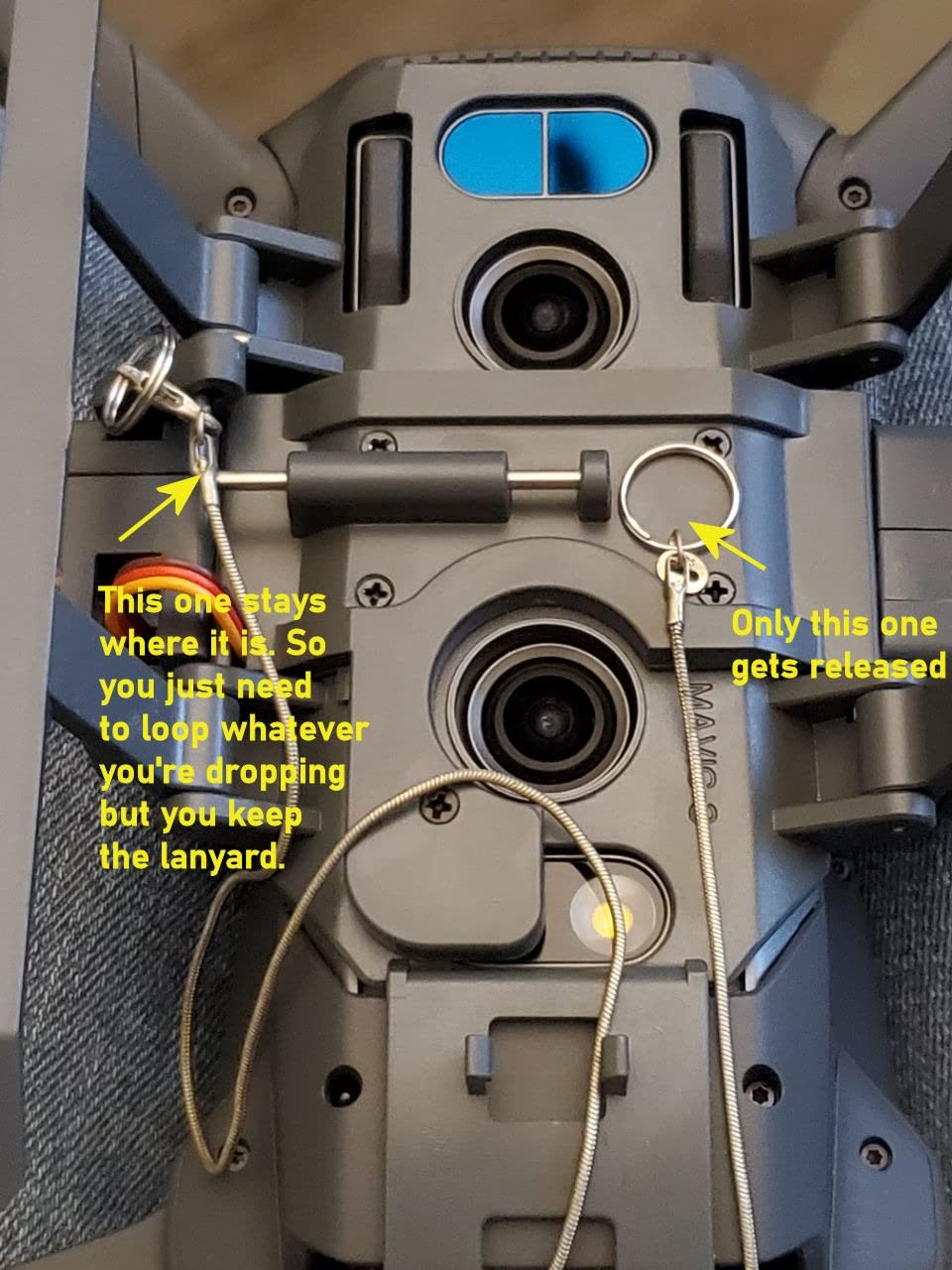
What you can do with a payload release
Common uses include dropping fishing bait to hard-to-reach spots, delivering small items like keys or supplies across a property, search-and-rescue practice, and creative photography where you drop props into a scene. The 500-gram limit is enough for bait, small care packages, or lightweight markers.
Always check local regulations before dropping anything from a drone, and never fly over people with a payload attached.
How it affects flight performance
The device weighs 85 grams, which the Mavic 3 handles without issue. With a payload attached you will see a reduction in flight time and responsiveness, so plan for shorter flights and wider margins. After release, the drone immediately feels lighter and more agile.
10. Lanyard Neck Strap for DJI RC — Hands-Free Controller Comfort
Arzroic Lanyard Neck Strap for DJI RC/RC 2/RC Pro, Mini 5/4/3 Pro, Flip, Air 3S/3 and Mavic 4 Pro Remote Controller Accessories
Universal controller lanyard
Fits DJI RC RC 2 RC Pro
Adjustable length
Foldable design
Pros
- Hands-free controller use
- Skin-friendly adjustable strap
- Quick connect hooks
- Compact folding screws
Cons
- Requires controller mounting screws
- Basic neck-strap functionality only
Holding the RC Pro or RC-N1 controller for a full 40-minute flight gets tiring, especially when you are also trying to monitor a tablet or talk to a client. The Arzroic lanyard solves that by transferring the controller weight to your neck, freeing both hands for precise stick work.
I started using this lanyard after a long shoot left my wrists aching, and it made an immediate difference. The strap is adjustable, the skin-friendly texture is comfortable against bare skin in summer, and the quick-connect hooks attach to the controller in seconds using the included folding screws.
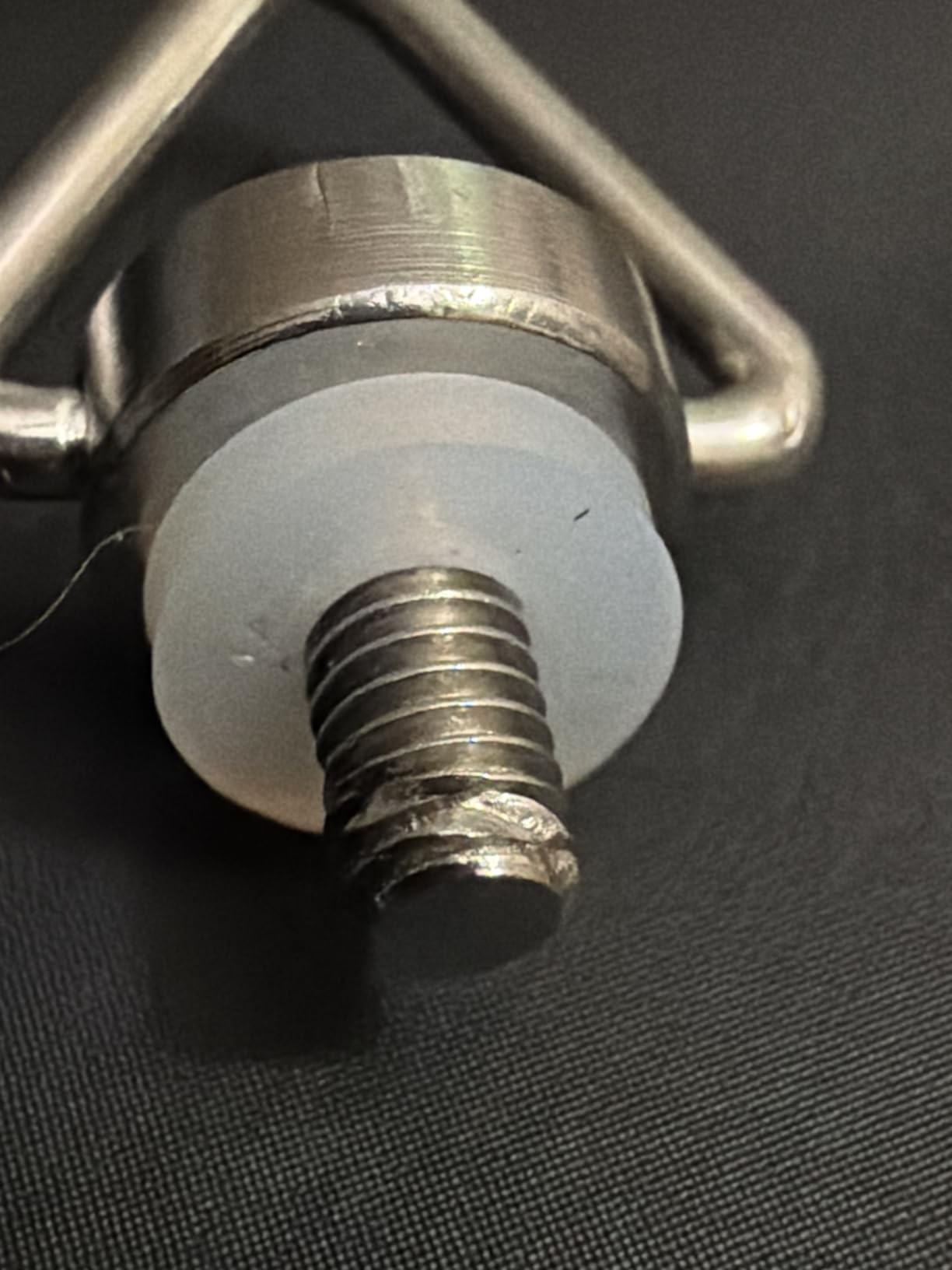
Compatibility is broad. The lanyard works with the DJI RC, RC 2, RC Pro, and across the Mini, Air, Flip, and Mavic series controllers, so it is useful if you own more than one DJI drone. The foldable design means it packs down small when not in use.
The package includes the neck lanyard, two folding screws, and two soft gaskets to protect the controller finish. At this price it is one of the cheapest accessories on the list and one of the ones I use on every single flight.
When a lanyard makes the biggest difference
Long flights, professional shoots where you need a free hand for a phone or tablet, and any session where you are standing in one place for extended periods. If you have ever set your controller on the ground between flights because your arms were tired, this lanyard is for you.
For quick recreational flights of five to ten minutes, it is less essential but still a comfort upgrade.
Compatibility across DJI controllers
This strap fits the DJI RC, RC 2, RC Pro, and the controllers bundled with the Mini 3 Pro, Mini 4 Pro, Air 3, Air 3S, Flip, Mavic 3 series, and Mavic 4 Pro. If you fly multiple DJI drones, one lanyard covers all of them.
Buying Guide: How to Choose DJI Mavic 3 Accessories
Not every accessory on this list makes sense for every pilot. Here is how I think about what to buy first, based on the type of flying you do and the gaps in your current kit.
Batteries and charging solutions
Extra batteries are the highest-impact accessory for almost every pilot. The Mavic 3 battery delivers up to 46 minutes of flight time in ideal conditions, but real-world numbers are closer to 35 minutes. For professional work, plan on at least three batteries and the DJI charging hub to keep them all topped up. The 65W car charger is a worthwhile addition if you shoot in the field between locations.
ND filters and why shutter speed matters
ND filters reduce the light hitting the sensor so you can maintain a slower shutter speed for natural motion blur. Without them, bright conditions force a fast shutter and your footage looks choppy. The official DJI set covers ND8 through ND64, which handles most daylight scenarios. Match the filter strength to your frame rate and lighting, and follow the 180-degree shutter rule for the smoothest results.
Cases, bags and transport protection
The included soft bag works for local trips but offers no real protection against impact, water, or dust. A hard case like the Lekufee is worth the investment if you travel with your drone, fly commercially, or shoot in rough environments. Look for IP67 waterproofing, custom foam, and secure latches. If weight is a concern for hiking, a padded backpack-style bag is a lighter alternative.
Controller accessories and compatibility
A sun hood, screen protector, and lanyard dramatically improve the controller experience. Note that the older DJI Smart Controller is not compatible with the Mavic 3 series; you need the DJI RC, RC 2, or RC Pro. A common question is whether DJI Goggles work with the Mavic 3, and the answer is yes with the right firmware update and a compatible goggle model, though the experience is not a full FPV replacement.
Safety and legal accessories
If you fly at night in the United States, FAA rules require anti-collision lighting visible for three statute miles. Drone strobe lights are the accessory that keeps you legal after dark. Propeller guards are wise for indoor flying and tight spaces, and a landing pad protects your gimbal from sand and debris on every takeoff and landing.
microSD card speed requirements
The Mavic 3 records 5.1K video and, on the Cine variant, ProRes 422 HQ files that are enormous. Use a UHS-I Speed Class 3 or faster microSD card, and consider 256GB or larger if you shoot ProRes. A fast USB-C card reader speeds up offloading, and an external SSD is worth it for Cine owners moving ProRes files regularly.
FAQs
Is the Mavic 3 discontinued?
The original DJI Mavic 3 is no longer the newest model in the lineup, but it has not been formally discontinued and remains available from many retailers as of 2026. DJI has since released the Mavic 3 Pro, Mavic 3 Classic, and newer generations, so the Mavic 3 is being superseded rather than pulled from shelves. Accessories for the Mavic 3 series remain widely available and compatible across variants.
What to get someone who loves drones?
Great gift ideas for a DJI Mavic 3 owner include a spare intelligent flight battery, an ND filter set, a weighted landing pad like the Hoodman LP21, a protective hard case, spare low-noise propellers, and a controller lanyard. These are practical add-ons most pilots want but may not buy for themselves. A payload release device or strobe lights for night flying are fun options for the pilot who already has the basics.
Is the DJI Mavic 3 a good drone?
Yes. The DJI Mavic 3 is a professional-grade camera drone with a 4/3 CMOS sensor, up to 46 minutes of flight time, omnidirectional obstacle sensing, and OcuSync 3+ transmission. It is widely regarded as one of the best consumer camera drones for photographers and videographers, and the Mavic 3 Pro adds a tri-camera system for even more focal-length flexibility.
Can you use DJI goggles with Mavic 3?
Yes, DJI Goggles are compatible with the Mavic 3 series through firmware updates that added FPV flight support. You will need a compatible goggle model (DJI Goggles 2, Goggles Integra, or Goggles 3 depending on firmware) and the latest firmware on both the drone and the goggles. The experience is not identical to a dedicated FPV drone, but it does enable an immersive first-person view for the Mavic 3.
Conclusion
After a full year of flying with these accessories, my must-have list is short: a spare DJI Mavic 3 Intelligent Flight Battery, the official ND filter set, and a protective hard case. Those three items solve the problems that matter most, and the battery alone changes what is possible on a single outing.
From there, a landing pad keeps the gimbal clean, a controller kit makes the screen usable in any light, and spares like propellers and a propeller holder round out a complete kit. The best accessories for DJI Mavic 3 are the ones that remove friction from your workflow, and every item on this list earned its place in my bag during 2026. Pick the ones that match how you fly, and you will get more out of this drone on every single flight.