
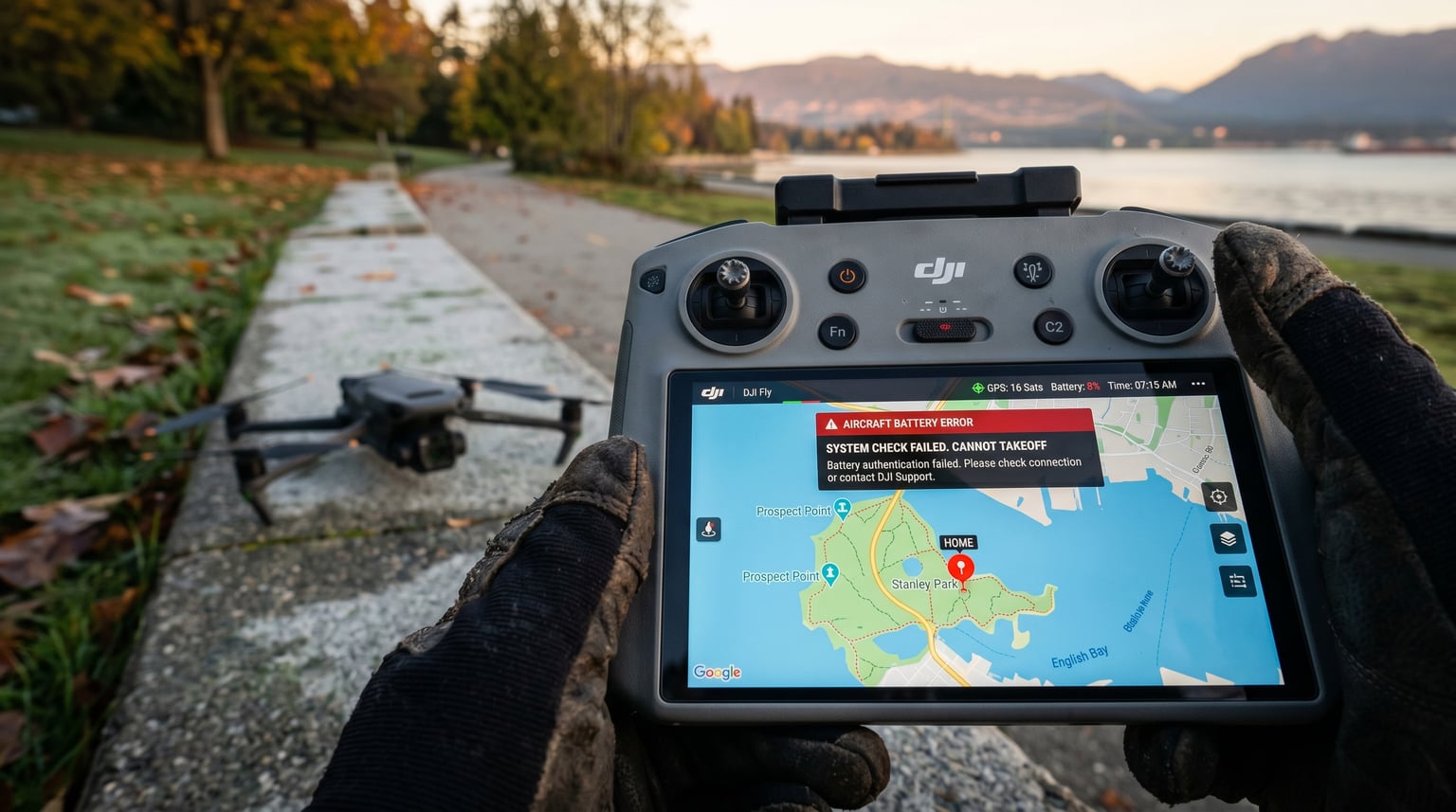
Few things frustrate a drone pilot faster than pressing the takeoff button and watching the aircraft refuse to lift. You checked the map, confirmed you are not in a no-fly zone, and still nothing happens. I have run into this exact situation during field tests, and I can tell you it almost always traces back to a small handful of hardware, software, or settings issues that have nothing to do with airspace restrictions.
This guide covers the real reasons a drone won’t take off even when you are nowhere near restricted airspace. We will walk through quick checks first, then go deep into propellers, motors, battery voltage, GPS lock, calibration, firmware, and the warning messages that often block arming. By the end, you will know how to systematically rule out each cause and decide when it is time to call a professional.
Table of Contents
Quick Checklist: Why Your Drone Won’t Take Off
When a drone refuses to lift, the cause is usually one of these nine items. Work through them in order before assuming something serious is wrong.
- Hidden GEO zone or controlled airspace trigger (even outside obvious no-fly zones)
- Propellers mounted incorrectly or damaged
- Motor malfunction or debris wrapped around the shaft
- Battery voltage below 3.6V per cell, or battery not fully seated
- Weak or absent GPS signal lock
- Compass or accelerometer calibration outdated
- Firmware mismatch between aircraft, controller, and app
- Beginner mode or virtual fence enabled
- Controller not bound, or app not connected to the aircraft
If none of these match your situation, the next sections walk through the diagnostic steps in detail.
Restricted Zone and GEO Zone Confusion
Many pilots contact me convinced they are outside any no-fly zone, only to discover their drone disagrees. GEO zones come in several flavors, and some are far larger than the obvious circles around airports. Temporary flight restrictions (TFRs) appear for stadium events, wildfires, VIP movements, and security incidents. National parks, military bases, and prisons trigger GEO zones that the drone database may not always make obvious on the map.
DJI’s FlySafe system uses four zone types: authorization zones, restricted zones, warning zones, and enhanced warning zones. An authorization zone allows flight after you obtain LAANC clearance from the FAA. A restricted zone blocks takeoff entirely. Even if your position looks open on the screen, the boundary can extend for miles around a sensitive site, or shift with a freshly issued TFR.
To rule out airspace issues, open the official map in DJI Fly, DJI GO 4, or your manufacturer’s app, zoom out fully, and check for any colored overlay on your takeoff point. If you see one, use the LAANC app to request authorization for authorization zones, or pick a new launch site for restricted zones. Reddit users regularly report being blocked in zones they never knew existed, especially around smaller municipal airports and stadiums during game days.
Propeller Inspection: Mounted Correctly and Damage-Free
Propellers are the single most common reason a drone won’t take off. There are two failure modes: incorrect installation and physical damage. Both prevent the motors from generating enough lift, and many drones detect the imbalance and refuse to arm as a safety measure.
Each propeller has a rotation direction marked by a colored dot or ridge on the hub. On most DJI models, the gray-marked props go on motors that spin clockwise, and the black-marked props go on motors that spin counter-clockwise. The diagram inside the propeller slot usually shows which color goes where. Push each prop down firmly until you hear a click, then give it a tug to confirm it is locked.
Next, inspect for damage. Hairline cracks near the hub, chips on the leading edge, or warping from a previous tip-over all cause vibration that the flight controller interprets as a fault. Run your finger along the leading edge of each blade. If you feel a nick, replace the prop. Propellers are consumables, and I rotate mine out every 20 to 30 flights as preventive maintenance, even when they look fine.
Motor Functionality and Hidden Damage
A motor that grinds, sticks, or simply will not spin keeps the whole aircraft grounded. Begin by rotating each motor by hand. It should turn smoothly with light resistance, like spinning a small fan. If you feel a gritty texture, hear a click, or notice the motor seizing partway through the rotation, debris is likely wrapped around the shaft, or the bearing is shot.
Grass, hair, and string are common culprits. Use tweezers or a soft brush to clean around the motor bell, then test the spin again. If the motor still feels rough, a bearing replacement is usually required, which means a trip to a repair shop unless you are comfortable disassembling the arm.
Hidden crash damage is another category pilots overlook. A previous tip-over can bend a motor mount slightly, throw off the propeller angle, and trigger IMU errors that block takeoff. The DroneDoctor workshop reports that nearly 30 percent of “no takeoff” drones they see have undiagnosed crash damage. Look for hairline cracks in the arm, scuffs on the underside, and looseness when you wiggle each motor. Any of these signs means the arm should come off for a closer inspection.
Battery and Power Issues Blocking Takeoff
Battery problems are sneaky because the battery indicator often shows a healthy percentage while the actual cell voltage is too low for safe flight. LiPo cells should sit at 3.7V when idle and never drop below 3.6V under load. If any cell reads below 3.0V, the battery has been over-discharged and the drone will refuse to take off until you replace or properly recover it.
Check the battery in the app’s detailed status screen. Look for cell voltage, cycle count, and temperature. A battery that has seen more than 200 cycles, sits at more than 40 degrees Celsius after a short charge, or shows uneven cell voltages is at the end of its life. Cold weather is another factor; below 10 degrees Celsius, lithium chemistry sags under load, and many drones will not arm until the battery warms up.
Re-seat the battery firmly, confirm the click, and check that the metal contacts are clean. A single oxidized pin can interrupt the power handshake. Wipe the contacts with a dry eraser or isopropyl alcohol, let them dry, and try again. If the battery has been sitting unused for a few months, top it off to 100 percent before the next flight, because storage mode at 60 percent can drift lower over time.
GPS Signal and Mode Restrictions
Outdoor drones need a GPS lock before they will fly in position mode. The aircraft needs to see at least 8 to 10 satellites, with a horizontal accuracy of 2 meters or better. If you are near tall buildings, under heavy tree cover, or in a valley, the GPS module may not acquire a fix, and the drone will refuse to take off or fall back to ATTI mode, which most consumer drones disable in their default configuration.
Move to an open area, give the drone 60 to 90 seconds after power-on to acquire satellites, and watch the GPS icon in the app. A white icon means searching, yellow means weak, and green means locked. If the icon stays white or yellow, reboot the aircraft and the controller, then try again. Cold starts take longer, especially if the drone has traveled more than 50 miles since its last power-on.
Beginner mode is the other GPS-related restriction that catches new pilots. In beginner mode, the drone imposes a maximum altitude (usually 30 meters), a maximum distance (usually 30 to 50 meters), and disables flight in certain areas. DJI’s tutorial mode adds even tighter limits. Open the safety settings in your app, switch to open or free mode if you have the certification to do so, and confirm the geo-fence radius matches your planned flight area.
Compass and Accelerometer Calibration
Compass errors are responsible for a large share of “drone won’t take off” cases, especially after a long drive, a flight across state lines, or a hardware repair. The internal magnetometer measures Earth’s magnetic field, and it gets confused by strong local interference from rebar, speakers, cars, and even the operator’s belt buckle. The flight controller will refuse to arm when the compass reading looks suspicious.
To recalibrate, open the aircraft settings in the app, choose compass calibration, and follow the on-screen rotation steps. You will rotate the drone 360 degrees on the vertical axis, then on the horizontal axis, until the app shows a green checkmark. Stay away from metal objects during this process, and never calibrate indoors.
Accelerometer calibration is the step most guides skip. The accelerometer tells the drone which way is up and which way is down. A bad calibration causes the drone to think it is tilted when it sits flat, which then blocks takeoff. The calibration routine is similar: place the aircraft on a perfectly level surface, follow the prompts, and avoid touching it until the app confirms success. Recalibrate both sensors after any crash, firmware update, or storage in a magnetic environment.
Firmware, Controller, and Transmitter Binding
Firmware mismatches between the aircraft, the remote controller, and the app are a top cause of arming failures. Manufacturers release updates in waves, and a single outdated component can lock the system. Plug the drone and the controller into a computer, open the official assistant software (DJI Assistant 2, Autel Explorer, Skydio Scout, and so on), and confirm every component shows the latest version on the release notes page.
Controller binding is the equivalent of pairing a Bluetooth speaker. After a factory reset, a controller swap, or a third-party radio install, the remote may simply not be talking to the aircraft. Most controllers have a bind button on the back or side, often combined with the power or function button. Hold the bind button on the controller, power on the aircraft, and wait for the status LED to turn solid green.
For FPV pilots flying Betaflight, arming blocks often come from safety settings rather than hardware. Throttle not at zero, switch in the wrong position, accelerometer not calibrated, and aux channels not configured will each prevent arming. Open the Betaflight configurator, check the receiver tab to confirm the sticks and switches are mapped correctly, and review the modes tab to ensure your arm switch is set to a channel that is actually moving. FPV newcomers on r/fpv and r/Multicopter report these exact issues every week.
Warning Message Decoder
Modern drones speak to you through warning messages, and learning to read them saves hours of guesswork. Here is a quick decoder for the messages we see most often.
“Aircraft in restricted zone” means the GPS position falls inside a GEO zone or TFR. Check the official map, request LAANC authorization, or relocate.
“IMU error” or “sensor error” means the accelerometer or gyroscope is reporting bad data. Power cycle, recalibrate, and inspect for crash damage if it returns.
“Compass error” means magnetic interference or a bad calibration. Move away from metal, recalibrate, and check for nearby speakers, cars, or rebar.
“Weak GPS signal” means fewer than 6 satellites or poor accuracy. Move to an open area, wait 90 seconds, and try again.
“Battery voltage low” means a cell dropped below 3.6V, the battery is too cold, or the contacts are dirty. Charge, warm, or clean as needed.
“Firmware not matching” means the aircraft, controller, or app is out of sync. Update every component to the latest version before flying.
When to Seek Professional Repair
Some takeoff issues are DIY-friendly: re-seating a battery, recalibrating a compass, or swapping a propeller. Others are not. If the drone shows persistent IMU errors after recalibration, has visible arm damage, makes grinding motor sounds, or has a swollen or punctured battery, stop flying and bring it to an authorized service center. Continuing to attempt arming can cause mid-flight failures, and a swollen LiPo is a fire risk that belongs in a fireproof bag immediately.
For warranty-covered damage, contact the manufacturer first. For out-of-warranty work, a third-party drone repair specialist can usually diagnose and quote the same day. Get the diagnosis in writing, ask about the cost of parts versus a full replacement, and check reviews on Google and the Better Business Bureau before authorizing any work.
Frequently Asked Questions
How do I fix a drone that won’t take off?
Start by checking for hidden GEO zones on the official map, then verify the propellers are mounted correctly and undamaged. Test each motor by hand, confirm the battery is above 3.6V per cell, wait for a full GPS lock, and recalibrate the compass and accelerometer. If the app shows a warning message, decode it and address that specific system first.
Why won’t my drone take off even though I’m not in a restricted zone?
If your drone still refuses to lift outside a restricted zone, the cause is almost always a propeller, motor, battery, GPS, calibration, or firmware issue. Begin with the propellers, then check battery voltage, motor smoothness, GPS satellite count, and compass calibration before assuming airspace is the problem.
How do I get permission to fly in a no-fly zone?
Request LAANC (Low Altitude Authorization and Notification Capability) approval through an FAA-approved app such as AirMap, Aloft, or Kittyhawk. For restricted zones that LAANC does not cover, you must apply for a Part 107 waiver from the FAA, which typically takes 90 days or more.
Why are my drone propellers spinning but the drone won’t lift off?
Spinning propellers without lift usually means the propellers are mounted on the wrong motors, the battery voltage is too low, the drone is in beginner mode with tight altitude limits, or the motors are spinning the wrong direction. Recheck propeller orientation, battery health, flight mode, and motor direction before each flight.
Can a drone be blocked from takeoff without a warning?
Yes. Some drones will simply not arm if the GPS lock is weak, the compass is uncalibrated, the firmware versions do not match, or the controller is not bound, without showing a clear warning. Power cycle every component, update firmware, recalibrate, and rebind the controller to recover from these silent blocks.
Final Thoughts on Drone Takeoff Issues
A drone that won’t take off in a perfectly legal area is rarely a mystery once you know where to look. In our team’s experience, the fix is almost always one of three things: a propeller mounted on the wrong motor, a battery that is colder or more depleted than the indicator suggests, or a flight mode that is more restrictive than the pilot realized. Run the quick checklist first, walk the deeper diagnostic steps in order, and reach out to a professional if the warning messages point to IMU damage, motor failure, or a swollen battery.
Save this guide for your next field session, and fly safe out there in 2026.