
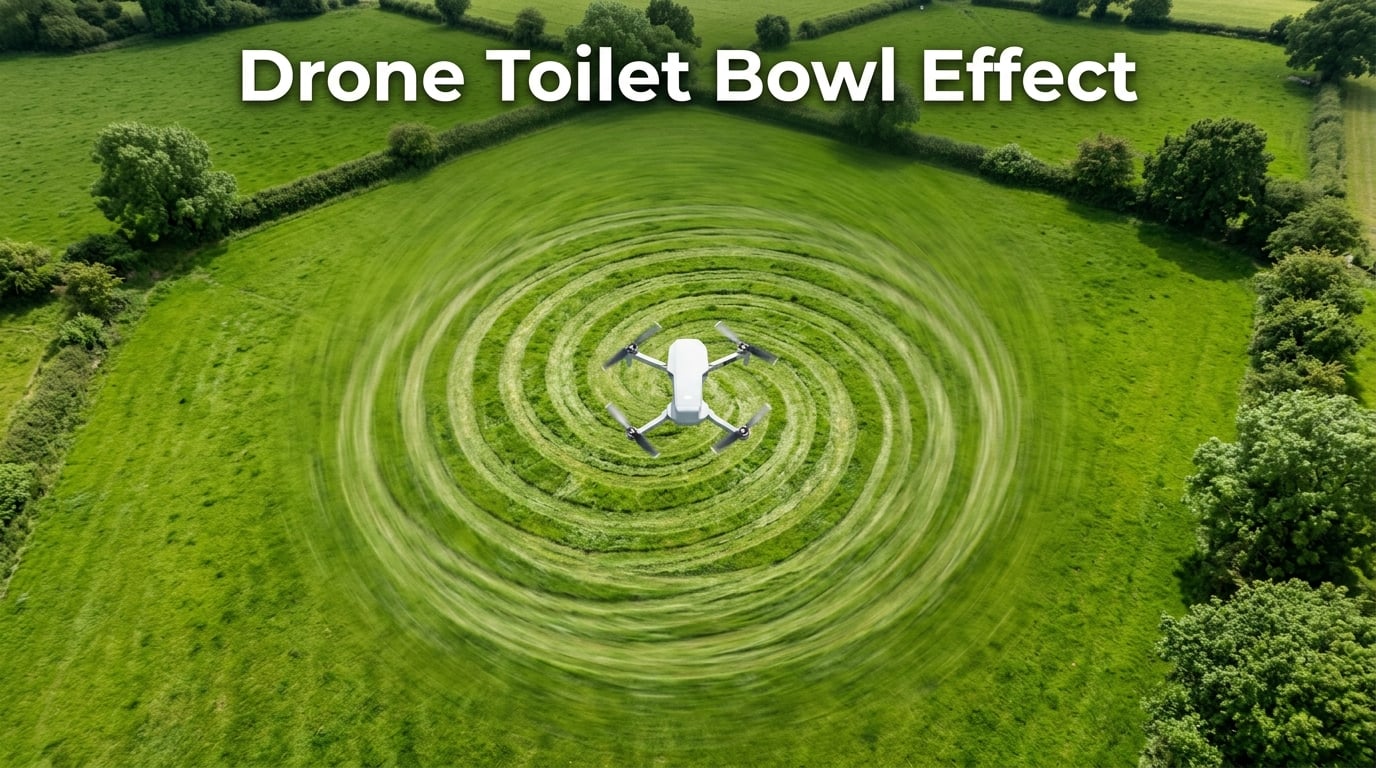
I still remember the first time I saw it happen. A friend’s DJI Mini started hovering, looked rock-solid, and then slowly drifted into a wide, lazy spiral like water circling a drain. The drone toilet bowl effect is exactly what it sounds like, and it’s one of the most unsettling things you can witness as a pilot.
In this guide, I’ll walk you through what the drone toilet bowl effect actually is, why a compass problem can turn your hover into a spiral, and exactly how to fix it. I’ve pulled in forum threads from r/diydrones, MavicPilots, and PhantomPilots, plus the strongest competitor breakdowns, to give you the most complete answer online.
Table of Contents
What Is the Drone Toilet Bowl Effect?
The drone toilet bowl effect is when your drone hovers in place but slowly traces a circular or spiral path instead of holding a fixed position. The pattern looks like the swirl of water going down a toilet bowl, which is exactly where the name comes from.
You’ll recognize it by three clear signs:
- Your drone hovers at a steady altitude with no stick input.
- It drifts in a slow circle, often 3 to 10 meters in diameter.
- The circle either holds steady or widens gradually into a spiral.
This is different from yawing, where the drone spins in place around its own vertical axis. The toilet bowl effect means the whole aircraft is orbiting a center point. If your drone rotates like a top, that’s a different problem, usually motor or ESC related.
I have to be honest, watching this happen for the first time made my stomach drop. One MavicPilots user described it as “one of the most terrifying phenomena because it results in loss of control, regardless of your stick inputs.” That fear response is real, and it’s one of the reasons understanding the cause matters so much.
Why Your Drone Slowly Spins in a Circle: The Causes Explained
The drone toilet bowl effect is almost always a heading reference problem. Your drone thinks it’s facing one direction, but the compass is feeding it bad data. Let me walk you through every cause I see in practice.
Primary Cause: Compass Calibration Failure or Interference
Your drone’s flight controller uses the magnetometer (compass) to know which way it’s pointing. When GPS position hold is active, the controller compares its heading to its actual GPS position drift, then makes tiny yaw corrections to hold station.
Here’s where the spiral comes from. If the compass reads a heading that’s slightly off, say it thinks the drone is facing 350 degrees when it’s actually facing 10 degrees, the controller keeps “correcting” based on bad data. Each correction pushes the drone in the wrong direction relative to its true heading. The result is a slow, continuous arc. Compounded over a few seconds, that arc becomes a circle, and over a minute, it becomes a widening spiral.
One PhantomPilots user nailed it: “Toilet bowl effect is doubtless caused by the normal GPS dithering inaccuracy combined with compass interference.” The GPS noise alone wouldn’t cause a circle, but pair it with a bad heading reference and you get a perfect orbit.
Secondary Cause: Magnetic Interference at Takeoff
Compasses get confused near metal, magnets, and electronics. Common culprits include:
- Reinforced concrete with rebar
- Car hoods, parking decks, and metal bridges
- Power lines and transformer boxes
- Speakers, laptops, and phones on the ground at takeoff
- Substations and cell towers
I always tell pilots to walk their takeoff spot first. If there’s a metal manhole cover, a parked car, or a rebar-heavy patio, move 20 feet away before you calibrate.
IMU Drift and Sensor Confusion
The IMU (Inertial Measurement Unit) combines accelerometer and gyroscope data to track orientation. When the IMU drifts, the flight controller gets confused about which way is up and which way is level.
IMU drift alone usually causes wobble or drift in a straight line, not a circle. But combined with a borderline compass reading, it amplifies the toilet bowl effect. After any hard landing or crash, recalibrate the IMU before trusting GPS modes again.
GPS Satellite Count and Position Hold Failure
Position hold needs at least 8 to 10 satellites for stable behavior, and ideally 12 or more. With fewer satellites, your drone “knows” its position only roughly, so its correction commands are noisy.
If you’re under a tree canopy, next to a tall building, or flying shortly after powering on, give the drone 60 to 90 seconds to lock onto more satellites before takeoff. The status light usually turns green (or the app shows “GPS mode ready”) when you have enough.
Why Recalibration Alone Doesn’t Always Fix It
This is the frustration I see most often in forums. A user calibrates the compass, takes off, and the spiral comes right back. The reason is usually one of three things:
- The interference source is still nearby (recalibrating inside the interference teaches the compass wrong values).
- You need to recalibrate the IMU as well, not just the compass.
- The drone needs a cold restart (power off, battery out, wait 30 seconds) to clear stale sensor data.
Drone Toilet Bowl Effect vs Yawing: How to Tell the Difference
This is the #1 confusion point I see. People see a spinning drone and assume they’re dealing with the same problem. They’re not. The fix is different for each.
Quick Diagnostic Checklist
Ask yourself these questions before you do anything else:
- Does the drone rotate around its own center (yawing) or orbit around a fixed point (toilet bowl)?
- Is the rotation slow and smooth or fast and jerky?
- Did the problem start after a firmware update, crash, or location change?
- Are you near metal, power lines, or vehicles?
If the drone orbits a point, suspect compass or GPS issue. If it spins in place, suspect motor, ESC, or flybar issue. The RC helicopter community describes the toilet bowl effect as a flybar timing problem on coaxial helicopters, but for modern camera drones, the same visual symptom almost always traces back to the compass.
How to Fix the Drone Toilet Bowl Effect: Step-by-Step
Follow these steps in order. Most pilots fix the issue in the first two steps, but I’ve included the full sequence for stubborn cases.
Step 1: Find an Interference-Free Location
Before you do anything, move at least 20 to 30 feet from any metal object. This includes cars, fences, buildings with rebar, and electronics. Open grass fields work best for recalibration.
Step 2: Cold Restart the Drone and Controller
Power everything off. Remove the battery from the drone for at least 30 seconds. Power on the controller first, then the drone. This clears stale sensor memory.
Step 3: Recalibrate the Compass
For most DJI drones, open the app, go to Settings, then Safety, then Advanced Settings, then Compass Calibration. You’ll see on-screen prompts to rotate the drone horizontally and then vertically. For other brands, the process is similar but the menu path differs.
- Hold the drone level and rotate it 360 degrees horizontally until the app confirms.
- Tilt the nose down 90 degrees and rotate another 360 degrees vertically.
- Wait for the success message before powering off.
If calibration fails repeatedly, you’re still near interference. Move again and retry.
Step 4: Recalibrate the IMU
The IMU calibration only needs the drone sitting on a perfectly level surface. Place it on a flat table or floor, open the IMU calibration menu, and let it run for 5 to 10 minutes. Do not move the drone during this process.
Step 5: Check GPS Lock Before Takeoff
Confirm you have at least 10 satellites and the mode is showing GPS or P-GPS, not ATTI. If your drone supports it, let it sit for 60 seconds after lock to stabilize the satellite reading.
Step 6: Test Hover Without Stick Input
Hover at eye level (3 to 5 feet) in an open area. Watch for 30 seconds. If the circle is gone, gradually fly higher. If the spiral reappears, the compass is still picking up interference from something nearby, or you need to recalibrate again at a different spot.
Prevention: How to Keep the Toilet Bowl Effect From Coming Back
I follow a few simple rules on every flight day and they prevent the problem 95% of the time.
- Always recalibrate the compass when flying in a new location, especially more than 50 miles from your last flight.
- Recalibrate after every firmware update.
- Recalibrate after any crash, hard landing, or significant bump.
- Survey your takeoff spot for metal before placing the drone down.
- Keep your smartphone, tablet, and keys at least 10 feet from the drone during calibration.
- Avoid flying right after takeoff if the app still says “weak GPS signal.”
For DIY drone builders on ESP32 or Pixhawk platforms, the same principles apply, but you can also log compass data through Mission Planner or QGroundControl to visually confirm interference before takeoff.
Frequently Asked Questions
Why is my drone flying in circles?
Your drone is most likely experiencing the toilet bowl effect, which is caused by a compass calibration issue or magnetic interference. The flight controller thinks it’s facing one direction but the compass is feeding bad heading data, so it keeps over-correcting and traces a slow circle.
How do I fix my drone circling while hovering?
Move at least 20 feet from any metal or electronic interference, cold restart the drone and controller, then recalibrate the compass horizontally and vertically. If the spiral returns, also recalibrate the IMU on a flat surface and confirm you have at least 10 GPS satellites before takeoff.
Why is my drone not hovering straight?
Your drone cannot hold position because either the compass is giving wrong heading data, the IMU has drifted, or GPS satellite count is too low for stable position hold. Compass issues cause circular drift, while IMU drift usually causes wobble or straight-line drift.
Is the toilet bowl effect dangerous?
Yes. The drone toilet bowl effect indicates the aircraft cannot reliably determine its heading, which affects all GPS-dependent flight modes. Most pilots report a loss of stick input authority during the spiral, so land as soon as you recognize the pattern.
Can I still fly my drone if it has the toilet bowl effect?
No. Do not continue flying once you see the spiral pattern. Switch to ATTI or sport mode if you can recover, fly back manually, and land immediately. Then recalibrate before any further flight, since GPS-dependent modes will not behave predictably until the issue is fixed.
Final Thoughts on the Drone Toilet Bowl Effect
The drone toilet bowl effect is solvable in nearly every case. It almost always traces back to compass calibration, magnetic interference, or low GPS satellite count. Move away from metal, cold restart, recalibrate both compass and IMU, and confirm a strong GPS lock before takeoff. If you follow that sequence, your drone will hold position like it did on day one.