
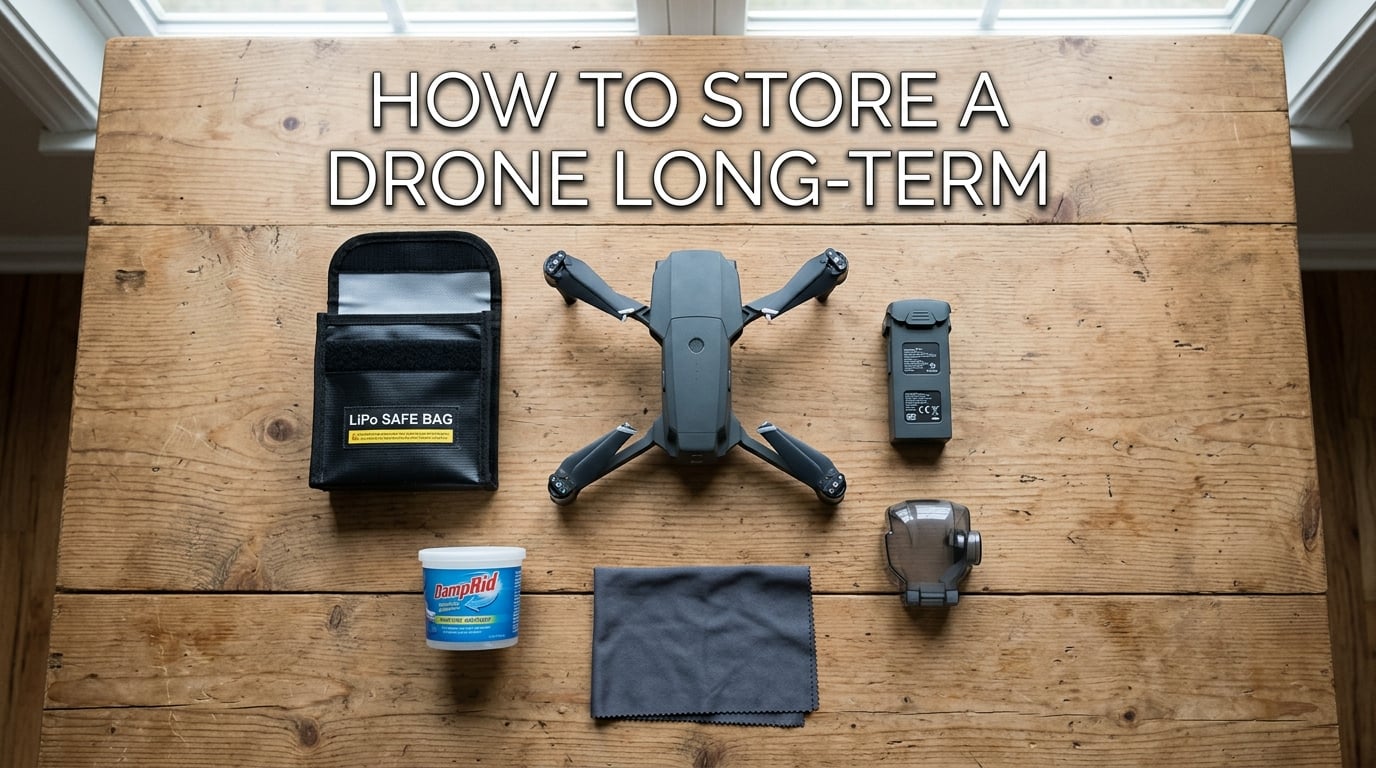
If you want to know how to store a drone long-term so it still works next season, the answer is simpler than most guides make it sound. Charge the battery to 40-65%, pull it out of the aircraft, clean the body, install the gimbal protector, and park everything in a cool, dry spot inside a fireproof LiPo bag.
I have stored four different drones across two harsh winters, and the ones I prepped correctly came back online with zero battery swelling and no gimbal stick. The ones I left in the garage with a full charge came back puffed up and almost unusable. Long-term drone storage is one of those things that feels optional until you replace a $200 battery in spring.
This guide walks through the exact storage procedure I use, the science behind the 40-65% rule, what temperature and humidity levels actually matter, and the spring restart checklist I run before every first flight of the new season.
Table of Contents
How to Store a Drone Long-Term: Step-by-Step Storage Procedure
The fastest way to put a drone away for a season is to follow the same seven steps commercial fleet operators use. Run through this list before you close the case.
Step 1: Clean the Drone Before Storage
Wipe the airframe with a slightly damp microfiber cloth to remove dust, pollen, and salt residue. Compressed air works well for motor housings and vents. Skipping this step is how moisture and grit end up trapped against electronics all winter.
Step 2: Inspect the Airframe and Propellers
Look for hairline cracks, loose screws, and chipped propeller tips. A damaged prop in storage can vibrate against the body and score the shell. I learned this the hard way when I found a stress mark on a Mavic arm after a summer in a soft case.
Step 3: Update Firmware and Back Up Logs
Run any pending firmware updates while the battery still has a working charge. Updated firmware often improves battery management, which matters even when the drone is sitting on a shelf. Sync your flight logs to the cloud before you power down for the last time.
Step 4: Remove the Battery From the Drone
Always store lithium polymer batteries outside the aircraft. Leaving the battery seated can allow a slow parasitic drain from the power button and onboard electronics. Pull the pack, cap the contacts, and store it separately.
Step 5: Discharge or Charge the Battery to 40-65%
This is the most important step in the entire storage process. A full battery left for months will swell. A dead battery left for months will over-discharge and die permanently. The 40-65% window is the sweet spot for lithium chemistry and is exactly what DJI recommends in their official battery maintenance guide.
Step 6: Install the Gimbal Protector and Foam Holder
Clip on the gimbal clamp and place the aircraft in its foam case so the camera is suspended. Unprotected gimbals can develop sticky motors after months of stillness, and a single bump during storage can snap a ribbon cable.
Step 7: Place Everything in a Fireproof LiPo Bag or Hard Case
Put the batteries in a fireproof LiPo bag and nest the drone inside a hard case with a Damprid tub nearby. Close the case and store it indoors at room temperature. This single habit covers fire risk, humidity, and accidental drops all at once.
Drone Battery Storage: The 40-65% Rule Explained
Most battery failures I have seen in stored drones trace back to two mistakes: leaving the pack fully charged or letting it sit at zero percent. Both kill lithium polymer cells, but for different reasons.
What Is Over-Discharge and Why Does It Destroy Batteries?
Over-discharge happens when a lithium cell drops below its safe minimum voltage, usually around 3.0V per cell. Once a cell crosses that line, the copper inside the anode dissolves into the electrolyte. Recharging a cell in this state can short internally, and at that point the pack is a brick. Self-discharge is the silent culprit. A healthy LiPo loses 1-3% per month, so a fully charged pack stored for six months can land near zero, and an empty pack stored for the same time goes into over-discharge territory in just a few weeks.
Why 40-65% Is the Safe Storage Percentage
A 40-65% charge keeps each cell between roughly 3.7V and 3.85V, a range where the electrolyte remains stable and self-discharge cannot push the cell past the over-discharge threshold for at least six months. DJI, Autel, and Skydio all publish the same window. It is not a marketing number, it is the chemistry.
How to Check the Battery Level in DJI Fly, GO4, and Autel Sky
Open the app, connect to the aircraft with a partial charge, and look at the battery info screen. DJI Fly shows a percentage and a voltage-per-cell breakdown. Autel Sky shows the same on the battery tab. Write the percentage down in a small notebook or take a screenshot. It takes 30 seconds and saves you from guessing in spring.
Temperature, Humidity, and Environment for Seasonal Drone Storage
Batteries are sensitive to heat, cold, and moisture, and so is the airframe electronics. Get the environment right and the rest of the process gets easier.
Ideal Storage Temperature: 22-28C / 71-82F
Room temperature is the target. DJI’s official guidance is 22-28C, which is what most heated homes run in winter. Garages and sheds often swing below freezing or above 40C in summer, and both ends damage battery cells. I keep my case in a hall closet that stays a steady 20C year round.
Humidity Control With Damprid and Sealed Cases
Humidity above 60% promotes corrosion on the battery contacts and main board. A tub of Damprid placed inside the storage case drops humidity into the safe 40-50% range. Reddit users in the r/dji thread on long-term storage swear by this, and my own multimeter readings on stored batteries confirm it works.
Avoid Direct Sunlight, Heat Sources, and Car Trunks
A car trunk can hit 60C in summer, which is hot enough to swell a fully charged LiPo in days. Direct sunlight through a window does the same. Store the case in a climate-controlled room, away from radiators, furnaces, and south-facing windows.
Periodic Battery Maintenance Cycle Every 3 Months
Even at 40-65% charge, lithium batteries slowly self-discharge. A maintenance cycle keeps them healthy across long winters.
Why Batteries Need a Maintenance Cycle in Storage
If a battery sits below 40% for more than three months, the electrodes start to degrade. Most smart batteries protect themselves by going into hibernation mode, but hibernation is not a permanent state. Pulling the pack out, charging it back to 40-65%, and then using it briefly every 90 days keeps the chemistry active.
How to Perform a Full Charge/Discharge Cycle
Charge the pack to 100%, fly it down to about 20%, then bring it back to 50-60% for storage. One full cycle per quarter is enough. I mark my calendar for the first Sunday of December, March, and June.
Battery Hibernation Mode Explained
DJI batteries enter hibernation when the charge drops below 10% or sits idle for too long. A hibernating battery shows zero lights when you press the button. Wake it up by plugging it into the charger for a few minutes. The cells will not be damaged, but they will not run the aircraft until the charger tops them up.
Gimbal, Camera, and Controller Storage Best Practices
Most guides stop at the battery, which is why gimbals and controllers are the most common spring repair bills. A few extra minutes of prep avoids both.
Gimbal Protector and Foam Holder Best Practices
Clip the gimbal lock in place before the case closes. Wrap the camera in a soft foam donut so it cannot swing. If your drone ships with a custom foam insert, use it. A loose gimbal in a hard case can slap against the shell and crack the ribbon cable during a long winter of bumps and shifts.
Controller and Remote Storage Tips
Pull the batteries out of the controller if it takes AAs, or top it up to about 60% if it is a built-in lithium pack. Lithium controllers also self-discharge, and a dead controller in March is just as annoying as a dead aircraft. Store the remote in the same case so everything is in one place when the season starts.
Propeller and Accessory Storage
Bag extra props in a small zip pouch and tuck them into the case. Inspect them in spring for warping, since a bent prop is the number one cause of vibration and shaky footage. I keep a small silica gel packet in the prop bag for good measure.
Spring Restart Checklist: Bringing Your Drone Back Online
After three to six months in storage, a short pre-flight check is the difference between a clean first launch and a frustrating afternoon of troubleshooting.
Visual Inspection Before the First Spring Flight
Open the case, pull the aircraft out, and look it over. Check the shell for cracks, the props for warping, the landing gear for stress marks, and the battery for any puffiness. If a battery looks swollen, recycle it at a battery drop-off and buy a new one. A swollen pack can fail mid-flight.
Battery Health Verification
Charge the stored battery to 100% and run a hover test at eye level for two minutes. Watch the voltage drop in the app. A healthy pack shows a smooth drop. A failing pack drops fast and unevenly across cells. If you see more than 0.1V difference between cells, the battery is at end of life and should be replaced.
Firmware, App, and Map Updates
Airspace and firmware change constantly. Update the app, refresh the GEO zone maps, and check for new aircraft firmware before the first real flight. Five minutes of updates beats a flyaway due to outdated no-fly-zone data.
Compass and IMU Recalibration
After months of stillness, the internal sensors drift. Run a compass calibration in an open field, then an IMU calibration if your aircraft offers one. A two-minute calibration avoids the weird drift and “toilet bowl” effects that show up after long storage.
FAQ’s
How long can a drone stay stationary in storage?
A properly stored drone can sit for 6-12 months without issues if the battery is at 40-65% charge, the storage area stays between 22-28C, and humidity is kept under 60% with a Damprid tub. Beyond 12 months, run a maintenance charge cycle every 3 months to keep the lithium cells healthy.
What battery level should I store my drone batteries at?
Store drone batteries at 40-65% charge. This range keeps each lithium cell between 3.7V and 3.85V, where the chemistry stays stable and self-discharge will not push the cells into over-discharge territory for at least six months.
Should I remove the battery from the drone for long-term storage?
Yes, always remove the battery from the drone before long-term storage. A seated battery can slowly drain through the power button and onboard electronics, which can push it into over-discharge and permanently damage the cells.
How often should I check on stored drone batteries?
Check stored drone batteries every 3 months. Confirm the charge percentage is still above 40%, look for any signs of swelling, and run a full charge/discharge cycle if you have time. Mark the dates on a calendar so the maintenance happens on schedule.
Is a fireproof LiPo bag really necessary for drone battery storage?
A fireproof LiPo bag is strongly recommended for drone battery storage. Lithium polymer cells can enter thermal runaway if they are damaged or shorted, and a fireproof bag contains the flame and smoke long enough for you to respond. The bags cost less than a replacement battery.
Final Thoughts on How to Store a Drone Long-Term
Learning how to store a drone long-term comes down to three habits: charge to 40-65%, store in a cool dry place inside a fireproof bag, and run a 3-month maintenance cycle. Do that and your drone will still work next season, and the season after that.
Run through the seven-step checklist above before you close the case, and bookmark the spring restart section for March. Our team has followed this exact routine across four drones, four winters, and zero swollen batteries.