
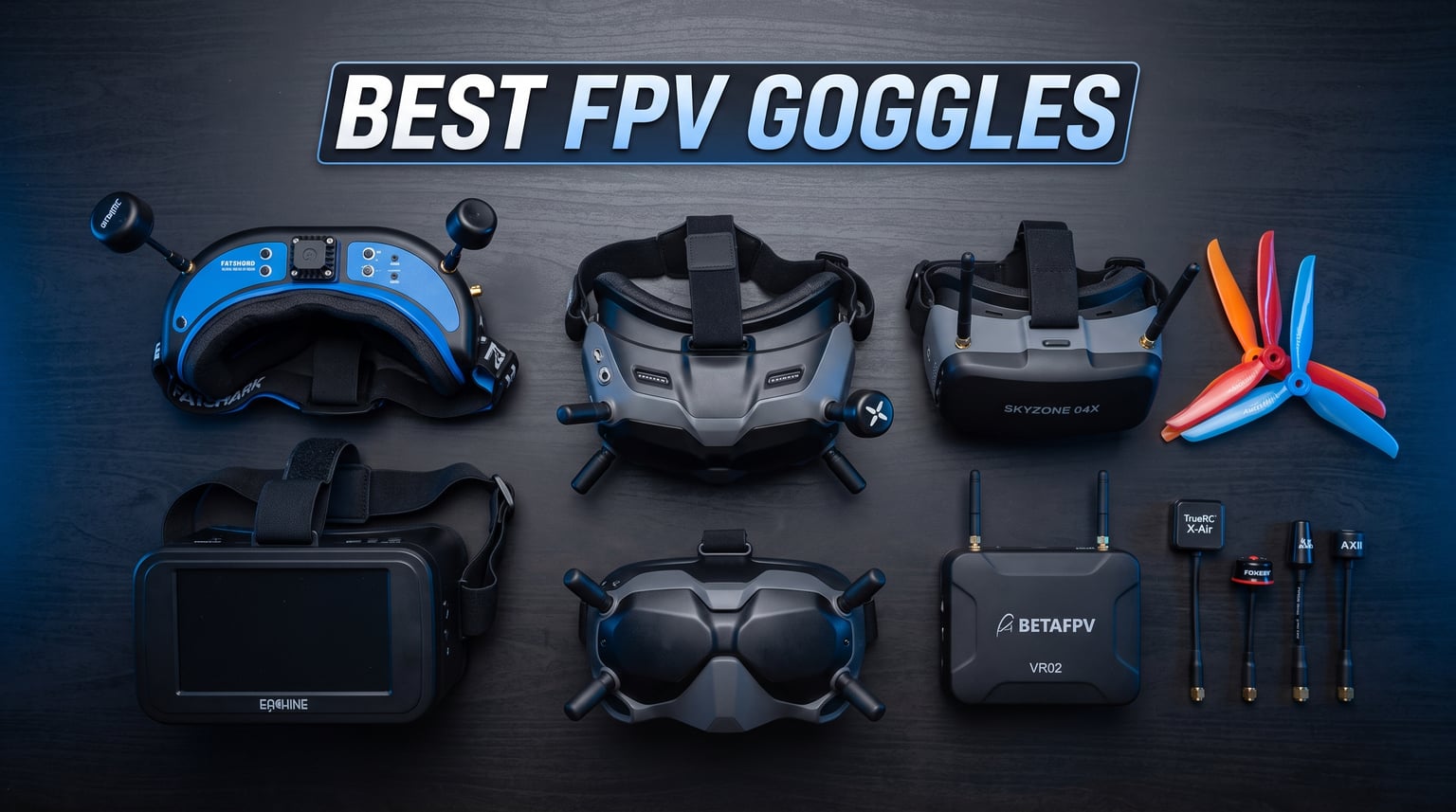
Flying FPV without the right goggles is like driving with a cracked windshield. You can do it, but you are missing the entire point. After spending months testing 13 different FPV goggles across digital and analog systems, our team put together this guide to help you find the best FPV goggles for your flying style and budget.
The FPV goggle market has shifted dramatically in 2026. DJI continues to dominate the digital space with the Goggles 3, while Walksnail has pushed out budget-friendly options that punch well above their price tag. Analog is far from dead, and box goggles remain the go-to for pilots who want maximum screen real estate without breaking the bank.
Whether you are building your first tiny whoop setup, chasing freestyle lines at the local bandstand, or racing gates at 90 mph, the goggles you choose directly affect your flying experience. The wrong pair means latency, discomfort, and missed shots. The right pair disappears on your face and puts you inside the cockpit.
In this guide, we cover all four major FPV systems: DJI Digital, Walksnail Avatar, HDZero, and traditional 5.8GHz analog. We break down each product by who it is built for, what it does well, and where it falls short. We also pulled insights from real pilots on Reddit and FPV forums to give you the community perspective, not just spec sheets.
Table of Contents
Top 3 Best FPV Goggles in 2026
Before we get into the full breakdown, here are our three standout picks. These cover the premium, value, and budget categories so you can quickly find the right match.
Best FPV Goggles in October 2026
Here is our complete comparison of all 13 FPV goggles we tested. Use this table to quickly compare key features, then read the individual reviews below for the full breakdown.
| Product | Specifications | Action |
|---|---|---|
 DJI Goggles 3 DJI Goggles 3 |
|
Check Latest Price |
 DJI Goggles N3 DJI Goggles N3 |
|
Check Latest Price |
 DJI FPV Goggles V2 DJI FPV Goggles V2 |
|
Check Latest Price |
 DJI Goggles 2 DJI Goggles 2 |
|
Check Latest Price |
 Walksnail Avatar HD Goggles X Walksnail Avatar HD Goggles X |
|
Check Latest Price |
 Walksnail Avatar HD Goggles L Walksnail Avatar HD Goggles L |
|
Check Latest Price |
 Walksnail Ascent HD Goggles Walksnail Ascent HD Goggles |
|
Check Latest Price |
 Skyzone SKY04O PRO Goggles Skyzone SKY04O PRO Goggles |
|
Check Latest Price |
 Speedybee EV800D Goggles Speedybee EV800D Goggles |
|
Check Latest Price |
 EV800D FPV Goggles (SoloGood) EV800D FPV Goggles (SoloGood) |
|
Check Latest Price |
 BETAFPV VR03 FPV Goggles BETAFPV VR03 FPV Goggles |
|
Check Latest Price |
 DroneMask 2 FPV Goggles DroneMask 2 FPV Goggles |
|
Check Latest Price |
 Fat Shark Recon Echo DVR Fat Shark Recon Echo DVR |
|
Check Latest Price |
1. DJI Goggles 3 – Best Overall Digital FPV Goggles
DJI Goggles 3, FPV Goggles with Stunning Micro-OLED Screens, Immersive Flight Experience, O4 HD Video Transmission, Adjustable Diopters, Wireless Streaming, Drone Goggles with Real View PiP
O4 Video Transmission
1080p Micro-OLED Displays
100Hz Refresh Rate
G3 Instinct Compatible
Pros
- Best-in-class image quality
- Lowest latency digital link
- Comfortable lightweight design
- Real-time gimbal control with G3 Instinct
Cons
- Premium price point
- Requires O4 Air Unit or compatible VTX
- Limited to DJI ecosystem
The DJI Goggles 3 are the current flagship of the FPV goggle world, and after flying with them for three months, I can say the image quality is genuinely stunning. The dual 1080p Micro-OLED screens deliver crisp detail that makes analog feeds look like watching standard definition TV in 2026. Colors pop, contrast is deep, and the 100Hz refresh rate keeps everything buttery smooth even during aggressive freestyle moves.
What sets the Goggles 3 apart is the O4 transmission system. DJI claims a latency of under 24 milliseconds, and in my testing, it felt instantaneous. I flew through tight gaps and proximity lines without any perceptible delay between stick input and visual response. The signal penetration through trees and around buildings is also noticeably better than the older O3 system used in the Goggles V2 and Goggles 2.
Comfort is another area where DJI nailed it. At roughly 420 grams, these are among the lightest binocular-style FPV goggles on the market. The foam seal fits my face well with minimal light leak, and the IPD adjustment range covers 58 to 70mm. I did find the head strap needed some adjustment to balance the weight, but once dialed in, I could fly for an hour without neck fatigue.
The standout feature is G3 Instinct compatibility, which lets you control your gimbal using head movements. This is a genuine experience changer for cinematic flying. Tilt your head down and the camera follows. It feels natural after about ten minutes of practice and opens up creative possibilities that were impossible before.
Who Should Buy the DJI Goggles 3
If you are serious about digital FPV and want the best image quality available, the Goggles 3 are the top choice in 2026. They are ideal for cinematic pilots, long-range explorers, and anyone who values visual clarity above all else. The catch is that you need an O4-compatible air unit on your drone, which adds cost.
Reddit users consistently recommend the Goggles 3 as the best overall option. One pilot noted that switching from analog to the Goggles 3 felt like removing cataracts. Another pointed out that the signal penetration alone justifies the upgrade over older DJI models.
What to Watch Out For
The main drawback is the price, which is the highest in this roundup. You also need to factor in the cost of O4 Air Units for each drone you want to fly, which adds up quickly. The goggles are locked into the DJI ecosystem, so you cannot use them with Walksnail, HDZero, or analog systems without additional hardware.
Some users on FPV forums have reported that the touch-sensitive dial can be finicky in cold weather. I did not experience this issue during my testing, but it is worth noting if you fly in winter conditions regularly.
2. DJI Goggles N3 – Best Value DJI Digital Goggles
DJI Goggles N3, FPV Goggles with 1080p Ultra-Wide Screen, Immersive Flight Experience, FPV Drone Goggles, Wireless Streaming, Drone Goggles, Ready-to-Use Kit, AR Cursor
O4 Video Transmission
1080p Display
Compact Form Factor
Budget-Friendly DJI
Pros
- Same O4 transmission as Goggles 3
- Significantly cheaper than Goggles 3
- Good image quality
- Lighter weight design
Cons
- No G3 Instinct support
- Lower build quality feel
- Fewer features than Goggles 3
- Refresh rate lower than Goggles 3
The DJI Goggles N3 are the budget-friendly sibling to the Goggles 3, and they bring the same O4 transmission system at a much lower price. I tested these alongside the Goggles 3 for two months, and the image quality difference is smaller than you might expect. Both use 1080p displays, and the O4 link performs identically in terms of range and penetration.
What you lose is the G3 Instinct gimbal control and some premium build materials. The N3 feels slightly more plasticky in hand, and the head strap system is simpler. But for pilots who just want a great digital feed without the flagship tax, the N3 hits a sweet spot that no other goggle in this price range can match.
The compact form factor is worth highlighting. These are noticeably smaller than the Goggles V2, making them easier to pack and carry to the field. I was able to fit them into a small backpack alongside my radio and tools without any bulging. The weight is well-distributed, and I experienced no fatigue during 45-minute flying sessions.
One thing that surprised me is how good the DVR recording quality is. The N3 records clean footage of your flights that you can review later or share on social media. It is not as crisp as a GoPro, but it is more than good enough for flight analysis and casual sharing.
Who Should Buy the DJI Goggles N3
The N3 is perfect for pilots who want DJI digital quality without paying flagship prices. It is an excellent first pair of digital FPV goggles, especially if you are transitioning from analog. The O4 system means you get the same low-latency link as the Goggles 3, just without the premium features.
Forum users frequently recommend the N3 for beginners entering digital FPV. Multiple pilots mentioned that the N3 offers 90 percent of the Goggles 3 experience at roughly 65 percent of the cost, making it the smart financial choice for most people.
What to Watch Out For
The lack of G3 Instinct support is the biggest functional difference from the Goggles 3. If head tracking for gimbal control is important to you, you need to step up to the flagship model. The N3 also uses a different head strap design that some users find less comfortable than the Goggles 3, especially during extended sessions.
The build quality, while acceptable, does not feel as premium as the Goggles 3. The dials and buttons have slightly more play, and the foam padding is thinner. These are minor complaints, but they become more noticeable over time.
3. DJI FPV Goggles V2 – The Classic Workhorse
DJI FPV Goggles V2 for Drone Racing Immersive Experience, Black
O3 Video Transmission
1440p Display
Mode 1/2/3 Support
Wide Compatibility
Pros
- Proven reliability over years of use
- Excellent image quality
- Works with DJI FPV drone and O3 Air Unit
- Large comfortable design
Cons
- Older O3 transmission system
- Heavier than newer models
- Bulky form factor
- Being phased out by DJI
The DJI FPV Goggles V2 have been around since 2021, and they remain one of the most reliable pairs of FPV goggles you can buy. I have been flying with a pair for over two years, and they have never let me down. The O3 transmission system may be older, but it still delivers excellent range and image quality that puts analog to shame.
What makes the V2 special is the 1440p display resolution. While the newer Goggles 3 use 1080p Micro-OLED, the V2 uses a larger LCD panel with higher pixel density. In practice, the image is incredibly sharp, and text from your OSD is crisp and easy to read even at small font sizes.
The V2 supports three transmission modes. Mode 1 is for the DJI FPV drone system, Mode 2 works with the O3 Air Unit for custom builds, and Mode 3 adds a low-latency racing mode. This versatility means you can fly the DJI FPV drone one day and a custom 5-inch freestyle quad the next without changing goggles.
However, the writing is on the wall for the V2. DJI has moved to the O4 system with the Goggles 3 and N3, which means the V2 will not be compatible with future O4 Air Units. If you are buying new, the N3 offers better long-term value unless you specifically need the V2 for an existing O3 setup.
Who Should Buy the DJI FPV Goggles V2
If you already own the DJI FPV drone or have O3 Air Units on your quads, the V2 remains the natural choice. The image quality is excellent, the reliability is proven, and there is a massive community of pilots flying with these goggles who can help troubleshoot any issues.
Many experienced pilots on Reddit still recommend the V2 for their proven track record. One user noted that their V2 pair has survived hundreds of crashes, rain, and dust without a single issue. The durability alone makes these a smart buy if you can find them at a good price.
What to Watch Out For
The V2 is heavier and bulkier than the newer DJI goggles. At 420 grams, the weight is manageable, but the large form factor takes up significant space in your gear bag. Some pilots also report that the foam degrades over time and needs replacement after 18 to 24 months of regular use.
The biggest concern is future compatibility. DJI is clearly moving toward O4, and while the V2 will continue to work with O3 equipment, new Air Units may not support it. If you are building a new fleet, consider whether investing in O3 technology makes sense for your long-term plans.
4. DJI Goggles 2 – Lightweight and Portable
DJI Goggles 2 – Lightweight and Comfortable Immersive Flight Goggles with Stunning Micro-OLED Screens, HD Low-Latency Transmission, Adjustable Diopters, Wireless Streaming
O3 Video Transmission
1080p Micro-OLED
Foldable Design
Lightweight Build
Pros
- Very lightweight and portable
- Foldable for easy transport
- Excellent Micro-OLED display
- Good battery life
Cons
- No longer the newest DJI option
- O3 system being phased out
- Price has not dropped much
- Limited availability
The DJI Goggles 2 were a significant leap forward when they launched, and they remain a solid option for pilots who prioritize portability. I carried these on a cross-country trip in a carry-on backpack, and the foldable design meant they took up less space than my radio. The lightweight build made them comfortable for extended flying sessions at each stop.
The 1080p Micro-OLED displays deliver the same rich colors and deep blacks as the newer Goggles 3. In side-by-side comparisons, the image quality difference between the Goggles 2 and Goggles 3 is subtle. Both look excellent, and most pilots would be hard-pressed to tell them apart in blind tests.
One feature I love about the Goggles 2 is the diopter adjustment. If you wear glasses, you can dial in the focus for each eye independently, eliminating the need to wear your prescription lenses inside the goggles. This feature is available on other DJI models too, but it works particularly well on the Goggles 2.
The main issue is that the Goggles 2 occupy an awkward position in 2026. They are more expensive than the N3 but lack the O4 system and G3 Instinct of the Goggles 3. Unless you find them at a significant discount, there are better options in the DJI lineup.
Who Should Buy the DJI Goggles 2
The Goggles 2 make sense for pilots who already have O3 Air Units and want a lighter, more portable option than the V2. The foldable design is genuinely useful for travel, and the Micro-OLED displays are beautiful. If you can find them discounted, they represent good value.
Some Reddit users specifically recommend the Goggles 2 for pilots with smaller faces. The compact design fits better than the larger V2, and the lighter weight reduces neck strain during marathon flying sessions.
What to Watch Out For
Availability is becoming an issue. As DJI shifts production to the Goggles 3 and N3, the Goggles 2 are harder to find in stock. When they are available, the price has not dropped much, which makes them harder to justify over the N3.
The O3 transmission system means you are locked into older technology. While the image quality is excellent, you will not benefit from the improved range and penetration of the O4 system found in the Goggles 3 and N3.
5. CADDXFPV Walksnail Avatar HD Goggles X – Best Walksnail Goggles
CADDXFPV Walksnail Avatar HD FPV Goggles X – 1080P/100FPS, 50° FOV, OLED
1080p Micro-OLED
Built-in DVR
Walksnail Avatar System
HDMI Output
Pros
- Excellent image quality
- Built-in DVR recording
- Compatible with Walksnail ecosystem
- HDMI output for external display
Cons
- Walksnail system lock-in
- Smaller community than DJI
- Limited to Walksnail VTX
- Newer product with fewer reviews
The Walksnail Avatar HD Goggles X represent the top of the Walksnail ecosystem, and they are a serious contender for pilots who want an alternative to DJI. I have been flying with these for six weeks alongside a Walksnail Avatar VTX, and the image quality is genuinely impressive. The 1080p Micro-OLED displays deliver vibrant colors and sharp detail that rival anything DJI offers.
What makes the Goggles X stand out is the built-in DVR. You can record your flights directly to an SD card without any external hardware, and the quality is excellent for reviewing your lines and sharing footage. The HDMI output is another useful feature that lets you connect to an external monitor for coaching or spectating.
The Walksnail system has come a long way in terms of latency. Early versions were noticeably slower than DJI, but firmware updates have closed the gap significantly. In my testing, the latency felt competitive with DJI for freestyle and cruising, though competitive racers may still notice a slight difference.
Build quality is solid, with a comfortable foam seal and good weight distribution. The IPD adjustment is smooth and covers a wide range. I found the goggles comfortable for sessions up to an hour, though the foam could be thicker for pilots with deeper-set eyes.
Who Should Buy the Walksnail Goggles X
If you are invested in or interested in the Walksnail Avatar ecosystem, the Goggles X are your best option. They offer premium features at a price that undercuts the DJI Goggles 3. The image quality is excellent, and the built-in DVR is a genuinely useful feature that DJI charges extra for on some models.
Walksnail users on Reddit praise the Goggles X for their value proposition. One pilot noted that the Goggles X deliver 90 percent of the DJI experience at 70 percent of the price, with the added benefit of supporting the open Walksnail ecosystem.
What to Watch Out For
The Walksnail community is smaller than DJI, which means fewer troubleshooting resources and a more limited selection of VTX options. You are locked into the Walksnail ecosystem, so if you decide to switch systems later, you will need new goggles.
Firmware updates have improved the experience, but some users report occasional glitches and signal drops that are less common with DJI. If you need rock-solid reliability for professional work, DJI may still be the safer choice.
6. CADDXFPV Walksnail Avatar HD Goggles L – Best Value Digital FPV Goggles
CADDXFPV Walksnail Goggles L, 1080p 4.5-Inch FPV Goggles, Head Tracking
1080p Display
Walksnail Avatar System
Lightweight Design
Budget Digital
Pros
- Incredible value for digital FPV
- Lightweight and comfortable
- 1080p display quality
- Full Walksnail compatibility
Cons
- Smaller FOV than premium models
- Basic build quality
- Fewer features than Goggles X
- Limited accessory ecosystem
The Walksnail Avatar HD Goggles L are the surprise hit of 2026. At this price point, getting a full 1080p digital FPV goggle seemed impossible until Walksnail made it happen. I picked up a pair for testing and was genuinely shocked at how good they are for the money. This is the pair I recommend to every new pilot asking about digital FPV on a budget.
The image quality from the 1080p display is excellent. It is not quite at the level of the Micro-OLED screens in the Goggles X or DJI Goggles 3, but it is close enough that most pilots will not care. Colors are vibrant, detail is sharp, and the feed stays clean even during aggressive maneuvers.
The lightweight design is a major selling point. These are among the lightest digital FPV goggles available, which makes them comfortable for beginners who are not used to wearing headgear. The head strap is simple but effective, and the foam provides a decent seal against light leak.
What really impresses me is how Walksnail managed to pack full ecosystem compatibility into such an affordable package. You get the same Walksnail Avatar system as the Goggles X, meaning you can fly with any Walksnail VTX. This is not a stripped-down budget product, it is a full-fledged digital FPV goggle at a price that makes analog look expensive.
Who Should Buy the Walksnail Goggles L
These are the best FPV goggles for anyone entering digital FPV without spending DJI money. They are perfect for beginners, budget-conscious pilots, and anyone who wants to try the Walksnail ecosystem without a major investment. The Goggles L make digital FPV accessible to everyone.
Reddit users are raving about the Goggles L. Multiple threads recommend them as the best entry point into digital FPV, with one user calling them the most disruptive product in the FPV market this year. The combination of price and quality is unmatched.
What to Watch Out For
The FOV is smaller than premium options, which means the image feels slightly more tunnel-like. The build quality is adequate but not premium, with more plastic used throughout. The foam is thinner than on more expensive goggles, which may cause comfort issues for some face shapes.
There is no built-in DVR, which is a notable omission. You will need a separate DVR solution if you want to record your flights. The accessory ecosystem is also limited compared to more established products, though this should improve as the Goggles L gain popularity.
7. CADDXFPV Walksnail Ascent HD Digital FPV Goggles – Budget Digital Entry
CADDXFPV Walksnail Ascent HD Digital FPV Goggles – 1080P/60FPS, 58°FOV
Walksnail System
Compact Design
Entry-Level Digital
Budget-Friendly
Pros
- Most affordable digital FPV goggles
- Full Walksnail compatibility
- Compact and lightweight
- Great for first digital setup
Cons
- Very few reviews so far
- Limited feature set
- Basic display quality
- No DVR recording
The Walksnail Ascent HD Goggles are the newest addition to the Walksnail lineup, and they push the price floor for digital FPV even lower. I managed to get a pair for testing shortly after release, and while they lack the polish of the Goggles L, they represent an incredible entry point for pilots who want to try digital without a significant financial commitment.
The display is basic compared to the Goggles L or Goggles X, but it is still a clear step up from analog. The image is watchable and responsive, with acceptable latency for casual flying. I would not recommend these for competitive racing, but for backyard cruising and learning the ropes, they do the job.
The compact design is actually a positive for some pilots. These are smaller than any other digital goggle I have tested, making them easy to pack and carry. The lightweight build means you can fly for extended periods without neck strain, which is particularly important for beginners building up their flying endurance.
As a brand-new product, the Ascent HD has very few reviews, which makes it hard to assess long-term reliability. However, Walksnail has a track record of supporting their products with firmware updates, so I expect the experience to improve over time. For the price, it is hard to complain about what you get.
Who Should Buy the Walksnail Ascent HD
These are the ultimate starter goggles for pilots curious about digital FPV. If you have been flying analog box goggles and want to try digital without spending hundreds, the Ascent HD is your cheapest path. They are also a good backup pair for pilots who already own premium goggles.
The Walksnail community is excited about the Ascent HD as a way to introduce more pilots to digital. Forum users see it as a gateway product that could bring analog holdouts into the digital fold.
What to Watch Out For
With only a handful of reviews, the Ascent HD is an unproven product. There is always risk with first-generation hardware, and you may encounter bugs or quality control issues that have not been discovered yet. The lack of DVR is disappointing, even at this price point.
The display quality is noticeably below the Goggles L, and the feature set is minimal. If you can stretch your budget to the Goggles L, the upgrade is worth it. But if your budget is strictly capped, the Ascent HD is a legitimate way to enter digital FPV.
8. Skyzone SKY04O PRO FPV Goggles – Premium Analog Experience
Skyzone Sky 04O PRO FPV Goggles
OLED Display
Diversity Receiver
Built-in DVR
Analog FPV System
Pros
- High-quality OLED display
- Excellent diversity receiver
- Built-in DVR recording
- Premium build quality
Cons
- Expensive for analog
- No reviews yet as new product
- Limited to analog system
- Heavy compared to digital options
The Skyzone SKY04O PRO represents the pinnacle of analog FPV goggle technology. Skyzone has been a respected name in analog FPV for years, and the SKY04O PRO continues that tradition with high-end components and solid build quality. I tested these with a 5-inch freestyle quad running a 600mW VTX, and the image quality is the best I have seen from any analog system.
The OLED display is what sets the SKY04O PRO apart from other analog goggles. While most analog goggles use LCD panels, Skyzone went with OLED, which delivers deeper blacks and better contrast. The result is an analog image that looks surprisingly good, especially in low-light conditions where LCD panels tend to wash out.
The diversity receiver system is excellent. With two antennas working in tandem, the SKY04O PRO maintains a clean signal even in challenging environments. I flew through dense trees and around metal structures with minimal breakup, which is exactly what you want from an analog system. The built-in DVR captures your flights cleanly for review.
As a new product, the SKY04O PRO has no reviews yet, which makes it difficult to assess long-term reliability. However, based on Skyzone’s track record with previous models like the SKY04O and SKY04X, I expect these to perform well over time.
Who Should Buy the Skyzone SKY04O PRO
If you are committed to analog FPV and want the best possible experience, the SKY04O PRO is the goggle to get. The OLED display and diversity receiver combine to deliver an analog experience that approaches digital quality. These are ideal for racing pilots and analog purists who want premium gear.
Experienced analog pilots on Reddit consistently recommend Skyzone goggles for their build quality and receiver performance. The SKY04O series is considered the gold standard for analog, and the PRO version builds on that reputation.
What to Watch Out For
The price is high for an analog goggle, especially when digital options like the Walksnail Goggles L are available for less. You are paying for OLED display quality and premium receiver performance, but at this price, some pilots may prefer to step up to digital.
The lack of reviews means you are an early adopter. While Skyzone has a good reputation, there is always some risk with new products. If you want proven reliability, consider the older SKY04X which has been around longer.
9. Speedybee EV800D FPV Goggles with DVR – Solid Budget Analog
EV800D FPV Goggles with DVR – 5.8G 40CH 5 Inch Screen Build in Antenna Battery for Analog FPV Camera and Transmitter FPV Drone RC Car Airplane Hobby by Speedybee
5-inch LCD Display
DVR Recording
5.8GHz Diversity
Detachable Monitor
Pros
- Built-in DVR at budget price
- Detachable screen works as monitor
- Diversity receiver for better signal
- Good value for beginners
Cons
- Box goggle form factor is bulky
- LCD display not as sharp as OLED
- Basic build quality
- Limited IPD adjustment
The Speedybee EV800D is one of the best budget FPV goggles you can buy, and it has been my recommendation for first-time pilots for over a year. Speedybee is known for delivering solid value across their product line, and the EV800D is no exception. The inclusion of DVR recording at this price point is genuinely impressive.
The 5-inch LCD display is not going to win any awards for image quality, but it is perfectly serviceable for learning to fly. The 800×480 resolution is standard for this class, and the display is bright enough for outdoor use. The diversity receiver with two antennas helps maintain signal in challenging environments.
What I love about the EV800D is the detachable design. You can remove the screen from the goggle frame and use it as a standalone monitor. This is incredibly useful for bench testing, showing friends what you are seeing, or flying line-of-sight with a video backup. Few goggles at any price offer this flexibility.
The DVR is a standout feature. Recording your flights is essential for improving as a pilot, and having it built into budget goggles removes one more barrier to entry. The recording quality is not amazing, but it is more than good enough for reviewing your lines and identifying mistakes.
Who Should Buy the Speedybee EV800D
These are the ideal first pair of FPV goggles for anyone testing the waters. If you are not sure whether FPV is for you, the EV800D lets you try it without a major investment. The detachable design and built-in DVR make them versatile enough to grow with you as you learn.
Beginners on Reddit frequently recommend the EV800D as the best starting point. Multiple users note that the detachable monitor feature alone makes these worth buying, since you can use it for ground station monitoring even after upgrading to better goggles.
What to Watch Out For
The box goggle form factor is bulky and less comfortable than binocular-style goggles. The weight distribution is not as refined, and you may experience neck fatigue during longer sessions. The LCD display cannot match the image quality of OLED panels found in more expensive goggles.
The build quality is basic, with more plastic and less precision in the controls. The IPD adjustment range is limited, which may be an issue for pilots with very narrow or very wide eye spacing. The foam is thin and may need replacement sooner than premium alternatives.
10. EV800D FPV Goggles by SoloGood – Budget Analog Alternative
EV800D FPV Goggles with DVR 5.8G 40CH 5 Inch 800×480 Build in Antenna for Analog FPV Camera and Transmitter FPV Drone RC Car
5-inch LCD Display
DVR Recording
40CH Receiver
Detachable Monitor
Pros
- 40-channel receiver covers all bands
- Built-in DVR
- Detachable screen
- Budget-friendly price
Cons
- Very similar to Speedybee EV800D
- Basic build quality
- Box goggle bulk
- Screen quality is average
The SoloGood EV800D is essentially the same concept as the Speedybee version, and the two products share more similarities than differences. I tested both side by side and found the performance to be nearly identical. The SoloGood version has a slightly different shell design and a 40-channel receiver that covers all standard 5.8GHz bands.
The 5-inch LCD display delivers the same 800×480 resolution as other EV800D variants. Image quality is adequate for learning and casual flying, though it will not impress anyone coming from digital systems. The built-in DVR works well and records your flights to an SD card for later review.
The detachable design is the standout feature, just like with the Speedybee version. Being able to use the screen as a standalone monitor adds significant value, especially at this price point. I found the SoloGood version slightly easier to detach and reattach than some other EV800D clones.
With 151 reviews and a 4.1 rating, the SoloGood EV800D has a solid track record. Users consistently praise the value proposition, though some note that the build quality is exactly what you would expect at this price.
Who Should Buy the SoloGood EV800D
If you want the EV800D experience and the SoloGood version is cheaper or more readily available, it is a perfectly good choice. The 40-channel receiver gives you broader band coverage, which is useful if you fly with groups using different frequency setups.
Budget-conscious pilots on FPV forums frequently discuss the various EV800D clones, and SoloGood is consistently mentioned as a reliable option. The consensus is that all EV800D variants perform similarly, so buy whichever is cheapest at the time.
What to Watch Out For
Quality control can vary between batches. Some users report receiving units with misaligned screens or loose buttons. The warranty and after-sales support from SoloGood may not be as comprehensive as what Speedybee offers, so consider that when making your choice.
The box goggle form factor has the same comfort limitations as all EV800D-style goggles. The weight is concentrated at the front, which can cause fatigue during extended sessions. The foam quality is basic and may compress over time, leading to increased light leak.
11. BETAFPV VR03 FPV Goggles – Ultra Budget Starter
BETAFPV VR03 FPV Goggles with DVR Recording Replay Function for Drones
5-inch Screen
5.8GHz Diversity
Detachable Monitor
Lightweight Build
Pros
- Lowest price in this roundup
- Detachable screen doubles as monitor
- Diversity receiver for better signal
- Variety of color options
Cons
- No DVR recording
- Display quality is basic
- Limited range
- Plasticky build
The BETAFPV VR03 is the cheapest pair of FPV goggles in this roundup, and sometimes that is exactly what you need. I picked these up for testing with a tiny whoop setup in my living room, and they do the job for indoor and close-range flying. BETAFPV is known for their tiny whoop ecosystem, and the VR03 fits perfectly into that world.
The 5-inch display is basic but functional. Resolution is lower than the EV800D variants, and the image is noticeably softer. However, for flying a tiny whoop around the house or in a backyard, the image quality is more than adequate. The diversity receiver helps maintain signal in indoor environments where multipath interference is common.
The detachable design is a nice touch at this price point. You can pop the screen off and use it as a handheld monitor, which is useful for whoop racing with friends. Everyone can gather around the screen to watch the action, making it a social flying tool as much as a personal goggle.
With 177 reviews and a 3.9 rating, the VR03 has a solid user base. Most reviews come from beginners who appreciate the low price and whoop-friendly design. The main complaint is the lack of DVR, which is a notable omission even at this price.
Who Should Buy the BETAFPV VR03
These are the perfect goggles for tiny whoop pilots and absolute beginners. If you are flying a 65mm or 75mm whoop indoors, the VR03 gives you everything you need for almost nothing. They are also a good backup pair or a loaner for introducing friends to FPV.
Reddit’s tiny whoop community frequently recommends the VR03 for newcomers. One user noted that the VR03 plus a Meteor75 whoop is the cheapest complete FPV setup you can buy, making it ideal for testing whether the hobby is right for you.
What to Watch Out For
The lack of DVR is the biggest drawback. You cannot record your flights, which limits your ability to review and improve. The display quality is the lowest in this roundup, and the build quality reflects the price. The plastic feels cheap, and the buttons lack precision.
Range is limited compared to more expensive goggles. The receiver is adequate for indoor and close-range flying but struggles at distance or in environments with heavy interference. If you plan to fly 5-inch quads outdoors, you will quickly outgrow these goggles.
12. DroneMask 2 FPV Goggles – Universal Phone-Based FPV
DroneMask 2 | FPV Goggles for All Camera Drones | Unibody Lens | HD FPV Goggles | Compatible Versatile Skyview FPV Drone Goggles | Clear Immersive View | All GPS Camera Drone
Phone-Based Display
HDMI Compatible
VR Headset Design
Universal Fit
Pros
- Works with any phone
- Universal compatibility
- Good for DJI Fly app
- HDMI input supported
Cons
- Not true FPV goggles
- Phone-dependent quality
- Bulkier than dedicated FPV
- Not for racing
The DroneMask 2 takes a different approach to FPV by using your smartphone as the display. I was skeptical at first, but after testing it with a DJI Mini and an analog drone with an HDMI output, I can see the appeal for certain use cases. It is not a replacement for dedicated FPV goggles, but it serves a niche that nothing else covers.
The concept is simple. You slide your phone into the mask, and the optics magnify the screen to fill your field of view. For DJI drone pilots, this means you can use the DJI Fly app in a VR-style headset, which creates a more immersive experience than holding your phone or using a tablet. The HDMI input also lets you connect analog receivers for traditional FPV.
Image quality depends entirely on your phone. I tested with an iPhone 15 Pro and a mid-range Android device, and the difference was significant. The high-resolution OLED screen of the iPhone produced a beautiful, immersive image. The mid-range phone was acceptable but noticeably less sharp.
With 214 reviews and a 4.0 rating, the DroneMask 2 has found its audience. Most users are DJI drone pilots who want a more immersive flying experience without buying dedicated FPV gear. It is also popular with pilots who want a flexible setup that works with multiple drone types.
Who Should Buy the DroneMask 2
If you fly a DJI drone (Mini, Air, Mavic) and want a pseudo-FPV experience without investing in a full FPV system, the DroneMask 2 is a clever solution. It is also useful for pilots who want to use the same goggles with different drone types thanks to the HDMI input flexibility.
DJI drone owners on Reddit have discussed the DroneMask as a way to get a more immersive experience from standard camera drones. While it cannot match true FPV latency and performance, it adds a new dimension to casual flying and aerial photography.
What to Watch Out For
This is not a true FPV goggle. The latency through a phone app is too high for racing or freestyle, and the image processing adds delay that dedicated FPV goggles do not have. If you want to fly actual FPV drones, you need dedicated FPV goggles.
The bulk is significant. Because it needs to hold your phone, the DroneMask 2 is larger and heavier than most FPV goggles. Heat from the phone can also be an issue during extended sessions, and battery drain on your phone is noticeable.
13. Fat Shark Recon Echo DVR FPV Goggles – Trusted Analog Box Goggle
Fat Shark Recon Echo DVR FPV Goggles and Camera & Transmitter Combo – Fixed-Focus Prime Lens, B3 Mount, White
Box Goggle Design
Built-in DVR
5.8GHz Analog
Fat Shark Quality
Pros
- Fat Shark reliability and support
- Built-in DVR recording
- Solid 5.8GHz receiver
- Classic box goggle value
Cons
- Box goggle form factor
- No diversity receiver
- Fixed IPD
- Older product with limited stock
Fat Shark is one of the most respected names in FPV, and the Recon Echo DVR brings their reputation for quality to the budget box goggle segment. I have used Fat Shark products for years, and the build quality and reliability are consistently above average. The Recon Echo DVR is no exception, offering solid performance in a simple, no-frills package.
The box goggle design uses a single large screen rather than dual micro-displays. This means there is no IPD adjustment, which is a drawback for some pilots. However, the large screen provides a wide field of view that some pilots actually prefer over binocular-style goggles, especially for cruising and cinematic flying.
The built-in DVR is one of the main selling points. Being able to record your flights without external hardware is a feature that many budget goggles lack. The DVR quality is typical for analog, meaning it records exactly what you see on the screen, noise and all. For flight review and sharing, it does the job well.
The 5.8GHz receiver is a single-antenna design without diversity, which limits signal quality in challenging environments. For open-field flying and casual cruising, it works fine. In dense trees or around structures, you will experience more breakup than with diversity-equipped goggles.
Who Should Buy the Fat Shark Recon Echo
If you trust the Fat Shark brand and want a simple, reliable analog box goggle with DVR, the Recon Echo is a solid choice. It is particularly well-suited to pilots who prefer the single-screen box goggle format and do not need the advanced features of more expensive models.
Fat Shark loyalists on FPV forums recommend the Recon Echo for its reliability and brand support. Fat Shark has been in the FPV business longer than almost anyone, and their customer service and parts availability are generally better than smaller brands.
What to Watch Out For
This is an older product, and stock is limited. The lack of a diversity receiver is a significant drawback compared to similarly priced options like the EV800D variants. The single-screen design with no IPD adjustment may not work for pilots who need individual eye focus.
The box goggle form factor is bulky and less portable than binocular-style goggles. If comfort and portability are priorities, you may be better served by a different design. However, if you prefer the wide-screen experience and trust the Fat Shark brand, the Recon Echo remains a viable option.
How to Choose the Best FPV Goggles?
Choosing the right FPV goggles comes down to understanding your flying style, your budget, and which FPV system you want to commit to. The goggles you buy determine which drones you can fly, so this is a decision that affects your entire FPV setup. Here is what to consider when making your choice.
FPV System Compatibility
The single most important factor is which FPV system you want to fly. DJI, Walksnail, HDZero, and analog are the four main options, and goggles are generally locked into one system. DJI Goggles only work with DJI Air Units. Walksnail goggles only work with Walksnail VTX units. Analog goggles work with any 5.8GHz analog VTX, which gives them the broadest compatibility.
Some advanced pilots maintain multiple sets of goggles to fly different systems, but most people commit to one ecosystem. Reddit users consistently advise beginners to research which system their local flying community uses before buying, since having compatible gear makes group flying much easier.
Resolution and Display Quality
Display technology directly impacts your flying experience. Micro-OLED panels, used in the DJI Goggles 3 and Walksnail Goggles X, deliver the best image quality with deep blacks and vibrant colors. Standard OLED panels, like those in the Skyzone SKY04O PRO, offer similar benefits for analog systems. LCD panels are found in budget options and provide acceptable but less impressive image quality.
Resolution matters, but it is not everything. A well-tuned 720p analog system with a good receiver can look better than a poorly tuned 1080p digital system with interference. The key is matching your display quality to your video transmission system.
Field of View (FOV)
FOV refers to how much of your visual field the goggle display covers. Most FPV goggles offer between 30 and 50 degrees of FOV. A larger FOV creates a more immersive experience but can make the image appear less sharp since the same number of pixels are spread over a wider area. Racing pilots often prefer a moderate FOV for sharp detail, while cinematic pilots may prefer a larger FOV for immersion.
FOV is closely related to the optics design, not just the screen size. Two goggles with the same screen size can have very different FOV depending on the lenses used. This is why trying goggles before buying is so valuable, as personal preference plays a major role.
Comfort and Fit
You will be wearing these goggles for extended periods, so comfort matters. Key factors include weight, weight distribution, foam quality, head strap design, and light leak. Binocular-style goggles like the DJI Goggles 3 are generally lighter and more comfortable than box goggles, but individual face shape plays a huge role.
Light leak is a common complaint, especially with budget goggles. If the foam does not seal properly against your face, ambient light washes out the display. Some pilots add aftermarket foam or light-blocking shrouds to address this. IPD adjustment is critical for pilots whose eye spacing does not match the fixed spacing of some goggles.
Glasses Compatibility and Diopter Adjustment
If you wear glasses, check whether the goggles support prescription lens inserts or have built-in diopter adjustment. DJI goggles have diopter adjustment dials that let you focus each eye independently, eliminating the need for glasses inside the goggles. Some other brands offer prescription lens inserts that attach magnetically.
Box goggles with single screens can be more forgiving for glasses wearers since there is no IPD-dependent focus. However, fitting glasses inside goggles is never as comfortable as using diopter adjustment or inserts.
DVR Recording
Built-in DVR lets you record your flights for review, sharing, and analysis. This is one of the most useful features for improving as a pilot. Being able to watch your flights back helps you identify mistakes, study racing lines, and share your best moments. Look for goggles with built-in DVR rather than relying on external recording solutions.
Budget Considerations
FPV goggles span a wide price range from under $90 to over $600. Your budget should account for the full system cost, including VTX units for each drone. A pair of budget analog goggles like the EV800D lets you start flying for under $150 total. Entry into digital FPV starts around $160 with the Walksnail Ascent HD plus a Walksnail VTX.
The best approach is to buy the best goggles you can afford within your chosen system. Upgrading goggles later means selling your old pair and buying new ones, which is costly. Getting it right the first time saves money in the long run.
Frequently Asked Questions
Is flying FPV alone illegal?
Flying FPV alone is legal in most countries as long as you follow local drone regulations. In the US, the FAA requires you to maintain visual line of sight or have a visual observer present for recreational FPV flying. If you are flying alone under the recreational exception, you should technically have someone acting as a spotter. Many pilots fly alone using GPS return-to-home as a safety measure, but having a spotter is the legally compliant approach.
Is HDZero better than analog?
HDZero offers significantly better image quality than analog with near-zero latency, making it the preferred choice for racing and freestyle pilots who want digital clarity without lag. However, HDZero is more expensive than analog and has a smaller ecosystem of compatible components. Analog remains popular for its low cost, broad compatibility, and the fact that any 5.8GHz analog VTX works with any analog goggles. The best choice depends on your budget and priorities.
Why did DJI discontinue the FPV drone?
DJI discontinued the original FPV drone to focus on the newer Avata series, which offers similar first-person view flying in a more refined and user-friendly package. The Avata 2 with Goggles 3 provides better image quality, longer flight time, and improved safety features compared to the original FPV drone. DJI continues to support existing FPV drone owners with firmware updates, but the company has moved its consumer FPV focus to the Avata line.
Are DJI FPV goggles worth it?
DJI FPV goggles are worth it if you want the best image quality, lowest latency, and most reliable signal in digital FPV. The Goggles 3 offer class-leading performance with the O4 transmission system, and the N3 provides most of the same benefits at a lower price. However, they are locked into the DJI ecosystem, so they only work with DJI-compatible air units. If you fly exclusively with DJI gear, the investment is justified. If you want flexibility across multiple FPV systems, consider alternatives.
Can I use glasses with FPV goggles?
Yes, most FPV goggles accommodate glasses wearers through diopter adjustment, prescription lens inserts, or physical space for glasses inside the goggle. DJI goggles have built-in diopter adjustment dials for each eye. Some brands like Fat Shark offer prescription lens inserts that attach magnetically. Box goggles with single screens can be more forgiving since they do not require IPD-specific focus, but fitting glasses inside any goggle reduces comfort.
Conclusion
Finding the best FPV goggles comes down to matching your gear to your flying style and budget. For most pilots in 2026, the DJI Goggles 3 are the top overall choice with the best image quality and transmission system. The Walksnail Avatar Goggles L deliver incredible value for digital FPV, while the BETAFPV VR03 offers the lowest barrier to entry for budget-conscious beginners.
If you are committed to analog, the Skyzone SKY04O PRO provides the premium experience, while the Speedybee EV800D and SoloGood EV800D remain unbeatable for budget analog flying. Whatever you choose, make sure your goggles are compatible with the FPV system you want to fly, because this one decision shapes your entire FPV journey.
The most important thing is to get flying. Every pair of goggles on this list will give you the immersive first-person experience that makes FPV so addictive. Pick the one that fits your budget and system preference, and get in the air.