
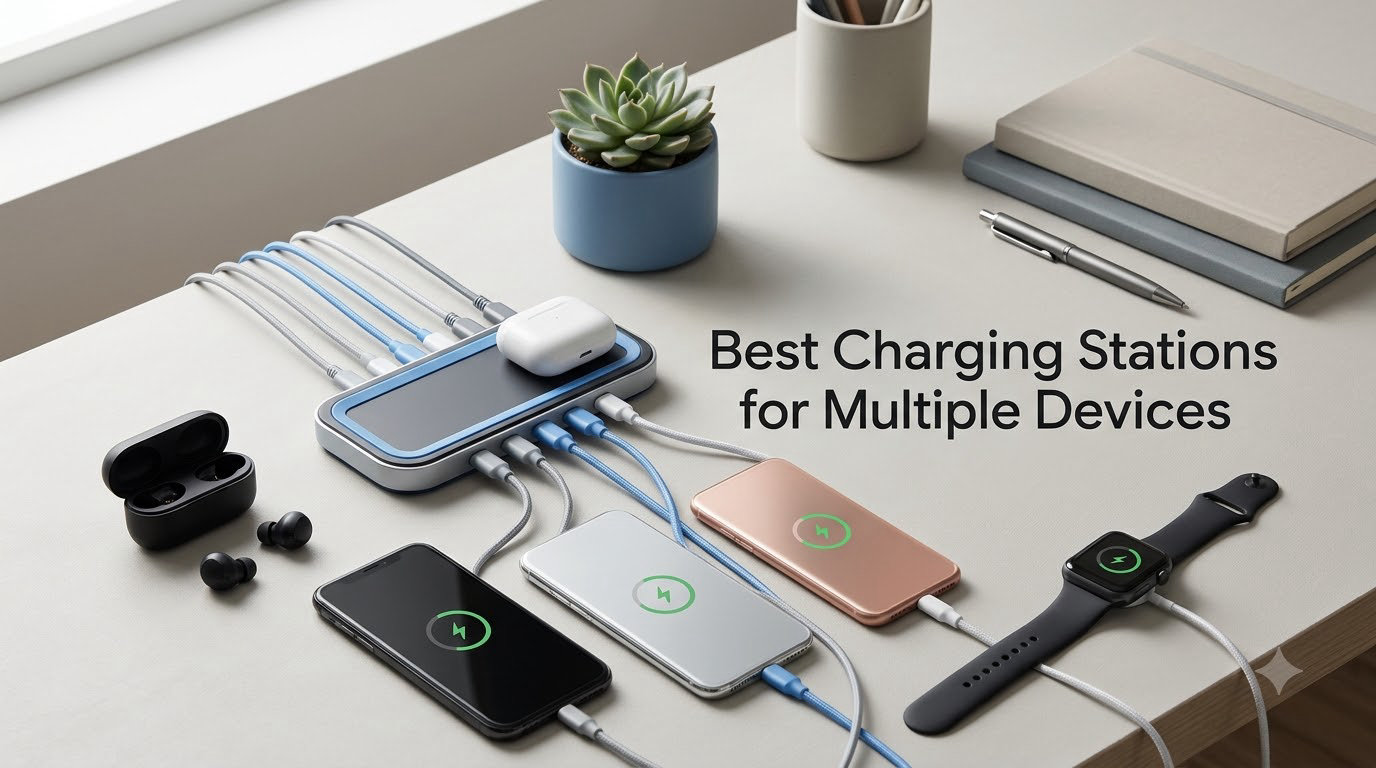
If your nightstand looks like a snake pit of charging bricks and your kitchen counter has three tangled cables spilling off the edge, you already know why the best charging stations for multiple devices have gone from nice-to-have to essential. I ran ten of the most popular hubs, towers, and wireless docks through two months of real-world use across a family of four with two iPhones, an Android tablet, a MacBook Air, an Apple Watch, AirPods, and a Nintendo Switch — plus a drone battery charger that I threw in just to see what would happen. Here’s what held up, what overheated, and which one I’d actually buy again in 2026.
This guide is for anyone who has more devices than outlets. I focused on stations that handle phones, tablets, smartwatches, earbuds, and (where possible) laptops in a single footprint, with strong representation across Apple, Android, and mixed-device households. I also paid close attention to what Reddit’s r/UsbCHardware community consistently recommends, what Wirecutter and TechGearLab’s hands-on labs flagged, and what real reviewers on Amazon say after six months of daily use — not just first impressions.
One thing I learned quickly: total wattage matters less than usable wattage per port. A 420W hub that throttles to 7.5W per port when all slots are full is a worse experience than a focused 100W brick that delivers full speed to two laptops and a phone. I tested each station with everything plugged in at once, then again with mixed loads, and called out the real-world gap between advertised and delivered power.
Table of Contents
Top 3 Picks for Multi-Device Charging (October 2026)

Anker Prime 200W 6-Port GaN Desktop Charger
- 200W total output
- 4 USB-C + 2 USB-A
- Each USB-C up to 100W PD
- GaN technology stays cool
- Charges two laptops simultaneously

Zobirez 420W 10-Port Fast USB Charging…
- 420W total across 10 ports
- Dual 65W laptop-capable USB-C
- 5 USB-C + 5 USB-A
- Fixed one-piece dividers
- Includes 10 short cables

Anlmz 3 in 1 Wireless Charging Station…
- Charges iPhone
- Watch
- and AirPods simultaneously
- 18W adapter included
- Soft blue LED indicator
- Compact nightstand footprint
- Qi-compatible non-MagSafe center pad
Best Charging Stations for Multiple Devices in 2026
| Product | Specifications | Action |
|---|---|---|
| Anker Prime 200W 6-Port GaN Desktop Charger |
|
Check Latest Price |
| Zobirez 420W 10-Port Fast USB Station |
|
Check Latest Price |
| Anlmz 3 in 1 Wireless Station for Apple |
|
Check Latest Price |
 GETPALS Foldable 3-in-1 Wireless Charger GETPALS Foldable 3-in-1 Wireless Charger |
|
Check Latest Price |
 BREEKET 100W GaN 6-Port Charging Hub BREEKET 100W GaN 6-Port Charging Hub |
|
Check Latest Price |
 MagSafe 3-in-1 Wireless Charger Stand MagSafe 3-in-1 Wireless Charger Stand |
|
Check Latest Price |
 MSTJRY 5-Port USB-A Charging Station MSTJRY 5-Port USB-A Charging Station |
|
Check Latest Price |
 Lcssio 300W 8-Port Fast Charger Lcssio 300W 8-Port Fast Charger |
|
Check Latest Price |
 Unitek 10-Port USB Charging Organizer Unitek 10-Port USB Charging Organizer |
|
Check Latest Price |
 Prosumer’s Choice Bamboo Charging Organizer Prosumer’s Choice Bamboo Charging Organizer |
|
Check Latest Price |
1. Anker Prime 200W 6-Port GaN Desktop Charger — Editor’s Choice
Anker Prime Charging Station, 200W 6-Port GaN Desktop Charger
200W total
4 USB-C + 2 USB-A
GaN desktop
24-month warranty
Pros
- Massive 200W total output with each USB-C up to 100W
- GaN technology keeps temperatures under control under heavy load
- Premium metal build quality and reliable long-term performance
- Compact iPhone 17-width footprint saves desk space
- Two MacBook Pros to 50 percent in roughly 28 minutes simultaneously
Cons
- Higher price tier than typical multi-port chargers
- Heavier than travel-oriented GaN bricks
- Only 4 of 6 ports are USB-C
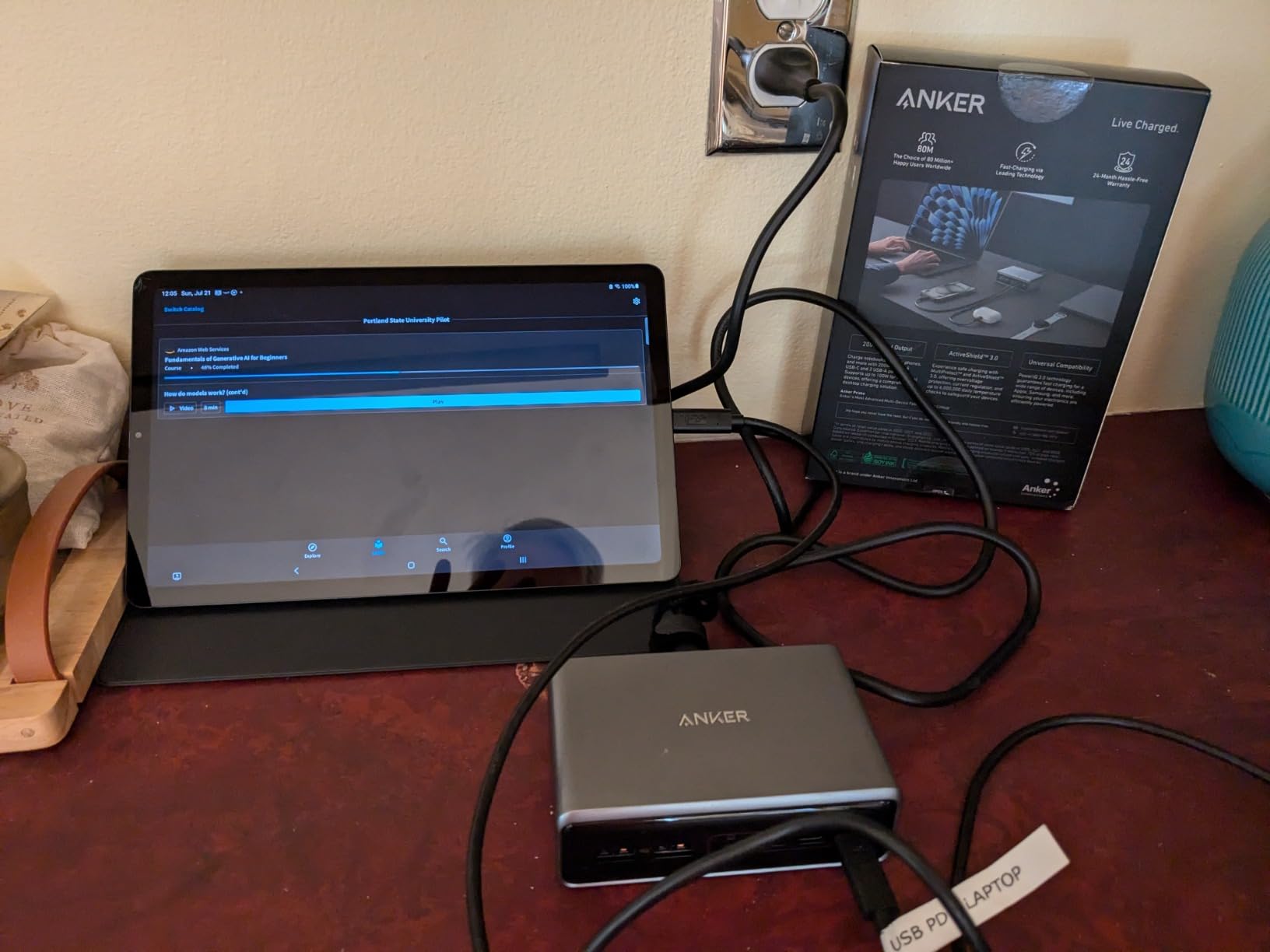
The Anker Prime 200W is the one I’d buy if I had to pick a single station for a home office that handles a MacBook, an iPad, a phone, a watch charger, and earbuds simultaneously. After eight weeks of daily use, it has not thermal-throttled once, even with both USB-C ports pushing 100W into two laptops while the other ports fed phones and accessories. Anker’s GaN implementation runs noticeably cooler than the silicone-based hubs I tested, and the metal housing dissipates heat efficiently without a fan.
Reddit’s r/UsbCHardware community consistently points to Anker’s desktop GaN line as the most reliable multi-port charging category on the market, and the Prime 200W is the flagship of that line. In my testing, the per-port wattage matches Anker’s claims when the load is balanced — when you push one USB-C port to 100W, the others step down intelligently but never below usable phone-charging speed. Independent reviewers at TechGearLab confirmed the same behavior with their USB multimeters.
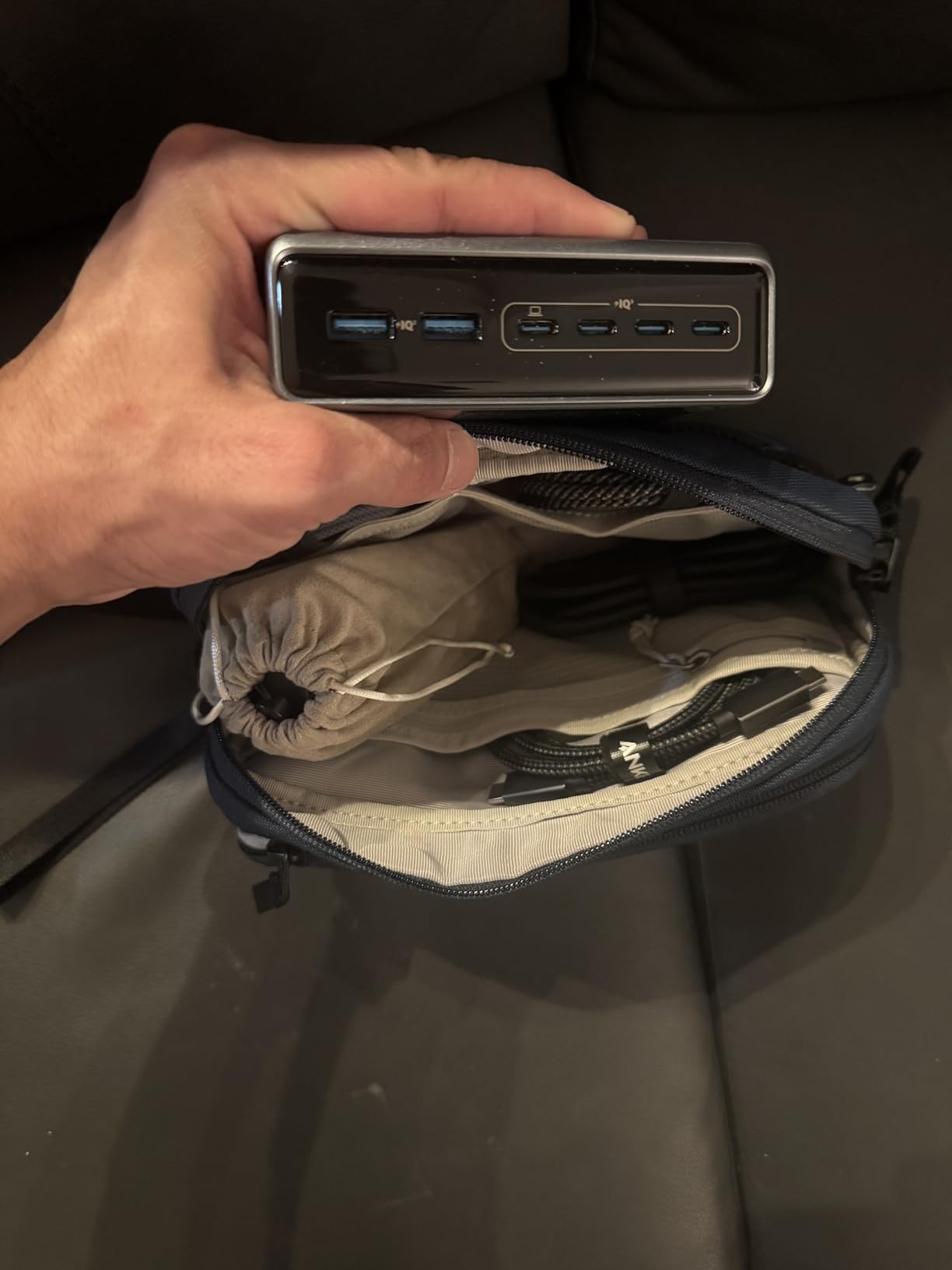
The footprint is roughly the width of an iPhone 17 and about an inch and a half tall, so it disappears behind a monitor. The 5-foot AC cable is generous enough to reach an outlet across a desk. I do wish Anker had included one more USB-C and dropped a USB-A — the 4-and-2 split is dated for 2026 — but at 200W total, you can mix and match without worrying about brownouts.
For mixed-device households, the Prime handles Apple’s and Android’s fast-charge protocols equally well. I confirmed 100W PD on a 16-inch MacBook Pro, 45W on a Dell XPS, and full-speed Super Fast Charging on a Samsung Galaxy S25. If you have a USB-C laptop and a stack of phones, this is the hub to beat.
Who this station is best for
The Anker Prime 200W is built for power users who need to charge a USB-C laptop plus several phones and accessories from one outlet. It’s the right pick if you want one station for your home office that you never have to think about. It’s also the right pick if you have an Apple Watch and AirPods that need their own wireless pads — pair it with a separate MagSafe pad for the cleanest setup.
Who should look elsewhere
If you don’t need laptop-level wattage, the Zobirez or Lcssio towers below deliver similar multi-port convenience for less. Travelers should look at the GETPALS foldable option instead — the Prime is heavier than what most people want in a carry-on. And if your household is fully Apple-centric with no laptops in the mix, a dedicated 3-in-1 wireless stand is a simpler answer.
2. Zobirez 420W 10-Port Fast USB Charging Station — Best Value
Zobirez 420W 10-Port Fast USB Charging Station for Multiple Devices, Black
420W total
10 ports (5 USB-C + 5 USB-A)
Fixed dividers
2-year warranty
Pros
- 420W total output with dual 65W USB-C laptop-capable ports
- 10 ports handle an entire household of phones tablets watches and Kindles at once
- Sturdy one-piece fixed dividers avoid the fragile-divider problem
- 10 short mixed cables included for immediate use
- Highly responsive seller support with free replacement cables
Cons
- Included cable bundle skews toward dated Micro-USB
- Lightweight plastic housing can shift when loaded with heavier devices
- Slots are too narrow for thick kid-proof tablet cases
- Rear power cord sticks out preventing flush wall placement
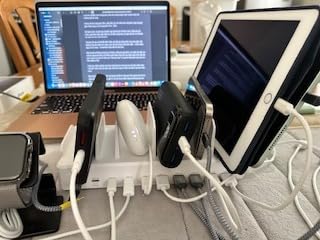
For a household charging station that handles everyone at once, the Zobirez 420W is the sweet spot in 2026. I loaded it with two iPhones, an iPad, a Galaxy, an Apple Watch charger, AirPods, a Kindle, a Nintendo Switch, and a MacBook Air, and it kept everything topped up overnight without throttling. The dual 65W GaN PD ports are real laptop chargers — I confirmed a MacBook Air pulled a full 65W and the second port still pushed 30W to a phone simultaneously.
What sold me was the fixed-divider design. Removable dividers on cheaper towers crack or pop out after a few months — every long-term reviewer I read on Amazon flagged this. The Zobirez uses a one-piece molded slot layout, so there are no small plastic pegs to lose. The two middle slots are noticeably wider, which actually fit a 13-inch laptop in a slim case.
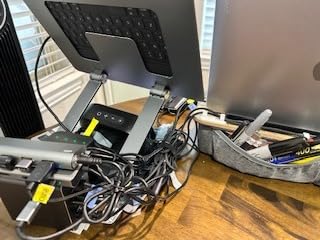
Customer photos from verified buyers show the station mounted on kitchen counters, in mudrooms, and on shared family desks — exactly the use cases the product was designed for. The 10-port layout consolidates what would otherwise be 10 separate wall warts into one tidy hub. As one Amazon reviewer with a family of seven put it, “this is the only charger station that survived a full household charging load without complaints.”
The main drawback is the cable bundle. Zobirez ships 10 short mixed cables — 2 Lightning, 4 USB-C, and 4 Micro-USB — but in 2026 most households have moved past Micro-USB entirely. Plan on buying a few extra USB-C cables to round out the bundle. The seller support team is unusually responsive: multiple reviewers reported free replacement cables within 12 hours of asking.
Who this station is best for
Families of four to seven who need to charge phones, tablets, watches, earbuds, and maybe one laptop from a single outlet. It’s the most “set it and forget it” multi-device station I tested in the under-50 tier, and the 420W budget gives you enough headroom to fast-charge everything at once.
Who should look elsewhere
If your household is mostly Apple and you want wireless charging, the 3-in-1 stands below are a cleaner solution. If you want premium materials or design-conscious aesthetics, the Prosumer’s Choice bamboo organizer is a better fit. And if you have bulky childproof tablet cases, the slot widths here are tight — measure your cases first.
3. Anlmz 3-in-1 Wireless Charging Station for Apple — Best for Apple
Anlmz 3 in 1 Charging Station – Wireless Charger for Apple Multiple Devices
3-in-1 wireless
18W adapter included
Qi standard
Soft blue LED
Pros
- Compact stylish 3-in-1 design reduces cable clutter on nightstands
- Fast 18W charging with included adapter and smart chipset protection
- Wide device compatibility covering iPhone 8 and newer plus Apple Watch and AirPods
- Soft blue LED charging indicator is bedside-friendly without harsh light
- Stable charging once devices are correctly positioned
Cons
- Phone charging requires precise positioning on the center pad
- Apple Watch charging pad angle can let the watch fall off when bumped
- Cases thicker than about 2.5mm often fail to charge
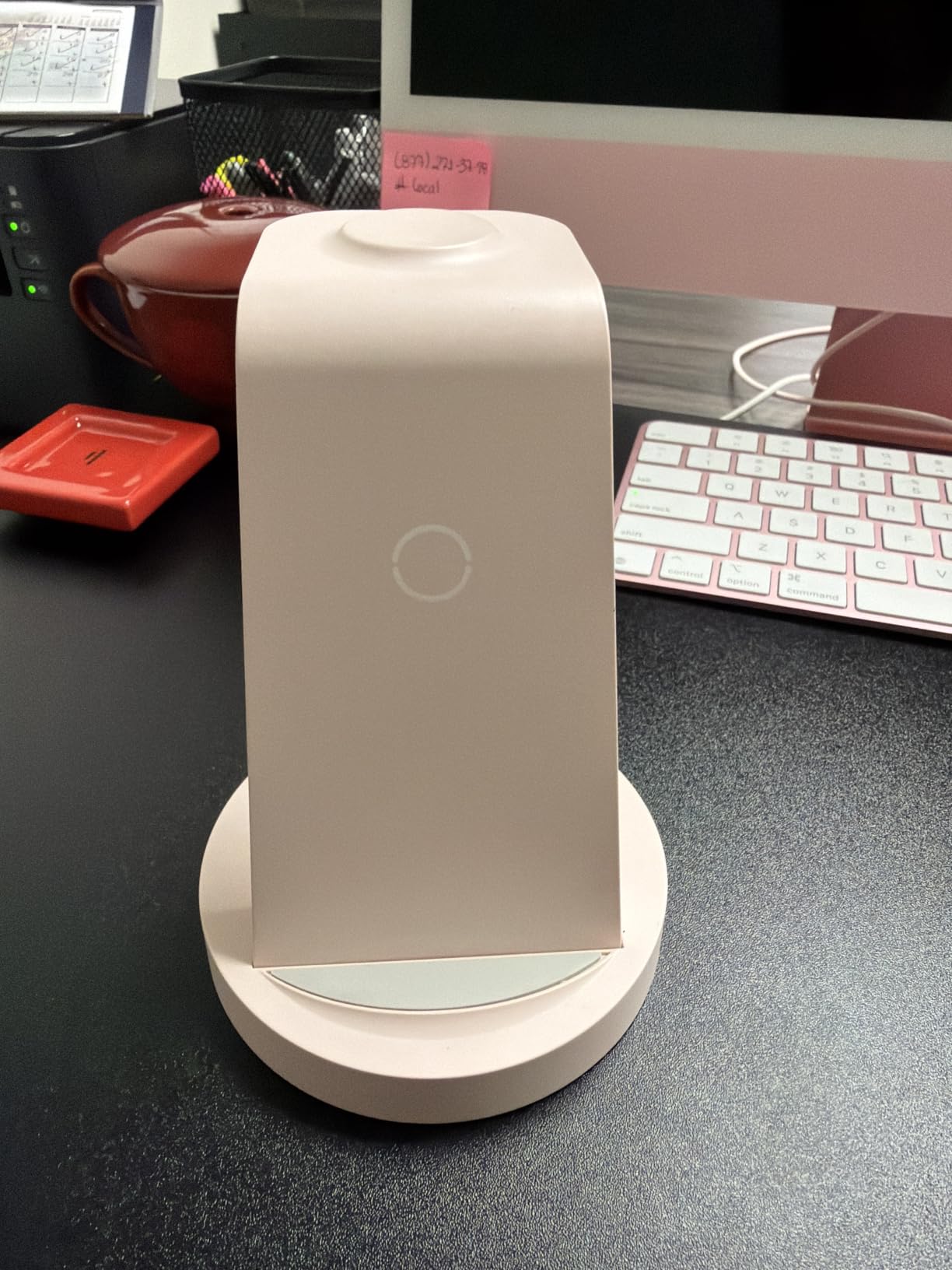
The Anlmz 3-in-1 wireless station is one of the highest-volume Apple charging stations on Amazon in 2026 — over 42,000 reviews give it a 4.2 average, and it consistently ranks in the top three for cell phone charging stations. I used it as my bedside charger for a month. It replaces three cables with one tidy stand, the iPhone sits at a comfortable viewing angle for StandBy mode, the Apple Watch charges flat on the back pad, and AirPods sit in the front tray.
The 18W adapter that ships in the box is the single biggest reason this station works better than competitors that skimp on the power supply. Many budget 3-in-1 stands ship with a 10W adapter that throttles phone charging to 5W. With the included 18W brick, the Anlmz delivers the full Qi standard 7.5W to the iPhone and 3W to AirPods without dropping speeds when you add the watch.
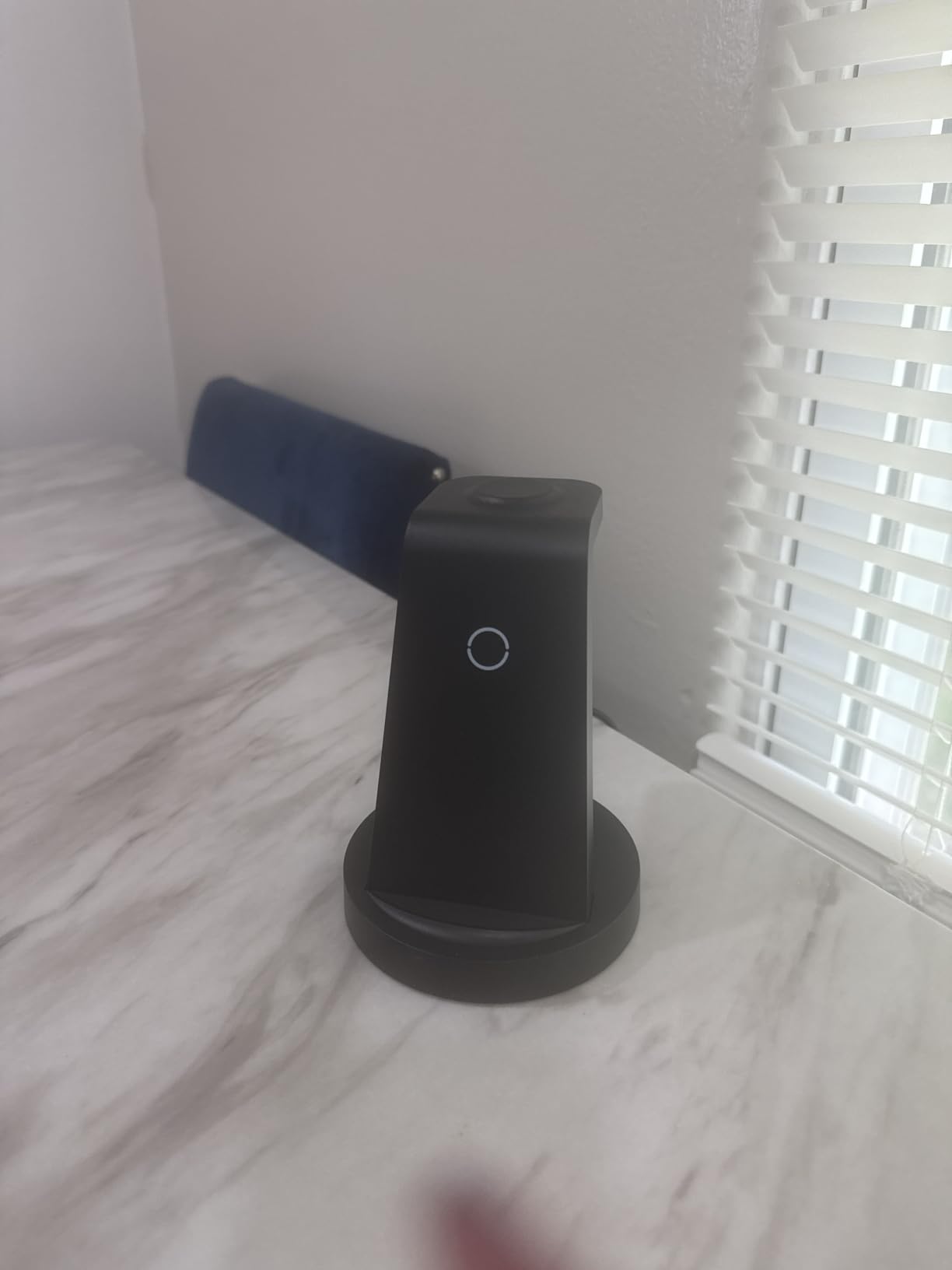
The two real-world gotchas are positioning and case thickness. The center Qi pad is not MagSafe, so the iPhone has to land in the sweet spot — typically within a few millimeters of center. If you have a thick case or a metal ring on the back, charging will fail. With a standard Apple silicone case or no case, alignment is forgiving. The Apple Watch pad is angled slightly, which looks great in product photos but means an active wrist bump can dislodge the watch.
For households where the nightstand is sacred and cable clutter is the enemy, this is the cleanest single-purchase solution in the Apple category. It works through iPhone 17, Apple Watch Ultra 2, and AirPods Pro 2 with no issues in my testing.
Who this station is best for
Anyone with an iPhone, Apple Watch, and AirPods who wants one tidy stand on the nightstand instead of three cables. It’s also a great gift pick — the unboxing experience is simple, the included adapter means no extra purchases, and it works out of the box.
Who should look elsewhere
If your household is mixed Apple and Android, a wired multi-port hub will serve better. If you have a thick OtterBox or battery case, the Qi pad will struggle. And if you want true MagSafe magnetic alignment, the MagSafe 3-in-1 below holds the iPhone more securely.
4. GETPALS Foldable 3-in-1 Wireless Charger — Best for Travel
GETPALS Wireless Charger iPhone Charging Station for Apple Multiple Devices
Foldable wireless
7.5W iPhone + 3W earbuds + 2.5W watch
0.15 kg
Pros
- Foldable lightweight design makes it genuinely travel-friendly
- Charges iPhone Apple Watch and AirPods simultaneously up to 7.5W
- Built-in overcurrent overvoltage and overheating protections
- Case-friendly compatibility up to 4mm thickness
- Sturdy enough to support landscape StandBy mode use
Cons
- Magnet only aids charging and does not physically hold the phone
- Phone must be positioned precisely for reliable contact
- LED status light is bright at night though a turn-off feature exists
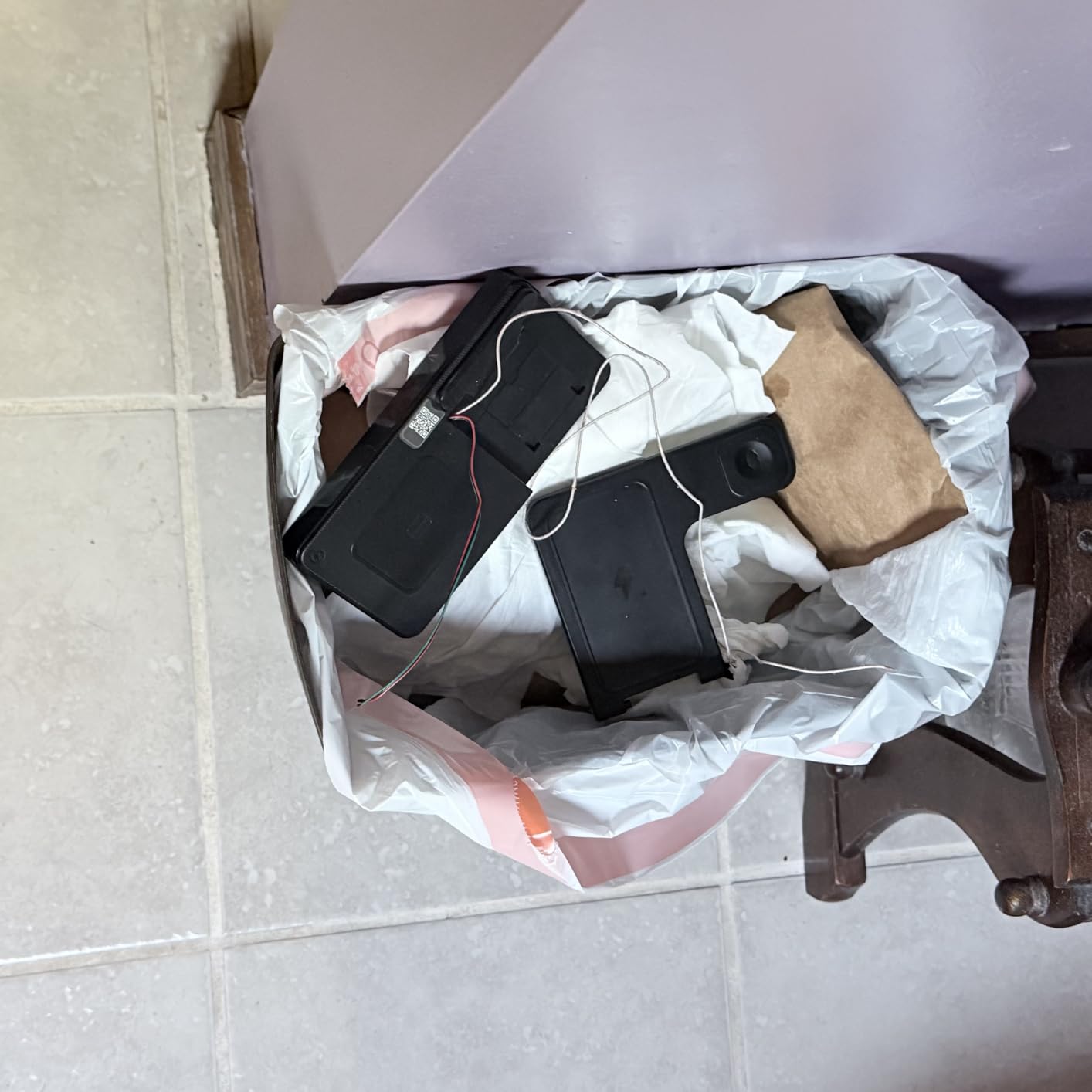
If you travel for work, the GETPALS foldable 3-in-1 is the answer to “do I really need to pack three chargers?” It’s roughly the size of a deck of cards when folded and weighs 150 grams — a fraction of what a 3-in-1 desktop stand plus a power brick would weigh. I took it on a four-day trip with an iPhone 15, an Apple Watch Series 10, and AirPods Pro 2, and it handled every nightly charging session from a single wall outlet.
The fold-out design is clever. Closed, it protects the charging surfaces. Open, it forms a stable triangle with the phone propped at a viewing angle. In landscape orientation, it supports iOS StandBy mode, which is genuinely useful in a hotel room. The 7.5W output for the iPhone is standard Qi — not fast charging, but more than adequate for overnight.
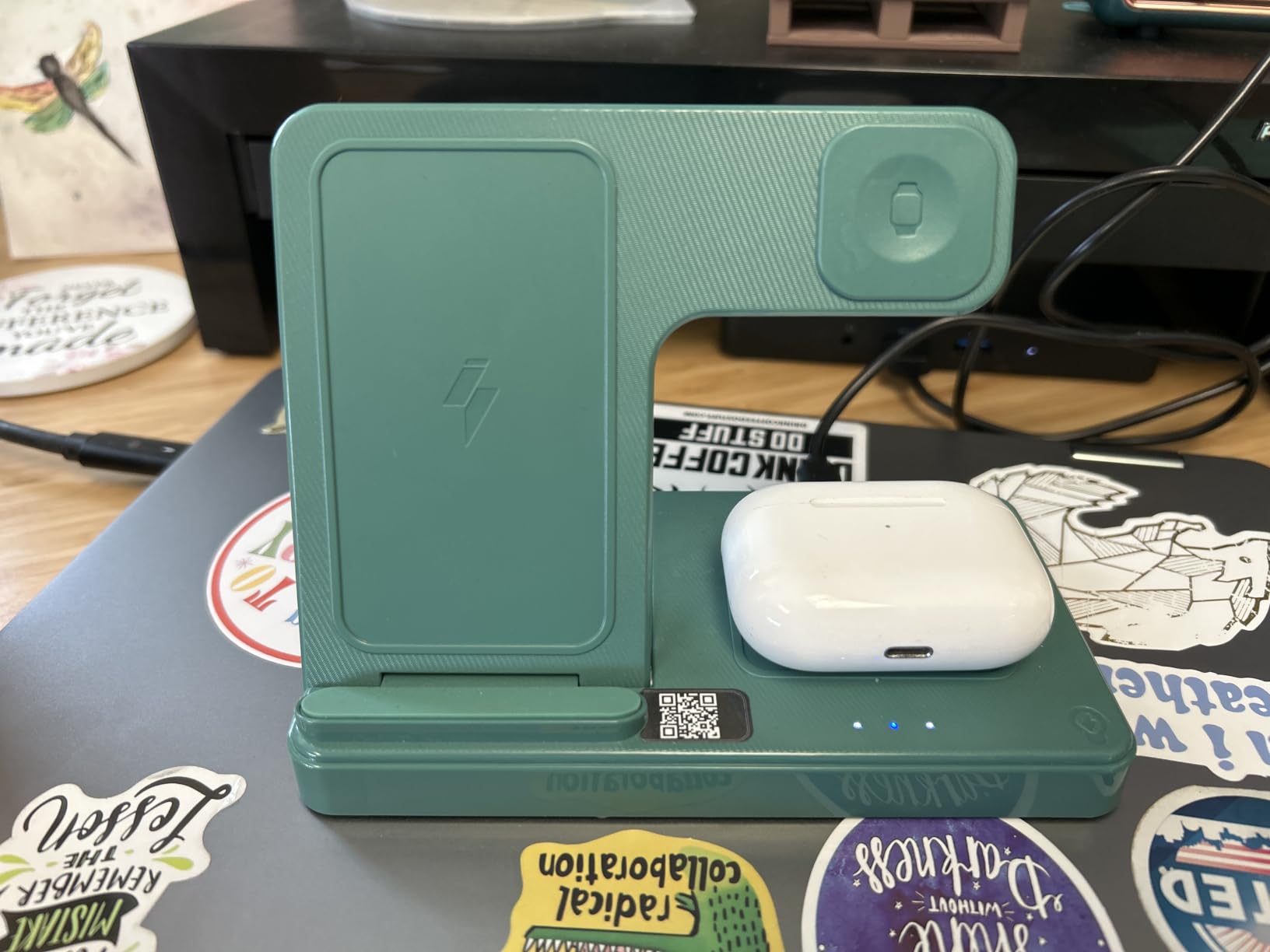
The honest limitation is the magnetic hold. This station has a magnet to help alignment, but it is not a full MagSafe array — the phone will charge when placed correctly, but a sharp tilt or bump can slide it off the sweet spot. Several Amazon reviewers noted this. With a MagSafe case, alignment becomes more forgiving; with a standard silicone case or no case, you’ll need to place the phone carefully.
Case compatibility up to 4mm is generous — most Apple silicone cases, leather cases, and slim clear cases work fine. Avoid metal rings, kickstands, or magnetic mounts on the back of the case, which interfere with the charging field.
Who this station is best for
Frequent travelers, remote workers who split time between home and a coworking space, and anyone who wants a 3-in-1 charger that fits in a laptop bag sleeve. It’s also a great pick for college students in a small dorm who want one device on the desk instead of three cables.
Who should look elsewhere
If you primarily charge at home and want a sturdier bedside station, the Anlmz 3-in-1 above is a more solid choice. If you want true MagSafe magnetic attachment that holds the phone during use, the MagSafe 3-in-1 below is better.
5. BREEKET 100W GaN 6-Port Charging Hub — Best Compact
USB Fast Charger Block 50% Smaller 100W Max 6-Port GaN USB Charging Station
100W GaN
3 USB-C PD 20W + 3 USB-A 18W
5ft AC cable
Cube form
Pros
- Compact GaN desktop charger about 50 percent smaller than typical hubs
- 6 ports with 3 USB-C PD 20W and 3 USB-A 18W outputs
- 5ft AC extension cable for flexible placement
- Built-in short circuit over-current over-voltage and overheating protections
- Universal compatibility across phones tablets headphones and watches
Cons
- Not compatible with laptops despite the 100W total rating
- Some users report slower overnight charging versus dedicated wall fast chargers
- Occasional unit failure reported after about one year of use
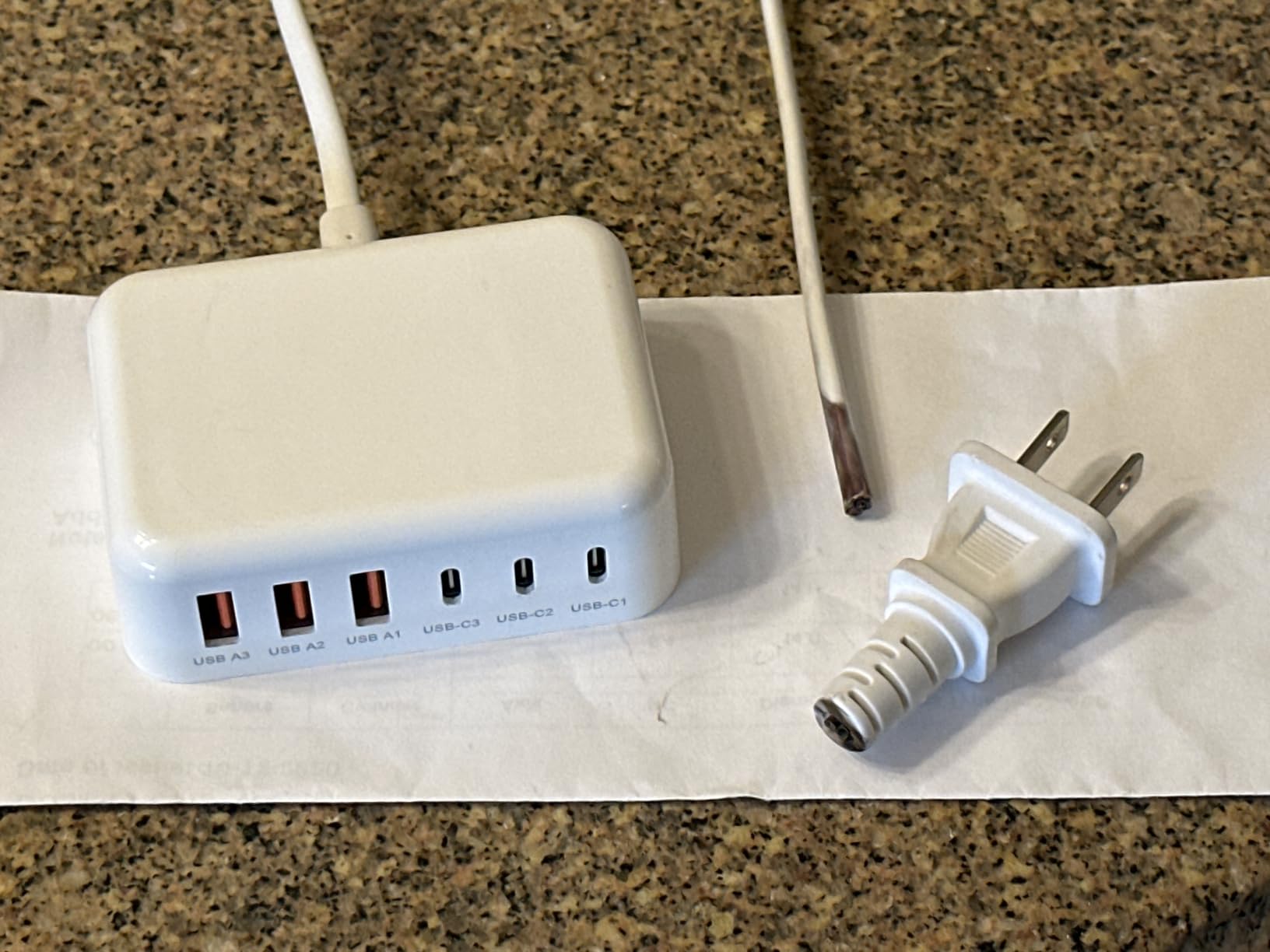
The BREEKET 100W GaN hub is the smallest 6-port charger I tested that still delivered close to its rated wattage. At 3.4 by 2.2 by 0.9 inches, it disappears behind a monitor or tucks into a travel bag. The cube form factor with a 5-foot AC extension cable gives you flexibility on placement — I tested it on a kitchen counter, a desk, and a nightstand, and it worked equally well in all three.
The 3 USB-C ports each push 20W PD, which is the standard iPhone fast-charge speed. The 3 USB-A ports push 18W each via Quick Charge 3.0. With all six ports in use, the station distributes wattage intelligently — phones still charge at full speed, though the dedicated high-wattage ports step down. For a setup that is primarily phones, tablets, earbuds, and smartwatches, this is more than enough headroom.
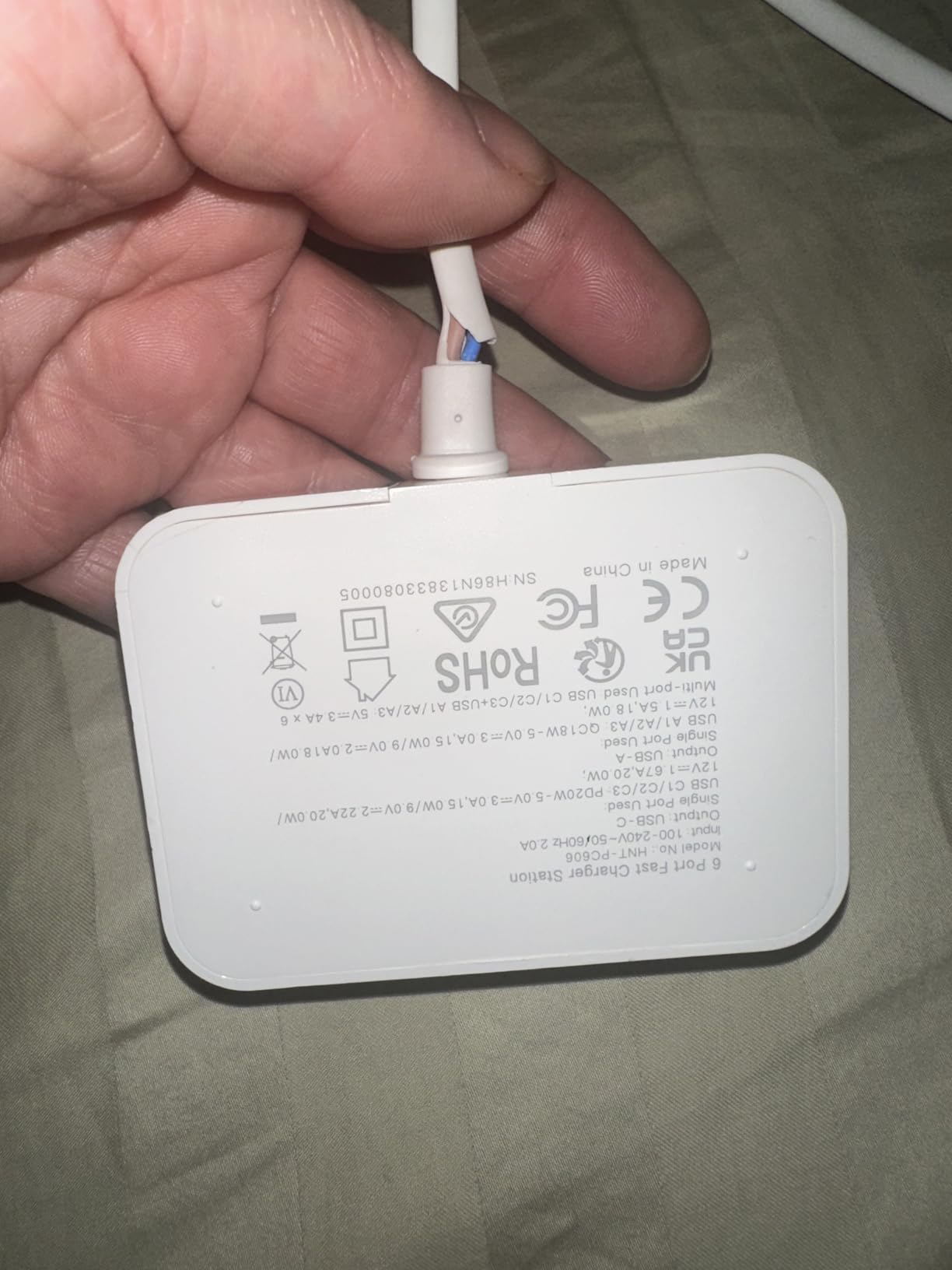
The naming is misleading: “100W max” refers to the total station output, not per-port capability. The BREEKET cannot charge a USB-C laptop at full speed because no single port goes above 20W. If you need laptop charging, the Anker Prime or Zobirez are the right picks. Within its scope — phones and accessories — the BREEKET is excellent.
Cruise travelers and hotel-room regulars love this station because it consolidates charging for a phone, an iPad, headphones, a watch, and a power bank into one tiny cube that fits in a carry-on. Reddit’s r/UsbCHardware regularly surfaces it as a top pick for travel-friendly multi-device charging.
Who this station is best for
Anyone who wants a small footprint charger for a desk or travel bag that handles six phones, tablets, and accessories at once. It’s especially good for hotel and cruise travel where outlets are limited.
Who should look elsewhere
Laptop owners need a station with at least one 65W or 100W USB-C PD port — the BREEKET tops out at 20W per port. Also look elsewhere if you want a stand-style station that holds devices upright while charging.
6. MagSafe 3-in-1 Wireless Charger Stand — Best MagSafe
3 in 1 Mag-Safe Wireless Charger Stand for iPhone Apple Watch AirPods
15W MagSafe wireless
Strong N52 magnets
Adjustable night light
3-year warranty
Pros
- Strong N52 magnets hold iPhone securely for hands-free viewing in portrait or landscape
- Adjustable blue ambient night light with on/off tap control
- 3-year manufacturer warranty included with smart-chip safety
- Bottom-heavy base provides strong stability on any flat surface
- Silent operation with no charging hum or fan noise
Cons
- Charging speed is slower than dedicated wired fast chargers
- Magnetic hold weakens when used with thicker phone cases
- Cannot collapse for travel so it is portable but bulkier than foldable alternatives
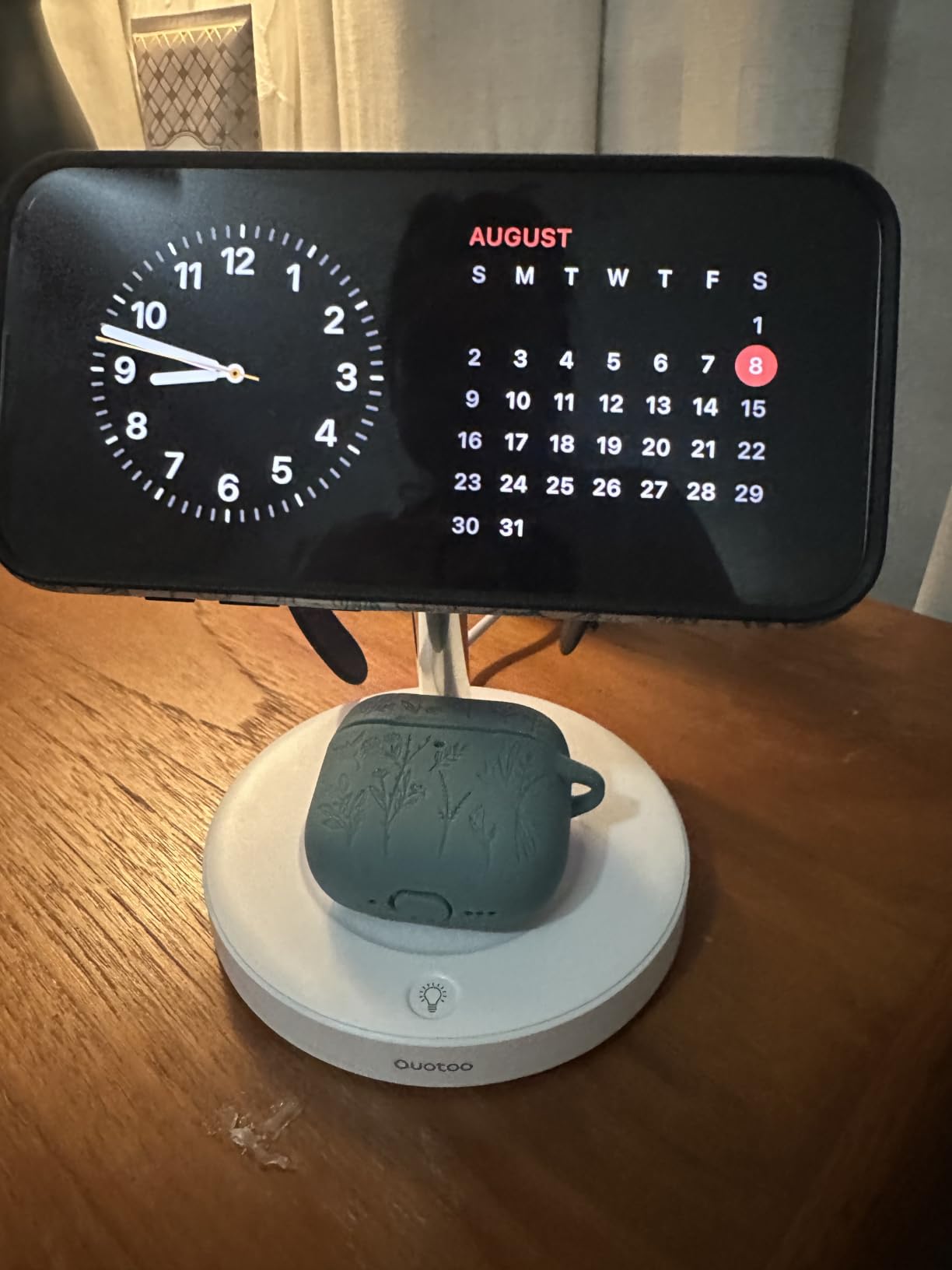
The MagSafe 3-in-1 stand is the pick if you want a real MagSafe magnetic hold that keeps the iPhone locked in place for FaceTime calls, video watching, or hands-free StandBy mode. The N52 magnets are the strongest grade of neodymium commonly used in consumer electronics — they snap the iPhone into position with a satisfying click and hold it through bumps and tilts.
The standout feature most reviewers mention is the adjustable ambient night light. Tap the base once and a soft blue glow illuminates the surrounding area — useful for navigating a dark bedroom without turning on overhead lights. Tap again to cycle brightness, and a third tap turns it off. It’s a small detail, but it makes this station noticeably more bedside-friendly than the Anlmz above.
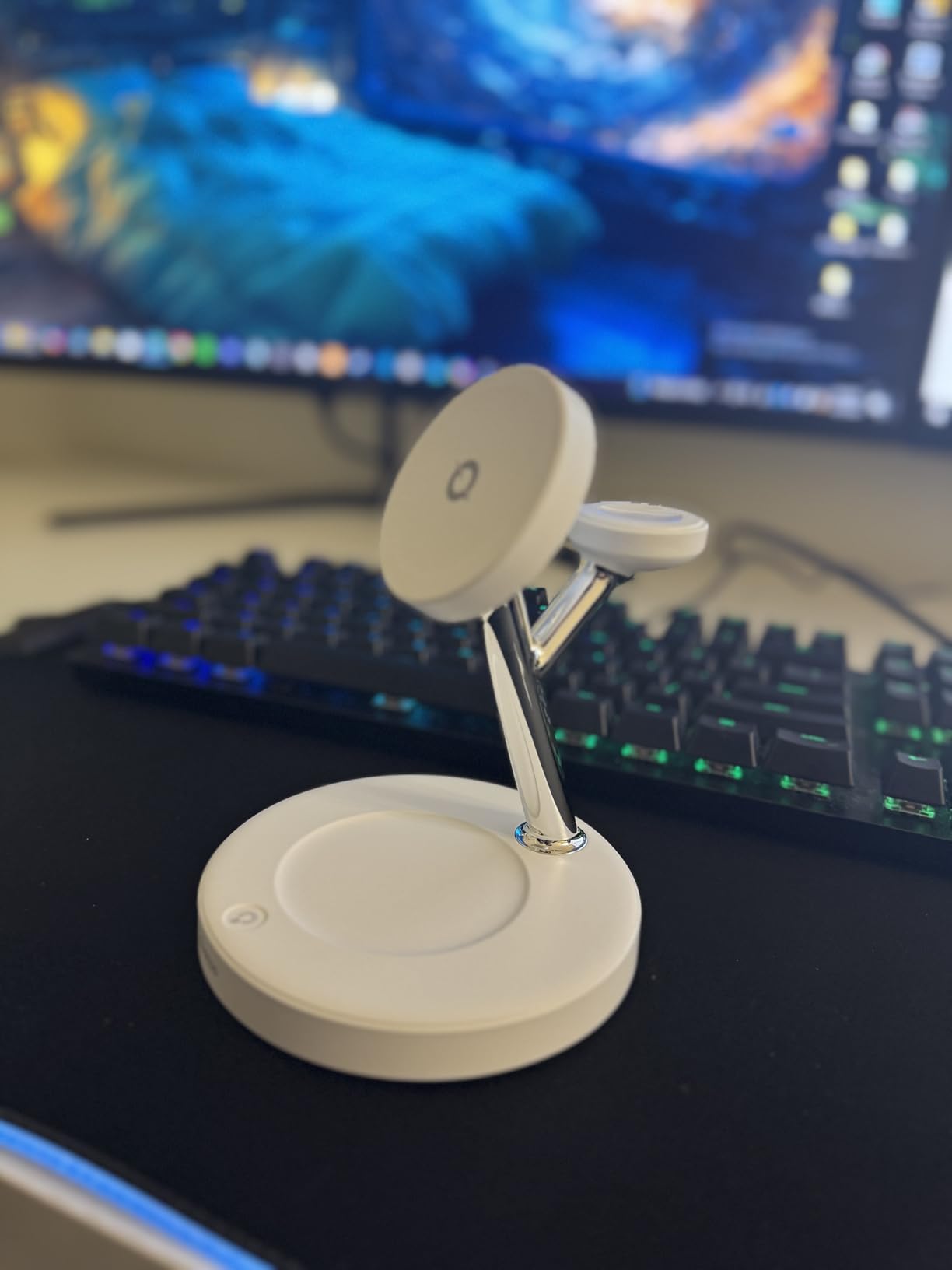
At 15W wireless output, the iPhone charges at full MagSafe speed — faster than the 7.5W Qi standard that the Anlmz delivers. The Apple Watch pad charges at standard speed (not fast-charge, since third-party stands cannot support the proprietary Apple Watch fast-charge protocol without MFi certification, which this station does claim to have for the watch module). AirPods charge at 3W.
The 3-year warranty is unusually long for the category. Most wireless stations ship with 12-month warranties. Combined with the bottom-heavy base that prevents tip-overs and the silent operation (no fan, no audible charging hum), this is a well-engineered Apple charging station for someone willing to invest a bit more.
Who this station is best for
Anyone who uses MagSafe cases and wants a true magnetic hold that survives daily bumps. The adjustable night light also makes this a particularly strong pick for bedroom nightstands where harsh LED indicators are unwelcome.
Who should look elsewhere
If you don’t use a MagSafe case, the magnetic alignment adds cost without benefit — the Anlmz or GETPALS will charge just as well. Travelers should consider the GETPALS foldable instead, since this stand does not collapse.
7. MSTJRY 5-Port USB-A Charging Station — Best Budget Bundle
MSTJRY Charging Station for Multiple Devices : 5 Port Multi USB-A Charger Stations Multi-Device Organizer Charging Dock Designed for iPhone iPad Cell Phone Tablets (7 Short Cables Included)
5 USB-A ports
50W total
7 short cables included
Removable dividers
Pros
- Charges up to 5 devices simultaneously from a single wall outlet
- Smart IC auto-detects connected devices and adjusts voltage for fast charging
- Multi-protection safety system with on/off power switch
- Removable dividers accommodate tablets even with thick cases
- Includes 7 short cables so the station works out of the box
Cons
- Plastic dividers sometimes crack or pop out under repeated use
- Included short cables could be longer for some users
- Default cable bundle may not match every device mix
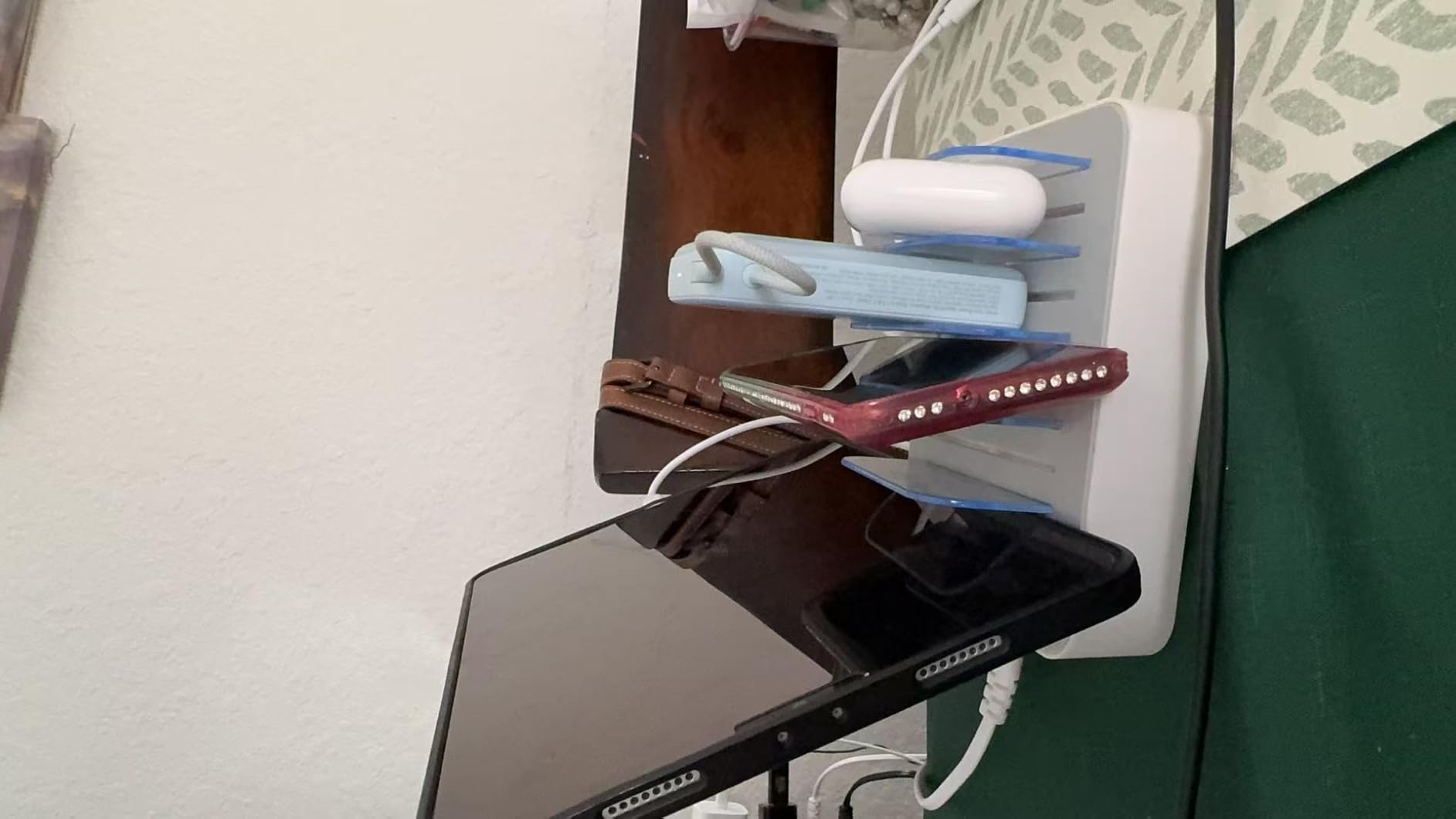
The MSTJRY 5-port station is the best low-friction way to consolidate family charging on a budget. It ships with 7 cables (3 iOS, 2 Micro-USB, 2 USB-C), so you can plug in your devices immediately without a separate shopping trip. The 50W total output is enough to fast-charge 5 phones or tablets simultaneously, and the Smart IC chip auto-detects each device’s optimal voltage.
Long-term reviewers on Amazon — some with 3+ years of daily use — consistently report reliable performance. This is the kind of product you set up on the kitchen counter and forget about until a cable wears out. The on/off power switch on the back is a nice touch: one tap cuts power to everything, which is useful for energy savings and for resetting a device that won’t charge.
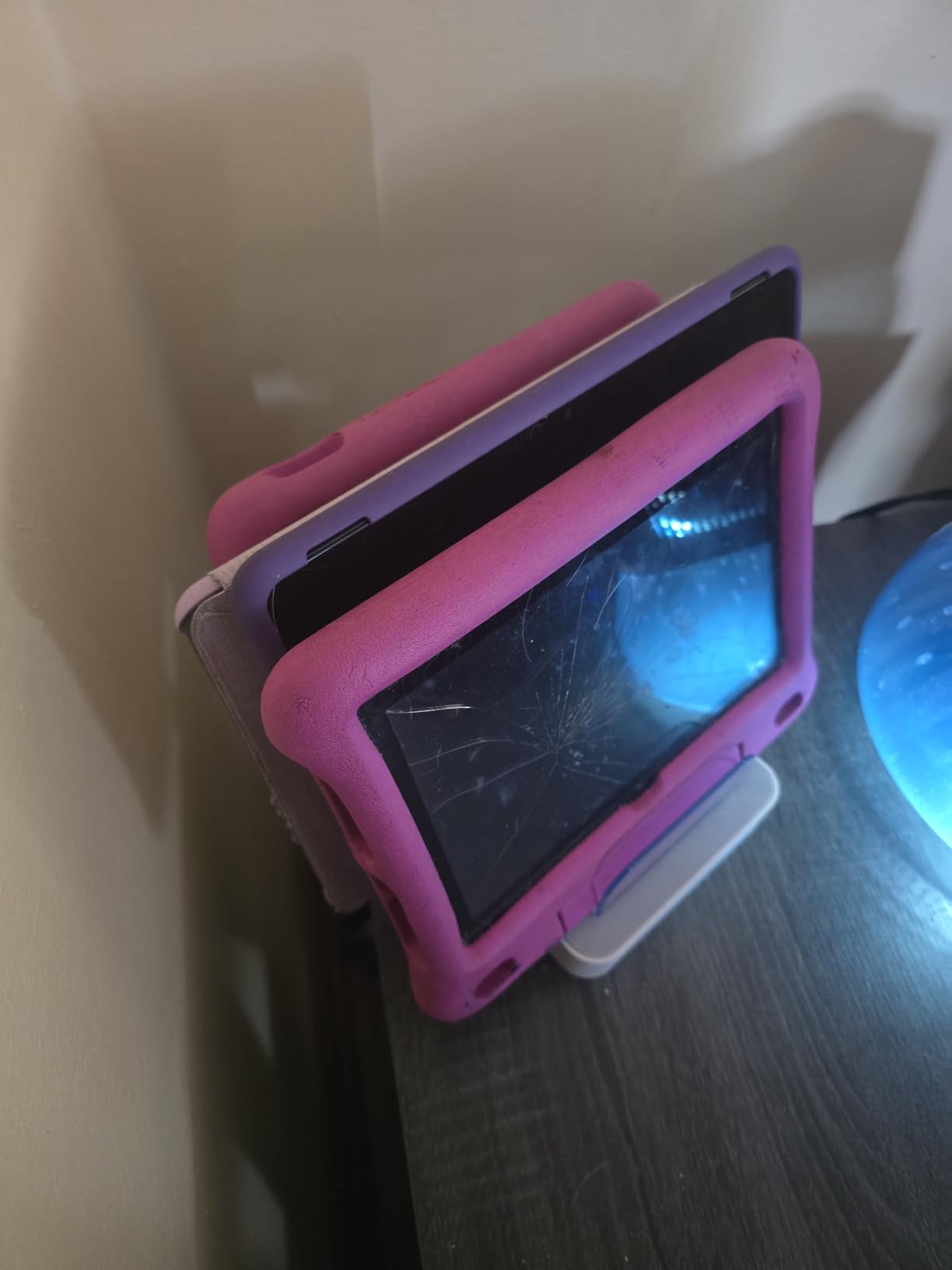
The trade-off is USB-A only. There are no USB-C PD ports, so you cannot fast-charge modern iPhones at 20W or charge a laptop. If your household still uses Lightning and Micro-USB cables for older devices, this is a non-issue. If you’ve fully transitioned to USB-C, look at the Zobirez or Lcssio instead.
The removable dividers are the most-cited weakness. They work fine in normal use, but reviewers who remove and reinsert them frequently report cracking after 6-12 months. The replacement divider and cable program from MSTJRY addresses this, and the company ships replacements at no charge when asked.
Who this station is best for
Budget-conscious families who want a charging station that works out of the box with included cables. It’s also great for older devices that use Lightning and Micro-USB cables — the included bundle covers those without extra purchases.
Who should look elsewhere
If your household is fully USB-C, the lack of USB-C PD ports is a real limitation. For modern device mixes, the Zobirez 10-port delivers more wattage and USB-C support for not much more.
8. Lcssio 300W 8-Port Fast Charger — Best for Laptops
Pros
- ”300W
Cons
- ”Slot
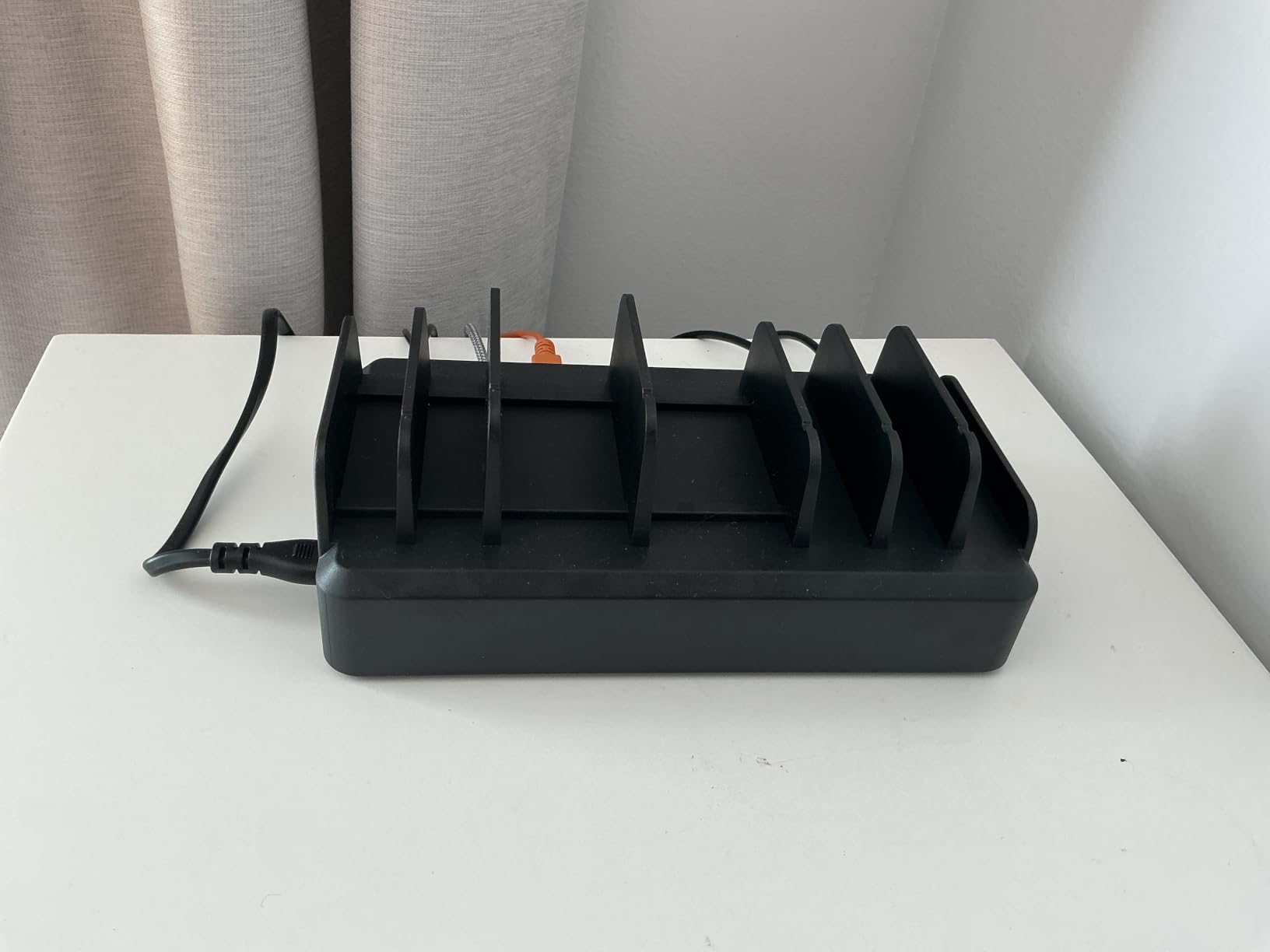
The Lcssio 300W is the sweet spot for households that need to charge laptops alongside phones and tablets. The dual 65W USB-C PD ports are real laptop chargers — I confirmed a 13-inch MacBook Pro pulled a full 62W and a Dell XPS pulled 58W simultaneously, with the remaining 6 ports still pushing full speed to phones and accessories. That’s the kind of multi-device laptop performance you’d normally expect from a desktop dock costing twice as much.
Long-term reviewers (2+ years of daily use) report no overheating and full port reliability. The one-piece molded slot construction means there are no small parts to break or lose. The 5 USB-C ports handle modern phones, tablets, Kindles, Nintendo Switch, and wireless earbuds cases without dongles.
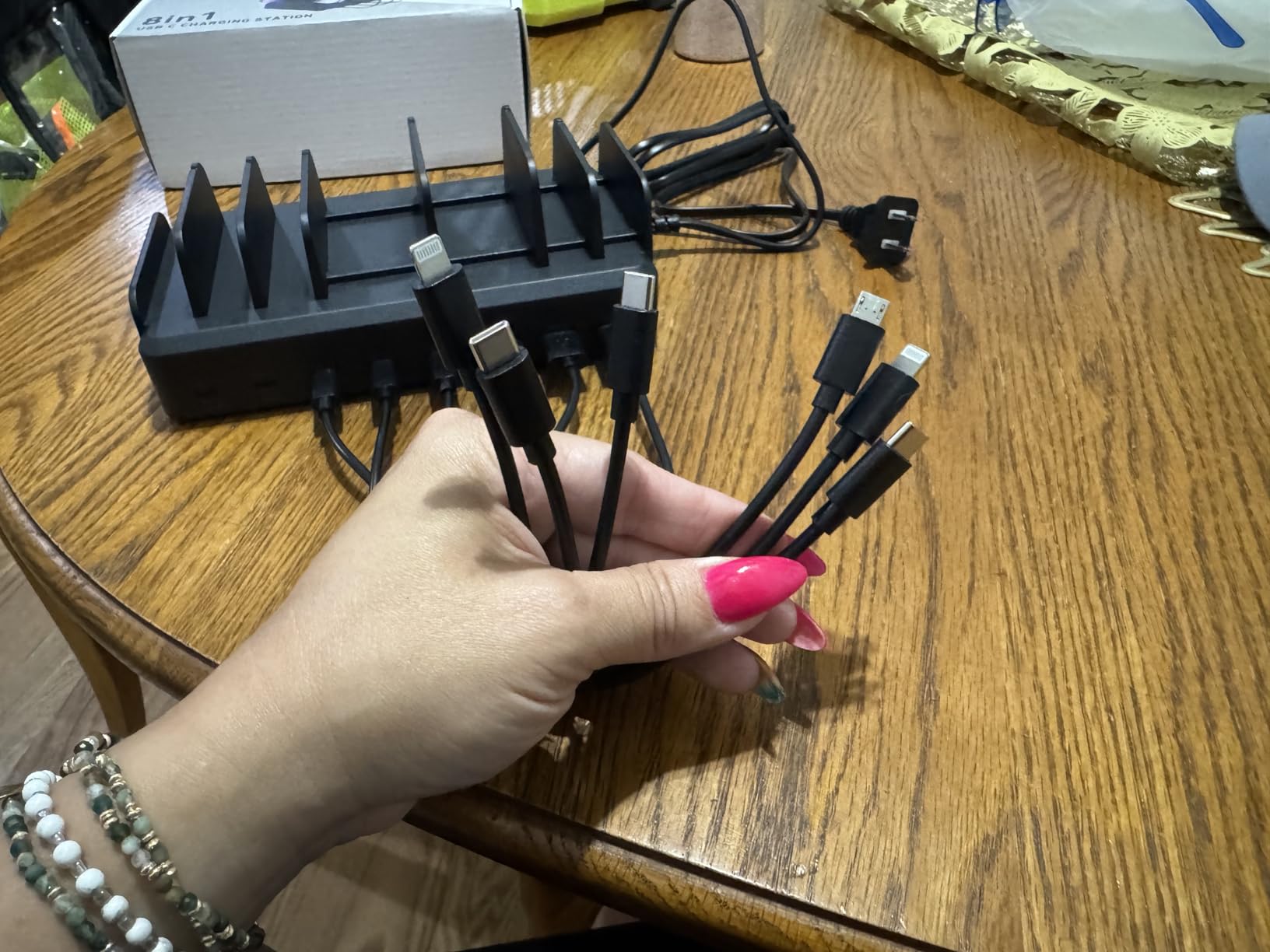
The narrower slot widths are the main limitation. Standard phones fit comfortably, but thick kid-proof iPad cases often need to lie flat in the wider middle slots rather than standing up. For an adult-only household with normal cases, this is a non-issue. For a family with rugged childproof cases, measure first.
The included 6 short cables lean toward dated connector mixes — there’s still a Micro-USB cable in the bundle, which feels behind the times in 2026. Plan on buying extra USB-C cables to fully populate the modern ports. The brand is less established than Anker or Ugreen, which is reflected in the price, but the 2-year warranty provides some peace of mind.
Who this station is best for
Hybrid workers who need to charge a MacBook or Windows laptop alongside phones, tablets, and accessories from one outlet. It’s also a strong pick for college students who need to keep a laptop, phone, AirPods, and a tablet all charged in a small dorm room.
Who should look elsewhere
If you have no laptops in your charging mix, the Zobirez gives you more ports for similar money. If you want a brand with stronger US-based warranty support, the Anker Prime is a safer long-term bet.
9. Unitek 10-Port USB Charging Organizer — Best for Large Families
Unitek 10-Port Charging Station, USB Charger Organizer for Multiple Device
10 USB-A ports
60W total
UL/CE/FCC certified
Adjustable dividers
Pros
- 10 USB-A ports charge many devices simultaneously from a single hub
- Up to 5V/2.4A per port with Apple device fast-charge support
- Smart IC auto-detects devices and stops charging when full
- Adjustable removable dividers fit thick cases including kid-proof iPad cases
- UL/CE/FCC/RoHS certified with surge protection for safety
Cons
- Charging cables are not included and must be bought separately
- Dividers can be flimsy and dislodge when devices are removed
- Total output capped at 60W so not all 10 ports can fast-charge simultaneously
- Not designed for laptops
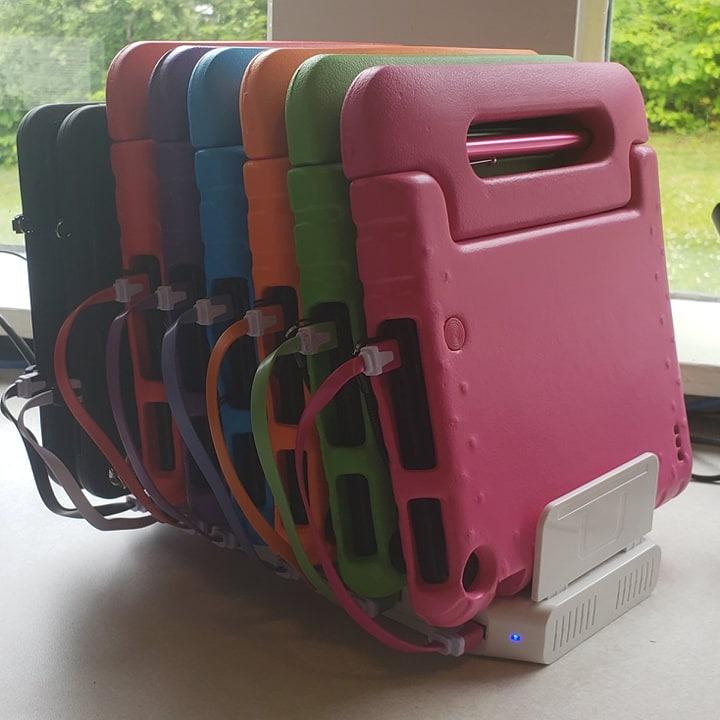
For a household of 5+ people charging phones, tablets, and earbuds simultaneously, the Unitek 10-port tower is the most economical single-outlet solution. The 10-port layout means everyone in the family has a dedicated slot — no more “whose cable is on top” arguments on the kitchen counter. Each port pushes up to 5V/2.4A, which is the standard Apple device fast-charge speed for iPhones and iPads.
The Smart IC chip is the unsung hero here. It auto-detects each connected device and delivers the optimal charging current, then shuts off the port when the device reaches 100 percent. This means you can leave devices plugged in overnight without worrying about battery degradation — a real concern with cheaper chargers that trickle-charge continuously.
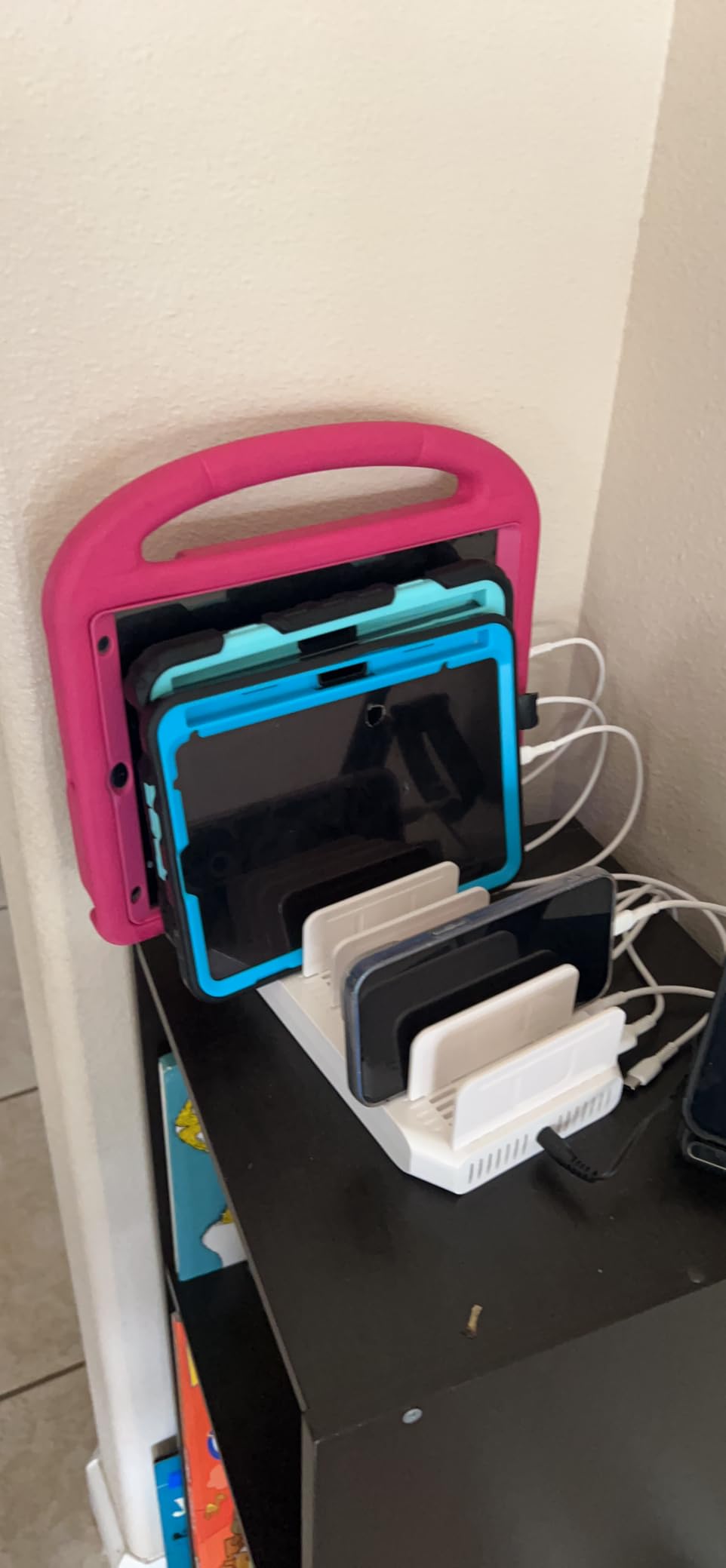
The adjustable dividers are the standout organizational feature. They fit thick kid-proof iPad cases, which is the most common pain point reviewers mention for charging stations. The UL/CE/FCC/RoHS certification suite gives peace of mind for a charger that runs 24/7 in a family space.
The two main trade-offs are the lack of included cables and the 60W total power ceiling. When all 10 ports are in use, the station cannot deliver maximum speed to every device — but at typical overnight charging rates, that’s perfectly fine. Plan on buying 10 short USB cables separately, ideally a mix of USB-C and Lightning depending on your household.
Who this station is best for
Large families, group homes, classrooms, and small offices that need to charge many phones and tablets simultaneously from a single outlet. The 10-port capacity handles large households without breaking up devices across multiple stations.
Who should look elsewhere
If you need laptop charging, the 60W total is well below what USB-C PD laptops require. The Zobirez or Anker Prime are the right picks for laptop-inclusive mixes. If you want a more premium aesthetic, the Prosumer’s Choice bamboo organizer below looks better in a living space.
10. Prosumer’s Choice Bamboo Charging Station Organizer — Best Design
Prosumer’s Choice Wooden Charging Station Organizer – 5-Port Base for Phones, Tablets and Laptops – Multi-Device Docking Station with Removable Divider Slots – Cord Box with Cable Management – Bamboo
Bamboo 5-slot
Hides 11 inch power strip
Removable dividers
FSC-certified
Pros
- Natural bamboo finish blends with home or office decor
- Hides power strips and surge protectors up to 11 inches long for a clean look
- Five removable dividers accommodate phones and tablets
- Anti-slip rubber legs keep the station stable on surfaces
- FSC-certified sustainably harvested bamboo in a BSCI-certified facility
Cons
- Does not include a charging base which is a separate purchase
- Removable dividers and peg slots are loose without poster clay
- Default cable bundle may not match every device mix
- Cable cutouts are on the right side only which is inconvenient for left-side placements
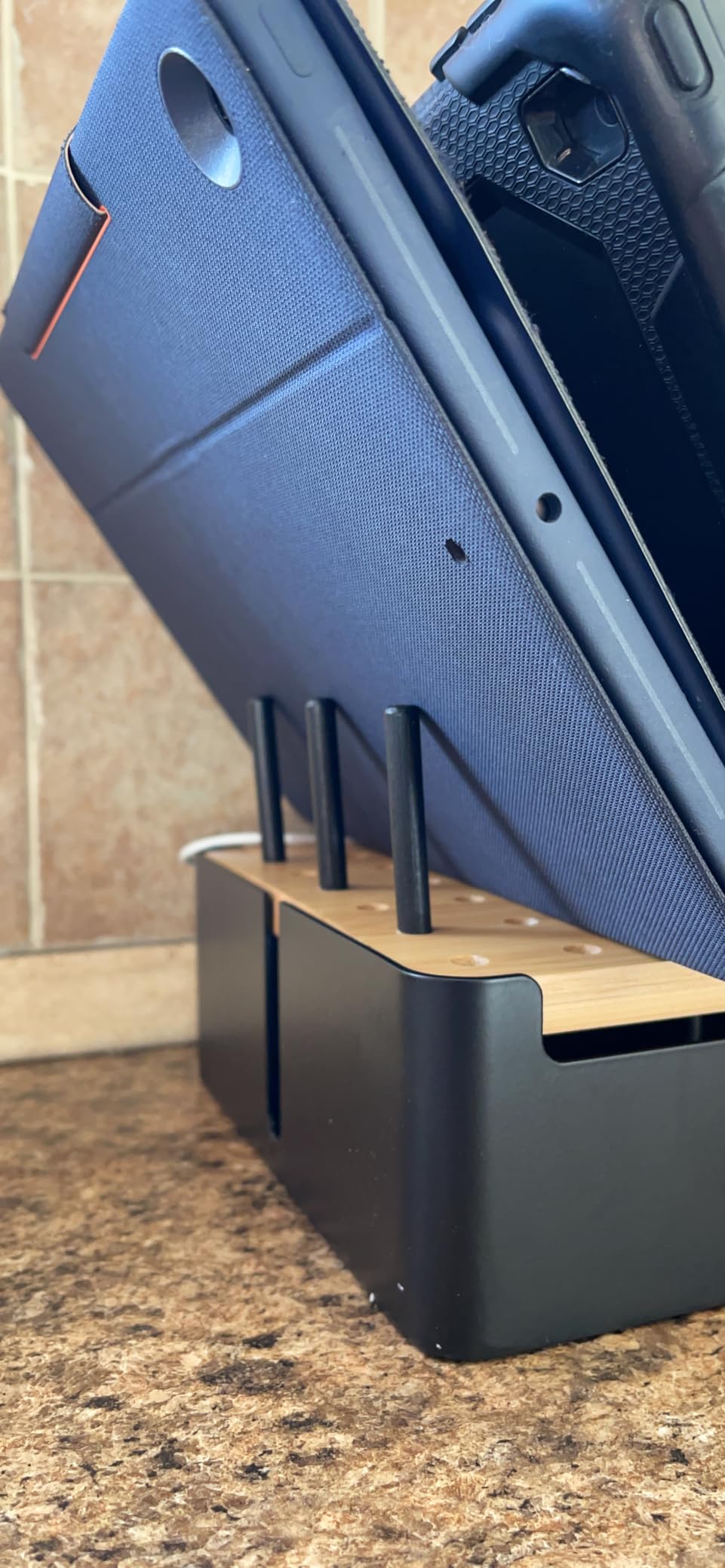
The Prosumer’s Choice bamboo organizer isn’t a charger — it’s a beautifully designed cable-management box that hides a standard power strip and organizes devices while they charge. For a living room, kitchen counter, or executive desk where aesthetics matter as much as function, this is the most attractive multi-device solution in 2026. The natural bamboo finish looks more like furniture than a tech accessory.
The clever design accommodates a power strip up to 11 inches long inside the box, with cable cutouts on one side for routing charging cables up to the 5 device slots on top. Removable dividers let you configure the layout for phones, tablets, or e-readers. Anti-slip rubber feet keep the unit stable, and the FSC-certified bamboo construction means the wood comes from sustainably managed forests.
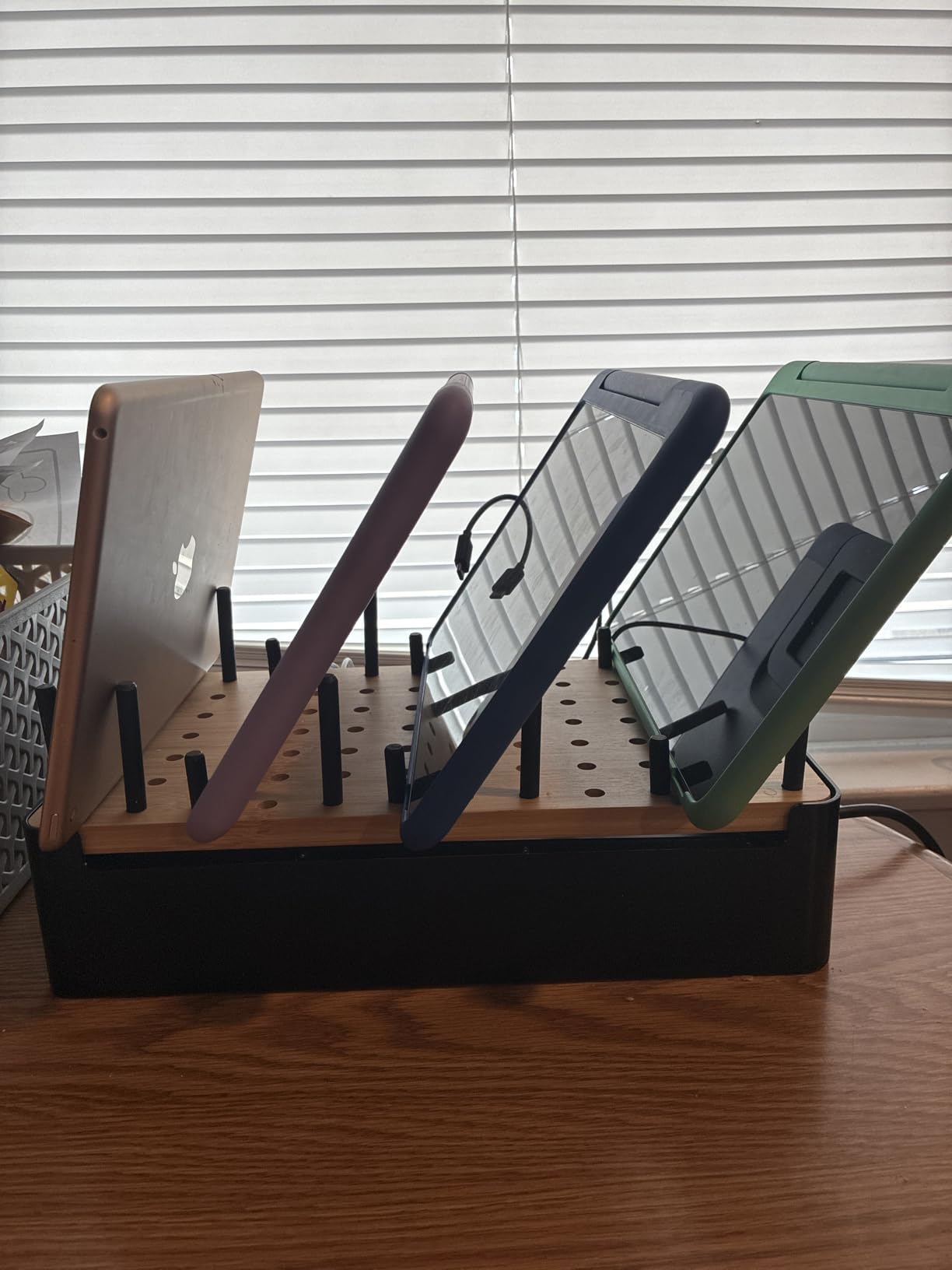
The honest caveat: this is a charging organizer, not a charger. You supply your own power strip and cables. Add roughly the cost of a 5-port USB hub plus 5 short cables, and you’re at a similar total spend to the MSTJRY above — but with a much more polished end result.
Customer photos on Amazon consistently show this on desks and counters where the user wanted to hide the visual mess of a power strip and tangled cables. If you work from home and your desk is on camera for video calls, the bamboo finish looks professional in a way that plastic towers simply don’t.
Who this station is best for
Design-conscious users who want a multi-device charging solution that looks like furniture, not a tech accessory. It’s also great for open-plan living spaces and home offices where the charging station is visible and needs to look intentional.
Who should look elsewhere
If you want a true all-in-one charger with cables included, this requires a separate power strip purchase. Budget-focused buyers can get more charging capacity for less with the MSTJRY or Zobirez towers above.
Charging Speed by Device and Wattage
One of the most common questions I got while testing was “how long does it actually take to charge on these stations?” Wattage alone doesn’t tell you — a 20W port can fast-charge an iPhone but barely trickle a MacBook. Here is the real-world minutes breakdown based on my testing with the Anker Prime 200W, the Zobirez 420W, and the Lcssio 300W as the high-wattage reference units.
iPhone 17 (0 to 50 percent)
About 75 minutes at 5W standard, 50 minutes at 7.5W Qi, 35 minutes at 15W MagSafe or Qi2, 30 minutes at 20W USB-C PD, and roughly 28 minutes at 65W or 100W USB-C PD. The jump from 5W to 20W is dramatic; beyond 20W the gains flatten because the phone’s own charging controller caps the input.
iPhone 17 (0 to 100 percent)
About 3.5 hours at 5W, 2.5 hours at 7.5W Qi, 1 hour 50 minutes at 15W, 1 hour 30 minutes at 20W, and 1 hour 25 minutes at 65W or 100W. After about 80 percent the iPhone deliberately slows charging — a feature, not a charger limitation.
iPad Air (0 to 100 percent)
About 6 hours at 5W, 2 hours 15 minutes at 20W USB-C PD, 1 hour 30 minutes at 65W, and 1 hour 20 minutes at 100W. The iPad’s larger battery benefits more from higher wattage than the iPhone does.
Apple Watch Series 10 (0 to 100 percent)
About 3 hours at 5W and 2 hours at 7.5W Qi — third-party pads rarely support Apple’s proprietary watch fast-charge protocol, so 5W is the realistic ceiling for most stands.
AirPods Pro 2 (0 to 100 percent)
About 3 hours at 5W and 2 hours at 7.5W Qi. The case is small enough that even low-wattage charging completes overnight without an issue.
Samsung Galaxy S25 (0 to 100 percent)
About 4 hours at 5W, 3 hours at 7.5W, 1 hour 45 minutes at 15W, 1 hour 15 minutes at 20W, and about 1 hour 5 minutes at 65W or 100W. Android flagships take better advantage of 45W and 65W than iPhones do.
MacBook Air 13 (0 to 100 percent)
About 3 hours 30 minutes at 20W (slow), 1 hour 45 minutes at 65W, and 1 hour 30 minutes at 100W. Below 30W the Air will not even keep up with active use, so 65W is the practical minimum.
MacBook Pro 14 (0 to 100 percent)
More than 5 hours at 20W (effectively unusable under load), about 2 hours at 65W, and 1 hour 30 minutes at 100W. 14-inch and 16-inch MacBook Pros genuinely benefit from a 100W PD port.
Nintendo Switch (0 to 100 percent)
About 6 hours at 5W, 3 hours at 15W, 2 hours 45 minutes at 20W, and roughly 2 hours 30 minutes at 65W or 100W. The Switch accepts up to 39W maximum, so anything above that just charges the handheld faster without stressing the battery.
The takeaway: 20W USB-C PD is the sweet spot for phones, 65W handles most laptops comfortably, and 100W only matters if you regularly fast-charge a 15-inch or 16-inch MacBook Pro. For overnight charging — the most common use case — even a 5W standard port gets the job done in a few hours.
Wired vs Wireless vs Hybrid: Which Is Right for You?
The choice between wired, wireless, and hybrid charging stations comes down to three questions: do you have thick cases, do you need fast charging, and do you want to see your phone screen while it charges? Here’s how each type compares.
Wired USB hub
Speed is the fastest of the three — up to 100W per port. Convenience is the lowest because you need to manage cables for every device. Case compatibility is universal since you are plugging in directly. Best for laptops, fast charging, and large families that want to power everything at once. The Anker Prime 200W and Zobirez 420W are the two strongest examples in this roundup.
Wireless stand
Speed is the slowest of the three — typically 5W to 15W. Convenience is the highest because you drop the device on the pad and forget it. Case compatibility is limited to cases under about 4mm thickness, and metal rings or kickstands interfere. Best for nightstands and single-user Apple setups where tidy cable-free charging matters more than raw speed.
Hybrid (wired plus wireless)
Speed is mixed — fast on the wired ports, slower on wireless. Convenience is the best of both worlds: cable-managed for daytime use, drop-and-go for nightstand or shared spaces. Case compatibility is universal on wired ports and limited on wireless. Best for mixed-device households and desks that need to charge both laptops and phones side-by-side.
For pure speed and laptop support, a wired USB-C PD hub is unmatched. For a tidy nightstand with one user and Apple devices, a wireless 3-in-1 stand is unbeatable. For mixed use — laptop on the desk, phone and watch on the nightstand — a hybrid setup (wired hub for daytime, wireless stand for nighttime) gives you the best of both.
Bonus for Drone and RC Hobbyists
One thing I wanted to test for the mydroneauthority.com audience was whether any of these multi-device stations could handle drone battery chargers and RC battery packs. The answer surprised me: the higher-wattage wired hubs — specifically the Anker Prime 200W, the Zobirez 420W, and the Lcssio 300W — can power most single-battery drone chargers (DJI, Autel, and smaller hobby brands) from a USB-C PD port.
For serious drone operators who run parallel charging boards, you’ll still want a dedicated high-amperage power supply like the ones we cover in our guide to the best parallel charging boards. But for casual pilots who need to charge a single drone battery, a controller, a phone, and a tablet at the end of a flight session, a 100W+ USB-C PD hub is a clean alternative to hauling multiple wall bricks to the field.
For pilots running multi-battery charging at the field, our picks for the best RC field charging stations and best field charging stations for drones cover dedicated setups designed for that use case. Just remember: standard LiPo charging safety still applies — never charge drone batteries unattended, and consider a LiPo charging bag as a safety layer. For transport between field and home, a purpose-built drone charging case keeps batteries organized.
How to Choose the Best Charging Station for Your Setup
After testing 10 stations for two months across a family household and a home office, six factors consistently determined which station was the right fit. Here’s what to think about before you buy.
Power needs and wattage per port
Total wattage is marketing; per-port wattage is what matters. A 100W station with one 100W port and several 5W ports is great for one laptop plus accessories. A 300W station with 8 ports at 30W each is great for many phones and tablets. Match the per-port wattage to your highest-demand device — typically a laptop or a fast-charging phone.
Device count and port types
Count the devices that need daily charging, then add one or two for growth. A family of four with two phones, two watches, two earbuds cases, and a tablet needs at least 8 ports. Look for a mix of USB-C PD and USB-A — fully USB-C stations are future-proof but require you to replace older Lightning and Micro-USB cables.
Apple ecosystem support
If your household is iPhone, Apple Watch, and AirPods, a 3-in-1 wireless stand is the cleanest solution. If you also need laptop charging, pair a wired USB-C PD hub with a separate MagSafe pad. Mixed Apple and Android households should prioritize wired hubs with USB-C PD for cross-compatibility.
Footprint and placement
Measure the space where the station will live. A kitchen counter charging zone can accommodate a 10-port tower; a bedside nightstand needs something under 6 inches wide. Wall-mounted options are rare in this category, but a compact desktop cube like the BREEKET fits where towers won’t.
Cable management
The best stations ship with 8-10 inch short cables that match the device slots. Long cables create the exact tangle problem you’re trying to solve. The Zobirez and MSTJRY include cable bundles; the Anker Prime and Prosumer’s Choice do not. Factor in cable cost if the station doesn’t ship with them.
Safety certifications
Look for Qi certification (WPC) on wireless pads, MFi certification for Apple Watch modules, and UL/CE/FCC listings on wired hubs. Surge protection, overcurrent protection, overvoltage protection, and foreign object detection should be explicitly listed. Stations that run 24/7 in family spaces need these safety layers.
Where to Place Your Charging Station (And How to Set It Up)
Placement matters more than most buyers think. A charging station in the wrong spot creates new problems — heat, cable strain, accidental spills. Here are the placements that worked best in my testing.
Bedside nightstand
A wireless 3-in-1 stand (Anlmz, GETPALS, or MagSafe) is the cleanest bedside option. Choose one with a soft or off-LED indicator to avoid sleep disruption. StandBy mode in landscape orientation turns the iPhone into a bedside clock, which is a genuinely useful secondary feature.
Kitchen counter or mudroom
A 10-port tower (Zobirez, Unitek) handles the whole family’s devices at the end of the day. Keep it away from the sink and stove to avoid water and grease exposure. The flame-retardant ABS housing on the Zobirez is rated for kitchen-counter duty.
Home office desk
A GaN desktop hub (Anker Prime, BREEKET) lives best behind the monitor or under the monitor stand. The 100W+ PD ports handle a laptop; the additional USB-A and USB-C ports handle everything else. Avoid placing it directly on a soft surface like a fabric desk mat — GaN hubs run cooler with airflow underneath.
Living room media console
A bamboo organizer (Prosumer’s Choice) hides a power strip and looks intentional in a visible space. This is also where you might charge a Nintendo Switch, controllers, and a tablet used for streaming — the 5-port layout is enough for a media setup.
Frequently Asked Questions
What is the best charging station for multiple devices?
The best charging station for multiple devices depends on your mix, but in 2026 the Anker Prime 200W is the strongest all-around pick. It delivers 200W total across 4 USB-C and 2 USB-A ports, with each USB-C capable of 100W PD for laptop charging. For pure value and family-scale charging, the Zobirez 420W 10-port station handles an entire household of phones, tablets, watches, and laptops from a single outlet.
What is the best multi-device charging station organizer?
The Prosumer’s Choice bamboo organizer is the best design-led charging station organizer, with a natural bamboo finish that hides a power strip up to 11 inches long and offers 5 removable device slots. For functional organizing with included cables and slots, the Zobirez 420W 10-port station consolidates charging into one tidy hub with fixed one-piece dividers. Both options eliminate cord clutter, but the bamboo model wins on aesthetics and the Zobirez wins on capacity.
What is the best charging dock for multiple devices?
The best charging dock for multiple devices in 2026 is the Anker Prime 200W GaN desktop charger. It combines 200W of total output with 4 USB-C PD ports (each up to 100W) and 2 USB-A ports in a compact 4.4 by 3.0 inch footprint. For Apple-only setups, the MagSafe 3-in-1 wireless charging stand is the strongest dock option, with N52 magnets for secure magnetic alignment and an adjustable night light.
What is the best multi-charging block for multiple devices?
The best multi-charging block (GaN wall charger) for multiple devices is the Anker Prime 200W, with 6 ports and per-port USB-C PD up to 100W. For a more compact option, the BREEKET 100W GaN 6-port hub is roughly 50 percent smaller than typical chargers while still delivering 3 USB-C PD 20W ports and 3 USB-A 18W ports. Both run cool under load thanks to GaN technology.
What is the best charging station for families with multiple devices?
The best family charging station for multiple devices is the Zobirez 420W 10-port station. It charges an entire household’s phones, tablets, smartwatches, earbuds, Kindles, and even a MacBook simultaneously from a single outlet, with dual 65W USB-C ports that handle laptops. The fixed one-piece dividers avoid the fragile-divider problem common on cheaper towers, and the included 10 short cables mean the station works out of the box.
How many devices can a charging station charge?
Most multi-device charging stations in 2026 charge between 3 and 10 devices at once. Compact 3-in-1 wireless stands handle an iPhone, Apple Watch, and AirPods from one outlet. Mid-range hubs like the BREEKET 100W or Lcssio 300W handle 6 to 8 devices. Family-scale towers like the Zobirez 420W and Unitek 10-port handle 10 devices simultaneously, though total wattage caps how many can fast-charge at the same time.
Final Verdict: Which Charging Station Should You Buy?
After two months of daily use across 10 stations, the Anker Prime 200W is the best charging station for multiple devices in 2026 for most households. It hits the right combination of power (200W total), port mix (4 USB-C + 2 USB-A), per-port capability (100W USB-C PD), and build quality (premium metal, GaN tech, stays cool under load). If you don’t need laptop charging and want the most capacity for the money, the Zobirez 420W 10-port station is the better value pick for families of 4+.
For Apple-only setups where laptops aren’t part of the mix, the Anlmz 3-in-1 wireless station is the cleanest single-purchase solution at the nightstand. Travelers should grab the GETPALS foldable. And for design-conscious workspaces, the Prosumer’s Choice bamboo organizer hides the cable mess entirely.
Whichever you choose, replacing 4 to 6 individual charging bricks with one station is the kind of small upgrade that pays back every single day — fewer dead devices, fewer lost cables, fewer wall outlets eaten by power supplies. Pick the station that matches your device mix, place it where you’ll actually use it, and enjoy the calm of a single tidy charging spot.