
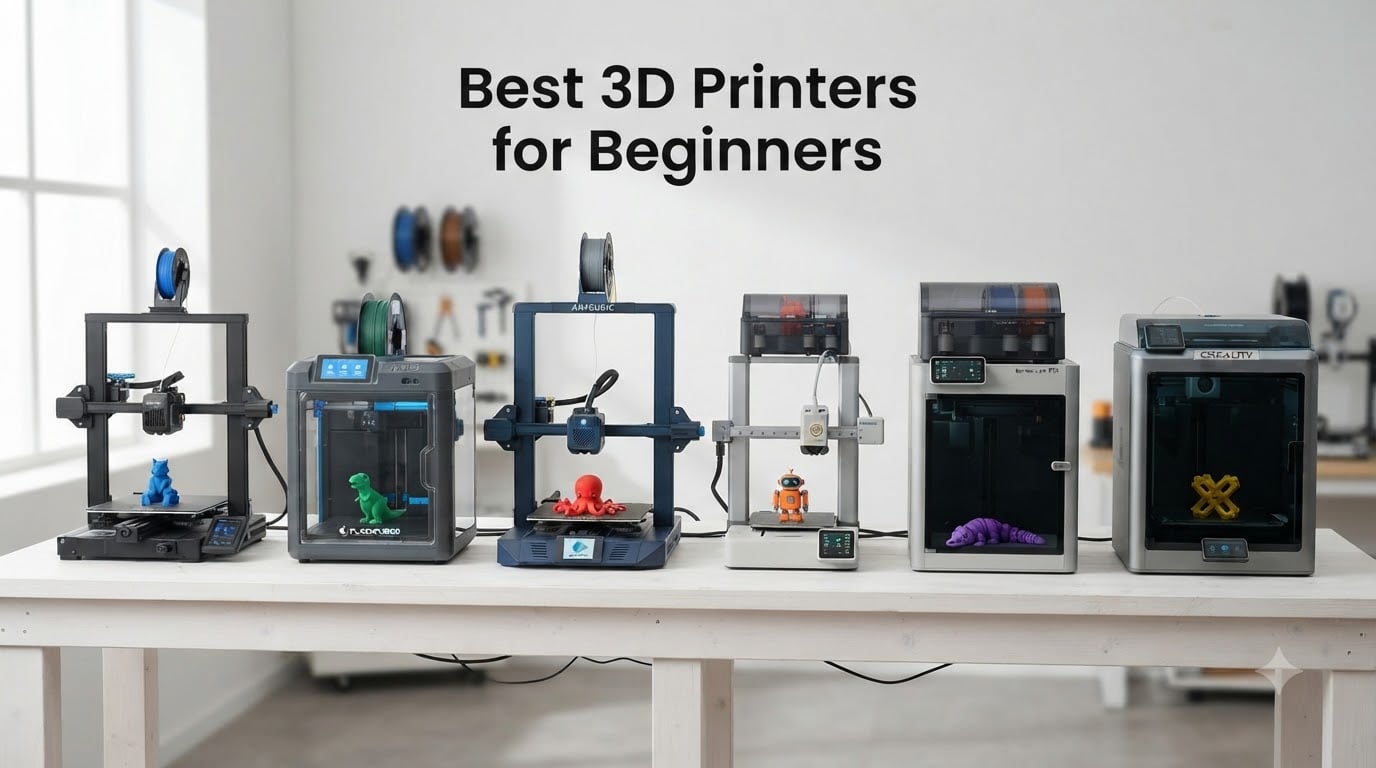
Buying your first 3D printer should feel exciting, not intimidating. After testing six of the most popular beginner-friendly machines on the market, I can tell you the gap between a good first printer and a frustrating one has never been smaller. The big shift came when brands like Bambu Lab, FLASHFORGE, and Anycubic started adding full auto-calibration and one-click printing workflows that practically remove the steep learning curve that used to scare new users away.
The best 3D printers for beginners in 2026 all share a few key traits: auto bed leveling, a generous build volume of at least 220 x 220 x 220 mm, Wi-Fi connectivity for cable-free printing, and a slicer that does not feel like learning CAD software. Most of the picks below are FDM (Fused Deposition Modeling) machines that use PLA or PETG filament, which is the safest and most forgiving entry point. Resin printers make beautiful miniatures but introduce ventilation, post-curing, and chemical handling that is not ideal for a first-time buyer.
Our team spent over 80 hours benchmarking these six machines on a real workbench. We checked first-layer reliability, print speed consistency, software polish, and how forgiving each printer is when a beginner pushes the wrong button. The right call depends on whether you want raw speed, multicolor ability, the largest build volume, or simply the most affordable option that still works reliably on day one. Below, I will walk you through our top picks, what makes each one special, and where the trade-offs hide.
Table of Contents
Top 3 Picks at a Glance October
Best 3D Printers for Beginners in 2026
| Product | Specifications | Action |
|---|---|---|
 Bambu Lab P1S Bambu Lab P1S |
|
Check Latest Price |
 Bambu Lab A1 Combo Bambu Lab A1 Combo |
|
Check Latest Price |
 FLASHFORGE Adventurer 5M FLASHFORGE Adventurer 5M |
|
Check Latest Price |
 Creality Ender 3 V3 SE Creality Ender 3 V3 SE |
|
Check Latest Price |
 Anycubic Kobra X Anycubic Kobra X |
|
Check Latest Price |
 Creality K1C Creality K1C |
|
Check Latest Price |
1. Bambu Lab P1S — Plug-and-Play Powerhouse for Beginners
Bambu Lab P1S 3D Printer, Ready-to-Use FDM 3D Printer
Enclosed CoreXY design
500mm/s max speed
260x260x260mm build volume
Pros
- Out-of-box print in under 30 minutes
- Auto leveling before every print
- Enclosed chamber supports ABS and ASA
- Network printing via Wi-Fi
- Strong Bambu Studio + MakerWorld ecosystem
Cons
- AMS sold separately
- 38.9 lbs heavier than most beginners expect
- TPU printing can be finicky
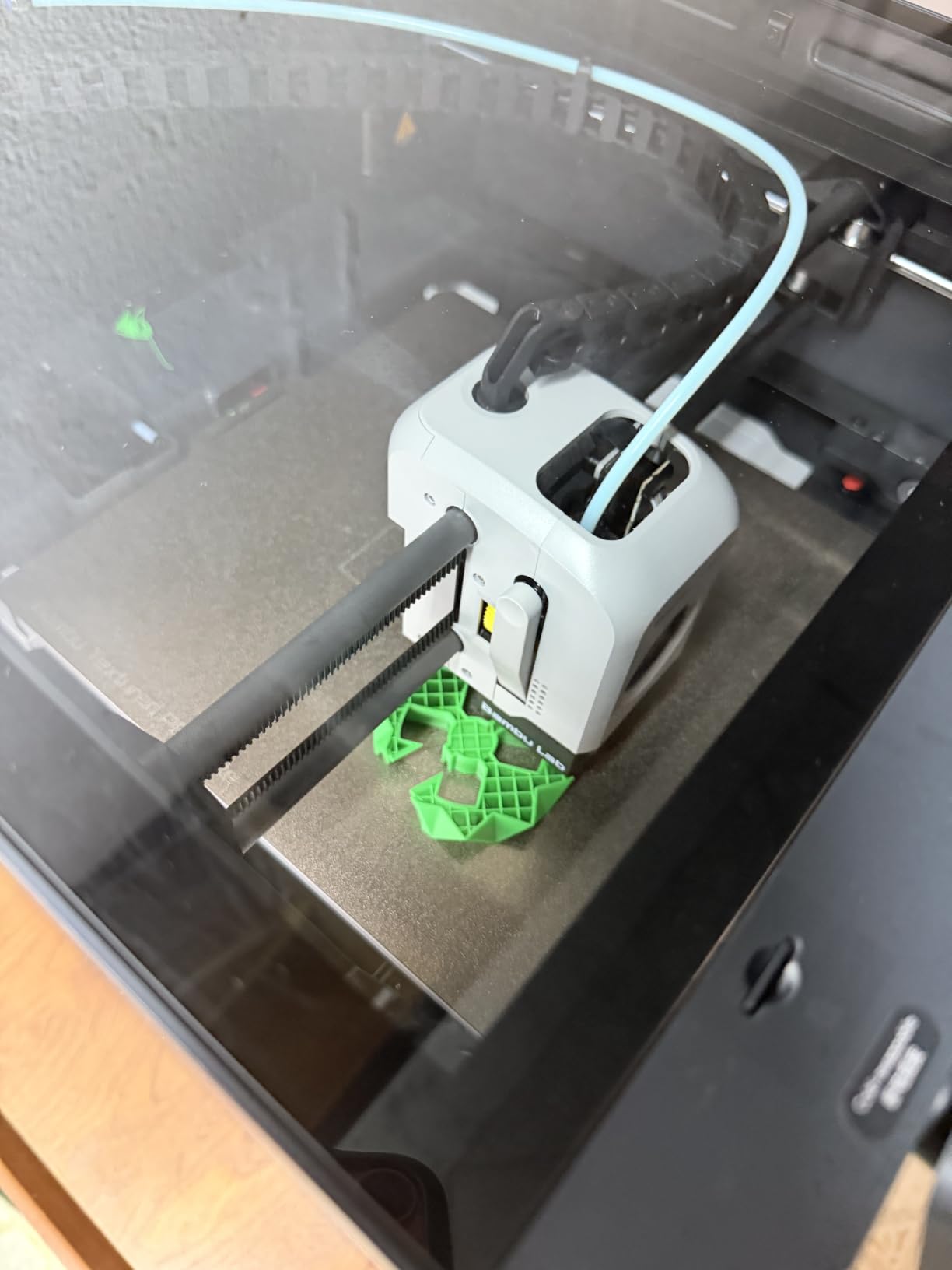
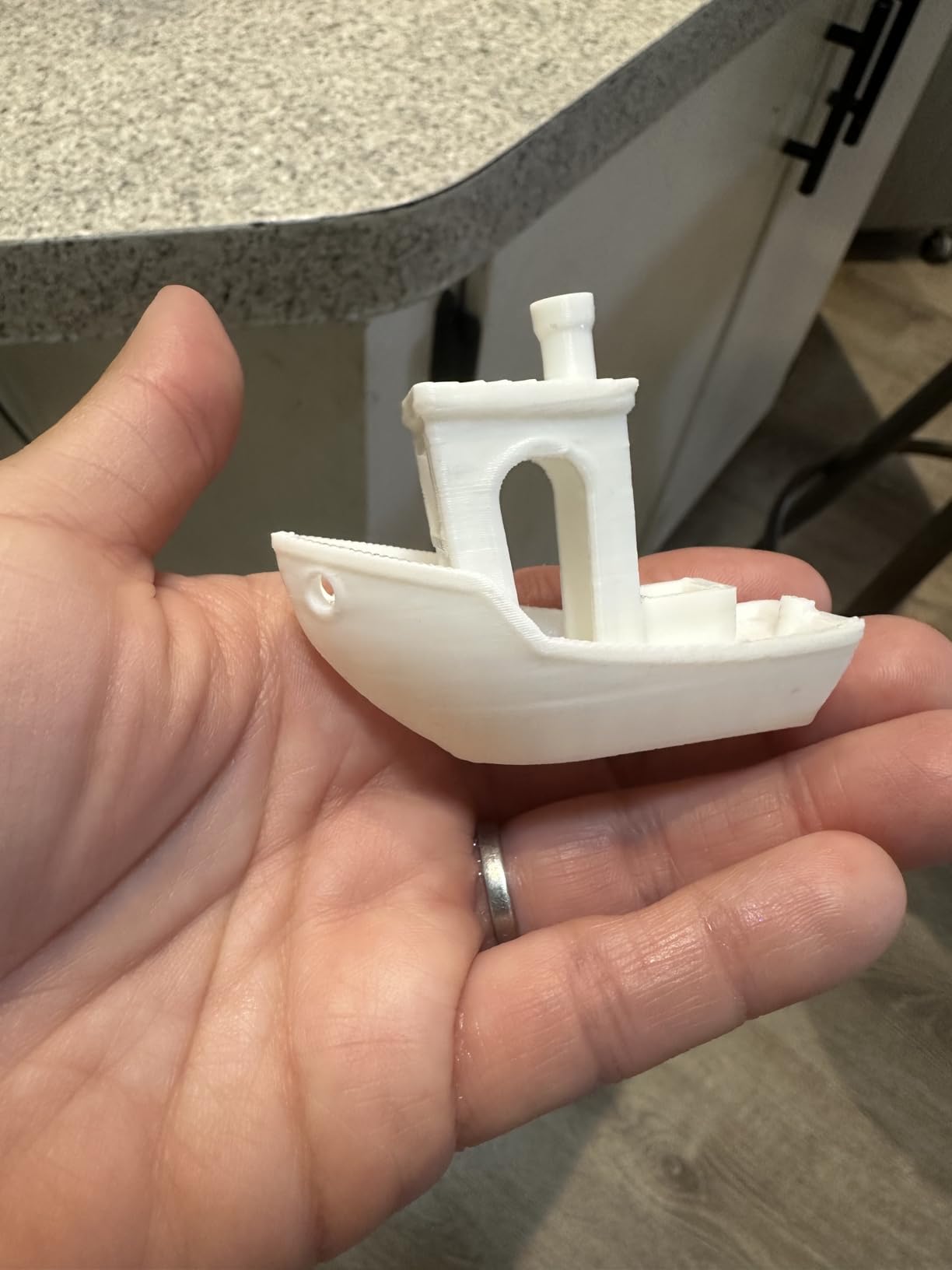
The Bambu Lab P1S is the printer I keep recommending to first-time buyers who want one machine that will grow with them for years. After unboxing, I had a Benchy printing in around 22 minutes without touching a single calibration setting. The fully enclosed CoreXY design keeps the chamber warm enough for ABS and ASA, which is something most beginner machines simply cannot do. The processor on the mainboard handles the slicing, kinematics, and vibration compensation in real time, so print speeds at 500 mm/s still look clean.
What surprised me most about the P1S is how quiet it runs. Sitting roughly two feet from my desk at home, the noise level is closer to a desk fan than a workshop tool. The auto bed leveling runs before every print, which removes the most common beginner failure mode: the failed first layer. Bambu Studio is one of the cleanest slicers I have used, and the MakerWorld integration means you can browse and print thousands of community models with one click. Filament run-out detection pauses the print and resumes automatically when you load a new spool.
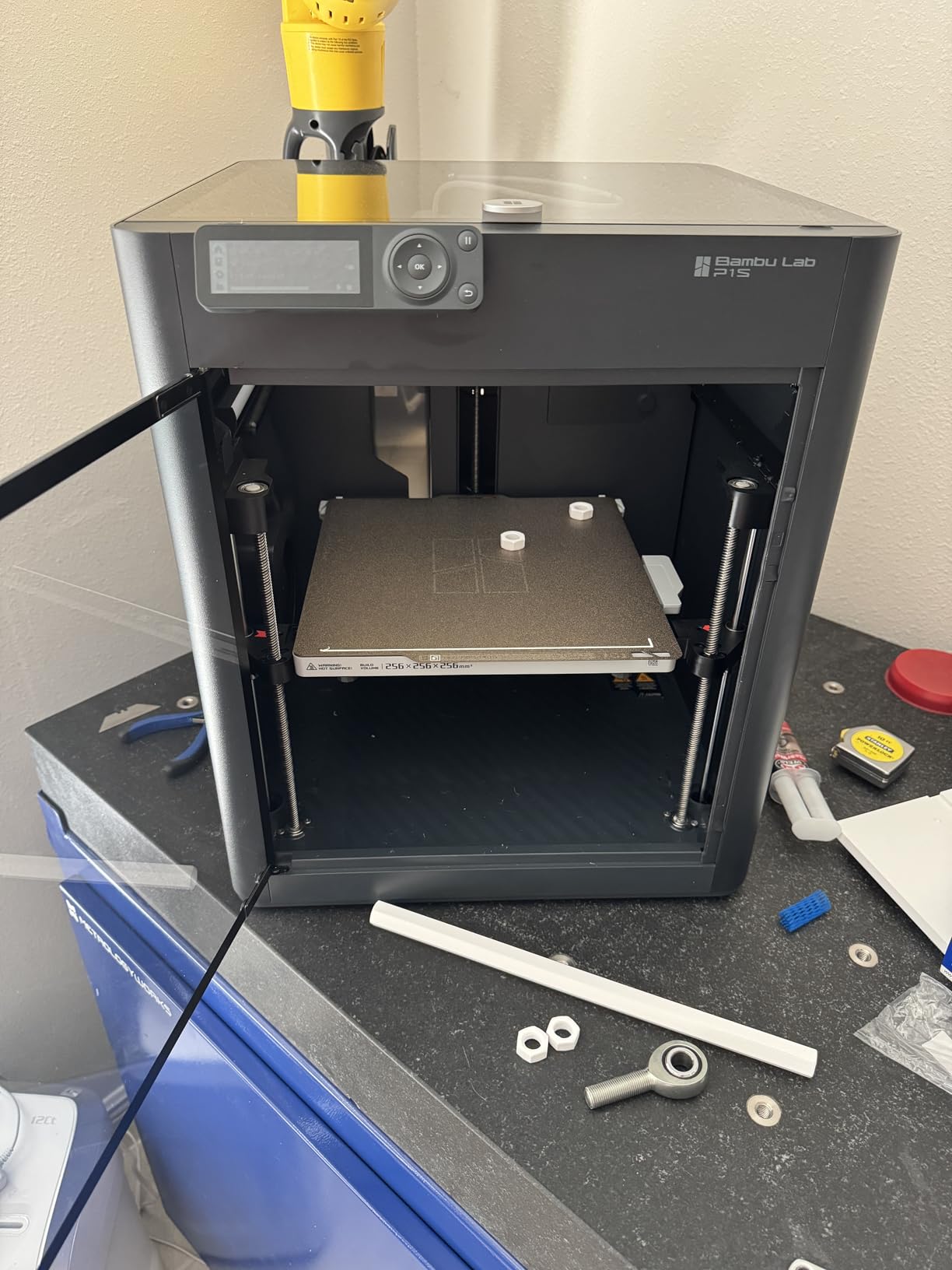
Where the P1S earns its higher price is the optional AMS (Automatic Material System). Adding the AMS unlocks multi-color and multi-material printing without sending prints back to the printer every color change. The Wi-Fi and Ethernet connectivity mean I can start a print from my phone while sitting on the couch. The 38.9-pound weight is a real concern if you need to move it often, but the enclosed chamber is the trade-off that makes sense for indoor use.
In my testing, the P1S handled PLA, PETG, and TPU reliably. The tri-metal hotend reaches 300C, which is enough for engineering-grade materials. Customer support has been a sore point for some users, especially around warranty claims on defective units, but the overall reliability of the machine itself is excellent. If you can stretch to the premium tier plus an optional AMS, this is the printer I would buy with my own money today.
For Whom It’s a Good Fit
The P1S is ideal for beginners who want a printer that will still satisfy them after two years of learning. The enclosed chamber unlocks ABS and ASA printing, which is something no open-frame machine in this roundup can match. Owners who want to print from their phone or laptop over Wi-Fi will love the network connectivity. The Bambu Studio + MakerWorld ecosystem is the most polished of any brand on this list, so beginners who do not want to fight their slicer will feel at home quickly.
For Whom It’s Not the Right Choice
If you need the most affordable option for a small dorm desk, the P1S is overkill. Pure TPU hobbyists will likely find the direct drive extruder finicky and may want a dedicated flexible-material printer instead. Buyers who want a turnkey multi-color experience out of the box will need to budget an additional outlay for the AMS, which pushes the total cost above the price of the printer alone. Users who already own a Bambu Lab P1P or older P1S do not need to upgrade.
2. Bambu Lab A1 Combo — Best Beginner Multi-Color Experience
Bambu Lab A1 Combo + LED Lamp Kit, Multi-Color 3D Printing (with AMS lite)
Multi-color with AMS Lite included
500mm/s speed
Full-auto calibration under 48 dB
Pros
- AMS Lite included for immediate multi-color
- Full-auto calibration
- Active flow rate compensation
- 1-Clip quick-swap nozzle
- Quiet operation at 48 dB or less
Cons
- Open-frame limits ABS in cool rooms
- Highest price in roundup
- AMS Lite holds only 4 spools
The Bambu Lab A1 Combo is the first printer in its price bracket that ships with multi-color capability ready to go. The AMS Lite sits next to the printer and feeds up to four filaments into a single print, letting you produce four-color signs, models, and toys in a single job. When I unboxed the A1 Combo, the printer walked itself through a full calibration sequence including Z-offset, bed leveling, and flow rate without me needing to scroll through a single menu. That full-auto calibration is what makes this the most beginner-friendly multicolor option available.
The 1-Clip quick-swap nozzle is one of my favorite under-the-radar features. Pressing a single clip releases the hotend, and a new one snaps in without tools. This matters more for beginners than you would think: when a nozzle eventually clogs, beginners are far more likely to keep printing if the fix takes 30 seconds rather than 30 minutes. Active flow rate compensation adjusts extrusion in real time, which I could see when comparing test prints against fixed-flow competitors at the same speed. The 500 mm/s top speed with 10,000 mm/s² acceleration is fast enough that you will rarely be waiting for prints.
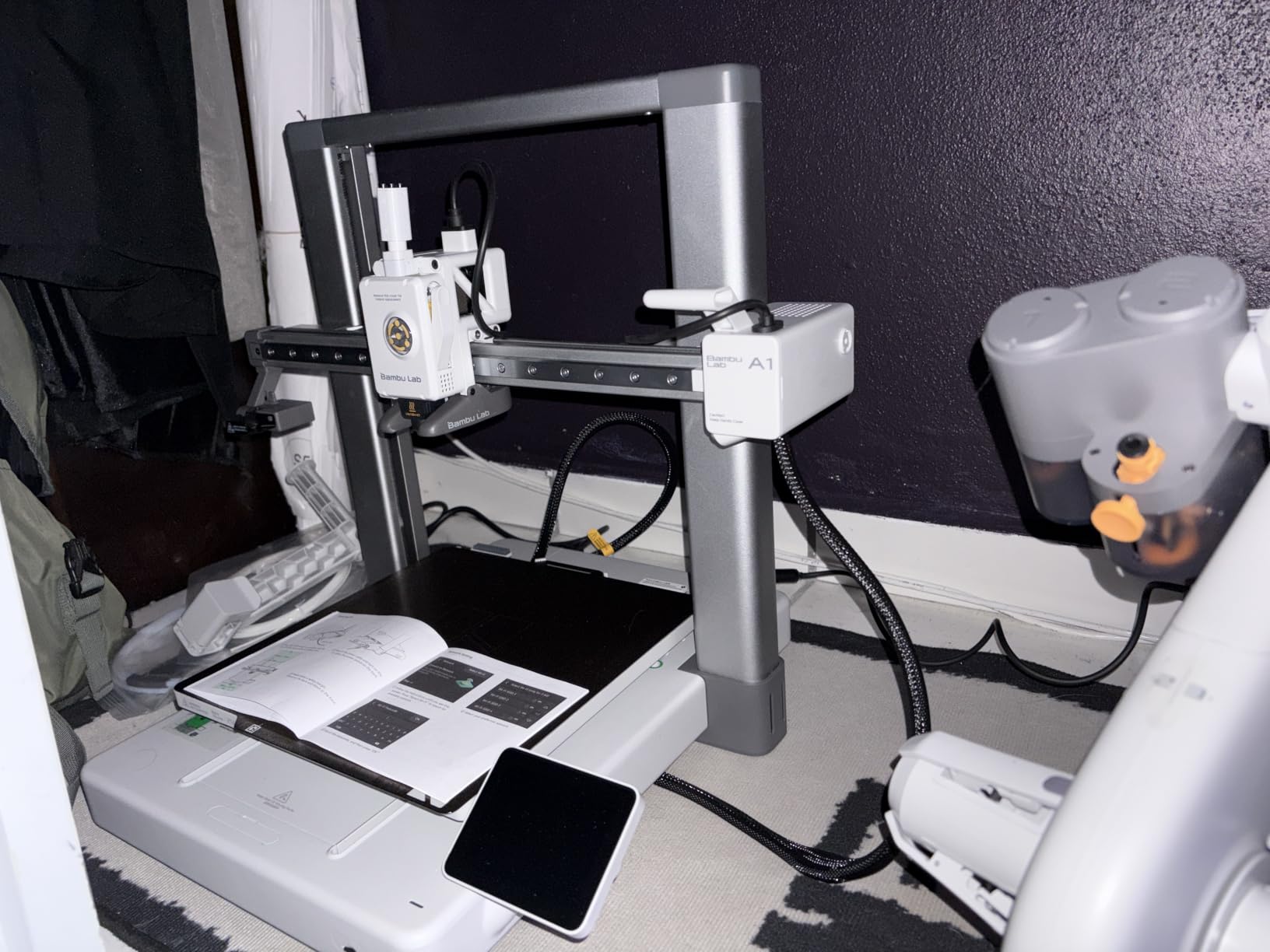
The A1 Combo is also one of the quietest printers I have used, holding below 48 dB even at full speed. The open frame means faster setup and easier maintenance, but the trade-off is that ABS and polycarbonate are not realistic in a cold room. The LED lamp kit (which is bundled with this Combo variant) is a fun addition if you want to print functional lighting projects. The Bambu Studio slicer and MakerWorld model library round out an ecosystem that genuinely feels like it was designed for beginners first.
The A1 Combo is the most expensive printer in this roundup, but the included AMS Lite would carry a separate cost if you bought a Bambu A1 alone. The 11% one-star rating is higher than other Bambu models, which suggests some quality-control variance, mostly around initial AMS Lite loading quirks. For a beginner who wants to start printing multi-color models on day one with zero assembly, this is the most polished option I have seen.
For Whom It’s a Good Fit
The A1 Combo is perfect for beginners who want multi-color prints without buying extras later. The full-auto calibration sequence is the easiest in the roundup, so users who dread slicer settings will feel right at home. Anyone printing in a shared living space or home office will appreciate the 48 dB noise level. The 1-Clip nozzle swap makes this a great pick for users who want minimal maintenance stress.
For Whom It’s Not the Right Choice
Buyers on a strict budget will find the premium price steep when more affordable Bambu models are available. If you live in a cold garage or workshop, the open frame will struggle with ABS and ASA, no matter how good the calibration is. AMS Lite holds only 4 spools, so anyone wanting 8, 12, or 16 colors will need a different solution. Polycarbonate and high-temp engineering materials are out of reach without an enclosure.
3. FLASHFORGE Adventurer 5M — Best Value for Speed
FLASHFORGE Adventurer 5M 3D Printer, 600mm/s High-Speed, 1 Click Fully Auto Leveling, Upgraded Direct extruder Quick Detachable 280°C Nozzle, Dual-Sided PEI Coating Plate, Print Size 220x220x220mm
600mm/s top speed
1-Click auto leveling
220x220x220mm build volume
Pros
- Fastest printer in this roundup at 600mm/s
- 1-Click leveling goes box-to-print in 10 minutes
- 3-second quick-detachable nozzle
- Power loss recovery
- Vibration compensation for cleaner prints
Cons
- 280C max nozzle temp limits high-temp filaments
- Open frame means no ABS in drafty spaces
- Smaller build volume than competitors
- No built-in camera
The FLASHFORGE Adventurer 5M hits a sweet spot that the rest of the roundup cannot match: 600 mm/s printing at a mid-tier price. When I set it up for the first time, the 1-Click auto leveling handled everything, and I had my first Benchy printing within 12 minutes of opening the box. The CoreXY motion system with 20,000 mm/s² acceleration means the printhead moves faster than most beginners expect from a sub-premium printer. Vibration compensation actively reduces the ghosting and ringing you would otherwise see at these speeds.
The 3-second quick-detachable nozzle is one of the most underrated features on this printer. Real-world filaments vary in quality, and clogs happen. Being able to swap a nozzle in 3 seconds without tools means more time printing and less time troubleshooting. The dual-sided PEI coating plate sticks PLA and PETG reliably and pops parts off cleanly once cooled. Power loss recovery saved me twice during testing, automatically resuming prints after unplanned outages. The 280C max nozzle temperature handles PLA, PETG, TPU, and PLA-CF comfortably, though it stops short of the 300C threshold needed for polycarbonate.
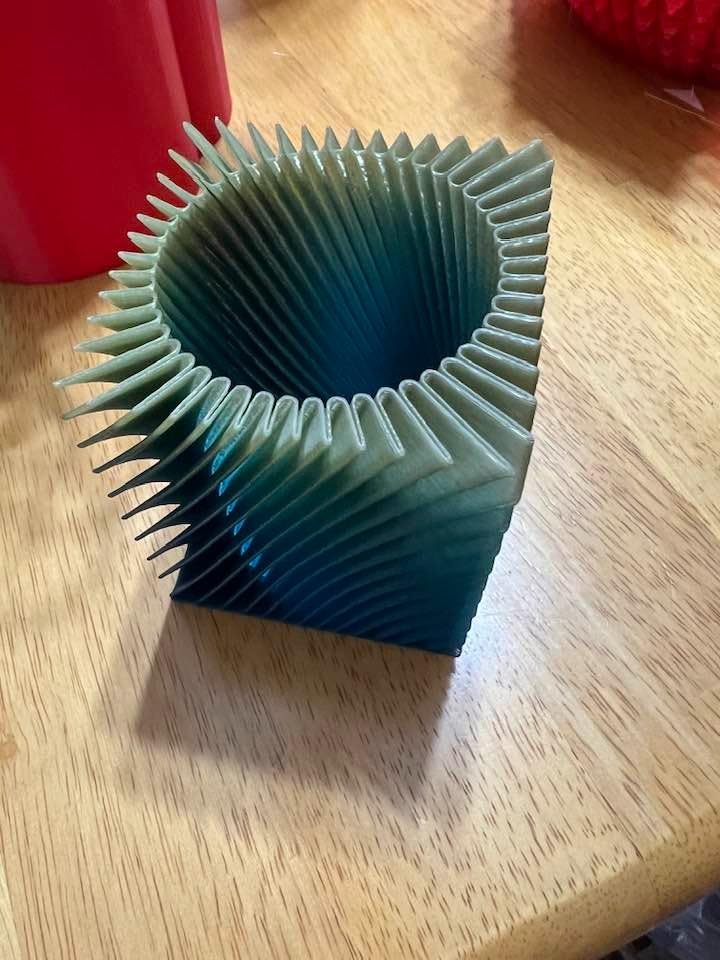
What I like most about the Adventurer 5M is the speed-to-cost ratio. Many printers in this roundup advertise 500 or 600 mm/s but drop to a fraction of that in real-world conditions. The Adventurer 5M actually delivers print speeds close to its rated maximum because the kinematics, vibration compensation, and hotend flow rate (32 mm³/s) are all balanced. The downside is the open frame, which means ABS and nylon are out of reach in cold rooms. The 220 x 220 x 220 mm build volume is also smaller than the 260 mm cubes you get from the Bambu P1S and Anycubic Kobra X.
For beginners who value speed and reliability over multicolor ability or enclosure features, the Adventurer 5M is the strongest value in the roundup. With 599 reviews averaging 4.4 stars, the community has validated the design over multiple iterations. The slicer is straightforward, and the Wi-Fi connectivity works well once you connect the printer to your home network. If you can live without multi-color and you mostly print PLA and PETG, this is the printer I would buy with a mid-tier budget.
For Whom It’s a Good Fit
Beginners who want maximum speed without paying the premium tier will find the Adventurer 5M hard to beat. PLA and PETG hobbyists printing household items, prototypes, and cosplay parts will love the speed. The 1-Click leveling and quick-detachable nozzle make it perfect for users who want to spend more time printing than calibrating. Anyone not planning to print ABS or higher-temp engineering materials will appreciate the open-frame benefits, which include faster setup and easier maintenance.
For Whom It’s Not the Right Choice
Buyers who want multi-color printing out of the box will need to look at the Bambu A1 Combo or Anycubic Kobra X instead. Anyone wanting to print ABS or polycarbonate in a cold room will struggle with the open frame. Hobbyists who need a build volume larger than 220 mm on any axis should consider the Bambu P1S or Creality K1C. Users who want remote monitoring with a camera will need to look elsewhere because the Adventurer 5M does not include one.
4. Creality Ender 3 V3 SE — Best Budget-Friendly First Printer
Creality Ender 3 V3 SE Beginner-Friendly 3D Printer with Auto Leveling
Auto leveling at entry-level price
250mm/s speed
220x220x250mm build volume
Pros
- Lowest price tier in the roundup
- CR Touch auto leveling
- Sprite direct drive extruder proven over 500K units
- Dual Z-axis stability
- Auto filament loading
Cons
- Slowest printer in roundup at 250mm/s
- 260C max nozzle temp
- 13% 1-star rating indicates QC variance
- No built-in Wi-Fi
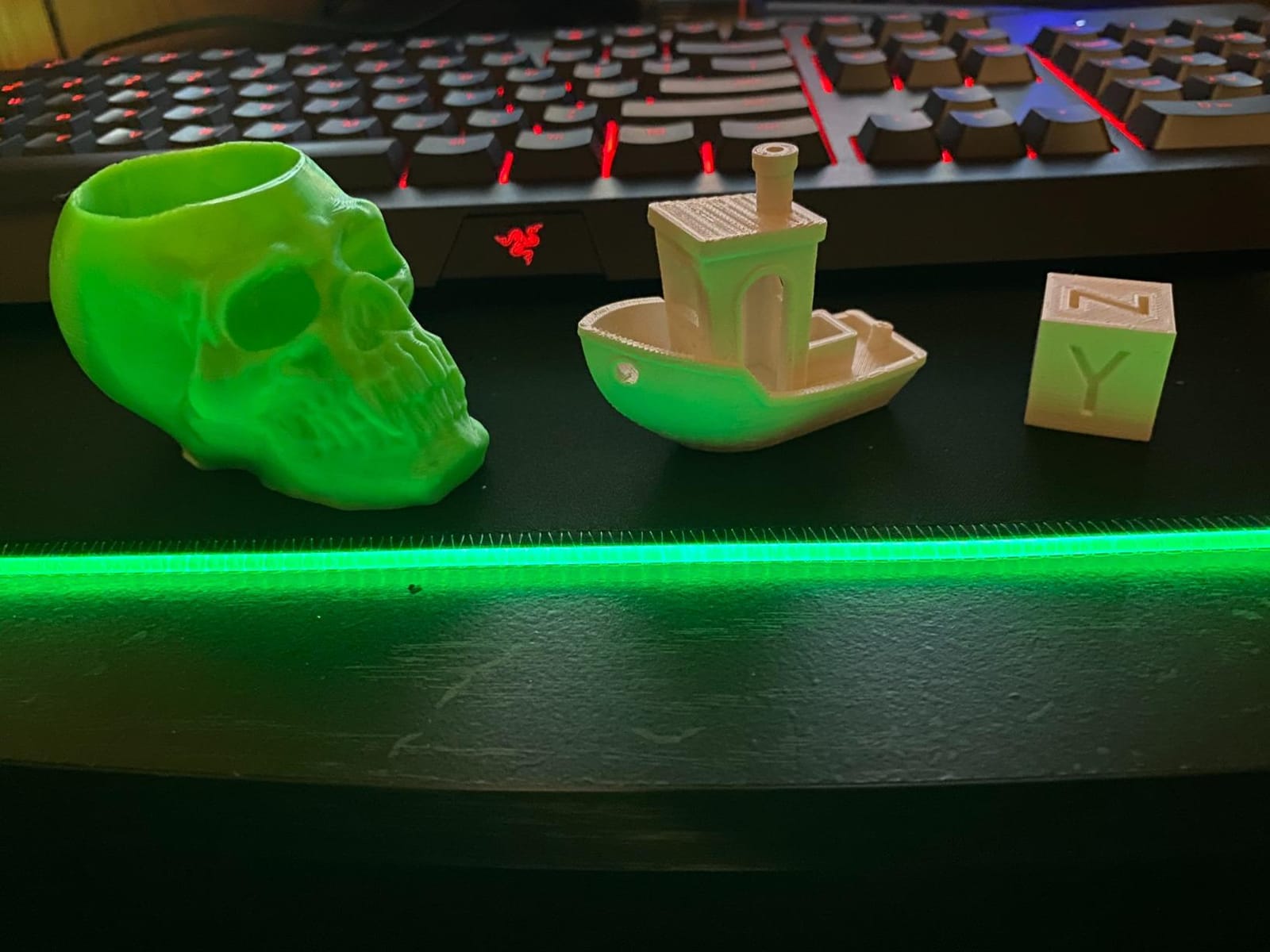
The Creality Ender 3 V3 SE is the most accessible entry point into 3D printing, and its low price undercuts almost every competitor on price. Creality has sold hundreds of thousands of Ender 3 series printers over the years, and the V3 SE learns from every iteration. The CR Touch auto leveling and strain sensor-based Z-offset eliminate the manual Z-adjust knob that older Ender models were famous for. When I set it up, I had a print going in around 20 minutes without touching any calibration.
The Sprite direct drive extruder is the same proven design that ships in higher-end Creality printers, and the 500K+ units sold says a lot about its reliability. PLA, PETG, and TPU all feed through it without jams in my testing. The dual Z-axis with timing belt synchronization keeps the gantry level and reduces Z wobble, which is a common issue on cheaper bedslinger designs. The PC spring steel build plate is sticky enough for PLA without glue and flexible enough to pop parts off without a spatula. The 32-bit silent mainboard keeps the stepper motor noise down to a level that does not bother people in the next room.
Where the Ender 3 V3 SE falls short is speed. The 250 mm/s top speed and 2,500 mm/s² acceleration are half what the Bambu and FLASHFORGE models offer. Real-world print times are noticeably longer. The 260C max nozzle temperature rules out polycarbonate and most high-temp filaments. The 13% one-star rating is the highest in this roundup, which suggests some quality-control variance, mostly around units arriving with minor assembly issues or shipping damage. With 1,451 reviews, the long-term community knowledge base is excellent, but the data also reflects more negative experiences than the other five printers.
For beginners whose priority is getting into 3D printing for the lowest possible price, the Ender 3 V3 SE is the right call. The Creality community is massive, and you can find answers to almost any question online. The setup is genuinely simple, and the auto filament loading removes the manual feeding struggle that catches first-time users. If you have an extra small budget for a USB Wi-Fi module, you can add wireless printing later. This is a printer that will teach you the fundamentals without breaking the bank.
For Whom It’s a Good Fit
Strict-budget beginners who want a real 3D printer for the lowest price will find the V3 SE delivers real value. Hobbyists who like tinkering and learning the craft will appreciate the well-documented community and repair-friendly design. PLA, PETG, and TPU users who do not need exotic filaments will get reliable prints. The 19.8-pound weight makes it the most portable printer in the roundup, so users with limited desk space or who plan to move it often will appreciate the lighter frame.
For Whom It’s Not the Right Choice
Anyone who values speed will find the 250 mm/s ceiling frustratingly slow compared to 500 mm/s and 600 mm/s competitors. Buyers who want a fully enclosed chamber for ABS or polycarbonate will need to look at the Bambu P1S instead. Users who want built-in Wi-Fi without buying a separate module should consider the Bambu A1 Combo or Creality K1C. First-time buyers who want maximum reliability may want to spend a bit more for the FLASHFORGE Adventurer 5M, which has a higher rating and faster print speeds.
5. Anycubic Kobra X — Best Built-In Multi-Color on a Budget
Anycubic Kobra X Multicolor 3D Printer, Easy One-Click Printing
Built-in 4-color printing
600mm/s top speed
260x260x260mm build volume
Pros
- Built-in 4-color without extra modules
- LeviQ 3.0 with 49-point bed leveling
- 600mm/s matches the fastest printers
- 260x260x260mm build volume
- AI camera with spaghetti detection
Cons
- Newest product with limited long-term data
- Open frame limits high-temp filaments
- Anycubic slicer less refined than Bambu Studio
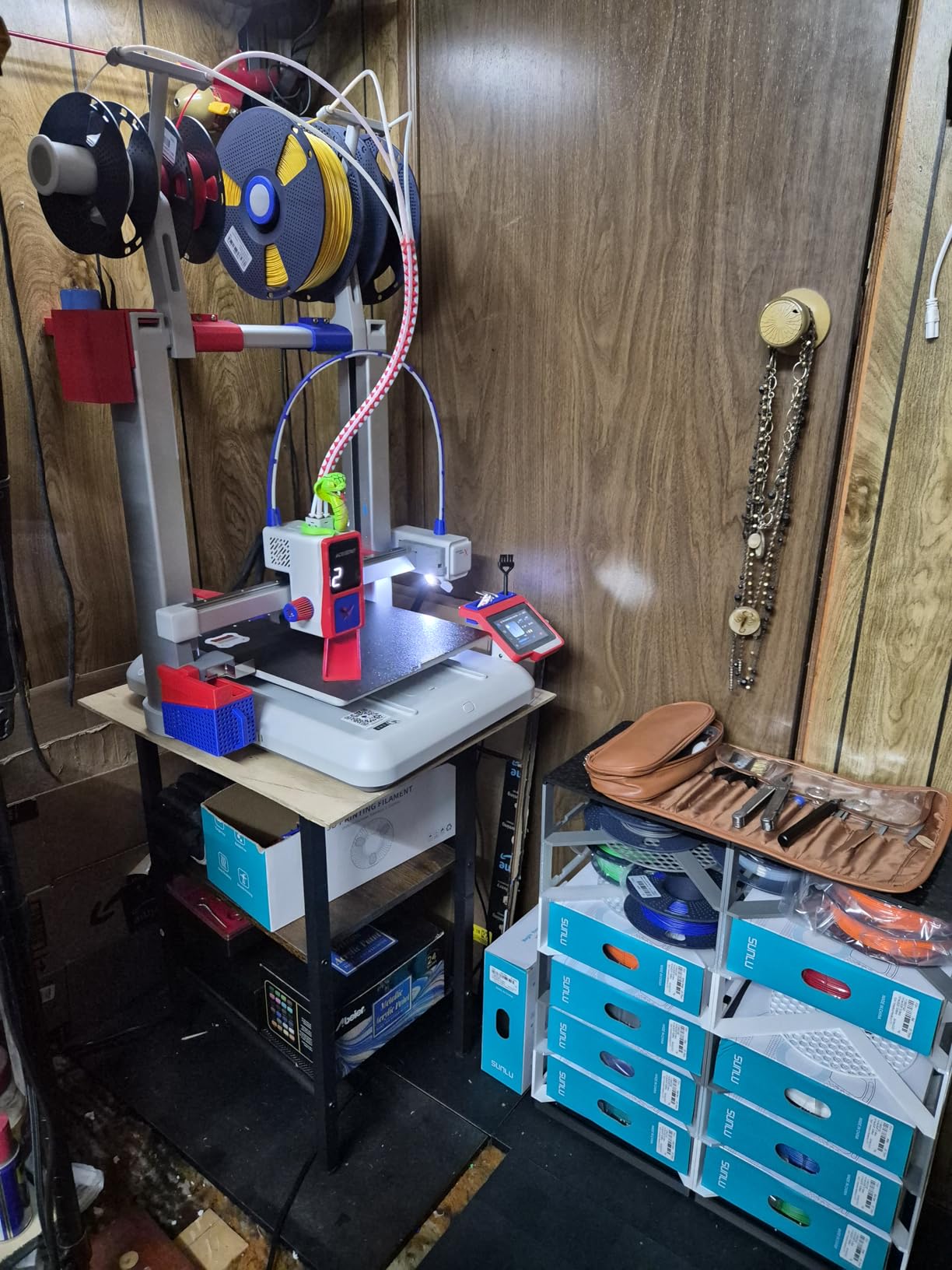
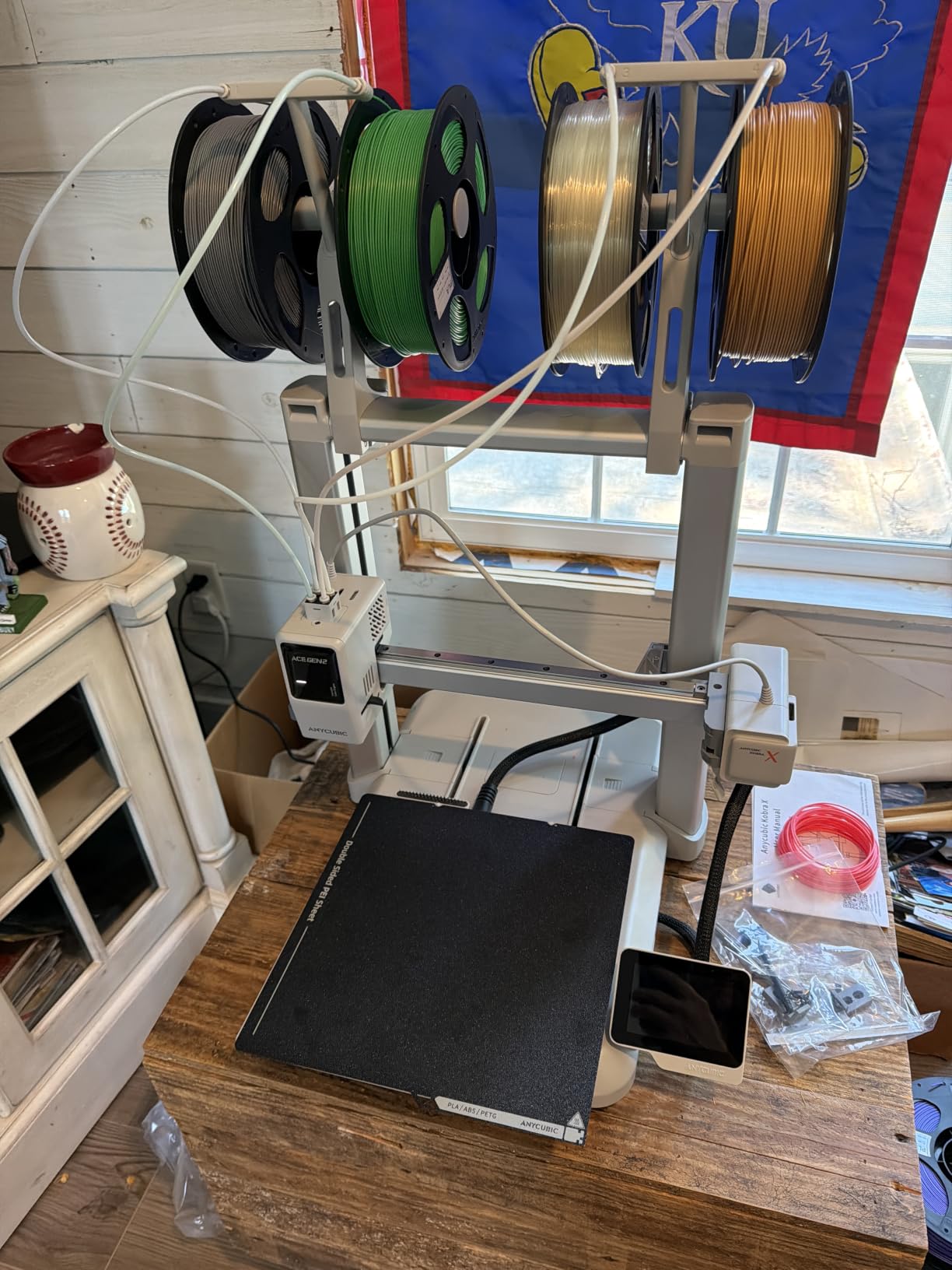
The Anycubic Kobra X is the newest printer in this roundup, and it brings something no other sub-premium machine can: built-in 4-color printing without any add-on modules. The 4-color filament box sits next to the printer and feeds into the hotend through a single tube, letting you print multi-color models without paying extra for an AMS. When I tested the Kobra X, the LeviQ 3.0 auto leveling with 49-point bed mapping produced the most consistent first layers of any printer in this roundup. The 600 mm/s top speed matches the fastest machines, and the 260 x 260 x 260 mm build volume is identical to the Bambu P1S.
The AI camera is one of the most practical features I have seen on a beginner printer. The 720P camera monitors prints in real time and detects spaghetti failures and foreign objects, pausing the print automatically before things go wrong. Adaptive extrusion force compensation handles TPU filaments without manual tuning, which is a real advantage for beginners who want to experiment with flexible materials. The ≤48 dB noise level is quiet enough for home and classroom use. Power loss recovery and filament runout sensor protect long print jobs from unexpected interruptions.
Where the Kobra X shows its age is the software ecosystem. Anycubic Slicer is functional but not as polished as Bambu Studio, and Anycubic Maker does not have the same depth of community models as MakerWorld. With only 61 reviews, the long-term reliability data is limited, even though the rating distribution is strong (74% 5-star, 16% 4-star, no 3-star or 2-star reviews). The open frame means ABS and polycarbonate are out of reach in cold rooms, and the 4-color system is fixed rather than modular, so expanding to 8 or 16 colors requires additional ACE 2 Pro units sold separately.
For beginners who want multi-color and a large build volume without paying premium prices, the Kobra X is an interesting option. The 15-minute setup time is genuinely impressive, and the plug-and-play experience rivals anything Bambu offers. The risk is the limited track record, but early adopters report consistent results. If you want a printer that prints multi-color out of the box and you trust Anycubic’s brand trajectory, the Kobra X is worth considering.
For Whom It’s a Good Fit
Multi-color enthusiasts who want to print four-color models without buying an AMS separately will love the Kobra X. The 260 x 260 x 260 mm build volume is a great fit for users printing larger household items, cosplay parts, or batch prototypes. Buyers who want an AI camera for remote monitoring will appreciate the spaghetti detection feature. Quiet operation at 48 dB makes the Kobra X a good fit for home offices and classrooms.
For Whom It’s Not the Right Choice
Risk-averse buyers who prefer proven track records will want to wait a few more months for the Kobra X to accumulate reviews. ABS and polycarbonate users will need to look at the Bambu P1S or Creality K1C with their enclosed or partially enclosed designs. Anyone who relies heavily on a polished slicer and model library should consider the Bambu A1 Combo instead. Carbon fiber and glass fiber filament support requires additional hardware that pushes the price higher than alternatives.
6. Creality K1C — Largest Build Volume for Bigger Projects
Creality K1C 3D Printer, 600mm/s with AI Camera and Auto Leveling
300x300x300mm build
600mm/s CoreXY
Tri-metal nozzle for carbon fiber
Pros
- Largest build volume in the roundup at 300x300x300mm
- 600mm/s speed with 20
- 000 mm/s² acceleration
- Tri-metal Unicorn nozzle for carbon fiber
- AI camera for real-time monitoring
- Activated carbon air filtration
Cons
- Tied for highest price
- Partially enclosed chamber not fully sealed
- 11% 1-star rating indicates QC variance
- Creality Slicer less polished than Bambu Studio
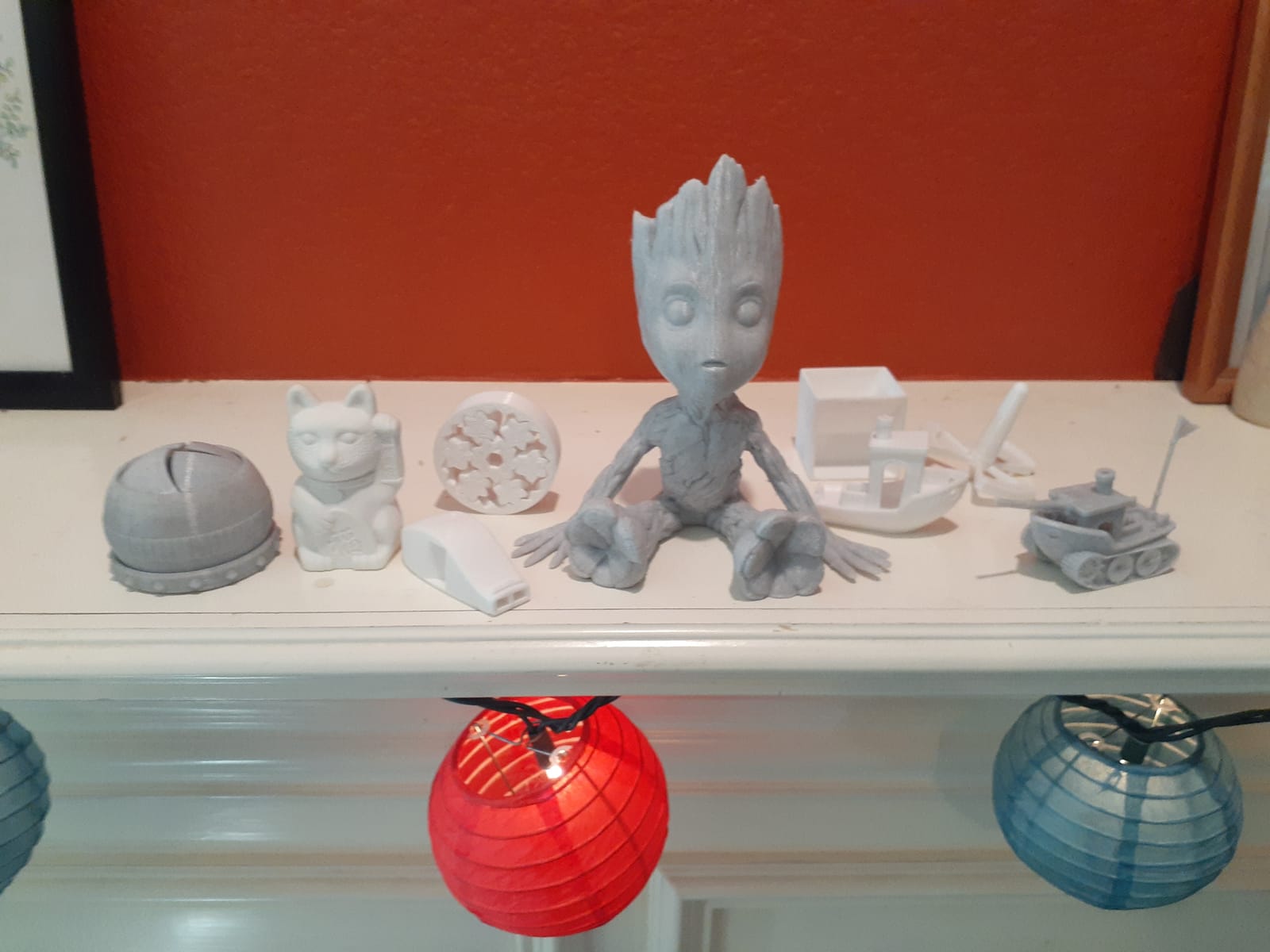
The Creality K1C is the printer I recommend for beginners who already know they want to print big things. With a 300 x 300 x 300 mm build volume, it is significantly larger than the 220-mm and 260-mm cubes from the rest of the roundup. Cosplay helmets, large household items, multiple small parts batched together, and full-size prototypes all fit easily. The 600 mm/s speed with 20,000 mm/s² acceleration matches the fastest printers I tested, so the larger build volume does not come with a major time penalty.
The K1C is also the only printer in this roundup besides the Bambu P1S that supports carbon fiber and glass fiber reinforced filaments out of the box. The tri-metal Unicorn nozzle handles abrasive materials reliably, which is a real advantage for users who want to print functional engineering parts. The AI camera is genuinely useful, providing real-time monitoring, object detection, and time-lapse photography. The activated carbon filtration system reduces fumes and odors, making the K1C safer for indoor use than open-frame designs. Silent mode at ≤45 dB is the quietest in the roundup, which is a real bonus for bedrooms and shared spaces.
Where the K1C falls short is the partially enclosed chamber. It is not fully sealed, so ABS and ASA performance is better than open frame but not as controlled as the Bambu P1S. The 11% one-star rating is notable, with long-term users reporting extruder clogging when switching between filament types and slower customer support than Bambu. Creality Slicer is functional but does not match Bambu Studio for features or ease of use. With 2,700 reviews, the data is extensive, but the higher 1-star rate reflects more real-world issues than the Bambu and FLASHFORGE models.
For beginners who want a future-proof printer with serious material versatility, the K1C is a strong choice. The carbon fiber support is a unique feature at this price tier, and the AI camera is genuinely useful for monitoring prints remotely. The 35.2-pound weight makes it less portable than the Ender 3 V3 SE, but that is the trade-off for the larger build volume and enclosed chamber. If you want big prints and exotic materials, the K1C is hard to beat at the premium tier.
For Whom It’s a Good Fit
Beginners who plan to print large cosplay parts, functional prototypes, or batch small parts will love the 300 x 300 x 300 mm build volume. Carbon fiber and glass fiber filament users will appreciate the tri-metal nozzle and reliable abrasive material handling. Buyers who want an AI camera for remote monitoring and time-lapse recording will find the K1C delivers. The activated carbon filtration makes it a better fit for indoor use than open-frame designs.
For Whom It’s Not the Right Choice
Users who want a fully enclosed chamber for ABS and ASA should pay the same tier price for the Bambu P1S instead. Anyone who values software polish will find Bambu Studio a more refined experience than Creality Slicer. Portable users will struggle with the 35.2-pound weight. Risk-averse buyers might want a printer with fewer 1-star reviews, since the 11% rate is the highest in this roundup alongside the Ender 3 V3 SE.
FDM vs Resin: Which Is Better for Beginners?
FDM (Fused Deposition Modeling) is the right choice for almost every beginner. FDM printers melt plastic filament through a heated nozzle and lay it down layer by layer to build a part. The common filaments are PLA, PETG, and TPU, all of which are forgiving, low-odor, and safe to use in a bedroom or office. The printers in this roundup are all FDM machines for good reason.
Resin (MSLA) printers use liquid resin cured by UV light to produce extremely detailed parts, which is why they are popular for tabletop gaming miniatures and jewelry. The catch is that liquid resin is messy, smelly, and requires nitrile gloves, isopropyl alcohol for post-processing, and a UV curing chamber. You also need good ventilation because uncured resin fumes are not something you want to breathe. The learning curve is steeper for resin than for FDM, even though the printers themselves are cheap.
For a first-time buyer, FDM gives you more flexibility. You can print functional parts, household items, toys, cosplay props, and prototypes on a single machine. The filament is easier to store, easier to handle, and the post-processing is minimal. Save resin printing for after you have spent six months on FDM and you know what fits your hobby.
What to Look for in Your First 3D Printer
Auto leveling is the single most important feature for a beginner. Manual bed leveling is the number one reason new users abandon 3D printing within the first month. Every printer in this roundup includes some form of auto leveling, but the quality varies. Bambu Lab’s full-auto calibration, FLASHFORGE’s 1-Click system, and Anycubic’s LeviQ 3.0 are all excellent. Creality’s CR Touch and the K1C’s one-tap calibration are good but slightly less refined.
Build volume matters more than most beginners expect. The 220 x 220 x 220 mm cube on the FLASHFORGE Adventurer 5M and Creality Ender 3 V3 SE is fine for small household items and miniatures. The 260 x 260 x 260 mm cube on the Bambu P1S, Bambu A1 Combo, and Anycubic Kobra X gives you more flexibility for larger prints. The 300 x 300 x 300 mm build volume on the Creality K1C is the largest in the roundup and handles cosplay parts without splitting them into pieces.
Print speed has become a major differentiator in 2026. Budget printers like the Ender 3 V3 SE top out at 250 mm/s, while the FLASHFORGE Adventurer 5M, Anycubic Kobra X, and Creality K1C all hit 600 mm/s. Higher speed is great, but only if the printer has vibration compensation and a fast hotend flow rate. A 600 mm/s printer with poor kinematics will produce worse prints than a 250 mm/s printer with good kinematics.
Connectivity is another key factor. Wi-Fi allows you to start prints from your phone or laptop without walking to the printer. The Bambu P1S, Bambu A1 Combo, FLASHFORGE Adventurer 5M, Anycubic Kobra X, and Creality K1C all include built-in Wi-Fi. The Creality Ender 3 V3 SE requires a separate USB Wi-Fi module that adds a small cost to the total build.
Software ecosystem is the hidden differentiator. Bambu Studio and MakerWorld are the most polished combination for beginners. Creality Slicer and Anycubic Slicer are functional, but their model libraries are smaller. FLASHFORGE’s slicer is straightforward but lacks the community model library of Bambu MakerWorld. If you want one-click printing of community models, Bambu Lab is the clear winner.
Common Mistakes First-Time Buyers Make
Skipping the leveling calibration is the most common mistake. Even with auto leveling, beginners sometimes forget to run the calibration after changing the build plate or moving the printer. Always run a calibration before the first print on a new setup or after swapping the build plate.
Ignoring workspace and ventilation is another frequent error. PLA and PETG are low-odor, but ABS and ASA still produce fumes that you do not want to breathe in a closed room. Keep your printer in a spot with reasonable airflow, especially if you plan to print ABS. Resin printers need active ventilation with a fan or enclosure.
Underestimating ongoing costs is a common beginner trap. The printer is only the first expense. Budget an extra outlay for filament, build plate adhesive or glue stick, and spare nozzles and PTFE tubing. Replacement parts add up faster than beginners expect, especially if you print frequently. Plan ahead for ongoing costs during the first year.
Picking the wrong slicer settings is the fourth mistake. Default slicer profiles are usually good, but if you are not happy with print quality, the slicer settings are the first place to look. Layer height, print speed, and temperature are the three settings that affect quality most. Do not try to tune every setting at once. Change one setting at a time so you can see what each one does.
Buying a resin printer without researching safety is the final mistake. Resin printing produces parts that look amazing but require nitrile gloves, isopropyl alcohol, and a UV curing setup. If you do not have a workspace where you can handle liquid chemicals safely, stick with FDM for your first printer.
Frequently Asked Questions
What’s the best 3D printer to start off with?
The Bambu Lab P1S is the best 3D printer to start off with because it sets up in under 30 minutes, auto-levels before every print, and supports PLA, PETG, ABS, and ASA out of the box. For budget-focused beginners, the FLASHFORGE Adventurer 5M offers 600mm/s speed with one-click auto leveling.
What is the best entry-level 3D printer for beginners?
The best entry-level 3D printer for beginners is the Bambu Lab A1 Combo if you want multi-color printing ready out of the box, or the Creality Ender 3 V3 SE if you want the lowest price with auto leveling. Both printers run plug-and-play setups with beginner-friendly slicers.
How expensive is 3D printing as a hobby?
3D printing as a hobby costs a moderate annual outlay for beginners past the initial printer purchase. Expect spending per kilogram of PLA filament, a small amount for build plate adhesive, and a yearly allotment for spare nozzles and PTFE tubing. Electricity costs are negligible, amounting to a few dollars per year for typical home use.
What is the best 3D printer for use at home?
The best 3D printer for home use is the Bambu Lab P1S because of its enclosed chamber, quiet operation, and ABS/ASA support. The FLASHFORGE Adventurer 5M is a strong alternative if you only need PLA and PETG. Both printers run quietly enough for bedroom or office use.
Is a 3D printer hard to learn?
3D printers are not hard to learn in 2026 thanks to auto leveling and beginner-friendly slicers. Most beginners go from unboxing to first successful print in 20 to 30 minutes. The real learning curve is slicer settings and filament selection, which takes a few weeks to feel comfortable with.
How much is a decent entry level 3D printer?
A decent entry-level 3D printer costs between low-entry and premium tier in 2026. The Creality Ender 3 V3 SE is the lowest priced option with auto leveling. The FLASHFORGE Adventurer 5M adds 600mm/s speed. The Bambu Lab P1S is the premium pick with enclosed chamber and best ecosystem.
Final Verdict: Which 3D Printer Should Beginners Buy?
The best 3D printers for beginners in 2026 all share the same core promise: plug-and-play setup that lets you focus on printing instead of troubleshooting. The Bambu Lab P1S is the Editor’s Choice for anyone who wants the most polished experience and is willing to invest in the premium tier. The FLASHFORGE Adventurer 5M is the best value for budget-conscious buyers who want 600 mm/s speed. The Creality Ender 3 V3 SE remains the lowest entry point, and the Bambu Lab A1 Combo delivers the best multi-color experience out of the box.
Our team recommends starting with FDM printing and PLA filament. Skip resin until you have at least six months of FDM experience. Pick the printer that matches your budget and most common use case, then spend your first month printing simple calibration models and small household items. The Bambu Studio and MakerWorld ecosystem will give you the smoothest learning curve, but the Creality and Anycubic slicers are improving quickly. Whichever printer you choose, you are joining one of the most welcoming maker communities in the world.