
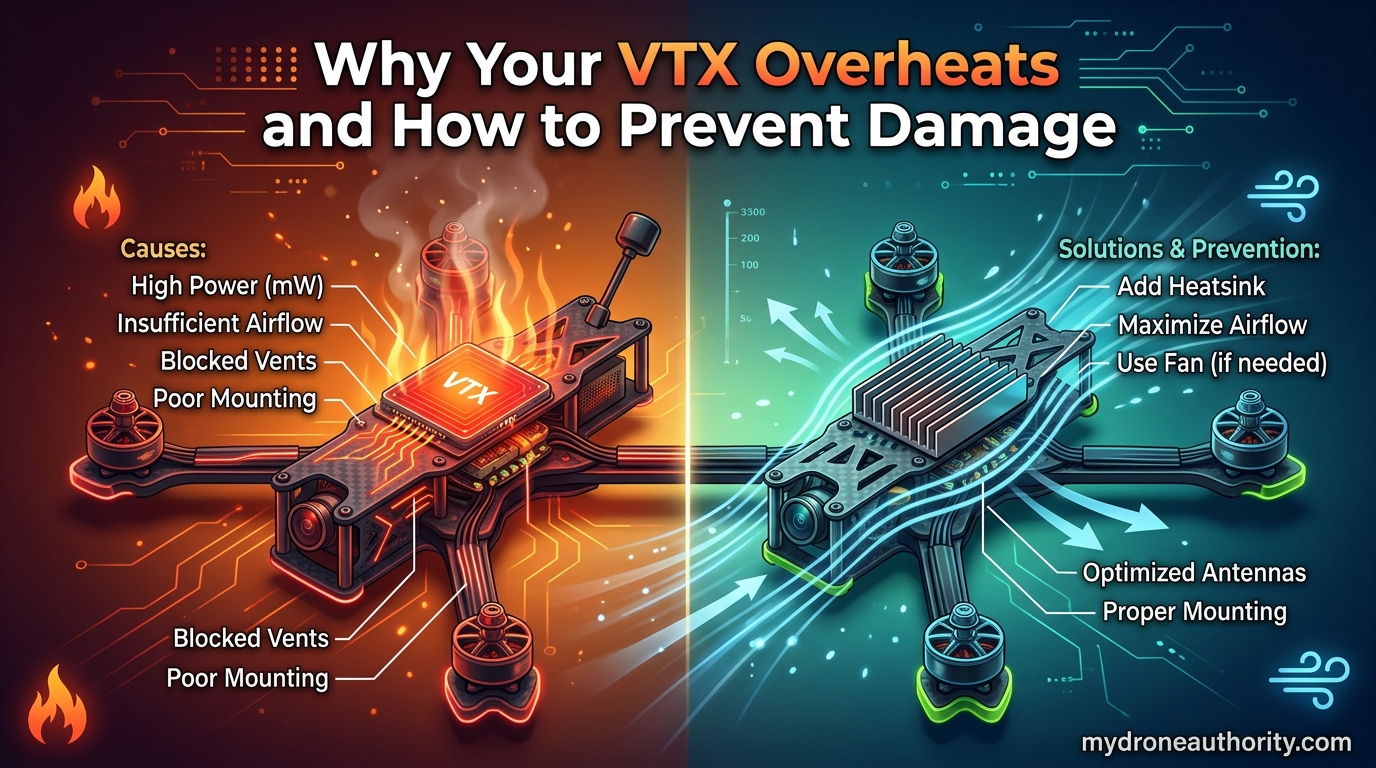
VTX overheating happens when a video transmitter’s power output (typically above 200mW) generates more heat than its heatsink and surrounding airflow can carry away, pushing internal temperatures past the 75 to 85 degree Celsius thermal shutdown threshold. Most pilots discover this the hard way: video cuts out after 60 to 90 seconds on the bench, or the feed goes black mid-flight on a hot day. The good news is that nearly every overheating cause is preventable once you understand why the heat builds up and how to manage it.
In this guide, I will walk through exactly why your VTX overheats, the warning signs to watch for, and the hardware and software fixes that keep your video transmitter running cool. Whether you fly a tiny whoop indoors or push 800mW on a long-range rig, these strategies will help you avoid the cumulative, permanent damage that repeated overheating causes to your RF amplifier.
Table of Contents
Why Your VTX Overheats: The Root Causes
Understanding VTX overheating starts with a simple physics reality: video transmitters are terribly inefficient at converting DC power into RF signal. A typical 5.8GHz VTX running at 400mW output might draw 2 to 3 watts of electrical power from your battery. Only about 10 to 20 percent of that becomes useful video signal. The remaining 80 to 90 percent turns directly into waste heat inside the power amplifier chip and the voltage regulator feeding it.
That heat has to go somewhere. If your VTX is bolted to a carbon frame inside a tight canopy with no airflow, the heat has nowhere to escape. Temperatures climb fast.
Power Output Drives Heat Generation
The relationship between power output and heat is not linear, it is roughly proportional and sometimes worse. Doubling your VTX output from 200mW to 400mW more than doubles the heat your transmitter has to shed because amplifier efficiency drops at higher power levels. Push 800mW on a small whoop board and you are asking a chip the size of a fingernail to dissipate serious energy.
I have tested VTX units on the bench where 25mW barely gets warm but 800mW hits thermal shutdown in under two minutes with zero airflow. The power level you choose matters more than almost any other single factor.
Lack of Airflow Is the Bench Killer
The number one cause of VTX overheating is not a defective unit. It is a transmitter sitting on a workbench, in a disarmed quad, or inside a tight frame with no prop wash moving over it. Airflow is what carries heat away from the heatsink fins. Without it, the heatsink becomes a heat reservoir instead of a cooling solution.
Forum posts on r/fpv and r/TinyWhoop are full of pilots convinced their VTX is defective because it shuts down after a minute on the bench. Almost every time, the same unit works perfectly in flight. Prop wash is doing the cooling work the bench cannot.
Antenna Problems and SWR
This is the cause most pilots never consider. When your antenna is damaged, mismatched, or missing entirely, the RF energy your VTX produces cannot radiate into the air. Instead, that energy reflects back into the transmitter as heat. This is measured as SWR, or Standing Wave Ratio.
A healthy antenna system has an SWR close to 1:1. A damaged antenna or wrong connector type (mixing SMA with RP-SMA is a classic mistake) can push SWR to 3:1 or higher. At that point, a significant percentage of your output power reflects back as heat. Running a VTX without an antenna connected, even for a few seconds, can dump enough reflected power to permanently damage the RF amplifier.
Voltage Regulator Heat
Many VTX units use linear voltage regulators to step down battery voltage to the 3.3V or 5V the transmitter chip needs. Linear regulators burn off excess voltage as heat. If you feed a linear-regulated VTX 5V from a dedicated pad, it runs cool. Feed it raw 4S or 6S battery voltage through a linear regulator and that regulator becomes a second heat source cooking your stack.
Oscar Liang documented this years ago with the TS5828: running higher input voltage through a linear regulator dramatically increased case temperature. The fix is either running the VTX from a regulated 5V pad or switching to a VTX with a switching (buck) regulator that handles high input voltage efficiently.
Signs Your VTX Is Overheating
Catching VTX overheating early saves you from permanent damage. The symptoms follow a predictable pattern that every FPV pilot should recognize before it costs them a transmitter.
Video Dropout and Static Patterns
The first warning sign is usually video breakup or a rolling static pattern that appears after one to three minutes of running. Your picture is clean on takeoff, then gradually degrades into noise before cutting to black. If you power cycle and the video returns immediately but fails again in the same timeframe, you are watching thermal shutdown in action.
This differs from range-related breakup because it happens regardless of distance. A VTX entering thermal protection will drop video even when the quad is sitting ten feet away from your goggles.
Temperature Thresholds to Know
Most FPV video transmitters start reducing output power around 75 degrees Celsius to protect themselves. Full thermal shutdown typically triggers at 85 to 90 degrees Celsius. At those temperatures, the VTX case is too hot to comfortably touch for more than a second or two.
If you can hold your finger on the VTX heatsink without discomfort, you are likely under 60 degrees Celsius and safe. If it burns your skin on contact, you are above 75 degrees and entering the danger zone.
Physical Warning Signs
Beyond temperature, watch for a VTX that smells like hot electronics, has discolored solder joints around the RF section, or shows a drop in range compared to when it was new. That last symptom, declining effective range over time, often indicates cumulative heat damage has already degraded the RF amplifier’s output. An 800mW VTX that has been repeatedly overheated might only produce 400mW of actual output a few months later.
The Real Dangers of VTX Overheating
VTX overheating is not just annoying. It causes two categories of damage that every pilot needs to understand before they treat thermal shutdown as a harmless safety feature.
Cumulative Permanent Damage
Here is the part most guides skip: every time your VTX hits thermal shutdown, it sustains microscopic damage to the RF amplifier’s semiconductor junctions. The damage is permanent and it adds up. A transmitter that tolerated 800mW cleanly when new might struggle at 400mW after a season of repeated overheating episodes.
I have seen workshop cases where pilots returned three VTX units in a month, convinced they were defective. Bench testing showed all three working, but at reduced output. They were not broken from the factory, they had been slowly cooked by repeated overheating until their useful output dropped below what the pilot expected.
Thermal Shutdown During Flight
When thermal protection triggers in flight, you lose video. If you fly line of sight, you might recover. If you fly purely through goggles, a video blackout means you are now flying blind. At best, you land safely on instinct. At worst, you crash, and a crashed quad with an already overheating VTX sits on the ground cooking itself further while you walk over to retrieve it.
This is why crash recovery protocol matters. More on that in the common mistakes section.
Digital VTX Systems Face Unique Risks
Digital systems like Walksnail Avatar and HDZero pack significantly more processing hardware into the VTX unit than analog transmitters. The encoder chip, image sensor processing, and RF amplifier all generate heat in a package often smaller than its analog counterpart. Confined whoop and toothpick builds with digital VTX units are especially prone to overheating because there is simply less air volume inside the canopy to absorb the heat.
Forum users report that Walksnail Avatar modules in particular can hit thermal shutdown inside tight canopies within minutes if airflow is restricted. The fix is the same as analog: airflow, heatsinks, and power management. But the margin for error is smaller.
Hardware Solutions to Prevent VTX Overheating
Hardware fixes are the most reliable way to keep your VTX cool because they address the physics of heat transfer directly. Here is what actually works.
Heatsinks and Thermal Paste
If your VTX came without a heatsink, add one. A small aluminum heatsink bonded to the RF amplifier IC with a thin layer of thermal paste can drop operating temperature by 15 to 25 degrees Celsius. The key is proper contact: thermal paste fills microscopic air gaps between the chip and the heatsink so heat transfers efficiently.
Use the thinnest paste layer that covers the contact area. Too much paste acts as an insulator instead of a conductor. Some pilots add a small dab to the underside of the VTX board where the ground plane meets the frame, creating a second thermal path into the carbon.
Airflow and Mounting Position
Mount your VTX where prop wash can reach it. On a typical 5-inch quad, that means placing the VTX toward the front or rear of the stack, not buried between the flight controller and the PDB in the middle. Standoff mounts that lift the VTX slightly above the stack create an air channel underneath.
For whoops, the canopy design does most of the airflow work. If you fly indoors or in still air, consider a canopy with vents or run your VTX at 25mW. Prop wash does not exist in a hover, and indoor whoops overheat faster than any other build type.
Voltage Optimization
Check whether your VTX uses a linear or switching regulator. If it uses linear regulation and your flight controller has a 5V pad rated for enough current, run the VTX from that 5V pad instead of feeding raw battery voltage. The less voltage the regulator has to drop, the less heat it generates.
For VTX units with switching regulators, input voltage matters less because the regulator handles the conversion efficiently. But verify your wiring: undersized power leads create resistance, and resistance creates heat at the connector.
Antenna Health and SWR Management
Inspect your antenna after every crash. A bent or internally damaged antenna might still pass video but reflect enough power back to overheat your VTX. Replace antennas that have taken hard hits, especially if the element looks bent or the connector feels loose.
Never power on a VTX without an antenna connected, even for a few seconds during bench setup. The reflected power spike can permanently damage the RF amplifier in a single moment. Always screw on an antenna before plugging in the battery.
Software Solutions: Pit Mode and Power Settings
Software configuration is where most pilots leave easy cooling wins on the table. Betaflight and your VTX’s SmartAudio or Tramp protocol offer features specifically designed to reduce heat generation when you are not flying.
What Is Pit Mode
Pit mode drops your VTX to minimal power output (typically 0 to 25mW) while your quad is disarmed on the ground. Instead of blasting 400mW or 800mW into thin air while you wait to take off, your VTX sips power just enough to maintain a video link for setup and troubleshooting. This single feature prevents the vast majority of bench and pre-flight overheating.
Configuring Pit Mode in Betaflight
To enable pit mode, you need a VTX that supports SmartAudio or IRC Tramp, plus a Betaflight configuration that talks to it. Here is the step-by-step process:
Step 1: Wire your VTX to the flight controller’s SmartAudio or Tramp pad. This is usually a dedicated UART pad, not a standard RX/TX pair.
Step 2: In Betaflight Configurator, go to the Ports tab and enable VTX (SmartAudio or Tramp) on the correct UART. Save and reboot.
Step 3: Go to the Video Transmitter tab. You should see your VTX detected and its current settings displayed.
Step 4: Set your Disarm power to 25mW or lower. This is the power your VTX will use when the quad is disarmed.
Step 5: Set your Armed power to whatever you fly at (200mW, 400mW, or 800mW depending on your needs).
Step 6: If you want to use CLI commands instead, the relevant settings are: set vtx_low_power_disarm = ON and set vtx_low_power_disarm = 25 for 25mW disarm power. Type save to persist.
Low Power Disarm
Low power disarm is the specific Betaflight feature that implements automatic power reduction when disarmed. It pairs with pit mode to create a two-tier system: full power in flight, minimal power on the ground. This one setting eliminates the classic overheating scenario of a quad sitting disarmed on the bench at full VTX output.
Even if you forget every other recommendation in this guide, configuring low power disarm is the single highest-impact change you can make. It costs nothing and prevents most bench-related overheating instantly.
SmartAudio Power Level Strategy
Match your VTX power to your flying environment. There is no reason to run 800mW at an indoor whoop session or a local park where 200mW gives you clean video out to visual range. Lower power means less heat and longer VTX life.
A practical strategy: start at 200mW for most flights, bump to 400mW if you fly behind trees or structures, and reserve 800mW for long range or noisy RF environments. Each step up in power increases heat and reduces your VTX’s lifespan over time.
Common Mistakes and How to Avoid Them
Most VTX overheating cases trace back to one of five preventable mistakes. Recognize these and you will avoid the majority of thermal problems.
Mistake 1: Bench Testing at Full Power
The single most common mistake is powering on a VTX at full output while configuring your quad on the bench. With no prop wash to cool it, even a well-heatsinked VTX can hit thermal shutdown in under two minutes. Always set your bench testing power to 25mW or use low power disarm.
Mistake 2: Running 800mW Indoors or Close Range
Pilots who default to maximum power on every flight generate unnecessary heat in every session. If you fly indoors, in a backyard, or at a local park within visual range, 25mW to 200mW is plenty. Save the high power for when you actually need the range.
Mistake 3: Ignoring Antenna Damage
That slightly bent antenna from last week’s crash might still pass video, but it could be reflecting significant power back into your VTX as heat. Inspect antennas after crashes and replace anything that looks damaged. The cost of a new antenna is far less than replacing a cooked VTX.
Mistake 4: No Pit Mode Configured
If you have not configured low power disarm and pit mode in Betaflight, your VTX runs at full output every moment it has power. That includes the minute you spend on the ground adjusting goggles, the time you spend walking to your takeoff spot, and every second between packs. Configuring pit mode takes five minutes and prevents hours of unnecessary heat exposure.
Mistake 5: Poor Crash Recovery Protocol
When you crash, your instinct is to walk over and retrieve the quad. But while you walk, the VTX is still running at full power with zero airflow. If the crash damaged the antenna, it is now reflecting power back as heat too. The fix: as soon as you realize you are going to crash or have crashed, disarm the quad if you still have control. If you have lost control entirely, get to the quad as fast as safely possible and unplug the battery.
For pilots flying with pit mode configured, the VTX automatically drops to low power the moment you disarm. This is another reason why low power disarm matters: it protects your VTX during the most vulnerable post-crash window.
VTX Cooling Methods Compared
Not all cooling solutions are created equal. Here is how the main approaches compare on cost, effectiveness, and effort required.
| Cooling Method | Cost | Temperature Reduction | Effort | Best For |
|---|---|---|---|---|
| Pit Mode / Low Power Disarm | Free | 30-50 degrees C | 5 min setup | Every pilot, every build |
| Heatsink with Thermal Paste | $3-$8 | 15-25 degrees C | 10 min install | Analog and digital VTX without factory heatsinks |
| Airflow Mounting Reposition | Free | 10-20 degrees C | 15-30 min rebuild | Tight frames, stack-mounted VTX |
| Switching Regulator VTX | $30-$60 | 10-15 degrees C | Full VTX swap | High-voltage builds with linear regulators |
| Lower Power Level | Free | 20-40 degrees C | 30 sec setting change | Close-range flying, whoops, indoor |
| Antenna Replacement | $10-$25 | Varies (fixes SWR heat) | 2 min swap | Post-crash, degraded range |
The pattern is clear: the free software fixes deliver the biggest temperature reductions. Start with pit mode and power management before spending money on hardware.
How to stop VTX from overheating?
To stop VTX from overheating, enable pit mode or low power disarm in Betaflight so the transmitter drops to 25mW when disarmed, mount the VTX where prop wash can reach it, add a heatsink with thermal paste if the unit lacks one, and run the lowest power level that gives you clean video for your flying environment. Never power on a VTX without an antenna connected.
What is the number one cause of an overheating issue?
The number one cause of VTX overheating is running the transmitter at high power output with no airflow, which typically happens when a quad sits disarmed on the bench or ground at full VTX power. Without prop wash to carry heat away from the heatsink, even a healthy VTX can hit thermal shutdown within 60 to 90 seconds at 800mW.
How hot is too hot for a drone?
For FPV video transmitters, temperatures above 75 degrees Celsius enter the danger zone where output power starts dropping, and full thermal shutdown typically triggers at 85 to 90 degrees Celsius. If the VTX case is too hot to hold your finger on for more than a second, it is running above 75 degrees and needs better cooling or lower power settings.
How do I know if my VRM is overheating?
You can identify VTX or VRM overheating by watching for video dropout after one to three minutes of running, static or rolling noise patterns that appear regardless of distance, a VTX case too hot to touch, declining range over time, and video that returns immediately after power cycling but fails again in the same timeframe. These symptoms indicate thermal protection activating.
Conclusion
VTX overheating is one of the most preventable problems in FPV, yet it destroys more video transmitters than crashes do. The damage is cumulative and permanent: every thermal shutdown degrades your RF amplifier slightly, turning an 800mW VTX into a 400mW unit over a season of avoidable overheating. Understanding why your VTX overheats is the first step to preventing that damage.
The fixes cost almost nothing. Configure pit mode and low power disarm in Betaflight, mount your VTX where air can reach it, add a heatsink if the unit lacks one, match your power level to your flying environment, and never run without an antenna. Do those five things and your VTX will run cooler, last longer, and deliver cleaner video on every flight.
Start with the free software fixes today. Five minutes in Betaflight Configurator can add months to your VTX’s useful life.