
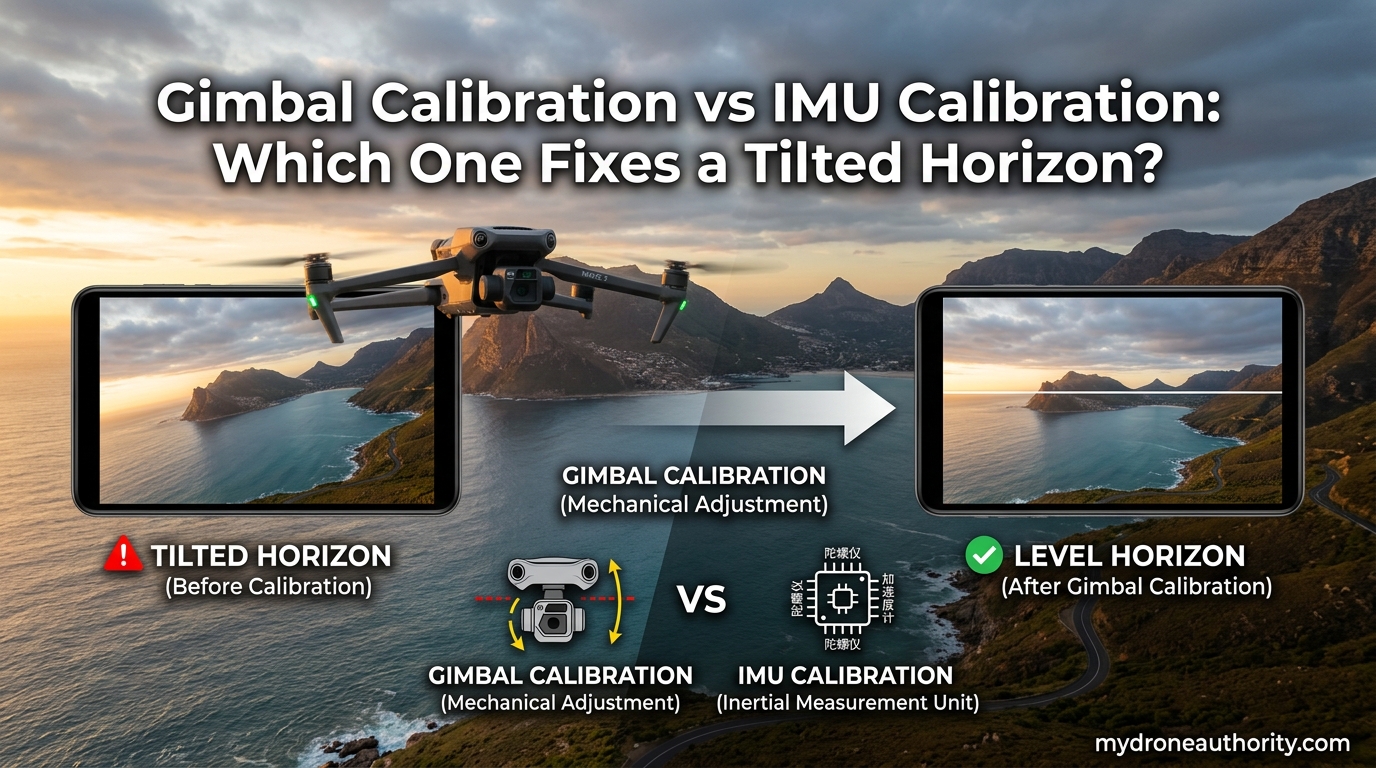
If your drone footage shows a sloped or crooked horizon, the answer is simple: gimbal calibration fixes a tilted camera horizon, while IMU calibration fixes incorrect drone attitude and flight drift. These are two different problems with two different fixes, and confusing them is the most common reason pilots spend hours running the wrong calibration.
I have spent years flying consumer and prosumer drones, and I have run into tilted horizons more times than I would like to admit. The good news: once you understand what each calibration actually does, the fix takes about ten minutes. In this guide, I will walk you through what IMU calibration and gimbal calibration do, which one solves the tilted horizon, the correct order to run them, and what to do when neither seems to help.
Table of Contents
What Is IMU Calibration on a Drone?
IMU calibration teaches your drone’s flight controller what “level and straight” looks like. The IMU, short for Inertial Measurement Unit, is a small chip inside your aircraft that combines accelerometers and gyroscopes to track orientation, tilt, and angular velocity in real time.
During IMU calibration, the drone samples its sensors in six different positions. Each position tells the accelerometers which way is “down” and helps the flight controller build a reference artificial horizon. Once complete, the aircraft knows how to hover level, hold altitude, and resist wind without drifting sideways.
Think of it this way: the IMU is the drone’s inner ear. It is what keeps the aircraft from drifting when you let go of the sticks. If your drone slides horizontally while hovering, climbs or sinks randomly, or feels “off” in the air, the IMU is almost always the culprit, not the gimbal.
A good way to remember it: IMU calibration fixes the drone’s behavior. Gimbal calibration fixes the camera’s behavior.
What Is Gimbal Calibration?
Gimbal calibration sets the camera’s centering offsets so the horizon stays level throughout flight. Most modern drones use a three-axis gimbal with motors that actively counter the aircraft’s pitch, roll, and yaw movements. Over time, or after bumps, firmware updates, or temperature swings, the gimbal’s idea of “centered” can drift.
When you run a gimbal calibration, the gimbal processor moves the camera through its full range of motion on each axis. It then measures the response and stores the correct offsets needed to keep the lens pointed at the horizon. The result is footage where the horizon line stays straight, even when the drone banks into a turn.
DJI drones perform a quick “gimbal dance” at startup that is often mistaken for calibration. That routine is a self-check, not a full calibration. If you see a tilted horizon in your recorded footage, you need a proper gimbal calibration through the app, usually under Advanced Settings or Gimbal Calibration.
Autel drones follow a similar process in the Autel Sky app. Either way, the calibration only takes a few minutes and does not require the drone to fly.
Gimbal Calibration vs IMU Calibration: Which One Fixes a Tilted Horizon?
Here is the clearest way I can put it: if the horizon in your recorded video or photos looks sloped, recalibrate the gimbal first. If the drone itself drifts, leans, or feels unstable in the air, recalibrate the IMU first.
Many pilots waste time running IMU calibration over and over for a camera-level issue. The IMU and gimbal are separate systems. A perfectly calibrated IMU can still feed stable flight data to a misaligned gimbal, and a perfectly calibrated gimbal cannot compensate for a drifting aircraft.
To be safe, I run both calibrations in the proper order whenever I troubleshoot a tilted horizon. The IMU sets the aircraft’s reference, the compass corrects heading, and the gimbal fine-tunes the camera. Skipping the first two steps and jumping straight to gimbal calibration is the most common reason a tilt keeps coming back.
Quick rule of thumb:
- Tilted horizon in footage = gimbal calibration issue
- Drone drifting or leaning in flight = IMU calibration issue
- Both happening at once = run IMU, then compass, then gimbal, in that order
The Correct Calibration Order: IMU, Then Compass, Then Gimbal
Order matters more than most pilots realize. The IMU must be calibrated first because it establishes the reference artificial horizon that the compass and gimbal both rely on. Calibrating the gimbal before the IMU is a known cause of recurring horizon tilt, especially after firmware updates.
The standard sequence used by both DJI and Autel is:
- IMU calibration on a level, stable surface with the drone at room temperature
- Compass calibration in an open outdoor area away from metal objects and power lines
- Gimbal calibration with the drone stationary on a flat surface and props clear
Skipping the compass step is tempting because it is the most annoying calibration to run, but a miscalibrated compass can cause the gimbal to yaw incorrectly, which looks almost identical to a horizon tilt on the roll axis.
Why IMU Calibration Needs a Level Surface
When you run IMU calibration, you are teaching the flight controller what “straight and level” means. If you run that calibration on a tilted table, the drone permanently records that tilt as its new reference. The result is horizontal drift, a phantom “lean” while hovering, and a horizon that always looks slightly off in footage.
A forum thread on Phantom Pilots captured the problem perfectly. One user wrote: “When I do not use a near perfectly level ground to calibrate the IMU, my gimbal is always off.” Another pilot on Mavic Pilots added that doing the calibration in an upright position, then following up with a regular calibration, often resets the drift.
My own experience matches theirs. I now use a small bubble level on my workbench before any IMU calibration. The two minutes it takes has saved me hours of troubleshooting.
When to Calibrate Each System
You do not need to calibrate either system before every flight. That would actually cause more problems than it solves. Here is when each calibration is worth running.
Run an IMU calibration when:
- The app prompts you with an IMU error
- You have updated the firmware
- You have traveled to a new location with different temperature or altitude
- The drone drifts horizontally while hovering
- The aircraft has been stored for several weeks
- You have had a hard landing or minor crash
Run a gimbal calibration when:
- The horizon appears sloped in recorded footage
- You see a tilted horizon only after takeoff but it self-corrects mid-flight
- The gimbal produced an error after a firmware update
- You replaced a propeller or had a minor impact
- Lens roll drifts during smooth flight maneuvers
Troubleshooting: When Calibration Does Not Fix the Tilted Horizon
If you have run IMU, compass, and gimbal calibration in that order and the horizon is still tilted, you are not alone. This is a frustrating problem that comes up frequently on drone forums, especially after firmware updates.
Try the “upright calibration” trick first. Power the drone on normally, let the gimbal dance finish, then power it off. Hold the drone in a perfectly upright position (props up, landing gear down) and run the IMU calibration manually through the app. Follow that with a standard IMU calibration on a level surface, then recalibrate the gimbal. Several pilots have reported this resets drift that standard calibration alone could not fix.
Other common culprits when calibration fails to resolve a tilt:
- Firmware mismatch between the aircraft, remote, and app
- Loose gimbal connector from a recent crash or transport
- Bent propeller causing subtle vibration that tilts footage
- Damaged gimbal motor that needs professional service
- ND filter ring not seated properly, throwing off the lens axis
If none of these resolve the issue, contact the manufacturer. I have read forum reports of pilots who spent five or six weeks in support tickets before receiving a replacement drone. Persistent tilt after a clean IMU, compass, and gimbal calibration cycle is rarely something the user can fix at home.
FAQ’s
What does gimbal calibration do?
Gimbal calibration allows the gimbal processor to check the motion range of each axis and determine the correct offsets required to center the camera, ensuring the horizon stays level during flight.
What does IMU calibration do?
IMU calibration tells the drone’s flight controller what ‘level and straight’ looks like by calibrating its accelerometers, setting the reference artificial horizon that keeps the aircraft stable in hover.
Which calibration fixes a tilted horizon?
Gimbal calibration fixes a tilted camera horizon. If the horizon in your footage looks sloped, recalibrate the gimbal first. IMU calibration fixes incorrect drone attitude, not camera tilt.
When should I calibrate the IMU on my drone?
Calibrate the IMU after traveling to a new location, following firmware updates, when the app prompts you with an IMU error, or if the aircraft feels unstable or drifts during hover.
How long does IMU calibration take on a DJI drone?
IMU calibration on a DJI drone typically takes 5 to 10 minutes. The process walks the aircraft through six positions, and the drone must remain still on a level surface for the full duration.
Why is my drone horizon not level after gimbal calibration?
The most common cause is running gimbal calibration before IMU and compass calibration. Power cycle, then run IMU, compass, and gimbal in that order. If the tilt persists, check for a loose gimbal connector or bent propeller.
What happens if a drone is not calibrated?
Without calibration, sensor errors accumulate causing drift, unstable flight, and tilted horizons. The drone may believe a tilted position is actually level, leading to horizontal drift and increased battery consumption.
The Quick Decision Guide for Gimbal Calibration vs IMU Calibration
When you compare gimbal calibration vs IMU calibration, the difference comes down to which system is misbehaving. Gimbal calibration fixes a tilted horizon in your footage. IMU calibration fixes a drone that drifts, leans, or feels unstable in the air.
Run them in this order whenever something feels off: IMU first on a level surface, then compass outdoors, then gimbal last. That sequence has fixed every tilted horizon I have run into over the last few years, and it is the same order recommended by DJI and Autel. If the tilt still shows up after a clean cycle, work through the troubleshooting checklist before opening a support ticket.