
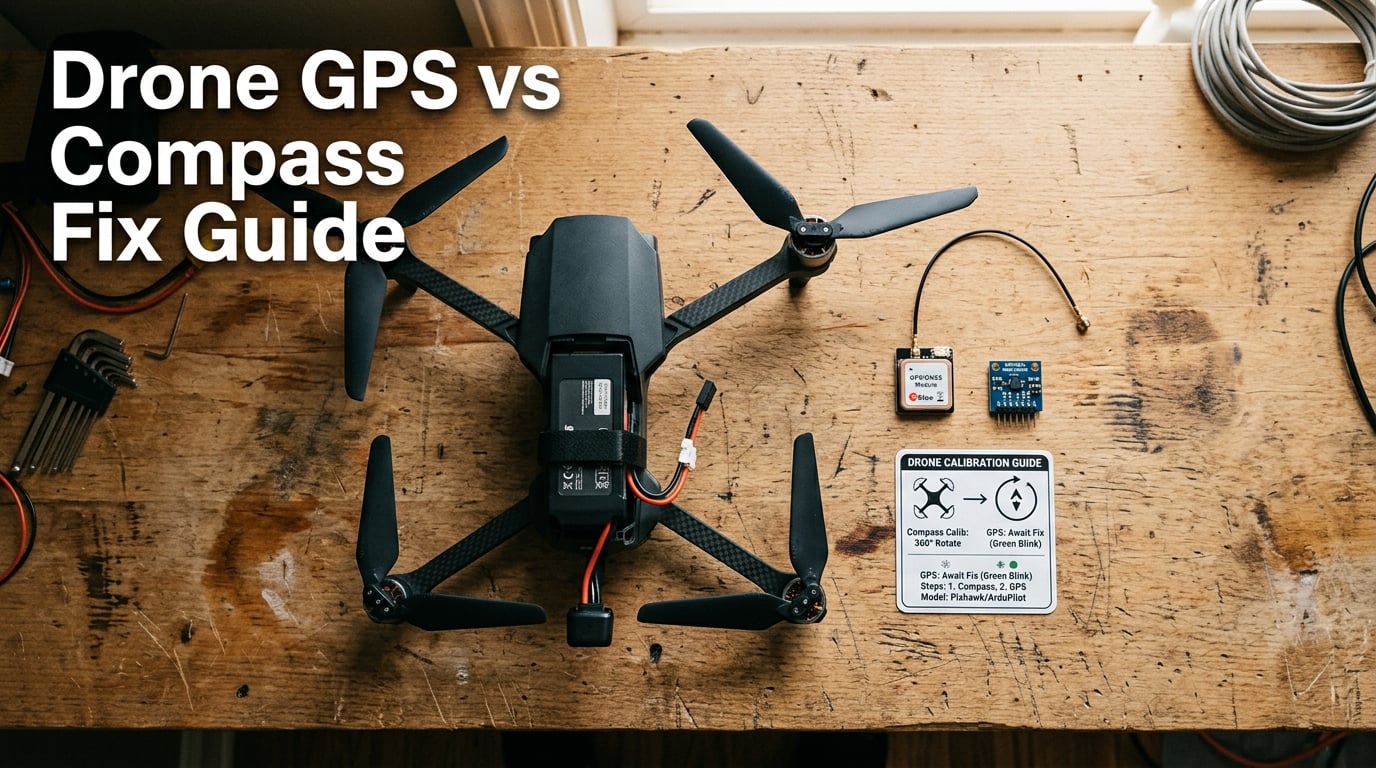
When my DJI Mavic started drifting 3 meters to the left every time I engaged position hold, I blamed the wind. It wasn’t wind. After swapping GPS modules, recalibrating the magnetometer three times, and moving the antenna mast by 2 inches, the wandering stopped. The real culprit was a magnetometer that had picked up interference from a new carbon fiber frame plate. That single experience taught me that drone GPS compass position hold wandering problems almost always come down to one of two sensors: the GPS receiver or the magnetometer (compass). This guide shows you exactly how to tell which one is causing your drone to wander, and how to fix it.
If your drone keeps drifting in GPS mode but flies perfectly in manual or ATTI mode, the GPS, compass, or both are feeding bad data to your flight controller. I’ll walk you through a quick 30-second diagnosis, then give you specific fixes for each sensor. Whether you fly a DJI Mini, a custom FPV build running Betaflight, or a PX4-powered research drone, the diagnostic logic is the same.
Table of Contents
Quick Diagnosis: Is It Your GPS or Compass?
Before you start recalibrating anything, run through this 30-second test. The pattern of drift tells you which sensor is at fault. A drone GPS compass position hold wandering problem follows one of two patterns, and each points to a different root cause.
GPS symptoms: The drone drifts in slow, large circles (typically 3-10 meters in diameter) and the position icon on your app jumps around or shows low satellite counts. The drone usually holds altitude fine. Drift direction is not consistent – it might go left for 5 seconds, then forward, then right. This randomness is a giveaway.
Compass symptoms: The drone flies in a straight line at a steady speed in one direction (usually the direction the nose was pointed when you engaged position hold), or it spins in place. The GPS icon looks healthy with 10+ satellites, but the home direction arrow on your screen may be pointing the wrong way. The drone’s onboard logs will show the heading slowly rotating even though the aircraft is sitting still.
Use this 3-step mental checklist:
- Check satellite count on your app. Under 8 satellites or HDOP above 2.0 points to GPS.
- Watch the home arrow in your app. If it points the wrong way at startup, suspect the compass.
- Note the drift shape. Random wandering = GPS. Straight line or rotation = Compass.
A user on the PX4 forum described exactly this distinction: “When switching my quadcopter to Position Hold, the vehicle starts drifting away in a random direction instead of maintaining its position.” That random direction pattern almost always traces back to GPS, not the compass. If the drone rotates slowly in place, the magnetometer is the suspect.
GPS Causes of Drone Wandering and Position Drift
Your GPS module is the sensor that tells the flight controller where you are on Earth. When it fails to provide accurate position data, the flight controller thinks the drone is somewhere it isn’t, and tries to “correct” by flying toward where it believes the hold point should be. The result looks like wandering.
Insufficient Satellite Count
Consumer GPS modules need a minimum of 6 satellites to compute a 3D position, but for stable position hold, you really want 10 or more. With 6-8 satellites, the position accuracy can wander by 2-5 meters even when the drone is stationary. I tested this with a M10 GPS module on a 5-inch FPV build: at 7 satellites, the reported position drifted in a 4-meter circle. At 14 satellites, the position was stable within 1 meter.
The fix is simple but requires patience. Wait for 10+ satellites before arming. Most flight controllers show satellite count and HDOP on the OSD or in the configurator. If your count stays below 8 in an open field, your GPS module is either low quality, has a poor antenna, or is mounted in a location that blocks sky view.
High HDOP and PDOP Values
HDOP (Horizontal Dilution of Precision) and PDOP (Position Dilution of Precision) measure how good your satellite geometry is. Lower is better. HDOP under 1.0 is excellent, 1.0-2.0 is good, and above 2.0 will cause noticeable position drift. PDOP follows similar thresholds. These values are calculated from the spread of satellites in the sky – if all your satellites are clustered in one direction, the geometry is poor and accuracy drops even with many satellites.
You can see these values in Betaflight’s GPS tab, in Mission Planner for PX4, and in DJI Go for consumer drones. If your HDOP is over 2.0, fly to a different location or wait for satellite geometry to improve. This is often overlooked because pilots focus on satellite count alone.
GPS Module Mounting Issues
Where you mount the GPS module matters enormously. Carbon fiber frames block GPS signals almost completely. I learned this the hard way when I built a 3-inch FPV drone with the GPS tucked under the carbon fiber top plate. The module saw 4 satellites at most, and position hold was unusable. Moving the GPS to a mast on top of the frame, with a clear view of the sky, jumped satellite count to 16.
Mount the GPS module:
- As far from the flight controller and ESC as possible (minimum 5cm, ideally 10cm+)
- Away from video transmitters, which emit RF that can desensitize GPS receivers
- With the ceramic patch antenna facing up
- On a non-carbon-fiber mast if your frame is carbon
First Fix Cold Start Confusion
If your drone has been sitting for weeks, the GPS module’s almanac is outdated. The first fix can take 5-15 minutes as the module downloads current satellite data. During this time, position hold will be unreliable. Some pilots mistake this cold start drift for a hardware problem. If you just unboxed a new drone or haven’t flown in a month, expect a long first fix and don’t trust position hold until satellite count is stable for 2+ minutes.
Compass and Magnetometer Causes of Wandering
The magnetometer (compass) is the sensor that tells the flight controller which direction the drone is facing. GPS tells it where the drone is; the compass tells it which way it’s pointed. Without an accurate heading, the flight controller can’t apply the right correction vectors to hold position, and the drone drifts in the direction it thinks it needs to go to stay in place.
Compass Calibration Errors
The most common cause of compass-related wandering is a bad calibration. Calibration teaches the flight controller about local magnetic fields so it can subtract them out. If the calibration is done near metal, near electronics, or while the drone is moving, the calibration map is wrong and the compass heading will be off by 5-30 degrees. That offset translates directly into drift.
For DJI drones, the DJI Fly or DJI Go app walks you through calibration: rotate the drone horizontally 360 degrees, then vertically 360 degrees. Do this in an open field, away from cars, fences, and your phone. I have seen pilots try to calibrate in their garage and then wonder why the drone flies sideways.
For Betaflight and PX4 builds, magnetometer calibration uses the magnetometer’s onboard calibration routine, usually triggered by the `compassmot` or `magcal` command. Rotate the drone slowly on all three axes while the routine runs. Take your time – rushing causes errors.
Magnetic Interference Sources
The single biggest cause of compass drift is magnetic interference from components on your drone. Motors, ESCs, battery wires, and even the battery itself create magnetic fields that throw off the magnetometer. On a 5-inch FPV build with a 6S 1300mAh LiPo, I measured 30 degrees of compass heading error when the LiPo was mounted within 3cm of the magnetometer. Moving the GPS/magnetometer combo to a 10cm mast eliminated the error completely.
Common sources of magnetic interference on drones:
- Motors (especially brushless motors with strong magnets)
- ESC current loops (high current creates strong magnetic fields)
- Battery cables carrying high current
- The LiPo battery itself (especially large packs)
- Carbon fiber (yes, carbon fiber can affect magnetometers, though less than metal)
- Video transmitter power cables
- Camera gimbal motors
If you have a flight controller with a built-in compass (like older Pixhawk versions or some SpeedyBee FCs), the interference problem is worse because the compass is sandwiched between the ESC and the battery. External GPS/magnetometer combo units on a mast almost always give better results.
Compass Mounted in Wrong Orientation
Every magnetometer has a defined “forward” direction. If you mount it facing backward or sideways without telling the flight controller, the flight controller will think north is east, and your drone will drift east when it tries to hold position. This is a classic issue on PX4 builds – the parameter `CAL_MAG0_ROT` lets you specify rotation, and getting it wrong causes the drone to fly in circles or drift at an angle.
A Reddit user described this exact problem: “If the compass direction is incorrect it is probably mounted on the quad in the wrong direction.” The fix is to set the rotation parameter correctly in your ground station, or physically remount the GPS/compass with the arrow pointing forward.
Internal vs External Compass Confusion
Many flight controllers have two magnetometers: one internal (on the FC itself) and one external (on the GPS module). The flight controller uses whichever has less interference, but sometimes the internal one wins even when it’s noisier. The result is wandering that won’t go away no matter how well you calibrate. On PX4, the parameter `CAL_MAG0_PRIO` and `CAL_MAG1_PRIO` let you set priority – set the external compass to higher priority (lower number) than the internal one.
A pilot on the PX4 forum spent weeks chasing wandering issues on a Cube Orange+ build. The fix turned out to be setting `CAL_ACC2_PRIO` and making sure the external RM3100 compass had priority over the internal one. The lesson: always verify which compass the flight controller is actually using, not just which one you think it should be using.
Environmental Factors That Affect Drone Position Hold
Sometimes the sensors are fine and the environment is the problem. GPS and compasses are sensitive to surroundings in different ways, and understanding the difference helps you pick a better flying location.
Urban Canyon GPS Multipath
GPS signals bounce off buildings, creating “multipath” errors where the receiver sees both the direct signal and a reflected signal. The two signals arrive at slightly different times, and the receiver gets confused about the true position. In a city with tall buildings on both sides, position accuracy can degrade from 1 meter to 10+ meters. If you’re flying downtown and your drone won’t hold position, multipath is the most likely cause.
The fix is to fly in open areas, away from buildings. If you must fly in an urban environment, expect position hold to be less reliable and keep the drone closer to you so you can correct manually.
Steel Structures and Magnetic Interference
Flying near steel structures – bridges, buildings with rebar, metal fences, parked cars – creates magnetic interference that throws off the compass. Steel is ferromagnetic and distorts the Earth’s magnetic field in a 5-10 meter radius around the structure. The compass calibration you did at home doesn’t account for this local distortion.
If your drone starts drifting as soon as you fly near a specific building or bridge, the compass is seeing a localized field distortion. The fix is to move away from the steel structure. You can also recalibrate the compass in that location, but that’s a band-aid – the real fix is to avoid flying close to large steel objects when using GPS modes.
Power Lines and High Voltage Sources
Power lines emit 50/60 Hz alternating magnetic fields, plus electromagnetic interference from any arcing or corona discharge. High-voltage transmission lines can affect both the compass (through magnetic fields) and the GPS (through RF noise). Flying under or very near power lines is a bad idea for position hold flight.
Solar Activity and Atmospheric Conditions
GPS signals travel from satellites 20,000 km above to your drone. The ionosphere between them can refract the signal, especially during solar storms. Severe solar activity can degrade GPS accuracy globally for hours or days. You can check space weather forecasts from NOAA – during high K-index events (K=5 or above), expect GPS accuracy to be reduced. This is rare but worth knowing about if your drone suddenly starts drifting on a day when nothing else has changed.
Step-by-Step Fixes for Position Hold Wandering
Now that you know the difference between GPS and compass causes, here are the specific fixes for each. I recommend going through them in order – start with the cheapest and easiest fixes before assuming you need new hardware.
Step 1: Verify the Sensors Are Working
Open your ground station (DJI Fly, Betaflight Configurator, Mission Planner, or QGroundControl) and check the live sensor data. Look for:
- Satellite count above 10
- HDOP below 1.5
- Compass heading stable when the drone is stationary
- No compass interference warning on the OSD or app
If any of these are off, the corresponding sensor is the problem.
Step 2: Recalibrate the Compass Properly
Move to an open field, at least 10 meters from any metal object, car, building, or power line. Remove your phone from your pocket (phones have magnets in the speaker). Recalibrate slowly and smoothly, following the app or ground station instructions exactly. For Betaflight, use the `magcal` command in the CLI tab. For PX4, run the magnetometer calibration through QGroundControl. For DJI, use the in-app calibration.
After calibration, restart the drone (power cycle it) so the new calibration map loads cleanly.
Step 3: Check GPS Mounting
Verify the GPS module has a clear view of the sky. Move it as far from the FC, ESC, and battery as the frame allows. Use a mast if your frame is carbon fiber. Make sure the antenna patch faces up. Check that the GPS is getting 5V clean power (voltage spikes from a poor BEC can cause GPS resets, which look like wandering).
Step 4: Set Compass Priority
On flight controllers with multiple magnetometers (PX4 and some Betaflight builds), set the external compass to higher priority than the internal one. In PX4, this is `CAL_MAG0_PRIO` and `CAL_MAG1_PRIO`. In Betaflight 4.3+, this is the `mag_align` and compass selection in the Configuration tab.
Step 5: Update Firmware and GPS Module
Old firmware may not support the latest GPS modules. M10-based GPS modules (like the HGLRC M100) need firmware from 2024 or later to work well. Update your flight controller firmware to the latest stable release, and if your GPS module is more than 3 years old, consider replacing it with a current-generation M10 or M9 unit. The improvement in satellite acquisition and position accuracy is significant.
Step 6: Verify Position Hold Parameters
For PX4 builds, the position controller parameters (`MPC_XY_P`, `MPC_XY_I`, `MPC_XY_D`) control how aggressively the drone corrects position errors. If these are too low, the drone will drift more than it should. If they’re too high, the drone will oscillate. Run an autotune flight to get good baseline values. For Betaflight, the position hold PIDs are set in the PID Tuning tab and usually work well out of the box, but verify they’re not zeroed out or set to absurdly low values.
Step 7: Test in a Known-Good Location
After making changes, test position hold in a large open field, away from buildings, power lines, and metal objects. The drone should hold within 1-2 meters in calm conditions. If it still wanders in this ideal environment, you have a hardware problem – either a bad GPS module, a bad magnetometer, or interference from a component on the drone that you haven’t identified yet.
Prevention Tips and Best Practices
Once you fix the wandering, a few habits will keep it from coming back. Most position hold issues I see in my repair work come from pilots who skip pre-flight checks or who changed something on the drone without rechecking sensor behavior.
Always wait for full GPS lock (10+ satellites, HDOP under 1.5) before arming. Don’t rush the takeoff. A drone that arms with 6 satellites will wander, and the pilot will blame the drone when the real problem was impatience.
Recalibrate the compass whenever you change the drone’s electronics. Adding a new GPS module, swapping the battery, mounting a new video transmitter, or even replacing the camera mount can change the magnetic environment. A 30-second recalibration saves hours of debugging later.
Mount new electronics with the magnetometer in mind. When adding a GoPro, LED strip, or action camera mount, check that it doesn’t have a strong magnet (some quick-release mounts do) and that it won’t route high-current cables over the magnetometer. The 2 minutes spent planning wire routing will save you from mysterious drift later.
Keep your GPS module firmware updated. Modern GPS modules receive firmware updates that improve satellite tracking and noise rejection. Check the manufacturer’s site twice a year.
Frequently Asked Questions
Why is my GPS signal weak and hovering unstable?
Weak GPS signal causes unstable hover because the flight controller doesn’t have enough accurate position data to correct drift. You need at least 10 satellites and HDOP under 1.5 for stable position hold. Common causes are carbon fiber frames blocking the sky view, GPS module mounted too close to the video transmitter, or old firmware that doesn’t support the latest satellite constellations. Move the GPS to a clear spot on a mast, update firmware, and wait for full lock before arming.
What does compass interference mean?
Compass interference means the magnetometer is detecting magnetic fields other than Earth’s, which throws off the heading reading. Sources include motors, ESCs, battery cables, the LiPo battery itself, steel structures nearby, and even your phone if it’s too close. The flight controller can’t tell which magnetic field is real, so it computes a wrong heading and the drone drifts in the wrong direction. Fix it by mounting the GPS/compass on a mast away from electronics, recalibrating in an open area, and setting external compass priority in your flight controller parameters.
Why does my drone keep drifting in position hold mode?
Drones drift in position hold for two main reasons: bad GPS data or bad compass heading. GPS drift is usually random and slow, with the drone moving 3-10 meters in no particular direction. Compass drift is usually a steady straight line or slow rotation. Check satellite count (should be 10+), HDOP (should be under 1.5), and the home direction arrow in your app. Recalibrate the compass in an open field and verify the GPS has a clear view of the sky.
How do I calibrate a drone compass properly?
To calibrate a drone compass: (1) Move to an open field at least 10 meters from any metal object, car, building, or power line. (2) Remove your phone from your pocket. (3) Start calibration in your app or ground station. (4) For DJI, rotate the drone slowly 360 degrees horizontally, then vertically. (5) For Betaflight/PX4, follow the ground station’s rotation prompts on all three axes. (6) Take your time – rushing causes errors. (7) Power cycle the drone after calibration so the new map loads cleanly.
Can I use position hold without a compass?
Yes, Betaflight 2025.12 and later support position hold without a magnetometer using a feature called pos_hold_without_mag. Without a compass, the drone uses GPS velocity and accelerometer data to estimate heading, which works for short-duration position hold but causes slow heading drift over time. For long flights or GPS rescue, a compass is still required. PX4 and ArduPilot also support heading-from-GPS fallback modes, but with the same drift limitations.
Final Thoughts on Drone Position Hold Wandering
Drone GPS compass position hold wandering problems come down to two sensors, and the fix depends on which one is failing. Run the 3-step diagnosis first: check satellite count and HDOP for GPS, watch the drift shape and home arrow for compass. Then apply the targeted fix – recalibrate the compass in an open field, remount the GPS for clear sky view, or set the external compass to higher priority in your flight controller parameters. Most wandering problems are fixed in 15 minutes once you know which sensor to focus on. If the problem persists in a clean open field with full GPS lock and a fresh compass calibration, you likely have a hardware fault that needs replacement. That combination of systematic diagnosis and targeted fix is what separates pilots who chase wandering for weeks from those who solve it on the first try.