
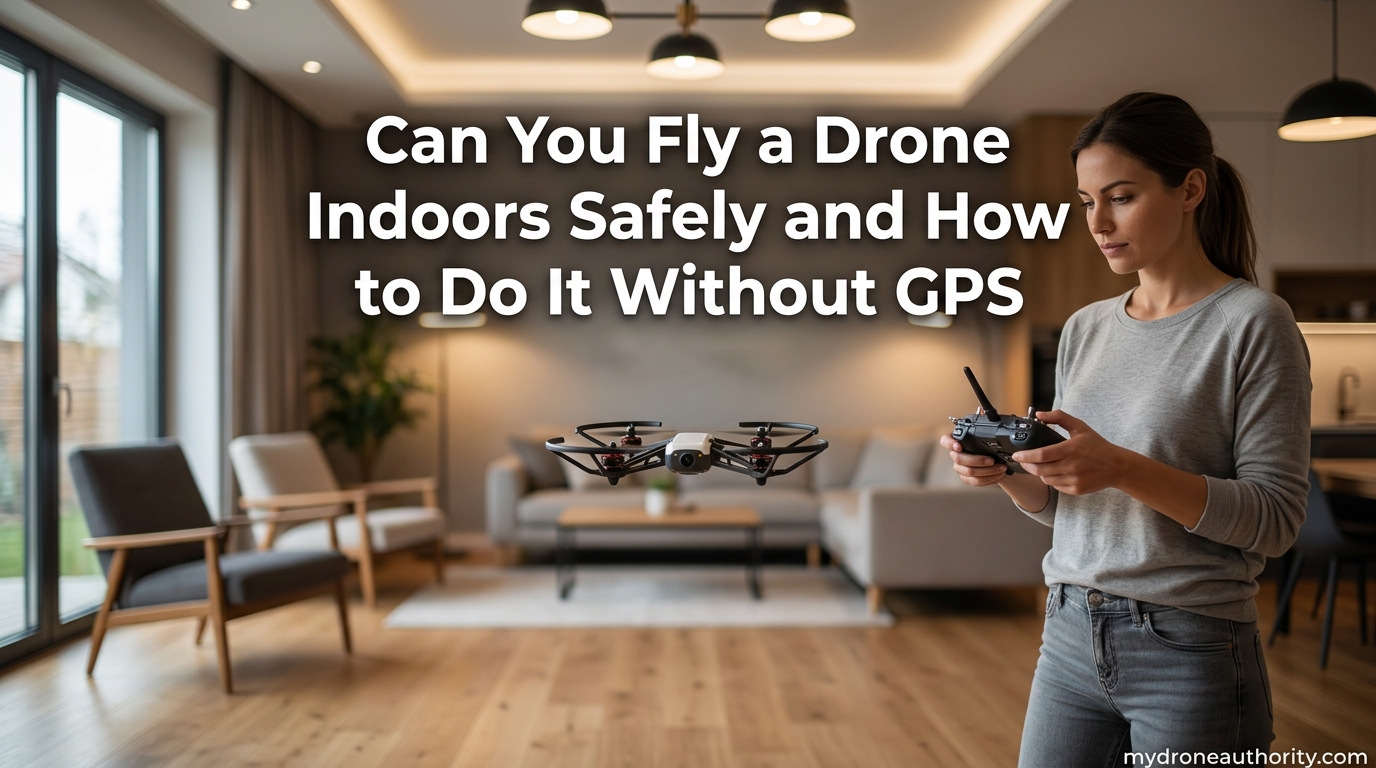
Yes, you can fly a drone indoors safely, but it takes more skill and preparation than flying outdoors. When you fly a drone indoors, GPS signals from satellites cannot penetrate the roof, so your drone relies entirely on onboard sensors like optical flow cameras and vision positioning systems to stay stable. That shift in how the drone holds position is what makes indoor flight trickier than most pilots expect.
I have spent years flying camera drones and tiny whoops inside warehouses, living rooms, and commercial spaces. In my experience, the pilots who crash indoors are almost never the beginners. They are the experienced outdoor flyers who assume their GPS-stabilized drone will behave the same way inside. It will not, and that assumption is exactly what gets them into trouble.
This guide covers everything you need to know before you fly a drone indoors. You will learn why GPS disappears the moment you step inside, which sensors take over, the hazards that catch pilots off guard, and a step-by-step safety checklist I use every single time I fly inside. I will also break down the FAA rules (spoiler: indoor flight is largely unregulated) and share a training progression that takes you from simulator to confident indoor pilot.
Whether you want to film a real estate walkthrough, practice during bad weather, or just fly for fun in your living room, the principles in this article will keep you, your drone, and everyone around you safe.
Table of Contents
Why People Choose to Fly a Drone Indoors
Indoor drone flight is not just a workaround for bad weather. For many professional pilots, it is the job itself. Understanding the use cases helps explain why mastering indoor flight is worth your time.
Real Estate and Property Tours
Real estate agents increasingly hire drone pilots to capture smooth interior walkthroughs that a handheld camera cannot match. A small drone gliding through a doorway and up a staircase creates a cinematic, continuous shot that sells listings. I have filmed dozens of these tours, and the agents who book them love the production value.
Industrial and Commercial Inspection
This is where indoor drone work gets serious. Companies fly specialized inspection drones inside boilers, pressure vessels, cargo tanks, smokestacks, and confined spaces that are dangerous for humans to enter. These industrial flights use drones like the Flyability Elios series, which are enclosed in collision-tolerant cages. The data collected prevents costly shutdowns and keeps inspectors out of hazardous environments.
Event Coverage
Indoor sporting events, concerts, trade shows, and conventions sometimes use small drones for dynamic aerial coverage. This requires coordination with venue staff, safety briefings, and a flight plan that keeps the drone away from crowds. It is high-stakes flying, but the footage is unbeatable.
Practice and Skill Building
For many hobbyists, the living room is a training ground. Flying indoors forces you to develop stick control, spatial awareness, and manual hovering skills that GPS normally handles for you. When I transitioned from GPS-stabilized camera drones to FPV racing drones, I spent months flying tiny whoops in my basement. That indoor practice made me a dramatically better pilot outdoors.
When Weather Grounds You
High winds, rain, snow, and extreme cold can keep you grounded for days. Indoor flight keeps your skills sharp and your battery cycles active when outside conditions are unsafe. It is also a great way to test new equipment, calibrate sensors, or dial in camera settings without fighting the elements.
How to Fly a Drone Indoors Without GPS
This is the technical heart of indoor flight. When GPS signals vanish, your drone does not simply fall out of the sky. Modern consumer and prosumer drones have backup systems designed specifically for this scenario. Understanding how they work is the difference between a smooth flight and a trip to the repair bench.
What Happens When GPS Disappears
Outdoors, your drone locks onto multiple GPS satellites and uses that positional data to hold a steady hover, even in wind. Indoors, the roof blocks those satellite signals. Your drone may briefly pick up a weak signal bouncing through a window, but it will be unreliable and can actually cause erratic behavior if the drone tries to lock onto bad data.
When the drone detects that GPS is degraded or unavailable, it shifts into a different stabilization mode. On DJI drones, this is typically ATTI (Attitude) mode or a vision-positioning-based hover. The drone can still fly, but it no longer brakes itself automatically the way it does with GPS. Wind, prop wash, and tilted floors will cause drift that you must correct manually.
Optical Flow Sensors: Your Indoor Positioning Backup
Optical flow sensors are downward-facing cameras that track movement across the ground surface. Think of them like an optical computer mouse. By comparing successive images of the floor beneath the drone, the sensor calculates how fast and in what direction the drone is drifting, then makes micro-corrections to hold position.
Optical flow works well on textured surfaces like carpet, wood grain, or patterned tile. It struggles on glossy, uniformly colored, or reflective floors. I learned this the hard way flying over a polished concrete showroom floor where my drone drifted slowly sideways because the sensor had nothing to track.
Vision Positioning Systems
Vision positioning is a broader term that includes optical flow but adds forward, backward, and sometimes sideways facing cameras. These sensors detect obstacles and help the drone maintain position relative to its surroundings, not just the floor. Higher-end drones use stereo vision pairs that create a 3D depth map of the environment.
This is the same technology that powers obstacle avoidance on drones like the DJI Mini 4 Pro and Mavic series. Indoors, vision positioning is what allows the drone to hover reasonably steadily without GPS. But it depends on adequate lighting and visible texture or patterns on surrounding surfaces.
ATTI Mode: When Sensors Give Up
ATTI (Attitude) mode is the fallback when both GPS and vision positioning are unavailable or unreliable. In ATTI mode, the drone uses only its internal gyroscope, accelerometer, and barometer to stay level and hold altitude. It will not hold horizontal position, so any wind, tilt, or momentum carries the drone until you correct it with the sticks.
Flying in ATTI mode is a skill every indoor pilot should develop. The drone feels slippery, like driving a car on ice. You have to anticipate stops and start braking early. Many experienced pilots manually switch to ATTI mode outdoors on calm days just to practice the feel before relying on it inside.
The Barometer and Altitude Hold
Your drone barometer measures air pressure to estimate altitude. Indoors, air pressure is affected by HVAC systems, open doors, and even the drone own prop wash. This can cause the drone altitude reading to drift, leading to slow climbs or descents that you must correct manually. Do not assume altitude hold will be rock-solid inside.
Indoor Flight Modes: Tripod and Cine
Most modern drones offer a Tripod or Cine mode that drastically reduces stick sensitivity and caps maximum speed. This is your best friend indoors. Tripod mode turns jerky stick inputs into smooth, slow movements, which gives you more time to react and reduces the chance of overcorrecting into a wall.
I fly almost exclusively in Tripod mode when inside. The reduced speed feels restrictive at first, but the precision it offers is worth the tradeoff. You can always switch to a faster mode once you are comfortable in the space.
Disable Return to Home Before Flying Indoors
This step is critical and easy to forget. Return to Home (RTH) is a GPS-based feature that flies the drone automatically back to its takeoff point if it loses connection or hits low battery. Indoors, the RTH location may be inaccurate because GPS is unreliable. If RTH triggers inside, your drone could climb straight up into the ceiling or fly sideways into a wall.
Before taking off indoors, open your drone app settings and disable RTH, or set it to hover in place instead of returning home. This single setting has saved me from at least two crashes.
The Hazards of Indoor Drone Flight
Indoor flight introduces a set of hazards that outdoor pilots may never encounter. Knowing what can go wrong before you take off is the best crash prevention available.
Loss of GPS-Aided Stabilization
This is the most obvious hazard, and I covered the technical details above. The practical consequence is that your drone will drift, especially near vents, fans, or when you make aggressive movements. You must be mentally prepared to make constant small corrections the entire time you are flying.
High Density of Obstacles
Indoors, you are surrounded by walls, ceilings, furniture, light fixtures, ceiling fans, door frames, and people. The margin for error is small. A drone that drifts three feet outdoors is a non-event. A drone that drifts three feet indoors has hit a wall. Every flight path must account for what is around, above, and below the drone.
Prop Wash and Air Turbulence
Prop wash refers to the turbulent air your drone creates as it hovers. Outdoors, that air disperses. Indoors, it bounces off floors, walls, and ceilings and comes back at the drone. This creates unpredictable turbulence that can shove the drone in random directions, especially in small rooms or near corners.
The effect gets worse the closer you fly to surfaces. If you hover two feet off the floor in a small room, the downwash has nowhere to go and creates a chaotic air cushion that makes hovering unstable.
Magnetic Interference
Your drone compass can be affected by metal in the building structure, electrical wiring, appliances, speakers, and reinforced concrete. Magnetic interference can cause the drone to think it is facing a different direction than it actually is, which leads to incorrect corrections and unpredictable flying.
If you get a compass interference warning before takeoff, do not ignore it. Move to a different location in the room or recalibrate the compass in a more open area before flying.
The Ceiling Effect (Wall and Ceiling Suction)
This is a hazard almost no beginners know about, and it causes a surprising number of indoor crashes. When a drone flies close to a ceiling, the air it pushes upward has nowhere to go. It creates a low-pressure zone between the drone and the ceiling that effectively sucks the drone upward.
The same thing happens near walls. The drone gets pulled toward the surface and the pilot overcorrects, often resulting in a bounce-and-crash sequence. The fix is simple: keep at least three to five feet of clearance from ceilings and walls at all times. If you need to get close for a shot, do it slowly and be ready to add downward thrust.
Disabled Obstacle Avoidance
Many drones rely on optical obstacle avoidance sensors that only work in good lighting and with surfaces the sensors can detect. Indoors, low light, glass walls, mirrors, and thin objects like ceiling fan blades can defeat obstacle avoidance. Do not assume your drone will stop itself. Treat obstacle avoidance as a backup, not a primary safety net.
People and Pets
Indoor spaces often have people, children, and pets moving through them. A drone propeller spinning at high RPM can cause serious injury. Anyone in the room needs to be briefed before flight, and pets should be removed or kept well clear. I once had a cat leap at my drone mid-flight, and the resulting crash destroyed two propellers and nearly sent the drone into a TV.
How to Fly a Drone Indoors Safely: Step-by-Step
This is the safety protocol I use every time I fly indoors. Follow these steps and you will eliminate the vast majority of common indoor crashes.
Step 1: Choose the Right Drone
Not all drones are suited for indoor flight. The best indoor drones are small, lightweight, and equipped with vision positioning. For beginners, a tiny whoop class FPV drone, the DJI Tello, or a DJI Mini series drone all work well. Heavier camera drones like the Mavic 3 or Air series can be flown indoors by experienced pilots, but the weight and prop wash make them harder to manage in tight spaces.
For enclosed industrial inspections, collision-tolerant drones like the Flyability Elios are purpose-built for the job. Match the drone to the space and your skill level.
Step 2: Install Propeller Guards
Propeller guards are the single most important safety accessory for indoor flight. They prevent the propellers from contacting walls, furniture, and people, and they dramatically reduce damage if you do bump into something. Many experienced indoor flyers refuse to fly without them, regardless of skill level.
Some drones, like the DJI Mini series, have snap-on guards available. FPV whoops often have built-in ducted guards around each propeller. If your drone supports guards, use them every time you fly inside.
Step 3: Prepare the Room
Before flying, walk the space and identify hazards. Move fragile items off tables, close doors to rooms you do not want to enter, secure pets in another area, and brief anyone nearby. Look for ceiling fans, light fixtures, hanging plants, and mirrors (which can confuse obstacle sensors). Note any HVAC vents that could push the drone off course.
If possible, clear an open area at least 8 by 8 feet for your initial flights. More space means more reaction time, which means fewer crashes.
Step 4: Configure Your Drone for Indoor Flight
Open your drone app and make the following settings changes before takeoff. Switch to Tripod or Cine mode to reduce sensitivity. Disable Return to Home or set it to hover. Turn on obstacle avoidance if available, but do not rely on it. Confirm that vision positioning and optical flow are enabled. If your drone has an indoor flight mode specifically, select it.
Check your compass and IMU status. If you see interference warnings, relocate before flying.
Step 5: Take Off Slowly and Hover First
Take off to eye level, about 5 feet off the ground, and just hover. Watch how the drone behaves. Is it drifting? Is it holding altitude? This 30-second hover tells you how the drone is interpreting the indoor environment and whether the sensors are working properly. If anything feels wrong, land and troubleshoot before attempting a full flight.
Step 6: Fly Slow and Stay Aware
Move deliberately. Every stick input should be small and smooth. Keep your eyes on the drone, not the screen, when flying in tight spaces. Maintain at least three to five feet of clearance from all surfaces to avoid ceiling and wall suction effects.
If you feel the drone being pulled toward a surface, do not panic and yank the stick. Gently apply opposite thrust and back away slowly.
Step 7: Use a Spotter
For any flight beyond simple hovering practice, fly with a spotter. A spotter is a second person whose only job is to watch the drone and call out obstacles, drift, and hazards you might miss while looking at your screen or controller. Professional indoor crews always use spotters for a reason.
Brief your spotter before flight on hand signals and what to watch for. They should stand where they can see the drone clearly without being in the flight path.
Step 8: Land Before Battery Gets Low
Indoors, you cannot rely on RTH to save you if the battery dies. Plan to land with at least 20 percent battery remaining. Indoor flying often consumes battery faster than outdoor cruising because the drone works harder to stabilize in turbulent air. Set your battery warnings conservatively.
Is It Legal to Fly a Drone Indoors? FAA Rules
The short answer is yes, indoor drone flight is legal in the United States, and the FAA generally does not regulate it. Here is the context that matters.
The FAA authority extends to navigable airspace, which is the airspace above the ground where aircraft operate. The interior of a building is not considered navigable airspace. This means that when you fly a drone inside your own home, a warehouse, or any enclosed private space, you are outside FAA jurisdiction.
Part 107 (the commercial drone rules) and the recreational exception for hobbyist flying both apply to outdoor flight in national airspace. They do not apply inside buildings. You do not need a Part 107 certificate to fly a drone indoors for commercial work like real estate photography or industrial inspection.
However, legality is not the only consideration. You need permission from the property owner to fly inside their building. If you crash into someone or damage property, you are liable under standard personal injury and property damage law, not FAA regulations. Many commercial indoor pilots carry liability insurance for this reason.
One important note: if you fly a drone from inside your house to outside, the moment the drone crosses the threshold into outdoor airspace, FAA rules kick in. You cannot use an open door or window to bypass airspace restrictions.
Rules differ outside the United States. In the UK, the CAA takes a similar hands-off approach to indoor flight. Always check your local regulations if you are flying in another country.
Training Progression: From Simulator to Indoor Flight
No competitor I reviewed offers a structured training plan for indoor flight. This is the progression I use with new pilots, and it works. Skip steps at your own risk.
Phase 1: Drone Simulator Practice
Start in a simulator. Programs like Liftoff, Velocidrone, and the DJI Virtual Flight app let you practice stick control without risking hardware. Spend at least 10 to 20 hours in a simulator before flying anything real indoors. Focus on hovering, slow controlled movements, and navigating tight spaces in the sim.
The goal of simulator training is muscle memory. When the drone drifts indoors, you do not have time to think about which stick to move. Your hands need to know.
Phase 2: Tiny Whoop or Nano Drone Indoors
Once you are comfortable in the sim, get a tiny whoop. These are palm-sized FPV drones with ducted propellers that are safe to bump into walls and furniture. They are inexpensive, nearly indestructible, and perfect for developing real-world indoor flying instincts.
Fly your whoop in a single room for the first few sessions. Practice taking off, hovering, making controlled circuits, and landing on a specific spot. The whoop will drift and behave unpredictably, which is exactly the point. You are learning to correct in real time.
Phase 3: ATTI Mode Practice
If you fly a GPS camera drone, find an open outdoor space on a calm day and manually switch into ATTI mode. Practice hovering and slow flying without GPS assistance. Get comfortable with the way the drone drifts and how much stick input it takes to stop. This is the closest outdoor approximation of indoor flight conditions.
Spend several sessions in ATTI mode before attempting indoor flight with a larger camera drone. The confidence you build will transfer directly.
Phase 4: Indoor Camera Drone Flight
Now you are ready to fly your camera drone indoors. Start in a large, open room with prop guards installed. Take off, hover, and practice slow movements. Keep flights short, five minutes or less, while you build confidence. Gradually increase complexity by adding turns, altitude changes, and transitions between rooms.
Keep a flight log. Note what went well and what did not. Patterns will emerge that tell you exactly what to practice next.
FAQ’s
How to fly a drone without GPS?
To fly a drone without GPS, rely on the drone onboard vision positioning system and optical flow sensors, which track the ground and surrounding surfaces to maintain stability. Switch to Tripod or ATTI mode, fly slowly, disable Return to Home, install propeller guards, and keep at least three to five feet of clearance from walls and ceilings. Practice in a simulator and with a tiny whoop before attempting indoor flight with a larger camera drone.
What is the best drone to fly indoors?
The best indoor drones are small, lightweight, and equipped with vision positioning. For beginners, the DJI Tello and tiny whoop class FPV drones are ideal because they are inexpensive and safe. For camera work, the DJI Mini series offers a great balance of size, sensor quality, and stability. For industrial inspections in confined spaces, collision-tolerant drones like the Flyability Elios 3 are purpose-built for the job.
Is it illegal to fly a drone indoors?
No, flying a drone indoors is not illegal in the United States. The FAA regulates navigable airspace, which does not include the interior of buildings. Part 107 certification is not required for indoor commercial flights. However, you must have permission from the property owner, and you are liable for any injuries or damage under standard civil law, not FAA regulations.
Can you control a drone from inside your house?
Yes, you can control a drone from inside your house as long as the controller and drone maintain a radio connection. If the drone is also inside the house, GPS may be unavailable, so vision positioning and optical flow take over. If the drone is outside while you operate from inside, normal FAA outdoor rules apply and you must maintain visual line of sight.
Should you fly a drone indoors?
You should fly a drone indoors only when you have a clear reason to do so, such as real estate photography, inspection work, skill practice, or weather-related grounding. Indoor flight carries real risks including crashes, property damage, and injury. Always use propeller guards, fly in Tripod mode, disable Return to Home, and brief anyone nearby before taking off.
What happens if a drone loses GPS indoors?
When a drone loses GPS indoors, it automatically shifts to vision positioning and optical flow sensors to maintain hover. If those sensors are unavailable or unreliable, the drone drops into ATTI mode, which holds altitude but not horizontal position, causing drift you must correct manually. The drone will not crash on its own, but it will require active piloting to stay stable.
Conclusion
You can fly a drone indoors safely, and many pilots do it every day for real estate work, industrial inspections, and skill building. The keys are understanding how your drone behaves without GPS, respecting the hazards unique to enclosed spaces, and following a simple safety protocol every single flight.
When you fly a drone indoors, your drone relies on optical flow sensors and vision positioning instead of satellites, which means it will drift and require constant correction. Use propeller guards, fly in Tripod mode, disable Return to Home, keep clearance from ceilings and walls, and always brief anyone nearby.
Start with a simulator, graduate to a tiny whoop, practice in ATTI mode, and only then bring your camera drone inside. That progression builds the muscle memory and respect for the environment that separates pilots who fly indoors with confidence from those who learn expensive lessons. Fly smart, fly slow, and your indoor flights will be safe, productive, and genuinely fun.