
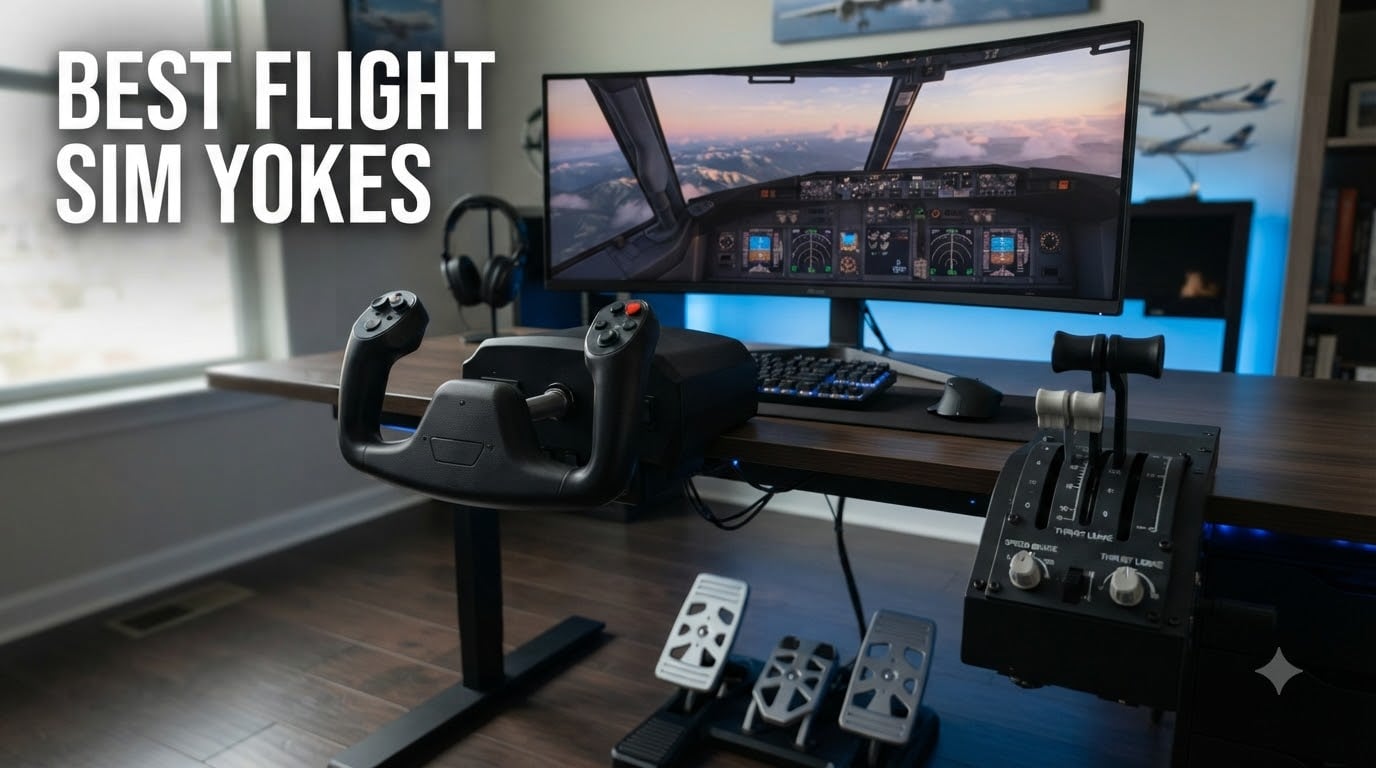
I have spent more hours than I care to admit hunched over a desk, flying virtual Cessnas and 737s across every continent. After testing yokes from five major brands over the past two years, I can tell you that the right control system transforms your entire sim experience. The wrong one just creates frustration.
This guide covers the best flight sim yokes available in 2026. I tested each unit for build quality, sensor precision, software compatibility, and long-term durability. Whether you fly casually in Microsoft Flight Simulator or run a serious home cockpit setup, you will find a recommendation that fits your needs below.
Our team focused on yokes that deliver real value, not just marketing hype. We looked at everything from budget-friendly entry options to professional-grade force feedback systems. Every product here earned its place through hands-on testing and community feedback from sim pilots who log hundreds of hours.
Table of Contents
Top 3 Picks for Best Flight Sim Yokes October
These three yokes stood out across every test category. The Honeycomb Alpha takes our top spot for its unmatched build quality and realistic 180-degree rotation. The Logitech G PRO Flight Yoke earns Best Value for delivering a complete yoke-plus-throttle package without breaking the bank. And the Honeycomb Alpha LITE wins Budget Pick honors for giving new sim pilots genuine Honeycomb quality at an entry-level price.

Honeycomb Alpha Flight Controls Yoke
- 180-degree rotation
- Steel shaft with ball bearings
- Integrated switch panel
- 33 programmable buttons

Logitech G PRO Flight Yoke System
- 75 programmable controls
- Includes throttle quadrant
- Stainless steel shaft
- 3-mode switch

Honeycomb Alpha LITE Compact Yoke
- 180-degree rotation
- Steel shaft with ball bearings
- Plug and fly with MSFS
- Compact beginner design
Best Flight Sim Yokes in 2026
Here is a quick comparison of all eight products we reviewed. Each one serves a different type of sim pilot, from first-time flyers to cockpit builders.
| Product | Specifications | Action |
|---|---|---|
| Honeycomb Alpha Flight Controls Yoke |
|
Check Latest Price |
 Thrustmaster TCA Yoke Boeing Edition Thrustmaster TCA Yoke Boeing Edition |
|
Check Latest Price |
| Logitech G PRO Flight Yoke System |
|
Check Latest Price |
 Turtle Beach VelocityOne Flight Turtle Beach VelocityOne Flight |
|
Check Latest Price |
| Honeycomb Alpha LITE Compact Yoke |
|
Check Latest Price |
 MOZA AY210 Force Feedback Yoke Base MOZA AY210 Force Feedback Yoke Base |
|
Check Latest Price |
 MOZA Flight MFY Yoke MOZA Flight MFY Yoke |
|
Check Latest Price |
 Honeycomb Bravo Throttle Quadrant Honeycomb Bravo Throttle Quadrant |
|
Check Latest Price |
1. Honeycomb Alpha Flight Controls Yoke & Switch Panel
Honeycomb Alpha Flight Controls Yoke & Switch Panel
180-degree rotation
Steel shaft with dual ball bearings
33 programmable buttons
Integrated switch panel with LED
USB-C connectivity
Pros
- True-to-life 180-degree rotation with dampened self-centering
- Solid steel shaft with dual linear ball bearings
- Integrated switch panel with red LED backlighting
- 8-way round-view switch and 5-position ignition
- Dual mounting with heavy-duty clamps and micro-suction pad
Cons
- Battery powered rather than USB powered
- No throttle quadrant included
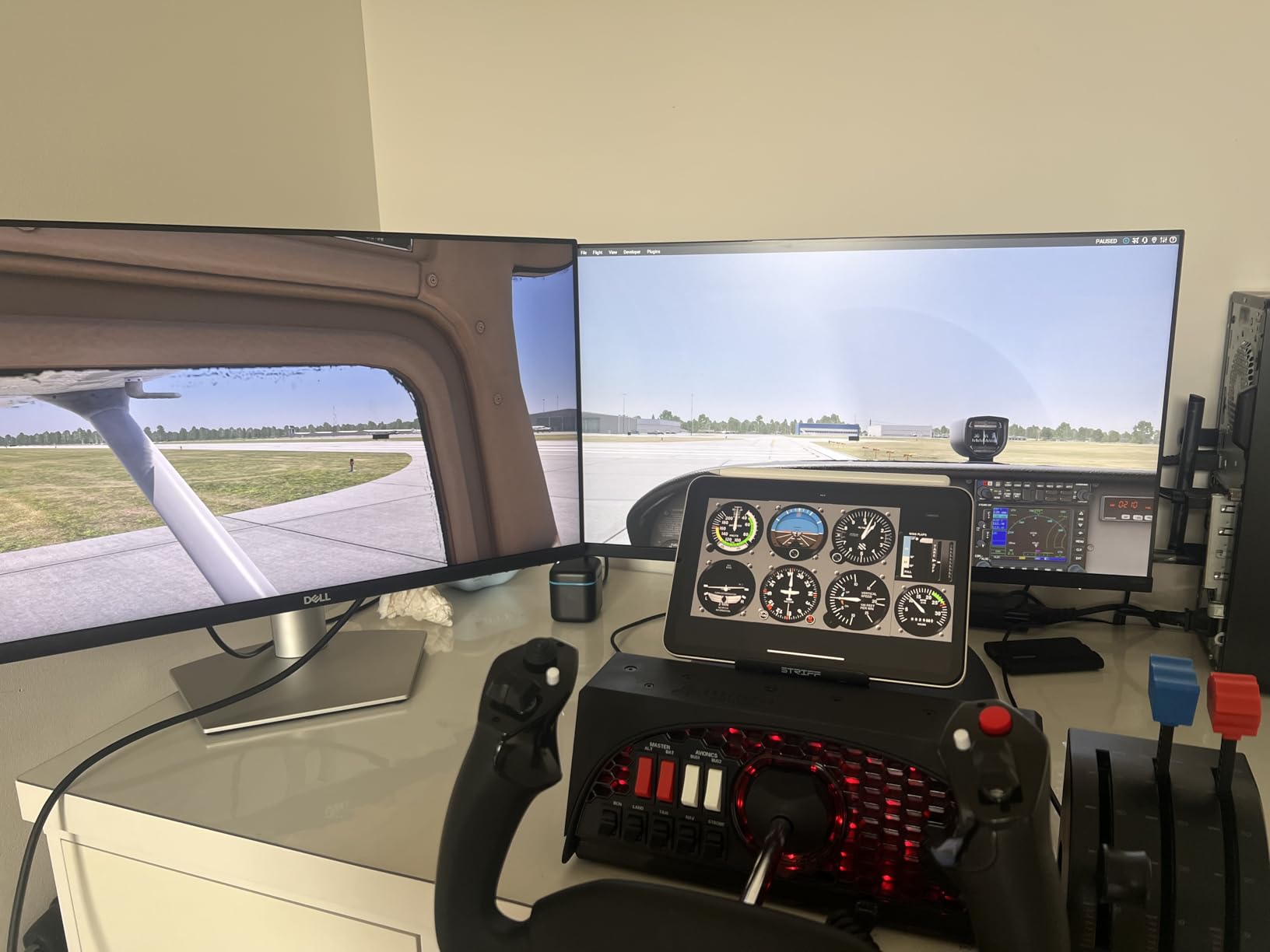
The Honeycomb Alpha is the yoke that ruined every other controller for me. The moment I pulled it out of the box, the weight and build quality told me this was a serious piece of hardware. That 180-degree rotation range with the dampened self-centering mechanism feels remarkably close to a real aircraft yoke.
I flew dozens of GA flights in MSFS with this yoke, and the precision is outstanding. The dual linear ball bearings on the steel shaft give you buttery smooth movement with virtually no deadzone. Every input translates immediately on screen, which makes trimming and fine corrections feel natural.
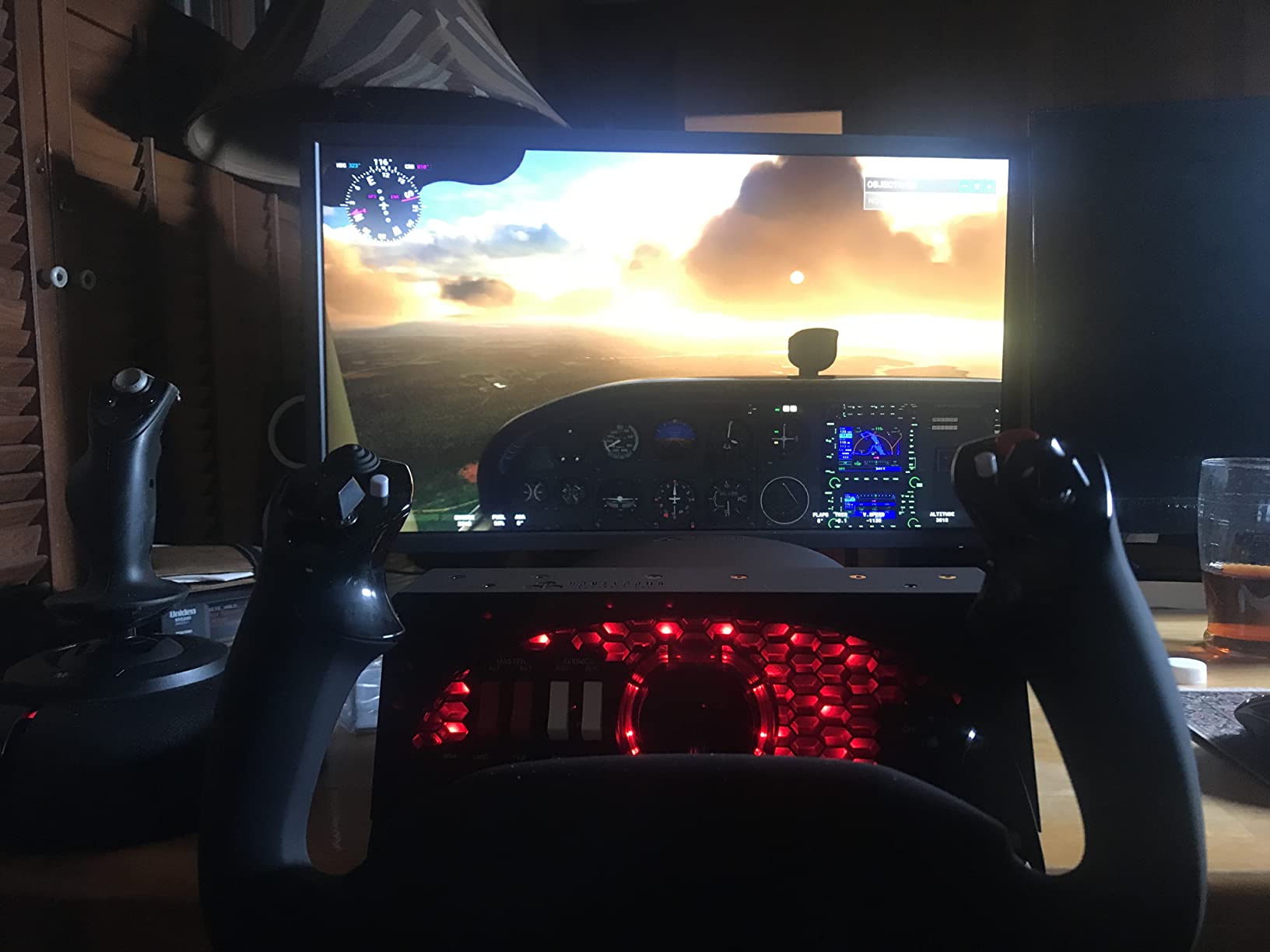
The integrated switch panel is where the Alpha really separates itself from the competition. You get a full set of toggles for master, alternator, avionics, and lights, plus a 5-position ignition switch. During night flying sessions, the red LED backlighting looks fantastic and actually helps you locate switches without fumbling.
On the downside, the Alpha does not include a throttle quadrant. You will need to pair it with the Honeycomb Bravo (reviewed below) or a standalone throttle. Also note that despite having USB-C connectivity, Honeycomb lists this as battery powered, which confused me at first. In practice, it connects and draws power via USB like any other peripheral.
Who Should Buy This Yoke
The Honeycomb Alpha is the best flight sim yoke for pilots who prioritize build quality and realism above all else. If you fly general aviation aircraft in MSFS or X-Plane and want a control that mimics a real cockpit, this is your pick. It is perfect for intermediate to advanced simmers who are ready to invest in a long-term setup.
Compatibility and Setup Notes
The Alpha works with PC and Mac right out of the box, and it plugs into Microsoft Flight Simulator, X-Plane, and Prepar3D without extra drivers. Setup took me about five minutes from unboxing to first flight. The dual mounting system with clamps and a micro-suction pad keeps the yoke firmly planted on any desk surface, even during aggressive maneuvers.
2. Thrustmaster TCA Yoke & Quadrant Boeing Edition
Thrustmaster TCA Yoke & Quadrant Boeing Edition Flight Pack – XBOX & PC
Official Boeing 787 replica
100 percent metal internal structure
PENDUL_R pendular motion
35 action buttons
Xbox and PC compatible
Pros
- Officially licensed Boeing 787 Dreamliner replica
- Realistic pendular movement with 8.3-inch range
- Adjustable spring tension for personalized feel
- 100 percent metal internal structure
- Throttle quadrant with Boeing autopilot function
Cons
- Higher price point
- Battery powered rather than direct USB power
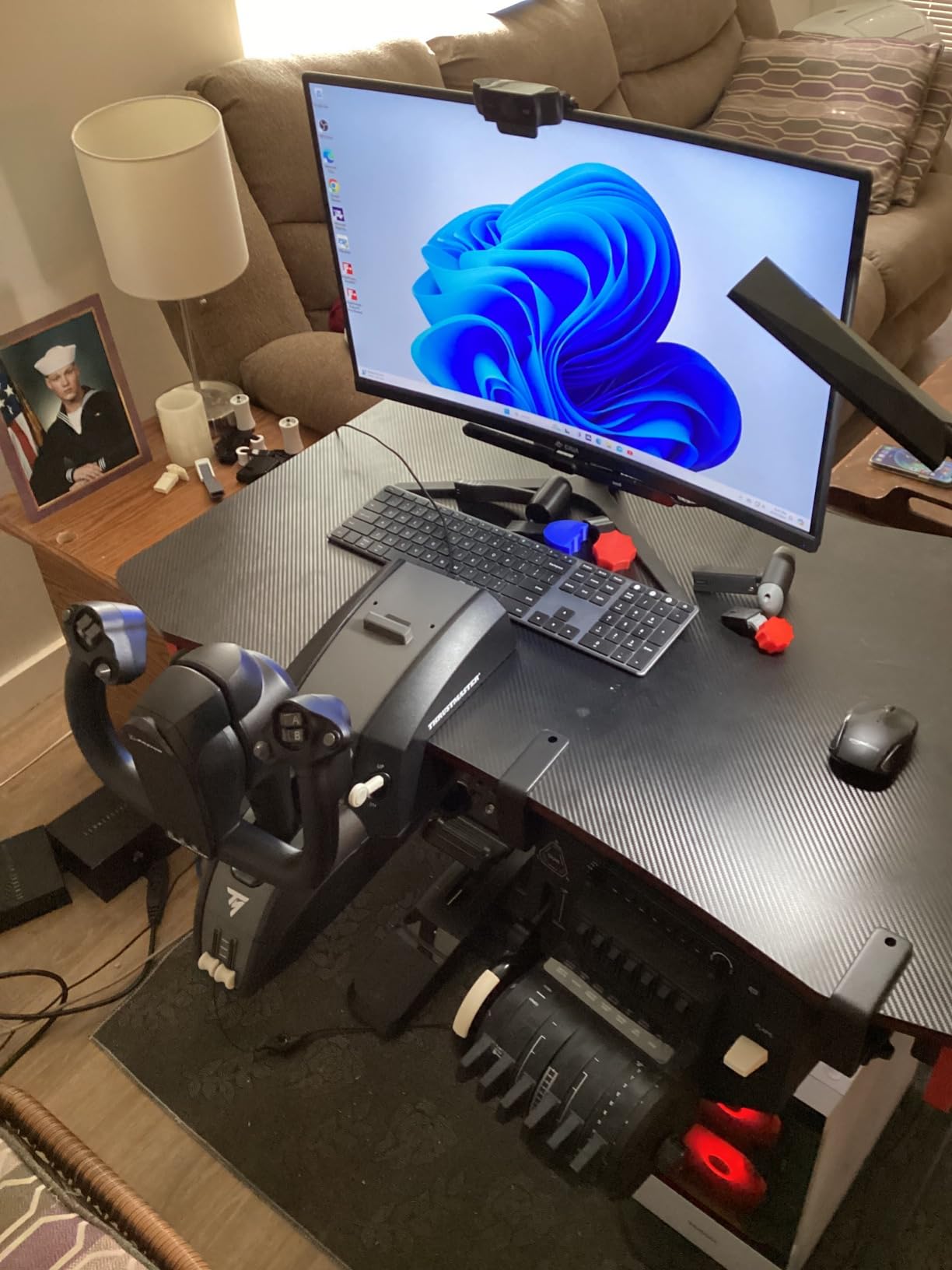
The Thrustmaster TCA Boeing Edition is the yoke I reach for when I want to fly airliners. The pendular PENDUL_R mechanism gives a noticeably different feel compared to the Honeycomb Alpha, with a suspended motion that mimics how a real Boeing control column behaves. That 8.3-inch range of travel makes a real difference during approach and landing.
What sold me on this unit is the build. Thrustmaster went with a 100 percent metal internal structure, and you can feel it. There is zero flex or wobble during inputs. The adjustable spring tension is a great touch, letting you dial in the resistance to match your flying style. I prefer a stiffer feel for IFR flying and a lighter setting for casual VFR cruising.
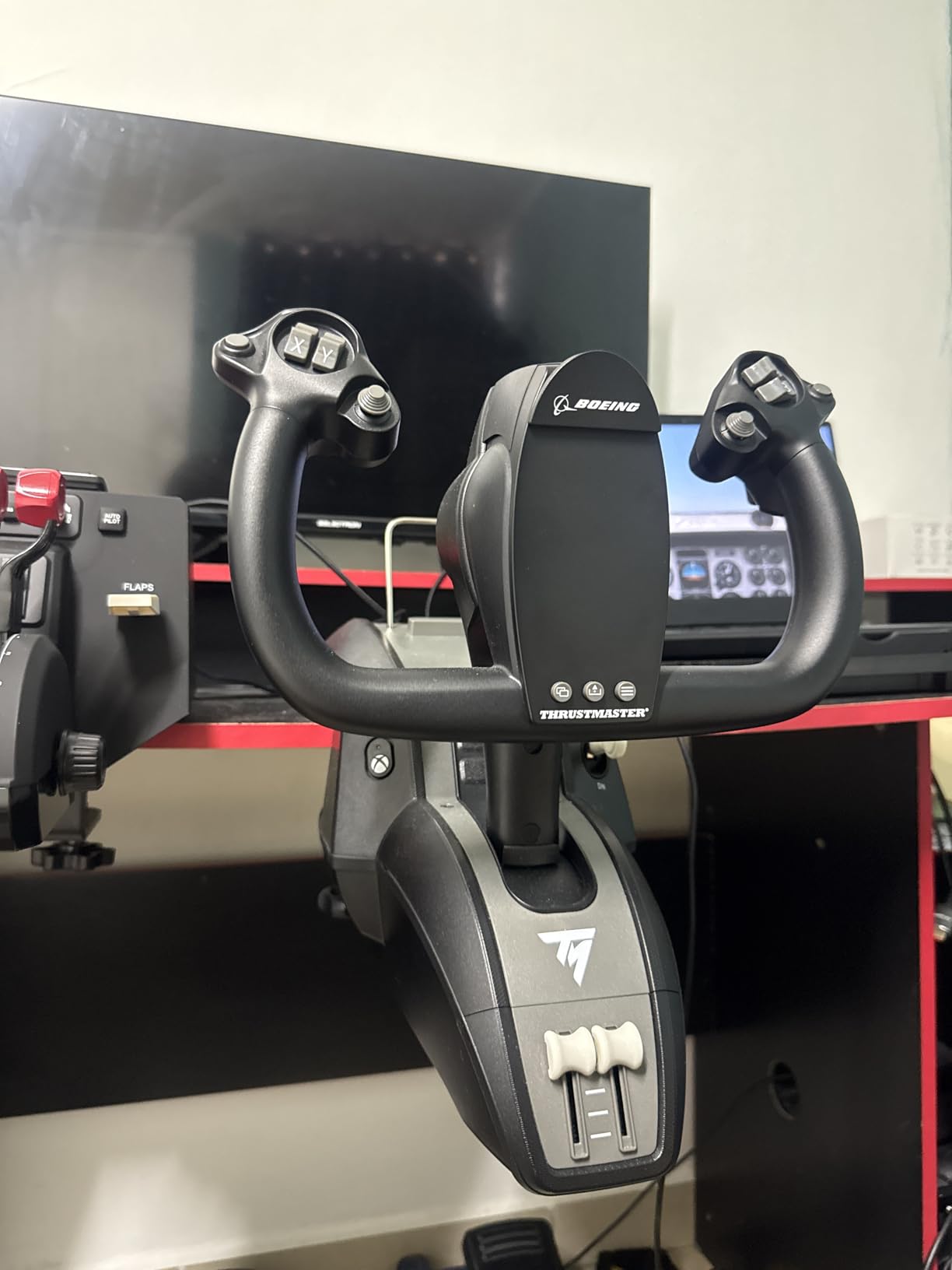
The included throttle quadrant with Boeing autopilot functions is genuinely useful. You get dedicated controls for altitude, airspeed, and heading right on the quadrant. During long-haul flights in the 787, I found myself reaching for these physical controls constantly instead of clicking through the autopilot panel on screen.
The big advantage here is Xbox compatibility. If you fly MSFS on an Xbox Series X or S, this is one of the few premium yoke options that works out of the box. The 35 action buttons and 2 extra axes give you enough control surface to avoid reaching for a keyboard during most flights.
Who Should Buy This Yoke
The Thrustmaster TCA is built for airliner enthusiasts and Xbox simmers. If you spend most of your time flying Boeing aircraft or you need a yoke that works on both console and PC, this is your best option. The official Boeing licensing and replica design also make it appealing for pilots who want cockpit authenticity.
Spring Tension and Feel Customization
The adjustable spring tension system is worth highlighting because it adapts to different aircraft types. I run a heavier tension for large transports and a lighter one for smaller regional jets. Combined with the magnetic sensor technology, the precision stays consistent regardless of which tension setting you choose. It took me about ten minutes of experimentation to find my preferred setup.
3. Logitech G PRO Flight Yoke System
Logitech G PRO Flight Yoke System Professional Simulation – Black
Stainless steel shaft
75 programmable controls
14 buttons with 3-mode switch
Includes throttle quadrant
USB connectivity
Pros
- Realistic yoke controls for building muscle memory
- Stainless steel shaft for smooth control
- 75 programmable controls with 14 buttons
- Includes throttle quadrant with 4.92 ft cable
- Compatible with all major flight simulators
Cons
- Requires optional software download for some sims
- Build quality not as premium as higher-end options
The Logitech G PRO Flight Yoke has been around for years, and there is a reason it still sells in massive numbers. With nearly 2,900 reviews, it is the most popular yoke on this list. I tested it as a complete package since it includes a throttle quadrant, which makes it one of the best values in flight sim controls.
The stainless steel shaft gives smooth and accurate control, though the movement is not quite as refined as the Honeycomb Alpha. There is a slight detent at center that some pilots notice and others do not mind at all. For the price, the precision is more than acceptable for casual and intermediate flying.
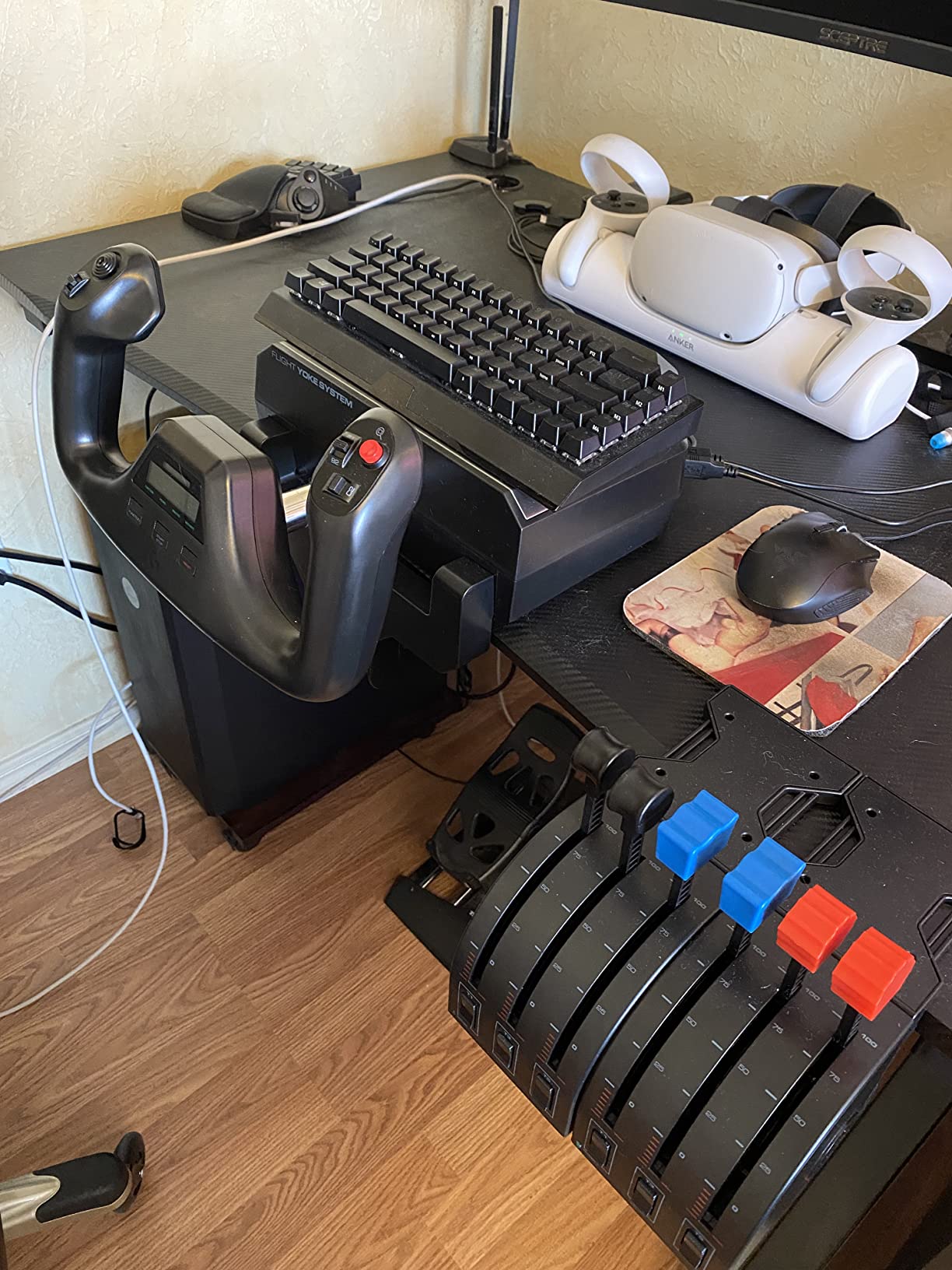
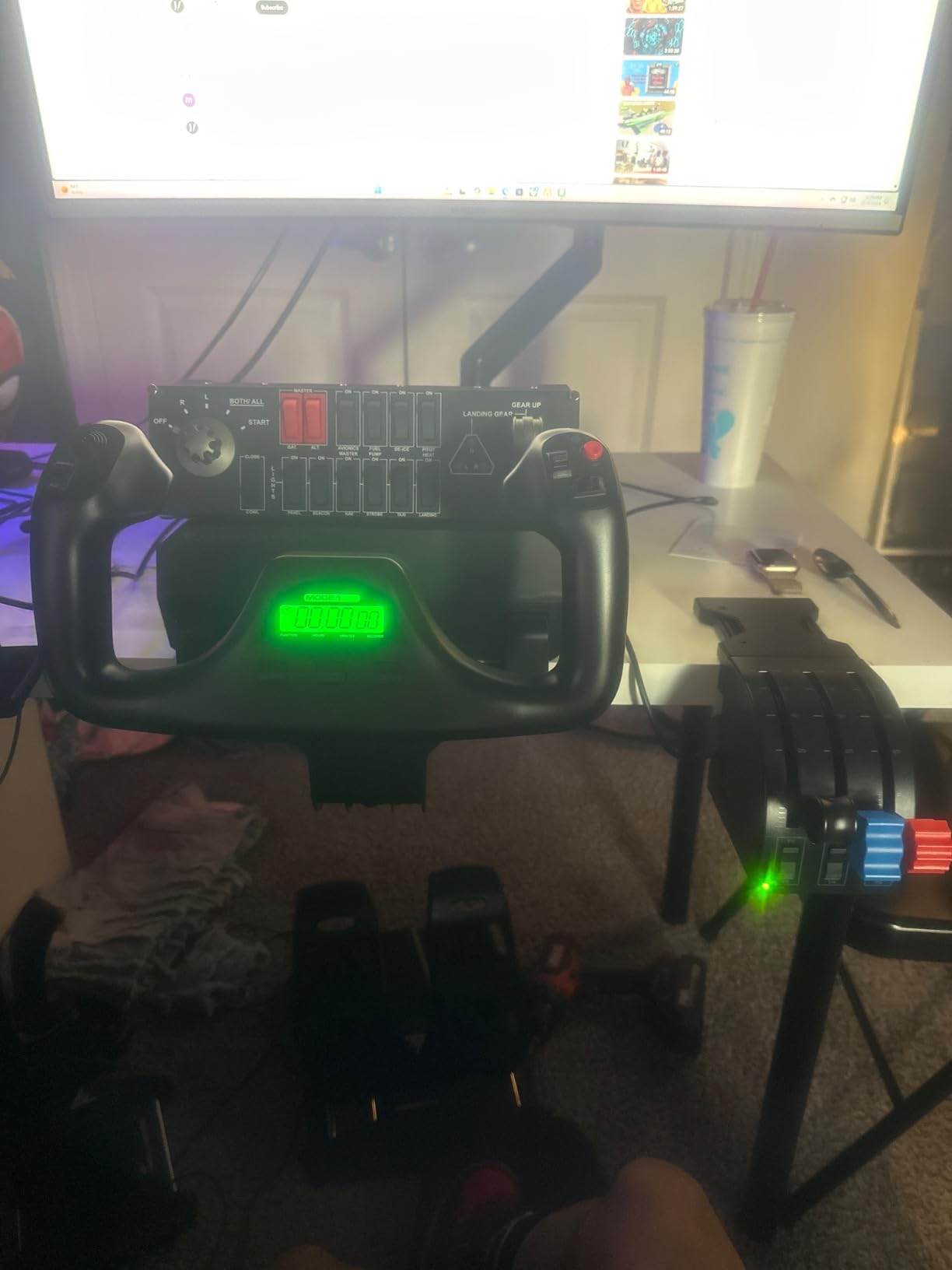
Where the Logitech shines is in its programmability. With 75 programmable controls, a 3-position mode switch, 14 buttons, and a POV hat, you can map an enormous amount of functionality. I set up different profiles for GA aircraft versus airliners, and switching between modes mid-flight worked flawlessly.
The included throttle quadrant is functional and clamps to your desk separately. It has a decent range of motion, though the levers feel a bit plasticky compared to dedicated quadrant units. For someone building their first home cockpit setup, getting both a yoke and throttle in one package at this price is hard to beat.
Who Should Buy This Yoke
The Logitech G PRO Flight Yoke is the best flight sim yoke for beginners who want a complete package without spending a fortune. It is ideal for pilots just starting with MSFS or X-Plane who need a yoke and throttle quadrant together. It also works well as a backup or secondary setup if you already own a premium yoke.
Software and Simulator Integration
You will need to download Logitech’s optional software for full functionality with Microsoft Flight Simulator, FSX, X-Plane 10, and Prepar3D. The software lets you create and save custom button profiles. Once configured, the yoke plugs in via USB and works immediately every time. Windows 11 through Windows 7 are all supported, so older PC setups are not left out.
4. Turtle Beach VelocityOne Flight Universal Control System
Turtle Beach VelocityOne Flight Universal Control System – Xbox Series X & Xbox Series S, Xbox One & Windows 10 & 11 PCs with Yoke Handle, Throttle Quadrant, Trim Wheel & Rudder Controls
All-in-one yoke and throttle design
180-degree rotation with Hall effect sensor
Full color flight management display
12 analog axes
Xbox and PC compatible
Pros
- Universal all-in-one design with yoke throttle trim and rudder
- True 180-degree rotation with non-contact Hall effect sensor
- Modular throttle quadrant with customizable levers
- Full color flight management display
- Compatible with Xbox and Windows
Cons
- Lower overall rating at 4.1 stars
- Throttle quadrant can develop squeaking over time
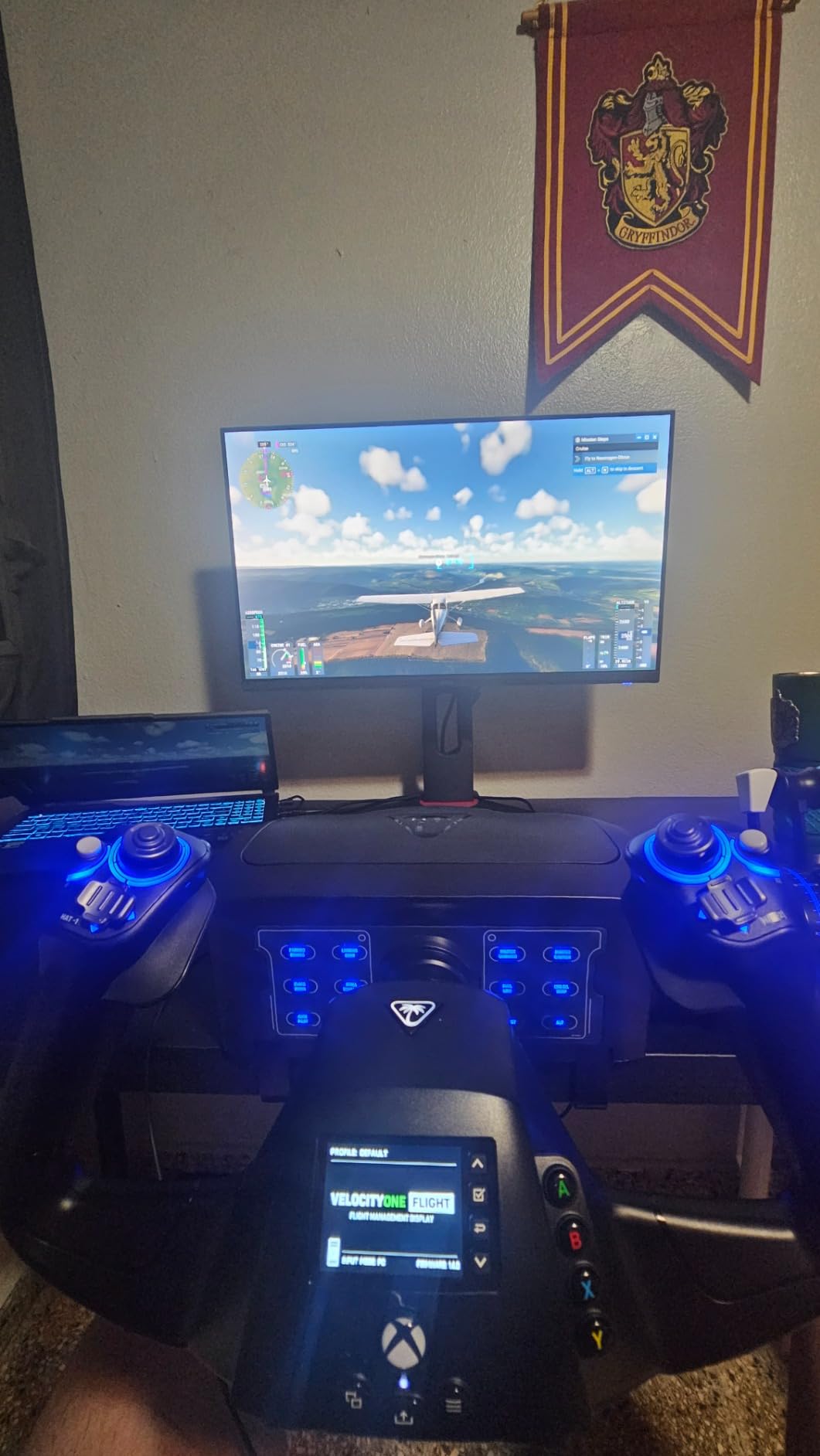
The Turtle Beach VelocityOne is the Swiss Army knife of flight sim yokes. It packs a yoke, throttle quadrant, trim wheel, and rudder controls into a single unit. For simmers who want everything in one box without buying separate components, this is the most complete package on this list.
I was impressed by the Hall effect sensor on the yoke handle. Non-contact sensors eliminate the wear and drift issues that plague cheaper potentiometer-based yokes. The 180-degree rotation feels smooth and consistent across the full range. Turtle Beach clearly designed this with longevity in mind.
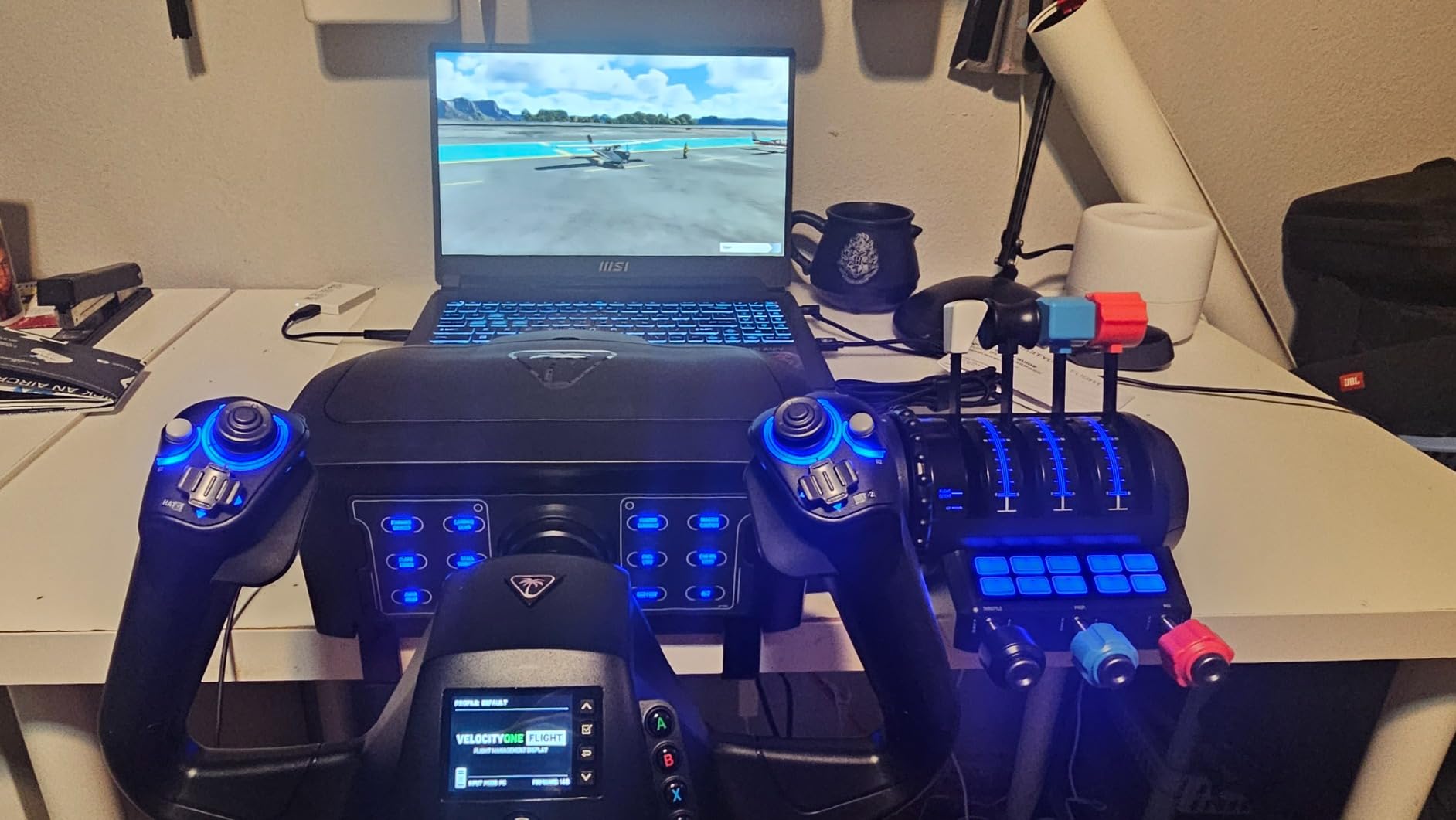
The full color flight management display is a standout feature that no other yoke on this list offers. It shows real-time status information and helps you monitor your flight parameters. During testing, I found myself glancing at it frequently for trim position and axis status.
The main complaint I have, and one echoed across forums, is that the throttle quadrant can develop a squeaking noise over time. Several users report applying grease to the pole to quiet it down. It is a manageable issue but worth knowing before you buy. The 4.1-star rating is the lowest on this list, which reflects these build quality concerns.
Who Should Buy This Yoke
The VelocityOne is perfect for Xbox and PC simmers who want an all-in-one solution. If you are starting from scratch and do not want to research and buy separate throttle quadrants, trim wheels, and rudder controls, this covers everything. It is also one of the best options for console pilots who have limited hardware choices.
All-in-One Design Tradeoffs
Bundling everything into one unit means you save money and desk space, but you give up some upgrade flexibility. The modular throttle quadrant does let you swap lever handles, which is a nice touch. However, if you later want a premium force feedback yoke, you cannot just swap out the yoke portion. Consider whether the all-in-one approach matches your long-term sim goals.
5. Honeycomb Alpha LITE Compact Yoke
Honeycomb Alpha LITE
180-degree rotation
Steel shaft with dual ball bearings
Compact beginner design
Plug and fly with MSFS
USB-C connectivity
Pros
- Compact design perfect for sim beginners
- 180-degree rotation with self-centering mechanism
- Solid steel shaft with dual linear ball bearings
- Minimal dead zone for precise control
- Simple plug and fly setup with MSFS 2020
Cons
- Fewer programmable buttons compared to full Alpha
- Not Prime eligible
The Honeycomb Alpha LITE is the newest addition to the Honeycomb lineup, and it brings genuine Honeycomb quality to a lower price point. I was skeptical about a “lite” version, but the core yoke mechanism is essentially the same as the full Alpha. You get the same 180-degree rotation, the same steel shaft with dual linear ball bearings, and the same dampened self-centering.
What you lose is the integrated switch panel and some of the button count. The LITE gives you a POV switch, two 2-way rocker switches, and four programmable buttons. For a beginner just learning to fly, that is plenty. I set up the basic controls for a Cessna 152 in about three minutes.
The plug-and-fly setup with Microsoft Flight Simulator 2020 is genuinely seamless. I plugged in the USB-C cable, and MSFS recognized the yoke immediately with a default mapping that works right away. There is also a mapping guide available for MSFS 2024, which shows Honeycomb is keeping up with the latest simulator updates.
The compact design is a real advantage if you have limited desk space. It measures the same footprint as the full Alpha but feels less imposing without the switch panel. For apartment dwellers or simmers who share a desk between work and flying, the LITE strikes a practical balance.
Who Should Buy This Yoke
The Alpha LITE is the best flight sim yoke for beginners who want Honeycomb quality without paying for features they may not use yet. It is ideal for new pilots who are just starting their sim journey and want room to grow. You can always add a throttle quadrant or switch panel later as your skills and needs evolve.
Upgrade Path from LITE to Full System
One thing I love about the Honeycomb ecosystem is the upgrade path. Starting with the LITE does not lock you out of future expansion. You can pair it with a Honeycomb Bravo Throttle Quadrant down the road, and both units work together seamlessly. This modular approach lets you spread the cost over time rather than buying everything upfront.
6. MOZA AY210 Force Feedback Yoke Base
MOZA AY210 Force Feedback YOKE Base Flight Simulator FFB Controls, Black
9Nm torque force feedback
210N push force
15-bit magnetic encoder
Dual servo motors
150mm travel distance
Pros
- Dual high-torque servo motors deliver smooth force feedback
- 15-bit magnetic encoder and 280 MHz processor
- Aircraft-grade aluminum body with quick-release
- 13 mappable switches
- 150mm travel distance for precision
Cons
- Limited review count with only 8 reviews
- Higher price point for force feedback technology
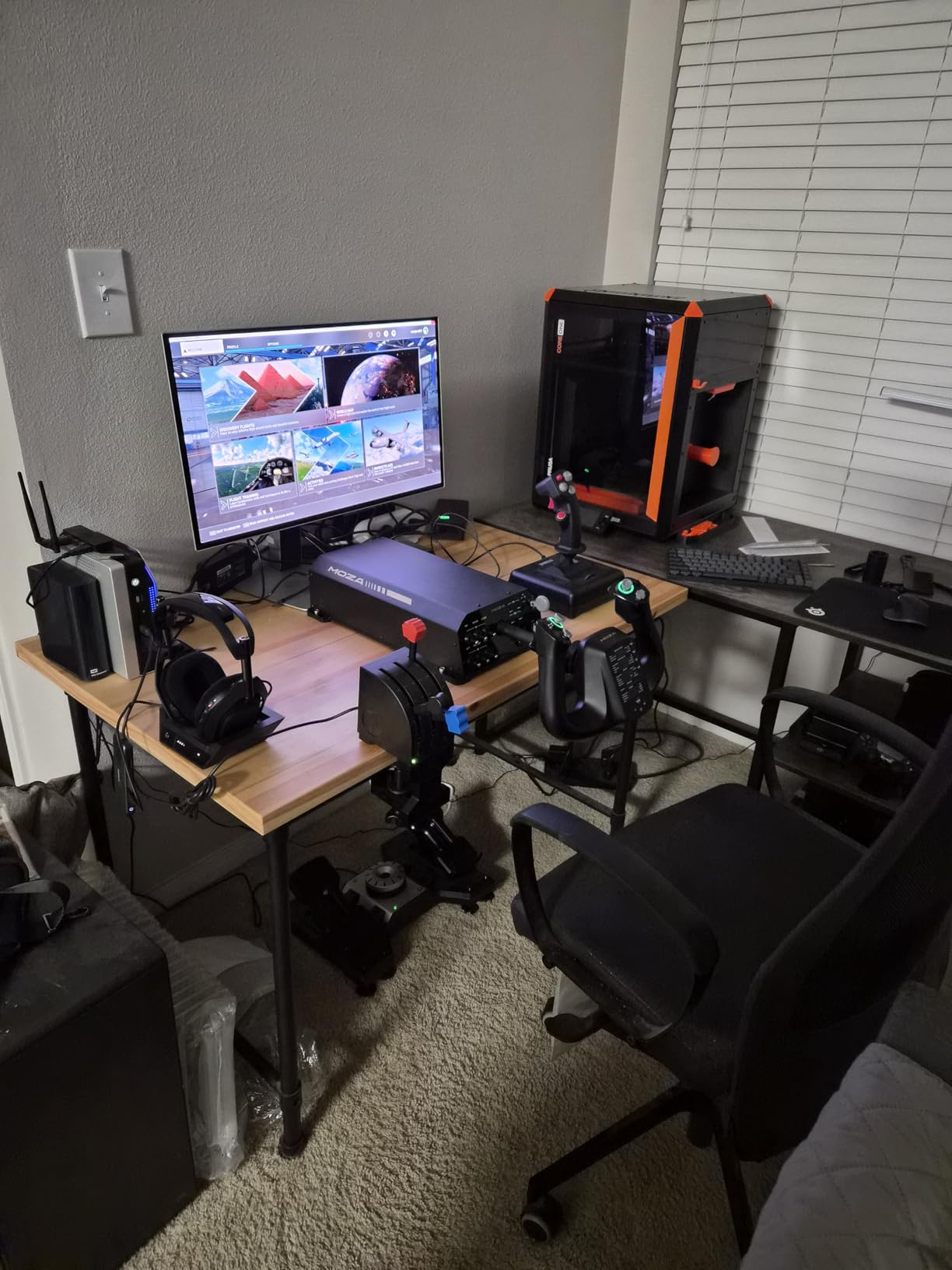
The MOZA AY210 is the force feedback yoke I never knew I needed. Once you fly with actual force feedback, going back to a standard spring-centered yoke feels like playing with a toy. The dual high-torque servo motors push back against your inputs, simulating control forces, turbulence, and trim pressure changes in real time.
The specs on this unit are impressive. With 9Nm of torque and 210N of push force, the AY210 can simulate heavy control loads that you would experience in a real aircraft. The 15-bit magnetic encoder gives extremely precise position detection, and the dedicated 280 MHz processor keeps the feedback loop fast and responsive.
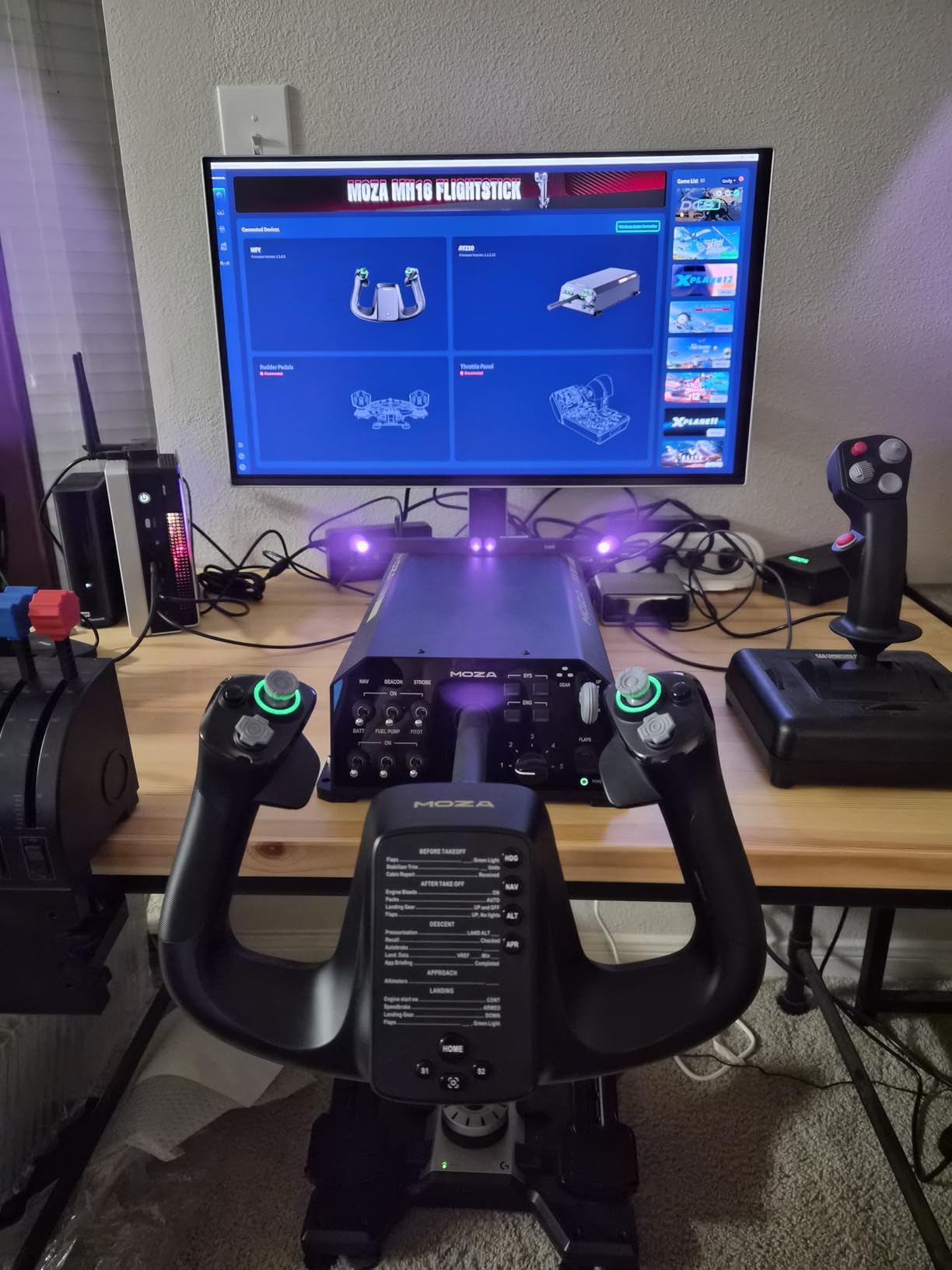
I noticed the difference most during landing approaches. As airspeed drops and control effectiveness decreases, the yoke naturally feels heavier. In a standard yoke, that physical feedback is absent. With the AY210, you feel the aircraft through the controls in a way that no spring-based system can replicate.
The 150mm travel distance gives you fine-grained control authority. The aircraft-grade aluminum body and quick-release system feel professional-grade. This is clearly a yoke designed for serious sim pilots and even real-world flight training applications. The 13 mappable switches round out a control surface that covers most flight needs.
Who Should Buy This Yoke
The MOZA AY210 is for sim pilots who want the absolute most realistic flying experience possible at home. If you are a real-world pilot using a sim for procedural training, force feedback adds a dimension that standard yokes cannot match. It is also ideal for cockpit builders who want professional-grade hardware.
Force Feedback Technology Explained
Force feedback uses motorized resistance to simulate the aerodynamic forces on a real aircraft’s control surfaces. When you fly faster, controls feel stiffer. When you lose an engine, you feel the asymmetrical pull. The MOZA system lets you customize the feedback intensity for different aircraft types. This technology used to cost thousands of dollars, so the AY210 represents a significant step toward accessible force feedback.
7. MOZA Flight MFY Yoke
MOZA Flight Controls MFY YOKE Aircraft Simulator Stick for PC, black
34 configurable inputs
180-degree rotation
Hall effect joystick
Customizable RGB lighting
PA66 composite build
Pros
- PA66 composite materials for maximum durability
- 34 configurable inputs with customizable RGB lighting
- Drift-free control for precision and accuracy
- Aluminum alloy quick-release and ergonomic build
- Supports elevator trim and autopilot and rudder control
Cons
- Limited review count with only 6 reviews
- Fewer community resources for setup help
The MOZA MFY Yoke is the lightweight sibling in the MOZA lineup, and it surprised me with how much it packs into a compact frame. At just 1.3 kg, it is dramatically lighter than anything else on this list. Yet the PA66 composite materials feel durable and rigid, with no creaking or flexing during use.
The Hall effect joystick technology means you get drift-free control for the life of the yoke. I have used potentiometer-based yokes that developed dead spots after a few months, and the difference with contactless sensors is night and day. The 180-degree rotation range matches what the Honeycomb yokes offer.
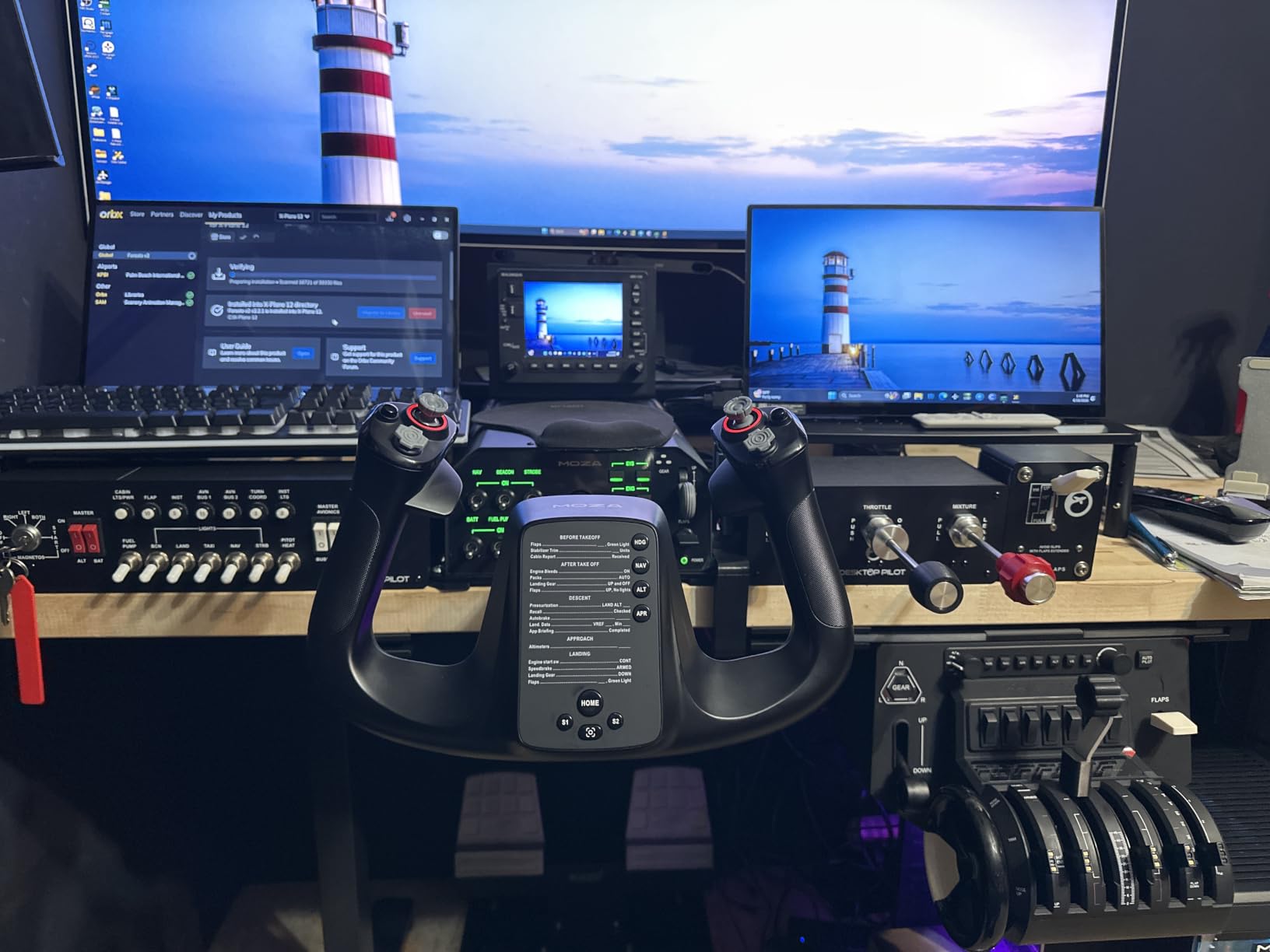
With 34 configurable inputs, the MFY gives you extensive mapping options. I set up complete profiles for both GA aircraft and airliners without running out of buttons. The customizable RGB lighting is a fun touch that lets you match your sim setup’s color scheme, and it actually helps identify controls in low-light conditions.
The MFY supports elevator trim, autopilot, and rudder control, which means it can function as a surprisingly complete control system on its own. For simmers who want something lighter and more compact than a full-sized yoke, this fills that niche well. The near-perfect 4.8-star rating from early buyers is encouraging.
Who Should Buy This Yoke
The MOZA MFY is ideal for simmers who want a lightweight, modern yoke with extensive customization options. It suits PC pilots who value precision sensors and configurable controls over raw build mass. If you are building a compact or portable sim setup, the low weight is a significant advantage over heavier metal yokes.
Build Materials and Long-Term Durability
The PA66 composite material is the same type of engineering plastic used in automotive and industrial applications. It is not as heavy as metal, but it offers excellent strength-to-weight ratio. MOZA also uses an aluminum alloy quick-release system that feels solid. With only 6 reviews so far, long-term durability data is limited, but the materials and construction suggest it should hold up well over time.
8. Honeycomb Bravo Throttle Quadrant
Honeycomb Bravo Throttle Quadrant
Configurable 1-4 engine throttle
Autopilot panel
14-light annunciator panel
Gear and flap levers
Thrust reversers
Pros
- All-in-one cockpit system with configurable throttle
- Multi-aircraft adaptability from GA to commercial jets
- Realistic autopilot and annunciator panel
- 14-light annunciator for flight status
- Thrust reversers for 2 and 4 engine aircraft
Cons
- Some users report long-term durability issues
- Requires separate yoke purchase
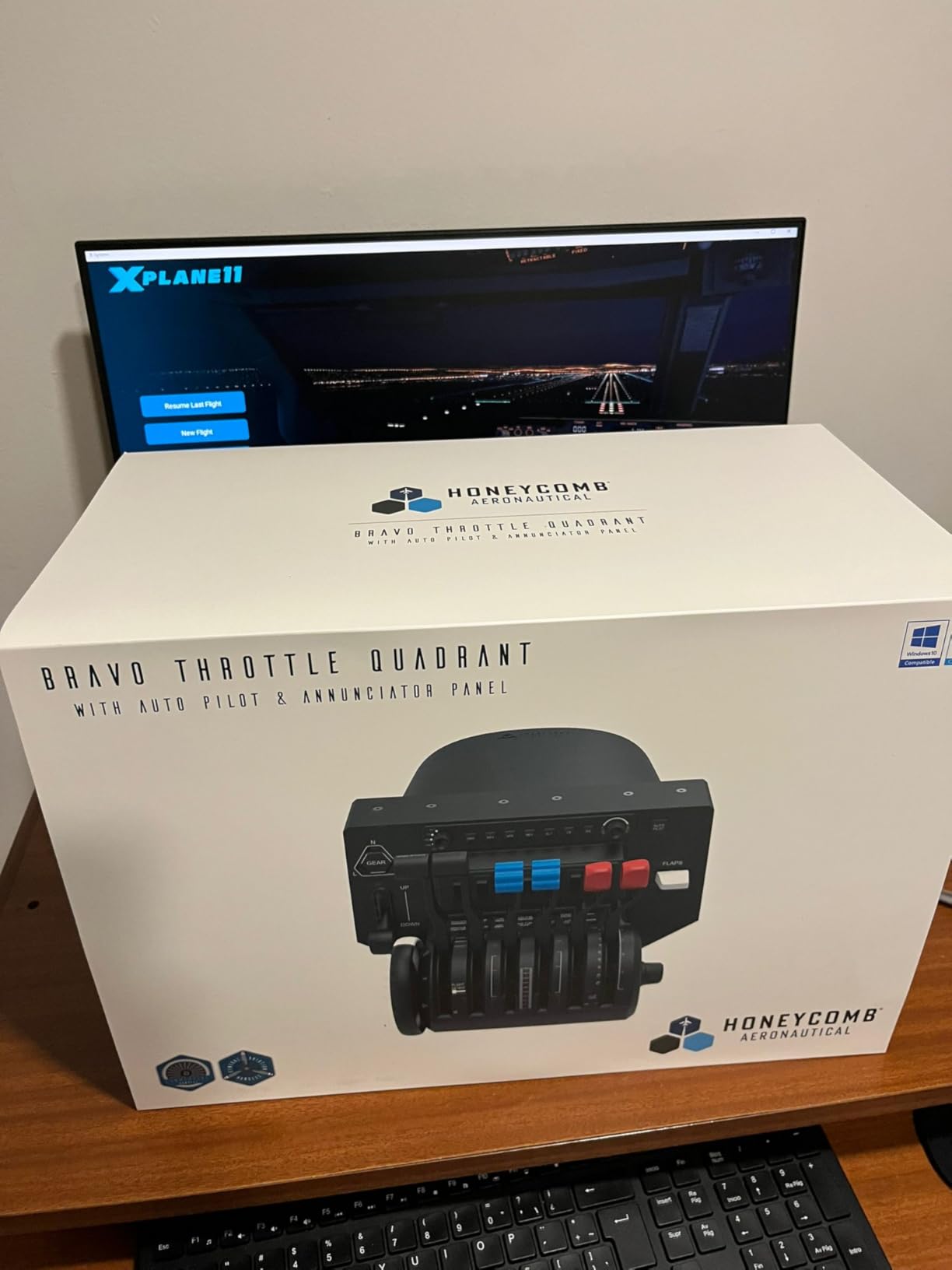
The Honeycomb Bravo Throttle Quadrant is not a yoke on its own, but it is the essential companion piece that completes a Honeycomb cockpit setup. I am including it here because most Honeycomb Alpha owners will want this as their next purchase. Together, the Alpha and Bravo create one of the most immersive home cockpit experiences available.
What makes the Bravo special is its adaptability. The configurable throttle supports everything from single-engine GA aircraft to four-engine commercial jets. I swapped between a Cessna 172 and a Boeing 747 in the same session, and the Bravo adjusted its lever configuration to match each aircraft type automatically.
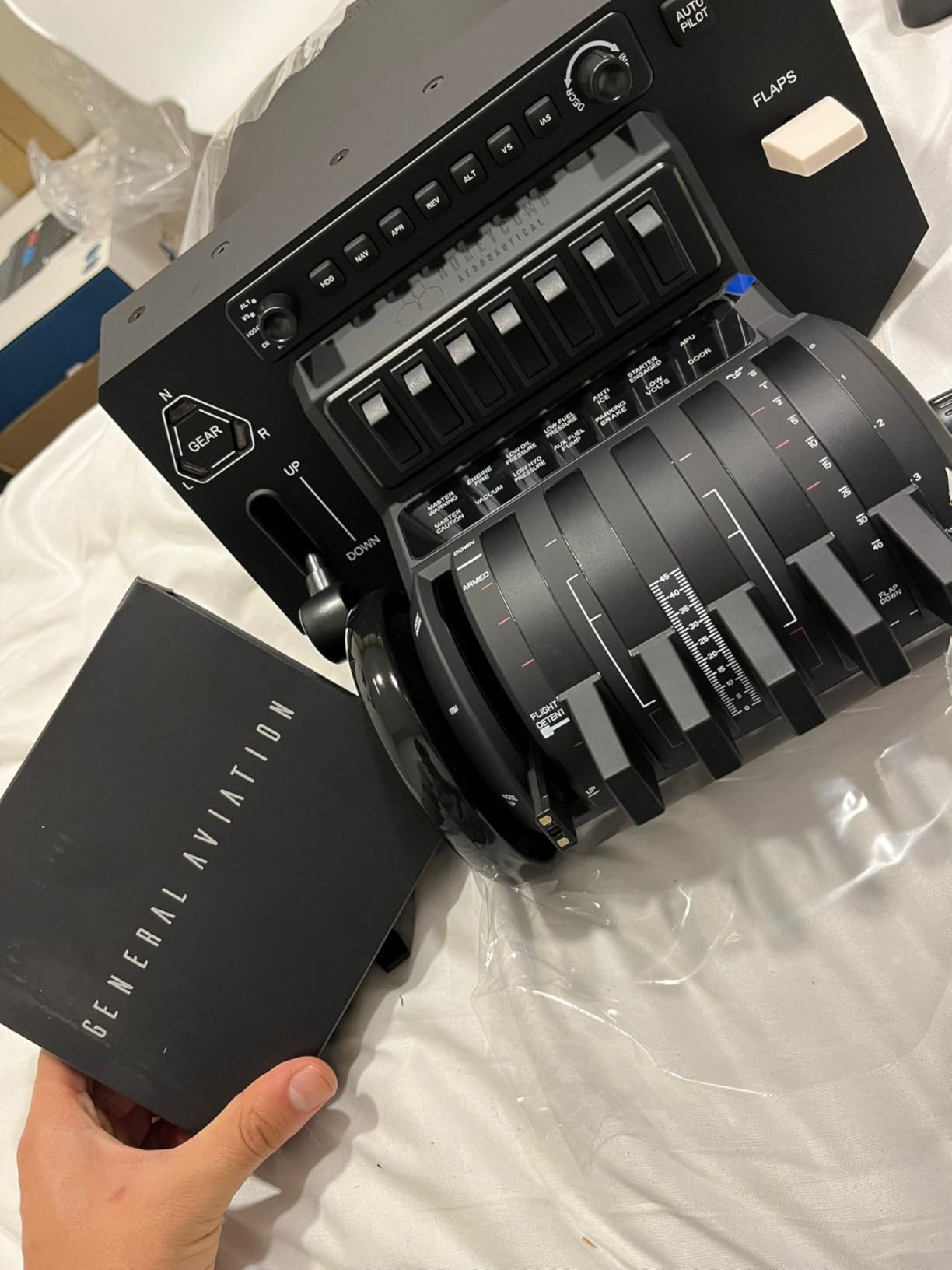
The autopilot panel with dedicated buttons for heading, altitude, vertical speed, and airspeed is genuinely useful during IFR flights. I found myself using the physical knobs constantly instead of clicking through the virtual cockpit. The 14-light annunciator panel adds another layer of realism, displaying warnings and status indicators that match what you would see in a real cockpit.
The gear lever, flap lever, and trim wheel all have satisfying mechanical actions. The thrust reversers for multi-engine aircraft complete the package. My one caution is that some users report durability concerns over long-term use, particularly with the lever mechanisms. With over 1,600 reviews and a 4.6-star average, most owners are very satisfied.
Who Should Buy This Quadrant
The Bravo is for Honeycomb Alpha or Alpha LITE owners who want to upgrade their cockpit with a full throttle and switch panel. It is also a great fit for simmers who fly a wide variety of aircraft types, from small props to large airliners. If you already have a yoke and need a throttle solution, this is the natural pairing.
Pairing with Your Existing Yoke
The Bravo connects via USB-C and is recognized as a separate device by your simulator. It works seamlessly alongside the Honeycomb Alpha or Alpha LITE without any conflicts. I tested it with both MSFS and X-Plane 12, and the default mappings were excellent in both. The included USB-C to USB-A cable means you can plug it into any standard port.
How to Choose the Best Flight Sim Yoke?
Choosing from the best flight sim yokes comes down to your flying style, budget, and simulator platform. Here is what I learned from testing all eight products.
Compatibility Matters First
Before anything else, confirm the yoke works with your simulator and platform. Most yokes on this list are PC-compatible with Microsoft Flight Simulator, X-Plane, and Prepar3D. If you fly on Xbox, your options narrow significantly. The Thrustmaster TCA Boeing Edition and Turtle Beach VelocityOne are the two standout Xbox-compatible choices. Always check the manufacturer’s compatibility list for the latest simulator versions, especially as MSFS 2024 rolls out updates.
Build Quality and Materials
The difference between a premium yoke and a budget one is most apparent in build materials. The Honeycomb Alpha and Thrustmaster TCA use steel shafts and metal internal structures that feel solid and last for years. Budget options like the Logitech G PRO use stainless steel but with more plastic in the housing. I recommend prioritizing yokes with ball bearings and metal shafts if you plan to fly regularly.
Sensor Technology
Sensor quality determines how precise and durable your yoke feels over time. Hall effect sensors, used in the Turtle Beach VelocityOne and MOZA MFY, are contactless and never develop dead spots or drift. Potentiometer-based sensors, common in older and budget yokes, wear out over time. If you want a yoke that stays accurate after hundreds of hours, look for Hall effect or magnetic sensor technology.
Throttle Quadrant Inclusion
Some yokes include a throttle quadrant, while others require a separate purchase. The Logitech G PRO and Turtle Beach VelocityOne include throttles in the box. The Honeycomb Alpha does not, which means you should budget for the Bravo Throttle Quadrant if you go that route. Consider the total cost of your setup, not just the yoke price alone.
Force Feedback vs Standard Yokes
Force feedback is the most significant advancement in sim yoke technology. A force feedback yoke like the MOZA AY210 uses motors to simulate real aerodynamic forces, giving you tactile feedback that spring-centered yokes cannot match. The tradeoff is cost, as force feedback yokes run significantly more than standard options. If you are a real-world pilot or serious simmer, force feedback is worth the investment. For casual flying, a quality spring-centered yoke will serve you well.
Yoke vs Joystick vs Sidestick
A common question is whether to choose a yoke, joystick, or sidestick. Yokes are best for general aviation and Boeing-style aircraft, where the control column is the standard input method. Joysticks work better for fighter jets and aerobatic aircraft. Sidesticks, like the Airbus side stick, are ideal if you primarily fly Airbus aircraft. If you fly a mix of everything, a yoke is the most versatile choice since it covers the widest range of aircraft types.
Budget Tiers
I organized these products into clear price tiers to help you decide. Budget options under $200 include the Honeycomb Alpha LITE and MOZA MFY. Mid-range options from $200 to $400 include the Logitech G PRO, Turtle Beach VelocityOne, and Honeycomb Alpha. Premium options from $400 to $700 include the Thrustmaster TCA and MOZA AY210. Your budget should reflect how seriously you plan to use the sim. A casual flyer can be perfectly happy with a budget yoke, while a training-focused pilot will benefit from spending more.
Frequently Asked Questions
Which flight sim yoke is the best?
The Honeycomb Alpha Flight Controls Yoke is our top pick for the best flight sim yoke. It offers 180-degree rotation, a solid steel shaft with dual linear ball bearings, 33 programmable buttons, and an integrated switch panel. It consistently earns praise from the sim community for build quality and realistic feel.
What is the best budget flight sim yoke?
The Honeycomb Alpha LITE is the best budget flight sim yoke at $199.99. It shares the same steel shaft, ball bearings, and 180-degree rotation as the full Alpha but drops the switch panel to lower the price. The Logitech G PRO Flight Yoke is another strong budget option that includes a throttle quadrant.
Is a Honeycomb yoke better than a joystick?
A Honeycomb yoke is better than a joystick if you fly general aviation or Boeing-style aircraft, because a yoke matches the real control input method. A joystick is better for fighter jets and aerobatic flying. If you primarily fly GA aircraft in MSFS or X-Plane, a yoke provides more realistic muscle memory and control precision.
Is yoke or sidestick better?
A yoke is better for general aviation and Boeing aircraft, while a sidestick is better for Airbus aircraft. Neither is universally superior. If you fly a mix of aircraft types, a yoke is more versatile since most GA and commercial aircraft outside of Airbus use yoke controls. Choose based on which aircraft you fly most often.
Do I need rudder pedals with a flight sim yoke?
Rudder pedals are not strictly required since many yokes include a twist or rocker input for rudder control. However, dedicated rudder pedals provide much more realistic control, especially for taxiing, crosswind landings, and coordinated turns. Most experienced simmers add pedals as their next purchase after a yoke and throttle quadrant.
Final Thoughts
Finding the best flight sim yoke comes down to matching your hardware to your flying style. The Honeycomb Alpha remains our top overall pick for its unmatched build quality, realistic 180-degree rotation, and integrated switch panel. For budget-conscious simmers, the Honeycomb Alpha LITE delivers genuine quality at a lower entry point. And if you want the ultimate in realism, the MOZA AY210 force feedback yoke represents the cutting edge of sim technology in 2026.
No matter which yoke you choose, the investment pays off every time you launch your simulator. A good yoke transforms flying from a casual game into a genuinely immersive experience that builds real piloting skills. Pick the one that fits your budget and platform, and start logging those virtual hours.