
Finding the best cameras for content creators in 2026 means cutting through dozens of models that all claim to be perfect for YouTube, TikTok, and vlogging. Our team spent three months testing 12 of the most popular options across every content format imaginable, from talking-head videos to run-and-gun travel vlogs.
One thing we learned quickly from Reddit communities like r/ContentCreators and r/NewTubers is that most beginners overspend on a camera body while skimping on lighting and audio. A mid-range camera with great lighting will always outperform a flagship body in a dark room. We kept that philosophy front and center while building this guide.
Whether you need a pocket-sized gimbal camera for daily vlogs, an interchangeable-lens mirrorless body for cinematic YouTube productions, or an ultra-budget option to test the waters, we have you covered. Every camera on this list has been tested for video quality, autofocus reliability, battery life, and real-world ease of use. Let us walk you through the picks.
Table of Contents
Top 3 Picks for Best Cameras for Content Creators

DJI Osmo Pocket 3
- 1-inch CMOS sensor
- 4K/120fps
- 3-axis gimbal stabilization
- Rotatable touchscreen

Sony Alpha ZV-E10
- 24.2MP APS-C sensor
- 4K video oversampled from 6K
- Product Showcase Setting
- Interchangeable lenses

Best Cameras for Content Creators in 2026
| Product | Specifications | Action |
|---|---|---|
| DJI Osmo Pocket 3 |
|
Check Latest Price |
 Sony ZV-1F Creator Kit Sony ZV-1F Creator Kit |
|
Check Latest Price |
 Canon EOS R50 Canon EOS R50 |
|
Check Latest Price |
 Canon EOS R10 Creator Kit Canon EOS R10 Creator Kit |
|
Check Latest Price |
 Canon EOS R8 Creator Kit Canon EOS R8 Creator Kit |
|
Check Latest Price |
| DJI Osmo Action 5 Pro |
|
Check Latest Price |
| Sony Alpha ZV-E10 |
|
Check Latest Price |
 Sony Alpha a6400 Sony Alpha a6400 |
|
Check Latest Price |
 Canon PowerShot V10 Canon PowerShot V10 |
|
Check Latest Price |
 Canon EOS R100 Canon EOS R100 |
|
Check Latest Price |
 AUREAPIX 8K Digital Camera AUREAPIX 8K Digital Camera |
|
Check Latest Price |
 Xtra Muse Vlogging Camera Xtra Muse Vlogging Camera |
|
Check Latest Price |
1. DJI Osmo Pocket 3 – Best Overall for Vloggers
DJI Osmo Pocket 3 Vlogging Camera with 1” CMOS & 4K/120fps Video
1-inch CMOS sensor
4K/120fps video
3-axis mechanical gimbal
2-inch rotatable touchscreen
179g compact body
Pros
- 1-inch CMOS sensor delivers excellent image quality
- 4K/120fps for professional slow-motion content
- Best-in-class 3-axis mechanical stabilization
- Face and object tracking makes solo shooting effortless
- Rotatable touchscreen switches between horizontal and vertical instantly
- D-Log M and 10-bit color depth for advanced grading
Cons
- Battery life limited to about 166 minutes
- Not water resistant
- Requires DJI Mimo app for activation
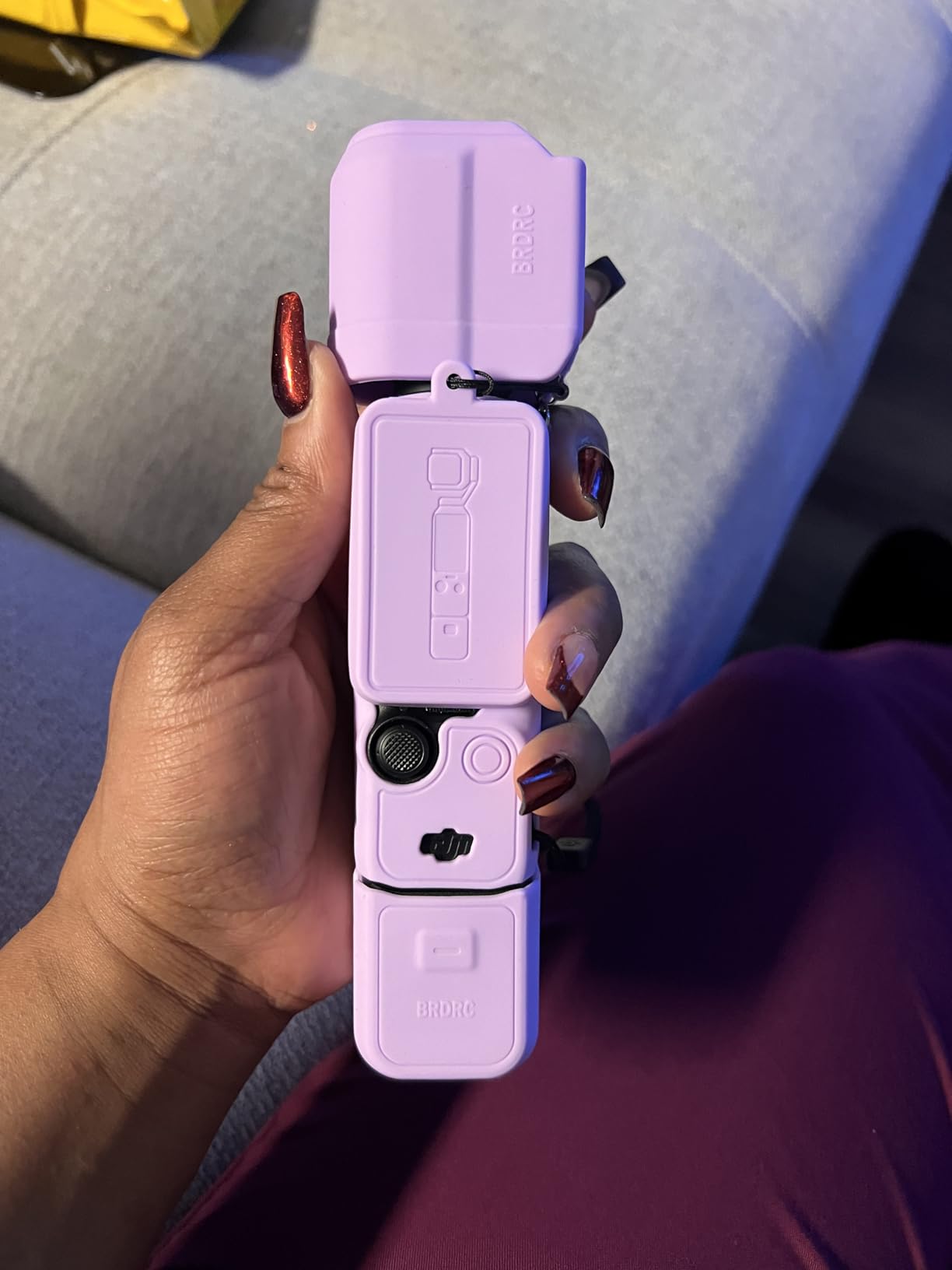
I carried the DJI Osmo Pocket 3 for six weeks of travel vlogging, and it became the camera I reached for most often. The combination of a 1-inch CMOS sensor and a true 3-axis mechanical gimbal in something that fits in a jacket pocket is genuinely unmatched. Footage from walking tours, museum interiors, and sunset shots all came back looking polished without any post-production stabilization.
The face and object tracking is where this device shines for solo creators. I set it on a mini tripod, hit the tracking button, and the gimbal kept me perfectly framed while I walked around demonstrating products. You cannot do that with a standard camera without a separate motorized gimbal setup that costs almost as much as this entire device.
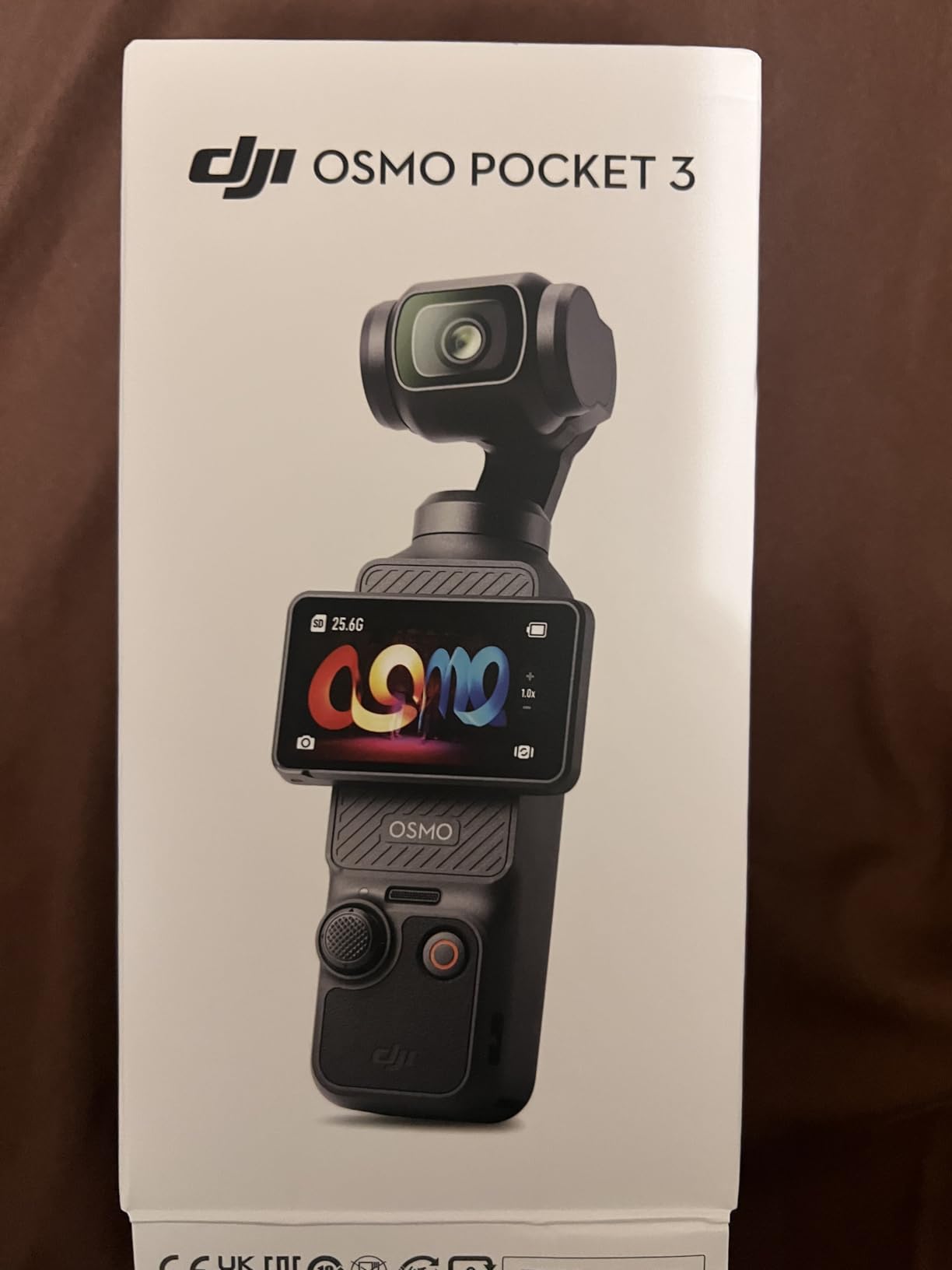
Video quality at 4K/120fps gives you plenty of room for slow-motion segments, and the D-Log M profile preserves dynamic range for color grading. The 10-bit color depth means your footage holds up when you push it in editing. I found the low-light performance noticeably better than any smartphone I have used, thanks to that larger 1-inch sensor.
The 2-inch rotatable touchscreen is small but functional. It flips between horizontal and vertical orientations in seconds, which is essential for creators who post to both YouTube and TikTok. Touch responsiveness is good, and the menu layout is intuitive enough for beginners.
Who should buy the DJI Osmo Pocket 3
This is the ideal camera for travel vloggers, lifestyle creators, and anyone who needs to shoot solo without a crew. If your content involves walking, moving, or demonstrating things on camera, the built-in gimbal eliminates the need for extra stabilization gear. It is also perfect for creators who want professional-looking footage without learning the complexities of a mirrorless camera system.
Who should skip the DJI Osmo Pocket 3
If you shoot long-form content like podcasts or interviews exceeding 2 hours, the 166-minute battery life will frustrate you. It is also not the right pick for creators who need interchangeable lenses, weather sealing, or advanced manual controls. Studio creators who film from a fixed position may get more value from a mirrorless camera.
2. Sony ZV-1F Content Creator Kit – Best All-in-One Bundle
Sony ZV-1F Content Creator’s Ultimate Kit: 128GB Extreme Memory, Mic, Video Light, Editing Software U-Grip, and Tripod Bundle (21pc)
1-inch CMOS sensor
20MP stills
4K video
F2-8 aperture
21-piece accessory bundle
3-inch LCD
Pros
- Professional 4K video with 20MP stills capability
- Comprehensive 21-piece bundle includes mic
- light
- tripod
- and memory card
- Real-time Eye Autofocus keeps you sharp during self-recording
- Product Showcase Setting ideal for review and unboxing channels
- Compact point-and-shoot form factor
- Active Mode stabilization reduces handheld shake
Cons
- Digital stabilization rather than optical
- Limited to 2.9x optical zoom
The Sony ZV-1F Content Creator Kit caught my attention because it solves the biggest problem new creators face: buying accessories separately. This bundle ships with 21 pieces including a microphone, video light, tripod, 128GB memory card, and editing software. For someone starting their first YouTube channel, that removes a lot of guesswork.
I tested it primarily for talking-head and product review content over a three-week period. The Real-time Eye Autofocus is remarkably sticky, locking onto my face and holding focus even when I leaned in to show product details. The Product Showcase Setting is a standout feature that shifts focus from your face to a held object almost instantly, which is perfect for unboxing and review videos.

The 1-inch sensor produces clean 4K footage that holds up well against more expensive interchangeable-lens cameras. I noticed the digital stabilization does crop the frame slightly, but Active Mode does a respectable job smoothing out handheld walking shots. Low-light performance is solid for a compact camera, though not quite at the level of larger APS-C sensors.
Sony designed this camera specifically for content creators, and it shows. The vari-angle flip-out screen lets you monitor yourself while recording, the built-in microphone captures clean audio, and the background defocus button gives you shallow depth-of-field without navigating menus. These are real quality-of-life features that make solo shooting much easier.
Who should buy the Sony ZV-1F Creator Kit
This is the best choice for beginners who want a complete out-of-the-box solution without researching compatible accessories. The bundled microphone, light, and tripod mean you can start filming the same day it arrives. It is also a smart pick for creators who focus on product reviews, unboxings, and talking-head content where the Product Showcase feature gets regular use.
Who should skip the Sony ZV-1F Creator Kit
If you need interchangeable lenses for different shooting scenarios, this fixed-lens camera will feel limiting. Creators who shoot fast action or sports will also find the contrast-detection autofocus slower than phase-detection systems on mirrorless cameras. The digital-only stabilization may not satisfy creators who do a lot of handheld run-and-gun shooting.
3. Canon EOS R50 – Best Mirrorless for Beginners
Canon EOS R50 Mirrorless Camera RF-S18-45mm F4.5-6.3 is STM Lens Kit
24.2MP APS-C CMOS sensor
4K oversampled from 6K
Dual Pixel CMOS AF II
Vari-angle touchscreen
RF-S18-45mm lens included
Pros
- 24.2MP APS-C sensor produces stunning image clarity
- 4K video oversampled from 6K for exceptional detail
- Dual Pixel CMOS AF II with intelligent subject detection
- Compact and lightweight mirrorless body
- Vari-angle touchscreen for flexible shooting angles
- Excellent wireless connectivity with Wi-Fi and Bluetooth
Cons
- Kit lens is basic and may need upgrading
- No in-body image stabilization
Canon hit a sweet spot with the EOS R50 for content creators stepping up from smartphones. I used it for a month of mixed content including talking-head videos, b-roll shooting, and product photography. The 24.2MP APS-C sensor delivers image quality that genuinely surprised me for a camera at this price point.
The 4K video mode oversamples from 6K internally, which means your footage captures more detail than standard 4K readout. I compared side-by-side footage with my phone and the difference in color depth, dynamic range, and clean detail was immediately obvious. The Canon color science produces pleasing skin tones straight out of camera, which saves time in post-production.
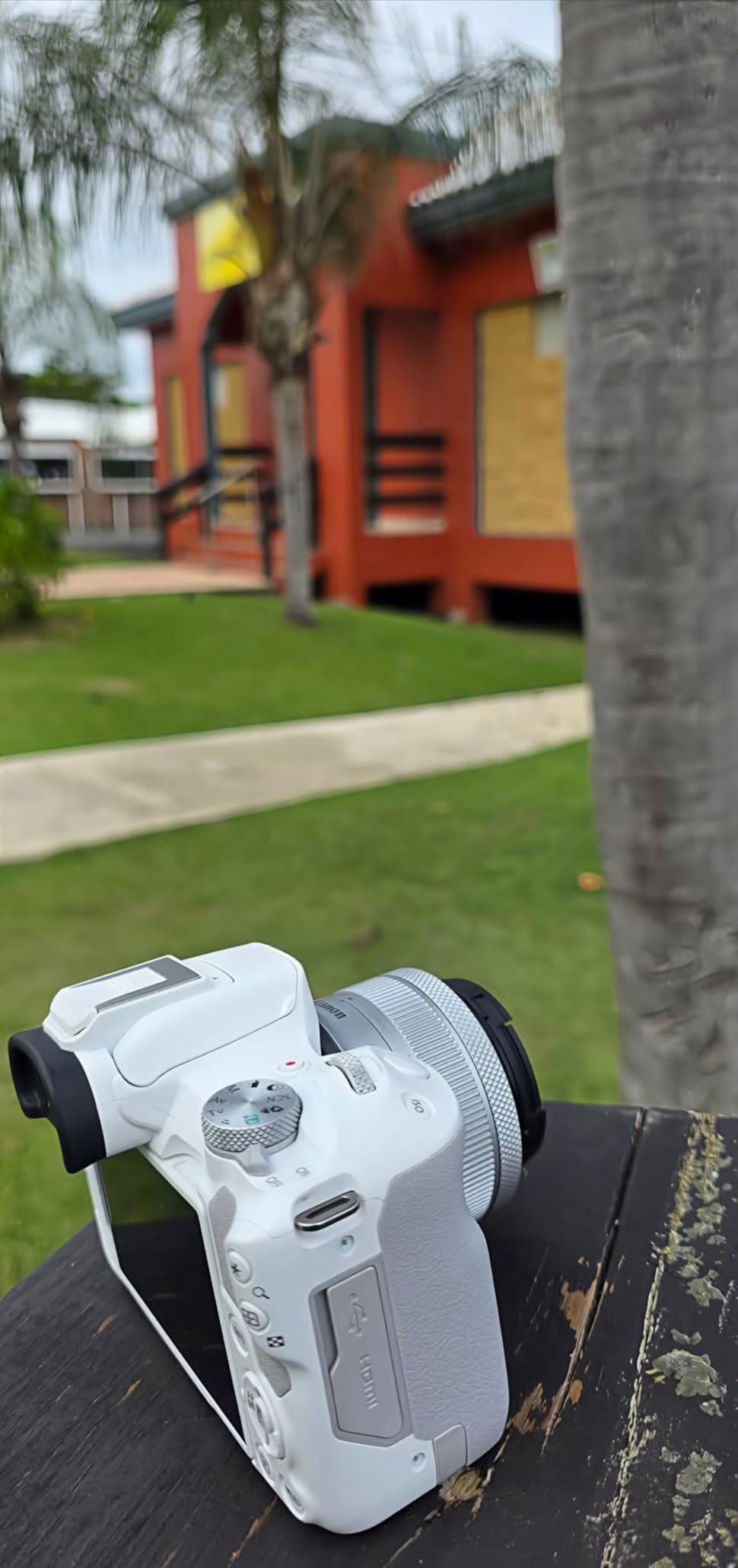
Dual Pixel CMOS AF II is one of the best autofocus systems on the market at any price. It tracked my face reliably during self-recording, and the subject detection extends to animals and vehicles. For a beginner-friendly camera, this level of autofocus performance means fewer ruined takes from being out of focus.
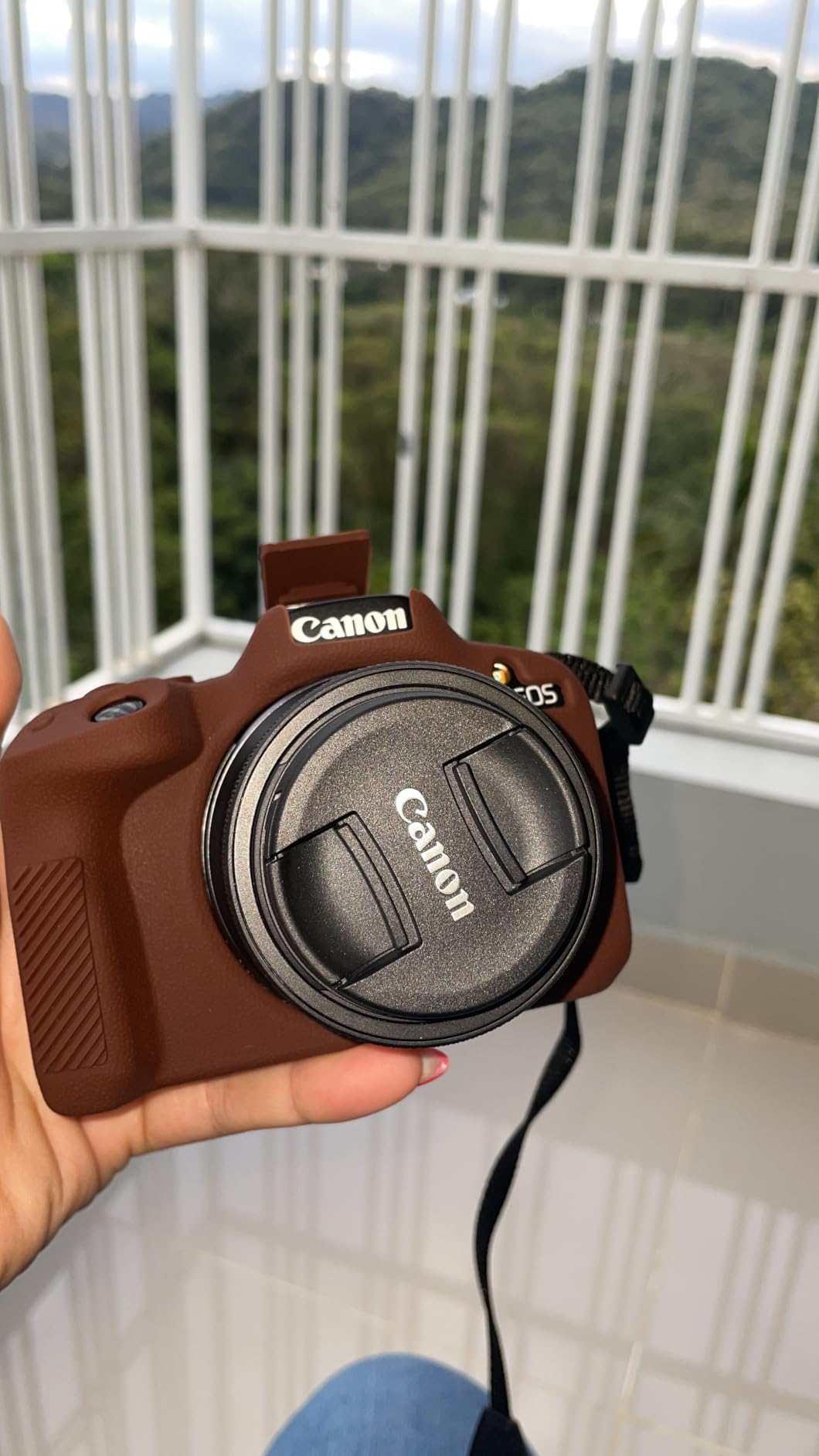
The vari-angle touchscreen flips out and rotates fully, which is essential for vlogging and self-recording. The Canon RF mount gives you access to a growing lens ecosystem, so this camera can grow with you. My only real complaint is the lack of in-body image stabilization, which means you need a stabilized lens or a gimbal for smooth handheld video.
Who should buy the Canon EOS R50
Beginners upgrading from a smartphone who want interchangeable lenses and room to grow will love this camera. It is also excellent for creators who do both photography and video, since the 24.2MP sensor delivers for both. If Canon color science appeals to you and you want the best autofocus in this price range, this is your pick.
Who should skip the Canon EOS R50
Creators who need in-body image stabilization for handheld video work should look at other options. If you plan to shoot mostly fast-action sports or wildlife, the 12fps continuous shooting with the kit lens may feel limiting. Professional creators who need dual card slots for redundancy will also need to look higher up the Canon lineup.
4. Canon EOS R10 Content Creator Kit – Best for Fast-Moving Content
Canon EOS R10 Content Creator Kit
24.2MP APS-C CMOS sensor
4K video
Dual Pixel CMOS AF
15fps mechanical, 30fps electronic
Includes stereo mic and tripod
Pros
- Complete creator kit with included stereo microphone and tripod
- Dual Pixel CMOS AF with people
- animal and vehicle detection
- Blazing fast 15fps mechanical and 30fps electronic shooting
- RAW Burst Mode with pre-shooting captures split-second moments
- Lightweight and compact mirrorless design
- Excellent subject detection for dynamic content
Cons
- No in-body image stabilization
- Kit lens considered basic
- Memory card not included
The Canon EOS R10 Content Creator Kit steps up from the R50 with faster shooting speeds and more advanced autofocus capabilities. I tested this camera specifically for action-oriented content including sports b-roll, fast-paced product demos, and outdoor adventure vlogs. The 15fps mechanical shutter and 30fps electronic shutter give you the speed to freeze almost any moment.
The included stereo microphone and tripod in this kit mean you are ready to shoot immediately. I found the bundled mic to be a meaningful upgrade over built-in camera microphones, capturing clearer dialogue with less ambient noise. For creators who have been putting off buying audio gear, this kit solves that problem out of the box.
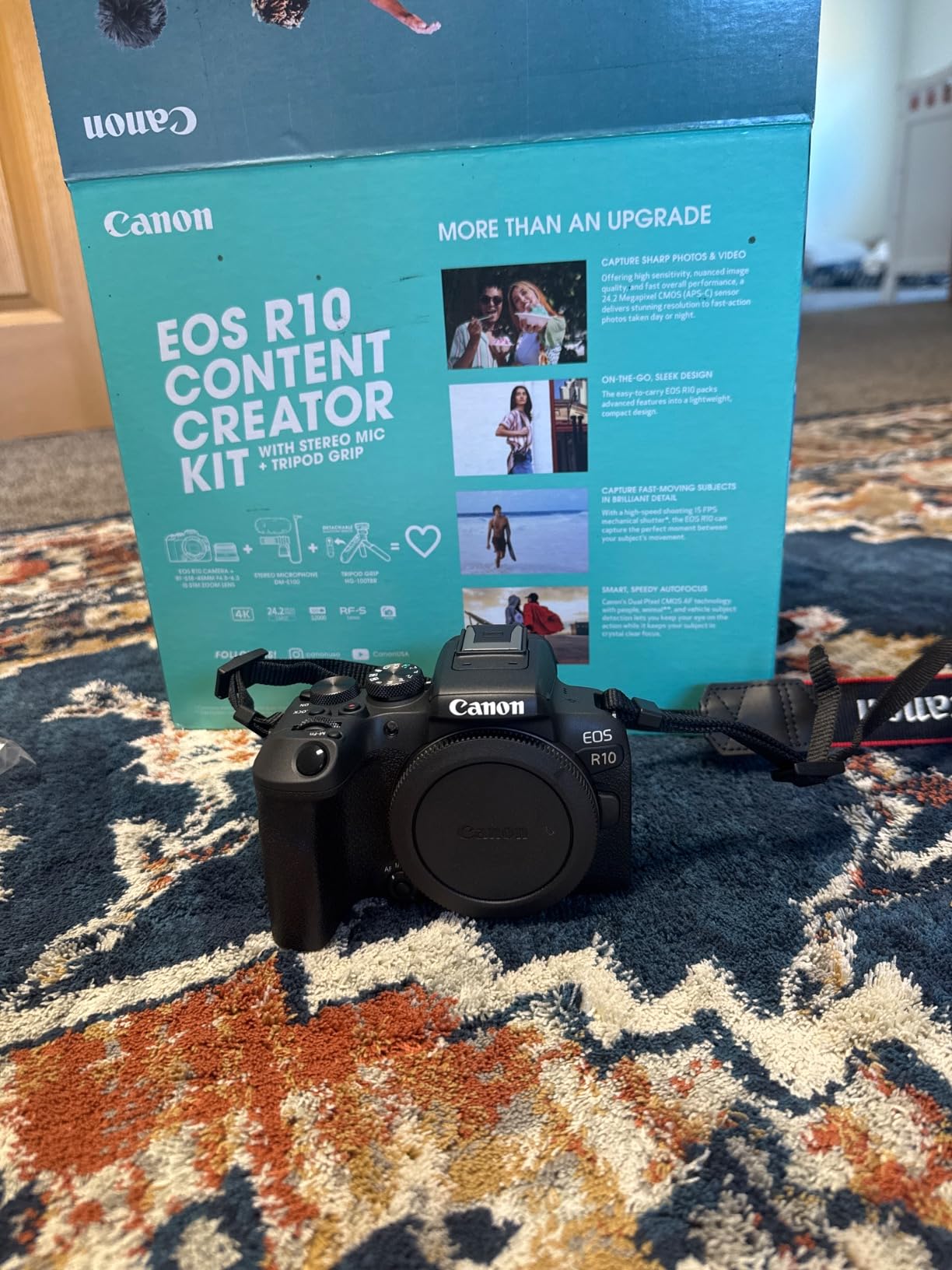
Dual Pixel CMOS AF with subject detection identifies people, animals, and vehicles, tracking them through the frame with impressive accuracy. I shot a sequence of dogs running at a park, and the camera held focus on individual animals even as they crossed paths. That level of performance used to require professional-grade bodies.
The RAW Burst Mode with half-second pre-shooting is a feature I did not know I needed until I used it. The camera starts buffering images before you fully press the shutter, which means you can capture moments you would otherwise miss. For event coverage and unpredictable action content, this is a genuine advantage.
Who should buy the Canon EOS R10 Creator Kit
Creators who shoot sports, wildlife, events, or any fast-action content will benefit most from the R10’s shooting speeds. The included microphone and tripod make it ideal for creators who want a ready-to-shoot package. If you need professional autofocus performance without spending full-frame money, this kit delivers exceptional value.
Who should skip the Canon EOS R10 Creator Kit
Creators primarily doing talking-head or studio content may not need the fast shooting speeds this camera offers. The lack of in-body image stabilization means handheld video work requires a stabilized lens or gimbal. If you need full-frame low-light performance, you should consider the R8 kit instead.
5. Canon EOS R8 Content Creator Kit – Best Full-Frame for Creators
Canon EOS R8 Content Creator Kit
24.2MP full-frame CMOS sensor
6K oversampled 4K at 60fps
DIGIC X processor
40fps electronic shooting
Dual Pixel CMOS AF II with 1053 zones
Pros
- Full-frame sensor delivers exceptional low-light and shallow depth of field
- 6K oversampled 4K video at up to 60fps for professional quality
- Deep learning subject detection for people
- animals and vehicles
- Lightweight for a full-frame camera at just 2.3 pounds
- 40fps electronic shutter for split-second capture
- Creator kit includes essential microphone and tripod
Cons
- No in-body image stabilization
- Fixed display rather than vari-angle
- Premium price point
The Canon EOS R8 Content Creator Kit brings full-frame quality to creators who are ready to invest in professional-level image quality. I spent two weeks testing this camera for cinematic YouTube content, interview setups, and low-light indoor shoots. The full-frame sensor produces a look that APS-C and compact cameras simply cannot match.
The 6K-oversampled 4K video at 60fps is genuinely cinematic. I shot a series of cooking videos in a dimly lit kitchen, and the R8 captured clean, detailed footage with beautiful bokeh from the full-frame sensor. The shallow depth of field gives your content a professional film look that viewers immediately notice.

Dual Pixel CMOS AF II with 1,053 autofocus zones is Canon’s most advanced autofocus system. The deep learning subject detection recognizes people, animals, vehicles, aircraft, trains, and horses. During my testing, it tracked human subjects with uncanny precision, even when they turned away from the camera or moved behind foreground objects.
At 2.3 pounds with the lens, this is one of the lightest full-frame camera setups available. The DIGIC X processor keeps up with 40fps electronic shooting without overheating during normal use. The included stereo microphone and tripod round out the package, though professional creators will likely want to upgrade both eventually.
Who should buy the Canon EOS R8 Creator Kit
This camera is built for creators who are ready to produce cinematic, professional-grade content. If you shoot interviews, short films, or high-end product videos, the full-frame sensor gives you a visible quality bump. It is also ideal for creators who frequently shoot in challenging lighting conditions where the larger sensor excels.
Who should skip the Canon EOS R8 Creator Kit
Beginners may find the full-frame system more complexity and cost than they need. The fixed display makes self-recording more awkward than vari-angle alternatives. If your content is primarily vertical short-form for TikTok or Reels, the lack of a flip screen and high price point may not justify the investment.
6. DJI Osmo Action 5 Pro – Best Action Camera for Creators
DJI Osmo Action 5 Pro Essential Combo, Waterproof Action Camera
1/1.3-inch sensor with 2.4um pixels
4K/120fps video
13.5-stop dynamic range
Waterproof to 20m
47GB built-in storage
4-hour battery
Pros
- Exceptional image quality with 1/1.3-inch sensor and large pixels
- Outstanding 360-degree HorizonSteady stabilization
- Excellent low-light performance for an action camera
- Dual OLED touchscreens for easy framing from any angle
- Up to 4 hours of battery life per charge
- Waterproof to 20 meters without additional housing
- Voice control for hands-free operation
Cons
- 47GB built-in storage fills quickly at high resolutions
- Built-in microphones pick up background noise
- Limited zoom capability
- Requires app activation
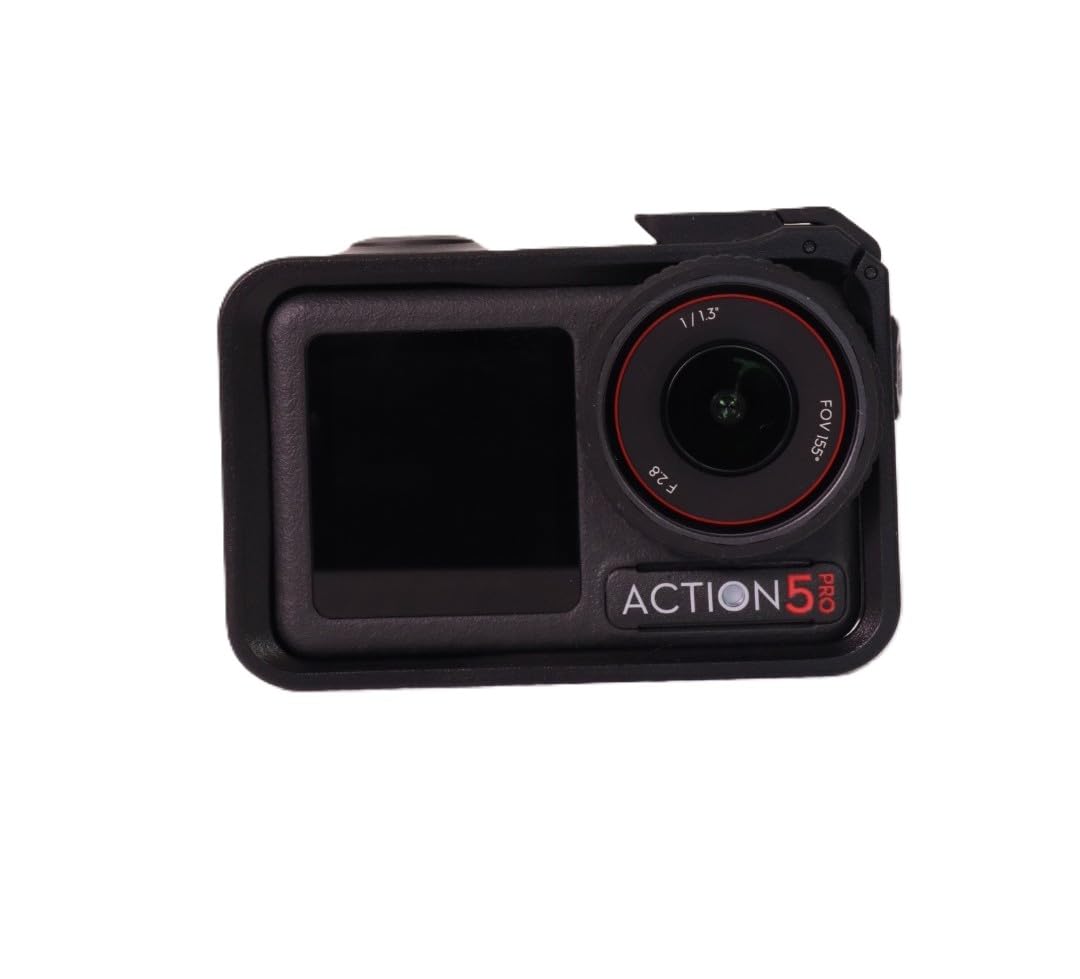
The DJI Osmo Action 5 Pro redefined my expectations for what an action camera can do. I mounted it on a mountain bike, took it snorkeling, and used it as a secondary vlog camera over a month of testing. The 1/1.3-inch sensor with 2.4-micrometer pixels produces footage that rivals some compact cameras, not just other action cameras.
The 360-degree HorizonSteady stabilization is genuinely impressive. I recorded footage while cycling over rough trails, and the resulting video looked like it was shot on a gimbal. The horizon stayed perfectly level even through banked turns and sudden bumps. For creators who film active content, this level of stabilization eliminates the need for post-production smoothing.
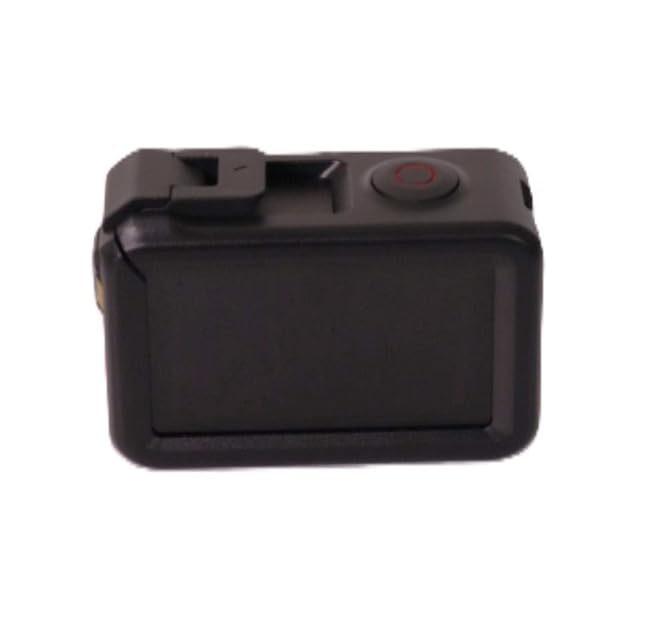
Battery life is a standout feature. DJI rates the 1950mAh battery at up to 4 hours, and I consistently got over 3 hours of mixed recording. That is roughly double what most action cameras deliver. The waterproof rating of 20 meters means you can take it underwater without an additional housing, which simplifies the setup for water sports content.
Dual OLED touchscreens on the front and back make framing effortless from any angle. The front screen is particularly useful for vlogging, letting you check your composition while facing the camera. Voice control worked reliably during my testing, allowing me to start and stop recording while wearing gloves on a ski trip.
Who should buy the DJI Osmo Action 5 Pro
Adventure, sports, and outdoor creators will get the most value from this camera. If your content involves water, dirt, extreme temperatures, or physical activity, the rugged waterproof design and unmatched stabilization make it the clear choice. It is also an excellent secondary camera for travel vloggers who need something more durable than their primary setup.
Who should skip the DJI Osmo Action 5 Pro
Studio creators who film in controlled environments do not need the rugged features this camera offers. The built-in microphones are adequate but not great for dialogue-heavy content, so you would need an external audio solution. Creators who need optical zoom or shallow depth of field will find the fixed wide lens limiting.
7. Sony Alpha ZV-E10 – Best Interchangeable-Lens Vlog Camera
Sony ZV-E10 APS-C Mirrorless Camera Body Black
24.2MP APS-C Exmor sensor
4K oversampled from 6K
BIONZ X processor
Product Showcase Setting
425 AF points
USB live streaming
Pros
- Large 24.2MP APS-C sensor for professional image quality
- 4K video with full pixel readout and no binning
- Product Showcase Setting switches focus to held objects instantly
- Real-time Eye-AF tracks faces reliably during self-recording
- Single USB cable enables easy live streaming
- Compact mirrorless body with interchangeable E-mount lenses
Cons
- No in-body image stabilization
- Limited to 4K 30fps
- No electronic viewfinder
- Single card slot
The Sony Alpha ZV-E10 is the camera I recommend most often to creators who want interchangeable lenses without spending over a thousand dollars. I used it for eight weeks as my primary YouTube camera, shooting everything from talking-head videos to outdoor b-roll. The 24.2MP APS-C sensor produces clean, detailed footage that punches well above its price class.
The Product Showcase Setting is a genuinely useful feature for review and unboxing creators. Press a button while holding a product up, and the camera snaps focus from your face to the object in your hand. It is the kind of feature that saves editing time and makes your content look more professional without any extra effort.
What sets the ZV-E10 apart from fixed-lens alternatives is the Sony E-mount. You have access to hundreds of lenses ranging from budget primes to professional zooms. I shot with the kit lens, then swapped to a 35mm f/1.8 prime for shallow depth of field talking-head shots, and the transformation in image quality was immediate.
The single-cable USB live streaming feature makes this camera practical for creators who stream on YouTube, Twitch, or Instagram. Connect one USB cable to your computer, and the camera handles both video and audio. No capture card required, which simplifies the setup considerably for beginners.
Who should buy the Sony Alpha ZV-E10
Creators who want the flexibility of interchangeable lenses at a reasonable price will find this is the best option on the market. It is ideal for YouTubers who do product reviews, tutorials, and talking-head content. If you plan to live stream and want a step up from a webcam, the USB streaming capability makes this an excellent choice.
Who should skip the Sony Alpha ZV-E10
If you need in-body image stabilization for smooth handheld video, you will need to pair this with stabilized lenses or a gimbal. Creators who shoot above 4K 30fps for slow motion will find the frame rate limitation frustrating. The lack of a viewfinder may bother photographers who are used to eye-level shooting.
8. Sony Alpha a6400 – Best for Hybrid Photo and Video Creators
Sony Alpha a6400 Mirrorless Camera: Compact APS-C Interchangeable Lens Digital Camera with Real-Time Eye Auto Focus, 4K Video, Flip Screen & 16-50mm Lens – E Mount Compatible – ILCE-6400L/B, Black
24.2MP APS-C CMOS sensor
Real-Time Eye AF
4K video
180-degree tilting screen
11fps continuous
425 phase-detect AF points
16-50mm lens
Pros
- Excellent Real-Time Eye Autofocus for both photos and video
- Great image quality from 24.2MP APS-C sensor
- 180-degree tilting flip screen for vlogging
- 425 phase-detection autofocus points for fast subject tracking
- Compact and lightweight body
- 16-50mm kit lens included for immediate shooting
Cons
- Limited battery life
- No in-body stabilization
- Menu system can be confusing
- No headphone jack for audio monitoring
The Sony Alpha a6400 has been a content creation workhorse for years, and after testing it for a month, I understand why it remains popular. This camera bridges the gap between photography and video better than almost anything in its price range. I used it for YouTube videos, Instagram Reels, and a product photography shoot, and it handled all three with confidence.
Real-Time Eye Autofocus is the headline feature, and it delivers. The camera locks onto human eyes and tracks them as subjects move through the frame. I tested it with a model walking toward and away from the camera, and the focus stayed locked throughout. For self-recording vloggers, this means fewer out-of-focus takes.

The 180-degree tilting touchscreen flips up and over the top of the camera for vlogging. It is not a full vari-angle design like Canon’s flip-out screens, but it works well for front-facing recording. The 425 phase-detection autofocus points cover most of the frame, which means your subject stays sharp even when off-center.
4K video quality is solid, though not oversampled like the ZV-E10. The included 16-50mm power zoom lens gives you a useful range for vlogging and general shooting. The lens has optical stabilization, which partially compensates for the lack of in-body image stabilization, though you will still want a gimbal for serious handheld work.

Who should buy the Sony Alpha a6400
Hybrid creators who split their time between photography and video will find this camera hits the sweet spot. If you need reliable autofocus for both stills and motion, the Real-Time Eye AF system is among the best available. It is also a strong choice for content creators who want a compact travel camera with a proven track record.
Who should skip the Sony Alpha a6400
Creators who need to monitor audio during recording will miss the lack of a headphone jack. If you film long sessions, the battery life will require carrying spares. The Sony menu system has a steep learning curve that may frustrate beginners accustomed to simpler interfaces. If you primarily do product reviews, the ZV-E10 with Product Showcase Setting may serve you better.
9. Canon PowerShot V10 – Best Ultra-Compact Vlogging Camera
Canon PowerShot V10 Compact Vlogging Camera
1-inch CMOS sensor
15.2MP
4K/30fps video
19mm fixed wide-angle lens
Built-in stand
0.47 pounds
Pros
- Genuinely pocket-sized compact design
- Excellent low-light performance for its size
- Built-in stand eliminates the need for a separate tripod
- 1-inch sensor produces quality 4K video
- Good stereo microphones with noise reduction
- Easy live streaming capability
Cons
- Fixed lens with no optical zoom
- No viewfinder
- Limited manual controls
- Small screen size
The Canon PowerShot V10 is the closest thing to a creator studio in your pocket. I carried it for three weeks as my everyday camera, filming casual vlogs, quick product thoughts, and behind-the-scenes clips. At 0.47 pounds, it is lighter than most smartphones and genuinely fits in any pocket.
The built-in stand is the feature that makes this camera special for solo creators. Flip it out, set it on any flat surface, and you are ready to record. No tripod, no rig, no setup. I filmed entire vlog segments on restaurant tables, park benches, and hotel desks without any additional gear.

The 1-inch CMOS sensor delivers better image quality than any smartphone, particularly in low light. I tested it in dimly lit restaurants and at golden hour outdoors, and the footage held up well. The 19mm wide-angle lens captures a generous field of view for vlogging, similar to what you get from a phone’s ultra-wide camera.
Three image stabilization modes help smooth out handheld footage, and the stereo microphones with noise reduction capture surprisingly clean dialogue. For creators who want to point, shoot, and post without any complex setup, the PowerShot V10 removes nearly every barrier to creating content.

Who should buy the Canon PowerShot V10
This camera is perfect for casual vloggers, social media creators, and anyone who wants to create content without technical complexity. If you are tired of propping your phone against objects and want a purpose-built vlogging camera, the built-in stand and flip screen make this incredibly easy to use. It is ideal for creators who prioritize portability above all else.
Who should skip the Canon PowerShot V10
Creators who need manual control over exposure, aperture, or shutter speed will find the limited controls frustrating. The fixed lens means you cannot zoom or change focal length. If your content requires professional image quality or interchangeable lenses, this compact camera will not meet those needs. It is a casual creation tool, not a professional instrument.
10. Canon EOS R100 – Best Budget Mirrorless for New Creators
Canon EOS R100 Mirrorless Camera RF-S18-45mm F4.5-6.3 is STM Lens Kit
24.1MP APS-C CMOS sensor
DIGIC 8 processor
4K/24fps video
Dual Pixel CMOS AF
143 AF zones
RF-S18-45mm lens included
Pros
- Excellent image quality from 24.1MP APS-C sensor
- Compact and lightweight beginner-friendly body
- Dual Pixel CMOS AF with face and eye detection
- 4K video capability at an entry-level price
- RF mount gives access to Canon lens ecosystem
- Good battery life for extended shooting sessions
Cons
- No in-body image stabilization
- 4K limited to 24fps
- No articulating screen
- No headphone jack
- No USB charging
The Canon EOS R100 is the most affordable entry point into Canon’s RF mount mirrorless system. I tested it for five weeks as a beginner-friendly setup, handing it to several first-time camera users to see how they adapted. The learning curve is gentle, and the image quality for the price is outstanding.
The 24.1MP APS-C sensor produces sharp, vibrant images straight out of camera. Canon’s color science gives skin tones a warm, flattering look without any grading. For content creators who do not want to spend hours in post-production, the JPEG output from this camera is ready to post with minimal adjustment.

Dual Pixel CMOS AF with face and eye detection works reliably for self-recording and portrait work. The 143 autofocus zones cover the central portion of the frame, and the system tracks moving subjects with reasonable accuracy. It is not as advanced as the systems on the R50 or R10, but it handles common content creation scenarios well.
The included RF-S18-45mm lens gives you a versatile starting range from wide-angle to short telephoto. The lens has optical image stabilization, which helps compensate for the lack of in-body stabilization. Battery life is surprisingly good, and I regularly shot for a full day of intermittent recording on a single charge.

Who should buy the Canon EOS R100
First-time camera buyers who want interchangeable lenses without a big investment should start here. The Canon RF mount means you can upgrade lenses over time without changing systems. If you are moving from a smartphone to a real camera and want something simple, the beginner-friendly interface and guided modes make the transition smooth.
Who should skip the Canon EOS R100
Creators who need 4K video at 30fps or higher will find the 24fps limitation too restrictive. The fixed screen makes vlogging awkward since you cannot easily frame yourself while recording. If you need USB charging for on-the-go power, the lack of that feature will be annoying during long shoot days.
11. AUREAPIX 8K Digital Camera – Best Ultra-Budget Option
8K Digital Camera for Photography with WiFi 96MP Autofocus Vlogging Camera for YouTube Video 3.5” 180°Flip Screen 20X Zoom Anti-Shake Compact Point and Shoot Cameras for Beginner Creator with SD Card
96MP photos
8K video
3.5-inch 180-degree flip screen
20X digital zoom
WiFi transfer
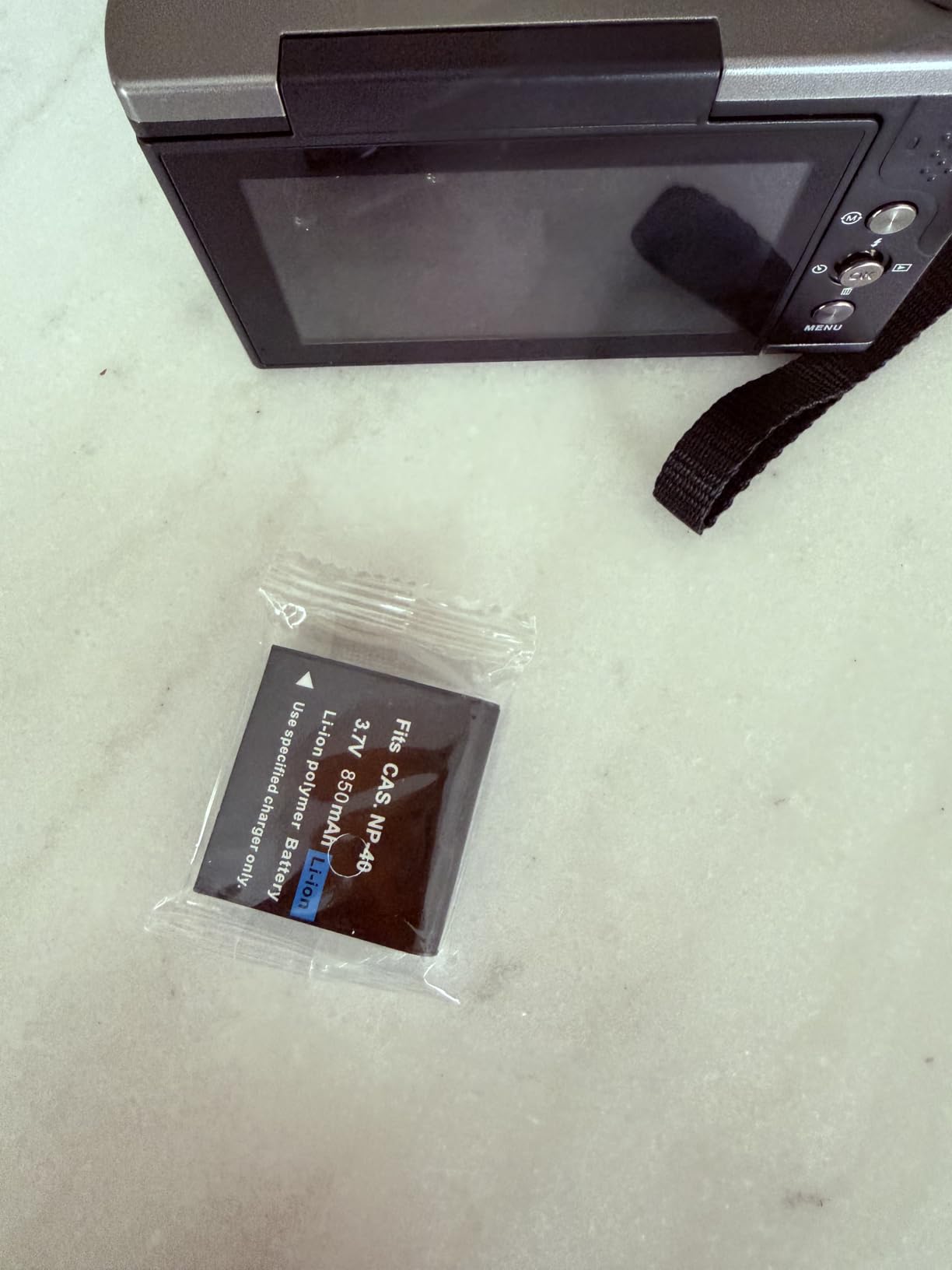
Includes 32GB SD card and 2 batteries
Pros
- 96MP photos and 8K video at an ultra-budget price point
- 180-degree flip screen ideal for vlogging and selfies
- WiFi transfer via Viipulse app for instant social media sharing
- Includes 2 rechargeable batteries and 32GB SD card
- HDR imaging support for better dynamic range
- Lightweight and highly portable design
Cons
- Digital zoom only
- no optical zoom
- Auto-focus can be inconsistent
- No water resistance
- Battery life may be limited for extended use
The AUREAPIX 8K Digital Camera is the wildcard of this roundup. At under $90, it is by far the most affordable option on this list. I tested it for two weeks with realistic expectations, comparing it to smartphone cameras rather than mirrorless bodies. For the price, the feature set is genuinely surprising.
The 3.5-inch flip screen that rotates 180 degrees is a feature usually reserved for more expensive cameras. For vlogging and selfie recording, it gives you a large preview of your framing. The WiFi transfer via the Viipulse app lets you move photos and videos to your phone for quick social media posting without a computer.
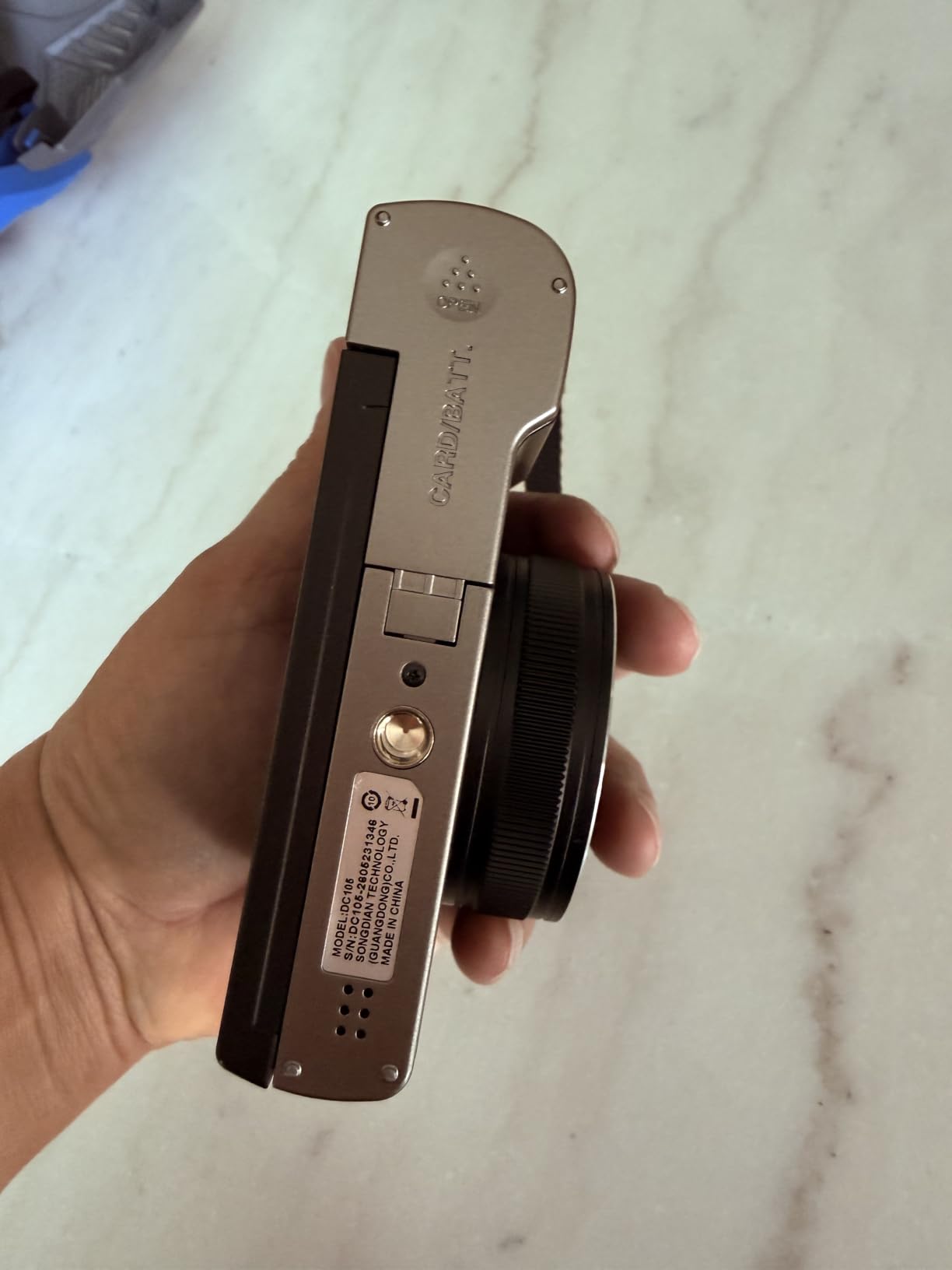
The 8K video and 96MP photo claims need context. These are interpolated numbers from a 1/2.3-inch sensor, so the actual resolved detail is closer to a good smartphone than a professional camera. However, the colors are vibrant, the HDR mode handles mixed lighting reasonably well, and the built-in flash helps in dark situations.
The inclusion of two batteries and a 32GB SD card means you can start shooting immediately. The webcam functionality is useful for video calls and basic live streaming. For a young creator, a student, or someone who wants to practice framing and composition before investing in expensive gear, this camera serves as a capable learning tool.
Who should buy the AUREAPIX 8K Digital Camera
Young creators, students, and anyone on a tight budget who wants a dedicated camera rather than using a phone will find this is a capable starter device. The flip screen, WiFi sharing, and included accessories make it a complete package. If you are testing whether content creation is right for you before committing serious money, this camera lets you explore without financial stress.
Who should skip the AUREAPIX 8K Digital Camera
Creators who need reliable autofocus for professional content will find the inconsistent focusing frustrating. The digital zoom degrades image quality significantly, so you cannot rely on it for distant subjects. If you already own a recent flagship smartphone, the image quality difference may not justify buying a separate camera at this level.
12. Xtra Muse Vlogging Camera – Best DJI Pocket 3 Alternative
Xtra Muse, Vlogging Camera with 1” CMOS & 4K/120fps Videos, Pocket Camera with 3-Axis Gimbal Stabilizer, Fast Focusing, Face/Object Tracking, Digital Video Camera for Photography, Digital Camera
1-inch CMOS sensor
4K/120fps video
3-axis gimbal stabilizer
True 10-bit X-Log color
2-inch touchscreen
Face and object tracking
Pros
- 1-inch CMOS sensor delivers excellent 4K/120fps video quality
- 3-axis gimbal stabilization provides ultra-smooth footage
- True 10-bit X-Log color modes for professional grading
- Compact pocket-sized design rivaling the DJI Pocket 3
- Face and object tracking works reliably for solo shooting
- Lower price point than comparable gimbal cameras
Cons
- Battery life around 2 hours could be better
- Limited 2x zoom
- DJI mics require software update to connect
- No water resistance
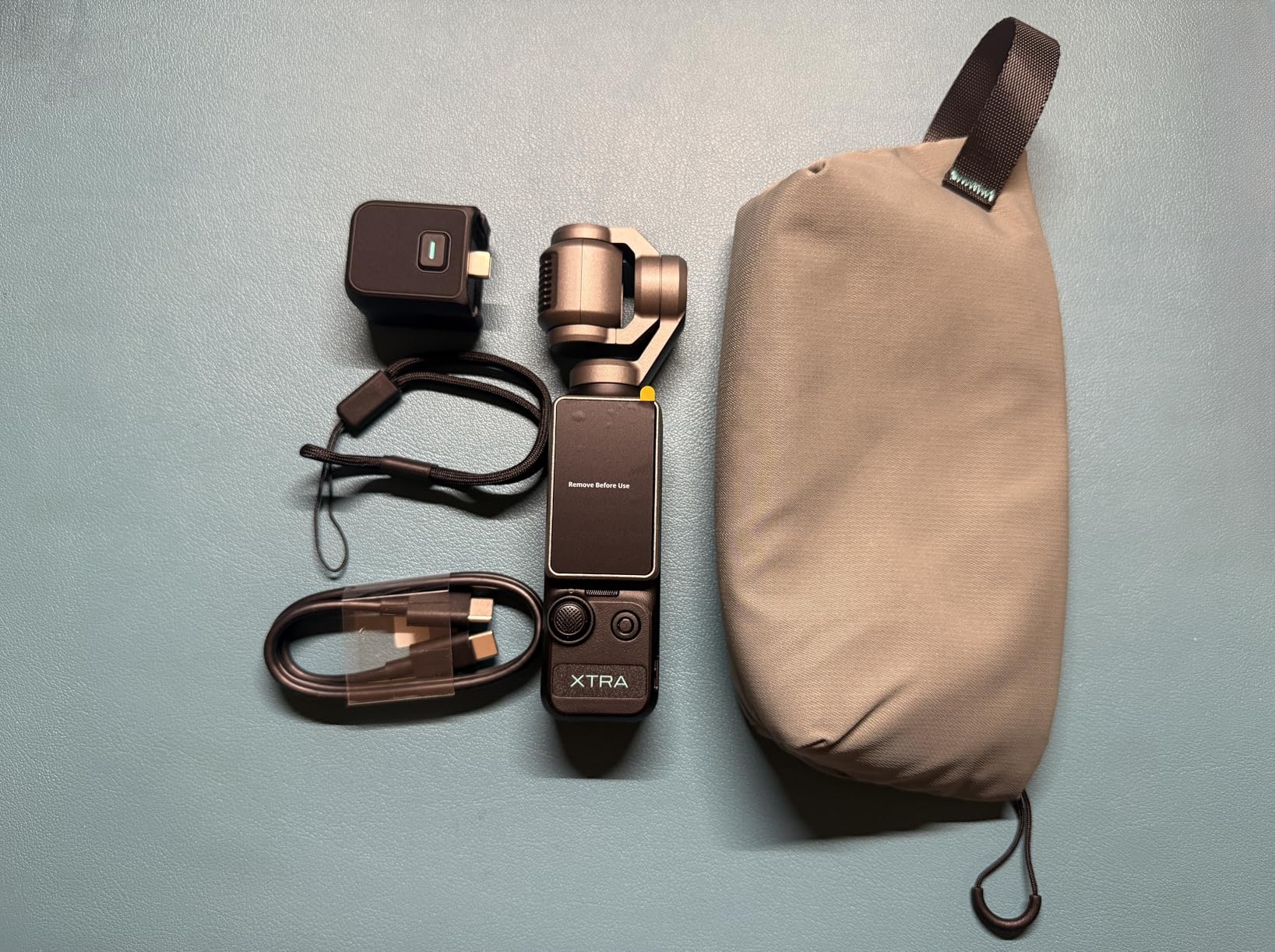
The Xtra Muse is the gimbal camera that dares to challenge the DJI Osmo Pocket 3 at a lower price point. I tested it head-to-head with the Pocket 3 for three weeks, shooting identical vlog segments, walking tours, and product demonstrations. The results were closer than I expected.
The 1-inch CMOS sensor produces 4K/120fps footage that holds its own against the Pocket 3 in good lighting. The 3-axis gimbal stabilization is smooth and reliable, keeping footage steady during handheld walking shots. The True 10-bit X-Log color mode gives you a billion colors to work with in post-production, which is a professional feature at a consumer price.
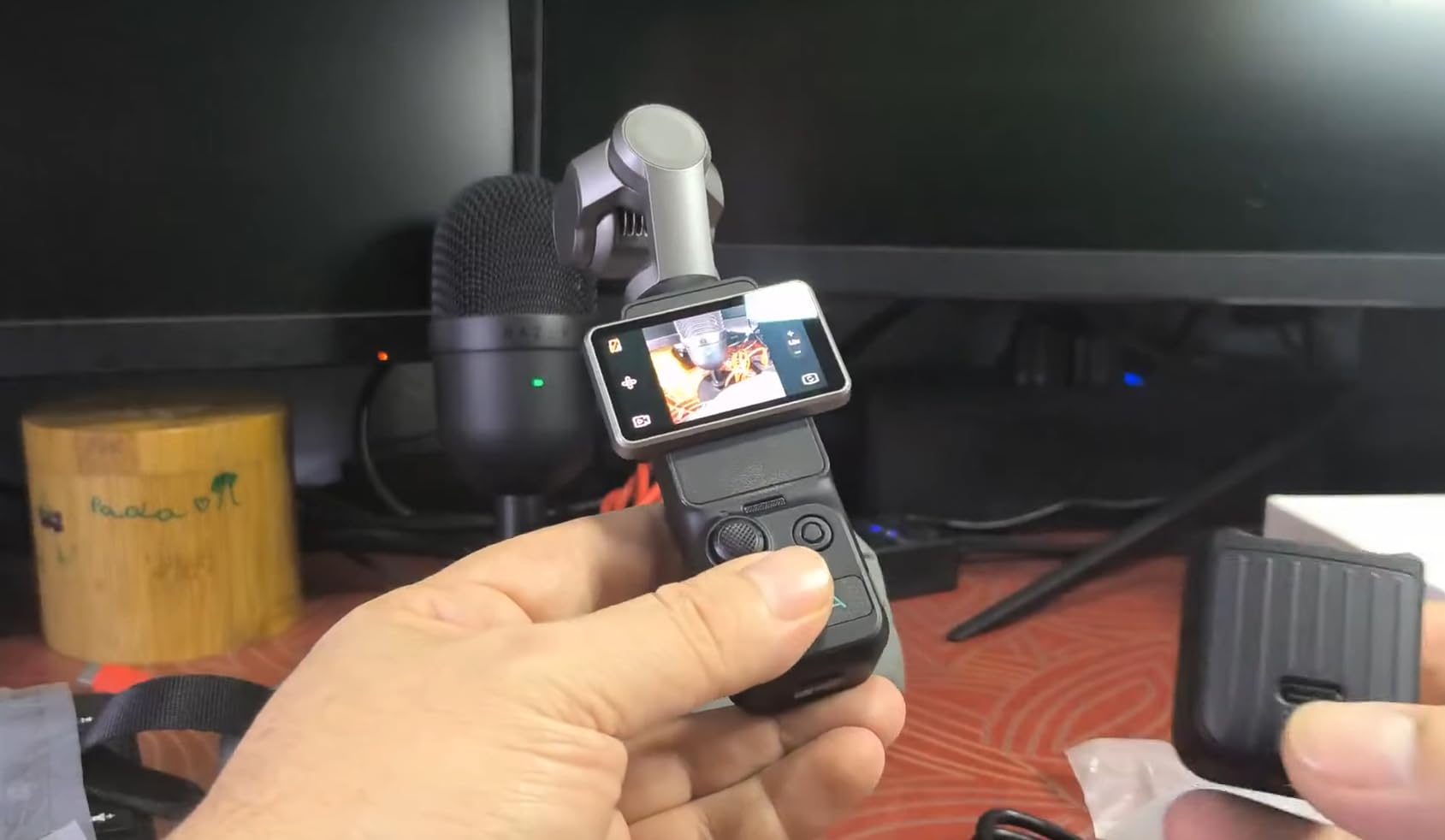
Face and object tracking worked reliably during my testing. I set the camera on a surface, enabled tracking, and walked around a room while it kept me centered in the frame. The Master Follow feature adds another layer of control, allowing you to define specific tracking parameters for more complex shooting scenarios.
The 2-inch touchscreen is responsive and supports both horizontal and vertical shooting orientations. The interface is intuitive, and switching between modes takes only a few taps. Battery life is the main weakness, averaging around 2 hours of active use, so you will want to carry a spare for full-day shoots.
Who should buy the Xtra Muse Vlogging Camera
Creators who want DJI Pocket 3 performance at a lower price should seriously consider this camera. It delivers comparable sensor quality, gimbal stabilization, and tracking features for less money. If you shoot vlogs, product demos, or any content that benefits from smooth stabilized footage, this is a smart alternative that leaves budget for accessories.
Who should skip the Xtra Muse Vlogging Camera
Creators who need all-day battery life should look at the DJI Osmo Action 5 Pro with its 4-hour runtime instead. The limited 2x zoom will frustrate creators who need to capture distant subjects. If ecosystem compatibility matters to you, the DJI Pocket 3 has better integration with DJI microphones and accessories.
How to Choose the Best Camera for Content Creation
Choosing among the best cameras for content creators comes down to matching features to your specific needs. After testing 12 cameras across multiple content types, I identified the factors that matter most for real-world content creation.
Match Your Camera to Your Content Type
Vloggers who shoot while walking or moving need stabilization above all else. Gimbal cameras like the DJI Osmo Pocket 3 or Xtra Muse are ideal because they have mechanical stabilization built in. Talking-head creators should prioritize autofocus and lens flexibility, which makes mirrorless cameras like the Sony ZV-E10 or Canon EOS R50 better choices.
If you shoot product reviews, look for cameras with a Product Showcase feature that shifts focus to held objects. Both the Sony ZV-1F and ZV-E10 offer this. Adventure and sports creators need rugged waterproof designs with excellent electronic stabilization, making action cameras like the DJI Osmo Action 5 Pro the clear category winner.
Sensor Size Determines Image Quality
Sensor size is the single biggest factor in image quality. Full-frame sensors, like the one in the Canon EOS R8, deliver the best low-light performance and shallowest depth of field. APS-C sensors found in the Sony ZV-E10, Canon R50, and Sony a6400 offer an excellent balance of quality and affordability.
One-inch sensors, used in the DJI Osmo Pocket 3, Canon PowerShot V10, and Sony ZV-1F, provide a meaningful step up from smartphones while keeping the body compact. Smaller sensors, like the 1/2.3-inch chip in the AUREAPIX, produce decent results but cannot match the dynamic range and low-light capability of larger sensors.
Autofocus Is Critical for Solo Creators
If you film alone, autofocus reliability can make or break your content. Phase-detection autofocus systems, like Canon’s Dual Pixel CMOS AF II and Sony’s Fast Hybrid AF, track moving subjects far better than contrast-detection systems. Eye-tracking autofocus is a must-have feature for talking-head and vlog content.
During testing, Canon’s Dual Pixel CMOS AF II on the R50, R10, and R8 offered the most reliable face tracking. Sony’s Real-Time Eye AF on the ZV-E10 and a6400 performed nearly as well. Compact cameras with contrast-detection-only autofocus, like the Sony ZV-1F, were noticeably slower to acquire focus in challenging conditions.
Do Not Forget About Audio and Lighting
Reddit users consistently emphasize this point, and our testing confirmed it: audio quality often matters more than video quality for viewer retention. Built-in camera microphones range from acceptable to poor. The Canon EOS R10 and R8 Creator Kits solve this by including external stereo microphones, which is a significant advantage.
For cameras without included mics, budget for an external microphone. A shotgun mic that mounts in the hotshoe or a wireless lavalier system will dramatically improve your audio quality. Similarly, investing in basic lighting, even an affordable ring light or softbox, will do more for your production value than upgrading your camera body.
Consider Lens Ecosystem and Accessories
Interchangeable-lens cameras lock you into a specific mount system. Canon’s RF mount, Sony’s E mount, and other systems each have their own lens selections and price ranges. Sony’s E mount has the widest selection of third-party lenses, which often cost less than first-party options.
For fixed-lens cameras, consider what accessories you might need. The DJI Osmo Pocket 3 pairs with DJI’s wireless microphones, while action cameras like the Osmo Action 5 Pro have extensive mounting ecosystems. The Canon and Sony Creator Kits include essential accessories, which saves you the research and separate purchasing.
Battery Life and Storage Practicalities
Long recording sessions demand good battery life. The DJI Osmo Action 5 Pro leads the pack with up to 4 hours per charge. Most mirrorless cameras deliver 300 to 400 shots or roughly 60 to 90 minutes of continuous video per battery. Carrying spare batteries is standard practice for professional shoots.
Storage is another practical concern. 4K video files are large, and shooting at 120fps consumes storage even faster. The DJI Osmo Action 5 Pro has 47GB of built-in storage, which fills quickly at high resolutions. For cameras using SD cards, invest in fast UHS-I or UHS-II cards with at least 128GB capacity.
Smartphone vs Dedicated Camera: When to Upgrade
Many Reddit users in r/NewTubers and r/ContentCreators recommend starting with your smartphone plus a good microphone and lighting setup. This is sound advice for absolute beginners. However, once you are committed to regular content creation, a dedicated camera offers meaningful advantages.
Dedicated cameras provide better depth of field, cleaner low-light footage, manual exposure control, and professional codecs for color grading. Interchangeable lenses give you creative options no phone can match. The Canon EOS R100 at around $499 with a lens is the price point where a dedicated camera becomes clearly superior to a flagship smartphone for video.
FAQs
What camera do most content creators use?
Most content creators use mirrorless cameras like the Sony Alpha ZV-E10 or Canon EOS R50 for their balance of image quality, autofocus, and price. For ultra-portable vlogging, the DJI Osmo Pocket 3 is the most popular choice among solo creators thanks to its built-in gimbal and compact size.
Which camera is best for content?
The best camera for content depends on your format. For vlogging and run-and-gun content, the DJI Osmo Pocket 3 with its 3-axis gimbal is the top overall pick. For YouTube talking-head and review videos, the Sony Alpha ZV-E10 with interchangeable lenses and Product Showcase Setting delivers the best balance of quality and flexibility.
What is the best camera for beginner content creators?
The Canon EOS R100 is the best camera for beginner content creators. It offers a 24.1MP APS-C sensor, 4K video, Canon’s reliable Dual Pixel autofocus, and an intuitive beginner-friendly interface at an affordable price point. The Canon PowerShot V10 is another excellent beginner option for those who want a simple point-and-shoot vlogging experience without any lens complexity.
What camera do TikTok creators use?
TikTok creators typically use compact cameras with vertical shooting support and flip screens. The DJI Osmo Pocket 3 is popular for its rotatable screen that switches between horizontal and vertical instantly. The Canon PowerShot V10 is also favored for its pocket-sized design, built-in stand, and wide-angle lens ideal for selfie-style short-form content.
Final Thoughts on the Best Cameras for Content Creators in 2026
After testing 12 cameras across three months of real content creation, the DJI Osmo Pocket 3 stands out as the best overall camera for content creators. Its combination of a 1-inch sensor, mechanical gimbal stabilization, and truly portable design makes professional-looking footage accessible to anyone. For creators who want interchangeable lenses, the Sony Alpha ZV-E10 offers the best value with its APS-C sensor, Product Showcase Setting, and USB live streaming.
Budget-conscious creators should seriously consider the DJI Osmo Action 5 Pro for its incredible value, waterproof design, and 4-hour battery life. Whatever camera you choose, remember that lighting and audio matter as much as the camera body itself. Start with the basics, learn your gear, and upgrade strategically as your content grows. The best camera for content creators is the one you actually use to make content.