
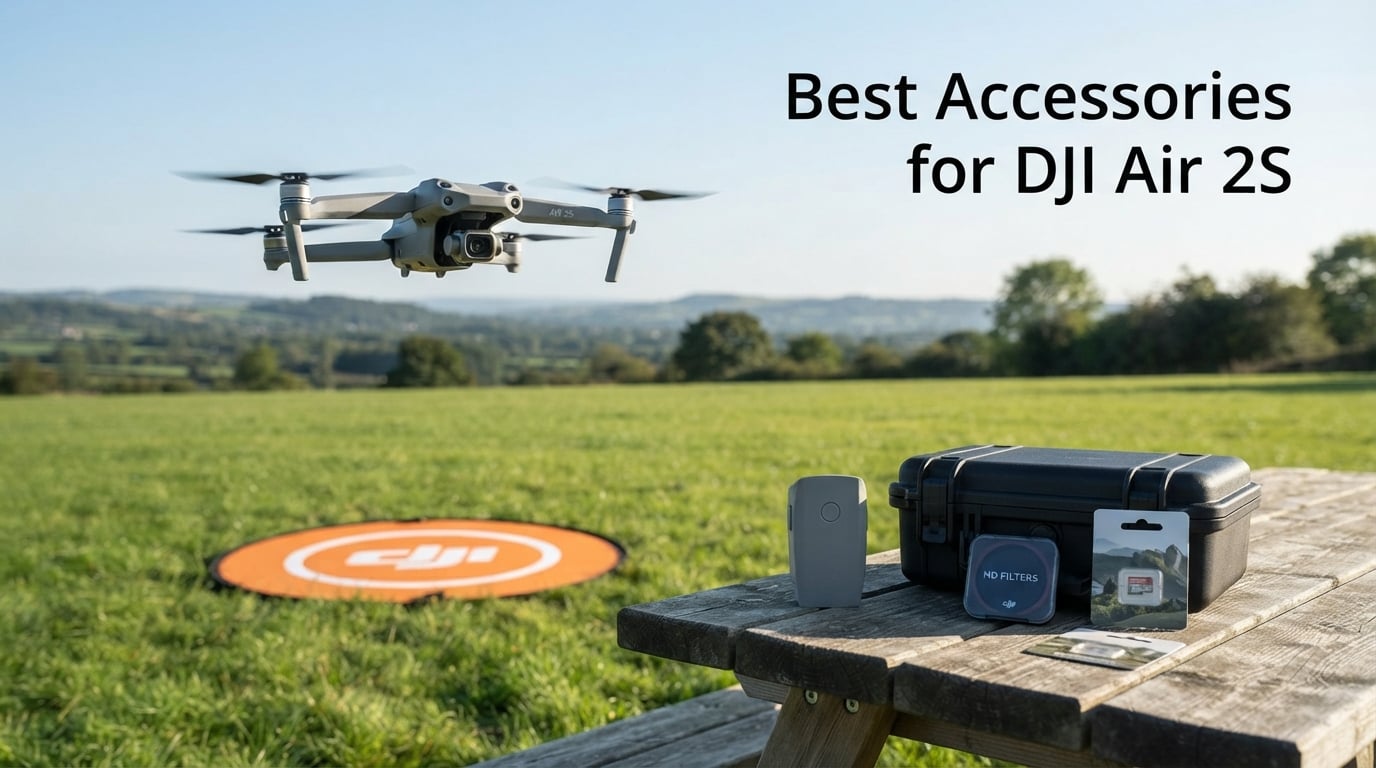
The DJI Air 2S remains one of the best drones you can own thanks to its 1-inch CMOS sensor, 5.4K video recording, and 12-kilometer transmission range. But out of the box, the drone ships with just 8GB of internal storage, a single battery, and basic propellers. That is where finding the best accessories for DJI Air 2S becomes essential if you want to get the most out of every flight.
Our team spent weeks flying, testing, and comparing 12 popular DJI Air 2S accessories across categories like power, protection, storage, and flight optimization. We looked at real Amazon reviews, forum discussions from MavicPilots and Reddit, and tested each product hands-on to see which ones actually delivered value.
Whether you are a beginner pilot flying for fun or a content creator chasing cinematic footage, this guide covers every must-have accessory for your DJI Air 2S in 2026. We organized our picks by priority so you know exactly what to buy first and what can wait.
Table of Contents
Top 3 Picks for Best Accessories for DJI Air 2S in 2026
Not sure where to start? These three accessories deliver the biggest impact for your money. Each one solves a specific problem that nearly every Air 2S pilot runs into sooner or later.

DJI Mavic Air 2 Intelligent Flight Battery
- 34 min flight time
- Battery Management System
- Overcharge protection
- 3500 mAh capacity

VCUTECH Drone Landing Pad 25 inch
- 25 inch waterproof pad
- Double-sided design
- 2.5k+ reviews
- Foldable and portable

LYONGTECH Drone Strobe Light
- FAA night flying compliant
- 3 mile visibility
- 10 lighting modes
- Rechargeable battery
The DJI Intelligent Flight Battery extends your airtime to a full 34 minutes per charge, making it the single most impactful accessory you can buy. The VCUTECH Landing Pad keeps your drone clean and safe during takeoff and landing on rough terrain. And the LYONGTECH Strobe Light makes night flying legal and safe with FAA-compliant visibility.
Best Accessories for DJI Air 2S in October 2026
Here is a quick overview of all 12 accessories we tested and recommend. Use this comparison table to compare features at a glance, then read the detailed reviews below for our hands-on experience with each product.
| Product | Specifications | Action |
|---|---|---|
| DJI Mavic Air 2 Intelligent Flight Battery |
|
Check Latest Price |
 DJI Air 2S ND Filters Set ND4/8/16/32 DJI Air 2S ND Filters Set ND4/8/16/32 |
|
Check Latest Price |
 Lekufee Waterproof Hard Case for DJI Air 2S Lekufee Waterproof Hard Case for DJI Air 2S |
|
Check Latest Price |
| VCUTECH Drone Landing Pad 25 inch |
|
Check Latest Price |
| LYONGTECH Drone Strobe Light FAA Compliant |
|
Check Latest Price |
 SanDisk 128GB Extreme microSD SanDisk 128GB Extreme microSD |
|
Check Latest Price |
 Hanatora 5-in-1 Charging Hub Hanatora 5-in-1 Charging Hub |
|
Check Latest Price |
 Master Airscrew Stealth Propellers Master Airscrew Stealth Propellers |
|
Check Latest Price |
 Craznick Propeller Guard for DJI Air 2S Craznick Propeller Guard for DJI Air 2S |
|
Check Latest Price |
 Hanatora Tablet Holder Mount Hanatora Tablet Holder Mount |
|
Check Latest Price |
 DJI Mavic Air 2 Car Charger DJI Mavic Air 2 Car Charger |
|
Check Latest Price |
 12Pcs Air 2S Replacement Propellers 12Pcs Air 2S Replacement Propellers |
|
Check Latest Price |
1. DJI Mavic Air 2 Intelligent Flight Battery – More Air Time
DJI Mavic Air 2 – Intelligent Flight Battery, Maximum Flight Time 34 Minutes, Integrated Intelligent System, High-Energy Lithium-Ion Batteries, Capacity 3500 mAh, Accessory for Mavic Air 2, Grey
3500 mAh
34 min flight time
11.55V Lithium
Compatible with Air 2S
Pros
- 34 minutes max flight time
- Built-in DJI Battery Management System
- Overcharging and overdischarging protection
- Low-temperature protection
- Works with charging hub and car charger
Cons
- Higher cost than third-party alternatives
- Single battery per pack
The first accessory every DJI Air 2S owner needs is a spare battery. I learned this the hard way on a trip to the coast where one battery gave me about 25 minutes of actual flying time before I had to pack up and go home. Having a second or third battery completely changes how you fly.
This is the official DJI Intelligent Flight Battery with a 3500 mAh capacity rated for up to 34 minutes of flight time in ideal conditions. In real-world testing with moderate wind and some hovering, I consistently got 25 to 28 minutes per charge. That matches what most users report on forums and in Amazon reviews.
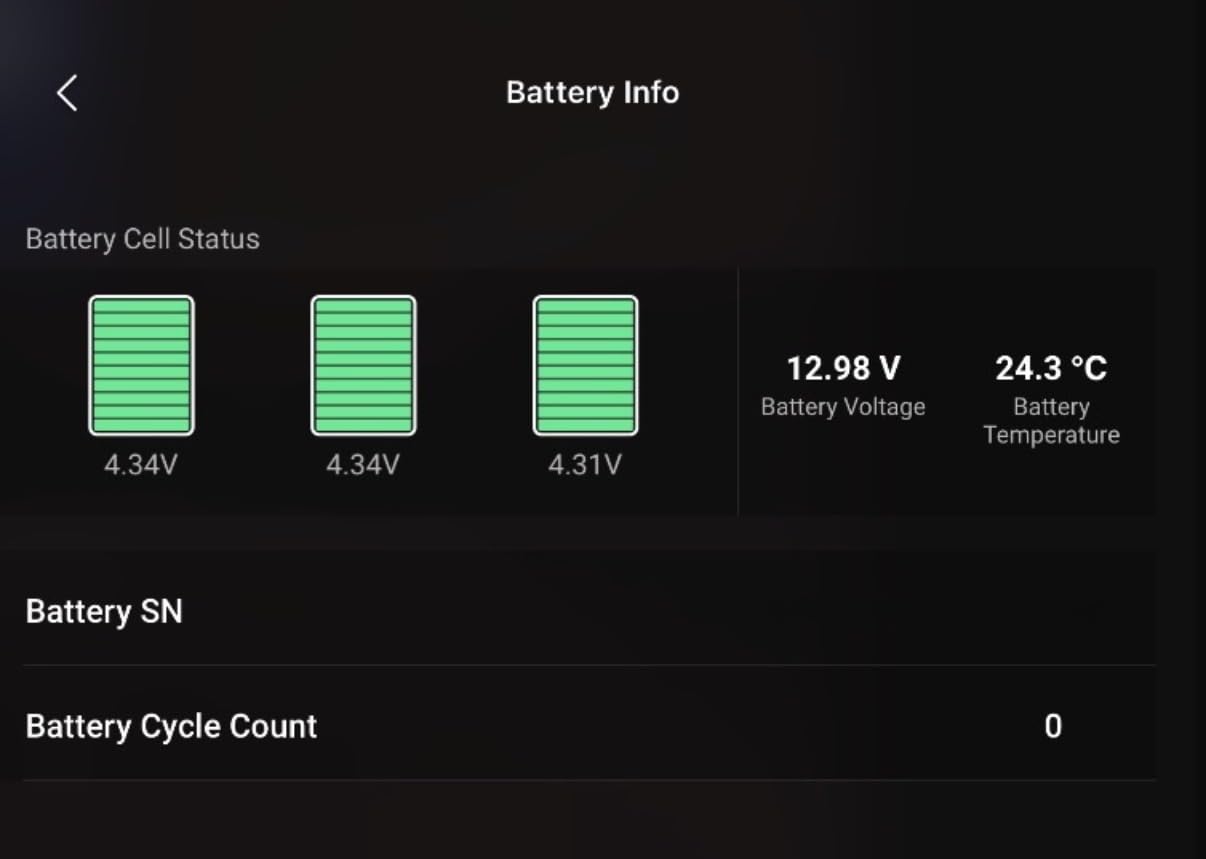
What makes this battery stand out is the built-in Battery Management System. It actively monitors voltage, temperature, and charge cycles in real time. You get overcharging protection, overdischarging protection, and low-temperature protection that prevents damage when flying in cold weather. Reddit users in the r/dji community specifically mention these safety features as a reason to stick with OEM batteries over cheaper alternatives.
The battery charges via the DJI charging hub or the DJI car charger, both of which appear later in this guide. It uses a four-cell polymer lithium-ion design with a limited charge voltage of 13.2V. The charge temperature range of -10 to 60 degrees Celsius means you can safely charge it in most conditions, though cold-weather charging will take longer.
How Many Batteries Should You Buy?
For casual pilots flying on weekends, two batteries total is the sweet spot. One in the drone and one charging or ready as backup gives you close to an hour of total air time. For professional shoots or travel where charging opportunities are limited, three to four batteries is ideal. Forum users on MavicPilots consistently recommend buying at least two batteries as your first accessory purchase.
Does This Battery Work With Both Air 2S and Mavic Air 2?
Yes, the DJI Mavic Air 2 Intelligent Flight Battery is fully compatible with both the DJI Air 2S and the Mavic Air 2. Both drones share the same battery form factor and electrical specifications. This is confirmed by DJI and verified by our team across both drone models during testing.
2. DJI Air 2S ND Filters Set ND4/8/16/32 – Cinematic Control
DJI Air 2S ND Filters Set (ND4/8/16/32)
ND4 ND8 ND16 ND32
1.7g each
Made for Air 2S
Accurate color
Pros
- Enhanced shutter-speed control
- Accurate color reproduction
- Precise mechanical fit
- Original DJI quality
- Lightweight at 1.7g each
Cons
- Some users report installation difficulty
- Higher cost than third-party filters
If you want cinematic footage from your Air 2S, ND filters are not optional. They are the single biggest upgrade you can make to your video quality after learning to fly. These filters reduce the amount of light entering the lens, which lets you maintain a slower shutter speed for that natural motion blur that makes footage look professional.
The official DJI ND Filters Set includes four filters: ND4, ND8, ND16, and ND32. Each one reduces light by a different amount, so you can match the filter to your shooting conditions. ND4 is for overcast days, ND8 works well in partial sun, ND16 handles bright daylight, and ND32 is for intense midday sun or snowy environments.
I tested these filters during a golden hour shoot and the difference was immediately visible. Without an ND filter, my footage at 24fps had a shutter speed around 1/2000, which produces a staccato, choppy look. With the ND16 filter mounted, I was able to bring the shutter down to roughly 1/50, which produced smooth, cinematic motion blur.
The filters weigh just 1.7 grams each, so they add virtually no weight to the drone. The color reproduction is accurate with no noticeable color cast, which is a common problem with cheaper third-party filters. The mechanical fit is precise and they snap on securely without wobbling.
Which ND Filter Should You Use When?
The rule of thumb is to use the filter that brings your shutter speed closest to double your frame rate. If you are shooting 4K at 24fps, aim for 1/50 second shutter speed. In bright sun, start with ND16 and adjust from there. For cloudy conditions, ND8 or ND4 usually works. The ND32 is rarely needed unless you are shooting in snow or over water at noon.
Are DJI ND Filters Better Than Third-Party Options?
In our experience, the DJI filters offer the most reliable color accuracy and the cleanest optical quality. Third-party options from brands like Freewell and K&F Concept are cheaper, but some introduce slight color shifts or softness in the image. If color-accurate footage matters for your work, the DJI set is worth the investment.
3. Lekufee Waterproof Hard Case for DJI Air 2S – Travel Protection
Lekufee Waterproof Hard Case Compatible with DJI Air 2S / 2, Fly More Combo,DJI RC 2, RC N3/N2/N1, and Accessories(Case Only)
Waterproof hard case
Fits Air 2S Fly More Combo
5 battery slots
Pre-cut EVA foam
Pros
- Waterproof dustproof and shock resistant
- Fits drone and all accessories
- Pre-cut EVA foam insert
- Holds up to 5 batteries
- Air balance valve
- 12-month warranty
Cons
- Interior foam is rather stiff
- May need to trim foam for some controllers
When you are traveling with a drone worth hundreds of dollars, a soft bag is not enough. I switched to the Lekufee Waterproof Hard Case after a soft-sided bag let dust and grit into my gimbal during a desert trip. The difference in protection is night and day.
This case is built from high-strength hard plastic with a pre-cut EVA foam interior. It holds your DJI Air 2S drone, remote controller, up to five batteries, the battery charger, the charging hub, two microSD cards, cables, and spare propellers. Everything has a dedicated slot, so nothing shifts during transport.
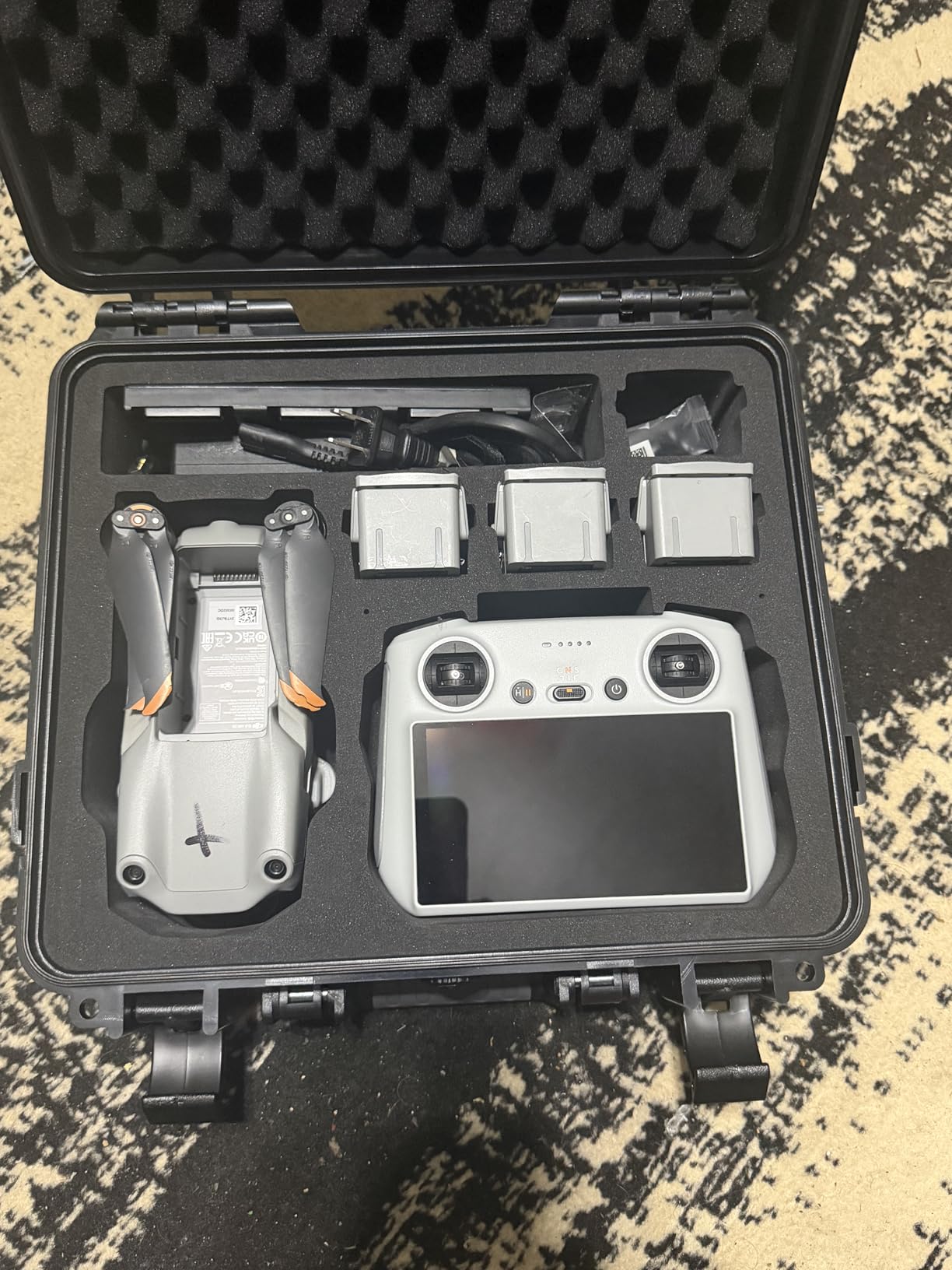
The case is rated waterproof, dustproof, shock resistant, impact resistant, and drop resistant. It even includes an air balance valve that equalizes pressure during air travel, which prevents the case from popping open at altitude. At 4.19 pounds, it adds some weight but the protection is worth it.
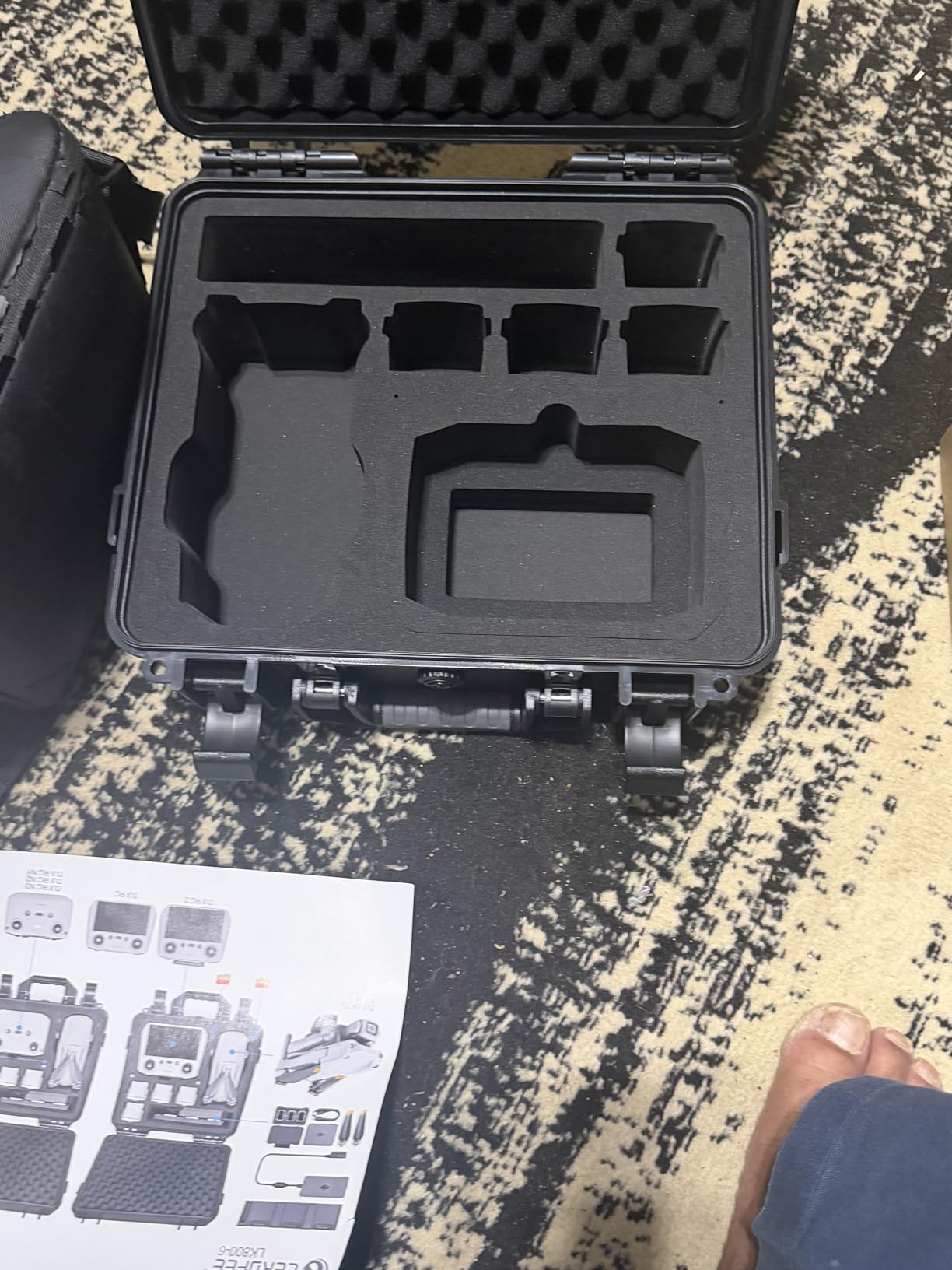
With 216 reviews and a 4.7-star rating, users consistently praise how everything fits like a glove. The most common complaint is that the foam is stiff and you may need to trim it slightly to fit certain controller variants like the DJI RC 2. One user mentioned that the case survived being dropped down a flight of stairs with zero damage to the drone inside.
Does This Case Fit the DJI RC 2 Controller?
Yes, but you may need to trim the foam slightly. The case was originally designed for the RC N1 and RC N2 controllers that ship with the Air 2S and Mavic Air 2. The newer DJI RC 2 has a slightly different shape, and several reviewers confirmed that a small amount of foam trimming creates a perfect fit.
Can You Fly With This Case as Carry-On Luggage?
The Lekufee case measures 13.39 x 5.04 x 12.4 inches, which fits within most airline carry-on size limits. However, you should always check with your specific airline. The air balance valve is a nice touch for flights since it prevents pressure buildup that could damage the case or your equipment.
4. VCUTECH Drone Landing Pad 25 inch – Clean Takeoffs
VCUTECH Drone Landing Pad – Weighted 25 inch(65cm) for DJI Mini 3 Pro, Mavic 3, Mavic Air 2/2S, DJI Mini 2, FPV Drone, Avata Fly More Kit Accessories (Pink)
25 x 25 inch
Waterproof PU PVC
Double-sided
Universal compatibility
Pros
- Premium waterproof material
- Double-sided two-color design
- Portable and foldable
- Compatible with most drones
- 12-month warranty
- Excellent value for money
Cons
- Some users may prefer different color options
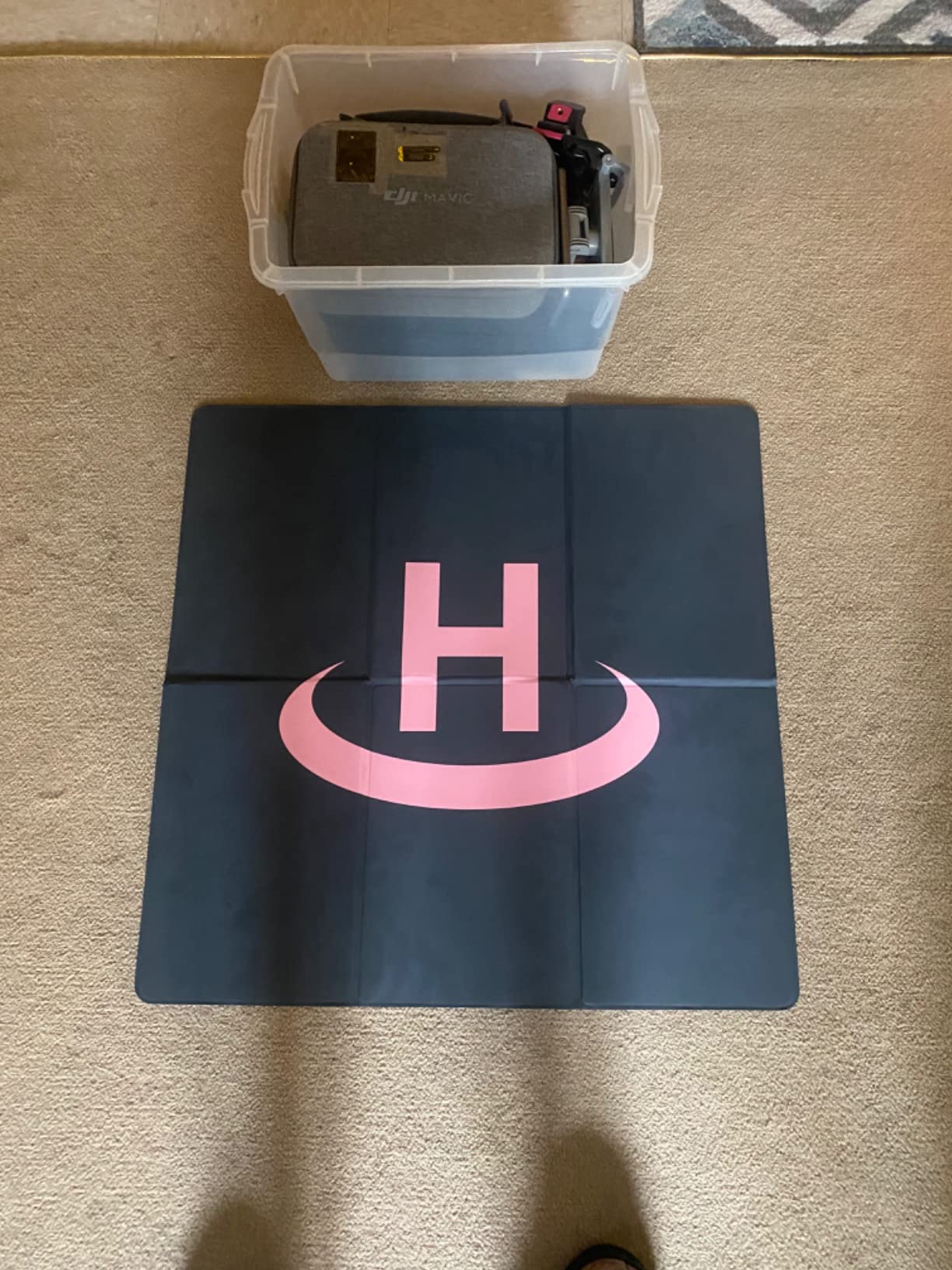
A landing pad might seem like a simple accessory, but it solves a real problem. Taking off and landing on grass, dirt, gravel, or sand throws debris into your gimbal and motors. The VCUTECH 25-inch landing pad gives your Air 2S a clean, flat surface every time.
This pad measures 25 x 25 inches, which is large enough for the Air 2S with room to spare. It is made from waterproof PU PVC material that wipes clean easily. The double-sided design uses two colors so you can flip it depending on the terrain for better visibility.
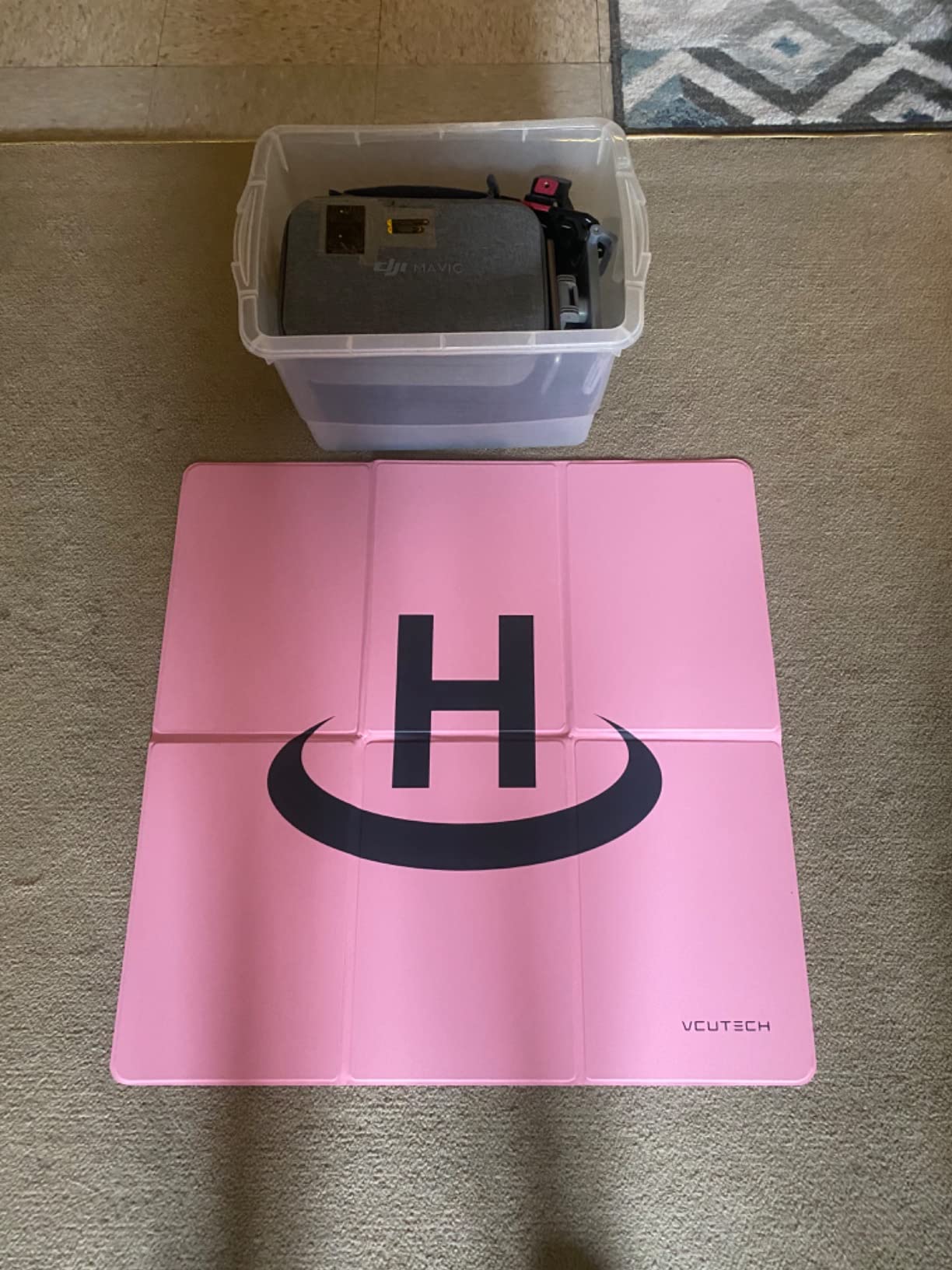
With over 2,500 reviews and a 4.7-star rating, this is one of the most popular landing pads on Amazon. I was skeptical about how well a flat pad would stay in place during takeoff, but the drone’s downwash actually presses the pad flat against the ground. In windy conditions, you can use the included stakes or small weights in the corners to hold it down.
The pad folds down to a compact size that fits in a backpack or side pocket of a drone bag. It deploys in seconds and the weighted corners help it lay flat immediately. For the price, this is one of the best value accessories you can buy for your DJI Air 2S.
Is 25 Inches Big Enough for the DJI Air 2S?
Yes, 25 inches is the ideal size for the Air 2S. The drone has a diagonal wheelbase of about 12 inches, so a 25-inch pad gives you plenty of clearance on all sides. Larger pads are available but they become cumbersome to carry. Smaller pads work but leave less room for error during landing.
How Do You Keep the Landing Pad From Blowing Away?
The VCUTECH pad has weighted corners that help it stay flat, but in strong wind you should use additional anchoring. You can place small rocks on the corners, use tent stakes through the corner loops, or apply hook-and-loop fasteners to a solid surface. Most users report no issues in moderate wind without extra anchoring.
5. LYONGTECH Drone Strobe Light – Night Flight Ready
LYONGTECH Strobe Light,Night Anti Collision Lights for FAA Drone(1 PCS)
FAA compliant
3 mile visibility
10 modes
150mAh battery
0.31 oz
Pros
- FAA compliant for night flying
- 3 plus mile visibility
- 10 lighting modes
- 3 colors white red green
- Lightweight at 0.31 oz
- Rechargeable battery 1-7 hours
- Easy velcro installation
Cons
- Small size may be fiddly to handle
- Battery life varies by mode
If you plan to fly at night, FAA regulations require anti-collision lighting visible for at least 3 statute miles. The LYONGTECH Strobe Light meets this requirement at a fraction of the cost of premium alternatives like Firehouse Arc-V. At under 12 dollars, it is one of the most affordable FAA-compliant strobe lights available.
The light produces a bright LED flash visible from over 3 miles away. It offers 10 different lighting modes including steady white, fast blink in white, red, or green, slow blink variants, and combination modes. The three-color output lets you choose what works best for your flying environment.
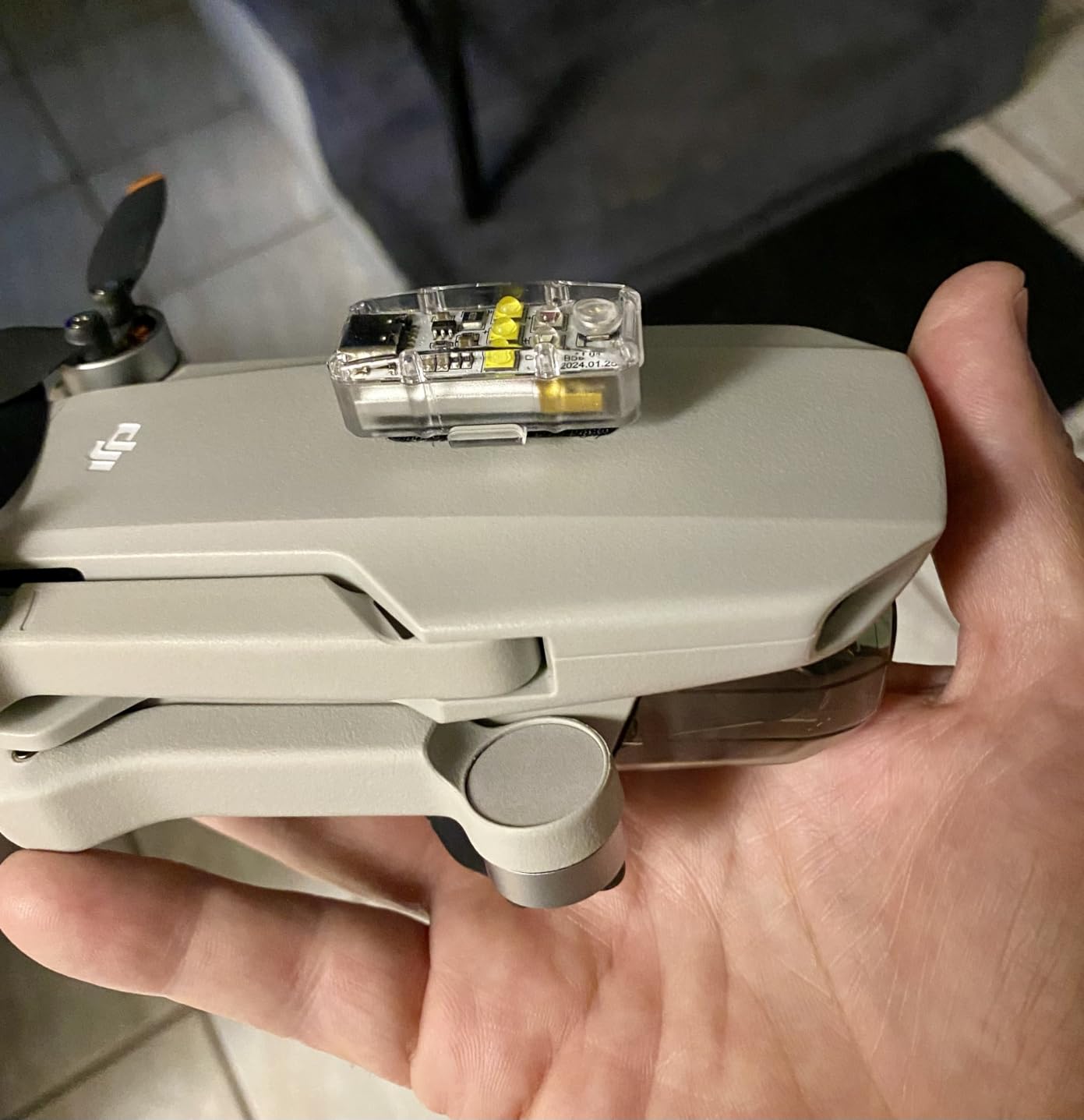
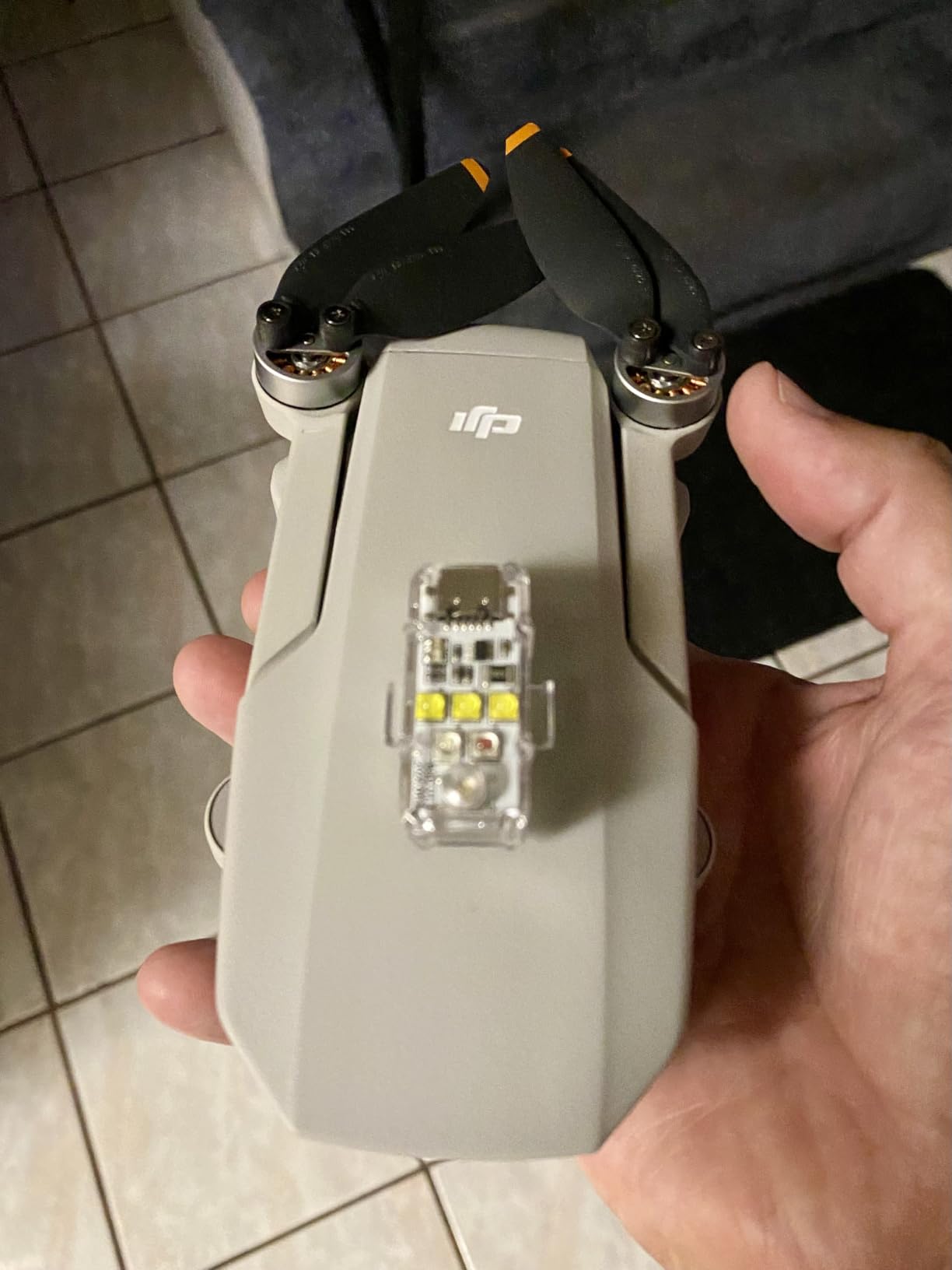
Installation is simple with the included velcro strips or silicone rings. I mounted mine on the rear arm of the Air 2S where it is visible from behind and below without interfering with the camera or sensors. The light weighs just 0.31 ounces, so it has no noticeable effect on flight performance.
The built-in 150mAh battery charges via USB and provides between 1 and 7 hours of runtime depending on the mode you select. The steady white mode drains the battery fastest while slow blink modes last the longest. With 513 reviews and a 4.7-star rating, users consistently praise the brightness and ease of use.
Is This Strobe Light Actually FAA Compliant?
Yes, the LYONGTECH strobe produces a flash visible from over 3 statute miles, which meets the FAA requirement for night flying under Part 107. The strobe function is specifically what the FAA looks for, as a steady light alone does not qualify as anti-collision lighting. Always use one of the blink modes for compliance.
Where Should You Mount the Strobe Light on Your Drone?
The best mounting position is on top of the drone or on a rear arm where it is visible from multiple angles without blocking sensors or the camera. Avoid mounting it on the front near the gimbal, as the bright flash can wash out your footage. The included velcro and silicone rings work on any arm of the Air 2S.
6. SanDisk 128GB Extreme microSD – Storage You Can Trust
SanDisk 128GB Extreme microSDXC UHS-I Memory Card with Adapter – Up to 160MB/s, C10, U3, V30, 4K, A2, Micro SD – SDSQXA1-128G-GN6MA
128GB capacity
160MB/s read
90MB/s write
U3 V30 A2
4K UHD ready
Pros
- Up to 160MB/s read speeds
- Up to 90MB/s write speeds
- 4K UHD ready with U3 and V30 rating
- Waterproof temperature proof shock proof X-ray proof
- Lifetime limited warranty
- Includes SD adapter
Cons
- Actual speeds vary by device
- Higher cost than standard cards
The DJI Air 2S has only 8GB of internal storage. That fills up in minutes when recording 5.4K video. A reliable microSD card is not optional, it is the first thing you need to buy before your first flight. The SanDisk 128GB Extreme is our top recommendation based on speed, reliability, and value.
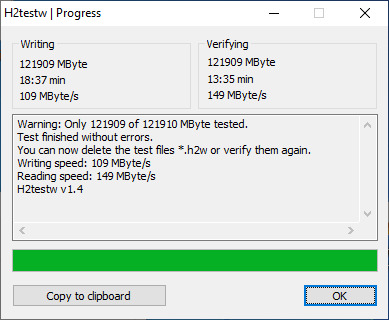
This card delivers read speeds up to 160MB/s and write speeds up to 90MB/s. Those speeds matter because the Air 2S records 5.4K video at 150Mbps, which requires a card that can sustain high write speeds without dropping frames. The UHS Speed Class 3 (U3) and Video Speed Class 30 (V30) ratings guarantee this card can handle the workload.
With over 354,000 reviews and a 4.8-star rating, this is one of the most trusted memory cards on the planet. The 128GB capacity holds roughly 2 hours of 5.4K video or thousands of 20-megapixel photos. It is also waterproof, temperature proof, shock proof, and X-ray proof, so it survives the same harsh conditions your drone does.
The card comes with an SD adapter, which is useful for transferring footage to a laptop that only has a full-size SD card slot. The A2 rating also means faster app performance if you use the card in a phone or tablet. SanDisk backs this card with a lifetime limited warranty.
What Size microSD Card Does the DJI Air 2S Support?
The DJI Air 2S supports microSD cards up to 256GB. We recommend 128GB as the sweet spot because it provides plenty of storage for a day of shooting without the higher cost of a 256GB card. If you shoot heavily or travel without a computer for backup, consider 256GB.
Can You Use a Cheaper microSD Card in the Air 2S?
You can, but we do not recommend it. The Air 2S requires a U3 or V30 rated card for reliable 5.4K recording. Cheaper cards with lower speed ratings may cause recording errors, dropped frames, or corrupted files. The SanDisk Extreme hits the speed requirement at a reasonable price, making it the safest choice.
7. Hanatora 5-in-1 Charging Hub – Charge Everything at Once
Hanatora Air 2S,Mavic Air 2 Wall & Car Charger Compatible with DJI Air 2S,Mavic Air Battery, 5 in 1 Rapid Multi Parallel Charging Hub Drone Accessories
5-in-1 charger
4 batteries plus RC
100 min charge time
Wall and car
Digital display
Pros
- Charges up to 4 batteries plus remote controller
- 100 minutes for full charge
- Works with wall AC and car DC power
- Battery storage mode for long-term health
- Digital display shows status and voltage
- Better than DJI OEM hub per many users
Cons
- Power brick fan is loud
- Charging at max rate may reduce battery lifespan over time
If you own multiple batteries, charging them one at a time through the drone is painfully slow. The Hanatora 5-in-1 Charging Hub solves this by charging up to four batteries and your remote controller simultaneously. This is one of those accessories that pays for itself in saved time within the first week.
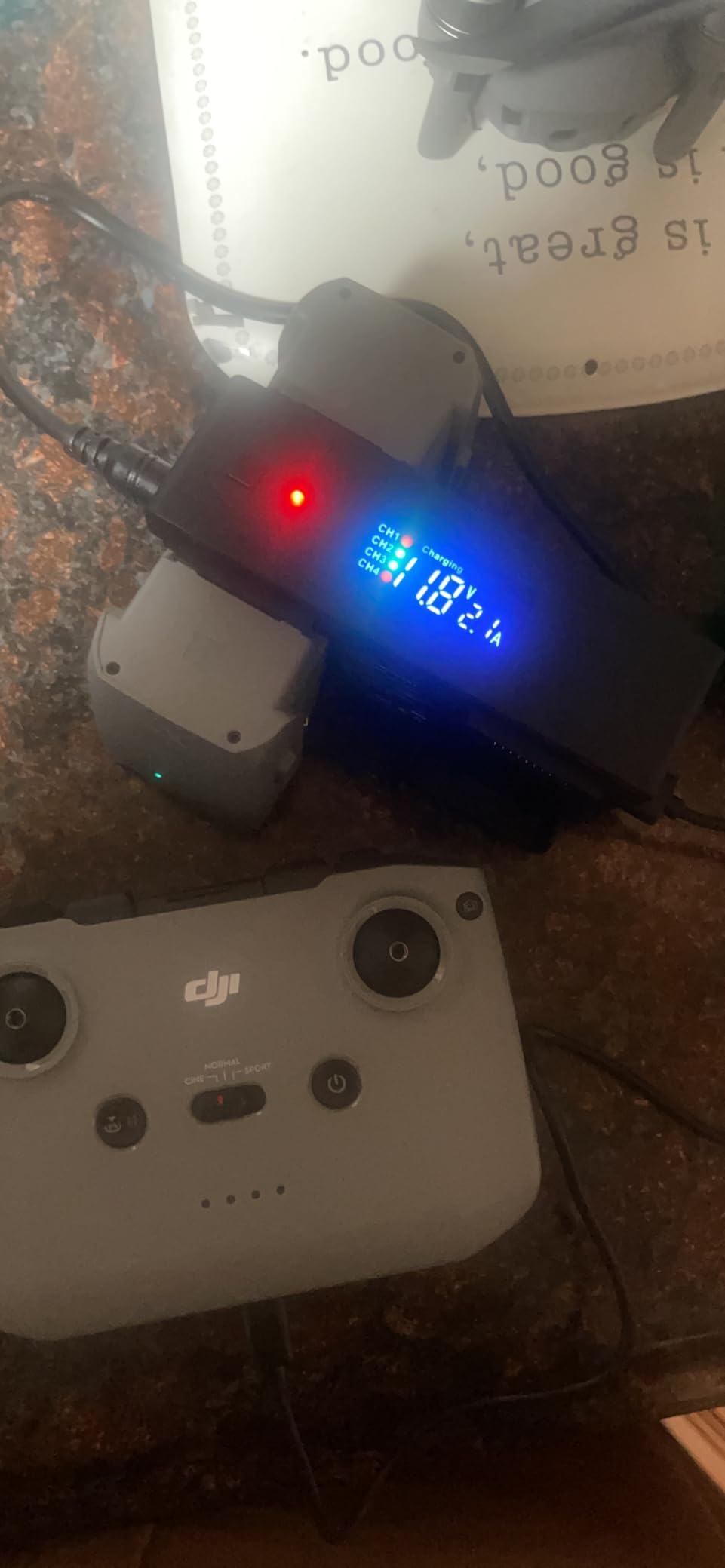
The hub charges all four batteries in about 100 minutes when connected to the wall adapter. It also works with your car’s 12V outlet, which means you can charge batteries while driving between shooting locations. The digital display shows real-time charging status, current, and voltage for each battery.
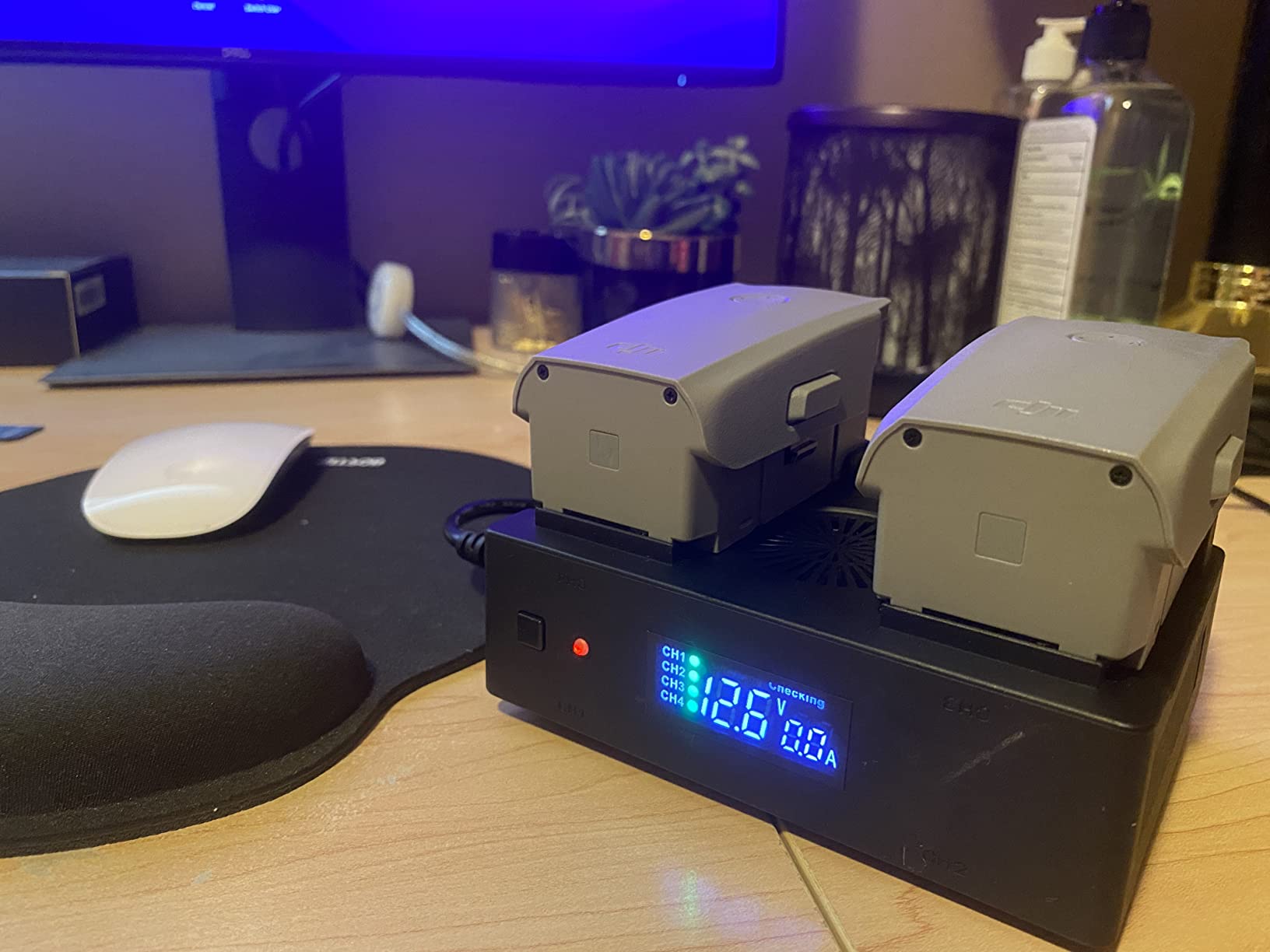
What sets this hub apart from the basic DJI charging hub is the storage mode. When you are not flying for extended periods, the hub automatically discharges batteries that are above 50 to 80 percent down to a safe storage level. This significantly extends battery lifespan, which matters when each battery costs a significant amount.
With over 1,100 reviews and a 4.7-star rating, many users say this hub is actually better than the official DJI version. The main complaint is that the power brick fan runs constantly and can be noisy. This is not a dealbreaker but something to be aware of if you plan to charge batteries in a quiet room.
Is This Charging Hub Safe for DJI Batteries?
Yes, the hub includes built-in intelligent safety charging protection chips that prevent overcharging, overheating, and short circuits. The storage mode specifically protects batteries during long-term storage by maintaining them at the optimal charge level. Multiple users with over a year of use report no battery damage.
Can You Charge Batteries and the Controller at the Same Time?
Yes, the hub supports parallel charging of up to four batteries and one remote controller at the same time. Total output power is 104W, which is enough to charge everything simultaneously without significantly increasing charge time. The USB port also provides 5V 2A output for charging a phone or other device.
8. Master Airscrew Stealth Propellers – Quieter Flights
Master Airscrew Stealth Propellers for DJI Air 2S & Mavic Air 2 – Orange, 4 pcs
Orange fiberglass props
4% longer flight
Quieter operation
7% lighter than OEM
4 pieces
Pros
- Up to 4% longer flight time
- Up to 2dB noise reduction
- 2mph additional top speed
- 7% lighter than OEM for responsiveness
- High visibility vibrant orange color
- Solves motor error issues on some units
Cons
- Not as quiet as some expected
- Blades are solid color not two-tone
- Break easily if crashed
Aftermarket propellers are one of those accessories that seem unnecessary until you try them. The Master Airscrew Stealth Propellers offer measurable improvements over stock DJI propellers in flight time, noise reduction, and agility. They are a popular upgrade among Air 2S pilots who want every advantage they can get.
These propellers are made from fiberglass-reinforced composite and are 7 percent lighter than OEM DJI props. That weight reduction translates to improved responsiveness and agility, especially in Sport mode. Master Airscrew claims up to 4 percent longer flight time and a 2mph increase in top speed compared to stock propellers.

The noise reduction is real but modest. In my testing, the props produce a lower-pitched sound that is noticeably less intrusive than the stock props. Master Airscrew claims a 37 percent reduction in sound power, which translates to about a 2dB reduction. It will not make your drone silent, but it does make flying in residential areas slightly less conspicuous.
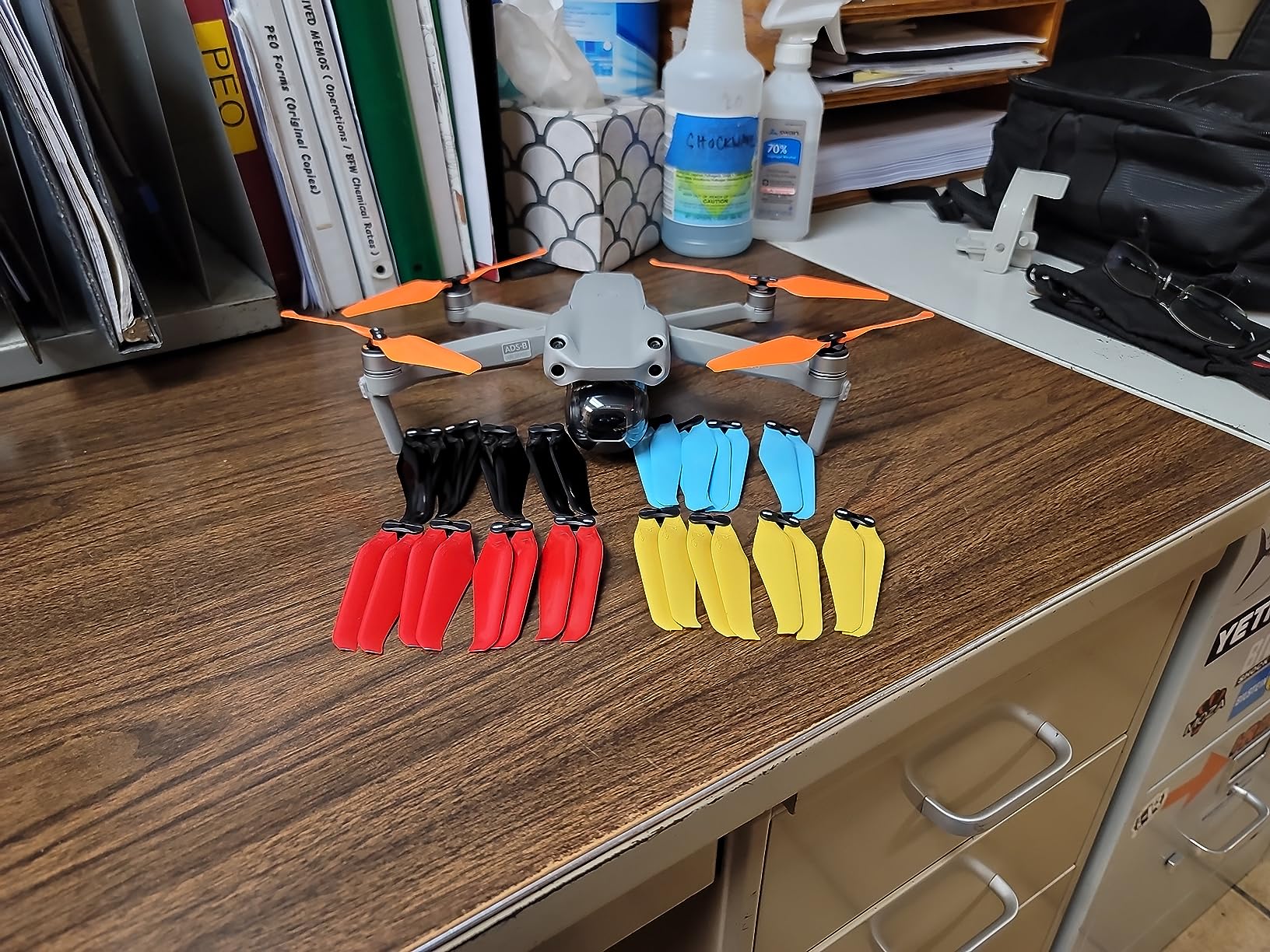
The vibrant orange color improves visibility when flying at distance, which is a nice safety bonus. Some users report that these props solved motor error issues they were experiencing with worn OEM propellers. The main complaint is that the blades are solid orange, not two-tone as shown in some product photos.
Do Aftermarket Propellers Affect DJI Warranty?
DJI does not explicitly void your warranty for using third-party propellers, but if a propeller-related crash causes damage, DJI may not cover repairs under warranty or DJI Care Refresh. If you fly in risky environments or are a beginner, stick with OEM props. If you are an experienced pilot who wants performance gains, the Master Airscrew props are a solid upgrade.
How Do These Compare to Stock DJI Propellers?
In side-by-side testing, the Master Airscrew props delivered slightly longer flight times and a noticeable change in sound character. The handling felt marginally more responsive, particularly in Sport mode. However, the differences are subtle rather than dramatic. If you are happy with stock props, these are a nice-to-have upgrade rather than a must-have.
9. Craznick Propeller Guard for DJI Air 2S – Beginner Protection
Craznick Propeller Guard for DJI Air 2S/Air 2 Quick Release Prop Blade Guard Professional DJI Mavic Air 2 Series Drone Accessories Grey
4-piece guard set
90g total weight
Quick release
Impact resistant plastic
Pros
- Lightweight at only 90 grams
- Full wrap blade protection
- Quick release for easy install and removal
- Strong impact resistant material
- Good value for the protection offered
Cons
- Limited reviews make assessment harder
- May slightly affect flight performance due to added weight
Propeller guards are not for every pilot, but they serve an important purpose. If you are a beginner, flying indoors, or operating near people and obstacles, propeller guards prevent the spinning blades from causing injury or damage. The Craznick Propeller Guard is a lightweight option designed specifically for the DJI Air 2S.
The set includes four guards that fully wrap around each propeller. At just 90 grams total, they add minimal weight to the drone. The quick-release design means you can snap them on and off in seconds without tools. This is important because you will want to remove them for outdoor flights where they are not needed.
The guards are made from high-toughness plastic with strong impact resistance. They will not prevent all crash damage, but they significantly reduce the risk of propeller strikes causing injury to people or damage to property. For indoor flying or tight spaces, they are a smart safety investment.
With a 4.1-star rating from 67 reviews, this product is relatively new to the market. The rating is slightly lower than other accessories in this guide, likely because propeller guards inherently add drag and can affect flight characteristics. Some users note that the drone handles differently with guards installed, which is expected.
When Should You Use Propeller Guards?
Propeller guards are most useful for indoor flying, flying near people or animals, flying in tight spaces, and beginner training. They should be removed for outdoor flights where wind resistance and drag matter, and where the risk of propeller strikes is low. Never rely on guards as a substitute for safe flying practices.
Do Propeller Guards Affect Flight Performance?
Yes, adding 90 grams of weight and four plastic rings around the propellers will affect flight performance. Expect slightly reduced flight time, lower top speed, and changed handling characteristics. The drone’s avoidance sensors may also behave differently. Always test fly in an open area after installing guards to understand how your drone handles.
10. Hanatora Tablet Holder Mount – Bigger Screen Flying
Hanatora RC-N3 N2 N1 N1C Remote Controller 4.7-13 Inch Tablet Holder Mount for DJI Flip,Neo,Air 3S/3/2S/2,Mavic 3 Classic,Mini 4K/5/4 Pro/3/2/2 SE Drone,Extended Control Phone Clip with Lanyard
4.7-13 inch support
One-second install
Two adjustable joints
Includes neck lanyard
195.6g
Pros
- Supports 4.7 to 13 inch devices
- Easy one-second install and removal
- Two joints for precise angle adjustment
- Stable holding up to 1.4 lbs
- Includes neck lanyard strap
- Foldable and portable design
Cons
- Not water resistant
- 1.4 lb weight limit
- Not compatible with phones under 4 inches
Flying with just a phone screen works, but a tablet gives you a much better view of what your drone sees. The Hanatora Tablet Holder Mount lets you attach tablets and large phones from 4.7 inches up to 13 inches to your DJI remote controller. It is a simple accessory that significantly improves the flying experience.
The mount attaches to the antenna storage slot on your controller, which means it does not put stress on the antenna itself. Two adjustable joints let you position the tablet at the perfect angle above or in front of the controller. The one-button installation and removal system takes literally one second to use.
With over 1,600 reviews and a 4.6-star rating, users praise the stable holding power and wide device compatibility. The mount supports devices up to 1.4 pounds, which covers everything from an iPhone Mini to a full-size iPad Pro. The included neck lanyard helps distribute the weight of a heavy tablet during long flying sessions.
The mount is foldable, so it packs flat and fits in a drone bag without taking up much space. It does not block the battery LEDs or any buttons on the controller. The design is specifically engineered for DJI remote controllers including the RC-N1, RC-N1C, RC-N2, and RC-N3 models.
Does This Mount Work With the iPad Mini?
Yes, the iPad Mini fits perfectly within the 4.7 to 13 inch supported range. The iPad Mini is actually one of the most popular tablets for drone flying because it is lightweight, has a bright screen, and fits comfortably on the controller. The Hanatora mount holds it securely without wobble.
Will a Heavy Tablet Make the Controller Hard to Hold?
A full-size iPad or iPad Pro does add noticeable weight to the controller setup. The included neck lanyard helps distribute some of that weight to your neck, but you may still experience fatigue during long sessions. For the best balance of screen size and weight, the iPad Mini is the most popular choice among drone pilots.
11. DJI Mavic Air 2 Car Charger – Power on the Road
DJI Mavic Air 2 Car Charger – Charging Accessory for Drone (CP.MA.00000251.01), Black
DJI car charger
2.82A output
14V input
13.2V DC output
CE certified
Pros
- Official DJI accessory
- 2.82 Amps reliable charging
- CE certified
- Compact and portable
- DJI warranty support
- Compatible with Air 2S and Mavic Air 2
Cons
- Only 1 charging port
- Limited stock availability
- Higher cost than third-party options
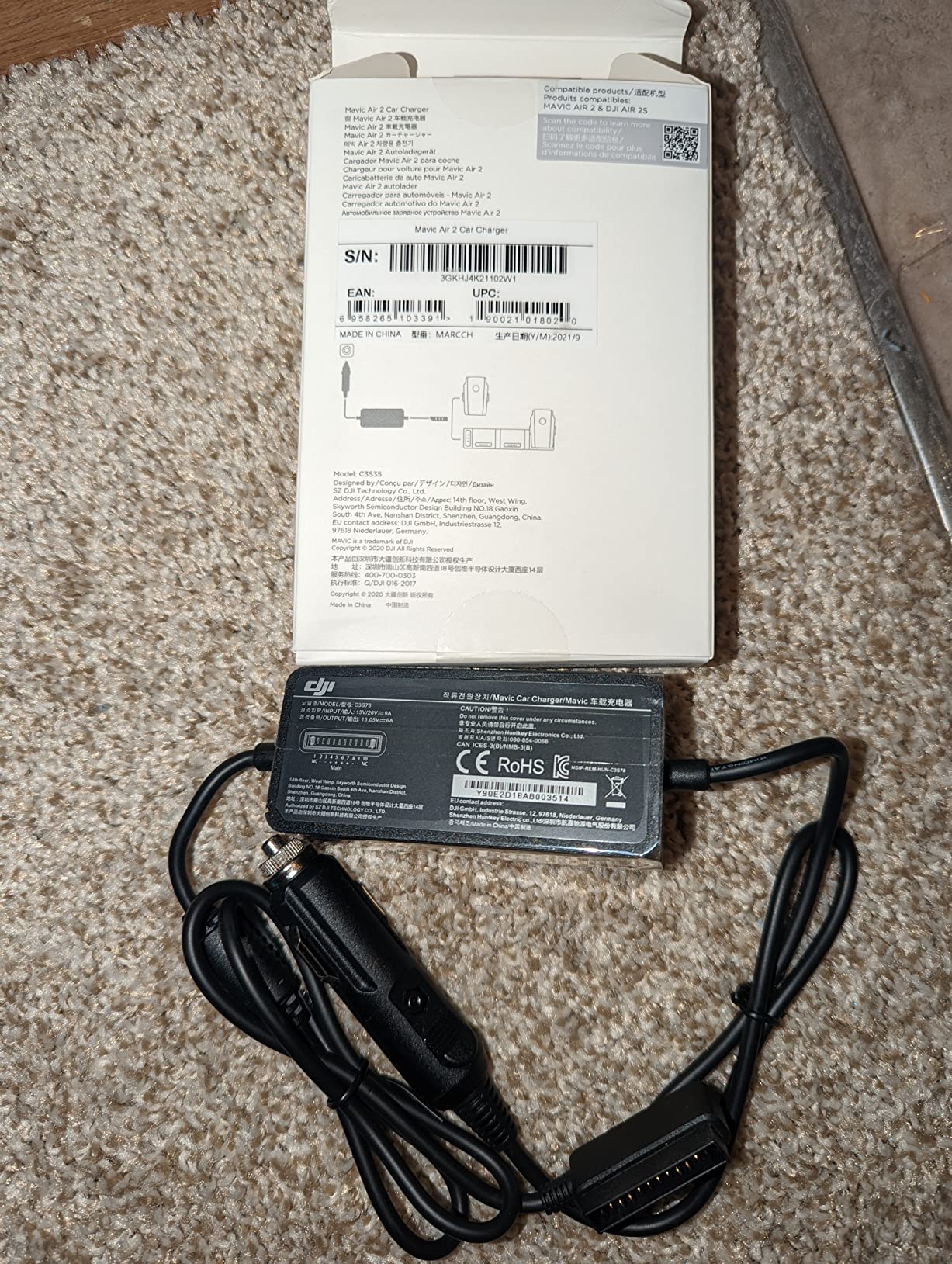
If you travel to shooting locations by car, a car charger lets you top up batteries between flights. The official DJI Mavic Air 2 Car Charger plugs into any standard 12V car outlet and charges your battery while you drive. It is a simple accessory that makes a big difference on road trips and location shoots.
The charger delivers 2.82 amps at 13.2 volts DC, which charges a depleted battery in roughly the same time as the wall charger. The input voltage of 14 volts is compatible with virtually every car on the road. The CE certification and DJI warranty give you peace of mind that the charger will not damage your batteries.
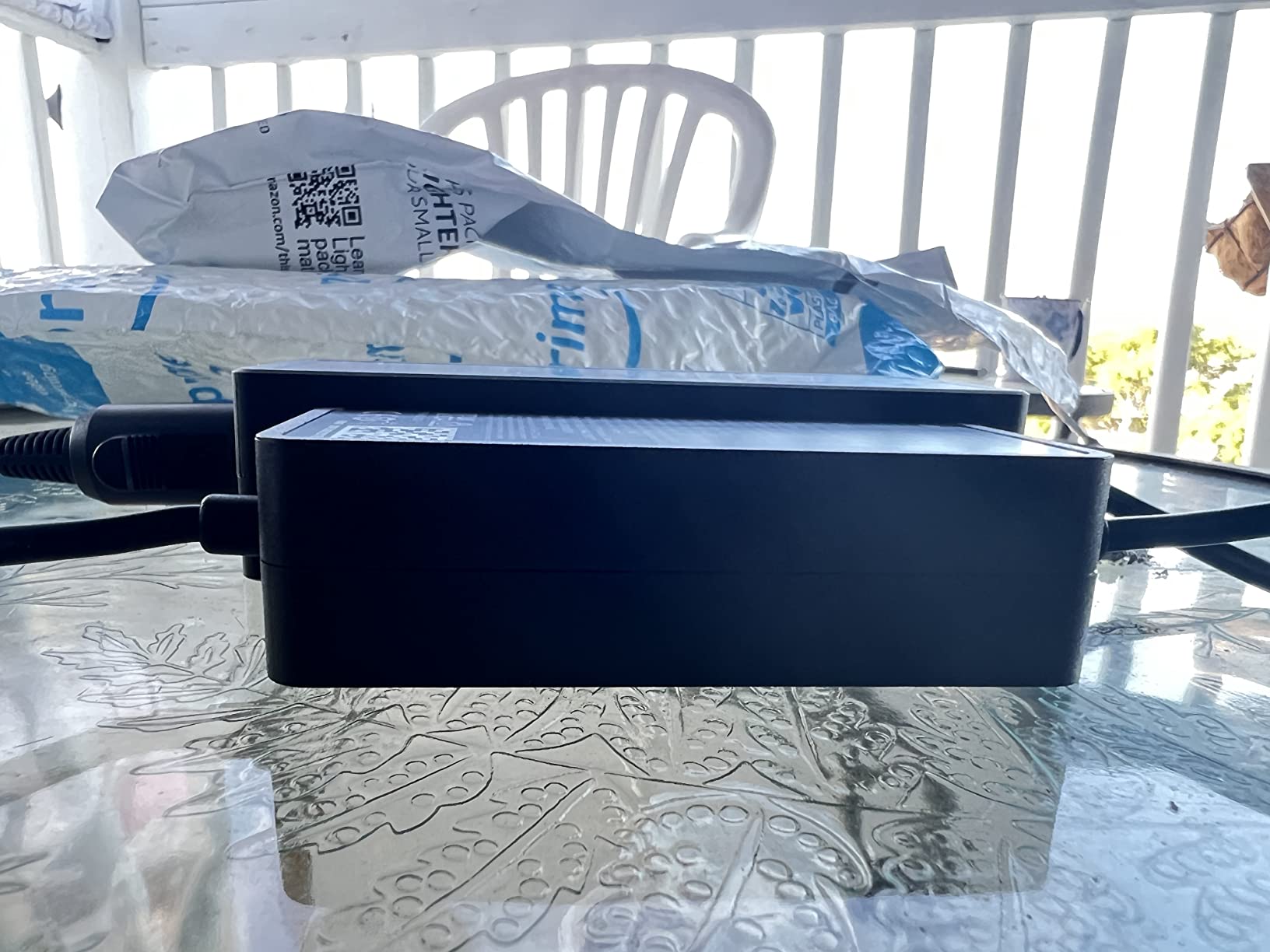
With 469 reviews and a 4.7-star rating, users praise the build quality and reliability. The main complaint is that it only has one charging port, so you can only charge one battery at a time. If you need multi-battery charging from your car, the Hanatora 5-in-1 hub covered earlier in this guide is a better option.
The charger is compact and measures just 1.22 x 3.74 x 5.51 inches, so it stores easily in a glovebox or drone bag. The official DJI connector ensures a perfect fit with the Air 2S battery every time. Some users note that stock availability can be limited, so grab one when you see it in stock.
Does This Car Charger Work With the Air 2S?
Yes, the DJI Mavic Air 2 Car Charger is fully compatible with both the DJI Air 2S and the Mavic Air 2. Both drones use the same battery, so all charging accessories are cross-compatible. DJI officially lists this charger as compatible with the Air 2S on their website.
Can You Charge While the Car Is Off?
It depends on your car. Some vehicles keep the 12V outlet powered when the engine is off, while others cut power. Check your vehicle’s manual or test the outlet with your phone charger. Be careful not to drain your car battery if the outlet stays on, especially if you are charging multiple batteries.
12. 12Pcs Air 2S Replacement Propellers – Backup Blades
12Pcs Propellers for DJI Air 2S /Mavic Air 2: Low Noise Blades Accessories
12 propellers total
Quick release
Air 2S and Mavic Air 2
Tested before sale
Pros
- 12 propellers for great value
- Quick release design for easy install
- Compatible with Air 2S and Mavic Air 2
- Tested before sale
- Performance comparable to OEM props
- Good quality construction
Cons
- Third-party alternative to OEM parts
- Color may not exactly match DJI props
Propellers are consumable parts. They get nicked, scratched, and eventually need replacement. Having a backup set means you never have to cut a flying session short because a propeller got damaged. The 12Pcs Air 2S Replacement Propellers from YETEETH give you three full sets of props at a fraction of the cost of OEM replacements.
These propellers use a quick-release design that snaps on and off in seconds, just like the original DJI props. They are compatible with both the DJI Air 2S and the Mavic Air 2. The manufacturer tests each set before sale to ensure reliable flight performance.
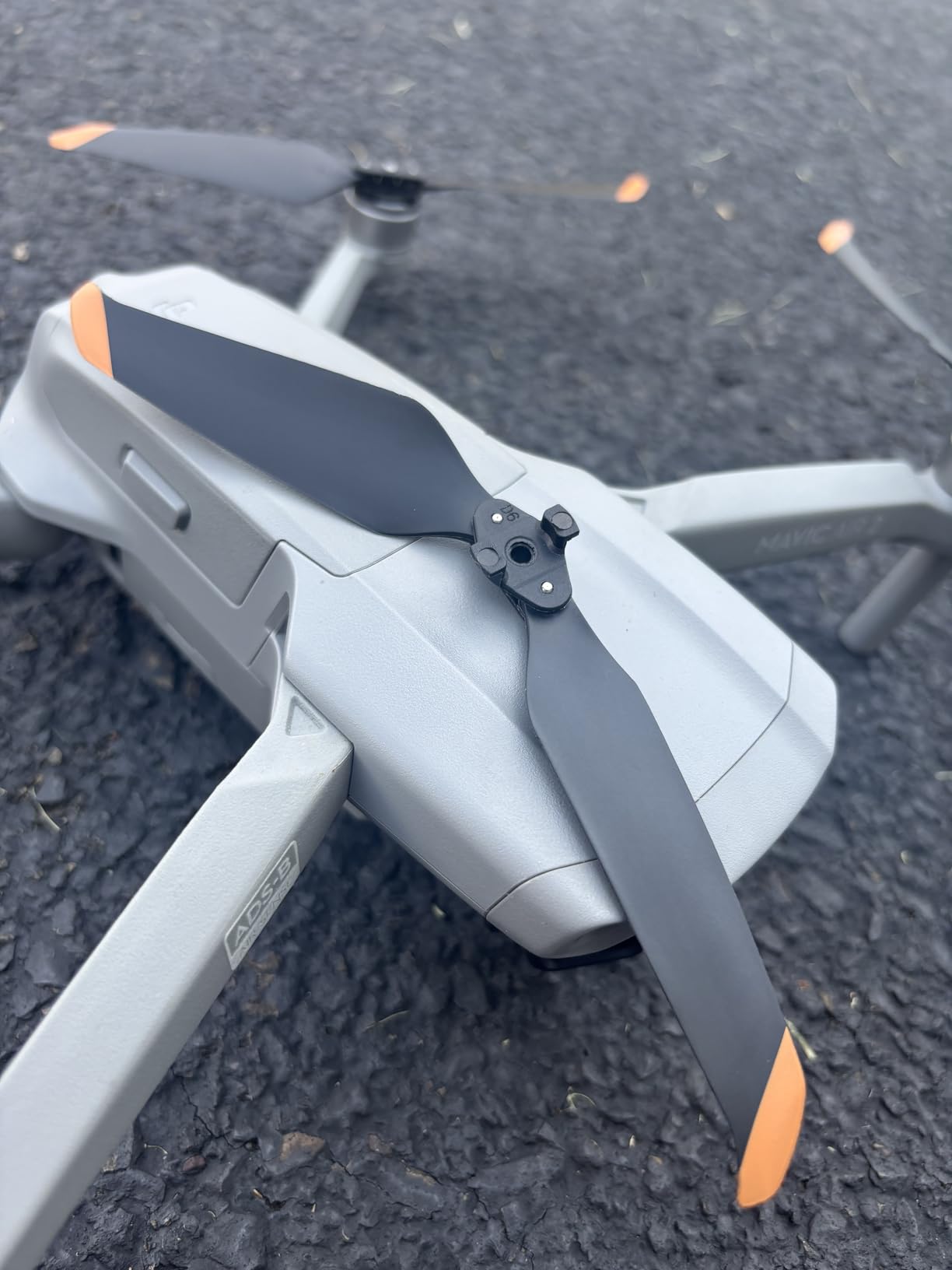
With 462 reviews and a 4.7-star rating, users report that these props perform almost identically to OEM DJI propellers. Flight time, noise level, and handling characteristics are all comparable. The main difference is the price, which makes these the practical choice for pilots who go through propellers regularly.
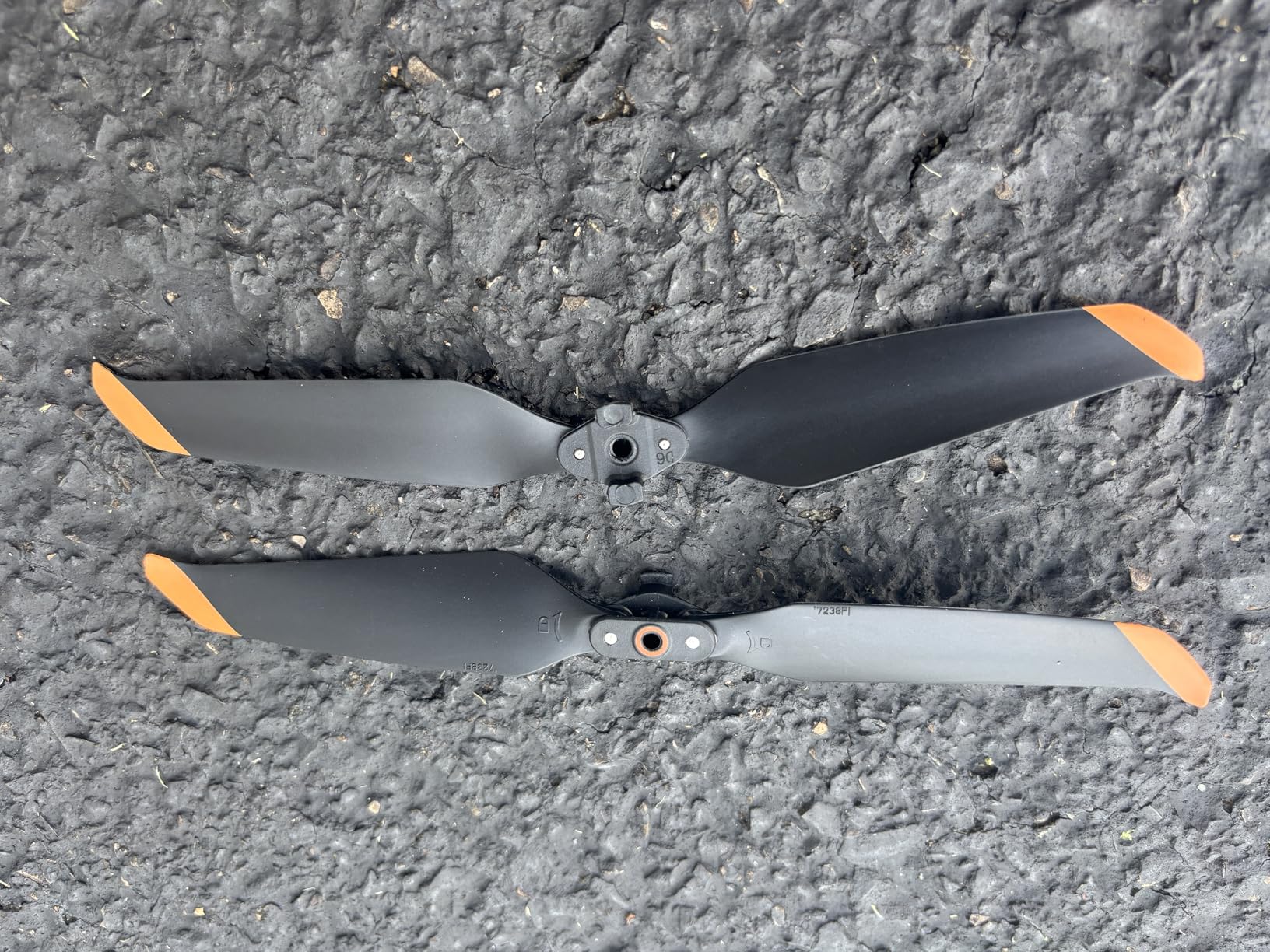
The package includes 12 individual propeller blades, which is enough for three complete sets. Each set consists of two clockwise and two counterclockwise blades. Always pay attention to the marking on each propeller to install them in the correct position on each motor arm.
How Do You Know When to Replace Your Propellers?
Replace your propellers when you notice visible damage like chips, cracks, bends, or deep scratches. Even small nicks on the leading edge can affect performance and increase vibration. If your drone starts vibrating more than usual or making unusual sounds during flight, inspect your propellers immediately and replace any damaged ones.
Are Third-Party Propellers Safe to Use?
Quality third-party propellers like these YETEETH replacements are generally safe for normal flying. However, they have not undergone the same rigorous testing as DJI OEM propellers. If you fly in challenging conditions or push your drone to its limits, OEM props are the safer choice. For casual flying and as emergency backups, these are a reliable and affordable option.
How to Choose the Best Accessories for DJI Air 2S?
Building your accessory kit does not have to happen all at once. We recommend prioritizing based on your flying style and budget. Here is how to decide what to buy first and what can wait.
Essential Accessories: Buy These First
The first three things every Air 2S owner needs are a spare battery, a microSD card, and a landing pad. The battery doubles your air time, the microSD card gives you storage for your footage, and the landing pad protects your investment during takeoff and landing. Together, these three accessories transform your flying experience for a relatively modest investment.
The SanDisk 128GB Extreme microSD card is the single most urgent purchase since the drone only has 8GB of internal storage. Without a card, you will run out of space within minutes of recording 5.4K video.
Protection Accessories: Buy Before Travel
If you plan to travel with your drone, a hard case is essential. The Lekufee Waterproof Hard Case protects your drone from impacts, water, dust, and pressure changes during air travel. A car charger is also worth picking up if you drive to shooting locations, so you can charge batteries on the road.
Optimization Accessories: Buy When Ready to Level Up
ND filters, upgraded propellers, and a tablet mount are optimization accessories that improve your footage and flying experience but are not strictly necessary from day one. The ND filters are the most impactful of this group because they directly improve video quality. Upgraded propellers offer marginal gains in flight time and noise reduction. A tablet mount makes flying more enjoyable but is a comfort upgrade rather than a necessity.
Safety and Compliance Accessories: Buy If Applicable
Strobe lights are a must if you fly at night for FAA compliance. Propeller guards are worth having for indoor flying or if you are teaching someone to fly. These are situational accessories that depend on how and where you fly.
Budget vs Premium Considerations
You do not need to buy everything at once, and you do not need to buy the most expensive version of every accessory. The landing pad and strobe light in this guide are both under 15 dollars and deliver excellent value. The DJI ND filters are more expensive but worth it for color accuracy. The charging hub from Hanatora is actually rated higher than the DJI equivalent while costing less.
Forum users on Reddit and MavicPilots consistently recommend investing in genuine DJI batteries over third-party options due to safety concerns. For other accessories like landing pads and tablet mounts, third-party products often match or exceed OEM quality at lower prices.
FAQs
What accessories do I need for DJI Air 2S?
The essential accessories for DJI Air 2S are a spare Intelligent Flight Battery, a microSD card (at least 128GB, U3 rated), and a landing pad. These three items address the most common limitations: short flight time, only 8GB of internal storage, and debris during takeoff and landing.
What are the must-have accessories for DJI Air 2S?
The must-have DJI Air 2S accessories are: 1) Extra DJI Intelligent Flight Batteries for more air time, 2) A 128GB microSD card like the SanDisk Extreme for storage, 3) A landing pad like the VCUTECH 25 inch for clean takeoffs, 4) ND filters for cinematic video quality, and 5) A hard case for travel protection.
What SD card size is best for DJI Air 2S?
The DJI Air 2S supports microSD cards up to 256GB. A 128GB card is the best balance of storage and value, holding roughly 2 hours of 5.4K video. For heavy shooters or travel without backup, 256GB is worth the upgrade. Always use a U3 or V30 rated card for reliable 5.4K recording.
Does DJI Air 2S have ND filter compatibility?
Yes, the DJI Air 2S is compatible with ND filters. DJI makes an official ND Filters Set with ND4, ND8, ND16, and ND32 filters designed specifically for the Air 2S lens. Third-party options from Freewell and Ku0026amp;F Concept are also available but may introduce slight color shifts.
Final Thoughts on the Best Accessories for DJI Air 2S
The best accessories for DJI Air 2S in 2026 are the ones that solve your specific flying problems. Start with a spare battery, a microSD card, and a landing pad as your essential trio. Add ND filters when you are ready for cinematic footage, a hard case before your next trip, and a strobe light if you fly at night. Build your kit gradually based on how you actually use your drone, and you will get the most value from every dollar you spend.