
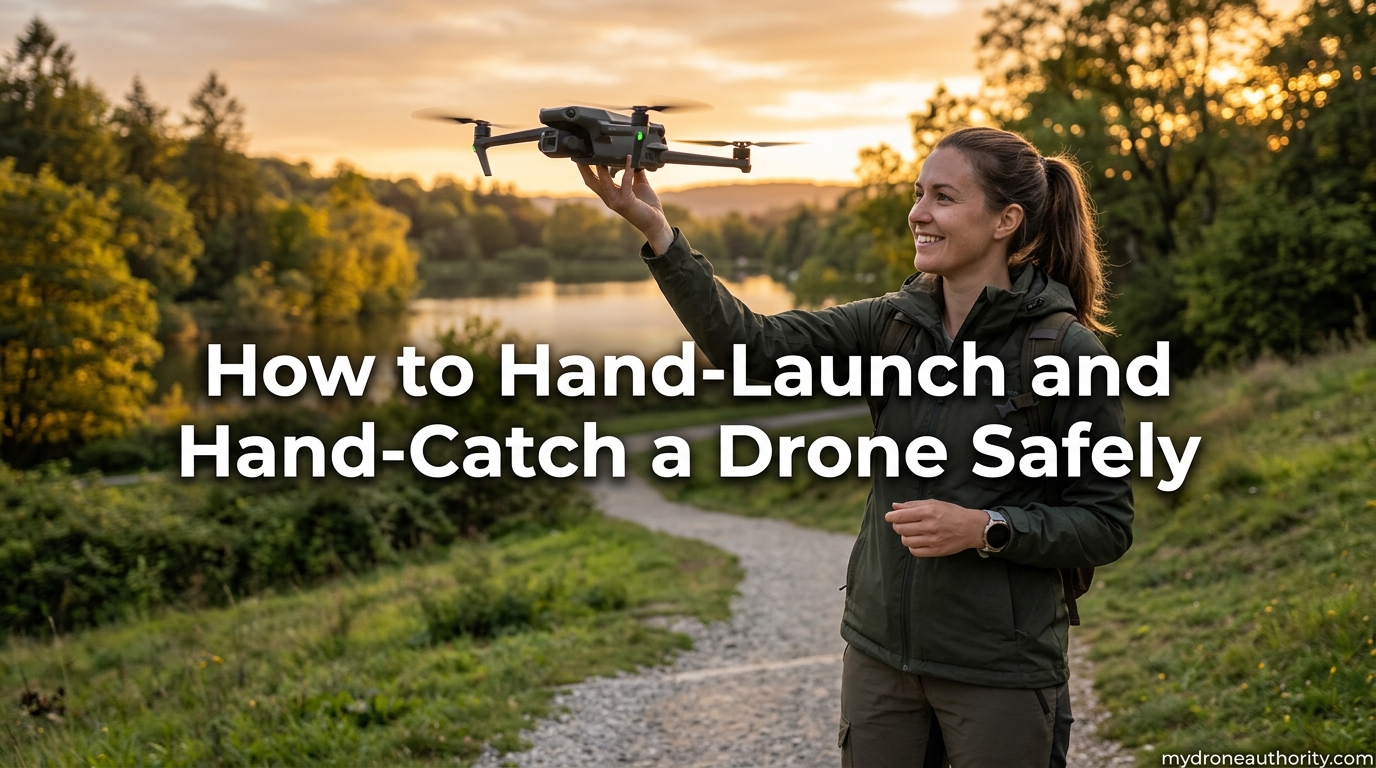
Learning how to hand-launch and hand-catch a drone safely is one of the most useful skills any pilot can add to their toolkit. The hand-launch hand-catch drone technique lets you fly from places where a flat takeoff surface or landing pad simply is not available, from rocky mountainsides to sandy beaches and crowded travel stops. Once you understand the proper hand position, throttle control, and propeller safety rules, the move becomes second nature. In this guide, I will walk you through every step of the process, the safety precautions that matter most, and the common mistakes that catch new pilots off guard.
I have spent hundreds of flights dialing in a reliable hand launch and hand catch routine across small consumer quads and larger prosumer models. The method I am sharing here is the one I trust when there is no good ground around, the wind is picking up, and I need to get the drone back in the case without risking a tipped landing. Treat this as a complete walkthrough: read it through once, then come back to the steps the next time you fly.
Table of Contents
When to Hand-Launch or Hand-Catch Your Drone
Hand launching and hand catching is not about showing off. It is a practical recovery method for real-world conditions. You will reach for this skill whenever the ground underneath your drone is unsafe or unsuitable for a clean auto-landing.
The clearest case is uneven terrain. If you are hiking a ridge, climbing on talus, or standing on a boardwalk above sand, the drone cannot settle flat enough to disarm cleanly. Tall grass, loose gravel, mud, snow, and wet surfaces all create the same problem. A hand catch removes the ground from the equation entirely.
Beach flying is the classic example. Sand gets kicked into the gimbal and motors on every normal landing, and salt spray will eventually damage the props. I hand launch and hand catch almost exclusively at the coast for that reason. The same logic applies to boat decks, rooftops, narrow trails, and any crowded spot where you do not want the drone touching down near people or pets.
Travel is another big one. If you are flying light without a landing pad, the hand method lets you launch from a balcony, a sidewalk, or the bed of a pickup. For photographers chasing a quick shot, hand catching is also faster than waiting for a precision landing sequence to lock on, especially in low light when the downward vision system struggles.
There are also emergency situations. If the battery warning sounds and there is no clear patch below you, a controlled hand catch is far safer than letting the drone auto-land somewhere you cannot reach. Knowing the move gives you a recovery option when the standard routine breaks down.
Essential Safety Precautions Before You Start
Before we touch the technique, you need to understand the risks. Spinning propellers can cut skin to the bone in a fraction of a second, and a panicking pilot is how most hand-catch injuries happen. Read this section twice.
Propeller Safety Comes First
Your fingers are the single biggest thing at risk during any hand operation. Carbon fiber and even plastic props spin at thousands of RPM, and they will not stop because your hand is in the way. The rule is simple: never reach for a propeller, never reach over the propeller arc, and never let clothing, hair, or a loose strap drift into the spin zone.
Always grip the drone by the body, ideally by the rear arms or the underside frame away from the motors. If your drone has prop guards, that helps, but most consumer drones do not fly with them on, so treat every prop as a live blade.
Wind and Environmental Checks
Wind is the second biggest factor in a botched hand launch. A gust during takeoff can flip a lightweight quad straight out of your palm. Check the wind before you launch, not after. If gusts are over 10 to 12 mph on a small drone, hand launching becomes risky and you should find a sheltered spot or wait.
Watch for environmental hazards too. Loose sand blows into the gimbal, salt spray corrodes motors, and wet hands slip on a smooth airframe. If you are launching from a boat, the deck moves with every wave, so time your launch between swells and keep your stance wide.
Battery, Firmware, and Sensor Pre-Checks
A hand launch is not the moment to discover a low battery or a firmware glitch. Confirm the battery is at least 30 percent charged before launch, higher if you are catching in wind. Check that firmware is up to date so the auto-hover and return-to-home functions behave predictably.
Pay attention to the downward vision system and IMU status. Some pilots disable the downward landing sensor or smart landing protection for hand catches so the drone does not refuse to disarm when you grab it. Know which sensors are active before you start, because unexpected behavior from a sensor is the most common cause of a runaway hand catch.
Safety Checklist
Run through this quick list every time before a hand operation:
– Battery above 30 percent and seated firmly
– Props installed correctly and free of cracks
– Firmware up to date, compass and IMU calibrated
– Wind under 10 to 12 mph for small drones
– Hands dry, loose clothing and straps secured
– Children, pets, and bystanders clear of the area
– Controller paired and GPS lock acquired before takeoff
How to Hand-Launch a Drone: Step-by-Step
Here is the step-by-step method I use to hand launch a drone safely. Read the whole sequence first, then run through it slowly on your first attempt. Speed comes with repetition, not on flight one.
Step 1: Pre-flight prep. Power on the drone and controller, let the GPS lock in, and confirm the home point has been recorded. Wait for at least eight satellites before you do anything else. A drone without a locked home point will not return to you reliably if something goes wrong mid-launch.
Step 2: Grip the drone correctly. Pick the drone up by the body, not the arms with the motors. I hold mine by the rear two arms with one hand, fingers wrapped on top and thumb underneath, well clear of the propeller arc. The drone should face away from you so the camera and forward sensors point outward.
Step 3: Hold at the right height. Raise the drone to about head height, fully extended at arm’s length in front of you. Head height gives the drone room to climb on its own without passing your face. Never launch the drone at chest height near your body.
Step 4: Start the motors. Use the controller command to start the motors, usually pushing both sticks inward and down. Do not use the auto-takeoff function for a hand launch, because it triggers a programmed climb that can fight against your grip. You want manual throttle control from the very first second.
Step 5: Apply gentle throttle. Slowly raise the left stick (throttle) to spin the props up to hover speed. Feel the drone lift in your hand. As soon as you feel clean lift, open your fingers fully and let the drone rise away from your palm. Do not throw it, do not push it, just release your grip.
Step 6: Step back and let it climb. Once the drone is clear of your hand by at least a foot, drop your arm to your side and let the auto-hover take over. Back up a step so you are not directly underneath. From here, fly normally.
Step 7: Confirm stable hover. Before flying off, watch the drone hover in place for two to three seconds. If it drifts, the wind or a sensor is fighting you, and it is better to know now than 200 feet up. Only fly forward once the drone is holding steady.
How to Hand-Catch a Drone: Step-by-Step
The hand catch is, in my experience, easier than the hand launch, but only if you stay calm and follow the sequence. The mistake most pilots make is grabbing at the drone. The right method is the opposite: you present a flat hand and let the drone come down to you.
Step 1: Bring the drone to a stable hover. Fly the drone back to your position and stop it about five feet above your head and a couple of arm lengths in front of you. Let it sit there for a few seconds. You want a calm, stable hover before you do anything with your hands.
Step 2: Set the controller down carefully. If you can, set the controller in a secure spot where you can still reach the left stick, or hold it loosely in your non-catching hand. Many pilots keep the controller in one hand while catching with the other. Either way, you need one hand free to control throttle and one hand free to receive the drone.
Step 3: Position your receiving hand. Raise your free hand to about shoulder or head height, palm flat and fingers together, directly under the drone’s center of mass. Do not reach up toward the props. Your hand is a landing pad, not a grabbing tool.
Step 4: Slow the descent onto your hand. Pull the left stick down gently to start a slow descent. The drone lowers itself onto your flat palm. Keep your hand still, do not chase it, and let the drone settle. As soon as you feel the weight on your palm, the gear is on you.
Step 5: Pull straight down and disarm. Without tilting the drone, lower your hand smoothly and pull the left stick fully down to kill the motors. Hold the drone steady until every prop has completely stopped spinning. Only then do you grip the body and power off.
Step 6: Handle a drone that will not disarm. Some models keep the motors idling when they detect a hand instead of ground. This is where the flipping technique comes in. Once the drone is in your hand and the props have slowed, gently rotate the drone nose-down or upside down for a second. The IMU reads the flip as an unsafe attitude and the motors cut out automatically. This is a well-known trick and a safe last resort, but always wait for the props to slow before you flip.
Step 7: Secure the drone. Power off the drone with your free hand, fold the arms if applicable, and stow it in the case. Never carry the drone by the props or walk with it while the battery is still connected.
Drone Model Differences for Hand Operations
Not every drone behaves the same way in your hand, and ignoring model differences is how pilots end up with cut fingers or a runaway catch. Here is what changes between the common categories.
The DJI Mini line (Mini 3, Mini 4 Pro, and earlier) is the easiest platform for hand launching and catching. The drones are light, the props are small, and the hover is rock solid. Many Mini owners disable the “landing protection” toggle in the app so the drone disarms cleanly when grabbed instead of refusing to settle. If you fly a Mini, do this before your first hand catch.
The Mavic and Air series are heavier and have stronger props, so the stakes are higher. The same technique applies, but you want a more deliberate grip on the body and an even slower descent onto your palm. Avoid FPV drones for hand catching unless you are an experienced FPV pilot, because they do not auto-hover and the props keep spinning at full throttle if you let go of the sticks.
For larger prosumer drones like the Mavic 3 line, some pilots prefer a two-person hand catch, one person holding the controller and one person receiving the drone. That is not strictly necessary, but it removes the awkwardness of managing a heavy controller in one hand. Whatever you fly, learn the model-specific disarm behavior before you try a hand catch, and disable any landing protection setting that fights you.
Common Mistakes to Avoid
Most hand launch and hand catch failures trace back to the same handful of mistakes. Here are the ones I see most often in the forums and have personally worked through.
Grabbing at the drone. The number one cause of cut fingers. Your hand is a landing pad, not a claw. Let the drone descend onto a flat palm, then pull the throttle down. Reaching up to grab the airframe is how fingers meet props.
Launching too close to the body. Launching at chest height with the drone right in front of your face is a recipe for a flyaway into your nose. Always launch at full arm extension, head height, with the drone facing away.
Using auto-takeoff for a hand launch. Auto-takeoff triggers a programmed climb that fights your grip and can launch the drone straight out of your hand before you are ready. Always start motors manually with both sticks in and apply throttle yourself.
Forgetting to disable landing protection. Many modern drones refuse to disarm if they think they are still flying, which is exactly what happens when you catch them by hand. Disable landing protection before you fly if you plan to hand catch.
Catching in high wind. A gust can shove the drone sideways right as it touches your hand. If wind is over 12 mph or you feel the drone fighting to hold position, do not attempt the catch. Find a sheltered spot and land normally.
Flipping the drone before the props slow. The flip technique is a valid way to force a disarm, but flipping while the props are still at full speed can flick the airframe out of your grip. Wait for the props to wind down, then flip.
Ignoring GPS lock. Launching before GPS lock means no reliable return-to-home if something goes wrong. Always wait for the home point to record before you take off from your hand.
Hand Launch vs Landing Pad: Quick Comparison
A landing pad is the safer default when you have one. It gives the downward vision system a clear target, keeps the props away from you, and works in light wind. The trade-off is bulk: a good pad takes up pack space, needs a flat surface to lie on, and is one more thing to set up.
Hand launch and hand catch trades a little safety margin for total portability. You can fly from anywhere, you carry no extra gear, and you skip the time spent staking out a pad in wind. For travel, hiking, and tight urban spots, the hand method usually wins. For calm open fields, a pad is the better call. Use the right tool for the location.
FAQs
How to catch a drone with your hand?
Bring the drone to a stable hover about five feet above your head, set or hold the controller securely, then raise a flat open palm at shoulder height directly under the drone. Slowly pull the left stick down so the drone descends onto your hand. Keep your palm still, let the drone settle, then hold the throttle down to stop the motors. Never reach up or grab at the props.
Can I land my drone in my hand?
Yes, you can land a drone in your hand using the hand-catch technique. The key is to disable landing protection in the app first, otherwise the drone may refuse to disarm when it detects a hand instead of ground. Present a flat palm, lower the drone slowly with the throttle, and pull the stick fully down to kill the motors once the drone is on your hand. Wait for all props to stop before you grip the body.
What is the safest way to hand launch a drone?
The safest hand launch starts with a GPS lock and at least 30 percent battery. Grip the drone by the rear arms with the props clear of your fingers, hold it at full arm extension at head height facing away, then start the motors manually with both sticks inward. Apply gentle throttle until you feel lift, open your fingers fully, and let the drone climb away from your palm. Never use auto-takeoff for a hand launch.
What to do if the drone pulls away during hand catch?
If the drone drifts or pulls away as you try to catch it, do not chase it with your hand. Bring it back to a stable hover above your head, wait a few seconds for the auto-hover to settle, and try the descent again. Wind, low battery, or obstacle avoidance sensors can all cause the drone to move. If it keeps pulling away, abandon the hand catch and land normally on the nearest flat surface.
What is the 1:1 rule for drones?
The 1:1 rule for drones means you should maintain a horizontal distance from people that is at least equal to your altitude when flying over or near them. For example, at 50 feet of altitude you should stay at least 50 feet horizontally away from anyone not involved in the flight. The rule is a simple way to keep bystanders safe if the drone loses power or control.
What is the 400 foot rule for drones?
The 400 foot rule, set by the FAA in the United States, restricts recreational and most commercial drone flights to a maximum altitude of 400 feet above ground level. The limit exists to keep drones clear of manned aircraft, which generally fly above that height. Some controlled airspace and specific waivers allow exceptions, but 400 feet AGL is the default ceiling for uncrewed flights.
Conclusion: Mastering the Hand Launch Hand-Catch Drone Method
Learning how to hand-launch and hand-catch a drone safely opens up flying locations you simply cannot reach with a landing pad alone. The technique comes down to a few fundamentals: respect the propellers, grip the body only, present a flat palm for the catch, and let the drone come to you rather than chasing it. Add the model-specific settings like disabling landing protection, run through the safety checklist every flight, and you will be launching from beaches and catching on mountain ridges in no time.
Start with calm conditions and a familiar drone for your first few attempts. Once the muscle memory clicks, the hand launch hand-catch drone method becomes the most reliable recovery tool in your kit, and the one you will reach for whenever the ground underneath you is not an option.