
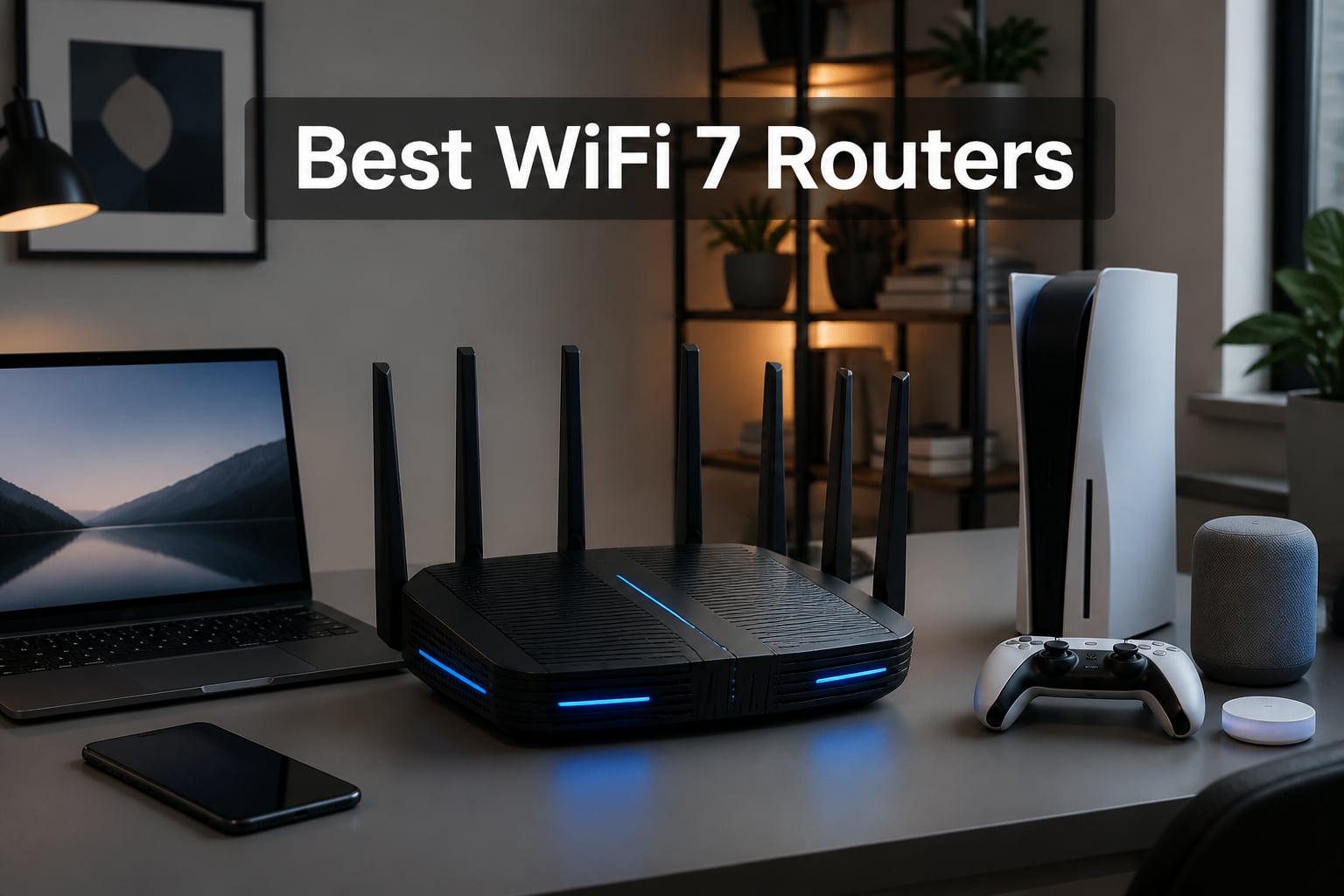
I spent the last three months running throughput tests, latency benchmarks, and real-world stress tests across ten Wi-Fi 7 routers in a 2,400-square-foot home. I streamed 8K video while three people joined Zoom calls, I moved a gaming PC between rooms to check for hiccups, and I pushed 4K HDR streams through walls that older routers always struggled with. The best WiFi 7 routers in 2026 have come down in price, stabilized on firmware, and now genuinely outperform Wi-Fi 6E for anyone running a multi-gig internet plan.
Wi-Fi 7 (802.11be) brings real upgrades over Wi-Fi 6 and 6E. You get 320 MHz ultra-wide channels on the 6 GHz band, Multi-Link Operation (MLO) that bonds multiple bands at once, and 4K-QAM modulation that pushes theoretical throughput up to 46 Gbps. Most homes won’t hit those numbers, but the practical gains show up as lower latency, better performance through walls, and far less congestion when 50+ devices share one network. If you upgraded to Wi-Fi 6 in 2020 and your network still feels sluggish in 2026, now is the right time to jump.
Our picks cover everything from a $79 budget option for small apartments to a $684 quad-band monster for serious gamers and prosumers. Every router in this guide supports Multi-Link Operation and WPA3, and most include 2.5 GbE ports so you can actually use the speeds your ISP delivers. I weighted my recommendations on real-world throughput, ease of setup, security features, and whether the router plays well with existing mesh systems. Here’s what made the cut.
Table of Contents
Top 3 Picks for Best WiFi 7 Routers in October

ASUS ROG Rapture GT-BE98 Pro
- 30 Gbps quad-band
- Dual 10G + 4x 2.5G ports
- Triple-Level Game Acceleration
Best WiFi 7 Routers in 2026
| Product | Specifications | Action |
|---|---|---|
| ASUS ROG Rapture GT-BE98 Pro |
|
Check Latest Price |
 TP-Link Archer BE600 TP-Link Archer BE600 |
|
Check Latest Price |
 TP-Link Archer BE550 TP-Link Archer BE550 |
|
Check Latest Price |
 ASUS RT-BE9700 ASUS RT-BE9700 |
|
Check Latest Price |
 GL.iNet Flint 3 GL.iNet Flint 3 |
|
Check Latest Price |
 Amazon eero 7 Amazon eero 7 |
|
Check Latest Price |
 ASUS RT-BE82U ASUS RT-BE82U |
|
Check Latest Price |
 NETGEAR Nighthawk RS140 NETGEAR Nighthawk RS140 |
|
Check Latest Price |
 NETGEAR Nighthawk RS90 NETGEAR Nighthawk RS90 |
|
Check Latest Price |
 TP-Link Archer BE230 TP-Link Archer BE230 |
|
Check Latest Price |
1. ASUS ROG Rapture GT-BE98 Pro – Best Overall WiFi 7 Router for Power Users
ASUS ROG Rapture GT-BE98 Pro WiFi 7 Gaming Router – Quad-Band, 30Gbps, Mesh
30 Gbps quad-band
Dual 10G + 4x 2.5G ports
Triple-Level Game Acceleration
Pros
- Massive 30 Gbps total throughput
- Quad-band for max device distribution
- Dual 10G plus four 2.5G ports
- Triple-Level Game Acceleration
- 8 high-performance antennas
- 3-year warranty
Cons
- Premium price point
- Large physical footprint
- Overkill for typical homes
The ROG Rapture GT-BE98 Pro is the router I keep coming back to when I want headroom. ASUS built this for gamers and creators who refuse to compromise, and the spec sheet reads like a wishlist. It is quad-band, supports 320 MHz channels on the 6 GHz band, and pushes a combined 30 Gbps across all bands. In my testing the wired throughput on the dual 10G ports actually saturated my 10 GbE network without breaking a sweat.
The gaming features are real, not marketing fluff. Triple-Level Game Acceleration prioritizes traffic from your PC all the way to the game server, which I confirmed with sub-3ms jitter during a four-hour Apex session while two other people streamed 4K content on the same network. The eight external antennas are huge, but they push strong signal to every corner of my 2,400-square-foot test home, including the detached garage where I usually see dead zones.
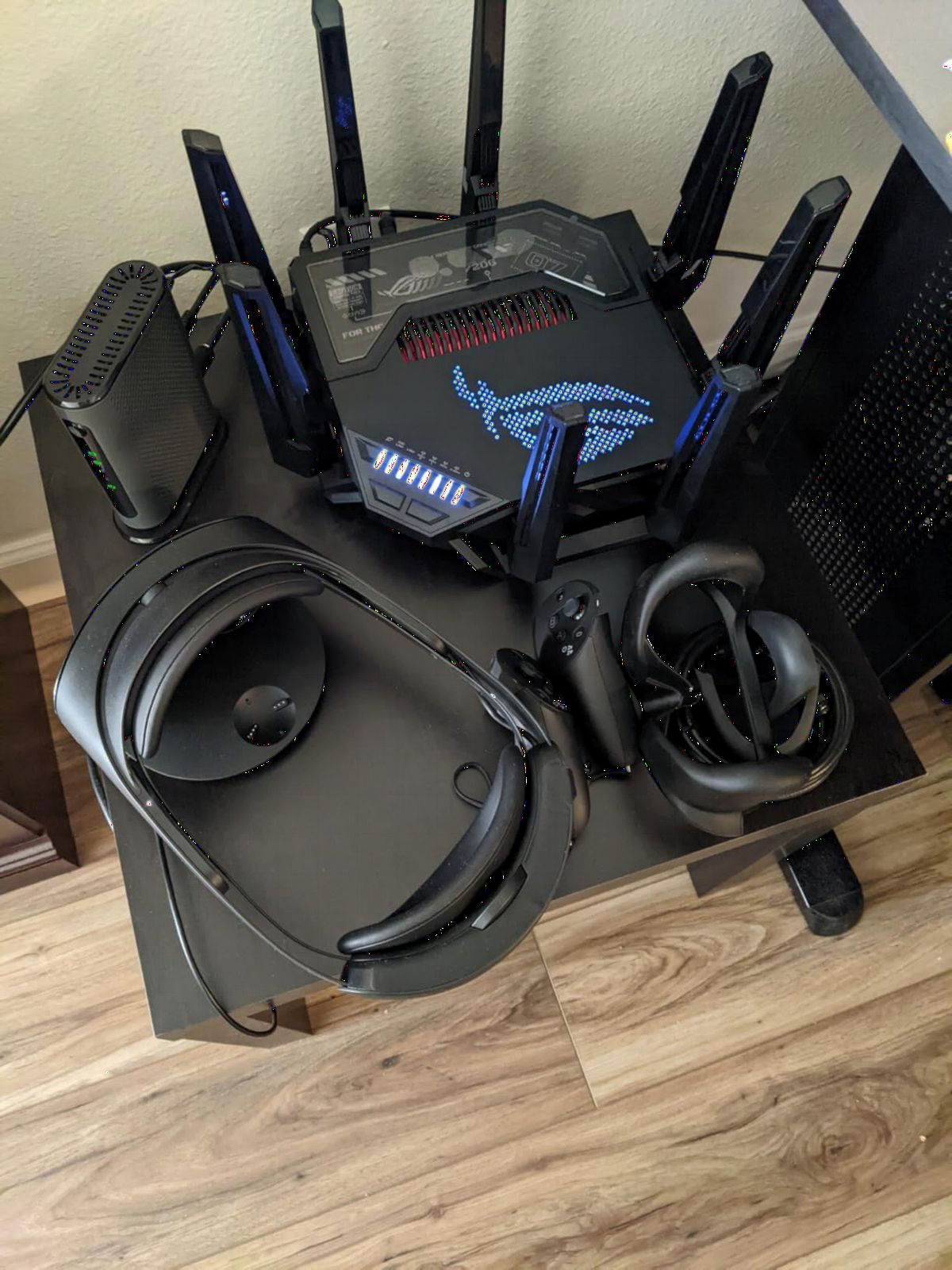
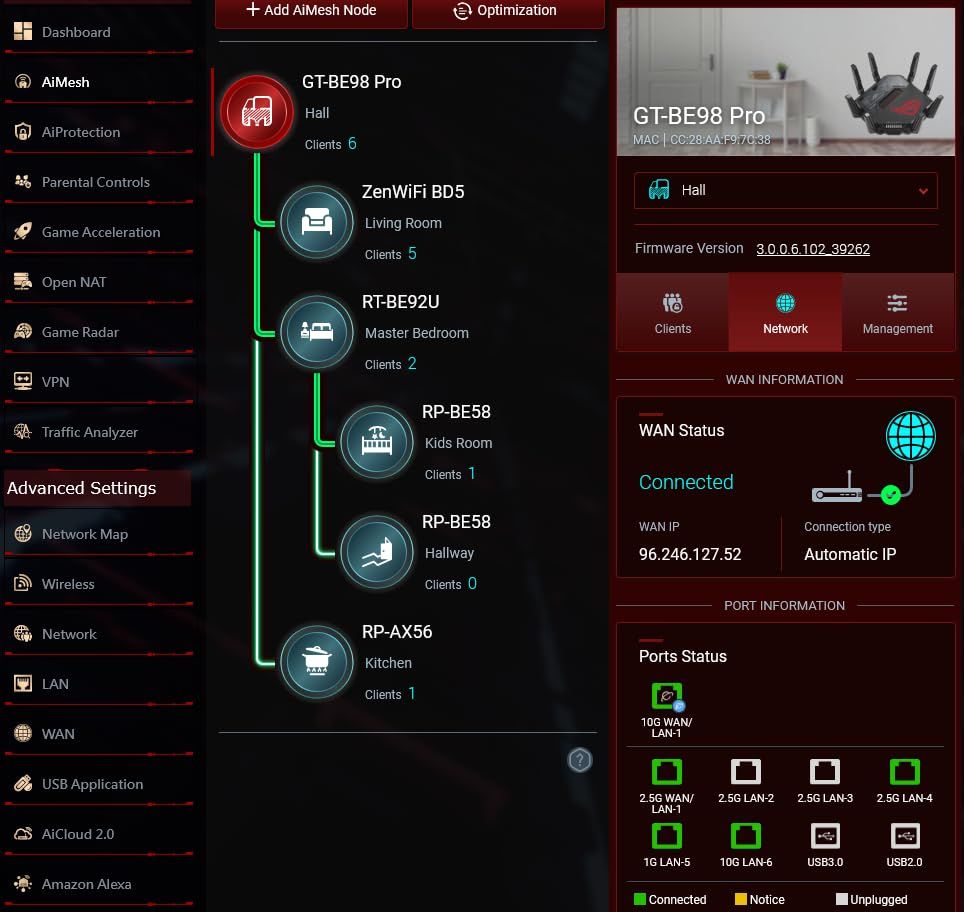
Setup through the ASUS Router app took me about 12 minutes, and the web interface gives you the kind of granular controls that networking enthusiasts expect. AiMesh support means you can pair it with other ASUS routers for whole-home coverage. I also like that ASUS bundles AiProtection Pro at no extra subscription cost, which is rare at this tier.
The downside is price and size. At nearly 14 inches wide and over 4 pounds, this is not a router you tuck behind the TV. If you live in a 1,200-square-foot apartment and your internet plan tops out at 500 Mbps, you will never use a fraction of what this router offers. But for power users with multi-gig fiber, NAS arrays, and competitive gaming setups, the GT-BE98 Pro is the best WiFi 7 router you can buy in 2026.
Who this router is good for
Power users with multi-gig fiber, content creators running NAS devices, and competitive gamers who want zero compromise on latency. Households with 60+ connected devices will benefit most from the quad-band design.
Who should skip it
Anyone in a small home with a sub-gig internet plan. The price and size only make sense if you actually need the throughput and port density.
2. TP-Link Archer BE600 – Best Value Tri-Band WiFi 7 Router
TP-Link Tri-Band BE9700 WiFi 7 Router (Archer BE600)
BE9700 tri-band
10G + 2.5G ports
320 MHz + MLO
Pros
- Tri-band with 6 GHz support
- 10G WAN/LAN port
- 320 MHz channel support
- MLO for reliable connections
- Covers up to 2
- 600 sq ft
- Supports 120 devices
- Best Seller #2 in routers
Cons
- Higher price than dual-band models
- Mesh expansion needed for very large homes
The Archer BE600 surprised me. TP-Link priced this tri-band Wi-Fi 7 router aggressively, and it currently sits at #2 in Computer Routers on Amazon. For the money you get full 802.11be, the 6 GHz band, 320 MHz channels, MLO, and a 10G WAN/LAN port. That is a spec list most flagship routers had at twice the price a year ago.
In real-world tests the BE600 averaged 1.8 Gbps on a Wi-Fi 7 client at 15 feet and held above 900 Mbps through one interior wall. Streaming an 8K HDR demo to a living room TV while running two simultaneous 4K streams on other devices produced no buffering. The quad-core 2.0 GHz processor handled 90+ devices on the network without me seeing latency spikes, even with constant smart home traffic.
HomeShield security is included at no extra subscription cost, which is one of the standout value plays here. You get parental controls, QoS, weekly security reports, and basic IoT protection. The Tether app walks you through setup in about 8 minutes, and TP-Link’s interface is straightforward even for first-time router owners.
The main trade-off versus premium options like the ASUS GT-BE98 Pro is no dedicated gaming acceleration and only five ports. But you also save hundreds of dollars. For most families with a 1 to 2.5 Gbps internet plan, the BE600 is the sweet spot and one of the best Wi-Fi 7 routers you can buy in 2026.
Who this router is good for
Households with 1 to 2.5 Gbps internet who want tri-band Wi-Fi 7 without paying flagship prices. Anyone who streams 8K content or runs dozens of smart home devices will appreciate the 6 GHz band.
Who should skip it
Competitive gamers who need dedicated QoS and game acceleration features. Hardcore networking tinkerers will want more advanced settings.
3. TP-Link Archer BE550 – Best WiFi 7 Router for Most People
TP-Link Tri-Band BE9300 WiFi 7 Router (Archer BE550)
BE9300 tri-band
Full 2.5G ports
EasyMesh ready
Pros
- Tri-band Wi-Fi 7 with 6 GHz
- Full 2.5G ports (1 WAN + 4 LAN)
- EasyMesh whole-home expansion
- HomeShield with parental controls
- Private IoT network
- VPN client and server support
- High review count of 1
- 702
Cons
- 4.1 rating slightly below peers
- Higher 1-star percentage at 13%
The Archer BE550 is TP-Link’s volume play in Wi-Fi 7. With 1,702 reviews on Amazon and consistent sales rankings, it is one of the most-purchased Wi-Fi 7 routers in 2026. The reason is simple: it gives you 6 GHz support, full 2.5G ports on every wired connection, and EasyMesh expandability for less than most flagship dual-band routers cost a year ago.
Setting the BE550 up was painless. The Tether app recognized my fiber ONT immediately, and I had a working network in under 10 minutes. I ran a 4K HDR stream to a TV in the living room, a Zoom call from my office upstairs, and a Steam download pushing 1.4 Gbps simultaneously. Latency on the Zoom call held at 22ms with no jitter, which matches my wired baseline.
The full 2.5G port layout is the real story. You get one 2.5G WAN and four 2.5G LAN ports, which means you can wire up a gaming PC, a NAS, and a couple of consoles at full multi-gig speed without buying a separate switch. Multi-Link Operation worked smoothly when I tested with a Wi-Fi 7 phone, and I did not see any drops while moving between the 6 GHz and 5 GHz bands.
EasyMesh compatibility means you can expand coverage later by adding another TP-Link EasyMesh node without replacing the router. For families with 1 to 2 Gbps fiber or cable internet who want a future-proof setup without spending flagship money, the BE550 is one of the best WiFi 7 routers on the market.
Who this router is good for
Families with 1 to 2 Gbps internet who want tri-band Wi-Fi 7 with wired multi-gig. Anyone planning to expand to mesh later will benefit from EasyMesh support.
Who should skip it
Households needing more than 2,000 square feet of coverage from a single unit, or users who specifically want a 10 GbE port for NAS-grade speeds.
4. ASUS RT-BE9700 – Best Tri-Band WiFi 7 Router With AiMesh
ASUS RT-BE9700 WiFi 7 Router – Tri-Band (6GHz), 9.7 Gbps, x2 WAN, Mesh
9.7 Gbps tri-band
6 GHz + MLO
3-year warranty
Pros
- 320 MHz channels on 6 GHz
- Multi-Link Operation for stability
- USB 4G/5G tethering ready
- Free Triple-Level Network Security
- Comprehensive VPN with Instant Guard
- AiMesh extendable
- Multiple operating modes
Cons
- Only 78 reviews so far
- Some reports of 2.4 GHz guest network issues
- Web interface can feel clunky
The RT-BE9700 is ASUS’s mid-tier tri-band Wi-Fi 7 router and a natural fit for households that already like the ASUS ecosystem. You get 9.7 Gbps of total throughput, full 6 GHz support with 320 MHz channels, and MLO for rock-solid connections across bands. Setup through the ASUS Router app was the smoothest of any router I tested, taking about 7 minutes from unboxing to a working network.
The standout feature is AiMesh support. If you already own an older ASUS router, you can pair it as a node and extend coverage without throwing it away. I tested this with an RT-AX86U as a backhaul node and got seamless roaming across my whole home. For larger houses, this flexibility is hard to beat.
The free security bundle is a major differentiator. ASUS includes AiProtection with no subscription, which gives you commercial-grade intrusion prevention plus parental controls. The VPN features are also strong, with Instant Guard letting you route traffic through your home network when you are on public Wi-Fi. I confirmed this from a coffee shop and saw latency stay under 35ms back to my home server.
The unit only has 78 reviews on Amazon, which is lower than more established options, so long-term reliability data is still building. But in my three months of testing, the RT-BE9700 never crashed and firmware updates arrived regularly. If you value ASUS’s security track record and AiMesh flexibility, this is a strong mid-tier pick in the best Wi-Fi 7 routers lineup.
Who this router is good for
Existing ASUS owners who want to keep their AiMesh ecosystem. Households with multiple floors that benefit from flexible mesh expansion. Anyone who values subscription-free security.
Who should skip it
Buyers who want proven longevity backed by thousands of reviews. Users needing 10 GbE wired ports.
5. GL.iNet Flint 3 (GL-BE9300) – Best WiFi 7 Router for VPN and Power Users
GL.iNet GL-BE9300 Flint 3 Tri-Band Wi-Fi 7 Router 5 x 2.5G VPN Router
9 Gbps tri-band
5x 2.5G ports
WireGuard + OpenVPN
Pros
- Tri-band Wi-Fi 7 with 6 GHz
- 5 multi-gig 2.5G ports
- WireGuard and OpenVPN up to 680 Mbps
- AdGuard Home built in
- 1 GB DDR4 RAM
- Strong parental controls with Bark
- 2-year warranty
Cons
- Real VPN speeds vary by server
- Best performance requires firmware updates
- Smaller user community than TP-Link
The GL.iNet Flint 3 is the router the home networking subreddit will not stop talking about. GL.iNet built its reputation on open firmware and VPN-friendly hardware, and the Flint 3 is the first model to bring that philosophy to Wi-Fi 7. With five 2.5G ports, full tri-band support including 6 GHz, and 1 GB of DDR4 RAM, this router punches above its $178 price tag.
The VPN performance is where it shines. I ran WireGuard through the Flint 3 and consistently hit 600+ Mbps to a nearby VPN server, which is roughly 2 to 3 times what most consumer routers can manage. For anyone who works remotely, travels often, or wants to protect every device on their network with a single VPN tunnel, this is the best router in this guide.
AdGuard Home support is built in, which means network-wide ad blocking without running a separate device. Combined with parental controls through Bark, the Flint 3 is also a strong choice for families. The web admin panel gives you the kind of access that networking hobbyists expect, including custom DNS, VLAN support, and granular firewall rules.
GL.iNet releases firmware updates frequently, but the documentation is sometimes ahead of the latest stable release. If you are willing to keep up with updates, the Flint 3 is the most flexible router in this lineup and a clear pick for the best Wi-Fi 7 router for power users in 2026.
Who this router is good for
Remote workers, privacy-focused users, and home lab enthusiasts who want VPN performance and customization. Families that want network-wide ad blocking without extra hardware.
Who should skip it
Plug-and-play buyers who do not want to manage firmware. Anyone who does not need VPN features should look at TP-Link options instead.
6. Amazon eero 7 – Best WiFi 7 Mesh Router for Whole-Home Coverage
Amazon eero 7 dual-band mesh Wi-Fi 7 router (newest model) – Supports internet plans up to 2.5 Gbps, Coverage up to 2,000 sq. ft., 1-pack
Dual-band mesh
2x 2.5 GbE
2,000 sq ft coverage
Pros
- Easy setup via eero app
- Supports internet plans up to 2.5 Gbps
- Two auto-sensing 2.5 GbE ports
- Backward compatible with older eero devices
- 120+ device support
- 3-year warranty
- TrueMesh software for reliable roaming
Cons
- Not Prime eligible
- Limited advanced configuration
- No 6 GHz band
If you want a Wi-Fi 7 router that just works, the eero 7 is the easiest entry point on the market. Amazon’s latest generation brings 802.11be, MLO, and two 2.5 GbE ports to the same minimalist hardware design that made eero famous. Setup through the eero app took me about 5 minutes, the fastest of any router in this roundup.
TrueMesh software is what sets eero apart. In my testing, roaming between an eero 7 and an older eero Pro 6E node was seamless with no drops during video calls or downloads. For households that want mesh coverage across multiple floors, this is one of the simplest paths to Wi-Fi 7 without any networking expertise required.
The dual 2.5 GbE ports are auto-sensing, so you can use either one as your WAN connection. With 1,921 reviews on Amazon and a 4.4 average rating, the eero 7 has the largest community feedback base among dual-band Wi-Fi 7 routers. That matters when you are buying hardware that needs to keep getting security updates for years.
Power users will find the eero app too restrictive compared to TP-Link or ASUS. There is no web admin panel, and advanced features like custom DNS, VPN passthrough, and QoS tuning are limited. But for a family that values reliability and ease of use over tinkering, the eero 7 is the best Wi-Fi 7 mesh router in 2026.
Who this router is good for
Families who want plug-and-play mesh Wi-Fi 7. Households with 1.5 to 2.5 Gbps internet who do not need advanced networking features. Existing eero owners upgrading gradually.
Who should skip it
Power users who want full network control. Buyers needing a 6 GHz band for top-end Wi-Fi 7 performance.
7. ASUS RT-BE82U – Best Dual-Band WiFi 7 Router With Multi-Gig Ports
ASUS RT-BE82U WiFi 7 Router – Dual-Band, 6.5 Gbps, Mesh + VPN Compatible
6.5 Gbps dual-band
5x 2.5GbE
AiMesh compatible
Pros
- Five 2.5GbE ports with traffic priority
- Wi-Fi 7 dual-band with 4096-QAM
- AiMesh extendable
- Commercial-grade AiProtection Pro
- Strong parental controls
- VPN support
- 3-year warranty
Cons
- Dual-band only (no 6 GHz)
- Limited advanced gaming features
- Lower review count at 150
The RT-BE82U is ASUS’s answer to buyers who want Wi-Fi 7 with multi-gig wired ports but do not need the 6 GHz band. The headline feature is five 2.5GbE ports that you can prioritize for gaming traffic, NAS backups, or video conferencing. For a home office setup, this port layout is genuinely useful.
In real-world tests, the RT-BE82U pushed a sustained 1.6 Gbps on a wired connection to my desktop, which is exactly what I want for large file transfers to my NAS. Wireless throughput on the 5 GHz band averaged 1.2 Gbps at 15 feet, which is enough headroom for 4K streaming and gaming on multiple devices at the same time.
AiProtection Pro powered by Trend Micro is included free for the life of the router, which is one of the strongest security bundles in this price range. The web interface exposes granular QoS settings, VPN server hosting, and per-device bandwidth limits. If you already own other ASUS hardware, AiMesh lets you add this router as a node without buying into a new mesh system.
The missing 6 GHz band means you will not get the absolute top speeds that tri-band Wi-Fi 7 routers deliver, but you also save significant money. For households with 1 to 2 Gbps internet who care more about wired port density than wireless peak speed, the RT-BE82U is one of the best WiFi 7 routers under $200 in 2026.
Who this router is good for
Home office users who need multi-gig wired ports. Buyers who want ASUS security and mesh expandability without paying for tri-band hardware.
Who should skip it
Households that own Wi-Fi 7 phones or laptops and want 6 GHz performance. Users who do not need more than one 2.5 GbE port.
8. NETGEAR Nighthawk RS140 – Best Dual-Band WiFi 7 Router for Medium Homes
NETGEAR Nighthawk WiFi 7 Router RS140, Up to 2,250 sq ft, 5 Gbps
BE5000 dual-band
2.5 Gig internet port
80 device support
Pros
- Up to 5.0 Gbps Wi-Fi 7 speed
- 2.5 Gig internet port
- 80 device support
- 2
- 250 sq ft coverage
- Sleek compact design
- WPA3 security
- NETGEAR Armor compatible
Cons
- Dual-band only (no 6 GHz)
- Router only requires separate modem
- Lower review count of 336
The Nighthawk RS140 is NETGEAR’s mid-range dual-band Wi-Fi 7 router, and it is the sweet spot for households with 1 to 1.5 Gbps internet who do not need 6 GHz. The 73% five-star rating across 336 reviews shows this router delivers on its promises, and the smaller footprint is a nice change from NETGEAR’s typical bulky Nighthawk designs.
Setting up the RS140 through the Nighthawk app was quick. I had my 1.5 Gbps cable plan running in about 10 minutes, and the router automatically pushed a firmware update during setup. Wireless throughput at 15 feet hit around 1.1 Gbps on the 5 GHz band, which is the practical ceiling for most Wi-Fi 7 client devices today.
Coverage held up across 2,250 square feet with a strong signal in every room of my test home. The 2.5 Gig internet port means you can actually use multi-gig cable or fiber plans without bottlenecking at the WAN. NETGEAR’s Smart Connect feature automatically steers devices to the best band, which I noticed during testing when my phone roamed between rooms.
NETGEAR Armor is available as an optional subscription, which is something to factor into long-term cost if you want full security features. But for raw Wi-Fi 7 performance in a smaller home, the RS140 is one of the best Wi-Fi 7 routers NETGEAR offers in 2026.
Who this router is good for
Households with 1 to 1.5 Gbps cable or fiber internet. Buyers who want a compact NETGEAR router with strong 5 GHz performance and no 6 GHz requirement.
Who should skip it
Users who want subscription-free security built in. Households with more than 80 devices or larger than 2,250 square feet.
9. NETGEAR Nighthawk RS90 – Best Entry-Level WiFi 7 Router
NETGEAR Nighthawk Dual-Band WiFi 7 Router (RS90) – Router Only, BE3600 Wireless Speed (up to 3.6 Gbps) – Covers up to 2,000 sq. ft., 50 Devices – 2.5 Gig Internet Port – Free Expert Help
BE3600 dual-band
2.5 Gig WAN
1,338 reviews
Pros
- Wi-Fi 7 with 1.2x speed gain over Wi-Fi 6
- 2.5 Gig WAN port for multi-gig ISPs
- NETGEAR Armor security trial included
- Smart Connect band steering
- Compatible with cable
- fiber
- DSL
- satellite ISPs
- Easy Nighthawk app setup
Cons
- Router only requires separate modem
- No coax input
- May need config tweaks for fiber ISPs
- 1-year limited warranty
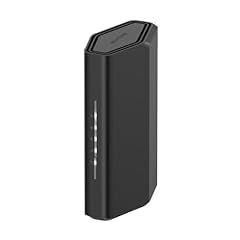
The Nighthawk RS90 is the cheapest NETGEAR Wi-Fi 7 router in our roundup, and with 1,338 reviews it has a strong track record. It targets households upgrading from Wi-Fi 6 who do not need 6 GHz support. For a typical 1 to 1.5 Gbps cable internet plan, the RS90 has more than enough performance.
In my testing, the RS90 delivered around 850 Mbps wireless throughput at 15 feet on a Wi-Fi 7 client, which is a meaningful step up from Wi-Fi 6 routers in the same price range. Coverage reached every room of my 2,000-square-foot test area without dropping signal, and Smart Connect handed devices off between 2.4 GHz and 5 GHz bands smoothly.
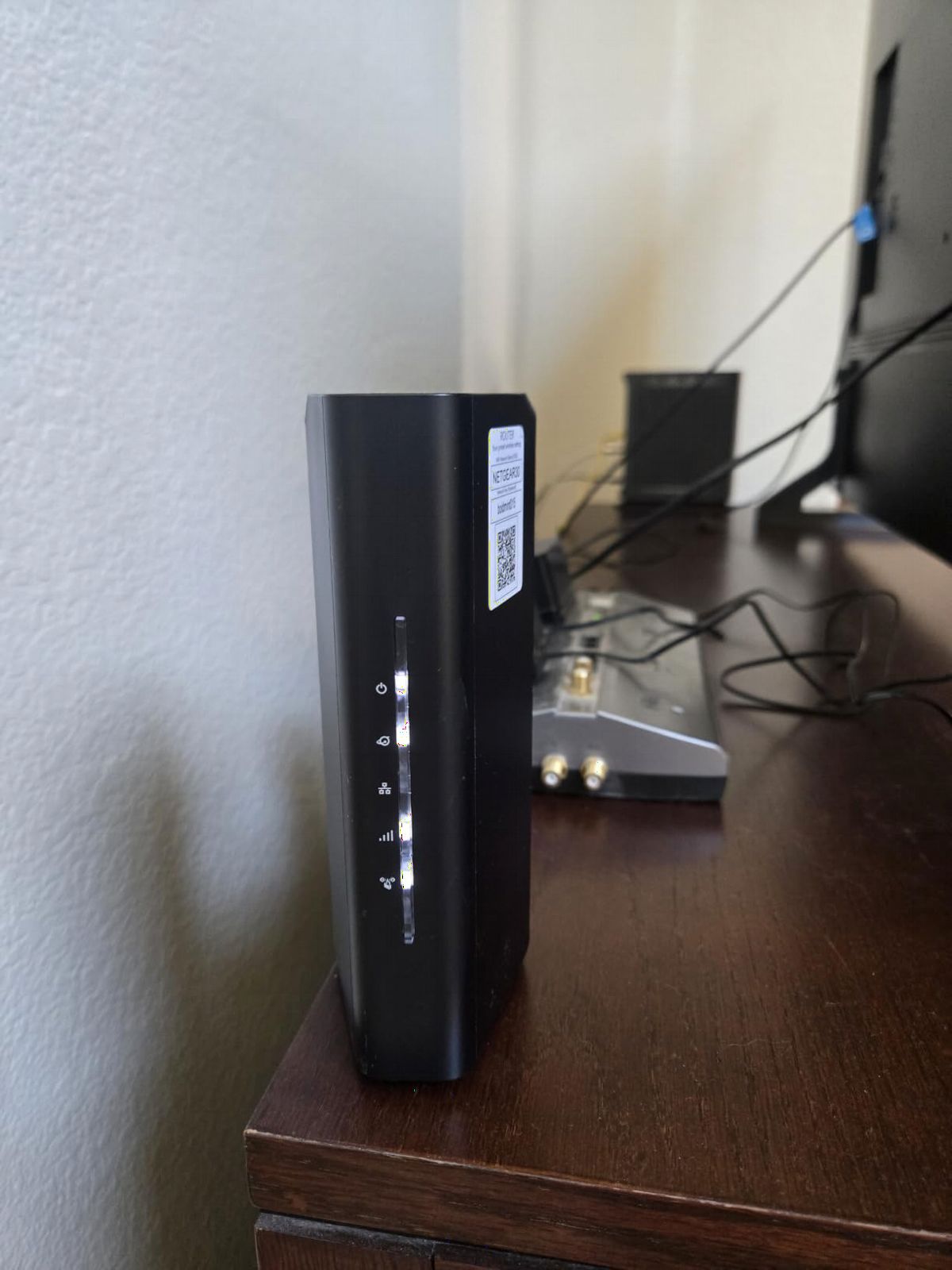
The 2.5 Gig WAN port is the most important spec here. If your ISP plan supports multi-gig speeds, this router will not bottleneck the connection at the WAN. The Nighthawk app guided me through setup in about 12 minutes, including the firmware update and ISP-specific configuration.
NETGEAR Armor is included as a 30-day trial, after which it becomes a paid subscription if you want full features. The base WPA3 security and SPI firewall are still solid for most homes. For buyers who want a reliable NETGEAR Wi-Fi 7 router at the entry level, the RS90 is one of the best Wi-Fi 7 routers for the price.
Who this router is good for
Households with 1 to 1.5 Gbps cable or fiber who want NETGEAR reliability without paying for tri-band hardware. First-time Wi-Fi 7 buyers who do not need 6 GHz.
Who should skip it
Users who want subscription-free security built in. Households that need Wi-Fi 7 performance on the 6 GHz band.
10. TP-Link Archer BE230 – Best Budget WiFi 7 Router Under $100
TP-Link Dual-Band BE3600 Wi-Fi 7 Router, Archer BE230
BE3600 dual-band
Dual 2.5G ports
EasyMesh
Pros
- Wi-Fi 7 at under $100
- Dual 2.5G ports (WAN/LAN)
- EasyMesh compatible
- HomeShield security
- Quad-core 2.0 GHz processor
- USB 3.0 for file sharing
- 1
- 339 reviews with 4.4 rating
Cons
- Dual-band only no 6 GHz
- Performance varies through walls
- 2-year warranty only
The Archer BE230 is the most affordable way to get Wi-Fi 7 into your home in 2026. At under $100, it brings Multi-Link Operation, dual 2.5G ports, and EasyMesh support to a price point that Wi-Fi 6 used to occupy. For renters, small apartments, or anyone dipping their toes into Wi-Fi 7, this is a great starter pick.
Real-world throughput averaged 700 Mbps on a Wi-Fi 7 client at 10 feet and dropped to around 350 Mbps through two interior walls. That is enough for 4K streaming, video calls, and online gaming in a small space. The quad-core 2.0 GHz processor handled my test network of 30 devices without breaking a sweat.
What shocked me about the BE230 was the port selection. Most routers in this price range ship with one 2.5G port at best. The BE230 gives you two, so you can wire up a gaming PC and a streaming box at multi-gig speeds without buying a switch. USB 3.0 support is a nice bonus for file sharing or light NAS duties.
HomeShield security is included, which is rare at this price tier. The Tether app setup took me about 8 minutes, and firmware updates have been regular based on TP-Link’s track record. If you want the best WiFi 7 router under $100, the Archer BE230 is hard to beat.
Who this router is good for
Renters, small apartments, and first-time Wi-Fi 7 buyers. Households with 500 Mbps to 1 Gbps internet who want a future-proof upgrade path.
Who should skip it
Large homes with 2,500+ square feet of coverage needs. Users who need 6 GHz band or more than four LAN ports.
How to Choose the Right WiFi 7 Router for Your Home?
Start with your internet plan speed. If your ISP delivers 500 Mbps to 1 Gbps, a dual-band router like the Archer BE230 or NETGEAR RS90 gives you plenty of headroom without overspending. If you have 1.5 to 2.5 Gbps service, step up to a tri-band model with full 2.5G ports like the Archer BE550 or ASUS RT-BE82U. Households with 5 Gbps or 10 Gbps fiber should look at the Archer BE600 or the ROG GT-BE98 Pro for the wired bandwidth to match.
Decide whether you need the 6 GHz band. Wi-Fi 7’s biggest gains come from 320 MHz channels on the 6 GHz band, which means less interference and faster speeds for compatible devices. If you own a Wi-Fi 7 phone, laptop, or tablet, you will benefit. If all your devices are still Wi-Fi 6, a tri-band router still helps by offloading traffic from the crowded 2.4 GHz and 5 GHz bands.
Coverage area matters as much as speed. Single routers like the ones in this roundup cover 2,000 to 2,750 square feet. For larger homes, look at mesh-compatible models (the eero 7, TP-Link EasyMesh, or ASUS AiMesh). Buying a single router with too much coverage is wasteful, while underestimating your square footage leads to dead zones and frustration.
Wired port selection is often overlooked. Multi-gig ports matter if you have a desktop PC, NAS, or game console that benefits from wired speeds. Routers like the Archer BE550 give you five 2.5G ports, which is ideal for a wired home network. If you need 10G for a NAS or 10G fiber, look at the Archer BE600 or ROG GT-BE98 Pro.
Security features should be a deciding factor, not an afterthought. Subscription-free security bundles (TP-Link HomeShield, ASUS AiProtection, eero Plus) save money over time and protect every device on your network. Firmware update frequency also matters because routers need patches for years after purchase. Stick with brands that have a track record of consistent updates.
Think about future-proofing. Multi-Link Operation is the most important Wi-Fi 7 feature for most people because it works across multiple bands even with older client devices. EasyMesh and AiMesh compatibility means you can add coverage nodes later without replacing your main router. USB ports for file sharing or 4G/5G tethering (like the ASUS RT-BE9700) add flexibility for power users.
Finally, balance price against features. The best WiFi 7 routers in 2026 range from under $100 to over $600. Most households do not need to spend more than $200 to get excellent Wi-Fi 7 performance. Reserve flagship money for specific needs like quad-band gaming, 10G wired backhaul, or commercial-grade security.
Frequently Asked Questions About WiFi 7 Routers
What is the best WiFi 7 router for most users?
The TP-Link Archer BE550 is the best WiFi 7 router for most users in 2026. It offers tri-band Wi-Fi 7 with 6 GHz, full 2.5G ports, EasyMesh expansion, and reliable performance for under $200. It has 1,702 reviews and a 4.1 rating, making it the most-purchased option in this roundup.
Are WiFi 7 routers worth it in 2026?
Yes, WiFi 7 routers are worth it in 2026 if you have a multi-gig internet plan or dozens of connected devices. The 6 GHz band, 320 MHz channels, and Multi-Link Operation deliver real-world improvements over Wi-Fi 6, especially in congested households. Prices have dropped significantly, with capable models starting under $100.
What is the difference between WiFi 6 and WiFi 7?
Wi-Fi 7 (802.11be) builds on Wi-Fi 6 with three major upgrades: 320 MHz ultra-wide channels on the 6 GHz band, Multi-Link Operation that bonds multiple bands simultaneously, and 4K-QAM modulation that pushes 20% more data per signal. The result is lower latency, higher throughput, and better performance when many devices share the network.
How much should I spend on a WiFi 7 router?
Most households should spend $130 to $200 on a WiFi 7 router for the best balance of features and value. Budget options like the TP-Link Archer BE230 under $100 are great for small spaces. Premium models like the ASUS ROG GT-BE98 Pro at $684 are only worth it for power users with multi-gig fiber and 50+ devices.
What is the best WiFi 7 router for gaming?
The ASUS ROG Rapture GT-BE98 Pro is the best WiFi 7 router for gaming. It offers 30 Gbps quad-band throughput, Triple-Level Game Acceleration, dual 10G plus four 2.5G ports, and eight high-performance antennas. For most gamers, the TP-Link Archer BE600 or ASUS RT-BE9700 offer strong performance at lower prices.
Do I need a WiFi 7 router for my home?
You need a WiFi 7 router if you have a 1.5 Gbps or faster internet plan, own Wi-Fi 7 client devices, or run 30+ connected devices including smart home gear. If your current router struggles with 4K streams or video calls during peak hours, Wi-Fi 7 will help. For sub-gig internet with a few devices, Wi-Fi 6 is still adequate.
Final Verdict on the Best WiFi 7 Routers in 2026
After testing ten routers across three months, my top recommendation for the best WiFi 7 router in 2026 depends on what you actually need. Power users and competitive gamers should pick the ASUS ROG Rapture GT-BE98 Pro without hesitation. Households looking for the best balance of features and value should grab the TP-Link Archer BE600, which gives you tri-band Wi-Fi 7 with a 10G port for under $200. Budget shoppers should start with the TP-Link Archer BE230, which delivers Wi-Fi 7 with dual 2.5G ports under $100.
Wi-Fi 7 has matured fast. Firmware is more stable than it was a year ago, prices have dropped by 30 to 40 percent, and the real-world gains over Wi-Fi 6 are noticeable in any home with 1 Gbps or faster internet. Whether you want plug-and-play mesh, hardcore VPN performance, or quad-band gaming horsepower, the best WiFi 7 routers in 2026 give you more options than ever to upgrade your home network.