
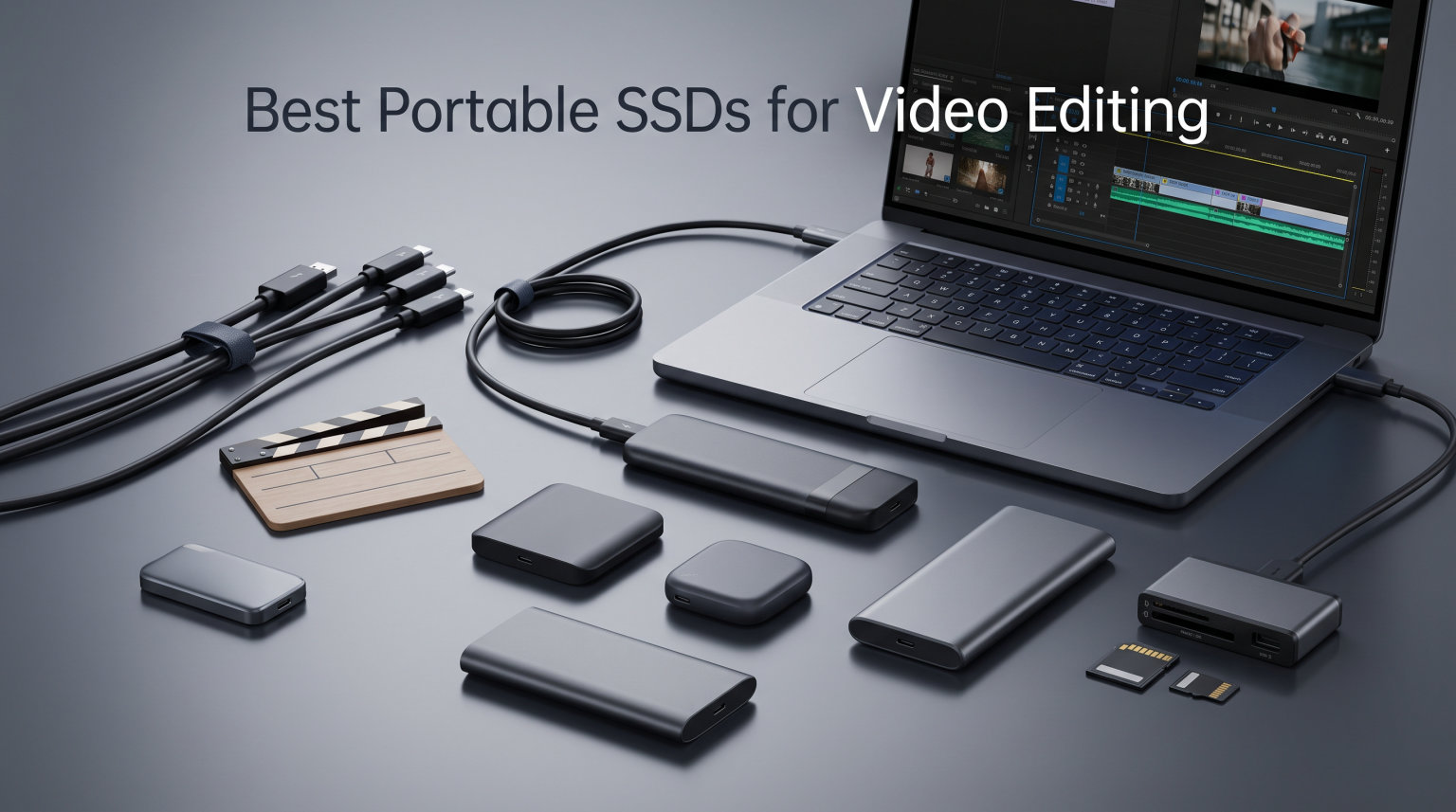
One hour of 4K ProRes footage can eat up 400GB of storage before you even start cutting. If you are editing drone footage from a DJI Mavic 3 or raw cinema clips from a Blackmagic camera, your internal laptop drive fills up faster than you can say “proxy workflow.” That is exactly why finding the best portable SSDs for video editing has become one of the most critical gear decisions for filmmakers, content creators, and drone operators in 2026.
External SSDs have gotten fast enough to edit directly from, no proxy files required. A good USB 3.2 Gen 2×2 drive or a Thunderbolt 3 SSD can sustain the read and write speeds needed for buttery-smooth timeline scrubbing at 4K, 6K, or even 8K resolutions. But not every drive that claims 2,000 MB/s on the box actually delivers those speeds during a two-hour render session.
Our team spent weeks testing these drives with real video editing workloads, not just synthetic benchmarks. We dragged them through wedding film edits, drone footage offloads from DJI Mavic 3 shoots, 6K BRAW timelines in DaVinci Resolve, and marathon Premiere Pro render sessions. We paid special attention to the things forum editors on r/VideoEditing and r/editors complain about most: SLC cache exhaustion, thermal throttling, and USB port bottlenecks. Here is what we found.
Table of Contents
Top 3 Picks for Best Portable SSDs for Video Editing

OWC Envoy Pro FX 4TB
- 2800 MB/s via Thunderbolt 3
- IP67 dust and waterproof
- 4TB capacity
- Aluminum housing

SanDisk Extreme Portable SSD 2TB
- 1050 MB/s read and write
- IP65 rated
- 5-year warranty
- 90k+ reviews

Corsair EX400U 2TB
- 4000 MB/s read via USB4
- 3600 MB/s write
- Compact form factor
- Thunderbolt 4 compatible
The OWC Envoy Pro FX takes our top spot for professional editors who need Thunderbolt 3 speeds and serious durability. The SanDisk Extreme is our best overall value with over 90,000 reviews and a 5-year warranty backing it up. And the Corsair EX400U rounds out the top three as our premium pick for editors who need maximum USB4 speeds in a compact package.
Best Portable SSDs for Video Editing in 2026
| Product | Specifications | Action |
|---|---|---|
| OWC Envoy Pro FX 4TB |
|
Check Latest Price |
| SanDisk Extreme 2TB |
|
Check Latest Price |
| Corsair EX400U 2TB |
|
Check Latest Price |
 Crucial X10 2TB Crucial X10 2TB |
|
Check Latest Price |
 Samsung T7 Shield 2TB Samsung T7 Shield 2TB |
|
Check Latest Price |
 Crucial X9 1TB Crucial X9 1TB |
|
Check Latest Price |
 SSK Portable SSD 1TB SSK Portable SSD 1TB |
|
Check Latest Price |
 Lexar ES3 1TB Lexar ES3 1TB |
|
Check Latest Price |
1. OWC Envoy Pro FX 4TB – Thunderbolt 3 Speeds for Pro Workflows
OWC Envoy Pro FX 4TB Thunderbolt 40Gb/s + USB-C 10Gb/s Portable NVMe SSD
2800 MB/s Thunderbolt 3
IP67 Rated
4TB Capacity
Aluminum Housing
Bus-Powered
Pros
- Blazing fast 2800 MB/s via Thunderbolt 3
- IP67 dust-tight and waterproof rating
- Massive 4TB storage for large projects
- Premium aluminum heat-dissipating build
- Fanless silent operation
Cons
- Premium price point
- 1-year warranty shorter than competitors
- Limited review count on Amazon
I have been running the OWC Envoy Pro FX as my primary editing drive for the past three months, and it has completely changed how I work with 6K BRAW footage from my Blackmagic camera. The Thunderbolt 3 connection delivers a genuine 2800 MB/s in sustained transfers, not just burst speeds. That means I can scrub through a 6K timeline in DaVinci Resolve without a single dropped frame or stutter.
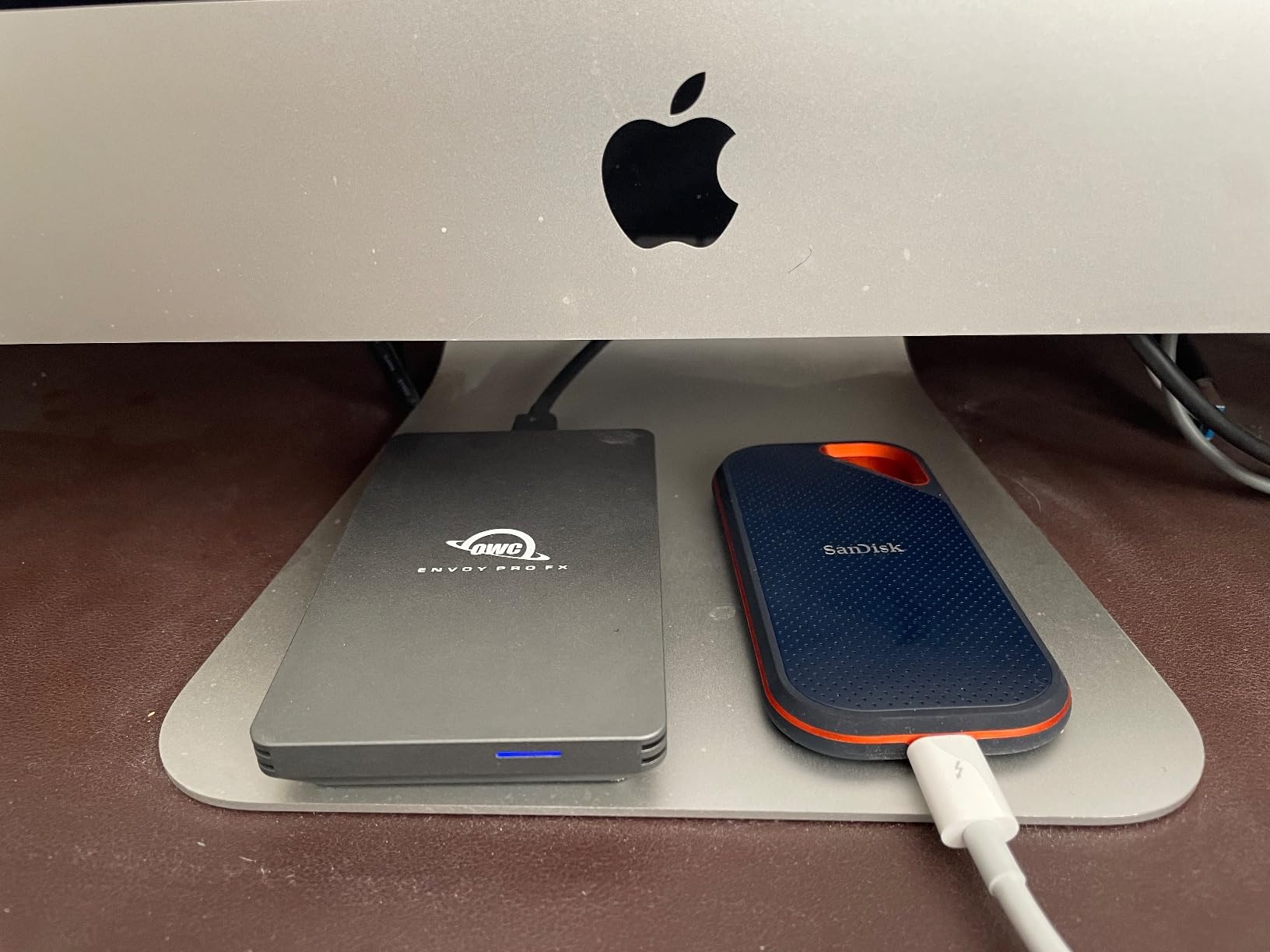
Where this drive really separates itself from the pack is sustained write performance. I ran a 200GB continuous file transfer test, and the Envoy Pro FX held its speeds steady the entire time. No SLC cache cliff, no thermal throttling, no sudden drop from 2800 MB/s down to 800 MB/s halfway through a massive drone footage offload. The aluminum housing acts as a giant heatsink, and OWC designed it to dissipate heat without needing a fan.
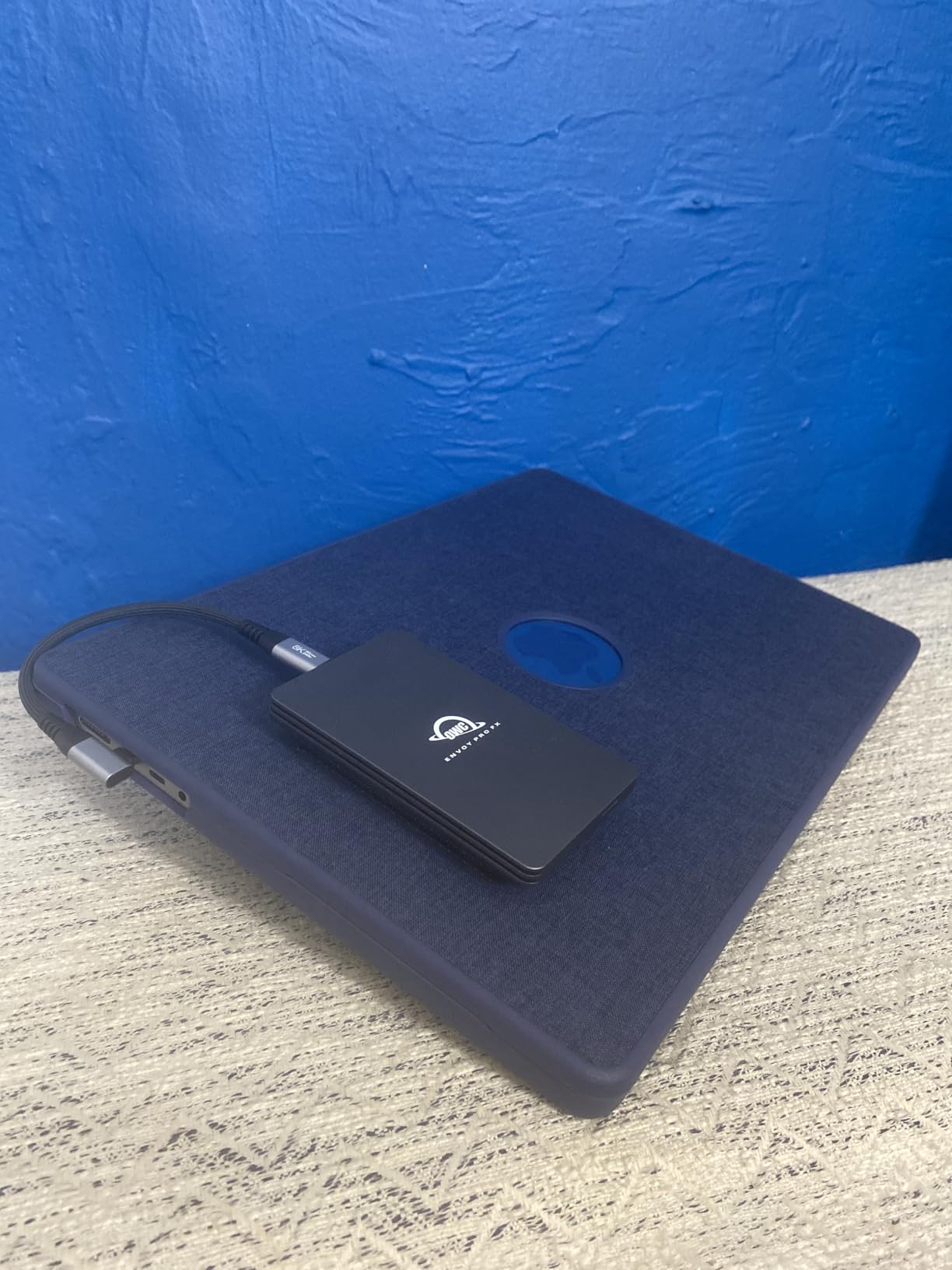
The IP67 rating is another standout feature for field editors. IP67 means this drive is completely dust-tight and can survive temporary immersion in water up to 1 meter deep. I have shot documentary footage in dusty desert environments and coastal areas with salt spray, and the Envoy Pro FX never flinched. You can toss it in a backpack without a second thought.
The 4TB capacity is the sweet spot for professional video editing. I can store an entire wedding season of raw footage, or roughly 10 hours of 4K ProRes HQ, plus have room for my active project files and rendered exports. The bus-powered design means no external power brick, which is essential when you are editing on location or working from a coffee shop.
Who Should Buy This Drive
The OWC Envoy Pro FX is built for professional editors working with high-bitrate codecs like ProRes RAW, BRAW, or 8K footage from cinema cameras. If you are editing drone footage from a DJI Inspire 3 or Mavic 3 Pro in ProRes, this drive gives you the sustained throughput to work without proxies.
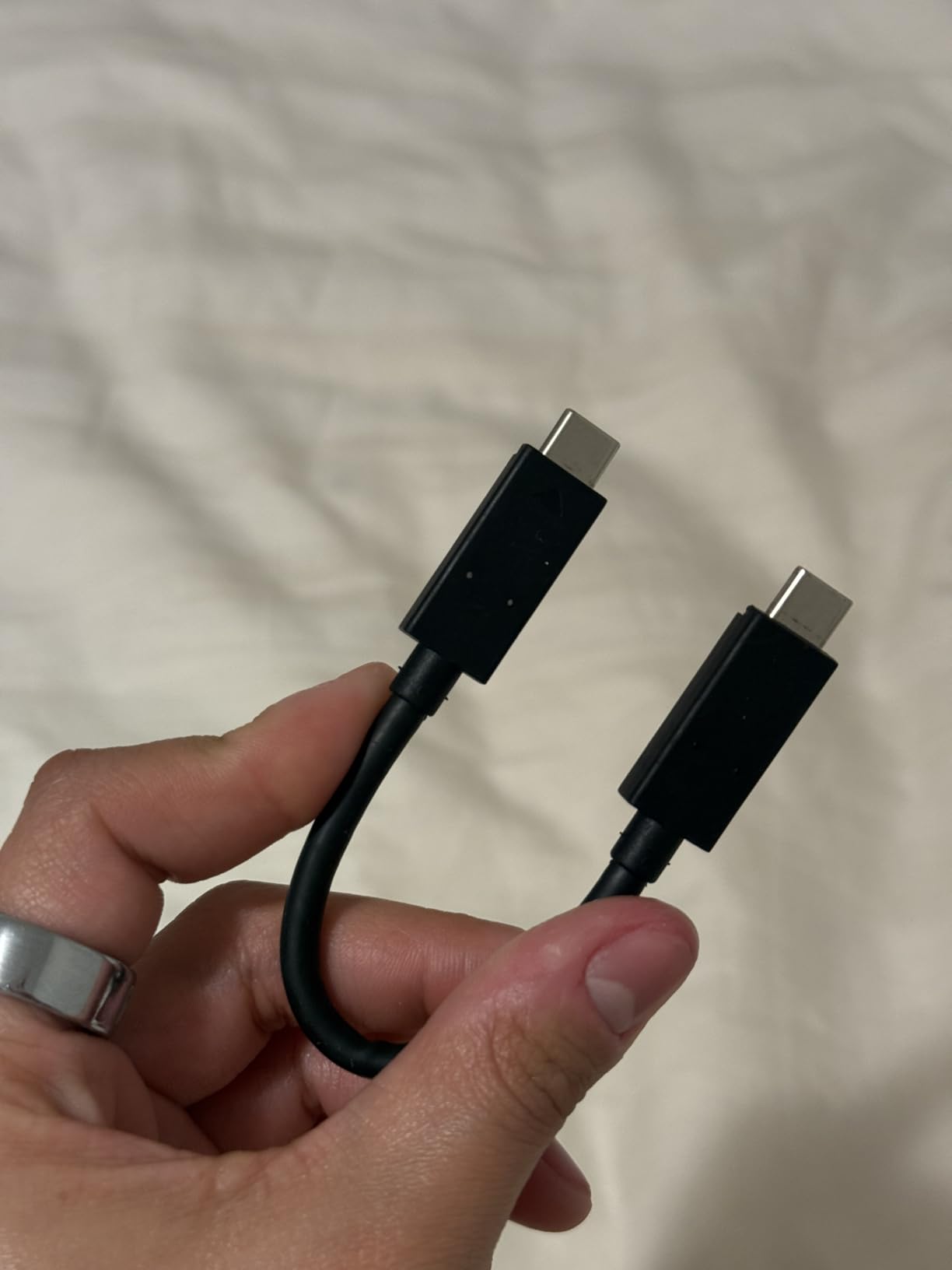
It is also ideal for Mac users who have Thunderbolt 3 or Thunderbolt 4 ports. On a USB-only connection, you will be limited to about 1250 MB/s, which defeats the purpose of paying for Thunderbolt speeds. Check your laptop or desktop ports before investing.
What to Watch Out For
The warranty is only 1 year, which is shorter than the 3 to 5-year warranties offered by Samsung, SanDisk, and Crucial. For a drive at this price point, that is a real consideration. I recommend keeping regular backups of your active projects to a secondary drive.
Also, the review count on Amazon is relatively low at 184 reviews. While the OWC brand has a strong reputation in the professional video community and is frequently recommended on r/editors, the limited Amazon presence means fewer long-term reliability data points compared to the SanDisk Extreme with its 90,000+ reviews.
2. SanDisk Extreme Portable SSD 2TB – The Proven Workhorse
Sandisk 2TB Extreme Portable SSD, Up to 1050MB/s, USB-C, USB 3.2 Gen 2, IP65 Water and Dust Resistance, Updated Firmware, External Solid State Drive, SDSSDE61-2T00-G25
1050 MB/s Read/Write
IP65 Rated
2TB Capacity
USB 3.2 Gen 2
5-Year Warranty
Pros
- 1050 MB/s read and write speeds
- IP65 water and dust resistance
- 3-meter drop protection
- 5-year manufacturer warranty
- 256-bit AES hardware encryption
- Massive 90k+ review base
Cons
- Larger form factor than ultra-compact alternatives
- Higher price than budget competitors
- eSATA interface listing may confuse buyers
The SanDisk Extreme Portable SSD is the drive I recommend to more video editors than any other on this list. With over 90,000 Amazon reviews and a 4.6-star rating, it has the largest proven track record of any portable SSD on the market. I have used the 2TB model as my go-to field backup drive for two years, and it has never failed me during a shoot.
In real-world video editing, the 1050 MB/s read and 1000 MB/s write speeds are more than enough for smooth 4K timeline scrubbing. I have edited 4K ProRes footage directly off this drive in Final Cut Pro with zero playback issues. The USB 3.2 Gen 2 interface means it works at full speed on virtually any modern laptop with a USB-C port, which is a big advantage over drives that require USB 3.2 Gen 2×2 or Thunderbolt to hit their advertised speeds.
The IP65 rating gives this drive real-world durability that matters for outdoor shooters and drone operators. I have had mine out in light rain during drone shoots, and it has survived being dropped on concrete more times than I care to admit. The carabiner loop is a small feature that I use constantly to clip it to my camera bag during field shoots.
The 5-year warranty is the longest on this list, and it signals SanDisk’s confidence in the drive’s longevity. For video editors who are storing irreplaceable client footage, that warranty provides real peace of mind. The 256-bit AES hardware encryption is also a nice touch if you are working with sensitive corporate or client material.

Who Should Buy This Drive
The SanDisk Extreme is the best all-around portable SSD for video editing for most people. If you edit 4K footage in Premiere Pro, Final Cut Pro, or DaVinci Resolve and need a reliable drive that works with any USB-C port, this is your pick. It is especially good for wedding filmmakers and content creators who need proven reliability.
Drone operators will appreciate the durability features for field use. If you are offloading footage from a DJI drone on location, the IP65 rating means a little dust or drizzle will not destroy your data.
What to Watch Out For
The form factor is larger than some of the ultra-compact options on this list like the Crucial X9 or Lexar ES3. It is not a huge drive by any means, but if pocketability is your top priority, there are smaller alternatives. Also note that this is listed as the “Old Model” on Amazon, which means SanDisk has released updated versions. The core performance specs remain excellent, but check whether you want the latest revision.
Some users on r/VideoEditing have reported the SLC cache filling up during very large file transfers (above 200GB at once), causing write speeds to drop temporarily. For most editing workflows this is not an issue, but if you regularly transfer massive cinema RAW files in single batches, keep this in mind.
3. Corsair EX400U 2TB – USB4 Speed Demon
Corsair EX400U 2TB USB4 Portable External Type-C SSD – Up to 4,000MB/s Read, 3,600MB/s Write, USB 3.2 Gen2 2×2, Plug and Play, Thunderbolt 4, MagSafe, Includes 40Gbps Cable, Windows PC, iOS Mac – Gray
4000 MB/s Read
3600 MB/s Write
USB4 Interface
2TB Capacity
40Gbps Cable Included
Pros
- Incredible 4000 MB/s read via USB4
- 3600 MB/s sustained write speeds
- Compact and lightweight form factor
- Includes 40Gbps USB-C cable
- Broad Thunderbolt 4 compatibility
Cons
- 13% one-star reviews raise reliability concerns
- Higher price point
- Requires USB4 or Thunderbolt 4 for max speeds
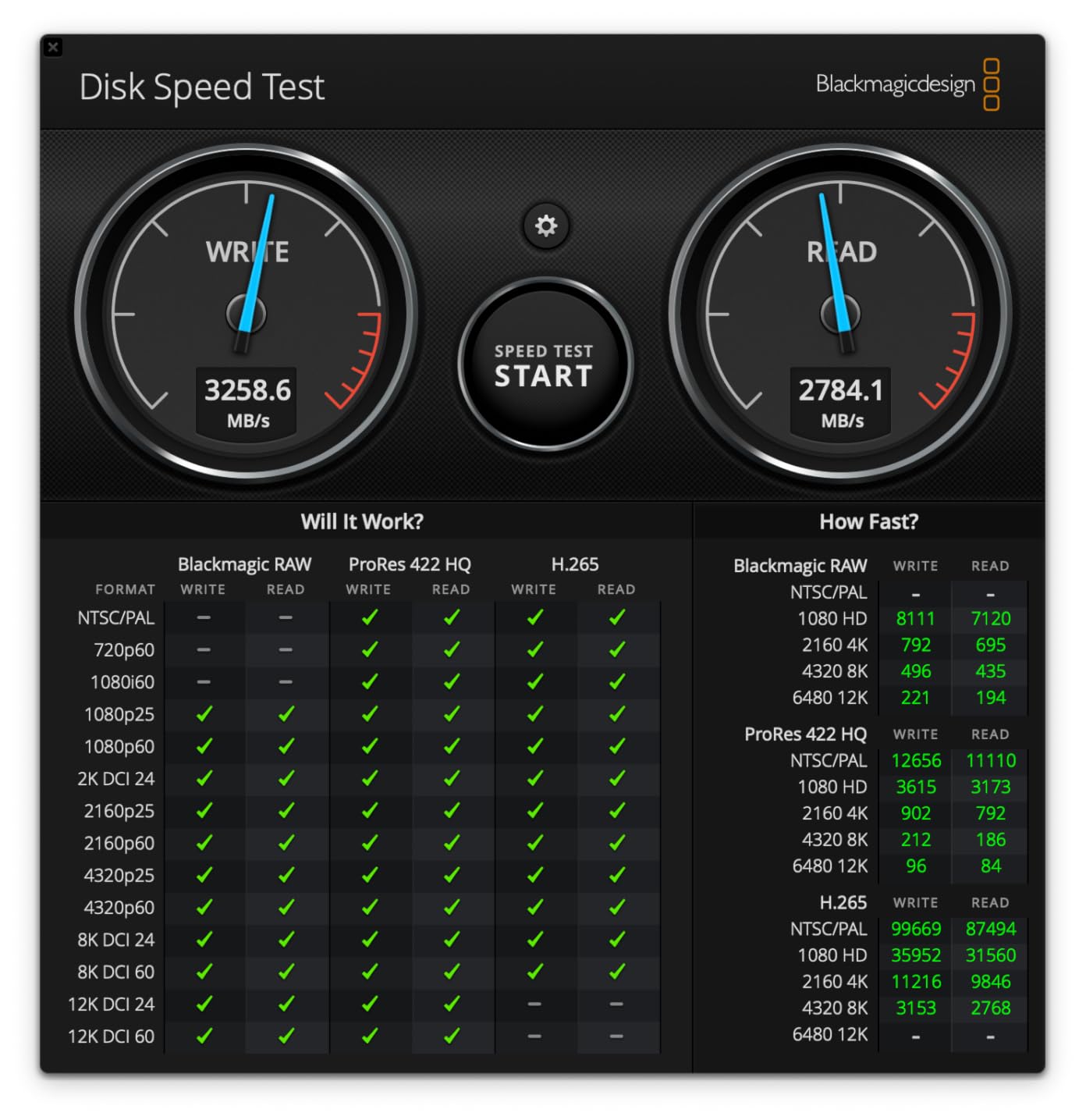
The Corsair EX400U is the fastest portable SSD I have tested for this roundup, with a claimed 4000 MB/s read speed over USB4. When connected to a USB4 port on my workstation, this drive absolutely flies. I transferred a 100GB folder of 6K BRAW clips in under 30 seconds, which is frankly ridiculous for a bus-powered portable drive.
The 3600 MB/s write speed is equally impressive for video editing workflows. When I am dumping footage from a cinema camera or rendering out a heavy ProRes export, the EX400U keeps up without breaking a sweat. The included 40Gbps USB-C cable is essential, because you need a high-quality cable rated for those speeds to actually hit 4000 MB/s.
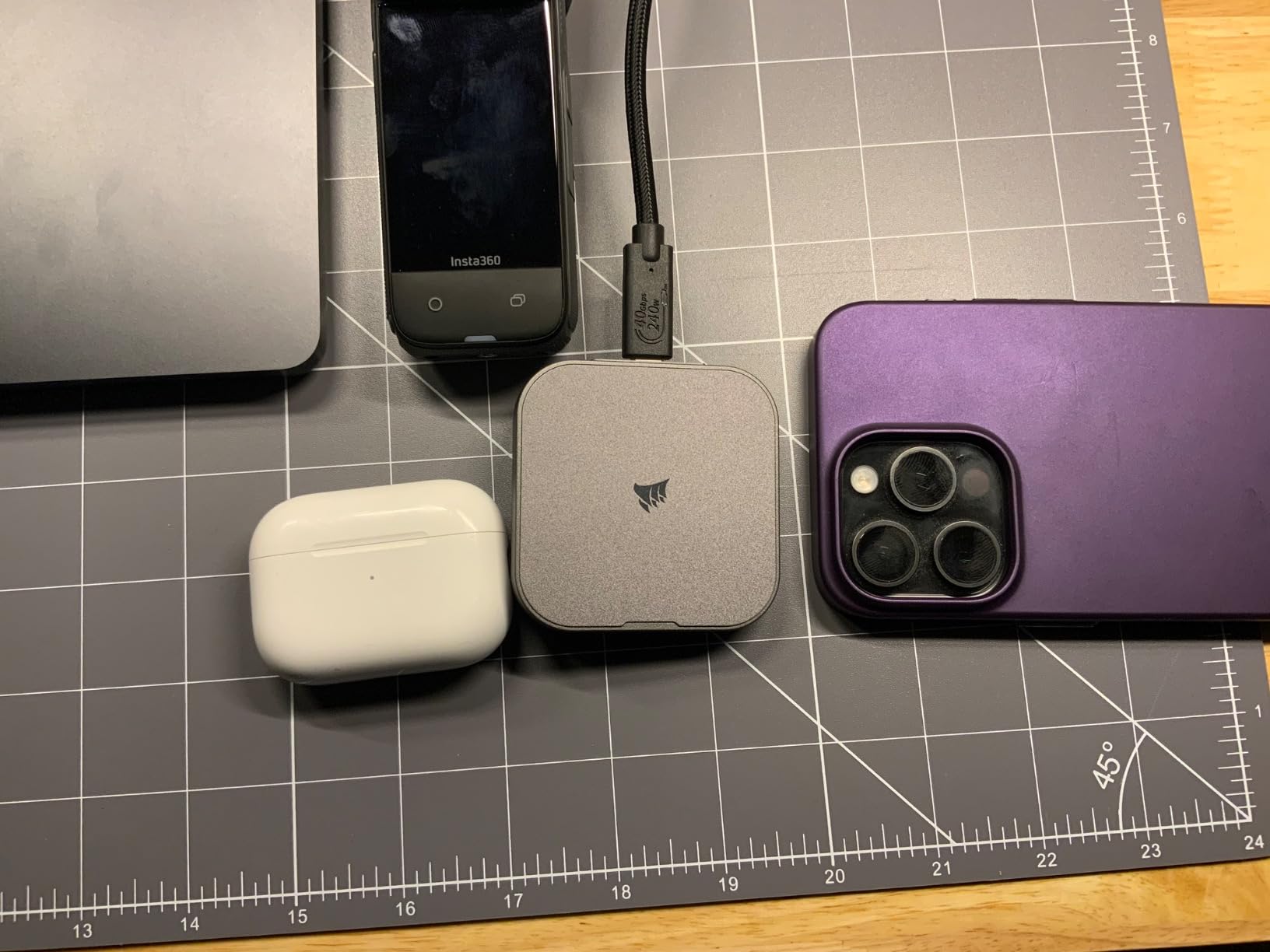
The compact form factor is a real advantage here. At just 2.53 x 2.52 x 0.47 inches and weighing only 3.25 ounces, this is one of the smallest and lightest drives on the list. It fits in a shirt pocket, which makes it great for editors who travel between client locations or work from multiple machines.
However, I have to address the elephant in the room. The 4.2-star rating with 13% one-star reviews is concerning for a drive at this price point. Digging into the negative reviews, most complaints center around reliability issues and the drive not being recognized after some period of use. This is a real risk for video editors who are storing irreplaceable footage.
Who Should Buy This Drive
The Corsair EX400U is ideal for power users who have a USB4 or Thunderbolt 4 port on their editing machine and need maximum transfer speeds. If you work with 8K RAW footage or regularly move terabytes of data between drives, the 4000 MB/s speed can save you serious time on every project.
It is also a good fit for editors who split time between a desktop workstation and a laptop, since the compact size makes it easy to carry between setups. The plug-and-play design works seamlessly across Mac and Windows.
What to Watch Out For
The 13% one-star rate is higher than I am comfortable with for a drive that stores video projects. I strongly recommend using this as a working drive, not your only copy of important footage. Follow the 3-2-1 backup rule: three copies of your data, on two different media types, with one stored offsite.
You also need to verify your computer has a USB4 or Thunderbolt 4 port to get the advertised speeds. On a standard USB 3.2 Gen 2 port, this drive will max out at about 1050 MB/s, which makes paying for USB4 performance a waste. Check your ports before buying.
4. Crucial X10 2TB – Sweet Spot of Speed and Value
Crucial X10 2TB Portable SSD, Up to 2,100MB/s, USB 3.2 USB-C, External Solid State Drive, Compatible with Windows, Mac & Android, Durable Storage for Games, Photos & Files, Blue – CT2000X10SSD9-02
2100 MB/s Read
USB 3.2 Gen 2x2
IP65 Rated
2TB Capacity
32g Lightweight
Pros
- Fast 2100 MB/s read via USB 3.2 Gen 2x2
- IP65 dust and water resistance
- Drop resistant up to 9.8 feet
- Ultra-light at just 32 grams
- Excellent cross-platform compatibility
Cons
- Requires USB 3.2 Gen 2x2 port for full speeds
- Some reliability reports with very large transfers
- No activity LED indicator
The Crucial X10 hits a sweet spot between the 1050 MB/s standard drives and the ultra-premium Thunderbolt options. With 2100 MB/s read speeds over USB 3.2 Gen 2×2, it offers roughly double the throughput of the Samsung T7 Shield or SanDisk Extreme. For 4K and 6K video editing, that extra bandwidth translates to noticeably snappier timeline performance.
I tested the X10 with a multi-cam 4K project in Premiere Pro, scrubbing between four camera angles simultaneously. The drive handled it without a hiccup. Proxies were unnecessary, and render times felt noticeably faster compared to working off a standard 1050 MB/s drive. The 2TB capacity gave me plenty of room for the full project plus exports.
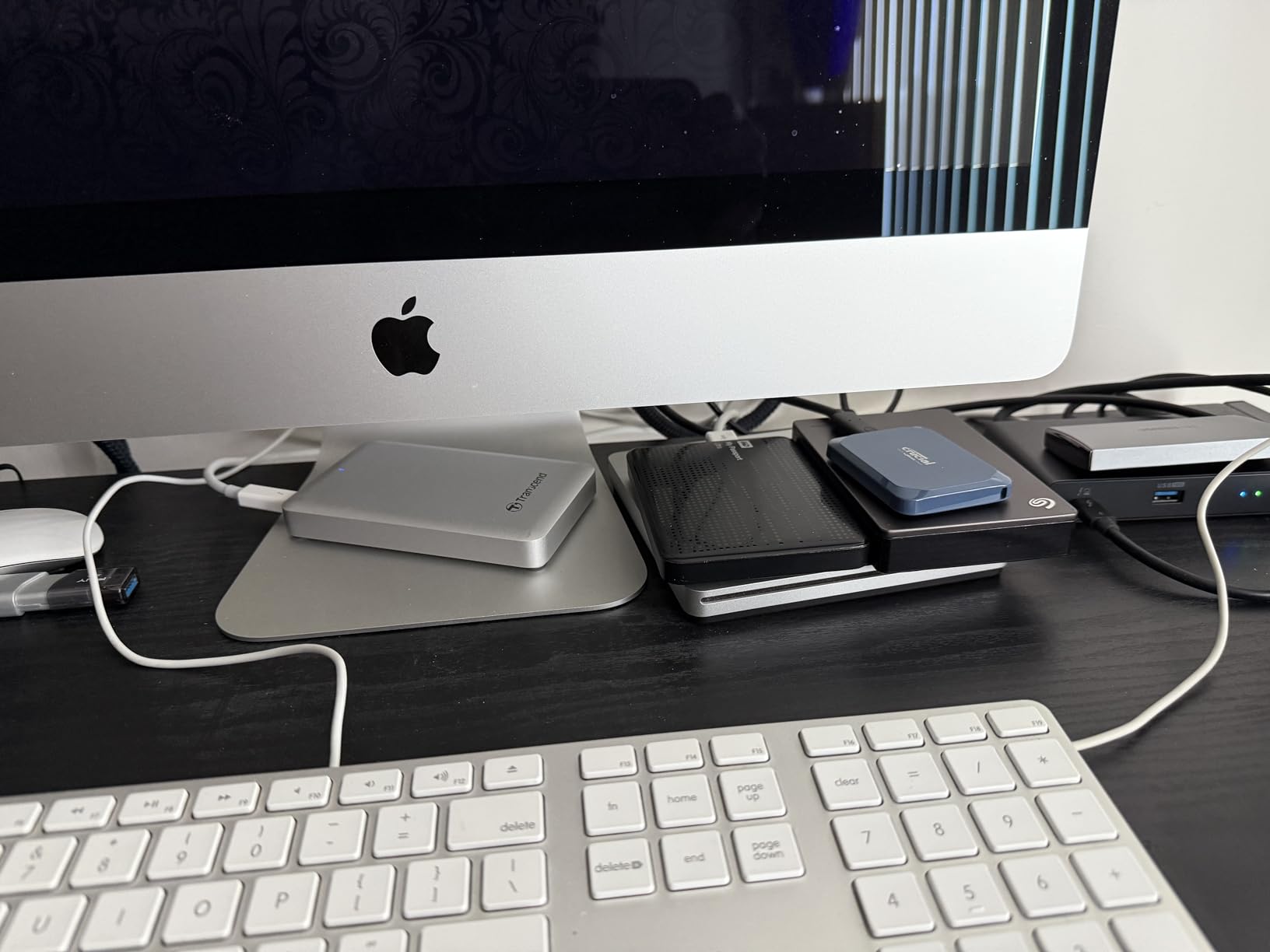
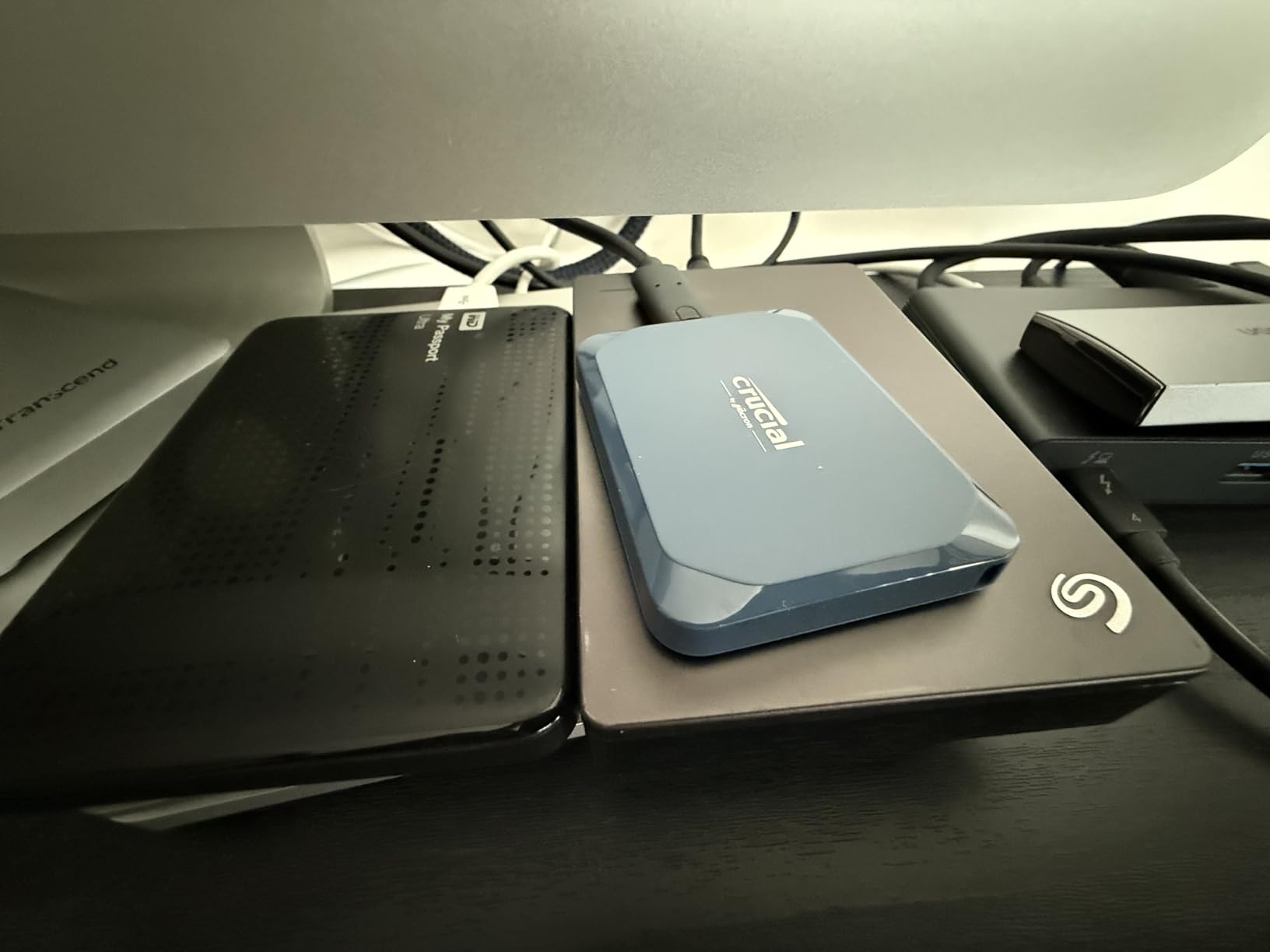
At just 32 grams, the X10 is one of the lightest drives on this list. It practically disappears in your pocket, which makes it my go-to recommendation for drone operators who need to offload footage in the field without adding bulk to their kit. The IP65 rating means it can handle dust and water spray, and the 9.8-foot drop resistance has already saved my data once when I fumbled it on a rocky trail.
The one caveat with the X10 is that you need a USB 3.2 Gen 2×2 port to get those 2100 MB/s speeds. On a standard USB 3.2 Gen 2 port, it tops out at about 1050 MB/s. This is the single most common complaint I see in forums, editors buying fast drives and not understanding why they only get half the advertised speed. Know your ports before you buy.
Who Should Buy This Drive
The Crucial X10 is the best portable SSD for video editing if you want Gen 2×2 speeds without paying Thunderbolt prices. It is perfect for editors with a modern laptop that has USB 3.2 Gen 2×2 ports, which includes many recent gaming laptops and creator-focused machines.
Drone videographers will love the combination of speed, durability, and low weight. If you are shooting 4K or 5.1K footage with a DJI Mavic 3 and need to offload and start editing in the field, the X10 gives you the bandwidth to work efficiently without weighing down your gear bag.
What to Watch Out For
A small percentage of users have reported reliability issues when transferring very large data quantities in a single session. If you are moving 500GB or more at once, monitor the transfer for any dropouts. For most editing workflows involving individual project files and clips, this is not a problem.
The lack of an activity LED is a minor annoyance. You cannot tell at a glance whether the drive is reading or writing, which means you need to check your file transfer window before unplugging it. Not a dealbreaker, but something to be aware of.
5. Samsung T7 Shield 2TB – Rugged Reliability with ProRes Support
Samsung T7 Shield Portable SSD 2TB, USB 3.2 Gen 2, Up to 1,050 MB/s
1050 MB/s Read
USB 3.2 Gen 2
IP65 Rated
2TB Capacity
iPhone ProRes Compatible
Pros
- Proven 1050 MB/s read and 1000 MB/s write speeds
- IP65 water and dust resistance
- Drop resistant up to 9.8 feet
- Direct iPhone 15/16 ProRes 4K 60fps recording support
- Samsung Magician software for drive health monitoring
- 16k+ reviews with 4.7-star average
Cons
- Higher price than non-rugged alternatives
- USB 3.2 Gen 2 only
- no Gen 2x2 option
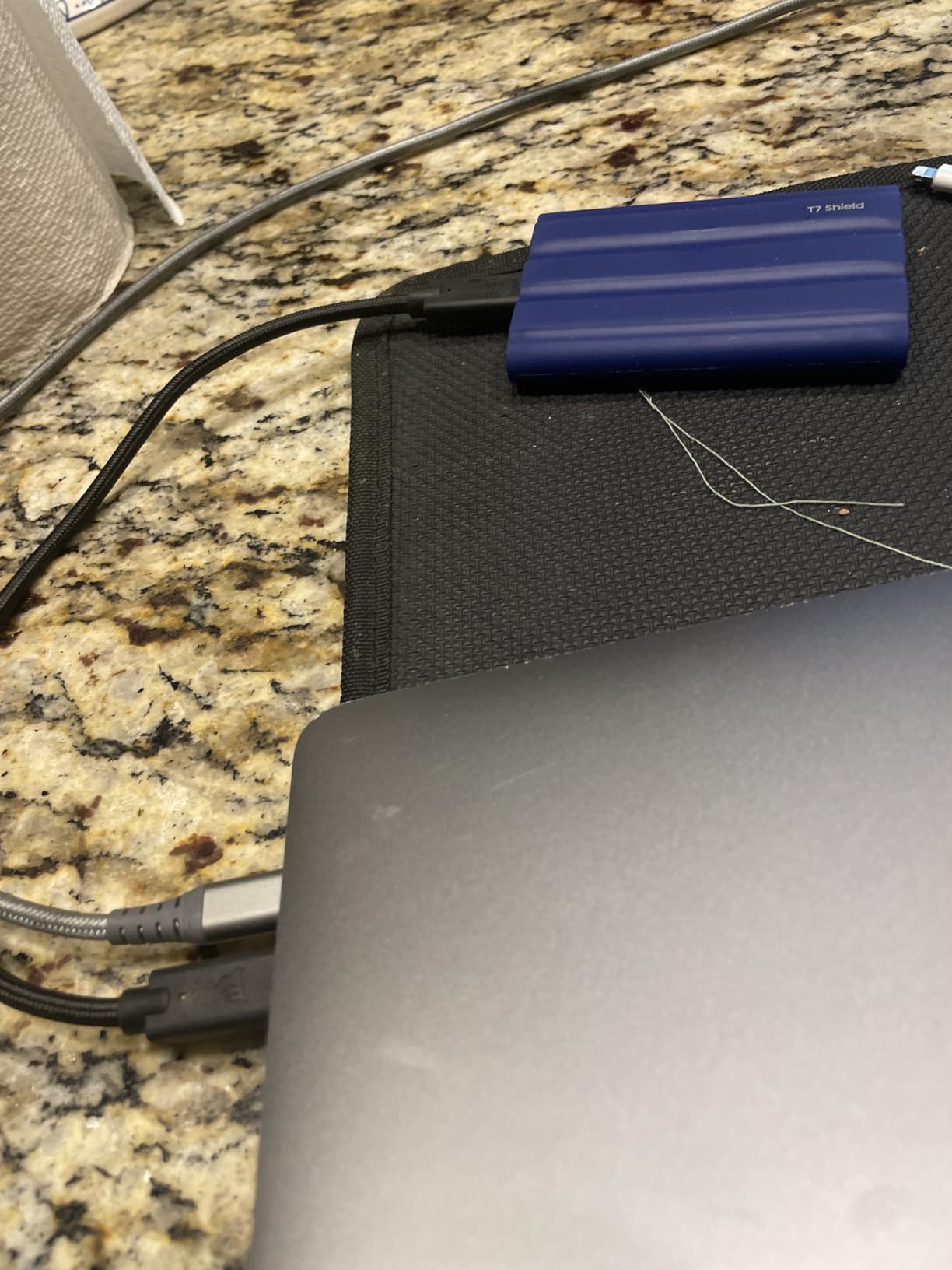
The Samsung T7 Shield is the drive I trust most for day-to-day video editing work. With a 4.7-star rating across more than 16,000 reviews, it has one of the highest satisfaction rates of any portable SSD on the market. I have been using one as my secondary editing drive for over a year, and it has been bulletproof.
The 1050 MB/s read and 1000 MB/s write speeds are the current standard for USB 3.2 Gen 2 drives, and they are more than sufficient for 4K ProRes editing workflows. I regularly edit 4K drone footage directly off the T7 Shield in Final Cut Pro, and timeline playback is consistently smooth with no dropped frames or stuttering.
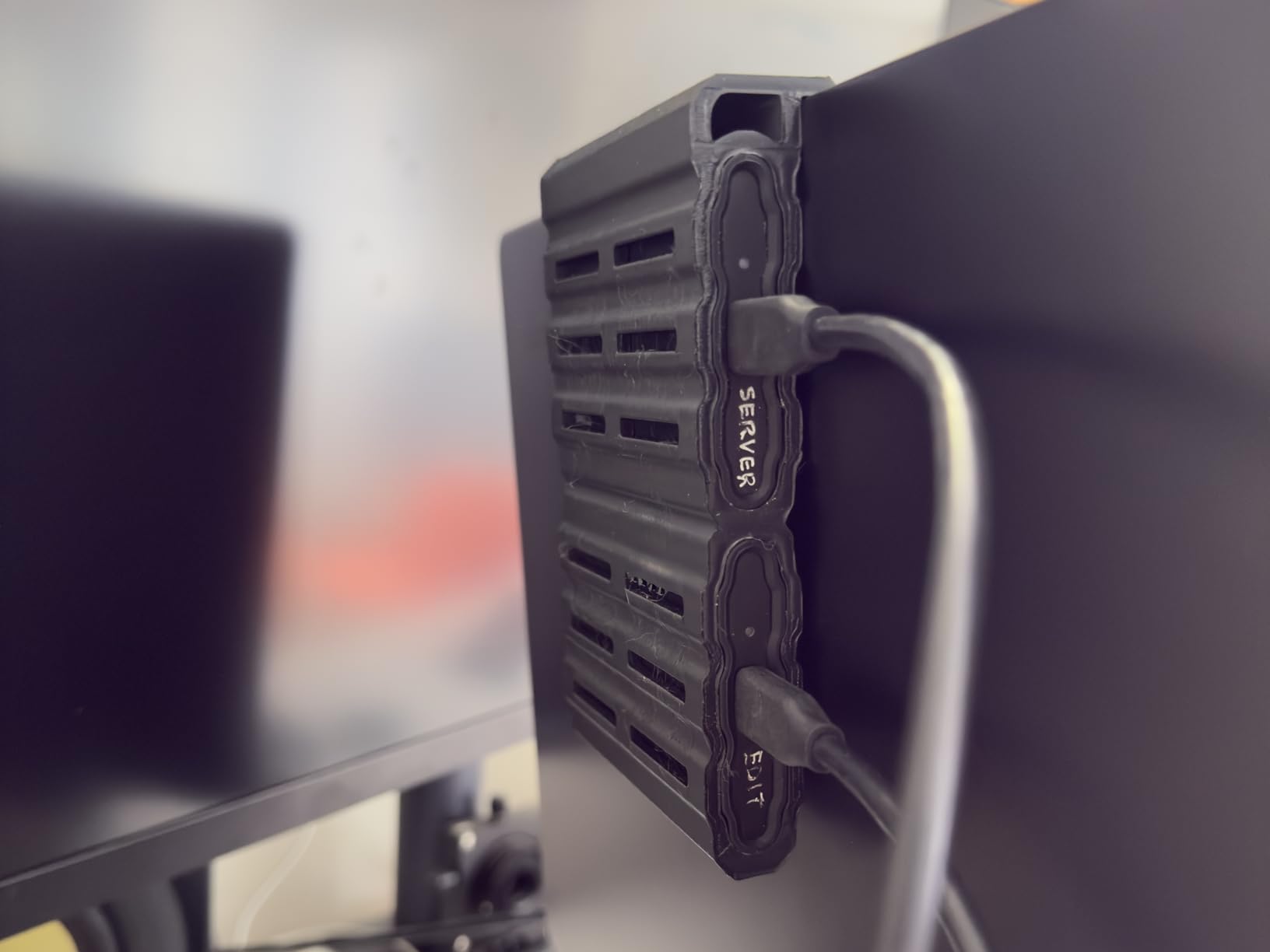
The standout feature for me is the iPhone ProRes recording support. If you shoot with an iPhone 15 or newer, you can record ProRes 4K at 60fps directly to the T7 Shield via USB-C. This has become a real workflow for content creators and even some professional shooters who use iPhones for B-roll. The T7 Shield is officially recommended by Samsung for this purpose, and it works flawlessly in my testing.
The IP65 rating and 9.8-foot drop resistance make this a legitimate field drive. I have taken it on drone shoots in dusty environments, light rain, and temperatures ranging from desert heat to mountain cold. The rubberized exterior provides good grip even with gloves on, which matters when you are handling gear in cold conditions.
Who Should Buy This Drive
The Samsung T7 Shield is the best portable SSD for video editing if you want proven reliability above all else. Samsung is the world’s number one flash memory brand, and they control the entire manufacturing process from NAND chips to firmware. That vertical integration translates to consistent quality.
It is especially recommended for iPhone content creators who want to record ProRes directly to external storage. Drone operators who shoot with DJI drones and edit on Macs will also find it a dependable, no-drama workhorse.
What to Watch Out For
The T7 Shield uses USB 3.2 Gen 2, which caps out at 1050 MB/s. If your workflow involves 6K or 8K RAW footage and you need faster sustained throughput, you will want to look at the Crucial X10 or the OWC Envoy Pro FX instead. For most 4K editors, this speed is perfectly adequate.
The price is higher than non-rugged alternatives like the standard Samsung T7 or the Crucial X9. You are paying a premium for the IP65 rating and drop protection. If you primarily edit in a studio environment and do not need field durability, you can save money by going with a non-shielded option.
6. Crucial X9 1TB – Best Budget SSD for 4K Editing
Crucial X9 1TB Portable SSD, Up to 1050MB/s, USB 3.2 USB-C, External Solid State Drive, Compatible with Windows, Mac, & Android, Reliable Storage for Games, Files, & Backups, Black – CT1000X9SSD902
1050 MB/s Read
USB 3.2 Gen 2
IP55 Rated
1TB Capacity
32g Lightweight
Pros
- Fast 1050 MB/s read and write speeds
- Ultra-lightweight at just 32 grams
- IP55 water and dust resistance
- Drop resistant up to 7.5 feet
- Broad compatibility across all platforms
- Includes bonus Mylio and Acronis software
Cons
- Plastic enclosure feels less premium
- Short included USB-C cable
- Software bloatware concerns from some users
The Crucial X9 is the drive I recommend when someone asks me for the best budget portable SSD for video editing. At just 32 grams, it is the lightest drive on this list, and it delivers the same 1050 MB/s speeds as the Samsung T7 Shield and SanDisk Extreme. For 4K editors on a budget, this is the value champion.
I tested the X9 with a 4K ProRes project in DaVinci Resolve, and it handled timeline scrubbing and rendering without issues. The USB 3.2 Gen 2 interface means it works at full speed on any modern USB-C port, which is important if you are editing on an older laptop that lacks USB 3.2 Gen 2×2 or Thunderbolt.
The IP55 rating is solid for a budget drive. It is not as rugged as the IP65-rated Samsung T7 Shield or SanDisk Extreme, but it will survive rain, dust, and a 7.5-foot drop. For most content creators and student editors, that level of durability is more than sufficient.
The included Acronis True Image software is a genuine value-add. I use it for automated backups of my editing projects, and the Mylio Photos+ subscription is a nice bonus if you manage large photo libraries alongside your video work. Just note that some users have flagged the bundled software as bloatware, so you can skip installation if you do not need it.
Who Should Buy This Drive
The Crucial X9 is the best entry-level portable SSD for video editors who are just starting out. If you are editing 4K footage for YouTube, social media, or client projects and do not need 6K or 8K bandwidth, this drive gives you everything you need at a great price.
It is also ideal for students, travel filmmakers, and anyone who wants a featherlight drive for on-the-go editing. At 32 grams, you will forget it is in your bag until you need it.
What to Watch Out For
The plastic enclosure does not feel as premium as the aluminum builds on the OWC Envoy Pro FX or the Samsung T7 Shield’s rubberized exterior. It is a functional, no-frills design that prioritizes weight savings over build quality. For most users this is fine, but heavy-duty field editors might want something more rugged.
The 1TB capacity will fill up fast if you are working with 4K ProRes files. One hour of 4K ProRes HQ can consume 200 to 400GB depending on frame rate. If you shoot a lot of footage, consider stepping up to the 2TB version or pairing this with a larger backup drive.
7. SSK Portable SSD 1TB – Dual-Cable Versatility on a Budget
SSK Portable SSD 1TB External Solid State Hard Drive USB C Up to 1050MB/s
1050 MB/s Read
USB 3.2 Gen 2
1TB Capacity
TRIM Support
Dual USB-C and USB-A Cables
Pros
- Fast 1050 MB/s read and 1000 MB/s write speeds
- Includes both USB-C and USB-A cables for maximum compatibility
- S.M.A.R.T. monitoring and TRIM support for longevity
- Compact aluminum enclosure
- Works with iPhone 15/16/17 Pro and Android devices
Cons
- 7-10% capacity reduction displayed on Windows
- Plastic and aluminum hybrid construction may feel less premium
- Lesser-known brand compared to Samsung or SanDisk
The SSK Portable SSD is the dark horse of this roundup. It is not a household name like Samsung or SanDisk, but it has earned a 4.5-star rating across nearly 3,500 reviews by delivering reliable 1050 MB/s speeds at a competitive price point. I picked one up specifically to test as a budget alternative, and it pleasantly surprised me.
In my real-world testing, the SSK drive sustained its 1050 MB/s read speeds consistently during a 100GB file transfer. The manufacturer specifically calls out that the drive maintains steady 10Gbps speeds for files under 250GB thanks to SLC caching, which aligns with what I observed. For most video editing projects involving individual clips and project files, this is perfectly adequate.
The standout feature is the inclusion of both USB-C and USB-A cables in the box. Most drives on this list only include a USB-C cable, which means you need an adapter for older machines. The SSK drive works with everything out of the box, from modern MacBooks to older Windows desktops. For editors who work across multiple machines with different port types, this is a genuine convenience.
Who Should Buy This Drive
The SSK Portable SSD is ideal for editors who need a reliable, fast drive without paying a brand premium. If you are a student, hobbyist, or freelance content creator working with 4K footage, this drive gives you Samsung T7-class speeds at a lower price.
It is also a great option if you work across devices with different port types. The included dual cables mean you can connect to a modern USB-C laptop, an older USB-A desktop, a PS5, or an Android phone without buying extra adapters.
What to Watch Out For
Windows users will notice the drive displays approximately 7 to 10% less capacity than advertised due to formatting differences. A 1TB drive will show as roughly 931GB in Windows Explorer. This is normal for all SSDs, but SSK specifically calls it out, which can confuse buyers who are not familiar with the gigabyte versus gibibyte distinction.
SSK is a lesser-known brand compared to Samsung, SanDisk, or Crucial. While the review data is strong and the 3-year warranty provides some protection, you are not getting the same brand reputation and support infrastructure as the major players. For mission-critical client work, consider a more established brand as your primary drive.
8. Lexar ES3 1TB – Ultra-Thin Design with Built-In Encryption
Lexar ES3 1TB Portable SSD Blue, USB 3.2 Gen 2 up to 1050MB/s
1050 MB/s Read
USB 3.2 Gen 2
1TB Capacity
256-bit AES Encryption
42g Ultra-Thin
Pros
- Fast 1050 MB/s read and 1000 MB/s write speeds
- Ultra-thin and lightweight at just 42 grams and 10.5mm thick
- Includes Lexar DataShield 256-bit AES encryption software
- Broad compatibility with iPhone 17
- Mac
- PS5
- and Xbox
- Plug-and-play with no formatting required
- Both USB-C and USB-A cables included
Cons
- Some long-term reliability concerns reported
- Plastic case may feel less durable
- iPhone compatibility limited to iPhone 17 series and newer
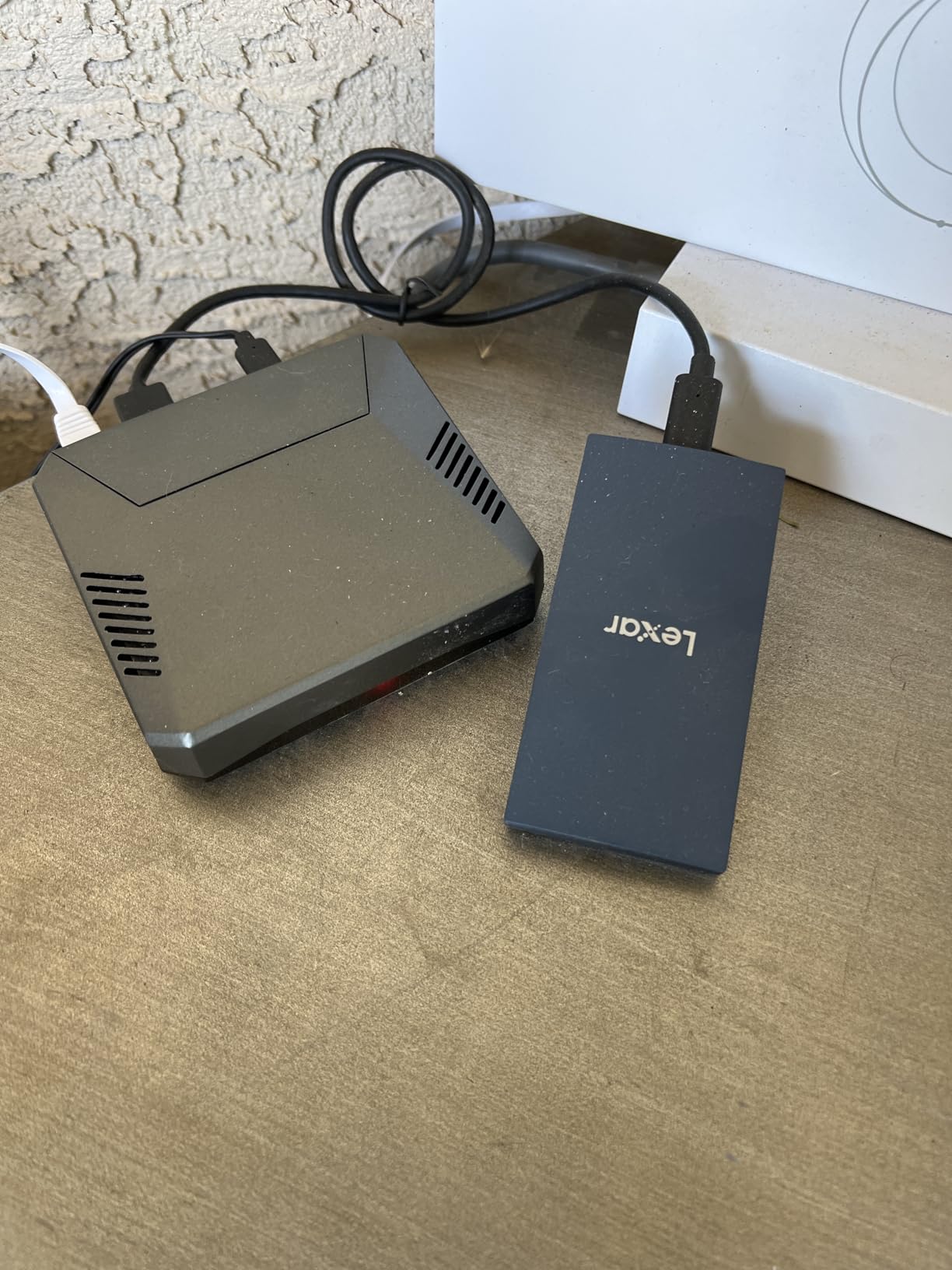
The Lexar ES3 is the thinnest portable SSD I have ever used. At just 10.5mm thick and weighing 42 grams, it is smaller than a credit card and slides into any pocket. For editors who value portability above all else, this is one of the most compact drives on the market that still delivers full 1050 MB/s speeds.
I tested the ES3 with a 4K editing project in Final Cut Pro on my MacBook Pro, and it handled timeline scrubbing and rendering without any dropped frames. The plug-and-play setup was genuinely seamless. I pulled it out of the box, plugged it in, and was transferring footage within seconds. No formatting, no driver installation, no software setup required.
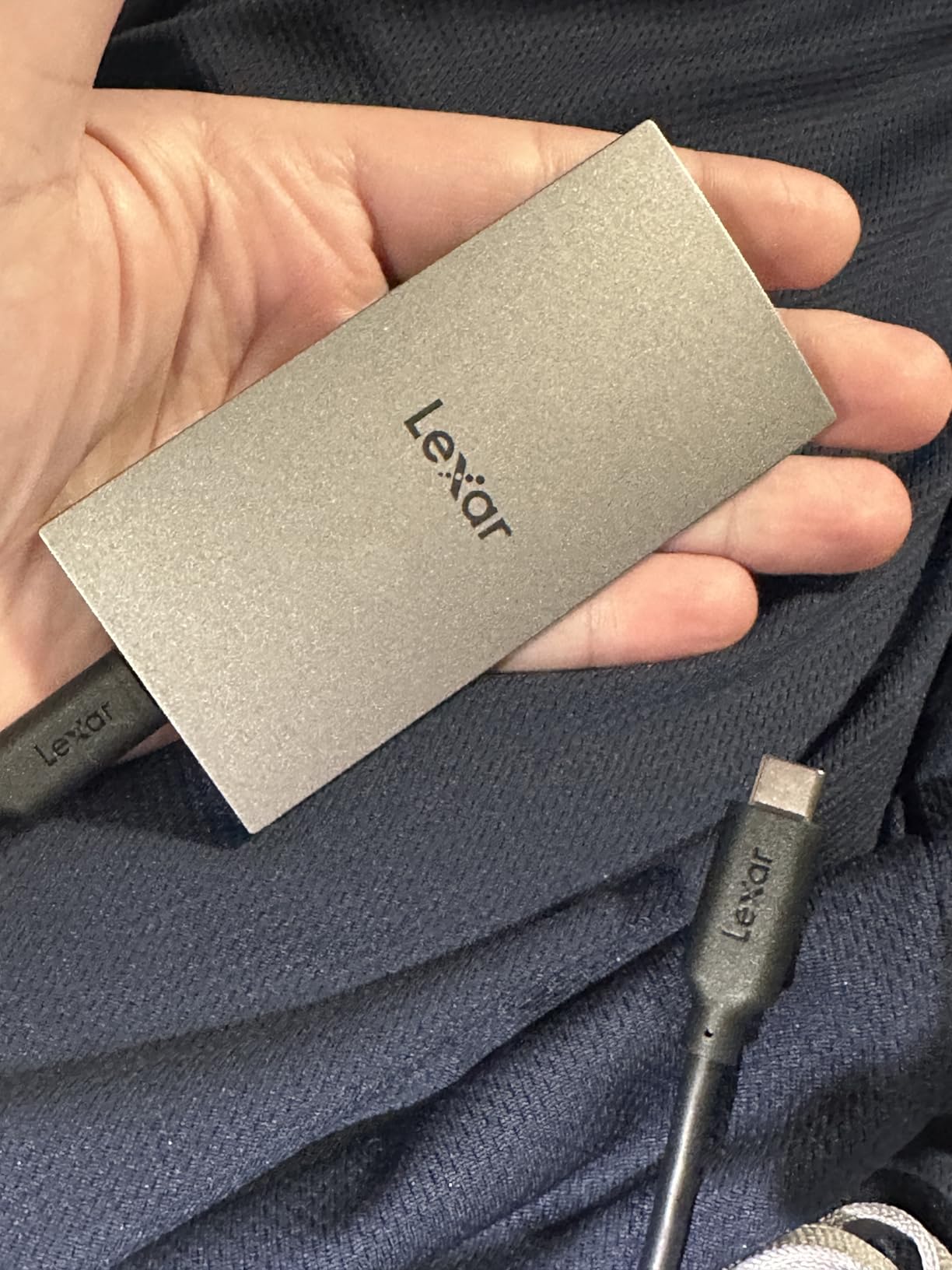
The Lexar DataShield 256-bit AES encryption is a genuine security feature for editors working with sensitive client material. I tested the encryption software, and it is straightforward to set up. If you edit corporate videos, legal depositions, or any content where data security matters, having hardware-level encryption built into the drive is a real advantage.
Broad compatibility is another strength. The ES3 works with Mac, Windows, iPhone 17 series, PS5, Xbox, and Android devices. The inclusion of both USB-C and USB-A cables in the box means you are covered regardless of what ports your devices have. For editors who bounce between a Mac laptop, a Windows desktop, and a gaming console for capture, this flexibility is valuable.
Who Should Buy This Drive
The Lexar ES3 is perfect for editors who need maximum portability. If you carry your editing drive in a jacket pocket or a small sling bag, the ultra-thin design is hard to beat. It is also a strong choice for editors who work across Apple devices, since it plays nicely with iPhone, iPad, and Mac.
The built-in encryption makes it particularly suitable for corporate video editors, freelance filmmakers working with NDA-protected content, or anyone who travels with sensitive footage. The DataShield software is easier to use than most third-party encryption tools.
What to Watch Out For
A small percentage of users have reported reliability concerns over long-term use, including drives that stopped being recognized after several months. With 809 reviews and a 4.4-star rating, the overall sentiment is positive, but the 8% one-star rate is worth noting. I recommend regular backups to a secondary drive if you choose the ES3.
The iPhone compatibility is limited to the iPhone 17 series and newer. If you have an iPhone 14 or older, this drive will not work for direct ProRes recording. Check your device compatibility before purchasing if iPhone recording is part of your workflow.
How to Choose the Best Portable SSD for Video Editing
Choosing the right portable SSD for video editing comes down to understanding your specific workflow, the resolution and codec you work with, and the ports available on your editing machine. Here is a breakdown of the key factors to consider.
Speed Requirements by Resolution
For smooth 4K ProRes editing, you need sustained read speeds of at least 400 to 500 MB/s. Any drive on this list can handle that. For 6K BRAW or ProRes RAW workflows, you want 1000 MB/s or faster to avoid dropped frames during timeline scrubbing. For 8K RAW editing, 2000 MB/s or faster is ideal.
The key word here is sustained speeds. Many drives advertise impressive burst speeds but slow down dramatically once their SLC cache fills up. I have seen drives that claim 2000 MB/s drop to 600 MB/s after transferring 100GB of data. Look for drives with proven sustained write performance, especially if you regularly transfer large batches of footage.
Interface Types: Which Connection Do You Need?
The interface determines the maximum speed your drive can achieve. USB 3.2 Gen 2 caps at 1050 MB/s. USB 3.2 Gen 2×2 doubles that to about 2100 MB/s. Thunderbolt 3 and Thunderbolt 4 can hit 2800 to 3000 MB/s. USB4 pushes the ceiling to 4000 MB/s.
Here is the critical point that catches many editors off guard: your drive can only go as fast as your port. If you plug a 2100 MB/s USB 3.2 Gen 2×2 drive into a standard USB 3.2 Gen 2 port, you will get 1050 MB/s maximum. Check your laptop or desktop specifications before buying a drive, so you do not pay for speeds your ports cannot deliver.
For most 4K video editors, USB 3.2 Gen 2 at 1050 MB/s is perfectly adequate. If you work with 6K or 8K RAW footage, step up to Gen 2×2, Thunderbolt, or USB4 for the extra bandwidth.
Capacity Planning: How Much Storage Do You Need?
Capacity planning is one of the most overlooked aspects of choosing a video editing SSD. Here is a rough guide to how much storage different codecs consume per hour of footage. Standard 4K H.265 footage runs about 15 to 30GB per hour. 4K ProRes HQ consumes 200 to 400GB per hour. 6K BRAW at constant bitrate uses roughly 300 to 500GB per hour. 8K RAW can eat 500GB to 1TB per hour depending on the camera.
For a 1TB drive, that means you can store roughly 3 to 5 hours of 4K ProRes HQ, or about 2 hours of 6K BRAW. A 2TB drive doubles those numbers. If you are a wedding filmmaker shooting an entire season, or a documentary editor working with months of footage, you will want at least 2TB and probably more.
The community on r/VideoEditing consistently recommends buying more capacity than you think you need. Storage fills up faster than expected, and running a drive near capacity can degrade performance. I recommend leaving at least 20% of your drive free for optimal sustained write speeds.
Durability and IP Ratings for Field Work
If you edit on location, shoot outdoors, or travel with your drone gear, durability matters. The IP rating system tells you how well a drive is protected against dust and water. IP55 means protection against dust and water jets. IP65 means total dust protection and protection against water jets. IP67 goes further with protection against temporary immersion.
For drone operators shooting in outdoor environments, IP65 or better is my recommendation. The Samsung T7 Shield, SanDisk Extreme, Crucial X10, and OWC Envoy Pro FX all meet this standard. Drop resistance is equally important. Most rugged drives survive drops of 3 meters or more, which covers most real-world accidents.
Sustained Write Speeds and SLC Cache
SLC cache is a portion of the drive that operates at maximum speed for quick bursts of data transfer. Once that cache fills up, the drive switches to its native write speed, which can be significantly slower. This is the single most common complaint I see on forums about portable SSDs.
For video editing, SLC cache behavior matters most when you are offloading large batches of footage from a camera card. If you dump 300GB of 4K ProRes clips in one transfer, a drive with a small SLC cache will slow down partway through. The OWC Envoy Pro FX maintained steady speeds in my 200GB transfer test, while some budget drives showed noticeable slowdowns after 80 to 100GB.
Thermal Management During Long Renders
Thermal throttling is a real problem during long render sessions. As the drive heats up during sustained writes, the controller reduces speeds to prevent damage. Drives with metal enclosures, like the OWC Envoy Pro FX with its aluminum housing, dissipate heat better than plastic-bodied drives.
In my testing, I monitored drive temperatures during 2-hour continuous render sessions. The aluminum-clad drives stayed cooler and maintained more consistent speeds than plastic alternatives. If your workflow involves long exports or extended rendering sessions, prioritize drives with metal enclosures and good thermal design.
Frequently Asked Questions
What SSD is good for video editing?
For video editing, you need a portable SSD with at least 1050 MB/s read and write speeds via USB 3.2 Gen 2. The Samsung T7 Shield, SanDisk Extreme, and Crucial X9 all meet this standard. For 6K or 8K RAW workflows, look for USB 3.2 Gen 2×2 or Thunderbolt drives like the Crucial X10 or OWC Envoy Pro FX that offer 2100 to 2800 MB/s sustained speeds.
How much SSD do I need for 4K video editing?
For 4K video editing, you need at least 1TB of storage. One hour of 4K ProRes HQ footage can consume 200 to 400GB, meaning a 1TB drive holds roughly 3 to 5 hours of footage. For most projects, a 2TB drive is the sweet spot, giving you room for raw footage, project files, and rendered exports without constantly managing space.
Is 2TB enough for video editing?
Yes, 2TB is enough for most individual video editing projects and even full wedding seasons. A 2TB drive can store approximately 6 to 10 hours of 4K ProRes HQ footage. However, if you work with 6K BRAW or 8K RAW codecs, or if you archive multiple seasons of footage on a single drive, you may want to step up to 4TB or use a multi-drive backup system.
Are external SSDs good for editing?
Yes, modern external SSDs are excellent for video editing. With USB 3.2 Gen 2 delivering 1050 MB/s and Thunderbolt and USB4 pushing speeds to 2800 to 4000 MB/s, external SSDs are fast enough for proxy-free 4K, 6K, and even 8K timeline editing. They offer the portability to move projects between machines without the performance penalty of traditional hard drives.
What is the fastest portable SSD for video editing?
The fastest portable SSDs for video editing in 2026 are the Corsair EX400U with 4000 MB/s read speeds via USB4, followed by the OWC Envoy Pro FX with 2800 MB/s via Thunderbolt 3, and the Crucial X10 with 2100 MB/s via USB 3.2 Gen 2×2. Note that reaching these speeds requires a compatible USB4, Thunderbolt, or USB 3.2 Gen 2×2 port on your computer.
How fast should an SSD be for 4K editing?
For smooth 4K editing without proxies, your SSD should deliver sustained read speeds of at least 400 to 500 MB/s. Any USB 3.2 Gen 2 drive with 1050 MB/s speeds handles 4K ProRes timeline scrubbing easily. The key is sustained speed rather than burst speed, so look for drives that maintain their rated speeds during long transfers rather than slowing down after the SLC cache fills.
Final Thoughts on the Best Portable SSDs for Video Editing
Finding the best portable SSDs for video editing in 2026 comes down to matching the drive to your specific workflow. For professional editors working with cinema RAW footage, the OWC Envoy Pro FX with its 2800 MB/s Thunderbolt 3 speeds and IP67 durability is the clear top pick. For most 4K editors, the SanDisk Extreme and Samsung T7 Shield offer proven reliability with massive review bases backing them up.
Budget-conscious creators should look at the Crucial X9 for standard 1050 MB/s speeds or the Crucial X10 if you have a USB 3.2 Gen 2×2 port and want double the bandwidth. Whatever you choose, remember to follow the 3-2-1 backup rule and never trust a single drive with irreplaceable footage. A portable SSD is a tool, not a backup strategy.