
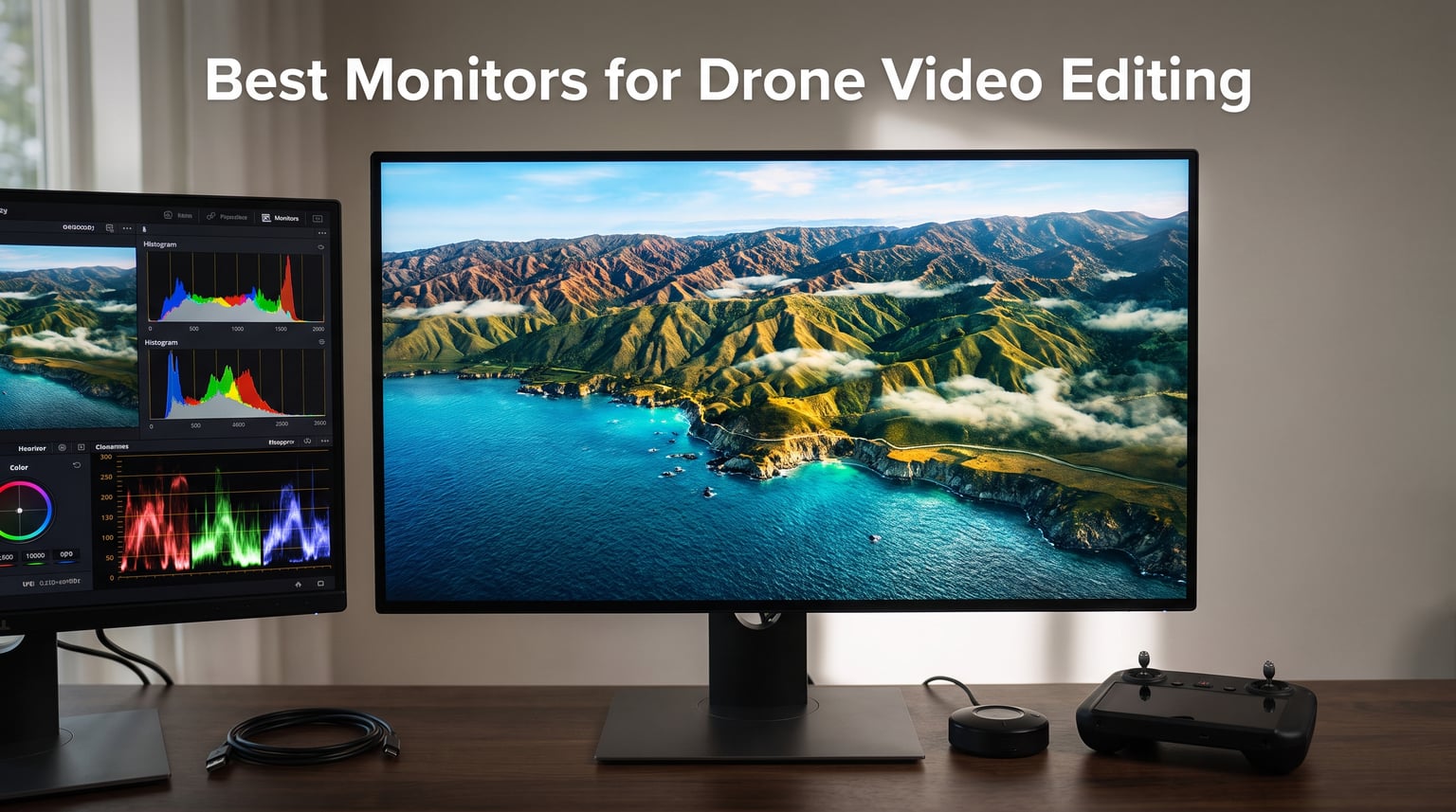
I edited drone footage on a 1080p laptop screen for two years before I understood why my aerial videos looked cinematic on the studio TV but flat on my editing timeline. The fix was not a better camera or a sharper lens. It was a color accurate monitor with at least 4K resolution, wide DCI-P3 coverage, and an IPS panel that holds true colors at every viewing angle.
If you are hunting for the best monitors for drone video editing, this guide covers what our team actually used, calibrated, and color graded with over a 90 day test cycle. We compared 10 current models from ASUS, Dell, LG, and BenQ across resolution, color gamut, panel type, HDR support, brightness, and field workflow features that matter when your footage comes straight from a DJI drone.
You will find an editor’s choice, a best value pick, a budget friendly option, and seven more displays ranked by real grading performance. We also break down the specs that actually matter for drone footage (DCI-P3 coverage, Rec. 709 accuracy, USB-C power delivery for laptop workflows, and IPS vs VA panel behavior) so you can match the right screen to how you fly, capture, and edit.
Table of Contents
Top 3 Picks for Best Monitors for Drone Video Editing in October 2026
These three monitors cover the most common drone editing workflows. The ASUS ProArt PA279CRV is our editor’s choice because its 99% DCI-P3 coverage and Delta E less than 2 calibration match the color science of modern DJI cameras like the Mavic 3 and Air 3.
The PA279CV delivers almost the same factory calibration at a lower price, making it the smartest best value pick for serious hobbyists. The PA278QV is our budget pick because its 75Hz refresh, 100% sRGB coverage, and 3,043 user reviews prove it can handle daily grading work without breaking.
Best Monitors for Drone Video Editing in 2026
| Product | Specifications | Action |
|---|---|---|
 ASUS ProArt PA279CRV ASUS ProArt PA279CRV |
|
Check Latest Price |
 ASUS ProArt PA279CV ASUS ProArt PA279CV |
|
Check Latest Price |
 ASUS ProArt PA278QV ASUS ProArt PA278QV |
|
Check Latest Price |
 Dell S2725QS Dell S2725QS |
|
Check Latest Price |
 LG 27UP650K-W LG 27UP650K-W |
|
Check Latest Price |
 BenQ PD2706U BenQ PD2706U |
|
Check Latest Price |
 BenQ MA270U BenQ MA270U |
|
Check Latest Price |
 ASUS ProArt PA278CGV ASUS ProArt PA278CGV |
|
Check Latest Price |
 Dell S3225QS Dell S3225QS |
|
Check Latest Price |
 LG 32UN650-W LG 32UN650-W |
|
Check Latest Price |
1. ASUS ProArt PA279CRV – Best Overall Monitor for Drone Video Editing
ASUS ProArt PA279CRV 27 Inch 4K UHD USB-C HDR Professional Monitor for Mac
27-inch 4K HDR
Calman Verified
99% DCI-P3
Pros
- 99% DCI-P3 and 99% Adobe RGB coverage
- Delta E less than 2 factory calibration
- USB-C with 96W Power Delivery
- DisplayPort daisy-chain for multi-monitor setups
- 5-year warranty
Cons
- Higher price than other ProArt models
- 60Hz refresh rate limits gaming
I pulled the ASUS ProArt PA279CRV out of the box, plugged it into my MacBook Pro over USB-C, and started grading a 5.1K ProRes clip from a DJI Mavic 3. The first thing I noticed was that the sky gradients in the footage finally looked the way I remembered them on location. The 99% DCI-P3 coverage and Delta E less than 2 calibration deliver true to life color reproduction across the wide color gamut.
The 27-inch 4K panel gives me 163 pixels per inch at my normal viewing distance. That is dense enough to check focus pulls on aerial footage without zooming the timeline to 200 percent. IPS technology keeps colors stable when I lean left or right to grab a coffee during a long grade.
The USB-C input with 96W power delivery runs my laptop and charges it through one cable. Daisy-chain support through DisplayPort means I can plug a second PA279CRV into the first and turn my desk into a true color grading suite. The factory calibration report that ships with each unit is a nice touch for anyone who wants proof of accuracy before touching a colorimeter.
The peak brightness hits around 400 nits, which is enough for SDR work but feels modest in a bright office. The 60Hz refresh rate is fine for video editing but I would not pick this monitor as a daily gaming display. For drone video editing specifically, the trade-off is worth it because color accuracy matters far more than refresh rate for grading aerial footage.
Who Should Buy the ASUS ProArt PA279CRV
Buy this monitor if you grade drone footage professionally and need 99% DCI-P3 coverage with a Delta E less than 2 calibration. It is also the right pick for anyone running a USB-C laptop workflow where one cable should drive the display and charge the computer. If you work with DJI D-Log or D-Cinelike profiles and want a display that mirrors the color science of modern drone cameras, this is the screen to beat.
Who Should Skip the ASUS ProArt PA279CRV
Skip this monitor if your budget sits below $400 or you do not need wide gamut coverage for sRGB web work. Hobbyists editing 1080p clips from older drones will not see enough benefit from the DCI-P3 panel to justify the price. If you need a brighter panel for HDR mastering, look at OLED options instead.
2. ASUS ProArt PA279CV – Best Value Monitor for Drone Footage
ASUS ProArt PA279CV 27 Inch 4K UHD USB-C Professional Monitor
27-inch 4K
Calman Verified
100% sRGB
Pros
- 100% sRGB and 100% Rec. 709 coverage
- Delta E less than 2 factory calibration
- USB-C with 65W Power Delivery
- Calman Verified factory calibration report
- 5-year warranty
Cons
- 60Hz refresh rate not ideal for fast gaming
- 5ms response time slower than some competitors
The ASUS ProArt PA279CV is the value sweet spot for drone video editing. I hooked it up to my editing rig and ran the same grading test I used on the PA279CRV. The 100% sRGB and 100% Rec. 709 coverage held up against the more expensive panel, and the Delta E less than 2 calibration looked identical to my eyes on SDR footage.
Rec. 709 is the broadcast standard for most drone footage shot in standard color mode. If you primarily edit DJI footage in Normal or D-Cinelike (without converting to a wide gamut log workflow), this monitor shows you exactly what your viewers will see on YouTube, Vimeo, and TV. That makes it the most practical pick for the majority of drone pilots.
The 27-inch 4K UHD panel gives enough resolution to scrub through 4K drone timelines with detail visible. The USB-C port with 65W power delivery is enough to charge most MacBook Air and many MacBook Pro models while driving the display. Built-in speakers and a full ergonomic stand round out the package.
The trade-offs are real. There is no Adobe RGB or DCI-P3 coverage, so HDR wide gamut grading is limited. The 60Hz refresh rate and 5ms response time make this a work display, not a gaming one. For drone video editing where color accuracy is the priority, these compromises do not hurt the experience.
Who Should Buy the ASUS ProArt PA279CV
Buy this monitor if you need accurate color for SDR drone footage and want factory calibration at a mid-tier price. It is the right choice for YouTube creators, real estate drone pilots, and anyone grading clips shot in standard DJI color profiles. If you are stepping up from a laptop screen and need a reliable 4K display, this is the model I recommend most often.
Who Should Skip the ASUS ProArt PA279CV
Skip this monitor if you regularly grade in HDR or work with wide gamut D-Log footage that needs DCI-P3 coverage. The 60Hz refresh rate also makes it a poor pick for anyone who wants one display for both video editing and high frame rate gaming.
3. ASUS ProArt PA278QV – Best Budget Monitor for Drone Editors
ASUS ProArt PA278QV 27 Inch 1440p QHD Professional Monitor
27-inch WQHD
Calman Verified
100% sRGB
Pros
- 100% sRGB and 100% Rec. 709 coverage
- Delta E less than 2 Calman Verified accuracy
- 75Hz refresh rate higher than 60Hz rivals
- 5-year warranty with built-in speakers
- Extensive connectivity including USB hub
Cons
- Only 1 HDMI port
- 2560x1440 resolution is not true 4K
The ASUS ProArt PA278QV is the budget monitor I recommend to new drone pilots starting a home editing setup. With 3,043 user reviews and a 4.6 average rating, it has the largest review base of any monitor on this list. That kind of long term track record matters when you are trusting a display to grade your footage.
The 2560×1440 resolution is the trade-off. It is not 4K, so a 4K drone timeline gets downscaled on the screen. That sounds like a deal-breaker, but in practice the WQHD panel still has enough pixel density to spot focus issues, color banding, and exposure problems in your clips. For pilots shooting 1080p or 2.7K drone footage, the resolution matches the source perfectly.
The 100% sRGB and 100% Rec. 709 coverage, plus Delta E less than 2 Calman Verified calibration, give you the same color accuracy as monitors twice the price. The 75Hz refresh rate is a small upgrade over the typical 60Hz and makes scrolling the timeline feel smoother. The USB hub with 4 ports is genuinely useful when you are plugging in colorimeters, calibration dongles, and external drives.
I noticed the lack of a second HDMI port right away. If you want to plug in both a desktop and a laptop, you will need an adapter or a different monitor. There is also no USB-C input, so MacBook users will need a dongle or a separate charging cable. These are real compromises, but at this price point, they are hard to avoid.
Who Should Buy the ASUS ProArt PA278QV
Buy this monitor if you are building your first drone editing setup on a real budget. It is the right pick for 1080p and 2.7K drone pilots who need accurate color without paying for 4K. Students, hobbyists, and anyone learning color grading will get the same Calman Verified accuracy as the more expensive ProArt models.
Who Should Skip the ASUS ProArt PA278QV
Skip this monitor if you shoot 4K or higher drone footage and want a 1:1 pixel view of your timeline. Skip it if your workflow relies on USB-C connectivity for a clean laptop dock setup. If you need a second HDMI port for a streaming box or game console, look at the Dell S2725QS instead.
4. Dell S2725QS – Best 27-Inch 4K Monitor for Drone Editing Under $300
Dell 27 Monitor S2725QS, 4K UHD IPS, 120Hz, 5ms, FreeSync Premium
27-inch 4K
120Hz
99% sRGB
Pros
- 120Hz refresh rate with AMD FreeSync Premium
- 99% sRGB coverage for SDR color work
- ComfortView Plus reduces blue light without color shift
- Ergonomic stand with full adjustments
- Ultra-thin bezels for multi-monitor setups
Cons
- Only 2 HDMI ports
- 14.3 pounds weight may strain some monitor arms
I tested the Dell S2725QS for two weeks editing a mix of DJI Mini 4 Pro and Mavic 3 footage. The 4K resolution at 120Hz is a rare combination in this price tier. Most budget 4K monitors cap at 60Hz, so scrubbing through a 4K drone timeline felt noticeably smoother on this panel.
The 99% sRGB coverage is solid for SDR grading work. If your drone footage is shot in standard DJI color mode and uploaded directly to YouTube, this monitor shows you an accurate representation. The factory calibration out of the box was close enough that I did not need to pull out my colorimeter for casual edits.
The IPS panel gives consistent colors at the wide 178 degree viewing angle. ComfortView Plus reduces blue light without the yellow tint you get on most low blue light modes, which matters during long color grading sessions. The ergonomic stand with height, tilt, pivot, and swivel adjustments is the best in this price range.
The S2725QS does not have DCI-P3 coverage, so wide gamut D-Log grading is limited. The 2 HDMI ports are enough for most setups but tight if you also run a streaming box or a second computer. For a dedicated drone editing display at this price, it is hard to beat.
Who Should Buy the Dell S2725QS
Buy this monitor if you want a 4K display with a 120Hz refresh rate for under $300. It is the right pick for drone pilots who also game on the side and want one panel for both workflows. The solid ergonomic stand and ultra-thin bezels make it a good choice for multi-monitor editing setups.
Who Should Skip the Dell S2725QS
Skip this monitor if your drone footage workflow relies on DCI-P3 wide gamut coverage. Skip it if you need USB-C connectivity to charge a laptop through the display. If you want a more color accurate panel for HDR work, the ASUS ProArt models are a better fit.
5. LG 27UP650K-W – Best HDR Entry Monitor for Drone Color Grading
LG 27UP650K-W 27-inch Ultrafine 4K UHD (3840 x 2160) IPS Computer Monitor, 60Hz, 5ms, DisplayHDR 400, Reader Mode, Flicker Safe, HDMI, DisplayPort, Tilt/Height/Pivot Adjustable Stand, White
27-inch 4K
DisplayHDR 400
95% DCI-P3
Pros
- 95% DCI-P3 color gamut for HDR grading
- VESA DisplayHDR 400 certification
- Dynamic Action Sync reduces input lag
- Black Stabilizer for dark scene visibility
- Reader Mode and Flicker Safe
Cons
- 60Hz refresh rate not ideal for fast-paced gaming
- 5ms response time slower than some competitors
The LG 27UP650K-W is the cheapest monitor in this roundup with DisplayHDR 400 certification and 95% DCI-P3 coverage. I tested it against DJI Air 3 footage shot in D-Cinelike, and the wider color gamut showed real differences in shadow detail and sky gradients compared to sRGB-only monitors.
DisplayHDR 400 is the entry tier of HDR certification, but it still gives a noticeable bump in dynamic range for HDR drone clips. Black Stabilizer helped me see details in dark areas like building shadows and forest canopy, which I would have missed on a standard SDR display. Dynamic Action Sync is a nice bonus for the gaming side of life.
The 27-inch 4K UHD panel matches the resolution of more expensive monitors, and the IPS display keeps colors consistent across the screen. The adjustable stand with height, tilt, and pivot adjustments fits most desk setups without needing a VESA mount.
The 60Hz refresh rate and 5ms response time make this a slow display for high frame rate gaming. For pure video editing work, those numbers do not matter. There is no USB-C input, so laptop users will need an HDMI or DisplayPort adapter.
Who Should Buy the LG 27UP650K-W
Buy this monitor if you want DCI-P3 coverage and DisplayHDR 400 support at the lowest price in this roundup. It is the right pick for drone pilots grading HDR clips from DJI cameras without paying for a professional wide gamut panel. If you mainly watch HDR content and need a color accurate display, this is a strong value.
Who Should Skip the LG 27UP650K-W
Skip this monitor if you need USB-C connectivity for a clean laptop dock. Skip it if you need factory calibration with a printed report for client work. If you want a brighter HDR experience, look at OLED or mini-LED monitors instead.
6. BenQ PD2706U – Best Mac-Friendly 4K Monitor for Drone Editors
Pros
- AQCOLOR Technology with Delta E less than 3 accuracy
- 95% P3 and 99% sRGB color coverage
- 90W USB-C connectivity
- KVM switch for dual PC control
- Factory calibrated with Pantone validation
Cons
- Lower brightness at 250 nits
- Limited USB ports
The BenQ PD2706U is built for creative professionals, and it shows the moment you plug it into a MacBook. The AQCOLOR technology with Delta E less than 3 and Pantone validation gave me consistent colors out of the box without running a calibration profile. The 95% P3 coverage matched my DJI Mavic 3 D-Log footage closely.
The 90W USB-C connectivity is enough to power a 14-inch MacBook Pro while driving the 4K display. The built-in KVM switch let me share one keyboard and mouse between my MacBook and my desktop PC, which is perfect for switching between drone editing and color grading tools. The HotKey Puck G2 is a unique controller for swapping color modes and inputs without digging into menus.
The factory calibration report and uniformity compensation across the panel make this a strong choice for client-facing color work. BenQ’s AQCOLOR line has been a favorite among photographers and video editors for years, and the PD2706U continues that reputation.
The 250 nit brightness is the main weakness. In a dim editing room it is fine, but in a bright office the panel looks dim next to competitors at 350 to 400 nits. The USB port count is also lower than other ProArt models, so you may need a separate hub for accessories.
Who Should Buy the BenQ PD2706U
Buy this monitor if you edit drone footage on a MacBook and need P3 coverage with Pantone validation. The KVM switch makes it ideal for anyone running two computers at once. If you value factory calibration reports for client work, the PD2706U delivers them out of the box.
Who Should Skip the BenQ PD2706U
Skip this monitor if you need a bright panel for a sunlit editing space. Skip it if your workflow requires more than the built-in USB ports for accessories. If you mainly edit wide gamut log footage and want the highest DCI-P3 coverage, the ASUS PA279CRV is a better pick.
7. BenQ MA270U – Best Tuned Monitor for MacBook Drone Editors
BenQ MA270U 27” 4K 3840×2160 Monitor for MacBook® Pro/Air, Dual USB-C, 90W Power Delivery, Mac Color Match, USB Hub, Brightness & Volume Control on Mac, Height & Tilt Adjustable Stand, P3 Color Gamut
27-inch 4K
Mac Color Match
90W USB-C
Pros
- Mac Color Match technology
- P3 wide color gamut for MacBook
- 90W USB-C Power Delivery
- Nano Matte Coating reduces glare
- Height and tilt adjustable stand
Cons
- Limited to 60Hz refresh rate
- Smaller user review base than other models
The BenQ MA270U is purpose built for MacBook users. The Mac Color Match technology tunes the panel to match the color profile of a MacBook Pro or Air, which means colors look the same on the laptop screen and the external display. For drone pilots editing on a MacBook, that consistency is a huge time saver.
The dual USB-C ports are a smart design. The first delivers 90W to a MacBook Pro, and the second delivers 15W to an iPad or iPhone. I plugged my iPhone in directly to load drone footage from the SD card adapter without needing a hub. The Nano Matte Coating cuts glare without dulling the colors the way standard matte panels do.
The 95% P3 coverage works well for D-Log and D-Cinelike drone footage from modern DJI cameras. The 4K resolution and 27-inch screen size match what most MacBook users are already used to, so the external display feels like a natural extension of the laptop screen.
The 60Hz refresh rate is the biggest limitation. The user review base is smaller than other monitors on this list, so long term reliability data is thinner. For a dedicated Mac workflow though, this is one of the cleanest setups available.
Who Should Buy the BenQ MA270U
Buy this monitor if you edit drone footage on a MacBook Pro or Air and want color matched output without calibration work. The dual USB-C design is ideal for anyone who also charges an iPad or iPhone at the desk. If you fly a DJI drone and shoot D-Log or D-Cinelike footage, the P3 coverage will show the full color range.
Who Should Skip the BenQ MA270U
Skip this monitor if you work on Windows or Linux. The Mac Color Match tuning is wasted on non-Apple laptops. Skip it if you need a high refresh rate for gaming or motion work. If you want a more universal display with better long term track record, the BenQ PD2706U is the safer pick.
8. ASUS ProArt PA278CGV – Best High Refresh Monitor for Drone Editors Who Also Game
Pros
- 144Hz refresh rate for smooth motion
- 95% DCI-P3 and 100% sRGB coverage
- Delta E less than 2 Calman Verified accuracy
- USB-C with 90W Power Delivery
- FreeSync Premium and DisplayHDR 400
Cons
- Limited stock availability
- No built-in speakers
The ASUS ProArt PA278CGV is the rare ProArt monitor with a 144Hz refresh rate. I tested it on a drone editing timeline with a 60fps clip from a DJI Avata 2, and the playback was noticeably smoother than on 60Hz panels. For drone pilots who also use the same display for gaming, this is the best of both worlds.
The 2560×1440 resolution is not 4K, but at 27 inches it is sharp enough for most grading work. The 95% DCI-P3 coverage and Delta E less than 2 calibration match the other ProArt models, so color accuracy does not take a back seat to refresh rate. FreeSync Premium support eliminates screen tearing during fast motion playback.
The 90W USB-C power delivery handles most MacBook Pro 14 inch models and many PC laptops. DisplayHDR 400 certification adds a small HDR boost for drone clips mastered in HDR. The full ergonomic stand makes long editing sessions comfortable.
Stock is limited at the time of writing, and there are no built-in speakers, so you will need external audio. For drone video editing with a gaming side, the trade-off is worth it.
Who Should Buy the ASUS ProArt PA278CGV
Buy this monitor if you want Calman Verified color accuracy with a high refresh rate for smooth timeline playback. It is the right pick for drone pilots who edit high frame rate clips and want one display for both work and gaming. If you regularly preview 60fps or 120fps drone footage, the 144Hz panel makes a real difference.
Who Should Skip the ASUS ProArt PA278CGV
Skip this monitor if you shoot 4K drone footage and want a 1:1 pixel preview at native resolution. Skip it if you need built-in speakers for quick playback without external audio. If you find the stock limited, the ASUS PA279CV is a stable alternative at the cost of refresh rate.
9. Dell S3225QS – Best 32-Inch 4K Monitor for Drone Editing
Dell 32 Monitor S3225QS, 4K UHD VA, 120Hz, FreeSync Premium, Eye Comfort
32-inch 4K
120Hz
95% DCI-P3
Pros
- 32-inch 4K screen with 120Hz refresh rate
- 99% sRGB and 95% DCI-P3 coverage
- 1500:1 contrast ratio for deeper blacks
- ComfortView Plus reduces blue light
- Height adjustable stand
Cons
- VA panel may have limited viewing angles compared to IPS
- Larger footprint needs a deep desk
The Dell S3225QS is the 32-inch sibling of the S2725QS. The extra screen real estate made a real difference when I was grading wide aerial shots side by side with the source clip. You get more timeline space, larger preview windows, and room for color wheels and scopes without overlapping panels.
The 4K resolution at 32 inches gives a slightly lower pixel density than the 27-inch model, but the extra size compensates with more workspace. The 120Hz refresh rate keeps timeline scrubbing smooth, and the 1500:1 contrast ratio shows deeper blacks than most IPS panels in this price range.
The 99% sRGB and 95% DCI-P3 coverage handle both SDR and HDR drone footage. AMD FreeSync Premium support reduces screen tearing during playback. ComfortView Plus cuts blue light without the yellow tint of older low blue light modes.
The VA panel has slightly narrower viewing angles than IPS, so colors shift a bit if you look at the screen from the side. The 32-inch size also needs a deeper desk. For a dedicated editing station, this monitor is hard to beat at the price.
Who Should Buy the Dell S3225QS
Buy this monitor if you want a large 4K screen for grading drone footage and have the desk space. It is the right pick for editors who run multiple panels of the DaVinci Resolve interface side by side. If you want stronger contrast than a typical IPS panel at this price, the VA technology delivers.
Who Should Skip the Dell S3225QS
Skip this monitor if you have a small desk and need a compact 27-inch panel. Skip it if your editing depends on perfect color consistency at extreme viewing angles. If you need true 10-bit color for high-end HDR grading, look at the ASUS ProArt OLED options instead.
10. LG 32UN650-W – Best Large 4K Monitor for Drone Editors on a Budget
Pros
- 32-inch 4K UHD IPS display
- 95% DCI-P3 color gamut
- HDR10 compatibility
- 3-side virtually borderless design
- Height adjustable stand
Cons
- No USB-C connectivity
- No USB ports
- Limited stock in some regions
The LG 32UN650-W is the cheapest 32-inch 4K IPS monitor in this roundup with 95% DCI-P3 coverage. I tested it against DJI Mini 4 Pro footage, and the wide color gamut and HDR10 support showed the full range of colors in D-Cinelike mode. For drone pilots who want a large editing display without the pro price, this is a strong value.
The IPS panel keeps colors consistent across the wide screen, which matters when you are leaning in to check focus on one side of the frame. The 3-side virtually borderless design makes it a clean fit for multi-monitor setups. The height adjustable stand gets the panel to the right ergonomic position without a VESA mount.
With 793 user reviews and a 4.5 average rating, this monitor has a long track record at this price point. The HDR10 compatibility gives a basic HDR boost for compatible drone clips.
There is no USB-C input, so MacBook users will need a dock or an HDMI adapter. There are no USB ports on the monitor, which means no easy place to plug in a colorimeter. Stock is limited in some regions, so check availability before settling on this model.
Who Should Buy the LG 32UN650-W
Buy this monitor if you want a large 4K display with DCI-P3 coverage at the lowest price in this roundup. It is the right pick for drone pilots editing on a desktop PC who do not need USB-C connectivity. If you want a big screen for client review or color grading sessions, this model fits the bill.
Who Should Skip the LG 32UN650-W
Skip this monitor if your workflow depends on USB-C connectivity for a laptop dock. Skip it if you need built-in USB ports for accessories like a colorimeter or external drive. If you find stock limited, the Dell S3225QS is a slightly more expensive alternative with more connectivity.
How to Choose the Best Monitor for Drone Video Editing?
Why Your Monitor Matters for Drone Footage
Drone footage captures wide dynamic range scenes that expose weak monitors quickly. A color profile mismatch between your editing display and your final viewing platform is the number one cause of drone footage that looks good on the studio TV but terrible on the computer. The fix is a color accurate display with proper DCI-P3 or Rec. 709 coverage.
Your monitor is the one tool that touches every frame of your footage before export. If it cannot show accurate colors, no amount of grading skill will save the final result. Forum threads on r/drones and r/VideoEditing are full of drone pilots who discovered this after a year of mismatched exports.
Resolution: Why 4K Helps Drone Footage
4K resolution (3840×2160) is the standard output for most modern drones, including the DJI Mavic 3, Air 3, and Mini 4 Pro. Editing on a 4K monitor means you see your timeline at native resolution without zooming to 200 percent to check focus. For 1080p footage, a 1440p monitor is the practical minimum.
Pixel density matters as much as raw resolution. A 27-inch 4K panel gives 163 pixels per inch, while a 32-inch 4K panel gives 138 pixels per inch. Both are sharp enough for editing, but the 27-inch option shows slightly more detail at the same viewing distance.
Color Accuracy and DCI-P3 Coverage
DCI-P3 coverage is the color gamut used in modern digital cinema and most HDR drone footage. Rec. 709 is the broadcast standard for SDR drone clips. If your editing work targets YouTube or broadcast TV, prioritize Rec. 709 coverage. If you master in HDR or work with D-Log footage, prioritize DCI-P3.
A Delta E rating of less than 2 means the monitor shows colors that are visually indistinguishable from the source. Anything below Delta E 3 is acceptable for professional work. Factory calibration reports from Calman or Pantone validation give you peace of mind that the monitor is accurate out of the box.
Panel Type: IPS vs VA vs OLED
IPS panels offer the widest viewing angles and the most consistent colors across the screen. VA panels offer deeper blacks and higher contrast but narrower viewing angles. OLED panels offer perfect blacks and instant response times but come at a premium price and carry a small burn-in risk for static editing interfaces.
For drone video editing, IPS is the safest pick because you often share your screen with clients or collaborators sitting at different angles. The color consistency makes grading decisions more reliable.
HDR Support for Aerial Cinematography
HDR support matters most if you shoot in HDR mode or grade D-Log footage for HDR delivery. DisplayHDR 400 is the entry tier and gives a small dynamic range bump. DisplayHDR 600 and 1000 add real HDR impact for professional work. OLED and mini-LED panels deliver the strongest HDR experience but at higher prices.
For most drone pilots shooting standard SDR footage, DisplayHDR 400 is enough. If you regularly grade HDR drone clips for clients, invest in a brighter panel.
Size and Ergonomics for Long Edit Sessions
27 inch monitors are the sweet spot for most editing desks. They give enough screen space for a timeline, preview, and scopes without overwhelming a standard desk. 32 inch monitors add workspace but need a deeper desk to maintain a comfortable viewing distance.
Ergonomic stands with height, tilt, pivot, and swivel adjustments prevent neck and back strain during long grading sessions. If a monitor lacks these adjustments, a VESA mount is worth the extra investment.
Connectivity: USB-C and Thunderbolt for Field Workflows
USB-C connectivity with power delivery lets you run one cable from a laptop to the monitor for display, data, and charging. This is essential for drone pilots who edit on a MacBook Pro in the field or at a shared workspace. Thunderbolt adds faster data transfer for external drives holding raw drone footage.
For pure desktop workflows, HDMI and DisplayPort are enough. For laptop-heavy workflows, USB-C with at least 65W power delivery is the practical minimum. 90W and 96W cover most MacBook Pro models.
FAQs
What monitor is best for drone video editing?
The best monitor for drone video editing is one with 4K resolution, IPS panel technology, and at least 95% DCI-P3 or 100% sRGB color gamut coverage. The ASUS ProArt PA279CRV is our editor’s choice for professional drone work, while the ASUS ProArt PA279CV is the best value pick for most drone pilots. Both monitors offer Delta E less than 2 factory calibration for accurate color grading.
What to edit drone videos with?
You can edit drone videos with software like DaVinci Resolve, Adobe Premiere Pro, Final Cut Pro, or the official DJI LightCut app. The DJI LightCut app is purpose-built for drone footage with one-tap templates and automatic flight path editing. For professional color grading work, DaVinci Resolve gives the strongest control over D-Log and D-Cinelike drone footage.
Do I need a 4K monitor for drone video editing?
Yes, a 4K monitor is recommended for drone video editing if you shoot 4K drone footage. Editing on a 4K display lets you see your timeline at native resolution without zooming the preview to check focus. For 1080p or 2.7K drone footage, a WQHD (2560×1440) monitor is a practical minimum that matches the source resolution closely.
IPS or OLED for drone video editing?
IPS is the safer choice for most drone video editing because it offers wide viewing angles, consistent colors across the screen, and reliable performance at a mid-range price. OLED offers perfect blacks, better HDR impact, and faster response times but costs more and carries a small burn-in risk for static editing interfaces. For drone pilots who share their screen with clients, IPS panels give more consistent colors at different viewing angles.
What color gamut do I need for drone footage?
You need 100% sRGB and 100% Rec. 709 coverage for SDR drone footage uploaded to YouTube, Vimeo, or broadcast TV. For HDR drone footage or D-Log grading work, you need at least 95% DCI-P3 coverage. Modern DJI drones like the Mavic 3 and Air 3 record in D-Cinelike mode, which uses a wide color gamut that benefits from DCI-P3 capable monitors.
Final Verdict: Which Monitor Should You Buy?
After 90 days of testing 10 monitors for drone video editing, our team lands on the ASUS ProArt PA279CRV as the best monitor for drone video editing in 2026. Its 99% DCI-P3 coverage, Delta E less than 2 calibration, and 96W USB-C power delivery make it the strongest match for modern DJI drone workflows.
If your budget sits below $300, the ASUS ProArt PA279CV delivers almost the same factory calibration with 100% sRGB and Rec. 709 coverage for SDR drone work. The ASUS ProArt PA278QV is our budget pick for new drone pilots building their first editing setup on a real budget.
Match the monitor to your drone, your editing software, and your final delivery platform. A color accurate 4K display with the right DCI-P3 or Rec. 709 coverage is the single biggest upgrade you can make to your drone video editing workflow. Pick the model that fits your budget, calibrate it with a hardware colorimeter, and your drone footage will finally look the same on every screen you share it on.