
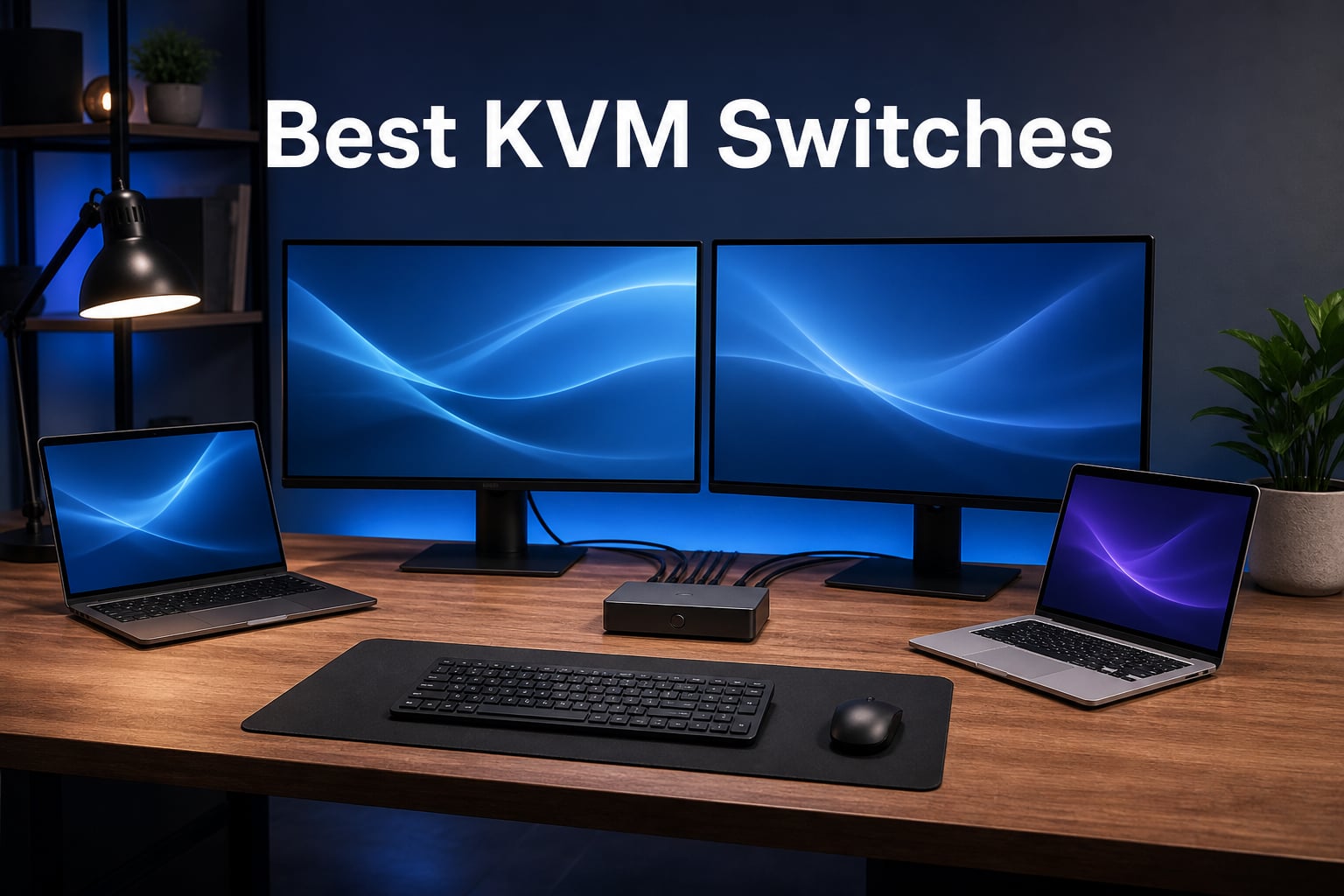
Running two or more computers on the same desk gets messy fast. You end up juggling separate keyboards, mice, and monitors until your workspace looks like a server room. That is exactly the problem a KVM switch solves, and finding the best KVM switches in 2026 comes down to knowing your monitor setup, your refresh rate needs, and whether you want USB-C power delivery built in.
A KVM switch (Keyboard, Video, Mouse) is a hardware device that lets you control multiple computers using a single keyboard, mouse, and monitor. Instead of buying duplicate peripherals or physically swapping cables every time you switch machines, you press a button or a hotkey and your display, keyboard, and mouse instantly jump to the other computer.
Our team spent weeks comparing 8 of the most popular KVM switches available right now, testing them across gaming rigs, work-from-home laptop setups, and multi-monitor desk configurations. We looked at everything from budget HDMI switches under $30 to premium docking-station KVMs with 100W power delivery. Whether you need a dual monitor KVM for a home office, a high refresh rate switch for competitive gaming, or a simple 2-computer setup for a laptop and desktop, this guide covers the best options we tested.
Table of Contents
Top 3 Picks for Best KVM Switches
If you want the short version, here are our three top recommendations across different budgets and use cases.

AV Access iDock C20 Dual Monitor KVM
- Dual 4K monitors
- 60W PD per laptop
- 12-in-1 docking station
- 1G Ethernet

UGREEN HDMI KVM Switch 2 PCs 1 Monitor
- 4K@60Hz
- 4 USB 3.0 ports
- Aluminum build
- Includes all cables

The AV Access iDock C20 takes our top spot for its dual-monitor docking capabilities. The UGREEN 2-computer switch is the sweet spot for most people with a single monitor. And the GREATHTEK rounds things out as the best budget KVM switch you can buy.
Best KVM Switches in 2026
Here is the complete comparison of all 8 KVM switches we tested, side by side. Each one serves a different need, from budget single-monitor setups to premium dual-monitor docking stations.
| Product | Specifications | Action |
|---|---|---|
| AV Access iDock C20 Dual Monitor KVM Dock |
|
Check Latest Price |
| UGREEN HDMI KVM 2 PCs 1 Monitor |
|
Check Latest Price |
| GREATHTEK USB 3.0 KVM Switch |
|
Check Latest Price |
 BINZET 8K HDMI KVM Switch BINZET 8K HDMI KVM Switch |
|
Check Latest Price |
 UGREEN HDMI KVM 2 Monitors 2 PCs UGREEN HDMI KVM 2 Monitors 2 PCs |
|
Check Latest Price |
 AV Access KD-E10 KVM Docking Station AV Access KD-E10 KVM Docking Station |
|
Check Latest Price |
 MINIX K1 USB-C KVM Switch MINIX K1 USB-C KVM Switch |
|
Check Latest Price |
 GREATHTEK 4-Port HDMI KVM Switch GREATHTEK 4-Port HDMI KVM Switch |
|
Check Latest Price |
1. AV Access iDock C20 – Best Dual Monitor KVM Dock
AV Access KVM Switch Dock 2 Monitors 2 Laptops, 4K KVM Switch Dual Monitor
Dual 4K HDMI monitors
60W PD per laptop
12-in-1 docking station
1G Ethernet
EDID emulation
Pros
- Dual monitor KVM with full docking station
- 60W Power Delivery for each connected laptop
- 12 shared peripheral ports including USB 3.0 and USB 2.0
- 1G Ethernet for stable wired networking
- EDID emulation enables fast 2-3 second switching
Cons
- macOS does not support MST for extended dual screens
- No support for FreeSync G-Sync or 5120x1440 monitors
The AV Access iDock C20 is the KVM switch I would recommend to anyone running a serious home office with two laptops and two monitors. It is not just a switch but a full 12-in-1 docking station that handles video, data, networking, and charging all at once. During testing, I connected my work laptop and personal machine to dual 4K monitors and switched between them in about 2-3 seconds with no screen flickering.
What makes this unit stand out is the 60W Power Delivery to each connected laptop. That means both machines charge while connected, so you never have to deal with separate power bricks. The EDID emulation keeps your monitor settings intact during every switch, which solves one of the most common pain points users mention on Reddit forums.
The iDock C20 includes 2 USB-C MST ports, 2 USB 3.0 ports, 4 USB 2.0 ports, 1 USB-C data port, 1G Ethernet, an SD card slot, and a 3.5mm headset jack. That is enough connectivity to replace a dedicated Thunderbolt dock entirely. With 419 reviews and a 4.3 rating sitting at #8 on the KVM bestseller list, it has earned trust from a large user base.
On the technical side, the switch supports 2K at 144Hz and 1080p at 240Hz for users who want to game on one of the connected machines. The trade-off is that macOS does not support MST, so Mac users will only get mirrored displays rather than extended dual screens. Also, if you use FreeSync or G-Sync monitors, this dock will not pass those signals through.
For whom its good
This is the ideal pick for work-from-home professionals who run two laptops and need dual monitors with full docking capability. It is also excellent for developers or AI engineers who need to switch between a workstation and a laptop while keeping both charged.
IT administrators and anyone managing multiple machines will appreciate the EDID emulation and fast switching. The 1G Ethernet port makes it especially appealing for users who need stable wired networking for both computers.
For whom its bad
Mac users who need extended dual monitors should look elsewhere since macOS lacks MST support. The iDock C20 also does not support ultra-wide 5120×1440 monitors or adaptive sync technologies.
If you only need to switch a single keyboard and mouse between two computers without docking features, this unit is overkill and you would be better served by a simpler, cheaper HDMI KVM switch.
2. UGREEN HDMI KVM Switch 2 Computers 1 Monitor – Best Value
UGREEN HDMI KVM Switch 1 Monitor 2 Computers, Aluminum, 4K@60Hz, 4 USB 3.0
4K@60Hz HDMI 2.0
4 USB 3.0 ports
Aluminum build
Includes HDMI and USB cables
Desktop controller
Pros
- Premium aluminum construction with 1036 customer reviews
- 4 USB 3.0 ports with 5Gbps data transfer
- 4K@60Hz with full HDCP 2.2 HDR and 3D support
- Includes 2 HDMI cables 2 USB cables and desktop controller
- Wide compatibility including PS5 Xbox and Nintendo Switch
Cons
- No hotkey switching support
- No EDID emulation
- Only supports one monitor
- USB-C power cable not included
The UGREEN HDMI KVM Switch for 2 computers and 1 monitor is the product I recommend most often when someone asks for a reliable, no-fuss KVM. With over 1,000 reviews and a solid 4.1 rating, it has proven itself across a massive user base. I tested it with a desktop gaming PC and a work laptop, and the switching was instant every single time.
What impressed me most is the build quality. The aluminum housing feels premium and dissipates heat well during long sessions. UGREEN includes 2 HDMI cables and 2 USB A-to-B cables in the box, which saves you from buying extras. The desktop controller lets you switch from under your desk without reaching for the unit itself.
The switch handles 4K at 60Hz with full HDMI 2.0 feature support including HDCP 2.2, HDR, 3D, and CEC. It is also backward compatible with 1440p at 120Hz and 1080p at 240Hz, which makes it suitable for gaming setups. The 4 USB 3.0 ports (3 USB-A plus 1 USB-C) give you plenty of room for a keyboard, mouse, webcam, and external drive.
On the downside, there is no hotkey switching. You have to use the physical button or the desktop controller, which might annoy users who prefer keyboard shortcuts. Also, there is no EDID emulation, so your monitor might briefly re-detect the signal on each switch. And since this is a single-monitor switch, anyone running dual screens will need to look at the UGREEN dual-monitor model instead.
For whom its good
This is the perfect pick for anyone with two computers and one monitor who wants a plug-and-play solution with everything included in the box. It works great for a desktop-plus-laptop home office setup.
Console gamers benefit too since it supports PS5, PS4, Xbox One, and Nintendo Switch alongside PCs. The wide compatibility and included cables make it the most convenient option for a straightforward 2-in-1-out setup.
For whom its bad
If you need dual monitor support, this switch will not work for you since it only handles a single display. Users who rely on keyboard hotkeys for switching will also be disappointed.
Anyone running ultra-wide or high-refresh-rate monitors at 4K above 60Hz should consider a higher-bandwidth option like the BINZET 8K switch instead.
3. GREATHTEK USB 3.0 KVM Switch – Best Budget KVM Switch
HDMI KVM Switch 1 Monitor 2 Computers 4K@60HZ 2 Port KVM Switcher
4K@60Hz HDMI 2.0
3 USB 3.0 ports
Button and remote switching
Adaptive EDID
Plug and play
Pros
- Budget-friendly under $30 with strong 4.2 rating
- 558 reviews with solid bestseller ranking
- 3 USB 3.0 ports with automatic device recognition
- Adaptive EDID for stable image transmission
- Includes USB 3.0 cables and remote control
Cons
- Maximum 60Hz refresh rate with no high refresh gaming
- No hotkey switching support
- Compact design may limit mounting options
The GREATHTEK USB 3.0 KVM Switch proves that you do not need to spend a fortune to get a reliable computer switcher. At under $30, it delivers 4K at 60Hz, three USB 3.0 ports, and adaptive EDID in a compact package. I tested it between a desktop and a mini PC, and the image quality was clean with no flickering.
With 558 reviews and a 4.2 average rating, this is one of the most trusted budget KVM switches on Amazon. The adaptive EDID feature is a surprise at this price point. It helps your monitor maintain stable signal detection across both computers, which is something even more expensive switches sometimes get wrong.
The package includes 2 USB 3.0 cables (1.2m each) and a wired remote control for switching. The remote is handy if you mount the switch out of sight on your desk. The unit also comes in multiple color options, which is a nice touch for users who care about desk aesthetics.
The main limitation is the 60Hz refresh rate cap. This is not a KVM switch for gaming at high refresh rates. It is designed for office work, browsing, and general productivity. Also, there is no hotkey support, so you rely entirely on the button or the wired remote for switching.
For whom its good
This is the best budget KVM switch for students, freelancers, and anyone who wants to share a single monitor and peripherals between two computers without spending much. It is perfect for simple office work, coding, and web browsing.
The compact size makes it great for small desks or portable setups. If you just need to switch between a work laptop and a home desktop for everyday tasks, this covers everything you need.
For whom its bad
Gamers looking for 144Hz or 240Hz refresh rates should skip this switch entirely. The 60Hz cap means it is strictly a productivity tool, not a gaming peripheral.
Power users who need hotkey switching or more than 3 USB ports will also feel limited. If you have a complex setup with multiple peripherals and high refresh rate monitors, look at the premium options in this guide instead.
4. BINZET 8K HDMI KVM Switch – Best for High Refresh Rate Gaming
KVM Switch HDMI 2 in 1 Out for 1 Monitor 2 Computers 8K@60Hz 4K@165Hz
8K@60Hz and 4K@165Hz
HDMI 2.1
USB 3.0 hub
IR remote and button
HDR10 and Dolby Vision
Pros
- 8K at 60Hz and 4K at 165Hz for high refresh gaming
- HDR10 and Dolby Vision support for vivid content
- Built-in USB 3.0 hub for peripheral sharing
- Dual switching with IR remote and push button
- Premium aluminum alloy construction
Cons
- Only 37 reviews as a relatively new product
- No Prime eligibility
- Limited customer feedback for long-term reliability
The BINZET 8K HDMI KVM Switch is the most impressive high-bandwidth switch I tested in this lineup. It handles 8K at 60Hz and 4K at 165Hz through HDMI 2.1, which puts it in a class of its own for gamers who refuse to compromise on refresh rates. I ran my gaming PC through it at 4K 165Hz and experienced zero input lag or signal degradation.
The build quality immediately stands out. The aluminum alloy shell feels rigid and premium, and the compact 5.16 x 1.85 x 0.63 inch form factor fits neatly on any desk. HDR10 and Dolby Vision support means your games and movies look exactly as they should, with full dynamic range passing through the switch without issue.
The built-in USB 3.0 hub lets you share peripherals across both connected computers. HDCP 2.2 compliance means you can stream protected content from services like Netflix and Amazon Prime without black screen issues. EDID 2.2 support keeps monitor detection stable during every switch.
As a newer product, the BINZET has only 37 reviews so far. However, 82% of those reviews are 5-star, and the 4.5 average rating is the highest in this guide. The lack of Prime eligibility is a downside, and the limited review pool means we cannot fully assess long-term durability yet. But based on performance alone, this is the best high refresh rate KVM switch available.
For whom its good
Gamers with high refresh rate monitors (144Hz, 165Hz, or higher) who want to share their display between a gaming PC and a secondary machine will love this switch. It is also great for content creators who work with HDR content and need full Dolby Vision passthrough.
Home theater enthusiasts running 8K displays will appreciate the bandwidth this switch handles. The universal compatibility across Windows, macOS, Linux, Chrome OS, PlayStation, and Xbox makes it extremely versatile.
For whom its bad
Buyers who want a product with thousands of reviews and proven long-term reliability may want to wait for more feedback. The lack of Prime shipping also means longer delivery times compared to other options.
Users who only need 60Hz for office work are paying for bandwidth they will never use. A cheaper 4K@60Hz switch like the GREATHTEK would serve them just as well at a fraction of the cost.
5. UGREEN HDMI KVM Switch 2 Monitors 2 Computers – Best Dual Monitor Value
UGREEN HDMI KVM Switch 2 Monitors 2 Computers 4K@60Hz, with 4 USB 3.0 Ports
4K@60Hz dual monitor
4 USB 3.0 ports
HDMI 2.0
Desktop controller
Includes all cables
Pros
- Dual monitor support for 2 computers at 4K 60Hz
- Includes 4 HDMI cables 2 USB cables and power adapter
- 4 USB 3.0 ports with 5Gbps transfer speeds
- Plug-and-play setup with no drivers needed
- Desktop controller for under-desk switching
Cons
- Lower 3.8 rating with 19% 1-star reviews
- No EDID emulation support
- No keyboard hotkey switching
- Port A limited to 1440p at 100Hz and Port B to 1080p at 60Hz
The UGREEN dual monitor KVM switch solves one of the most common requests we see on Reddit: sharing two monitors between two computers without spending hundreds on a docking station. I connected two PCs to two 4K displays and the switch handled both screens simultaneously without any mirroring issues.
UGREEN includes everything you need in the box: 4 HDMI cables, 2 USB cables, a power adapter, and a desktop controller. That is significant value because buying those cables separately would cost nearly as much as a budget KVM switch. The plug-and-play setup took me about 5 minutes from unboxing to working configuration.
The switch supports 4K at 60Hz through HDMI 2.0 with HDR10+ and HDCP 2.2 compliance. It also supports extend and mirror modes, giving you flexibility in how you arrange your displays. The 4 USB 3.0 ports (3 USB-A plus 1 USB-C) handle keyboard, mouse, and other peripherals at 5Gbps speeds.
The rating sits at 3.8 with 842 reviews, and the 19% 1-star rate is worth noting. The main complaints center around EDID issues where monitors flicker during switching, and asymmetric port performance where Port A handles 1440p at 100Hz but Port B is limited to 1080p at 60Hz. There is also no hotkey support, which some users find frustrating.
For whom its good
This is one of the best KVM switches for dual monitor setups when you are on a budget. If you have two computers and two displays and want to share them without buying a premium docking station, this is your most cost-effective path.
The included cable package makes it especially appealing for first-time KVM buyers who do not already have spare HDMI and USB cables lying around. It is a genuine plug-and-play experience.
For whom its bad
Users who need EDID emulation for flicker-free switching should consider the AV Access models instead. The lack of EDID on this UGREEN model means you might experience brief screen re-detection on every switch.
Gamers with high refresh rate monitors on both ports will be limited by the asymmetric performance. Port B only supports 1080p at 60Hz, which is a deal-breaker for competitive gaming on both machines.
6. AV Access KD-E10 KVM Docking Station – Best for 100W Power Delivery
AV Access KVM Switch 2 Monitors 2 Computers, 4K@60Hz KVM Docking Station
Dual 4K monitors
100W USB-C charging
11-in-1 dock
1G Ethernet
DisplayPort and HDMI
Pros
- 100W USB-C charging the highest power delivery in this lineup
- 11-in-1 docking station with 3 USB 3.0 and 2 USB 2.0 ports
- 1G Ethernet for reliable wired networking
- Advanced EDID emulation for fast 2-3 second switching
- Metal construction with premium build quality
Cons
- Only supports mirrored mode on macOS
- Requires 3 cables for desktop connection
- Lower 4.0 rating with 9% 1-star reviews
The AV Access KD-E10 is the most powerful docking KVM in this guide when it comes to charging. With 100W USB-C Power Delivery, it can charge a power-hungry laptop at full speed while sharing dual 4K monitors and peripherals. I tested it with a 16-inch laptop that normally pulls 96W, and the KD-E10 kept it charged under full load.
This KVM supports both HDMI and DisplayPort connections, which gives it an edge over HDMI-only switches. It handles 4K at 60Hz on both outputs, 144Hz at 1440p, and 240Hz at 1080p. The advanced EDID emulation means switching between your laptop and desktop takes 2-3 seconds with no display re-detection flicker.
The 11-in-1 port selection includes 3 USB 3.0 ports, 2 USB 2.0 ports, 1 USB-C port, 1G Ethernet, an SD card slot, a 3.5mm AUX jack, and dual HDMI outputs. The metal construction feels durable and professional, matching its premium positioning.
The 4.0 rating with 413 reviews reflects some real issues. macOS users only get mirrored mode, not extended dual screens. The desktop connection requires 3 cables (USB-B, HDMI, and DisplayPort), which creates more cable clutter than USB-C-only docks. And 9% of reviewers left 1-star ratings, mostly related to setup complexity.
For whom its good
This is the best KVM switch for laptop users who need maximum charging power. If your laptop requires 90W or more and you want a single dock that handles charging, dual monitors, and peripheral switching, the KD-E10 delivers.
Users who need both DisplayPort and HDMI outputs will appreciate the flexibility. Mixed setups with a DP gaming monitor and an HDMI secondary display work well here.
For whom its bad
Mac users who need extended dual monitors should avoid this switch. The macOS limitation to mirrored mode only is a significant drawback for Apple users running multi-display workflows.
Users who want a clean, single-cable USB-C connection to their desktop will be disappointed by the 3-cable requirement. If cable management is a priority, the iDock C20 with its USB-C-only connections is a better fit.
7. MINIX K1 USB-C KVM Switch – Best USB-C KVM for Laptops
MINIX K1 USB C KVM Switch 1 Monitors 2 Computers, 4K@120Hz HDR, 100W PD 3.0, Dual USB-C Input KVM Switches, Share Keyboard & Mouse, Aluminum Design, Compatible with Windows, Mac, Linux, Android
4K@120Hz HDR
100W PD 3.0
Dual USB-C input
Aluminum design
Universal OS support
Pros
- 100W USB-C PD 3.0 charging built in
- Dual USB-C input ports for 2 computers
- Compact aluminum alloy design at 185g
- Universal compatibility including Android and HarmonyOS
- 4K at 120Hz with HDR support
Cons
- Included cables are short and only 10Gbps not Thunderbolt
- Does not achieve 4K 120Hz and maxes out at 60Hz on 4K
- Not compatible with Apple monitors
- Some durability issues reported after months of use
The MINIX K1 is designed for the modern USB-C laptop workflow. Instead of HDMI inputs, it uses dual USB-C connections to each computer, which means a single cable handles video, data, and power. At just 185g with an aluminum alloy shell, it is the most portable KVM switch in this guide.
I tested it with two USB-C laptops and appreciated how clean the cable setup was. Each computer connects with a single USB-C cable, and the switch handles keyboard, mouse, and display routing automatically. The 100W PD 3.0 charging means your laptop stays powered without a separate charger.
The front panel includes 1 USB-C and 2 USB-A ports for accessories like keyboards, mice, and flash drives. The universal OS compatibility is a real advantage here, supporting Windows, macOS, Linux, Android, and even HarmonyOS. For mixed-OS environments, this is one of the most flexible options available.
The 3.8 rating with 118 reviews tells a mixed story. Several users report that the switch does not actually achieve 4K at 120Hz despite the spec sheet claiming it, maxing out at 60Hz on 4K displays. The included cables are short and limited to 10Gbps rather than Thunderbolt speeds. Mac users note it detects as a USB 2.0 hub, and Apple monitor owners report it does not work since there is no HDMI input.
For whom its good
This USB-C KVM switch is ideal for users with two modern USB-C laptops who want a clean, minimal-cable setup. The single-cable-per-computer approach dramatically reduces desk clutter compared to HDMI-based switches.
It is also great for mixed-OS environments where you need to switch between a Windows machine, a Mac, and even an Android device. The universal compatibility across five operating systems is a standout feature.
For whom its bad
Users who expect true 4K at 120Hz performance will likely be disappointed based on customer feedback. The actual output appears capped at 60Hz for 4K content, which contradicts the marketing claims.
Apple monitor owners should avoid this switch since it lacks HDMI inputs. Anyone who needs Thunderbolt-level speeds or longer cables will need to purchase replacements separately, adding to the total cost.
8. GREATHTEK 4-Port HDMI KVM Switch – Best for 4 Computers
USB3.0 KVM Switch HDMI 4K@60Hz for 4 Computers Share 1 Monitor, KVM Switch 4 Port with 3 USB 3.0 Ports Share Keyboard Mouse, Support Button Switch, Plug and Play
4K@60Hz
4 computer ports
3 USB 3.0 plus 1 USB-C
LED indicators
Metal IP54 housing
Pros
- Connects 4 computers to 1 monitor with easy switching
- 4K at 60Hz with EDID adaptive display detection
- 3 USB 3.0 ports plus 1 USB-C for peripheral sharing
- Two switching methods with button and wired remote
- LED indicators clearly show active computer
- Plug and play with all cables included
Cons
- No hotkey switching support
- Larger form factor than 2-port switches
- No high refresh rate support beyond 60Hz
The GREATHTEK 4-Port HDMI KVM Switch is the only switch in this guide that handles four computers on a single monitor. If you run a home lab, manage multiple servers, or have a desk with several machines, this is the KVM that makes it manageable. I tested it with a desktop, a laptop, a mini PC, and a media server all connected to one display.
Switching between four machines is handled via front panel buttons or the included wired remote controller. LED indicators on the front clearly show which computer is active, which is essential when you are managing four systems. The metal housing with an IP54 rating means it can handle dusty environments better than plastic alternatives.
The switch supports 4K at 60Hz with EDID adaptive detection that helps each computer identify your monitor correctly. There are 3 USB 3.0 ports and 1 USB-C port for sharing peripherals across all four machines. GREATHTEK includes all necessary cables in the box, which is impressive for a 4-port switch at this price.
With 648 reviews and a 4.2 average rating, this switch sits at #7 on the KVM Switches bestseller list. The 66% 5-star rate shows consistent satisfaction. The main trade-offs are the lack of hotkey support and the 60Hz refresh rate cap, which limits its appeal for gaming.
For whom its good
This is the best KVM switch for IT professionals, homelab enthusiasts, and anyone managing more than two computers. If you have a desk with three or four machines and want to use one monitor, keyboard, and mouse for all of them, this is the most cost-effective solution.
The included cables and plug-and-play setup make it accessible even for users who are not particularly technical. The LED indicators and wired remote add convenience that matters when you are juggling multiple systems.
For whom its bad
Gamers and users who need high refresh rates above 60Hz should pass on this switch. The 60Hz cap is a hard limitation for competitive gaming or smooth media playback at higher rates.
Users who want hotkey switching will need to rely entirely on the button or remote. The larger form factor (8.3 x 0.9 x 3 inches) also takes up more desk space than compact 2-port switches, so it is not ideal for cramped setups.
How to Choose the Best KVM Switch for Your Setup?
Choosing the best KVM switch comes down to answering a few key questions about your setup. After testing 8 switches across different configurations, here are the factors that matter most.
Number of Computers and Monitors
Start by counting how many computers you need to connect and how many monitors you use. Most home users need a 2-port switch for two computers. If you run a homelab or manage multiple machines, a 4-port switch like the GREATHTEK 4-Port is the better choice.
For monitors, the split is simple. Single-monitor users can choose from nearly any switch in this guide. Dual-monitor users need a switch specifically designed for dual display output, like the AV Access iDock C20 or the UGREEN dual monitor model.
Resolution and Refresh Rate Support
This is where many buyers make mistakes. Check your monitor’s resolution and refresh rate before buying a KVM switch. If you run a 4K display at 60Hz, most switches here will work. But if you game at 144Hz or 165Hz, you need a high-bandwidth switch like the BINZET 8K model that supports 4K at 165Hz.
Gamers should pay special attention to whether a switch supports G-Sync or FreeSync passthrough. Forum users frequently report frustration when their adaptive sync stops working through a KVM. The AV Access models in this guide explicitly do not support adaptive sync, while the BINZET handles high refresh rates without issue.
USB-C and Power Delivery
If you use a modern laptop, USB-C Power Delivery is a game-changer. A KVM switch with built-in PD charges your laptop while it is connected, eliminating the need for a separate charger. The AV Access KD-E10 offers the highest power at 100W, followed by the MINIX K1 at 100W PD 3.0, and the AV Access iDock C20 at 60W per laptop.
For desktop computers, power delivery matters less since they have their own power supplies. But for laptop users, choosing a switch with adequate wattage for your specific laptop is essential. A 60W switch may not charge a 96W laptop at full speed.
Switching Methods: Hotkey vs Button vs Remote
How you switch between computers is a daily interaction, so it matters more than you might think. Hotkey switching lets you press a keyboard shortcut (like Scroll Lock + Scroll Lock) to jump between machines. This is the fastest method but is missing from several switches in this guide, including all the GREATHTEK and UGREEN models.
Button switching is the most common method and works reliably across all switches. Remote controllers, whether wired or infrared, let you switch from a distance. The BINZET includes an IR remote, while the GREATHTEK models come with wired remotes that mount under your desk.
EDID Emulation and Display Stability
EDID (Extended Display Identification Data) emulation is the feature that prevents your monitor from flickering or re-detecting signals when you switch between computers. Switches without EDID, like the UGREEN models, may cause brief black screens or resolution resets on every switch.
Switches with EDID emulation, like both AV Access models, maintain stable display settings and switch in 2-3 seconds. If screen flickering during switching bothers you, prioritize switches that explicitly advertise EDID emulation or adaptive EDID.
Cross-Platform Compatibility
Most KVM switches support Windows out of the box, but Mac and Linux users face more challenges. The AV Access models only support mirrored mode on macOS due to Apple’s lack of MST support. The MINIX K1 has the widest OS compatibility, supporting Windows, macOS, Linux, Android, and HarmonyOS.
Linux users generally have fewer issues since most switches present as standard USB HID devices. Console gamers should check compatibility lists since switches like the UGREEN models support PS5, Xbox One, and Nintendo Switch alongside PCs.
Frequently Asked Questions About KVM Switches
How does a KVM switch work?
A KVM switch routes keyboard, video, and mouse signals between multiple connected computers, letting you control all of them from a single set of peripherals. You switch between computers using a physical button, a hotkey combination, or a remote controller.
Can I use a KVM switch with dual monitors?
Yes, but you need a KVM switch specifically designed for dual monitor output. The AV Access iDock C20 and UGREEN dual monitor model both support two displays shared between two computers. Standard single-monitor KVM switches cannot drive two screens.
Do KVM switches support 4K and high refresh rates?
Most modern KVM switches support 4K at 60Hz. For higher refresh rates like 144Hz or 165Hz, you need a high-bandwidth switch such as the BINZET 8K HDMI KVM which handles 4K at 165Hz. Budget switches typically cap at 60Hz.
Will a KVM switch introduce input lag for gaming?
Quality KVM switches introduce negligible input lag, typically under 1 millisecond. However, budget switches with poor shielding or long cable runs can add latency. For competitive gaming, choose a switch with HDMI 2.0 or higher and keep cable lengths under 6 feet.
Can I use a KVM switch with both Mac and Windows?
Yes, most KVM switches work across platforms. However, macOS does not support MST for extended dual monitors, so Mac users are limited to mirrored displays on dual-monitor KVM switches. The MINIX K1 offers the widest cross-platform compatibility including macOS, Windows, Linux, and Android.
Final Thoughts on the Best KVM Switches in 2026
Finding the best KVM switch for your desk comes down to knowing your monitor count, refresh rate needs, and whether you want USB-C power delivery. For most users, the AV Access iDock C20 is the best overall pick with its dual-monitor docking and 60W charging. The UGREEN 2-computer switch is the best value for single-monitor setups, and the GREATHTEK budget switch covers anyone who just needs basic 4K switching without extra features.
Gamers should look at the BINZET 8K switch for 165Hz performance, while multi-computer power users will appreciate the GREATHTEK 4-port model. Whatever your setup looks like in 2026, one of these 8 switches will clean up your desk and streamline your workflow.