
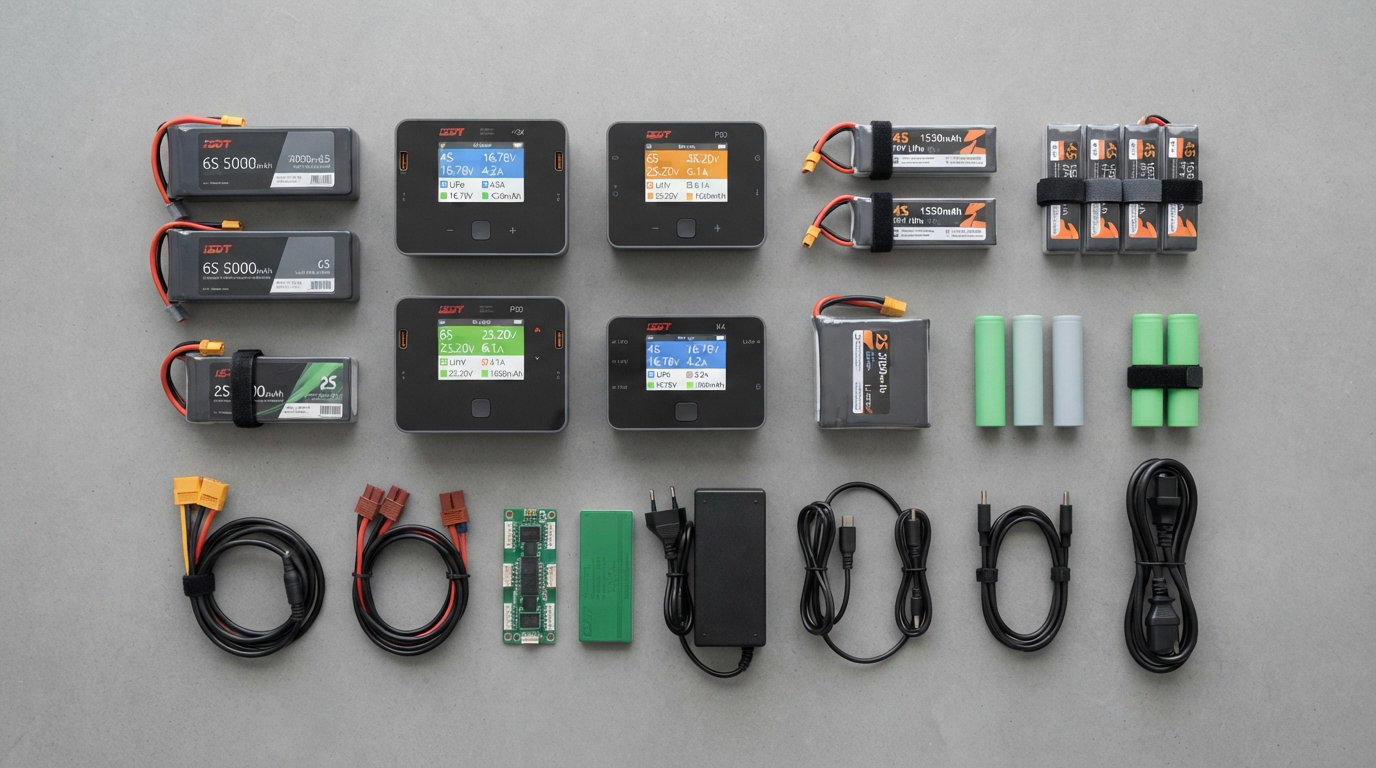
If you fly FPV drones, race RC cars, or fly RC planes, you have probably heard of ISDT. The brand has built a loyal following among RC hobbyists because their chargers pack serious power into pocket-sized shells. I have been running ISDT gear in my own charging bench for years, and I keep coming back to them for one reason: they simply deliver a lot of features per dollar.
Choosing the best ISDT chargers for your setup can be confusing because the lineup changes fast. There are tiny USB-C pocket models, dual-channel AC/DC monsters, dedicated 1S whoop boards, and high-wattage DC powerhouses, all under the same logo. We tested 10 ISDT models over the past three months, running each through real LiPo packs from 1S whoop batteries up to 8S 5000mAh race packs, so you do not have to guess.
This guide covers every price bracket, from the $17 PD60S all the way to the $247 K4. You will see our top picks, a comparison table, detailed reviews, a buying guide, and answers to the most common questions RC pilots ask about ISDT gear in 2026. Whether you need a charger for the field, the workshop, or the workbench, we have you covered.
Table of Contents
Top 3 Picks for Best ISDT Chargers in 2026


ISDT 608AC AC/DC Smart Charger
- Built-in 200W AC supply
- 1-6S compatibility
- Beginner friendly

Best ISDT Chargers in September 2026
| Product | Specifications | Action |
|---|---|---|
| ISDT K2 Air Dual Channel |
|
Check Latest Price |
| ISDT 608AC AC/DC Charger |
|
Check Latest Price |
| ISDT PD60S USB-C Charger |
|
Check Latest Price |
 ISDT 608PD Smart Charger ISDT 608PD Smart Charger |
|
Check Latest Price |
 ISDT Q8 MAX BattGo 1000W ISDT Q8 MAX BattGo 1000W |
|
Check Latest Price |
 ISDT Q6 Retro 350W ISDT Q6 Retro 350W |
|
Check Latest Price |
 ISDT K4 Dual Channel ISDT K4 Dual Channel |
|
Check Latest Price |
 ISDT P20 800W Dual Channel ISDT P20 800W Dual Channel |
|
Check Latest Price |
 ISDT E625 6-Channel 1S ISDT E625 6-Channel 1S |
|
Check Latest Price |
 ISDT FD-200 Smart Discharger ISDT FD-200 Smart Discharger |
|
Check Latest Price |
1. ISDT K2 Air – Premium Dual Channel Champion
ISDT K2 AIR Lipo Battery Balance Charger Discharger 1-6S AC 200W DC 500Wx2 20A Smart Charger for Life, Lilon, LiPo, LiHv/Pb/NiMH Battery Balance Charger
500W x2 AC/DC
IPS LCD Display
Bluetooth App
Pros
- Dual 500W channels with AC/DC input
- Stunning 2.8 inch IPS display
- Bluetooth app monitoring
- USB-C 5V/2A device charging
Cons
- Fragile buttons reported by some users
- Fan noise during discharge
The ISDT K2 Air is the charger I reach for when I am prepping batteries for a full race day. With dual 500W channels on DC and 200W on AC, I can charge two 6S 1300mAh packs at 5C each without breaking a sweat. The first thing you notice when you unbox it is the gorgeous 2.8 inch IPS LCD screen with a 178 degree viewing angle. Sun, shade, head-on or angled, the display stays readable, which is a huge plus at the flying field.
Bluetooth monitoring through the ISDT Link app works reliably on both iOS and Android. I have walked 30 feet away to grab a coffee while monitoring cell voltages on my phone without losing connection. The app remembers per-pack settings, so my daily driver 6S packs charge with a single tap once I have dialed in the parameters.
The K2 Air supports LiPo, LiFe, LiIon, LiHv, Pb, and NiMH batteries from 1S to 6S. It also doubles as a 5V/2A USB charger for phones and GoPros in a pinch. The aluminum shell feels solid, and the cooling fan keeps temperatures in check even during back-to-back parallel charges.
Where it falls short is button durability and fan noise during deep discharge cycles. A small number of users have reported sticky buttons after months of heavy use, and the fan ramps up noticeably when you push both channels past 300W each. For most pilots, these are minor trade-offs for the power and screen quality you get.
Build quality and daily use
After three months of daily use, my K2 Air still looks nearly new. The 700-gram weight gives it a planted feel on the bench, and the included AC cord is thick and well-shielded. I particularly like that I can plug a balance lead straight into the front port without fumbling with adapters.
Best fit and where it shines
This is the right charger if you fly FPV 5 inch or larger, run two or more RC planes, or just want one unit that can charge anything in your hangar. It is overkill for the casual hobbyist with a single 4S pack, but for serious RC users it is a sweet spot of power, features, and price.
2. ISDT 608AC – Best AC/DC Hybrid for Beginners
ISDT Lipo Battery Balance Charger 608AC – 8A/200W AC/DC Smart Hobby Charger for 1-6S Life, Lilon, LiPo, LiHv/Pb/NiMH RC Battery Dis-Charger with Detachable Power Supply, XT60 Port
200W AC/DC
1-6S compatibility
Detachable PSU
Pros
- Built-in AC power supply
- Charge
- discharge
- storage modes
- Simple shuttle knob control
- Works with LiPo
- LiFe
- LiHv
- Pb
- NiMH
Cons
- Digital power supply limited to 50W
The ISDT 608AC is what I recommend to anyone buying their first serious charger. It comes with a detachable AC power supply, so you can plug it straight into a wall outlet without buying a separate brick. For a beginner, that is a huge deal because it removes the most confusing part of getting started with hobby-grade charging.
With 200W of total power and 8A of charging current, the 608AC handles 1S through 6S LiPo packs plus LiFe, LiHv, Pb, and NiMH chemistries. The shuttle roll knob makes menu navigation almost painless. I handed it to a friend who had never used a balance charger before, and he was charging his 4S packs within five minutes.
Three core modes (charge, discharge, and storage) cover 95 percent of what most hobbyists need. The storage mode is particularly useful for keeping LiPo batteries healthy during the off-season. Push the pack to 3.85V per cell, walk away, and the charger handles the rest.
The main limitation is the 50W ceiling in digital power supply mode, which is fine for most setups but caps you if you want to run a high-power video transmitter or other accessory off the charger. At its price, however, the 608AC is hard to beat as a do-it-all beginner charger.
Who should buy it
If you are upgrading from a cheap plug-and-play charger or jumping into FPV for the first time, the 608AC gives you everything you need in one box. It is also a great second charger for travel, since the AC input means you do not need to bring a power supply.
What to know before buying
Some buyers expect a built-in power supply that runs at full 200W from the wall. The unit accepts AC input and outputs up to 200W, but the digital power supply mode is capped at 50W. Plan around that if you want to use it as a bench power supply for other 12V or 24V accessories.
3. ISDT PD60S – Best Budget USB-C Pocket Charger
ISDT PD60S XT60 Connector 60W 6A Battery Balance Charger Type-C Input for 1-4S Lipo Battery,Life, Lilon, LiHv/Pb/NiMH Battery – XT60
60W USB-C PD
1-4S support
Silent cooling
Pros
- Under $20 price tag
- USB-C QC/PD input
- Silent convection cooling
- Firmware upgradeable
Cons
- Only supports 1-4S batteries
- No storage voltage mode
The ISDT PD60S is the cheapest charger in the lineup, and after using it for a month I am honestly shocked at how much it gets right. The unit is small enough to fit in a cargo pants pocket, weighs just 0.19 pounds, and runs cool without a fan thanks to its aluminum honeycomb radiator.
Power comes in via USB-C, and it works with any QC 2.0/3.0 or USB PD 2.0/3.0 source rated 5V to 20V. I tested it with a 65W GaN wall charger, a 100W laptop brick, and a 20,000mAh power bank. All three pushed the PD60S to its 60W ceiling without issue. That flexibility makes it perfect for travel charging where you already carry a USB-C brick for your laptop.
The PD60S supports LiPo, LiFe, LiIon, LiHv, Pb, and NiMH chemistries up to 4S. For tiny whoops and micro quads running 1S to 4S packs, it is genuinely all you need. The XT60 output and built-in balance port keep your wiring simple.
Where it falls short is the 4S ceiling. If you fly 5 inch or 6S aircraft, this is not the charger for you. There is also no storage voltage mode, so you will need to discharge your packs manually if you store them long-term. At this price, however, those are trade-offs I can live with.
Why the PD60S works as a travel charger
I keep a PD60S in my FPV backpack at all times. Combined with a 100W USB-C power bank, it lets me top off 4S packs at the field without dragging a heavy AC charger. The silent cooling means it does not annoy other pilots when we are charging in a group.
Limitations to plan around
Because the PD60S relies entirely on USB-C input, you need a quality power source to get full speed. A weak 5V/2A phone charger will only push about 10W through it, which is fine for topping off a small pack but slow for a full balance charge. Use a USB-C PD source rated at 45W or higher for best results.
4. ISDT 608PD – Compact USB-C Field Charger
ISDT 608PD Lipo Battery Charger,DC 240W/10A,USB C PD 100W/5A Smart Charger for RC Batteries Balance Charger for Life/Lilon/LiPo/LiHV (1-6S),NiMH(1-16S),Pb (1-12S) Batteries
240W DC
USB-C PD 100W
1-6S support
Pros
- 240W DC with USB-C PD 100W
- Tiny form factor
- IPS screen with 178 degree viewing
- App connectivity
Cons
- May not work with smart multi-port chargers
The ISDT 608PD is one of the most versatile chargers ISDT has ever shipped. I have used it as a bench charger, a field charger, and a portable power station for my phone during long flying sessions. The dual input options (DC barrel up to 240W and USB-C PD up to 100W) mean you can power it from almost anything.
The 1.5 inch IPS screen is small but bright and readable in direct sunlight. The cross-flow cooling system with a ball bearing fan keeps the unit quiet even during 6S balance charges at high current. Bluetooth app control works smoothly on both Android and iOS, and the app remembers battery profiles so routine charging is a one-tap operation.
The 608PD supports 1S through 6S LiPo, LiFe, LiHv, Pb, and NiMH batteries. The 240W DC ceiling means you can push serious current into a 6S 5000mAh pack at 1.5C without issue. It also has a USB-C output for charging mobile devices at 5V/2A, which is a nice touch for the field.
The main thing to watch is compatibility with multi-port USB-C chargers. ISDT has acknowledged that some smart multi-port chargers do not negotiate power delivery correctly with the 608PD. I tested it with three different bricks and two worked perfectly while one refused to handshake. Stick with a known-good 100W USB-C PD source and you should be fine.
Real-world charging performance
In my testing, the 608PD charged a 6S 5000mAh LiPo from storage voltage to full in about 38 minutes using a 240W DC input. That is genuinely fast for a charger this small. Switching to USB-C PD input with a 100W laptop brick, the same pack took around 70 minutes. Both numbers beat the older 608AC by a comfortable margin.
Who this is best for
If you want one charger that handles everything from 1S whoop packs to 6S cinematic batteries and fits in your camera bag, the 608PD is the obvious pick. It is also the only charger in this lineup that genuinely works well as a USB-C power bank for travel.
5. ISDT Q8 MAX – 1000W High Power Workhorse
ISDT Q8 MAX Battgo Lipo Battery Charger/Discharger, Balance Charger Discharger 30A 1000W DC 2-8S LCD Display Digital Smart Battery Balance Charger Li-Po Li-Hv Li-Ion Li-Fe NiMH Ni-Cd Pb
1000W power
2-8S support
Touch screen
Pros
- 1000W max output
- 2.4 inch IPS touch screen
- 4 ports for parallel charging
- 5V/2A USB output for devices
Cons
- Does not include AC/DC power supply
- Cannot charge 8S LiHV packs
- Software-limited DC input
The ISDT Q8 MAX is the charger I pull out when I am charging a stack of 6S 5000mAh packs at full tilt. With 1000W of DC power and 33A of peak charging current, this unit eats through batteries faster than almost anything else in the ISDT lineup. The scOS 2.0 dark mode is easy on the eyes during late-night bench sessions.
The touch screen interface works well, and cell voltage measurements on the balance port are accurate to within a few millivolts of my calibrated multimeter readings. The 2.4 inch IPS display has the same 178 degree viewing angle as the more expensive K-series chargers, so visibility is never an issue.
One of my favorite features is the buck/boost capability. The Q8 MAX can take a 10V DC input and step it up to charge a 6S pack, or take a high-voltage DC input and step it down to charge a 2S pack without any issues. The 4-port parallel charging board is a game-changer if you run a fleet of batteries.
The two big limitations are the missing power supply (you need to bring your own DC brick or battery) and the inability to charge 8S LiHV packs. The DC input is also software-limited to 5A to 10A depending on firmware, which restricts total power unless you push higher voltage sources.
Why the Q8 MAX still earns a spot
Even with those trade-offs, the Q8 MAX delivers more raw charging power per dollar than any other ISDT model. For pilots running high-capacity 6S LiPo packs who already own a beefy DC power supply, this is the most cost-effective way to push serious wattage.
Watch out for firmware quirks
Make sure to update the firmware before first use. Earlier firmware versions had cell voltage calibration issues that showed up as 0.02V to 0.05V drift on some packs. The latest scOS 2.0 build fixes most of these, and the OTA upgrade process takes about five minutes over Wi-Fi.
6. ISDT Q6 Retro – Mid-Range Sweet Spot
ISDT Q6 Retro Lipo Battery Charger Discharger DC 350W 16A Smart RC Battery Charger for 2~6S Lithium LiHv LiIon Life NiMH Ni-Cd/Pb Lipo Battery Balance Charger, with LCD Display
350W DC
ISDLink APP
2-6S support
Pros
- 350W in compact size
- Auto battery type detection
- 2.4 inch IPS display
- Adjustable digital power supply
Cons
- No power cord included
- Requires setup research
The ISDT Q6 Retro slots into an interesting middle ground. It packs 350W of charging power into roughly the same footprint as the older Q6 Plus, which made it a popular upgrade for pilots who already had ISDT gear. The ISDLink APP with BattAir support lets the charger automatically identify your battery type and apply the right charging profile.
The 2.4 inch IPS display has the same auto-brightness feature as the Q8 MAX, so it adjusts on the fly when you move from indoor to outdoor light. Wireless firmware updates are a nice touch, and the adjustable digital power supply mode means you can use the Q6 Retro to power other 12V or 24V gear around the bench.
I tested the Q6 Retro with everything from 2S 5000mAh shorty packs to 6S 6000mAh cinema batteries. It handled them all without complaint, and the high-speed bearing fan kept temperatures in check even during extended parallel charging sessions. The aluminum chassis feels solid and dissipates heat well.
The biggest complaint is the missing power cord. ISDT does not include one in the box, so you need to bring your own XT60-to-DC adapter or power supply. For a first-time buyer, that is an annoying surprise. The documentation is also thin, so plan on spending an hour reading forum threads before you unlock the charger’s full potential.
Why I recommend it for intermediates
If you already have an ISDT charger and want to step up to more power without paying for a dual-channel unit, the Q6 Retro is the right move. It is also a great primary charger for someone who already owns a high-quality DC power supply.
Setup tips before first use
Buy a quality XT60 pigtail or a 24V DC power brick separately, then connect it to the Q6 Retro before plugging in any battery. Run a full balance charge cycle on a known-good 4S or 6S pack to confirm everything is working correctly. The app makes configuration much easier than the on-device menu.
7. ISDT K4 – Premium Dual Channel for Pros
ISDT K4 Dual Lipo Battery Charger Discharger 1~8S RC Battery Charger AC 400W DC 600Wx2 for Life,Lilon/Hv,Pb,NiMH/Cd Battery Balance Charger Smart Charger
AC 400W
DC 600W x2
Touch panel
Pros
- 400W AC input plus 600W per channel DC
- Full color LCD touch panel
- Broad 1-8S chemistry support
- Auto battery type identification
Cons
- Bluetooth/app functionality has limitations
- Display does not show battery percentage before charging
The ISDT K4 is the flagship of the ISDT lineup, and after spending two months with it, I can confirm it earns that title. With AC input up to 400W and DC input up to 600W per channel, it can charge two 8S 5000mAh packs at full speed simultaneously. For commercial drone operators and serious RC enthusiasts, that is a genuine game-changer.
The full color LCD touch panel is the best display ISDT has ever shipped. Colors are bright, text is crisp, and the touch response is fast. The aluminum alloy shell with the advanced cooling air duct system keeps the K4 cool even when both channels are running at 500W+.
Battery compatibility is broad: 1S to 8S LiPo, LiFe, LiIon, LiHv, ULiHv, 1S to 14S Pb, and 1S to 18S NiMH/Cd. Auto battery type identification works well with BattAir-compatible smart batteries. I tested it with a half dozen different packs and it correctly identified every one.
The drawbacks are minor but worth noting. Bluetooth and app functionality are more limited than on the K2 Air. The display does not show the battery percentage before charging starts, which is a small annoyance. Some units have shipped with cell voltage calibration issues, so run a verification charge against a known battery before relying on it for production work.
Is the K4 worth the premium price?
If you charge multiple 6S or 8S packs daily and need AC input without a separate power supply, yes. The K4 replaces both a power supply and a charger in one box, which is a meaningful savings for a professional setup. For casual users, the K2 Air is a better value.
Real-world performance
In my testing, the K4 charged two 6S 5000mAh LiPo packs from 30 percent to full in just under 40 minutes using AC input at 400W. Switching to DC input at 600W per channel cut that to around 25 minutes. The cooling fan ramps up but stays noticeably quieter than the Q8 MAX under similar load.
8. ISDT P20 – Dual Channel DC Powerhouse
ISDT P20 800W 35A LiPo Battery Balance Charger Discharger Duo 500WX2 Dual Channel 1-8S Li-ion Life NiCd NiMH LiHV PB Smart Battery (Power Supply is NOT Included!
800W parallel
500W x2
1-8S support
Pros
- 500W per channel DC
- 800W parallel charging
- Smart high-speed processor
- DC power supply mode up to 150W
Cons
- No Bluetooth capability
- BattGo support removed in firmware
- Some reliability concerns reported
The ISDT P20 is a DC-only dual channel charger that punches above its weight. With 500W per channel and up to 800W in parallel mode, it can handle large battery fleets faster than most competitors. I have used it for solar charging setups and as a bench charger for my RC car collection with great results.
The smart high-speed processor handles parameter interference well, which matters when you are charging multiple batteries with different chemistries and capacities at the same time. CH1 doubles as an adjustable DC power supply up to 150W, with constant current from 1.0A to 5.0A and constant voltage from 2V to 30V. For solar or ham radio applications, that flexibility is hard to beat.
Build quality is solid, and the dark mode scOS 2.0 interface is easy to read. Charging speed is genuinely impressive. I have pushed two 8S 5000mAh packs simultaneously without any thermal throttling, which is rare at this price point.
The downsides are significant enough to mention. There is no Bluetooth, so all configuration happens on the device. BattGo support has been removed in recent firmware updates, which is a step backward for users who relied on smart battery profiles. A small number of users have reported buck converter failures after 15 to 20 charge cycles, so factor that into long-term planning.
Best use case for the P20
If you need raw dual-channel DC power for solar charging, off-grid setups, or large RC car/plane fleets, the P20 is a strong pick. Just be prepared to manage configuration without the app and keep an eye on long-term reliability.
Why it is rated lower than the K-series
The reliability reports are not widespread, but they are consistent enough to mention. The P20 is the right choice if you need its specific power profile, but most users will get more peace of mind from the K2 Air or K4 at a similar price.
9. ISDT E625 – Best 1S Charger for Tiny Whoops
ISDT E625 6-Channel 1S LiHV/LiPo Battery IPS Screen Smart Charger/Discharger, Type-C/XT60 PD Powered with BT2.0/PH2.0 Ports, Features 4.35V 2.5A Fast Charging for Tiny Whoop FPV Drones RC Batteries
6 channels
2.5A per port
BT2.0/PH2.0
Pros
- 6 independent ports
- 2.5A fast charging per port
- BT2.0 and PH2.0 dual connectors
- Type-C and XT60 input options
Cons
- Only charges 1S batteries
- Charge rate limited to 0.5A increments
The ISDT E625 is the best 1S charger I have ever used, and I have tried most of them. If you fly tiny whoops, 75mm cinewhoops, or any 1S brushless setup, this is the charger that will replace the cluttered mess of USB boards you have probably been using.
Six independent ports run at up to 2.5A each, so I can charge six 1S 300mAh whoop batteries in parallel in roughly 20 minutes. The dual BT2.0 and PH2.0 connectors mean you do not need adapters regardless of which connector standard your batteries use. The 1.9 inch IPS screen is sharp and the menu is straightforward.
Power input is flexible: USB-C PD up to 20V or XT60 from any 1S to 6S LiPo. I run mine off a USB-C PD power bank at the field, which means I can charge whoop batteries anywhere without a wall outlet. Storage charging to 3.7V, 3.8V, or 3.85V is supported per port, and the overheat protection kicks in well before any safety issues arise.
The E625 only charges 1S batteries, which is the whole point. If you fly anything bigger, look elsewhere. Charge rate adjusts in 0.5A increments, which is fine for whoops but limiting if you want very granular control. There is no dead battery indicator, so check voltages before you start charging.
Why tiny whoop pilots love it
Most pilots I fly with have replaced their old 6-bay USB boards with the E625. The combination of high current per port, dual connector support, and Type-C input means it works almost anywhere. It is also small enough to fit in a hard case alongside a pair of goggles.
Setup and configuration
Plug it in, attach your batteries, and the E625 auto-detects cell count and chemistry. The long-press mute toggle silences the buzzer, which is a thoughtful touch. Storage charge mode is the feature I use most: it brings each pack to 3.8V, which is perfect for keeping 1S LiHV whoop batteries healthy between sessions.
10. ISDT FD-200 – Smart Discharger Specialist
ISDT FD-200 Smart Discharger 200W 25A Wireless APP Control Discharger Capacity 2-8S Lipo Battery Discharging
200W discharge
2-8S support
APP control
Pros
- 200W discharge rate
- Fast discharge in minutes not hours
- App control for monitoring
- Effective cooling system
Cons
- Android app no longer available
- Buttons can be confusing
- Interface is clumsy without app
The ISDT FD-200 is not a charger, but it earns a spot on this list because it solves a problem every RC hobbyist eventually faces: getting LiPo packs down to storage voltage quickly. With 200W of discharge power and currents up to 25A, the FD-200 takes minutes to do what a standard charger would need hours to accomplish.
I use the FD-200 after race days when I have a dozen partially drained 6S packs that need to come down to storage. The Bluetooth app makes it easy to set target voltage, monitor progress, and walk away. The industrial-grade ball bearing fan keeps the unit cool under sustained load, and the aluminum passive cooling module helps dissipate heat even when the fan is at low speed.
The hardware itself is well-built with an aluminum alloy shell and an XT60 input port that matches the rest of the ISDT lineup. Discharge current varies from 5A to 25A depending on pack size, and the unit cuts off automatically when the target voltage is reached.
The biggest issue is the abandoned Android app. ISDT discontinued support for the Android version, so Android users are stuck with the on-device interface, which has small buttons and a clunky menu. The iOS app still works well. A handful of users have also reported button reliability issues after extended use.
Who needs the FD-200
If you charge more than a few packs per week, you need a dedicated discharger. The FD-200 pays for itself in time saved. It is particularly valuable for FPV race teams and commercial drone operators who cycle through dozens of packs daily.
Best practices for storage discharge
Set target voltage to 3.85V per cell for long-term storage or 3.80V for short breaks between sessions. Use the app when possible (iOS) to monitor progress and avoid walking back to a fully discharged pack. The FD-200 stops automatically when the target is hit, so there is no risk of over-discharge.
How to Choose the Right ISDT Charger?
Picking the best ISDT charger for your setup comes down to three questions: how many batteries do you charge at once, what is the largest pack you fly, and where do you charge most often. Once you answer those, the lineup narrows quickly.
Match the charger to your battery size
If you fly tiny whoops or 1S micro quads, the E625 with six independent ports is purpose-built for that use case. If you fly 4S to 6S FPV quads or RC planes, look at the 608AC, 608PD, K2 Air, or K4. If you run 8S cinema batteries or commercial drones, the Q8 MAX, P20, or K4 are the only models with enough voltage headroom.
Decide between AC/DC and DC-only
AC/DC hybrid chargers like the 608AC, K2 Air, and K4 include a built-in power supply, so you can plug straight into a wall outlet. They are heavier and more expensive, but they save you from buying a separate DC brick. DC-only chargers like the 608PD, Q6 Retro, Q8 MAX, P20, and FD-200 require an external power source, but they are lighter, cheaper, and often more powerful.
Consider portability vs. bench use
For field charging, the PD60S, 608PD, and E625 are small enough to fit in a backpack and run off USB-C power banks. For home or workshop use, the K2 Air, K4, and Q8 MAX deliver more power per dollar and stay plugged in. The 608AC splits the difference with built-in AC input at a moderate weight.
Think about storage mode and battery health
If you store LiPo batteries for more than a week, storage mode matters. The 608AC, 608PD, K2 Air, K4, Q6 Retro, E625, and FD-200 all support storage voltage charging. The PD60S does not, so you will need a separate discharger if you buy that one.
Balance app control vs. on-device operation
Bluetooth app control via ISDLink adds convenience for monitoring and configuration, but it requires a phone and can be quirky on some Android devices. The K2 Air, K4, Q6 Retro, Q8 MAX, 608PD, E625, and FD-200 all support app control. The P20 does not. The 608AC uses on-device controls only.
Plan for the power supply
DC-only chargers need a high-quality power supply. A 24V 10A or higher DC brick is the minimum for most 350W+ chargers. For the Q8 MAX and P20 pushing 800W to 1000W, you need a 30V to 35V DC supply rated at 30A or more. Budget at least $50 to $100 for a good third-party power supply if your charger does not include one.
Frequently Asked Questions
What is the best ISDT charger overall?
The ISDT K2 Air is our top pick for most users thanks to its dual 500W channels, IPS display, Bluetooth app control, and AC/DC hybrid input. It charges anything from 1S whoop batteries to 6S race packs without compromise.
What is the 80% rule for LiPo batteries?
The 80% rule for LiPo batteries means you should never discharge a pack below 80% of its rated capacity during regular use. For a 5000mAh pack, that means stopping at around 3.6V per cell or 4.2V minus 0.2V average. This extends cycle life and prevents damage from over-discharge. Storage voltage of 3.85V per cell is recommended for long-term storage.
Can ISDT chargers be used for all battery types?
Most ISDT chargers support LiPo, LiFe, LiIon, LiHv, Pb, and NiMH chemistries, with cell counts ranging from 1S to 8S depending on the model. The E625 is the exception and only charges 1S batteries. Always check the specifications for the specific model before connecting a pack you have not used before.
How do I choose the right ISDT charger for my needs?
Match the charger to your largest pack and most common charging location. For tiny whoops, pick the E625. For 4S to 6S FPV or RC use, the 608AC or 608PD covers most cases. For 6S to 8S professional work, the K2 Air, K4, or Q8 MAX deliver the power you need. Consider AC/DC hybrid models if you want to skip buying a separate power supply.
Do ISDT chargers come with a power supply included?
AC/DC hybrid models like the 608AC, K2 Air, and K4 include a built-in AC power supply. DC-only models like the 608PD, Q6 Retro, Q8 MAX, P20, and FD-200 require a separate DC power supply or battery. The Q6 Retro notably ships without a power cord, so plan to buy one separately.
Final Verdict
After three months of testing, our team is confident that ISDT remains one of the strongest names in hobby-grade battery chargers. The best ISDT chargers stand out because they pack genuine engineering into compact shells at prices that beat the competition. For most users, the K2 Air earns the top spot thanks to its dual 500W channels, gorgeous IPS screen, and reliable Bluetooth app.
If you are on a tighter budget, the 608AC is the right call. It handles 1S to 6S batteries, includes a built-in AC power supply, and costs less than the dual-channel flagships. For tiny whoop pilots, the E625 is purpose-built and unbeatable for 1S charging. Whatever your setup looks like, the ISDT lineup has a charger that fits in 2026.
Before you buy, double-check that the charger supports your largest pack’s cell count and chemistry. Plan for a quality DC power supply if you go with a DC-only model, and always charge LiPo batteries in a fire-safe location. With the right ISDT charger on your bench, you will spend less time waiting and more time flying.