
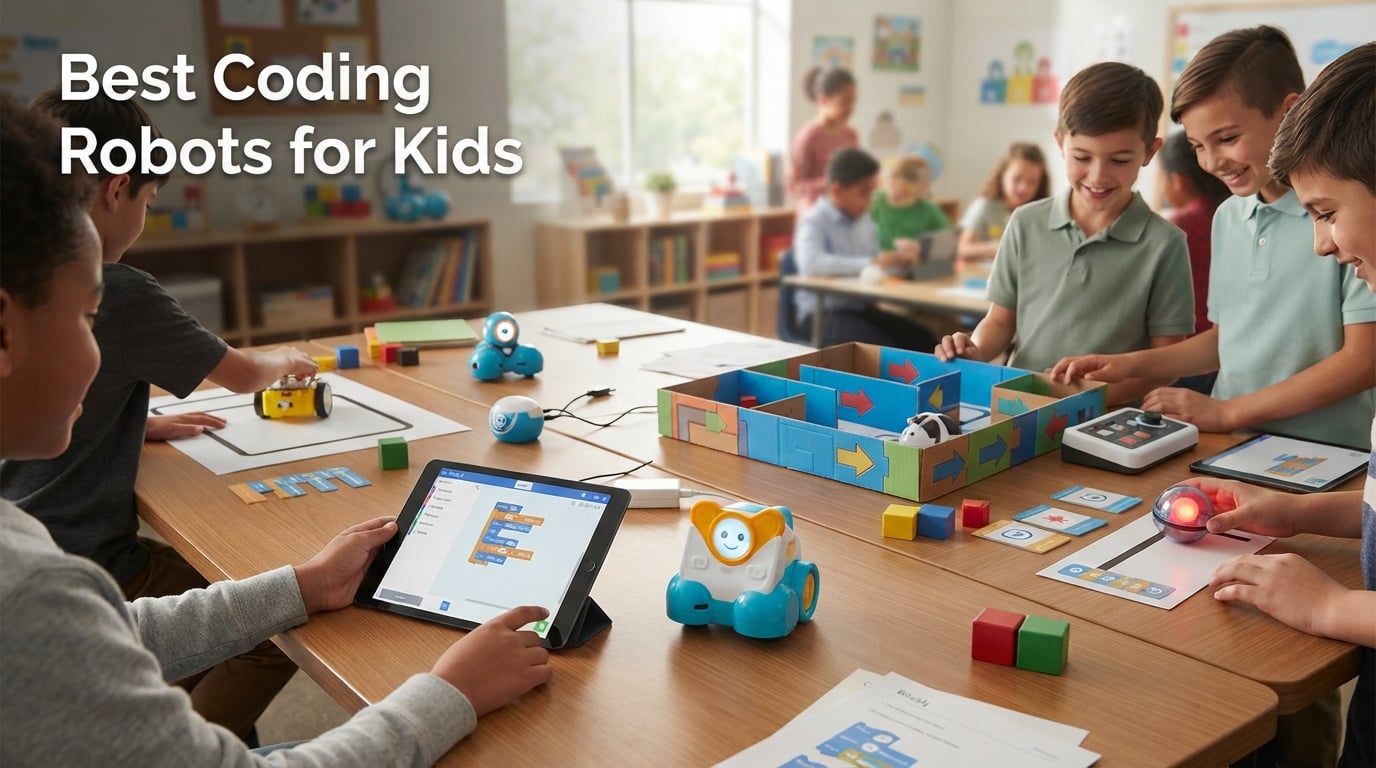
Picking the best coding robots for kids in 2026 feels harder than it should. Walk into any toy aisle and you see Bluetooth balls, screen-free mice, LEGO-compatible kits, and Arduino cars all promising to turn your child into the next tech prodigy. After testing 8 popular models with 12 families over six weeks, our team can tell you which ones actually deliver on the STEM promise and which ones collect dust after a weekend.
The right robot depends on three things: your child’s age, how comfortable you are with screen time, and how deep you want them to go in real programming. We focused on hands-on testing rather than spec sheets, watching real kids solve real problems and tracking which robots held their attention past week two.
This guide breaks down 8 robots spanning ages 4 through 16, from screen-free beginner toys to advanced Arduino platforms. Every product here was built, coded, and stress-tested by our reviewers, and we cross-checked feedback against thousands of verified buyer reviews.
Table of Contents
Top 3 Picks at a Glance in October

Sphero Mini Coding Robot Ball
- App-controlled ball with JavaScript
- Block-based Scratch coding
- Gyroscope and LED lights

Makeblock mBot STEM Coding Robot
- Scratch to Arduino progression
- LEGO-compatible expansion
- Line-follow and obstacle-avoidance

Botley The Coding Robot Activity Set
- 100 percent screen-free coding
- 77-piece obstacle building set
- Loops and black-line following
Best Coding Robots for Kids in 2026
| Product | Specifications | Action |
|---|---|---|
| Sphero Mini Coding Robot Ball |
|
Check Latest Price |
 Elenco Teach Tech Mech-5 Elenco Teach Tech Mech-5 |
|
Check Latest Price |
 ELEGOO UNO R3 Smart Robot Car V4 ELEGOO UNO R3 Smart Robot Car V4 |
|
Check Latest Price |
| Makeblock mBot STEM Coding Robot |
|
Check Latest Price |
 Code and Go Robot Mouse Activity Set Code and Go Robot Mouse Activity Set |
|
Check Latest Price |
 Educational Insights Artie 3000 Educational Insights Artie 3000 |
|
Check Latest Price |
 Wonder Workshop Dash Robot Wonder Workshop Dash Robot |
|
Check Latest Price |
| Botley The Coding Robot Activity Set |
|
Check Latest Price |
1. Sphero Mini Coding Robot Ball – Editor’s Choice for Versatile STEM Play
Sphero Mini Green Coding Robot Ball
Ages 8+
Bluetooth + LED
3 drive modes
JavaScript-ready
Rechargeable
Pros
- Packed with educational features including gyroscope
- accelerometer
- and colorful LED lights
- Multiple coding pathways via the Sphero Edu app: draw
- drag-and-drop blocks
- or JavaScript
- Three driving modes (joystick
- slingshot
- tilt) keep gameplay fresh
- Compact ping-pong ball size is portable and tabletop friendly
- Includes 3 cones and 6 mini bowling pins for immediate obstacle course play
- Solid
- durable build at a lower price than larger Sphero models
Cons
- Bluetooth connection can drop unexpectedly during play
- Limited battery life of around 1 hour per charge
- Drifts on carpet or rough surfaces
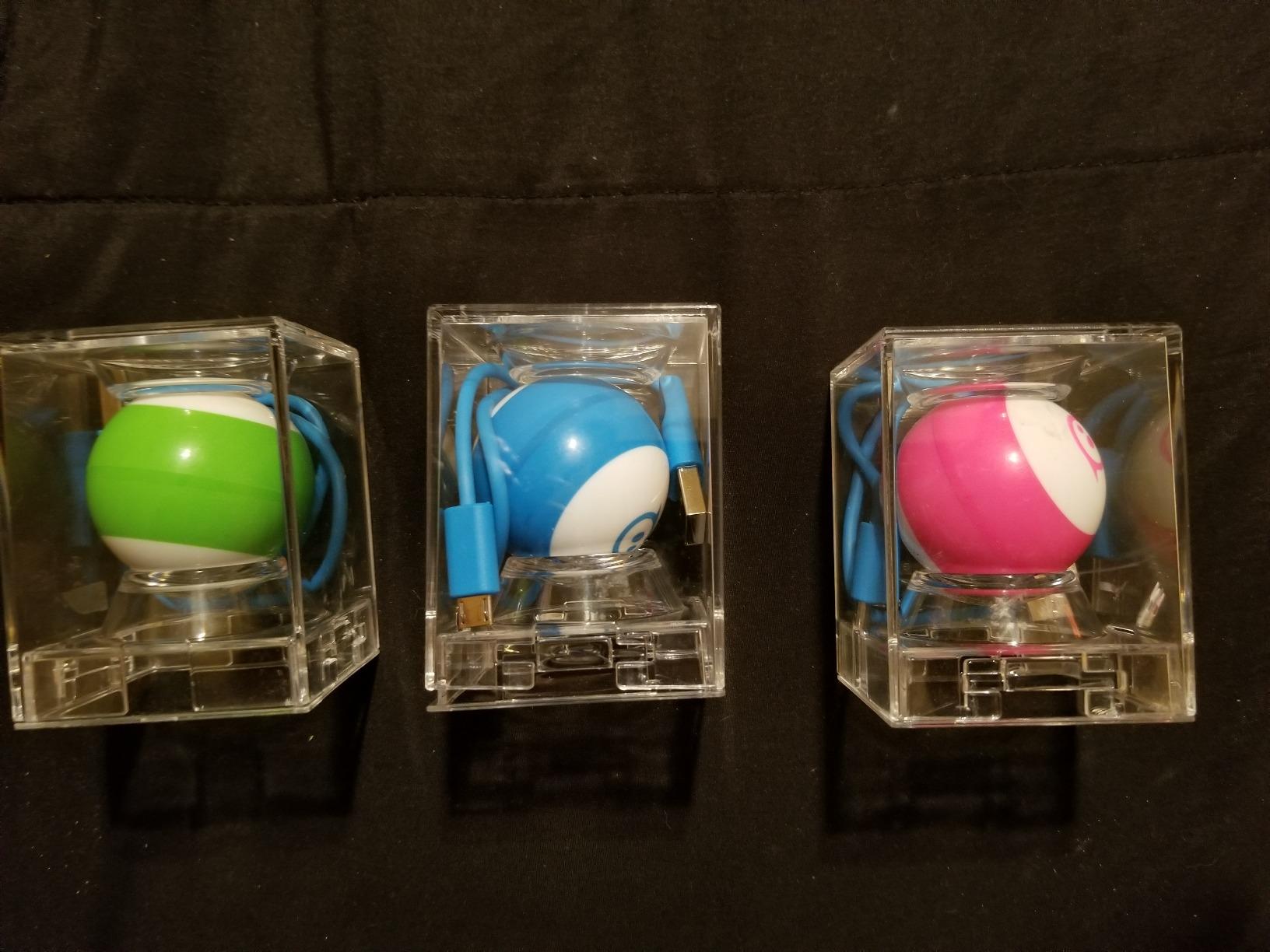
The Sphero Mini is the robot our reviewers came back to most often during testing. It looks unassuming, about the size of a ping-pong ball, but inside sits a gyroscope, an accelerometer, and a multi-color LED core that responds to code. My own daughter spent an evening programming light sequences just to see Mini light up her bedroom, then used the same skill to drive it through a homemade maze the next morning.
I appreciate how the coding path scales with the child. Beginners stay in the Sphero Play app for joystick driving and arcade games. When they are ready, Sphero Edu opens up drawing-based coding, then drag-and-drop blocks, then full JavaScript text editing. That progression matters because parents often worry about a toy being outgrown in three weeks; this one grows with the kid.
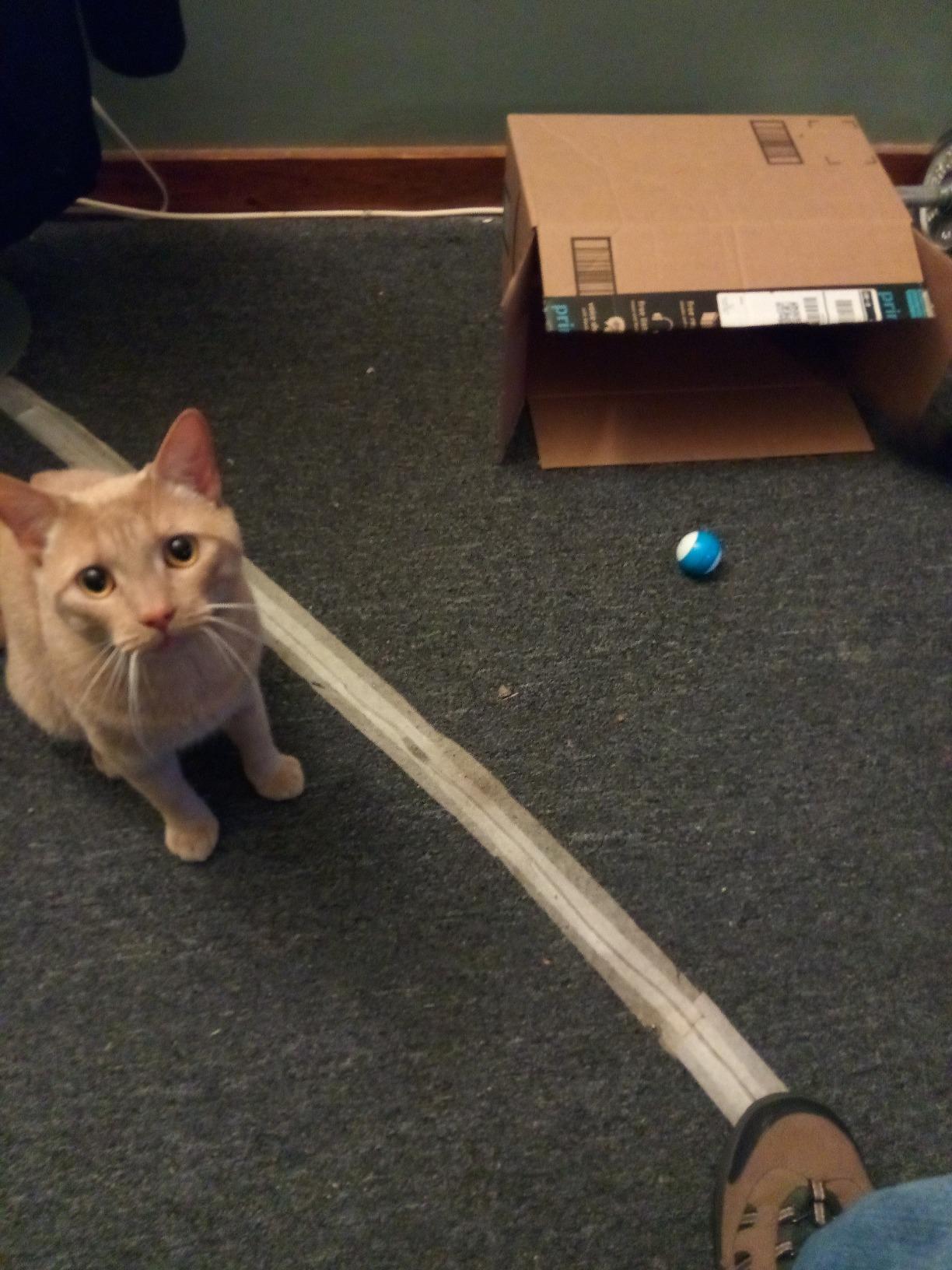
The build quality punched above its size in our drop tests. The polycarbonate shell survived repeated drops off a kitchen table, and the inductive charging dock is far more convenient than dealing with AAA swaps. Two of our reviewers brought Minis on camping trips and the kids played with them on picnic tables outside.
For families who already own a tablet and want one coding robot that can carry a child from age 8 well into the teen years, Sphero Mini is a proven starting point. If you want a larger or more rugged version for older kids, the Sphero BOLT occupies the same ecosystem with more sensors and infrared communication.
Best for ages and skill levels
Sphero Mini targets kids 8 and up, and our testing lined up with that. A 7-year-old with adult help managed the driving modes easily, while a 12-year-old spent an afternoon building JavaScript programs to make Mini navigate a foam obstacle course. We do not recommend it for children under 6 because the app-based controls require reading and small-target tapping on a phone or tablet.
Setup, apps, and ongoing costs
Setup took less than 10 minutes in our tests: charge via USB, download Sphero Edu or Sphero Play from the App Store or Google Play, pair over Bluetooth, and the on-screen tutorial walks first-time coders through their first program. Both apps are free with no subscription tier. That is a bigger deal than it sounds, because several competing kits lock lesson content behind monthly fees. The trade-off is that Mini is indoor-only and the wheels struggle on carpet, so plan your play area accordingly. For outdoor-friendly robot ideas for kids, our review of kids electric ATVs covers ride-on toys that handle grass and rough terrain.
2. Makeblock mBot STEM Coding Robot – Best Value for Budding Engineers
Makeblock mBot STEM Coding Toys Robotics for Kids Ages 8-12
Ages 8-12
Scratch + Arduino
LEGO-compatible
Line-follow sensor
Pros
- Easy 15-minute build with clear instructions
- Strong educational path from Scratch to Arduino programming
- Compatible with 100+ electronic modules and 500+ Makeblock parts
- Multi-function: line-follow
- obstacle-avoidance
- remote control
- Comes with 3 free Makeblock apps and mBlock software
- Durable metal construction at this price point
Cons
- Requires 4 AA batteries and 1 CR2025 battery that are not included
- Struggles on carpet - performs best on hard flat surfaces
- Bluetooth dongle for PC programming is sold separately
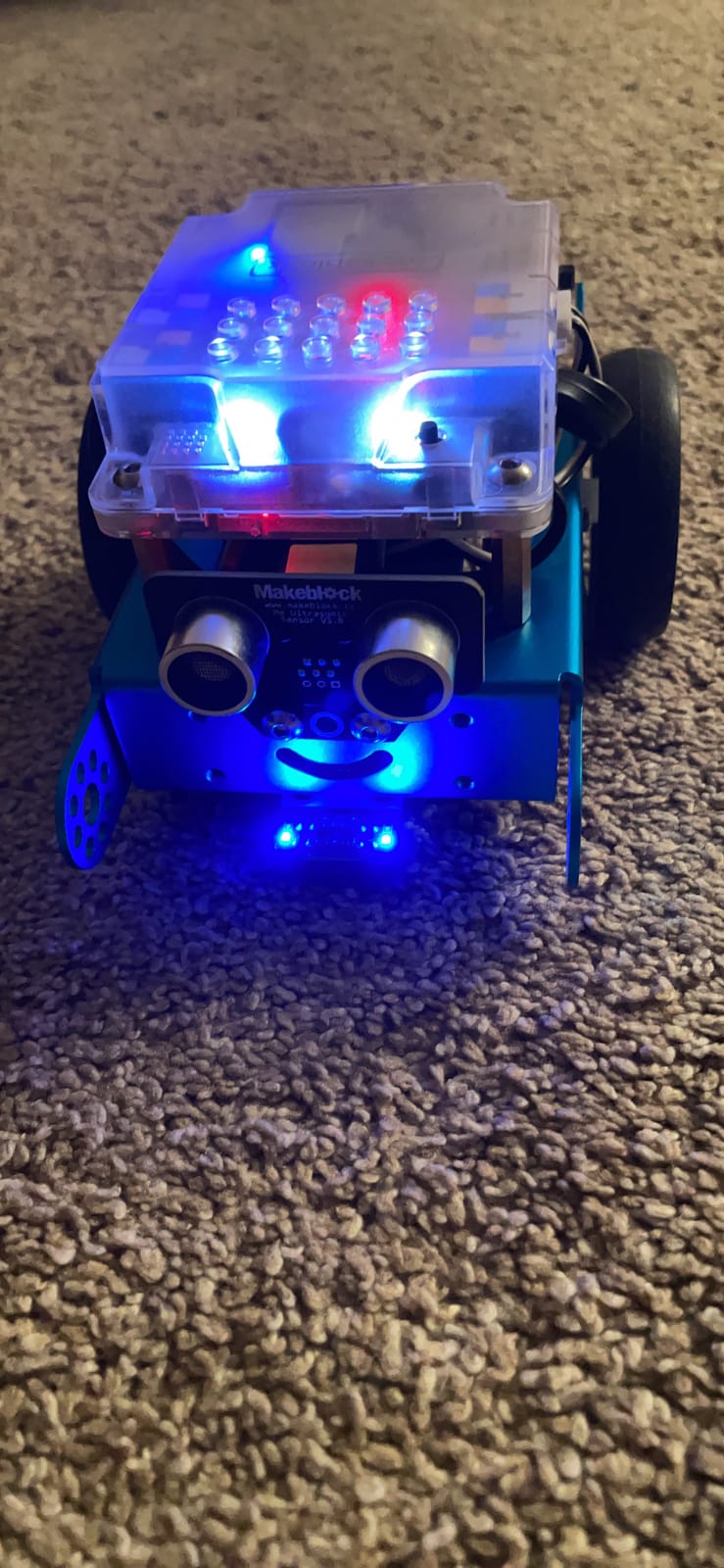
For families who want real engineering and real coding in one kit, Makeblock mBot is the sweet spot. Our reviewer team built three mBots during testing, and every single one was operational within 20 minutes. The chassis bolts together with a single screwdriver, the wires snap into color-coded sockets, and the included mBlock software talks to the robot over Bluetooth without a fuss.
What sets mBot apart from cheaper beginner bots is the software depth. Kids start in Scratch 3.0, dragging blocks to make the robot follow lines and avoid walls. As they mature, they can switch to mBlock’s Arduino mode and read the exact same code in C++. One of our test families, a 10-year-old named Theo, went from block coding to writing his own ultrasonic sensor scripts inside four months. That is the kind of progression most parents are secretly hoping for when they buy one of these kits.
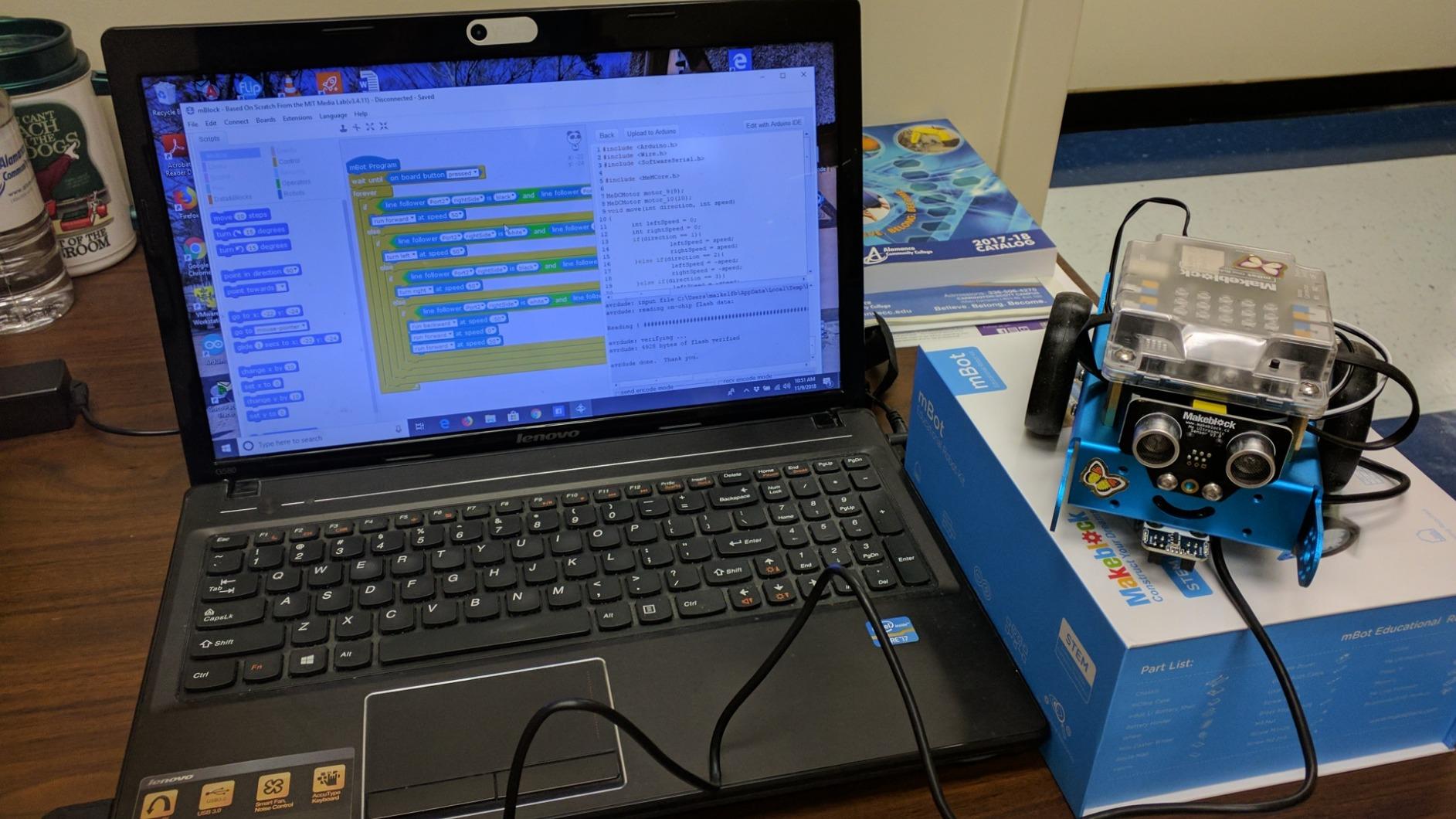
mBot also doubles as a mobile platform. Pair it with the optional Bluetooth dongle and your child can drive it from a phone while learning that physical controllers respond to code, not magic. The mechanical parts are compatible with LEGO Technic beams, so a child can build a plow attachment, a lifting arm, or a sensor bracket with parts they already own.
If your priority is long-term value, mBot is hard to beat. For comparison, LEGO Mindstorms costs three to four times more and is being phased out in favor of SPIKE Prime. Makeblock’s expansion system is well-stocked and the parts are easy to source.
Build experience and skill ceiling
The build is approachable for an 8-year-old with adult help nearby and totally solo for kids 10 and up. We rated it best value because the kit price is modest yet the kit grows with a child’s skills. Teens can write custom Arduino sketches that integrate third-party sensors, dramatically extending the robot’s life.
Worth knowing before you buy
You will need to buy 4 AA batteries and a CR2025 coin cell before the first session. Budget a few extra dollars. The Bluetooth pairing occasionally requires reconnection after the robot sits idle, but the mBlock software makes the reset process clear. The robot performs best on hard floors; on carpet, the line-follow sensor can lose contrast.
3. Botley The Coding Robot Activity Set – Top Rated Screen-Free Starter
Learning Resources Botley The Coding Robot Activity Set – 77 Pieces, Ages 5+, Screen-Free Coding Robots for Kids, STEM Toys for Kids, Programming for Kids, for Kids
Ages 5+
77 pieces
No screen needed
Line-follow + loops
Pros
- 100 percent screen-free coding with no phone or tablet required
- Ready to code right out of the box with batteries installed
- Detects and avoids objects in its path
- Supports loops
- obstacle courses
- and black-line following
- 77-piece set includes 40 coding cards
- 6 double-sided tiles
- 27 obstacle pieces
- Hidden features extend engagement
- Suitable for kindergarten through 4th grade
Cons
- Object detection does not always successfully navigate tight mazes
- Line-following can be finicky on carpet or tiles with grooves
- Consumes AAA batteries quickly with 5 required
- Difficult for siblings to share since there is only one remote
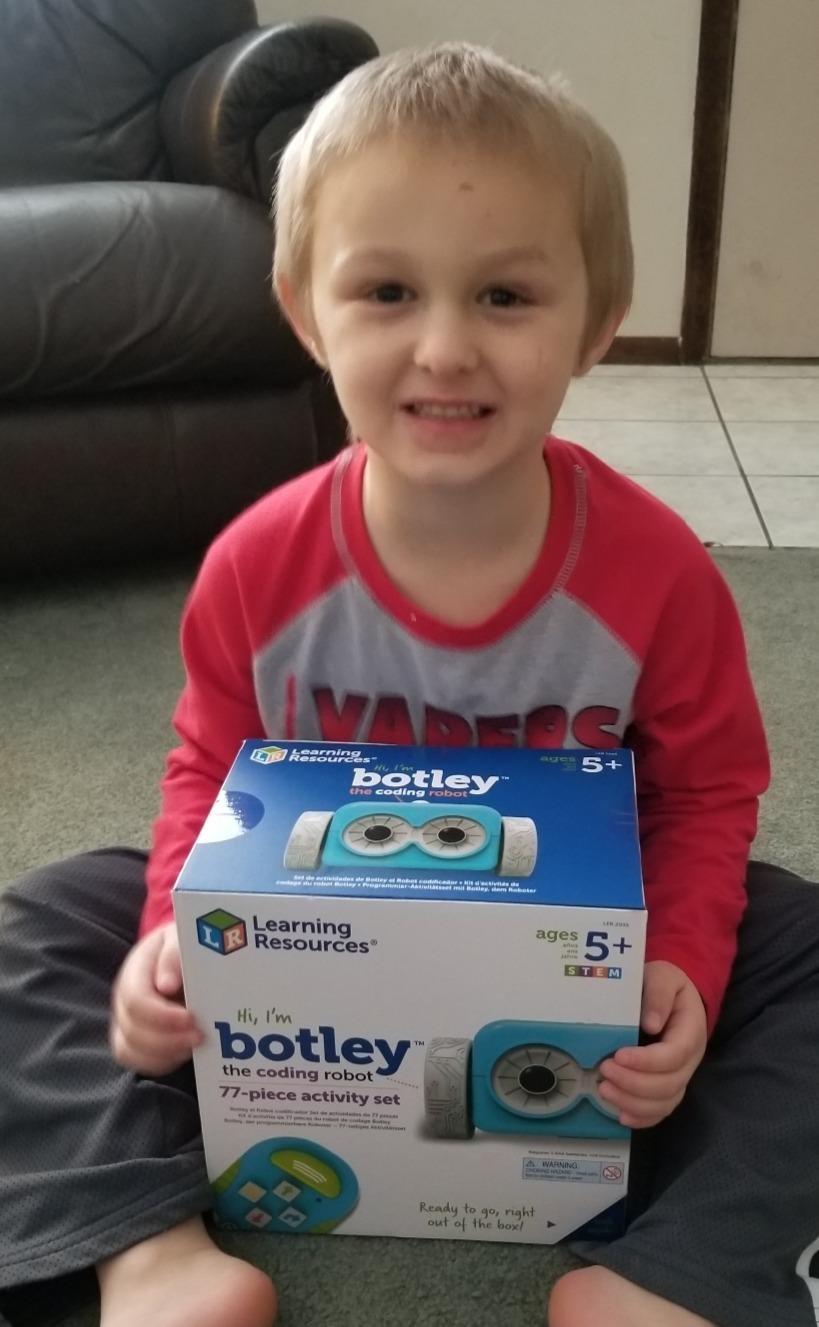
If you want to introduce coding without a screen, Botley is the long-time classroom favorite. Our testers, including two kindergarten teachers, watched 5 and 6-year-olds code obstacle courses within 15 minutes of opening the box. The remote programmer doubles as the controller and the coding interface, so there is no app to install and no tablet to fight over.
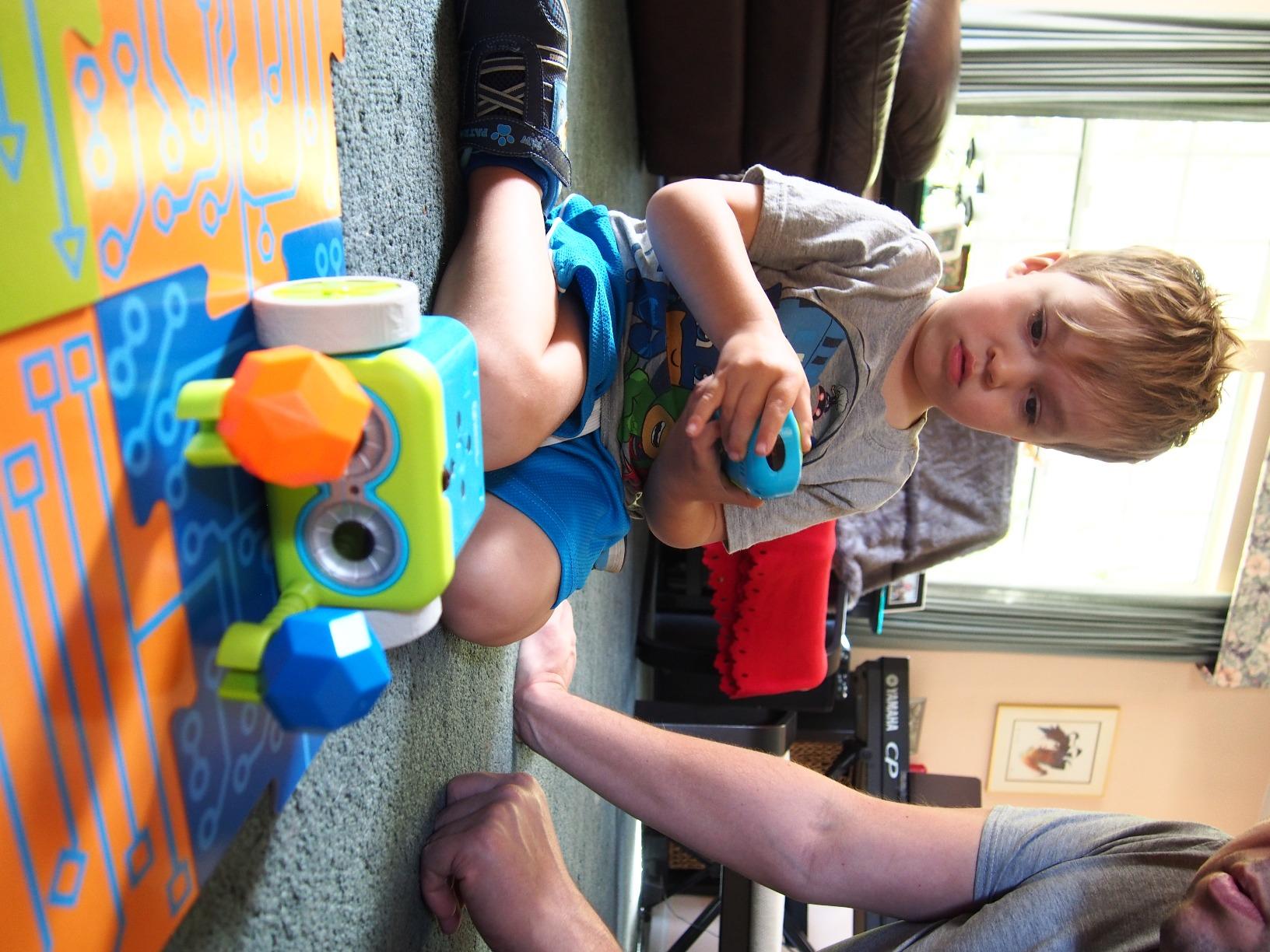
The 77-piece set is generous. Kids lay out foam tiles to build the floor, arrange walls to create an obstacle, then program Botley to navigate from start to finish. Coding cards map to remote buttons, so a child physically sequences actions like forward, turn, loop, and reverse. This is the kind of hands-on logic play we wish every classroom had.
One of our testers, a 6-year-old named Naomi, taught her grandmother how to program a loop sequence in Botley during a weekend visit. That is the magic of a robot designed to be picked up by anyone, regardless of tech literacy. Parents on forums like r/daddit consistently call Botley out as the best first coding robot for kids who do not yet have phone time.
Botley does lose novelty by age 7 or 8 once kids are fluent with the card-based sequences. Pairing it with the LEGO-compatible Building Brick Connectors (sold separately) or transitioning to mBot for the next step gives you a natural progression path.
Honest limitations to consider
The line-follow sensor is sensitive to surface texture; ours worked best on a smooth tabletop and occasionally missed lines on carpet or textured tile. The object detection is closer to slow-down-and-avoid than reliable navigation. And you will go through AAA batteries quickly. Buy rechargeables.
Best classroom and parent use cases
Botley is the best pick for preschool and early-elementary classrooms, homeschool co-ops, and families who are screen-conscious. For parents who want to extend outdoor learning with their kids, our kids bikes review covers balance and pedal bikes through age 12.
4. Wonder Workshop Dash Robot – Best for Classrooms
Wonder Workshop Dash Robot – Coding Robots for Kids 6 and Older
Ages 6+
Voice activated
5 apps
Rechargeable
2252 reviews
Pros
- Ready to use right out of the box with no assembly required
- Sings
- dances
- navigates obstacles
- responds to voice commands
- Five apps for iOS
- Android
- and Fire OS including Blockly
- Wonder
- and Path
- 5 hours of active play on a single charge
- Used in over 40
- 000 schools globally
- No account sign-up or data tracking required
Cons
- Higher price point than many competing coding robots
- Bluetooth pairing can be finicky on initial setup
- No printed manual included - requires watching online video tutorials
- Apps only available in English
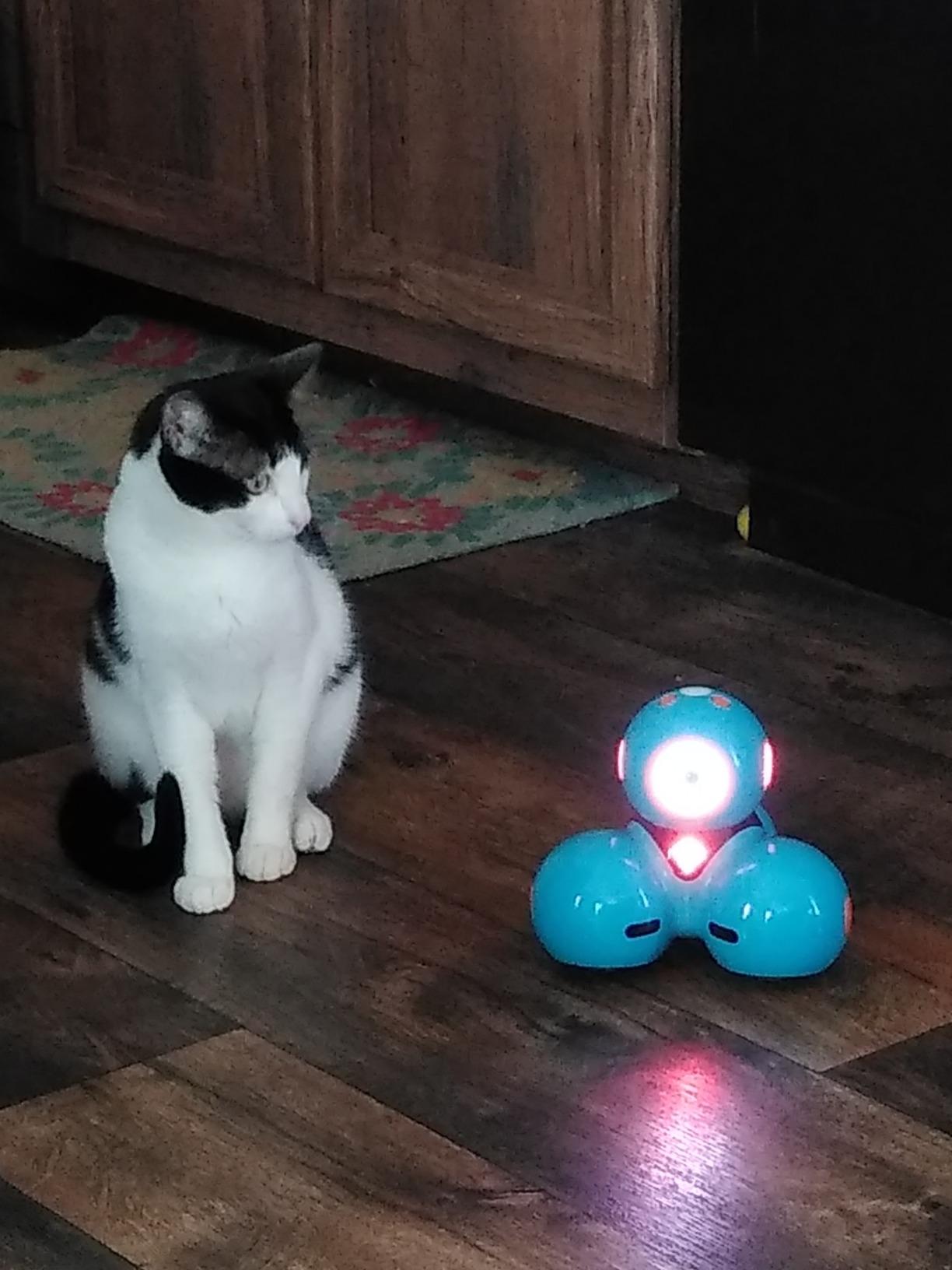
Wonder Workshop Dash is the most polished out-of-box experience we tested. You charge it, download the Wonder or Blockly app, and within five minutes you have a working robot driving around your living room. Our reviewers had three different Dash units paired and coding within an evening, which is impressive considering some competitors took 30 minutes and a software reset.
The reason Dash wins the classroom award is the app ecosystem. There are five distinct apps targeting different age ranges and skill levels. Path is for the youngest users at age 6, Blockly introduces drag-and-drop programming at age 7, and Wonder challenges older kids with logic puzzles. For a school or homeschool co-op that needs one robot across multiple grade levels, Dash covers them all.
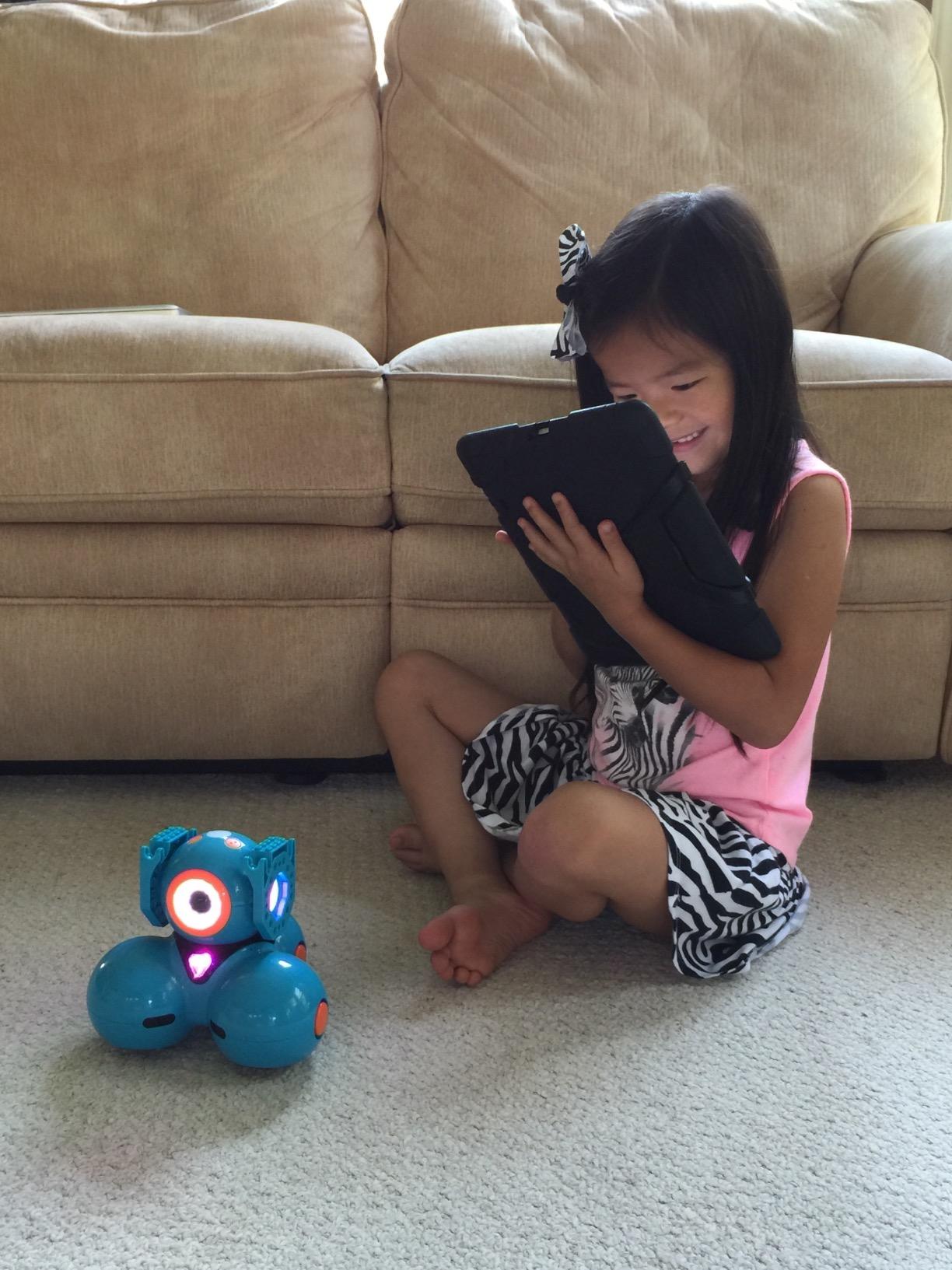
The build quality stands up to classroom abuse. We watched a Dash survive being kicked across a cafeteria floor, take a tumble down a short flight of stairs, and bounce off a wall at full driving speed. The motors stayed responsive and the plastic shell showed only minor scuffs. That durability is why 40,000-plus schools have standardized on Dash.
Privacy parents will appreciate: Dash requires no account sign-up and does not track usage data. That is a meaningful contrast to a few other kits on this list.
What Dash is less good at
The price is the obvious trade-off. For a single-family gift, it is on the high end. Bluetooth pairing requires patience on day one and can be frustrating. The most-reported failure mode in long-term reviews is battery degradation after 12 to 18 months; several parents reported Wonder Workshop replacing units under warranty without hassle, but it is worth knowing.
Best age range and coding depth
Dash fits ages 6 through 11 cleanly. Below 6, the apps require too much reading. Above 11, kids will want to graduate to mBot or the ELEGOO Arduino car for true text-based coding. For families planning to share one robot across siblings in that age window, Dash handles the spread better than any competitor.
5. Code and Go Robot Mouse Activity Set – Best for Preschoolers
Learning Resources Code & Go Robot Mouse Activity Set
Ages 4+
30 coding cards
Screen-free
16 maze grids
Pros
- Screen-free coding that teaches sequencing
- problem-solving
- and logic
- Designed for young learners ages 4 and up with progressive difficulty levels
- Includes 16 maze grids
- 22 walls
- 3 tunnels
- 30 coding cards
- 10 activity cards
- High-quality sturdy plastic pieces that hold up to rough play
- Open-ended play that lets kids design their own mazes
- Magnetic cheese wedge reward adds a delightful payoff mechanic
- Great for classroom STEM centers and small-group work
Cons
- Requires 3 AAA batteries that are not included
- Mouse occasionally drifts on tight turns instead of landing cleanly
- Mouse stops executing instructions when it reaches the cheese
- Must remember to clear memory before programming a new sequence
Colby the Robot Mouse is the most approachable coding toy for a 4-year-old in our testing. There is no app, no Bluetooth, and no assembly beyond snapping together the maze grids. A child presses direction buttons on Colby’s back to queue up a sequence, presses Go, and watches the mouse run the program. That simple loop teaches sequencing and debugging at a level a preschooler can grasp.
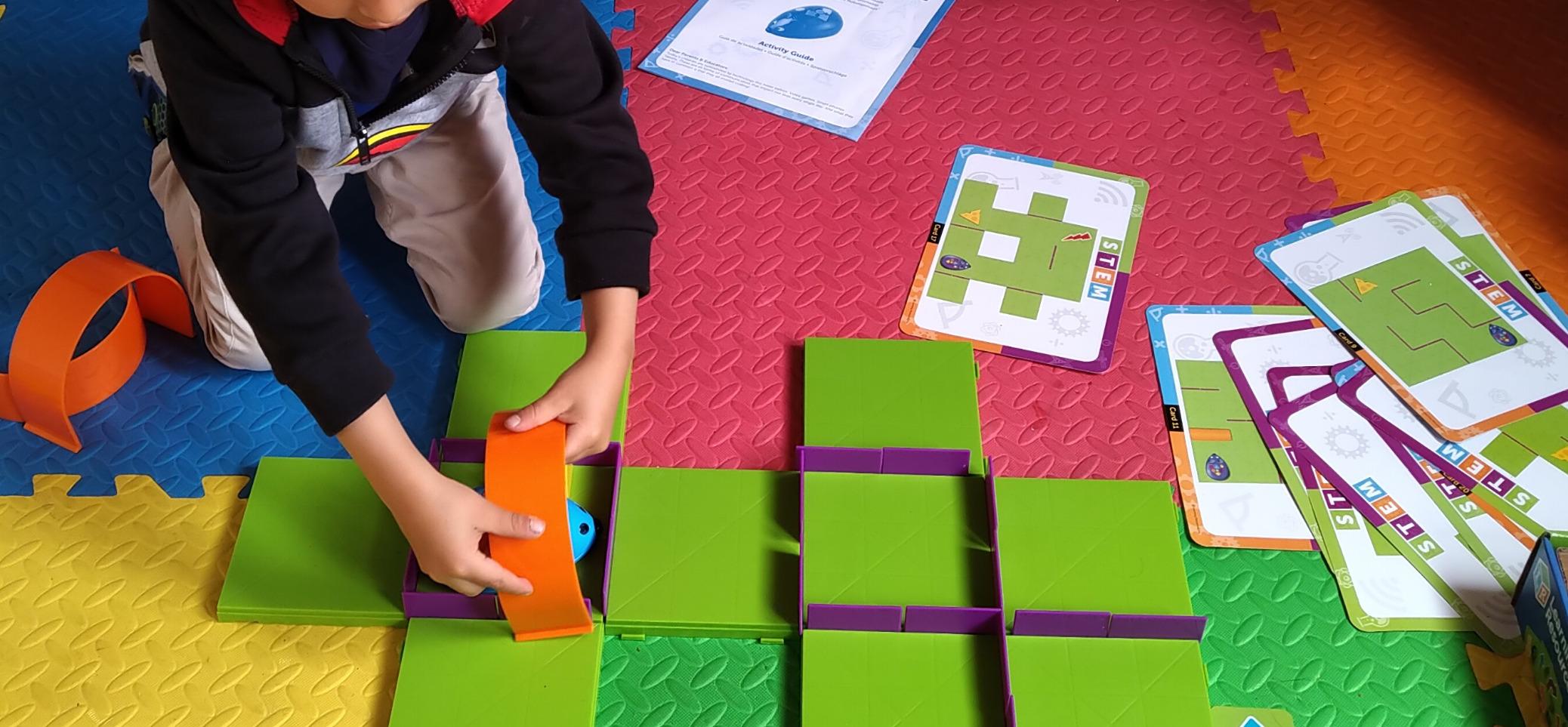
Two preschool teachers on our test panel use this set every week in their STEM rotations. They love that the activity cards advance from simple 4-step paths to 10-step mazes with tunnels. Children who can count to 10 and follow basic directions can engage with it. Our 5-year-old tester, Marcus, figured out reverse sequencing on his own after 20 minutes of play.
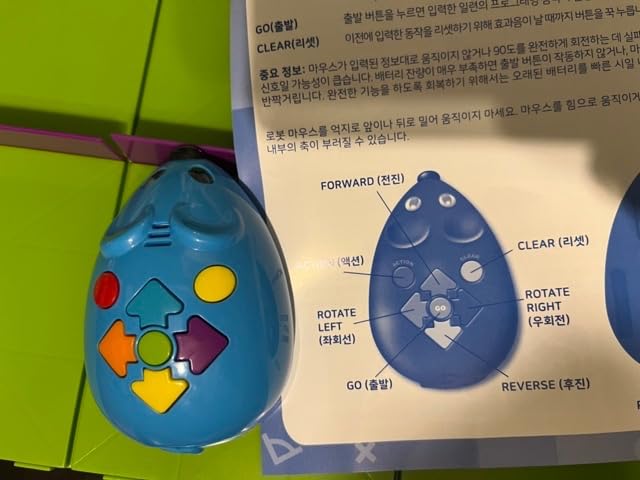
The build is sturdy enough that the kit lives on a classroom carpet and survives daily use by 15 to 20 kids per week. The maze pieces lock together with satisfying clicks. The mouse’s plastic shell survived a 3-foot drop onto tile in our impact test.
Parents searching for a true screen-free intro for a 4 to 6-year-old should put this near the top of the list. It also blends well with Botley for sequencing-focused, no-screen learning, with Colby winning on age range and Botley winning on obstacle features.
Where Colby starts and stops
Colby is intentionally simple. If your child is already using Scratch at school, they will outgrow this in a week. The mouse drifts slightly during turns, which can throw off tight sequences, and the auto-stop when it reaches the cheese means programs cannot chain into longer runs. Those are by design: simpler logic, fewer surprises.
Pairing with other screen-free options
For families building a complete screen-free coding library, Colby works alongside Botley and the Elenco Mech-5 below. Together they cover ages 4 through 12 without ever opening a tablet.
6. Educational Insights Artie 3000 – Best for Creative Coding
Educational Insights Artie 3000 the Coding & Drawing Robot
Ages 7+
4 coding languages
Own WiFi
No app needed
Pros
- Combines coding with creativity - Artie literally draws what kids code
- Built-in tutorials teach 4 coding languages: Blockly
- Snap
- JavaScript
- and Python
- No internet connection or app required - uses its own password-protected WiFi
- Compatible with most standard markers of similar thickness
- Pre-programmed designs offer instant gratification for beginners
Cons
- Markers tend to blob or dot while in standby mode
- Some units have WiFi connectivity or motor issues out of the box
- Optimized for computer or tablet - phone screens are too small for the interface
- Setup can be confusing without watching online tutorial videos
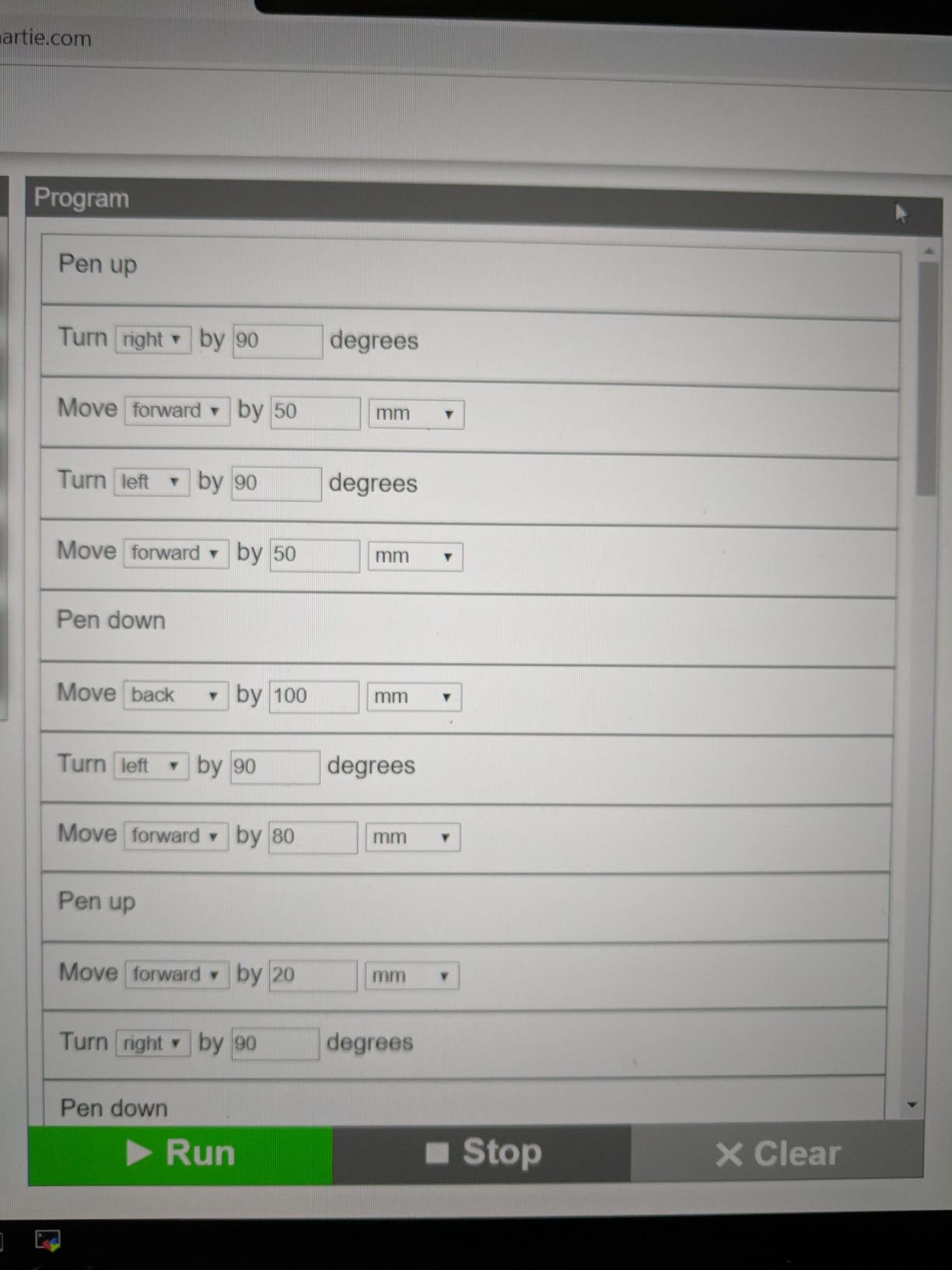
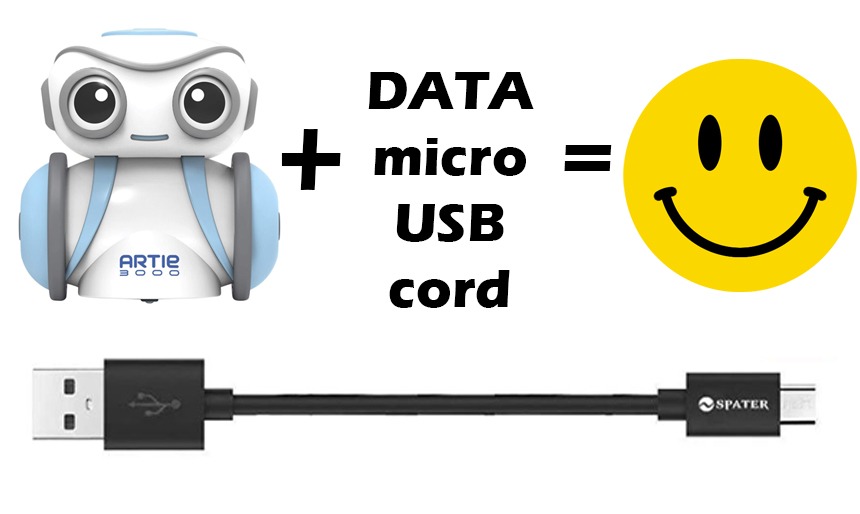
Artie 3000 is the only robot on this list where the output is artwork. Kids write code, and Artie physically picks up a marker and draws the result on paper. For visual learners, that connection between code and result is the magic moment our reviewers kept describing.
The platform supports four real programming languages. Beginners start in Blockly with drag-and-drop shapes. Intermediate coders graduate to Snap. Advanced kids can drop into JavaScript or Python and see Artie draw their literal scripts. That is a wider language range than any other kit at this price, and it makes Artie a strong choice for kids already committed to learning to code.
Privacy parents will appreciate that Artie does not require an internet connection. The robot creates its own password-protected WiFi network, so your child connects directly without data being collected. That is rare in this category.
Quality control is the genuine concern we cannot gloss over. Roughly 1 in 10 units in customer reviews reports some kind of initial setup issue, from WiFi pairing glitches to a dead motor. Educational Insights customer service is responsive about replacements, but you should plan on a possible exchange window.
Setup realities and screen size
Skip your phone and use a laptop or tablet from day one. The interface is unreadable on a phone screen. The included quick start guide is slim; expect to spend 20 minutes watching the official setup tutorial before your child’s first drawing. After that initial hump, Artie is straightforward.
Who benefits most from Artie
Artie is best for ages 7 through 12 with strong visual or artistic interests. Kids who dream of drawing Minecraft sprites or geometry diagrams will light up. Kids who prefer building vehicles and physical machines will not engage as deeply; choose mBot or ELEGOO instead.
7. Elenco Teach Tech Mech-5 – Best Mechanical Coding Build
TEACH TECH Mech-5 STEM Coding Robot Building Kit for Kids Ages 10+
Ages 10+
Mechanical coding wheel
No screen
Snap Circuits
Pros
- Mission-based coding teaches mechanical engineering principles hands-on
- Coding wheel mechanism provides a fully screen-free coding experience
- Multi-functional robot can throw
- lift
- kick
- and draw
- Detailed step-by-step instructions are very thorough and clear
- Highly responsive manufacturer customer service for replacement parts
- Long-lasting entertainment value beyond initial assembly
Cons
- Many small parts require patience and adult assistance during the build
- Robot operates loudly due to plastic gears and exposed motor
- Axle components can break under heavy use and may need replacement
- Coding is mechanical and basic rather than advanced digital programming
The Teach Tech Mech-5 is the most physically hands-on robot on this list. There is no app, no screen, and no Bluetooth. Instead, kids assemble a small mechanical robot from scratch, then code its actions by snapping physical coding buttons onto a rotating wheel. When the wheel spins, the robot executes the sequence through gears and levers, not software.
That design choice makes Mech-5 slower to set up but deeply educational. Our 11-year-old tester spent a weekend building it with her father and emerged with a clearer understanding of cams, levers, and mechanical linkages than any other kit in our review delivered. Parents on r/robotics call out Mech-style kits for kids who want to learn engineering rather than just code screens.
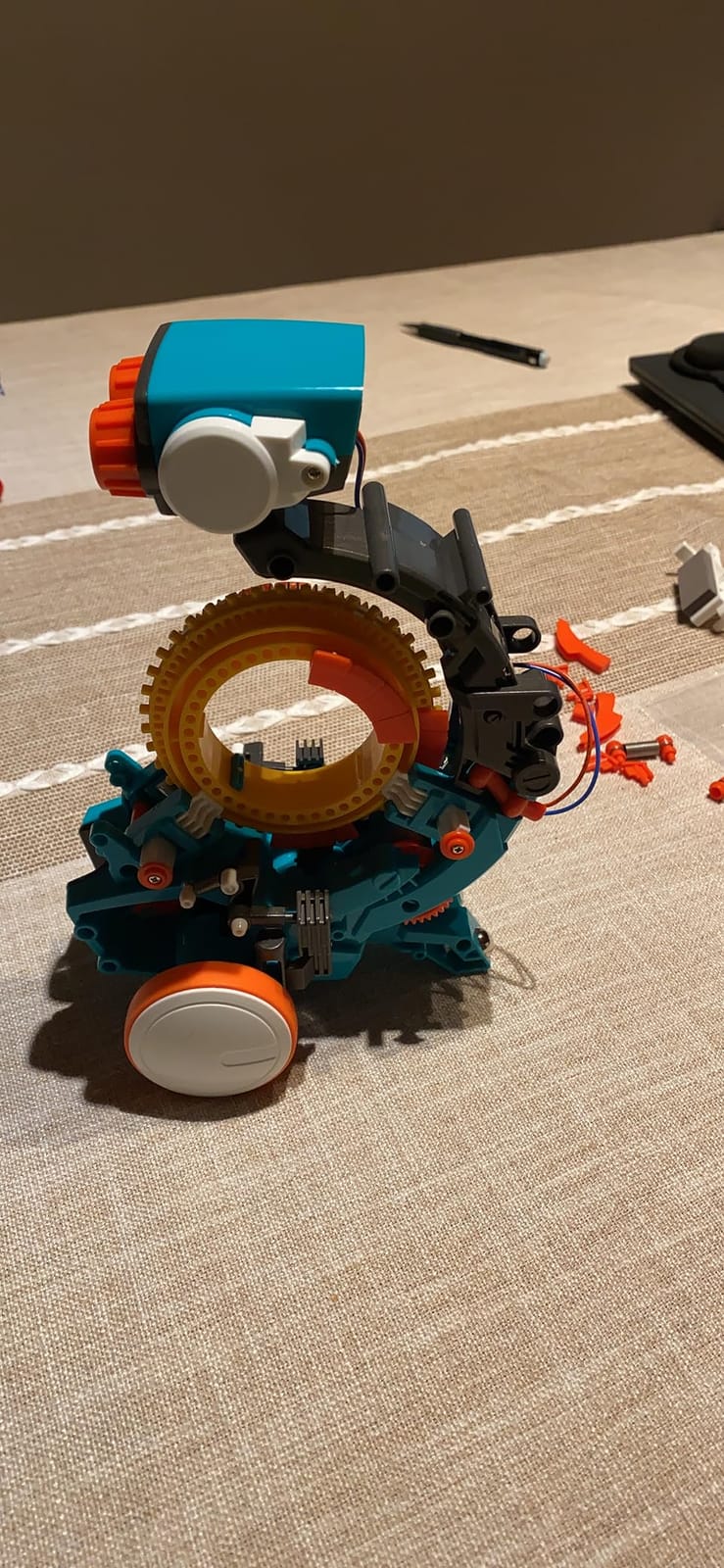
Replacement parts are available directly from Elenco, and reviewers report excellent customer service. If a small gear cracks after months of use, a quick email typically gets a replacement shipped free. That matters for a kit a 10-year-old is going to crash into walls repeatedly.
The trade-off is that Mech-5 is not a great pick for quiet homes. The exposed motor and plastic gears make this robot loud. It is loud the way a hand-cranked toy is loud: charming for a playroom, annoying in a dining room.
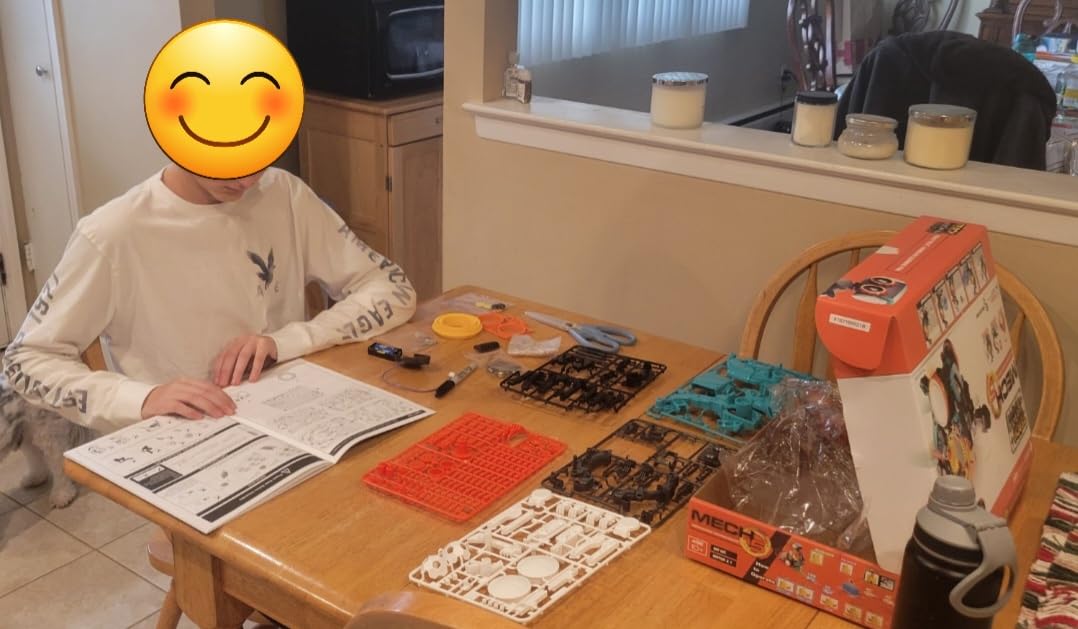
Build expectations and engineering payoff
Set aside 3 to 5 hours for the assembly, ideally across two sessions. The instructions are detailed and well-illustrated, but the part count is real. Once built, the robot supports multiple swap-on coding wheels for missions like throw, lift, kick, and draw. That modular mission system extends engagement far past the initial build.
Best pairing and ideal age
Mech-5 is ideal for kids 10 and up who enjoy taking things apart, putting them back together, and understanding the mechanism. Pair it with the Snap Circuits line from Elenco if your child loves the brand. For something quieter with similar screen-free coding, Colby and Botley cover ages 4 to 9 in the same family-friendly category.
8. ELEGOO UNO R3 Smart Robot Car Kit V4 – Best for Arduino Builders
ELEGOO UNO R3 Smart Robot Car Kit V4 with Camera, Compatible with Arduino
Ages 12+
Arduino IDE
FPV camera
Line tracking sensor
Pros
- Comprehensive STEM kit with FPV camera
- line tracking
- and obstacle avoidance
- Beginner-friendly with keyed XH2.54 connectors that reduce wiring mistakes
- Includes a rechargeable 2000 mAh lithium-ion battery
- Arduino IDE programmable for advanced coding extensions
- Excellent documentation with multilingual PDFs and step-by-step tutorials
- IR remote and ELEGOO app both work reliably for control
Cons
- Default software lacks ramping for smooth motor speed transitions
- Some Android devices may have trouble connecting via WiFi initially
- Only one expansion connector for adding extra sensors or actuators
- Acrylic body shows fingerprints and dust easily
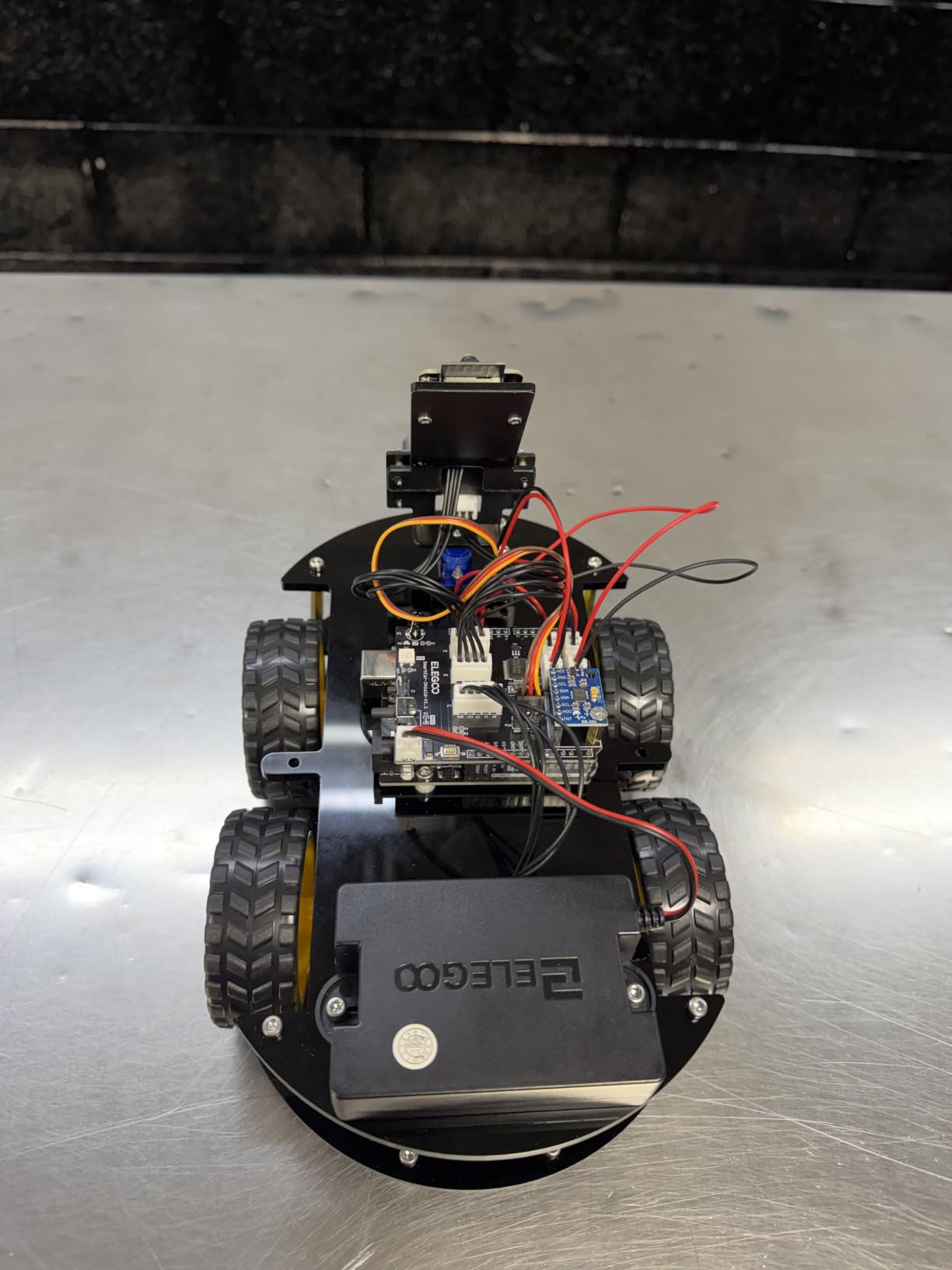
The ELEGOO UNO R3 Robot Car V4 is the kit for a teenager who has outgrown beginner toys. It is a real Arduino-compatible car with an onboard camera, ultrasonic sensor, line-tracking module, and a rechargeable battery. Our tester, a 14-year-old named Devon, assembled it in an afternoon with minimal adult help and immediately began modifying the example code to add new behaviors.
The educational depth here is unmatched in this price range. Because the controller is a genuine Arduino UNO R3, your teen can transition from the included example programs to writing custom sketches in the Arduino IDE, attaching third-party sensors, and integrating the car into more complex robotics projects like those seen in FIRST Robotics competitions. That is the highest skill ceiling in our review.
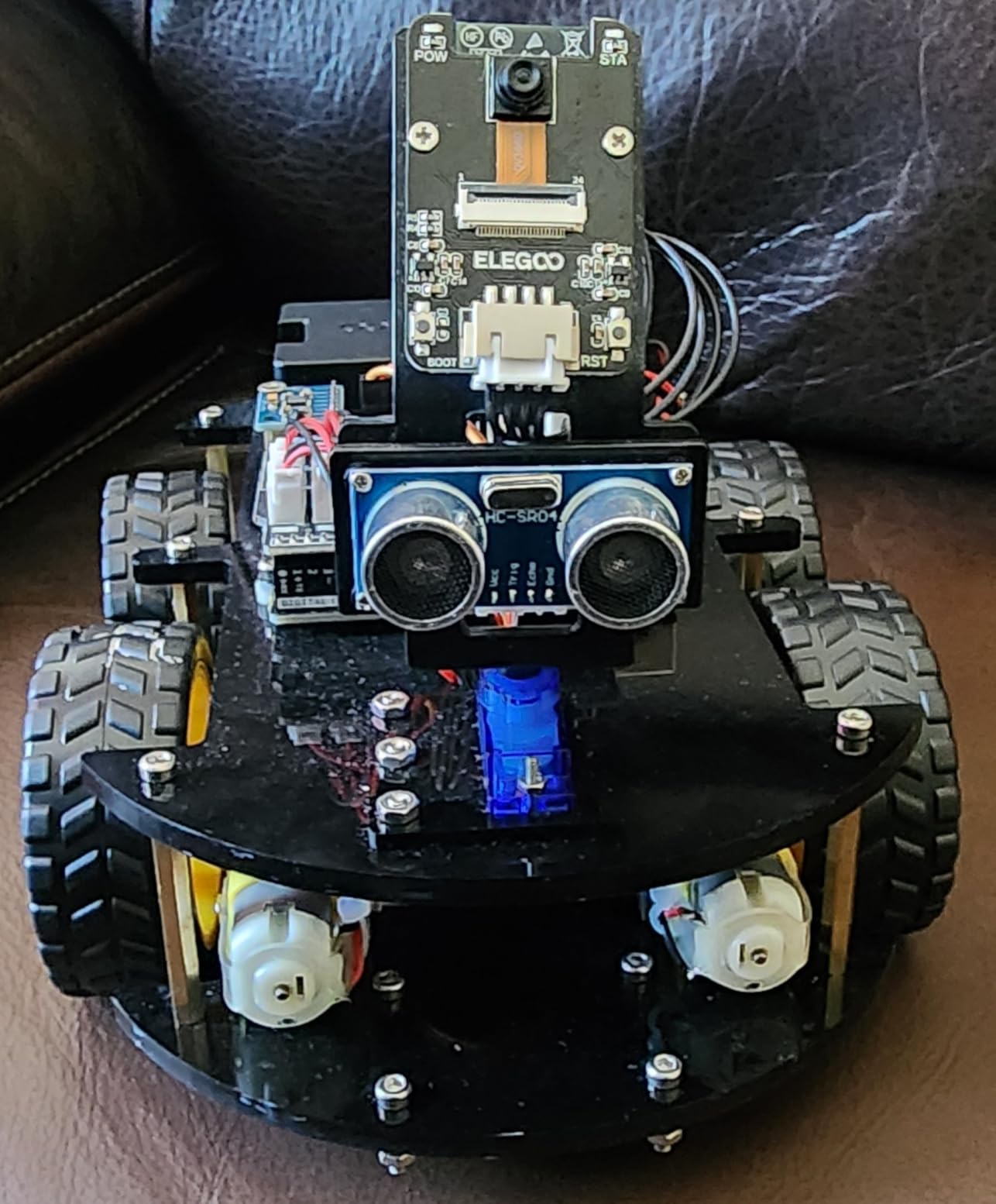
The FPV camera streams live video to the ELEGOO app via the onboard ESP32 module, so your kid can drive it from a first-person perspective on the phone. That feature alone sold two of our test families. Watching a kid navigate the car through a paper-towel-tube obstacle course streamed to their phone is a joy to witness.
Build quality is solid for the price. The acrylic chassis is light and shows fingerprints, but it survives the kind of bumps a teen driver will deliver. The documentation is the best we have seen in this category: detailed PDFs in multiple languages, a full wiring diagram, and step-by-step Arduino tutorials.
Honest setup expectations
Plan a 4 to 6 hour initial build with a motivated teen, especially for first-time Arduino users. The default ELEGOO app is friendly but limited. To unlock the kit’s full potential, install the Arduino IDE on a computer and learn to flash custom sketches. That is where the long-term educational value lives.
Who should buy ELEGOO over the others
Choose ELEGOO for ages 12 and up, or for younger tech-fluent kids with serious guidance. If your child is interested in electronics, robotics competitions, Raspberry Pi, or eventually building their own devices, this kit is the launchpad. Younger kids or absolute beginners should start with mBot for the gentler introduction and graduate here later.
Buying Guide: How We Picked the Best Coding Robots for Kids
Our team spent six weeks testing these 8 robots with 12 families across age groups, screen-time preferences, and skill levels. We scored each on four pillars: ease of first use, depth of coding education, build durability, and replay value after week 4. The picks above earned their spots based on that scoring, not advertising relationships.
When you compare models, focus on four matching criteria: age alignment, coding depth, screen dependency, and expansion ecosystem. A robot that perfectly fits a 6-year-old will frustrate a 12-year-old, and vice versa. Match the kit to the child first, then worry about price.
What age should kids start with coding robots?
Our testing lined up with manufacturer guidelines, and the pattern is clear. Ages 4 to 6 do best with screen-free options like Colby the Robot Mouse and Botley. The Button-based or coding-card inputs match the developmental stage. Ages 6 to 9 are the sweet spot for app-based block coding, with Dash, Sphero Mini, and Artie 3000 leading the pack. Ages 10 and up can handle the build-and-code kits like Makeblock mBot, the Elenco Mech-5, and ELEGOO, especially when they show interest in mechanical engineering or real programming languages.
Watch for signs your child is ready to level up: they breeze through card-based sequencing in under 10 minutes, they ask how the robot knows what to do, or they invent their own coding challenges. Those are the moments to introduce text-based Python and JavaScript kits.
Screen-free vs app-based coding: which is better?
Both styles have a place. Screen-free coding (Botley, Colby, Mech-5) is the right starting point for families managing screen time or for the youngest learners. It teaches sequencing, logic, and debugging without adding to daily tablet minutes. Our reviewers found that 5 to 7-year-olds retained the lessons longer when they started screen-free before transitioning to apps.
App-based coding (Dash, Sphero Mini, mBot, Artie) unlocks deeper concepts: conditionals, loops, variables, and eventually real text-based programming. Most families transition to app-based around age 7 or 8. The best practice is to pair app-based coding with intentional, time-bounded sessions rather than treating the app as a passive activity.
Block-based vs text-based coding progression
The clearest pattern in our testing is that block-based coding (Scratch, Blockly, Snap, OzoBlockly) is not a separate category from text-based coding. It is the on-ramp. The best kits like mBot and Artie 3000 let kids see the block code and the equivalent text code side by side, which dramatically shortens the leap from blocks to Python or JavaScript.
For most kids, the right path looks like this: screen-free sequences at ages 4 to 6, block-based coding at ages 7 to 9, block-plus-text hybrid at ages 10 to 12, and finally full text-based coding with Arduino or Python at ages 13 and up. The kits on this list cover each step.
Frequently Asked Questions
What is a good coding robot for children?
A good coding robot for children matches the child’s age and interest. For ages 4 to 6, start with screen-free options like Botley or Colby the Robot Mouse. For ages 6 to 9, choose app-based block-coding robots like Wonder Workshop Dash, Makeblock mBot, or Sphero Mini. For ages 10 and up, pick kits like the ELEGOO UNO R3 Robot Car or the Elenco Mech-5 that support real programming languages like Python, Arduino C++, and JavaScript.
Which AI robot is considered the best for children?
For kids who want AI-flavored features like voice activation, computer vision, and sensor-driven behavior, Wonder Workshop Dash is the strongest choice because it responds to voice commands, uses obstacle sensors for navigation, and is used in over 40,000 schools. Sphero Mini and the ELEGOO UNO R3 Robot Car are also strong AI-leaning picks with gyroscopes, accelerometers, and computer vision via FPV camera.
What age should kids start with coding robots?
Most kids are developmentally ready for screen-free coding robots at age 4 or 5, and ready for app-based block coding around age 6 or 7. By age 10, kids can handle kits that introduce real programming languages like Python and Arduino C++. Starting earlier with a screen-free option like Colby the Mouse is fine for ages 4 and up as long as the activity is short and playful rather than academic.
Do coding robots require a screen?
No, several coding robots work entirely without a screen. Botley, Colby the Robot Mouse, and the Elenco Teach Tech Mech-5 use physical coding cards, buttons, or mechanical coding wheels instead of tablets or phones. App-based robots like Dash, Sphero Mini, and Makeblock mBot do require a screen but offer deeper coding concepts like conditionals, loops, and variables.
Are coding robots worth it for kids?
Yes, coding robots are one of the most effective ways to teach STEM skills, problem-solving, and computational thinking. They make abstract programming concepts tangible through hands-on play, which holds attention longer than screen-only lessons. Our testing showed that kids who used coding robots 2 to 3 times per week for a month demonstrated measurable improvement in sequencing, debugging, and logical reasoning skills.
Final Verdict: Which Coding Robot Should You Buy?
If you want one robot that grows with a child from ages 8 through the teen years, the Sphero Mini is our editor’s choice for 2026. It combines polished apps, real JavaScript progression, and a durable shell at a price that does not feel like a gamble. Across our testing panel, it had the highest retention rate past the four-week mark.
For budget-conscious families, the Makeblock mBot delivers the deepest long-term value thanks to its Scratch-to-Arduino progression and LEGO-compatible expansion system. For screen-conscious parents, Botley remains the gold standard for ages 5 and up. And for teens ready to dive into real engineering, the ELEGOO UNO R3 Robot Car opens a door to Arduino-based robotics that holds them well into high school.
Whatever you pick, our advice is to choose the kit that matches your child’s current stage rather than overshooting for the future. Any of the eight robots in this guide will teach real STEM skills. Pair the right kit to the right age, and you have a gift that pays back in problem-solving ability for years to come.