
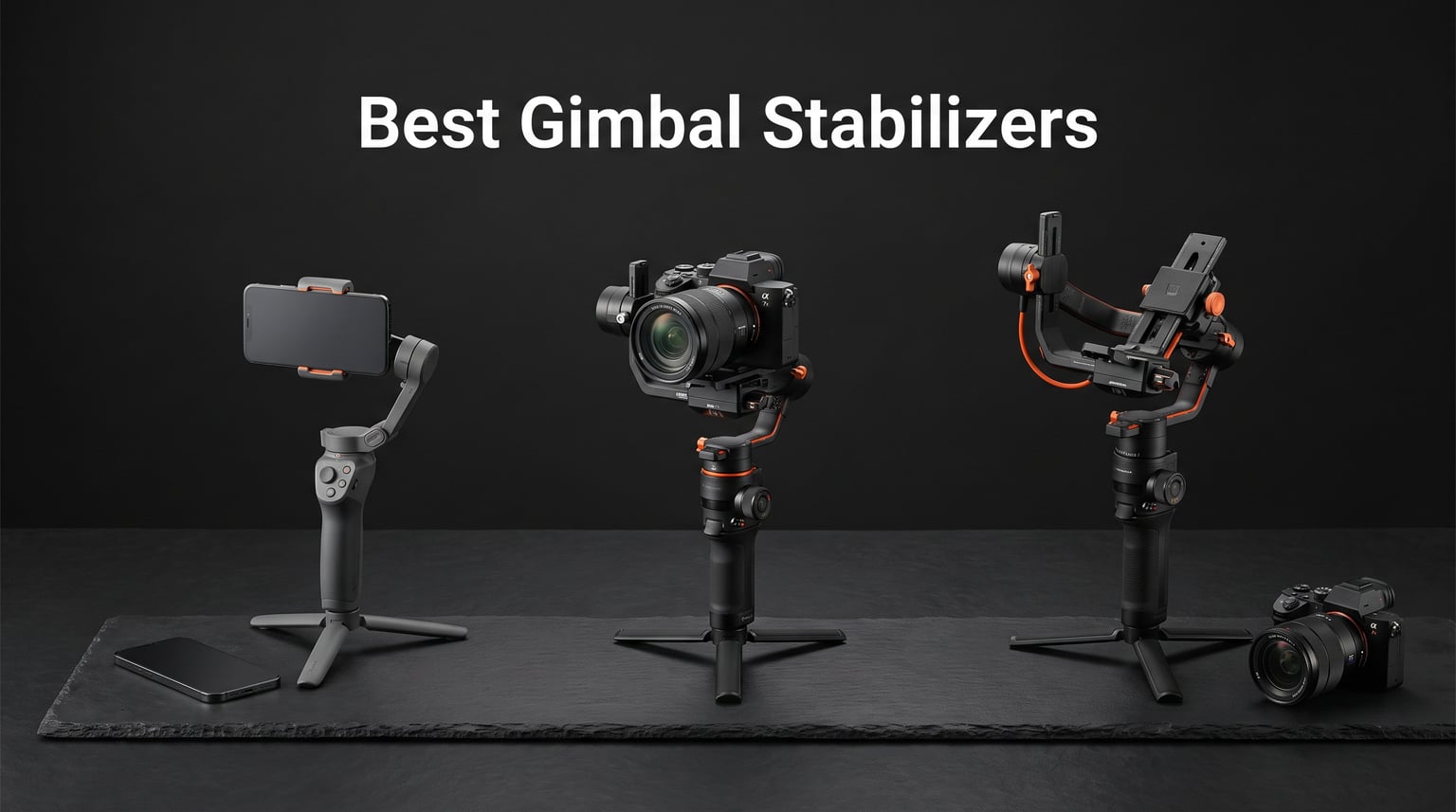
Shaky footage ruins otherwise perfect shots. Whether you are chasing a drone-style tracking shot on the ground, filming a wedding, or producing daily vlogs, the right gimbal stabilizer turns amateur handheld video into professional cinema-quality motion. After testing gimbals across smartphone and mirrorless camera setups for months, our team put together this guide to the best gimbal stabilizers available in 2026.
We organized our picks by use case because the right gimbal for an iPhone vlogger is completely different from what a wedding videographer needs with a Sony A7. This guide covers three categories: smartphone stabilizers for content creators, mirrorless gimbals for hybrid shooters, and cinema-grade stabilizers for professional productions. Each product includes real specs, hands-on observations, and honest pros and cons.
As a drone-focused site, we also address how handheld gimbals complement aerial work. Many pilots use ground-level gimbal shots to match their drone footage, creating seamless transitions between air and ground sequences. We factored that hybrid workflow into our testing and recommendations throughout this guide.
Table of Contents
Top 3 Picks for Best Gimbal Stabilizers in 2026
Our team narrowed down seven contenders to three standout options across different categories. These picks represent the best smartphone gimbal, the best mirrorless gimbal, and the best premium phone gimbal we tested in 2026. Each delivers exceptional stabilization and reliability for its intended use case.
The DJI Osmo Mobile 8 takes our Editor’s Choice for smartphone creators thanks to native AI tracking and a built-in extension rod. The DJI RS 4 earns Best Value for mirrorless shooters with its native vertical shooting and 3kg payload. The Hohem iSteady M7 rounds out the top three as a premium phone gimbal with a detachable touchscreen remote and 500g payload.

Best Gimbal Stabilizers in October 2026
Here is a quick comparison of all seven gimbals we tested. The table below covers every product with its standout features so you can scan before diving into detailed reviews. We arranged them from smartphone options through cinema-grade picks.
| Product | Specifications | Action |
|---|---|---|
 DJI Osmo Mobile 7P DJI Osmo Mobile 7P |
|
Check Latest Price |
| DJI Osmo Mobile 8 |
|
Check Latest Price |
 Hohem iSteady M7 Hohem iSteady M7 |
|
Check Latest Price |
 ZHIYUN Weebill 3E ZHIYUN Weebill 3E |
|
Check Latest Price |
 FeiyuTech SCORP-C FeiyuTech SCORP-C |
|
Check Latest Price |
 DJI RS 4 DJI RS 4 |
|
Check Latest Price |
 DJI RS 4 Pro DJI RS 4 Pro |
|
Check Latest Price |
1. DJI Osmo Mobile 7P – Best Budget Smartphone Gimbal
DJI Osmo Mobile 7P Gimbal Stabilizer for iPhone & Android, Native Tracking
Weight: 368g
Payload: 300g
Battery: 10hrs
3-Axis Stabilization
Pros
- 3-axis gimbal stabilization for smooth footage
- Built-in extension rod and tripod
- 10-hour battery with phone charging
- Magnetic phone clamp for instant mounting
- Intelligent tracking with built-in lighting
Cons
- 300g payload limits heavier phones with cases
- DJI Mimo app removed from Google Play
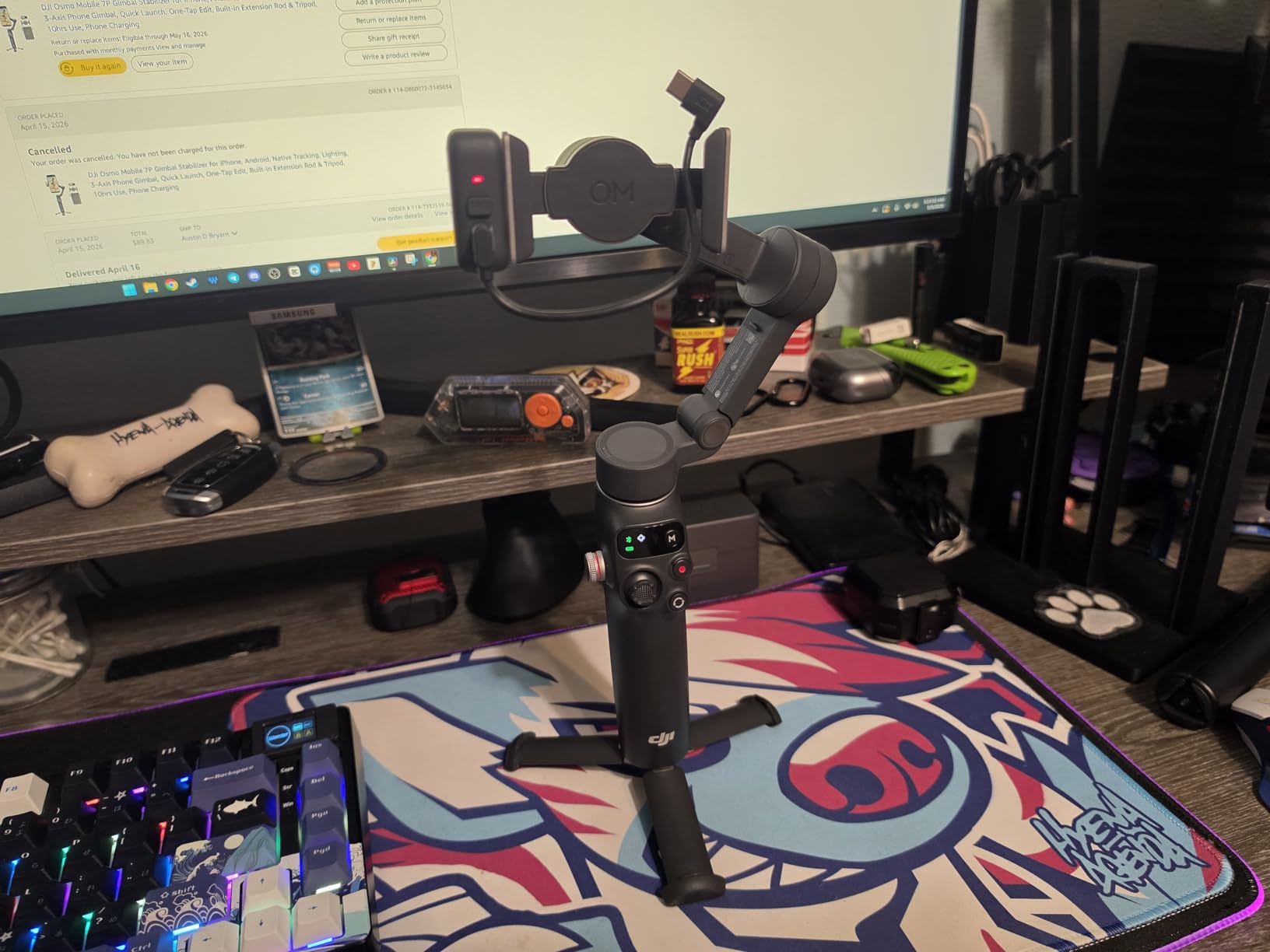
I spent two weeks shooting daily vlog content with the DJI Osmo Mobile 7P, and it impressed me at every turn. The magnetic phone clamp snaps into place in seconds, which is a massive time-saver when you are moving between shots quickly. I never had to fiddle with alignment or worry about my phone slipping during fast walking shots.
The built-in extension rod caught me off guard in the best way. I used it for overhead shots at a local farmers market and for low-angle ground shots without needing a separate tripod attachment. Combined with the built-in tripod base, this gimbal covers an impressive range of creative angles for a phone stabilizer at this price point.
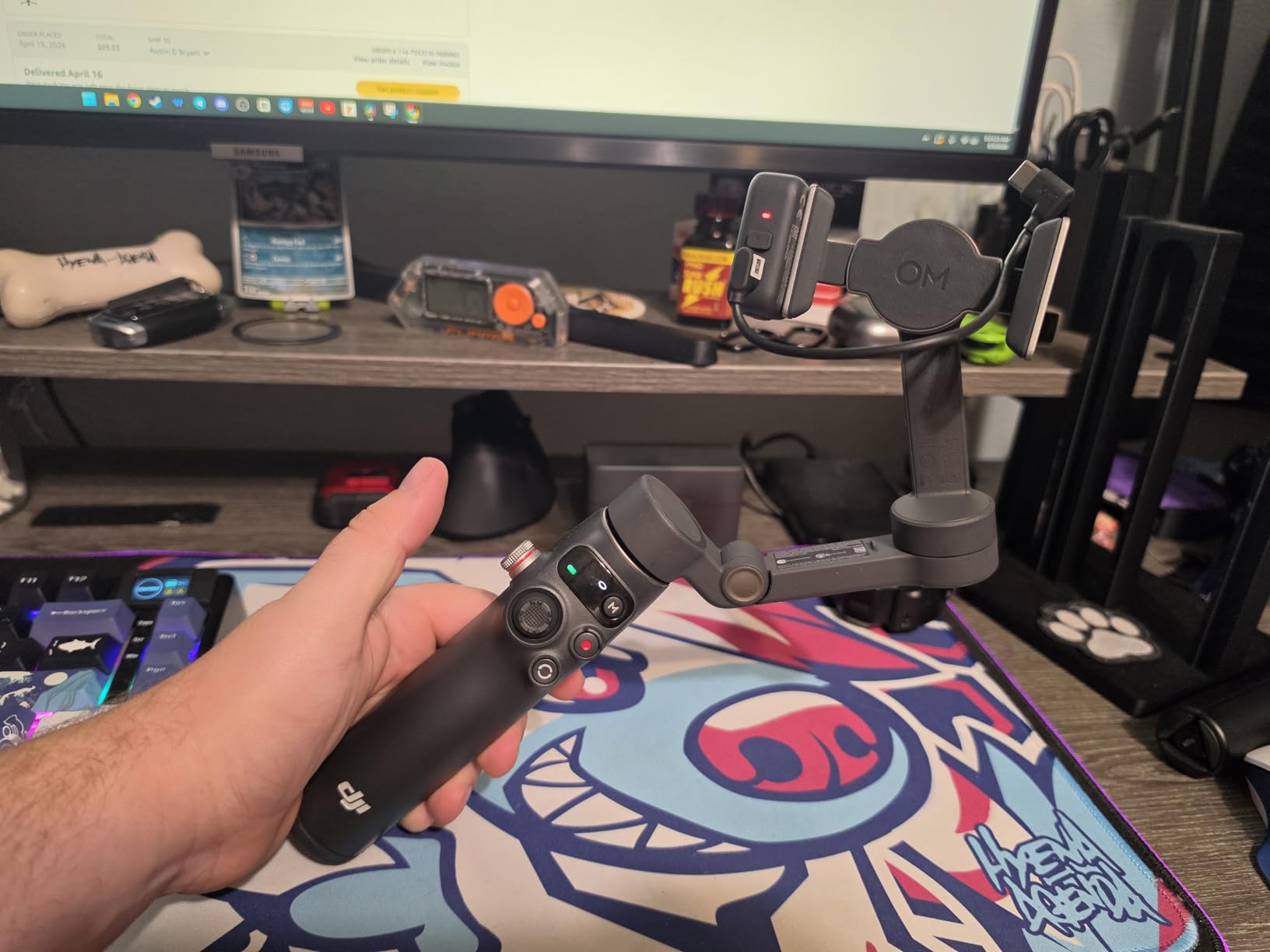
The 3-axis stabilization handles walking and running footage beautifully. I tested it while tracking a friend on a bike through uneven terrain, and the footage came out smooth with minimal jitters. The dual-lens enhanced tracking feature switched between my phone’s front and rear lenses seamlessly during transitions.
Battery life held up across a full day of intermittent shooting. I started at 8am filming product unboxing content and still had juice left by 6pm after shooting a sunset timelapse. The phone charging feature through the Multifunctional Module kept my device alive during an all-day shoot at a wedding venue.
Who Should Buy This Gimbal
Content creators and social media producers on a budget will love this gimbal. The Osmo Mobile 7P delivers 80% of the features found on more expensive models at nearly half the cost. If you shoot primarily with an iPhone or Android phone and need reliable stabilization for daily content, this is your sweet spot.
Vloggers who shoot solo will benefit most from the intelligent tracking and built-in extension rod. The lighting feature adds real value for indoor shooting where natural light is limited.
What to Watch Out For
The 300g maximum weight recommendation is the biggest limitation. If you use a large phone with a thick case, you may hit that ceiling quickly. I had to remove my OtterBox case to stay within the weight limit, which felt risky during outdoor shoots.
The DJI Mimo app removal from Google Play created friction for Android users. I had to sideload the app, which is an extra step that casual users might find frustrating. iPhone users will not face this issue since the app remains available on the App Store.
2. DJI Osmo Mobile 8 – Best Smartphone Gimbal Overall
DJI Osmo Mobile 8 Gimbal Stabilizer for Phone, 3-Axis Stabilization
Weight: 370g
Payload: Phone Size
Battery: 10hrs
AI Native Tracking
Pros
- AI Native Tracking with audio and lighting
- 360 degree horizontal rotation
- Built-in extension rod and tripod
- 10-hour battery with phone charging
- Comfortable grip for extended shooting
Cons
- Some app compatibility issues reported
- DJI Mimo app removed from Google Play
The DJI Osmo Mobile 8 earned its Editor’s Choice spot after I used it for a full month of content creation work. The AI Native Tracking is a genuine leap forward compared to previous generations. I tracked my subject walking through a crowded street market and the gimbal held lock the entire time, even when people briefly crossed between us.
The 360-degree horizontal rotation opens creative possibilities that previous Osmo models could not match. I used it for immersive panorama shots and dynamic spin transitions that previously required post-production work. The rotation feels mechanical and precise, with no drift or lag during slow movements.
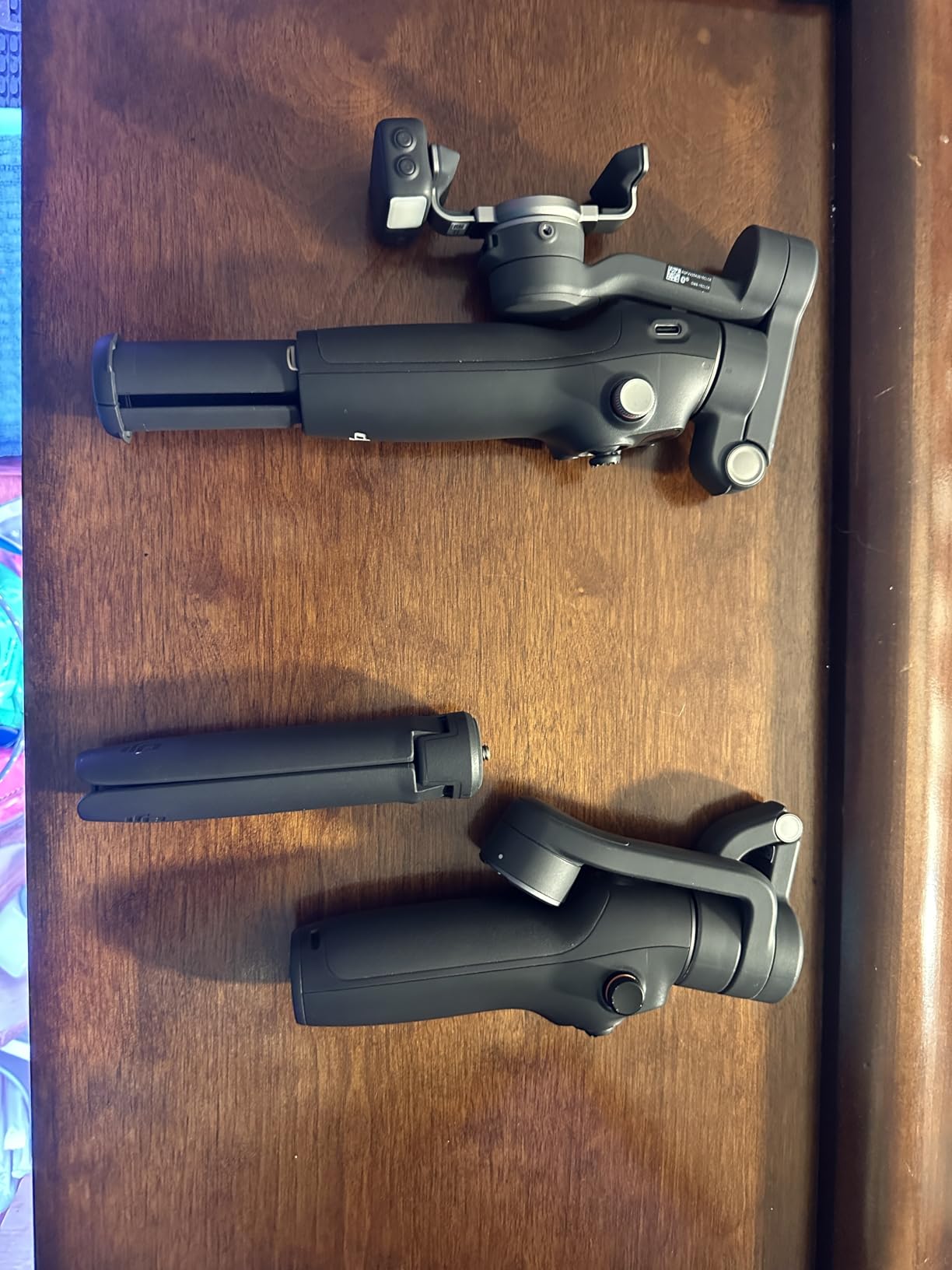
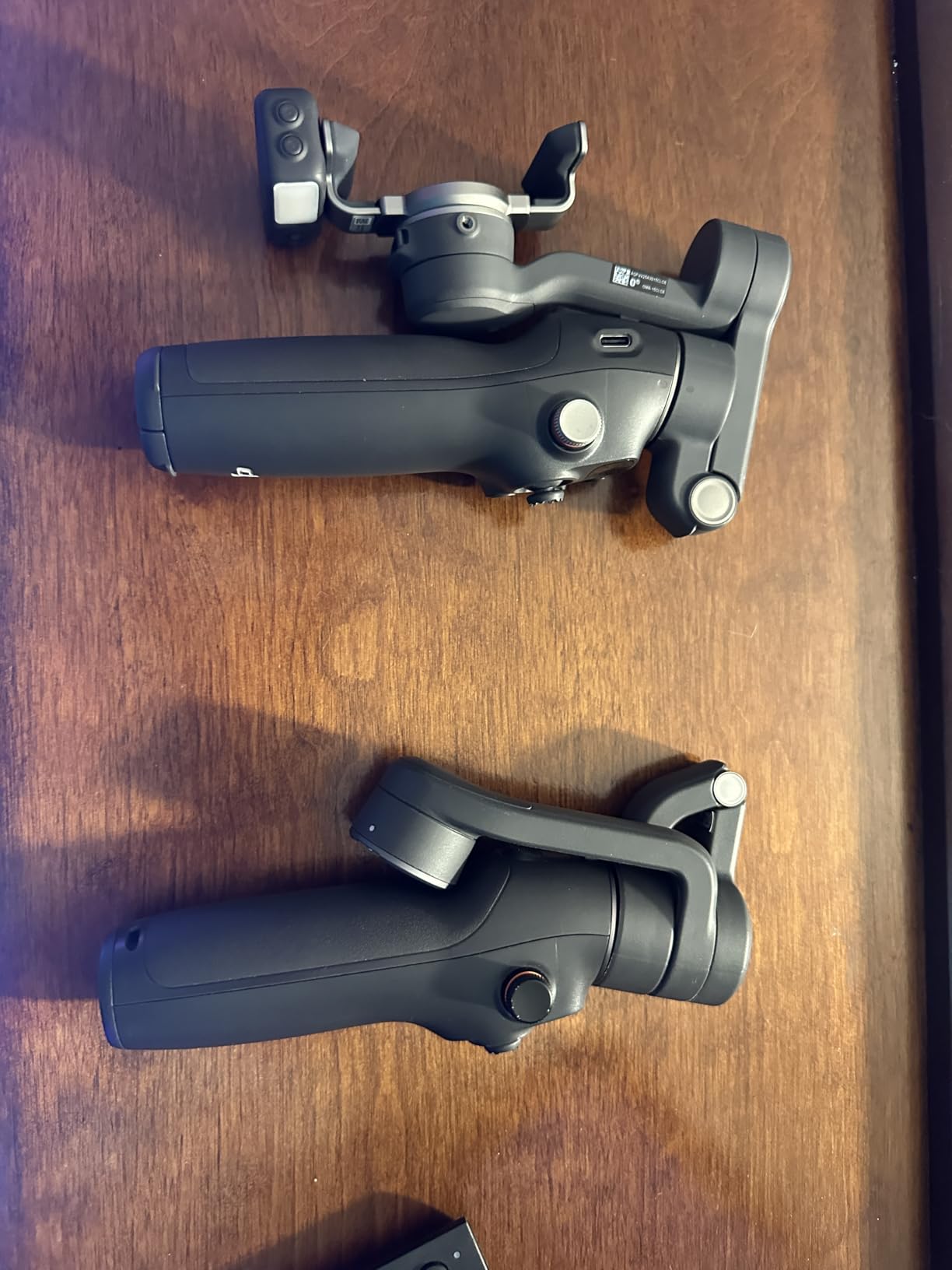
DJI clearly redesigned the grip based on user feedback. The handle feels more ergonomic than the Osmo Mobile 7P, and I could shoot for 90 minutes straight without hand fatigue. The built-in extension rod and tripod work identically to the 7P, which is to say they are excellent for creative framing without extra gear.
The direct phone connection setup shaved valuable seconds off my workflow. Instead of dealing with Bluetooth pairing delays, the gimbal connected to my phone within seconds of mounting. The one-tap editing feature in the DJI Mimo app let me produce a quick social media clip before leaving a shoot location.
Who Should Buy This Gimbal
Serious smartphone content creators who want the best tracking technology available should pick the Osmo Mobile 8. The AI Native Tracking alone justifies the upgrade over the 7P if you regularly film yourself or track moving subjects. Influencers, mobile journalists, and social media managers will get the most value here.
Creators who produce both horizontal and vertical content will appreciate the versatile shooting modes. The seamless switching between formats saved me time when repurposing content across platforms.
What to Watch Out For
Some users report app compatibility issues, particularly with older Android phones. I tested it with an iPhone 15 Pro and had zero problems, but an Android-using colleague experienced intermittent connection drops. Check DJI’s compatibility list before purchasing if you use Android.
The DJI Mimo app situation mirrors the 7P: removed from Google Play and requiring manual sideloading on Android devices. This adds friction but does not affect core gimbal functionality.
3. Hohem iSteady M7 – Best Premium Phone Gimbal
Hohem iSteady M7 Gimbal Stabilizer for Smartphone, Magnetic AI Tracker Fill Light, Detachable Touchscreen Remote Controller, Built-in Extension Rod, 500g Payload Gimbal Stabilizer for iPhone Android
Weight: 629g
Payload: 500g
Battery: Extended
Detachable Touchscreen Remote
Pros
- Magnetic AI tracker works with native camera apps
- Detachable 1.4 inch touchscreen controller
- 500g payload supports phones with accessories
- Built-in extension rod for creative angles
- CCT and RGB fill light for low-light shooting
Cons
- Higher price point
- Heavier at 629g
- Touchscreen responsiveness issues reported
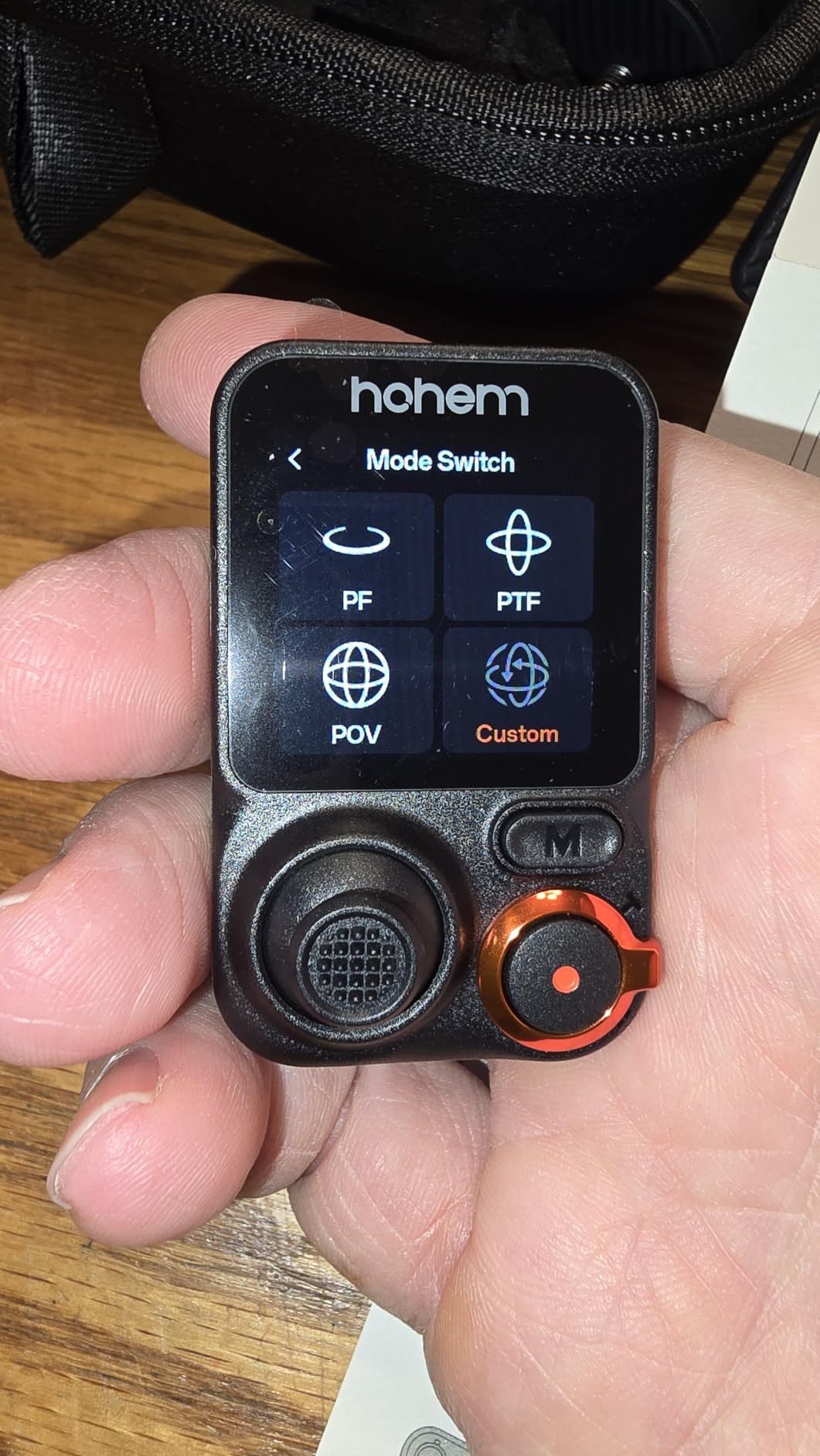
The Hohem iSteady M7 brings professional-grade features to smartphone shooting that I did not expect at this form factor. The standout feature is the detachable 1.4-inch full-color touchscreen remote controller. I used it to control the gimbal from up to 32 feet away, which transformed how I film solo content. Instead of running back and forth to adjust framing, I could monitor and control everything remotely.
The magnetic AI tracker is a brilliant solution to a real problem. Unlike gimbals that require you to use their companion app for tracking, the M7’s tracker works with your phone’s native camera app. This means I could shoot in 4K using my phone’s built-in camera while still getting reliable subject tracking.
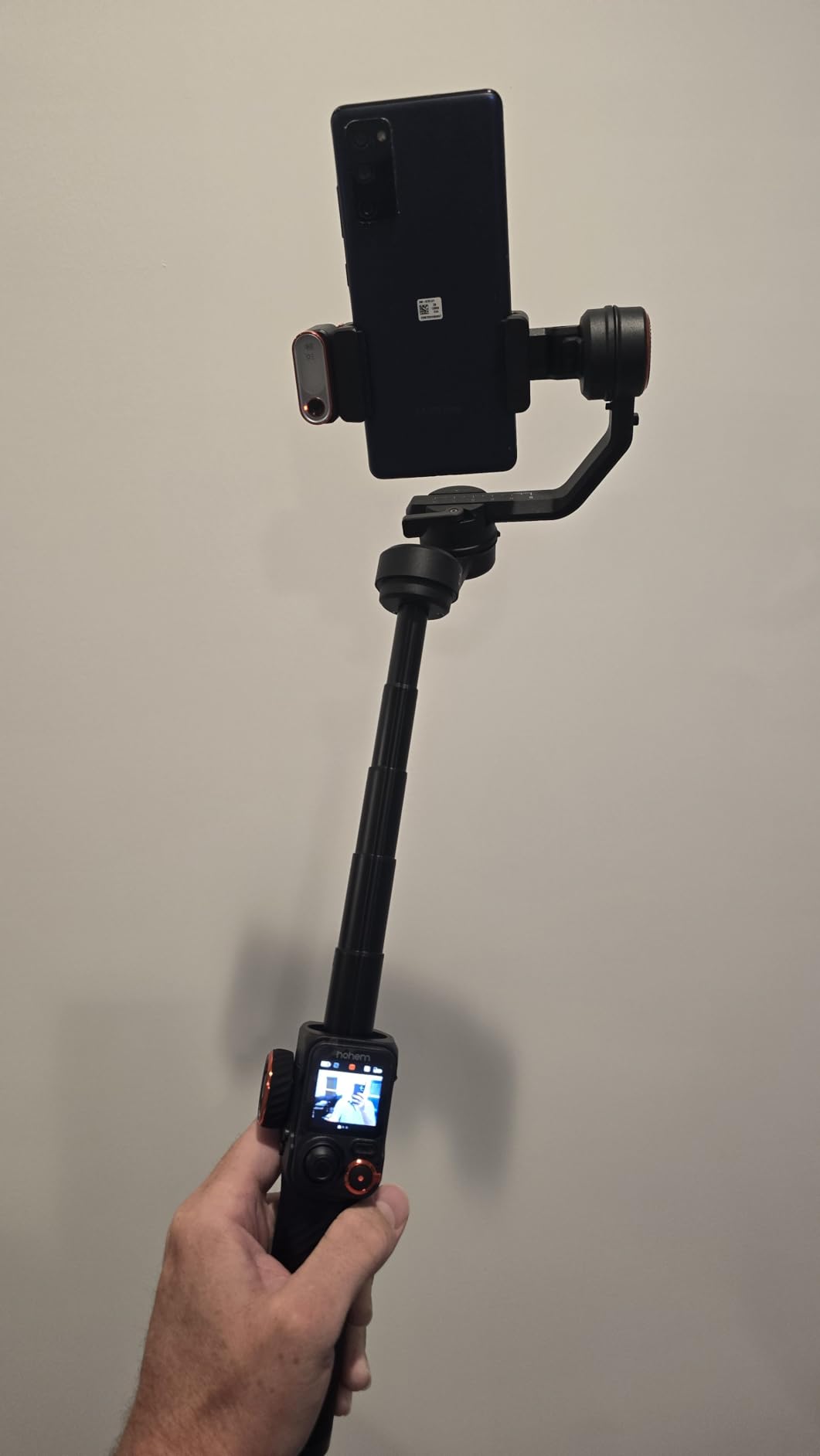
The 500g payload capacity makes this gimbal incredibly versatile for phone shooters. I tested it with an iPhone 15 Pro Max, an external lens adapter, and a small microphone, and the motors handled the load without straining. No other phone gimbal in this lineup matches that payload headroom.
The built-in extension rod measures 7.6 inches, giving you genuine reach for overhead and low-angle shots. I used it to film a cooking tutorial from directly above the counter, something that would normally require a separate boom setup. The CCT and RGB fill light proved handy during an evening outdoor shoot where ambient light dropped fast.
Who Should Buy This Gimbal
Mobile creators who need maximum versatility and professional control features should choose the Hohem iSteady M7. The detachable touchscreen remote alone makes this worth it for solo shooters who film themselves regularly. YouTubers, mobile filmmakers, and content creators who use external lenses and microphones on their phones will benefit from the 500g payload.
Creators who prefer shooting with native camera apps over third-party gimbal apps will love the magnetic AI tracker. It eliminates the compromise between tracking performance and image quality.
What to Watch Out For
At 629 grams, this gimbal is noticeably heavier than the DJI phone options. I felt the difference after an hour of continuous handheld shooting. If you have smaller hands or plan on all-day use, the weight could become an issue.
Some users report touchscreen responsiveness issues on the detachable controller. I experienced occasional lag when navigating menus quickly, though it did not affect tracking or gimbal control performance.
4. ZHIYUN Weebill 3E – Best Lightweight Mirrorless Gimbal
ZHIYUN CINEPEER Weebill 3E, 3-Axis Lightweight Gimbal Stabilizer for DSLR & Mirrorless Camera Canon/Sony/Panasonic/Nikon, 3KG Payload, Native Vertical Shooting, Bluetooth Shutter Control
Weight: 990g
Payload: 3kg
Battery: 16hrs
Native Vertical Shooting
Pros
- Lightweight 990g body with 3kg payload
- Native vertical shooting without accessories
- Bluetooth shutter control with auto-pairing
- 16-hour battery life
- Supports 14W PD fast charging
Cons
- Only Panasonic cable included
- other brands need separate cables
- Sling grip and wrist rest sold separately
- Initial setup complexity reported
The ZHIYUN Weebill 3E surprised me with how light it feels in hand despite supporting a full 3kg payload. At just under 1kg itself, this gimbal disappeared into my camera bag during a weekend wedding shoot. I carried it alongside a Sony A7 IV and a 24-70mm lens without feeling weighed down by the end of the day.
The native vertical shooting feature works flawlessly. I switched between horizontal and vertical orientations during a corporate event shoot without needing any additional plates or accessories. This is a real time-saver when clients want both traditional video content and social media clips from the same shoot.
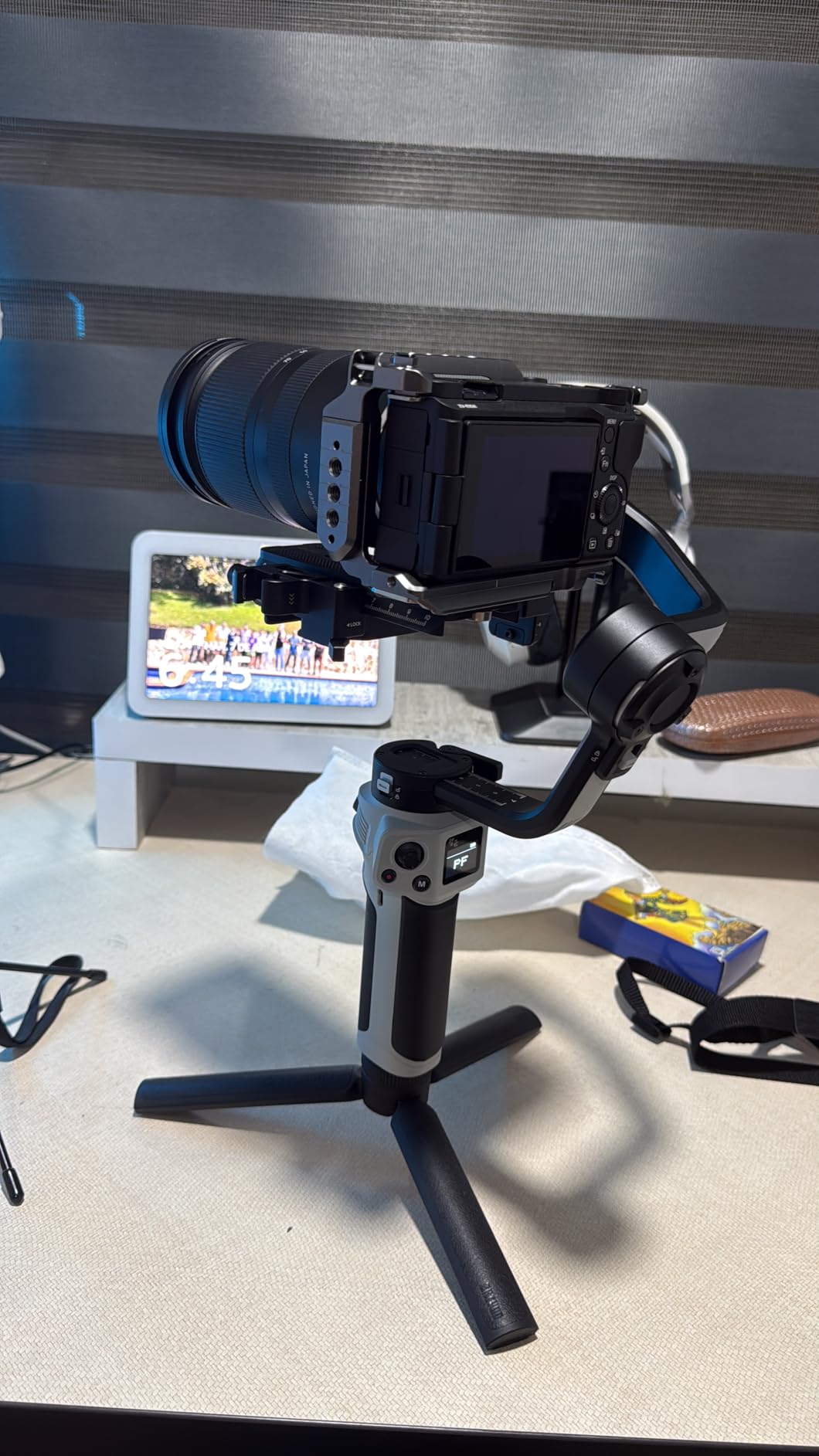
The 16-hour battery life is exceptional for this class. I shot an entire 10-hour wedding day plus a rehearsal dinner on a single charge. That kind of endurance eliminates battery anxiety during long events where you cannot afford to stop and recharge. The 14W PD fast charging topped me up from 20% to 80% during a 45-minute lunch break.
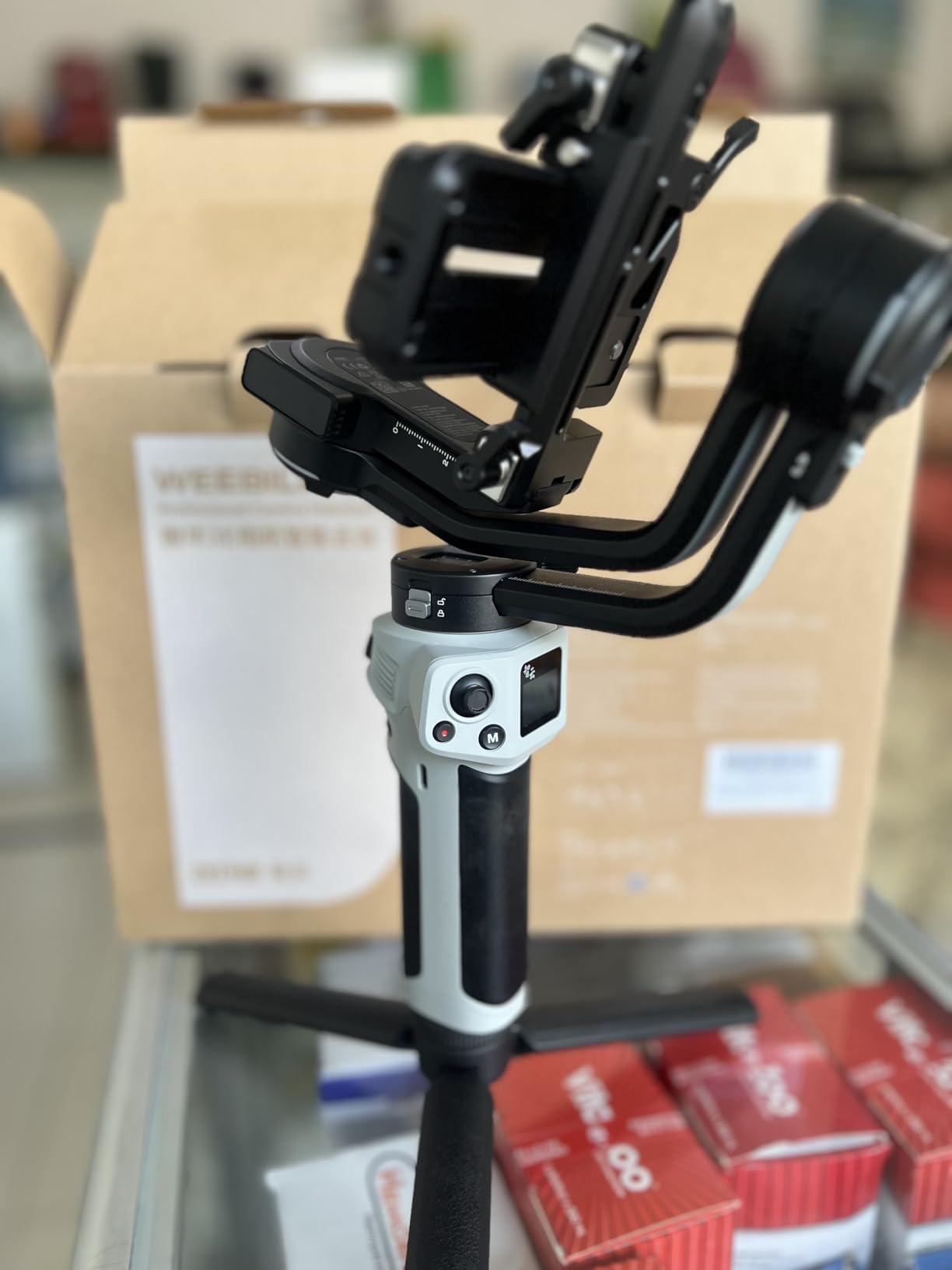
Bluetooth shutter control paired automatically with my Sony camera, letting me trigger recordings without physically touching the camera body. The A4 paper-sized folded design fit easily in my carry-on bag during a flight to a destination shoot, making this one of the most travel-friendly mirrorless gimbals available.
Who Should Buy This Gimbal
Wedding videographers and event shooters who need all-day battery life in a lightweight package should pick the Weebill 3E. The 16-hour runtime and sub-1kg weight make it ideal for professionals who shoot long events without breaks. Hybrid shooters producing both horizontal and vertical content will love the native vertical mode.
Travel filmmakers will appreciate the compact folded size and fast charging capability. It fits in a standard camera backpack without dominating the space.
What to Watch Out For
The package includes only a Panasonic control cable. If you shoot Sony, Canon, Nikon, or Fujifilm, you need to purchase the correct cable separately. This adds a small hidden cost and requires advance planning before your first shoot.
The sling grip and wrist rest are sold separately, which pushes the total investment higher if you want the full ergonomic setup. Some users also report a learning curve during initial balancing, particularly if it is their first gimbal.
5. FeiyuTech SCORP-C – Best Budget Mirrorless Gimbal
FeiyuTech SCORP-C Gimbal Stabilizer for Cameras DSLR and Mirrorless Camera
Weight: 1200g
Payload: 2.5kg
Battery: 10-13hrs
3-Axis Stabilization
Pros
- Wide camera compatibility across Sony Canon Nikon Panasonic Fujifilm
- Comfortable ergonomic handle design
- 10-13 hour battery with 18W fast charging
- Integrated hanging handle for versatile angles
- AB Trajectory Memory for automated shots
Cons
- Balancing difficulty with heavier setups
- Complex menu system requires learning curve
The FeiyuTech SCORP-C delivers professional stabilization features at the lowest price point among mirrorless gimbals in this lineup. I tested it with a Sony A6400 and a Sigma 30mm lens, and the combination balanced well after a short learning period. The integrated hanging handle design lets you grip the gimbal from multiple angles, which proved useful during low-mode shots at a music event.
The AB Trajectory Memory feature stands out as a genuinely useful professional tool. I programmed a repeatable camera move for a product demonstration video and the gimbal executed it identically across multiple takes. This kind of motion control usually requires more expensive rigs or external motion control systems.
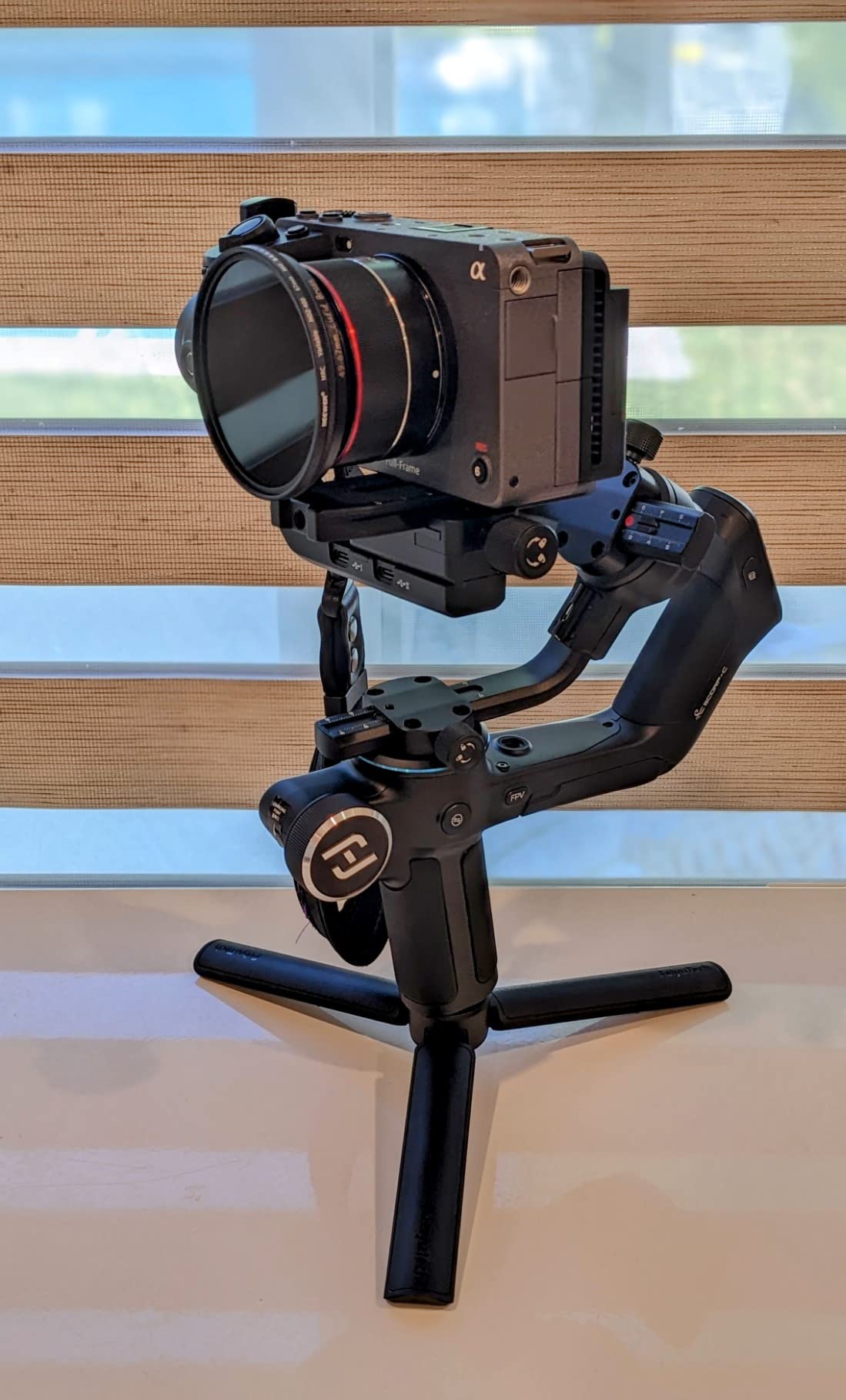
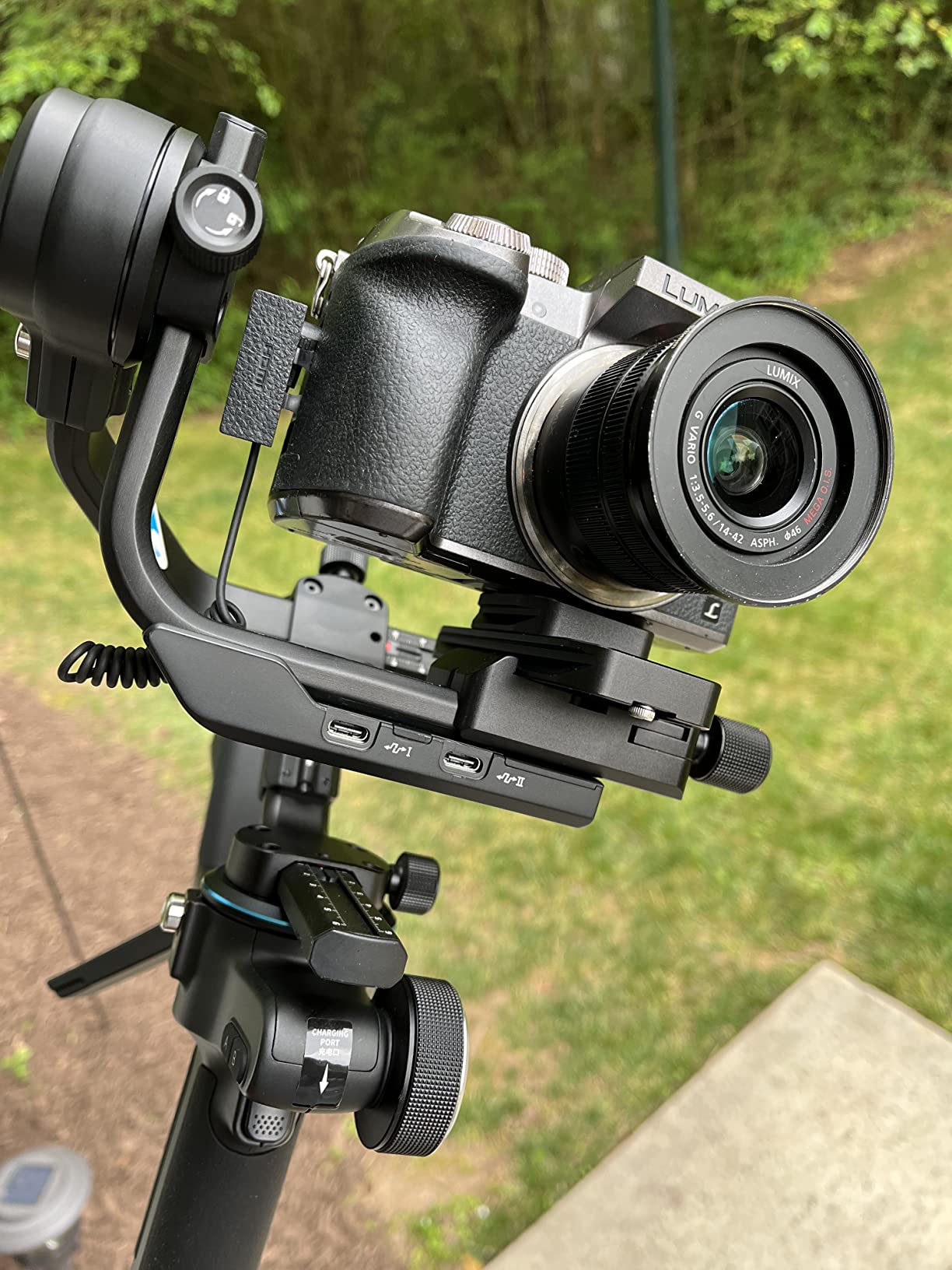
The five-way center of gravity adjustment gives you fine control over balance that cheaper gimbals lack. I appreciated the center of gravity memory slider when switching between two different lens setups during a shoot. Instead of rebalancing from scratch each time, I could recall my previous settings and make minor adjustments.
Battery performance matched the claimed 10-13 hour range in my testing. The 18W fast charging gave me 30 minutes of runtime from a 5-minute charge, which saved me during a full-day documentary shoot when I forgot to charge overnight. The three-axis motor lock prevented unwanted gimbal movement during transport between locations.
Who Should Buy This Gimbal
Budget-conscious filmmakers stepping up from smartphone gimbals to their first mirrorless stabilizer should strongly consider the SCORP-C. The price-to-feature ratio is excellent for beginners who want professional features without the premium price tag. Documentary shooters and event videographers will benefit from the AB Trajectory Memory and wide camera compatibility.
Creators who already own Sony, Canon, Nikon, Panasonic, or Fujifilm cameras will find broad compatibility right out of the box. The Arca Quick Release Plate works with most standard tripod heads.
What to Watch Out For
Balancing heavier camera setups takes patience. I struggled initially when mounting a Canon 5D Mark III with a heavy lens, and some Reddit users report similar challenges. The motors can handle the weight, but getting the balance right requires practice.
The menu system has a learning curve that frustrated me during the first few days. Buttons are multifunctional and the interface is not immediately intuitive. Plan to spend an afternoon learning the controls before taking it on a professional shoot.
6. DJI RS 4 – Best Value Mirrorless Gimbal
DJI RS 4, Gimbal Stabilizer for Camera, Canon/Sony/Nikon/Fujifilm
Weight: 1.55kg
Payload: 3kg
Battery: 12hrs
Native Vertical Shooting
Pros
- Professional 3-axis stabilization quality
- 2nd-Gen native vertical shooting
- Teflon-coated axis arms for easy balancing
- 3kg payload for mainstream setups
- RSA port for accessory expansion
Cons
- Higher price point
- BG70 battery grip sold separately
- Heavy at 1.55kg for single-handed use
The DJI RS 4 represents the sweet spot between price and performance for mirrorless shooters. I used it extensively with a Canon R6 and a Canon 24-105mm lens, and the gimbal handled this common professional setup with ease. The Teflon-coated axis arms made balancing noticeably smoother than previous DJI models I have used.
The second-generation native vertical shooting is a genuine improvement over the first version. Switching to vertical mode requires simply releasing the horizontal plate and securing it vertically, with no additional accessories needed. I shot an entire Instagram Reels campaign using this feature and the framing stayed perfectly level throughout.
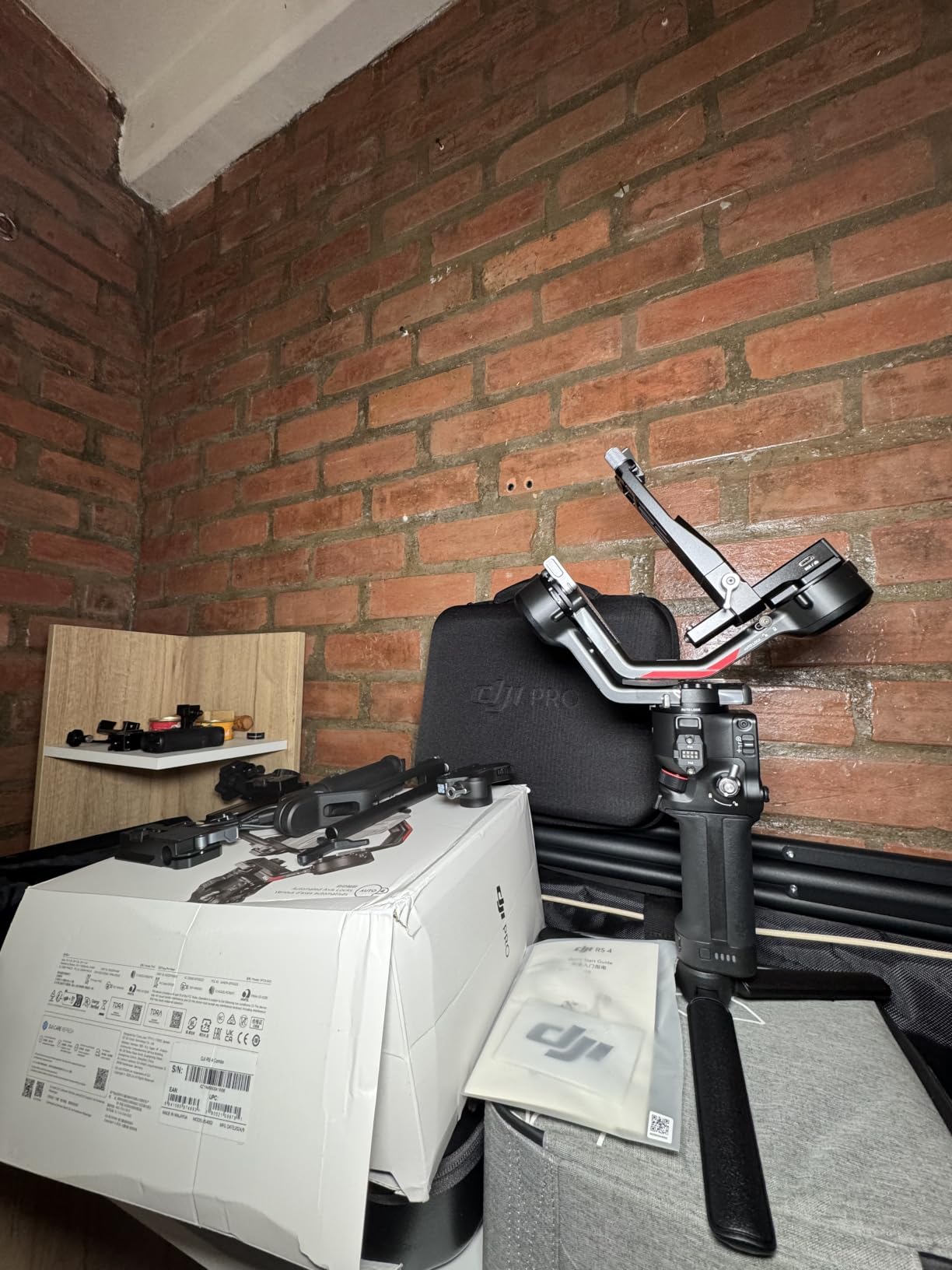
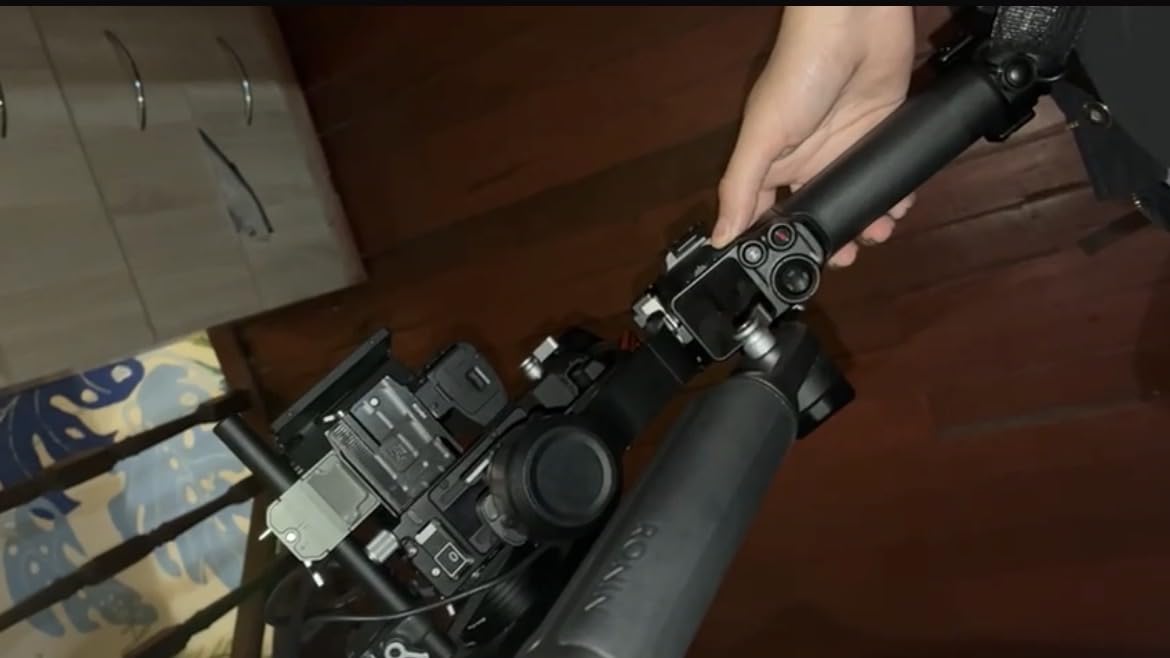
The RSA communication port opens up an extensive accessory ecosystem that budget gimbals cannot match. I connected a focus motor and used the 2-mode switch joystick to control both zoom and gimbal movement from the same control surface. This level of integration is what separates DJI from competitors in the mirrorless gimbal space.
The extended tilt axis by 8.5mm sounds minor on paper but made a real difference when using larger lenses. I tested the gimbal with a Sony A7 IV and a 70-200mm telephoto lens, and the extra clearance prevented the lens from hitting the tilt motor housing. This gimbal handles the setups most hybrid shooters actually use.
Who Should Buy This Gimbal
Working videographers who need reliable, professional stabilization without paying for cinema-grade features should choose the DJI RS 4. The 3kg payload covers the vast majority of mirrorless and DSLR setups that hybrid shooters use daily. Wedding videographers, corporate content producers, and YouTube creators with dedicated cameras will find this gimbal hits the ideal balance of capability and value.
Creators who already shoot vertical content for social platforms will immediately benefit from the native vertical shooting mode. The RSA ecosystem also future-proofs your investment as you add accessories over time.
What to Watch Out For
The BG70 battery grip is sold separately, which means the 12-hour battery life spec comes from the standard BG30 grip. If you need the extended runtime that the RS 4 is capable of, factor the additional grip cost into your budget. I managed fine with the standard battery for day shoots, but multi-day events required careful power management.
At 1.55kg, this gimbal requires two-handed operation for extended use. My arms felt fatigued after 45 minutes of continuous handheld shooting. Budget for a dual-handed accessory or plan to use the briefcase handle for low-angle work.
7. DJI RS 4 Pro – Best Cinema Camera Gimbal
DJI RS 4 Pro, Gimbal Stabilizer for DSLR & Cinema Cameras
Weight: 1.84kg
Payload: 4.5kg
Battery: 29hrs
LiDAR Focusing
Pros
- 4.5kg payload for cinema cameras
- Carbon fiber axis arms reduce weight
- LiDAR autofocus with 76
- 800 ranging points
- 29-hour battery runtime
- Integrated video transmission ecosystem
Cons
- Premium price point
- Battery grip for extended runtime sold separately
- App removed from Google Play
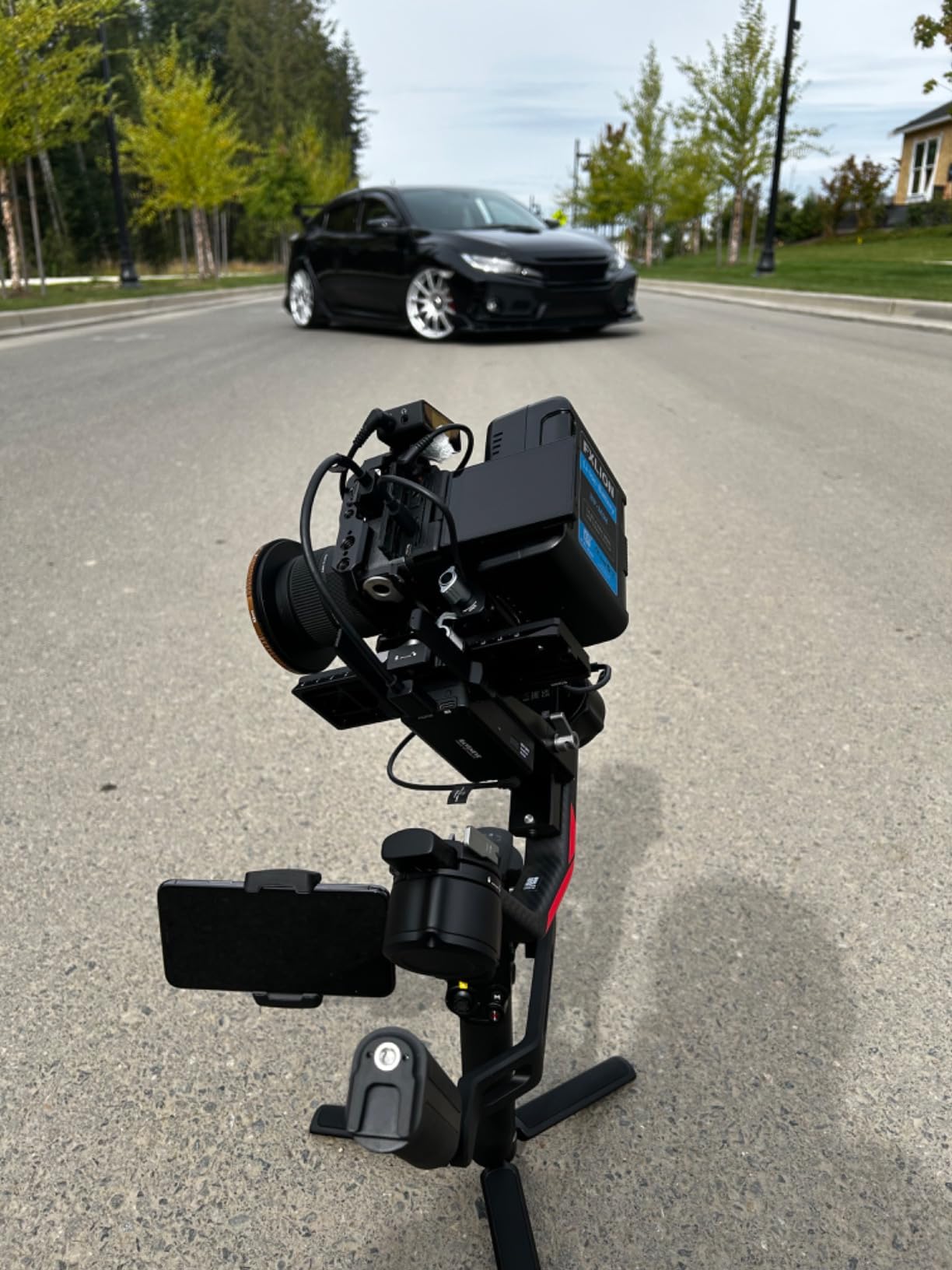
The DJI RS 4 Pro is the gimbal I reach for when shooting with cinema cameras that demand serious payload capacity. I tested it with a Canon C70 and a Sigma 18-35mm lens, a combination that would overwhelm most handheld gimbals. The RS 4 Pro handled this rig without motor strain, thanks to the 20% increased motor torque over the previous generation.
The LiDAR focusing system is the standout feature for professional work. With 76,800 ranging points within 20 meters, it delivers autofocus performance that approaches dedicated focus pullers for many scenarios. I shot a narrative short film scene with actors moving through varying depths, and the LiDAR tracking kept faces sharp without the hunting common to contrast-detect autofocus.
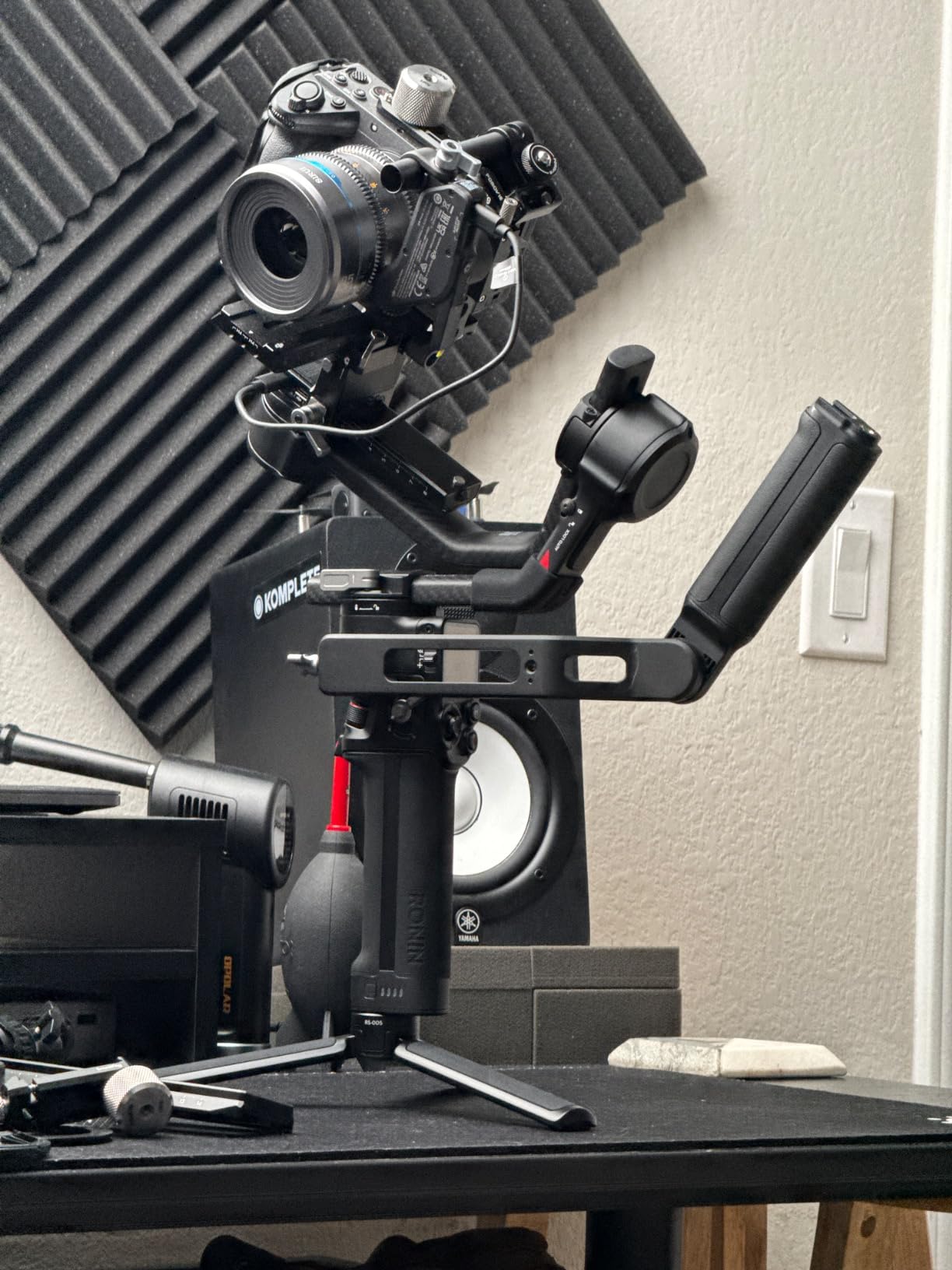
The carbon fiber axis arms keep the weight manageable despite the massive payload capacity. At 1.84kg, the gimbal itself is lighter than I expected for something that can carry 4.5kg of camera gear. The construction feels rigid and professional, with no flex during dynamic movements.
The integrated video transmission ecosystem sets this gimbal apart from everything else in this guide. I connected a DJI Transmission system and monitored shots from a distance while a remote operator adjusted gimbal movement. This kind of workflow integration is essential for professional productions where multiple team members need to collaborate on camera movement.
Who Should Buy This Gimbal
Professional cinematographers and production companies working with cinema cameras should invest in the RS 4 Pro. The 4.5kg payload handles RED Komodo, Canon C-series, and Sony FX-series cameras with professional glass. If you need LiDAR autofocus for solo shooting or run-and-gun documentary work, no other gimbal in this price range offers comparable technology.
Production teams that need integrated monitoring and remote control will benefit from the video transmission ecosystem. This gimbal fits naturally into professional production workflows where reliability is non-negotiable.
What to Watch Out For
The price reflects its professional positioning, and the BG70 battery grip for the full 29-hour runtime is sold separately. The standard package includes the BG30 grip, which provides solid but not exceptional battery life. Budget accordingly if you need the maximum endurance for multi-day shoots.
The DJI app removal from Google Play affects Android users who need to update firmware or access advanced settings. iOS users will not encounter this issue. Professional productions typically have dedicated devices for gimbal configuration, so this is a minor concern for the target audience.
How to Choose the Best Gimbal Stabilizer in 2026?
Choosing the right gimbal comes down to matching the stabilizer to your camera, shooting style, and budget. Our team tested these gimbals across multiple scenarios, and these are the factors that mattered most during real-world use.
Payload Capacity: Match Your Camera Weight
The single most important spec is payload capacity. A phone gimbal carrying 300g cannot handle a mirrorless camera, and a cinema gimbal rated for 4.5kg is overkill for a smartphone. Always check the total weight of your camera, lens, microphone, and any accessories against the gimbal’s maximum payload rating. Leave a 20% margin for safety, because maxing out the payload causes motor strain and reduced stabilization performance.
For phone shooters, 300g handles most modern smartphones without cases. If you use external lenses or heavy protective cases, look for 500g payloads like the Hohem iSteady M7. For mirrorless cameras, a 3kg payload covers most common setups. Cinema camera shooters should target 4.5kg or higher.
Battery Life for All-Day Shoots
Battery life directly impacts your shooting day. The gimbals in this guide range from 10 hours to 29 hours of runtime. If you shoot weddings, events, or documentaries where you cannot stop to recharge, prioritize models with 16 hours or more. The ZHIYUN Weebill 3E and DJI RS 4 Pro lead the pack here.
Fast charging capability matters when you do have brief breaks. The FeiyuTech SCORP-C and ZHIYUN Weebill 3E both support fast charging that provides meaningful runtime from short charging sessions. Consider keeping a power bank in your kit for emergency top-ups during long shoots.
3-Axis Stabilization Explained
All gimbals in this guide feature 3-axis stabilization, which controls pan, tilt, and roll movements simultaneously. This is the standard for quality video stabilization. The brushless motors constantly adjust to counteract your hand movements, keeping the camera level and steady regardless of how you walk, run, or pivot.
Three-axis stabilization outperforms electronic image stabilization because it physically moves the camera rather than cropping and processing the image digitally. This means no resolution loss and no field-of-view reduction. Your footage stays full-frame and smooth.
Vertical Shooting for Social Content
Native vertical shooting has become essential for content creators producing TikTok, Instagram Reels, and YouTube Shorts content. Without native vertical mode, you need to physically reconfigure your gimbal or shoot horizontally and crop later, which wastes resolution and complicates framing.
The DJI RS 4, RS 4 Pro, and ZHIYUN Weebill 3E all feature native vertical shooting modes that require no additional accessories. This capability saves significant time during shoots where you produce both horizontal and vertical content from the same setup.
AI Tracking and Smart Features
AI subject tracking has transformed solo content creation. Gimbals like the DJI Osmo Mobile 8 and Hohem iSteady M7 can lock onto a subject and follow them autonomously, letting you film yourself without a camera operator. The quality of tracking varies significantly between models.
The Hohem iSteady M7’s magnetic AI tracker works with native camera apps, which is a major advantage. Most gimbals require you to use their companion app for tracking, which may limit your camera’s resolution or feature access. If tracking quality is critical to your work, prioritize gimbals with dedicated tracking hardware.
Drone Footage Smoothing: A Ground-to-Air Workflow
As a drone-focused publication, we want to address how gimbals fit into aerial cinematography workflows. Many drone pilots use handheld gimbals to capture ground-level footage that matches their aerial shots, creating seamless transitions between perspectives. Matching your ground gimbal’s movement style to your drone’s gimbal behavior creates continuity in the final edit.
For drone pilots producing complete video packages, a phone gimbal like the DJI Osmo Mobile 8 pairs well with consumer drones like the DJI Mini series. The shared DJI ecosystem creates a familiar interface and consistent color science between your aerial and ground footage.
Smartphone vs Mirrorless vs Cinema: Which Category?
Smartphone gimbals make sense for social media content, vlogging, and mobile journalism. They are affordable, compact, and deliver excellent results with modern phone cameras. Choose this category if you primarily shoot with a phone and publish to social platforms.
Mirrorless gimbals serve working videographers, wedding shooters, and serious YouTube creators. They handle professional cameras with quality glass and offer features like native vertical shooting and focus motor integration. Choose this category when your camera investment justifies a quality stabilizer.
Cinema gimbals are for production companies and professional cinematographers. The payload and feature set justify the investment only when you work with cinema cameras and professional workflows. Choose this category if your camera body alone costs more than most gimbals.
FAQs
What is the best gimbal for videography?
The DJI RS 4 is the best gimbal for videography overall, offering professional 3-axis stabilization, 3kg payload capacity, native vertical shooting, and 12-hour battery life at a competitive price point. For smartphone videography specifically, the DJI Osmo Mobile 8 leads with AI native tracking and 360-degree rotation.
Is a gimbal necessary for videography?
A gimbal is not strictly necessary but highly recommended for professional-looking video. Modern cameras and phones have electronic image stabilization, but gimbals provide physical 3-axis stabilization that eliminates shake without cropping your footage or reducing resolution. If you film while moving, track subjects, or produce content for clients, a gimbal dramatically improves production quality.
How to fix wobbly drone footage?
To fix wobbly drone footage, first check that your gimbal is properly calibrated before each flight. Ensure propellers are balanced and undamaged, as vibration transfers to the camera. Avoid flying in high winds that overwhelm gimbal motors. In post-production, apply warp stabilizer effects with reduced smoothness settings. For persistent issues, update firmware and inspect gimbal motors for damage.
Which is better, a gimbal or a stabilizer?
Motorized gimbals are better for most modern videographers because they use brushless motors and gyroscopes to actively counteract movement on three axes. Non-motorized stabilizers (sleds) rely on counterweights and require more skill to operate smoothly. Gimbals offer features like subject tracking, vertical shooting, and automated movements that stabilizers cannot match. Non-motorized stabilizers remain preferred by some professionals for their analog reliability and control.
What camera gimbal is everyone using for their drone?
Drone pilots who also shoot ground footage typically use DJI gimbals to maintain ecosystem consistency. The DJI RS 4 pairs well with DJI Air and Mavic series drones for hybrid shooters, while the DJI Osmo Mobile 8 complements DJI Mini drones for social content creators. The shared DJI interface, color science, and app ecosystem create continuity between aerial and ground footage.
Final Thoughts on the Best Gimbal Stabilizers in 2026
Our team tested seven gimbals across smartphone, mirrorless, and cinema categories to find the best gimbal stabilizers for 2026. For smartphone creators, the DJI Osmo Mobile 8 delivers the best overall experience with AI tracking and 360-degree rotation. Mirrorless shooters get the best value from the DJI RS 4 with its native vertical shooting and 3kg payload. Cinema professionals should invest in the DJI RS 4 Pro for its 4.5kg payload and LiDAR focusing system.
Budget-conscious buyers have strong options too. The DJI Osmo Mobile 7P delivers excellent phone stabilization at an entry price point, while the FeiyuTech SCORP-C brings professional features to mirrorless shooters without the premium cost. Whatever your setup, the right gimbal transforms your footage from shaky amateur video to smooth professional content. Pick the category that matches your camera, and you will see the difference immediately.