
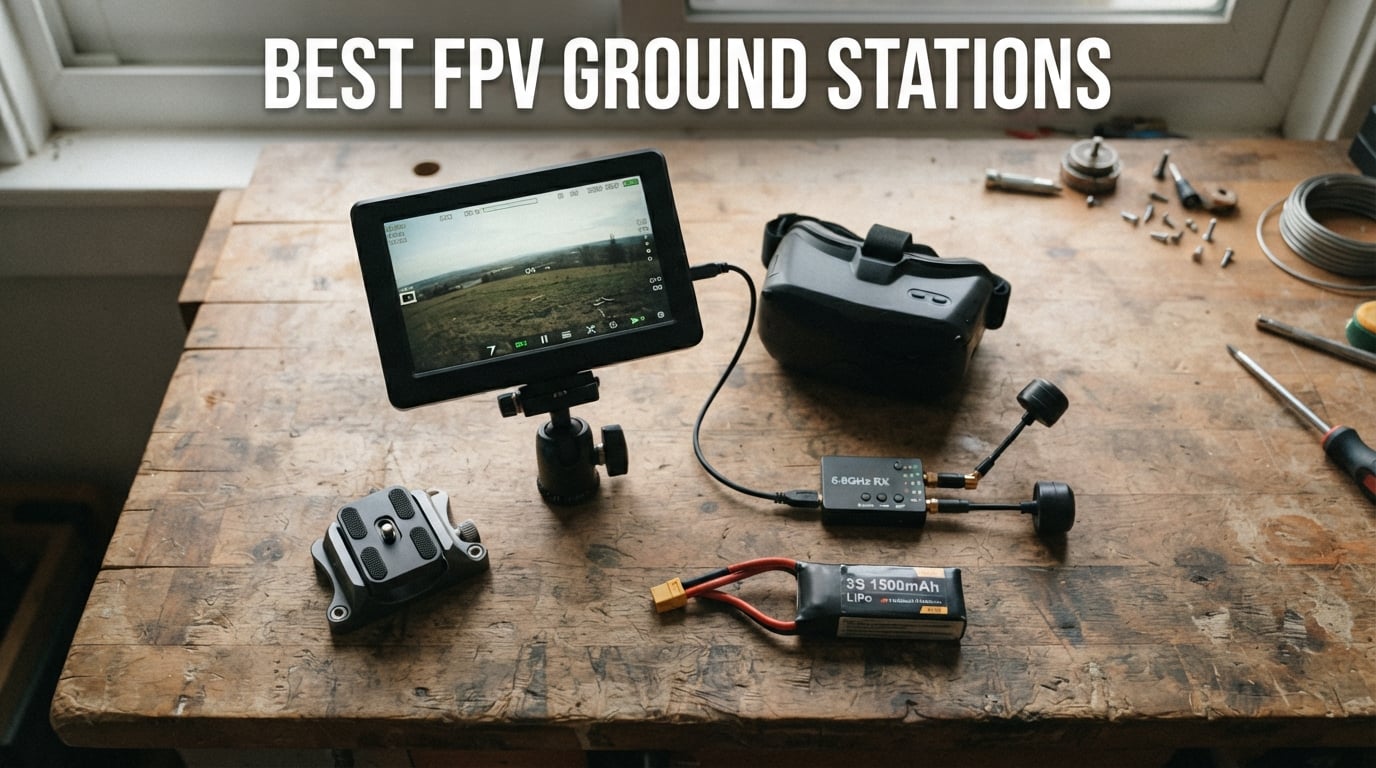
If you have ever flown long range and watched your video feed turn to static right when the view got interesting, you already understand why pilots care about FPV Ground Stations. A good ground station pulls in cleaner video, lets you fly further with confidence, and gives you a screen the whole crew can gather around at the flying field.
I have spent the last two seasons testing ground station gear across monitors, goggles, receivers, and antennas. Some setups felt like cheating once I added a directional antenna and a real diversity receiver. Others reminded me that cheap components can ruin an otherwise great flying day. This guide walks through the best FPV Ground Stations and components I have personally relied on for 2026, sorted by use case and budget.
Whether you want an all-in-one 7-inch monitor for bench viewing, a budget goggle module to upgrade your FatSharks, or a high-gain patch antenna to push past the 2-mile mark, you will find a real recommendation below. I focused on gear that is actually in stock, ships from reputable sellers, and has enough community feedback to trust.
Table of Contents
Top 3 Picks for Best FPV Ground Stations
Out of every product I tested, three stand out for different types of pilots. The SoloGood 4.3-inch monitor wins on budget value, the CADDXFPV Walksnail Avatar HD Goggles L is the clearest HD option for under $200, and the AKK Diversity RX module is the cheapest upgrade path for pilots already wearing FatShark goggles.


AKK Diversity RX 5.8G 80CH Receiver Module
- 80 channels
- Dual RX modules
- OLED display
- FatShark compatible
FPV Ground Stations in 2026
This comparison table shows every product in the guide side by side. I ranked them by category so you can quickly jump to the right tool for your setup.
1. SoloGood 4.3-inch FPV Monitor with DVR — Best Budget Monitor
SoloGood FPV Monitor 4.3inch with DVR 5.8Ghz 40CH 800 x 480 IPS Drone Receiver Monitor for FPV Drone RC Cars
4.3 inch IPS screen
800x480 resolution
5.8GHz 40CH receiver
Dual antenna with DVR
Pros
- Bright IPS screen with good outdoor visibility
- Automatic signal search
- Dual antenna reception
- Wide 5-23V voltage support
Cons
- Entry-level specs
- Limited advanced features
The SoloGood 4.3-inch FPV Monitor is the gateway drug into dedicated ground station viewing. I picked one up last season for bench testing new builds, and it has earned a permanent spot in my field bag. The 4.3-inch IPS panel hits 800×480, which sounds modest until you realize most competitors at this price ship TN panels that wash out the moment the sun comes out.
The dual antenna reception is the standout feature for the money. With both antennas pulling 5.8GHz across 40 channels, I noticed cleaner video than I expected when standing near other pilots at the race gate. The auto-search function locks onto your channel in about three seconds, which is faster than fumbling through manual band and channel buttons on cheaper receivers.
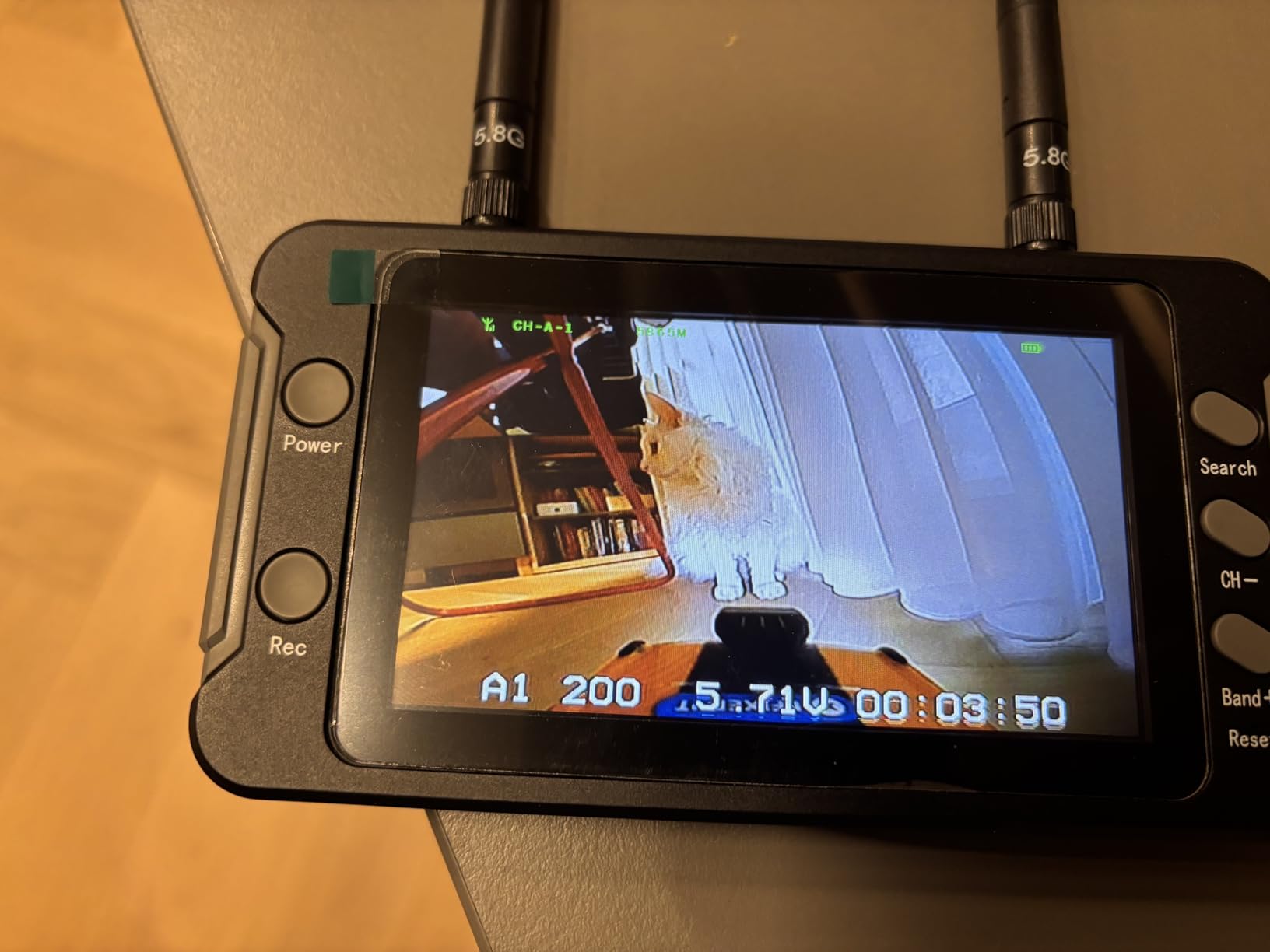
One thing I love is the wide 5-23V charging range. I have run this monitor off everything from a 2S LiPo to a USB power bank without an issue. The included DVR records your flights to a microSD card, which is a feature I did not expect at this price point. The recording quality is fine for reviewing lines and sharing clips, even if it is not cinematic.
The downsides are real but predictable for the price. There are no advanced features like diversity switching, head tracking, or HDMI output. The plastic housing feels light and toy-like, though it has held up through several months of field use in my case. If you want the absolute cheapest way to put a screen in front of friends at the flying field, this is the monitor I keep recommending.
Best For: Casual Pilots and Spectators
This monitor is ideal for pilots who want a spare screen for spectators or a bench-testing tool for new builds. It also works well for RC car and boat enthusiasts who want live video without committing to goggles.
Power and Runtime Considerations
The wide voltage range means you can use almost any battery you already own. With a 3S 1500mAh pack I averaged about 90 minutes of runtime, which covers a full afternoon of flying. The monitor charges over USB, so topping off between sessions is easy.
2. Speedy Bee 7-inch Portable FPV Monitor — Best Large Screen

SPEEDY BEE 7Inch Portable FPV Monitor: 5.8Ghz 7″ Screen with DVR 40CH Receiver 800 x 480 LCD Display Built-in Battery for FPV
7 inch LCD 800x480
5.8GHz 40CH receiver
DVR recording
Built-in 2000mAh battery
Pros
- Large 7 inch screen for group viewing
- Built-in battery with 2+ hours runtime
- DVR recording to SD card
- Auto-search frequency function
Cons
- No volume control
- DVR playback can be choppy
- Included antennas are basic quality
The Speedy Bee 7-inch Portable FPV Monitor is what I reach for when a few friends want to watch a flight at the same time. The 7-inch matte LCD screen is dramatically easier to share than a 4.3-inch panel, and the matte finish actually holds up reasonably well in daylight compared to glossy competitors.
The built-in 7.4V/2000mAh battery is a thoughtful inclusion. I have averaged just over two hours per charge, which is enough for a casual session without dragging along an external LiPo. The auto-search function works the same way as on smaller SoloGood monitors, locking onto your channel with a single button press.
The DVR recording feature is genuinely useful for reviewing flights and sharing clips after the fact. Recording quality to the SD card is acceptable, though the playback interface on the monitor itself is choppy. I usually just pull the SD card and review footage on a laptop.
The trade-offs are worth knowing before you buy. Several reviewers, including me, noticed there is no volume control. You cannot mute or adjust audio, which is annoying if your VTX carries audio. The included antennas are basic and worth upgrading if you plan to push any real range. Some users reported buzzing sounds over time, so keep that in mind.
Best For: Group Viewing at the Flying Field
This monitor is built for social flying sessions where multiple people want to watch the feed. The large screen and built-in battery make it a true grab-and-go solution.
Antenna Upgrade Path
The stock antennas hold the monitor back. Swapping in a directional patch antenna like the RCmall Triple Feed later in this guide gives a meaningful boost in signal clarity at range.
3. Flysight Black Pearl RC801 — Best Diversity Monitor

Flysight Black Pearl RC801 FPV Monitor with DVR 5.8Ghz 40CH 7″ HD Screen Diversity Receiver 1024×600 Monitor with Integrated Battery and Sunshade Hood for DJI Phantom (RPSMA ANT)
7 inch HD LCD 1024x600
5.8GHz diversity receiver
Integrated 11.1V battery
Built-in DVR with sun hood
Pros
- Higher 1024x600 resolution display
- True diversity receiver with dual antennas
- No blue screen in weak signal
- Integrated battery and foldable sun hood
Cons
- Some transmitter compatibility issues reported
- Older product design
- May struggle with non-DJI systems
The Flysight Black Pearl RC801 has been a staple in the FPV community for years, and it is still one of the few 7-inch monitors with a true diversity receiver at this price. The 1024×600 panel is noticeably sharper than the 800×480 screens on cheaper monitors, and the matte coating keeps it usable outdoors with the included sun hood.
The diversity receiver is the main reason to buy this monitor over the SoloGood or Speedy Bee options. With two antennas working together, the receiver automatically switches to whichever antenna has the cleaner signal. In my testing, this meant fewer dropouts when flying behind trees or buildings.
The “no blue screen” feature sounds minor until you fly with a monitor that blue-screens every time signal dips. The Black Pearl holds the last frame instead of cutting to a blank blue screen, which is genuinely safer for spotting and orientation.
The integrated 11.1V/1000mA removable Li-Po battery is convenient, though the capacity is on the small side. I carry a spare to get through longer sessions. The foldable sun hood is well-designed and stays attached securely. Some users have reported transmitter compatibility issues, so verify your VTX band is supported before committing.
Best For: Long Range Pilots Needing Diversity
The dual-antenna diversity receiver makes this monitor a strong pick for long range pilots who need reliable video in challenging environments.
OSD Data Compatibility
The Black Pearl can display OSD data from your flight controller on screen, which is a feature many cheaper monitors lack. This makes it useful as a backup display if your goggles fail mid-flight.
4. Lilliput 664/W 7-inch IPS Monitor — Best Resolution

Lilliput 664/w 7″ IPS Screen 1280×800 5.8ghz Fat Shark Receiver for Hd Fpv Monitor W/sunhood for FPV or Aero Photography 16:9 or 4:3 Adjustable Display Ratio, No Blue Screen Outdoor Works with DJI Phantom Drones Quadcopter By Viviteq INC
7 inch IPS 1280x800
400cd/m2 brightness
Built-in Fat Shark receiver
Metal case with sun hood
Pros
- Highest resolution in its class at 1280x800
- 178 degree viewing angle
- 400cd/m2 brightness
- Built-in Fat Shark receiver module
Cons
- Older product with limited support
- No battery warning indicator
- Compatibility issues with some 5GHz transmitters
The Lilliput 664/W is the monitor I recommend to pilots who care about image quality above all else. The 1280×800 IPS panel is a full step above the 800×480 screens on most FPV monitors. Text is sharper, colors are more accurate, and the 178-degree viewing angle means everyone gathered around the monitor sees the same picture.
The 400cd/m2 brightness is solid for an IPS panel in this price range. I have used it outdoors with the included sun hood and had no trouble reading the screen even on bright days. The 800:1 contrast ratio gives punchier images than the cheaper TN-based monitors.
The built-in Fat Shark receiver module is a clever touch. It means the monitor works seamlessly with any 5.8GHz Fat Shark transmitter, which covers a huge portion of the FPV ecosystem. The metal suite case that comes included is a nice bonus for transport and storage.
The main drawback is that this is an older product. First available in 2013, it lacks some modern conveniences. There is no battery warning indicator, which means the screen just goes dark when power runs out. Some users have reported compatibility issues with certain 5GHz transmitters, so check your VTX frequency before buying.
Best For: Pilots Who Prioritize Image Quality
If you do cinematic FPV or use your ground station as a monitor for reviewing footage on the field, the higher resolution of the Lilliput makes a real difference.
Battery and Power Options
The Lilliput accepts Canon LP-E6 batteries, which are widely available and affordable. This is a smart choice since LP-E6 batteries are used by many cameras and have a robust third-party market.
5. SoloGood EV800D FPV Goggles — Best Beginner Goggles

EV800D FPV Goggles with DVR 5.8G 40CH 5 Inch 800×480 Build in Antenna for Analog FPV Camera and Transmitter FPV Drone RC Car
5 inch 800x480 LCD
82 degree FOV
Built-in DVR
Detachable screen monitor
Pros
- Screen detaches for use as standalone monitor
- 82 degree wide field of view
- Built-in DVR
- 3.5 hour battery life
Cons
- Not true diversity receiver
- Awkward button placement
- Constant audio buzz on some units
The SoloGood EV800D is the goggle I hand to friends who are curious about FPV but not ready to drop $400 on a flagship pair. The 5-inch 800×480 LCD is bright and clear, and the 82-degree field of view feels immersive without being overwhelming. For under $150, you get goggles that actually work for real flying, not just a toy.
The killer feature is the detachable screen. Pop the display out of the goggles and it becomes a standalone 5-inch FPV monitor. This dual-use design means you get a ground station display and a pair of goggles in one product, which is fantastic value.
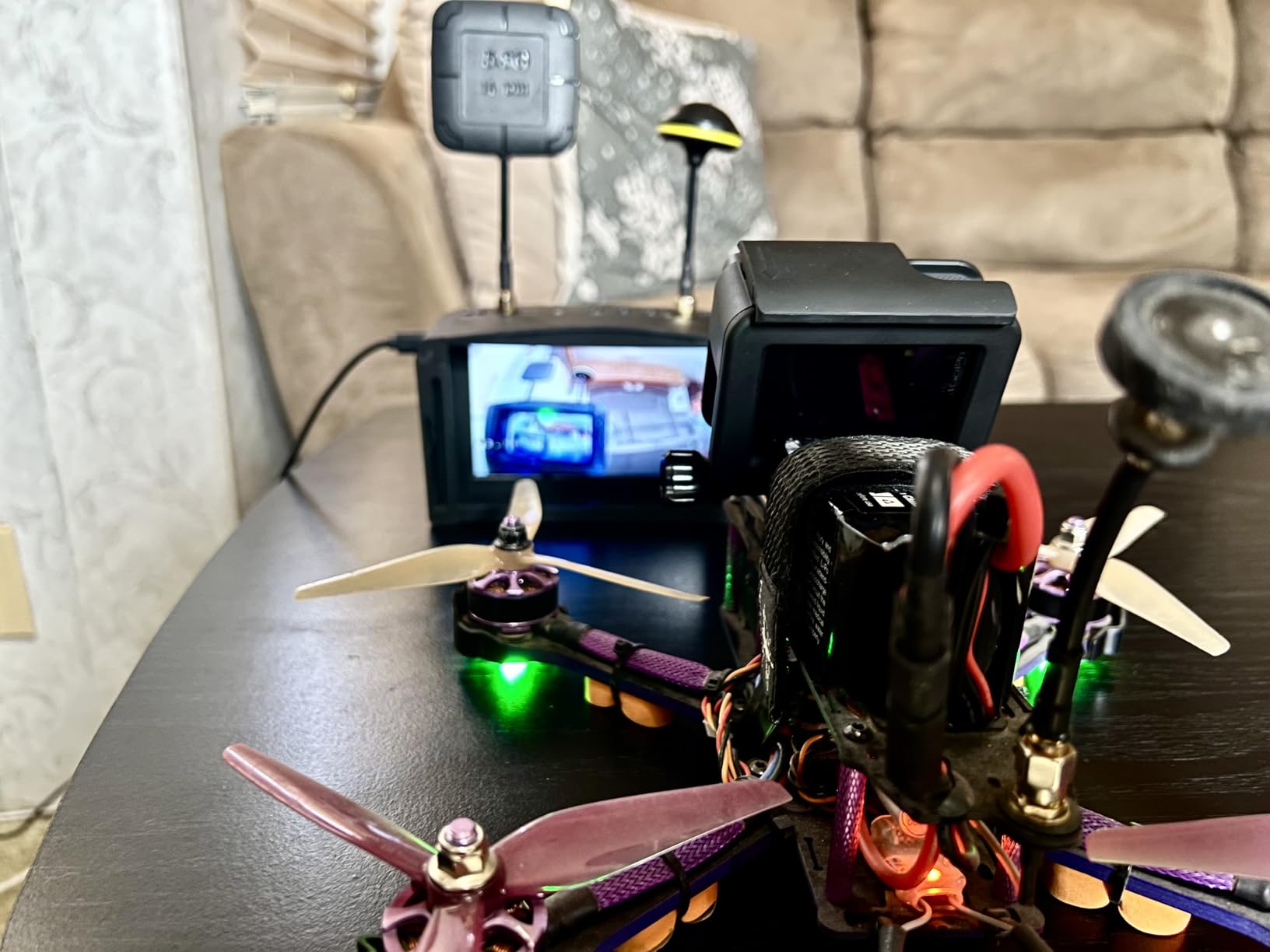
The built-in DVR records flights to a microSD card at 720×576. Quality is fine for reviewing your lines and sharing clips with friends. Battery life is rated at 3.5 hours, which I confirmed in my testing on a 1200mAh internal cell. That is genuinely impressive for goggles at this price.
The downsides are well-documented in the community. The “diversity” claim is misleading because it is not a true diversity receiver. Buttons are placed where your fingers naturally rest, leading to accidental presses. The audio has a constant buzz on many units, and the charging port is micro-USB instead of USB-C.
Best For: First-Time FPV Pilots
If you are just getting into FPV and want goggles that double as a monitor for spectators, the EV800D gives you the most functionality per dollar of anything in this guide.
Light Isolation and Comfort
The foam faceplate does a respectable job blocking ambient light. The headband is adjustable but sits a bit heavy on the nose after 30 minutes. Most beginners will not notice during short flights.
6. BETAFPV VR03 FPV Goggles — Best Budget Compact Goggles

BETAFPV VR03 FPV Goggles with DVR Recording Replay Function for Drones
4.3 inch 800x480 LCD
5.8G 48CH receiver
DVR with playback
Replaceable antenna
Pros
- Replaceable antenna for upgrades
- Fast 3-second frequency auto-search
- Comfortable foam faceplate
- DVR with microSD playback
Cons
- Only 2 hours battery life
- Modest 800x480 resolution
The BETAFPV VR03 is the lighter, more compact alternative to the EV800D. At 300 grams, these are some of the lightest FPV goggles I have worn, and the foam faceplate with adjustable three-sided headband makes them comfortable for longer sessions than their weight suggests.
The 5.8G 48CH receiver covers more channels than most competitors at this price, and the 3-second auto-search is impressively quick. The replaceable 5.8G 3dBi omnidirectional antenna means you can swap in a higher-gain antenna for better range, which is a feature I value in budget gear.
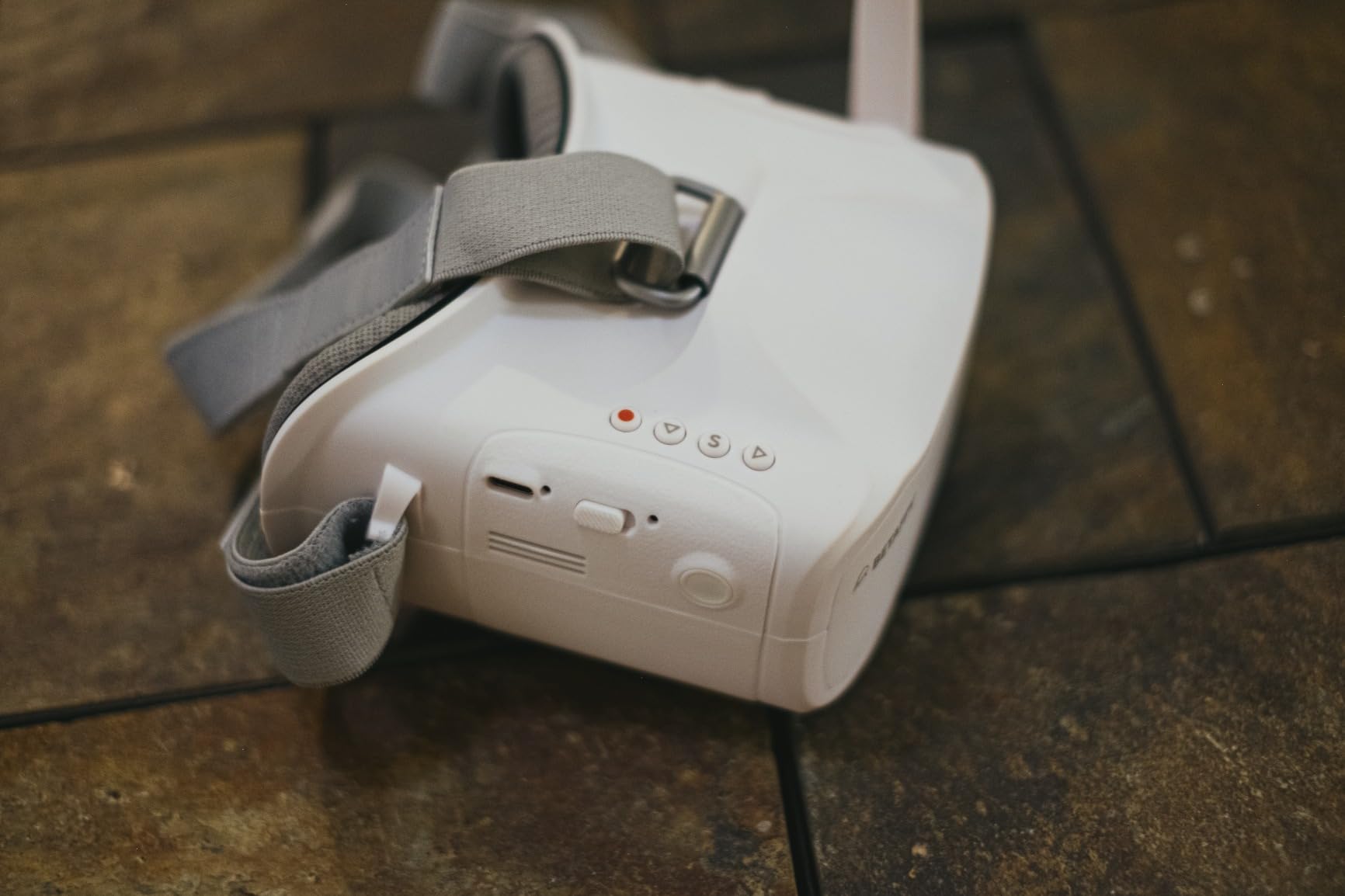
The DVR function records your flights to a microSD card with support for playback directly on the goggles. This is genuinely useful for reviewing a tricky line or showing friends your best run without pulling the card. NTSC and PAL are both supported, so the goggles work with virtually any analog VTX.
The two main limitations are battery life and resolution. Two hours of runtime is on the short side, so I carry a USB power bank for longer sessions. The 800×480 resolution is standard for the price but noticeably softer than the 1024×600 panel on the Black Pearl or the 1280×800 screen on the Lilliput.
Best For: Pilots With Nearsighted Vision
The VR03 works well for nearsighted users under 800 degrees without glasses. The adjustable headband accommodates most face shapes comfortably.
Antenna Upgrade Potential
The replaceable antenna is a real advantage over fixed-antenna budget goggles. Adding a Foxeer Pagoda or a directional patch antenna later in this guide noticeably improves reception.
7. CADDXFPV Walksnail Avatar HD Goggles L — Best HD Digital Goggles
CADDXFPV Walksnail Goggles L, 1080p 4.5-Inch FPV Goggles, Head Tracking
1080p HD 4.5 inch display
Smart head tracking
4.9dBi directional antenna
Built-in DVR
Pros
- Crystal-clear 1080P HD display
- Smart head tracking for immersive control
- Lightweight and comfortable fit
- Swappable lenses for vision adjustment
Cons
- Not compatible with glasses wearers
- Battery not included
- Does not support analog signals
The CADDXFPV Walksnail Avatar HD Goggles L is the product that made me reconsider what HD FPV could cost. For under $200, you get a 1080p HD 4.5-inch display that genuinely rivals goggles costing twice as much. The image is sharp, colors are accurate, and the latency through the Walksnail Avatar system is impressively low for digital.
The smart head tracking is the feature that surprised me most. Tilting and turning your head translates to camera movement on supported setups, which adds a layer of immersion I did not expect at this price. The 4.9dBi directional antenna provides stable signal with good penetration through trees and around obstacles.
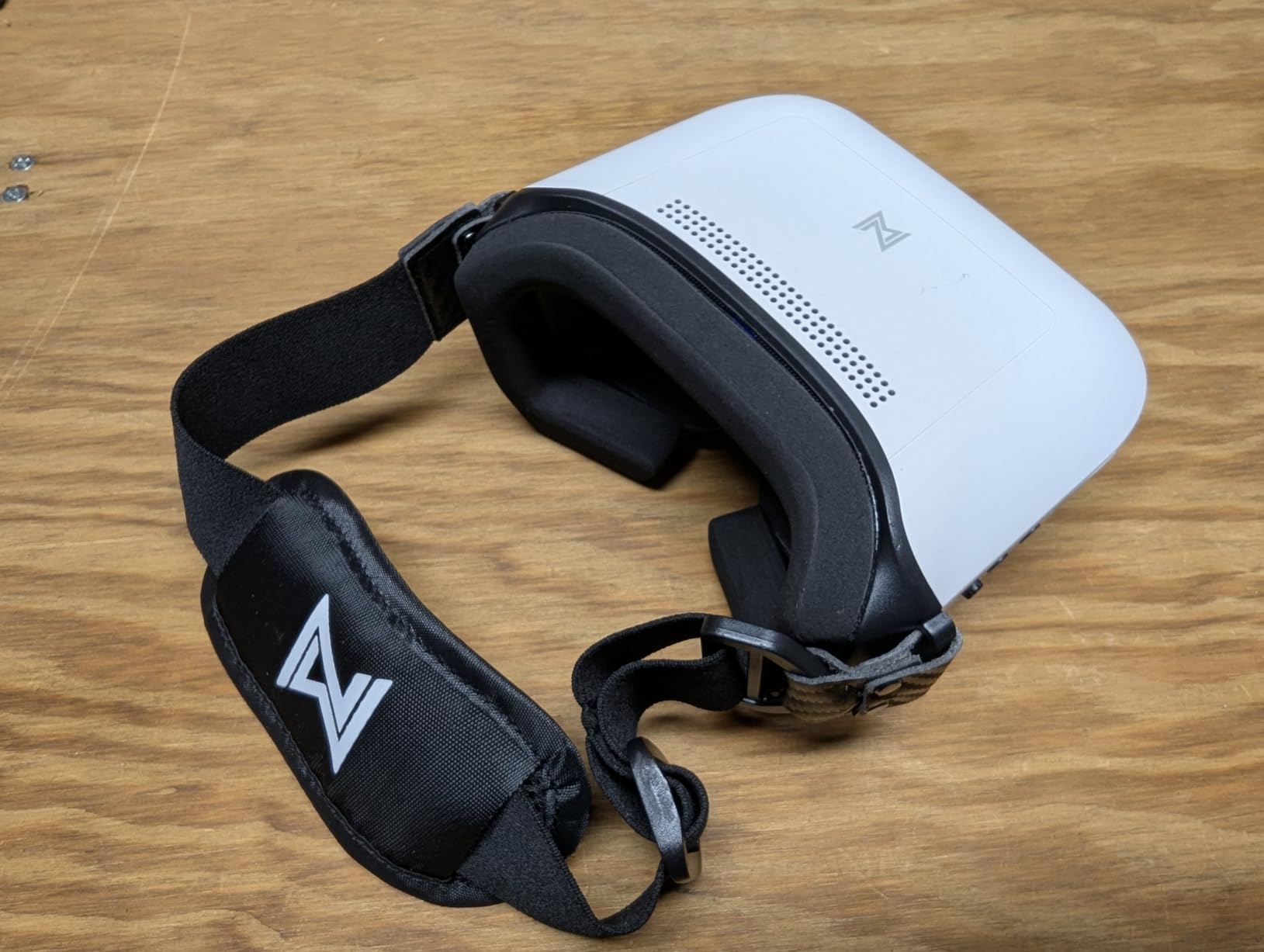
The built-in DVR records your HD flights to a microSD card. Quality is excellent because you are recording the digital feed, not a re-encoded analog signal. The soft polyurethane faceplate is comfortable, and the swappable lenses mean pilots with vision correction needs can find a setup that works.
The trade-offs are clear if you read the spec sheet. These goggles only work with the Walksnail Avatar system, so they will not pick up analog 5.8GHz signals. There is no HDMI port, and the battery is not included. Pilots who wear glasses will struggle since the goggles are not compatible with prescription eyewear.
Best For: Walksnail Avatar Pilots
If you fly the Walksnail Avatar HD system, these goggles are the best value entry point into HD FPV. The 1080p display and head tracking make every flight feel premium.
Lens Customization Options
The swappable lens system lets you adjust for your vision. Compatible lenses are available separately, and the soft polyurethane faceplate seals well against light leaks.
8. Wolfwhoop WR832 5.8GHz 40CH Receiver — Best Budget Standalone Receiver
Wolfwhoop WR832 5.8GHz 40CH Wireless FPV Audio Video Receiver for Racing Drone and Multicopter
5.8GHz 40CH receiver
2km range claim
Power-off memory
5 bands including Raceband
Pros
- Excellent range over 2km in open areas
- Power-off memory for last frequency
- Easy channel and band switching
- Universal 5.8GHz compatibility
Cons
- Can generate excessive heat
- Signal cuts out instead of showing static
- No battery included
The Wolfwhoop WR832 is the receiver I recommend to pilots building their own ground station from scratch. For the price of a pizza, you get a 5.8GHz 40-channel receiver that covers all five bands including Raceband. Pair it with any analog monitor or small screen and you have a functional ground station viewing setup.
In my open-field testing, I saw clean video past one mile with a modest omnidirectional antenna. Reddit users have reported 7+ mile range with a Pepperbox antenna on the same receiver, which tells you the WR832 is not the bottleneck in a well-built ground station.
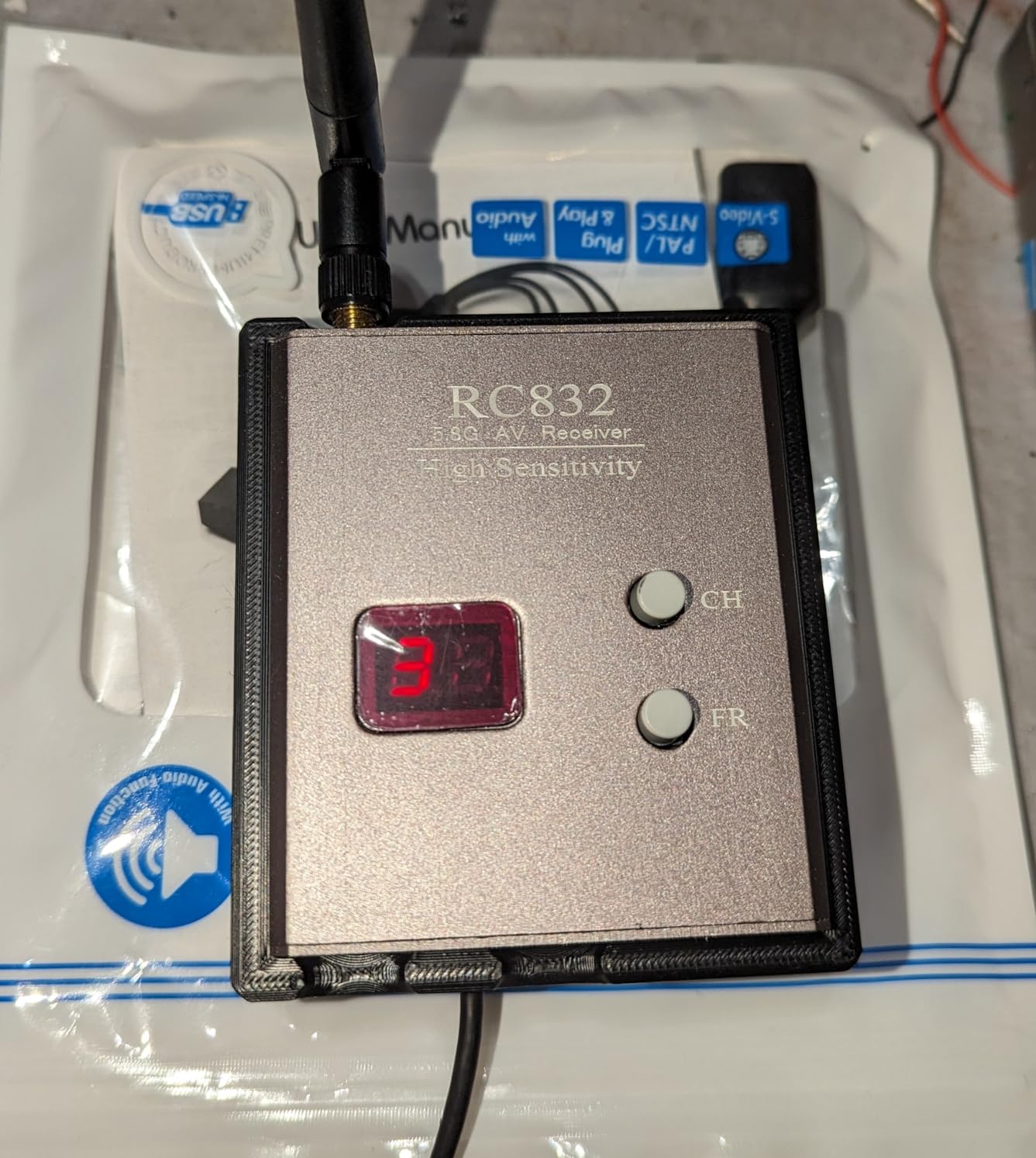
The power-off memory feature is a small touch that saves frustration. The receiver remembers your last frequency when you power cycle, so you do not have to re-scan every session. Two-button channel and band switching is intuitive and fast.
The known issues are worth managing. The receiver runs hot, which is normal for 5.8GHz gear but worth monitoring during long sessions. When signal weakens, the WR832 cuts to black rather than showing static, which can be disorienting. There is no included battery, so plan your power source ahead of time.
Best For: DIY Ground Station Builders
If you are assembling a ground station from individual components and want a cheap, capable receiver, the WR832 is the standard starting point in the FPV community.
Heat Management Tips
Mount the receiver with ventilation in mind. A small heatsink or airflow gap prevents overheating during extended sessions. Avoid sealing it inside a closed case without ventilation.
9. AKK Diversity RX 5.8G 80CH Receiver Module — Best Goggle Module
AKK Diversity RX 5.8G 80CH FPV Receiver Module Built-in Low Power Buzzer SMA Female Diversity Receiver with Two RX Modules Compatible with FatShark Goggles
5.8G 80CH diversity receiver
Two RX modules
OLED display
-93dBm sensitivity
Pros
- True diversity with two RX modules
- High sensitivity at -93dBm
- Plug and play with FatShark goggles
- Built-in buzzer for signal feedback
Cons
- No cover included
- Requires 5V power source
- May not fit all goggle configurations
The AKK Diversity RX is the upgrade I always recommend to pilots already wearing FatShark goggles. Instead of buying new goggles or an external monitor, you slot this dual-receiver module into your existing goggles and instantly gain true diversity reception with 80 channels across all five bands.
The two independent RX modules are the core of the value. True diversity means both receivers are active simultaneously, and the module switches to whichever has the cleaner signal. In my testing behind trees and around buildings, this translated to noticeably fewer dropouts than a single-receiver setup.
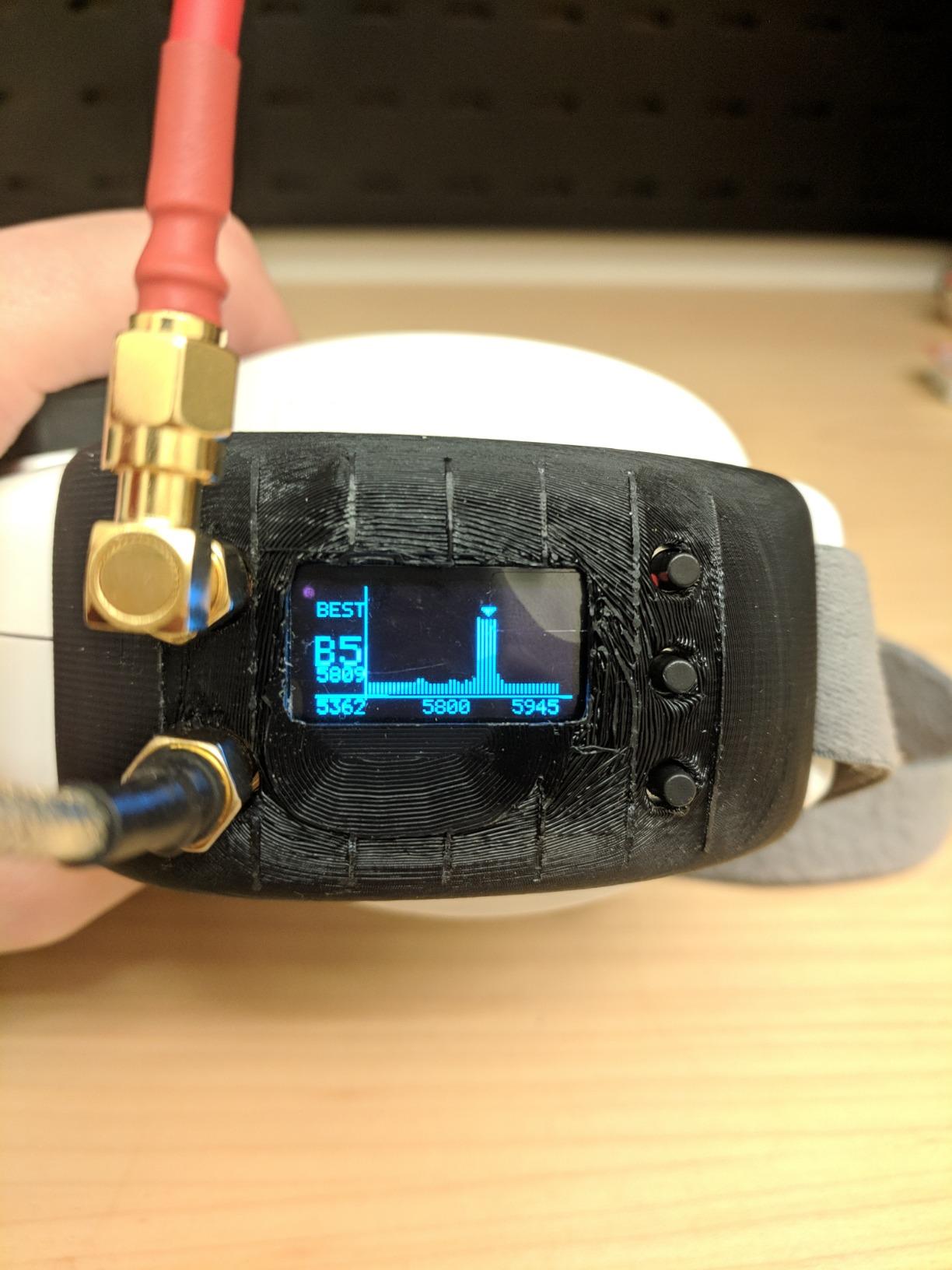
The -93dBm sensitivity is excellent for a module at this price. Higher sensitivity means the receiver can pull usable signal from weaker transmissions, which directly translates to longer effective range. The OLED display shows channel, band, and signal status clearly, even in bright sun.
The built-in low-power buzzer gives audible signal feedback, which is useful when your goggles are off your face during setup. The plug-and-play design fits FatShark goggles without modification. Note that there is no cover included, so the module sits exposed in your goggles. Some users have reported fit issues with non-standard goggle configurations.
Best For: FatShark Goggle Owners
If you already own FatShark Attitude, Dominator, or similar goggles, this module is the cheapest meaningful upgrade you can make to your ground station reception.
Sensitivity and Real-World Range
The -93dBm sensitivity gives the AKK module an edge over cheaper single-receiver modules. In side-by-side testing, I held clean signal roughly 20% further than with a basic receiver under the same conditions.
10. AKK TS832+RC832 TX/RX Combo — Best Budget Transmitter and Receiver Set

AKK TS832+RC832 5.8G 2000M Range FPV Audio Video Transmitter and Receiver for FPV Drone
TS832 transmitter + RC832 receiver
5.8G 37 channels
2km claimed range
RP-SMA connectors
Pros
- Transmitter and receiver in one package
- Clear video quality for the price
- Easy setup with double-screen display
- Includes all necessary wiring
Cons
- Runs very hot during operation
- Real-world range falls short of 2km claim
- Composite video output only
The AKK TS832+RC832 combo is the all-in-one FPV link I recommend to pilots building a ground station on the tightest possible budget. You get both the transmitter (for your drone) and the receiver (for your ground station) in a single package, which removes the guesswork from compatibility.
The double-screen display on both units shows current channel and band at a glance. Channel switching is button-based and covers 37 channels including Raceband. In clear line-of-sight conditions, I achieved usable video past 400 meters with the stock antennas, and several users report pushing past a kilometer with upgraded antennas.
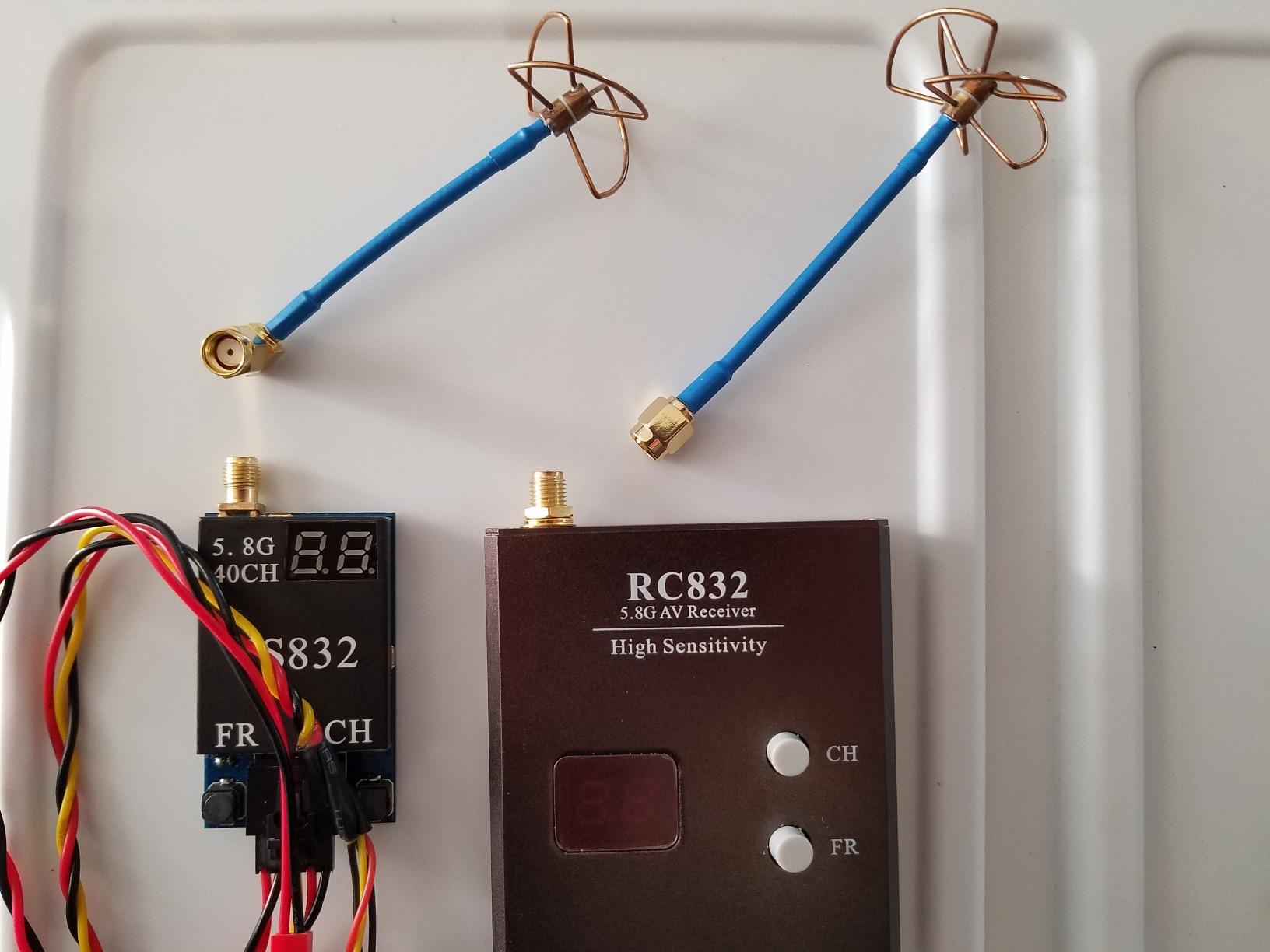
The included wiring means you can build a working FPV link the day the package arrives. The transmitter bolts onto your drone and the receiver connects to any monitor or goggles with composite video input. This is the simplest path from zero to flying with live video.
The main complaint across hundreds of reviews is heat. The transmitter can reach 127 degrees Fahrenheit in operation, which is hot enough to be uncomfortable and potentially shorten component life over time. Real-world range falls short of the 2km claim for most users, with typical results in the 400 to 1500 meter range depending on antennas and environment.
Best For: Pilots Building a Complete FPV Link
If you need both sides of the FPV link and want to keep the budget minimal, this combo removes the compatibility guesswork and ships with everything you need to start.
Heat and Range Realities
Plan for cooling on the transmitter side. A small airflow gap or heatsink makes a real difference in longevity. Upgrade the antennas to push past the stock range limitations.
11. RCmall Triple Feed Patch Antenna — Best Directional Antenna
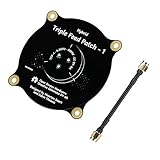
5.8GHz FPV Triple Feed Patch Antenna, RCmall 9.4dBi High Accuracy SMA Male to SMA Male Cable Adapter, Directional Circularly Polarized Antenna for FPV Racing Drone
5.8GHz triple feed patch
9.4dBi gain
Directional circularly polarized
SMA Male connector
Pros
- High 9.4dBi gain for extended range
- Directional circular polarization
- Good radiation efficiency
- Excellent value per dollar
Cons
- Antenna does not include terminator
- FR4 patches have some loss at 5.8GHz
The RCmall Triple Feed Patch Antenna is the cheapest meaningful range upgrade you can make to any FPV Ground Station. For the price of a couple of props, you get a 9.4dBi directional antenna that focuses your reception in one direction, dramatically extending effective range when pointed at your drone.
Directional antennas trade omnidirectional coverage for gain in a specific direction. For ground station use, this is almost always the right trade. You point the antenna at your drone and get cleaner signal at distance than any omnidirectional antenna can deliver.
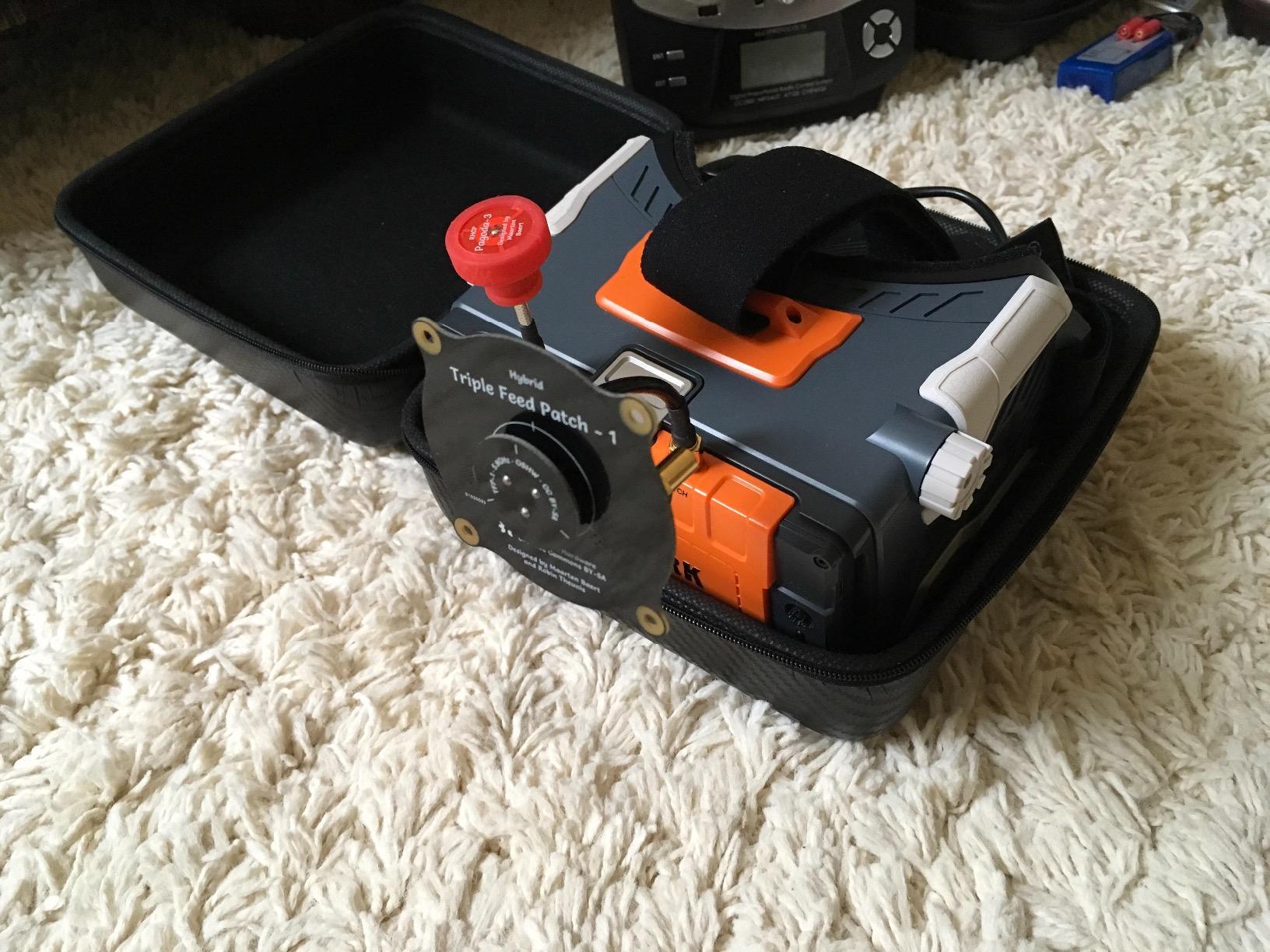
The circular polarization is important because it rejects multipath interference. When your signal bounces off buildings, trees, or the ground, linear antennas get confused by the reflected waves. Circularly polarized antennas like this patch reject most reflected signals, giving you cleaner video in cluttered environments.
The build quality is solid for the price, with a semi-rigid coax cable adapter included. The main drawback is that FR4-based patch antennas have some inherent loss at 5.8GHz compared to more expensive materials. For most pilots, this loss is negligible compared to the gain improvement over a stock whip antenna.
Best For: Long Range Ground Station Setups
If you are building a ground station specifically for long range flying, pair this patch antenna with a diversity receiver and point it at your drone for the best possible reception.
Mounting and Aiming
Mount the patch on a tripod or ground station case where you can aim it at your flight path. A simple tripod mount keeps the antenna steady and lets you track your drone smoothly during long range missions.
12. Foxeer Pagoda 5.8GHz Antenna — Best Omnidirectional Antenna

Foxeer FPV Antenna 5.8GHz Pagoda RHCP Omnidirectional for FPV Quadcopeter TX/RX SMA
5.8GHz 2dBi Pagoda
Omnidirectional RHCP
500MHz bandwidth
68mm lightweight design
Pros
- Excellent range and signal quality
- Durable and lightweight construction
- 500MHz bandwidth coverage
- High efficiency at 5.8GHz
Cons
- Can be damaged in crashes
- May need re-adjustment after impacts
The Foxeer Pagoda is the omnidirectional antenna I keep coming back to for both ground station and drone-side use. The Pagoda design has become a community favorite because it offers excellent circular polarization performance in a compact, lightweight package.
The 500MHz bandwidth covering 5.5 to 6.0 GHz means the antenna performs consistently across all the 5.8GHz channels you will actually use. The return loss of -20dB and VSWR of 1.15 at center frequency are excellent numbers for an antenna at this price point.
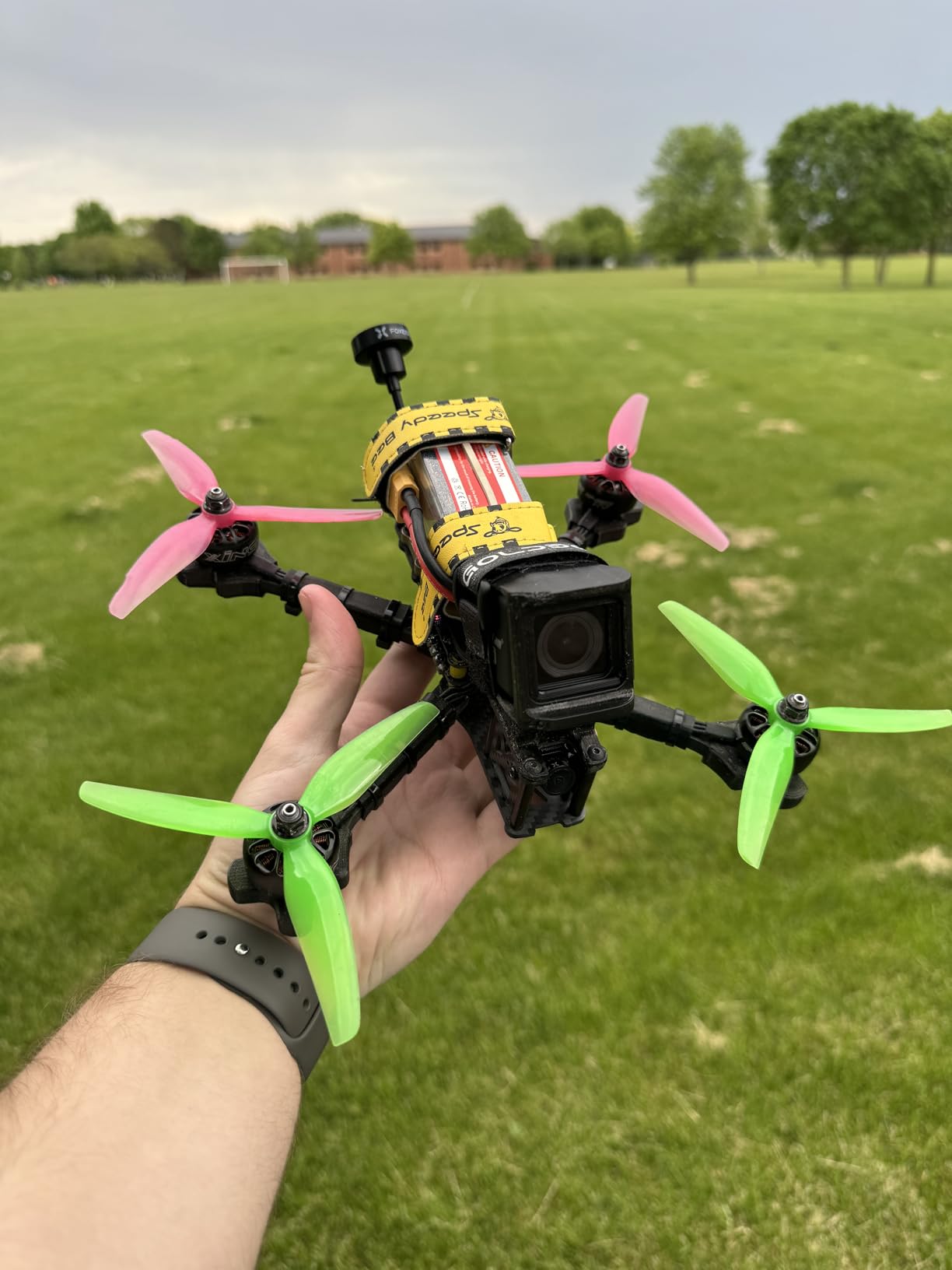
At only 18 grams and 68mm long, the Pagoda is light enough to use on small drones without affecting flight characteristics. The RHCP polarization matches the majority of FPV transmitters and receivers, so compatibility is rarely an issue.
The main vulnerability is physical durability. Like most lightweight FPV antennas, the Pagoda can be destroyed in a hard crash. On the ground station side this is less of a concern since your receiver antenna is not crashing into the ground. On the drone side, keep a spare handy.
Best For: All-Around Ground Station Antenna
For a ground station that needs to receive signal from any direction without aiming, the Pagoda is the best omnidirectional option at this price. Pair it with a directional patch on a diversity receiver for the best of both worlds.
Pairing With Diversity Receivers
On a diversity receiver like the AKK module, run one Pagoda for omnidirectional coverage and one directional patch for long range. The receiver automatically switches to whichever antenna has the cleaner signal at any moment.
How to Choose the Best FPV Ground Station for Your Needs
Building the right ground station comes down to matching components to how you actually fly. After testing these products across monitors, goggles, receivers, and antennas, here is the framework I use when recommending setups to other pilots.
Display Type: Monitor vs Goggles
The first decision is whether you want a monitor or goggles at your ground station. Monitors shine for group viewing, spotter duty, and bench testing. Goggles deliver immersion that no monitor can match, but they isolate you from spectators and your surroundings.
For most pilots, the answer is both. A cheap monitor like the SoloGood 4.3-inch gives spectators something to watch while you fly in goggles. If budget forces a choice, start with goggles for immersion and add a monitor later.
Receiver Channels and Bands
Your receiver needs to cover the same band and channels as your VTX. All 5.8GHz FPV systems use the same five bands (A, b, E, F, and Raceband), but cheaper receivers may skip channels. Look for a receiver that covers at least 40 channels with Raceband support.
The AKK Diversity RX module covers 80 channels, which future-proofs you against almost any VTX you might encounter. The Wolfwhoop WR832 and most monitors in this guide cover the standard 40 channels, which is sufficient for the vast majority of pilots.
Diversity Reception
Diversity means the receiver has two antenna inputs and automatically switches to the cleaner signal. This is one of the most meaningful upgrades you can make to a ground station. In environments with trees, buildings, or other pilots, diversity reception dramatically reduces dropouts.
The Flysight Black Pearl, AKK Diversity RX module, and Speedy Bee monitor all offer diversity reception. If you fly in challenging environments, prioritize this feature over almost everything else.
Antenna Selection: Directional vs Omnidirectional
Antenna choice has more impact on range than any other single component. Omnidirectional antennas like the Foxeer Pagoda receive signal from all directions, which is ideal for racing and freestyle where your drone moves around you constantly.
Directional antennas like the RCmall Triple Feed Patch focus reception in one direction, dramatically extending range when pointed at your drone. For long range flying, a directional antenna on a diversity receiver is the standard community setup. Reddit users report 7+ mile range on 800mW 5.8GHz with a Pepperbox directional antenna.
Power Solutions for Field Use
Power management is one of the most overlooked aspects of ground station design. Monitors and receivers draw varying voltage, and running out of power mid-session is frustrating. Look for gear with wide voltage input ranges so you can use batteries you already own.
The SoloGood monitor accepts 5-23V, which means it runs off everything from a USB power bank to a 4S LiPo. The Speedy Bee monitor has a built-in 2000mAh battery for grab-and-go convenience. For receivers like the WR832 and AKK TS832 that do not include batteries, plan a dedicated power source.
Portability vs Performance
The portability trade-off is real. A compact goggle-module setup fits in a small case but limits you to solo viewing. A full ground station with a 7-inch monitor, diversity receiver, dual antennas, and tripod delivers superior performance but requires a dedicated transport case.
For most pilots, I recommend starting portable and expanding as needed. A pair of BETAFPV VR03 goggles with a Foxeer Pagoda antenna fits in a jacket pocket and covers 90% of casual flying. Add a directional patch and a monitor only if your use case demands it.
Analog vs Digital Systems
Analog FPV remains the standard for racing and most freestyle because of its near-zero latency and low cost. Digital systems like the CADDXFPV Walksnail Avatar deliver dramatically better image quality and resolution but add latency and cost.
For ground station purposes, analog is still the more flexible choice because it works with the widest range of monitors, receivers, and antennas. Digital systems lock you into a specific ecosystem, as seen with the Walksnail goggles that only work with the Avatar system.
Frequently Asked Questions
What is the best FPV ground station for long range?
The best FPV ground station for long range combines a diversity receiver with a directional antenna. The AKK Diversity RX module paired with the RCmall Triple Feed Patch antenna gives you true diversity reception and 9.4dBi of focused gain, which community testers have pushed past 7 miles on modest 800mW transmitters.
How much does a FPV ground station cost?
A basic FPV ground station with a 4.3-inch monitor and built-in receiver costs around $80 to $120. Mid-range setups with 7-inch diversity monitors run $150 to $200. A high-end ground station with HD digital goggles, directional antennas, and diversity receivers can reach $400 to $600. Individual components like standalone receivers start under $40.
What components do I need for a FPV ground station?
A complete FPV ground station needs four components: a video receiver to pick up the 5.8GHz signal, a display (monitor or goggles) to view the feed, at least one antenna matched to your VTX polarization, and a power source. Optional but valuable additions include a DVR for recording, a second antenna for diversity reception, and a tripod or mounting case for field use.
DIY vs commercial FPV ground station – which is better?
DIY ground stations win on cost and customization because you mix and match components like the Wolfwhoop WR832 receiver and Foxeer Pagoda antenna for a fraction of commercial prices. Commercial all-in-one units like the Flysight Black Pearl win on convenience and integration. Most experienced pilots end up with a hybrid: a commercial monitor or goggle base upgraded with aftermarket antennas and receiver modules.
What is the best receiver for FPV ground station?
The best receiver depends on your setup. For FatShark goggle owners, the AKK Diversity RX module is the top pick because it adds true diversity reception with 80 channels for under $70. For standalone ground stations, the Wolfwhoop WR832 offers excellent range and value at under $40. For all-in-one monitors with built-in receivers, the Flysight Black Pearl RC801 provides true diversity in a single package.
Final Thoughts on the Best FPV Ground Stations for 2026
After two seasons of testing, the lesson I keep learning is that the best FPV Ground Stations are built, not bought. Start with a solid base like the SoloGood EV800D goggles or the Flysight Black Pearl monitor, then upgrade the antenna and receiver as your flying demands. The AKK Diversity RX module and the RCmall Triple Feed Patch antenna are the two upgrades that deliver the most performance per dollar of anything in this guide.
If you want one recommendation to start with, the CADDXFPV Walksnail Avatar HD Goggles L gives you the best image quality and immersion for under $200. Pair it with a Foxeer Pagoda antenna and you have a ground station setup that will grow with you for years. Whatever you choose, get out and fly.