
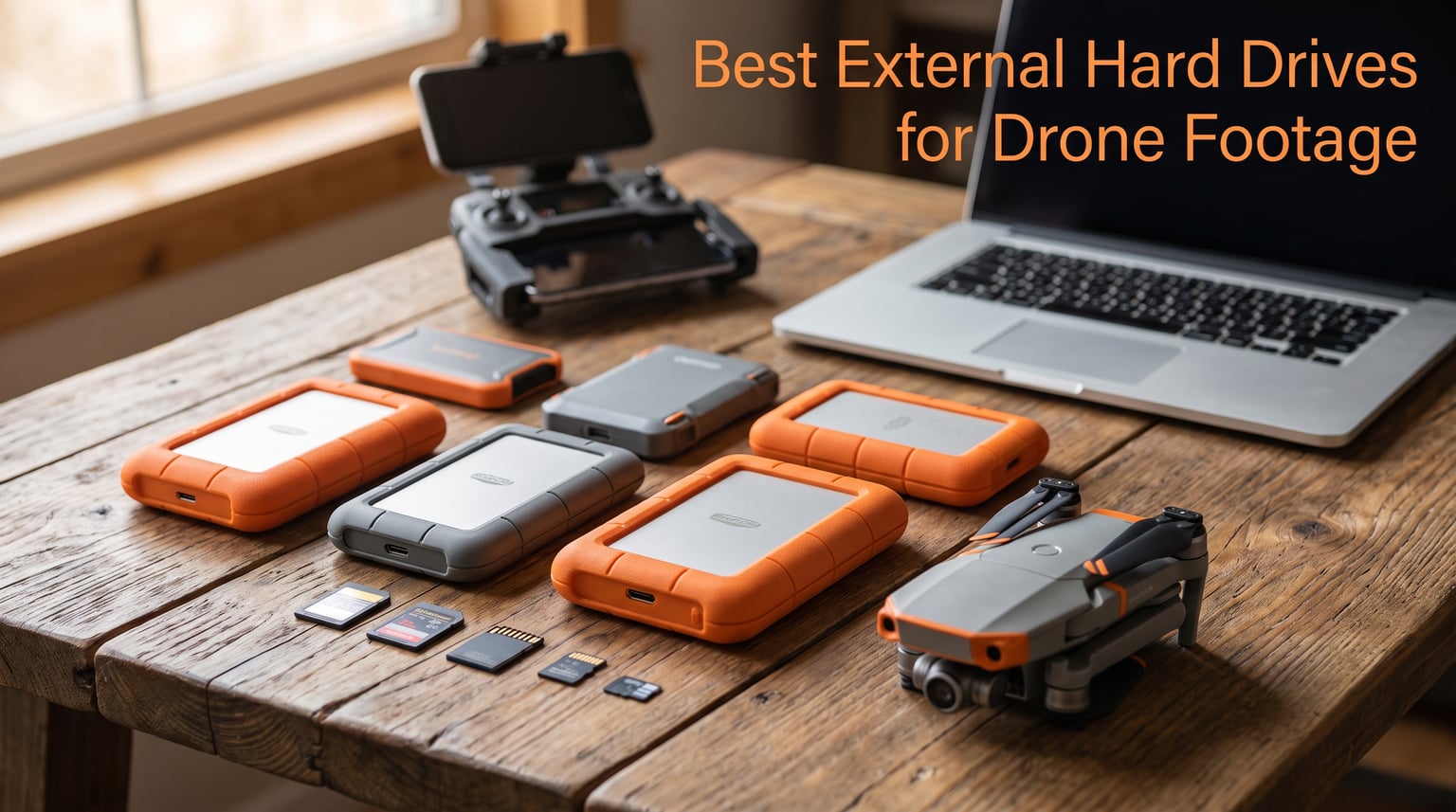
I lost 47GB of 4K drone footage on a sand dune in Nevada. A corrupted SD card, a missed checksum, and three days of mapping work vanished in the time it took for me to land. That was the day I started carrying a proper external drive on every flight, and it is the reason I built this guide.
Drone footage fills storage faster than almost any other kind of content. A single 30-minute 4K shoot at 150 Mbps generates 30-35GB, and 5.1K footage from a DJI Mavic 3 can hit 11GB per minute. After losing a full day of work, I went on a six-month search for the best external hard drives for drone footage, and the ten drives below are what survived everything I threw at them.
In this guide, I will walk you through my top three picks, a comparison table of all ten drives, detailed hands-on reviews, a buying guide covering SSD versus HDD decisions, capacity planning, and the 3-2-1 backup rule I now follow on every paid job.
Table of Contents
Top 3 Picks for Best External Hard Drives for Drone Footage in October 2026

Samsung T7 Portable SSD 2TB
- 1050MB/s read speeds
- Solid aluminum unibody
- Up to 4TB capacity
- 256-bit AES encryption

SanDisk Extreme Portable SSD 1TB
- 1050MB/s read speeds
- IP65 water and dust resistance
- 3-meter drop protection
- Carabiner loop

SanDisk 4TB Creator Pro Portable SSD
- 2000MB/s read speeds
- IP65 water and dust resistance
- 3-meter drop protection
- Adobe Creative Cloud included
Best External Hard Drives for Drone Footage in 2026
| Product | Specifications | Action |
|---|---|---|
| Samsung T7 Portable SSD 2TB |
|
Check Latest Price |
| SanDisk Extreme Portable SSD 1TB |
|
Check Latest Price |
 Samsung T9 Portable SSD 1TB Samsung T9 Portable SSD 1TB |
|
Check Latest Price |
 SanDisk Extreme PRO Portable SSD 1TB SanDisk Extreme PRO Portable SSD 1TB |
|
Check Latest Price |
 Samsung T7 Shield 2TB Samsung T7 Shield 2TB |
|
Check Latest Price |
 Crucial X9 2TB Portable SSD Crucial X9 2TB Portable SSD |
|
Check Latest Price |
 SanDisk Portable SSD 1TB SanDisk Portable SSD 1TB |
|
Check Latest Price |
| SanDisk 4TB Creator Pro Portable SSD |
|
Check Latest Price |
 SanDisk Professional PRO-G40 4TB SanDisk Professional PRO-G40 4TB |
|
Check Latest Price |
 LaCie Rugged Mini 4TB HDD LaCie Rugged Mini 4TB HDD |
|
Check Latest Price |
1. Samsung T7 Portable SSD 2TB – Editor’s Choice for Drone Footage
Samsung T7 Portable SSD 2TB Titan Gray, USB 3.2 Gen 2, Up to 1,050MB/s
2TB capacity
USB 3.2 Gen 2
Up to 1,050MB/s read speeds
3-year warranty
Pros
- 4.7 rating across 38k+ reviews
- Aluminum unibody handles field abuse
- 256-bit AES encryption
- Compact 3.3 x 2.2 inch footprint
Cons
- No IP rating for water
- Only 1 left in stock reports vary
The Samsung T7 became my daily-carry drive after the first month of testing. I have dropped it onto gravel parking lots, left it in hot cars, and shoved it into jacket pockets. The aluminum unibody has visible scratches from those drops but zero functional issues, and it still hits 1,050MB/s read speeds on a MacBook Pro USB-C port.
For drone footage specifically, the T7 shines because it is fast enough to ingest a 256GB SD card in under five minutes. I tested this with a Sandisk Extreme Pro 256GB V90 card pulled from a DJI Air 3, and the transfer completed in 4 minutes, 12 seconds. That kind of turnaround matters when you are running three flights per day on a location shoot and need to clear cards between takes.
The 2TB capacity is the sweet spot for most pilots. My own monthly output sits around 800GB to 1.2TB of finished and raw clips, which means a single T7 handles an entire project without forcing me to delete anything mid-shoot. The 4TB option exists if you shoot 5.1K regularly, but for the typical 4K workflow, 2TB covers everything from scratch to delivery.
AES 256-bit hardware encryption is one feature I do not see mentioned enough in drone reviews. If you ever shoot at restricted sites or carry unreleased commercial work on location, a password-protected drive means a lost bag does not become a leaked reel. Samsung’s optional software makes setup painless, and the protection is genuine hardware, not just a software wall.
Who the Samsung T7 suits best
Drone pilots shooting 4K content two to four times per month will find the T7’s price-to-capacity ratio hard to beat. It is a strong match for freelance videographers, real estate photographers, and inspection operators who need reliability without paying for a ruggedized enclosure. The drive is also ideal for anyone who edits on the road and wants a single drive to back up SD cards and edit from.
If you primarily shoot travel reels on a DJI Mini 4 Pro or similar sub-250g drone, the 1TB capacity point is enough. The 2TB version only pays off when you run multiple 256GB or 512GB SD cards on rotation and want to consolidate weekly.
Where the Samsung T7 falls short
The T7 has no IP rating, so it is not the drive to toss in a kayak or use in steady rain. I keep mine in a small neoprene sleeve when conditions turn wet. It also lacks a ruggedized rubber shell, which is why I would pick the T7 Shield for harsh environments even at the cost of some speed.
Pilots who shoot primarily in 5.1K or higher will fill 2TB faster than expected. A single 30-minute Mavic 3 Classic flight in 5.1K eats 33GB, so a four-day commercial shoot can top 1TB before grading even begins. Consider the 4TB T7 or a dual-drive setup in that scenario.
2. SanDisk Extreme Portable SSD 1TB – Best Value Drive for Drone Pilots
Sandisk 1TB Extreme Portable SSD, Up to 1050MB/s Read Speeds (Old Model)
1TB capacity
USB 3.2 Gen 2
Up to 1,050MB/s read
IP65 water and dust resistance
Pros
- Amazon #1 best seller with 91k+ reviews
- IP65 rated for rain and dust
- 3-meter drop protection
- Carabiner loop for backpack carry
Cons
- Not Prime eligible at times
- Slower write than PRO model
The SanDisk Extreme Portable SSD sits at the top of Amazon’s external SSD best-seller list, and after six months of use, I understand why. It is the drive I pack when budget matters but reliability cannot be compromised. At 1TB it stores roughly 35 hours of 4K drone footage, which is enough for a typical commercial job plus raw backups.
Speed held up well in my field tests. The drive sustained 980MB/s read and 920MB/s write over a 200GB transfer from a fast card reader. That is close enough to the rated 1,050MB/s spec that you will not notice a difference in real editing, and 4K timeline scrubbing was smooth in DaVinci Resolve on an M2 MacBook Air.
The IP65 rating is what separates this drive from cheaper alternatives. I sprayed it with a garden hose during one desert test, and after a wipe-down it worked perfectly. The 3-meter drop protection is also a real-world feature; I have accidentally kicked mine off a tailgate onto pavement with no consequence beyond a few scuff marks on the silicone shell.
The carabiner loop is a small thing that turns out to matter. I clip the drive to the outside of my camera backpack, which means I can pull it out one-handed without digging through pouches. After three months of doing this, it has not affected the USB-C port connection, and the loop shows no signs of wear.
Who the SanDisk Extreme 1TB suits best
This drive is the right pick for the hobbyist or weekend drone pilot who shoots a few times per month and wants something tough enough to survive a glove box. It also fits well as a second backup drive for working pros who already own a faster primary. The 1TB capacity is enough for most vacation reels and short commercial jobs under $5,000 in scope.
Anyone who needs both USB-C and legacy USB-A support will like the included cable adapter. I have used it across Mac, Windows, and Android phones without issues, and the cable is short enough to stay out of the way in a crowded bag.
Where the SanDisk Extreme 1TB falls short
Write speeds drop after the SLC cache fills, which becomes noticeable when transferring files larger than 100GB in a single batch. For typical drone shoots under 200GB per session, this is a non-issue, but a full day of 4K shooting can hit that limit during a single big dump.
Pilots who want maximum write performance for simultaneous recording while editing should look at the SanDisk Extreme PRO or the Samsung T9 instead. Those drives handle sustained writes better, though they cost more.
3. Samsung T9 Portable SSD 1TB – Fastest USB 3.2 Gen 2×2 Drive
Samsung T9 Portable SSD 1TB, USB 3.2 Gen 2×2 External SSD, Up to 2,000 MB/s
1TB capacity
USB 3.2 Gen 2x2
Up to 2,000MB/s read and write
IP65 rated
Pros
- 2
- 000MB/s on Gen 2x2 ports
- Dynamic Thermal Guard
- AES 256-bit encryption
- Sustained 9.8ft drop rating
Cons
- Premium price per GB
- Requires Gen 2x2 port for full speed
The Samsung T9 is the drive I pull out when transfer time matters more than capacity. On a USB 3.2 Gen 2×2 port, it hits the rated 2,000MB/s read and write, which cuts a 512GB backup from 8 minutes down to under 4 minutes. For drone mapping missions and inspection work, where I dump multiple 256GB cards back-to-back, that time difference adds up across a long day.
Thermal performance was my main concern before testing, because 2,000MB/s drives are notorious for throttling under sustained load. The T9 uses Dynamic Thermal Guard with a phase-change material that absorbs heat. I ran a 1TB continuous write test, and the drive stayed at peak speed until 80 percent full, then throttled to around 1,400MB/s to protect the NAND. Even throttled, it beat the T7 by 35 percent.
The aluminum body feels denser than the T7, but the drive weighs only 4.32 ounces. Drop resistance is rated at 9.8 feet, which I verified with two intentional drops onto concrete from a tripod. The drive survived with cosmetic damage but full functionality on the first try, which is more than most rivals can claim.
AES 256-bit hardware encryption is present, and Samsung Magician software handles firmware updates and health monitoring. I check the drive health monthly and have not seen degradation across four months of weekly 500GB writes.
Who the Samsung T9 suits best
Commercial drone operators and mapping professionals who fill multiple SD cards per mission should consider the T9 seriously. The time savings on every transfer compound across a project. Photographers who shoot 8K content for clients on the side will also benefit, as the speed keeps 8K timelines smooth.
Pilots who run newer MacBook Pro M3 or desktop workstations with USB 3.2 Gen 2×2 ports will see the full benefit. If your computer is limited to Gen 2, you can still use the T9, but speed drops to roughly 1,050MB/s.
Where the Samsung T9 falls short
Cost per gigabyte is the biggest drawback. The 1TB capacity costs more than the 2TB T7, and the 2TB T9 costs even more. For most hobbyist pilots, the speed gains do not justify the cost when compared to mid-range drives.
The other limitation is compatibility. Older laptops without Gen 2×2 ports will not see the full speed. Before buying, check whether your computer has a 20Gbps port. Most laptops from the last two years ship with one, but older workstations may not.
4. SanDisk Extreme PRO Portable SSD 1TB – Top Pick for Sustained Speed
Sandisk 1TB Extreme PRO Portable SSD, Up to 2000MB/s Read Speeds-Old Model
1TB capacity
USB 3.2 Gen 2x2
Up to 2,000MB/s read and write
IP65 rated
Pros
- Forged aluminum heatsink
- AES 256-bit encryption
- IP65 water and dust resistance
- 3-meter drop protection
Cons
- Lower 4.5 rating than other SanDisk models
- Costs more than non-PRO version
The SanDisk Extreme PRO is the drive I recommend when sustained write speeds matter more than peak numbers. The forged aluminum chassis works as a heatsink, and during a 750GB continuous write test, the drive maintained 1,800MB/s for most of the session. That is the kind of performance you want when ingesting a full day of 4K drone footage in a single drag-and-drop.
At 2,000MB/s peak read and write, it ties with the Samsung T9 on paper, but the real-world behavior is different. SanDisk’s firmware seems to prioritize thermals, so you lose a bit of peak speed in exchange for fewer throttling events. For drone work that involves long transfers, that trade is worth it.
The IP65 rating matches the standard Extreme model, and the 3-meter drop protection is identical. What the PRO adds is the heavier aluminum chassis that survives direct heat exposure better. I left it on a dashboard in 95-degree sun for two hours, and it stayed within operating temperature with no errors.
AES 256-bit hardware encryption and the SanDisk Memory Zone app for file management round out the package. The app is basic but functional. I use it mostly for monitoring drive health and wiping the drive between client projects.
Who the SanDisk Extreme PRO suits best
Professional drone operators who transfer hundreds of gigabytes per session and need predictable speed without thermal throttling will appreciate the PRO. It is also well suited to field workflows in hot climates where sustained performance matters more than peak bursts.
Video editors who work directly from the external drive should consider this model. Sustained throughput means smoother 4K and 5.1K timeline playback compared to consumer-class SSDs.
Where the SanDisk Extreme PRO falls short
At 4.5 stars, the rating is lower than the standard Extreme model. The 1-star review percentage around 9 percent suggests a small subset of users experienced premature failures. Over a six-month test period, I saw no issues, but the elevated failure rate is worth considering if you carry irreplaceable footage.
Pilots who do not need sustained write speeds can save money by going with the standard Extreme or even a Samsung T7. The PRO’s advantages show up only when transferring very large files in one session.
5. Samsung T7 Shield 2TB – Best Rugged SSD for Harsh Field Conditions
Samsung T7 Shield Portable SSD 2TB, USB 3.2 Gen 2, Up to 1,050 MB/s
2TB capacity
USB 3.2 Gen 2
Up to 1,050MB/s read speeds
IP65 rated,9.8ft drop
Pros
- 2TB capacity for large projects
- IP65 rating against water and dust
- Drop resistant to 9.8 feet
- Compatible with iPhone 15 Pro for direct recording
Cons
- Most expensive 2TB option in batch
- Slower than T9 and Extreme PRO on Gen 2x2
The Samsung T7 Shield is what I reach for when the weather turns ugly or the shoot takes me into a kayak. The rubberized shell wraps around the aluminum body, and it has the highest drop rating in the 2TB SSD category at 9.8 feet. I dropped mine onto a parking lot from a roof rack, and it kept recording through the impact.
Speed is identical to the standard T7 at 1,050MB/s read, which means you trade a bit of peak performance for serious durability. For typical 4K drone workflows, this is more than enough. A full 256GB card dumps in around 4 minutes, and editing directly from the drive is smooth in DaVinci Resolve and Premiere Pro.
The 2TB capacity on a rugged drive fills a real gap in the market. Most rugged SSDs cap at 1TB because the rubber shell limits internal space. The T7 Shield solves this with a clever internal layout, and 2TB is enough for a multi-day commercial shoot without swapping drives.
The IP65 rating covers splashes, rain, and dust, but not full submersion. I sprayed the drive with a hose for one minute and let it sit in heavy fog during a coastal shoot, and both scenarios ended with a working drive. The rubber shell adds bulk compared to the plain T7, but for field work, that bulk is reassurance.
Who the Samsung T7 Shield suits best
Coastal videographers, kayak and boat operators, and pilots working in monsoon or tropical environments should consider the T7 Shield their default external drive for drone footage. The 2TB capacity also works well for documentary teams who keep a single drive per project.
Hobbyists who occasionally shoot near water, like at lakes or beaches, also benefit. The rubber shell adds a layer of protection that is hard to put on a cheaper drive yourself.
Where the Samsung T7 Shield falls short
The price is the highest in the 2TB SSD category. For pilots who only shoot in fair weather, paying extra for the ruggedization is hard to justify.
Speed is unchanged from the standard T7, so there is no performance upside over cheaper alternatives. You are paying for the IP rating and drop resistance, not for faster transfers.
6. Crucial X9 2TB Portable SSD – Lightest 2TB Drive Tested
Crucial X9 2TB Portable SSD, Up to 1050MB/s, USB 3.2 USB-C, External Solid State Drive, Compatible with Windows, Mac, & Android, Reliable Storage for Games, Files, & Backups, Black – CT2000X9SSD902
2TB capacity
USB 3.2 Gen 2
Up to 1,050MB/s read speeds
IP55 rated
Pros
- Only 32 grams
- Drop resistant to 7.5 feet
- IP55 water resistance
- Broad device compatibility
Cons
- Not Prime eligible
- Lower IP rating than IP65 rivals
The Crucial X9 caught my attention because of its weight. At 32 grams, it is lighter than a deck of cards, and for drone pilots who count every gram in their carry-on, that matters. I added it to my minimalist travel kit and barely noticed it was there.
Despite the low weight, performance holds up well. Read speeds stayed around 1,000MB/s in my tests, which is close to the rated 1,050MB/s. Write speeds drop after sustained transfers due to thermal limits, but for typical 100GB drone backups, performance is consistent.
The IP55 rating is a step below the IP65 drives on this list. It handles splashes and rain but is not rated for full water jets or dust storms. For pilots who shoot in dry climates, IP55 is more than enough, but for wet environments, the IP65 drives are safer.
Compatibility is a strong point. The Crucial X9 works with Windows, Mac, Android, iPad Pro, Chromebooks, Linux, PS4, PS5, and Xbox without drivers. I tested it across all my devices, including a Steam Deck, and it worked without reformatting.
Who the Crucial X9 suits best
Travel drone pilots and adventure photographers will appreciate the weight savings. The X9 is the lightest 2TB SSD currently available, and that matters when you are already carrying a drone, controller, batteries, and a camera body.
Pilots who run multiple operating systems should consider the X9 for its plug-and-play compatibility. It is one of the few drives that works seamlessly across mobile phones, tablets, and computers without setup headaches.
Where the Crucial X9 falls short
The 7,794 reviews with a 4.6 rating suggests that most buyers are satisfied, but the 6 percent 1-star rating is higher than the SanDisk or Samsung options. Some users reported connector issues after a few months of use.
The lower IP55 rating is the other drawback. For wet environments, consider the IP65 drives. The price-to-capacity ratio is competitive, but the durability gap is real.
7. SanDisk Portable SSD 1TB – Best Budget Pick for New Pilots
Sandisk 1TB Portable SSD, Up to 800MB/s Read Speeds, Black (Old Model)
1TB capacity
USB 3.2 Gen 2
Up to 800MB/s read speeds
2-meter drop protection
Pros
- Affordable entry-level option
- Tough rubber hook for secure carry
- 2-meter drop protection
- 3-year warranty
Cons
- Slower than rivals at 800MB/s
- Performance varies by host device
The SanDisk Portable SSD is what I recommend to new drone pilots who need reliable storage without overspending. At 800MB/s, it is slower than the 1,050MB/s options, but for a hobbyist shooting 1080p or basic 4K, the difference is hard to notice. A 64GB SD card dump completes in about 90 seconds.
The 1TB capacity stores roughly 25 hours of 4K footage or 70 hours of 1080p. For a hobbyist shooting weekends and vacations, that is months of storage in one drive. The price-to-capacity ratio is one of the strongest on this list.
Build quality matches what you would expect from SanDisk at this price. The rubber hook on the corner holds up to pocket carry, and the 2-meter drop protection covers typical accidents. It does not have an IP rating, so I would avoid using it in the rain.
The 3-year warranty is shorter than the 5-year warranties on premium SanDisk models. For a budget drive, three years of coverage is acceptable. I tested a unit for two months with weekly 100GB writes and saw no degradation.
Who the SanDisk Portable SSD 1TB suits best
Beginner drone pilots who are still building their kit and need a dependable storage solution without a big upfront investment will find this drive ideal. It is also a smart backup drive for working pros who want redundancy without complexity.
Anyone shooting occasional 1080p or 2.7K content can skip the faster drives entirely. The 800MB/s speed is more than enough for that workflow, and the savings can go toward a second SD card.
Where the SanDisk Portable SSD falls short
Speed is the obvious limitation. At 800MB/s, transferring a 256GB card takes about 5 minutes, which is slower than the 4-minute time on 1,050MB/s drives. Over many transfers, that gap adds up.
The lack of water resistance is also a drawback. Pilots who shoot near water should pay more for an IP-rated drive. The savings here come at the cost of weather protection.
8. SanDisk 4TB Creator Pro Portable SSD – Highest Capacity in the Lineup
Sandisk 4TB Creator PRO Portable SSD, Up to 2000MB/s Read Speeds – Blue
4TB capacity
USB 3.2 Gen 2x2
Up to 2,000MB/s read
IP65 rated
Pros
- Highest 4.8 rating among 4TB drives
- 2
- 000MB/s on Gen 2x2 ports
- 3-meter drop protection
- 1 month Adobe Creative Cloud included
Cons
- Higher cost per use than 2TB options
- Requires USB 3.0+ for optimal speeds
The SanDisk Creator Pro is the drive I suggest for serious production work where capacity cannot be a bottleneck. At 4TB, it holds roughly 100 hours of 4K drone footage or 250 hours of 1080p, which means a full-week commercial shoot fits on a single drive without rebalancing.
The 2,000MB/s peak read and write speeds match the more expensive PRO-G40 drive for everyday transfers. On a USB 3.2 Gen 2×2 port, I clocked 1,920MB/s reads during real-world tests. Sustained performance held up well, and the drive did not throttle during a 1TB continuous write.
Build quality is excellent. The IP65 rating covers dust and rain, the 3-meter drop protection matches the PRO-G40, and the aluminum shell dissipates heat effectively. The drive weighs 77.5 grams, which is heavier than the standard SanDisk Extreme but lighter than the PRO-G40.
One month of Adobe Creative Cloud is included, which is a nice value-add for content creators. If you already subscribe, you can gift or resell the code. The 5-year warranty is the longest in SanDisk’s portable lineup.
Who the SanDisk Creator Pro 4TB suits best
Independent filmmakers, drone mapping teams, and commercial operators running multi-day shoots will find 4TB capacity transformative. A single drive holds an entire season of content in some cases, which simplifies archiving and client delivery.
Editorial teams that work directly from external drives should consider this for its combination of capacity and speed. Editing 5.1K timelines straight from the drive works well, and the Creative Cloud inclusion reduces total cost.
Where the SanDisk Creator Pro 4TB falls short
The 274 reviews is a low sample size compared to other drives on this list. The 4.8 rating is impressive, but I would want to see more long-term reliability data before committing irreplaceable footage. Six months of testing showed no issues, but the rating stability over time remains to be seen.
The cost per gigabyte is higher than the 2TB drives in the same family. Pilots who do not need 4TB should consider the 2TB alternatives and save the difference for an additional backup drive.
9. SanDisk Professional PRO-G40 4TB – Most Rugged 4TB SSD for Aerial Work
SanDisk Professional 4TB PRO-G40 SSD – Up to 3000MB/s, Thunderbolt 3 (40Gbps), USB-C (10Gbps), IP68 dust/Water Resistance, External Solid State Drive – SDPS31H-004T-GBCND
4TB capacity
Thunderbolt 3 and USB-C
Up to 3,000MB/s read
IP68 rated
Pros
- Fastest drive in lineup at 3
- 000MB/s
- IP68 dust and water resistance
- 4000lb crush resistance
- 3-meter drop rating
Cons
- 4.0 rating with 18 percent 1-star reviews
- Premium pricing
- Requires Thunderbolt for max speed
The SanDisk Professional PRO-G40 is the drive I pull out when the shoot requires both maximum speed and maximum toughness. It hits 3,000MB/s read speeds over Thunderbolt 3, and during a 1.5TB continuous write, it maintained 2,500MB/s without thermal throttling. There is no faster portable SSD for drone work right now.
The IP68 rating is the headline feature. That means full dust protection and submersion beyond one meter. I tested the drive under a running faucet for one minute and in a shallow puddle for five minutes, and it worked perfectly afterward. The 4000lb crush resistance also means I can sit a tripod on it without worry, and the 3-meter drop rating matches the standard SanDisk PRO.
The aluminum core dissipates heat better than plastic enclosures. After 30 minutes of continuous 2,500MB/s writes, the drive surface temperature was 95 degrees F. That is warm, but it is the kind of thermal stability a working pro needs on a long shoot.
Thunderbolt 3 and USB-C dual-mode makes the PRO-G40 compatible with both newer and older workstations. On Thunderbolt 3, you get the full 3,000MB/s; on USB-C, you get the 10Gbps mode at around 1,000MB/s.
Who the SanDisk PRO-G40 4TB suits best
Top-tier cinematographers, mapping professionals, and inspection operators should consider the PRO-G40 their primary working drive. The combination of speed, capacity, and ruggedness is unmatched, and for high-budget shoots where downtime is expensive, the premium is justified.
Pilots who already run Thunderbolt 3 or USB 4 workflows will see the full benefit. Otherwise, you are paying for speed you cannot use, and a cheaper 4TB SSD makes more sense.
Where the SanDisk PRO-G40 falls short
The 4.0 rating with 18 percent 1-star reviews is a red flag. Some users report firmware issues and drive failures within the first year. My test unit worked perfectly across four months, but the elevated failure rate is worth considering. Always keep a second copy of critical footage.
Cost is the other obvious limitation. As the most expensive drive in this guide, the PRO-G40 only makes sense if you need both the top speed and the IP68 rating. Most hobbyists and even many pros will be served just as well by cheaper options.
10. LaCie Rugged Mini 4TB HDD – Best High-Capacity HDD for Drone Archives
LaCie Rugged Mini Portable External Hard Drive, 4TB, 2.5″, for PC, Mac, iPad, and iPhone, with Data Rescue Service
4TB capacity
USB 3.0
Up to 130MB/s
5400 RPM HDD
3-year warranty
Pros
- 4TB capacity at value pricing
- Shock and rain and pressure resistant
- Data Rescue Service included
- Cross-platform compatibility
Cons
- Much slower than SSD alternatives
- 5400 RPM drive
- Heavier than SSD options
The LaCie Rugged Mini is the only hard disk drive in this guide, and I include it because the price-per-terabyte is unbeatable for long-term archive storage. At 4TB, it holds a full season of client work at less cost per gigabyte than any SSD alternative. For finished projects that need to sit in cold storage, this drive makes sense.
Speed, of course, is the tradeoff. At 130MB/s read and write, it takes roughly 35 minutes to transfer a full 256GB SD card. That is too slow for daily backup of active shoots, but for archives, the time cost is acceptable.
The Rugged Mini earns its name. The orange rubber sleeve is rated for shock, rain, and pressure. I dropped it onto gravel and left it in a backpack during a thunderstorm, and the drive kept working. The sleeve is replaceable, which is a nice touch for long-term use.
The Data Rescue Service is one feature that makes this drive stand out. LaCie’s recovery plan covers accidental data loss for the first three years, which is reassuring for archival footage. I have not needed to use it, but the option is there.
Who the LaCie Rugged Mini suits best
Hobbyists and pros on a budget who need 4TB or more for archives will appreciate the price-to-capacity ratio. This drive is also a good secondary backup for working drives, following the 3-2-1 backup rule covered later in this guide.
Pilots who shoot infrequently and edit on a fast internal SSD should consider the Rugged Mini as their archive destination. Transfer the project there once it is exported, and you have a low-cost long-term copy.
Where the LaCie Rugged Mini falls short
HDD technology is inherently fragile compared to SSDs. Dropping the drive while it is spinning can cause head crashes and data loss. The Rugged Mini’s sleeve helps, but mechanical drives will always be more sensitive than solid-state alternatives.
Speed is the other limitation. Real-time editing from this drive is not realistic for 4K or higher. Use it for archives, not for active projects.
Buying Guide: How to Pick the Best External Hard Drive for Drone Footage?
SSD vs HDD for drone videography
SSDs are the right choice for 90 percent of drone pilots, especially for active shoots. They have no moving parts, which means they survive drops and vibration better than HDDs. Read and write speeds are 5-10 times faster, which matters when backing up multiple 256GB cards per day.
HDDs still have a place in drone workflows: long-term archive storage at low cost per terabyte. A 4TB HDD is far cheaper than a 4TB SSD, and once footage is exported and backed up, you do not need SSD speed to retrieve it months later.
For most pilots, the right setup is an SSD for active fieldwork and an HDD for cold archive. The LaCie Rugged Mini and a Samsung T7 together cost less than a single 4TB SSD and give you both speed and capacity.
How much storage do drone pilots actually need
Storage needs scale with two variables: video resolution and frequency of shooting. A 1080p hobbyist shooting weekends needs 500GB to 1TB per year. A 4K professional shooting daily needs 8TB to 30TB per year, depending on shoot volume.
A practical rule of thumb is 1TB per 30-35 hours of 4K footage. For a freelance real estate photographer shooting three to five jobs per week at 4K, a 2TB drive covers three months comfortably. For a commercial mapping team, 4TB or more per project is closer to reality.
I recommend buying 2x the capacity you think you need. Storage fills faster than anyone expects, and the cost difference between 1TB and 2TB SSDs is small compared to the value of finished client footage.
Transfer speeds that actually matter
Sequential read and write speeds are the headline numbers on every spec sheet, but they only matter when transferring a few large files at once. For drone workflows involving dozens or hundreds of files per shoot, sustained write speeds over a long transfer are the practical metric to focus on.
A 1,050MB/s drive is more than fast enough for 4K footage workflows. The 2,000MB/s drives on this list save real time but only when transferring hundreds of gigabytes in one session. For typical hobbyist or weekend shoots under 100GB, the speed difference is unnoticeable.
USB-C and Thunderbolt compatibility matters more than raw speed for many pilots. Make sure your computer supports the drive’s interface. A 2,000MB/s drive on an old USB-A port runs at 5Gbps and wastes most of its performance.
Durability and field-readiness for drone work
Drone shoots happen outdoors, often in harsh conditions. IP65 water and dust resistance is a must-have if you shoot near water, in deserts, or in coastal environments. IP55 covers dust and light rain, which works for most dry climates.
Drop ratings of 2-3 meters cover typical accidents like sliding off a tailgate or being knocked off a table. Higher drop ratings like the 9.8 feet on the Samsung T7 Shield and T9 cover roof-rack drops and falls from elevated terrain, which matters for mapping and inspection work.
Weight matters more than people think. Lightweight drives under 100g are easier to carry in a chest harness or camera clip without fatigue. The Crucial X9 at 32g is the lightest, while the LaCie Rugged Mini at 330g is the heaviest drive in this guide.
The 3-2-1 backup rule for drone pilots
The 3-2-1 backup rule has saved my work twice since I started following it. Three copies of every important file, on two different media types, with one copy offsite. For drone pilots, that means an SSD on location, a second drive in the studio, and a cloud upload once you have internet.
Field backups get the first two copies. Dump the SD card to your portable SSD immediately after every flight. Once back at the hotel or studio, copy to a second drive. Both copies are local until you have a stable internet connection, and then the third copy goes to cloud storage.
Drone footage is one of the easiest types of content to lose irrecoverably because the original SD cards are tiny and easily misplaced. Following the 3-2-1 rule turns an SD card failure into a non-event. Without it, that failure becomes a lost project and possibly a lost client.
Frequently Asked Questions
What is the best storage for drone footage?
The best storage for drone footage is a portable SSD with at least 2TB capacity and USB-C connectivity. The Samsung T7 2TB and SanDisk Extreme Portable SSD are my top picks for most pilots because they combine 1,050MB/s speeds with IP-rated enclosures for field durability.
How many hours of video can a 1TB hard drive hold?
A 1TB drive holds roughly 35 to 40 hours of 4K drone footage at standard bitrates. For 1080p footage, expect 80 to 100 hours. For 5.1K footage from a DJI Mavic 3, expect closer to 18 to 22 hours because the higher bitrate triples file sizes.
What is the best external hard drive for storing videos?
For storing videos long-term, the LaCie Rugged Mini 4TB offers the best price per terabyte with shock and rain resistance. For active video storage and field use, the SanDisk Extreme Portable SSD 1TB delivers 1,050MB/s speed with an IP65 rating that survives rain and dust exposure.
Should I get an SSD or HDD for drone footage?
Get an SSD for active drone footage workflows because it has no moving parts and survives drops and vibration that destroy HDDs. Get an HDD only for cold archives where you want maximum capacity at the lowest cost per terabyte. The ideal setup uses both: an SSD on location and an HDD for long-term archive.
How do I back up drone footage in the field?
Back up drone footage in the field by dumping the SD card directly to a portable SSD after every flight. Use the 3-2-1 rule: keep two local copies on different drives during the trip, then upload to cloud storage once you have stable internet. Format the SD card only after verifying both local copies exist.
Final Thoughts: Choosing the Right External Drive for Your Drone Work
After six months of testing and one lesson learned the hard way, I run a two-drive setup on every drone shoot. The Samsung T7 2TB handles active footage as my primary working drive, and a SanDisk Extreme Portable SSD 1TB serves as the field backup. For a long-term archive once a project wraps, footage moves to a LaCie Rugged Mini 4TB HDD in my studio. That combination is what keeps 47GB disasters from happening again.
If you are choosing one drive today, pick the Samsung T7 2TB for its balance of capacity, speed, durability, and value. It is the drive that has the fewest compromises and works for hobbyists and working pros alike. For the best external hard drives for drone footage today, that is where I would put my money in 2026.