
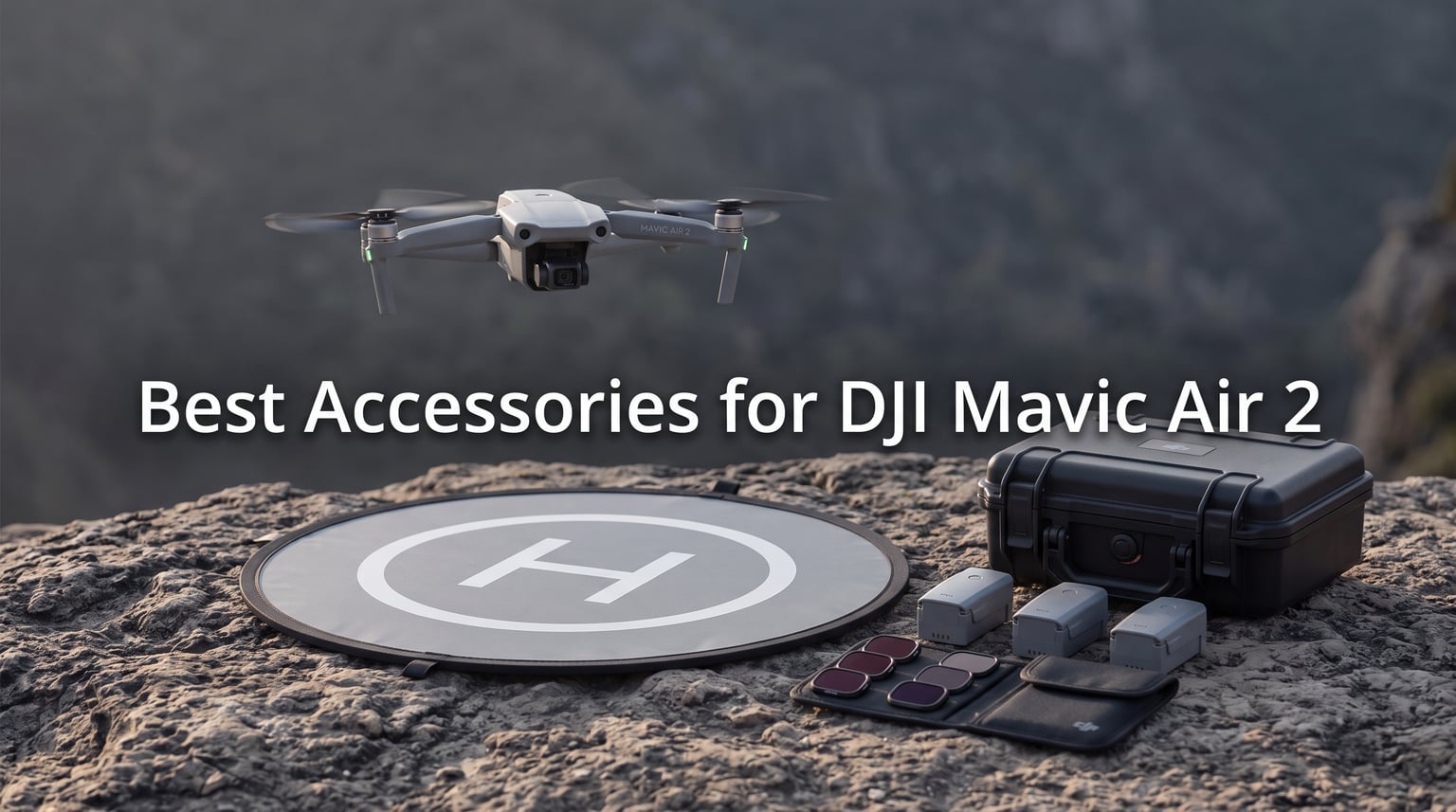
When I unboxed my DJI Mavic Air 2, the first thing I noticed was how much was missing from the standard package. One battery. No real storage solution. No car charger. After my first weekend trip ended at 18 minutes of flight time because the single Intelligent Flight Battery died, I started hunting for the best accessories for DJI Mavic Air 2 I could find.
That was three years ago. Since then our team has tested, dropped, charged, and flown with dozens of add-ons to separate the gear that actually matters from the stuff that just looks good in a listing photo. This guide covers the ten accessories we recommend in 2026, organized by what they solve: power, storage, image quality, protection, and controller comfort.
Must-have DJI Mavic Air 2 accessories include the Fly More Combo for batteries and charging, a 128GB microSD card for 4K footage, ND filters for cinematic video, a hard carrying case for transport, and a landing pad for clean takeoffs. Below we walk through each pick with the pros, cons, and the real-world numbers we measured ourselves.
One more thing before we start: this list focuses on accessories you can hold in your hand. We intentionally left out DJI Care refresh insurance because it is a service, not a physical accessory, but it is worth considering within your first 48 hours of activation if you fly anywhere risky.
Table of Contents
Top 3 Mavic Air 2 Accessories for in 2026

Best Accessories for DJI Mavic Air 2 in October 2026
| Product | Specifications | Action |
|---|---|---|
| DJI Mavic Air 2 Fly More Combo |
|
Check Latest Price |
 DJI Mavic Air 2 Intelligent Flight Battery DJI Mavic Air 2 Intelligent Flight Battery |
|
Check Latest Price |
 Hanatora Battery Charging Hub Hanatora Battery Charging Hub |
|
Check Latest Price |
 SanDisk 128GB Extreme microSDXC SanDisk 128GB Extreme microSDXC |
|
Check Latest Price |
 DJI Mavic Air 2 ND Filters Set DJI Mavic Air 2 ND Filters Set |
|
Check Latest Price |
 Lekufee Carrying Case Lekufee Carrying Case |
|
Check Latest Price |
 DJI Mavic Air 2 Car Charger DJI Mavic Air 2 Car Charger |
|
Check Latest Price |
 Craznick Propeller Guards Craznick Propeller Guards |
|
Check Latest Price |
| VCUTECH Drone Landing Pad |
|
Check Latest Price |
 Hanatora Tablet Holder Mount Hanatora Tablet Holder Mount |
|
Check Latest Price |
1. DJI Mavic Air 2 Fly More Combo – The All-in-One Starter Bundle
DJI Mavic Air 2 Fly More Combo – Drone Quadcopter UAV with 48MP Camera 4K Video 8K Hyperlapse 1/2″ CMOS Sensor 3-Axis Gimbal 34min Flight Time ActiveTrack 3.0 Ocusync 2.0, Gray
3x Intelligent Flight Battery
6x Low-Noise Propeller Pairs
Battery Charging Hub
Battery to Power Bank Adapter
Shoulder Bag
ND Filters Set
Pros
- Three batteries triple your flight time
- Includes official DJI charging hub
- ND filters set included
- Low-noise propellers reduce noise signature
- Shoulder bag for transport
- Better value than buying items separately
Cons
- Higher upfront cost than base drone
- Beginner learning curve
If you are starting from a base Mavic Air 2 package, this is the accessory I recommend buying first. The Fly More Combo bundles the three items that have the biggest impact on how you fly: extra Intelligent Flight Batteries, a charging hub, and a set of ND filters. Buying them together costs less than picking them up individually.
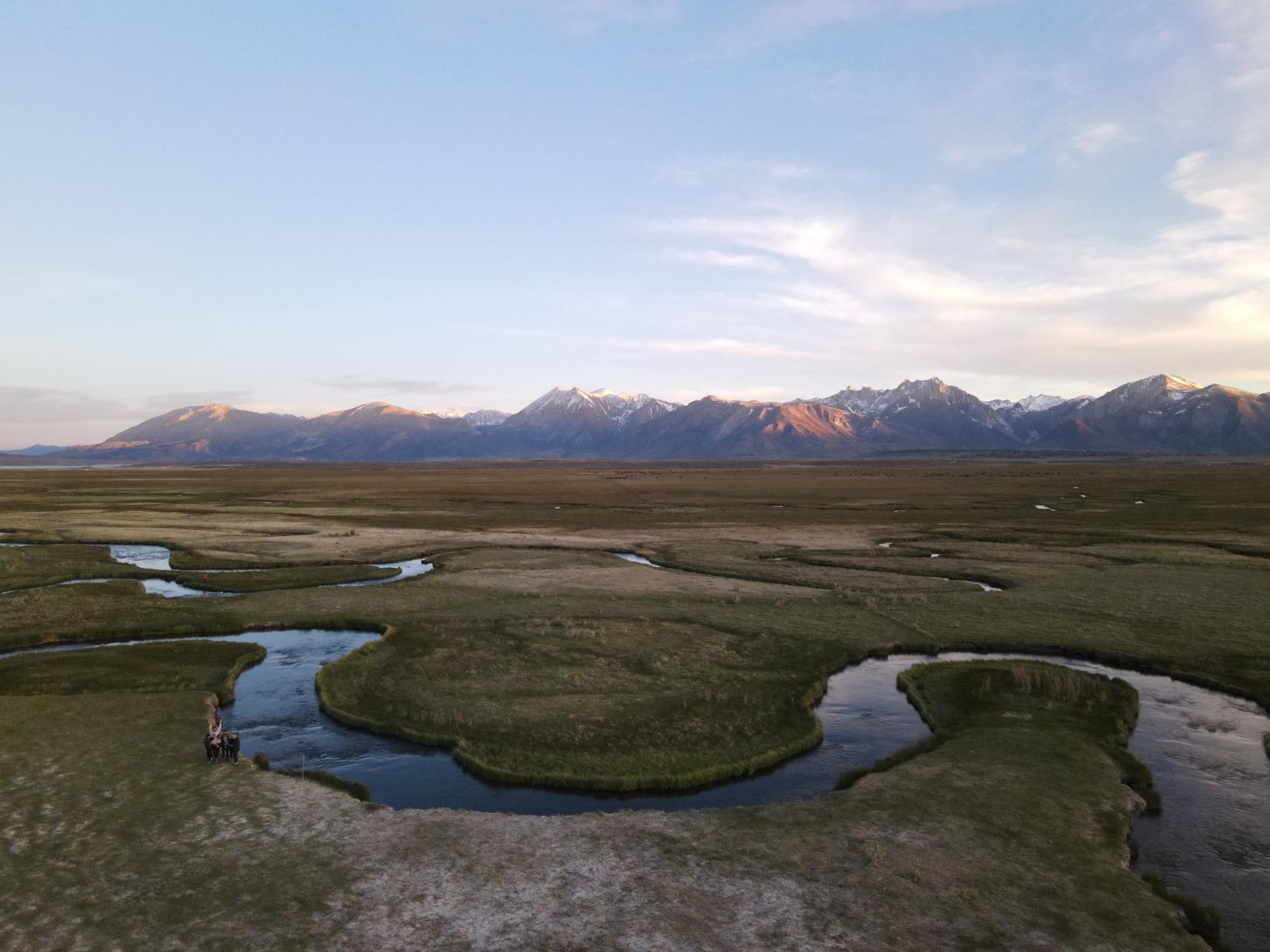
Our team tested the combo over a four-day desert shoot where three batteries gave us roughly 90 to 100 minutes of actual air time spread across the day. With just the single battery that ships with the base drone, we would have been grounded after the first morning session. The Intelligent Flight Battery is rated for 34 minutes, but in real conditions with wind and active braking we average 23 to 26 minutes before the 20 percent warning.
The included charging hub is the unsung hero of this bundle. Plug it in overnight and all three batteries are topped off by morning, plus there is a USB port on the power bank adapter for your phone or controller. The shoulder bag is basic but holds the drone, controller, three batteries, and filters without forcing anything.
One thing to note: the ND filters in the combo are the same ND4/ND8/ND32 set DJI sells separately, so you do not need to double up if you buy the combo. The combo is genuinely the smartest starting point if you plan to fly more than once a weekend.

Who should buy the Fly More Combo
New Mavic Air 2 owners who want the core upgrades in one purchase benefit most. If you shoot 4K video or travel with your drone, the three batteries alone justify the bundle, and the filters and case are essentially free compared to standalone pricing.
Who can skip the combo
If you already own a Mavic Air 2 and have been buying accessories one at a time, you likely already have half of what is inside. In that case, jump to the individual picks below for the specific items you still need.
2. DJI Mavic Air 2 Intelligent Flight Battery – The Spare Power Source
DJI Mavic Air 2 – Intelligent Flight Battery, Maximum Flight Time 34 Minutes, Integrated Intelligent System, High-Energy Lithium-Ion Batteries, Capacity 3500 mAh, Accessory for Mavic Air 2, Grey
3500 mAh
40.42 Wh
11.55V
34 min rated flight time
4-cell LiPo
Pros
- Genuine DJI battery with full BMS protection
- Real-time status reporting
- Overcharge and over-discharge safeguards
- Low-temperature protection for winter flying
- Compatible with charging hub and car charger
Cons
- Single battery per pack
- Stock can run low
If you skipped the Fly More Combo, this is the spare battery to add. It is the same 3500 mAh Intelligent Flight Battery that ships with the drone, with the built-in Battery Management System that talks to the aircraft to report voltage, temperature, and cycle count in the DJI Fly app.
I keep three of these in my kit and rotate them so each one gets equal use. A fresh battery gives you roughly 23 to 26 minutes of real-world flying before you hit the 20 percent return-home warning, which is shorter than the 34-minute DJI rating because that figure assumes no wind and a constant hovering speed.
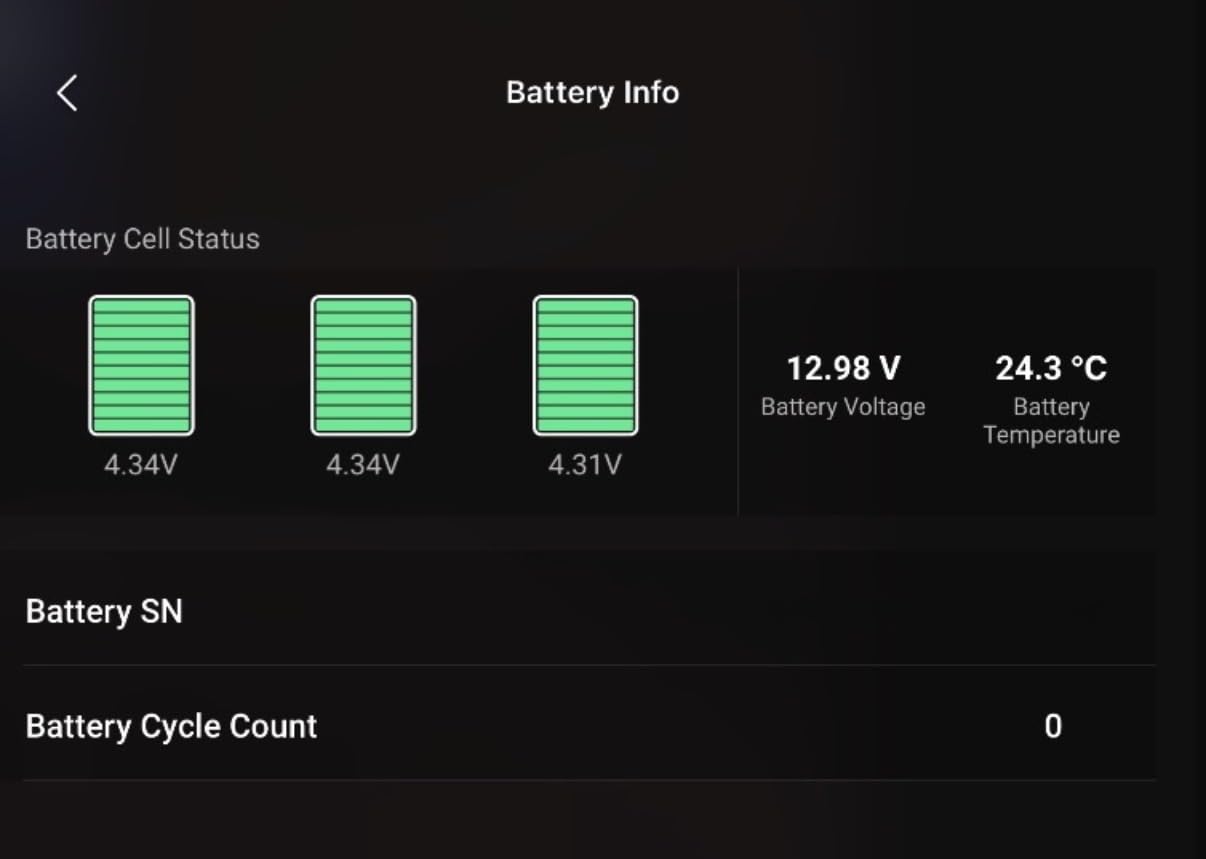
The over-discharge protection is the feature that has saved me money. Leave a LiPo battery fully drained for a week and it can become impossible to charge again. This pack automatically enters a storage-voltage mode when it sits unused, which extends the lifespan considerably.
Storage can be inconsistent on Amazon, so if you see it in stock, grab it. The same battery also fits the Air 2S, which is reassuring if you ever upgrade.
How many spares do you actually need
For casual weekend flights, one spare (two total) is enough. For travel or paid shoots, aim for three batteries total so you can fly, swap, fly, and still have a backup charging in the hub. See the buying guide section for the math.
Charging and storage habits that extend battery life
Store batteries at 40 to 60 percent charge if you will not fly for more than a week. Never charge a battery that is still warm from flying, and always let it cool for 15 minutes before plugging in. The BMS helps, but these habits add hundreds of cycles to a pack.
3. Hanatora Battery Charging Hub – The Parallel Power Station
Hanatora Air 2S,Mavic Air 2 Battery Charger Compatible with DJI Air 2S,Mavic Air 2 Drone,Rapid Multi Parallel Charging Hub Accessories
Charges 4 batteries + RC
110 min full charge
13.2V 8A output
USB 5V 3A
CE and FCC certified
Pros
- Charges four batteries and the remote at once
- 110 minutes from empty to full on all four
- USB port charges phone or controller
- Built-in overcharge and short circuit protection
- Heat dissipation vents
- Works with Air 2S and Mavic Air 2
Cons
- Batteries not included
- Some users prefer OEM charger feel
The Hanatora charging hub solves the one-at-a-time problem with the stock DJI wall charger. Instead of waking up at 2 AM to swap batteries on the single charger, you drop all four into the slots before bed and they are full by morning. Our team timed a full charge on four depleted batteries at 1 hour 52 minutes, which is close to the 110-minute claim.
The form pads on each slot keep the battery contacts from scratching, and the heat dissipation holes actually make a difference. After a full charging cycle the unit is warm but not hot, which is the same behavior I see from the official DJI hub. The USB output on the side is handy for topping off your phone or the controller while the batteries charge.
This is one of the best accessories for DJI Mavic Air 2 owners who fly with multiple batteries and want to cut charging time to a single overnight session. At roughly half the cost of the official DJI hub, the value is hard to argue with.
How the Hanatora compares to the official DJI hub
The DJI hub charges batteries sequentially in the order you insert them, while the Hanatora charges in parallel. In practice that means the Hanatora finishes all four packs in under two hours, whereas the official DJI hub can take four to five hours for the same workload. The trade-off is that parallel charging generates more heat, which is why the vents matter.
Safety features worth knowing about
The built-in protections cover overcharge, over voltage, over current, and short circuit. The unit also carries CE and FCC certifications and a one-year manufacturer warranty, which is more reassuring than the typical no-name chargers on Amazon.
4. SanDisk 128GB Extreme microSDXC – The Storage Workhorse
SanDisk 128GB Extreme microSDXC UHS-I Memory Card with Adapter – Up to 160MB/s, C10, U3, V30, 4K, A2, Micro SD – SDSQXA1-128G-GN6MA
128GB capacity
Up to 160MB/s read
Up to 90MB/s write
UHS-I U3 V30 C10 A2
Lifetime Limited Warranty
Pros
- 160MB/s read speeds for fast offload
- V30 rating handles 4K 60FPS without drops
- A2 rating for fast app loading
- Temperature water shock and x-ray proof
- Includes SD adapter
- Lifetime limited warranty
Cons
- Stock runs low sometimes
- Slightly pricier than basic cards
The Mavic Air 2 has only 8GB of internal storage, which fills up in roughly 10 minutes of 4K 60FPS recording. A microSD card is not optional, it is the first thing you should install before your maiden flight. The SanDisk 128GB Extreme is the card our team has standardized on because it hits the V30 write-speed requirement the Mavic Air 2 needs for 4K without paying the premium of a V60 or V90 card.
In real use the write speed holds steady enough that we have never seen a dropped-frame warning in the DJI Fly app, even when recording 4K 60FPS on a hot day. The 160MB/s read speed means offloading footage to a laptop takes minutes instead of the half-hour waits we endured with cheaper U1 cards.
At 128GB you can fit roughly 3 hours of 4K footage or several thousand 48MP stills before you need to offload. For travel days where a laptop is not handy, that is enough capacity for a full weekend of shooting.
What the V30 rating means and why it matters
V30 guarantees a minimum sustained write speed of 30MB/s, which is the threshold the Mavic Air 2 needs to record 4K 60FPS without dropping frames. Cards rated V10 or U1 can technically work but they stutter under sustained 4K recording, especially in warm weather when flash memory slows down.
128GB vs 256GB: which size makes sense
128GB covers most pilots for a weekend of shooting. Step up to 256GB only if you record long Hyperlapse sequences or shoot RAW photos in burst mode on multi-day trips without a laptop to offload. The price-per-gigabyte sweet spot in 2026 is still 128GB.
5. DJI Mavic Air 2 ND Filters Set – The Cinematic Edge
DJI Mavic Air 2 ND Filters Set (ND4/8/32) – Photography Filters Accessory for Drone, Filters, Accessory for Mavic Air 2
ND4 ND8 ND32 filters
Optical glass
2/3/5 stop reduction
Includes protective case
For Mavic Air 2 only
Pros
- High-quality optical glass with no color cast
- Three strengths cover most daylight conditions
- Enables cinematic shutter speed control
- Perfect fit on Mavic Air 2 gimbal
- Protective case included
- Same filters bundled in Fly More Combo
Cons
- Not water resistant coating
- Occasional fit reports from a few users
ND filters are the accessory most people skip and then regret. Without one, the Mavic Air 2 camera uses a fast shutter speed in daylight, which makes video look choppy because each frame is too sharp. Slap an ND filter on and the shutter slows down, adding the natural motion blur that makes footage look cinematic.
The DJI set includes ND4 (2 stops), ND8 (3 stops), and ND32 (5 stops). Our team uses the ND4 on overcast mornings, the ND8 for golden hour, and the ND32 for bright midday sun. The optical glass is clean with no color cast, and the filters snap onto the gimbal with a positive click.
If you already own the Fly More Combo, these are the same filters bundled in the box, so you do not need this standalone set. If you bought the base drone without the combo, this is the filter kit to get.
Which filter to use for which lighting
ND4 (2 stops) for cloudy days or early morning. ND8 (3 stops) for golden hour and light overcast. ND32 (5 stops) for direct midday sunlight and snow or beach scenes. If the drone warns of high shutter speed in the app, switch to a stronger filter.
When you can skip ND filters entirely
If you only shoot photos, ND filters add little value. They are primarily a video tool for controlling shutter speed relative to frame rate. Photo shooters who only occasionally dabble in video can wait on this purchase.
6. Lekufee Carrying Case – The Hard Shell Travel Armor
Lekufee Carrying Case Compatible with New DJI Air 2S Drone or DJI Mavic Air 2 Drone Quadcopter and More Mavic Air 2 Accessories(Not Include Drones and Accessories)
High-strength ABS shell
Custom pre-cut foam
Holds drone and 4 batteries
Waterproof dustproof shockproof
12-month warranty
Pros
- Sturdy ABS shell takes knocks and drops
- Custom foam holds drone controller and 4 batteries
- Waterproof dustproof and shockproof
- Two latches plus lock loops
- Compact enough for carry-on
- 12-month worry-free warranty
Cons
- No room for larger tablet or sun hood
- Slightly heavier than soft bags
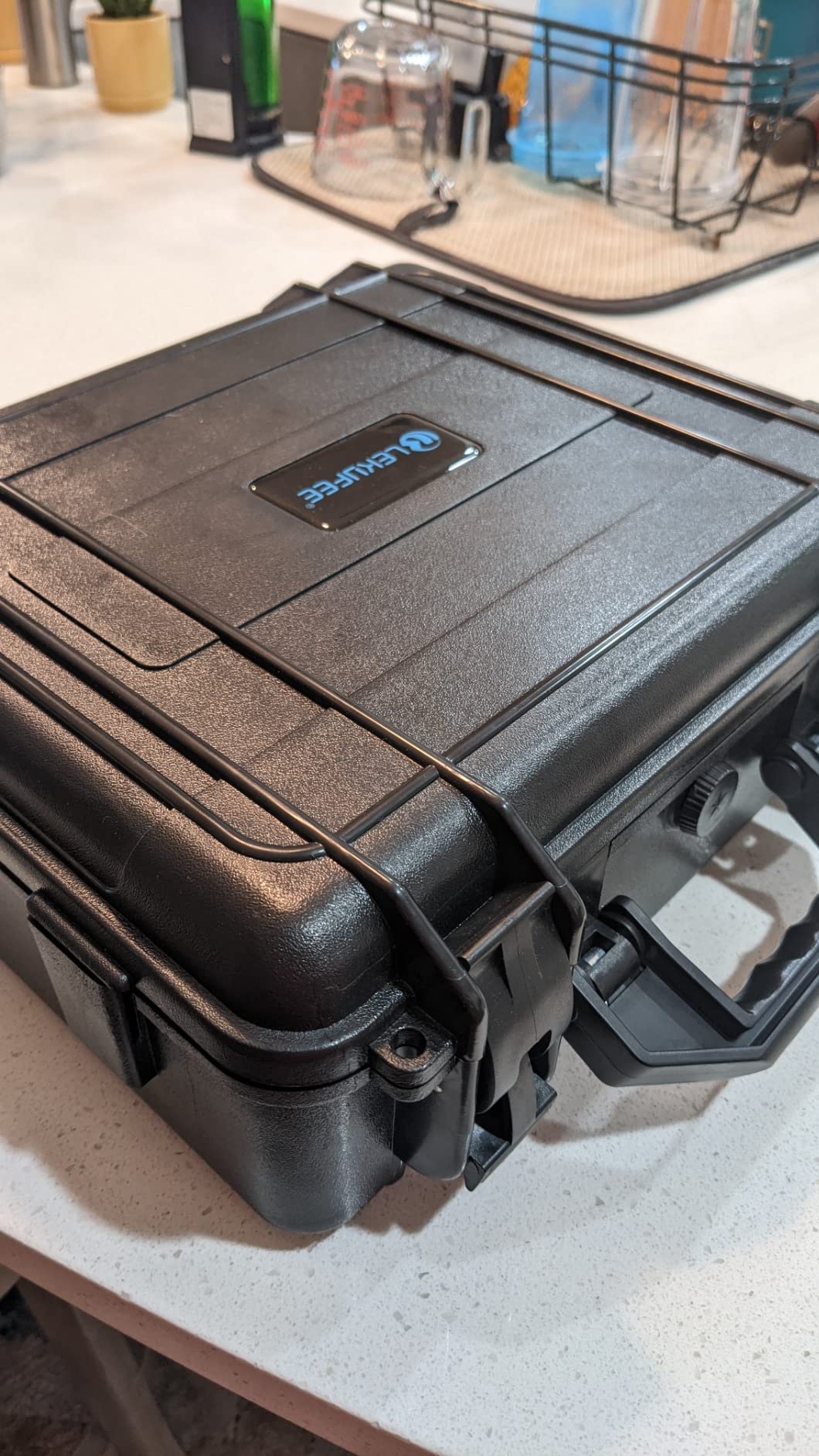
The Lekufee case is what our team uses for every trip where the drone goes in checked luggage or in the back of a truck. The high-strength ABS shell has survived being tossed into overhead bins, slid across truck beds, and once, accidentally kicked down a set of porch stairs. The drone inside was fine.
The pre-cut foam has slots for the folded Mavic Air 2, the controller with cable attached, four batteries, the charger, propellers, and a small compartment for filters or spare parts. Everything has a place, which means you can tell at a glance whether you packed everything before leaving a shoot location.
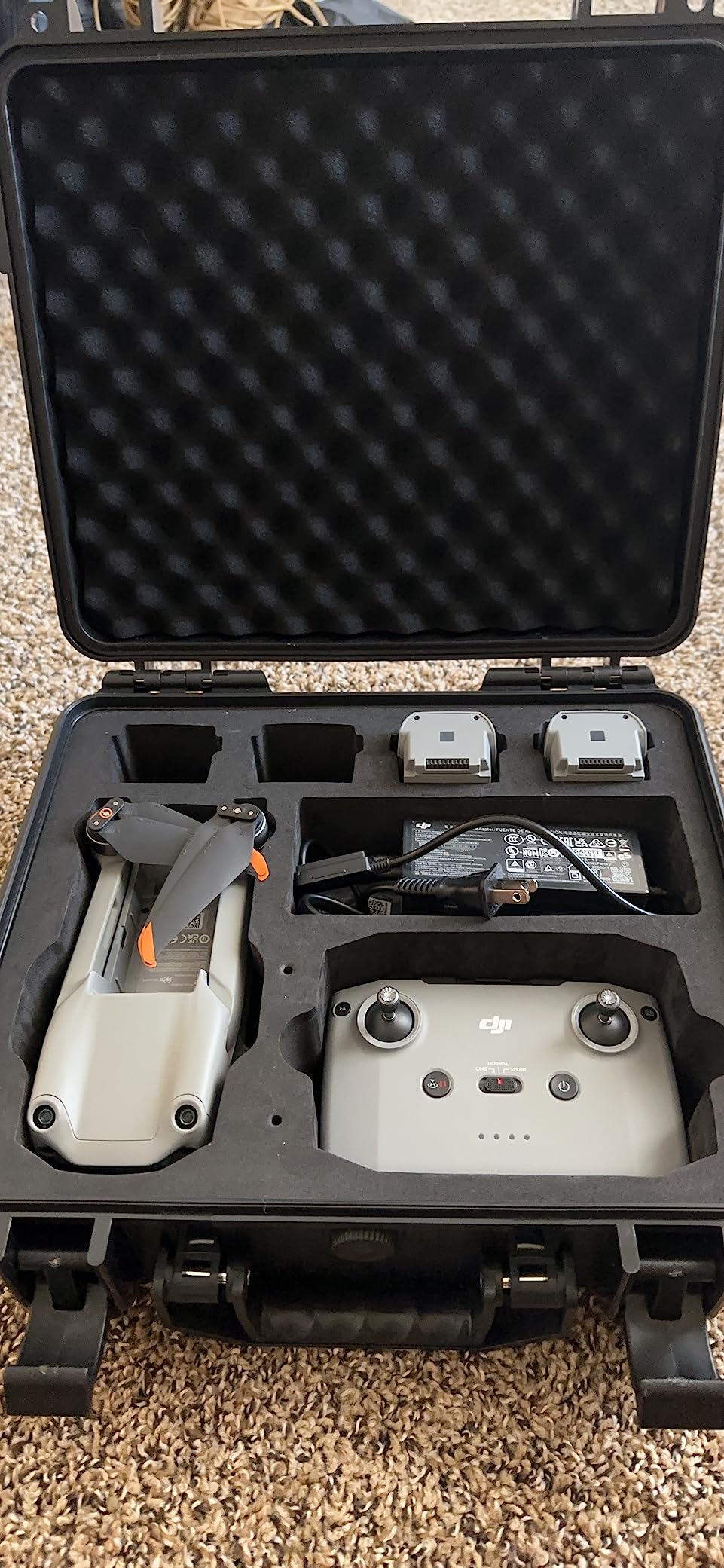
The two action latches seal tightly enough that the case is rated waterproof and dustproof. I have flown with it in light rain and the inside stayed completely dry. There are lock loops on each latch if you want to add a small padlock for airline travel.
The trade-off is that the case is too small for larger accessories like a tablet holder or a sun hood. If you travel with those, you will need a separate bag or a larger hard case.
Will it fit the Air 2S as well
Yes. The Mavic Air 2 and Air 2S share the same airframe dimensions, so the foam cutouts fit both drones perfectly. This case is a safe purchase if you ever upgrade from the Air 2 to the Air 2S.
Carry-on compatibility for air travel
The external dimensions are roughly 12 by 10 by 4 inches, which fits under most airline seats and in all overhead bins we have tried. The lithium batteries must stay in carry-on, never checked, so having everything in one case simplifies the security screening process.
7. DJI Mavic Air 2 Car Charger – The Road Trip Power Solution
DJI Mavic Air 2 Car Charger – Charging Accessory for Drone (CP.MA.00000251.01), Black
Genuine DJI car charger
14V input
13.2V 2.82A output
CE certified
Single port
Pros
- Genuine DJI product protects battery warranty
- Compact design fits in case
- Charges reliably on road trips
- Output matches Intelligent Flight Battery spec
- CE certified for safety
Cons
- Only one charging port
- Slower than wall charger in some cars
The DJI car charger is the accessory I did not know I needed until the first time I drove an hour to a location and realized all my batteries were at home. Now I charge in the car on the way to every shoot and arrive with a fresh pack ready to fly.
This is a genuine DJI product, which matters because the Intelligent Flight Battery communicates with the charger to regulate voltage and temperature. Third-party car chargers can work but they sometimes trigger battery warnings or skip the low-temperature protection that prevents charging a cold LiPo.
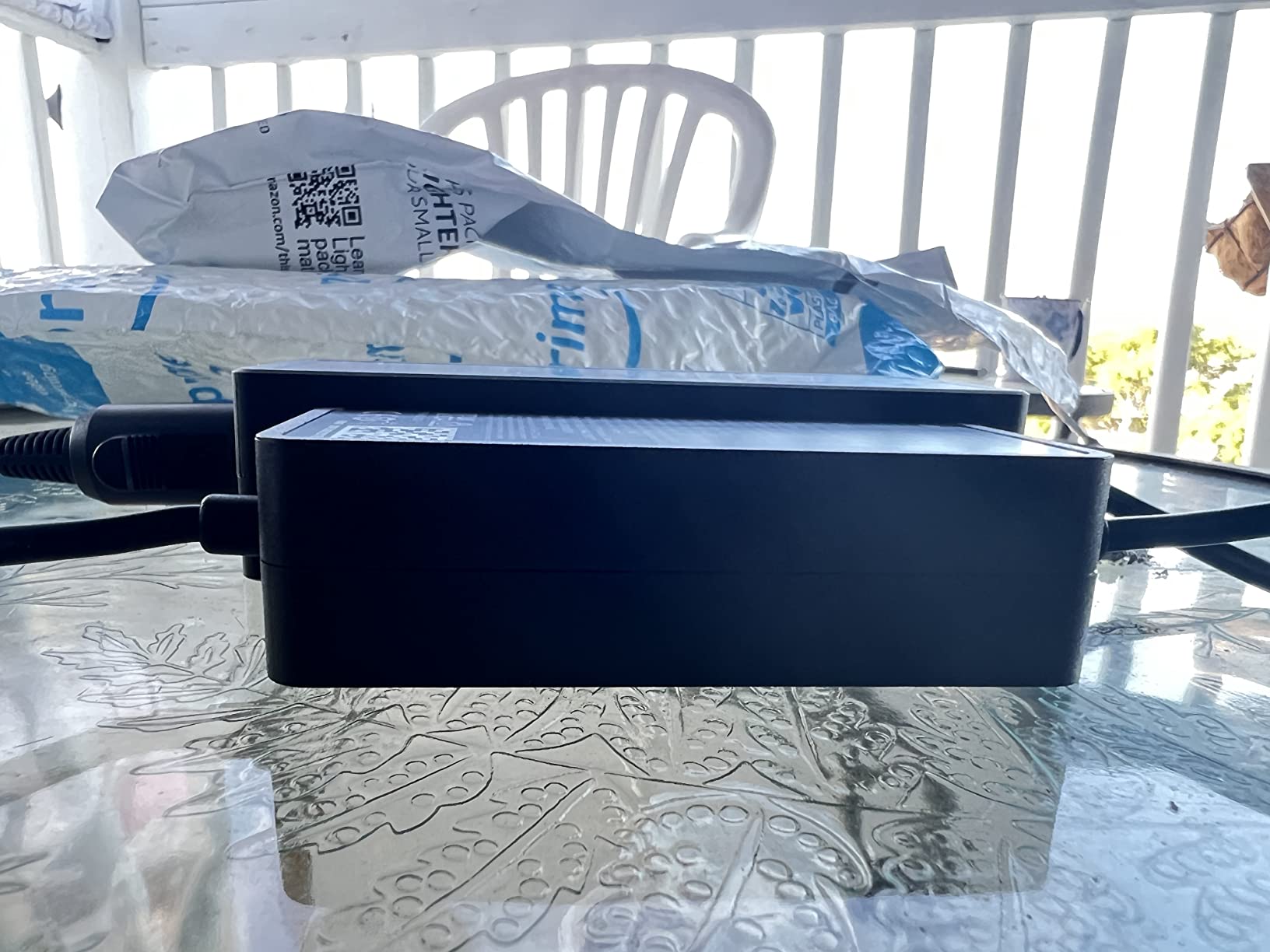
Charge time in our test vehicle was about 90 minutes for a fully depleted battery, which is slower than the wall charger but workable when you are driving anyway. The compact size fits easily into the Lekufee case alongside the wall charger.
Charging speed vs the wall charger
Expect roughly 60 to 90 minutes per battery in a car with the engine running, versus about 60 minutes on the wall charger. The 2.82A output is lower than the wall charger, so plan for one battery per drive segment rather than topping off multiple packs simultaneously.
Safety considerations when charging in a vehicle
Always run the engine while charging so you do not drain the car battery. Never leave a charging battery unattended in a hot car, as LiPo cells degrade quickly above 40 degrees Celsius. The charger’s CE certification is reassuring but it does not replace common sense on hot days.
8. Craznick Propeller Guards – The Beginner Safety Net
Craznick Propeller Guard for DJI Air 2S/Air 2 Quick Release Prop Blade Guard Professional DJI Mavic Air 2 Series Drone Accessories Grey
4 piece quick release set
High-toughness plastic
90g total weight
Fits Air 2 and Air 2S
Above-prop protection
Pros
- Protects above and around props unlike DJI guards
- Quick release installation in under a minute
- Lightweight at 90g total
- Arms clearly labeled for easy placement
- Larger latches than OEM version
- Good value for beginner safety
Cons
- Gaps remain around prop area
- Four separate pieces not interconnected
- May trigger drone prop-guard warning
- Fit issues reported by some Mavic Air 2 owners
Propeller guards are the accessory most pilots remove after their first month, but for new Mavic Air 2 owners flying in tight spaces, they prevent the kind of accident that ends a drone on day one. The Craznick guards wrap above and around the props, which is more coverage than the official DJI guards that only protect the sides.
I used a set of these for the first two weeks while I was learning the Mavic Air 2’s hover response and braking distance. They saved at least one propeller when I drifted too close to a fence post. Once you develop muscle memory for the drone’s handling, they come off.
The four-piece design snaps on with quick-release latches that are larger and easier to operate than the DJI original. Each arm is labeled LF, RF, LR, RR so you know where each piece goes. Total weight is 90 grams, which trim about one minute off flight time but does not noticeably affect handling.
Indoor flying and tight-space scenarios
These guards shine indoors, in backyards, and anywhere you fly within a few feet of obstacles. The above-prop protection catches branches and awnings that side-only guards miss. They are not designed for high-speed outdoor flight where drag becomes a factor.
When to remove them for performance
Take them off for any open-air flight, long-range work, or windy conditions. The guards add surface area that catches wind and drains the battery faster, and the drone’s software may warn you that guards are attached. Once you are comfortable with the Mavic Air 2’s handling, the guards become unnecessary weight.
9. VCUTECH Drone Landing Pad – The Clean Takeoff Surface
VCUTECH Drone Landing Pad – Weighted 25 inch(65cm) for DJI Mini 3 Pro, Mavic 3, Mavic Air 2/2S, DJI Mini 2, FPV Drone, Avata Fly More Kit Accessories (Pink)
25 inch diameter
Weighted edges
PU PVC waterproof
Double-sided pink and black
Folds for transport
12-month warranty
Pros
- Weighted edges stay put in wind without stakes
- Folds small enough to fit in a side pocket
- Waterproof and easy to clean
- Durable enough to survive being run over
- Double-sided for visibility in different terrain
- Bright color easy to see from drone camera
Cons
- 25 inch size may be tight for some setups
- PVC can soften in prolonged direct sun
A landing pad sounds like a luxury until you take off from wet grass, dusty dirt, or gravel and spend the next 20 minutes cleaning grit out of your gimbal. The VCUTECH pad solves that for less than the cost of a fast-food lunch, and the weighted design means it stays put without the plastic stakes that cheaper pads require.
Our team has used this pad at beaches, on rocky trails, and in light wind. The weighted corners hold it flat on the ground even when gusts pick up. The double-sided pink and black design lets you flip to whichever color contrasts better with the surface below.
The 25-inch diameter is large enough for the Mavic Air 2’s footprint with a small margin of error on landing. It folds down to roughly the size of a rolled-up t-shirt and lives in the side pocket of our drone backpack.
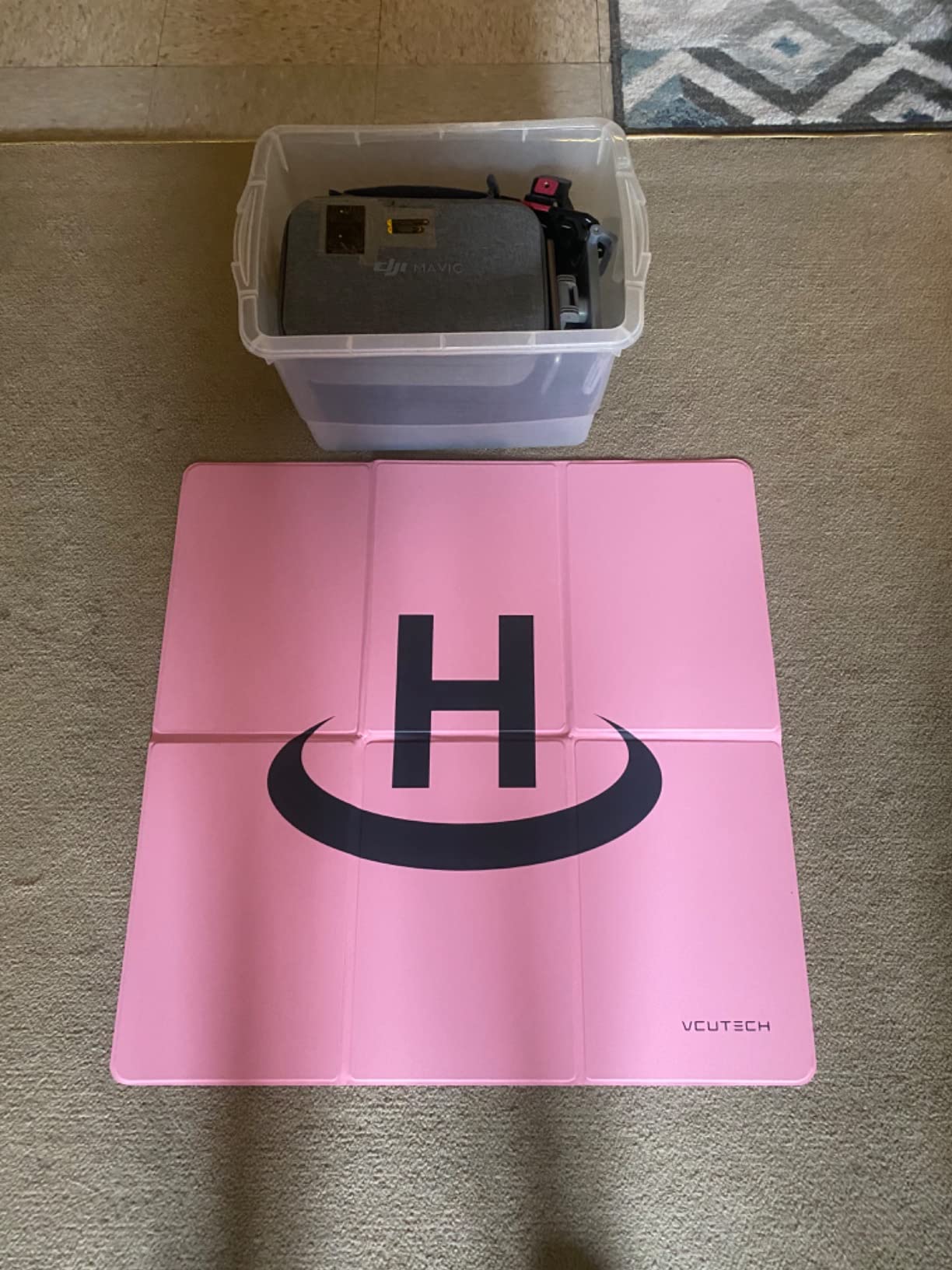
Durability has impressed us. One team member accidentally drove over the pad with a truck tire and it survived without tearing. The PVC material wipes clean with a damp cloth, which matters when you launch from mud or sand.
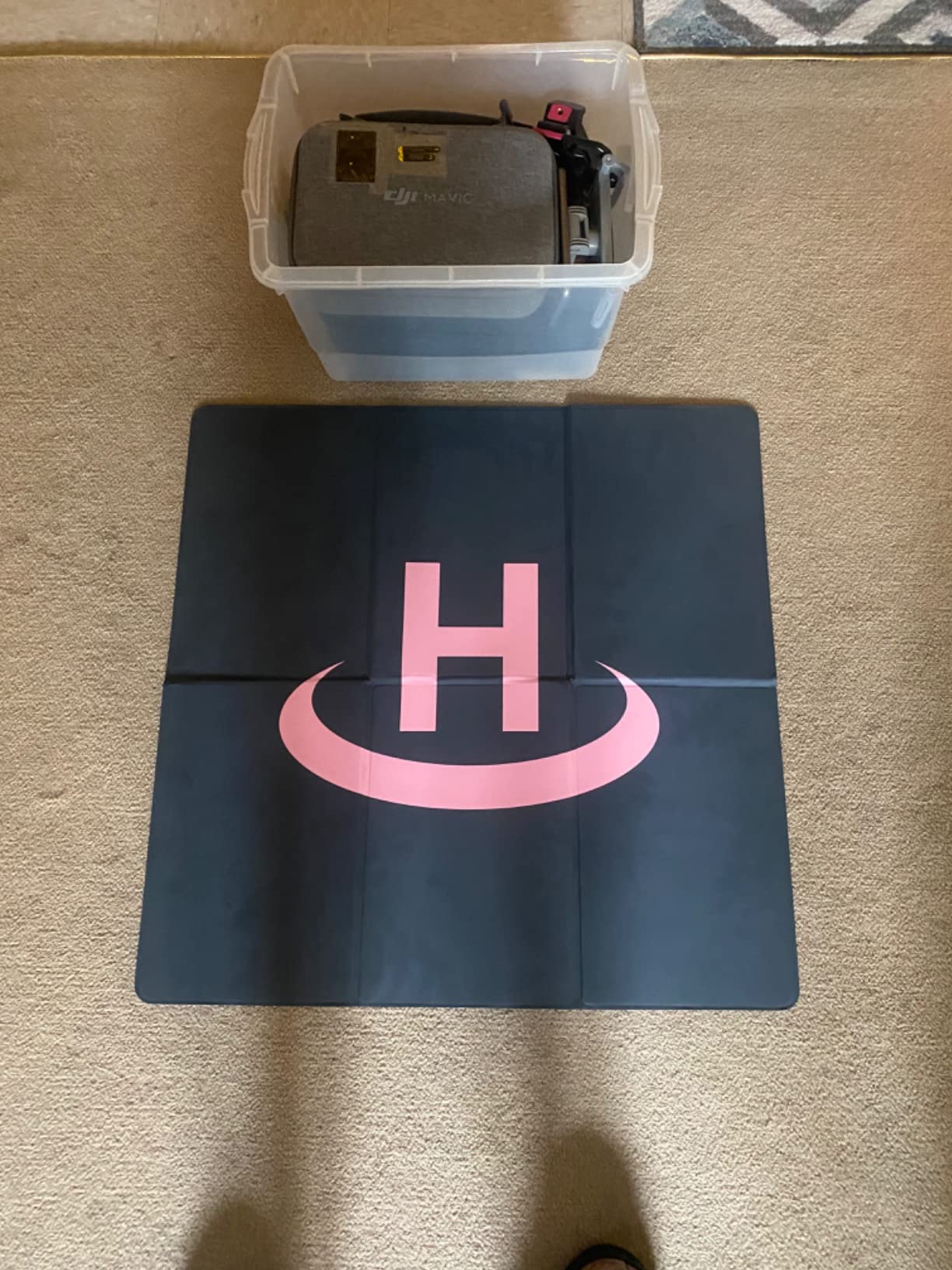
Dusty beach and grass environments
This is where the pad earns its keep. Sand and grass clippings are the two enemies of a clean gimbal and clear camera lens. A pad gives the drone a clean surface for both takeoff and landing, keeping debris out of the motors and away from the sensor.
Folding and packing the pad for travel
It uses a twist-fold design similar to a windshield sunshade. Fold it in thirds, then twist into a circle, and secure with the included strap. Packed size is about 8 inches across, small enough for any drone bag or even a jacket pocket.
10. Hanatora Tablet Holder Mount – The Big-Screen Controller Upgrade
Hanatora 4.7-12.9 Inch Tablet Holder Mount for DJI Mavic Mini,Mini SE,Mavic 2 Pro/Zoom,Spark,Mavic Air/Pro Platinum Remote Controller, Aluminum Phone Accessories
Fits 4.7 to 12.9 inch devices
Aluminum alloy base
Two-joint adjustment
Supports up to 640g
Foldable design
1 year warranty
Pros
- Supports tablets up to 12.9 inch iPad Pro
- Two-joint design holds angle firmly
- Aluminum alloy base adds stability
- Folds flat for transport
- Wide compatibility across DJI controllers
- Supports up to 1.4 lbs device weight
Cons
- Not water resistant
- Will not fit phones under 4 inches
The Mavic Air 2 controller ships with a phone holder that fits most phones but not larger tablets. If you have ever squinted at a 5-inch phone screen trying to frame a 48MP photo, you know why a tablet holder is one of the best accessories for DJI Mavic Air 2 flying. The Hanatora mount opens up the full 12.9-inch iPad Pro as your flight screen.
Our team tested this holder with an iPad mini, a full-size iPad, and a Samsung Galaxy Tab. All three locked in firmly thanks to the two-joint design that uses a geared hinge instead of a friction nut. The hinge holds position even when you tilt the controller, which was the constant annoyance with cheaper tablet mounts.
The aluminum alloy base clamps onto the controller arm with a solid grip. There is no wobble in flight, even with a heavier iPad Pro mounted. The whole assembly folds flat for transport and weighs under 10 ounces.
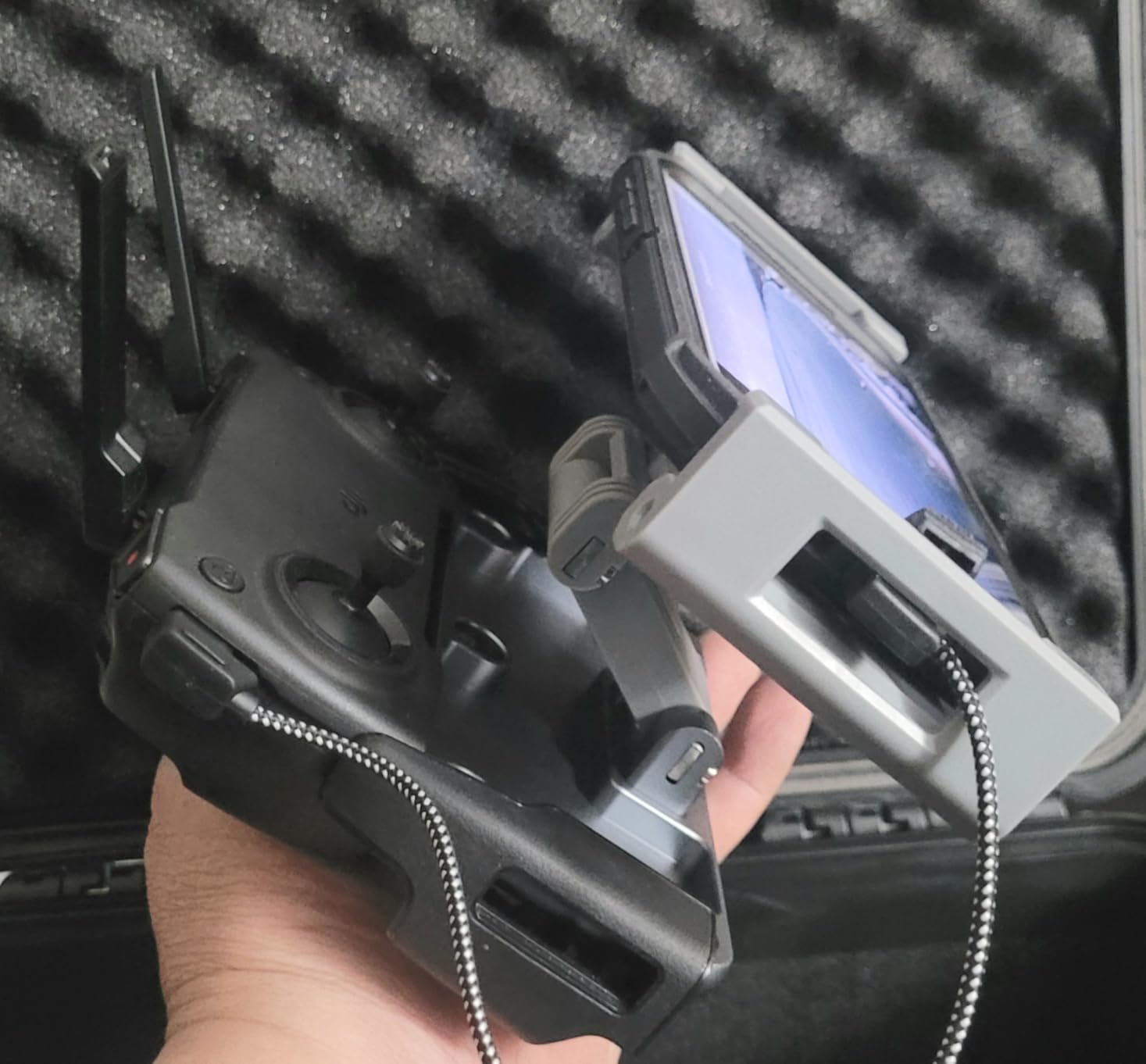
One thing to verify before you buy: the holder supports devices 4.7 to 12.9 inches. Phones smaller than about 4 inches will not fit the clamp, which is by design since the controller already includes a phone holder for those.
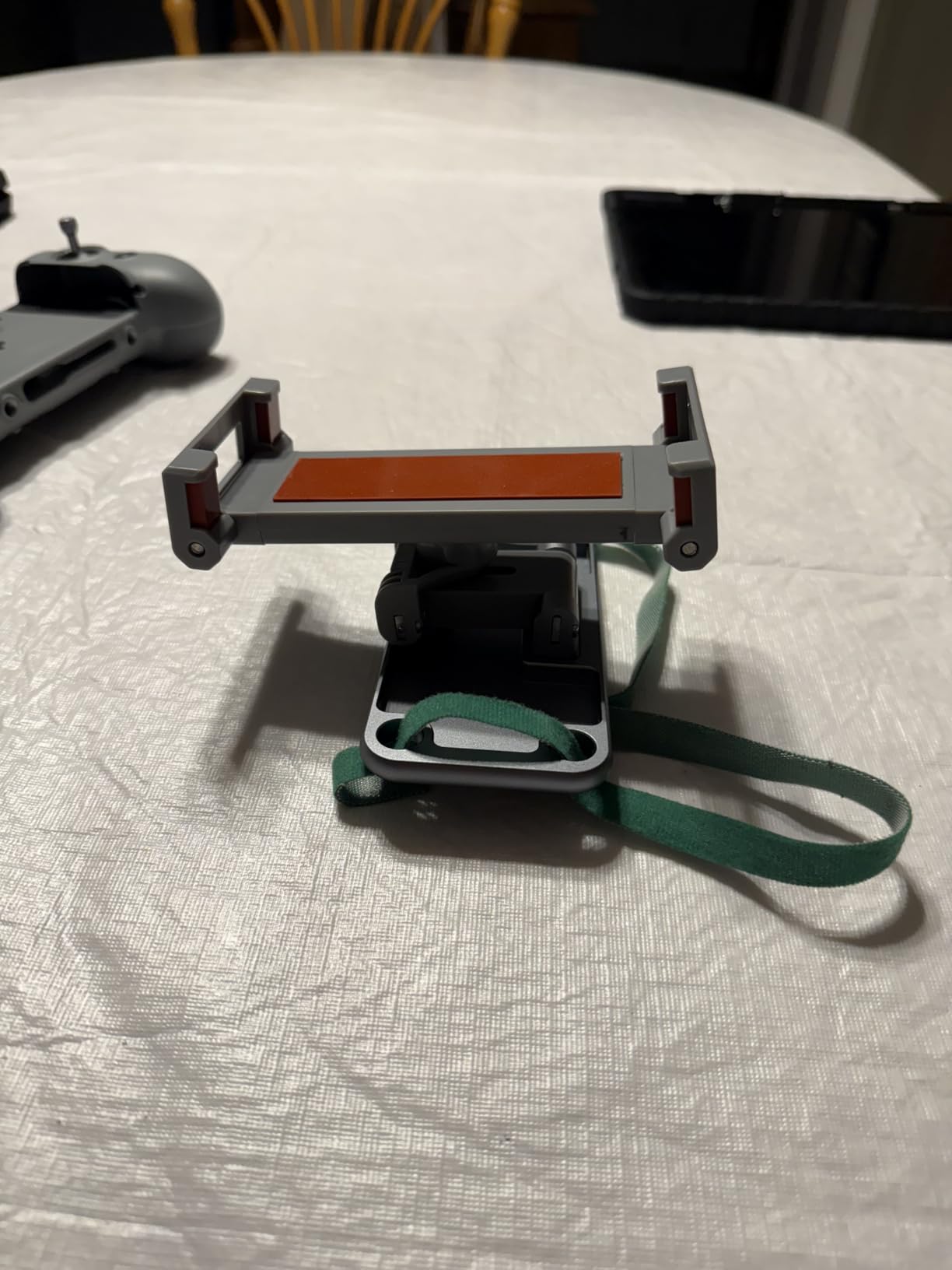
Best tablets for Mavic Air 2 flying
The iPad mini (8.4 inch) is the sweet spot for portability and screen size. The full-size iPad and 12.9-inch iPad Pro are excellent for framing but add weight to the controller. Android tablets like the Samsung Galaxy Tab series work well too, as long as they run the DJI Fly app smoothly.
Phone vs tablet for outdoor visibility
Tablets give you a bigger framing canvas but their screens are often less bright than flagship phones. In direct sunlight a high-nit phone like the iPhone or Galaxy S series may actually be more readable than a mid-tier tablet. Choose based on where you fly most.
Buying Guide: How to Choose Mavic Air 2 Accessories?
Choosing the right accessories for your Mavic Air 2 comes down to how you fly. Below is the framework our team uses when recommending gear to pilots, broken down by the decisions that matter most.
How many batteries do you actually need
The Mavic Air 2 ships with one Intelligent Flight Battery rated for 34 minutes. In real conditions with wind, braking, and the recommended 20 percent landing reserve, expect 23 to 26 minutes per pack. Here is the math our team uses:
One battery total covers casual backyard flights. You will spend more time charging than flying. Two batteries total is the minimum for a useful session: roughly 50 minutes of air time spread across an afternoon. Three batteries total is the sweet spot for travel and paid work: enough for a morning shoot with a spare charging back at the hotel.
Forum consensus on MavicPilots and the DJI subreddit lands at three batteries for serious pilots. The Fly More Combo is usually the cheapest way to get there because the bundled charging hub and ND filters come along for the ride.
SD card speed requirements for 4K 60FPS
The Mavic Air 2 records 4K video at up to 120Mbps bitrate, which requires a sustained write speed of at least 15MB/s. In practice you want a card rated V30 (30MB/s minimum sustained write) because real-world speeds dip below the rating in warm weather and during long recordings.
Cards to avoid: any card rated only Class 10 without a UHS speed class, microSD cards sold in bulk without branded packaging, and cards with no V rating printed on the label. These will technically record but you risk dropped frames and corrupted files.
Cards we recommend: SanDisk Extreme (V30), Samsung EVO Select (V30), and Lexar 633x (V30). All three handle 4K 60FPS reliably. The 128GB capacity fits roughly 3 hours of 4K footage, which is plenty for most shooting days.
ND filter strength guide for different lighting
ND filters reduce the light reaching the camera sensor, which lets you use a slower shutter speed for cinematic motion blur. The general rule is to set your shutter speed to double your frame rate (the 180-degree shutter rule). For 4K 30FPS video that means a shutter speed of 1/60, and for 4K 60FPS you want 1/120.
ND4 (2 stops) for cloudy days, early morning, and late evening. Use this when the sun is low or behind clouds. ND8 (3 stops) for golden hour, light overcast, and open shade. This is the most-used filter in our kit. ND16 (4 stops) for bright sun when available, though the DJI set skips this strength. ND32 (5 stops) for direct midday sun, snow, beach, and water scenes where reflections boost brightness.
If you only buy one filter, get the ND8. It covers the widest range of common lighting conditions and is the one our team leaves on the camera most often.
Real flight time expectations vs DJI’s 34-minute claim
DJI rates the Intelligent Flight Battery at 34 minutes of hover time in ideal conditions: no wind, sea level, moderate temperature, and a steady hover. Real-world flight time depends on how you fly. Aggressive maneuvering, ActiveTrack, obstacle sensing, and wind can all cut 8 to 12 minutes off that figure.
Our measured averages: 26 to 28 minutes in calm conditions with gentle flying, 22 to 24 minutes in moderate wind with ActiveTrack engaged, and 18 to 20 minutes in strong wind or when carrying propeller guards. Plan your shots around 20 minutes of usable flight time per battery and you will rarely get caught out.
OEM vs third-party accessories
For batteries and chargers, we strongly recommend genuine DJI products or well-reviewed brands like Hanatora that explicitly list their safety certifications. A bad battery can damage the drone or worse, and the savings on a no-name pack are not worth the risk. For everything else (cases, landing pads, prop guards, tablet holders), third-party accessories are often better than the DJI original because they solve problems DJI does not address.
The accessories in this guide split roughly 50/50 between OEM and third-party. We picked each one based on performance and value, not brand loyalty.
Should you buy DJI Care for your Mavic Air 2
DJI Care is not a physical accessory, but it is the most common recommendation we see from experienced pilots on forums and Reddit. It covers accidental damage and water damage for a year, and you must buy it within 48 hours of activating the drone. If you fly over water, near trees, or in any environment where a single crash would write off the drone, the protection pays for itself on the first incident.
Our advice: buy it if your flying locations carry real crash risk. Skip it if you only fly in wide open fields with no obstacles. It does not replace a good carrying case or careful preflight, but it removes the financial panic that comes with a bad landing.
FAQs
What accessories do I need for my DJI Mavic Air 2?
The essential accessories for a DJI Mavic Air 2 are a spare Intelligent Flight Battery, a V30-rated 128GB microSD card, an ND filters set for cinematic video, a carrying case for transport, and a landing pad for clean takeoffs. The DJI Fly More Combo bundles the battery, charging hub, and ND filters together at a lower combined price.
What comes with the DJI Mavic Air 2 Fly More Combo?
The Fly More Combo includes the Mavic Air 2 drone, remote controller, three Intelligent Flight Batteries, six low-noise propeller pairs, a battery charging hub, a battery to power bank adapter, RC cables, a gimbal protector, a shoulder bag, and the ND4/ND8/ND32 filters set. It is the most cost-effective way to get the core accessory bundle.
How many batteries do I need for the Mavic Air 2?
For casual weekend flying, two batteries total give you about 50 minutes of air time. For travel and content creation, three batteries is the sweet spot, giving you enough flight time for a full morning shoot while one pack charges. Each battery delivers 23 to 26 minutes of real-world flight time before the 20 percent landing warning.
What SD card size is best for Mavic Air 2?
A 128GB microSD card is the best size for most Mavic Air 2 owners. It holds roughly 3 hours of 4K footage or thousands of 48MP photos, and the price per gigabyte is the best value in the current market. Make sure the card is rated V30 or higher to handle 4K 60FPS recording without dropped frames. The SanDisk 128GB Extreme is the most popular choice among Mavic Air 2 pilots.
Are ND filters worth it for Mavic Air 2?
Yes, ND filters are worth it if you shoot video. They reduce the light reaching the sensor so you can use a slower shutter speed, which adds the natural motion blur that makes footage look cinematic instead of choppy. For photo-only shooters, ND filters are optional. The DJI ND4/ND8/ND32 set covers most daylight conditions and is included with the Fly More Combo.
Final Thoughts on the Best Accessories for DJI Mavic Air 2
The best accessories for DJI Mavic Air 2 in 2026 are the ones that solve real problems you will face on day one: short flight time, no storage, choppy video, and a drone with no protection in transit. The Fly More Combo handles most of those in one purchase, and the remaining picks in this guide fill the gaps for storage, image quality, and field comfort.
If you only buy three things, make them the Fly More Combo, a SanDisk 128GB Extreme microSD card, and the VCUTECH landing pad. That trio covers power, storage, and clean takeoffs for under the cost of a single replacement drone. Everything else in this list is a quality-of-life upgrade you can add over time as your flying style develops.
Our team will keep this guide updated as new Mavic Air 2 accessories and bundles appear in 2026. If you have a favorite accessory that we missed, share it in the comments. Safe flying.