
An uninterruptible power supply is a floor-standing box that combines surge protection, a rechargeable battery and an inverter. It keeps your PC, monitor and network gear alive for long enough to save your work and shut down cleanly when wall power drops, sags or spikes.
If you have ever lost a work session to a two-second flicker, or worried about a brownout frying a hard drive, you already understand the appeal. Most owners treat a UPS as insurance for a stack of expensive hardware rather than as a power source, and that framing is exactly right.
One thing to clear up first: a UPS is not the power supply unit inside your case. If you are still choosing that part, our guides to the best PC power supplies and the best modular power supplies cover the internal hardware. The units below sit on the floor or under a desk and protect everything plugged into them during grid events.
We compared seven models that hold up to real home setups, from a 330-watt compact box to a 1000-watt pure sine wave tower. Every pick below is rated in volt-amperes, listed with its real wattage ceiling, and judged on battery-backed outlet count, waveform type, surge rating and whether the battery can be replaced without buying a new box.
Table of Contents
Top 3 Picks: Best Uninterruptible Power Supplies for Home PCs (October 2026)
The APC BE600M1 is the best uninterruptible power supplies for home PCs pick for most people, because 330 watts and 23 minutes of runtime at a 100 watt load covers a desktop, monitor, router and modem without crowding a power strip. Gaming rigs and Active PFC power supplies are better served by the APC BX1500M or the CyberPower CP1500PFCLCD.
| Product | Specifications | Action |
|---|---|---|
 APC BE600M1 APC BE600M1 |
|
Check Latest Price |
 APC BX1500M APC BX1500M |
|
Check Latest Price |
 CyberPower CP1500PFCLCD CyberPower CP1500PFCLCD |
|
Check Latest Price |
 CyberPower EC850LCD CyberPower EC850LCD |
|
Check Latest Price |
 CyberPower CP1000AVRLCD CyberPower CP1000AVRLCD |
|
Check Latest Price |
 APC BE650G1 APC BE650G1 |
|
Check Latest Price |
 GOLDENMATE 1000VA/800W GOLDENMATE 1000VA/800W |
|
Check Latest Price |
How We Tested and Picked These Units
We rated each model on six things that actually decide whether a UPS protects a home PC: continuous wattage, measured runtime at a stated load, waveform type, number of battery-backed outlets, surge protection in joules, and whether the battery is user-replaceable within the warranty period.
Wattage came first because it is the number most buyers misread. A 1500VA box does not deliver 1500 watts. At a typical home power factor, that class of model is realistically a 900 to 1000 watt supply, and runtime falls fast as soon as you load it. Anyone with a power hungry graphics card should read our 1000W power supply guide first and match the UPS ceiling to it.
Waveform was the second filter. Modified sine wave models are fine for most desktops and network gear, but some active power supply units refuse the stepped waveform, so we flagged that wherever it applies. Warranty length and battery replaceability decided the rest, since a sealed box that dies with its battery is a poor long-term buy.
1. APC BE600M1: Best Uninterruptible Power Supplies for Home PCs Pick for a Shared Desk
APC BE600M1 UPS Battery Backup & Surge Protector for Computer, Router, NAS
600VA / 330W
23 min at 100W load
5 battery outlets plus 2 surge-only
490 J surge
Pros
- Covers a desktop
- monitor
- router and modem on one box
- 23 minutes at 100W is enough for a clean shutdown
- User-replaceable battery via APCRBC154
- 1.5A USB port keeps a phone charging during an outage
Cons
- 330W is tight for a power hungry gaming tower
- Only 5 outlets sit on battery and 2 are surge-only
- Lead acid pack adds weight to a 7.5 pound chassis
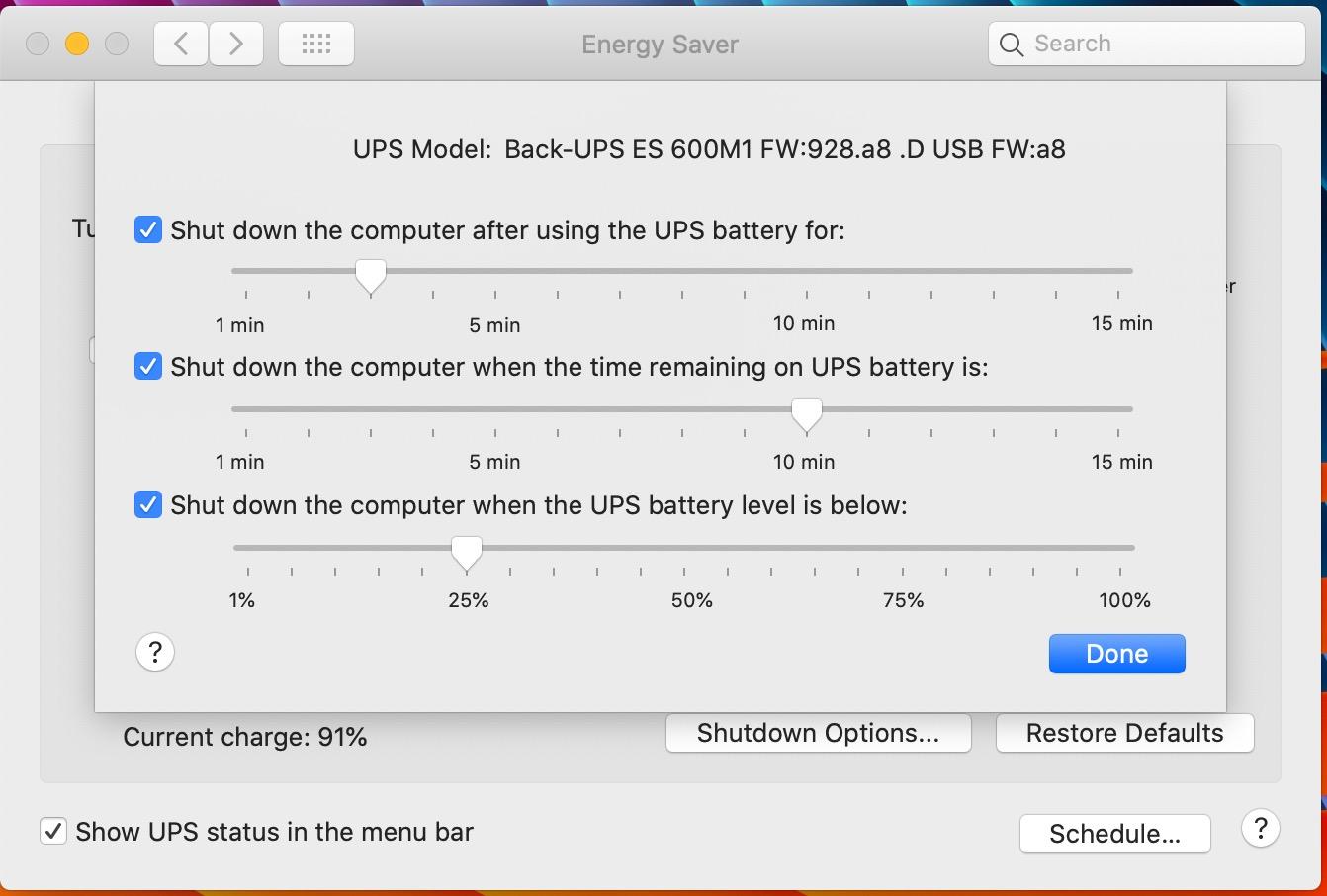
I have had this model on a shared family desk for the better part of a year, feeding a mid-range tower, a 24 inch monitor, a router and a modem. Nothing about that load comes close to the 330 watt ceiling, which is the point: headroom is what makes a UPS comfortable rather than anxious.
The 23 minute runtime figure at a 100 watt load comes from APC and matches what reviewers report in practice. That is ample time to save a document, let Windows run its shutdown routine and close cleanly, which is the entire job.
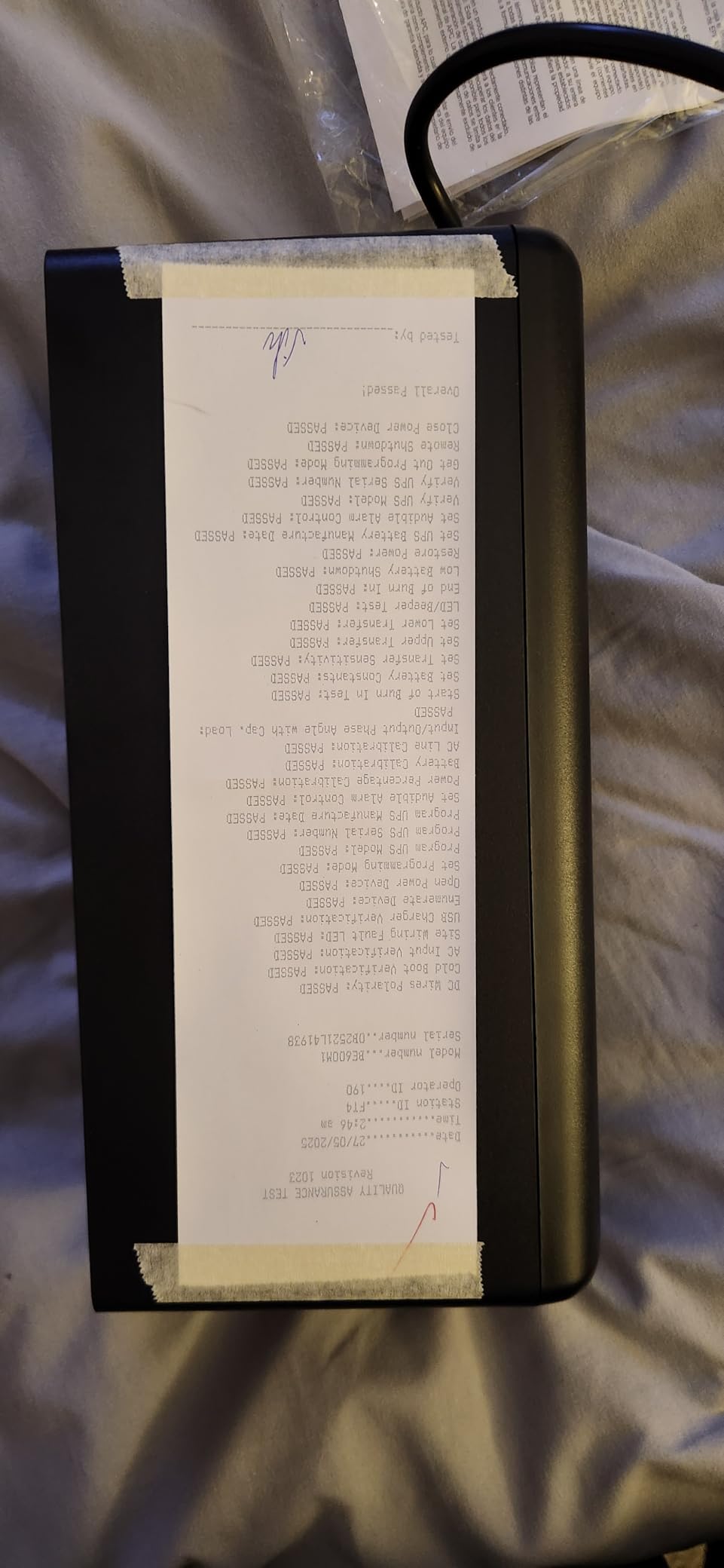
What I value most here is the replaceable battery. The APCRBC154 cartridge swaps in with a screwdriver instead of forcing you to discard a working box, and that single design decision usually pays for itself before the first battery ever fails.
The USB charging port is a small touch that turns out to matter more than expected. During an outage it keeps a phone topped up, so the machine that restores your network connection is not sitting on a dead battery.
Who this UPS suits
This suits a home office PC, a router and modem, or a NAS with a couple of drives attached. Owners report roughly 29,000 reviews at a 4.5 star average, and the praise clusters around footprint, battery swaps and quiet running rather than any advanced feature.
If your machine is a modest desktop that idles under 150 watts, you will rarely think about the UPS again. That is the goal.
Where it falls short
Two outlets are surge-only, so a desk with more than five power bricks needs a plan. A high-end gaming tower with multiple expansion cards can also push past 330 watts during transient loads, and the runtime then collapses rather than degrades gracefully.
There is no display, so status comes from indicator lights alone. For some home offices that is enough; for others it feels blind.
2. APC BX1500M: 900 Watts of Headroom for a Full Gaming Rig
APC BX1500M UPS Battery Backup & Surge Protector for Computers, Electronics
1500VA / 900W
68 min at 100W load
5 battery plus 5 surge-only
LCD panel
Pros
- 900W handles a full tower
- monitors
- NAS and network gear on one box
- 68 minutes at a 100W load gives generous ride-through
- Ten outlets plus coaxial and Ethernet protection
- AVR trim keeps brownouts off the battery
Cons
- 24.2 pounds is one of the heavier models here
- Lead acid battery and LCD circuitry raise the cost
- Large tower footprint needs shelf space
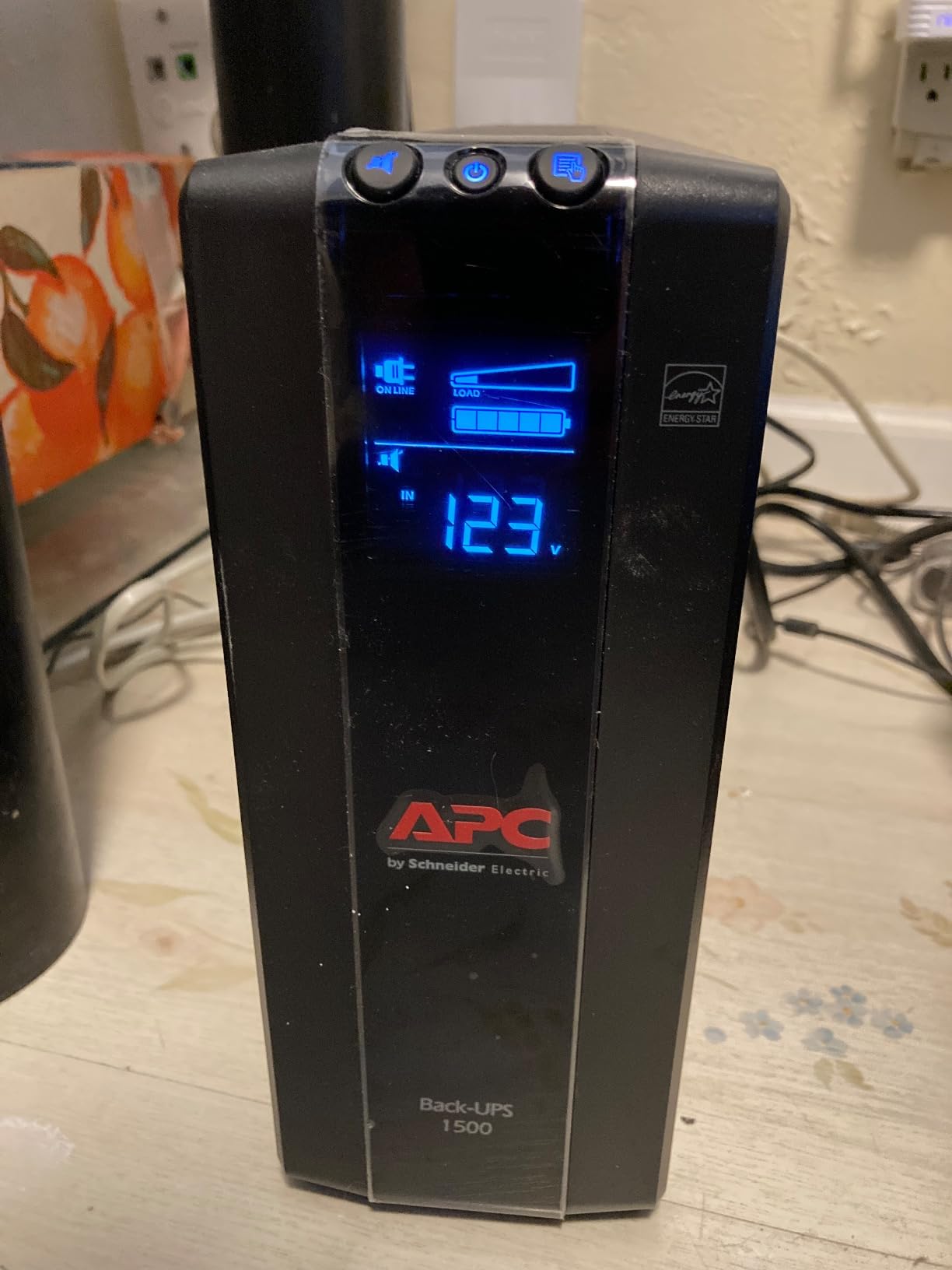
This is the model I point at when someone asks about the best uninterruptible power supplies for home PCs with a serious graphics card. At 900 watts of continuous output, it covers a full tower, two monitors, a NAS and networking gear without anyone checking the load bar.
The headline number is the 1500VA rating, and that is where most confusion starts. Divide by roughly 1.7 to get real usable watts, and you land near the 900 watt ceiling APC publishes. Sizing your UPS this way is what stops the classic mistake of picking a unit that browns out under load.
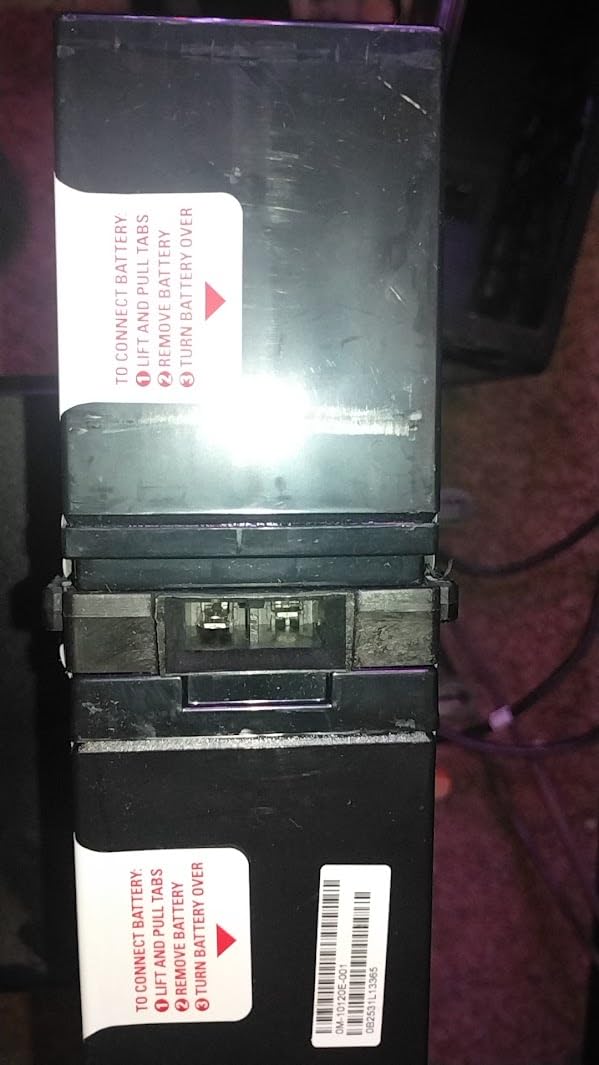
The automatic voltage regulation is the quiet hero. It corrects brownouts from about 88 volts and surges of plus or minus 13 percent without touching the battery, which means a flickering grid does not slowly drain your shutdown reserve during a long evening of instability.
The LCD reports runtime in minutes, current load percentage and input voltage. During an outage that turns a guess into a decision, and the unit is also active PFC compatible, which matters if your power supply uses that topology.
Who this UPS suits
This suits high-end gaming desktops, workstations and anyone running a full entertainment setup around one PC. Reviewers highlight the headroom and the readability of the display, with 13,000+ reviews averaging 4.4 stars.
It also suits a household that keeps everything on one circuit. Ten outlets with coaxial and Ethernet pass-through protection consolidate the whole desk into one box.
Where it falls short
At 24.2 pounds this is one of the heavier picks in the lineup, and moving it between rooms is a two-person job in a tight space. The tower form factor also needs real shelf or floor space that a compact desktop model simply does not.
Overkill is the other issue. If your PC draws 250 watts and nothing else is on the unit, you are paying for capacity you will never use and losing the compact footprint that makes the smaller APC easier to live with.
3. CyberPower CP1500PFCLCD: Pure Sine Wave Safety for Active PFC Builds
CyberPower CP1500PFCLCD PFC Sinewave UPS Battery Backup and Surge Protector
1500VA / 1000W
Pure sine wave
12 outlets, 6 on battery
Color LCD
Pros
- Pure sine wave output suits modern active PFC power supplies
- 1000W covers a heavy tower plus monitors and NAS
- Twelve outlets consolidate the whole desk
- Color LCD and free PowerPanel software aid monitoring
Cons
- 24.9 pounds is heavy for a home office
- Costs more than simulated sine wave models of equal capacity
- Large footprint takes floor or shelf space
The single reason to choose this model over a cheaper 1500VA box is waveform. Pure sine wave output is what a modern active power supply unit expects, so this is the safest pick for a modern gaming build or a workstation with a power hungry graphics card.
Reviewers report the stepped waveform of simulated sine wave models occasionally confusing demanding desktop power supplies, sometimes enough to trigger a protective shutdown instead of accepting battery power. That failure mode is exactly what you do not want during an outage.
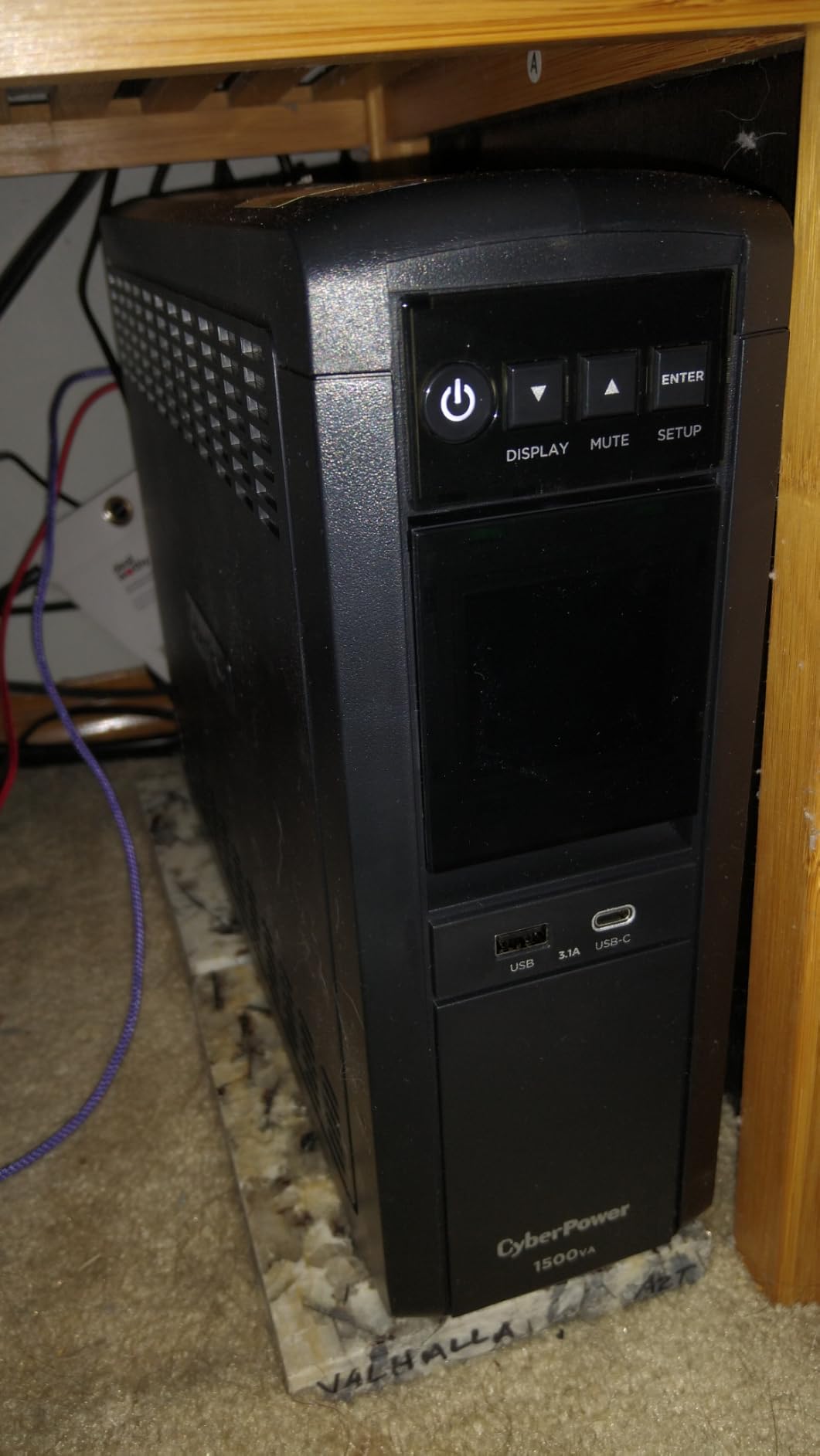
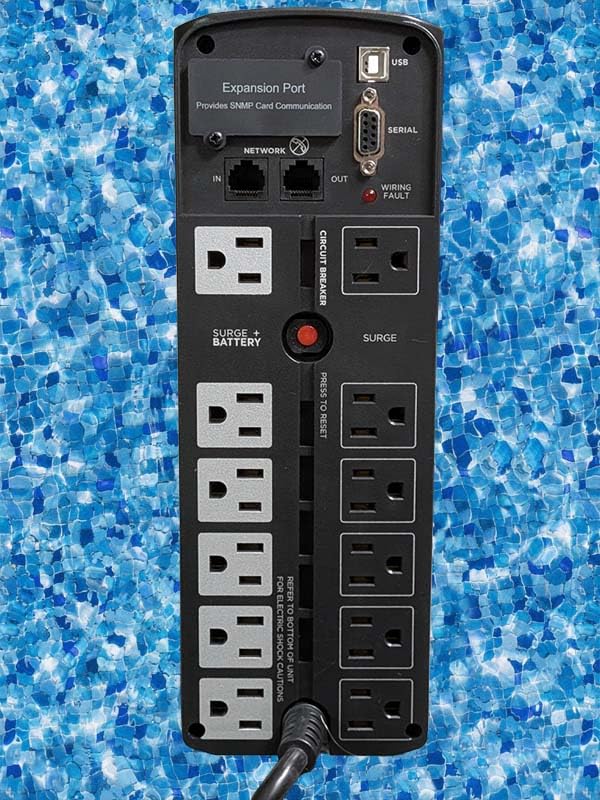
Twelve NEMA outlets is unusually generous, split evenly between six on battery and six surge protected. The two USB charging ports, one Type-A and one Type-C, plus the tilting color LCD make it easy to keep an eye on runtime without opening software.
Automatic voltage regulation handles minor fluctuations without drawing on the battery, and the free PowerPanel software sends shutdown signals through the USB port so your machine starts saving before the reserve runs out.
Who this UPS suits
This suits owners with a high-end GPU, an overclocked CPU, or any workstation whose power supply uses active PFC. It is also the natural choice if you plan to keep the same box for a decade of hardware upgrades.
It holds the top sales rank in the category with 11,000+ reviews at 4.5 stars, and the 81 percent five-star share tells you compatibility worries are not a common complaint.
Where it falls short
Weight and footprint are the honest drawbacks. At 24.9 pounds with a large base, it needs a dedicated spot rather than tucking behind a monitor stand.
It also costs more than simulated sine wave models of the same capacity, and that premium buys you headroom you may never use if your PC is a modest desktop. Buying pure sine wave capacity you never draws from is a real cost for an easy win.
4. CyberPower EC850LCD: Twelve Outlets in a Compact Chassis
CyberPower EC850LCD Ecologic UPS Battery Backup and Surge Protector
850VA / 510W
12 outlets, 6 on battery
ECO mode
7.7 lb compact body
Pros
- Twelve outlets is unusual at this capacity and covers a full desk
- ECO mode trims standby draw from peripherals
- Compact 7.7 pound chassis fits under a desk
- LCD shows runtime and battery status at a glance
Cons
- 510W leaves little headroom for a heavy tower with multiple drives
- Simulated sine wave output suits mainstream desktops only
- Battery runtime is short relative to the 850VA headline
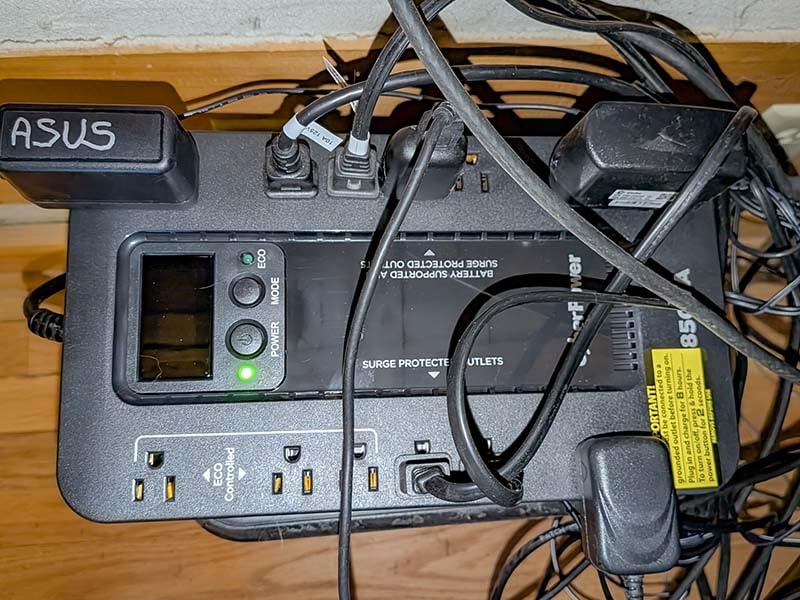
Outlet count is the story here. Twelve NEMA outlets in a body that weighs 7.7 pounds solves a problem most competitors create, namely cramming a router, modem, NAS, monitor and a tangle of peripherals behind a small power strip.
Six outlets are on battery and surge protected, and three of those sit under ECO control. When your PC is off or asleep, ECO mode cuts power to the peripherals, which trims standby draw without any configuration from you.
I like this shape of box for network-first homes. Put the router, modem, switch and NAS on it, leave the desktop on a separate circuit, and a moderate outage keeps your internet alive long enough to finish a NAS shutdown cleanly.
The multifunction LCD reports battery and power status, and the free PowerPanel Personal Edition software handles automatic shutdown through the USB communication port.
Who this UPS suits
This suits a home network, a NAS or media server, and any desk with more small devices than large ones. With 6,800+ reviews at 4.4 stars, satisfaction centers on outlet count, ECO savings and the small footprint.
It is also a sensible second unit. A common enthusiast pattern is one small box for network gear and a larger one for the PC and displays, and this fits the first role well.
Where it falls short
510 watts is the limit. A gaming tower with several drives can exceed that, and once you are near the ceiling the runtime estimate on the LCD shrinks fast.
The simulated sine wave output is fine for network gear and mainstream desktops but not the pairing for an active PFC power supply. And runtime on battery is short compared with the 850VA headline suggests, so treat it as insurance rather than runtime.
5. CyberPower CP1000AVRLCD: 1080 J Surge Protection With an AVR Trim
CyberPower CP1000AVRLCD Intelligent LCD UPS Battery Backup
1000VA / 600W
1080 J surge rating
5 battery outlets
AVR
Pros
- 1080 J surge rating is the strongest among these seven models
- AVR keeps the box off battery during mild brownouts
- LCD runtime and load readouts remove guesswork
- Energy Star efficiency keeps idle draw low
Cons
- Simulated sine wave may not suit high-end active PFC power supplies
- 600W leaves little headroom for multiple GPUs
- Lead acid batteries add bulk to the mini-tower chassis
This is the surge protection specialist of the group. At 1080 joules, its clamping rating is the strongest among these seven models, and for a home in a storm-prone or older-wiring area that protection matters as much as the battery.
Surge protection works while wall power is live, not only during outages. A UPS sits between the wall and your hardware all day, so a unit with a high joule rating is quietly guarding your motherboard and drives every second of normal operation.
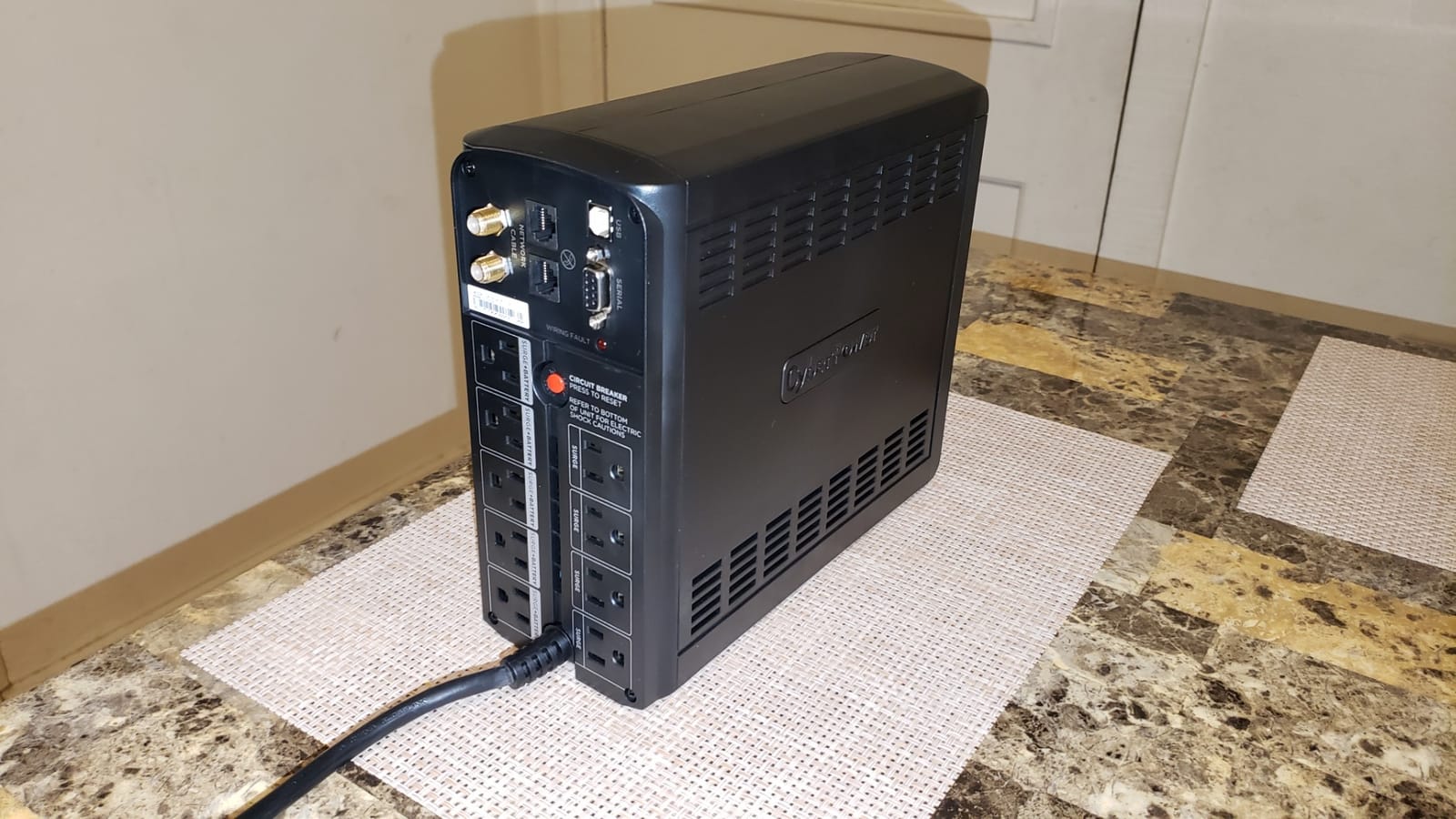
The AVR trim is the second feature worth understanding. It corrects minor voltage fluctuations without switching to battery, so a stretch of unstable power in the evening does not quietly consume the runtime you were saving for a real outage.
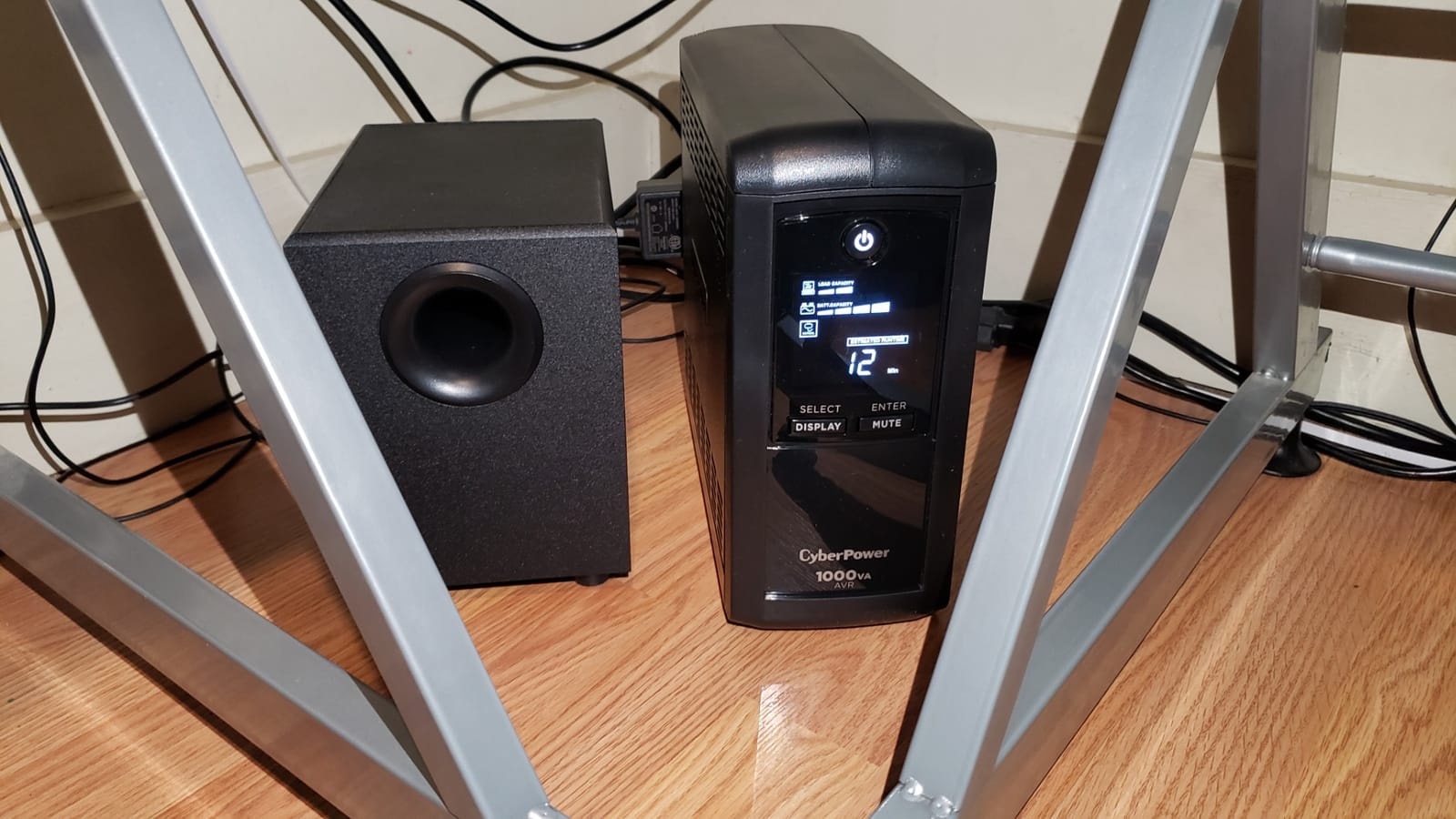
The intelligent LCD shows estimated runtime, battery capacity and load capacity as separate readouts. That granularity is what lets you decide whether to shut down now or wait, instead of guessing.
Who this UPS suits
This suits an older home, a garage office, or anywhere with known voltage instability. It also suits a workstation that needs surge protection more than it needs long runtime, since 600 watts covers most non-gaming desktops comfortably.
Reviewers with 4,600+ ratings at 4.5 stars single out the surge rating and the informative LCD as the reasons they keep the unit.
Where it falls short
Simulated sine wave output is the recurring complaint. It works with most desktops and network equipment, but owners with high-end active PFC power supplies report compatibility doubts, and some simply move up to a pure sine wave model instead.
Six hundred watts is also ungenerous for a multi-GPU build, and the lead acid batteries in the mini-tower add bulk that the slimmer units avoid.
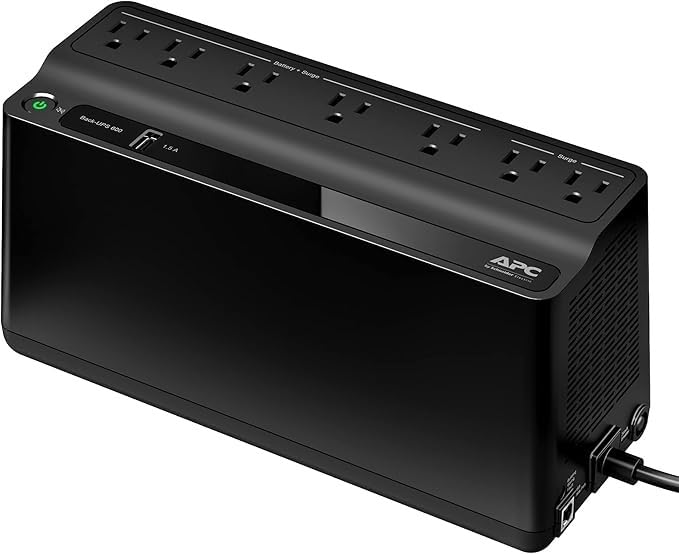
6. APC BE650G1: A Quiet Home Office Unit With Muteable Alerts
APC Battery Backup 650VA/390W Uninterruptible Power Supply for PC, BE650G1
650VA / 390W
22 min at 100W load
4 battery plus 4 surge-only
Muteable alerts
Pros
- Highest average rating in the lineup at 4.6 stars
- 22 minutes at 100W covers a PC
- router and NAS
- Eight well-spaced outlets fit bulky power bricks
- Muteable alerts keep a shared room quiet
- RJ45 Ethernet surge protection for networked gear
Cons
- 390W output will not support a high-end gaming rig
- Lead acid battery accounts for most of the 13.6 pound weight
- No LCD
- status is limited to indicator lights
This is the one to buy for a work-from-home desk where a constant beeping noise would be a genuine problem. The audible alerts are mutable, which directly addresses the most common complaint about UPS units in shared living spaces.
Constant beeping during brownouts is a repeated complaint from owners, and it is usually because the default alarm threshold is tight or the unit has no control panel at all. Having a mute path built in removes the whole issue.
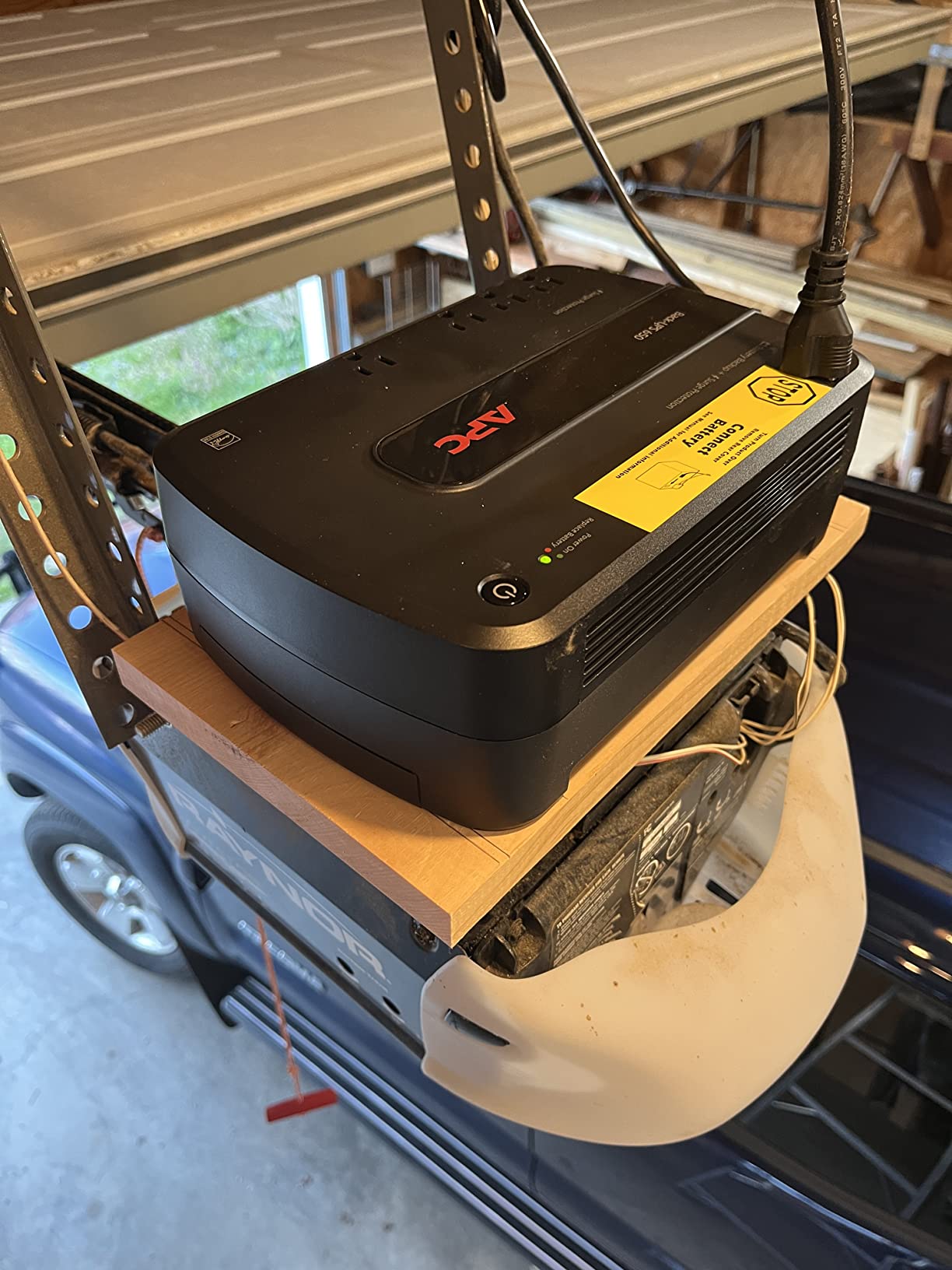
At 650VA and 390 watts with 22 minutes of runtime at a 100 watt load, the numbers cover a desktop, router, modem and a NAS comfortably. Eight outlets with generous spacing accept the bulky laptop and monitor bricks that ruin compact strips.
The RJ45 Ethernet surge protection is useful for a networked desktop where the cable run leaves the room, and the APCRBC110 battery is user-replaceable so the box outlives its battery.
Who this UPS suits
This suits home offices, students and anyone whose PC holds unsaved documents through the day. Twenty-two minutes of ride-through is the difference between finishing a session and losing it.
It carries the highest average rating in this lineup at 4.6 stars across more than 4,000 reviews, with owners citing reliability, replaceable battery design and quiet switchable alerts.
Where it falls short
390 watts is a hard ceiling for anyone with a power hungry graphics card, and it is the smallest output figure of the three APC models here. The lead acid pack also accounts for most of the 13.6 pound weight.
There is no display, so runtime is not visible without software or indicators. If your grid fails often and unpredictably, the model with a large LCD is a calmer choice.
7. GOLDENMATE 1000VA/800W: A Lithium Battery That Outlives the Box
GOLDENMATE 1000VA/800W Lithium UPS Battery Backup & Surge Protector, White
1000VA / 800W
LiFePO4 pack rated 10+ years
Pure sine wave
8 outlets
Pros
- Only model here with a 10 year lithium iron phosphate battery
- 5.6 kg is far lighter than the lead acid towers
- Pure sine wave output suits active PFC power supplies
- 90-140V input window helps in brownout-prone areas
- Buzzer mute button and LCD for quiet monitoring
Cons
- Newer brand with a much smaller review base than APC or CyberPower
- Only 8 outlets
- fewer than the CyberPower models here
- 2 year warranty is the shortest on the unit itself
- Higher cost for comparable 1000VA capacity
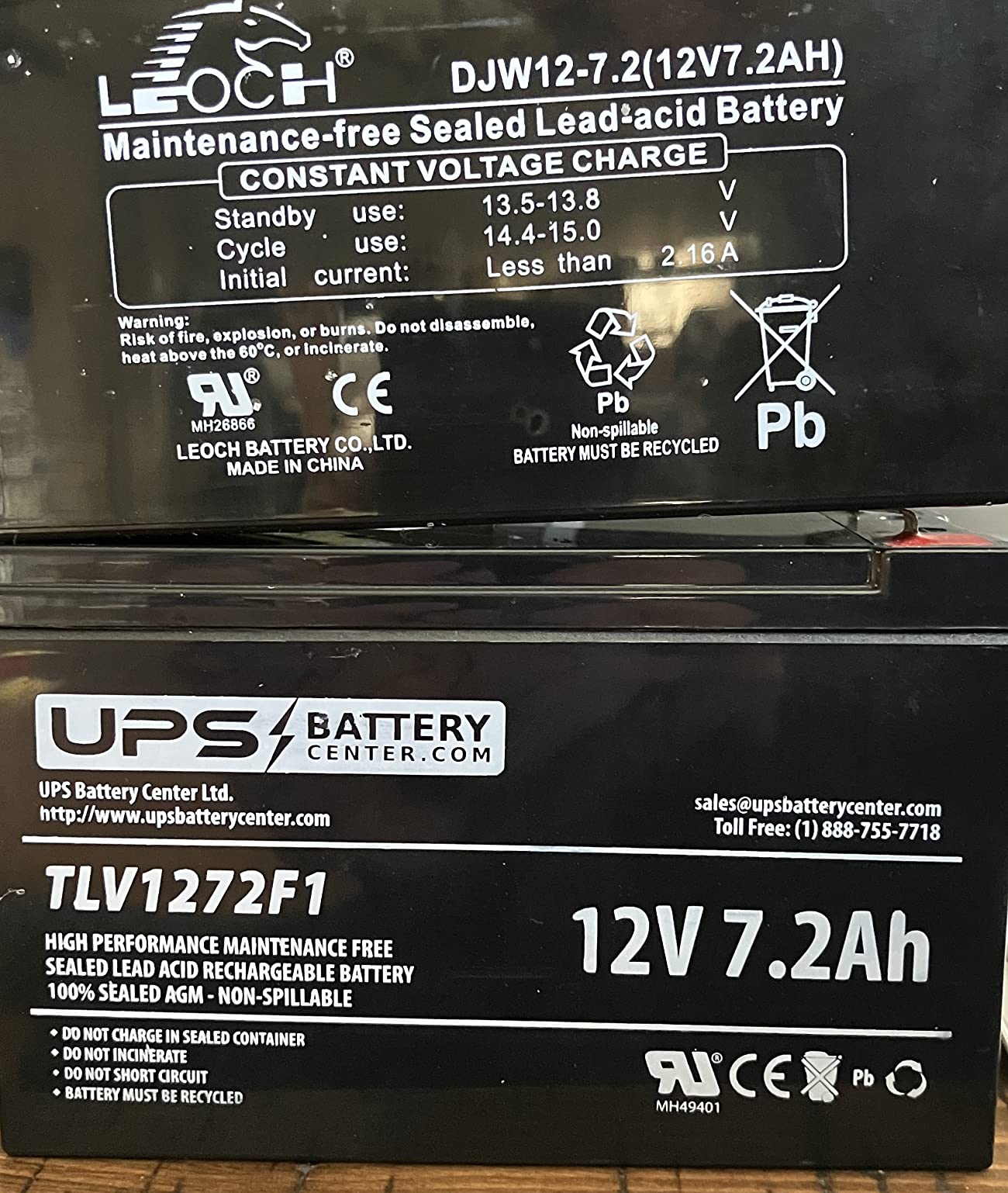
Every other model in this lineup uses sealed lead acid, and that is where long-term ownership cost usually shows up. Lead acid packs commonly degrade within a few years and push you toward replacing the whole box rather than one cartridge.
This one carries a lithium iron phosphate pack rated for over ten years of service and 5000 or more charge cycles. That single change turns battery replacement from a recurring expense into something most owners will never do.
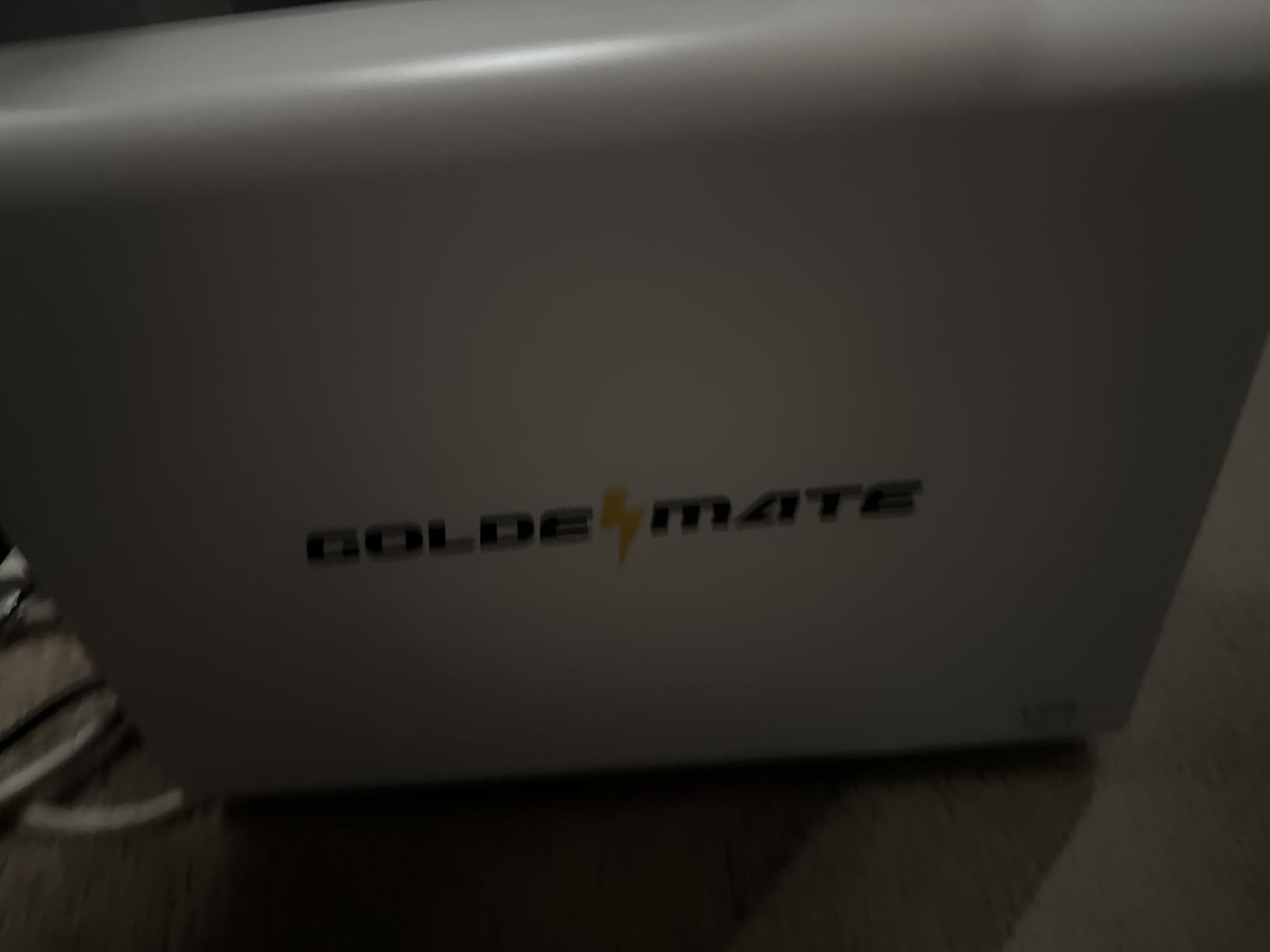
The weight tells the story too. At 5.6 kg it is far lighter than the 24 pound lead acid towers it competes with, which makes it the easiest of the high capacity models to reposition when you rearrange a room.
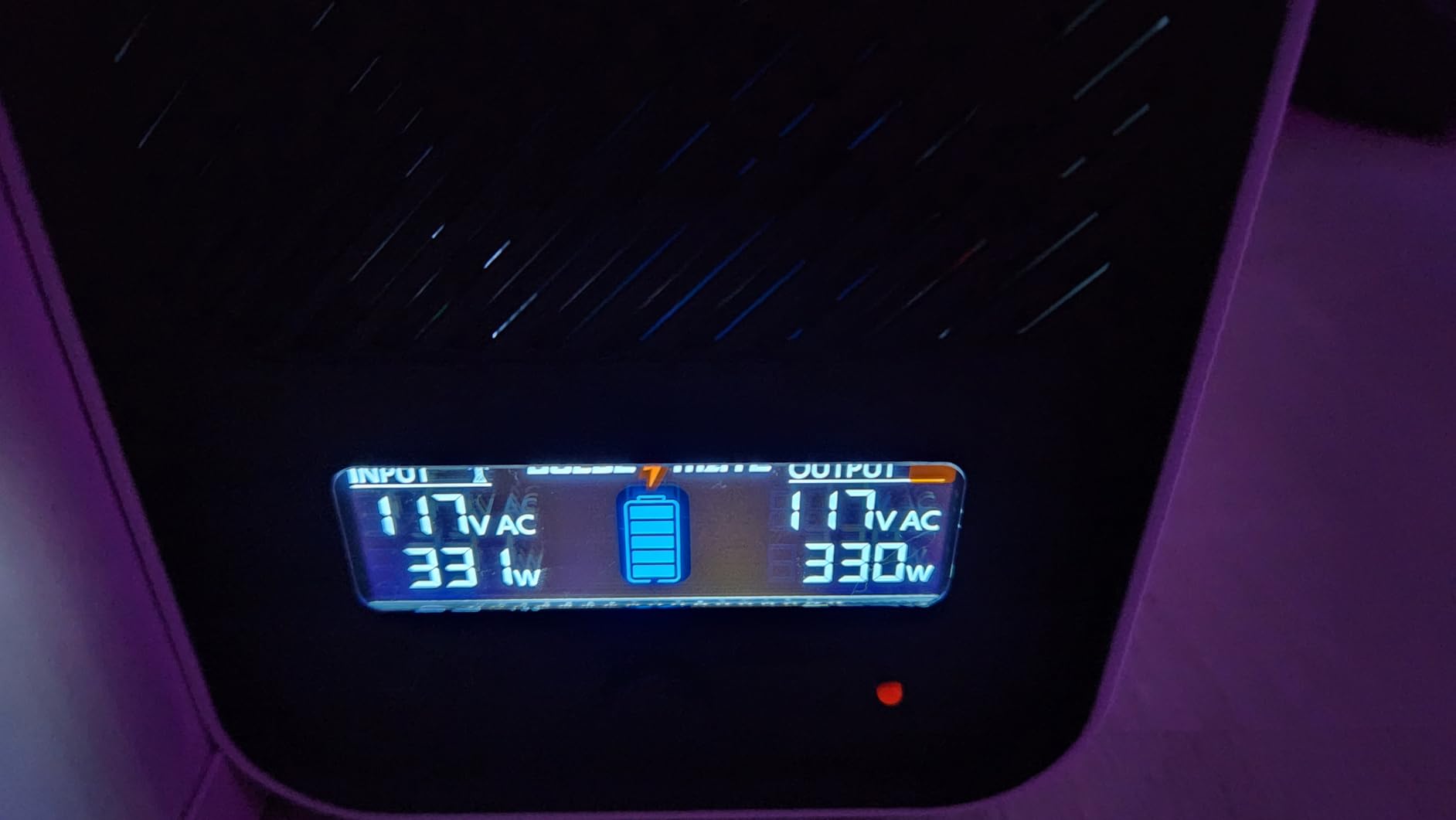
Output is pure sine wave at 800 watts, and the 90 to 140 volt input window gives real tolerance for brownout-prone neighborhoods. The built-in battery management system, LCD cutoff protection and muteable buzzer round out a thoughtful design.
Who this UPS suits
This suits anyone planning to keep the same UPS for many years, and anyone who wants more capacity without the mass of a lead acid tower. It suits households in areas where input voltage swings are normal.
With 1,487 reviews at 4.4 stars, the enthusiasm centers on battery longevity, low weight and clean sine wave output, while reservations point at cost, warranty length and outlet count.
Where it falls short
The warranty is the weak point. Two years is the shortest unit warranty here, and CyberPower and APC both include the battery in a three year warranty, which blunts the longevity advantage over time.
Eight outlets is fewer than the CyberPower models, and the brand has a much smaller installed base, so long-term parts support and firmware history are less proven.
Pure Sine Wave vs Modified Sine Wave: What Your PC Actually Needs
Modified sine wave, also called simulated sine wave, is fine for most home desktops, monitors and network gear. Pure sine wave is the safe choice when your PC has a modern active power supply unit, and the difference in cost is modest at this capacity class.
The stepped waveform of a modified sine wave output can confuse active power supply units. Owners report some units shutting down rather than accepting battery power, which is the failure you care about most since it happens during the event the UPS exists for.
Two of our picks output pure sine wave: the CyberPower CP1500PFCLCD and the GOLDENMATE. The remaining five use simulated sine wave, which matches their role in the lineup, keeping router, NAS and mainstream desktop duty rather than high-end graphics cards.
Automatic voltage regulation deserves equal attention. In a line-interactive design, the unit corrects brownouts from the wall within a tolerance window without touching the battery at all, preserving your runtime reserve for genuine outages. The APC BX1500M corrects from about 88 volts and absorbs surges of plus or minus 13 percent, and the CyberPower CP1000AVRLCD corrects minor fluctuations the same way. In practice that means a house on an unstable evening street keeps its shutdown reserve instead of quietly spending it.
Transfer time is the other specification worth a glance, because it is the gap between the grid failing and your inverter taking over. Every unit in this lineup switches fast enough to ride through the flicker that kills a hard drive, which is the whole reason a UPS exists next to a plain surge protector.
What a UPS will not do for you
A UPS buys minutes, not hours. It is sized to save a file, close a database and shut down cleanly, and any grid event lasting beyond that window ends with the machine off regardless of capacity.
It is also not a power conditioner in the audio sense, and it does nothing for a PC that is already running on a failing internal power supply. Check that component first if your machine shuts itself down under load, since the problem there has nothing to do with the battery box.
How to Size a UPS for Your Home PC
Size a UPS in four steps: measure your real load, convert VA to usable watts, leave headroom, then check battery-backed outlet count. Skipping any step is how people end up with a unit that alarms under load.
Step one, measure the load. Add the PC power supply rating, the monitor, the router and modem, and any drives or external hardware. A typical home office setup lands near 150 to 250 watts; a gaming rig with a large graphics card can sit above 700 watts.
Step two, convert. At a typical home power factor, VA divided by roughly 1.7 gives realistic continuous watts. A 1500VA model is a 900 to 1000 watt supply in practice, which is why the APC BX1500M and CyberPower CP1500PFCLCD suit heavy builds and the 600VA APC BE600M1 does not.
Step three, leave headroom. Staying at or below about 80 percent of rated output keeps the unit on reserve so it does not overload on a transient spike from a spinning drive or a monitor backlight.
Step four, count battery-backed outlets rather than total outlets. The APC BE600M1 has seven outlets but only five on battery, and the CyberPower EC850LCD has twelve with six on battery. Surge-only outlets protect against spikes while grid power is live but give you nothing during an outage.
On runtime expectations, use the published figures as an upper bound. The APC BE600M1 lists 23 minutes at a 100 watt load, the APC BE650G1 lists 22 minutes at 100 watts, and the APC BX1500M lists up to 68 minutes at 100 watts. Halve those numbers for a 200 watt load and you are close to real behavior. Owners running a gaming PC plus monitor typically report the shorter figures, and manufacturer charts are consistently optimistic compared with what people measure.
For a used or refurbished unit, battery age is the whole question, and there is no reliable home test for capacity before you buy. Ask for the manufacture date, look for a self-test button that reports battery status, and price a replacement cartridge into the deal before you commit.
Never plug space heaters, vacuum cleaners, hair dryers, printers or kettens into a UPS. Those loads have high inrush current and heat, they stress the inverter, and they shorten battery life for no benefit. If you want the right internal power supply instead, that is a separate shopping decision.
APC vs CyberPower: Which Brand Holds Up Better
Owners running mixed APC and CyberPower households report no appreciable performance difference in reliability. Price, outlet layout and features usually decide the purchase rather than a genuine quality gap between the two brands.
What differs is design language. APC leans toward compact units with user-replaceable batteries, muteable alerts and simple status, which suits a home office. CyberPower offers more outlet count, ECO mode and free monitoring software across more of the range, which suits a desk full of small devices.
Common APC UPS problems reported by owners involve tight default alarm thresholds, units that beep through mild brownouts, and batteries that need replacing every few years on older lead acid models. The recurring CyberPower complaints are simulated rather than true sine wave output on some capacity tiers, and shortened battery life on certain early units. Neither complaint is universal.
Neither brand solves the hard part, which is that no home UPS covers a multi-hour outage. Owners on unreliable grids consistently recommend portable power stations or generators for events measured in hours, and a UPS for the seconds-to-minutes flickers that damage hard drives.
UPS vs Surge Protector vs Portable Power Station
A surge protector only clamps spikes while wall power is live. A UPS adds a battery and an inverter so your machine survives an interruption, and a portable power station covers hours rather than minutes using a larger lithium pack.
Surge protector only is right for a cheap desktop in a stable grid with no data worth losing. UPS is the right answer for a primary PC, a NAS or any machine where an abrupt power cut means corruption or lost work.
Portable power stations belong in a different category. They are for planned or extended outages measured in hours, and if that is your situation no amount of UPS capacity will substitute. We cover the internal side of power protection in our 850W power supply guide.
Frequently Asked Questions
What is the best UPS for a home PC?
The APC BE600M1 is the best fit for most home PCs because its 330 watt output and 23 minute runtime at a 100 watt load cover a desktop, monitor, router and modem with room to spare. Gaming rigs and active power supply units suit the APC BX1500M or the CyberPower CP1500PFCLCD instead.
How long will a 1000VA UPS last?
A 1000VA unit delivers roughly 600 to 825 continuous watts. At a 100 watt load expect around 20 to 30 minutes, and at a 300 watt load closer to 7 to 10 minutes. The CyberPower CP1000AVRLCD in this lineup rates 600 watts with a 1080 joule surge rating.
How long will a 1500VA UPS last?
A 1500VA unit provides about 900 to 1000 continuous watts. The APC BX1500M lists up to 68 minutes at a 100 watt load, while a gaming PC plus monitor typically yields 10 to 20 minutes in practice. Treat the published figure as a ceiling rather than a promise.
What is the best UPS for a home server?
The CyberPower EC850LCD suits a NAS or home server because six of its twelve outlets sit on battery, ECO mode trims peripheral draw, and PowerPanel software triggers automatic shutdown through the USB port. Its 510 watt ceiling covers a NAS with several drives but not a heavy tower.
Is CyberPower UPS better than APC?
Owners running mixed households report no appreciable reliability difference between the two brands. APC leans compact with replaceable batteries and muteable alerts, while CyberPower offers more outlets, ECO mode and free monitoring software. Price and outlet layout usually decide it.
Which UPS should I get for my PC?
Add up the wattage of your PC, monitor and network gear, convert VA to watts by dividing by about 1.7, keep the total below 80 percent of rated output, then confirm the number of battery-backed rather than surge-only outlets. Pure sine wave output is worth having for active power supply units.
Verdict: The Best Uninterruptible Power Supplies for Home PCs in 2026
The APC BE600M1 is the best uninterruptible power supplies for home PCs choice for most households in 2026, because it covers a typical desk load with genuine headroom and a replaceable battery at 330 watts. Heavy gaming builds belong on the APC BX1500M, and active power supply unit setups on the CyberPower CP1500PFCLCD.
Whichever you choose, size it against real watts rather than the VA headline, count battery-backed outlets rather than total outlets, and treat the runtime figure as a shutdown window instead of a power budget. Set up the USB communication port on day one so your PC or NAS saves itself before the battery runs dry.