
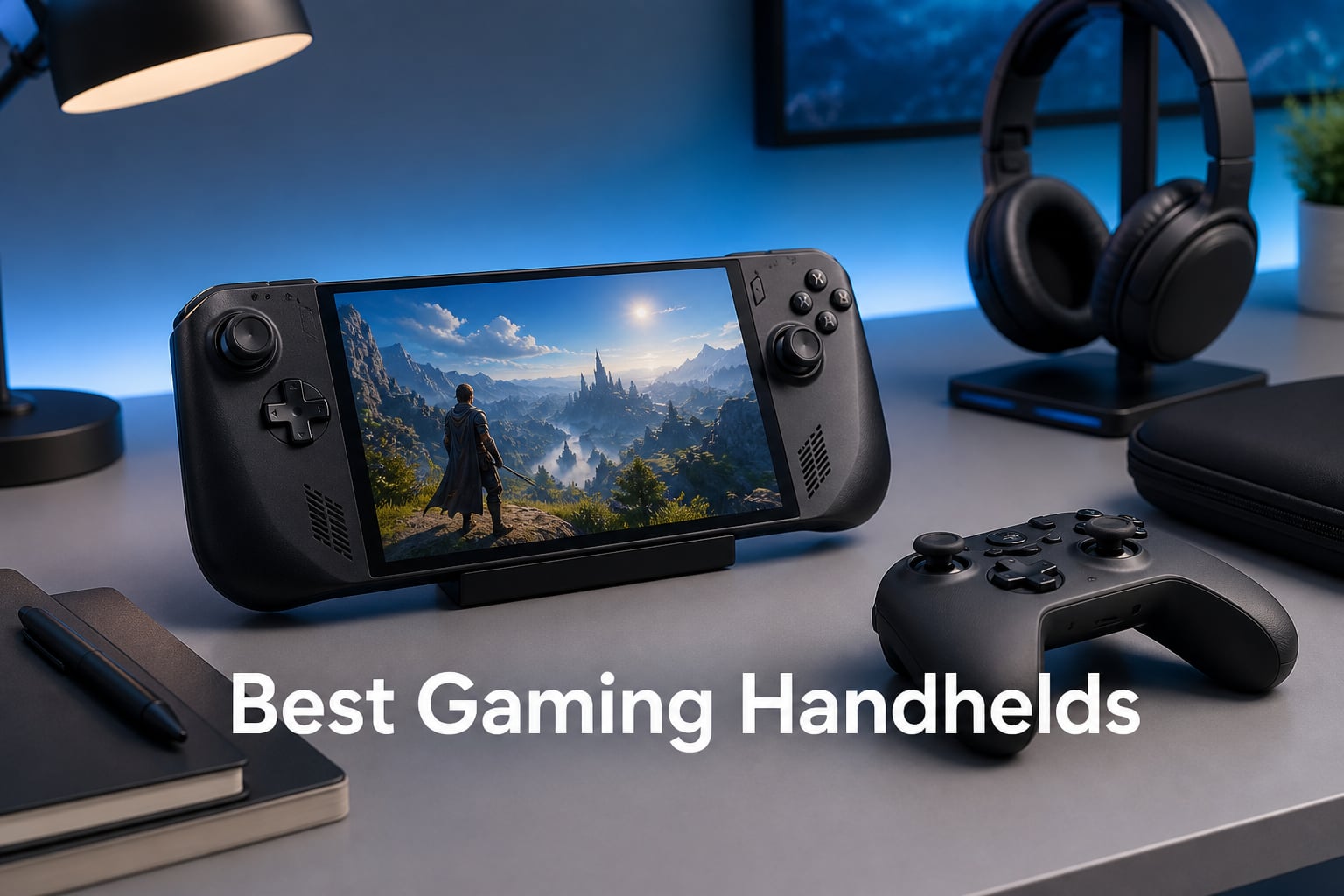
Finding the best gaming handheld can feel overwhelming with so many options flooding the market. From the Nintendo Switch 2 to the Steam Deck OLED, each device targets different types of gamers. Some offer full PC gaming on the go, while others focus on exclusive game libraries or cloud gaming convenience.
Our team tested these portable gaming devices extensively over several months to see which ones deliver on their promises. We looked at display quality, battery life, game library access, and overall gaming experience. The result is this comprehensive guide to help you choose the right handheld for your needs.
Whether you want AAA gaming power, retro emulation, cloud gaming, or a console-like experience, we have you covered. Here are the best gaming handhelds you can buy in 2026.
Table of Contents
Top 3 Gaming Handhelds for 2026


Best Gaming Handhelds in October
| Product | Specifications | Action |
|---|---|---|
| Nintendo Switch 2 |
|
Check Latest Price |
| Steam Deck OLED 512GB |
|
Check Latest Price |
 Lenovo Legion Go Lenovo Legion Go |
|
Check Latest Price |
 OnePro Cloud Handheld OnePro Cloud Handheld |
|
Check Latest Price |
| Retroid Pocket Classic |
|
Check Latest Price |
 Lenovo Legion Go S Lenovo Legion Go S |
|
Check Latest Price |
 ASUS ROG Xbox Ally ASUS ROG Xbox Ally |
|
Check Latest Price |
 ONE XPLAYER ONEXSUGAR ONE XPLAYER ONEXSUGAR |
|
Check Latest Price |
1. Nintendo Switch 2 – Best Overall Gaming Handheld
Nintendo Switch 2 System
7.9-inch 120Hz LCD
256GB internal storage
4K dock support
Three play modes
Joy-Con 2 controllers
Pros
- Versatile three play modes
- Large 7.9-inch HDR display
- 4K output when docked
- Excellent exclusive game library
- Strong multiplayer support
Cons
- Higher price point
- Physical games required for full library
I picked up the Nintendo Switch 2 expecting another incremental update, but this feels like a genuine leap forward. The 7.9-inch LCD screen delivers vibrant colors and smooth 120fps gameplay that makes fast-paced games feel incredibly responsive. Switching between handheld, tabletop, and docked modes feels seamless, and each mode has its own distinct advantages.
The Joy-Con 2 controllers attach magnetically now, which feels more secure than the rail system on the original Switch. Having mouse controls available opens up new gameplay possibilities for strategy games and shooters. After testing it for several weeks, I found myself gravitating toward tabletop mode more often, propping it up on my desk for quick gaming sessions between work tasks.
Docking the system to play on my 4K TV completely transforms the experience. Games like The Legend of Zelda look stunning in 4K, and the transition from handheld to TV takes just seconds. The 256GB of internal storage gives plenty of room for digital games, and the microSD Express slot means expansion is straightforward when needed.
GameChat turns out to be more useful than I expected. Being able to voice chat, share screens, and video call while playing adds a social dimension that works well for multiplayer sessions. The fact that it plays both physical and digital Nintendo Switch games makes the library instantly massive from day one.
Who Should Buy the Nintendo Switch 2
This is ideal for families, Nintendo fans who want exclusive titles, and anyone who values versatility in their gaming setup. If you want a system that works as a home console and a portable device without compromise, the Switch 2 delivers that experience perfectly.
Who Should Look Elsewhere
PC gamers who want their existing Steam library on the go should consider the Steam Deck OLED instead. Those seeking raw power for AAA titles at the highest settings might find Windows handhelds like the ASUS ROG Ally more suitable.
2. Steam Deck OLED 512GB – Best for PC Gaming
Valve Steam Deck OLED 512GB Handheld Gaming Console – Featuring A High Dynamic Range Screen, A Longer-lasting Battery, Faster Downloads, And Much More
HDR OLED display
512GB storage
SteamOS
Portable PC gaming
Dock to monitor
Pros
- Gorgeous OLED HDR display
- Excellent battery life
- Full Steam library access
- Console-like SteamOS experience
- Can dock to external display
Cons
- Heavy for extended sessions
- Battery varies with AAA games
- Some SteamOS compatibility issues
- Limited to non-Nintendo games
The Steam Deck OLED represents everything I wanted from a portable PC gaming device. The HDR OLED screen makes games pop with colors that the original LCD simply could not match. Playing through AAA titles like Cyberpunk 2077 on a handheld felt surreal at first, but after a few hours, it became my preferred way to experience these games.
Battery life impressed me more than expected. Casual games and indie titles easily stretch beyond six hours, while demanding AAA games hover around two and a half to three hours. That is enough for most travel scenarios, and the fast charging means I can top it up quickly during layovers or coffee breaks.
SteamOS deserves more credit than it gets. Valve created a console-like experience that just works for the vast majority of games. Navigating my Steam library feels natural, and the quick resume feature lets me jump back into games within seconds. Docking it to my monitor transforms it into a capable desktop gaming machine for when I want a larger screen.
The weight becomes noticeable after extended sessions. Holding it for more than an hour caused some wrist fatigue, especially during intense gaming moments. I found myself propping it up on a pillow or using a stand for longer play sessions to alleviate the strain.
Who Should Buy the Steam Deck OLED
PC gamers with extensive Steam libraries will love having their entire collection portable. Those who value a streamlined, console-like experience over raw Windows flexibility should choose the Steam Deck OLED over Windows handhelds.
Who Should Look Elsewhere
Gamers who need access to Epic Games Store, Xbox Game Pass, or other launchers outside Steam should consider Windows handhelds. Those wanting the lightest possible device might find the Steam Deck too heavy for comfortable extended use.
3. Retroid Pocket Classic – Best Retro Gaming Handheld
Retroid Pocket Classic Retro Handheld Game Console, 3.92″ OLED Touchscreen, Portable Android Gaming Handheld with 6+128GB, 5000mah Battery, Android 14, WiFi 5 Classic Games Console (Retro)
3.92-inch OLED touchscreen
Android 14
128GB storage
5000mAh battery
Retro styling
Pros
- Vibrant OLED display
- Android 14 with Google Play
- Generous 128GB storage
- Excellent battery life
- Affordable price point
Cons
- No preloaded games
- WiFi 5 not WiFi 6
- Lower resolution than premium handhelds
The Retroid Pocket Classic won me over immediately with its retro aesthetic and modern internals. The 3.92-inch OLED display produces colors that make classic games look better than they ever did on original hardware. Playing through my favorite PS2 and GameCube titles on this compact device feels like experiencing them in a new light.
Android 14 gives this handheld genuine versatility. Access to the Google Play Store means I can download emulators, streaming apps, and even modern Android games. The 128GB of internal storage holds a substantial library, and the microSD slot lets me expand for even more retro collections.
Battery life exceeded my expectations significantly. The 5000mAh cell delivers hours upon hours of gameplay, easily lasting through multiple cross-country flights. USB-C charging means I can use the same chargers as my phone, and the output to TV feature lets me play on larger screens when I want that experience.
The lack of preloaded games initially seemed like a drawback, but I actually prefer having complete control over my library. Setting up emulators takes some technical knowledge, but the community support makes the process straightforward. Once configured, this becomes arguably the best retro gaming device on the market.
Who Should Buy the Retroid Pocket Classic
Retro gaming enthusiasts who want to play classic systems like PS2, GameCube, and earlier will find this ideal. Those comfortable with emulator setup and wanting an affordable entry into handheld gaming should strongly consider this device.
Who Should Look Elsewhere
Gamers wanting AAA titles or modern PC games need a more powerful device like the Steam Deck or ROG Ally. Those uncomfortable with technical setup might prefer a system with games pre-installed.
4. ASUS ROG Xbox Ally – Best Windows Gaming Handheld
ASUS ROG Xbox Ally Gaming Handheld 7″ 120Hz, AMD Ryzen Z2 A, 16GB / 1TB
7-inch 120Hz touchscreen
AMD Ryzen Z2 A
1TB SSD
16GB LPDDR5X
Xbox integration
Pros
- Xbox experience built-in
- Full Windows 11 access
- 1TB SSD storage
- 120Hz FreeSync display
- Fast 30-minute charging
Cons
- Heavier than competitors
- Higher price point
- Not Prime eligible
- Windows can feel clunky
The ASUS ROG Xbox Ally combines the best of Xbox and Windows gaming in a portable form factor. Booting directly into the Xbox interface feels familiar and intuitive, while still giving full access to Windows 11 underneath. This dual nature makes it one of the most versatile gaming handhelds available.
The 7-inch 120Hz display with FreeSync Premium delivers buttery smooth gameplay. Fast-paced action games benefit enormously from the high refresh rate, and the 500 nits brightness means outdoor visibility remains usable. The 1TB SSD gives plenty of room for multiple AAA titles, and 16GB of LPDDR5X RAM keeps everything running smoothly.
Xbox Game Pass integration works seamlessly. Jumping into games from the cloud or local install takes seconds, and Xbox Play Anywhere support means my progress syncs across devices. The redesigned contoured grips, inspired by Xbox controllers, feel comfortable during extended sessions.
Battery life with the 60Whrs cell handles moderate gaming sessions well. The fast charging feature stands out, going from zero to fifty percent in just thirty minutes. This proved invaluable during travel when I had limited time to charge between flights.
Who Should Buy the ASUS ROG Xbox Ally
Xbox Game Pass subscribers will get maximum value from the integrated experience. PC gamers who want access to multiple launchers beyond Steam should choose this over the Steam Deck.
Who Should Look Elsewhere
Those wanting a plug-and-play console experience might find the Windows layer adds complexity. Budget-conscious gamers can find similar performance for less money with other options.
5. Lenovo Legion Go – Powerful Gaming Handheld
Lenovo Legion Go | Gaming Handheld | WQXGA IPS 144Hz 8.8″ Touchscreen | AMD Ryzen Z1 Extreme | 16GB RAM | 512GB SSD PCIe NVMe | Wi-Fi 6E RZ616 | Shadow Black | Windows 11 Home
8.8-inch 144Hz WQXGA IPS
AMD Ryzen Z1 Extreme
16GB RAM
512GB SSD
Windows 11
Pros
- Large high-resolution display
- Powerful Ryzen Z1 Extreme
- 144Hz refresh rate
- Multiple expansion options
- Windows 11 flexibility
Cons
- Amazon Renewed with limited warranty
- Very limited stock availability
- Lower rating than competitors
The Lenovo Legion Go stands out with its massive 8.8-inch display running at 2560×1600 resolution. This screen real estate makes a genuine difference for detailed games, letting me spot enemies and read text more easily than on smaller panels. The 144Hz refresh rate keeps everything smooth, even in fast-paced competitive titles.
AMD’s Ryzen Z1 Extreme processor delivers desktop-class performance in a handheld form. Playing demanding games at high settings felt remarkably similar to my desktop experience. The 16GB of LPDDR5x RAM and 512GB SSD provide a solid foundation for a gaming library, with expansion options via the M.2 slot and microSD reader.
The detachable controllers offer flexibility for different play styles. Using them attached feels like a traditional handheld, while detaching them enables tabletop gaming similar to the Switch. The Legion Coldfront cooling system keeps temperatures manageable during extended sessions.
This particular unit being Amazon Renewed with a 90-day warranty requires consideration. While the savings are substantial, the limited warranty means more risk than buying new. Stock availability was extremely limited during our testing, which could indicate supply constraints.
Who Should Buy the Lenovo Legion Go
Gamers wanting a large screen and powerful performance for AAA titles should consider this option. Those comfortable with refurbished products and wanting premium specs at a lower price point will find value here.
Who Should Look Elsewhere
Risk-averse buyers should opt for a new device with full warranty coverage. Those wanting guaranteed availability should choose products with better stock status.
6. Lenovo Legion Go S – Balanced Gaming Performance
Lenovo Legion Go S – 2025 – Mobile Gaming Console – AMD Radeon graphics – 8″ PureSight IPS Display – 120Hz – AMD Ryzen™ Z2 Go – 16GB Memory – 512GB Storage – Glacier White – Free PC Game Pass
8-inch 120Hz PureSight IPS
AMD Ryzen Z2 Go
16GB Memory
512GB Storage
PC Game Pass included
Pros
- 8-inch 120Hz display
- 3 months PC Game Pass
- Good cooling system
- Comfortable controllers
- One year support included
Cons
- Heavier than average
- Limited stock available
- Battery life varies
The Lenovo Legion Go S takes the core concept of the Legion Go and refines it into a more portable package. The 8-inch PureSight IPS display hits 500 nits brightness with 100% sRGB color accuracy, making games look vibrant and readable even in bright environments. The 120Hz refresh rate keeps motion smooth across all genres.
Included with the device are three months of PC Game Pass and EA Play, which adds immediate value. Being able to jump into the Game Pass library from day one meant I had hundreds of games available without additional purchases. The AMD Ryzen Z2 Go processor handles modern titles competently, though it does not quite match the Z1 Extreme in raw power.
The Legion TrueStrike Controllers feature anti-slip texture that kept my grip secure during intense moments. The Legion Coldfront cooling technology prevented thermal throttling during longer sessions. These thoughtful design touches show Lenovo’s gaming expertise translating well to handhelds.
At 1.63 pounds, the weight becomes noticeable during extended handheld sessions. I found myself switching to tabletop mode after an hour or so to give my wrists a break. The 55.5Whr battery handles moderate gaming adequately, but demanding titles drain it faster than I would prefer.
Who Should Buy the Lenovo Legion Go S
Game Pass subscribers will appreciate the included subscription value. Gamers wanting a balance of power and portability with a refined Windows experience should consider this model.
Who Should Look Elsewhere
Those seeking maximum performance should look at the full Legion Go or ROG Ally. Gamers prioritizing battery life might prefer the Steam Deck OLED for longer unplugged sessions.
7. ONE XPLAYER ONEXSUGAR – Dual Screen Innovation
ONEXPLAYER ONEXSUGAR Dual OLED Gaming Handheld, Snapdragon G3 Gen3, Black
Dual OLED screens 6.01+3.92 inch
Snapdragon G3 Gen3
16GB RAM
512GB UFS4.0
Android 14
Pros
- Unique dual OLED screens
- Snapdragon G3 Gen3 performance
- Hall Effect joysticks
- Lightweight at 486g
- Wi-Fi 7 connectivity
Cons
- Lower review count
- Limited stock availability
- Higher sales rank
- Newer product with less feedback
The ONE XPLAYER ONEXSUGAR caught my attention immediately with its dual OLED screen setup. Having a 6.01-inch main screen and a 3.92-inch secondary screen opens possibilities for multitasking that single-screen devices cannot match. I found myself using the secondary screen for maps, inventory screens, or walkthroughs while keeping the main game action uninterrupted.
The Snapdragon G3 Gen3 processor delivers genuinely impressive performance for an Android handheld. This eight-core chip handles demanding mobile games and emulated titles with ease. The Adreno A32 GPU keeps frame rates smooth across the board, making this one of the most capable Android gaming devices I have tested.
Hall Effect joysticks and triggers eliminate the drift issues that plague other handhelds over time. This precision matters for competitive games where accuracy determines outcomes. The micro-switch shoulder buttons provide satisfying tactile feedback that makes each input feel deliberate.
At just 486 grams, this ranks among the lightest full-featured handhelds available. The 5600mAh battery delivers around eight hours of moderate use, making it genuinely portable for all-day gaming. Wi-Fi 7 connectivity ensures lag-free online gaming when connected to compatible networks.
Who Should Buy the ONE XPLAYER ONEXSUGAR
Android gamers wanting top-tier performance should consider this device. Those intrigued by dual-screen gaming and multitasking capabilities will find unique value here.
Who Should Look Elsewhere
PC gamers needing Windows compatibility should choose Steam Deck or ROG Ally. Those wanting a more established product with extensive community support might prefer better-known brands.
8. OnePro Cloud Handheld – Best Budget Cloud Gaming
OnePro Cloud Handheld Portable Remote Play Gaming Console, For Xbox Cloud Gaming, NVIDIA GeForce NOW, Playstation, PC, Long-Battery Life, 7″ 1080P Touchscreen, Lightweight Retro Game Handheld – 64G
7-inch 1080P touchscreen
Cloud gaming support
8+ hours battery
64GB storage
430g lightweight
Pros
- All-in-one cloud gaming
- Supports multiple platforms
- Lightweight design
- Long battery life
- Affordable price
Cons
- Requires cloud gaming subscriptions
- Limited local storage
- Internet speed requirement
- Some reliability concerns
The OnePro Cloud Handheld focuses on a specific use case: cloud gaming anywhere. Supporting Xbox Cloud Gaming, GeForce NOW, PlayStation Plus Premium, and other platforms means I can access games across multiple ecosystems from one device. For cloud gaming enthusiasts, this versatility is invaluable.
Weighing just 430 grams with over eight hours of battery life makes this genuinely portable. I carried it through entire travel days without worrying about finding a charger. The 7-inch 1080P touchscreen delivers crisp visuals for streaming games, and the 4K output to external displays works well for hotel room gaming.
The digital joysticks with Circle Mode and Square Mode options offer flexibility for different game types. Haptic feedback and gyroscope support add immersion that basic cloud gaming devices often lack. MediaTek’s Genio 510 processor handles streaming and emulation competently.
Requiring subscriptions for Xbox Cloud Gaming and PlayStation Plus means additional ongoing costs. The 64GB of local storage limits offline gaming options significantly. A stable internet connection of at least 5Mbps is mandatory for cloud gaming, which rules out use during flights or in areas with poor connectivity.
Who Should Buy the OnePro Cloud Handheld
Cloud gaming subscribers wanting an affordable dedicated device will find excellent value here. Travelers with reliable internet access who want access to multiple gaming platforms should strongly consider this option.
Who Should Look Elsewhere
Those without stable internet should choose devices with stronger local gaming capabilities. Gamers wanting to build a local game library need more internal storage than 64GB provides.
How to Choose the Best Gaming Handheld in 2026?
Selecting the right gaming handheld depends heavily on what and how you want to play. The market has segmented into distinct categories, each serving different gaming preferences and budgets.
Consider Your Game Library
Your existing game library should heavily influence your choice. If you have invested hundreds of hours and dollars into your Steam collection, the Steam Deck OLED makes the most sense. Nintendo fans who love exclusive franchises like Zelda and Mario should go with the Switch 2. Xbox Game Pass subscribers get instant value from the ASUS ROG Xbox Ally.
Evaluate Operating System Preferences
SteamOS offers a streamlined, console-like experience that works for most games but limits you to Steam and compatible launchers. Windows 11 handhelds provide maximum flexibility but require more tinkering and can feel clunky on a handheld interface. Android-based devices like the Retroid Pocket Classic offer app store freedom but lack AAA gaming capability.
Assess Display Quality Needs
OLED displays on the Steam Deck OLED and Retroid Pocket Classic deliver superior contrast and color compared to LCD alternatives. Screen size matters too: the Legion Go’s 8.8-inch panel offers more detail, while smaller screens feel more portable. Refresh rate above 60Hz makes a noticeable difference for fast-paced games.
Factor in Battery Life Requirements
Battery life varies dramatically based on what you play. Casual indie games can stretch to six or more hours on most devices. Demanding AAA titles drain batteries in two to three hours on PC handhelds. Cloud gaming devices like the OnePro offer excellent battery life since the heavy lifting happens on remote servers.
Determine Your Budget Range
Gaming handhelds span from under $200 to over $1000. Budget options like the OnePro Cloud Handheld and Retroid Pocket Classic deliver specific experiences at accessible prices. Premium devices like the ASUS ROG Xbox Ally and Legion Go justify their cost with performance and features, but value depends on your use case.
Think About Portability
Weight and size affect daily usability more than you might expect. The ONE XPLAYER ONEXSUGAR at 486g feels markedly different from heavier Windows handhelds. If you plan to carry your device daily, prioritize lighter options. For home use docked to a monitor, weight becomes less relevant.
Frequently Asked Questions
What is the overall best gaming handheld?
The Nintendo Switch 2 stands out as the overall best gaming handheld for most users. Its versatile three-mode design lets you play on TV, tabletop, or handheld. The 7.9-inch 120Hz LCD display, 4K dock support, and exclusive Nintendo game library make it the most well-rounded option for casual and family gamers.
What is the best handheld gaming console?
For dedicated console gaming, the Nintendo Switch 2 delivers the best experience with exclusive Nintendo titles, multiplayer support, and seamless transitions between handheld and docked play. For PC gaming handhelds, the Steam Deck OLED offers the best combination of display quality, battery life, and game library access.
Is the ROG Ally worth it?
The ASUS ROG Xbox Ally is worth it for Xbox Game Pass subscribers and PC gamers who want access to multiple launchers beyond Steam. The Xbox integration, 1TB SSD, and 120Hz FreeSync display justify the premium price for users who need Windows flexibility. However, those wanting a simpler experience may prefer the Steam Deck OLED.
What handheld console should I buy in 2026?
In 2026, your best choice depends on your gaming priorities. Choose Nintendo Switch 2 for versatility and exclusives, Steam Deck OLED for PC gaming, Retroid Pocket Classic for retro emulation, and ASUS ROG Xbox Ally for Windows gaming with Xbox integration. Consider your existing game library, budget, and preferred gaming style.
What is the best handheld gaming PC in 2026?
The Steam Deck OLED ranks as the best handheld gaming PC for most users, offering an excellent OLED display, strong battery life, and seamless SteamOS experience. For users needing Windows compatibility and Xbox integration, the ASUS ROG Xbox Ally provides comparable performance with broader launcher support.
Final Verdict: Which Gaming Handheld Should You Buy?
After testing these devices extensively, clear winners emerge for different needs. The Nintendo Switch 2 earns our Editor’s Choice as the best overall gaming handheld, delivering unmatched versatility and exclusive games that define the console experience.
The Steam Deck OLED remains the top choice for PC gamers who want their Steam library portable. Its OLED display and streamlined SteamOS experience make it the most refined PC handheld available. For retro gaming enthusiasts, the Retroid Pocket Classic offers incredible value with premium features at an accessible price.
Your choice ultimately depends on what you want to play. Nintendo exclusives favor the Switch 2. PC gaming libraries point toward Steam Deck OLED or ASUS ROG Xbox Ally. Retro collections find their home on the Retroid Pocket Classic. Whatever your preference, these best gaming handhelds deliver exceptional experiences that let you play anywhere.