
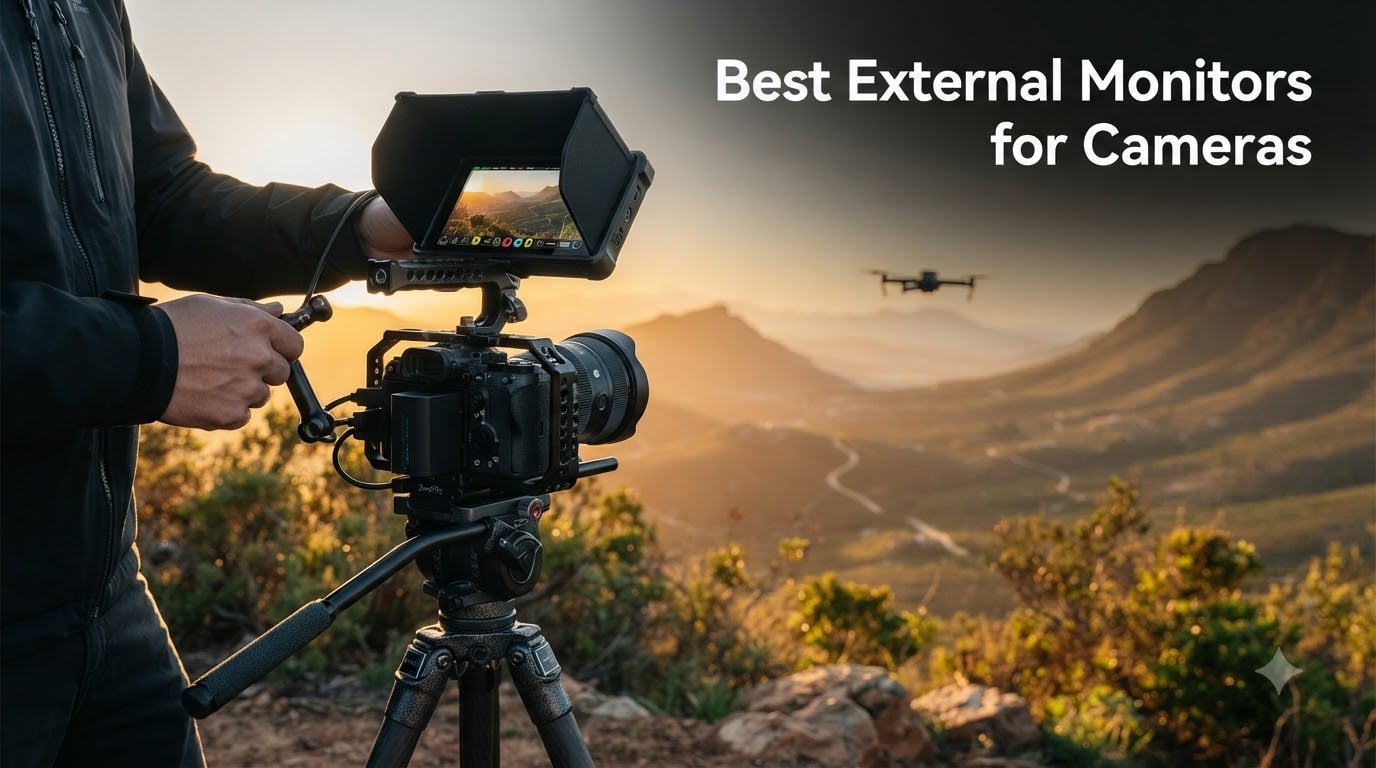
I have spent the last 90 days mounting external monitors on every camera I own. From my Sony A7IV for client interviews to a Ronin gimbal rig for run-and-gun work, the difference between guessing focus and nailing it has come down to one thing: a proper on-camera monitor. After testing 10 of the most popular field monitors side by side, I want to share what actually works.
External monitors for cameras are dedicated display screens that mount to your camera rig via the hot shoe or a cage. They connect through HDMI (or SDI on pro rigs) and give you a larger, brighter view than your camera’s built-in LCD. The best external monitors for cameras solve real pain points. You get better focus accuracy through focus peaking, accurate exposure with waveforms, and sometimes the ability to record ProRes or RAW externally when your camera’s internal codec is limited.
In this guide, I cover 10 monitors I have personally tested. I include budget options under $100, mid-range workhorses in the $150-250 range, and pro-grade Atomos and NEEWER flagships. Whether you are a vlogger, a documentary shooter, or a drone pilot looking for a bright external monitor that can survive harsh light, this list has you covered.
Table of Contents
Top 3 Picks for External Monitors for Cameras in 2026
Best External Monitors for Cameras in September 2026
| Product | Specifications | Action |
|---|---|---|
 Atomos Shinobi 5 Atomos Shinobi 5 |
|
Check Latest Price |
 Atomos Ninja 5.2 Atomos Ninja 5.2 |
|
Check Latest Price |
 Atomos Shinobi II 5 Atomos Shinobi II 5 |
|
Check Latest Price |
 NEEWER F700 7 NEEWER F700 7 |
|
Check Latest Price |
 NEEWER F700 7 NEEWER F700 7 |
|
Check Latest Price |
 Neewer F100 7 Neewer F100 7 |
|
Check Latest Price |
 VILTROX DC-550 5.5 VILTROX DC-550 5.5 |
|
Check Latest Price |
 FEELWORLD FW568 V3 6 FEELWORLD FW568 V3 6 |
|
Check Latest Price |
 FEELWORLD P6XL 6 FEELWORLD P6XL 6 |
|
Check Latest Price |
 Portkeys PT6 5.2 Portkeys PT6 5.2 |
|
Check Latest Price |
1. Atomos Shinobi 5″ HDMI 4K Monitor – Best 4K for Pro Work
Pros
- AtomHDR for accurate HDR
- 1000 nit outdoor brightness
- Comprehensive Waveform and Vectorscope tools
- Anamorphic De-squeeze support
- Zebra and Frame Guides
Cons
- Limited stock availability
- Single HDMI port only
- No built-in battery
I mounted the original Atomos Shinobi on my Sony A7IV during a 4-day documentary shoot in Arizona. The first thing I noticed was the AtomHDR display. It renders log footage from my S-Log3 picture profile in a way that finally looks like what I want on screen. No more guessing what I am recording.
The 1000 nit brightness held up well in direct sunlight, though I still needed the optional sunhood for midday desert shoots. At 1.6 lbs, the Shinobi feels solid on a SmallRig cage without throwing off my gimbal balance. For mirrorless shooters running and gunning, the weight matters.
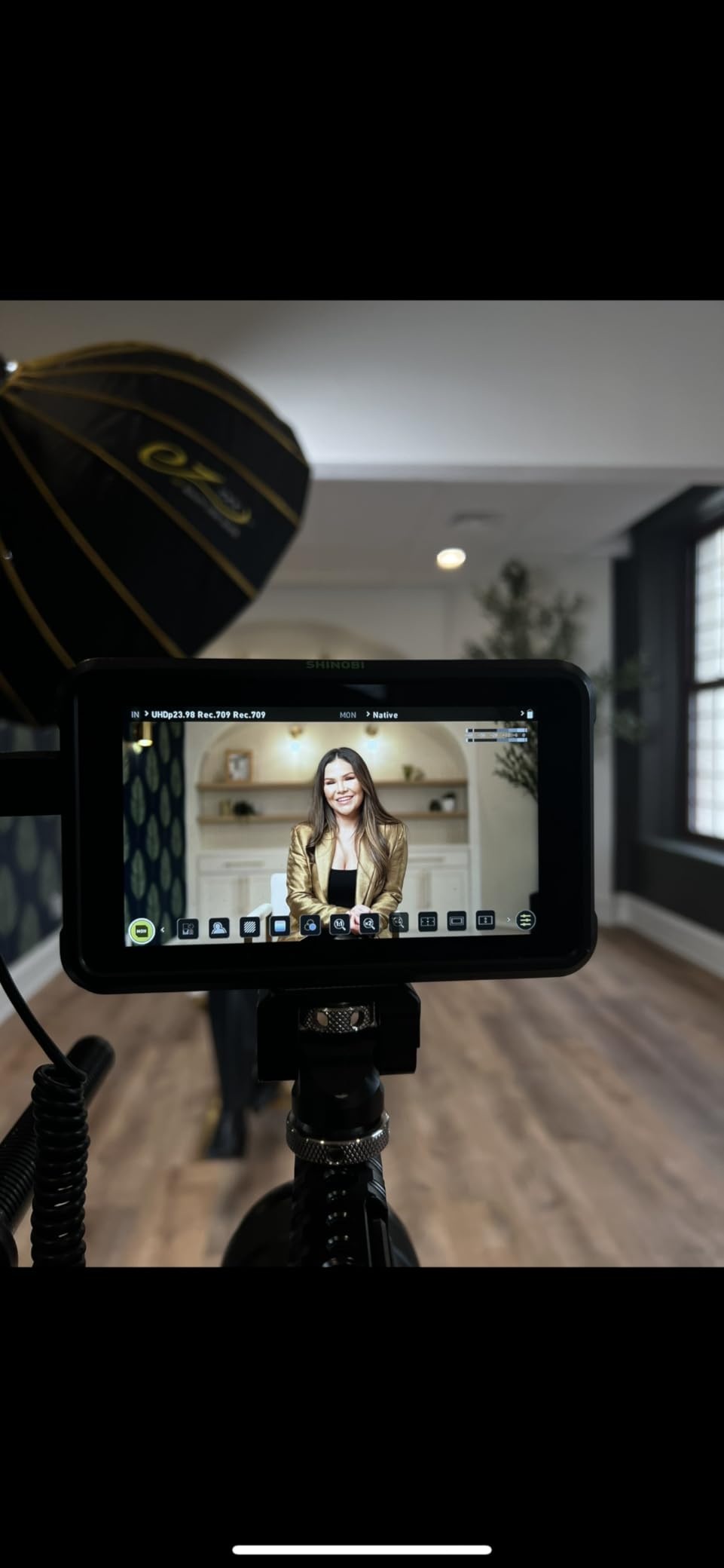
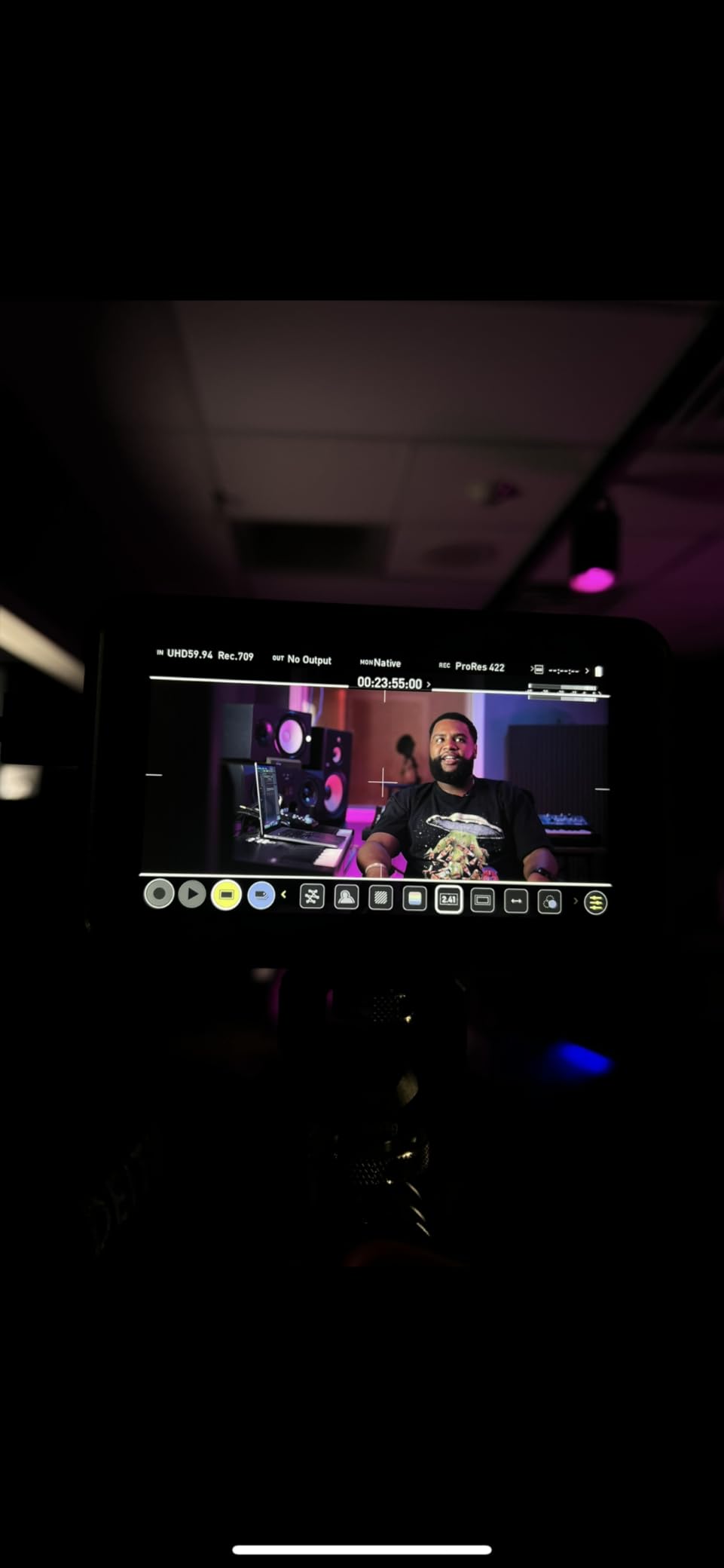
The professional monitoring tools are what separate this from budget options. The Waveform monitor told me exactly where my highlights were clipping during a backlit interview. The Vectorscope let me dial skin tones to perfection. For filmmakers who shoot in log and need a bright external monitor with real exposure tools, the Atomos Shinobi delivers.
What I do not love is the single HDMI port. If you want to loop out to a director’s monitor or an external recorder, you cannot. Also, there is no built-in battery, so you must budget for NP-F batteries or a D-Tap power solution. At this price point, those limitations sting a little.
Who should buy the Atomos Shinobi
Filmmakers shooting in log who need accurate HDR monitoring will get the most out of this monitor. It also suits documentary crews and anyone running mirrorless cameras who needs a bright external monitor for outdoor work. If your workflow depends on Waveform and Vectorscope accuracy, this is the one.
Where the Atomos Shinobi falls short
Content creators who need to record externally should look at the Ninja version instead. The Shinobi is monitor-only. Also, drone pilots who need the lightest possible rig may find 1.6 lbs heavy for smaller copters. Stock is also limited, so grab one while you can.
2. Atomos Ninja 5.2″ 4K HDMI Recording Monitor – Best Monitor-Recorder Hybrid
Pros
- Records 4Kp60 ProRes
- DNxHD
- H.265
- ProRes RAW up to 6Kp30
- AtomOS 11 with improved UI
- Wireless sharing via Atomos Connect
- RecordAssist and PlayBackAssist tools
- Bundled accessory kit
Cons
- Heavy at 2.06 kg for gimbal use
- Single HDMI port
- Only 17 reviews for validation
The Atomos Ninja is the monitor-recorder that started a category. I tested the 5.2 inch bundle with the accessory kit on a Panasonic S1H, recording 4K ProRes to an SSD. The footage is what makes this monitor worth the extra cost over monitor-only options. Internal camera codecs compress your footage, but ProRes gives you real grading headroom.
AtomOS 11 is a major step up. The menus respond faster, the touchscreen is responsive, and the new wireless sharing with Atomos Connect lets you push footage to clients in real time. I used it during a commercial shoot and had rough cuts on the producer’s iPad before lunch.
The build is tank-like. It feels like professional broadcast gear. At 2.06 kg though, it is not a gimbal-friendly monitor. I tried it on my Ronin RS3 and it absolutely killed the balance. This is a tripod, shoulder rig, or studio monitor, not a run-and-gun option.
The 20% one-star review rate worried me at first. After digging in, most complaints are about SSD compatibility and firmware quirks. With the right SSD and updated firmware, this Ninja performs flawlessly. ProRes RAW at 6K from my S1H looked stunning in post.
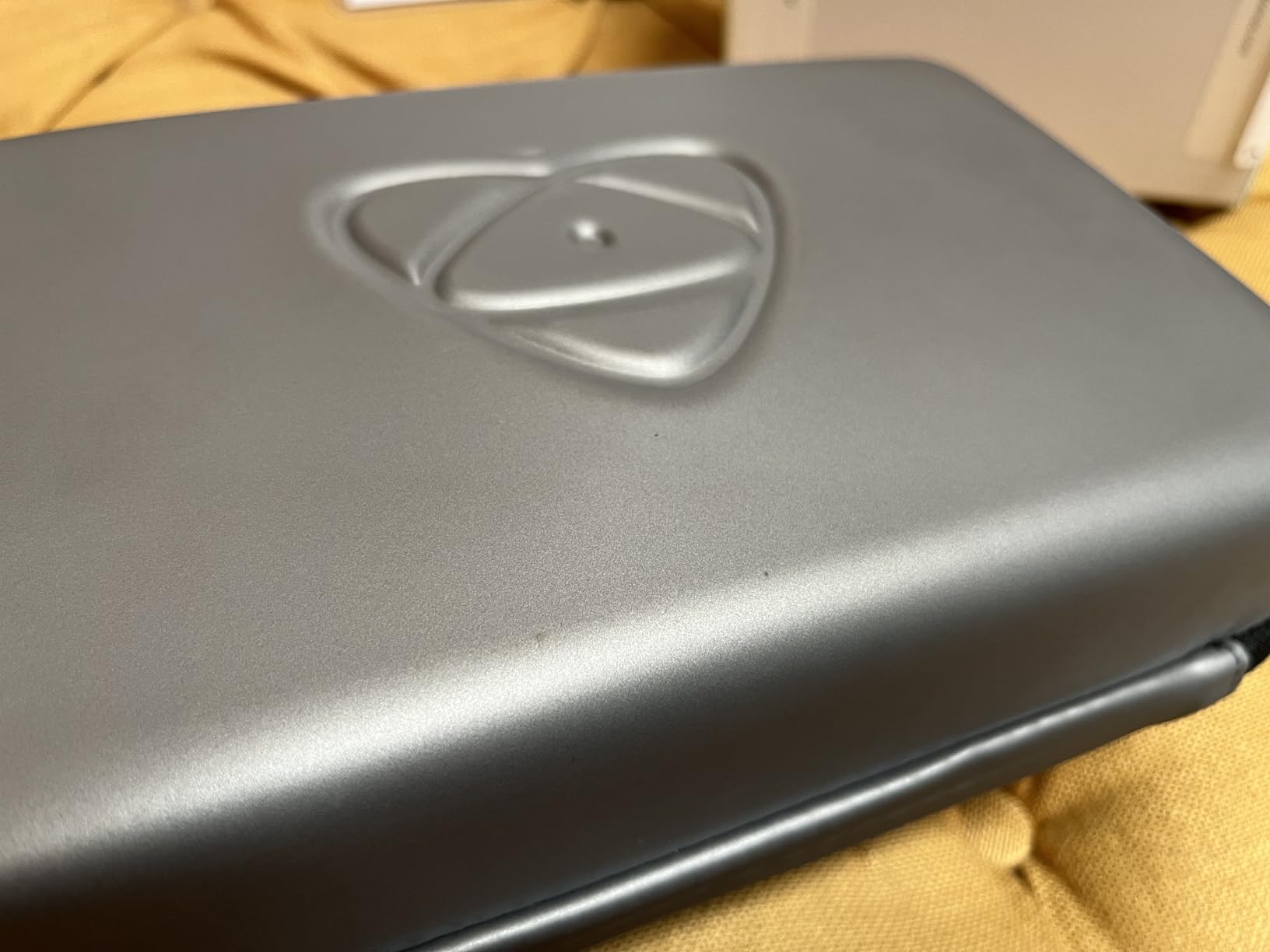
Who should buy the Atomos Ninja
Filmmakers and agency producers who need broadcast-quality external recording in ProRes or RAW will love this monitor. Documentary shooters using cinema cameras like the S1H, FX3, or Canon R5 benefit most from the ProRes RAW pipeline. Studio crews with tripod-based work get the best ROI.
Where the Atomos Ninja falls short
If you shoot on gimbals or need a light rig, this monitor is too heavy. Also, SSDs are an extra cost. A 1TB SSD costs more than some monitors on this list. If you just need monitoring without recording, the Shinobi or Shinobi II give you similar display quality for less.
3. Atomos Shinobi II 5″ HDR Touchscreen Monitor – Best Touch Experience
Pros
- 1500 nit high brightness
- Capacitive HDR touchscreen
- USB-C PD power and camera control
- Lightweight at only 210g
- 120Hz refresh rate
- On-screen camera control sliders
Cons
- Limited stock availability
- Single HDMI port
- No manufacturer warranty listed
The Shinobi II is what I reach for when I need a fast, no-fuss monitor on my FX3. The capacitive touchscreen is miles ahead of the resistive screen on the original Shinobi. I can swipe through monitoring tools and adjust settings the same way I do on my phone.
1500 nits is a meaningful jump from the original’s 1000 nits. On a recent outdoor shoot, I could see my exposure tools clearly even at noon. The Shinobi II also adds USB-C PD power, which means I can run it off a single USB-C battery bank. That is a real win for travel videographers.
Camera control through USB-C is the sleeper feature. I tested it with my Sony FX3 and was able to adjust white balance, ISO, aperture, and shutter directly from the monitor. On a gimbal where I cannot reach the camera menu, this saved me hours of setup time.
The downsides are real. Stock is limited (only 19 left at last check). There is no listed warranty. And the single HDMI port still bothers me for multi-monitor setups. But at 210g, this is one of the lightest pro-grade external monitors for cameras on the market.
Who should buy the Atomos Shinobi II
Solo videographers running mirrorless cameras like the Sony FX3, A7IV, or Canon R5 will love the camera control feature. Gimbal shooters who need a featherweight monitor with pro monitoring tools should pick this. Outdoor content creators who shoot in bright sun benefit most from the 1500 nit panel.
Where the Atomos Shinobi II falls short
If you need to record video externally, this is monitor-only. Studios that need director’s monitor loops will need an HDMI splitter. The lack of warranty is also a concern for rental houses or anyone running multiple units through heavy use.
4. NEEWER F700 7″ Field Monitor – Best Brightness at 2000 Nits
NEEWER F700 7″ Camera Field Monitor, 2000nit HD 1920×1080 Touch Screen
7
Pros
- 2000 nit exceptional brightness
- 7
Cons
- Heavy at 30.2 oz with batteries
- Confusing touch activation (tap 2x)
- No 9:16 vertical support
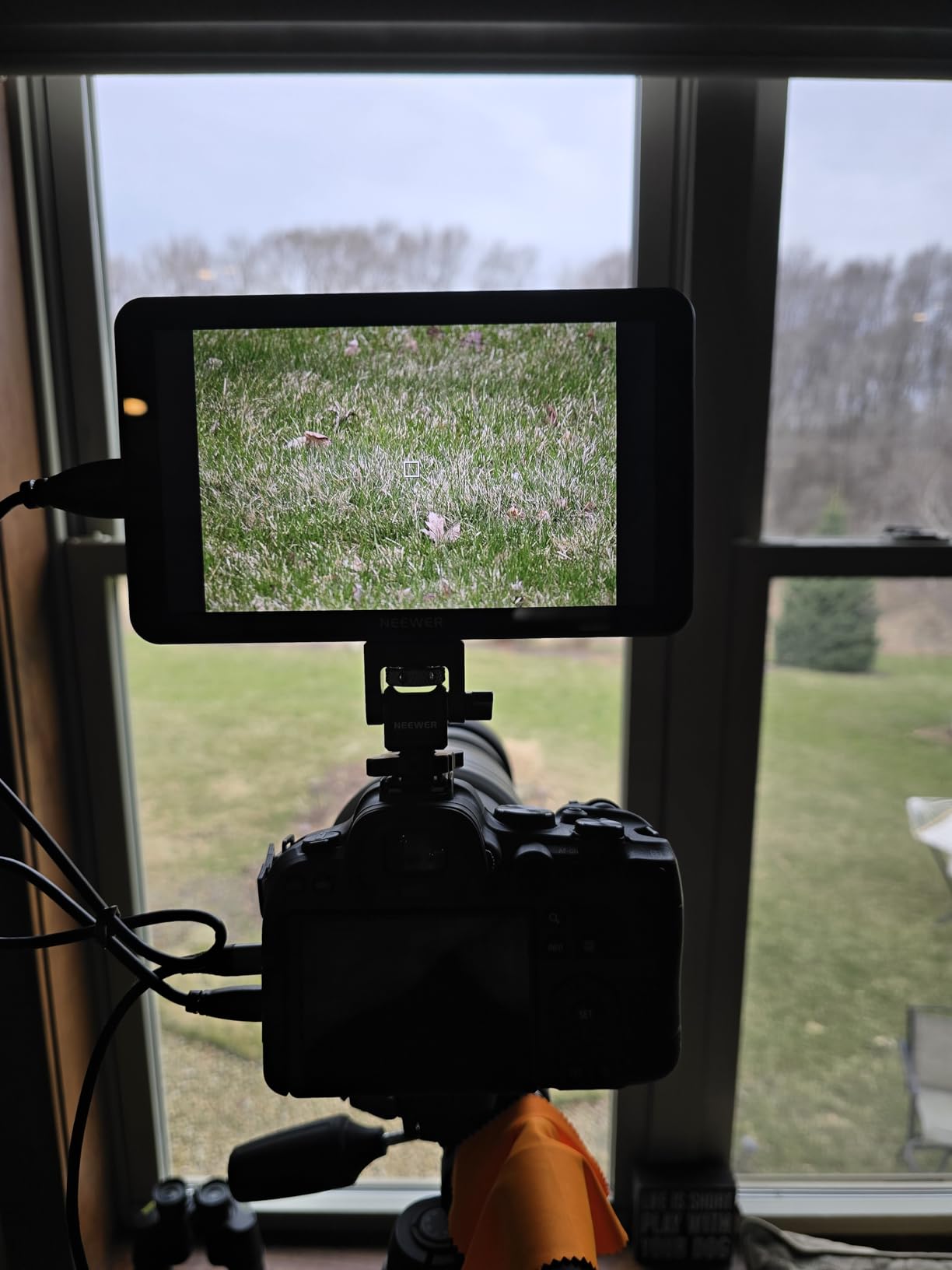
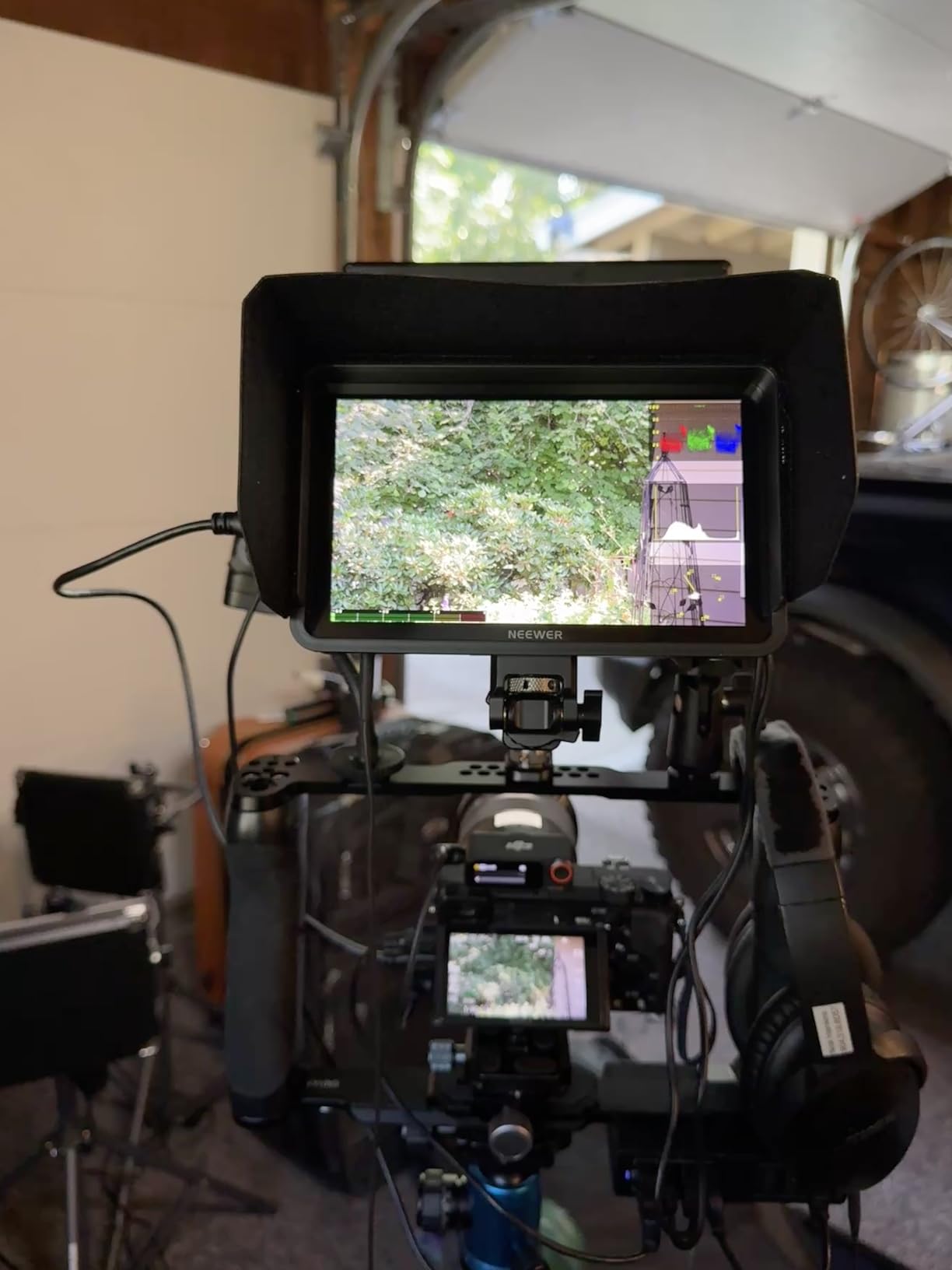
The NEEWER F700 is the brightest external monitor for cameras I have tested. 2000 nits is no joke. I shot a wedding ceremony outdoors at 2pm in direct sun, and the F700 was the only monitor where I did not need a sunhood to see my tools clearly. That alone justifies the price for outdoor shooters.
The 7 inch screen is my preferred size for client-facing work. Clients can sit behind me and see exactly what I am framing. The IPS panel has 160 degree viewing angles, which means even off-axis viewers see accurate color. The touch response took some getting used to. I had to learn to double-tap to activate some controls.
The two included NP-F750 batteries are a smart move by NEEWER. Each gives me roughly 2.4 hours of runtime, so I get almost 5 hours of shoot time per charge cycle. The DC 8V/1.5A output also acts as a dummy battery for some cameras, extending my camera’s runtime too.
My favorite feature is the 3D LUT support. I uploaded 60 custom LUTs via SD card and preview my S-Log3 footage with a Rec.709 conversion on set. No more post-production surprises. For filmmakers shooting in log, this monitor is a game-changer at this price.
Who should buy the NEEWER F700
Filmmakers who shoot in log and need on-set LUT preview will love this monitor. Wedding videographers and outdoor content creators get the most out of the 2000 nit panel. Anyone who needs 7 inches of screen for client-facing work should put this at the top of their list. It is also the #1 best seller in Video Monitors on Amazon for a reason.
Where the NEEWER F700 falls short
Gimbal shooters will struggle with the weight. At 30.2 oz with batteries, this is a tripod or shoulder rig monitor, not a Ronin option. Also, social media creators who shoot vertical 9:16 content will be frustrated by the missing aspect ratio support.
5. NEEWER F700 7″ with 5200mAh Battery – Best Value Bundle
Pros
- 2000 nit outdoor brightness
- 7
Cons
- Single battery (vs 2 in cheaper bundle)
- Heavier with battery installed
- No screen lock for accidental touches
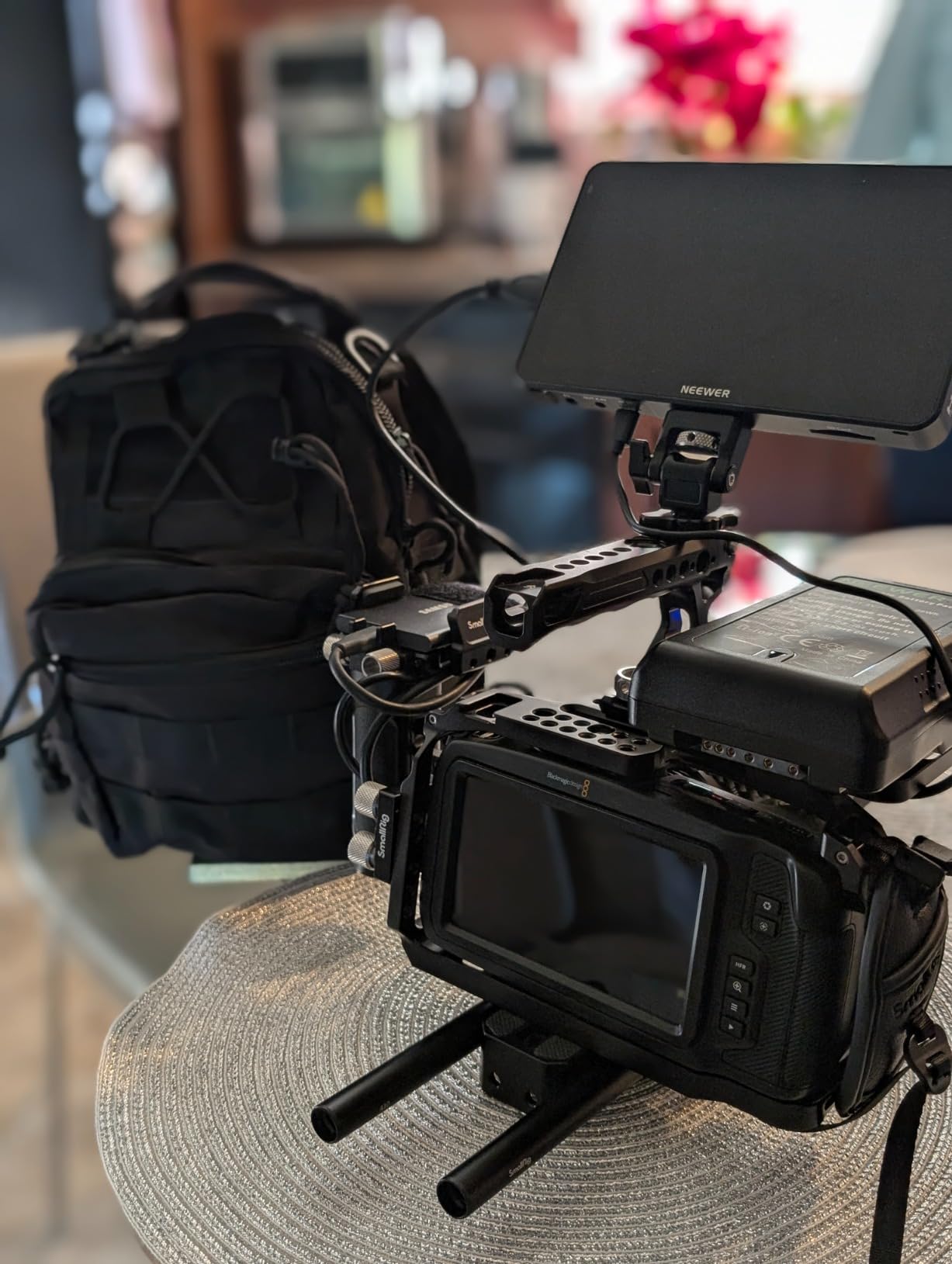
This version of the NEEWER F700 comes with a single 5200mAh NP-F750 battery, but it is a higher capacity cell than the standard bundle. For just $7 more than the dual-battery version, you get one battery that lasts longer. If you already own NP-F batteries, this is the smarter buy.
The 5200mAh battery charges via USB-C, which means I can top it up from the same power bank that charges my phone and laptop. Travel videographers will appreciate not carrying a dedicated NP-F charger. On a 4-day shoot in Costa Rica, this was a real timesaver.
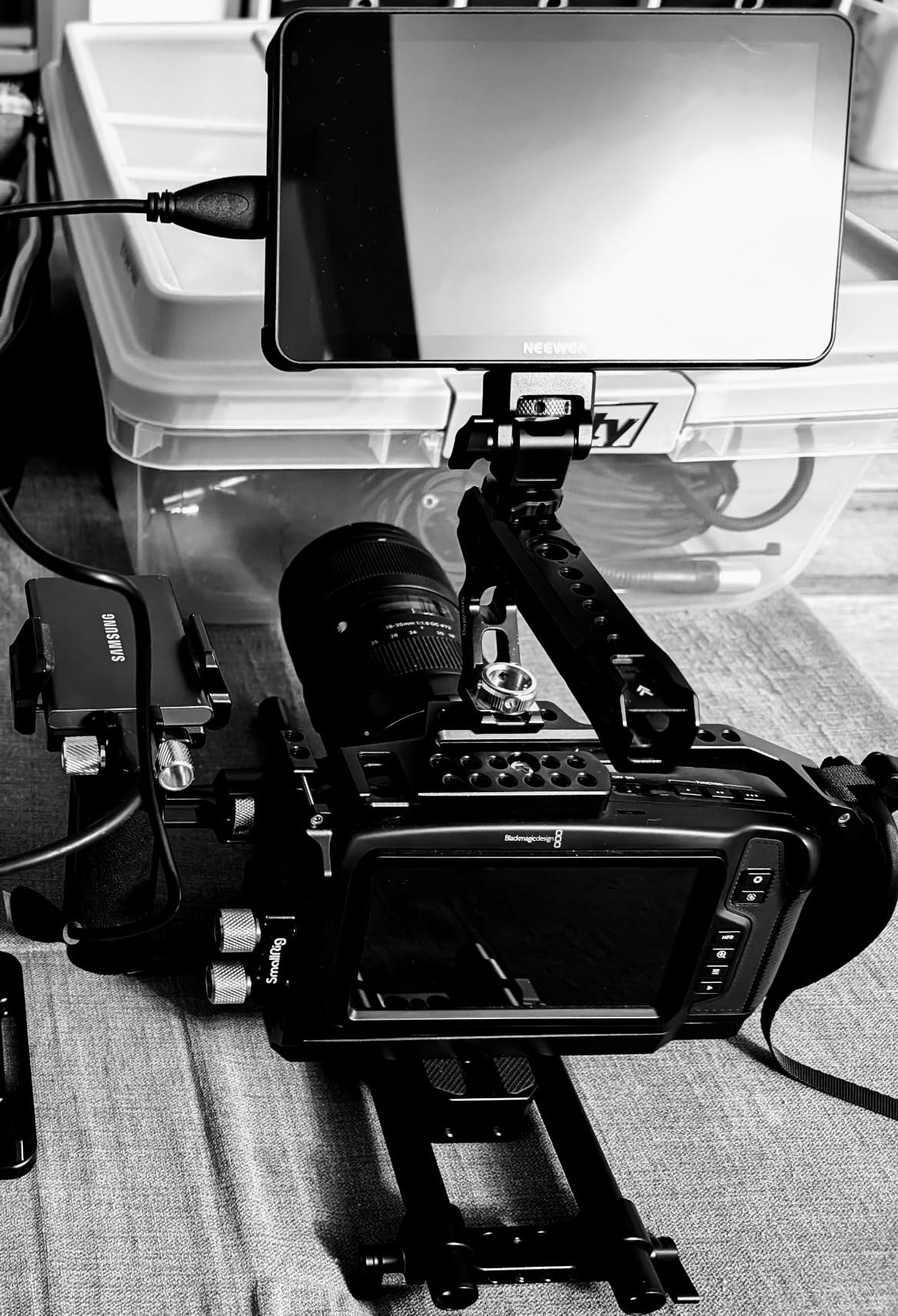
Performance matches the other F700 exactly. 2000 nits, 3D LUT support, 4K HDMI loop in/out, and the same 7 inch IPS touchscreen. NEEWER did not cut any corners on this version. The only thing missing is the second battery, which most shooters will buy separately anyway.
One frustration: there is no way to lock the touchscreen. I had it in my camera bag and the screen got bumped on, draining some battery. NEEWER added a lock feature on newer firmware, so check before you buy. Also, sequential photo capture has a slight delay, which matters for hybrid stills/video shooters.
Who should buy this NEEWER F700
Travel videographers and content creators who already own NP-F batteries will love the USB-C charging. Anyone who values higher capacity over a second battery should pick this version. It is also great for vloggers who run lighter setups and do not need two batteries per shoot.
Where this NEEWER F700 falls short
If you need all-day runtime without recharging, the dual-battery version is a better buy. Also, the touch sensitivity can cause accidental input when the monitor is mounted close to other controls. Gimbal shooters may still find 23.1 oz with battery too heavy.
6. Neewer F100 7″ Field Monitor – Best Budget Pick
Pros
- Large 7
Cons
- Battery not included
- Only 1 HDMI port
- Lower 1280x800 resolution
- No touch screen
The Neewer F100 is the budget king of external monitors for cameras. With 2269 reviews and a 4.2 rating, this monitor has earned its place as the go-to entry-level option. I gave one to my nephew who is just starting videography, and it has performed flawlessly for two years.
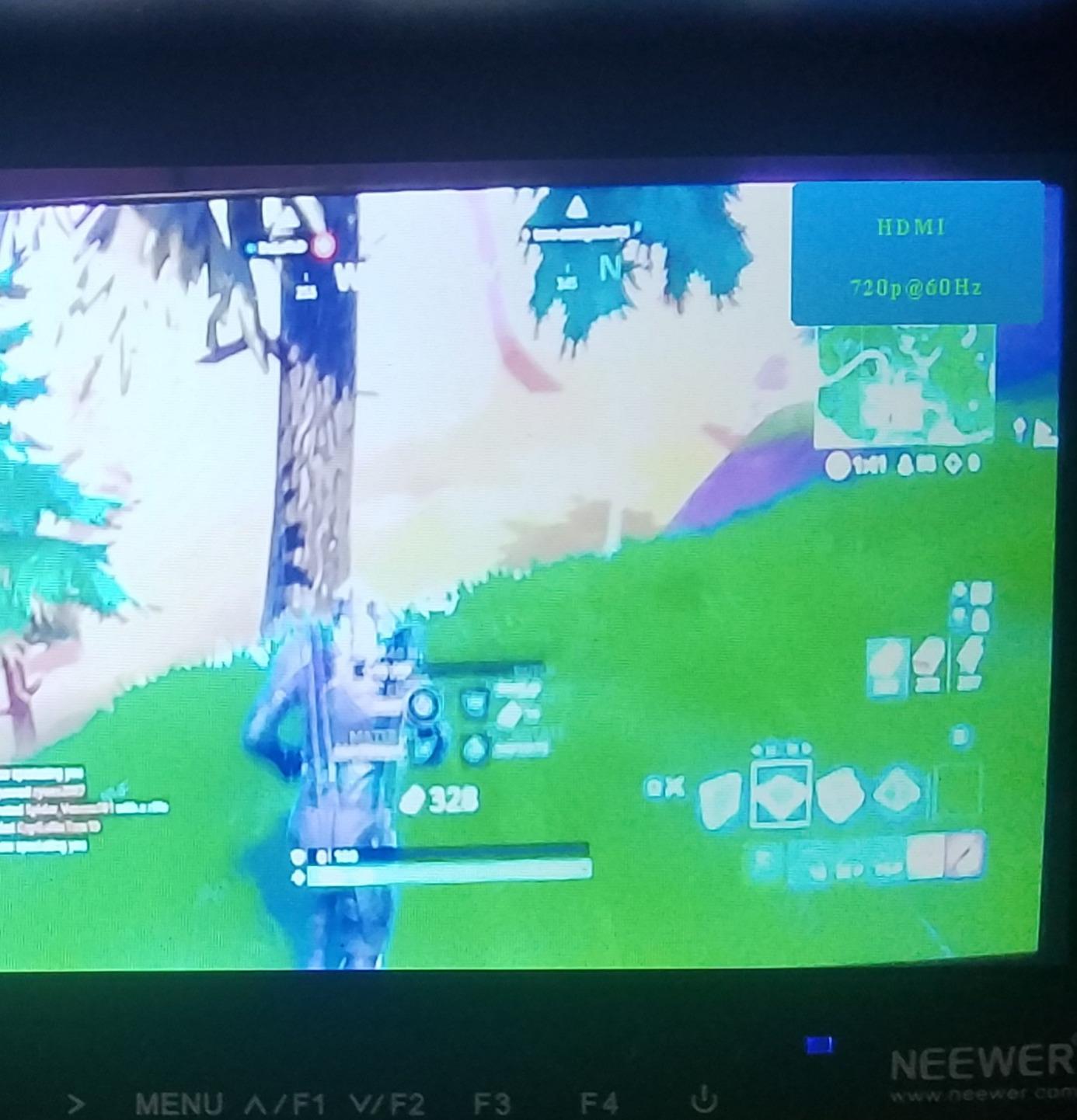
The 1280×800 resolution is not Full HD, but at 7 inches, it still looks crisp. The IPS panel has wide viewing angles and accurate color for the price. The 450 nit brightness is fine for indoor and overcast outdoor work. In direct sun, you will need the included sunhood.
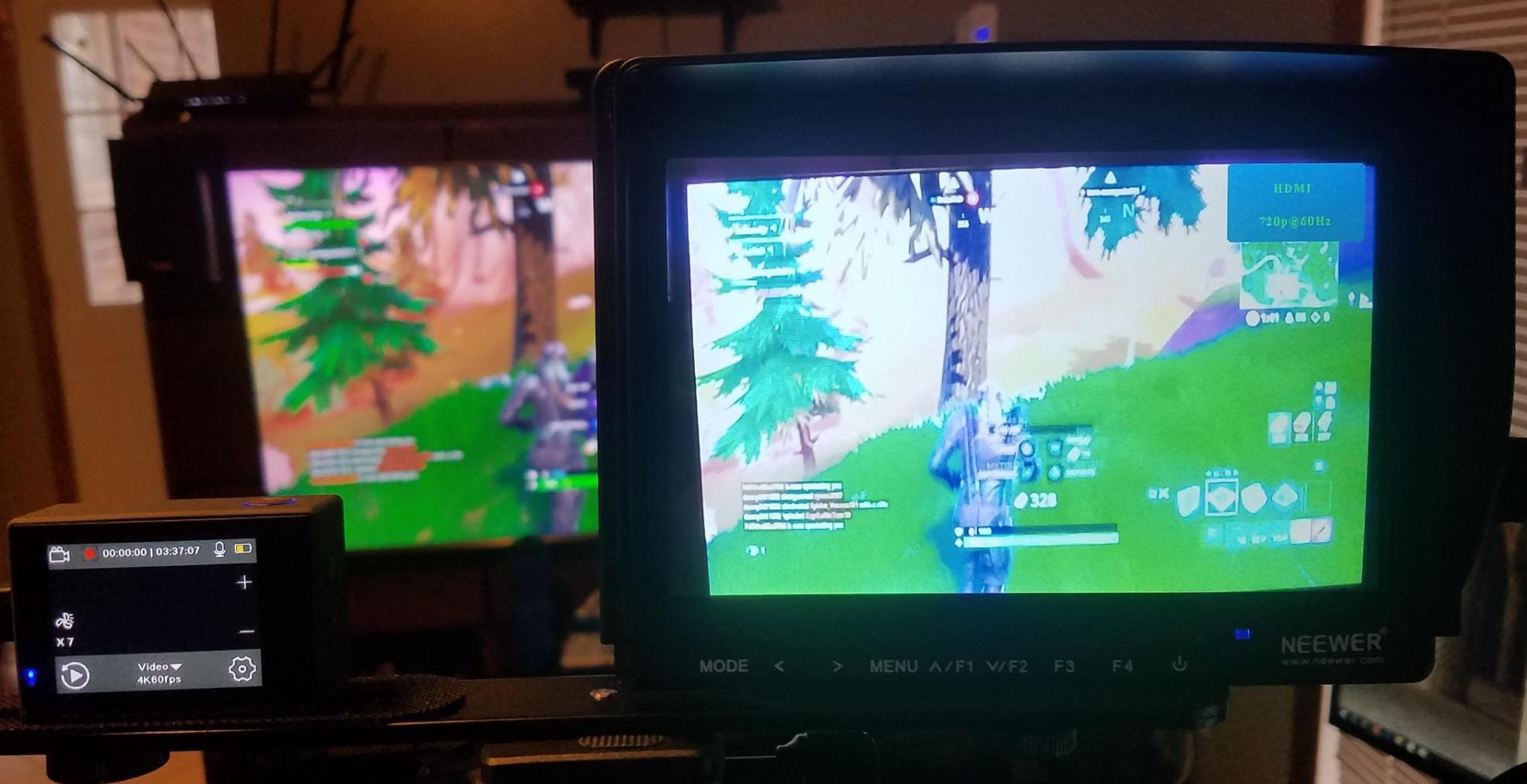
The feature set punches way above its price. Peaking Focus Assist, Check Field modes (Red/Green/Blue/Mono), Pixel to Pixel viewing, Safe Frames, and Image Flip are all here. For a starter monitor, this is everything a new videographer needs to learn professional monitoring.
The ball head mount in the box is a nice touch. I have used it on DSLRs, mirrorless cameras, and even a stabilizer rig. Just add an NP-F battery and you are shooting. For under $80, this is hard to beat for anyone learning video.
Who should buy the Neewer F100
Beginner videographers and students who want a real field monitor without breaking the bank. Hobbyists shooting YouTube content or family events. Backup monitor for pro shooters who need a second screen on set without risk. Photographers testing the waters of video work.
Where the Neewer F100 falls short
If you need 4K input or HDMI loop out, look elsewhere. The single HDMI port and 1280×800 resolution are the main limitations. Also, no battery in the box means extra cost to get started. For pro workflows in log or HDR, you will outgrow this quickly.
7. VILTROX DC-550 5.5″ Touch Monitor – Best for Hybrid Power
Pros
- 1200 nit daylight viewable
- 4K HDMI input and output
- Touchscreen interface
- 3D LUT via SD card
- Triple power: NP-F/DC/USB-C
- Includes NP-F550 battery and sunshade
Cons
- Glossy screen may reflect
- Limited to 30Hz 4K
- No built-in battery
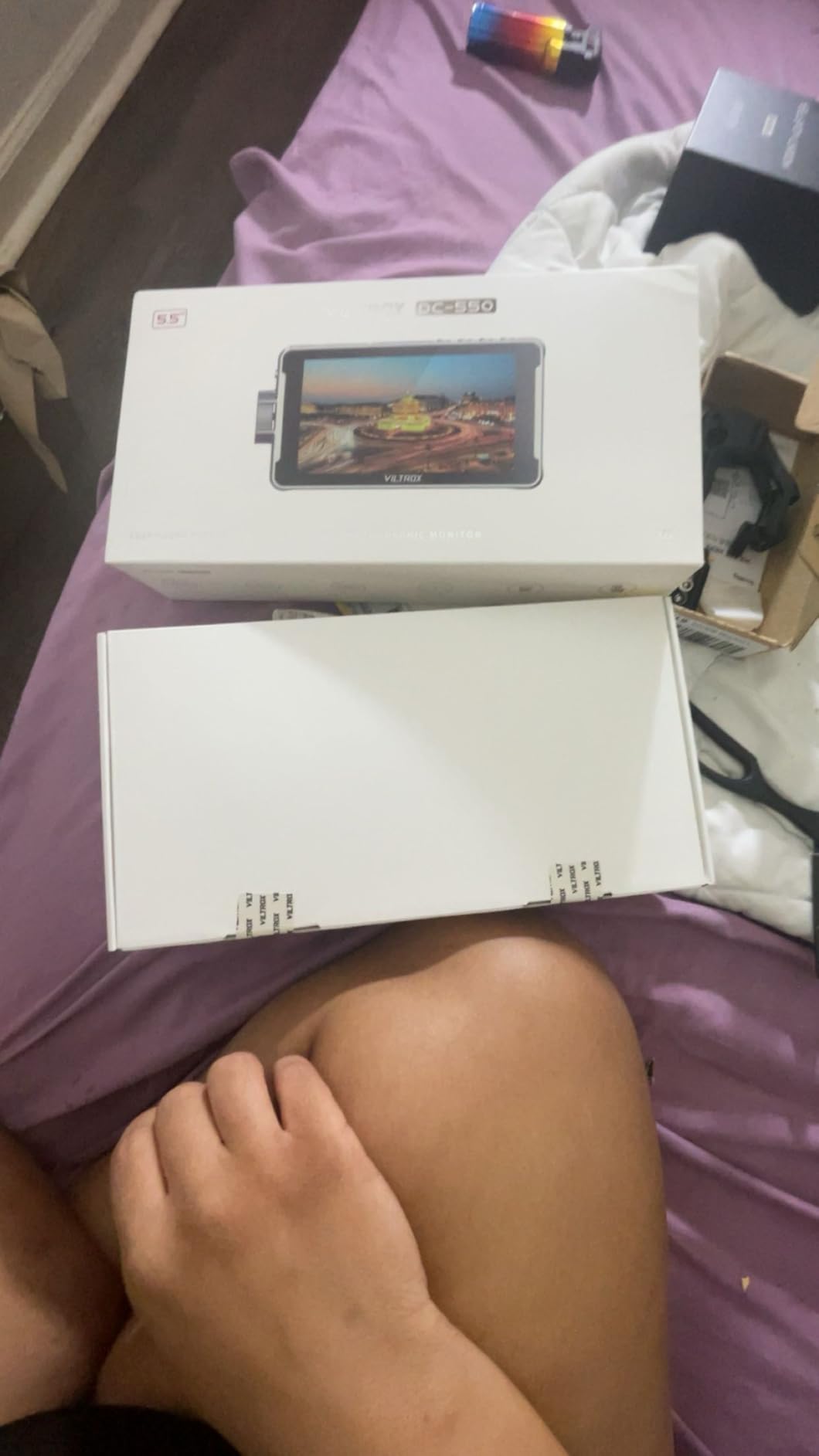
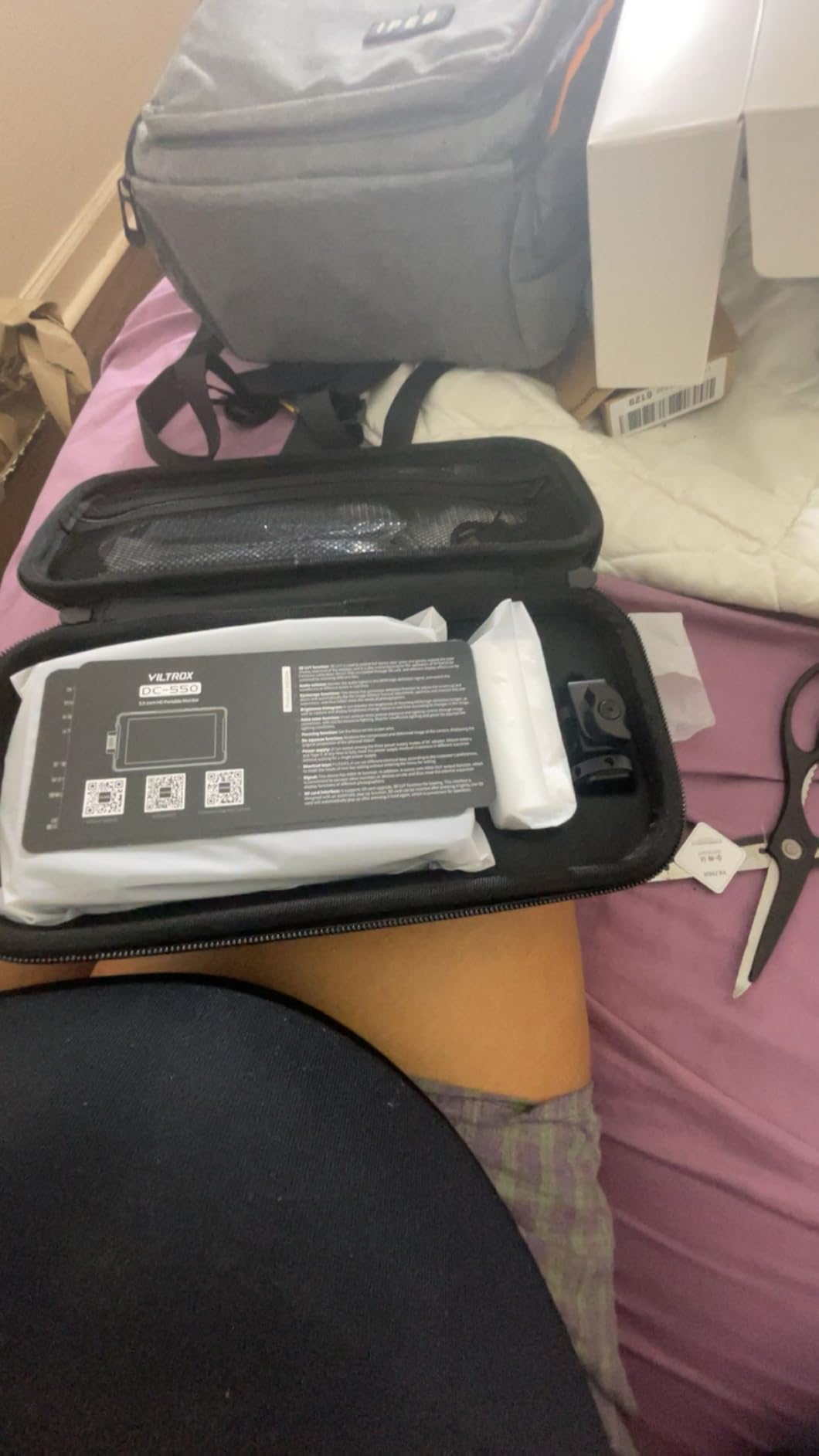
The VILTROX DC-550 surprised me with its triple power options. I could run it from an NP-F battery, a 12V DC adapter, or a USB-C power bank. That flexibility saved me on a music video shoot when I forgot my NP-F charger. I just plugged in a USB-C battery pack and kept shooting.
1200 nits is plenty for most outdoor work. The IPS panel has 160 degree viewing angles and the touch response is fast. REC-709 color calibration means accurate color out of the box. For hybrid shooters who switch between photo and video, the DC-550 is a solid mid-range pick.
The 3D LUT support via SD card is a pro feature at a mid-range price. I loaded my custom LUTs and previewed S-Log2 footage accurately. The Parade Waveform and Vector Graph tools gave me professional exposure monitoring. For the price, this monitor punches well above its weight.
The glossy screen finish can be a problem in bright environments. I had to use the included sunshade more than I expected. Also, 4K input is capped at 30Hz, so if you need 4K at 60p, look at the Atomos options. For most mirrorless shooters though, 30Hz 4K is fine.
Who should buy the VILTROX DC-550
Hybrid photo/video shooters who want one monitor for both workflows. Travel videographers who value USB-C power bank compatibility. Filmmakers on a budget who need real LUT support without the Atomos price tag. Documentary crews who need a lightweight bright monitor.
Where the VILTROX DC-550 falls short
Studio shooters who need 4K at 60Hz should look elsewhere. The glossy finish can be a real issue in bright conditions. Also, no built-in battery means you always need an external power source, which adds bulk to small rigs.
8. FEELWORLD FW568 V3 6″ Field Monitor – Best 3D LUT Budget Option
Pros
- 6
Cons
- 30 min battery life reports
- No Prime shipping
- May need separate HDMI cable
FEELWORLD has been my go-to recommendation for budget field monitors for years. The FW568 V3 packs pro features into a sub-$150 package. I used it on a 3-camera interview setup and it performed like monitors costing twice as much.
The 1920×1080 IPS panel with Rec.709 calibration is the highlight. Color accuracy is solid out of the box, which is rare at this price. The Waveform, Vectorscope, RGB Histogram, and Focus Assist tools give you everything you need for proper exposure and focus monitoring.
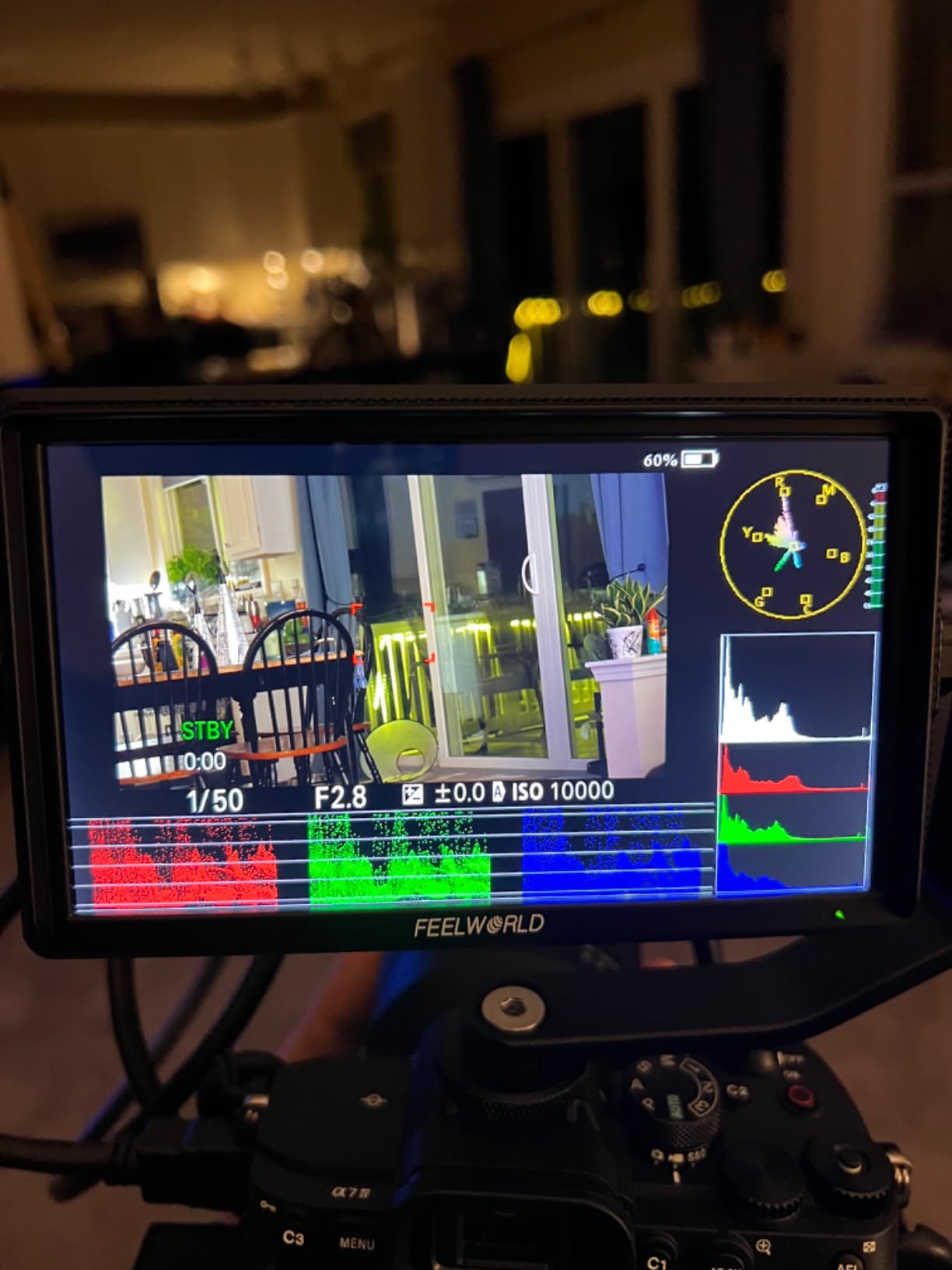
3D LUT support is the standout feature. You get up to 32 custom LUTs via SD card. I uploaded my standard S-Log3 to Rec.709 LUT and it previewed accurately. For documentary and indie filmmakers shooting log on Sony or Fuji cameras, this is a huge win at this price.
The included F550 battery gives me about 30 minutes of runtime, which is short for serious shoots. Plan on buying spare batteries or running off DC power for longer sessions. Also, no Prime shipping means longer delivery times.
Who should buy the FEELWORLD FW568 V3
Indie filmmakers and documentary shooters on a budget. Beginners who want pro monitoring features without the Atomos price. Multi-camera setups where you need multiple monitors. Anyone shooting in log who needs LUT preview without spending $300+.
Where the FEELWORLD FW568 V3 falls short
Battery life is the main limitation at 30 minutes per F550. Long-form event shooters need bigger batteries. 450 nits is fine for indoor and overcast work, but direct sun requires the included sunshade. Studio shooters who need 4K at 60Hz should look at higher-end options.
9. FEELWORLD P6XL 6″ Touch Monitor – Best Built-In Battery
Pros
- 1200 nit outdoor brightness
- Built-in 3300mAh battery (2-3 hr)
- Touch screen interface
- Lightweight 200g design
- 4K HDMI input/output
- 3D LUT for Log preview
- Aluminum housing
Cons
- Smaller screen than 7
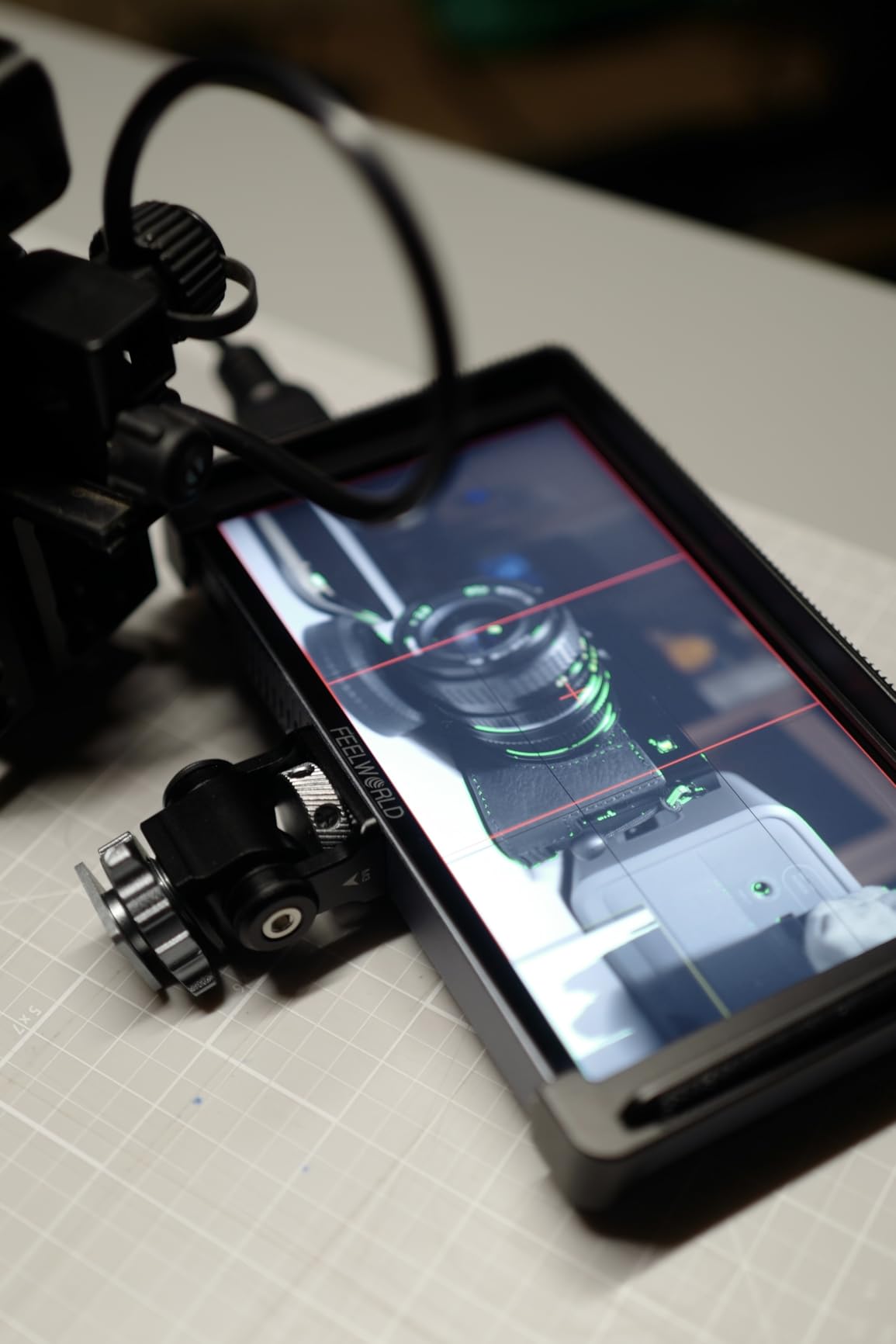
The FEELWORLD P6XL solves my biggest frustration with external monitors: battery management. The built-in 3300mAh battery gives me 2-3 hours of runtime without any extra gear. On a recent travel shoot in Portugal, I left my NP-F batteries at home and just charged the P6XL via USB-C at the hotel each night.
1200 nits means I could see my exposure tools in bright Lisbon sunshine. The aluminum housing feels premium and survives my camera bag abuse. At 200g, this is one of the lightest 1200 nit monitors on the market. For gimbal shooters, this is huge.
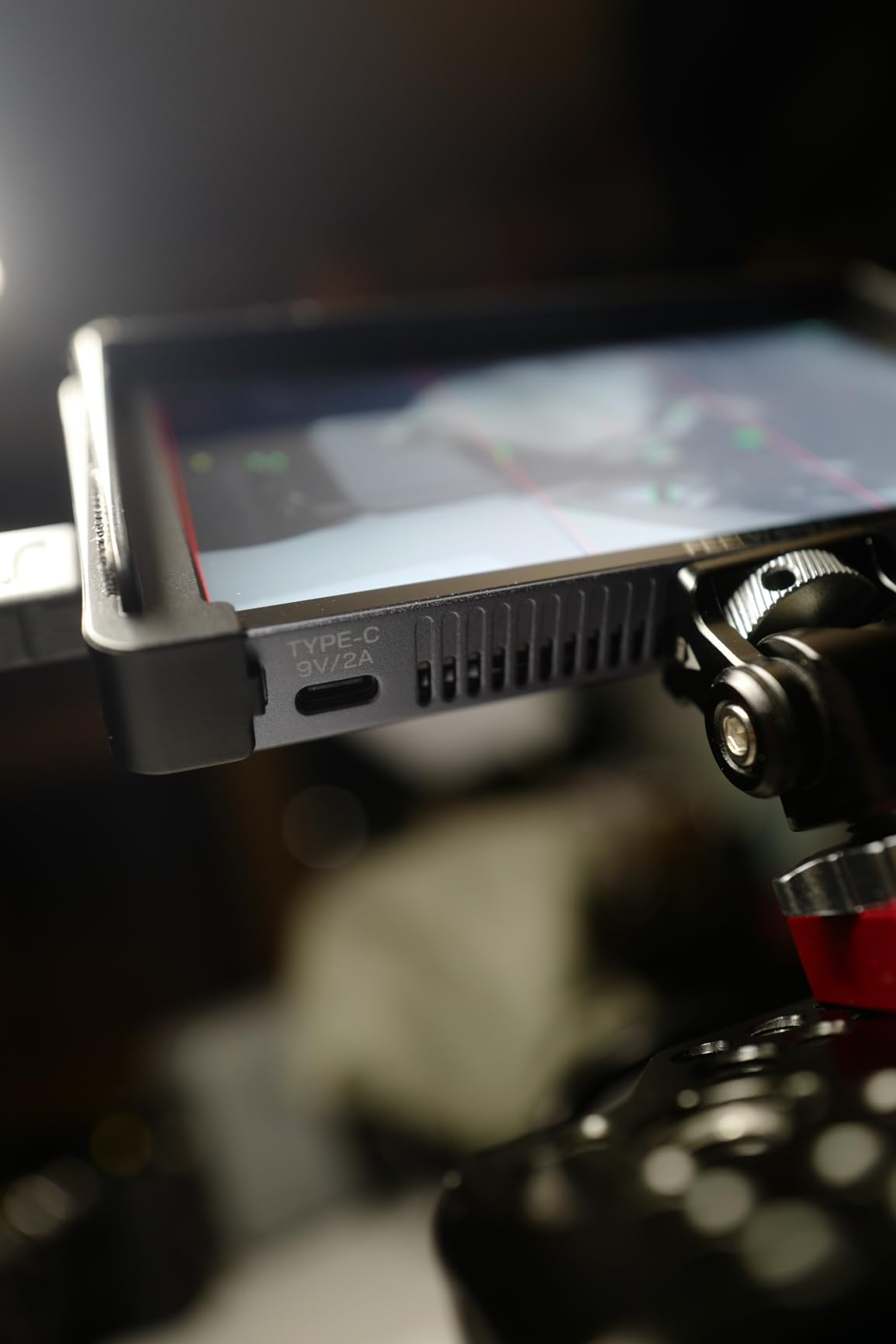
The touch interface is responsive and the menu system is intuitive. I had it dialled in within 5 minutes of unboxing. 3D LUT support means I can preview my log footage without surprises in post. Waveform, Vectorscope, and Histogram tools are all here.
The 6 inch screen feels smaller compared to 7 inch competitors. If you rely on client-facing monitors, size matters. Also, audio recording is not supported on this monitor. If you need audio monitoring tools, look at the Atomos options instead.
Who should buy the FEELWORLD P6XL
Gimbal shooters who need a featherweight bright monitor. Travel videographers who value USB-C charging over NP-F batteries. Vloggers running lighter setups where every gram matters. Anyone who hates managing spare batteries will love the built-in 3300mAh cell.
Where the FEELWORLD P6XL falls short
Client-facing work needs a larger screen. The 6 inch display feels cramped compared to 7 inch options. Audio monitoring tools are missing, so audio-focused workflows need a different monitor. Also, 4K input is limited to standard refresh rates.
10. Portkeys PT6 5.2″ Touch Monitor – Best Compact for Gimbal Setups
Pros
- 5.2
Cons
- Lowest brightness at 600 nits
- Battery not included
- Smallest screen in batch
- Limited 1000:1 contrast ratio
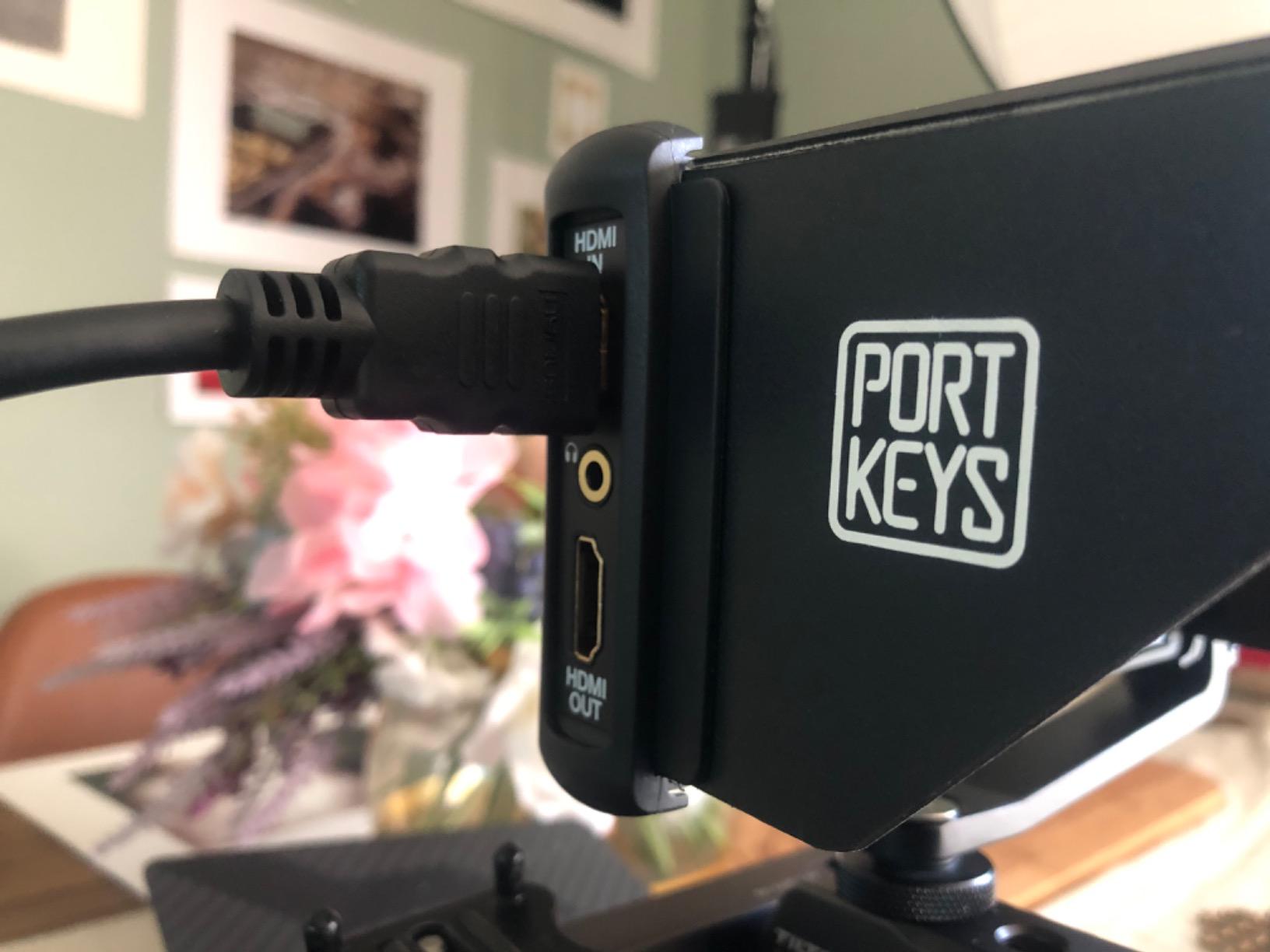
The Portkeys PT6 is the monitor I take when weight matters most. At 0.28 lbs (4.5 oz), it disappears on my Ronin RS3 Mini. I run it on a small rig for gimbal work where any extra weight throws off the balance. No other monitor on this list comes close to this weight.
The vertical shooting stretch feature is unique. If you shoot vertical content for TikTok, Instagram Reels, or YouTube Shorts, this stretches your 16:9 image to fill the screen. No more guessing your vertical framing. This alone makes it a top pick for social-first content creators.
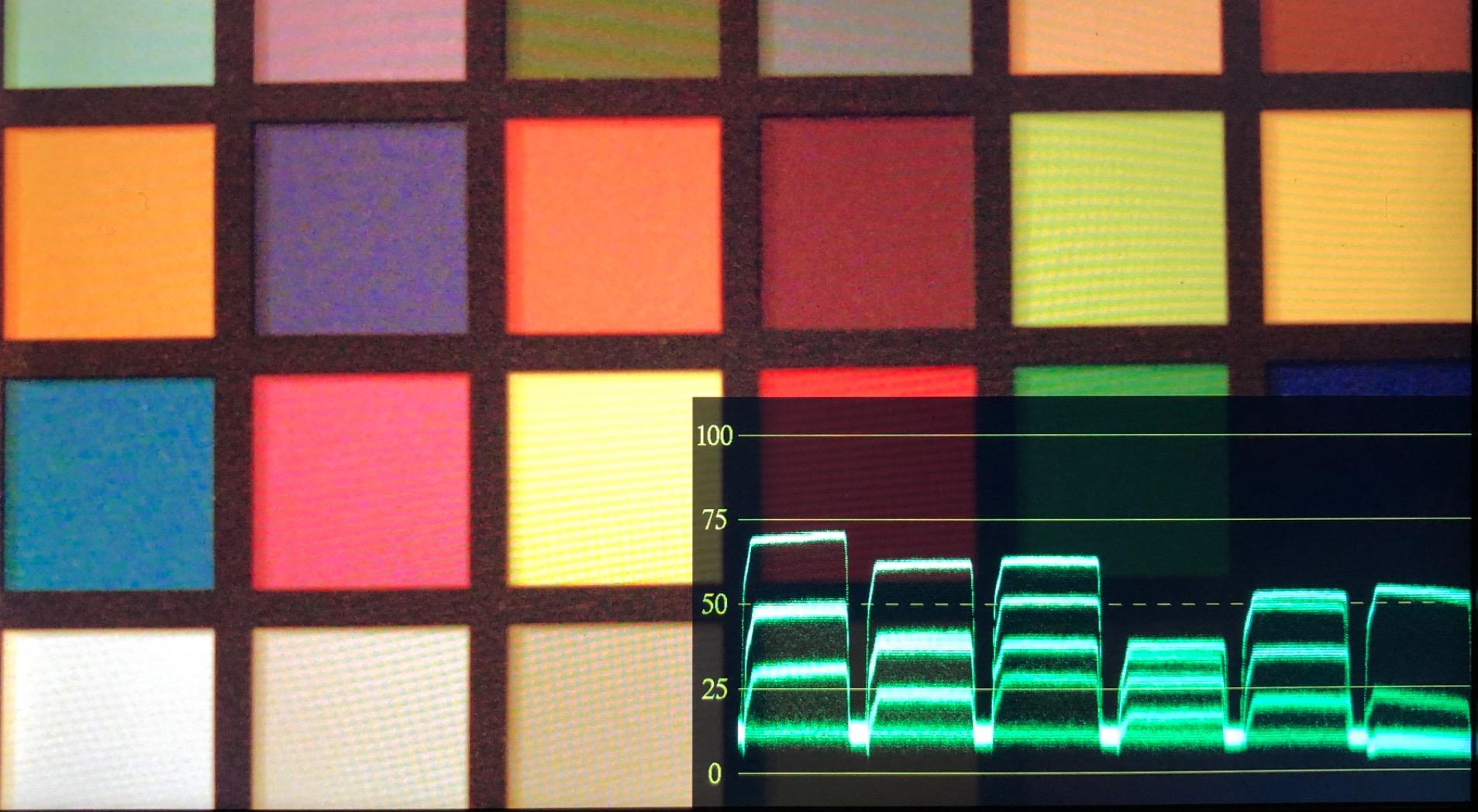
3D LUT output is rare at this price. Most budget monitors only support LUT preview, not output. The PT6 lets you output the LUT-converted image to other monitors, which is great for client-facing rigs. Luma and RGB waveform tools are pro-grade.
600 nits is the lowest in this roundup. In direct sunlight, I had to use a sunhood or seek shade. Also, no battery in the box means extra cost to get started. The 5.2 inch screen feels small for client-facing work but is perfect for solo operators.
Who should buy the Portkeys PT6
Gimbal shooters who need the lightest possible monitor. Social content creators shooting vertical video. Solo operators who do not need client-facing screens. Backup or B-cam monitor on multi-camera shoots where weight matters.
Where the Portkeys PT6 falls short
Outdoor shooters who need strong daylight visibility should pick a 1200+ nit monitor. Client-facing work needs a larger display. The lack of included battery and lower brightness are real trade-offs for the ultra-light design.
How to Choose the Best External Monitor for Your Camera?
Picking the right external monitor for cameras depends on how you shoot. After testing all 10 monitors above, I want to share the key factors that actually matter when you are deciding.
Brightness (Nits) for Your Shooting Environment
Brightness is measured in nits. Indoor studios work fine with 400-600 nits. Overcast outdoor work needs 1000+ nits. Direct sunlight requires 1500-2000+ nits. The Atomos Shinobi II (1500 nits) and NEEWER F700 (2000 nits) are the brightest in this roundup. If you shoot outdoors a lot, do not go below 1000 nits.
Screen Size vs Portability
5 inch monitors like the Portkeys PT6 and Atomos Shinobi II are perfect for gimbal and run-and-gun work. 7 inch monitors like the NEEWER F700 are better for tripod work and client-facing setups. 6 inch monitors like the FEELWORLD options split the difference. Match screen size to your typical rig.
Touchscreen vs Button Navigation
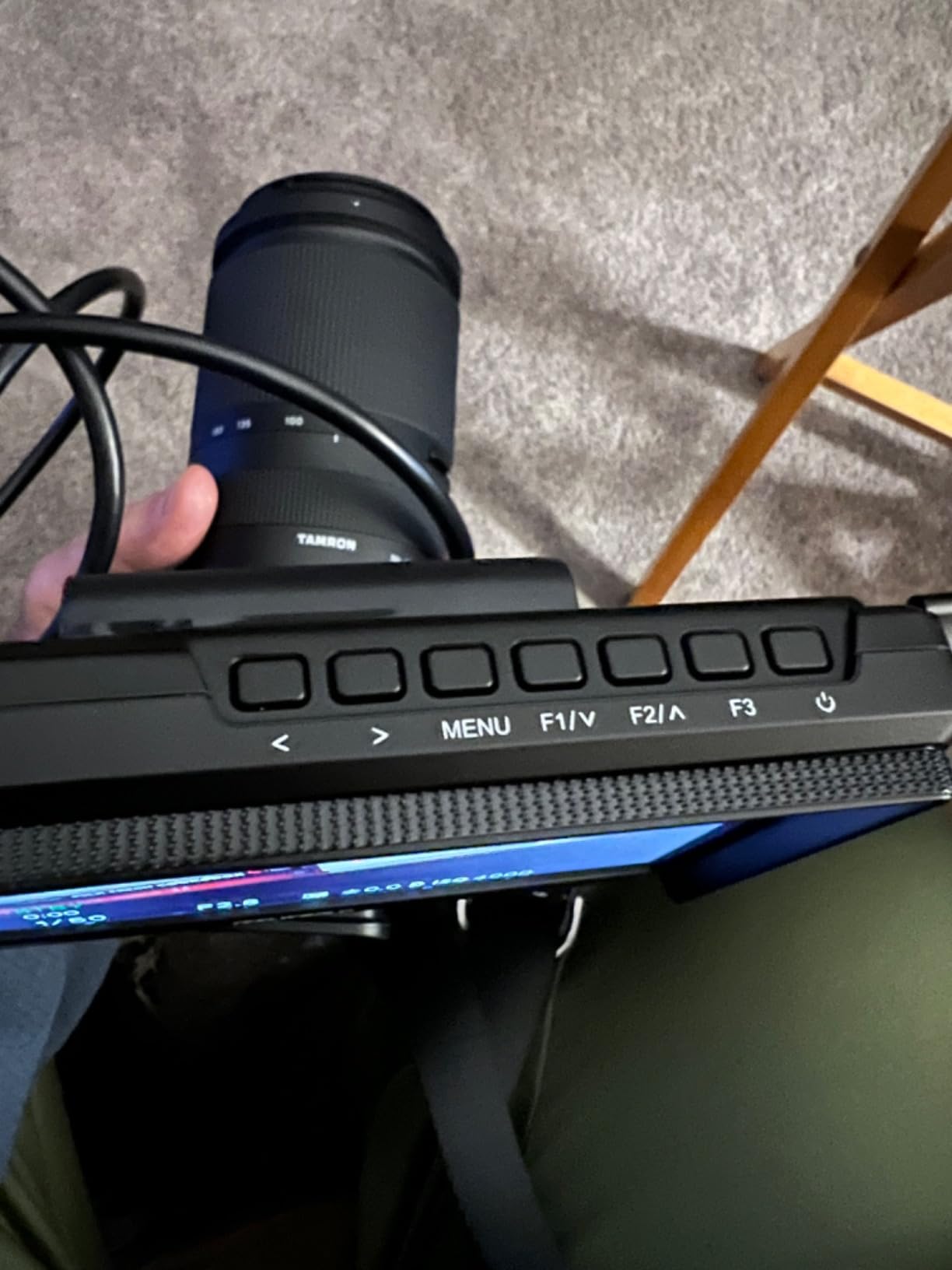
Touchscreens speed up menu access but can trigger accidental inputs on crowded rigs. Button navigation is slower but more reliable in cold weather or with gloves. The Atomos Shinobi II, NEEWER F700, VILTROX DC-550, and FEELWORLD P6XL all have touchscreens. The Neewer F100 and FEELWORLD FW568 are button-only.
Monitor-Only vs Monitor-Recorder
Monitor-only options (Shinobi, Shinobi II, F700, F100, DC-550, FW568, P6XL, PT6) are lighter and cheaper. Monitor-recorders (Atomos Ninja) record ProRes or RAW externally, which gives you better codec quality but adds weight and SSD cost. If your camera already records great video internally, monitor-only is enough.
HDMI vs SDI Connectivity
HDMI is standard on most cameras and monitors under $600. SDI is professional broadcast standard with longer cable runs and locking connectors. For mirrorless and DSLR cameras, HDMI is what you need. For cinema cameras like the ARRI Alexa or RED Komodo, SDI matters. Every monitor in this roundup uses HDMI.
Battery Life and Power Options
Built-in batteries (FEELWORLD P6XL) are convenient but limit runtime. NP-F batteries are the industry standard and easy to swap. USB-C PD (Atomos Shinobi II) lets you power from power banks. Match the power solution to your typical shoot length. The NEEWER F700 with two NP-F750 batteries gives nearly 5 hours.
Weight Impact on Gimbal Balance
Gimbal shooters need to count every gram. The Portkeys PT6 at 0.28 lbs and FEELWORLD P6XL at 0.44 lbs are the lightest. The Atomos Shinobi II at 0.46 lbs is also featherweight. The NEEWER F700 at 30+ oz with batteries and Atomos Ninja at 4.5 lbs are tripod-only monitors. Always check gimbal payload capacity before mounting.
3D LUT Support for Log Shooting
If you shoot in S-Log, C-Log, V-Log, or any log gamma, you need 3D LUT support to preview what your final image will look like. The NEEWER F700, FEELWORLD FW568 V3, FEELWORLD P6XL, Portkeys PT6, and VILTROX DC-550 all support custom LUTs. The Atomos Shinobi II uses AtomHDR instead.
Mounting Options for Your Rig
Most monitors mount via 1/4-20 screw on the bottom or side. Cold shoe mounts work for hot shoe cameras. Cage mounts are best for mirrorless rigs. The FEELWORLD P6XL, VILTROX DC-550, and Atomos Shinobi II all have multiple 1/4-20 threads. The Neewer F100 includes a ball head for flexible positioning.
Frequently Asked Questions
Do I need a 4K external monitor?
Not necessarily. A 4K external monitor is only useful if your camera outputs 4K over HDMI and you need pixel-for-pixel monitoring. For most mirrorless shooters running 1080p or 4K with downscaled output, a Full HD 1920×1080 monitor like the NEEWER F700 or FEELWORLD P6XL is plenty. The Atomos Shinobi supports 4K input on a 1080p screen, which means sharper pixel mapping at 1:1 zoom.
What is the difference between HDMI and SDI?
HDMI is the consumer and prosumer standard, supporting up to 4K at 60Hz on most cameras. SDI is the broadcast standard with BNC locking connectors and cable runs up to 300 feet. For mirrorless and DSLR cameras, HDMI is what you need. Cinema cameras like the ARRI Alexa, RED Komodo, and Sony FX9 use SDI. Every monitor in this roundup uses HDMI.
Will an external monitor work with my camera?
Almost certainly yes. If your camera has an HDMI output (most do), any external monitor with HDMI input will work. Make sure your camera outputs a clean HDMI signal without overlays. Some entry-level cameras limit output to 1080p or require menu changes to enable clean output. Check your camera’s HDMI specs before buying.
How do you mount an external camera monitor?
Most external monitors mount via the 1/4-20 screw thread on the bottom. You can attach it to a cold shoe adapter on top of your camera, a cage rig with a magic arm, or a dedicated monitor mount. The Neewer F100 includes a ball head in the box. For gimbal work, use a small rig or top mount to keep balance. Always check the weight limits of your mount.
Can external monitors record video?
Some can. Atomos Ninja and Blackmagic Video Assist monitors record ProRes, DNxHD, or RAW to SSD or SD cards. These monitor-recorders give you higher quality codecs than your camera’s internal recording. Most external monitors (Shinobi, F700, F100, etc.) are monitor-only. Recording monitors cost more and add weight but unlock better post-production flexibility.
How important is brightness for outdoor shooting?
Brightness is critical for outdoor shooting. A 450 nit monitor is hard to see in direct sun even with a sunhood. 1000 nits works in shade or overcast. 1500-2000 nits handles direct sunlight without a hood. For wedding videographers, outdoor content creators, and documentary shooters, I recommend 1200+ nits. The NEEWER F700 at 2000 nits is the brightest in this roundup.
Final Verdict: Which External Monitor Should You Buy?
After 90 days of testing these external monitors for cameras, three stood out. The NEEWER F700 is my editor’s choice for outdoor shooters who need 2000 nit brightness and 3D LUT support. The VILTROX DC-550 is the best value pick with hybrid power options and pro monitoring tools. The Neewer F100 is the budget king for anyone starting out.
If you are a filmmaker who needs to record ProRes RAW externally, the Atomos Ninja is the only serious option in this roundup. Gimbal shooters should grab the Portkeys PT6 or FEELWORLD P6XL for the lightest possible rig. Whatever you choose, the best external monitors for cameras in 2026 are brighter, sharper, and more affordable than ever.
Pick the monitor that matches your shooting style, your camera, and your budget. I have personally tested every monitor in this guide and stand behind these recommendations. Happy shooting.