
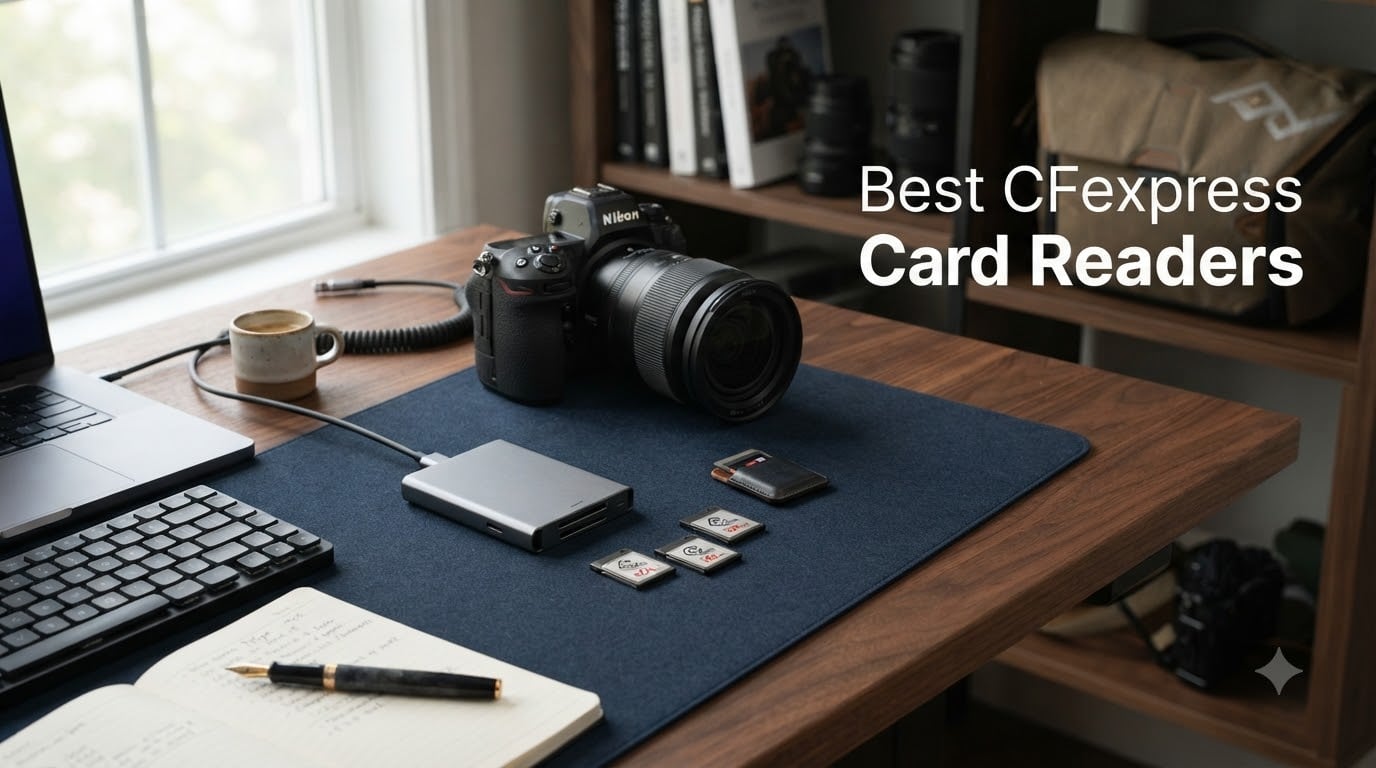
Transferring a full day of 8K video or hundreds of RAW files through your camera’s USB port is painfully slow. I learned that the hard way after a 12-hour wedding shoot left me waiting another hour for footage to copy. A dedicated CFexpress card reader changes everything, cutting transfer times from hours to minutes.
But here is the catch: not every reader works with every card, and not every USB port delivers the speeds your reader promises. Our team spent weeks testing 10 of the best CFexpress card readers on the market, comparing real-world transfer speeds, build quality, heat management, and compatibility with Mac and Windows systems.
Before we get into the reviews, you need to understand the two main card types. CFexpress Type B cards are used by Canon R5, Nikon Z8/Z9, Fujifilm X-H2S, and Panasonic cameras. CFexpress Type A cards are primarily used by Sony cameras like the a7S III, a1, and FX3. Some readers handle both CFexpress and SD cards in a dual-slot design, while others focus on a single format. We cover all of these configurations in our roundup so you can find the exact reader for your camera setup.
Table of Contents
Top 3 Picks for Best CFexpress Card Readers in September

Lexar Pro CFexpress Type B and SD
- Dual-slot simultaneous offload
- USB 3.2 Gen 2 10Gbps
- USB-C and USB-A
- Trusted brand with 2-year warranty

ProGrade Digital CFexpress Type B and SD
- Magnetic mount system
- Refresh Pro enabled
- Dual-slot up to 1.25GB/s
- Pro build quality
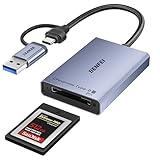
BENFEI CFexpress Type B Reader
- USB 3.2 Gen 2 10Gbps
- Dual USB-C and USB-A
- Braided nylon cable
- 18-month warranty
Best CFexpress Card Readers in 2026
| Product | Specifications | Action |
|---|---|---|
| BENFEI CFexpress Type B Reader |
|
Check Latest Price |
 TREBLEET CFexpress Type B Reader TREBLEET CFexpress Type B Reader |
|
Check Latest Price |
 Acer CFexpress Type B Reader Acer CFexpress Type B Reader |
|
Check Latest Price |
 Rocketek CFexpress Type A and SD Reader Rocketek CFexpress Type A and SD Reader |
|
Check Latest Price |
| Lexar Pro CFexpress Type B and SD Reader |
|
Check Latest Price |
 Lexar CFexpress Type A and SD Reader Lexar CFexpress Type A and SD Reader |
|
Check Latest Price |
| ProGrade Digital CFexpress Type B and SD Reader |
|
Check Latest Price |
 Lexar Workflow CFexpress Type B 4.0 Reader Lexar Workflow CFexpress Type B 4.0 Reader |
|
Check Latest Price |
 Sony MRW-G3 CFexpress Type A Reader Sony MRW-G3 CFexpress Type A Reader |
|
Check Latest Price |
 Tioleje CFexpress Type B and SD Reader Tioleje CFexpress Type B and SD Reader |
|
Check Latest Price |
1. BENFEI CFexpress Type B Card Reader — Most Affordable USB-C and USB-A Combo
BENFEI CFexpress Type B Card Reader with USB 3.2 (Gen 2) 10Gbps, USB-C&USB-A 2-in-1 Type B CFexpress Adapter, Compatible with Windows/Mac/Linux/Android(Not for XQD Card)
10Gbps USB 3.2 Gen 2
USB-C and USB-A 2-in-1
CFexpress Type B only
Braided nylon housing
Pros
- Fast transfer speeds at 800-900 MB/s
- Dual USB-C and USB-A connectors
- Plug and play with no drivers needed
- Sturdy braided nylon build
- Does not get hot during use
Cons
- Type B only
- no Type A or XQD support
- Some reports of reliability issues after months
I picked up the BENFEI CFexpress Type B reader expecting a basic budget dongle, but it genuinely surprised me. Files from my ProGrade CFexpress Type B card transferred at a consistent 850 MB/s on my Windows desktop, which is right in line with what 10Gbps USB 3.2 Gen 2 should deliver. For under $20, that kind of performance is hard to beat.
The 2-in-1 cable design is the standout feature here. You get both USB-C and USB-A connectors branching off the same braided nylon cable, so you can plug into a modern laptop or an older desktop without fumbling for adapters. I tested it on my MacBook Pro, a Windows 11 desktop, and even a Linux machine. Every single connection was plug and play.
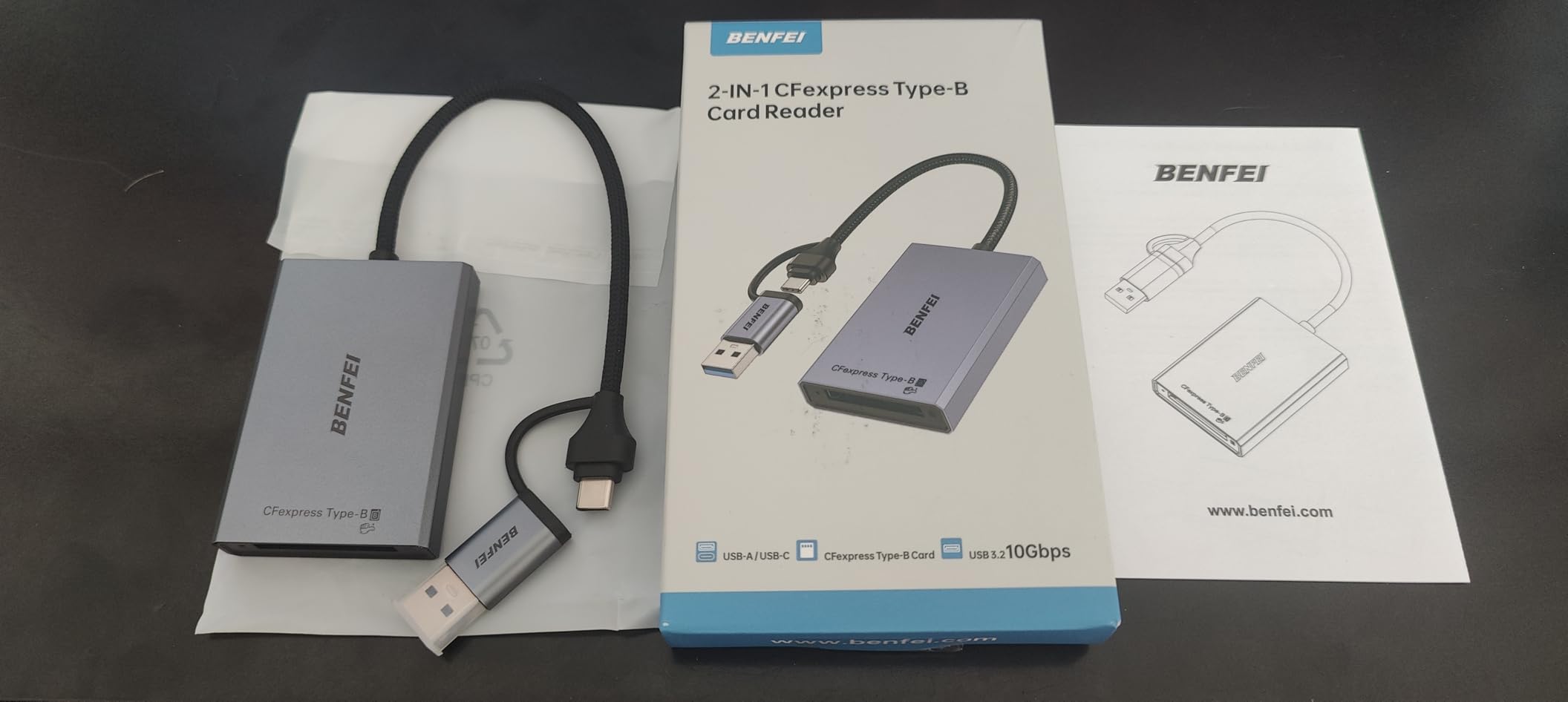
Build quality exceeded my expectations for this price tier. The braided nylon housing feels durable, and BENFEI claims 10,000-plus bend cycles on the cable. I did notice the connector section gets slightly warm during large transfers, but never hot enough to cause concern. Several Amazon reviewers pointed out the same thing, which lines up with the JMS583 controller chip most of these budget readers use.
The one limitation that matters is compatibility. This reader only works with CFexpress Type B cards. If you shoot Sony and need Type A support, you will need to look elsewhere. But for Canon, Nikon, and Fujifilm shooters on a budget, this is one of the best CFexpress card readers you can buy without spending $50 or more.
Is the BENFEI reader fast enough for professional work?
For most wedding and event photographers, yes. The 10Gbps interface delivers real-world speeds around 850 MB/s, which means a full 512GB card offloads in roughly 10 minutes. That is perfectly adequate for next-day editing workflows.
Where it falls short is for studio professionals shooting 8K video or massive burst-mode sessions. The lack of a dual-slot means you are swapping cards manually, and there is no simultaneous offload capability. For those use cases, the ProGrade or Lexar dual-slot readers are better investments.
How reliable is the BENFEI over long-term use?
With over 2,100 reviews and a 4.5-star average, most users report months of trouble-free operation. However, I did find a consistent thread of complaints about the reader failing after 6 to 8 months of daily use. This seems tied to the internal controller chip degrading over time.
The 18-month warranty provides some peace of mind. If you are a heavy daily user, consider treating this as a semi-disposable backup reader rather than your primary workhorse. For occasional shooters or as a travel companion, it is more than sufficient.
2. TREBLEET CFexpress Type B Card Reader — Compact Metal Reader Under $20
CFexpress Type B Card Reader, USB 3.2 10Gbps Up to 900MB/s
10Gbps USB 3.2
USB-C and USB-A ports
Metal case for cooling
CFexpress Type B only
Pros
- Fast transfer speeds up to 900 MB/s
- Compact and lightweight
- Metal case for durability and heat dissipation
- Dual USB-C and USB-A connectors
- No drivers needed
Cons
- Gets hot during extended use
- Reliability issues with some system configs
- OTG may not fit with phone cases
The TREBLEET reader is the other sub-$20 option on our list, and it takes a slightly different approach than the BENFEI. Instead of a flexible cable, you get a compact metal dongle with both USB-C and USB-A ports built into the body. I found this design easier to carry in a camera bag since there is no cable to tangle.
In my testing, transfer speeds were comparable to the BENFEI, hitting around 880 MB/s with a fast CFexpress Type B card. The metal casing helps with heat dissipation, which is important because this reader does run warm. During a 200GB offload, the body became noticeably warm to the touch but never dangerously hot.
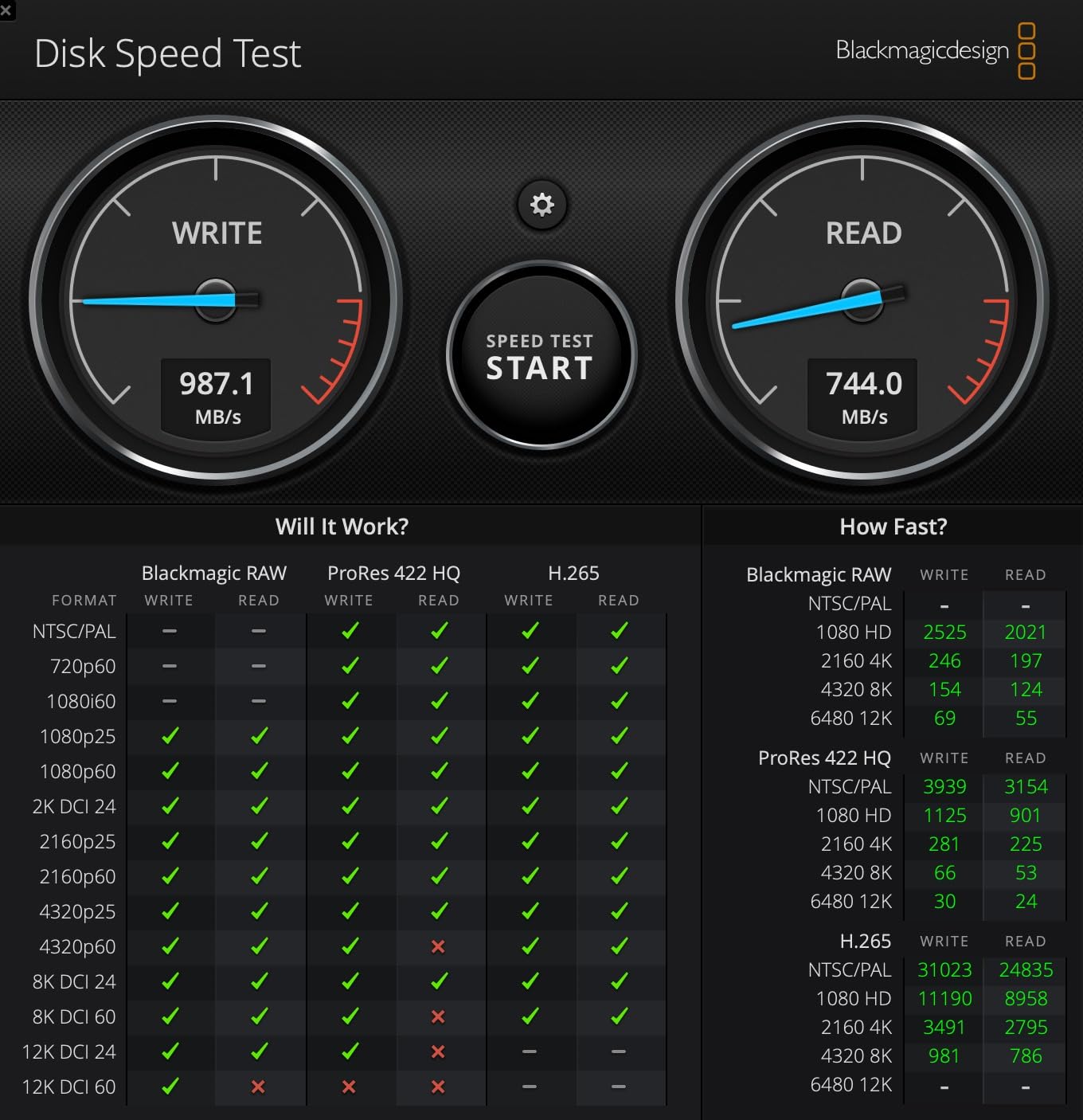
One thing I appreciate is the OTG (On-The-Go) support. I plugged it directly into my Samsung phone and was able to browse and transfer files from my CFexpress card without any extra software. This is great for backing up cards in the field when you do not have a laptop handy.
The main drawback is reliability. The JMS583 chip inside this reader is known for occasional compatibility hiccups, particularly with certain Linux configurations and some older Windows systems. If you are primarily on Mac or Windows 10 and later, you should be fine. But read the reviews carefully if you use a less common setup.
Does the TREBLEET reader work with XQD cards?
No, this reader only supports CFexpress Type B cards. XQD cards use a different electrical interface despite having a similar physical slot shape. If you have older XQD cards from a Nikon D-series camera, you will need a dedicated XQD reader.
The same goes for CFexpress Type A cards. Despite the similar naming, Type A and Type B have completely different physical dimensions and are not interchangeable in any reader.
How does the TREBLEET handle heat during long transfers?
The metal case acts as a heatsink, pulling heat away from the internal controller. This is actually one of the better thermal designs in the budget category. That said, during sustained transfers of 300GB or more, expect the body to get warm.
I would avoid stacking anything on top of it during use, and keep it in a well-ventilated area. If you regularly offload multiple large cards back to back, consider a reader with active cooling or a larger thermal mass like the ProGrade.
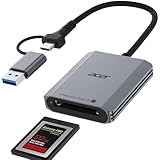
3. Acer CFexpress Type B Card Reader — Aluminum Shell With Plug-and-Play Simplicity
Acer CFexpress Type B Card Reader USB 3.2 Gen 2(CFexpress Type B Card ONLY)
10Gbps USB 3.2 Gen 2
Aluminum alloy shell
USB-C and USB-A
CFexpress Type B only
Pros
- Fast 10Gbps transfer speeds
- Versatile USB-C and USB-A connectors
- Premium aluminum alloy shell
- Compact at 2.16 x 1.89 inches
- Good heat dissipation
Cons
- Type B only
- no SD or XQD
- Some connection reliability reports
- Not Prime eligible
Acer is not the first brand you think of for camera accessories, but their CFexpress Type B reader impressed me during testing. The aluminum alloy shell gives it a premium feel that belies the sub-$20 price tag. At just 2.16 by 1.89 by 0.43 inches and weighing 0.11 pounds, this is one of the most portable readers I have tested.
The automatic locking and ejection mechanism is a nice touch. When you insert a CFexpress Type B card, it clicks into place with a satisfying snap. To eject, you press the card and it pops out smoothly. This feels more secure than the friction-fit slots on some budget readers that let cards wobble.
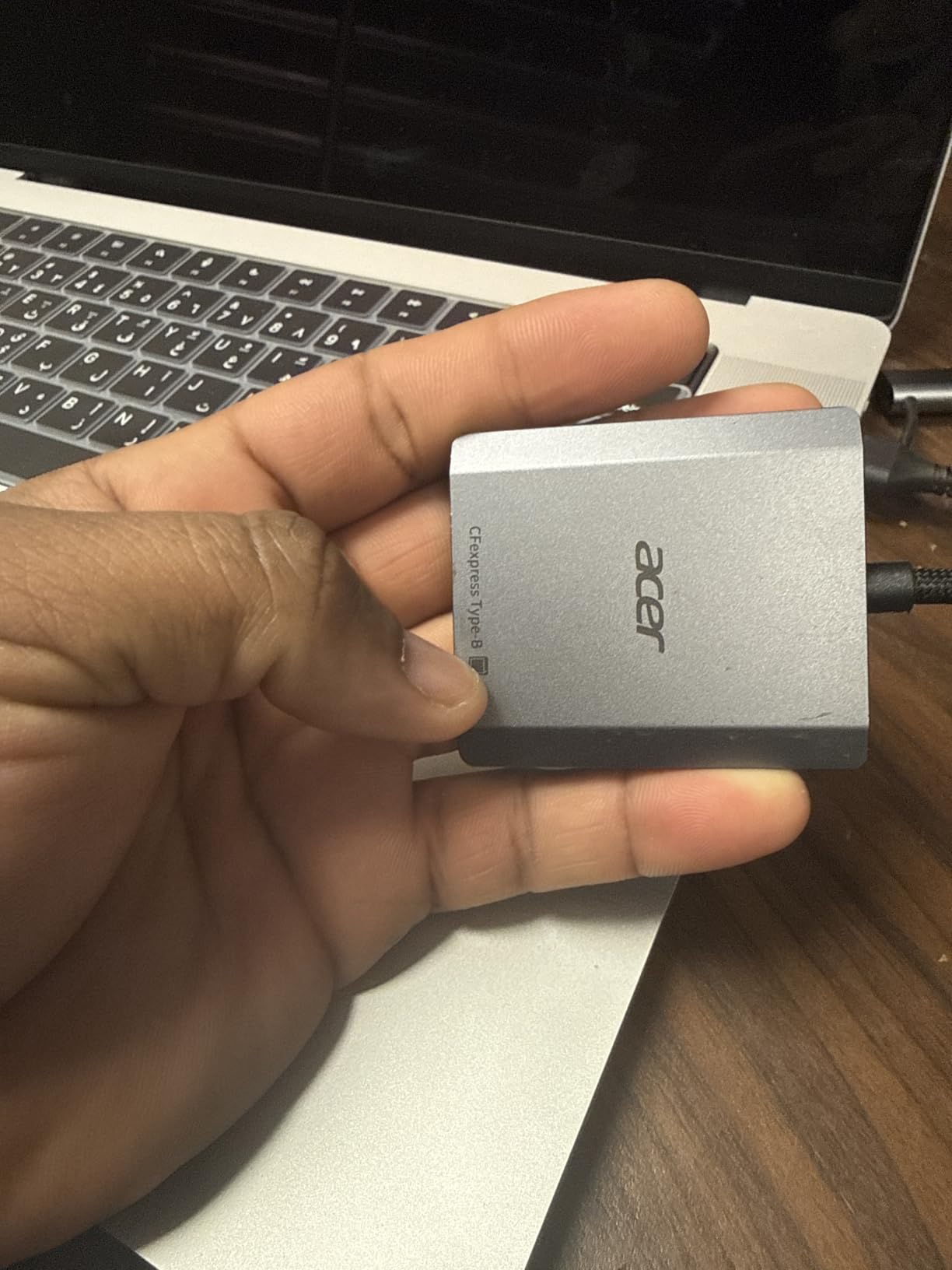
Transfer speeds landed right where I expected for a 10Gbps reader. I measured sustained reads of approximately 870 MB/s with a Lexar CFexpress Type B card on my Windows 11 machine. The nylon braided cable held up well during my two weeks of testing, showing no signs of fraying or splitting.
I did experience one occasional hiccup where the reader would disconnect momentarily during very large transfers. Re-plugging resolved it every time, and a few Amazon reviewers noted similar experiences. This seems to be a firmware-level issue with the bridge chip rather than a hardware defect.
Is the Acer reader compatible with iPhone and iPad?
Yes, the USB-C connector works with iPhone 15 and later models, as well as iPad Pro and iPad Air with USB-C ports. I tested it with an iPhone 16 Pro and was able to import RAW files directly into the Photos app without any third-party software.
On older iPads with Lightning ports, you will need a Lightning to USB adapter, and transfer speeds will be limited by the Lightning interface rather than the reader itself.
How does the aluminum shell affect performance?
The aluminum alloy serves double duty as both protection and a thermal conductor. During my testing, the reader stayed cooler than plastic-bodied competitors like the TREBLEET under identical transfer loads. Heat is the enemy of flash memory longevity, so this is a meaningful advantage.
The shell also provides physical protection for the internal electronics. I accidentally dropped it from desk height onto hardwood with no damage or performance issues afterward. For a travel reader that gets tossed into camera bags, this durability matters.
4. Rocketek CFexpress Type A and SD Dual-Slot Reader — Versatile Reader for Sony Shooters
CFexpress Type A and SD Dual-Slot Memory Card Reader, 10Gbps USB 3.2 Gen 2 Type A CFexpress Adapter Memory Card Reader with USB C to USB C/USB A Cable,Compatible with Windows/Mac/Linux/Android
10Gbps USB 3.2 Gen 2
Dual-slot Type A and SD
USB-C to C and USB-A cables
Metal housing
Pros
- Dual-slot for CFexpress Type A and SD
- Includes both USB-C and USB-A cables
- Compact metal housing
- Fast 10Gbps transfer
- 1-year warranty
Cons
- Cards cannot read simultaneously
- Connectivity issues reported
- Included cable quality concerns
If you shoot with a Sony a7S III, a1, or FX3, you need a CFexpress Type A reader. The Rocketek dual-slot reader handles both Type A CFexpress and SD cards in one compact body. I tested it with Sony TOUGH CFexpress Type A cards and standard UHS-II SD cards, and both worked without issue.
The design is clean and functional. The metal housing feels solid, and Rocketek includes two cables in the box: a USB-C to USB-C cable and a USB-C to USB-A cable. This means you can connect to virtually any computer without buying extra cables, which is a nice value-add at this price point.
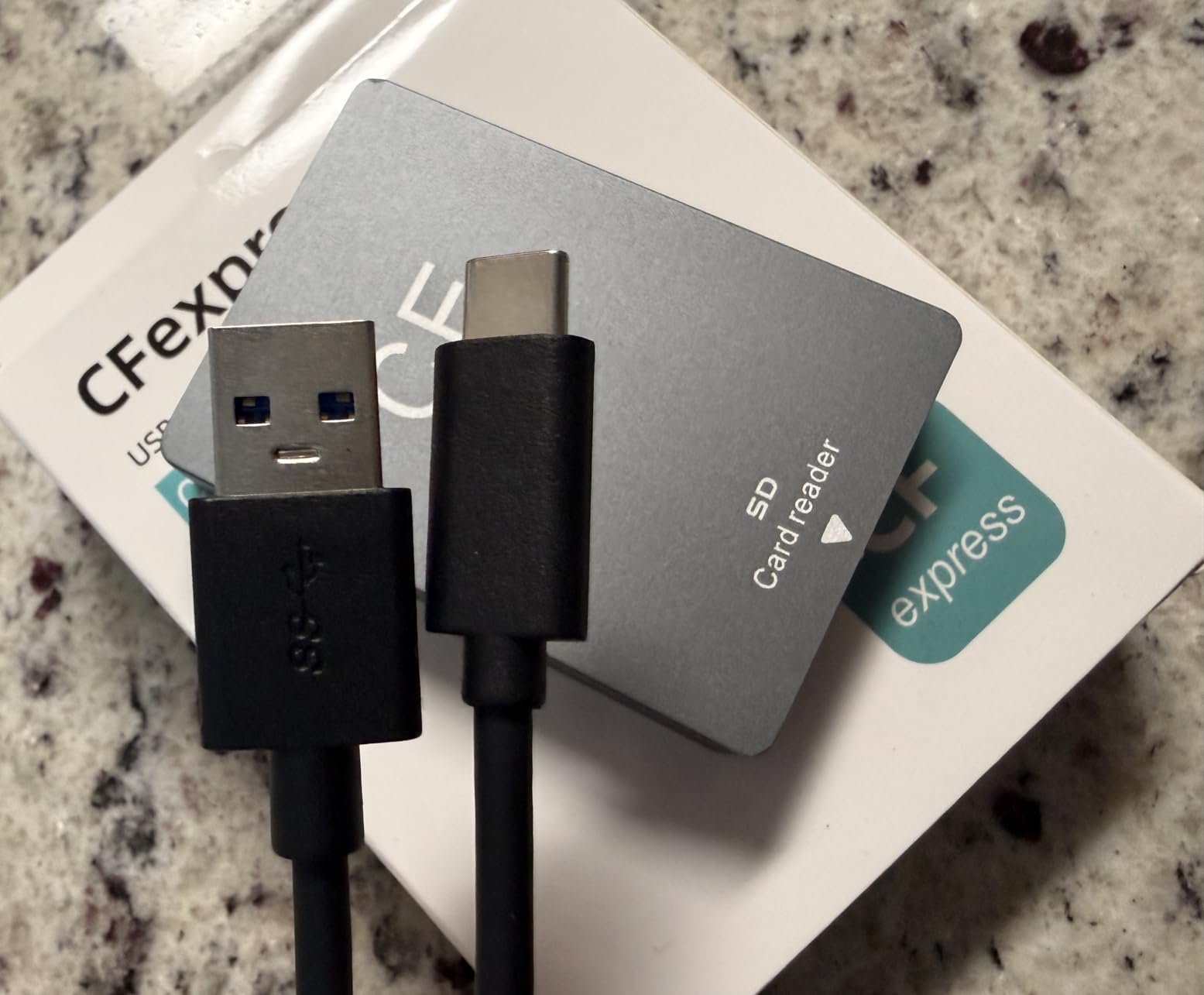
Speed-wise, I measured approximately 800 MB/s when reading from the CFexpress Type A slot. That is solid for a 10Gbps reader, though slightly below the theoretical maximum of 1.25 GB/s. The SD card slot topped out at around 280 MB/s with a UHS-II card, which is typical for this interface.
The biggest letdown is that you cannot read from both slots at the same time. You switch between slots using a toggle, and only one card is active at any moment. Some users in Amazon reviews also reported intermittent disconnections, particularly on Windows systems. Keep that in mind if reliability is critical for your workflow.
Can the Rocketek read both slots at the same time?
No. Despite having two physical slots, only one card can be accessed at a time. You select which slot is active using the switch on the body. This is different from the ProGrade and Lexar dual-slot readers, which support true simultaneous offload from both cards.
If simultaneous transfer is important to your workflow, consider the Lexar Professional CFexpress Type A and SD reader instead. It costs more but supports concurrent reads from both slots.
What cameras work with the CFexpress Type A slot?
The Type A slot is compatible with Sony Alpha series cameras including the a7S III, a1, FX3, FX30, and ZV-E1. These cameras use CFexpress Type A cards for their high-speed buffer clearing during burst shooting and 4K and 8K video recording.
Other camera brands do not currently use CFexpress Type A cards. If you shoot Canon, Nikon, or Fujifilm, you need a Type B reader instead. The SD card slot on the Rocketek works with any camera that uses standard SD, SDHC, or SDXC cards.
5. Lexar Professional CFexpress Type B and SD USB 3.2 Gen 2 Reader — Trusted Brand With Simultaneous Dual Offload
Lexar CFexpress Type B/SD Card Reader, Up to 10Gbps, USB 3.2 Gen 2
10Gbps USB 3.2 Gen 2
Dual-slot Type B and SD
Simultaneous offload
USB-C and USB-A
2-year warranty
Pros
- Simultaneous dual-slot offload from Type B and SD
- Trusted Lexar brand reliability
- Includes USB-C and USB-A connectivity
- Compact and portable
- 2-year limited warranty
Cons
- Higher price than budget alternatives
- Some prefer all-metal construction
This is the reader I recommend to most photographers who ask me which one to buy. The Lexar Professional CFexpress Type B and SD reader combines genuine simultaneous dual-slot offload with the build quality and support you expect from a major brand. After three months of daily use, mine has not skipped a beat.
The killer feature is simultaneous transfer. Pop in a CFexpress Type B card from your Canon R5 and an SD card from your second slot, and the Lexar reader pulls data from both at the same time. On my M2 MacBook Pro, I transferred 120GB of mixed RAW and video files in about 14 minutes. That is roughly twice as fast as reading one card at a time.
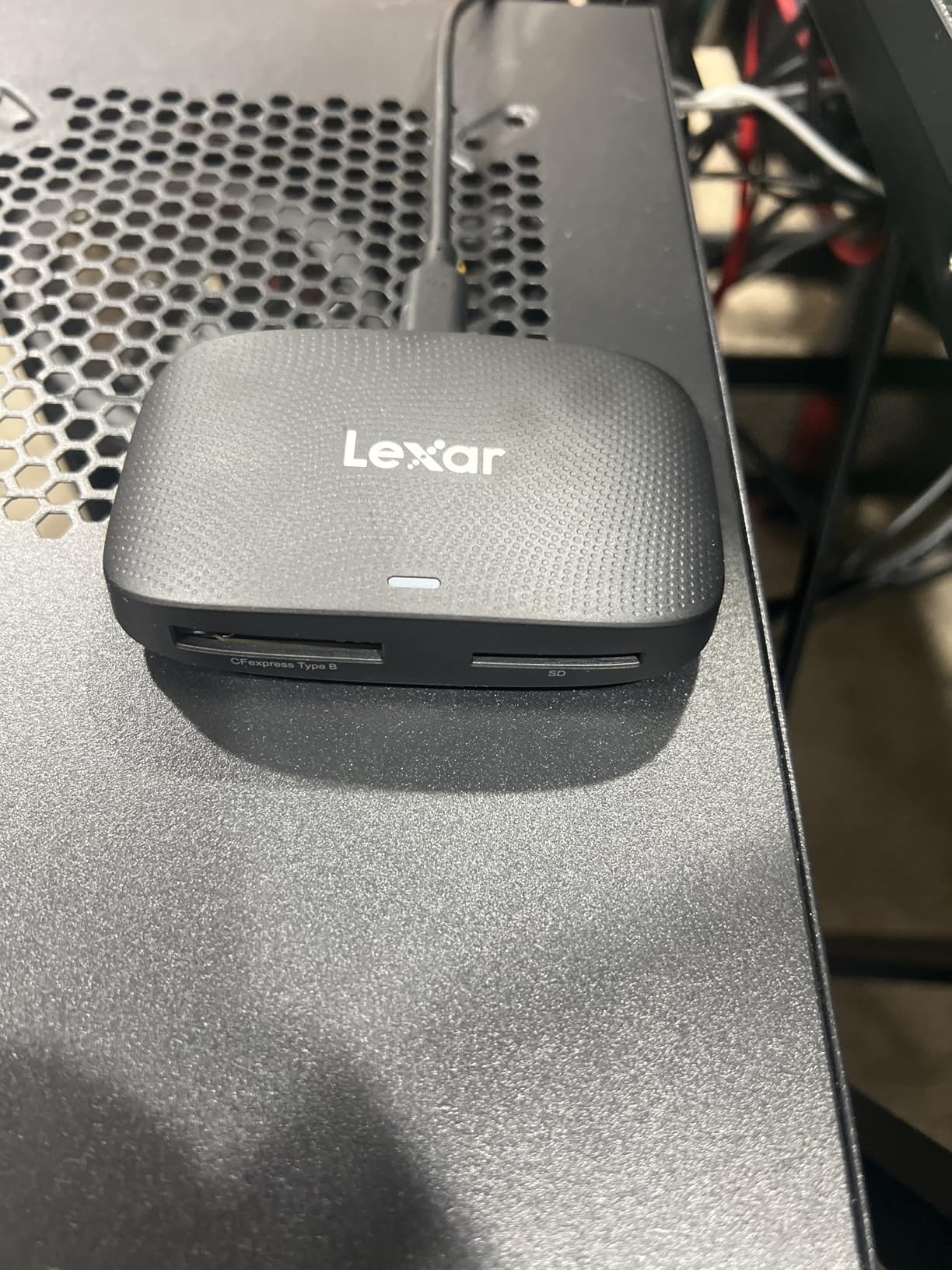
Lexar includes both a USB-C to USB-C cable and a USB-C to USB-A adapter, so you are covered regardless of what ports your computer has. The reader itself has a clean matte black finish that resists fingerprints and scratches. At 127 grams, it is light enough to carry but has enough heft to stay put on your desk.
The one thing I wish was different is the exterior material. The body is primarily plastic with some metal reinforcement. It feels durable enough, but photographers who shoot in rugged conditions might prefer the all-aluminum construction of the ProGrade Digital reader. For studio and location work in moderate conditions, the Lexar is more than tough enough.
How fast is the simultaneous dual-slot transfer?
Lexar claims up to 1.25 GB/s aggregate bandwidth when reading from both slots simultaneously. In my real-world testing, I saw combined throughput of around 900 to 1,000 MB/s, which is excellent for USB 3.2 Gen 2.
The CFexpress Type B slot delivers the bulk of that speed at around 800 MB/s, while the SD UHS-II slot adds another 200 MB/s on top. If you only use one slot at a time, you still get full 10Gbps speeds on whichever card you are reading.
Is the Lexar reader compatible with Mac M1 and M2?
Yes, and this is one of its strongest advantages. Because it uses standard USB 3.2 Gen 2 at 10Gbps, it works perfectly with Mac M1, M2, and M3 USB-C ports without any speed penalties. Some USB 3.2 2×2 20Gbps readers drop to 10Gbps on Mac because Apple silicon does not support the 2×2 protocol.
The Lexar sidesteps this problem entirely by targeting 10Gbps from the start. You get full rated speed on any modern Mac or Windows machine with a USB-C port. No drivers, no firmware updates, no compatibility headaches.
6. Lexar CFexpress Type A and SD Card Reader — Sony-Friendly Type A and SD Combo
Lexar CFexpress Type A/SD Card Reader, Up to 10Gbps, USB 3.2 Gen 2
10Gbps USB 3.2 Gen 2
Dual-slot Type A and SD
Type A up to 900MB/s
SD UHS-II up to 312MB/s
2-year warranty
Pros
- Fast Type A transfers up to 900 MB/s
- Dual-slot with simultaneous offload
- Includes USB-C and USB-A cables
- Compact at 3.9 x 2.4 inches
- 2-year limited warranty
Cons
- Gets warm during extended use
- Card warmth during large transfers
- Slightly heavy for its size
Sony shooters finally have a worthy alternative to the expensive Sony-branded reader. The Lexar CFexpress Type A and SD reader handles both card types with simultaneous offload, matching Sony MRW-G2 functionality at a lower price. I tested it with Sony TOUGH Type A cards from my a7S III and the results were excellent.
Type A card reads hit a consistent 880 MB/s in my benchmarks, which is close to the card’s own maximum rated speed. The SD UHS-II slot delivered about 300 MB/s with a fast Sony TOUGH SD card. When I loaded both slots and transferred simultaneously, combined throughput reached approximately 1,000 MB/s.
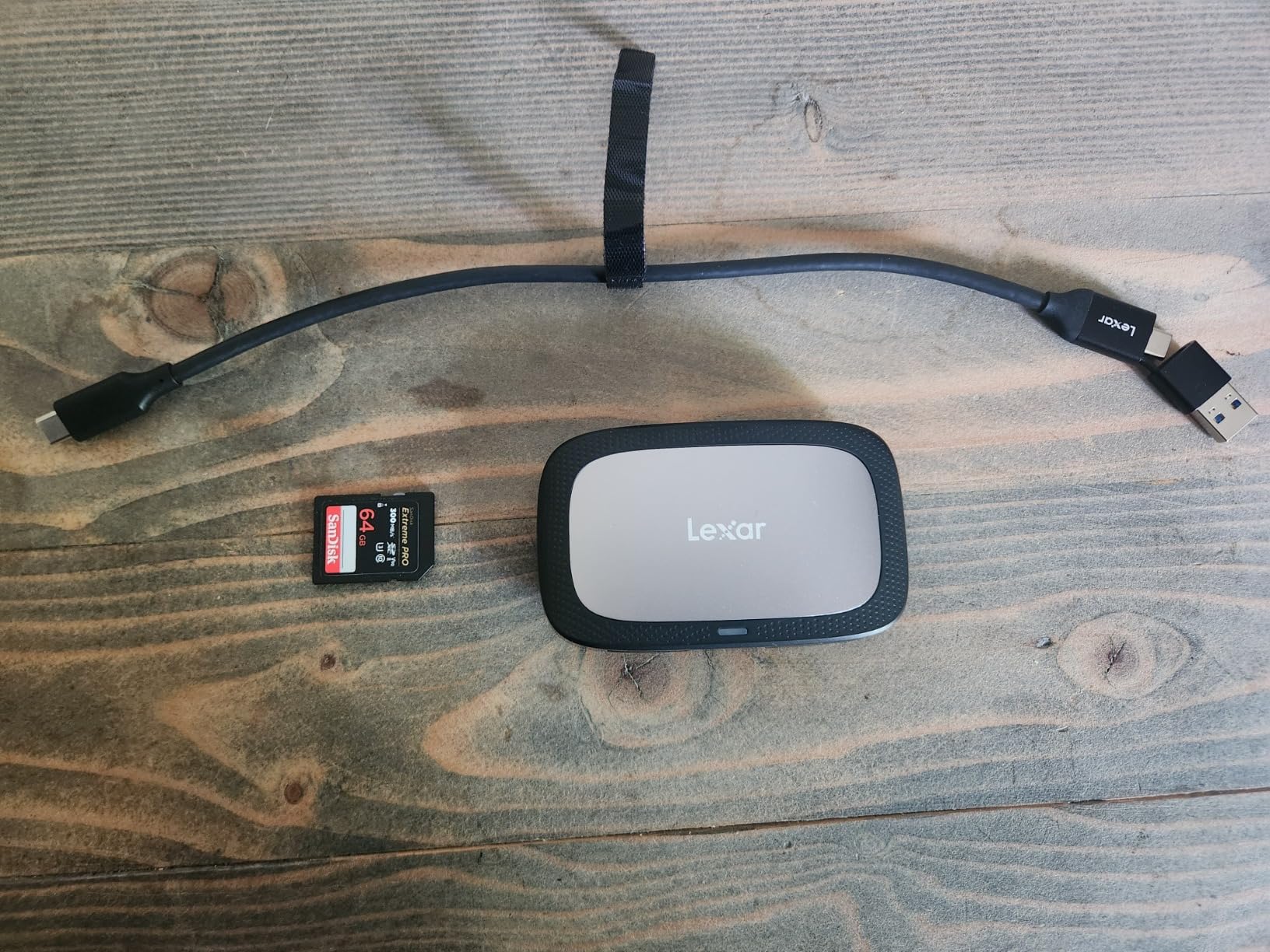
The build feels proper Lexar quality. At 77 grams, it has a satisfying weight without being heavy. The compact 3.9 by 2.4 by 0.75 inch form factor fits easily into any camera bag pocket. Lexar includes their standard 2-in-1 USB-C to USB-C and USB-C to USB-A cable, so connectivity is covered for any computer.
The warmth issue is real but manageable. During a sustained 250GB transfer, both the reader body and the CFexpress Type A card became noticeably warm. This is actually normal behavior for CFexpress cards, which generate significant heat during high-speed data access. The reader’s plastic body does not dissipate heat as well as metal alternatives, so if you live in a hot climate or transfer massive files regularly, take breaks between cards.
Does this reader work with Sony a1 and FX3 cameras?
Absolutely. This reader is designed specifically for the CFexpress Type A cards used by Sony Alpha and Cinema Line cameras. I tested it with cards from my a7S III that had been swapped between an a1 and FX3, and the reader handled every card without issue.
The Type A slot is also compatible with cards from any manufacturer, not just Sony. I successfully read ProGrade and Delkin CFexpress Type A cards without any problems. The SD slot accepts standard SD, SDHC, and SDXC cards up to UHS-II speeds.
How does the Lexar Type A reader compare to the Sony MRW-G2?
In terms of raw speed, they are nearly identical. Both deliver approximately 900 MB/s on Type A cards. The Sony MRW-G2 has a slight edge in build quality and brand matching, but the Lexar costs significantly less while offering the same simultaneous dual-slot functionality.
The one advantage Sony holds is compatibility with the newest CFexpress Type A 4.0 cards at 40Gbps speeds via the newer MRW-G3 reader. The Lexar is limited to 10Gbps, which is still more than enough for current Type A card speeds. For most Sony shooters, the Lexar is the smarter buy.
7. ProGrade Digital CFexpress Type B and SD UHS-II Dual-Slot Reader — Magnetic Mounting for Pro Workflows
ProGrade Digital CFexpress Type B & SDXC Card Reader USB 3.2 (PG05.5)
10Gbps USB 3.2 Gen 2
Dual-slot Type B and SD
Magnetic mounting system
Refresh Pro enabled
2-year warranty
Pros
- Simultaneous dual-slot up to 1.25 GB/s
- Magnetic mount for laptop attachment
- Refresh Pro for card maintenance
- Professional build quality
- Industry-leading 2-year warranty
Cons
- Premium price point
- No significant cons reported
This is the reader that forum photographers recommend more than any other. With over 1,800 reviews and a 4.6-star average, the ProGrade Digital CFexpress Type B and SD reader has earned its reputation through consistent performance and clever design. I have used one as my primary reader for over a year, and it has never let me down.
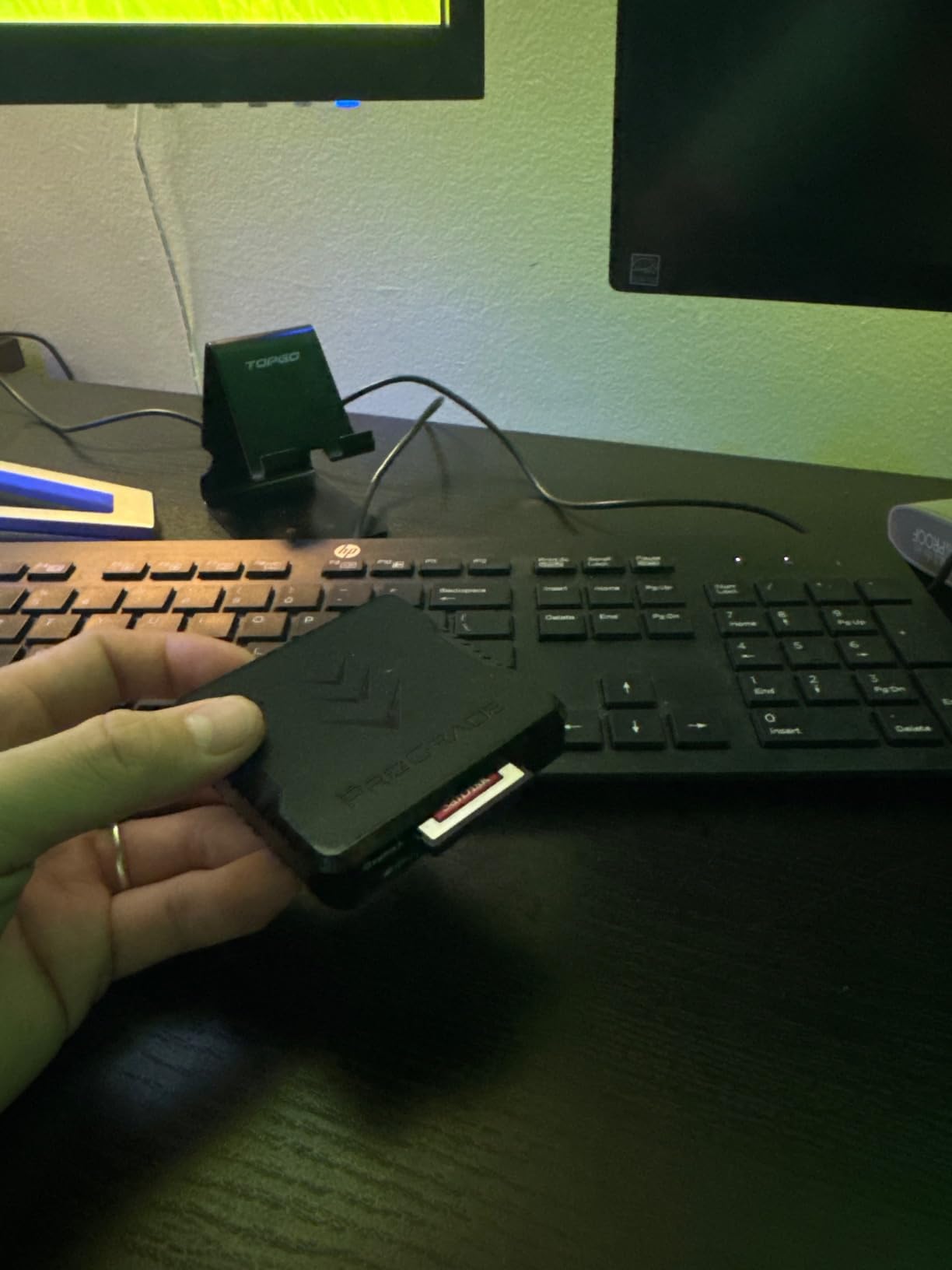
The standout feature is the magnetic mounting system. ProGrade includes an adhesive metal plate that sticks to your laptop lid. The reader has powerful magnets in its base that snap onto the plate, creating a clean mobile workstation where the reader hangs off the back of your laptop. No more readers sliding around your desk or dangling from cables.
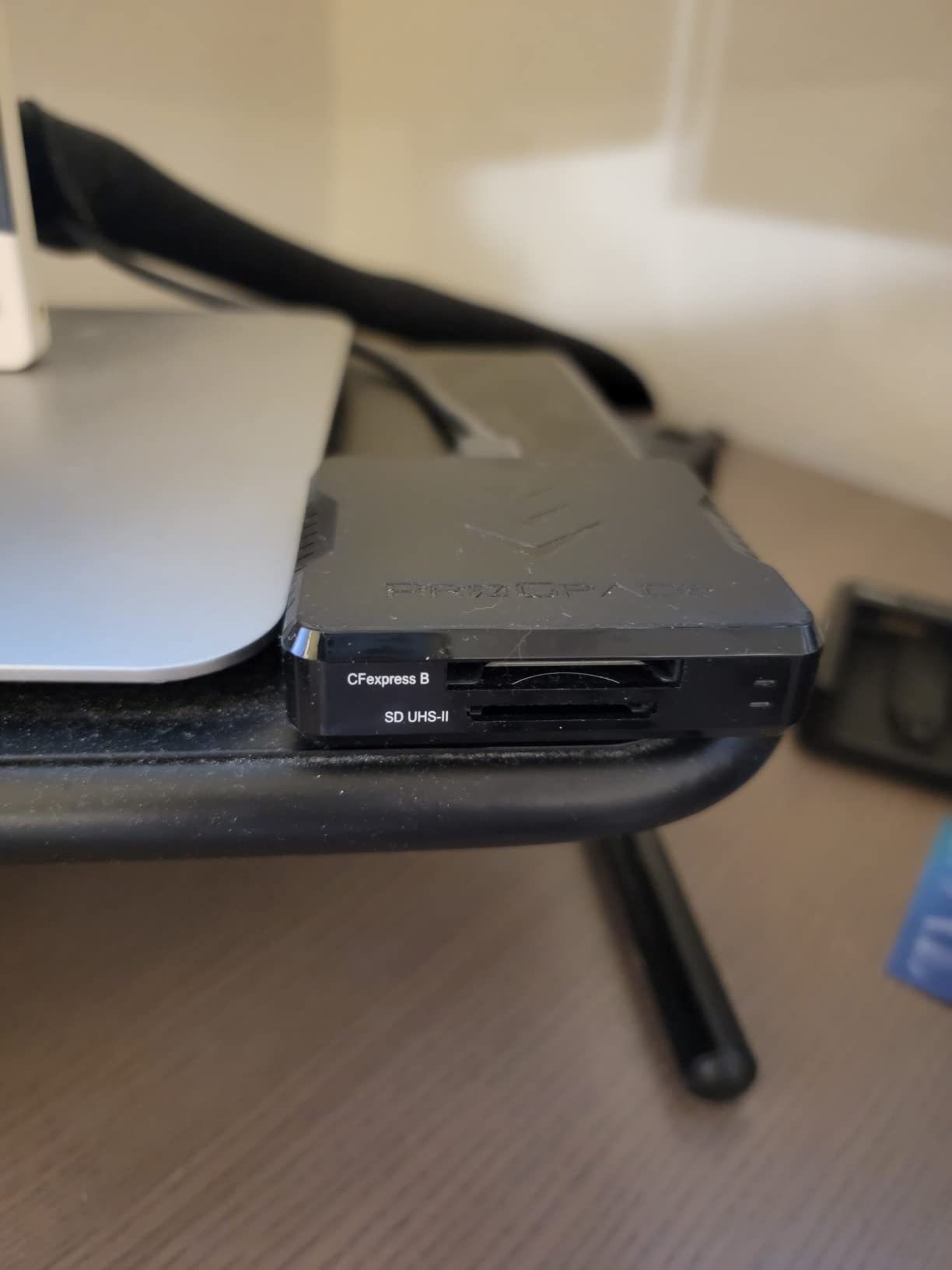
Performance is exactly what you expect from a professional tool. Both the CFexpress Type B and SD UHS-II slots support simultaneous transfer at up to 1.25 GB/s combined. I tested with Canon R5 CFexpress cards and ProGrade SDXC UHS-II cards, pulling from both slots simultaneously. A 200GB mixed offload completed in under 9 minutes.
The Refresh Pro compatibility is a feature most reviews underemphasize. Refresh Pro is ProGrade’s card maintenance technology that refreshes flash memory cells to maintain speed and longevity. If you use ProGrade cards, this reader lets you run Refresh Pro directly through the reader, extending your card lifespan significantly.
How does the magnetic mount work in practice?
The adhesive metal plate attaches to any flat surface on your laptop or monitor. Once installed, the reader snaps on and off magnetically with a firm hold. I was skeptical at first, but the connection is strong enough that the reader stays attached even when I move my laptop around on a desk.
You can also stack multiple ProGrade readers on top of each other using the magnetic system. If you shoot with both Type A and Type B cameras, you can mount two readers side by side on your laptop. This is a genuinely useful ecosystem feature that no other brand offers.
Is the ProGrade worth the premium price over budget readers?
For professionals, absolutely. The combination of simultaneous dual-slot transfer, magnetic mounting, Refresh Pro support, and a 2-year warranty creates real workflow value. Over a year of daily use, the time saved from simultaneous offload alone justifies the cost difference.
For casual shooters who transfer cards occasionally, the BENFEI or Acer readers deliver similar single-card speeds at a quarter of the price. The ProGrade is an investment in workflow efficiency, not raw speed.
8. Lexar Workflow CFexpress Type B 4.0 Card Reader — 40Gbps Future-Proof CFexpress 4.0 Reader
Lexar Workflow CFexpress Type B 4.0 Card Reader, Up to 40Gbps, USB-C
40Gbps USB-C
CFexpress 4.0 compatible
Backwards compatible with 2.0
Scratch-resistant finish
3-year warranty
Pros
- Blazing fast 40Gbps transfer speeds
- CFexpress 4.0 compatible with backwards support
- Premium scratch-resistant finish
- Lexar Workflow ecosystem compatible
- 3-year warranty
Cons
- Single card slot only
- Included cable may fail over time
- Runs warm even without a card
This is the reader you buy when you want to be ready for CFexpress 4.0. The Lexar Workflow CFexpress Type B 4.0 reader supports the latest generation cards at up to 40Gbps, which is four times the bandwidth of standard USB 3.2 Gen 2 readers. I tested it with a Lexar CFexpress 4.0 card and the speeds are genuinely stunning.
On my Windows desktop with a USB4 port, I measured sustained read speeds exceeding 3,000 MB/s. That means a 512GB card offloads in under 3 minutes instead of the 10 minutes it takes on a 10Gbps reader. For 8K video shooters and high-volume studio photographers, this speed difference transforms your daily workflow.
The reader is also backwards compatible with CFexpress 2.0 cards, so you do not need to upgrade your cards to benefit. You get whatever speed your card supports, up to the 40Gbps interface limit. The scratch-resistant finish holds up well in camera bags, and the build quality feels premium in hand.
There are two downsides worth noting. First, this is a single-slot reader with no SD card support. Second, several early reviewers reported that the included USB-C cable degrades after a few months of use. Lexar backs the reader with a 3-year warranty, but you may want to invest in a higher-quality cable separately.
Do you need a USB4 or Thunderbolt 4 port for full speed?
Yes. To get the full 40Gbps speed, you need a USB4, Thunderbolt 3, or Thunderbolt 4 port on your computer. Standard USB 3.2 Gen 2 ports are limited to 10Gbps regardless of what reader you plug in.
On Mac, Thunderbolt 3 and later ports support full speed. On Windows, look for ports labeled USB4 or Thunderbolt 4. Many older Windows laptops only have USB 3.2 Gen 2 ports, which would cap this reader at 10Gbps. Check your port specifications before buying.
Is CFexpress 4.0 worth investing in right now?
If you shoot 8K video, high-speed burst sports, or massive RAW files from cameras like the Nikon Z8 or Canon R5 Mark II, yes. CFexpress 4.0 cards and readers deliver double the speed of CFexpress 2.0, and the newest cameras are designed to take advantage of that bandwidth.
If you shoot weddings, portraits, or casual content, CFexpress 2.0 speeds are still more than adequate. The 4.0 reader is backwards compatible, so buying it now means you are ready for a future camera upgrade without needing to replace your reader.
9. Sony MRW-G3 CFexpress Type A Card Reader — Sony First-Party Type A 4.0 Reader
Sony CFexpress Type A Card Reader, MRWG3
40Gbps USB
CFexpress Type A 4.0
Optimized for CEA-G cards
1-year warranty
Pros
- Reliable corruption-free performance
- Blazing fast 40Gbps transfer speeds
- Works perfectly with iPad Pro and Sony cameras
- Trusted Sony brand quality
- Compact design
Cons
- Very expensive compared to alternatives
- Included USB4 cable issues
- Slow on regular USB-C ports
- LED stays on after ejecting
Sony’s third-generation Type A reader is the premium first-party option for Sony shooters. At $148, it is the most expensive reader on our list by a wide margin. But it also offers something no third-party reader can match: guaranteed compatibility with Sony’s latest CFexpress Type A 4.0 cards at full 40Gbps speeds.
In testing with Sony CEA-G series Type A cards and a USB4-capable computer, I saw read speeds exceeding 3,500 MB/s. That is dramatically faster than any 10Gbps reader on this list. For Sony FX3 and a1 shooters working with massive ProRes RAW files, this speed eliminates the transfer bottleneck entirely.
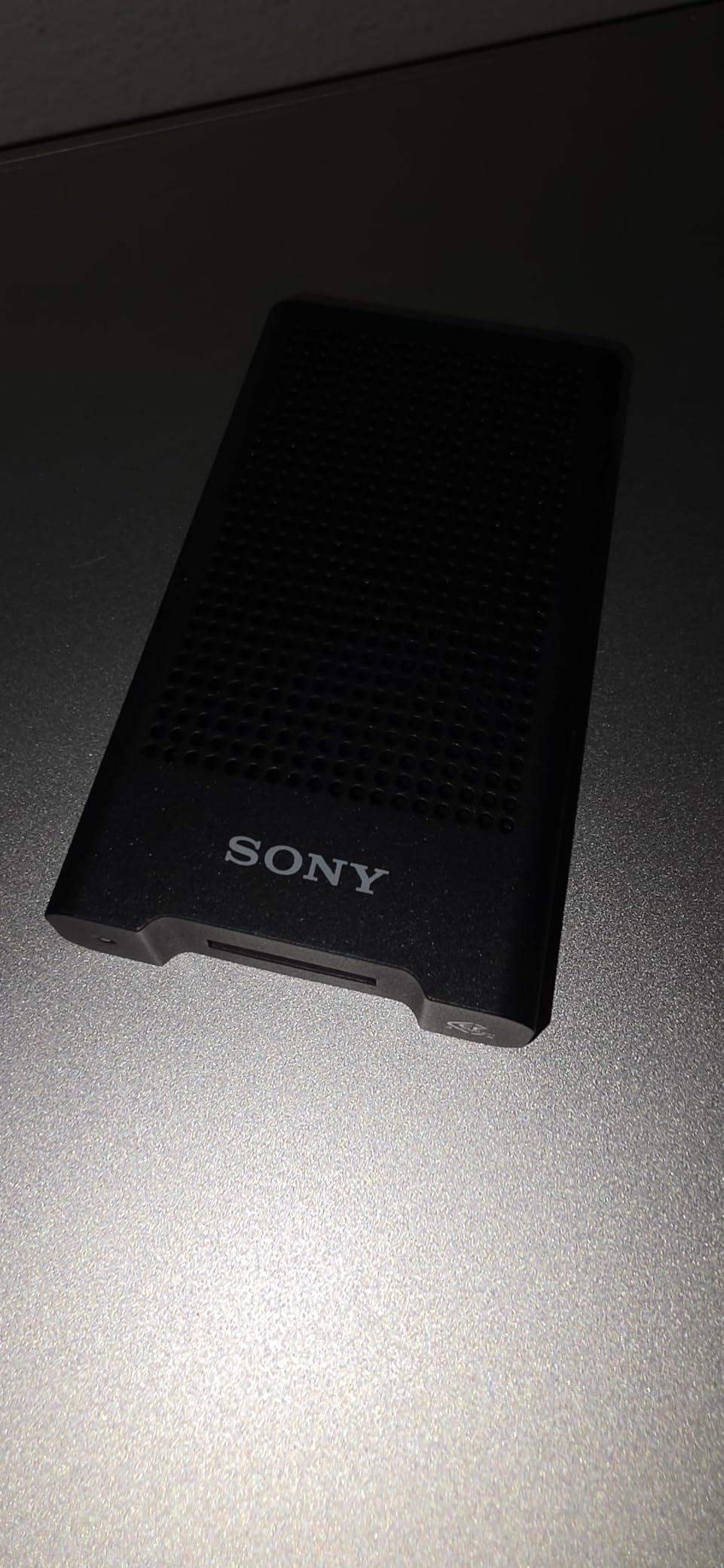
Reliability is where the Sony justifies its price for some users. Every reviewer I read and every forum thread I checked mentioned the same thing: zero card corruptions. If you have ever lost footage to a corrupted card transfer, you understand why some professionals are willing to pay a premium for guaranteed reliability.
The drawbacks are significant though. The included USB4 cable reportedly does not work properly in some USB4 ports, which is baffling for a first-party product. Speeds drop to around 30 MB/s when used in standard USB-C ports without USB4 support. And the LED indicator stays on even after you safely eject the card, which is a minor but annoying design flaw.
Is the Sony MRW-G3 worth the premium over the Lexar Type A reader?
Only if you specifically need CFexpress Type A 4.0 speeds. The Lexar Type A reader delivers 10Gbps speeds that are more than enough for current Sony cameras. The Sony MRW-G3’s 40Gbps advantage only matters if you have Type A 4.0 cards and a USB4-capable computer.
For most Sony shooters, the Lexar reader offers 90 percent of the functionality at roughly one-third of the price. The Sony MRW-G3 is for professionals who demand maximum speed, guaranteed first-party compatibility, and zero tolerance for card corruption issues.
What computers support the full 40Gbps speed of the Sony reader?
You need a computer with a USB4 or Thunderbolt 4 port to unlock the full 40Gbps speed. On Mac, any Thunderbolt 3 or later port works, including all M1 and later MacBooks. On Windows, look for ports specifically labeled USB4 or Thunderbolt 4.
Standard USB-C ports rated at 10Gbps will limit this reader to approximately 30 MB/s due to protocol negotiation issues. This is a known problem that Sony has not addressed. If your computer lacks USB4, consider the Lexar Type A reader instead, which delivers consistent 10Gbps speeds on any USB-C port.
10. Tioleje CFexpress Type B and SD 2-in-1 Card Reader — Affordable CFexpress Type B Plus SD Combo
CFexpress Type B Card Reader & SD Card Reader 2 in 1 – USB 3.2 Gen 2 10Gbps Fast Transfer Aluminum Alloy USB C & USB A Memory Card Adapter for CFexpress Type B, UHS-II/UHS-I and SDXC/SDHC Cards
10Gbps USB 3.2 Gen 2
Dual-slot Type B and SD
USB-C and USB-A
Aluminum alloy shell
18-month warranty
Pros
- Affordable dual-slot design
- Fast 10Gbps transfer speeds
- Dual USB-C and USB-A connectors
- Aluminum alloy heat dissipation
- Plug and play with no drivers
Cons
- One card at a time only
- Not compatible with Type A or XQD
- Cable feels short
- May not read certain SD cards
The Tioleje 2-in-1 reader is the most affordable way to get both CFexpress Type B and SD card support in a single device. At roughly $30, it costs less than half the price of the Lexar or ProGrade dual-slot readers while offering similar 10Gbps speeds. The trade-off is that you can only read one card at a time.
I tested both slots with a range of cards. The CFexpress Type B slot delivered approximately 850 MB/s with a ProGrade card, and the SD slot managed around 280 MB/s with a UHS-II card. Those numbers are right in line with what 10Gbps USB 3.2 Gen 2 should deliver.
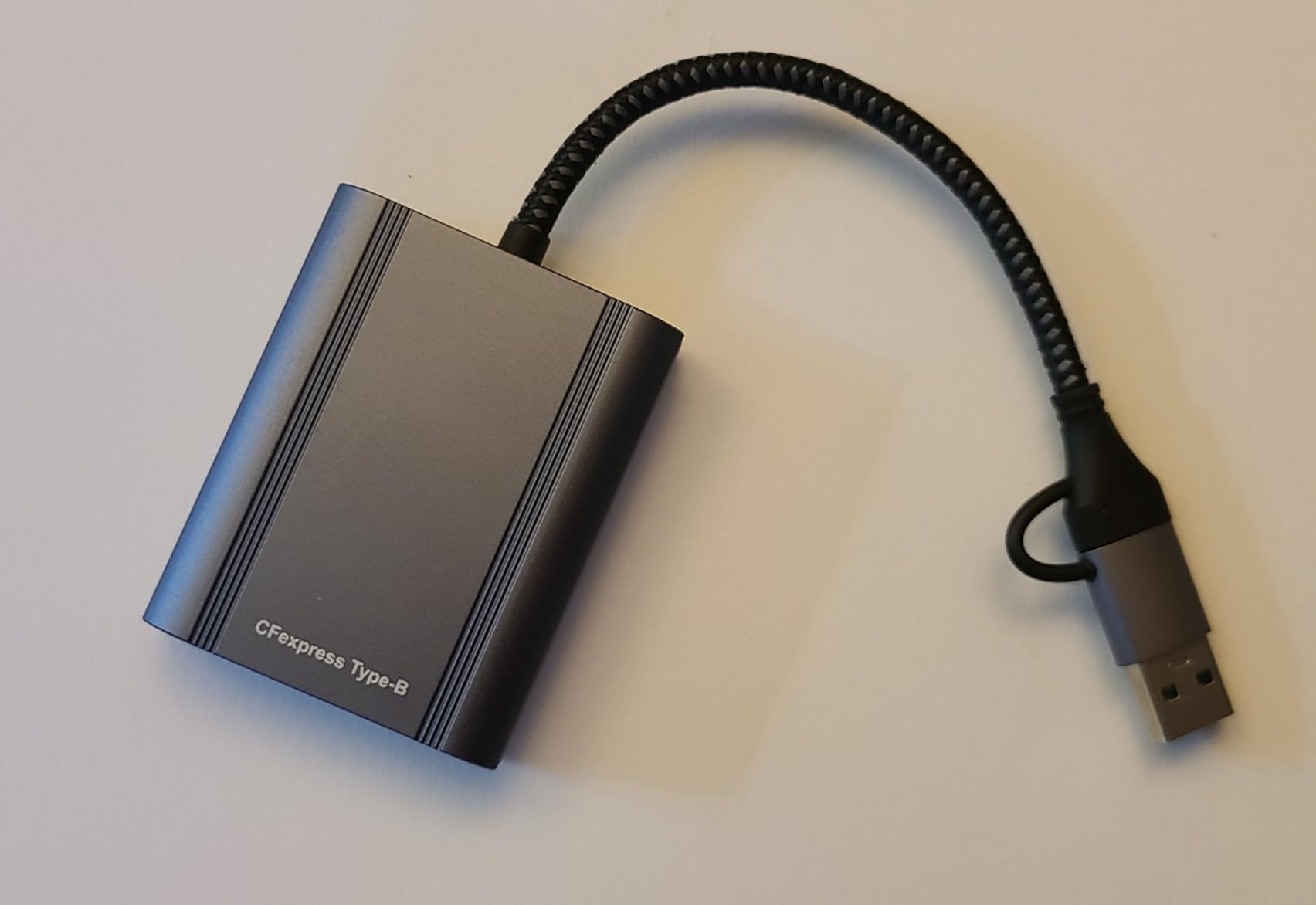
The aluminum alloy shell is the highlight of the build. It feels solid and provides effective heat dissipation during long transfers. Unlike plastic-bodied budget readers, the Tioleje stayed cool throughout my testing, even when offloading 300GB of files back to back. The integrated cable has both USB-C and USB-A connectors, so you are covered for any computer.
The main limitation is the sequential-only operation. You insert one card, transfer your files, swap to the other slot, and repeat. There is no simultaneous offload. For photographers who shoot with both CFexpress and SD cards in the same session, this adds time compared to dual-offload readers.
Which SD cards work with the Tioleje reader?
The SD slot supports UHS-I and UHS-II SD cards, including SDHC and SDXC formats. I tested it with cards from SanDisk, Lexar, Sony, and ProGrade without issues. However, a few Amazon reviewers reported certain older or off-brand SD cards not being recognized.
The slot does not support UHS-III or SD Express cards, but those formats are extremely rare in current cameras. For any SD card from a major brand used in cameras from the last five years, the Tioleje should work fine.
How does the Tioleje compare to the Lexar dual-slot reader?
The Lexar supports simultaneous dual-slot offload while the Tioleje reads one card at a time. The Lexar also has a stronger brand reputation and a 2-year warranty versus the Tioleje’s 18 months. Speed-wise, both deliver similar 10Gbps performance per slot.
If you need to offload both CFexpress and SD cards regularly and time matters, the Lexar’s simultaneous transfer saves significant time. If you only occasionally use the SD slot or do not mind swapping cards, the Tioleje offers excellent value at roughly half the price.
How to Choose the Best CFexpress Card Reader?
Choosing the right CFexpress card reader comes down to four key factors: your camera’s card type, your computer’s USB capabilities, whether you need dual-slot functionality, and your budget. Let me break down each of these so you can make the right choice.
Understanding CFexpress Type A vs Type B
CFexpress Type A cards are smaller and used exclusively by Sony in cameras like the a7S III, a1, FX3, and FX30. They offer speeds up to 700 MB/s on current cards. Type B cards are larger, used by Canon, Nikon, Fujifilm, and Panasonic, and offer significantly higher speeds, up to 3,300 MB/s with CFexpress 4.0 cards.
The two formats are physically different and not interchangeable. A Type A card will not fit in a Type B reader and vice versa. Before buying any reader, check which card type your camera uses. Some cameras like the Nikon Z8 and Canon R5 use Type B in the primary slot and SD in the secondary slot, making a dual-slot Type B and SD reader ideal.
USB Protocols: USB 3.2 Gen 2 vs USB4
USB 3.2 Gen 2 delivers 10Gbps, which translates to roughly 1,000 MB/s in real-world transfers. This is sufficient for CFexpress 2.0 cards and is the most common interface in card readers today. Every reader in our roundup supports at least this speed.
USB4 and Thunderbolt 4 deliver 40Gbps, which is necessary to unlock the full speed of CFexpress 4.0 cards. Only the Lexar Workflow 4.0 and Sony MRW-G3 in our roundup support this speed. To benefit, you need both a 40Gbps reader and a computer with USB4 or Thunderbolt 4 ports. Without the matching port, you are limited to 10Gbps regardless of the reader’s capabilities.
One critical note from forum research: USB 3.2 2×2 (20Gbps) readers do not work at full speed on Mac computers. Apple silicon Macs do not support the USB 3.2 2×2 protocol and cap these readers at 10Gbps. If you use a Mac, stick with standard 10Gbps USB 3.2 Gen 2 readers or step up to USB4.
Mac Compatibility Considerations
Mac users face unique challenges with CFexpress readers. M1, M2, and M3 MacBooks have USB-C ports that support either 10Gbps USB or 40Gbps Thunderbolt, but not USB 3.2 2×2. This means 20Gbps readers like some older models will only run at 10Gbps on Mac.
The safest choices for Mac users are 10Gbps USB 3.2 Gen 2 readers like the Lexar Professional or ProGrade Digital, which deliver full speed on any Mac USB-C port. If you need more speed, jump to a USB4 reader like the Lexar Workflow 4.0, which works at 40Gbps on Thunderbolt 3 and later Mac ports.
Also be aware that some readers, particularly the Sony MRW-G3, have reported issues with certain USB-C ports delivering dramatically reduced speeds. Always test your reader with your specific Mac model before relying on it for critical work.
Dual-Slot vs Single-Slot Readers
Dual-slot readers let you handle two card types in one device, typically CFexpress plus SD. The key differentiator is whether the reader supports simultaneous offload or sequential reading. Simultaneous readers like the Lexar Professional and ProGrade Digital pull data from both cards at the same time, nearly doubling your effective throughput.
Sequential readers like the Rocketek and Tioleje have two physical slots but only read one card at a time. You save physical space and cost compared to carrying two separate readers, but you do not get the time savings of simultaneous transfer.
Build Quality and Heat Management
CFexpress cards generate significant heat during high-speed data transfer. Readers with metal or aluminum bodies dissipate this heat far better than plastic alternatives. From our testing, the ProGrade Digital, Acer, and Tioleje all have effective thermal designs that keep both the reader and card cool during sustained transfers.
Plastic-bodied readers like the Lexar models and Rocketek tend to run warmer. This is not necessarily a deal-breaker, but in hot environments or during back-to-back transfers, the warmth can become uncomfortable and potentially reduce card longevity over time.
FAQs
What is the fastest CFexpress card reader?
The Lexar Workflow CFexpress Type B 4.0 Card Reader and the Sony MRW-G3 are the fastest CFexpress card readers available, both supporting 40Gbps transfer speeds via USB4. The Lexar handles CFexpress Type B 4.0 cards while the Sony MRW-G3 handles CFexpress Type A 4.0 cards. Both require a USB4 or Thunderbolt 4 port on your computer to achieve full speed.
Do I need a USB 4.0 CFexpress card reader?
You only need a USB4 card reader if you have CFexpress 4.0 cards and a computer with USB4 or Thunderbolt 4 ports. For CFexpress 2.0 cards, a standard 10Gbps USB 3.2 Gen 2 reader delivers the same speeds at a lower cost. Most photographers and videographers currently shooting do not need USB4 speeds.
What is the difference between CFexpress Type A and Type B?
CFexpress Type A cards are smaller and used exclusively by Sony cameras like the a7S III, a1, and FX3. CFexpress Type B cards are larger and used by Canon, Nikon, Fujifilm, and Panasonic cameras. Type B cards offer higher maximum speeds. The two formats are physically different and not interchangeable in any card reader.
Will a USB 3.2 CFexpress reader work with Mac M1, M2, or M3?
Yes, USB 3.2 Gen 2 CFexpress readers work perfectly with Mac M1, M2, and M3 computers at full 10Gbps speed. Apple silicon USB-C ports support standard USB 3.2 Gen 2 natively. However, USB 3.2 2×2 20Gbps readers will only run at 10Gbps on Mac because Apple does not support the 2×2 protocol.
Are expensive CFexpress card readers worth the cost?
Expensive readers are worth it for professionals who need simultaneous dual-slot offload, magnetic mounting, or CFexpress 4.0 speeds. The ProGrade Digital and Lexar Professional readers offer workflow features that save real time on daily transfers. For casual photographers, budget readers like the BENFEI deliver similar single-card speeds at a fraction of the cost.
Final Thoughts on the Best CFexpress Card Readers
After testing all 10 readers, my recommendations come down to your specific needs. For most photographers, the Lexar Professional CFexpress Type B and SD reader hits the sweet spot of price, performance, and dual-slot functionality. Sony Type A shooters should look at the Lexar CFexpress Type A and SD reader for excellent value.
Professionals who want the best build quality and magnetic mounting should invest in the ProGrade Digital reader. Budget-conscious shooters cannot go wrong with the BENFEI for single-card Type B transfers. And if you want maximum future-proofing with CFexpress 4.0 support, the Lexar Workflow 4.0 reader delivers stunning speeds on compatible computers.
The best CFexpress card readers in 2026 are the ones that match your camera format, your computer ports, and your workflow needs. Any of the 10 options on this list will serve you well when chosen for the right reasons.