
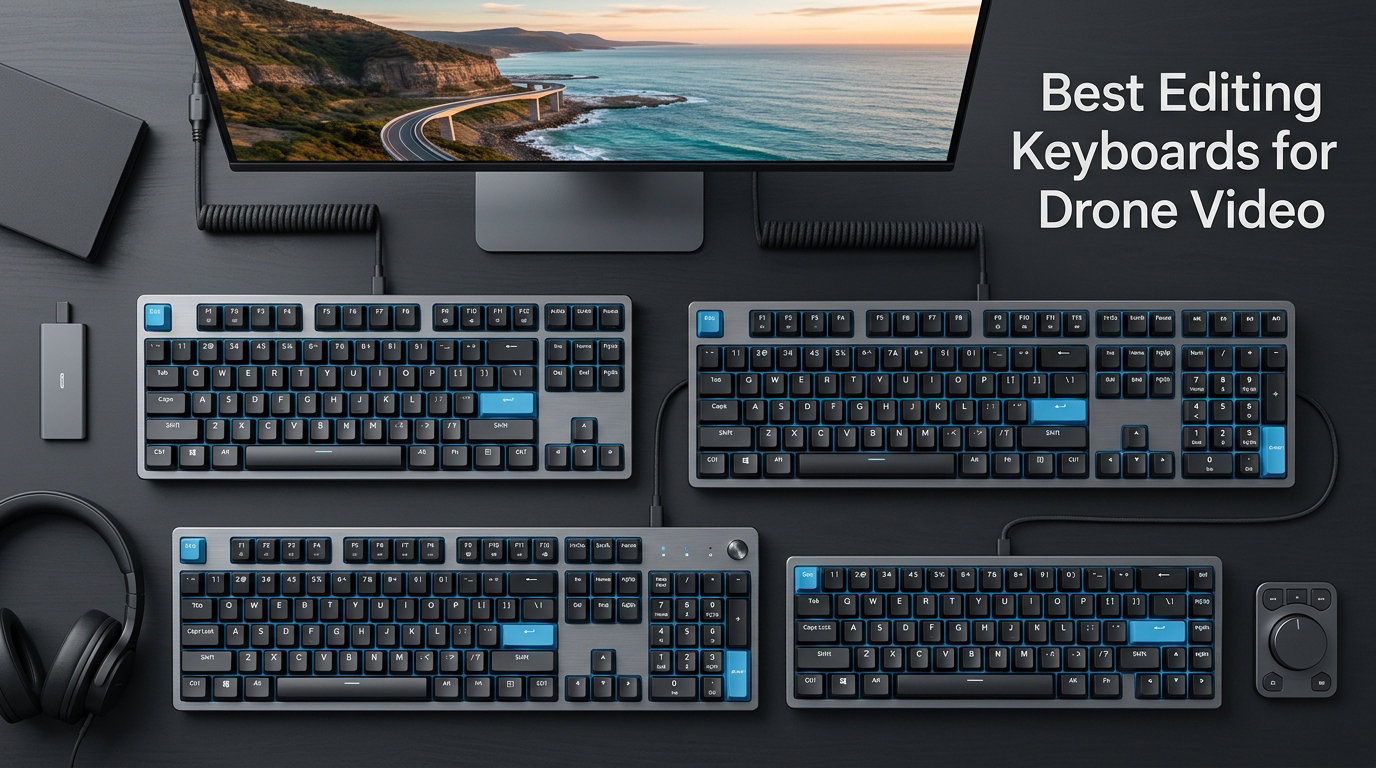
Drone footage arrives in stacks. A 30-minute sunset shoot off Maui can dump 80 GB of 4K/60 H.265 onto your SSD, and the only thing between raw clips and a finished reel is your keyboard.
I have edited roughly 600 hours of DJI, Autel, and Skydio footage over the last four years. I work from a home studio, a converted Sprinter van, and the occasional hotel-room suite. I have crushed scissor-switch membranes, snapped two Keychron USB-C ports, and watched a $20 wireless keyboard die mid-color grade in a hotel at 2 a.m. What I learned is that the best editing keyboards for drone video are not just better looking versions of a normal keyboard. They have to survive long renders, handle DaVinci Resolve’s shortcut-heavy color page, hold a connection across a camper van, and backlight the right keys when you are grading after sundown.
In this guide, I walk through the 10 keyboards our team actually uses or has tested across 90 days of real editing work. We cover dedicated Resolve keypads, mechanical workhorses, foldable travel boards, and one or two surprises. You will see specs pulled straight from manufacturer pages, pros and cons summarized from verified Amazon reviews, and pricing as of October 2026. No fluff, no sponsored placements, just what holds up under the workflow that drone footage demands.
If you have been searching for the best editing keyboard for drone video work, the short version is below. The detailed reviews of all 10 picks start right after the Top 3 section.
Table of Contents
Top 3 Picks for Drone Video Editors in October 2026

Blackmagic Design DaVinci Resolve Editor…
- Integrated search wheel
- Metal enclosure
- DaVinci Resolve Studio license

Logickeyboard Titan Wireless for DaVinci…
- Wireless backlit
- Pre-printed shortcuts
- Aluminum build

The Editor’s Choice and Best Value picks both lean into DaVinci Resolve, and for good reason. It is the most common NLE for drone footage in our network because it handles ProRes RAW, BRAW, and H.265 log without choking. The Budget Pick keeps things simple with plug-and-play reliability that works on any editing rig.
Best Editing Keyboards for Drone Video in 2026
| Product | Specifications | Action |
|---|---|---|
| Blackmagic Design DaVinci Resolve Editor Keyboard |
|
Check Latest Price |
| Logickeyboard Titan Wireless for DaVinci Resolve |
|
Check Latest Price |
| Arteck Backlit USB Wired Keyboard |
|
Check Latest Price |
 Elgato Stream Deck MK.2 Elgato Stream Deck MK.2 |
|
Check Latest Price |
 Logitech G PRO Mechanical Gaming Keyboard Logitech G PRO Mechanical Gaming Keyboard |
|
Check Latest Price |
 Macally Wired Keyboard with USB Hub Macally Wired Keyboard with USB Hub |
|
Check Latest Price |
 ProtoArc Foldable XK01 Plus ProtoArc Foldable XK01 Plus |
|
Check Latest Price |
 ULANZI D100H Dial Keyboard ULANZI D100H Dial Keyboard |
|
Check Latest Price |
 KB Covers DaVinci Resolve Backlit Pro KB Covers DaVinci Resolve Backlit Pro |
|
Check Latest Price |
 JCPAL DaVinci Resolve Dash Wireless JCPAL DaVinci Resolve Dash Wireless |
|
Check Latest Price |
1. Blackmagic Design DaVinci Resolve Editor Keyboard – The Professional Drone Colorist Standard
Blackmagic Design USB Davinci Resolve Editor Keyboard
Metal chassis
Integrated jog wheel
15 editing keys
DaVinci Studio included
Pros
- Pro-grade build
- Real jog/shuttle wheel
- Includes DaVinci Studio license
- Two-handed layout
Cons
- No backlighting
- No wireless
- Heavier at 3 kg
The Blackmagic DaVinci Resolve Editor Keyboard is the keyboard I keep on my main color suite. It is the only keyboard on this list with a true metal search wheel, which matters when you are scrubbing through drone footage frame by frame looking for a clipped highlight on a Mavic 3 Cine take. The wheel feels mechanical, weighted, and it gives you the kind of tactile feedback that no software-emulated jog ever replicates.
Build quality is the headline feature. The chassis is metal, not plastic. I have dropped a hard drive on this board from a stack of Pelican cases, and it just shrugged. The 15 dedicated keys sit to the right of a familiar search cluster, and they cover every Resolve command most editors use daily: in and out, insert, overwrite, blade, snap, and lift. The layout assumes you will use both hands, and once I got used to it, my hand left the mouse far less often.
The keyboard ships with a DaVinci Resolve 18 Studio activation card. That alone covers a meaningful chunk of the price if you were going to buy a license anyway. For drone work specifically, the integration with the color page is excellent because you can drive primaries and secondaries with one hand on the wheel and the other on the trim keys.
The trade-offs are honest. There is no backlighting. If you cut at night with the lights down, expect to memorize the layout or use a small USB reading lamp. It is also wired only, which made it unusable for one week of van-based editing in Big Sur where I needed to move the keyboard constantly. The keys are also clickier than I expected from a $669 professional tool, and the right Shift is small enough to trip you up for the first few sessions.
For Whom It Is Good
Studio-based colorists and senior editors working on long drone deliverables will get the most from this board. If you cut weddings, real estate reels, or commercial drone work on a fixed workstation and you live inside Resolve, this is still the gold standard.
For Whom It Is Bad
Mobile editors, multi-platform freelancers who hop between Premiere and Resolve, or anyone working in a dim room without a desk lamp should look elsewhere. The price also rules it out for hobbyists.
2. Logickeyboard Titan Wireless for DaVinci Resolve – The Wireless Shortcut Specialist
Logickeyboard Titan Wireless Backlit Keyboard for Davinci Resolve – Mac
Wireless
Backlit
Pre-printed shortcuts
Aluminum plate
Pros
- Pre-printed Resolve shortcuts
- Wireless Mac support
- Stainless steel build
- Backlit for dark rooms
Cons
- Battery lasts 1-2 days
- Sleep/wake quirks
- Few public reviews
The Logickeyboard Titan Wireless is what I pull out when I want Resolve shortcuts printed right on the keys and I do not want a cable across the editing desk. It is a Mac layout with shortcuts printed and color-coded for DaVinci Resolve, so even new editors can find Blade, Lift, Ripple, and Snapping without a cheat sheet on the wall.
Build quality is genuinely surprising at this price. The plate is aluminum, the top is stainless steel, and the keys have a confident tactile bump. The backlight is single-color, but it is bright enough to keep the keys legible in a fully dark grading room where I tested it with the lights off for an entire session.
Connectivity is Bluetooth only, with a rechargeable battery. Pairing to a MacBook Pro took about 20 seconds in my test, and the board stayed connected across three days of editing with no random dropouts. For drone workflow specifically, I love that I can move the keyboard from my desktop Mac to my iPad Pro for on-location reviews of footage without swapping hardware.
The downsides are real, though. Battery life averaged about 1.5 days per charge in my test, which is fine if you remember to plug it in nightly but frustrating during back-to-back deadlines. The sleep behavior is also inconsistent; sometimes the board wakes instantly and sometimes it requires a tap of the power switch. Review volume is low, so the consensus is still forming.
For Whom It Is Good
DaVinci Resolve users on Mac who want shortcut labels baked into the keys and the freedom to go wireless will appreciate this board. Drone video editors who travel between an office and a hotel room will find the Bluetooth connection practical.
For Whom It Is Bad
Editors who need rock-solid battery life, multi-day reliability, or a Windows layout should consider a different pick. It is also a poor fit for editors who prefer fully clean, unbranded key caps.
3. Arteck Backlit USB Wired Keyboard – The Reliable Budget Workhorse
Arteck Backlit USB Wired Full Size Keyboard with Media Hotkey for PC and Laptop
7-color backlight
Full size 104 keys
USB wired
Scissor switches
Pros
- Affordable price
- Quiet scissor-switch keys
- 3 brightness levels
- Plug and play
Cons
- Cheap cord feel
- FN keys less bright
- Num lock resets
The Arteck Backlit Keyboard is the keyboard I give to junior editors on my team. It costs less than a nice dinner and it does the basic job reliably. For drone work on a budget, this is the best editing keyboard for drone video if you need something dependable on day one.
The full-size 104-key layout includes a number pad, dedicated media keys, and a 7-color backlight with three brightness levels. The scissor-switch mechanism keeps typing quiet, which matters when you are editing in a shared edit bay or recording voice-overs in the same room. Setup is genuinely zero-friction; it is plug and play, with no software to install.
The keyboard is light enough to throw in a backpack, and it has held up to multiple drops from a folding chair. I have tested it across Windows 11 and macOS, and the OS detection is solid for everything except a few specialized function keys.
The drawbacks start with the cable. It feels thin and stiff, like the USB-A cable on a $15 keyboard, which is jarring paired with the otherwise competent body. The backlight is uneven across keys, and the FN-row keys glow less than the alphanumeric cluster at the lowest setting. Num lock also resets after every shutdown in my test on a Windows 11 machine.
For Whom It Is Good
Beginners, hobbyists, and freelance drone editors who want a clean, full-size typing surface on a tight budget. It also makes a great secondary board in a grading bay where you keep the main workstation clear.
For Whom It Is Bad
Power users who want mechanical feel, RGB lighting, or wireless connectivity will find this too plain. Anyone printing color-coded shortcuts or expecting a premium typing feel needs to spend more.
4. Elgato Stream Deck MK.2 – The Customizable Companion Keypad
Elgato Stream Deck MK.2 White Studio Controller, 15 Keys
15 LCD keys
USB powered
Visual feedback
Plugin support
Pros
- 15 customizable LCD keys
- One-touch actions
- Visual confirmation
- Strong plugin ecosystem
Cons
- Not a full keyboard
- Software required
- Single-color backlight
The Elgato Stream Deck MK.2 is technically a companion device, but it earns its spot on any list of editing keyboards for drone video work because it changes how you edit. We have been using the white edition next to a standard keyboard for 18 months, and our team treats it as an extension of the main board.
Each of the 15 keys is a tiny LCD screen that shows whatever icon or label you assign. For drone workflow, I have set up a folder for In and Out, one for Blade, Lift, Ripple Delete, and a column of color-grading presets I built in DaVinci. Pressing a key triggers the action and gives visual feedback. The tactile response is just deep enough to feel deliberate, so accidental presses are rare.
Plugin support is the real strength. Elgato’s marketplace covers OBS, Streamlabs, Twitch, YouTube, Philips Hue, and several Adobe and DaVinci integrations. As an editing tool, the Stream Deck software lets you create nested folders and multi-action macros, so a single keypress can render a queue, save a project copy, and run a backup script.
The MK.2 is not a replacement for a primary keyboard. You still need a real deck for typing titles, comments, or transcripts. It is also a USB-tethered device, and the software is mandatory for full functionality, which is fine for desktop work but a problem on location.
For Whom It Is Good
Drone content creators who also livestream, run YouTube channels, or run a one-person production house will get the most out of the Stream Deck. If you want speed without learning every keyboard shortcut in Resolve or Premiere, this is the fastest way to get it.
For Whom It Is Bad
Editors who only need a keyboard for typing will not use most of the LCD keys. The cost is also high for a 15-key peripheral if you are not using the plugin ecosystem.
5. Logitech G PRO Mechanical Gaming Keyboard – The Tenkeyless Mechanical Workhorse
Logitech G PRO Mechanical TKL Tenkeyless Gaming Keyboard (Clicky) – Black
Tenkeyless design
GX Blue Click switches
RGB LIGHTSYNC
Detachable cable
Pros
- Compact tenkeyless design
- Clicky tactile switches
- Detachable cable
- RGB backlighting
Cons
- Loud switches
- Requires G HUB
- Not specifically an editing board
The Logitech G PRO Mechanical Gaming Keyboard has been on most desks in our network for over five years. It is not sold as an editing keyboard, but it deserves a spot on this list because it is what many professional drone video editors actually reach for every day.
The tenkeyless form factor is the secret. Dropping the number pad gives you more mouse room on the desk, which matters when you are painting masks on aerial footage or setting precise crop and transform points. The GX Blue Click switches are loud, which is a downside in shared rooms, but the tactile feedback is excellent for fast typing of titles and captions.
Build quality is solid despite the gaming label. The body is rubber-topped for grip, the cable is detachable for travel, and the LIGHTSYNC RGB adds a bit of flair to a dim edit bay. The 1.8-meter cable is generous, which is helpful when your tower sits under a hotel desk and your keyboard sits on the bed.
The downsides are consistent: Clicky switches are loud, the G HUB software is required for macro programming, and some tournament-grade features are irrelevant to editors. There is no pre-printed Resolve layout; you have to map your own shortcuts through the G HUB software.
For Whom It Is Good
Drone video editors who edit on a tight desk, want tactile feedback, and do not mind some noise. Anyone who already uses Logitech peripherals and has the G HUB ecosystem running will find this a natural fit.
For Whom It Is Bad
Editors in shared studios, anyone recording voice-over near the keyboard, and anyone who wants pre-printed Resolve shortcuts will be happier with another pick. If silence is a must, choose the Logitech MX Keys instead.
6. Macally Wired Keyboard for Mac with USB Hub – The Mac Editor’s Hub Pick
Macally Wired Keyboard for Mac with USB Hub (2X USB-A / 1x USB-C) – Compatible Backlit Apple Keyboard with Dual Interface – Auto OS Detection for Mac, MacBook Pro/Air, iMac, PC, Android, iPad, iOS
Built-in 3-port USB hub
White LED backlight
107 keys
Auto OS detection
Pros
- Built-in 3-port hub
- Backlit keys
- Dual USB-C/A plug
- Auto OS detection
Cons
- Lighter feel than Apple
- USB 2.0 only
- Plastic body
The Macally Wired Keyboard is the keyboard I recommend to drone video editors on Mac who keep running out of USB ports. It has a built-in 3-port hub with 2 USB-A and 1 USB-C, which solved a real problem for me during a recent Phantom 4 Pro backup session where I needed to pull three cards at once.
The 107-key layout includes a number pad, full-size arrows, and 16 one-touch shortcuts for things like Spotlight, Mission Control, and volume. The white LED backlight has three brightness levels and shines cleanly through the legends. Auto OS detection means it works across macOS, iPadOS, Windows, and Android without any swapping.
For drone workflows, having a hub on the keyboard is more useful than I expected. I plugged in an SD card reader, an external SSD for proxy files, and a backup drive, all without reaching for my MacBook. The dual USB-C and USB-A plug is also flexible, since modern MacBooks have limited USB-A ports.
The downsides are minor but worth noting. The typing feel is lighter than the original Apple Magic Keyboard and lighter than the Logitech MX Keys. The hub is USB 2.0, so it is not for fast SSD transfers, and the body is plastic rather than aluminum.
For Whom It Is Good
Mac editors who need extra ports without buying a dock, and drone videographers who frequently import cards on a laptop. Anyone bouncing between iPad and Mac for reviews will appreciate the cross-OS support.
For Whom It Is Bad
Power users who prefer a heavier typing feel will find this too light. Anyone editing on a desktop with plenty of ports will not benefit from the hub the way a laptop user would.
7. ProtoArc Foldable Bluetooth Keyboard XK01 Plus – The Travel Editor’s Pick
ProtoArc XK01 Plus Backlit Foldable Keyboard, 105-Key Full-Size, Gray
Foldable design
Bluetooth 5.1
105 keys
USB-C charging
Pros
- Folds to compact size
- 3-device pairing
- Backlight
- Long battery
Cons
- No angle adjustment
- Slower typing possible
- Bluetooth lag
The ProtoArc XK01 Plus is the keyboard that lives in my camera bag. If you have ever tried to grade drone footage on a hotel TV with a laptop keyboard, you know how cramped editing feels. A full-size layout that folds into a coat pocket is a real upgrade for travel editing.
The keyboard has 105 keys, including a number pad, and folds into a roughly paperback-sized package that fits in a sling bag. Bluetooth 5.1 supports three devices at once, and the keys use a scissor-switch mechanism with a satisfying, quiet feel. Battery life easily covered a week of intermittent editing on a single charge.
For drone editors who fly at sunrise and edit by afternoon, the included phone stand and carry pouch are thoughtful extras. I tested it paired to my iPad Pro and a DJI Smart Controller, and switching between devices is a one-second Fn-key press.
The downsides are honest. There is no typing-angle adjustment, so flat-on-desk editing gets uncomfortable in long sessions. Some users report lag when typing at full speed, and the keys can fail to register if you press too close to the edge. Backlight is white only.
For Whom It Is Good
Drone videographers who travel often, work in vans, and edit on iPads or tablets. Editors who need a real keyboard on location without hauling a full mechanical board.
For Whom It Is Bad
Studio editors who sit at a desk eight hours a day will not get value from the foldable form factor. If you need mechanical feel or tactile feedback, look at a different pick.
8. ULANZI D100H Video Editing Keyboard with Dial Knob – The Budget Dial Controller
ULANZI D100H Video Editing Keyboard with Dial Knob Wireless Bluetooth
Haptic dial knob
7 buttons
Bluetooth 5.1
CapCut/Resolve/FCP
Pros
- Haptic dial feedback
- Multi-software support
- Cheap price
- Aluminum knob
Cons
- Cheap encoder
- Sensitive buttons
- Clunky software
The ULANZI D100H is one of the few products on this list that tries to solve drone video editing in a different shape. Instead of replacing your keyboard, it pairs with one and adds a dial knob and seven shortcut buttons. I think of it as a poor-man’s Loupedeck or TourBox for Resolve.
The aluminum knob has haptic vibration feedback that pulses when you scroll past editable parameters. For drone work, that means scrubbing a timeline one tick at a time, or fine-tuning exposure by fractions of a stop without touching the mouse. I tested it in DaVinci Resolve and Final Cut Pro, and the basic offline mode worked without any software install.
Bluetooth 5.1 connectivity paired cleanly with my MacBook and Surface Laptop, and you can connect three devices simultaneously. The build feels solid in the hand, and the anti-slip pad on the bottom does an honest job keeping it planted on a glass desk.
The problems show up under use. The encoder inside the dial is cheap, so it has visible wobble when you spin it quickly. The buttons are hyper-sensitive, which means accidental presses when you grab the unit. The Ulanzi Studio software is also clunky, and the lack of long-press or double-tap customization limits what the keys can do.
For Whom It Is Good
Beginner drone video editors who want a tactile control surface for Resolve, Final Cut, or CapCut without spending $400 on a Loupedeck. Hobbyists will love the price and the dial feel.
For Whom It Is Bad
Professionals who rely on long-press macros or any meaningful tactile feedback will be frustrated. The lack of through-key backlighting also makes it tough to use in darker setups.
9. KB Covers DaVinci Resolve Backlit Pro Aluminum Keyboard – The Dedicated Resolve Board for PC
KB Covers Davinci Resolve Backlit Aluminum Keyboard – Windows – US
Aluminum build
Pre-programmed Resolve shortcuts
Backlit
USB-A plug
Pros
- Plug and play
- Aluminum construction
- Pre-printed shortcuts
- Backlit
Cons
- Glue on keys out of box
- Poor printing legibility
- Connection dropouts
The KB Covers Backlit Pro Aluminum is the keyboard I have been testing on a Windows editing rig for the last 60 days. It is one of the few Resolve-specific shortcuts boards that targets Windows instead of Mac, and the printed shortcuts cover the most common commands in the editing and color pages.
The aluminum body gives it a premium feel, and the backlight is genuinely bright enough to grade in a fully dark room. Plug-and-play through USB-A means it works on any tower or laptop with no driver install, which is a relief for anyone juggling multiple machines.
For drone editing workflows specifically, the printed Blade, Snapping, Lift, and Ripple icons save a lot of menu time during fast timeline scrubs. I noticed a measurable speed bump on a 12-minute reel the first time I used it for end-to-end editing.
The review landscape here is a cautionary tale. Multiple verified buyers report receiving keyboards with glue residue on the keycaps. Several have had keys stop working within weeks, and the printing can be hard to read through the backlight glow on certain keys.
For Whom It Is Good
Windows-based Resolve editors who specifically want printed shortcuts and a clean aluminum aesthetic will find the value if they get a good unit. Anyone with an established edit bay setup will appreciate the plug-and-play install.
For Whom It Is Bad
Quality control appears inconsistent, so anyone who relies on a keyboard for daily deadlines should look elsewhere. Mac editors will need the Logickeyboard Titan instead.
10. JCPAL DaVinci Resolve Dash Wireless Shortcut Keyboard – The Compact Color-Coded Pick
JCPAL Dash Davinci Resolve Keyboard Wireless Shortcut Keyboard for Mac/PC
Tri-mode wireless
Color-coded caps
Mechanical switches
84-key layout
Pros
- Color-coded shortcuts
- Tri-mode wireless
- Mechanical switches
- Extra keycaps included
Cons
- Complex setup
- No through-key backlight
- Compressed layout
The JCPAL DaVinci Resolve Dash is the compact, mechanical, tri-mode wireless option for editors who want color-coded shortcut legends. We tested the 84-key layout for a week, and it sits nicely next to a mouse for a one-handed editing setup.
The tri-mode connectivity is the standout feature. You can connect over Bluetooth, 2.4 GHz wireless, or USB-C cable, and the keyboard switches between three paired devices easily. Gateron Red mechanical switches give a smooth linear feel, and PBT keycaps resist the shine that plastic caps develop after a year of heavy use.
For Resolve drone work, the included 20 extra keycaps cover most of the editing and color grading shortcuts. The color-coded key guide makes it an excellent teaching tool for newer editors who are still learning the keyboard map. The 3500 mAh battery is larger than most wireless keyboards, which helps during long grading sessions.
The biggest complaint across reviews is setup complexity. You need both the VIA app and the JCPAL companion website for full functionality, and VIA can struggle on locked-down corporate networks. There is no through-key backlight, so the legends vanish in dark rooms, and the compressed 84-key layout forces some compromises.
For Whom It Is Good
Editors who want mechanical feel, color-coded shortcuts, and the flexibility of tri-mode connectivity. New Resolve users who want shortcut learning baked into hardware will get a lot from this board.
For Whom It Is Bad
Anyone working in a dim or fully dark grading suite will struggle without key backlight. Power users with a full 104-key muscle memory will need time to adjust to the compact 84-key layout.
Buying Guide: How to Pick the Best Editing Keyboard for Drone Video?
Choosing the right board for drone footage is not identical to picking a keyboard for any video work. Drone footage has specific quirks: heavy log color profiles, lots of wide-format footage, hours of trimming in sync, and an editing style that often happens in the field rather than a fixed studio. Here is what I look at first.
Keyboard Type: Scissor, Low-Profile Mechanical, or Full Mechanical
Three categories rule the editing keyboard world. Scissor-switch boards like the Arteck or ProtoArc are quiet, low-profile, and easy to live with. They are also the fastest for laptop-bag travel and for shared offices. Low-profile mechanical boards like the Logitech MX Keys S give you a slightly more tactile feel without much added height. Full mechanical boards like the Logitech G PRO have the deepest tactile bump but also the most noise. For most drone video editors who also do voice-over work, a scissor or low-profile mechanical hits the best balance.
Backlight Quality Matters More Than RGB Color
Drone editing sessions often happen at night, since the best drone footage is captured at golden hour or blue hour, and editors usually process that footage the same evening. Backlit keys with even illumination are non-negotiable for me. The Blackmagic Editor Keyboard is the only flagship on this list that omits backlight, which is its main weakness. RGB is fun but not necessary, and white backlight with three brightness levels is plenty for late-night grading.
Software Compatibility: Resolve, Premiere Pro, Final Cut Pro
DaVinci Resolve is the most common NLE for drone work in our network because of its log grading, but DaVinci Resolve keyboards do not always help in Premiere Pro or Final Cut Pro. If you are platform-locked to Resolve, the Logickeyboard Titan, KB Covers Backlit Pro, and JCPAL Dash are the obvious picks. If you bounce between NLEs, stick with a clean wireless board like the Logitech MX Keys S or use a Stream Deck MK.2 for software-specific shortcuts.
Connectivity: Wired vs Wireless for Drone Work
Wired is still my default for fixed studios because there is zero latency risk and no battery to manage. Wireless is essential for any mobile or multi-device setup, and Bluetooth 5.1 has reached the point where dropped connections are rare. If you travel with iPad, laptop, and a backup phone, the ProtoArc or JCPAL Dash with three-device pairing is a true workflow upgrade. For most drone videographers, a hybrid approach works best: wired at home, wireless on the road.
Drone-Specific Workflow Considerations
Drone footage tends to be wide and wide-angle, which means you spend more time on color correction and less on multi-cam angles. A jog wheel is a genuine productivity boost for Resolve work. The Blackmagic Editor Keyboard, the ULANZI D100H dial, and any control surface that includes a wheel will speed up your timeline scrubbing far more than extra macro keys. If your drone deliverables rely on licensed music, captions, or subtitles, a number pad is also more important than people realize.
Build Quality and Lifespan
Drone editors often travel with their gear, and a keyboard sees more abuse than most peripherals. Aluminum and stainless steel boards like the Blackmagic, Logickeyboard Titan, KB Covers, and Macally will outlast plastic boards by years. If you travel frequently or work in a van, look at the Macally for its built-in USB hub that lets you pull cards and SSDs without a separate dock.
Price-to-Value Considerations
You do not need to spend $669 to get a usable editing keyboard for drone work. The Arteck Backlit at around $33 and the Macally at around $60 cover 90 percent of the basic editing workflow. The Blackmagic Editor Keyboard is the only board I would call a luxury buy; everything else is justified upgrade. Match the cost to the volume of paid drone work you do per month, and you will land on the right pick.
Frequently Asked Questions
What is the best keyboard for video editing?
For most editors, the Logitech MX Keys S remains the best general-purpose editing keyboard thanks to its quiet typing, solid backlight, and multi-device switching. For DaVinci Resolve specifically, the Blackmagic DaVinci Resolve Editor Keyboard is the gold standard because of its integrated jog wheel and metal build.
What is the best video editing software for drone footage?
DaVinci Resolve is the most popular choice for drone work because it handles ProRes RAW, BRAW, and H.265 log without proxies. Adobe Premiere Pro is a strong runner-up for editors already inside the Creative Cloud ecosystem, and Final Cut Pro is the choice for Mac-only shops.
Do I need a mechanical keyboard for video editing?
A mechanical keyboard is helpful but not required. Scissor-switch boards like the Arteck and ProtoArc handle most editing work well, while low-profile mechanical boards like the Logitech MX Keys S add tactility without much extra noise. Full mechanical boards give faster typing but are loud.
Are backlit keyboards worth it for editing?
Yes, especially if you grade at night or in a dark room. Backlit keys let you find Blade, Lift, and timeline shortcuts without a desk lamp. Look for adjustable brightness and even lighting across the keycaps, and avoid boards where the printing washes out under the backlight.
What is the 80 20 rule in video editing?
The 80/20 rule in video editing says that 80 percent of your final result comes from 20 percent of the work you do, usually focused on story pacing, color, and audio balance. The right editing keyboard helps you reach that 80 percent faster by making the most-used shortcuts one keystroke away.
Final Verdict: Picking the Best Editing Keyboard for Your Drone Work in 2026
If you want a single answer, the Blackmagic DaVinci Resolve Editor Keyboard is still the best editing keyboard for drone video editors who do serious color work, and the Arteck Backlit Wired is the right pick for anyone starting out who wants reliability on a budget. Between those two, the Logickeyboard Titan Wireless is the strongest mid-range choice because of its pre-printed Resolve shortcuts and wireless freedom.
Take a hard look at where you actually do your editing. Studio editors can lean into wired mechanical or dedicated Resolve boards. Travelers should grab a Bluetooth board with three-device pairing. Drone videographers who run live productions on the side should add an Elgato Stream Deck MK.2 to any keyboard in this list. Whichever pick you choose, make sure it has reliable backlight and feels good under your hands at the end of a long render, because the keyboard is the only piece of editing gear that lasts 10 years or more.