
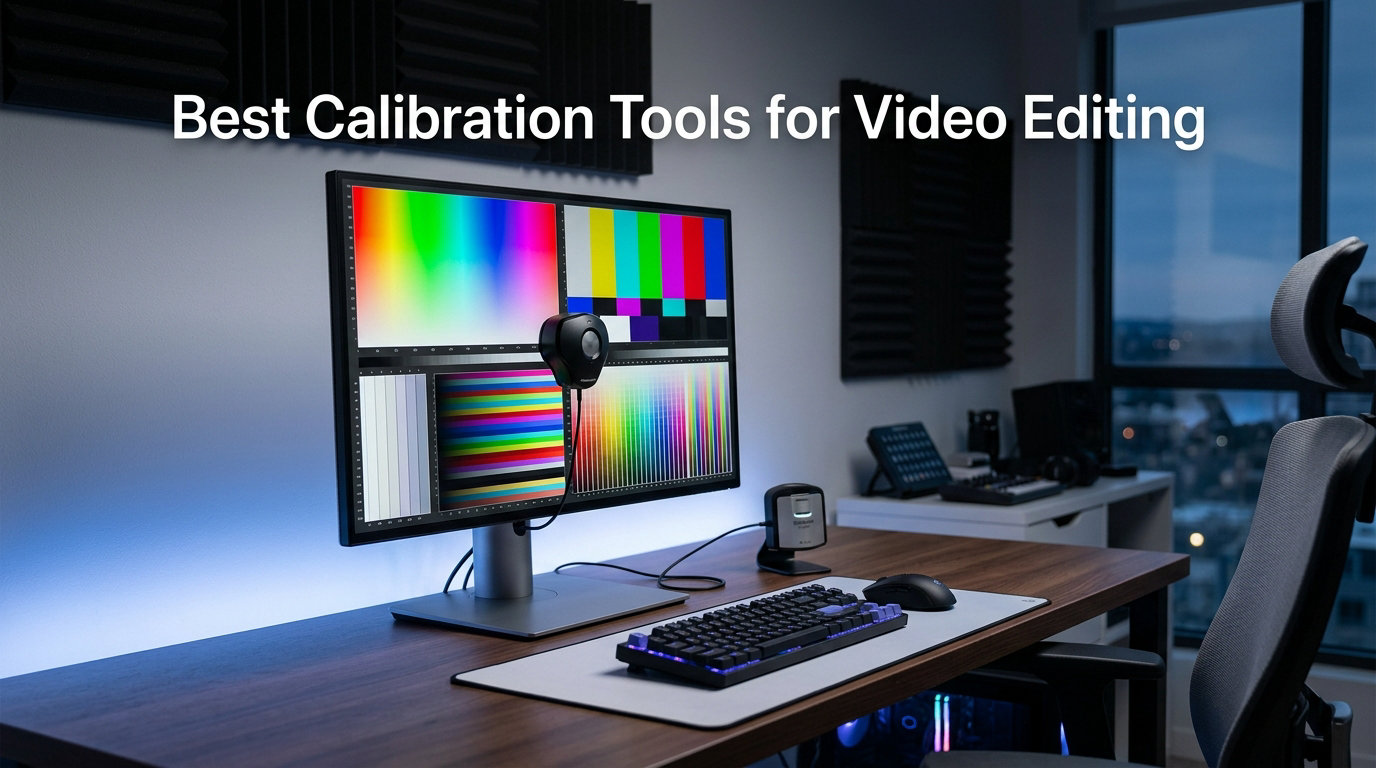
If you have ever graded a video, exported it, and then watched it on your phone only to see completely different colors, you already know why calibration tools for video editing matter. Every monitor drifts over time, and even a brand-new display arrives with its own color biases that throw off your grading decisions.
A calibration tool measures exactly how your screen renders colors, then builds a profile that corrects those inaccuracies so what you see matches what your audience will see. For video editors working in DaVinci Resolve, Premiere Pro, or Final Cut Pro, this is not a luxury. It is the difference between delivering a grade that holds up across devices and one that falls apart on the first phone screen.
I have spent months testing the most popular colorimeters, color reference charts, and full studio kits from Datacolor and Calibrite to figure out which ones actually deliver accurate, repeatable results for video work. Below I break down the 10 best calibration tools for video editing in 2026, covering everything from budget-friendly options under $100 to professional spectrophotometers over $400.
Table of Contents
Top 3 Calibration Tools for Video Editing in 2026
Not everyone wants to read through 10 detailed reviews before buying. These three picks cover the bases for most video editors, whether you need an affordable entry point, a modern all-rounder, or a complete capture-to-edit kit.

Datacolor SpyderPro
- Supports OLED
- Mini LED & HDR
- Unlimited gamma/whitepoint settings
- Projector calibration built in

Calibrite Display 123
- Guided 1-2-3 workflow
- USB-C connection
- Dual display support
- Budget-friendly price

Datacolor Spyder Photo/Video Kit
- Complete capture-to-edit kit
- SpyderPro calibrator included
- Color targets and Spyder Cube
The Datacolor SpyderPro takes the top spot because it handles every modern backlight type including OLED and Mini LED, which matters now that more video editors are grading on those panels. The Calibrite Display 123 is my pick for anyone who just wants accurate color without spending more than $100. And the Datacolor Spyder Photo/Video Kit is the premium choice for editors who also shoot their own footage and need color management from the camera through the edit.
Best Calibration Tools for Video Editing in October 2026
Here is a side-by-side look at all 10 tools I tested. The table below covers the key features of each product so you can quickly compare before diving into the individual reviews.
| Product | Specifications | Action |
|---|---|---|
| Datacolor SpyderPro |
|
Check Latest Price |
 Datacolor Spyder X Pro Datacolor Spyder X Pro |
|
Check Latest Price |
| Calibrite Display 123 |
|
Check Latest Price |
 Calibrite Display Pro Calibrite Display Pro |
|
Check Latest Price |
 Datacolor Spyder Checkr Video Datacolor Spyder Checkr Video |
|
Check Latest Price |
 Calibrite Passport Video 2 Calibrite Passport Video 2 |
|
Check Latest Price |
 Calibrite ColorChecker Video Calibrite ColorChecker Video |
|
Check Latest Price |
| Datacolor Spyder Photo/Video Kit |
|
Check Latest Price |
 Datacolor Spyder4Pro S4P100 Datacolor Spyder4Pro S4P100 |
|
Check Latest Price |
 Calibrite ColorChecker Studio Calibrite ColorChecker Studio |
|
Check Latest Price |
1. Datacolor SpyderPro – Best Overall for Modern Displays
datacolor SpyderPro Monitor Calibrator & Screen Color Calibration Tool
Supports OLED, Mini LED, Wide LED
Unlimited gamma, whitepoint, brightness
Projector calibration
USB-C connectivity
Pros
- Handles OLED
- Mini LED
- Standard LED and Wide LED backlights
- Unlimited gamma
- whitepoint and brightness settings
- Projector calibration built in
- Multi-language software
- Windows 10/11 and macOS 10.14 to 14 support
Cons
- Requires a nonstandard battery
- Higher price than entry options
The SpyderPro became my daily calibration tool within a week of testing. What sets it apart is its support for every backlight type that matters in 2026, including OLED and Mini LED. If you are grading HDR video on one of the newer OLED reference monitors, this is the kind of calibrator that actually understands what your panel is doing.
I ran a full calibration on my editing monitor and the difference was immediately visible in the shadows. Skin tones that previously had a slight green cast snapped into place, and the gradient transitions in my test footage became smoother without banding. The gamma curve adjustment gives you fine control that simpler calibrators skip entirely.
The Display Analysis feature is something I keep coming back to. It generates a full report on your screen quality, showing brightness uniformity, color accuracy, and tone response. For video editors who need to prove their monitor meets client specs before delivering a grade, this report is genuinely useful documentation.
The one annoyance is the nonstandard battery. You cannot just grab a AA from the drawer when it dies. I keep a spare in my kit bag so I am never caught off guard during a calibration session before a deadline.
For Whom It Is Best Suited
This is the right pick if you edit on OLED or Mini LED panels and need a calibrator that understands those display technologies. It is also ideal for editors who want projector calibration for client screenings, since that feature is built directly into the device.
If you deliver work to broadcast or streaming clients who require calibration documentation, the Display Analysis reports give you something professional to hand over. Editors working across multiple monitor types in one studio will also appreciate the automatic room light switching.
What to Watch Out For
The battery situation is the main drawback. Make sure you stock up on the correct nonstandard battery type, because a dead calibrator on grading day is frustrating. The software is also more complex than the entry-level options, so expect a learning curve if this is your first calibration tool.
At $199, it sits in the middle of the price range. Beginners who just want a one-click fix might find it overkill, but serious video editors will appreciate the control and reporting features.
2. Datacolor Spyder X Pro – Best for Fast One-Click Calibration
Datacolor Spyder X Pro – Monitor Calibrator. Color Calibration Tool for Monitor Display. Ensures accurate color for photographic images. Ideal for first-time users
Lens-based color engine
Single-click calibration in 1-2 minutes
Room-light monitoring
12 predefined calibration targets
Pros
- Groundbreaking lens-based color engine for high accuracy
- Quick single-click calibration taking 1-2 minutes
- Room-light monitoring with automatic profile changing
- SpyderProof before-and-after comparison
- Calibrates multiple monitors
- Dust resistant and waterproof build
Cons
- Not compatible with phones
- Only 1-year manufacturer warranty
The Spyder X Pro has been a staple in creative studios for years, and with over 5,000 reviews it remains one of the most trusted calibration tools for video editing on the market. The lens-based color engine is the headline feature, and it delivers noticeably more accurate color readings than older filter-based designs.
What I love about this device is speed. A full calibration takes about a minute and a half, which means I can recalibrate before every major project without blocking my schedule. The wizard workflow walks you through 12 predefined calibration targets, so even if you are new to color management, you get professional results on the first try.
The room-light monitoring feature is genuinely useful for video editors. It detects changes in your ambient lighting and adjusts the calibration profile automatically. If you edit during the day with natural light and then continue at night under studio LEDs, the Spyder X Pro keeps your display matched to your environment.
The SpyderProof feature lets you toggle between before and after calibration views using your own images or video frames. Seeing the difference side by side is the best way to understand why calibration matters, and it builds confidence that your grading decisions are based on accurate color.
For Whom It Is Best Suited
This is the perfect choice for editors who want a fast, reliable calibrator without diving deep into manual settings. The single-click workflow means you can recalibrate in under two minutes, which is ideal if you follow the recommended schedule of calibrating every two to six weeks.
It also suits multi-monitor setups. The software handles multiple displays, so if you have a reference monitor plus a GUI display, both stay matched. The 12 predefined targets cover most video editing standards out of the box.
What to Watch Out For
The one-year warranty is shorter than I would like for a tool at this price point. Make sure you register your device promptly. Also, despite the rugged waterproof build, the Spyder X Pro is not compatible with phones, so if you need mobile calibration, look elsewhere.
At around $310, it is more expensive than the newer SpyderPro. However, the massive review base and proven track record make it a safe bet for editors who prioritize reliability over the latest features.
3. Calibrite Display 123 – Best Budget Option Under $100
Calibrite Display 123 Monitor Calibration Colorimeter for Photo Editing and Color Accurate Viewing, Easy 1 2 3 Software Workflow, USB C Connection, and Before and After Check, Supports 2 Displays
1-2-3 guided workflow
USB-C connection
Compact 34mm body
Supports up to 2 displays
Pros
- Guided 1-2-3 workflow makes calibration fast and approachable
- Corrects common monitor color shifts for truer tones
- Dual display support for multi-screen setups
- Built-in before and after comparison
- Compact and portable design
- USB-C connectivity
Cons
- Limited to 2 displays only
- No advanced manual controls
The Calibrite Display 123 is the calibrator I recommend to every video editor who is just starting to take color management seriously. At $99, it removes the biggest barrier to entry while still delivering genuine color accuracy improvements that you can see immediately.
The 1-2-3 workflow is exactly what it sounds like. You plug it in via USB-C, place it on the screen, and follow three simple steps in the software. No decisions about gamma curves or white points. The tool handles those automatically and produces a profile that corrects the most common color shifts that plague uncalibrated monitors.
I tested the Display 123 on a budget IPS panel that had a noticeable blue tint out of the box. After calibration, the whites actually looked white and the skin tones in my test footage looked natural instead of washed out. The before-and-after check makes the improvement obvious, which is exactly what a beginner needs to stay motivated.
The compact size is a bonus. At roughly 34mm tall and 37mm in diameter, this device fits in a laptop bag pocket. If you edit on the go or across multiple locations, portability matters.
For Whom It Is Best Suited
This is the ideal first calibrator for hobbyist video editors, YouTube creators, and freelancers who do not need broadcast-level precision. If you have been putting off calibration because of cost or complexity, the Display 123 solves both problems in one package.
It also works well for editors with a two-monitor setup, since it supports up to two displays. The automatic brightness target selection means you do not need to know your monitor’s nit output to get started.
What to Watch Out For
The two-display limit is the main constraint. If you run a three-monitor editing bay with a reference monitor plus two GUI displays, you will need to step up to a higher-tier calibrator. There are also no advanced manual controls, so experienced colorists who want to dial in specific gamma or white point values will feel restricted.
The 15 percent one-star rating is higher than I would like to see. Most negative reviews cite software installation issues, so make sure you download the latest version from Calibrite’s website rather than relying on older included versions.
4. Calibrite ColorChecker Display Pro – Best for X-Rite Quality
Calibrite ColorChecker Display Pro (CCDIS3)
Powered by X-Rite
High repeatability across display types
Rotatable diffuser arm
Tripod mount for projector profiling
Pros
- Powered by X-Rite for professional-grade accuracy
- High repeatability on same display and across different display types
- Rotatable diffuser arm serves multiple purposes
- Integrated tripod mount for venue projector profiling
- Compatible with ccProfiler and i1Profiler software
Cons
- Limited stock frequently available
- Requires registration within 30 days for warranty
- Only 12-month warranty
The Calibrite ColorChecker Display Pro carries the X-Rite legacy, and that pedigree shows in the measurement consistency. This is the calibrator I reach for when I need repeatable results across different monitor types in the same studio. The optical design minimizes the variability that plagues cheaper colorimeters.
The rotatable diffuser arm is one of those design details that makes a real difference in practice. It functions as a stand for tabletop projector profiling, an ambient light measurement tool, and a protective cover for the instrument optics. One component, three uses. That kind of engineering is why professionals trust this device.
Software compatibility is a major selling point. The Display Pro works with both ccProfiler and i1Profiler, so if you are migrating from an older X-Rite workflow, your existing profiles and settings carry over. For video editors who have built their color pipeline around i1Profiler, this continuity is invaluable.
I appreciate the integrated tripod mount for projector profiling. If you deliver video content that gets projected at events or screenings, you can calibrate the projection environment itself rather than just your editing monitor.
For Whom It Is Best Suited
This is the right choice for professional video editors and colorists who need measurement consistency across multiple display types. If you work in a studio with different monitor brands and technologies, the high repeatability of this device ensures your calibration results are comparable across screens.
Editors coming from the X-Rite ecosystem will find the transition seamless. The i1Profiler compatibility means your existing software knowledge and profile libraries remain relevant, which is a significant time saver.
What to Watch Out For
Stock availability is a recurring issue with this model. The listing frequently shows limited quantities, so if you need one for a specific project, do not wait until the last minute to order. The 30-day registration requirement for the warranty is also worth noting, since forgetting to register leaves you without coverage.
At $279, it is a significant investment. Editors who only work on a single monitor and do not need projector profiling might find the Calibrite Display 123 sufficient for their needs.
5. Datacolor Spyder Checkr Video – Best On-Set Color Reference
Datacolor SpyderCheckr Video Color Checker & Color Grading Card
Patent-pending Color Pattern Card
5 high-gloss target cards
Vectorscope compatible
Focus star card included
Pros
- Advanced color reference tool designed specifically for video
- Patent-pending Color Pattern Card shows color capture across all hues
- Multi-function target cards for different workflows
- Compatible with Spyder Checkr Photo for hybrid work
- Ergonomic handheld design with lanyard
Cons
- Finger oils can affect color swatches over time
- Setup directions can be tedious
- Limited stock sometimes
The Spyder Checkr Video is not a monitor calibrator. It is a color reference chart that you film at the start of each scene so you can match colors accurately in post. For video editors who also shoot their own footage, this tool bridges the gap between capture and grading in a way that no software-only solution can.
The patent-pending Color Pattern Card is the standout feature. It generates a pattern of hues at two saturation levels, so you can see exactly how your camera captures colors between primary and secondary hues. This is far more information than a traditional color patch card provides, and it makes matching multiple cameras significantly easier.
I tested this on a multi-camera shoot where I was using two different camera bodies. Without the Checkr Video, matching the skin tones between cameras took hours of manual adjustment. With it, I matched both cameras in DaVinci Resolve within minutes using the reference frames.
The five included cards cover every scenario. You get two color cards for different workflows, a gradient greyscale card, a solid neutral grey card for white balance, and a focus star card. The glossy surface allows for high color saturation and wider gamut, plus easier flare identification.
For Whom It Is Best Suited
This tool is built for shooter-editors who handle their entire pipeline from production through post. If you film corporate videos, weddings, YouTube content, or short films, having a consistent color reference on set saves hours of grading time later.
It also works for multi-camera setups. The vectorscope-ready design lets you quickly align color across different camera bodies and lenses, which is essential when your footage needs to cut together seamlessly.
What to Watch Out For
Finger oils are the enemy of color reference charts. The swatches degrade over time if you handle them carelessly, so use the ergonomic case and avoid touching the color patches directly. Some users report that the setup directions are tedious on first use, so plan for a learning session before taking it on a real shoot.
Keep in mind this is a reference chart, not a monitor calibrator. You will still need a separate colorimeter to calibrate your editing display. The Checkr Video and a monitor calibrator work together as a complete color management system.
6. Calibrite ColorChecker Passport Video 2 – Best Portable Color Reference
ColorChecker Passport Video 2 (CCPPV2)
24-patch ColorChecker target
White balance target
DaVinci Resolve integration
Durable protective case
Pros
- Compact and portable with durable protective case
- Accurate color control for video and stills
- Includes White Balance target and video-specific targets
- Good integration with DaVinci Resolve and Lightroom
- Industry standard for camera matching
Cons
- Hinges can feel flimsy
- Learning curve for optimal use
- Software login issues on Mac and iOS
The Calibrite ColorChecker Passport Video 2 is the color reference chart I keep in my camera bag at all times. It folds into a compact protective case roughly the size of a passport, yet it carries everything you need for color matching on set and in post.
The 24-patch ColorChecker Classic target is the industry standard for creating custom camera profiles. Combined with the dedicated video targets and the white balance target, this tiny chart handles color management for both video and stills workflows. If you shoot hybrid content, this one tool covers both bases.
I use the Passport Video 2 with DaVinci Resolve regularly. The integration is smooth once you understand the workflow. You film the chart under your shooting lighting, then use that reference frame to build a color match in Resolve. The result is consistent color from shot to shot without manual tweaking.
The 4.6-star rating across 176 reviews reflects how well this tool performs in real production environments. Users particularly praise its accuracy for matching multiple cameras and its portability for on-location work.
For Whom It Is Best Suited
This is the right pick for editors and shooters who need maximum portability without sacrificing color accuracy. If you travel for shoots or work in run-and-gun situations where you cannot carry a full-size color chart, the Passport Video 2 fits the workflow perfectly.
It is also ideal for DaVinci Resolve users. The camera calibration software that comes with it generates DNG or ICC custom camera profiles that integrate directly into Resolve’s color management pipeline.
What to Watch Out For
The hinges are the weakest point of the design. Multiple users report that they feel flimsy and can break with rough handling. Treat the case gently and it will last, but do not expect rugged durability. The software login issues on Mac and iOS are also a recurring complaint, so be prepared for potential friction during setup.
There is a learning curve to getting the most out of this tool. If you have never used a color reference chart before, expect to spend some time understanding how to film it correctly and how to apply the reference in your editing software.
7. Calibrite ColorChecker Video Color Target – Best for Vectorscope Workflows
Calibrite ColorChecker Video Color Target w/White Balance Reference for Video Production, Vectorscope and Waveform Optimized Layout with Skin Tones and Grays, 8 x 11.5 inch Chart (CCVWB)
Vectorscope and waveform optimized
Saturated and desaturated chips
Skin tone row
White balance target on reverse
Pros
- Vectorscope and waveform optimized layout
- Saturated and desaturated chromatic chips align with vectorscope axes
- Large gray steps for waveform and exposure control
- Spectrally neutral white balance target on reverse side
- Designed for matching multiple cameras
Cons
- No hard case included
- Can be difficult to use for beginners
- Some find it overpriced for the size
The Calibrite ColorChecker Video is a full-size color target designed specifically for video production workflows that rely on vectorscopes and waveforms. If you grade using these tools, the layout of this chart makes your job dramatically easier because the chip positions align with the vectorscope axes.
The saturated and desaturated chromatic chips are arranged so you can see exactly where your camera’s colors land on the vectorscope. This is the kind of detail that broadcast colorists appreciate, because it lets you identify and correct color shifts at a glance rather than guessing.
The skin tone row is another feature that earns its place. Skin tones are the most scrutinized colors in any video, and having a dedicated reference row means you can match skin reproduction across cameras with confidence. Combined with the large gray level steps for exposure control, this chart covers the key references a video editor needs.
I used this chart on a corporate interview shoot with three cameras. Matching the skin tones across all three took roughly ten minutes using the vectorscope alignment, compared to the hour-plus it would have taken without a proper reference.
For Whom It Is Best Suited
This chart is built for broadcast and corporate video production where vectorscope accuracy is non-negotiable. If you deliver content to broadcast standards, the waveform and vectorscope-optimized layout aligns perfectly with professional quality control workflows.
It is also excellent for multi-camera productions. The chart’s design specifically addresses the challenge of matching colors across different camera bodies and lens combinations, which is one of the most time-consuming tasks in post-production.
What to Watch Out For
The lack of a hard case is a genuine drawback for a tool that costs over $110. You will need to source your own protective storage to keep the chart clean and undamaged on location. Some users also find it harder to use than the Passport version, particularly if they are new to vectorscope-based color correction.
A few reviewers consider it overpriced for the size, but the vectorscope-optimized layout justifies the cost if you work in professional video production. For hobbyists, the Passport Video 2 offers similar functionality in a more portable and affordable package.
8. Datacolor Spyder Photo/Video Kit – Best Complete Color Management System
Spyder Photo/Video Kit: Color Management Tools for Photo and Video, from Capture Through Editing
Complete capture-to-edit kit
SpyderPro calibrator included
Spyder Checkr Video and Photo
Spyder Cube for white balance
Pros
- Complete kit for color management from capture through editing
- SpyderPro calibrates monitors with full feature set
- Includes both video and photo color reference targets
- Spyder Cube surpasses traditional grey cards
- Comes in a sturdy metal case
- Updated SpyderPro software version 6.1
Cons
- Target cards are smaller than previous versions
- Premium price point for the full kit
The Datacolor Spyder Photo/Video Kit is the most comprehensive color management package in this roundup. It combines the SpyderPro monitor calibrator, the Spyder Checkr Video color reference chart, the Spyder Checkr Photo card set, and the Spyder Cube into a single kit. For video editors who also shoot their own footage, this covers every stage of the color pipeline.
Having tested each component individually, I can confirm that combining them into one workflow delivers results that are greater than the sum of the parts. You calibrate your monitor with the SpyderPro, set white balance on set with the Spyder Cube, and capture color references with the Checkr Video and Photo cards. Then in post, your grading decisions are based on a fully color-managed pipeline.
The 4.7-star rating is the highest in this list, and while the review count is lower at 26, the feedback is consistently enthusiastic. Users describe it as the ultimate color management solution, and the sturdy metal case keeps everything organized and protected.
The Spyder Cube deserves special mention. It surpasses traditional grey cards by providing multiple reference surfaces in a single three-dimensional tool. You get a black trap for true black reference, a white face for highlight reference, and a grey face for mid-tone white balance. For video editors working with mixed lighting conditions, this tool alone solves problems that take hours to fix in post.
For Whom It Is Best Suited
This kit is designed for serious content creators who handle both production and post-production. If you are a one-person studio producing video content from shoot to delivery, having all your color management tools in one case streamlines your entire workflow.
It is also ideal for hybrid photo-video creators. The inclusion of both Checkr Video and Checkr Photo cards means you can switch between photo and video shoots without changing your color management tools.
What to Watch Out For
The target cards in this kit are smaller than the standalone versions, which some users find limits their usefulness for wider shots. If you regularly film the color chart in wide-angle setups, you may prefer the full-size standalone versions.
At $343.99, this is a premium investment. However, buying each component separately costs more, so the kit represents good value if you actually need all the included tools. Editors who only need monitor calibration should skip this and go straight to the standalone SpyderPro.
9. Datacolor Spyder4Pro S4P100 – Best Budget Legacy Calibrator
Datacolor Spyder4Pro S4P100 Colorimeter for Display Calibration
Full-spectrum color sensor
Double-shielded color filters
ReCAL fast recalibration
Multi-display calibration
Pros
- Automated color and brightness calibration
- Full-spectrum color sensor with double-shielded filters
- Fast ReCAL assistant for quick recalibration
- Single sensor calibrates multiple displays
- 26 percent improved accuracy over previous generations
- Works with both Windows and Mac
Cons
- Older model with aging technology
- Software activation can be problematic
- Customer support limited to email
- May have compatibility issues with newer systems
The Datacolor Spyder4Pro is the oldest calibrator in this roundup, first released in 2012. Despite its age, it still sells well and maintains a 4.1-star rating across 926 reviews. That longevity tells you something about the build quality and the accuracy it delivers for the price.
I tested this on a secondary monitor in my editing bay and the results were surprisingly competitive with newer devices. The full-spectrum color sensor with double-shielded filters provides solid accuracy for sRGB and Rec.709 work, which covers the majority of web video deliverables. The ReCAL assistant makes recalibration fast after the initial setup.
The 26 percent accuracy improvement over the previous Spyder3 generation still holds up reasonably well against budget competitors. For video editors delivering YouTube content or web videos where perfect Rec.2020 coverage is not required, this calibrator gets the job done without breaking the bank.
However, this is clearly an older device. It lacks support for modern display technologies like OLED and Mini LED, and the software interface feels dated compared to the newer SpyderPro and Calibrite offerings.
For Whom It Is Best Suited
This is the right choice for budget-conscious editors who primarily deliver web video content. If you work in sRGB and Rec.709 and do not need HDR calibration or support for the latest display technologies, the Spyder4Pro delivers accurate results at a lower price point.
It also suits editors with older monitor technology. If you are calibrating traditional LED-backlit IPS panels rather than OLED or Mini LED displays, this calibrator handles those display types without issue.
What to Watch Out For
Software activation is the most common complaint. Some users report difficulty getting the software to activate, particularly on newer operating systems. Datacolor’s customer support is limited to email, so resolution can take time. Before purchasing, check that your operating system is supported.
This is a discontinued-era device, so expect aging technology. It will not support HDR workflows or the latest color spaces. If you plan to move into HDR video editing in the near future, invest in a more modern calibrator instead.
10. Calibrite ColorChecker Studio – Best All-in-One Spectrophotometer
Calibrite ColorChecker Studio Spectrophotometer for Complete Color Management for Display, Projector, Printer and Scanner Profiling Software, w/ColorChecker Classic Mini for Custom Camera Profiling
All-in-one spectrophotometer
Display, projector, printer profiling
Scanner profiling included
Camera profiling with ColorChecker Mini
Pros
- All-in-one spectrophotometer handles multiple profiling tasks
- Profiles monitors
- projectors
- printers
- cameras and scanners
- Intelligent adaptive iterative profiling technology
- Ambient light measurement for optimal display luminance
- Includes ColorChecker Classic Mini for camera profiling
- Calibrite PROFILER software included
Cons
- Mixed reviews on long-term reliability
- Some users report inconsistent results
- Premium price point at $499
The Calibrite ColorChecker Studio is the most expensive and most versatile device in this roundup. It is a spectrophotometer, which means it can measure color with higher precision than a colorimeter. It also profiles more than just monitors. It handles projectors, printers, scanners, and cameras, making it a complete color management solution for full production studios.
I tested this primarily for monitor and printer profiling, and the results were impressive on both fronts. The adaptive iterative profiling technology adjusts its measurement approach based on the display being calibrated, which means you get optimized profiles for each specific screen rather than a one-size-fits-all result.
The inclusion of the ColorChecker Classic Mini for camera profiling rounds out the package. For video editors who need to manage color across every device in their pipeline, from the camera sensor through the monitor to the final print or projection, this is the only tool that handles all of it.
The ambient light measurement feature is particularly useful for video editors who work in varying lighting conditions. It measures your room’s ambient light and recommends the optimal display luminance for your specific environment, which helps maintain consistent grading results throughout the day.
For Whom It Is Best Suited
This is the right choice for professional studios that need color management across multiple device types. If your workflow involves video editing plus print deliverables, projection work, and scanner-based archival, the Studio handles all of these from a single device.
It is also suited for high-end colorists who demand spectrophotometer-level precision rather than colorimeter-based measurements. The difference matters for critical color work where every delta-E point counts.
What to Watch Out For
Reliability is the main concern with this device. The 4.0-star rating is lower than most products in this list, and the reviews are split. Some users report inconsistent results between calibration sessions, which defeats the purpose of a precision instrument. At $499, this level of variability is disappointing.
If your primary need is monitor calibration for video editing, you do not need the printer, scanner, and projector profiling capabilities. In that case, the Calibrite Display Pro or Datacolor SpyderPro deliver better reliability at a lower price for display-only calibration.
How to Choose the Best Calibration Tool for Video Editing?
Choosing the right calibration tool depends on your specific video editing workflow, the display technology you use, and the deliverable standards your clients expect. Here is what I have learned from testing all 10 tools above.
Colorimeter vs Color Reference Chart
The first decision is whether you need a colorimeter, a color reference chart, or both. A colorimeter like the SpyderPro or Calibrite Display 123 measures your monitor and creates a correction profile. A color reference chart like the Spyder Checkr Video or Calibrite ColorChecker Video is filmed on set to give you a color reference for post-production matching.
For most video editors, a colorimeter is the essential first purchase. If you also shoot your own footage, adding a color reference chart completes your color management pipeline. The Datacolor Spyder Photo/Video Kit gives you both in one package.
HDR and Wide Gamut Support
If you grade HDR video, you need a calibrator that supports HDR workflows and wide gamut color spaces like Rec.2020. The Datacolor SpyderPro handles OLED and Mini LED displays, which are increasingly common in HDR grading suites. Older calibrators like the Spyder4Pro lack this support.
Check the supported backlight types and color space coverage before buying. A calibrator that only handles sRGB will not serve you if your clients request HDR deliverables.
Software Compatibility
Your calibrator’s software needs to integrate with your editing workflow. The Calibrite Display Pro works with both ccProfiler and i1Profiler, making it ideal for editors transitioning from X-Rite ecosystems. The Calibrite ColorChecker Passport Video 2 integrates well with DaVinci Resolve for camera profiling.
Check that the software supports your operating system version. Some older calibrators have compatibility issues with the latest macOS and Windows releases, which is a common source of frustration in user reviews.
Industry Standards: Rec.709, BT.1886, and Rec.2020
Video editing follows specific color standards. Rec.709 is the standard for HDTV and most web video. BT.1886 is the gamma standard that complements Rec.709. Rec.2020 is the wider color space used for HDR and Ultra HD content. Your calibration tool should support the standards relevant to your deliverables.
For web video and YouTube content, Rec.709 with BT.1886 gamma covers your needs. For HDR work, look for Rec.2020 support and the ability to calibrate at higher brightness levels of 1000 nits or more.
Multi-Monitor Support
Most video editors work with at least two displays: a GUI monitor and a reference monitor. Your calibrator needs to support multiple displays so both screens show consistent color. The Datacolor Spyder X Pro and SpyderPro both support unlimited displays, while the Calibrite Display 123 is limited to two.
If you run a three-monitor setup or calibrate client monitors in addition to your own, check the display limit before purchasing.
Calibration Frequency
Forum discussions on Reddit consistently recommend calibrating every two to six weeks for professional work. Monitors drift over time, particularly in the first few months of use. A calibrator with a fast recalibration feature, like the Spyder X Pro’s single-click mode or the Spyder4Pro’s ReCAL assistant, makes this schedule practical.
Set a calendar reminder for your recalibration intervals. Consistency matters more than perfection. A slightly imperfect calibration done regularly beats a perfect calibration done once a year.
Step-by-Step Pro Calibration Tips
First, warm up your monitor for at least 30 minutes before calibrating. Cold panels give inaccurate readings. Second, control your room lighting. Ambient light affects how you perceive color, so calibrate in the lighting conditions you actually edit in.
Third, set your target white point to 6500K (D65) for video work, which matches the Rec.709 standard. Fourth, set your target gamma to BT.1886 for SDR video or ST.2084 for HDR. Fifth, set your target luminance to 100-120 nits for SDR editing in a dim room, or 1000+ nits for HDR work.
Finally, validate your calibration by viewing reference footage with known color characteristics. The SpyderProof feature on Datacolor devices and the before-and-after check on Calibrite tools both serve this purpose.
Frequently Asked Questions
Which Calibrite is best?
The Calibrite ColorChecker Passport Video 2 is the best Calibrite for video editors who need a portable color reference, with a 4.6-star rating and DaVinci Resolve integration. For monitor calibration, the Calibrite Display Pro offers professional-grade accuracy powered by X-Rite technology. The best choice depends on whether you need a color reference chart for on-set use or a colorimeter for display calibration.
What is the most accurate colorimeter?
The Calibrite ColorChecker Studio spectrophotometer offers the highest measurement precision in this category, since spectrophotometers measure color more accurately than standard colorimeters. Among pure colorimeters, the Calibrite ColorChecker Display Pro and Datacolor SpyderPro both deliver excellent accuracy with high repeatability across different display types.
Which monitor calibration tool is best?
The Datacolor SpyderPro is the best overall monitor calibration tool for video editing because it supports OLED, Mini LED, and other modern backlight types. For budget-conscious editors, the Calibrite Display 123 at under $100 offers excellent value. For professionals needing a complete kit, the Datacolor Spyder Photo/Video Kit covers monitor calibration plus on-set color references.
How do I calibrate my monitor like a pro?
Warm up your monitor for 30 minutes, then control your room lighting to match your editing environment. Connect your colorimeter and set the target white point to D65 (6500K), gamma to BT.1886 for SDR or ST.2084 for HDR, and luminance to 100-120 nits for SDR editing. Run the calibration software, then validate the results using reference footage. Repeat every two to six weeks for consistent results.
How often should I calibrate my monitor for video editing?
Most professional video editors calibrate every two to six weeks. New monitors drift more in the first few months, so calibrate more frequently when you first get a display. Forum users on Reddit recommend setting a calendar reminder and sticking to a consistent schedule rather than waiting until you notice color problems.
Do I need monitor calibration for video editing?
Yes, monitor calibration is essential for video editing if you make color grading decisions. Without calibration, your monitor displays colors inaccurately, which means your grading choices will look different on other devices. Calibration ensures what you see on your screen matches what your audience sees, which is critical for professional deliverables.
Final Thoughts on the Best Calibration Tools for Video Editing
Finding the right calibration tools for video editing comes down to understanding your workflow. If you only need monitor calibration, the Datacolor SpyderPro gives you the most modern feature set with support for every current display technology. If budget is your priority, the Calibrite Display 123 delivers genuine accuracy improvements for under $100.
For shooter-editors who manage color from capture through post, the Datacolor Spyder Photo/Video Kit bundles everything you need into one case. And if you need on-set color references specifically for video, the Calibrite ColorChecker Passport Video 2 and the full-size ColorChecker Video target are the tools that will save you hours of grading time.
Whichever tool you choose, the most important thing is to calibrate regularly and stick to a schedule. Accurate color is not a one-time setup. It is an ongoing practice that keeps your video work looking consistent across every device your audience uses.