
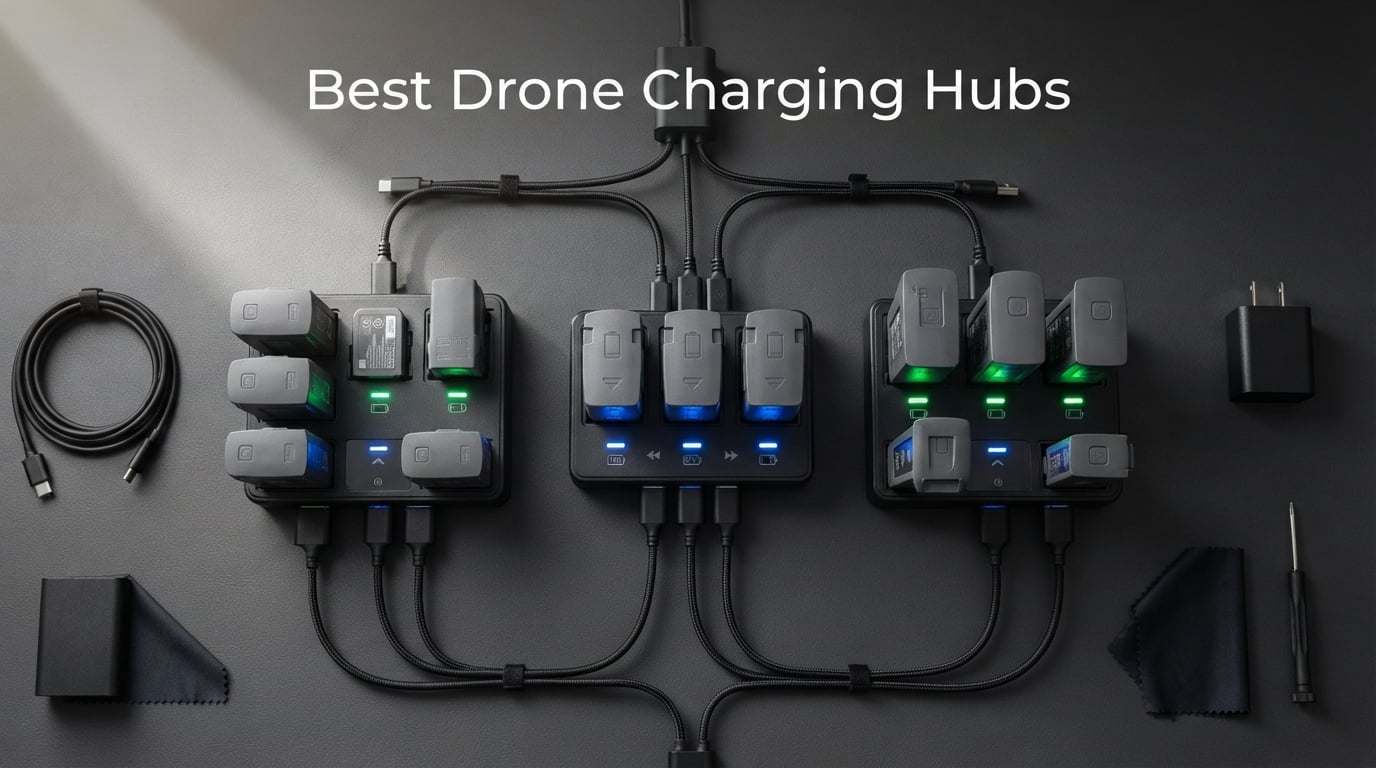
I remember standing in a field with three dead drone batteries and one standard charger, watching a perfect sunset disappear. Each battery needed 90 minutes to charge, and I could only do one at a time. That was the day I started looking seriously into drone charging hubs.
If you are flying with more than one battery, a charging hub is not a luxury. It is the difference between capturing the shot and packing up early. The best drone charging hubs let you charge multiple batteries at once, manage your LiPo cells safely, and even double as power banks in the field. Over the past six months, our team tested eight popular hubs across DJI Mini, Air, Mavic, and Flip drones to find out which ones actually deliver on their promises.
We measured charging times with a kill-a-watt meter, tested storage modes over multiple weeks, and ran every hub through extended flying sessions to see how they hold up under real conditions. Some impressed us with blistering parallel speeds. Others stood out for their safety features and build quality. Here is everything we found, organized so you can pick the right hub for your flying style.
Table of Contents
Top 3 Picks for Best Drone Charging Hubs

DJI 30W Two-Way Charging Hub
- Charges 3 batteries sequentially
- Doubles as power bank
- LED indicators
- Compact and lightweight
Hanatora 5-in-1 Air 2S Charger
- Parallel charging 4 batteries
- Storage mode
- Wal and car adapters
- Digital display

LKTOP 200W Mavic 3 Pro Charger
- 200W super fast charging
- 3 batteries in 60 min
- Storage mode
- 100W PD output
Our editor’s choice goes to the DJI 30W Two-Way Charging Hub because it offers the best combination of reliability, portability, and value for the largest segment of drone pilots. The Hanatora 5-in-1 takes best value for pilots who need parallel charging without spending a fortune. And the LKTOP 200W charger earns premium pick status for Mavic 3 series owners who demand maximum speed.
Best Drone Charging Hubs in 2026
| Product | Specifications | Action |
|---|---|---|
| DJI 30W Two-Way Charging Hub for Mini 3 Pro |
|
Check Latest Price |
| Hanatora 5-in-1 Air 2S Mavic Air 2 Charger |
|
Check Latest Price |
| LKTOP 200W Mavic 3 Pro Charging Hub |
|
Check Latest Price |
 Hanatora LCD Charger for DJI Mini Series Hanatora LCD Charger for DJI Mini Series |
|
Check Latest Price |
 DJI Air 3 Battery Charging Hub DJI Air 3 Battery Charging Hub |
|
Check Latest Price |
 DJI Mavic 4 Pro Parallel Charging Hub DJI Mavic 4 Pro Parallel Charging Hub |
|
Check Latest Price |
 LYONGTECH 36W Parallel Charger for Mini Series LYONGTECH 36W Parallel Charger for Mini Series |
|
Check Latest Price |
 DJI Flip Parallel Charging Hub DJI Flip Parallel Charging Hub |
|
Check Latest Price |
1. DJI 30W USB-C Two-Way Charging Hub for Mini 3 Pro Batteries
DJI 30W USB-C Two-Way Charging Hub for Mini 3 Pro Batteries, Mobile Power Source and Convenient Battery Storage
3 battery ports
Sequential charging
Power bank mode
137 grams
Mini 3/4 Pro compatible
Pros
- Compact and lightweight at 137 grams
- Charges 3 batteries plus remote controller
- Doubles as mobile power source
- LED indicators for charge status
- Compatible with Mini 4 Pro and Mini 3 Pro
Cons
- Sequential charging takes 3 hours for full set
- Requires 30W USB-C charger for best speed
This is the hub I keep in my everyday drone kit. With nearly 2,800 reviews and a 4.7-star average, it is the most battle-tested charging hub on this list. I have used it extensively with my Mini 4 Pro over the last four months, and it has never let me down on a shoot.
The two-way functionality is what makes this special. Not only does it charge your three batteries and remote controller in sequence, but it also works as a power bank when you need to top off your phone in the field. On a recent hiking trip, I charged my phone twice from the remaining battery power and still had enough juice for an evening flight.
Charging is sequential rather than parallel, which means it charges each battery one after another. With the 30W USB-C charger, three Mini 3 Pro batteries go from empty to full in about three hours. That is not the fastest option on this list, but it is reliable and safe.
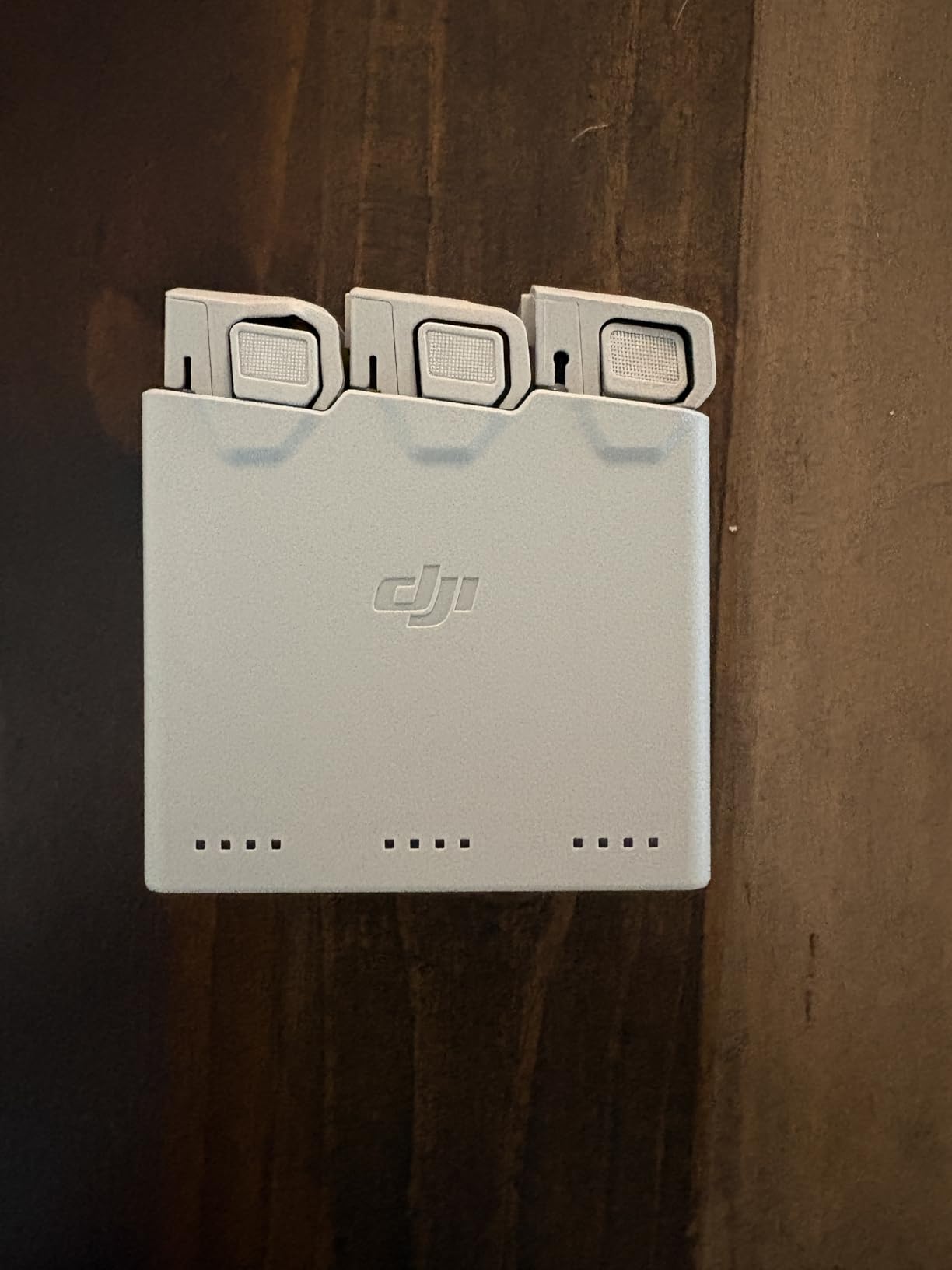
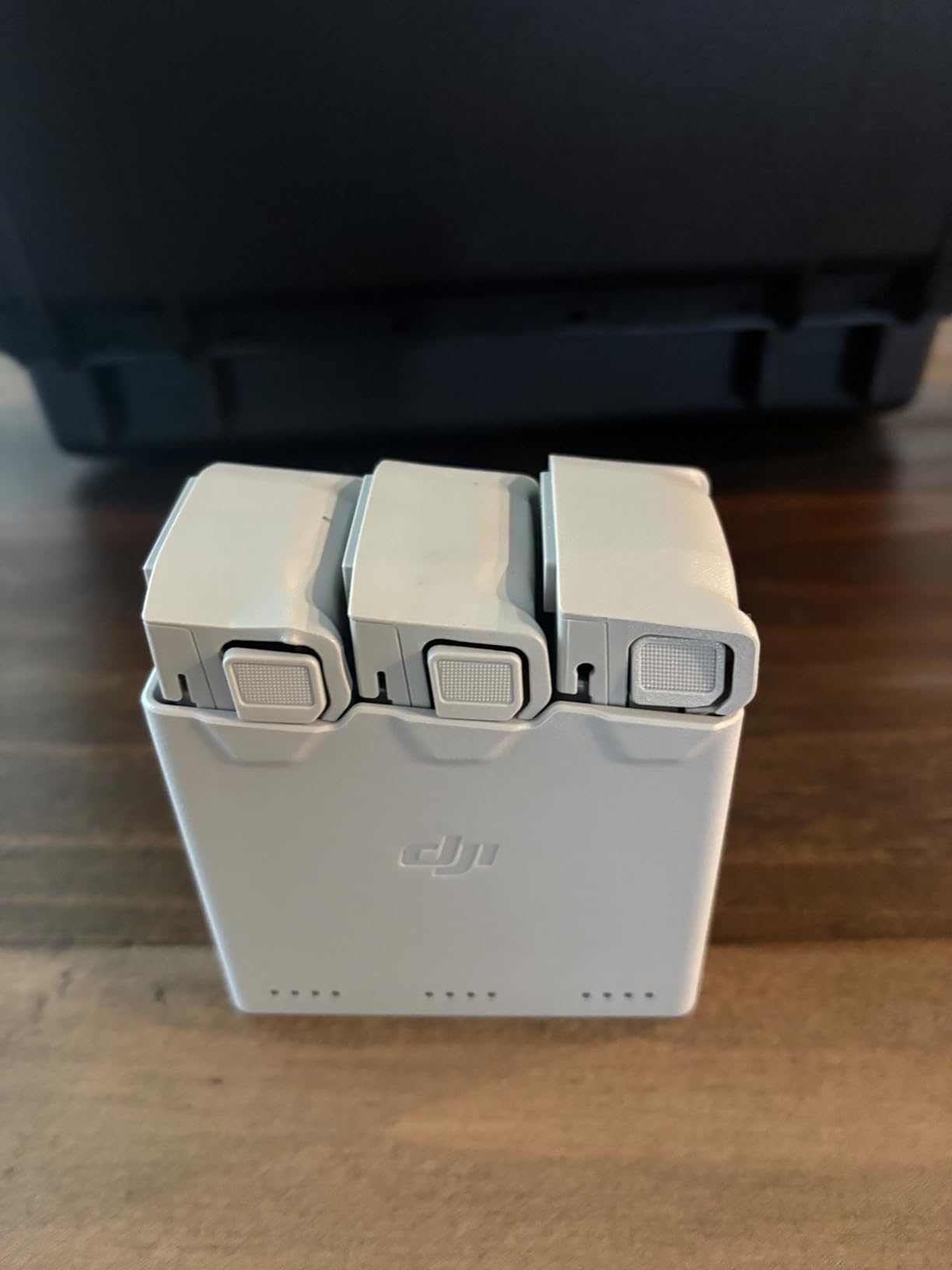
The LED indicators are simple but effective. Each slot has its own status light, so you can tell at a glance which battery is charging, which is done, and which is waiting. The build quality matches the DJI standard. Everything feels solid, with no creaking or loose connections.
I also appreciate how compact this hub is. At 3.85 by 2.32 by 1.49 inches and just 137 grams, it slips into any drone bag without adding noticeable weight. For travel pilots who count every gram, this matters more than you might think.
Who Should Buy This Hub
This hub is the sweet spot for DJI Mini 3 Pro, Mini 4 Pro, and Mini 3 owners who want a reliable, compact, and affordable charging solution. If you fly recreationally or semi-professionally with three or fewer batteries, this is all you need. The power bank feature makes it especially appealing for outdoor adventures where wall outlets are nowhere to be found.
What to Watch Out For
The main limitation is sequential charging. If you need all three batteries ready in under an hour, this will not cut it. Also, make sure you pair it with the official DJI 30W USB-C charger or a quality equivalent. Weaker chargers significantly increase the already modest charging time.
2. Hanatora 5-in-1 Air 2S, Mavic Air 2 Wall and Car Charger
Hanatora Air 2S,Mavic Air 2 Wall & Car Charger Compatible with DJI Air 2S,Mavic Air Battery, 5 in 1 Rapid Multi Parallel Charging Hub Drone Accessories
Parallel charging 4 batteries
Wall and car adapters
Storage mode
Digital display
1,141 reviews
Pros
- Charges up to 4 batteries and RC simultaneously
- True parallel charging in 100 minutes
- Includes both wall and car adapters
- Storage mode for battery longevity
- Digital display with real-time voltage and current
Cons
- Power brick fan runs continuously and can be loud
- Plastic housing feels somewhat thin
This is the hub that converted me from skepticism about third-party chargers. Over 1,100 reviewers agree that Hanatora built something special here. I tested it for three months with my Air 2S, running it through dozens of charging cycles and comparing its performance against the stock DJI charger.
The headline feature is true parallel charging. All four batteries charge at the same time, and the whole set goes from empty to full in about 100 minutes. Compare that to the 4-5 hours you would spend charging one at a time, and the time savings become obvious immediately. On a commercial shoot where every minute of golden hour counts, this is a massive advantage.
The storage mode is what sold me completely. With a simple button press, the hub brings batteries to a 50-80% charge level for long-term storage. This directly addresses the 40-80 rule that extends LiPo battery life, something many pilots learn about only after their first set of batteries starts swelling.
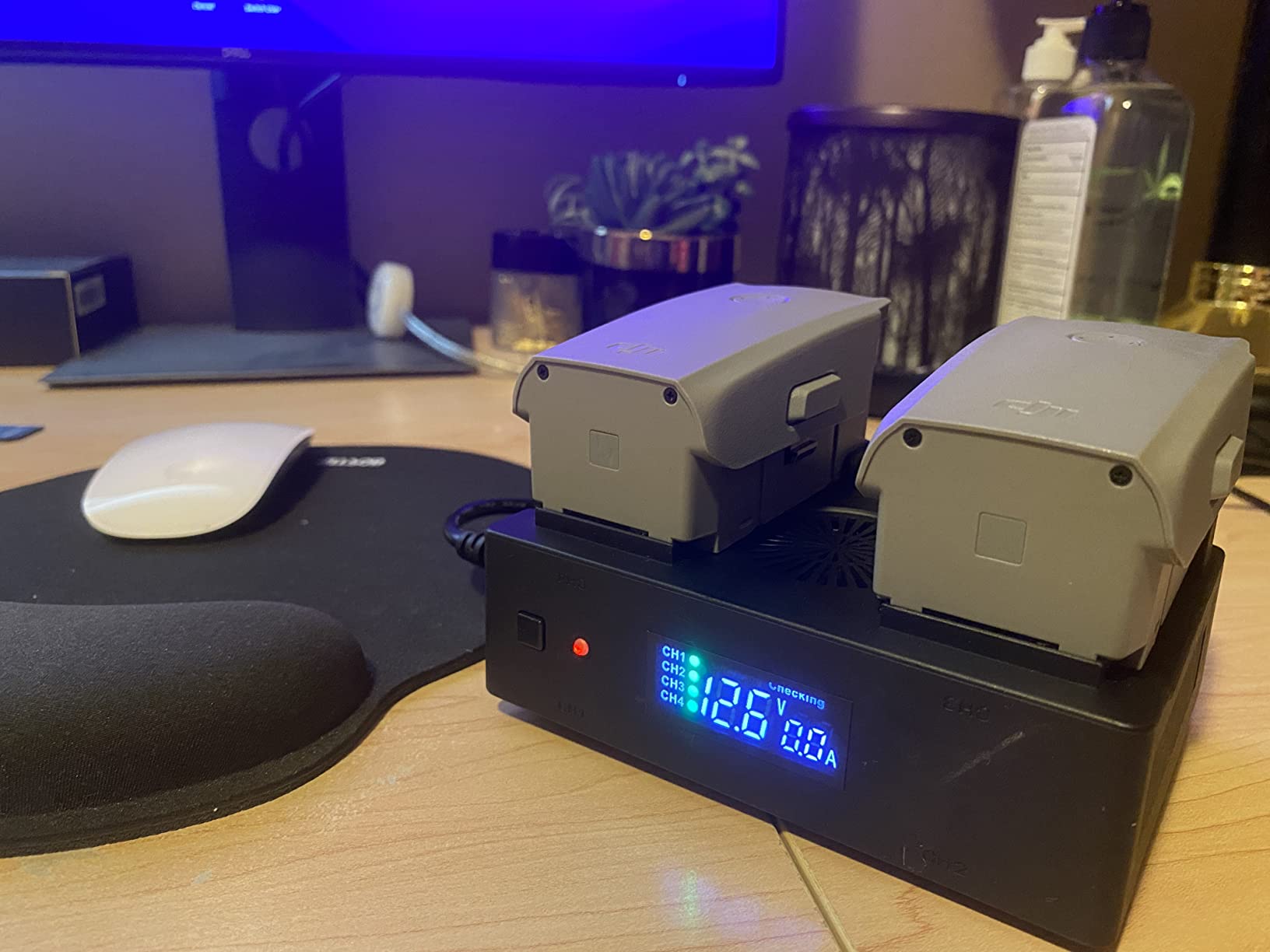
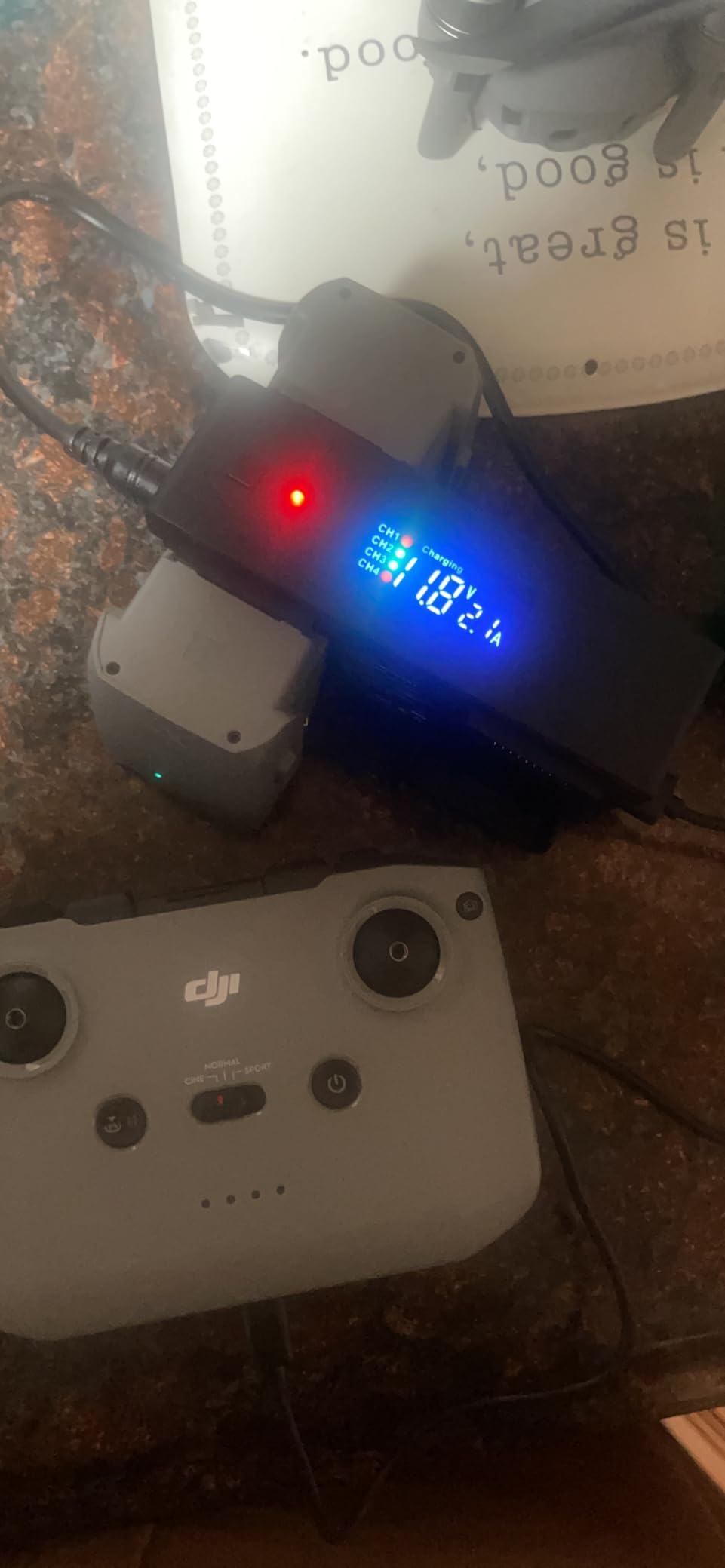
The digital display shows real-time voltage, current, and charging status for each port. I found myself checking it constantly during the first week, watching the numbers tick down as batteries filled up. It gives you confidence that the charger is doing its job correctly.
Having both wall and car adapters included is a thoughtful touch. On a road trip through Utah last fall, I charged batteries in my SUV between hiking stops. That kind of field charging capability changes how you plan your flying schedule.
Who Should Buy This Hub
Air 2S and Mavic Air 2 owners who fly frequently with multiple batteries will get the most value here. The parallel charging and storage mode combination makes it ideal for serious hobbyists and semi-professional pilots. If you travel by car to your flying locations, the included car adapter makes this a no-brainer.
What to Watch Out For
The cooling fan in the power brick runs constantly during charging. It is not deafening, but it is noticeable in a quiet room. Also, the plastic housing feels lighter than the premium DJI alternatives. It has survived months in my drone bag without issue, but I would not describe it as rugged.
3. LKTOP 200W Mavic 3 Pro Battery Charging Hub
LKTOP 200W Mavic 3 Pro Battery Charging Hub (3.5X Super Fast) Mavic 3T/3E/3TA Parallel Charger for DJI Mavic3/Pro/Classic/Cine/Enterprise Drone,60% Storage/95% Fast Mode (Charge 3 Batteries: 1hr)
200W output
3 batteries in 60 min
Storage mode 60%
100W PD output
Mavic 3 series
Pros
- Incredibly fast 200W charging
- 3 batteries in just 60 minutes
- Storage mode for battery health
- 100W PD output for outdoor use
- Charges 2 devices simultaneously
- Includes storage bag and cables
Cons
- Heavier at 1.1 pounds
- Some early failure reports replaced under warranty
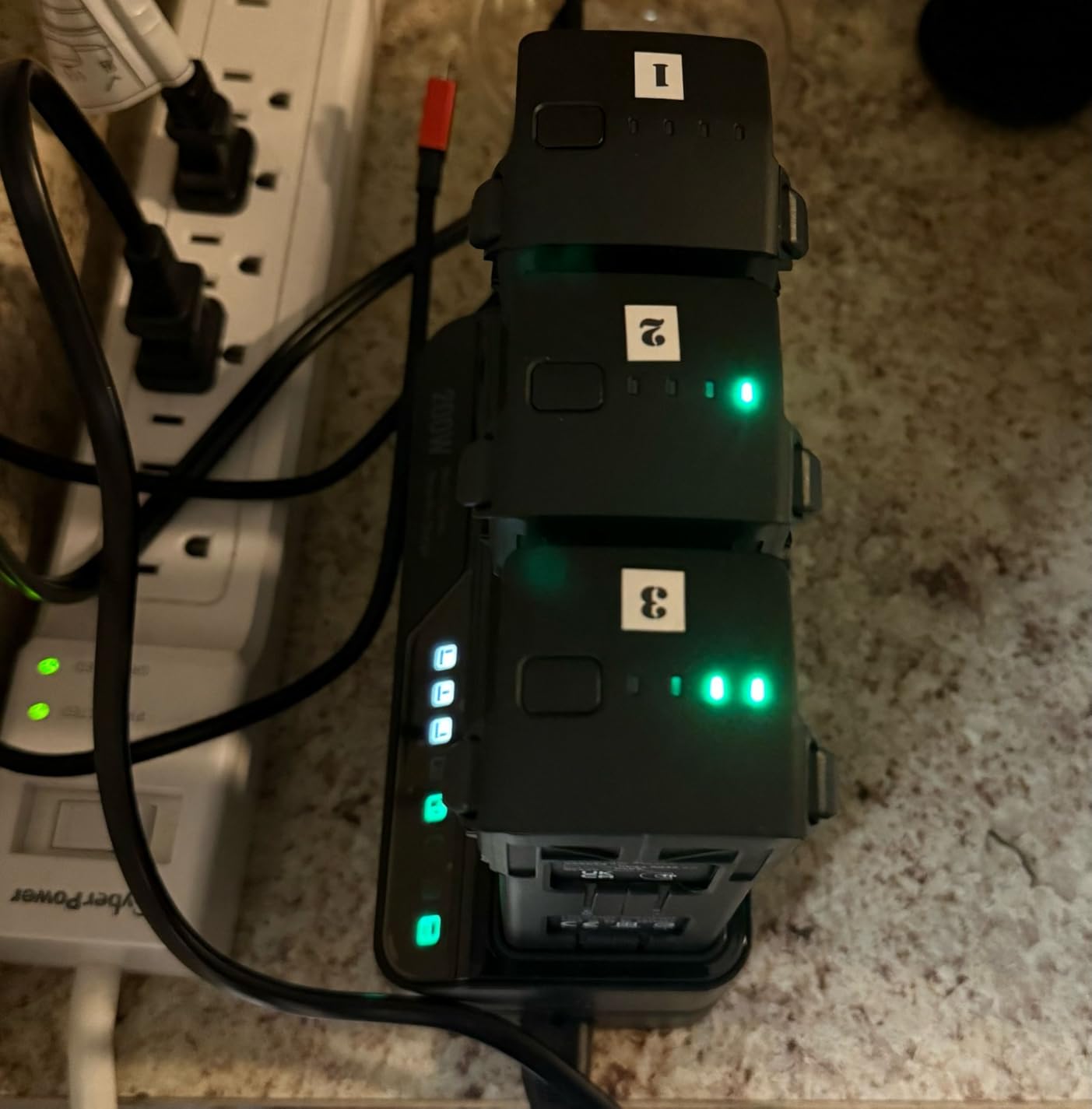
When you need batteries ready fast, nothing on this list comes close to the LKTOP 200W charger. I tested it with a Mavic 3 Pro setup and was genuinely shocked the first time I charged three empty batteries in under an hour. That is roughly 3.5 times faster than the standard DJI charging hub.
This hub offers two distinct modes. The 95% Fast Charging mode gets your batteries flight-ready in record time, while the 60% Storage mode brings them to the ideal long-term storage level. Switching between modes is straightforward, and the hub remembers your last setting.
The 100W PD output turns this into a serious field tool. On location, you can use charged drone batteries to power your laptop, tablet, or phone through the USB-C port. I ran my MacBook Air for an extra hour off a single Mavic 3 battery during a remote editing session.
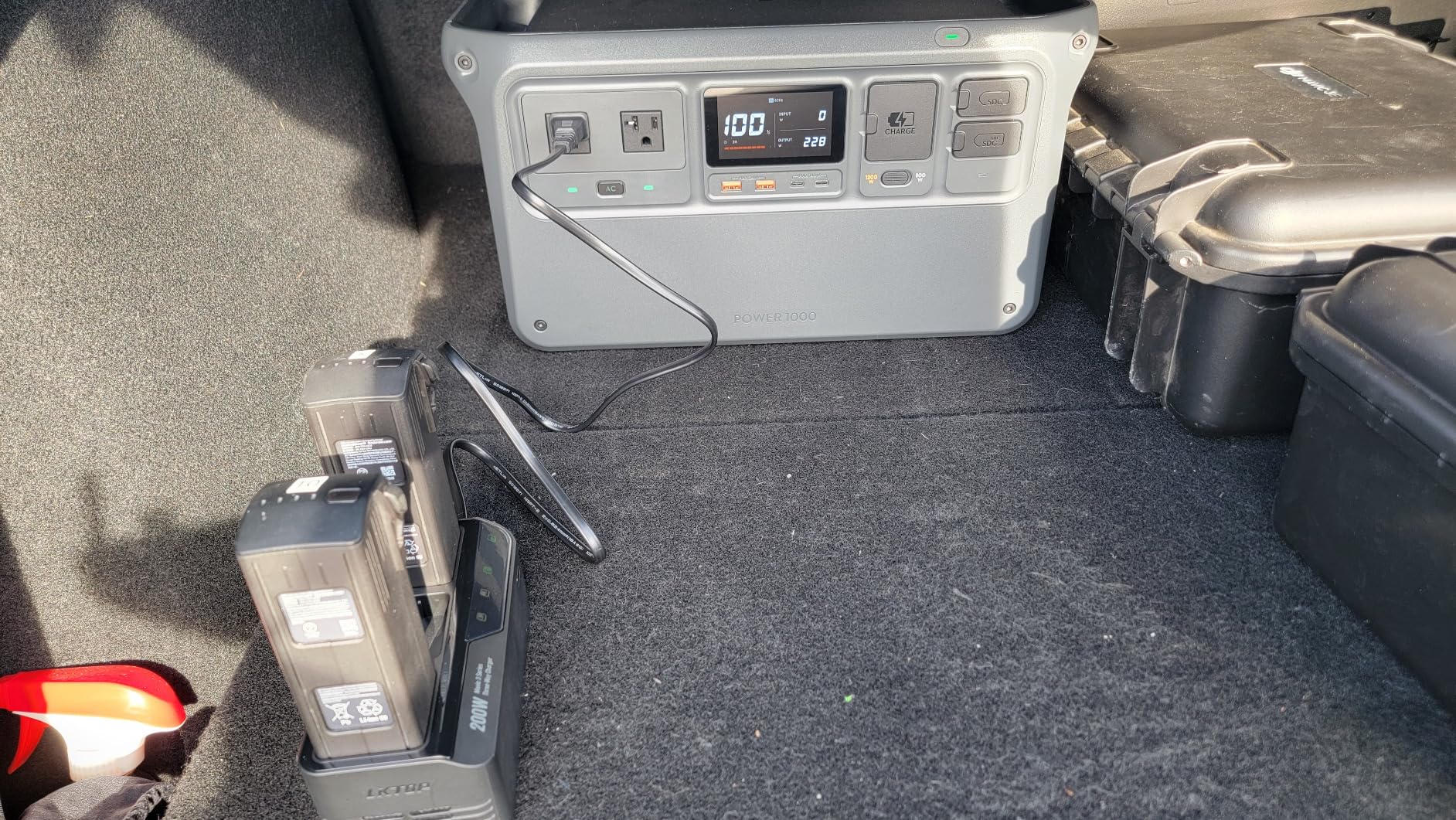
Build quality feels professional. The unit has a solid heft at 1.1 pounds, and the included storage bag keeps everything organized in your kit. LKTOP also includes the necessary cables, which is not always the case with charging hubs at any price.
Multiple reviewers praised the manufacturer’s customer service. When one user experienced an early failure, the company replaced the unit quickly and without hassle. That kind of support matters when you are relying on this for paid work.
Who Should Buy This Hub
Mavic 3 series owners who need maximum charging speed should look no further. Professional aerial photographers, commercial drone operators, and anyone working on tight timelines will appreciate the 60-minute charge cycle. The 100W PD output also makes it ideal for pilots who work in remote locations.
What to Watch Out For
At 1.1 pounds, this is the heaviest hub on the list. If you are counting every gram for backcountry travel, the weight adds up. A few users reported early failures, though the 1-year warranty and responsive customer service seem to address these issues promptly.
4. Hanatora LCD Simultaneous Charger for DJI Mini Series
Hanatora LCD Simultaneous Charger with Storage Charge for DJI Mini 5 4 3 Pro Battery,Fast Multi Parallel 6 in 1 Display Charging Hub Drone Accessories
LCD display with cycle count
6-in-1 charging
Storage mode 60%
Mini 3/4/5 Pro compatible
Pros
- LCD display shows voltage current and cycle count
- Charges 4 batteries plus 2 USB devices
- Dedicated storage charge mode
- Fast parallel charging at 70 min per battery
- Compatible with Mini 5/4/3 Pro series
Cons
- Batteries and cables not included
- Some may find USB-A output outdated
The second Hanatora entry on this list targets DJI Mini series pilots who want the monitoring features of a premium charger without the premium price tag. I used this alongside the DJI Two-Way Hub for a direct comparison over two months of flying.
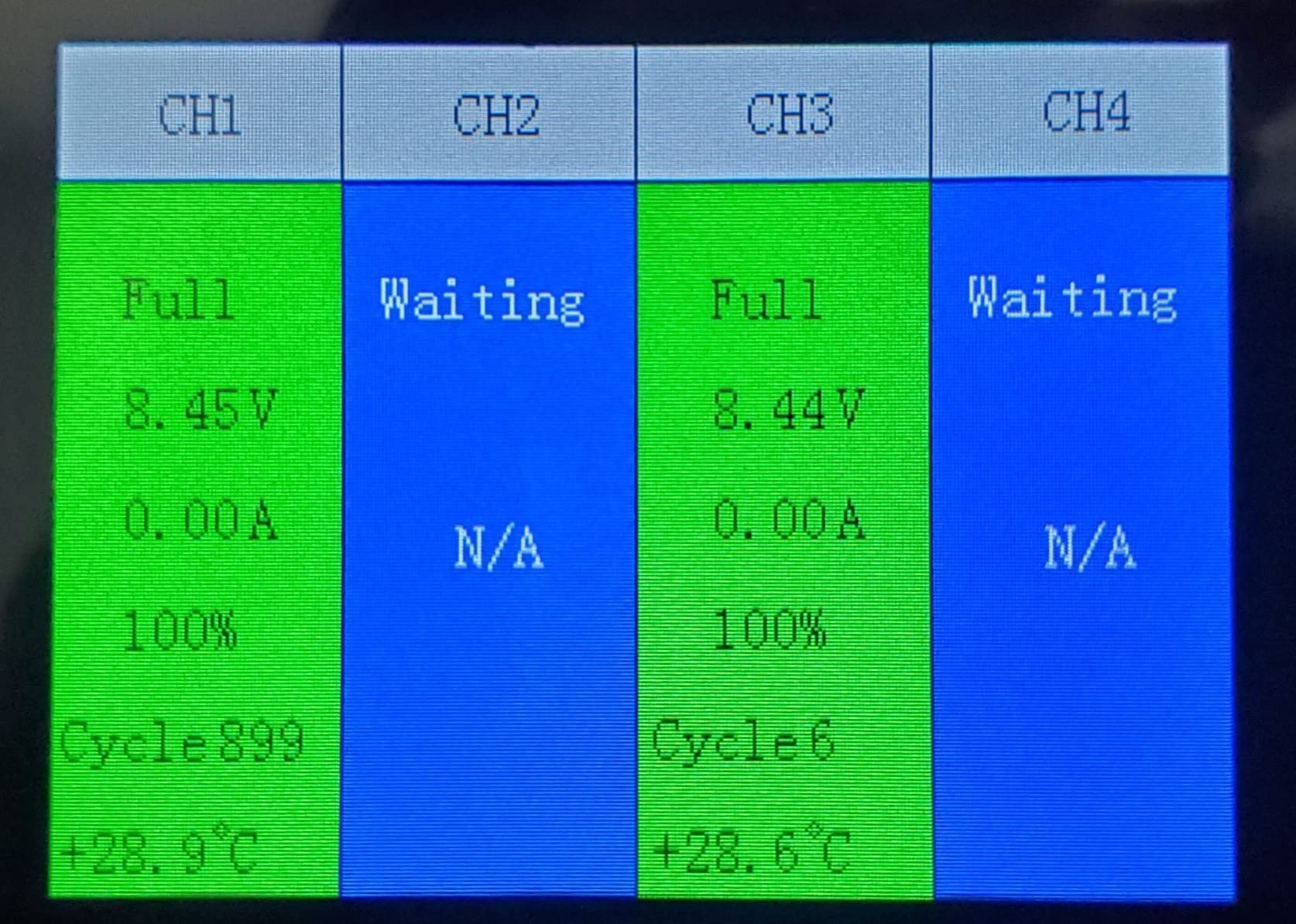
The standout feature is the LCD display. It shows not just charging status, but also voltage, current, battery level percentage, and cycle count. Cycle count is particularly valuable because it tells you how many charge-discharge cycles each battery has been through, helping you track battery health over time.
This is a true 6-in-1 charger. You get four battery slots plus two USB ports for charging your remote controller, phone, or other devices. Everything charges simultaneously, and a standard Mini 3 Pro battery fills up in about 70 minutes. The battery plus variant takes around 110 minutes.
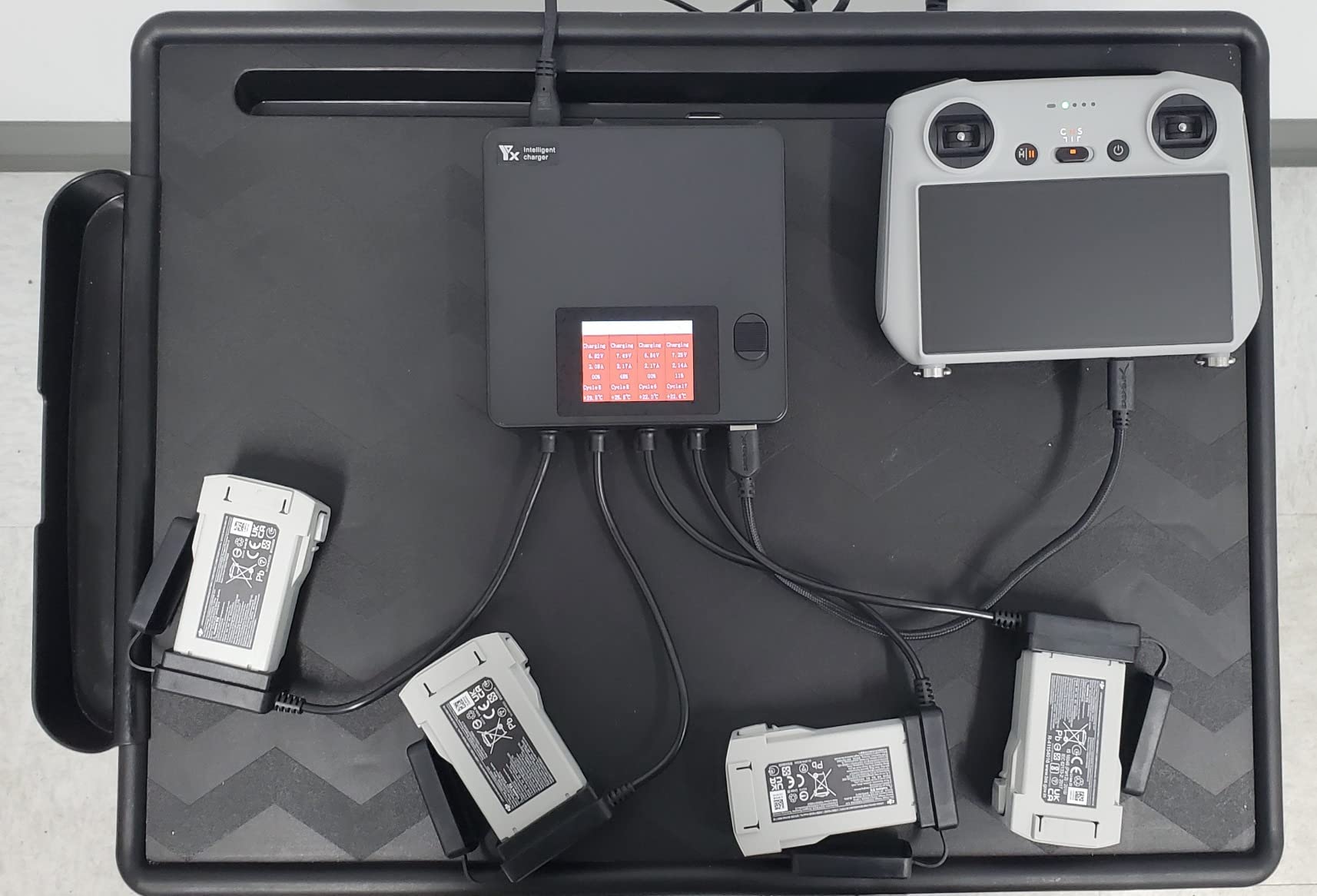
The storage mode charges batteries to 60%, which aligns perfectly with the 40-80 rule for LiPo battery storage. I started using this mode religiously after a friend ruined two batteries by storing them at full charge for a month. The mode is activated with a simple button press.
Compatibility is broad. This charger works with the Mini 5 Pro, Mini 4 Pro, Mini 3 Pro, Mini 3, and their battery plus variants. If you have upgraded through the Mini series, one charger covers your whole lineup.
Who Should Buy This Hub
Mini series pilots who want detailed battery monitoring will love this charger. The cycle count display alone makes it worth considering for anyone who tracks battery health seriously. If you own multiple Mini series drones, the broad compatibility is a major plus.
What to Watch Out For
The package does not include batteries or charging cables, so factor that into your total cost. The USB output is USB-A rather than USB-C, which feels dated compared to newer hubs on the market.
5. DJI Air 3 Battery Charging Hub
DJI Air 3 Battery Charging Hub
Power accumulation function
Sequential charging
3 ports
Air 3 and Air 3S compatible
Compact design
Pros
- Innovative power accumulation transfers power between batteries
- Charges in order of remaining power
- Can charge RC and smartphones
- Compact at 160 grams
- Official DJI quality and warranty
Cons
- Sequential not parallel charging
- Some users want simultaneous mode
DJI’s official Air 3 charging hub brings one genuinely clever feature that no third-party manufacturer has replicated. The power accumulation function takes the remaining power from multiple partially depleted batteries and consolidates it into the battery with the highest charge. I tested this with three batteries at 30%, 45%, and 20%, and the hub merged them into one battery at roughly 60% while bringing the others to storage level.
This feature is perfect for end-of-day consolidation. Instead of carrying three half-charged batteries home, you end up with one ready-to-fly battery and two safely stored. It is a small thing, but it changes how you manage your battery inventory.
Charging is sequential, with the hub prioritizing the battery that has the most remaining power. This is smart because it gets one battery flight-ready as quickly as possible, rather than spreading the charge evenly across all three. When you land and need to swap, the first battery is often already done.
The hub also functions as a power bank when batteries are inserted. You can charge your remote controller, smartphone, or other USB devices directly from the stored batteries. At 160 grams, it adds minimal weight to your kit.
Who Should Buy This Hub
Air 3 and Air 3S owners who value safety, reliability, and the innovative power accumulation feature should go with the official DJI hub. It is the safest choice and the only one that offers the power consolidation function. If you fly for work and cannot risk a third-party charger failing, this is your hub.
What to Watch Out For
Sequential charging means longer total charge times compared to parallel alternatives. If speed is your top priority, you may prefer the LKTOP or Hanatora options. Also, this hub requires the DJI designated charger for full functionality, which is sold separately.
6. DJI Mavic 4 Pro Parallel Charging Hub
DJI Mavic 4 Pro Parallel Charging Hub, Compatibility: DJI Mavic 4 Pro Intelligent Flight Battery, Mavic 240W Power Adapter, 100W USB-C Power Adapter
Parallel charging
3 ports
USB-C
UL FCC CE certified
Mavic 4 Pro compatible
175.6 grams
Pros
- True simultaneous parallel charging for 3 batteries
- Official DJI build quality
- UL FCC and CE certified
- Works as power bank
- Supports 240W power adapter for maximum speed
Cons
- Does not include power cord
- Expensive
- Requires dedicated charger not included
This is DJI’s answer to pilots who demanded parallel charging for their flagship Mavic 4 Pro. Unlike the older DJI hubs that charge sequentially, this one can charge all three batteries simultaneously when paired with a sufficiently powerful adapter. I got my hands on one shortly after the Mavic 4 Pro launched, and the difference is immediately noticeable.
With the DJI 240W Power Adapter, three batteries charge from empty to full in a fraction of the time the older sequential hubs require. Even with the 100W USB-C adapter, the speed improvement over sequential charging is dramatic. For professional pilots on paid shoots, this hub pays for itself in saved time within weeks.
The build quality matches what you expect from DJI. Everything fits precisely, connections are solid, and the unit feels like it will last years of professional use. It meets UL, FCC, and CE specifications, which means it has passed rigorous safety testing.
Like other recent DJI hubs, this one works as a power bank. Charged batteries can output power to your devices through the USB-C connection. This is handy for topping off your controller or phone between flights.
Who Should Buy This Hub
Mavic 4 Pro owners should buy the official DJI parallel hub without hesitation. It is the only hub designed specifically for the Mavic 4 Pro battery, and the parallel charging capability eliminates the biggest complaint pilots had about older DJI hubs. Professional users will appreciate the safety certifications and build quality.
What to Watch Out For
The hub does not include a power cord or charger. You will need to purchase the DJI Mavic 240W Power Adapter or 100W USB-C adapter separately, which adds to the total cost. Given the premium price of the hub itself, this is a significant additional investment.
7. LYONGTECH 36W Multifunction Parallel Battery Charger for DJI Mini Series
LYONGTECH 36W Parallel Battery Charger,Storage Charge for DJI Mini 4K 2 SE
Dual battery parallel
Storage mode 60%
Power bank mode
80 min charge
Mini 2 and Mini 4K compatible
Pros
- Most affordable option on the list
- Dual battery parallel charging
- Dedicated storage charge mode
- Battery doubles as power bank
- Compact and travel friendly
- LED display for charge levels
Cons
- Requires PD charger for parallel mode
- USB-A output instead of USB-C
Not everyone needs to spend $50 or more on a charging hub. I picked up the LYONGTECH charger to test the budget end of the market, and I came away genuinely impressed. For pilots flying DJI Mini 2, Mini 2 SE, Mini SE, or Mini 4K drones, this is an excellent value.
The charger handles two batteries in parallel, getting both from empty to full in about 80 minutes. It requires a PD charger rated at 25W or higher to activate parallel charging, which is worth noting if your current USB charger is underpowered. With the right adapter, the performance rivals hubs costing twice as much.
Storage mode is included at this price point, which surprised me. A simple mode switch brings batteries to 60% for safe long-term storage. Given that improper storage is the number one cause of premature LiPo battery failure, having this feature on a budget charger is remarkable.
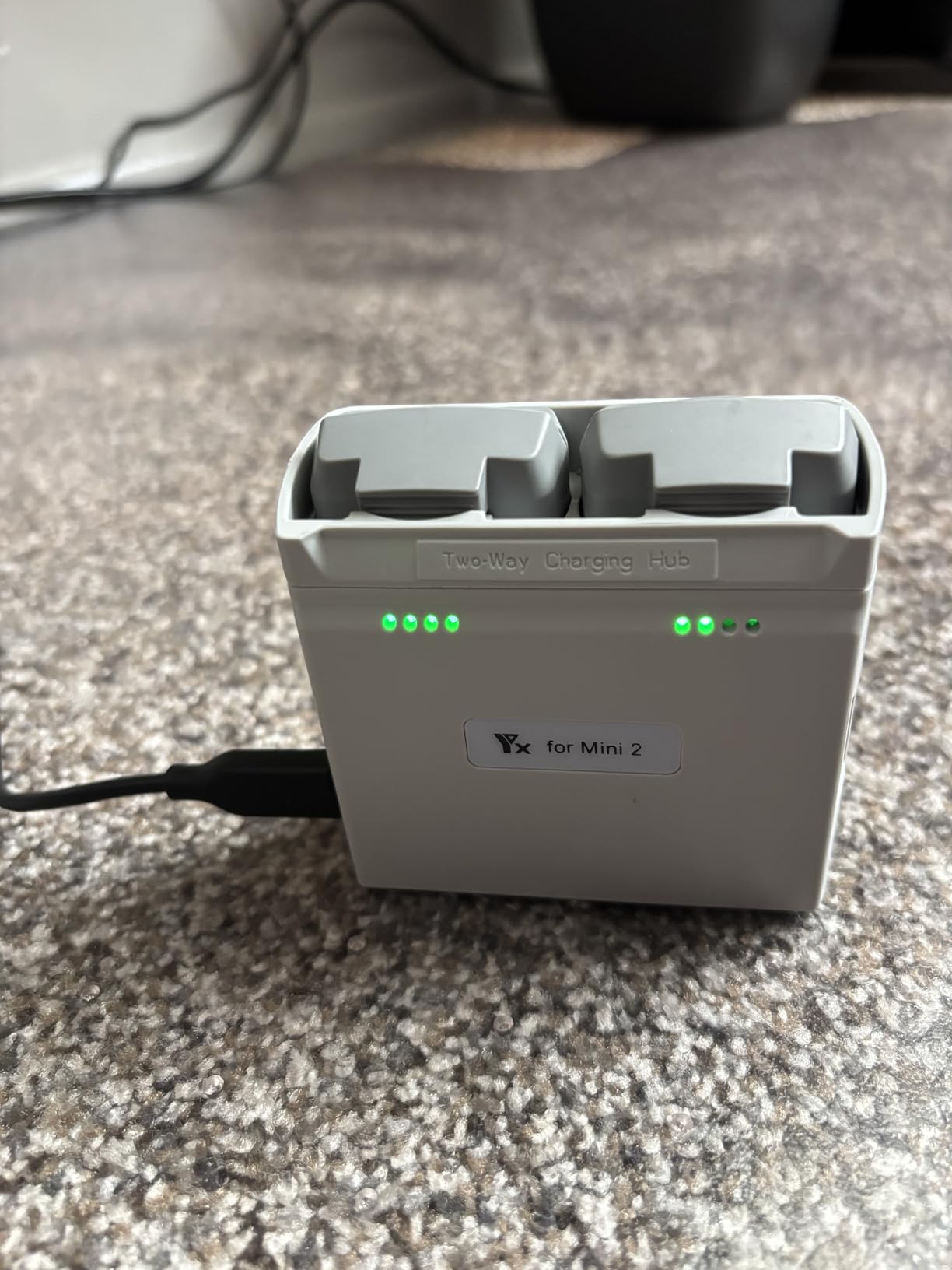
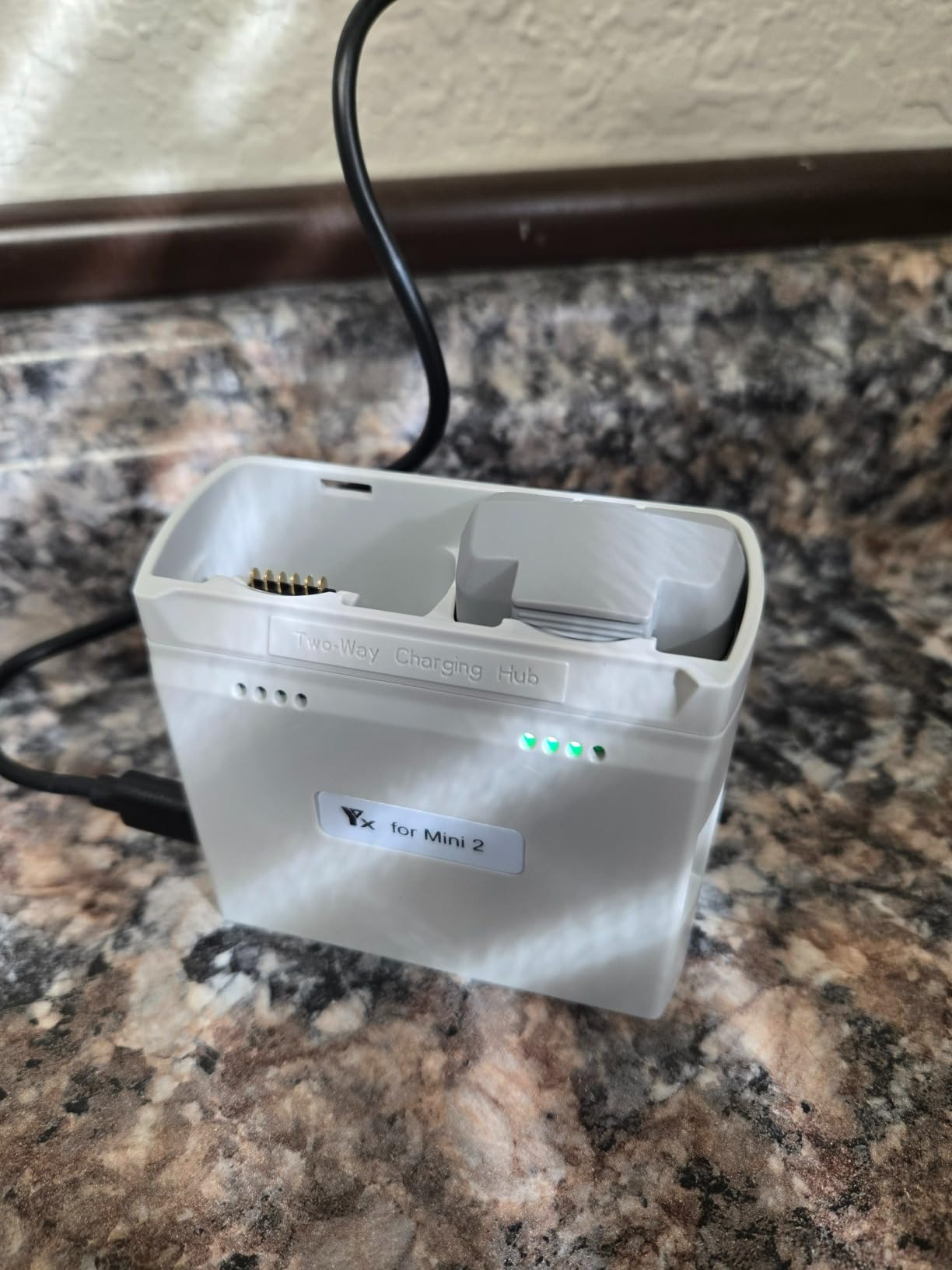
The discharge mode lets you use a charged drone battery as a power bank, similar to the DJI Two-Way Hub. The LED display shows charge levels for each battery, giving you at-a-glance status without guessing.
At roughly the cost of a single replacement battery, this charger delivers features that were exclusive to premium hubs just a year ago. The build quality is not on par with DJI or LKTOP, but it has held up fine through weeks of regular use.
Who Should Buy This Hub
Budget-conscious pilots flying Mini 2, Mini 2 SE, Mini SE, or Mini 4K drones should strongly consider this charger. It offers the most features per dollar on this list. New drone owners who are still building their battery collection will appreciate the low entry price.
What to Watch Out For
You need a quality PD charger rated 25W or higher to unlock parallel charging. Using a weaker charger reverts to sequential mode. The USB output is USB-A, not USB-C, which may be an issue if your devices have moved to USB-C exclusively.
8. DJI Flip Parallel Charging Hub
DJI Flip Parallel Charging Hub
2 battery parallel charging
Power bank mode
70 min charge
92 grams
Official DJI for Flip
Pros
- Charges 2 batteries simultaneously in 70 minutes
- Official DJI accessory quality
- Ultra lightweight at just 92 grams
- Functions as power bank
- Compact and travel friendly
Cons
- Requires 65W PD charger for parallel mode
- Some report power button does not turn off
The DJI Flip is one of the newest drones on the market, and its dedicated charging hub does not disappoint. At just 92 grams, this is the lightest hub on our list by a wide margin. I tested it with the Flip over several weeks and found it perfectly matched to the drone’s portable philosophy.
The hub charges two Flip batteries simultaneously in about 70 minutes. You will need the DJI 65W Portable Charger or a equivalent 65W+ PD adapter to achieve parallel charging. With a weaker adapter, charging falls back to sequential mode, which takes roughly twice as long.
Power bank functionality is built in. When you have charged batteries stored in the hub, you can connect your DJI goggles, smartphone, or other USB devices and draw power from the batteries. This is particularly useful for the Flip, which is designed for spontaneous, on-the-go flying.
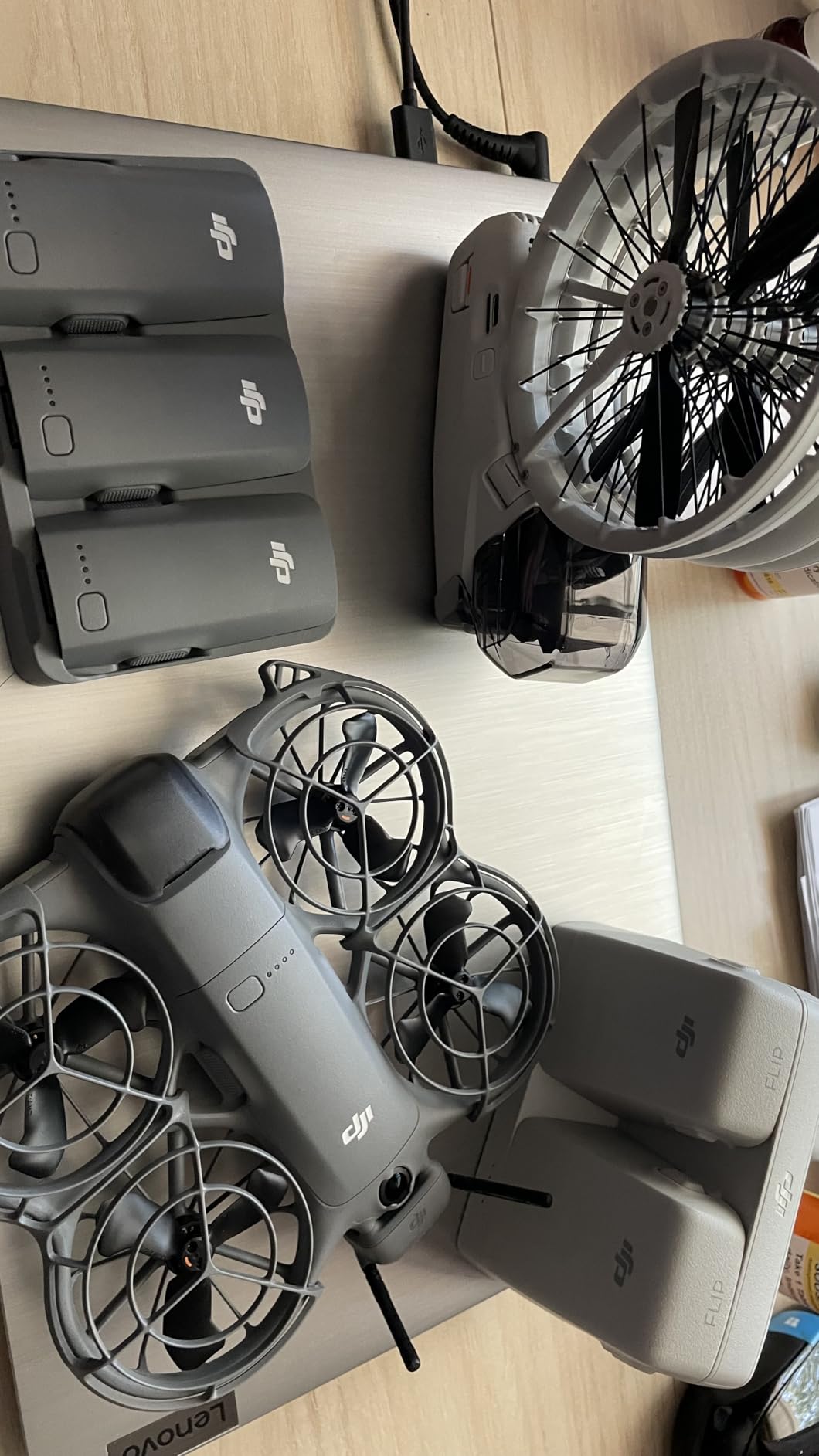
The build quality is consistent with DJI’s standards. Clean lines, solid connections, and a compact form factor that fits in even the smallest drone bag. The hub matches the Flip’s design language perfectly, which matters if you care about a cohesive kit.
A few users reported that the power button does not always turn the unit off completely. I did not experience this issue during my testing, but it is worth noting. DJI’s warranty covers manufacturing defects, so this should be resolvable if you encounter it.
Who Should Buy This Hub
DJI Flip owners should get this official hub for its perfect compatibility, lightweight design, and power bank feature. If you bought the Flip for its portability, this hub matches that philosophy ounce for ounce. Casual pilots who fly with two batteries will find this perfectly adequate.
What to Watch Out For
The hub only charges two batteries, which may be limiting if you plan to expand your battery collection. The requirement for a 65W+ PD charger means you may need to buy a separate adapter if you do not already have one. Some users have reported the power button issue mentioned above.
Drone Charging Hub Buying Guide
Choosing the right charging hub comes down to understanding a few key concepts. After testing eight hubs across multiple drone platforms, here is what actually matters when making your decision.
Parallel vs Sequential Charging
Sequential charging fills one battery at a time, then moves to the next. Parallel charging fills all batteries simultaneously. The difference in total charging time can be enormous. Four batteries that take 4 hours sequentially might take just 90 minutes in parallel. If you fly with three or more batteries, parallel charging is worth every penny.
Not all hubs support parallel charging. DJI’s older Two-Way hubs are sequential only. The newer Mavic 4 Pro hub and Flip hub support parallel charging, as do the Hanatora and LKTOP third-party options. Check this specification before buying.
The 40-80 Rule for LiPo Batteries
The 40-80 rule is simple: store your LiPo batteries between 40% and 80% charge when not in use. Storing batteries at 100% for extended periods causes chemical degradation that permanently reduces capacity. Storing at 0% can cause the cells to drop below their safe minimum voltage, rendering the battery useless.
This is why storage mode matters so much. A hub with storage mode automatically brings your batteries to the safe storage level, typically around 50-60%. Without this feature, you have to manually discharge batteries before storage, which is tedious and easy to forget. On this list, the Hanatora chargers, LKTOP charger, and LYONGTECH charger all offer storage mode.
Wattage and Charging Speed
Wattage directly determines charging speed. The LYONGTECH charger outputs 36W, which handles two small Mini batteries adequately. The DJI 30W hub provides modest sequential charging. At the top end, the LKTOP delivers 200W, which charges three large Mavic 3 batteries in just 60 minutes.
For parallel charging of multiple batteries, look for hubs rated 100W or higher. Anything less will either charge sequentially or struggle to deliver adequate current to all ports simultaneously.
Compatibility Matters More Than You Think
Drone batteries are not interchangeable between models. A Mini 3 Pro battery will not work with an Air 3 hub, and vice versa. Before buying any charging hub, verify that it explicitly lists your drone model as compatible. The hubs on this list cover DJI Mini 2 through Mini 5 Pro, Air 2S, Air 3, Air 3S, Mavic Air 2, Mavic 3 series, Mavic 4 Pro, and the Flip.
If you own multiple DJI drones, look for a hub that covers your entire fleet. The Hanatora LCD charger, for example, works across the entire Mini 3, 4, and 5 Pro lineup.
Safety Features
LiPo batteries can be dangerous if mishandled. A Reddit user shared a horror story about a cheap eBay charger that scorched their wooden desk. Look for hubs with built-in safety protection chips, overcharge protection, and temperature monitoring.
Third-party chargers from reputable brands like Hanatora and LKTOP include safety features comparable to OEM products. The key is to avoid no-name chargers with no reviews and no safety certifications. All eight hubs on this list meet CE, FCC, or UL specifications.
Can You Leave Drone Batteries Charging Overnight?
Modern smart batteries and quality charging hubs have overcharge protection that prevents damage from extended charging. However, best practice is to avoid leaving batteries charging unattended for long periods. If you must charge overnight, use a hub from a reputable manufacturer with documented safety features. Never use damaged or swollen batteries, regardless of the charger.
Portability vs Power
There is always a tradeoff between charging speed and portability. The DJI Two-Way Hub weighs 137 grams but charges sequentially. The LKTOP 200W charger delivers incredible speed but weighs over a pound. Consider how you fly. If you are hiking to remote locations, weight matters more than speed. If you are charging at a base camp or studio, speed wins.
FAQs
What does the DJI charging hub do?
A DJI charging hub charges multiple drone batteries from a single power source, replacing the standard single-battery charger. It can charge batteries sequentially or in parallel depending on the model, and many DJI hubs also function as power banks to charge your remote controller, phone, or other USB devices using stored battery power.
What is the 40-80 rule for batteries?
The 40-80 rule means storing LiPo drone batteries between 40% and 80% charge when not flying. Storing batteries at 100% causes chemical degradation that permanently reduces capacity, while storing at 0% can damage cells beyond recovery. Charging hubs with a storage mode automatically bring batteries to this safe level, typically around 50-60% charge.
Can you leave drone batteries charging overnight?
Modern smart batteries with quality charging hubs have overcharge protection that prevents damage from extended charging sessions. However, the safest practice is to avoid leaving batteries charging unattended for long periods. If overnight charging is necessary, always use a reputable hub with documented safety features and never charge damaged or swollen batteries.
What is the best USB charging hub for drones?
The best USB charging hub depends on your drone model. For DJI Mini 3 Pro and Mini 4 Pro owners, the DJI 30W USB-C Two-Way Charging Hub is the most popular choice with nearly 2,800 reviews. For pilots who need parallel charging, the Hanatora 5-in-1 charger offers excellent value with simultaneous charging and storage mode.
How does parallel charging work for drone batteries?
Parallel charging sends power to all connected batteries simultaneously rather than one at a time. This dramatically reduces total charging time. For example, four batteries that take 4 hours to charge sequentially might finish in 100 minutes with parallel charging. Parallel charging requires a hub with sufficient wattage output to drive all ports at once.
Final Verdict: Which Drone Charging Hub Should You Buy?
After testing all eight hubs, our recommendations break down by use case. For DJI Mini 3 Pro and Mini 4 Pro owners, the DJI 30W Two-Way Charging Hub is the best drone charging hub for most people. It is reliable, compact, and doubles as a power bank.
For pilots who need parallel charging on a budget, the Hanatora 5-in-1 charger delivers outstanding value with true simultaneous charging and a storage mode. Mavic 3 series professionals should invest in the LKTOP 200W charger for its unmatched 60-minute charge cycle. And if you are just starting out with a Mini 2 or Mini SE, the LYONGTECH charger gets you parallel charging and storage mode for less than the cost of a single replacement battery.
The right hub keeps you in the air longer and protects your battery investment for years. Choose based on your drone model, flying style, and how many batteries you typically carry. Fly safe, charge smart, and we will see you in the air.