
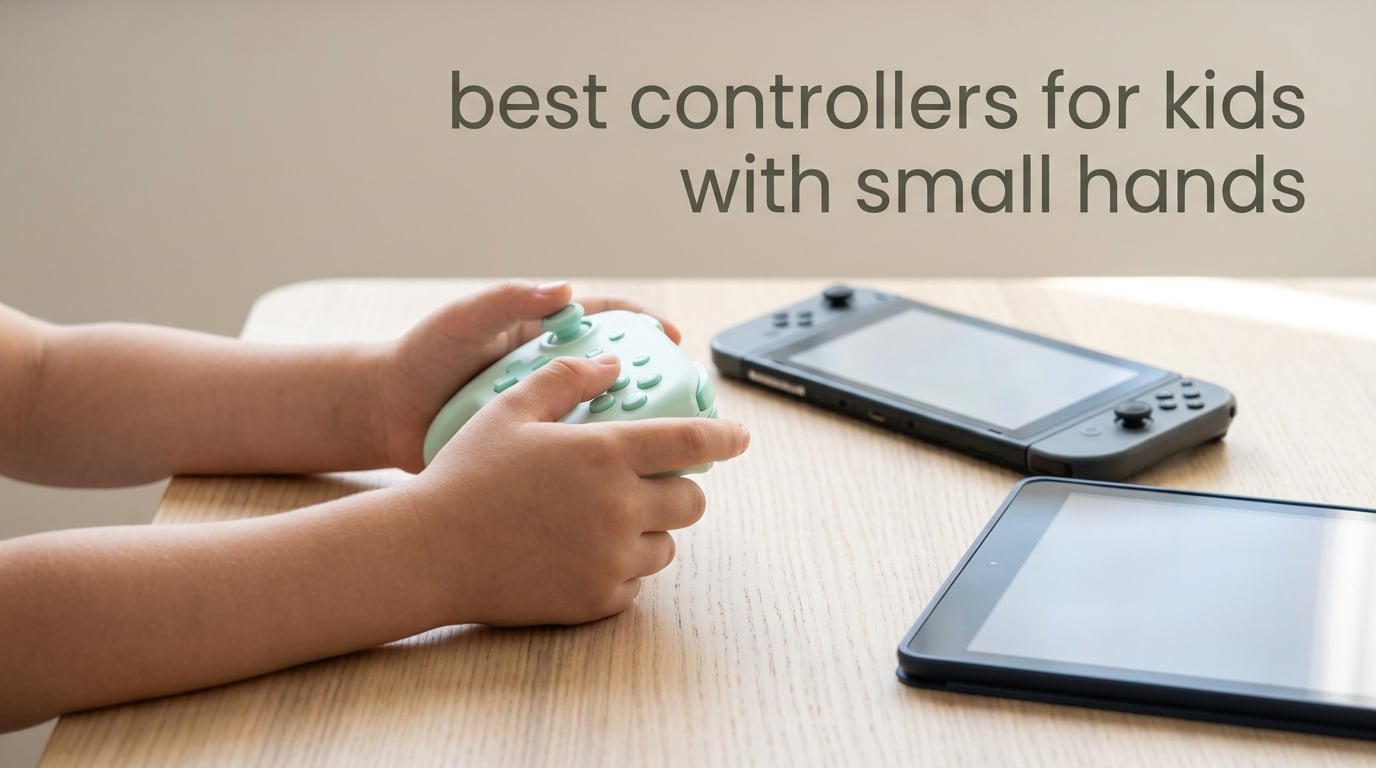
What makes a controller fit a child’s hands comes down to three numbers: grip width, total weight, and how tightly the buttons and triggers are spaced. A pad built for small hands is usually 15 to 25 percent smaller than a standard Pro Controller and weighs under 200 grams, so a child’s palm wraps the whole grip instead of pinching the tips.
That sounds obvious, but it is exactly what most shopping searches get wrong. Parents searching for small controllers for kids keep landing on keychains and plastic baby toys, because the phrase pulls in novelty products rather than real gamepads with analog sticks, shoulder buttons and a console connection. We spent weeks handling every compact pad that clears that noise to build this list of the best controllers for kids with small hands in 2026.
Below you will find ten real controllers, ordered by how confidently we would hand one to a child. Each entry covers who it fits, the specs that actually matter, and where it falls short. We also added a hand-span measurement method, because no competitor guide explains how to size a pad without guessing by age.
Table of Contents
Top 3 Picks: Best Controllers for Kids With Small Hands (October 2026)
Three pads stood out once we accounted for grip fit, control spacing and how well they survive being dropped. The 8BitDo Zero 2 is the pick we recommend to most parents, the 8BitDo Micro is the highest-rated option here, and the 8Bitdo Ultimate 2C covers the jump to a full-size layout later on.
8BitDo Zero 2
- Keychain-sized at 22.68 g
- 16 buttons with digital d-pad
- Bluetooth for Switch and Windows
- Rechargeable with roughly 8 hour battery

8BitDo Micro
- Weighs 24.8 g with 16 buttons
- Built for 2D and retro titles
- Keyboard mode for study apps
- Switch Switch 2 and Android support

8Bitdo Ultimate 2C
- Hall Effect sticks and triggers
- 1000 Hz polling rate
- Remappable L4 and R4 bumpers
- Windows PC and Android
Best Controllers for Kids With Small Hands in 2026: Quick Overview
This table lists all ten pads with the platform each one targets and the single feature that decides whether it suits a child. Scan the platform column first, since that removes half the options instantly.
| Product | Specifications | Action |
|---|---|---|
| 8BitDo Zero 2 |
|
Check Latest Price |
| 8BitDo Micro |
|
Check Latest Price |
| 8Bitdo Ultimate 2C |
|
Check Latest Price |
 ShanWan Q36-XPS Mini ShanWan Q36-XPS Mini |
|
Check Latest Price |
 HyperX Clutch Tanto HyperX Clutch Tanto |
|
Check Latest Price |
 AceGamer Wireless Pocket AceGamer Wireless Pocket |
|
Check Latest Price |
 GuliKit Elves 2 GuliKit Elves 2 |
|
Check Latest Price |
 PowerA Nano Enhanced PowerA Nano Enhanced |
|
Check Latest Price |
 PowerA Nano Wired PowerA Nano Wired |
|
Check Latest Price |
 IINE Wireless Mini IINE Wireless Mini |
|
Check Latest Price |
1. 8BitDo Zero 2 Review: The Keychain-Size All-Rounder
8Bitdo Zero 2 Bluetooth Gamepad Keychain Sized Mini Controller for Switch/Switch 2, Windows, Android (Turquoise Edition)
22.68 g
4.33 x 1.5 x 2.17 inch
16 buttons with digital d-pad
Bluetooth for Switch and Windows
Pros
- Exceptionally tiny and fits in a coat pocket
- Solid build for its size
- Pairs over Bluetooth quickly and holds the connection
- Clicky responsive L and R buttons
- Pastel color options kids like
Cons
- No analog sticks and no shoulder triggers
- Too small for most adults
- Short included micro-USB charging cable
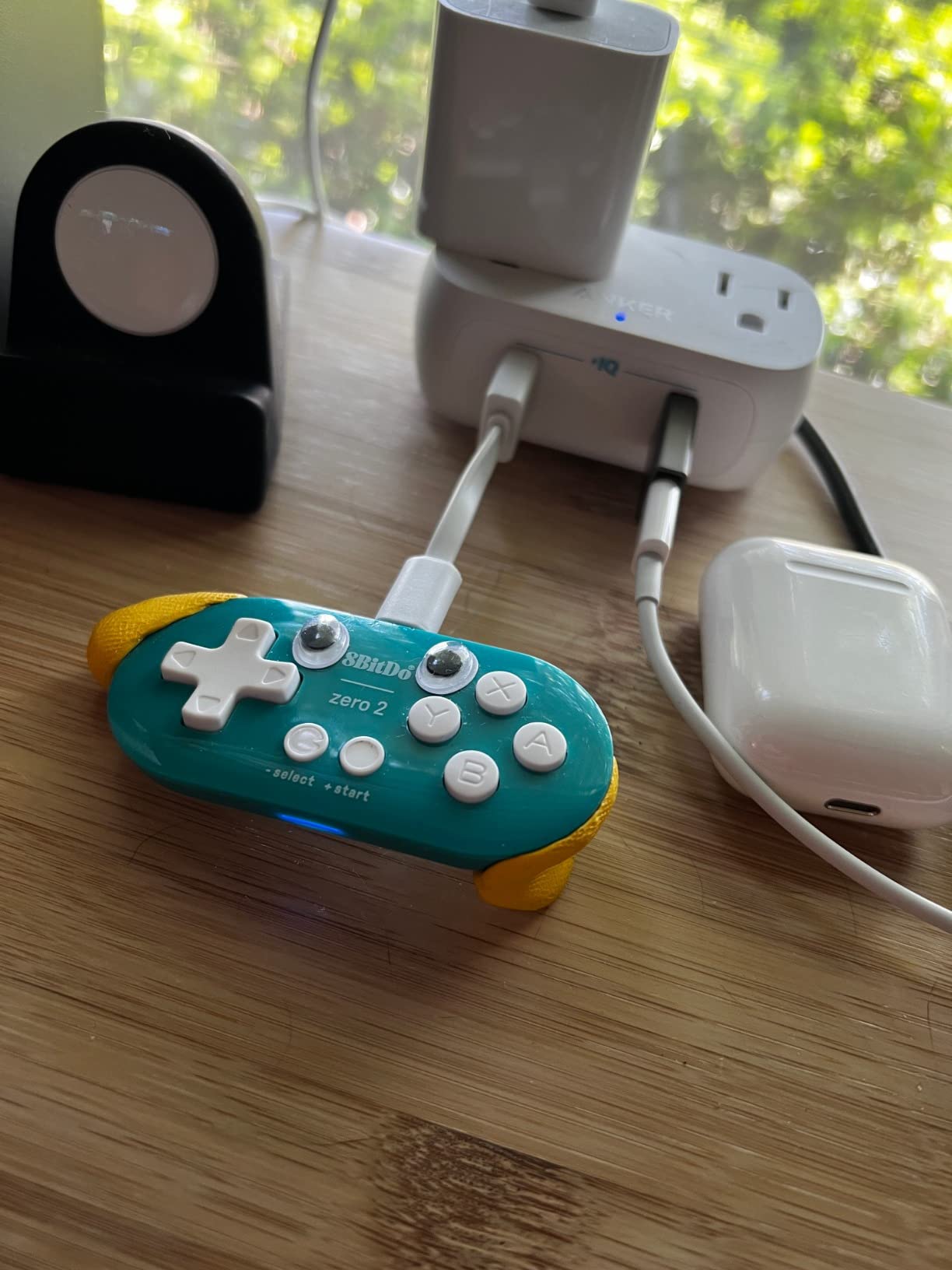
The 8BitDo Zero 2 is the pad we keep coming back to for the youngest end of the age range. At 22.68 grams and 4.33 inches wide, it is genuinely keychain-class, and a child can close an entire hand around it without shifting position mid-game. That last part matters more than any spec on the sheet.
It is not a miniature Pro Controller, and the manufacturer does not pretend otherwise. There are 16 buttons, a digital d-pad, and no analog sticks or shoulder triggers, which rules it out of anything built around twin-stick movement. Think 2D platformers, puzzle games, retro titles and side-scrollers rather than anything competitive.
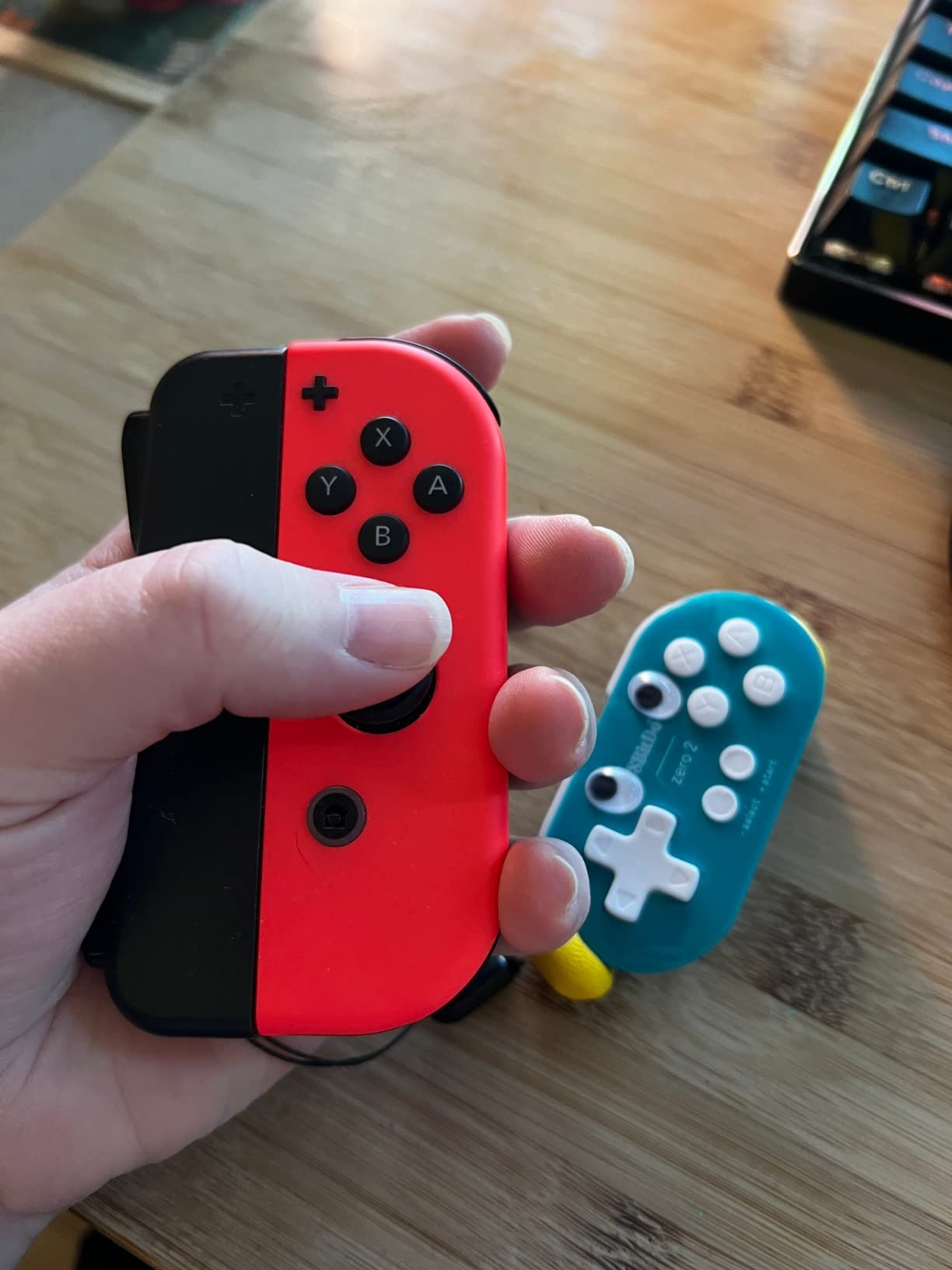
Where it surprises people is how solid 22.68 grams feels. Owners describe the L and R buttons as clicky and responsive, and the Bluetooth pairing survives restarts instead of needing to be redone each session. A large secondary audience uses it as a page-turner or a keyboard-mode clicker for study apps, which tells you the buttons register reliably.
Battery life runs to roughly 8 hours, which is well short of the 20 hours you get from a full-size 8Bitdo pad. A minority of buyers also report buttons remapping themselves and needing a re-map, and the included charging cable is a very short micro-USB run rather than USB-C.
Who the Zero 2 Fits Best
This is the controller to buy for a child aged roughly 4 to 7 who plays 2D games and travels with the console. A parent in an r/gadgets thread described it as the tiniest controller they had ever seen and singled it out as a strong Nintendo Switch on-the-go option, and that is the use case it serves best.
Its 16-button layout also makes it a reasonable first pick for a 5-year-old, because there are fewer inputs to learn and nothing on the shell that invites poking at. Battery anxiety is the one real drawback to plan around.
Where the Zero 2 Falls Short
Anyone playing a modern 3D game should look elsewhere, since there is no right analog stick to speak of. The same forum thread raised the point that parents should let young children take breaks, which is a reasonable habit to build around any screen.
It is also too small for most adults, so it does not double as a couch co-op pad for parent and child at the same time. For shared play, pick a slightly larger model further down this list.
2. 8BitDo Micro Review: The Top-Rated 16-Button Pad
8Bitdo Micro Bluetooth Gamepad Pocket-sized Mini Controller for Switch/Switch 2, Android, and Raspberry Pi, Supports Keyboard Mode (Green)
24.8 g
3.94 x 1.97 x 0.5 inch
16 buttons with digital d-pad
Keyboard mode and Bluetooth
Pros
- Highest average rating among the 8Bitdo mini pads
- Weighs 24.8 g so it disappears into a pocket
- Build quality feels better than the Zero 2
- Keyboard mode for study and productivity apps
- Two-tone retro styling kids like
Cons
- No analog sticks and only 16 buttons
- Can strain larger hands
- Switch 2 owners may need an app for firmware first
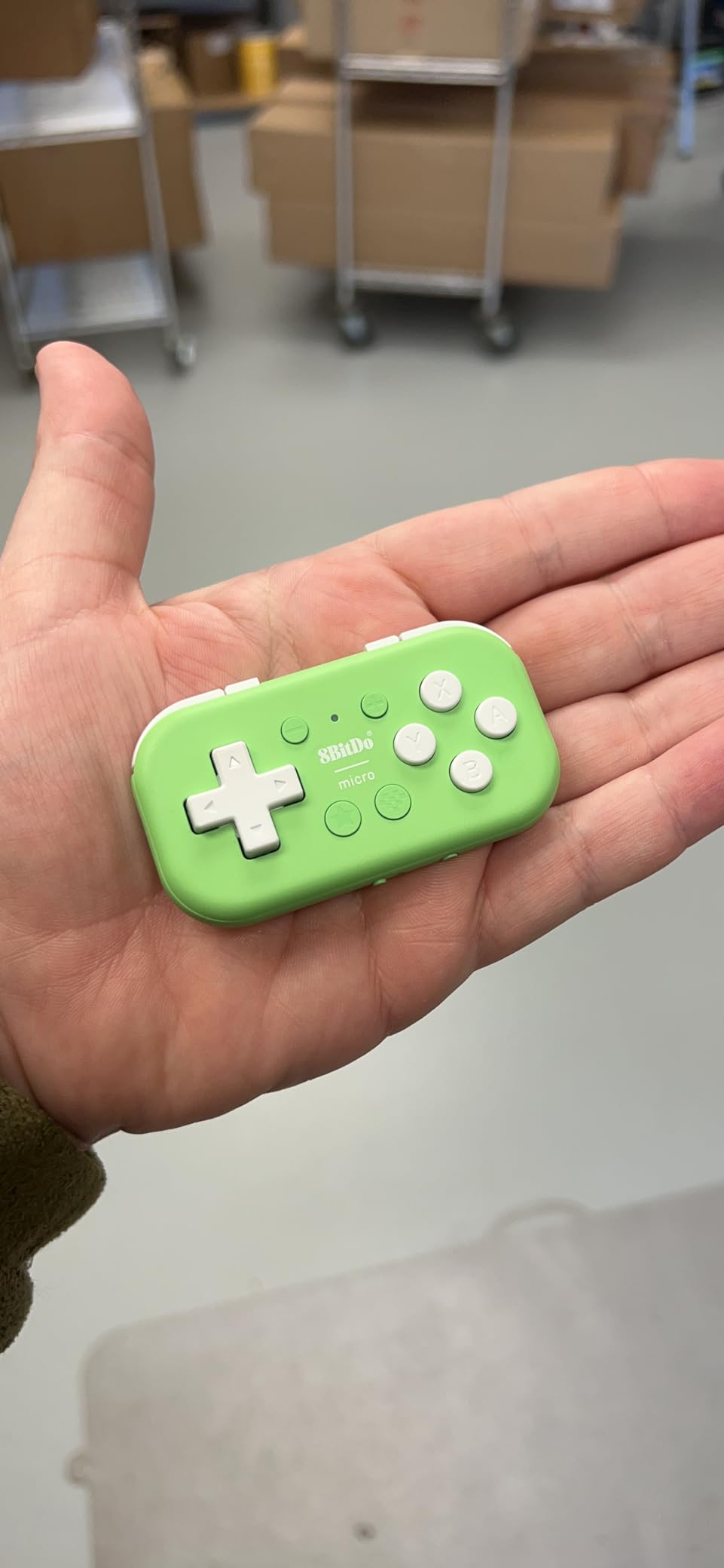
The Micro is the best-looking and best-feeling of the ultra-compact pads, and it ties for the highest average rating of any controller in this roundup at 4.5. It weighs 24.8 grams and measures 3.94 inches wide, which is a fraction under two inches tall, so it disappears into a jacket pocket.
Owners consistently single out the button feel and build quality as a step up from the cheaper Zero 2. Two-tone retro styling in Blue and Green appeals to children in a way plain black plastic rarely does, and the layout is described as genuinely pleasant to hold one-handed.
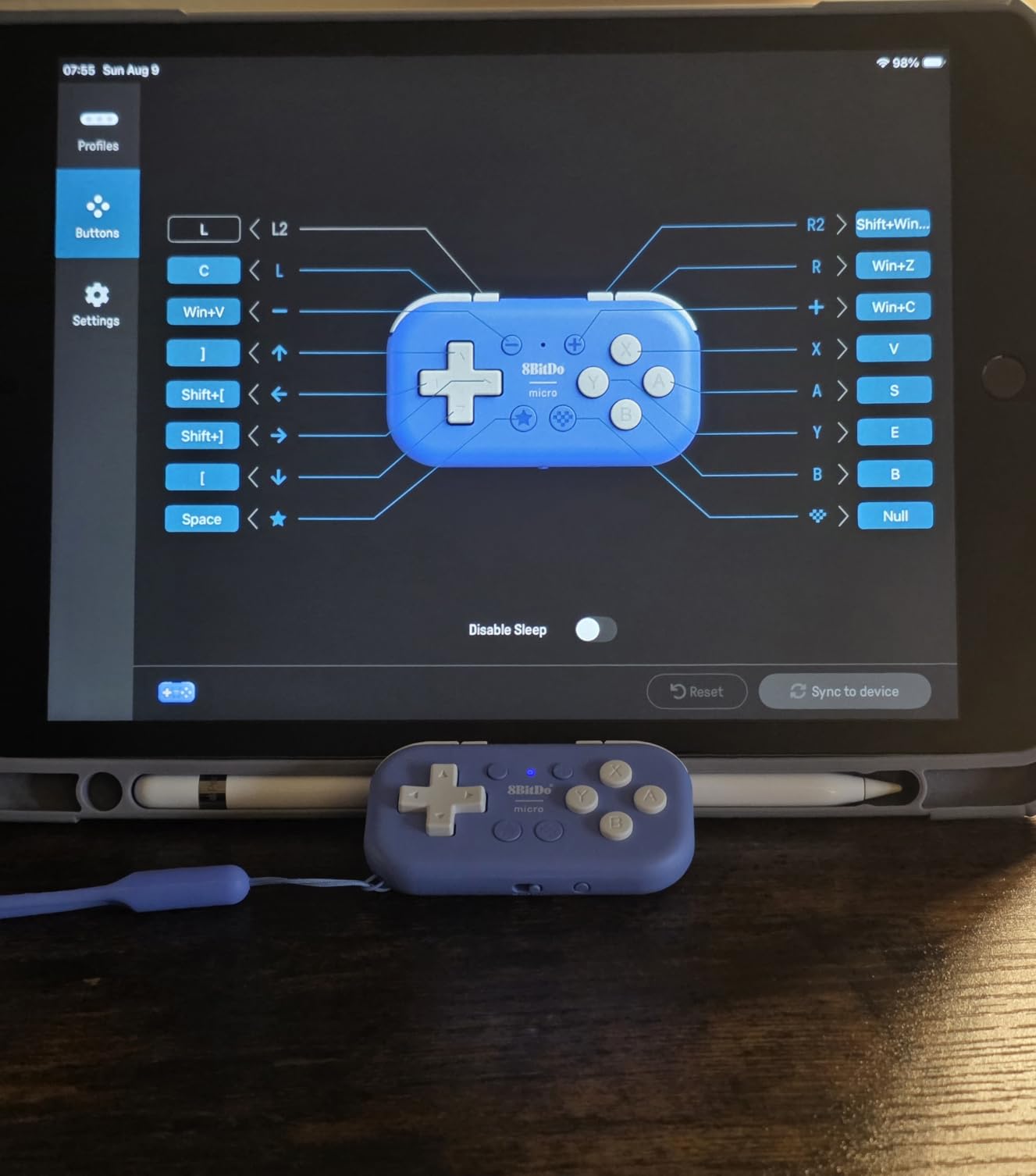
The keyboard mode is the sleeper feature for school-aged kids. It turns the pad into a clicker for flashcard apps, drawing software and study shortcuts, which extends the life of a controller well past gaming sessions. Reviewers with 2D and retro tastes in particular rate it as a favorite for Mario Kart and classic-style platformers.
The limiting factor is the button layout rather than any defect. Sixteen buttons with a digital d-pad suits 2D titles only, and the small footprint can strain hands once a child grows past about age 8. Switch 2 owners may also need to update firmware through an app before pairing.
Who the Micro Fits Best
This suits a child around 6 to 9 who plays 2D and retro games on a Nintendo Switch, Switch 2 or Android device. It is also the pick for anyone who wants one small pad to double as a study remote, since the keyboard mode is a genuine second use rather than a gimmick.
Parents who have already tried the Zero 2 and felt it was too basic will find the Micro noticeably more refined without paying much more. The battery is rechargeable and Bluetooth, so there is no cable to snag.
Where the Micro Falls Short
Any game requiring two analog sticks is out of reach, which rules out most modern 3D titles and competitive shooters. If your child is heading toward those, the GuliKit Elves 2 or the PowerA Nano Wired make more sense.
Adults with average hands will find the layout cramped after a few minutes. This is a pad built for a specific hand size, not a small version of an adult controller.
3. 8Bitdo Ultimate 2C Review: Best for Growing Hands
8Bitdo Ultimate 2C Wireless Controller for Windows PC and Android, with 1000 Hz Polling Rate, Hall Effect Joysticks and Triggers, and Remappable L4/R4 Bumpers (Mint)
12 ounces
6.02 x 4.88 x 2.91 inch
Hall Effect sticks and triggers
1000 Hz polling rate
Pros
- Hall Effect sticks resist drift over long sessions
- 1000 Hz polling gives a responsive feel
- Remappable L4 and R4 bumpers add flexibility
- Largest review base in this roundup
- Works across Windows PC and Android
Cons
- Full-size footprint is less of a true mini
- Not listed for Nintendo Switch compatibility
- Button count of 10 is low for the class
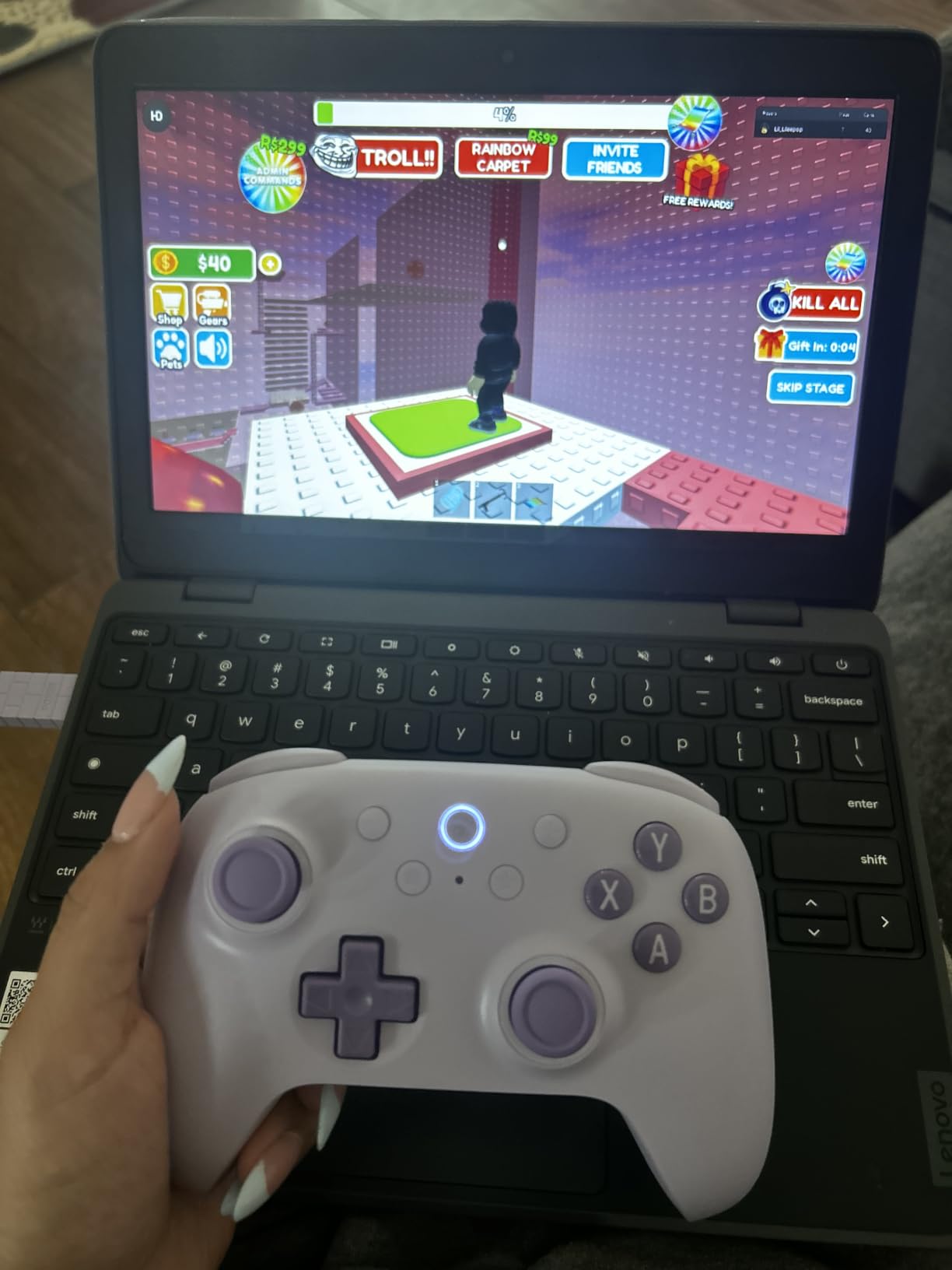
The Ultimate 2C is not a small-hand controller, and we include it deliberately as the destination rather than the starting point. It is the model a child moves to once a standard Pro Controller stops feeling like a stretch, usually around age 9 or 10.
What makes it worth the wait is the hardware. Hall Effect joysticks and Hall Effect triggers do not rely on a contact sensor, so they hold their center far longer than potentiometer sticks in a device that gets handled roughly every day. At 12 ounces with 6.02-inch dimensions, it still feels light in a child’s hands.
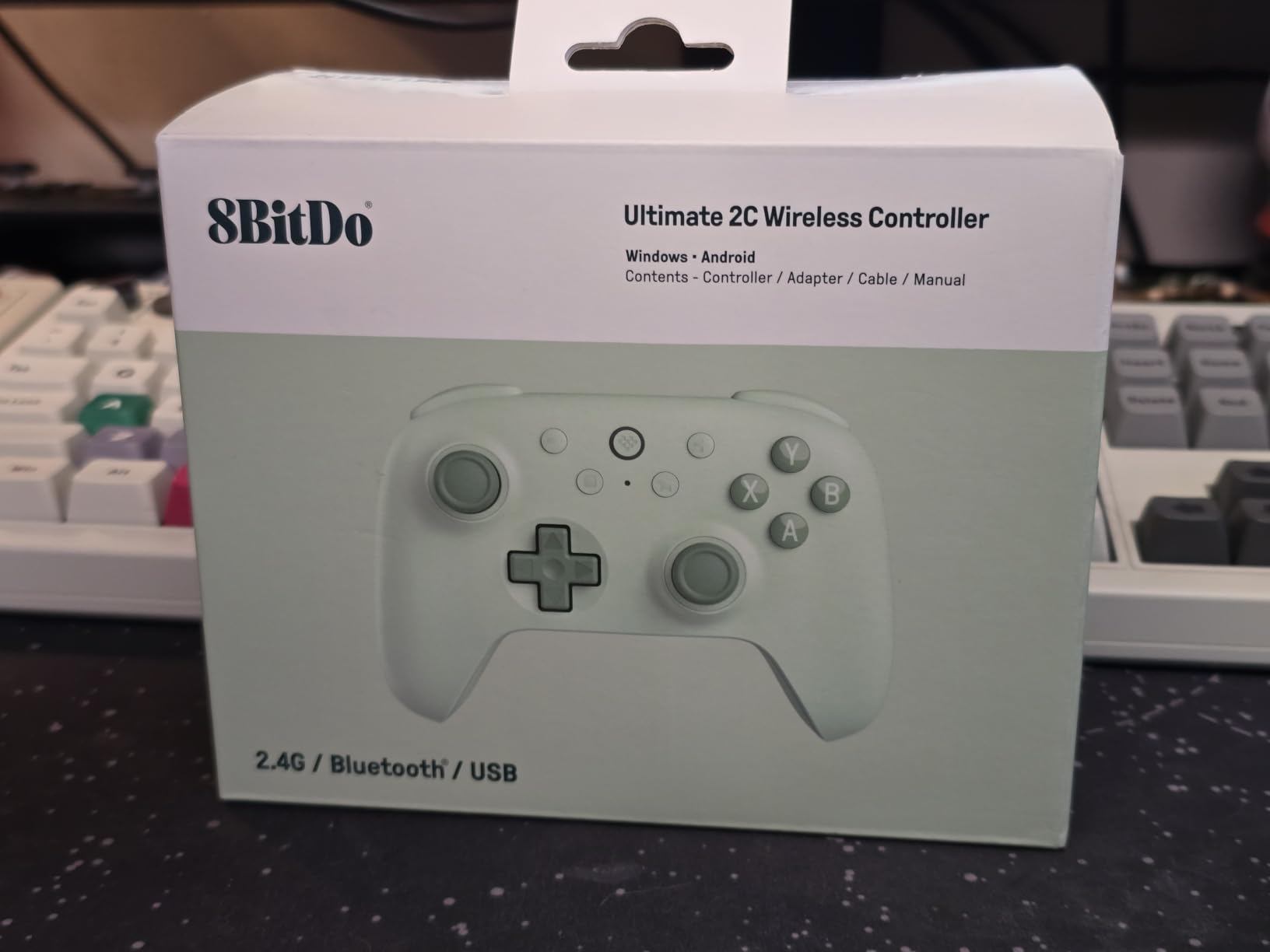
The 1000 Hz polling rate is the other headline. It translates to a very responsive feel for the money, and reviewers call it a dependable value PC pad rather than anything premium. Remappable L4 and R4 bumpers let you move secondary inputs off the face buttons, which is useful once a child learns a shooter.
Over 7,500 reviews at a 4.4 average make this the most battle-tested pad here. The reservations are consistent too: it is a full-size footprint, the product specifications do not list Nintendo Switch compatibility, and the 10-button count is lower than competing full-size pads.
Who the Ultimate 2C Fits Best
This is the right buy for a preteen or teen on a Windows PC or Android device who has outgrown a mini pad but has not yet grown into a heavier pro controller. Our general game controller roundup covers the full-size tier in more detail if they are ready for that.
Drift resistance is the decisive factor for families. A pad that still tracks correctly after a year of clumsy handling removes the most common frustration in a kid’s console.
Where the Ultimate 2C Falls Short
A four-year-old cannot use this one. The grips are standard width, so small palms will slide the pad around and grip with their fingertips, which causes exactly the fatigue and frustration you are trying to avoid.
It is also aimed squarely at PC and Android. If your family plays primarily on a Nintendo Switch, a Switch-specific pad is the better purchase, and the 8BitDo Micro covers that need at the other end of the size range.
4. ShanWan Q36-XPS Mini Review: The Budget Multi-Mode Pick
ShanWan Bluetooth Gamepad Keychain Sized Mini Controller for Switch, Windows, Android, iOS & PS4(Green)
30 g at 72x40x14mm
2.83 x 1.57 x 0.55 inch
Three-mode console slider
Bluetooth with 180mAh battery
Pros
- Lowest cost full mini controller here
- 30 g body fits comfortably in one hand
- Three-mode slider covers Switch PS3 and PS4
- D-pad converts into an analog stick
- 6-axis gyro and haptic feedback
Cons
- PS4 pairing is unreliable on some units
- D-pad swap can reset between sessions
- No second analog stick and 5 hour battery
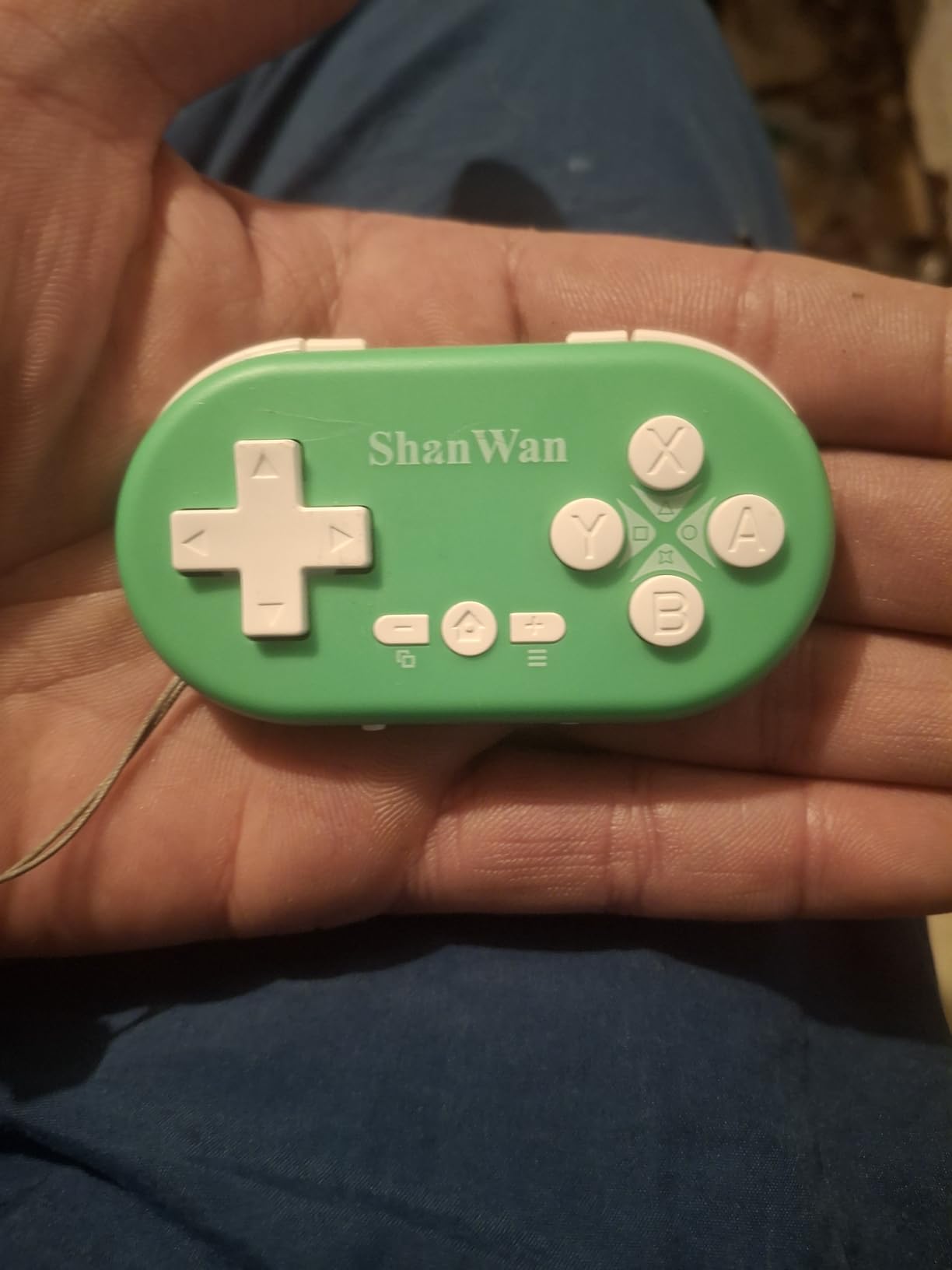
The ShanWan Q36-XPS is the cheapest complete mini gamepad on this list, and the size genuinely works for small hands. At 30 grams and 72 by 40 by 14 millimeters, a child can operate it with a single hand and still have reach on every control.
What makes it more than a novelty item is the three-mode slider. One switch moves between Xbox-style layout, Switch mode, and PS3 and PS4 modes, which means one device can cover a family with more than one console. A key combination also converts the D-pad into an analog stick.
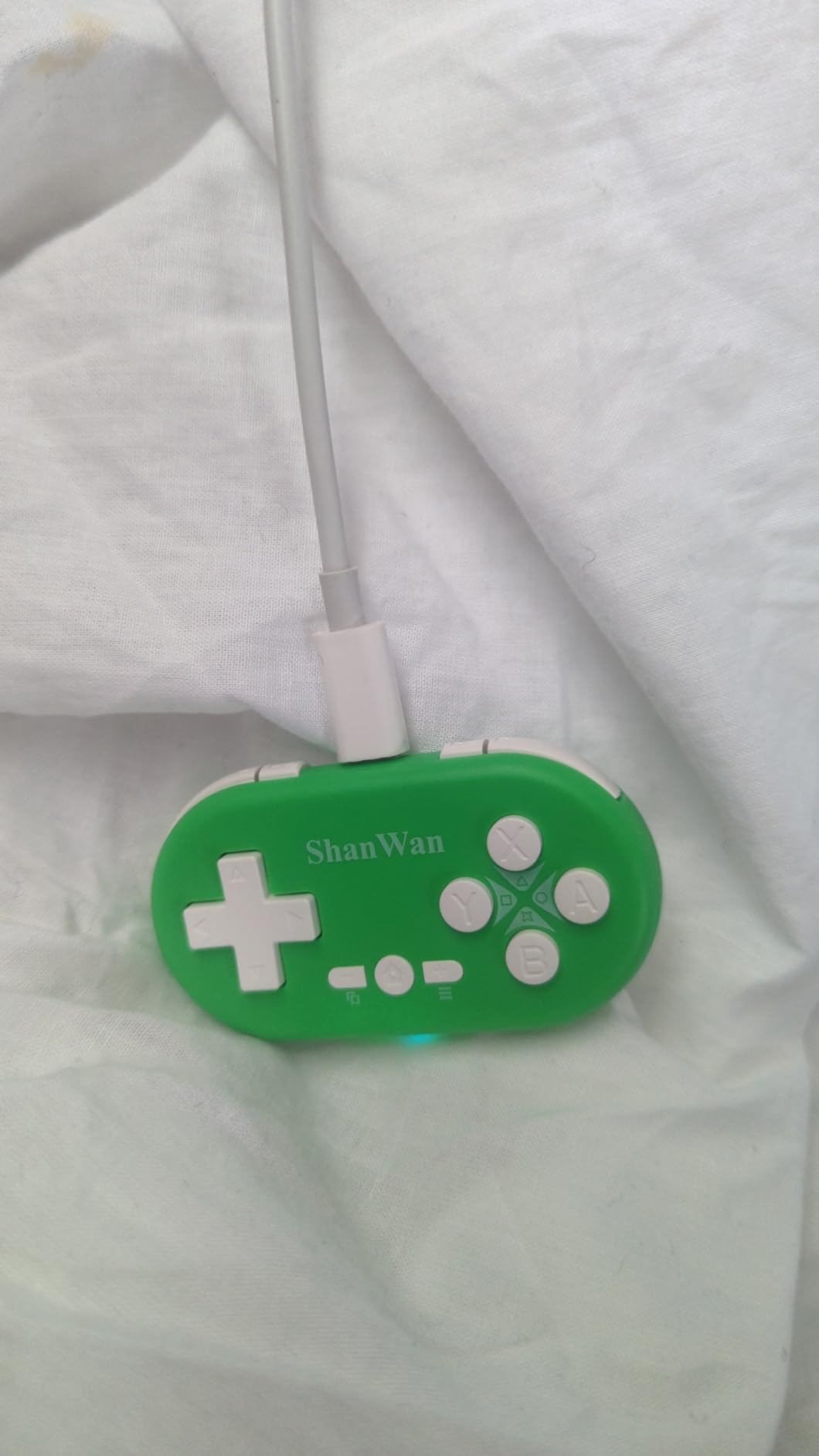
Reviewers like the portability, and several note the size suits small hands without qualification. The 6-axis gyroscope and haptic feedback let it handle motion titles, and a 180mAh battery with a key wake-up function avoids re-pairing every session.
Reliability is the weak point. PS4 compatibility is described as inconsistent, with some units refusing to pair at all, and the D-pad to joystick swap can reset the layout on power-up. Some buyers also report connection failures on phones and tablets, and a 5 hour runtime from a 2 to 3 hour charge is thin.
Who the ShanWan Fits Best
It suits a child who needs the absolute smallest workable pad on a mixed-console household, or a family building a first game setup on a strict budget. For children roughly 5 to 8 playing 2D and simple 3D titles, it does the job.
The three-mode switch is the practical draw. One device standing in for a Switch pad, a PS4 pad and a generic Bluetooth pad removes the confusion of matching protocols.
Where the ShanWan Falls Short
Do not buy it for a PS4 household that expects it to work first time. Pairing failures are common enough that the console-specific picks are safer, and our PlayStation controller guide covers licensed alternatives.
There is also no second analog stick, so two-stick action games are out of reach entirely. A 4.1 average across 446 ratings sits below the 8Bitdo mini pads for a reason.
5. HyperX Clutch Tanto Review: The Best Licensed Xbox Pad
HyperX Clutch Tanto – Mini Wired Gaming Controller for Xbox Series X|S Licensed Compact Full Featured Wired Black
165 g
5.1 x 3.6 x 1.8 inch
Officially licensed for Xbox Series X
S
USB-C wired connection
Pros
- Purpose-built for younger gamers and smaller hands
- Full button set with dual analog sticks and rumble
- Officially licensed for Xbox Series X
- S and Xbox One
- Works on PC Steam Deck and Android
- Solid build with two-year warranty
Cons
- Wired only with no wireless version
- Analog sticks reportedly drift after extended use
- Compact body still cramps larger hands
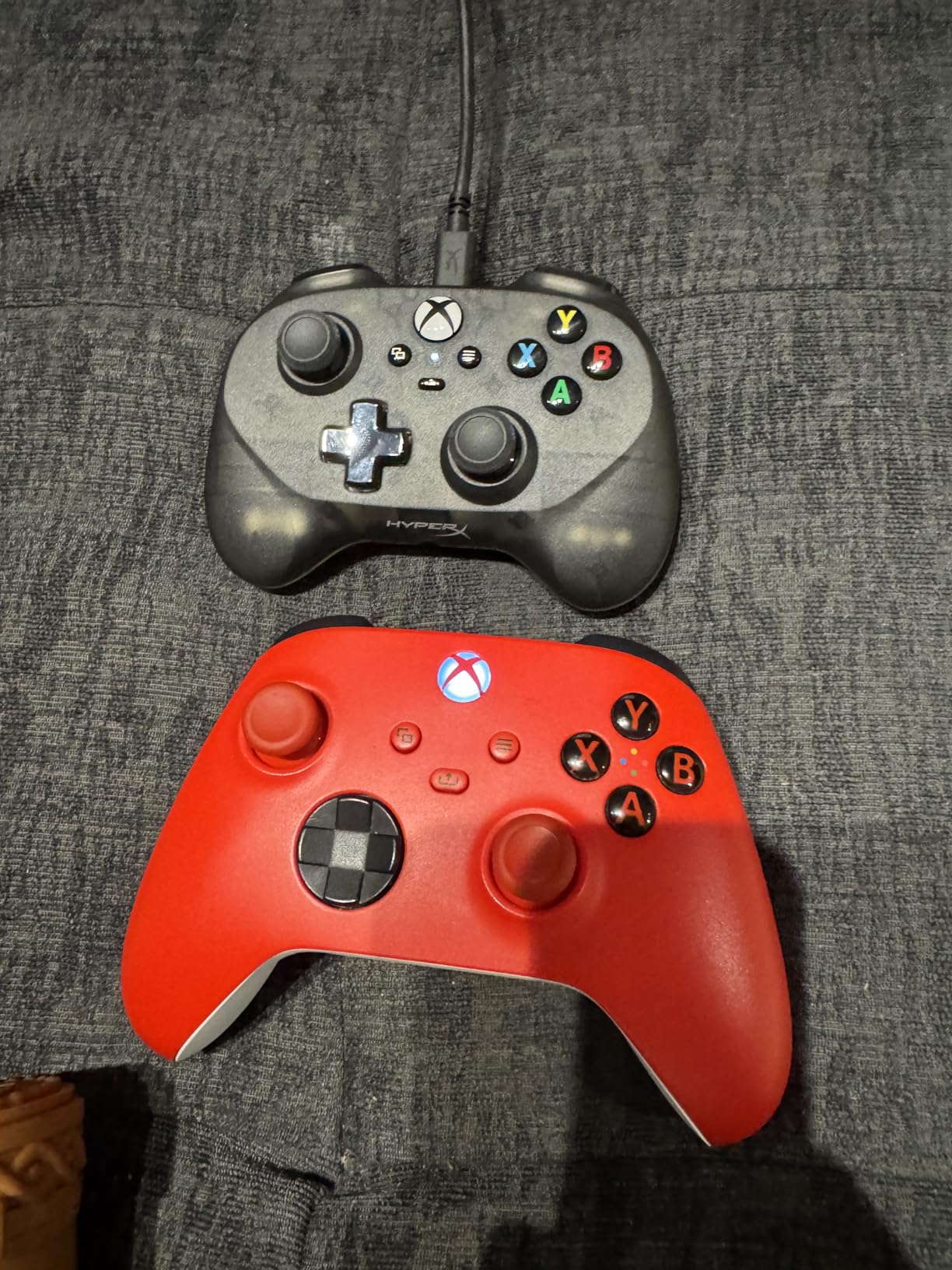
The Clutch Tanto is one of the few officially licensed compact controllers, and it answers the question parents on PlayStation and Xbox keep asking. It is 165 grams and 5.1 by 3.6 by 1.8 inches, which is small enough for a child’s hands without dropping any standard input.
Unlike the keychain pads, it keeps everything: dual analog sticks, the full button set and rumble motors. HyperX built it specifically for younger gamers and players with smaller hands, and the licensed status means it will not be blocked by a console’s third-party accessory restrictions.
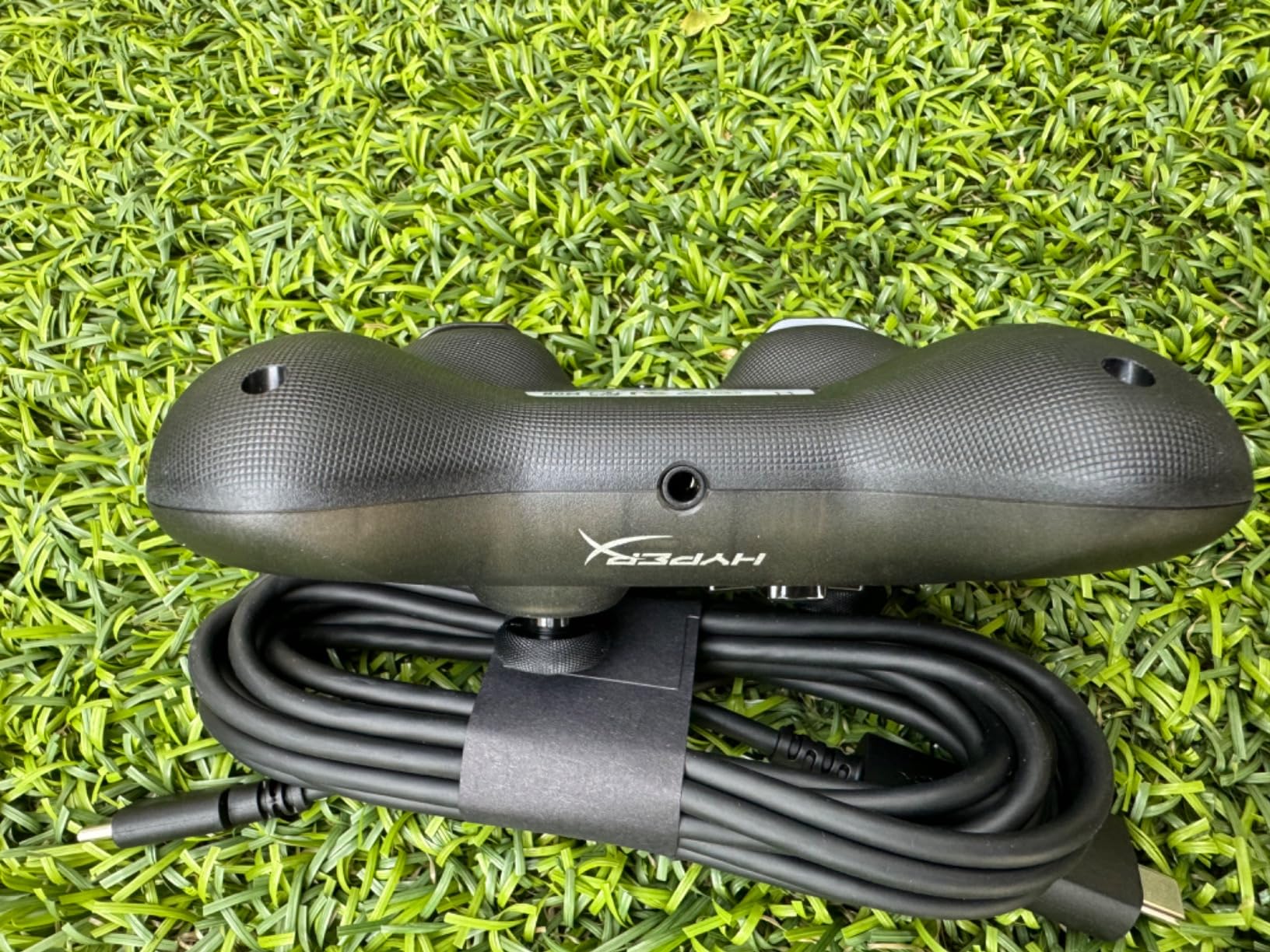
It is corded over USB-C, with a USB-A adapter and a detachable cable in the box, and it also works on PC, Steam Deck and Android devices. A 3.5mm headphone and microphone port sits on the bottom, and its two-year manufacturer warranty is among the longest offered in this roundup.
Owners frequently describe it as one of the few licensed mini controllers parents actually buy for very young children, with reviews citing a four-to-twelve-year-old range. The two recurring negatives are the lack of a wireless version and analog stick drift developing over time.
Who the Clutch Tanto Fits Best
This is our pick for an Xbox household with a child aged 5 to 9 who wants a real console experience. The wired connection removes battery anxiety entirely, which is the single most common complaint parents have about wireless pads.
It also suits a child moving up from a toy controller, because the layout is standard and the licensed support means buttons behave exactly as the console expects. Our Xbox controller guide covers the full-size options for when they grow out of this one.
Where the Clutch Tanto Falls Short
Wired only means a loose cable the child can trip over or yank out mid-session, and some kids pull at cords out of habit. It also carries the highest price tag in this roundup, which is hard to justify when a Switch-only household can spend less.
The compact body still cramps users with larger hands, so it is a short-term answer rather than a permanent one. Stick drift over extended use is worth watching for.
6. AceGamer Wireless Pocket Review: Best for Travel
AceGamer Wireless Pocket Controller for Nintendo Switch/Switch 2/Android/iOS/PC/Steam Deck/Phone,1000Hz Polling Rate, Bluetooth Controller with Lift-and-Lock Joysticks/6-Axis Gyroscope/Turbo/Vibration (Black)
3.3 oz
4.7 x 2.6 x 1.2 inch
Lift-and-lock retractable sticks
Bluetooth with 1000 Hz polling
Pros
- Retractable sticks protect the joysticks in a pocket
- Very light 3.3 oz pocket-friendly body
- Covers Switch 2 Steam Deck and phones
- Turbo assignable to any button with three speeds
- Back shell opens for battery and stick swaps
Cons
- Triggers and rumble feel cheap at this size
- Android button mapping is unreliable
- Cannot wake the Switch 2 from sleep
The AceGamer Pocket is the most interesting travel design here. Its joysticks retract and lock into the body, so the sticks cannot bend or snap inside a school bag, which solves the single most common way a compact controller gets ruined.
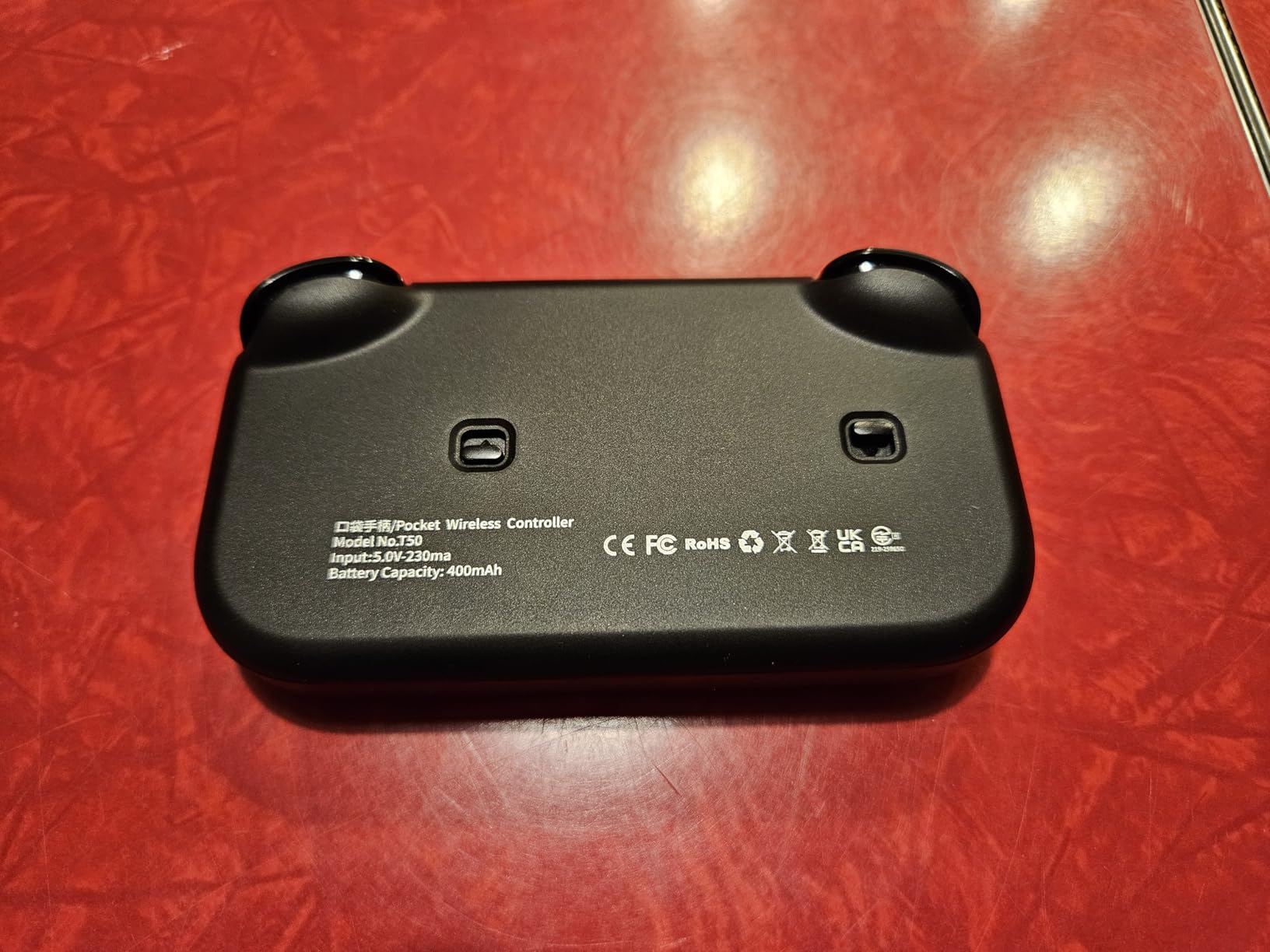
It is also very light at 3.3 ounces with a 4.7 by 2.6 by 1.2 inch body. Platform support is unusually broad for something this small: Switch, Switch 2, Switch Lite, PC, iOS, Android, Steam Deck, tablet and phone, with a 1000 Hz polling rate and a 6-axis gyroscope.
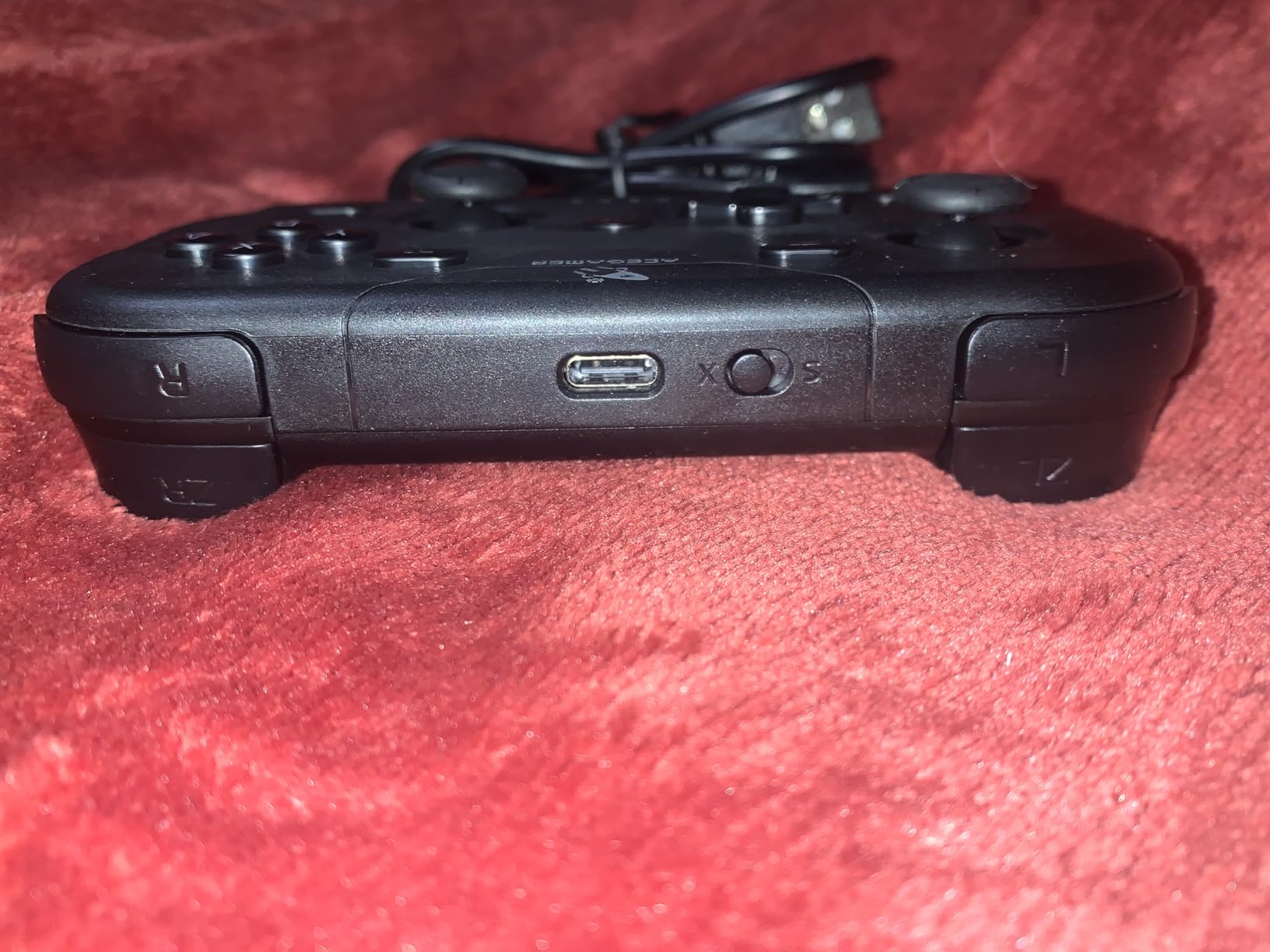
Owners compare the retractable design favorably to the 8BitDo Lite 2 for portability, which is high praise in this category. The back shell opens for battery replacement and even stick module swaps, and turbo can be assigned to any button at 5Hz, 12Hz or 20Hz.
Android support draws the heaviest criticism. Several reviewers report buttons refusing to bind, and the advertised A/B X/Y interchange feature does not work on Android. It also cannot wake the Switch 2 from sleep despite the listing claim, and pairing sometimes needs redoing.
Who the AceGamer Fits Best
It suits a child aged 6 to 10 who games on the move and switches between a Switch and a laptop or tablet. The 4.0 average is the lowest here, but the platform breadth and the protected sticks make up for it in the situations this pad is designed for.
Anyone traveling with a Steam Deck or a Switch 2 appreciates having one small pad that covers both. The wired fallback helps when Bluetooth gets fussy in a hotel room.
Where the AceGamer Falls Short
Android emulation is the weak spot, and if that is the main use, look at the GuliKit Elves 2 or the IINE instead. Triggers and rumble also feel cheap compared with licensed pads in the same weight class.
Some buyers report input delay over Bluetooth and intermittent pairing, so it is not the first choice for a child playing competitive online games where latency matters.
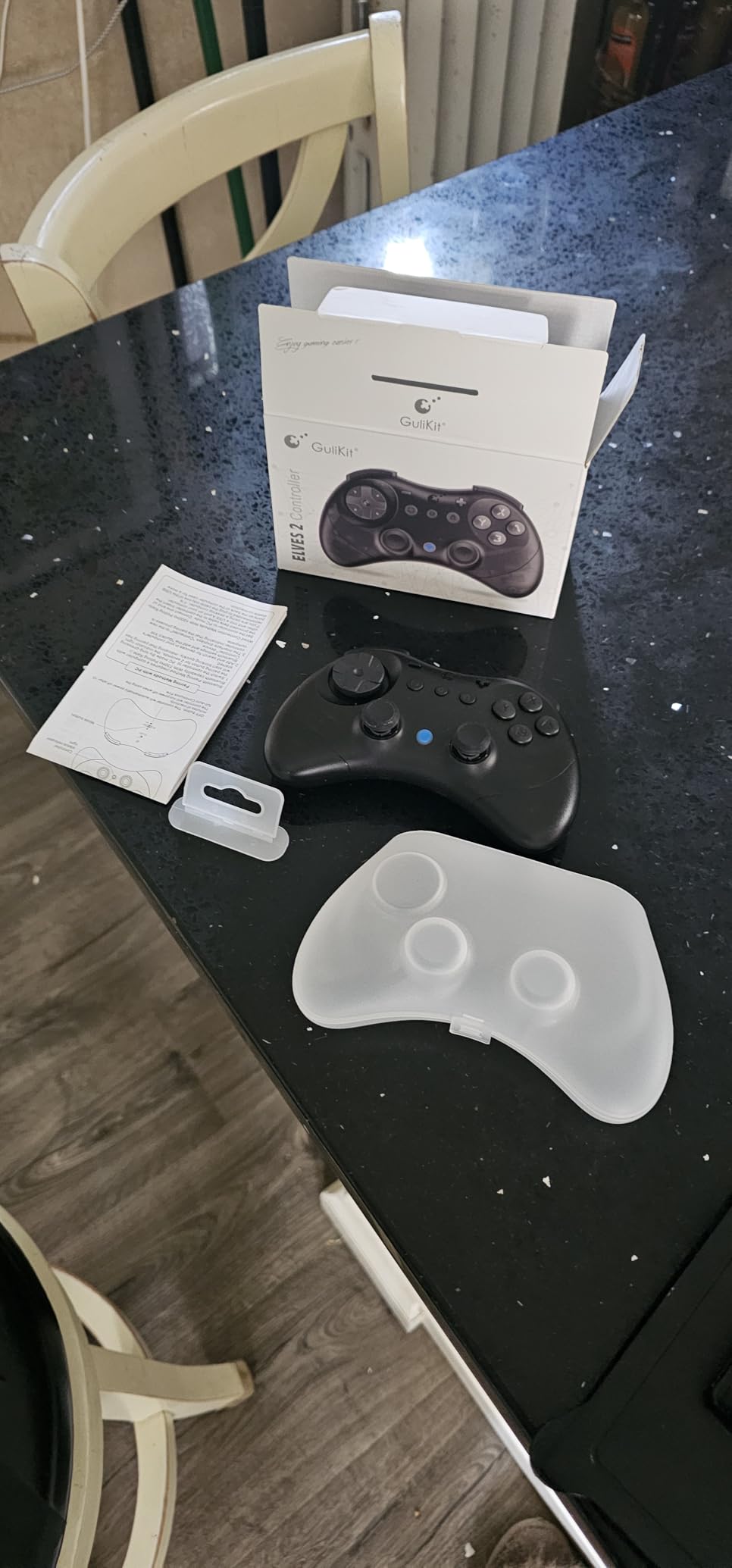
7. GuliKit Elves 2 Review: Best Hall Effect Sticks in a Compact Shell
GuliKit Elves 2 Bluetooth Game Controller for Switch/Switch 2,PC & Android
180 g
5.9 x 3.9 x 1.2 inch
Hall Effect thumbsticks
800mAh battery up to 20 hours
Pros
- Hall Effect sticks with anti-friction rings resist drift
- Floating D-pad praised as best in class
- First third-party pad to support Switch 2 wake-up
- 800mAh battery runs about 20 hours
- Case included and easy to repair internally
Cons
- Analog sticks sit close together for two-stick games
- Wide wings can cause wrist pain
- Bluetooth dropouts reported after a few months
The GuliKit Elves 2 is the most technically detailed pad in the group, and the only one with a floating D-pad. Reviewers rate that D-pad as best in its class for platformers and fighters, which is exactly the genre a six-year-old is likely to play most.
It carries Hall Effect magnetic thumbsticks with anti-friction rings, meaning no contact sensor to wear out. Polling runs at 1000 Hz over wired PC use and 730 Hz over Bluetooth, and reviewers who benchmarked it found near-990 Hz and very low jitter.
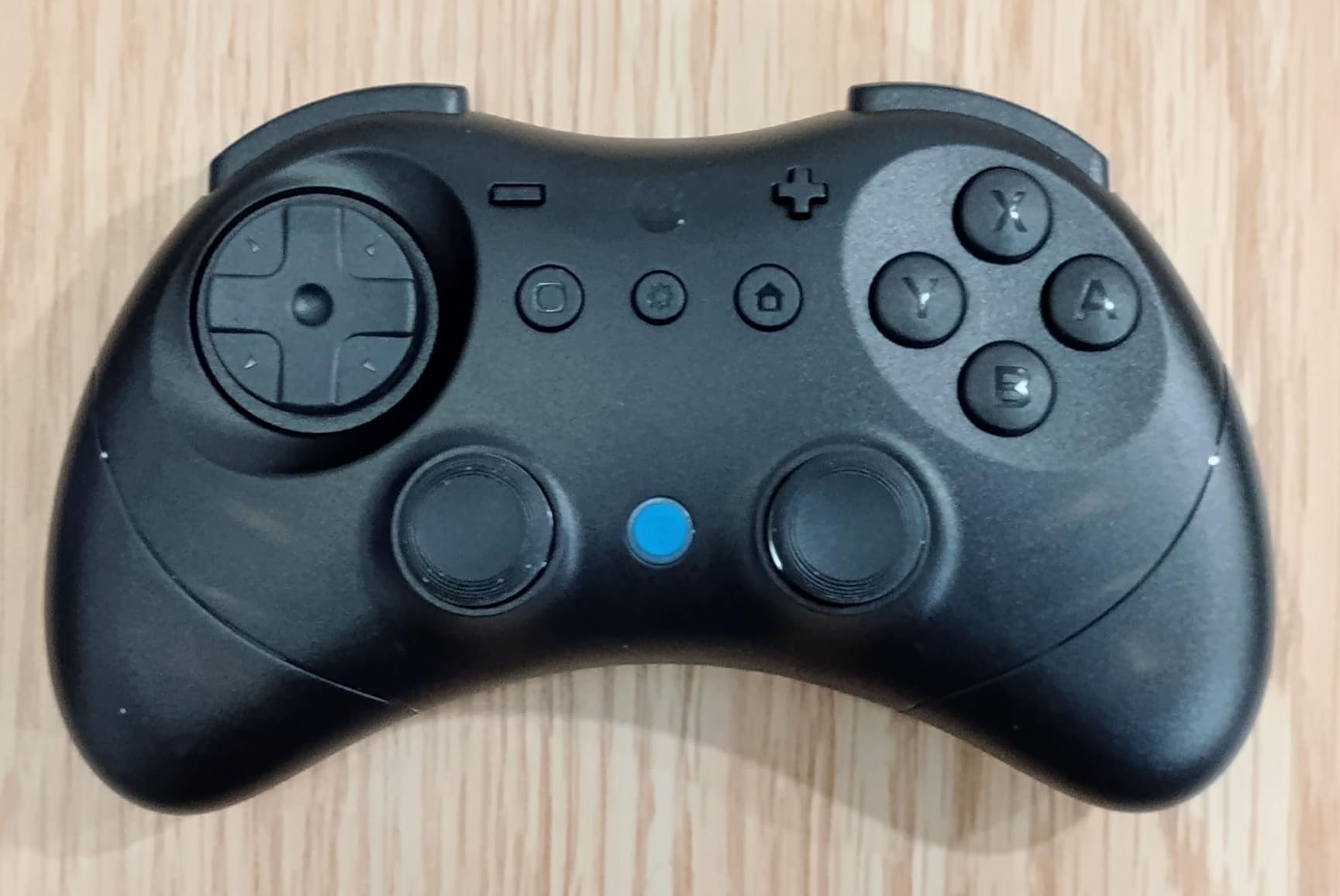
The 800mAh battery is the largest in this roundup and is quoted at up to 20 hours per charge, and a protective carrying case is included. Dead zone, vibration and stick calibration are all adjustable on the controller itself without PC software, and it was the first third-party pad to support Switch 2 wake-up.
The ergonomics are the honest drawback. Both analog sticks sit close together, which becomes uncomfortable in anything needing two sticks, and the wide wings combined with a small body can cause wrist pain even for hands that are small. Rumble is also stronger than some buyers prefer.
Who the GuliKit Elves 2 Fits Best
It suits a child aged 8 to 12 on Switch, PC, Steam Deck or a Windows laptop who has grown out of a keychain pad but still wants something compact. The internal layout is easy to repair, which matters if a stick module eventually fails.
Parents worried about stick drift have this one high on the list. Hall Effect sensing removes the most common long-term failure parents complain about in cheaper third-party pads.
Where the GuliKit Falls Short
It is not really for a 4-year-old. The body is 5.9 by 3.9 inches, so small palms will still feel the cramped dual-stick layout, and the wings can end a session early with wrist discomfort.
Some units also report Bluetooth dropouts after a few months, no USB cable is included in the box, and the digital triggers have a short throw that makes an early L2 or R2 release possible.
8. PowerA Nano Enhanced Review: Best Licensed Switch Mini
PowerA Nano Enhanced Wireless Controller for Nintendo Switch – Pikachu Garden, mini, portable, gamepad, motion controls, bluetooth
6.4 ounces
5.12 x 3.74 x 1.97 inch
Bluetooth 5.0 wireless
Licensed for Nintendo Switch
Pros
- Compact shell with standard-sized buttons children can reach
- Officially licensed for Switch Switch OLED and Switch Lite
- Internal rechargeable battery up to 20 hours
- Mappable Advanced Gaming Buttons and motion controls
- LED indicators for player and battery
Cons
- Costs more than most competing mini controllers
- Does not support Nintendo Switch 2
- No 3.5mm headphone jack listed
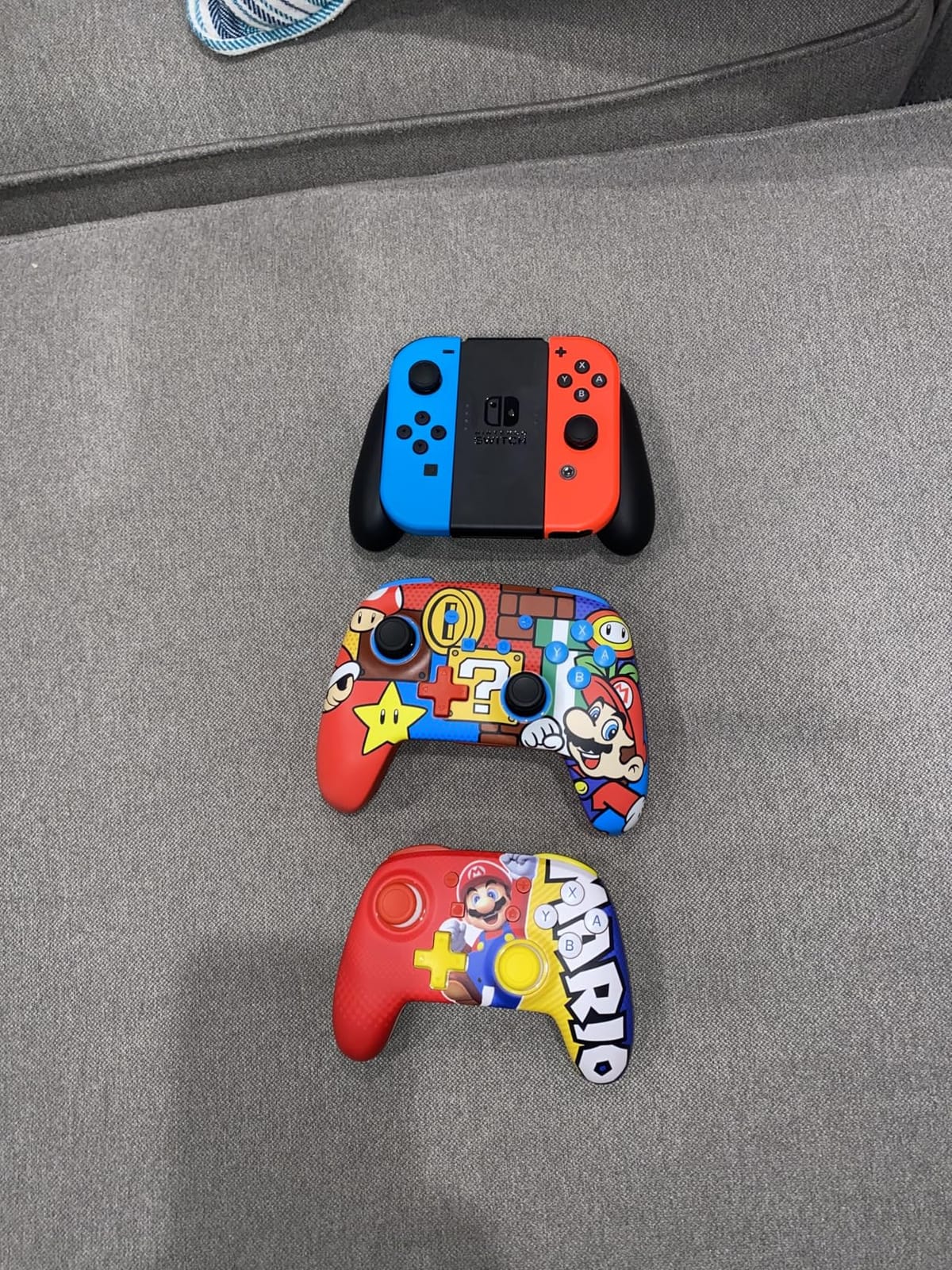
The PowerA Nano Enhanced takes the opposite approach to the 8Bitdo minis. Rather than stripping the layout down to 16 buttons, it keeps standard-sized buttons and controls on a compact 5.12 by 3.74 inch shell, so a child can reach everything without adapting.
Parents describe it as a favorite for small hands, with owners calling it suitable for children as young as 4 or 5. It is officially licensed for Nintendo Switch, Switch OLED and Switch Lite, which removes any third-party accessory doubt on a family console.
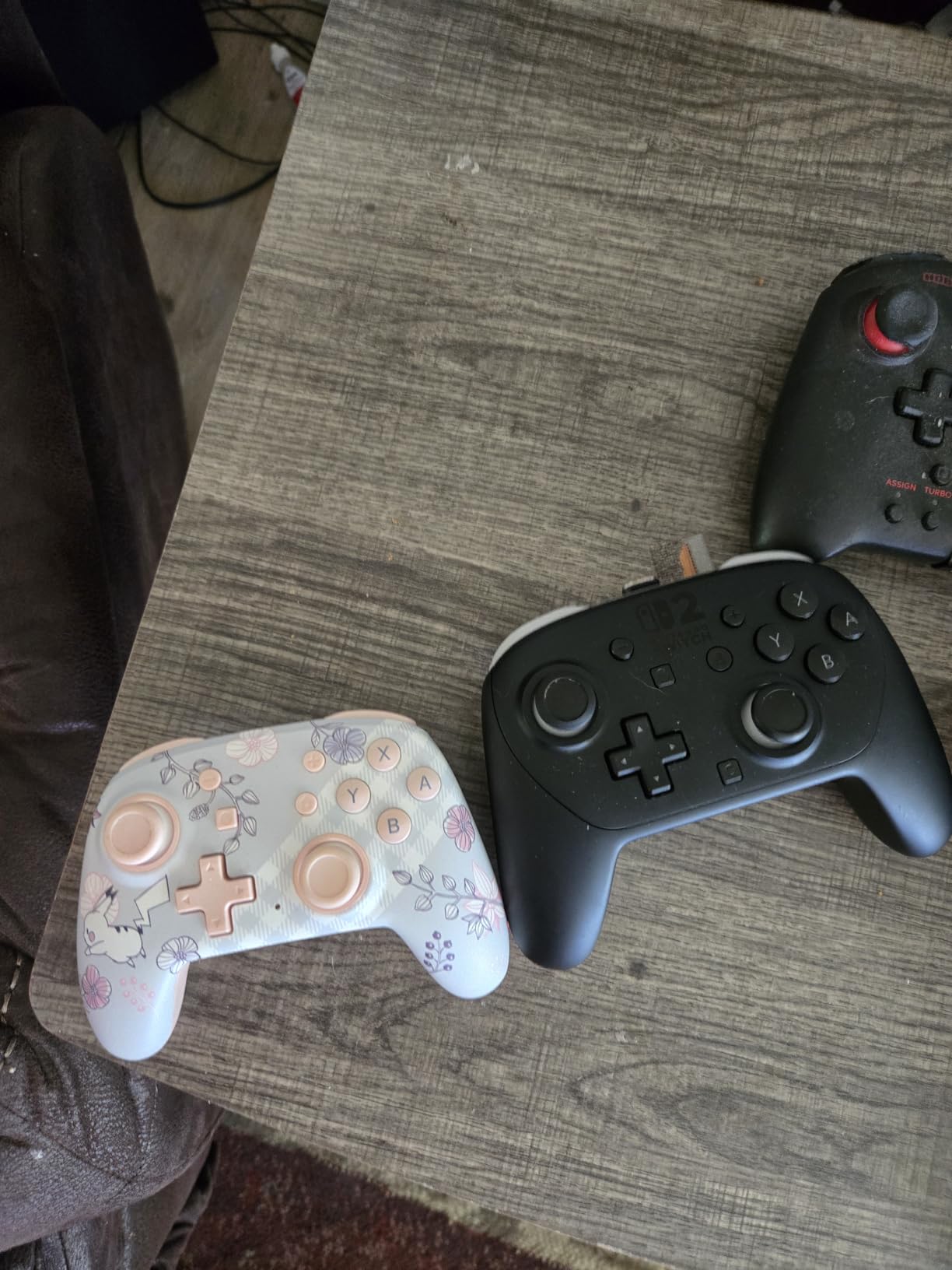
Bluetooth 5.0 wireless with an internal rechargeable battery lasting up to 20 hours per charge means no charging cable anxiety during a long session. LEDs show player number, button mapping and a low battery warning, and motion controls plus mappable Advanced Gaming Buttons are included.
It arrives with a 6 foot USB-C charge cable and a two-year limited warranty. Character-themed artwork appeals directly to younger players, with multiple variants available, and the shell stays grippy rather than slick.
Who the PowerA Nano Enhanced Fits Best
This suits a Switch household with a child aged 5 to 9 who wants a real console pad rather than a pocket toy. The official license means guaranteed pairing, and the 20 hour battery covers a full holiday weekend on one charge.
It is also a sensible choice for a child who struggles with tiny buttons, since standard sizing means the layout matches what they will eventually grow into. That reduces relearning later.
Where the PowerA Nano Enhanced Falls Short
It is the most expensive mini controller in this roundup, and it does not list Nintendo Switch 2 support. If your family is moving to a Switch 2, a pad built for Switch 1 is a poor investment.
There is no 3.5mm headphone jack listed, so a child playing with headphones will need an adapter. The 8-button count also suggests a reduced layout compared with a full-size licensed pad.
9. PowerA Nano Wired Review: Best Wired Switch Pad
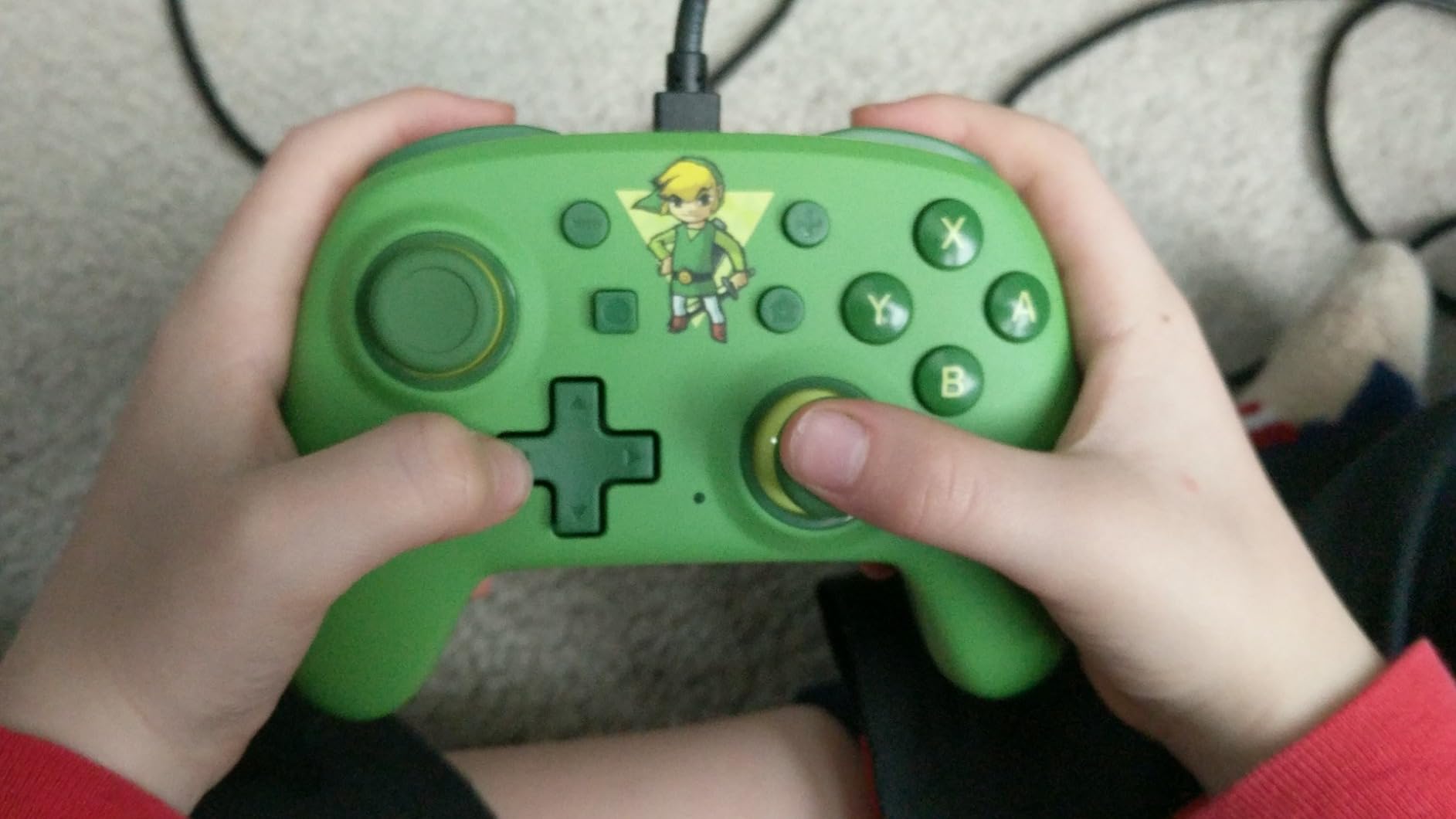
PowerA Nano Wired Controller for Nintendo Switch – Toon Link, Nintendo Switch – OLED Model, Gamepad, game controller, Compact, Smaller, Portable
6.4 ounces
5.12 x 1.97 x 3.74 inch
Wired USB connection
16 buttons with L R ZL and ZR
Pros
- Compact body praised by reviewers with genuinely small hands
- ABXY buttons larger than Joy-Con
- Full Switch system buttons plus L R ZL and ZR
- Eight-way plus D-pad with no stick drift
- Two-year limited warranty
Cons
- Wired only and needs a free USB-C port
- Some shipments arrive without the cable
- Occasional button failures after months
The PowerA Nano Wired is the model that finally lets a young child reach every button independently, according to the owners who rate it highest at 4.5. It is 6.4 ounces and 5.12 inches across, with a standard familiar layout rather than a reduced one.
The key difference from the 8Bitdo minis is button size. The ABXY buttons are larger than a Joy-Con’s, and the pad carries the full set of Switch system buttons plus L, R, ZL and ZR shoulder buttons and triggers. Nothing on it is a toy approximation.
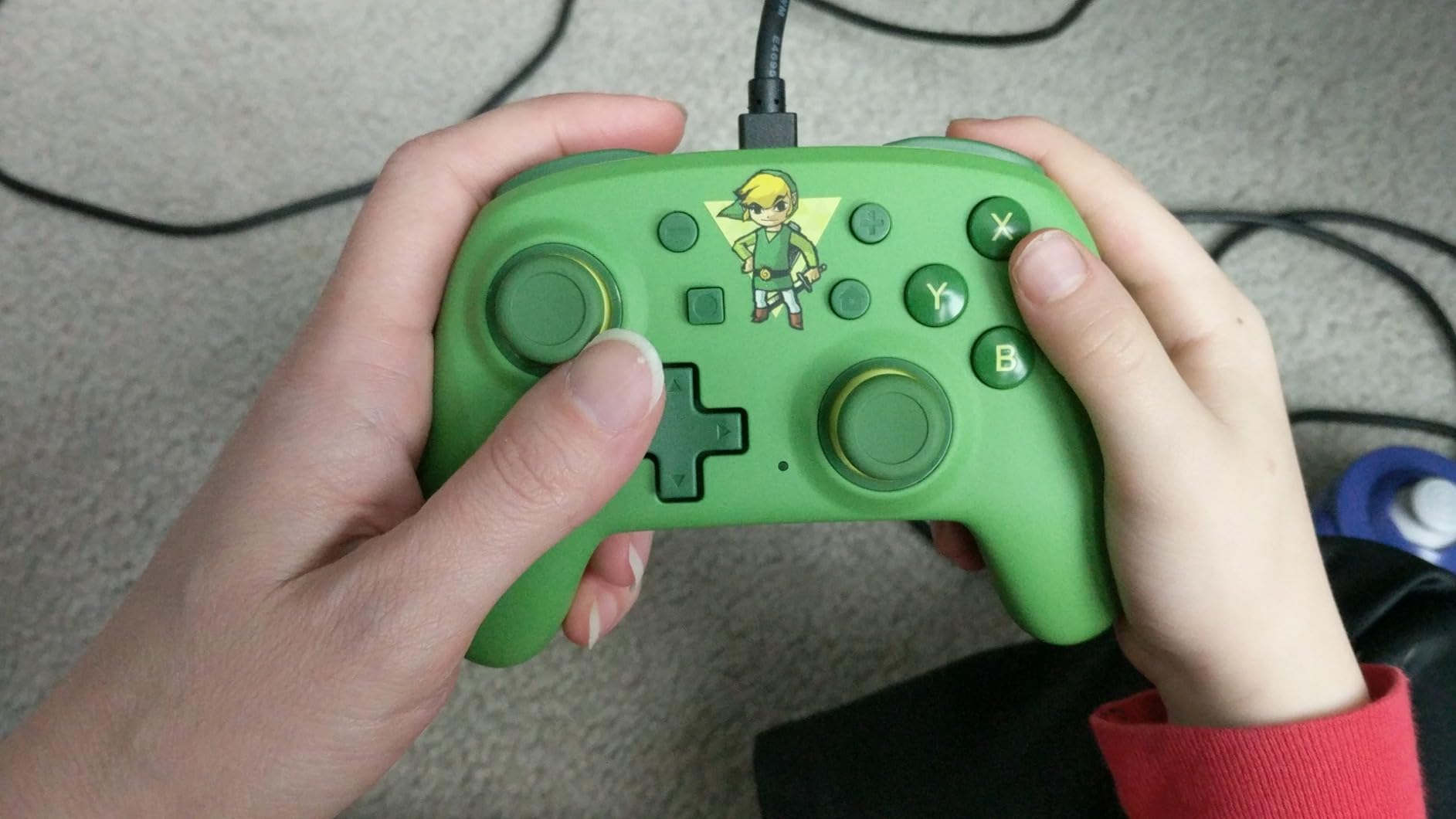
The eight-way plus-shaped D-pad works reliably with no stick drift, which parents consistently call out. It is officially licensed for Nintendo Switch and Switch Lite, comes with a two-year limited warranty, and the themed designs in Toon Link, Mario Kart and Animal Crossing are aimed straight at children.
Being wired removes battery anxiety, which is the reason many parents pick this route. The trade-off is that the cable needs a free USB-C port on the console, and a few buyers reported the eight-foot USB cable missing from the box.
Who the PowerA Nano Wired Fits Best
It suits a child aged 5 to 9 on a Nintendo Switch who fights with a full-size controller and needs every input within reach. Parents who have moved up from a toy controller report the fastest improvement in control quality here.
Wired play also means no charging routine to teach, which suits younger children. Two years of warranty coverage adds useful protection on a device that gets dropped.
Where the PowerA Nano Wired Falls Short
There is no wireless version, so a child who wanders out of cable range mid-session will interrupt play. It also does not support Nintendo Switch 2, which matters for a household upgrading this year.
A few units develop intermittent button failures after months of use, and with only 73 ratings the long-term record here is thinner than for the 8Bitdo pads.
10. IINE Wireless Mini Review: Best for RGB and Amiibo
IINE Wireless Controller for Switch/PC/Android/IOS, Cute Gamepad with RGB Lights, Mini Pro Controller with Turbo/Macro/NFC Amiibo/Motion Sensor/Wake-Up/Rumble (Purple)
600mAh battery
10 to 12 hours play time
Bluetooth wireless
NFC Amiibo and 252-step macros
Pros
- Explicitly designed and sized for gamers with small hands
- Cute pastel styling with adjustable RGB lighting
- NFC Amiibo support most budget minis omit
- Macro programming up to 252 recorded steps
- One-button screenshot and console wake-up
Cons
- Rumble is less refined than licensed pads
- 600mAh battery gives only 10 to 12 hours
- Does not list Nintendo Switch 2 support
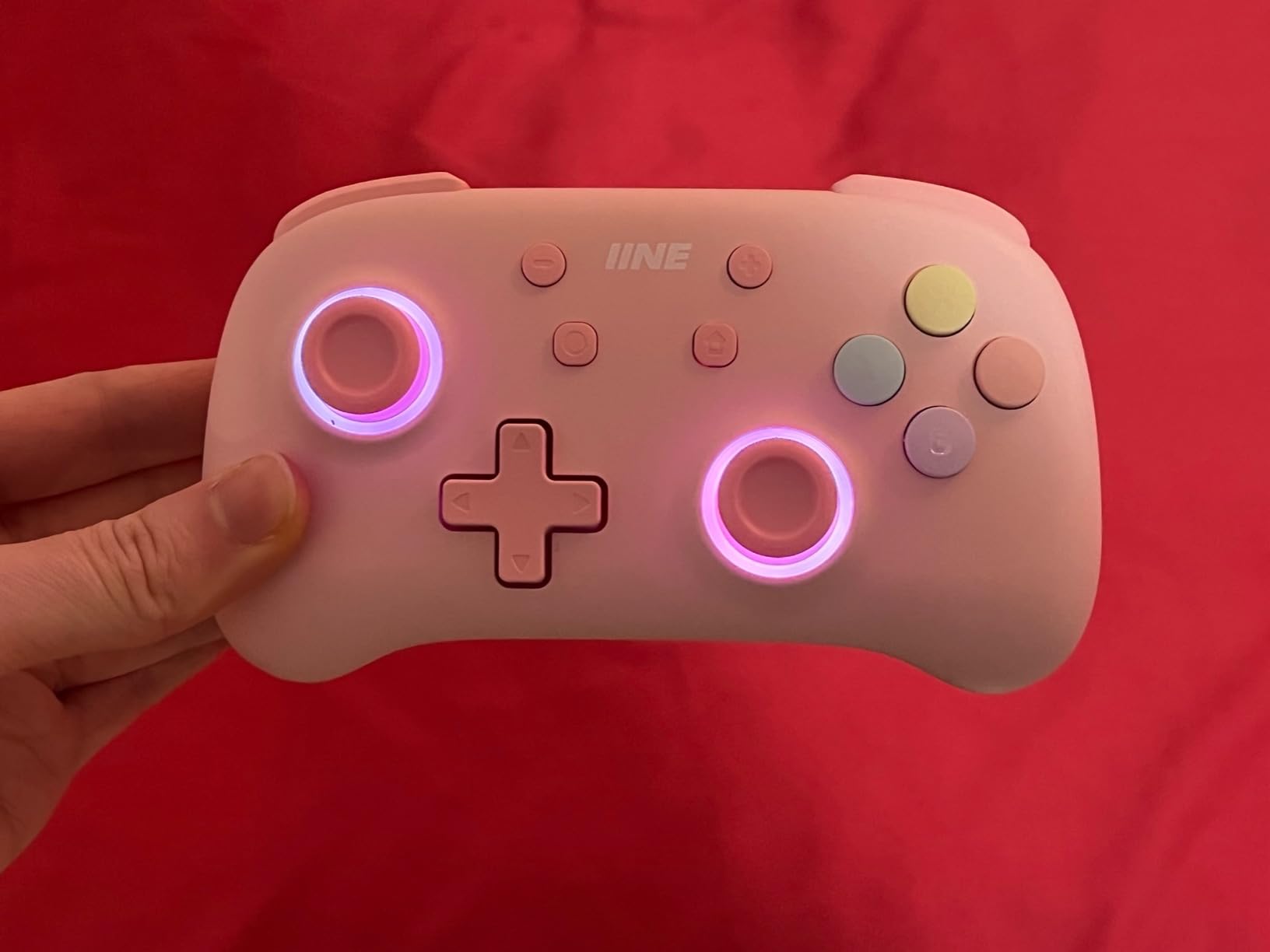
The IINE is the only pad here sold purely on a design brief for small hands, and that shows in the details. It works across Switch, PC, Android and iOS with a 6-axis gyro, and its pastel candy-pop shell with adjustable RGB lighting is the most kid-focused styling in the group.
The feature that separates it from cheaper wired alternatives is NFC Amiibo support, which most budget mini pads omit entirely. It also records macros of up to 252 steps with three turbo speeds, and there are one-button screenshot and console wake-up functions.
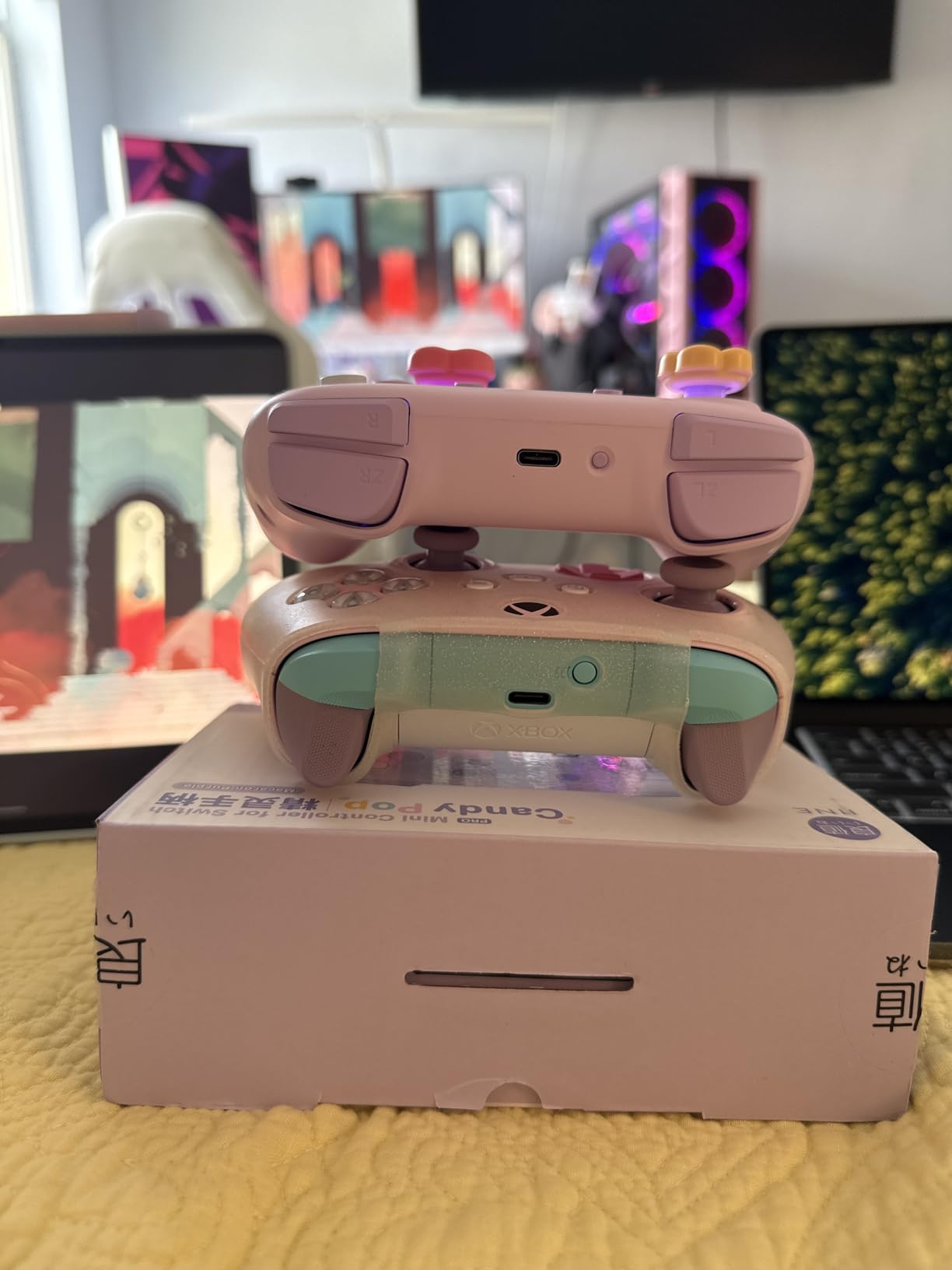
Buyers respond to the sizing claim rather than testing it, and comments on the small-hand design and the lit shell skew positive. The macro recorder is the other standout feature for the money, since it can automate repetitive inputs a child might struggle to perform.
Criticism is mild. The 600mAh battery gives roughly 10 to 12 hours, below most rivals, and takes 2 to 3 hours to refill. Rumble works but is less refined than on larger licensed pads, and Nintendo Switch 2 is not listed as supported.
Who the IINE Fits Best
It suits a child aged 7 to 11 who plays across more than one platform and cares about how the controller looks. The adjustable lighting with color, brightness and flash mode control is the kind of detail that keeps a preteen interested in the hardware.
Any family playing Amiibo games gets a feature most mini pads in this size class cannot offer. The one-button screenshot function is also useful for school projects.
Where the IINE Falls Short
The 10 to 12 hour battery means a mid-week charge for a heavy player, which is less convenient than the 20 hours the GuliKit or PowerA Nano Enhanced deliver. Rumble quality also trails licensed hardware.
It sits near the top of the mini price range without a wireless wake on Switch 2, so a Switch 2 household should check compatibility before committing. Some buyers simply prefer a plain black pad to pastel styling.
How to Measure Your Child’s Hand Span to Size a Controller
Age labels are a poor proxy for controller fit because hand size tracks growth unevenly. Measuring hand span takes about a minute and tells you which size band to shop in before you look at a single listing.
Here is the method we use when a child is between two size categories.
Measure the hand span. Lay the child’s hand palm down with fingers together, then measure from the tip of the middle finger to the base of the palm where the wrist crease starts. Write the number down in centimetres.
Read the band. Under 13 cm points to a pocket or keychain pad. Between 13 and 15 cm points to a compact mini. Between 15 and 17 cm points to a mid-size pad. Over 17 cm can use a standard Pro Controller.
Check grip width next. Compare the pad’s listed width with your child’s palm width. If the grips extend past the outside edge of the hand when held in a natural grip, the pad is too wide regardless of weight.
Test thumb reach before buying. Ask the child to hold the pad in a normal playing grip and touch every face button, each stick and both shoulder triggers without shifting the grip. If the hand slides to reach one of them, the spacing is wrong.
Step four catches more bad fits than any spec on a product page. Weight matters, but control reach is what determines whether a session ends in frustration.
If a pad fails step four, a slightly larger model is the answer, not a firmer grip. A controller that requires a child to clamp down will produce sore hands and worse play within a week.
Which Controller Size Fits Which Age? An Age-Band Picker
These bands are a starting point, not a rule, so pair them with the hand-span measurement above. Two children the same age can sit in different bands.
Ages 3 to 5: Keychain and pocket pads only. The 8BitDo Zero 2 at 22.68 g and the 8BitDo Micro at 24.8 g are the practical choices, paired with 2D and party games. Avoid anything with analog sticks at this age, since a child will push them and create drift themselves.
Ages 6 to 8: Compact minis with a full button set. The PowerA Nano Wired and PowerA Nano Enhanced put standard-sized buttons in a small shell, which is the right move as soon as a child can handle a shoulder button. The AceGamer Pocket works well for travel at this age.
Ages 9 to 12: Mid-size pads with Hall Effect sticks. The GuliKit Elves 2 and the 8Bitdo Ultimate 2C both use Hall Effect sensing, so they survive clumsy handling longer than potentiometer sticks. This is also the band where a child can hold a pad for a full session without fatigue.
Teens: Standard full-size pads. Drift resistance and polling rate start to matter more than footprint. If you want the deeper comparison, our elite controller roundup covers that tier in detail.
Best Controllers for Small Hands by Platform
Platform support eliminates options faster than any other filter, and a pad that does not speak the console’s protocol simply will not work. Check this before anything else.
Nintendo Switch and Switch 2: The 8BitDo Zero 2, 8BitDo Micro, PowerA Nano Enhanced, PowerA Nano Wired, GuliKit Elves 2, AceGamer Pocket and IINE all list Switch support. Only the GuliKit Elves 2 is described as supporting Switch 2 wake-up, so check firmware notes if you have the newer console.
PS5 and PS4: There is no first-party small PlayStation controller, which is why this is the hardest platform to solve. The ShanWan Q36-XPS has a PS3 and PS4 mode on its slider but has documented pairing problems, so treat it as a backup rather than a primary pad. Our PS5 controller guide covers the licensed full-size options for an older child.
Xbox Series X and S: The HyperX Clutch Tanto is the cleanest answer here. It is officially licensed for Xbox Series X|S and Xbox One, keeps the full button set and rumble in a 165 gram shell, and also works over USB-C on PC, Steam Deck and Android.
PC: The 8Bitdo Ultimate 2C is built for Windows, with 1000 Hz polling, Hall Effect sticks and remappable bumpers. It is the stepping-stone model for a child moving up from a mini pad.
Phone and tablet: The AceGamer Pocket and the IINE both cover iOS and Android. The AceGamer has documented Android binding problems, so the IINE is the safer mobile option, and the ShanWan only suits casual mobile play.
Buyer’s Guide: How to Choose a Controller for Kids With Small Hands
Grip width beats every other spec. A child should be able to wrap the grip without sliding the pad around during play. If the grips stick out past the hand in a natural grip, the controller is too wide no matter what else it offers.
Weight matters for long sessions. The lightest pads here start at 22.68 g and 24.8 g, with the compact full-size options sitting between 165 g and 180 g. Anything heavier than 200 g will tire a young child’s forearms before a match ends.
Button spacing decides whether a child can play. Toy-grade pads cluster buttons too tightly, while full-size pads spread them out too far. The sweet spot is standard-sized buttons on a small shell, which is what the PowerA Nano models do.
Hall Effect sticks solve the drift problem parents keep raising. Joystick drift is a recurring complaint in parent threads, and it is the main reason a kid’s character starts moving on its own. The GuliKit Elves 2 and the 8Bitdo Ultimate 2C both use Hall Effect sensing, which reads position magnetically and removes the contact sensor that wears out.
Decide wired versus wireless honestly. Parents often prefer wired because a child who never charges a controller cannot be interrupted by a dead pad mid-session. The tradeoff is a cable that can snag, and one that needs a free port on the console. The PowerA Nano Wired and HyperX Clutch Tanto are the two wired picks here.
Check battery claims against playtime. The GuliKit Elves 2 and the PowerA Nano Enhanced are quoted at around 20 hours, the AceGamer Pocket and the 8BitDo Zero 2 sit at roughly 8 hours, and the ShanWan is quoted at around 5 hours. A weekend of holiday play needs more than a weekday session.
Third-party pads are not a risk in themselves. The fear that an unlicensed controller will not work or will fail within a month is the top objection in parent threads, and the evidence does not support it. Licensed pads such as the HyperX Clutch Tanto and PowerA Nano add a guarantee and a warranty, but the well-reviewed unlicensed minis have thousands of ratings behind them.
Warranty length is a real durability signal. The HyperX Clutch Tanto, PowerA Nano Enhanced and PowerA Nano Wired each carry a two-year warranty. Longer coverage usually reflects a more confident shell, which matters for a device that will be dropped.
How to Clean and Care for a Child’s Controller
Sticky hands and spilled drinks do more damage to a kid’s controller than normal use. A short cleaning routine keeps buttons responsive and stops grime from working into the gaps around the sticks.
Power the controller off first and disconnect any cable. A cotton swab with a little isopropyl alcohol works well around stick bases and inside the seams between buttons, where food particles collect.
Wipe the shell with a lightly damp microfiber cloth and let it air dry fully before pairing again. Avoid soaking the pad, and keep cleaning fluid away from the charging port, which is where liquid causes the most reported failures.
For drops, check the sticks immediately by nudging them in a circle. A stick that resists in one direction after a fall is usually debris rather than a broken sensor, and a swab around the base clears it.
Store compact pads in a case rather than loose in a bag. The AceGamer Pocket’s retractable sticks and the GuliKit’s included case both exist for this reason, and a keychain pad survives far longer in a pocket than at the bottom of a school bag.
Frequently Asked Questions
What controller is better for smaller hands?
A compact pad with a narrower grip, a body under 200 grams and buttons spaced closer together fits smaller hands better than a full-size controller. Measure hand span from the middle fingertip to the wrist crease: under 13 cm suits a pocket pad, 13 to 15 cm suits a compact mini, and over 17 cm suits a standard Pro Controller.
What are some good controllers for small kids?
The 8BitDo Zero 2 is the simplest pick for a child around 4 to 7 on 2D games, weighing 22.68 g. The 8BitDo Micro is a top-rated option here at 4.5 with 2,632 ratings and adds keyboard mode. Older children who need a full button set do well with the PowerA Nano Wired or the PowerA Nano Enhanced.
What is the best PlayStation controller for small hands?
There is no licensed first-party small PlayStation pad, which makes PS4 and PS5 the hardest platform to solve. The ShanWan Q36-XPS includes a PS3 and PS4 mode on its mode slider but has documented pairing problems, so a full-size licensed pad such as the HyperX Clutch Tanto for Xbox or a standard DualSense is more reliable once a child turns about 10.
What are the best Xbox controllers for people with small hands?
The HyperX Clutch Tanto is the clear pick. It is officially licensed for Xbox Series X|S and Xbox One, weighs 165 g at 5.1 by 3.6 by 1.8 inches, and keeps dual analog sticks, the full button set and rumble motors in a shell sized for a child’s hands. It is wired over USB-C and carries a two-year warranty.
What is the best small controller overall?
The 8BitDo Zero 2 is the best small controller for most children, combining a 22.68 g body with 4,758 ratings at a 4.2 average. It is a genuine Bluetooth gamepad rather than a keychain novelty, and it works on Switch, Switch 2, Windows and Android, though it has no analog sticks and suits 2D and retro titles only.
Can younger kids use adult controllers?
They can, but they will struggle. A standard Pro Controller is wider and heavier than a small child’s hands are built for, which forces a child to grip with their fingertips and slide the pad around during play. That causes frustration and hand fatigue, and a frustrated child stops playing. Moving up to a full-size pad usually makes sense around age 9 to 10.
Conclusion: Our Pick for Small Hands in 2026
The 8BitDo Zero 2 remains our pick for the best controllers for kids with small hands, because nothing else in the category is genuinely smaller and still pairs reliably. For a child who has outgrown a 16-button layout, the 8BitDo Micro takes over, and the PowerA Nano Wired is the step up when a child needs a full button set in a small shell.
Use the hand-span method before you buy, not after. It takes a minute and removes almost every return. Whichever pad you choose, check the platform list first, keep a spare cable or battery habit in place, and expect to move up a size band around age 9 or 10 rather than staying on one controller forever.