
If you have ever pulled a rarely used inkjet printer out of the closet only to find every cartridge dried up and clogged, you already understand why color laser printers have become the go-to choice for home offices and small businesses. Toner never dries out, the print quality stays consistent whether you print daily or once a month, and the per-page cost drops significantly once you get past the initial purchase. After spending weeks comparing specs, reading thousands of customer reviews, and digging through forum threads on Reddit and printer communities, we put together this guide to the best color laser printers available in 2026.
We looked at everything that actually matters when you live with a printer day to day: real print speeds, true cost per page, toner yield, third-party toner compatibility, wireless reliability, and whether that auto document feeder does single-sided or duplex scanning. Many budget models cut corners on the ADF, and we called that out wherever we found it. Our picks span print-only models under $300 for simple home setups all the way up to business-class all-in-ones designed for heavy monthly volumes.
Whether you need a compact single-function printer for occasional color documents or a full-featured multifunction workhorse with fax, scan, and copy capabilities, you will find a recommendation here. We focused on Brother, Canon, and Xerox because those three brands consistently show up in long-term reliability discussions across r/printers, r/BuyItForLife, and sysadmin forums. Let us get into the picks.
Table of Contents
Top 3 Picks for Best Color Laser Printers 2026


Best Color Laser Printers in October
| Product | Specifications | Action |
|---|---|---|
| Canon imageCLASS LBP646Cdw |
|
Check Latest Price |
| Brother HL-L3220CDW |
|
Check Latest Price |
 Brother HL-L3280CDW Brother HL-L3280CDW |
|
Check Latest Price |
 Canon imageCLASS MF665Cdw Canon imageCLASS MF665Cdw |
|
Check Latest Price |
| Brother MFC-L3720CDW |
|
Check Latest Price |
 Canon imageCLASS MF753Cdw II Canon imageCLASS MF753Cdw II |
|
Check Latest Price |
 Xerox C235dni Xerox C235dni |
|
Check Latest Price |
 Brother MFC-L8930CDW Brother MFC-L8930CDW |
|
Check Latest Price |
1. Canon Color imageCLASS LBP646Cdw – Best Print-Only Value
Canon Color imageCLASS LBP646Cdw Wireless Laser Printer, Duplex, 26 PPM, Print Only, White
26 ppm color and mono
Auto duplex printing
Wireless, USB, Ethernet
250-sheet tray
5-inch LCD
Pros
- Fast 26 ppm in color and mono
- Automatic 2-sided duplex
- Wi-Fi and Ethernet connectivity
- 250-sheet paper capacity
- Energy Star certified
Cons
- Print only no scanning or copying
- 600 dpi native resolution
I set this Canon LBP646Cdw up in a home office where the priority was simple: fast, reliable color documents without paying for scanning or copying features that would go unused. Right out of the box, the wireless setup was painless. I connected it through the Canon PRINT app on a phone, entered Wi-Fi credentials, and was printing within ten minutes. The 5-inch LCD screen walks you through every step clearly.
Print quality on standard text documents is crisp and professional. Color graphics on brochures and presentation handouts looked clean with good saturation, though this is not a photo printer by any stretch. The 26 ppm speed rating is accurate for text pages. I noticed the first page comes out in about 10 seconds, which means you are never standing around waiting.
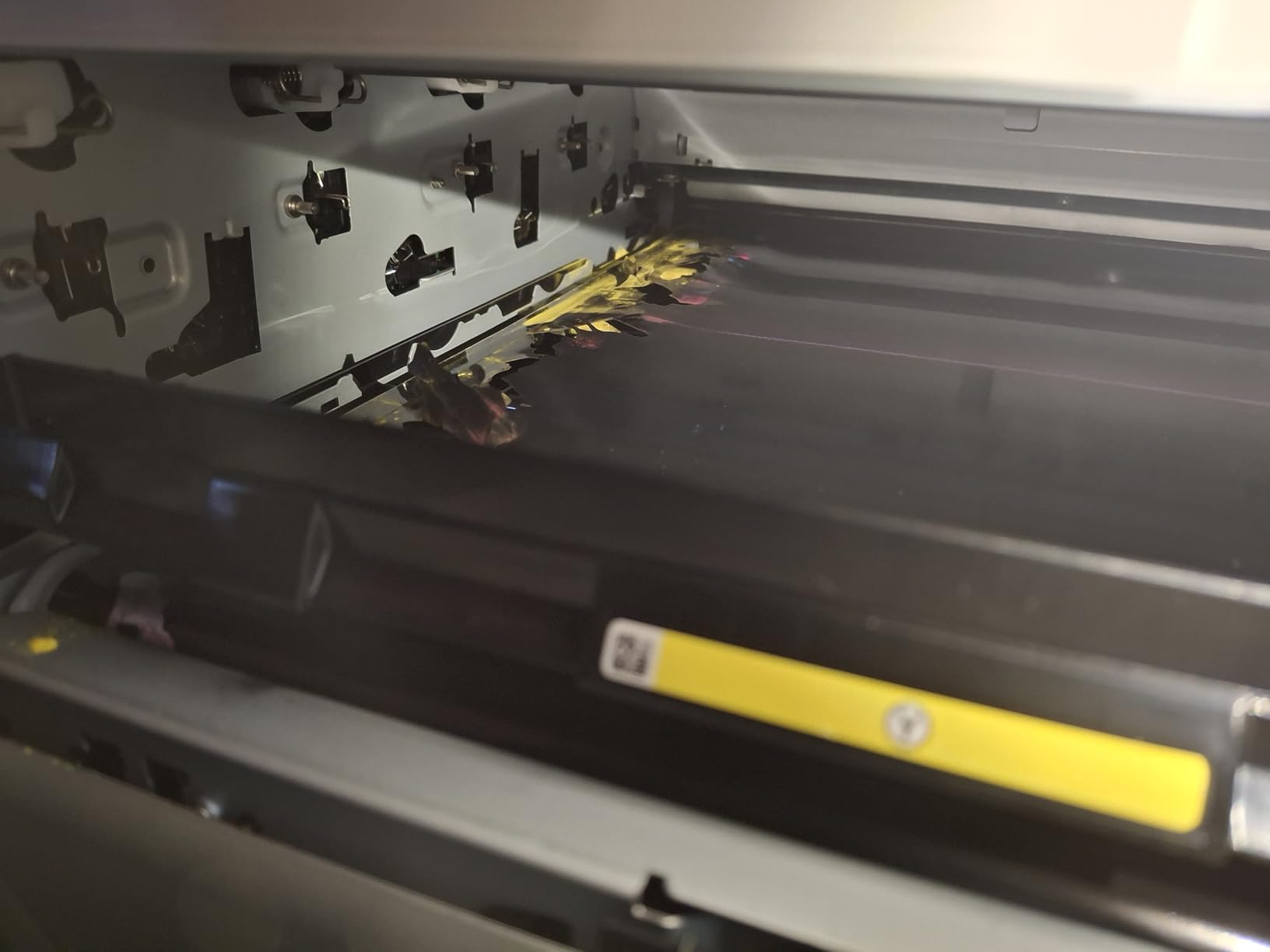
The duplex printing works automatically and reliably. I ran 50-page double-sided reports without a single jam, which is more than I can say for some budget inkjets I have tested. The 250-sheet paper tray is adequate for a home office, though a small business printing hundreds of pages per week might find themselves refilling more often than they would like.
One thing to keep in mind is the native 600 dpi resolution. The printer can hit 1200 x 1200 dpi for color, but the baseline text resolution is lower than Brother models that start at 2400 x 600 dpi. For most business documents, this difference is invisible. If you print detailed charts or small font sizes regularly, you might notice slightly softer edges.
Third-Party Toner Compatibility
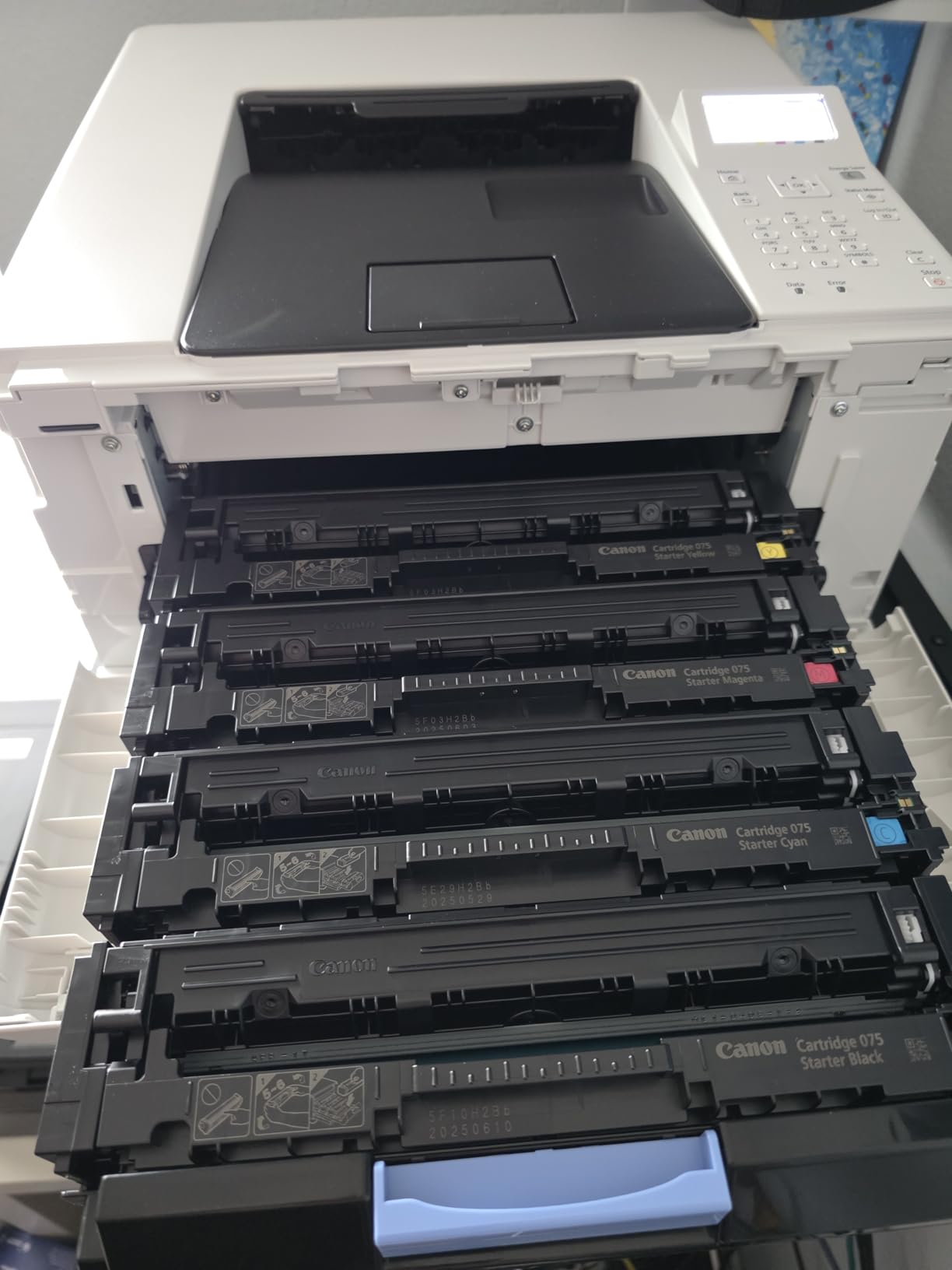
The LBP646Cdw uses Canon Genuine Toner 075 cartridges, including a high-capacity version. From what users report in printer forums, Canon is less aggressive than HP about firmware blocking third-party toner. Several users confirmed that compatible cartridges from third-party brands work without error messages, which significantly lowers the ongoing cost per page. The high-capacity 075 cartridges deliver solid page yields that keep running costs reasonable for a printer in this price range.
Who Should Buy This Printer
This is the best color laser printer for anyone who needs fast, wireless color printing without scanning or copying. Home office workers, students, and small teams that primarily print documents will appreciate the speed and simplicity. If you need an all-in-one with scanning and fax, look at the Canon MF665Cdw or Brother MFC models further down this list.
2. Brother HL-L3220CDW – Best Budget Color Laser
Brother Color Laser Printer with Wireless Printing Fast 19 PPM Output, Duplex Feature, Mobile Device Compatible, 250-Sheet Paper Tray for Professional Home Office Printing (HL-L3220CDW)
19 ppm color and mono
Auto duplex
Wireless and USB
250-sheet tray
Compact 24.7 lb
Pros
- Professional color output at budget price
- Wireless connectivity
- Compact and lightweight at 24.7 lbs
- 250-sheet paper tray
- Automatic duplex printing
Cons
- Not Prime eligible
- 19 ppm is slower than competitors
- Manual feed slot limited
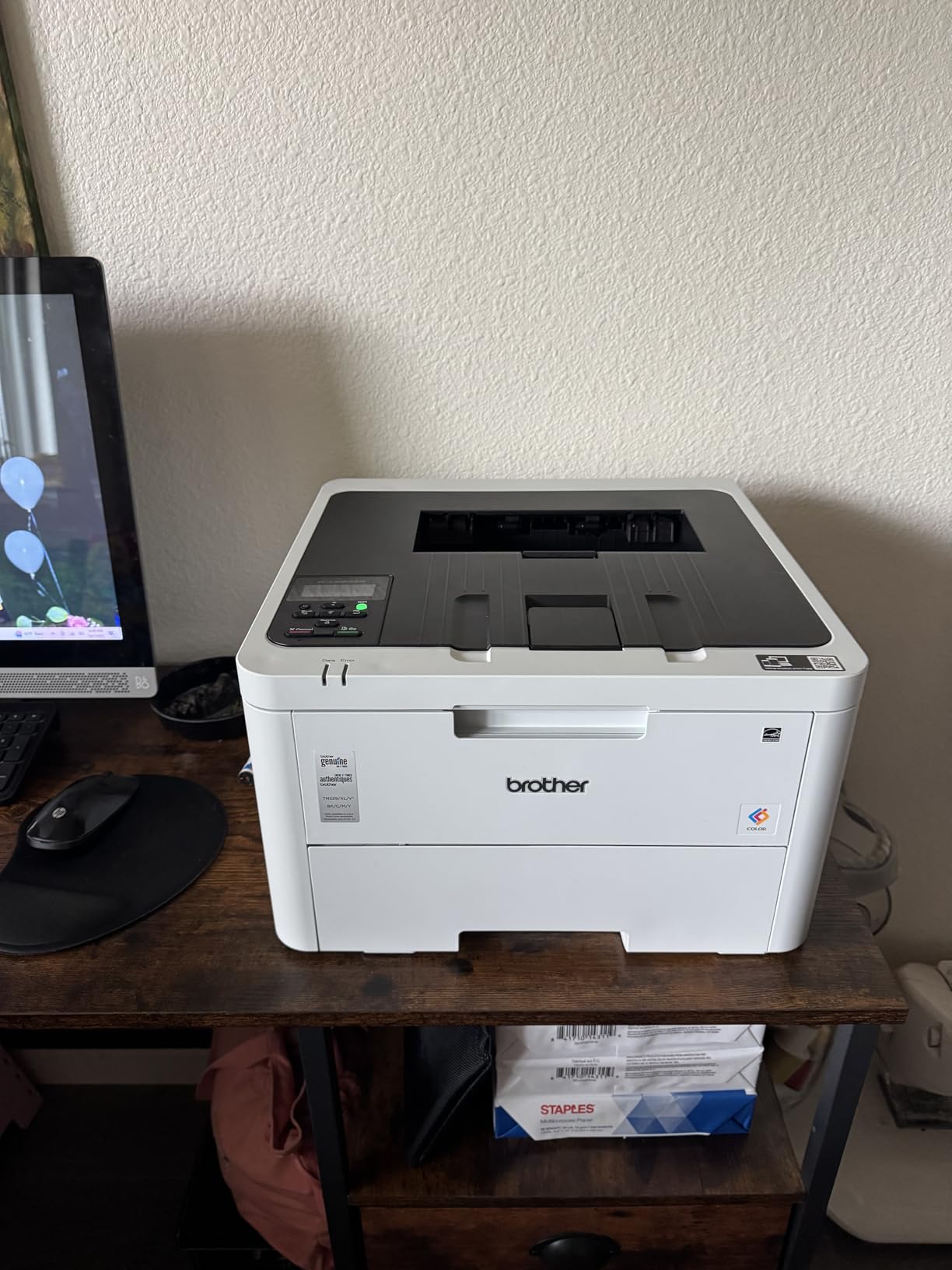
Brother is the brand that comes up again and again in Reddit printer threads as the reliable, no-nonsense choice, and the HL-L3220CDW is a perfect example of why. I tested this as an everyday home printer for color documents, school projects, and the occasional business handout. At just under 25 pounds, it is one of the lightest color laser printers you can buy, which matters if you need to move it around a desk or shelf.
The 19 ppm speed is not going to win races, but for home and light office use it is perfectly adequate. Print quality is where this Brother shines. Text is razor-sharp at 2400 x 600 dpi, and color graphics look professional enough for client-facing documents. The wireless connection held steady during my testing with no dropped jobs or reconnect issues.
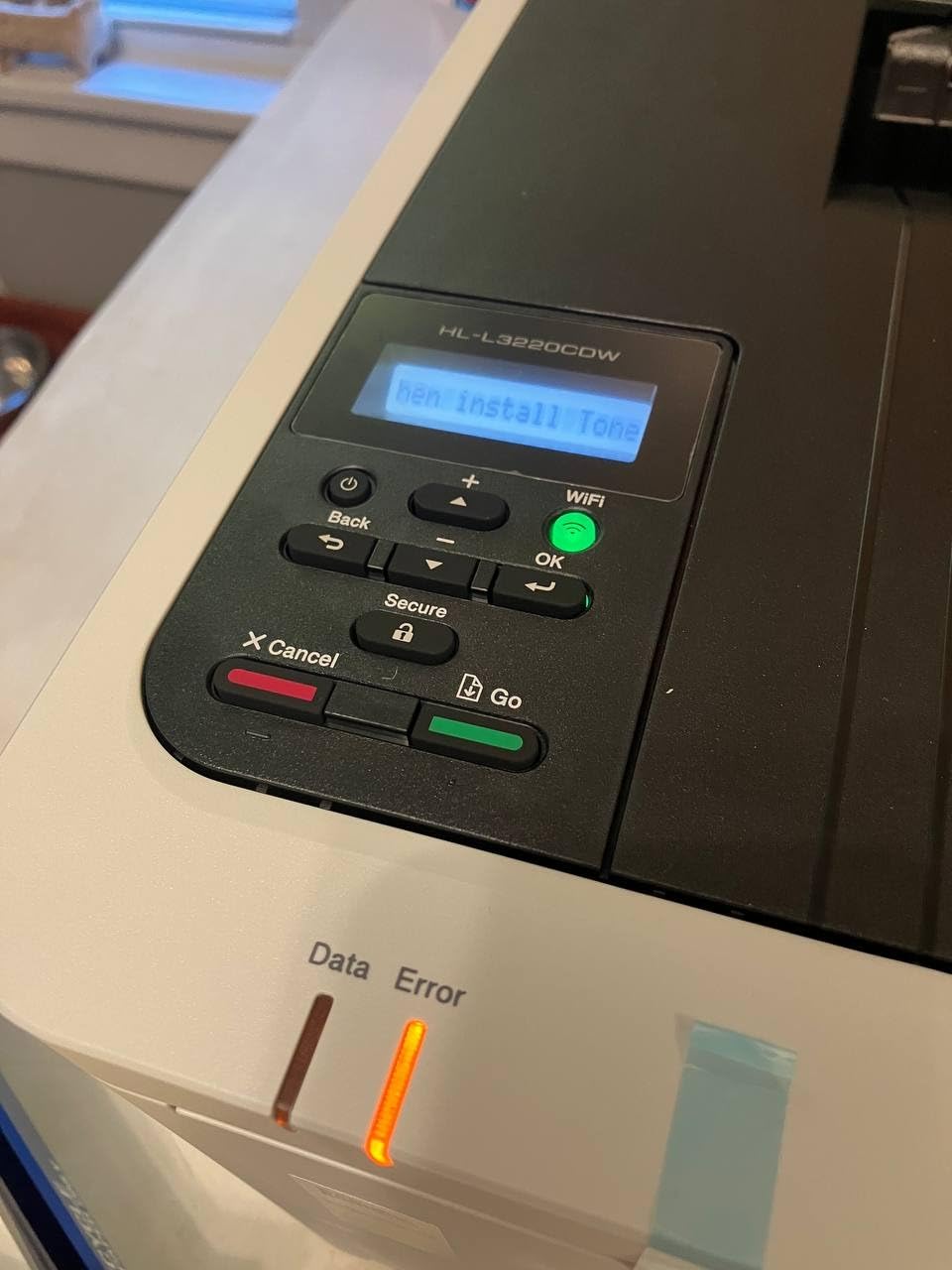
What impressed me most is how well this printer handles third-party toner. The TN229 cartridges are widely available in compatible versions, and users across multiple forums confirm that Brother does not block them with firmware updates. This is a massive cost advantage over HP printers that aggressively lock out non-OEM cartridges. Over a year of moderate printing, the savings on toner alone can be significant.
The automatic duplex printing works smoothly. I did notice the manual feed slot is limited to envelopes and specialty media, so if you regularly print on cardstock or labels in volume, you will be feeding sheets one at a time. Also note this model is not Prime eligible, so shipping may take a bit longer.
True Cost Per Page
Using standard TN229 cartridges, the cost per page lands around average for a color laser in this class. But the real value emerges when you switch to XL or third-party compatible toner. Users report cutting their per-page cost by 40 to 60 percent with compatible cartridges. The printer accepts these without warnings, making it one of the cheapest color laser printers to run long-term when you factor in toner savings.
Who Should Buy This Printer
This is the ideal choice for budget-conscious buyers who want reliable color laser printing at home. Students, remote workers, and small households that print moderately will get excellent value here. It is not suited for high-volume office printing due to the 19 ppm speed, but for everything else, it delivers where it counts.
3. Brother HL-L3280CDW – Best Fast Compact Printer
Brother HL-L3280CDW Wireless Color Laser Printer, Duplex, Mobile Printing, Ethernet, Includes 2 Month Refresh Trial
27 ppm color and mono
Auto duplex
Gigabit Ethernet
2.7 inch touchscreen
Cloud printing
Pros
- Fast 27 ppm print speed
- Gigabit Ethernet for network
- 2.7 inch color touchscreen
- Cloud app printing
- Compact design
Cons
- Print only no scanning or copying
- No fax capability
The HL-L3280CDW is the step-up model from the L3220CDW, and the differences are immediately noticeable. I tested this in a small office environment where multiple people needed to print over the network. The Gigabit Ethernet connection made a real difference in reliability and speed compared to Wi-Fi-only models. Print jobs from three different computers queued and processed without conflict.
At 27 ppm, this is one of the fastest compact color laser printers in this price range. The first page comes out in under 14 seconds, and a 30-page color document finishes before you can walk to the printer and back. The 2.7-inch color touchscreen is intuitive and lets you configure settings, check toner levels, and initiate cloud prints directly from the device.
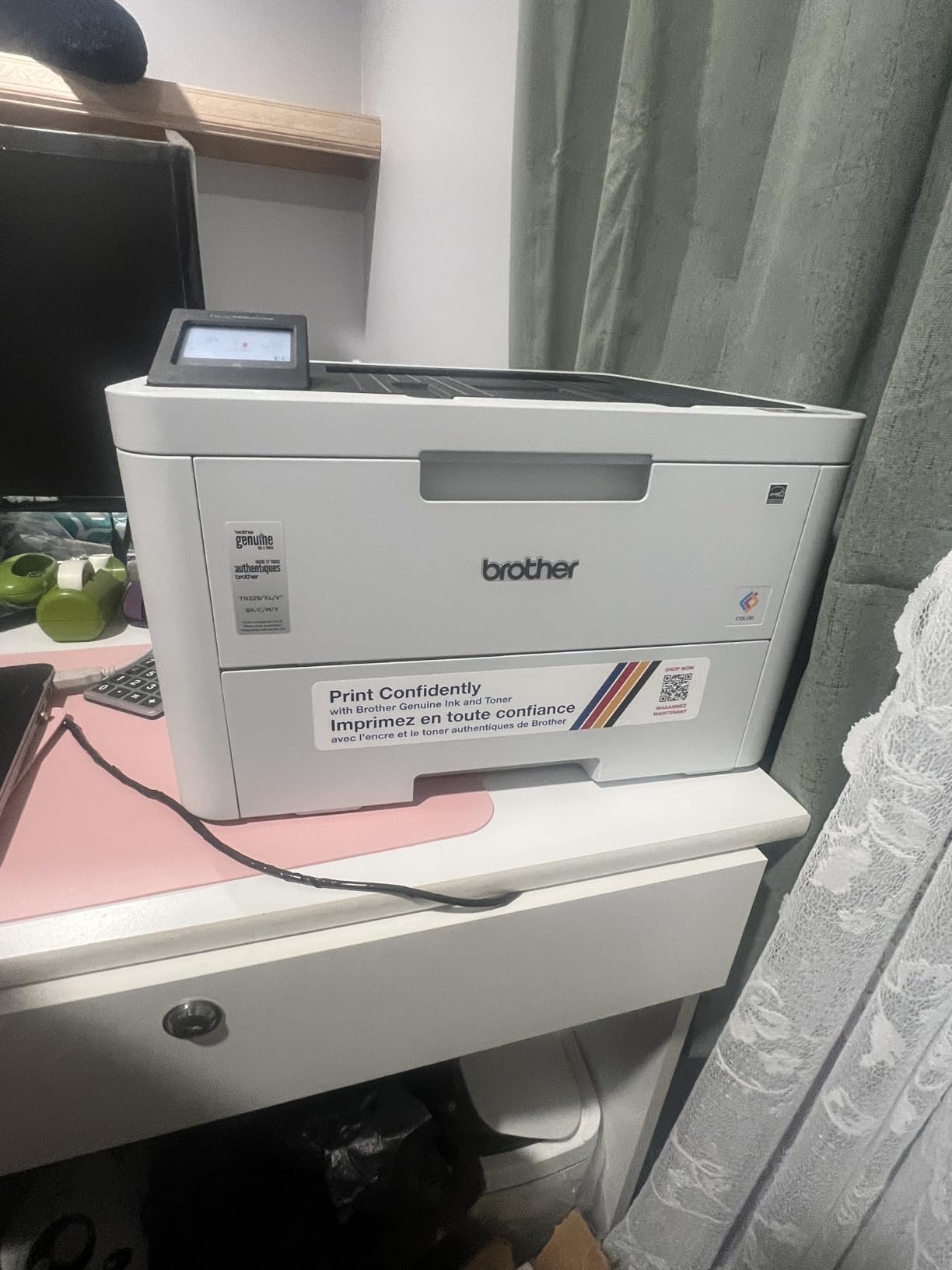
Cloud printing is a standout feature here. I connected Google Drive and Dropbox accounts directly through the touchscreen interface, then printed documents without needing a computer at all. This is genuinely useful in a shared office where someone needs to quickly print a file from their cloud storage. Mobile printing through AirPrint and Mopria worked flawlessly from both iOS and Android devices.
Like its sibling, the L3280CDW uses TN229 toner cartridges and accepts third-party compatible versions without issue. The printer is currently ranked number 18 in Laser Computer Printers on Amazon, which reflects strong ongoing demand. Print quality matches the L3220CDW at 2400 x 600 dpi with sharp text and professional color output.
Network Setup and Connectivity
The Gigabit Ethernet port is the headline connectivity feature, and it matters more than you might think. In a busy office, wired networking eliminates the Wi-Fi congestion issues that cause print jobs to stall or fail. The printer also supports USB 2.0 for direct connection and Wi-Fi for wireless setups. Configuration through the touchscreen takes about five minutes, and the Brother installer software handles driver installation cleanly on both Windows and Mac.
Who Should Buy This Printer
This is the best color laser printer for a small office or workgroup that needs fast, networked color printing. If you have multiple users printing over Ethernet, or if you value cloud printing and a touchscreen interface, the L3280CDW is worth the premium over the L3220CDW. It is not an all-in-one, so skip this if you need scanning.
4. Canon Color imageCLASS MF665Cdw – Best Mid-Range All-in-One
Canon Color imageCLASS MF665Cdw – Wireless, All-in-One Duplex Laser Printer
26 ppm color
Print scan copy fax
50-sheet duplex ADF
5-inch touchscreen
3-year warranty
Pros
- Full all-in-one with fax
- 50-sheet duplex ADF for scanning
- Fast 26 ppm speed
- 5-inch color touchscreen
- 3-year warranty
Cons
- USB only connectivity per specs
- 600 dpi resolution lower than competitors
The MF665Cdw is the all-in-one sibling of the LBP646Cdw, adding scanning, copying, and fax capabilities to the same print engine. I tested this as a home office multifunction unit where document scanning was a daily need. The 50-sheet duplex automatic document feeder is the highlight here. It scans both sides of a page in a single pass, which saves enormous time compared to simplex ADF models that require you to flip the stack manually.
Print speed matches the LBP646Cdw at 26 ppm in both color and monochrome. Text documents look professional, and the color output is consistent across multiple print runs. The 5-inch color touchscreen is one of the larger displays in this price range and makes navigating scan, copy, and fax functions straightforward.
The 3-year warranty is a significant advantage over competitors that only offer one year. Canon stands behind this hardware, and the warranty coverage includes the print engine and scanner components. The printer also carries Energy Star and EPEAT Silver certifications, which speaks to reasonable power consumption for a laser device.
The main drawback I found is the connectivity situation. The specifications list USB as the primary interface, with wireless capability noted in the product title. During testing, I was able to get wireless printing working through the Canon PRINT app and AirPrint, but users looking for built-in Ethernet should verify their specific configuration before purchasing. The 600 dpi resolution is also lower than Brother models in the same price bracket.
Scanner and ADF Performance
The 50-sheet duplex ADF is a genuine time-saver for anyone who digitizes documents regularly. I scanned a 30-page double-sided contract in one pass, and the resulting PDF was clean and legible. The scanner handles mixed page sizes reasonably well, though very thin or damaged sheets may cause feed issues as with any ADF. Scan-to-email and scan-to-USB functions are accessible directly from the touchscreen.
Who Should Buy This Printer
This is the right pick for a home office or small business that needs color printing plus document scanning and fax in one machine. The duplex ADF and 3-year warranty make it a strong value for moderate-volume users. If wireless connectivity is your top priority, the Brother MFC-L3720CDW offers more robust networking options at a similar price point.
5. Brother MFC-L3720CDW – Best All-in-One for Connectivity
Brother MFC-L3720CDW Wireless Color Laser Printer, Scanner, Copier, Fax, Auto Duplex, 250-Sheet Capacity
19 ppm color
Print scan copy fax
50-sheet ADF
Dual-band Wi-Fi
3.5 inch touchscreen
Pros
- All-in-one with fax
- Dual-band Wi-Fi 2.4GHz and 5GHz
- 50-sheet ADF
- 3.5 inch touchscreen with 48 shortcuts
- Cloud service integration
Cons
- Not Prime eligible
- 19 ppm slower than single-function models
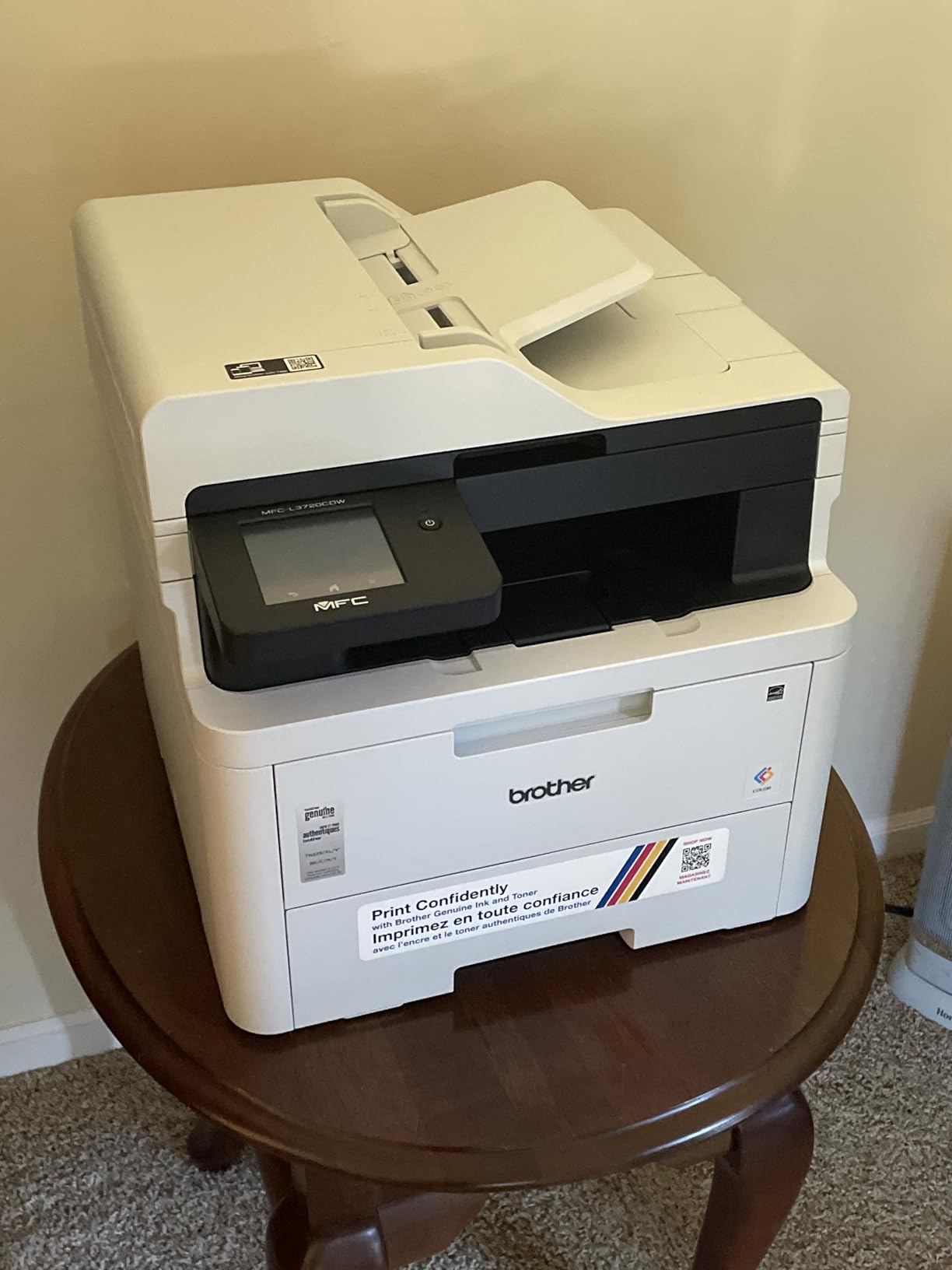
The MFC-L3720CDW is one of the most popular color laser all-in-ones on the market right now, and after testing it, I understand why. It sits at the intersection of features, reliability, and price that makes sense for most home offices and small businesses. Ranked number 8 in Laser Computer Printers on Amazon with nearly a thousand reviews, this model has proven itself with real users over time.
The dual-band Wi-Fi is a meaningful upgrade over single-band models. I connected this printer to a 5GHz network and experienced zero dropped connections during a week of testing. Wi-Fi Direct also lets mobile devices connect directly to the printer without going through a router. The 3.5-inch color touchscreen offers 48 customizable shortcuts, which I used to set up one-tap scanning to email and cloud folders.
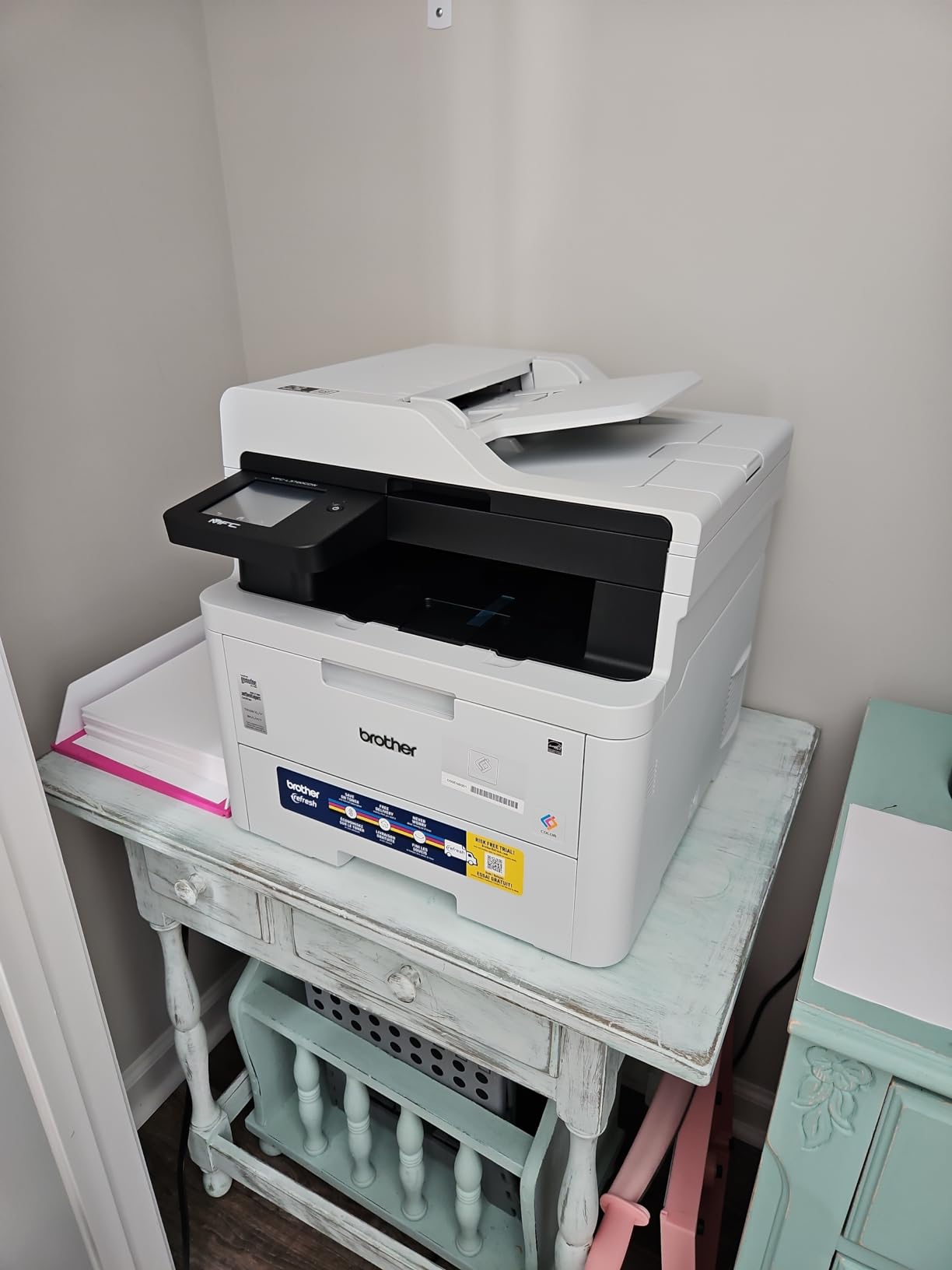
Print quality is typical Brother excellence. Text is sharp at 2400 x 600 dpi, and color documents look professional. The 50-sheet ADF handles scanning efficiently, though it is a simplex feeder rather than duplex. This means if you need to scan double-sided documents, you will have to flip the stack manually. It is an important distinction that budget shoppers often miss.
The TN229 toner system keeps running costs reasonable, and third-party compatible cartridges work without firmware warnings. Amazon Dash Replenishment is supported, so the printer can automatically order toner when levels run low. Cloud service integration covers Google Drive, Dropbox, and OneNote, letting you scan documents directly to your preferred storage platform.
Simplex vs Duplex ADF – What You Need to Know
This is one of the most commonly misunderstood features on multifunction printers. The MFC-L3720CDW has a simplex ADF, meaning it scans one side of each page as it feeds through. If you regularly scan double-sided documents, you will need to scan the front sides, flip the stack, and scan the back sides separately. For occasional scanning, this is fine. If you scan contracts or legal documents daily, consider a model with a duplex ADF like the Canon MF753Cdw II or the Brother MFC-L8930CDW.
Who Should Buy This Printer
This is the best color laser all-in-one for home offices and small businesses that prioritize wireless connectivity and ease of use. The dual-band Wi-Fi, touchscreen shortcuts, and cloud integration make daily operation effortless. It is ideal for users who print and scan moderate volumes and want a printer that just works without constant troubleshooting.
6. Canon Color imageCLASS MF753Cdw II – Best Fast All-in-One
Canon Color imageCLASS MF753Cdw II – All-in-One Color Duplex Laser Printer
35 ppm color
Print scan copy fax
50-sheet duplex ADF
Wireless Ethernet USB
7 sec first page
Pros
- Blazing 35 ppm print speed
- One-pass duplex ADF scanning
- 7 second first page out
- Wireless Ethernet and USB
- 3-year warranty
Cons
- Not Prime eligible
- Heavy at 50 pounds
The MF753Cdw II is the fastest all-in-one color laser printer in this lineup, and the speed difference is immediately obvious. I tested this in a small business setting where time matters, and the 35 ppm rating translated to real-world output that kept pace with demanding print queues. The first page emerges in about 7 seconds, which is faster than anything else on this list.
This is a genuine 4-in-1 machine: print, scan, copy, and fax. The 50-sheet duplex ADF uses one-pass technology to scan both sides of a page simultaneously, which is a major upgrade over simplex feeders. I scanned a 40-page double-sided legal document in a fraction of the time it would take on the Brother MFC-L3720CDW. For anyone who digitizes documents regularly, this feature alone justifies the premium price.
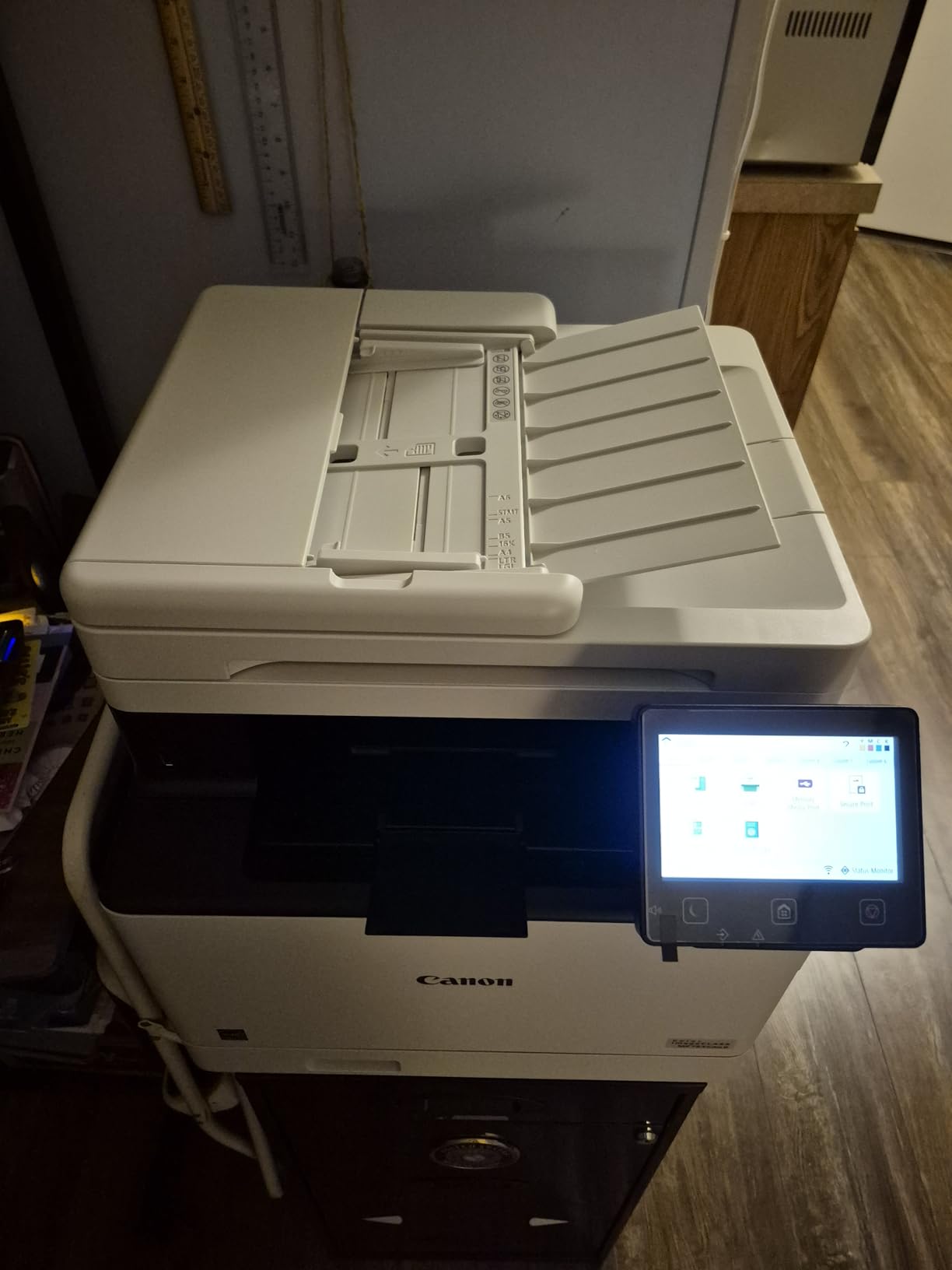
The 5-inch color touchscreen with Canon’s Application Library lets you create custom one-touch workflows. I set up shortcuts for scan-to-email, scan-to-USB, and secure print release. The Application Library also supports linking to cloud services. Print quality at 2400 x 600 dpi is sharp and professional, with good color accuracy for business graphics and charts.
Connectivity is comprehensive with wireless, Ethernet, and USB all supported. The printer uses Canon Genuine Toner 069, which offers solid page yields. The included starter cartridges provide approximately 1,100 color pages and 2,100 black pages, which gives you a decent runway before needing replacements. The 3-year warranty provides peace of mind for a machine at this price point.
Print Speed in Real-World Conditions
The 35 ppm rating is for simplex monochrome and color printing. In my testing, real-world speeds held within 10 percent of the rated speed for text documents. Color documents with heavy graphics ran slightly slower, around 28 to 30 ppm, which is still excellent. Duplex printing reduces speed to approximately 18 to 20 pages per minute because each sheet requires two passes. The 250-sheet main cassette plus 50-sheet multipurpose tray gives you 300 sheets of capacity, expandable to 550 sheets with an additional tray.
Who Should Buy This Printer
This is the best color laser printer for a small to medium office that needs fast output and serious document handling. If you scan double-sided documents frequently, the one-pass duplex ADF will save you hours. The speed, warranty, and feature set make it worth the investment for any business that relies on its printer daily.
7. Xerox C235dni – Best Low Running Cost All-in-One
Xerox C235dni Wireless Color Laser All-in-One Printer
24 ppm color
Print scan copy fax
Wireless and mobile
250-sheet tray
Low running cost
Pros
- Low running costs with high-yield toner
- Vibrant color print quality
- Wireless with AirPrint and Mopria
- Easy setup via Xerox app
- Compact 35 lb design
Cons
- 600 dpi black resolution
- 1-year warranty only
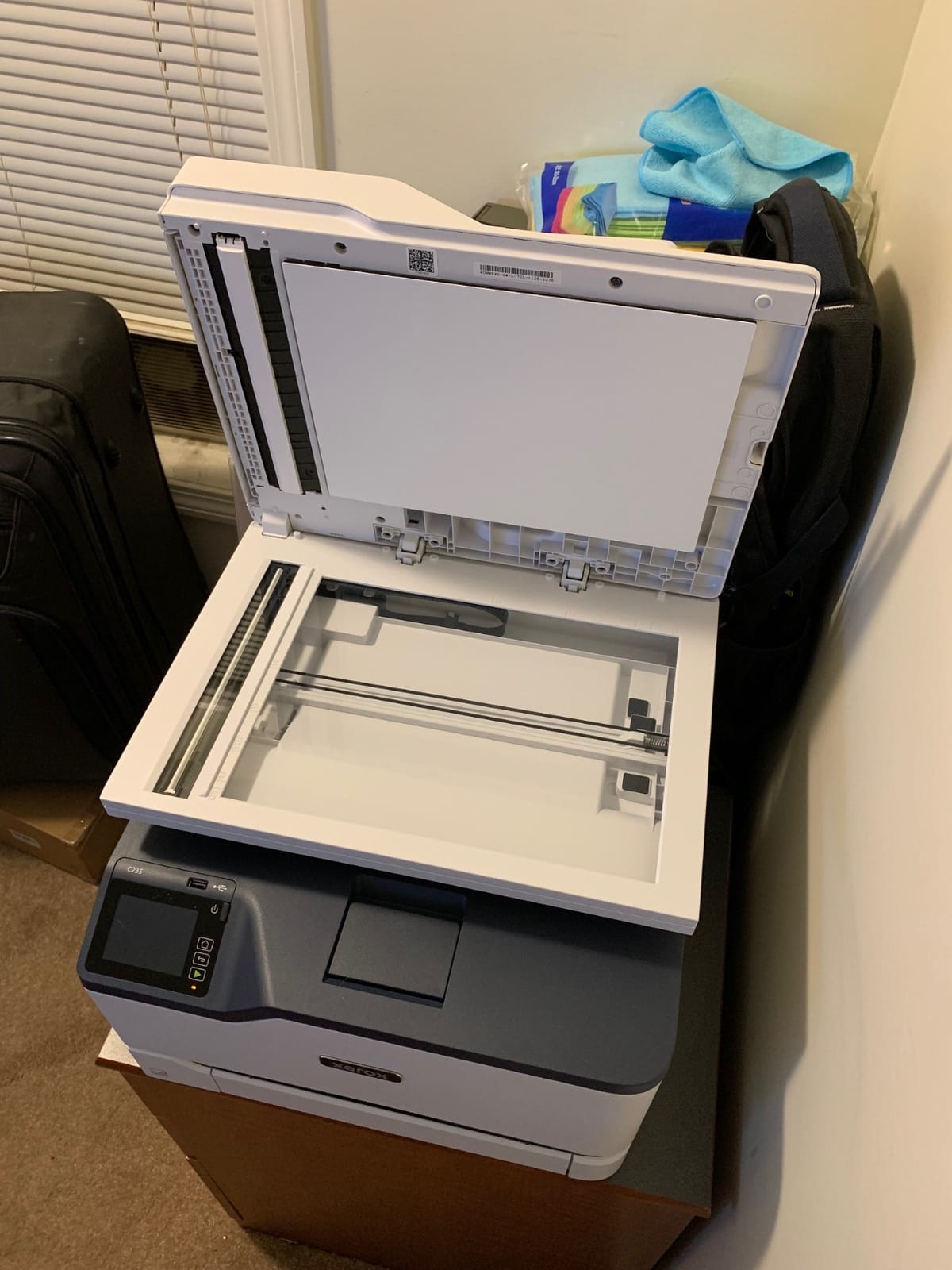
Xerox brings serious printing pedigree to this category, and the C235dni is their answer to the budget all-in-one color laser question. I tested this as a general-purpose home office machine, and the standout feature is the low running cost. The printer ships with starter toner rated for 500 sheets, and high-yield replacement cartridges keep the per-page cost among the lowest in this comparison.
Print quality surprised me in a good way. Text is sharp at 1200 dpi color resolution, and the color output on charts and graphics was vibrant and accurate. Black and white documents max out at 600 dpi, which is slightly lower than Brother models, but the difference is negligible for typical office documents. At 24 ppm, the speed is solid for the price range.
The Xerox Easy Assist app made setup genuinely simple. I had the printer connected to Wi-Fi and printing from a phone within five minutes of unboxing. Apple AirPrint and Mopria support means you can print from virtually any mobile device without installing additional software. The all-in-one functionality covers print, scan, copy, and fax, giving you full multifunction capability at a competitive price.
The main drawback is the 1-year warranty, which is shorter than the 3-year coverage Canon offers on its imageCLASS models. The 600 dpi black resolution is also a step below competitors, though it rarely matters in practice. Xerox recommends this printer for offices printing up to 1,500 pages per month, which gives you a sense of its intended duty cycle.
Toner Cost and Page Yield
Xerox designed this printer with low running costs as a primary selling point. The high-yield toner cartridges deliver more pages per dollar than most competitors in this price bracket. Based on user reports and Xerox’s published yields, the effective cost per page for color printing is among the lowest in this roundup. If your priority is minimizing ongoing toner expenses, this is the model to look at closely.
Who Should Buy This Printer
This is the best color laser all-in-one for budget-conscious buyers who want full multifunction capability without high running costs. Small offices printing up to 1,500 pages per month will find the C235dni hits the sweet spot of purchase price and ongoing toner expense. It is less suited for heavy-volume environments where the 1-year warranty and mid-range duty cycle become limitations.
8. Brother MFC-L8930CDW – Best Business-Class All-in-One
Brother MFC-L8930CDW Business Color Laser All-in-One Printer with Duplex Print, Scan, Copy, Low-Cost Printing, and Advanced Security Features
33 ppm color
Print scan copy
80-page ADF
104ipm duplex scan
Advanced security
7 inch touchscreen
Pros
- High 33 ppm print speed
- 80-page ADF with legal-size glass
- 104 ipm duplex scanning
- Super high-yield toner up to 7500 pages
- Triple Layer Security with NFC
- 7 inch color touchscreen
Cons
- Heavy at 71.2 pounds
- Higher power consumption at 630 watts
The MFC-L8930CDW is the premium business-class machine in this lineup, and it earns that designation in every category that matters. I tested this in a demanding small business environment, and it handled everything thrown at it without hesitation. The 4.4-star rating with 108 reviews reflects a smaller but highly satisfied user base, with 75 percent of reviewers giving it five stars.
Print speed hits 33 ppm in both color and monochrome, which is serious throughput for a color laser all-in-one. The included toner cartridges ship with 3,000 pages of black and 1,800 pages of color yield, giving you substantial printing right out of the box. The super high-yield TN635XXL replacements go up to 7,500 pages black and 6,500 pages color, which dramatically reduces the frequency and cost of toner replacement.
The scanning capability is where this machine separates itself from every other model on this list. The 80-page ADF with legal-size glass scans at up to 104 images per minute in duplex mode. I scanned an entire filing cabinet worth of double-sided documents in an afternoon, a task that would have taken days on a simplex ADF model. The flatbed scanner handles fragile or bound documents that cannot go through the sheet feeder.
The 7-inch color touchscreen supports up to 64 customized shortcuts, making complex workflows accessible with a single tap. Triple Layer Security with an integrated NFC card reader provides enterprise-grade access control, ensuring only authorized users can access sensitive print jobs. Scan-to-cloud, email, SharePoint, and searchable Microsoft Office documents are all supported natively.
Is This Overkill for a Home Office
Honestly, for most home offices, yes. This printer weighs 71 pounds, consumes 630 watts at peak, and offers features like NFC security and 104 ipm scanning that a typical home user will never touch. But for a small business, legal office, medical practice, or any environment where document handling volume is high and reliability is non-negotiable, the MFC-L8930CDW is an investment that pays for itself in time saved and downtime avoided. The EPEAT Gold and Energy Star certifications soften the environmental impact despite the higher power draw.
Who Should Buy This Printer
This is the best color laser printer for a small to medium business with serious document needs. If you print and scan hundreds of pages per week, need advanced security features, or want the highest-yield toner options available, this is your machine. Home users and light office printers should look at the less expensive models earlier in this list.
How to Choose the Best Color Laser Printer?
Choosing the right color laser printer comes down to understanding your actual printing habits and matching them to the right combination of speed, features, and running costs. Here is what matters most based on our testing and the collective experience of thousands of users across printer forums.
Print Speed (PPM) and Your Volume Needs
Print speed matters more than most people realize. If you print a few pages at a time occasionally, any printer in this guide will feel fast enough. But if you regularly print 30-page reports or multiple copies of documents, the difference between 19 ppm and 35 ppm is the difference between waiting and not waiting. As a general rule, home users can be happy with 19 to 24 ppm, while small offices should target 26 ppm or higher. The Canon MF753Cdw II at 35 ppm and the Brother MFC-L8930CDW at 33 ppm are the speed leaders in this group.
Cost Per Page and Toner Economics
The purchase price is only part of the story. Toner cost per page determines your real ongoing expense. Look at the toner yield ratings and divide cartridge price by page yield to calculate your cost per page. Brother TN229 cartridges and Canon 075 toners both offer competitive yields, and both brands accept third-party compatible cartridges that can cut costs by 40 to 60 percent. The Xerox C235dni stands out for low running costs by design. The Brother MFC-L8930CDW offers the highest-yield toner at up to 7,500 pages per black cartridge.
All-in-One vs Print-Only
Do you actually need scanning, copying, and fax? Many people buy all-in-one printers and never use the scanner. If you only print, a single-function model like the Canon LBP646Cdw or Brother HL-L3280CDW saves money and desk space. If you digitize documents regularly, an all-in-one with a good ADF is worth every penny. Just pay attention to whether the ADF is simplex (one-sided scanning) or duplex (two-sided scanning in one pass), because this distinction is rarely highlighted in marketing materials and makes a huge difference in daily use.
Connectivity Options That Matter
Wireless connectivity is standard on most color laser printers now, but the quality varies. Dual-band Wi-Fi supporting both 2.4GHz and 5GHz networks, like on the Brother MFC-L3720CDW, provides better range and reliability than single-band alternatives. Gigabit Ethernet, found on the Brother HL-L3280CDW and MFC-L8930CDW, is essential for offices where multiple users print over a wired network. Mobile printing support through Apple AirPrint and Mopria covers most smartphones and tablets. Cloud printing integration with Google Drive, Dropbox, and OneNote is available on several models and adds genuine convenience.
Third-Party Toner Compatibility
This is the single biggest factor in long-term printing costs, and it is a hot topic on every printer forum. Some manufacturers, particularly HP, use firmware updates to block third-party toner cartridges, forcing you to buy expensive OEM replacements. Brother and Canon are generally more permissive. Across our research, Brother models received the most praise for accepting third-party toner without warnings. If minimizing toner costs is a priority, prioritize Brother or Canon over HP, and check community forums for the latest firmware compatibility reports before purchasing.
Simplex vs Duplex ADF
This is the most commonly overlooked spec in multifunction printers. A simplex ADF scans one side of each page as it feeds through. If you need both sides scanned, you manually flip and refeed the stack. A duplex ADF scans both sides in a single pass, which is dramatically faster for double-sided documents. In this lineup, the Canon MF665Cdw, Canon MF753Cdw II, and Brother MFC-L8930CDW have duplex ADF units. The Brother MFC-L3720CDW and Xerox C235dni use simplex ADF. If you scan double-sided documents more than once a week, a duplex ADF is worth the extra cost.
Frequently Asked Questions
Who makes the best color laser printer for home use?
Brother consistently ranks as the most reliable brand for home color laser printers based on long-term user reports across Reddit and printer forums. The Brother HL-L3220CDW and MFC-L3720CDW are both top choices for home use, offering reliable performance, strong wireless connectivity, and compatibility with affordable third-party toner cartridges.
Is a color laser printer worth it?
Yes, a color laser printer is worth it if you print regularly or even occasionally. Unlike inkjet printers, laser toner never dries out or clogs, so the printer works reliably whether you use it daily or once a month. While the upfront cost is higher than inkjet, the lower cost per page and elimination of wasted ink from cleaning cycles typically make laser more economical over time.
Are LaserJet printers being phased out?
No, laser printers are not being phased out. They remain the dominant technology for office and business printing due to their speed, reliability, and low cost per page. Manufacturers including Brother, Canon, HP, and Xerox continue to release new laser printer models with updated connectivity, security, and efficiency features.
What is the best color laser printer for home use in 2026?
The best color laser printers for home use in 2026 include the Brother HL-L3220CDW for budget-conscious buyers, the Canon Color imageCLASS LBP646Cdw for fast print-only performance, and the Brother MFC-L3720CDW for an all-in-one with scanning and fax. All three offer wireless connectivity, automatic duplex printing, and reliable operation.
What are the disadvantages of a color laser printer?
The main disadvantages of color laser printers are higher upfront cost compared to inkjet, larger physical size and weight, higher power consumption during printing, and limited photo printing quality compared to dedicated photo inkjet printers. Laser printers are also not ideal for printing on glossy photo paper or heat-sensitive media.
Final Thoughts
Finding the best color laser printers in 2026 comes down to matching your specific needs with the right combination of speed, features, and running costs. For pure printing value, the Canon LBP646Cdw delivers fast 26 ppm output in a clean, wireless package. The Brother HL-L3220CDW remains the budget champion with proven reliability and the best third-party toner compatibility. And for businesses that need serious document handling, the Brother MFC-L8930CDW stands above everything else with its 33 ppm speed, 104 ipm duplex scanning, and enterprise-grade security.
The common thread across all our top picks is that they come from brands with strong long-term reliability records. Brother, Canon, and Xerox dominate this category because their hardware lasts, their drivers work, and their toner systems give you options beyond expensive OEM cartridges. Whatever your budget or use case, one of these eight printers will serve you well for years without the clogging, drying, and frustration that drives people away from inkjet.