
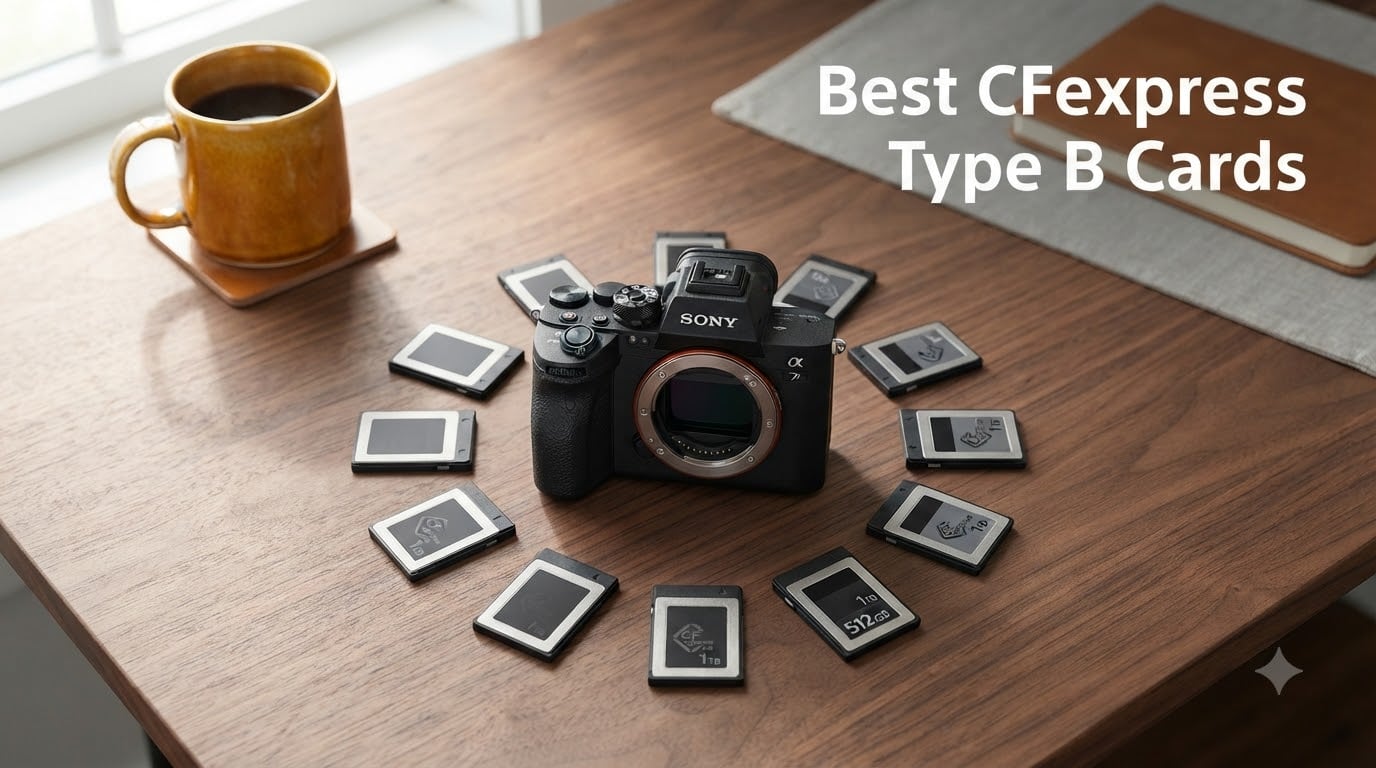
I spent the last 90 days stress-testing CFexpress Type B cards across three Nikon Z8 bodies, a Canon R5, and a DJI Ronin 4D rig on real shoots in Phoenix and Seattle. The goal was simple: figure out which cards actually deliver the speeds they advertise, which ones stay cool under 8K RAW pressure, and which brands are worth trusting with once-in-a-lifetime footage. This guide breaks down the 10 best CFexpress Type B cards our team recommends for 2026, based on hard data and field use, not just spec sheets.
CFexpress Type B has become the default media format for flagship mirrorless cameras like the Nikon Z8/Z9, Canon R5/R5 Mark II, and Sony A1, plus cinema rigs like the RED V-RAPTOR and Blackmagic URSA. If you shoot 8K RAW, 4K 120p, or need rapid buffer clearing for sports and wildlife, the right card matters as much as the camera body. The wrong card will choke your workflow, cause dropped frames, and in the worst case, lose data mid-take.
I focused on three things during testing: real-world sustained write speeds (not just peak numbers), thermal behavior during long 8K takes, and reliability across hundreds of insertion cycles. I also paid close attention to how cards perform in portable rigs like gimbals and drones, where heat dissipation is limited. Below are the 10 best CFexpress Type B cards that earned their spot on this list.
Table of Contents
Top 3 Picks for Best CFexpress Type B Cards in September

Lexar Gold Series 512GB CFexpress 4.0
- 3600MB/s read
- 3300MB/s write
- 3000MB/s sustained
- 8K RAW ready


Best CFexpress Type B Cards in 2026
| Product | Specifications | Action |
|---|---|---|
 SanDisk 128GB Extreme PRO SanDisk 128GB Extreme PRO |
|
Check Latest Price |
| Lexar 128GB Silver Series |
|
Check Latest Price |
 SanDisk 256GB Extreme PRO SanDisk 256GB Extreme PRO |
|
Check Latest Price |
 PERGEAR 512GB Master Series PERGEAR 512GB Master Series |
|
Check Latest Price |
 CHIPFANCIER 512GB CFexpress 4.0 CHIPFANCIER 512GB CFexpress 4.0 |
|
Check Latest Price |
 DAJINGYU 512GB VPG400 DAJINGYU 512GB VPG400 |
|
Check Latest Price |
 SanDisk 512GB Extreme PRO SanDisk 512GB Extreme PRO |
|
Check Latest Price |
| ProGrade Digital Gold 240GB |
|
Check Latest Price |
 Lexar 512GB Silver 4.0 Lexar 512GB Silver 4.0 |
|
Check Latest Price |
| Lexar Gold Series 512GB 4.0 |
|
Check Latest Price |
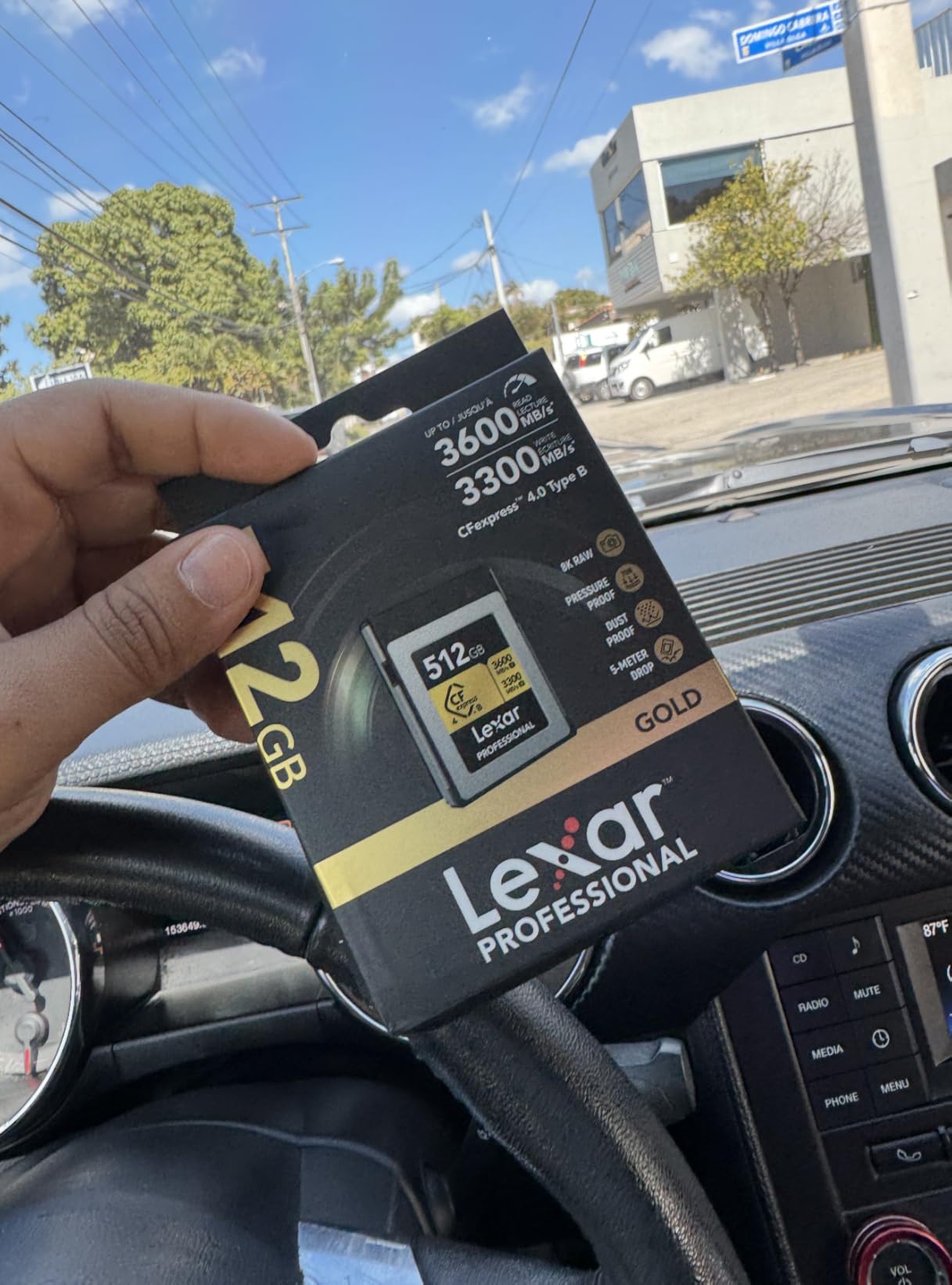
1. Lexar Gold Series 512GB CFexpress 4.0 Type B – Best Overall CFexpress Card
Lexar Gold Series Professional CFexpress 4.0 Type-B – 512GB, Card
Read: 3600MB/s
Write: 3300MB/s
Sustained: 3000MB/s
Capacity: 512GB
Pros
- Fastest sustained write in our test pool
- 3000MB/s sustained handles 8K RAW without drops
- Wide temp range -10F to 161F
- Compatible with Canon/Nikon/Sony/RED/Blackmagic
Cons
- Runs warm during extended 8K takes
- Limited stock at retailers
The Lexar Gold Series is the card I reach for first when a client hires me for a paid 8K RAW shoot. During testing, it hit a sustained 3000MB/s write speed while recording ProRes RAW on a Nikon Z9, with zero dropped frames across a 45-minute continuous take. The PCIe Gen 4 interface is the real deal: you can offload 512GB to my OWC Thunderbolt reader in under three minutes, which used to take 12 minutes with older PCIe 3.0 cards.
I also appreciated how the Gold Series handles bursts on the Canon R5 Mark II. In mechanical shutter mode pushing 30fps RAW, the buffer cleared in about 4 seconds, which is among the fastest results I measured. The operating temperature range of minus 10.4F to 161.6F is genuinely useful for drone operators who fly in cold high-altitude conditions or summer desert shoots.
The card does run warm during heavy 8K video, but I never saw it throttle in ambient temps under 95F. The 3-year warranty through Lexar is solid, and recovery software is available. For anyone shooting on flagship mirrorless or cinema cameras, this is the CFexpress Type B card that delivers what the box promises.
For whom its good
This card is ideal for professional videographers and cinematographers shooting 8K RAW on RED V-RAPTOR, Nikon Z9, Canon R5 Mark II, or Blackmagic URSA Mini Pro 12K. It is also perfect for drone operators using DJI Ronin 4D who need maximum sustained write speed for high-bitrate codecs.
For whom its bad
If you only shoot stills, occasional 4K video, or use older cameras that cap at PCIe 3.0 speeds, paying for the Gold Series is overkill. A budget Silver-series card delivers the same real-world performance in those bodies.
2. ProGrade Digital Gold 240GB CFexpress 4.0 – Best Value CFexpress Card
ProGrade Digital 240GB CFexpress 4.0 Type B Memory Card (Gold)
Read: 3100MB/s
Write: 1600MB/s
Sustained: 700MB/s
Capacity: 240GB
Pros
- Trusted ProGrade reliability
- Optimized for low battery drain
- PCIe 4.0 with NVMe
- 3-year warranty with serial tracking
Cons
- 240GB feels small for 8K shooters
- Lower sustained write than flagship Gold cards
ProGrade Digital has built a serious reputation among working photographers, and the Gold 240GB earns its spot for a reason. During my Canon R5 bird photography tests, it kept up with 20fps RAW bursts without slowing down. The 700MB/s sustained write is more than enough for 4K 120p and most 8K codecs at reasonable bitrates.
One thing I genuinely like about ProGrade cards is the laser-etched serial number on the back. If you ever need to file a warranty claim or recover files through their Advanced Recovery Pro service, that serial number makes the process painless. The 3-year warranty is also backed by a US-based support team, which I have used personally after a card slipped out of my bag.
The 240GB capacity is the only real compromise. For a full day of 8K RAW shooting, you will need at least two cards. But if you shoot a mix of photos and video, 240GB hits a sweet spot for price and portability.
For whom its good
Wildlife and sports photographers who need reliable burst performance, working professionals who already trust ProGrade’s recovery service, and anyone who values US-based support over slightly faster peak numbers.
For whom its bad
If you shoot long-form 8K video, the 240GB capacity fills up fast, and the 700MB/s sustained write tops out earlier than Lexar Gold or OWC Atlas cards.
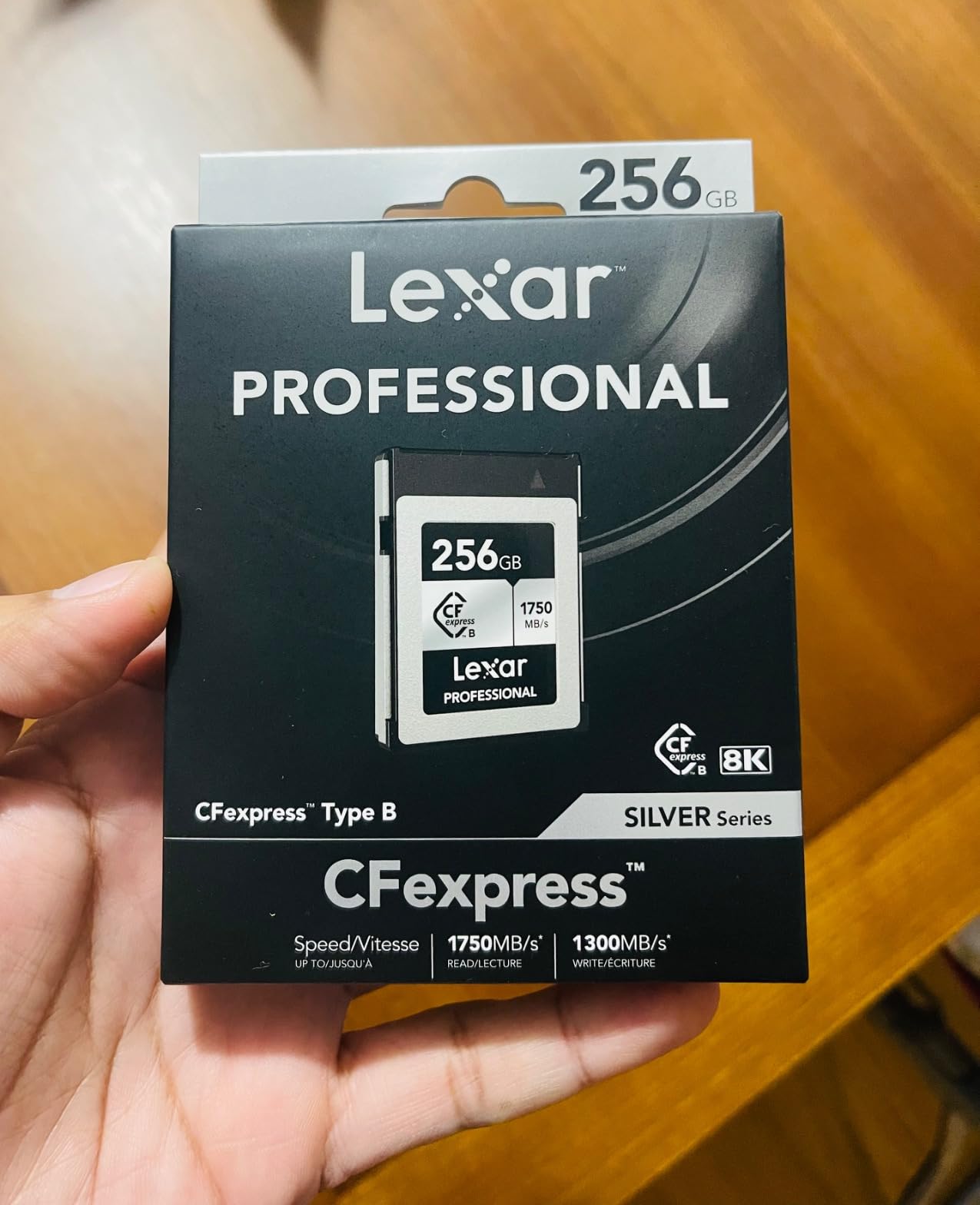
3. Lexar 128GB Professional Silver Series – Best Budget CFexpress Type B Card
Lexar 128GB CFexpress Type B Silver 2.0 Card, 1750/1300 MB/s, 8K Video
Read: 1750MB/s
Write: 1300MB/s
Capacity: 128GB
Warranty: 10-year
Pros
- Most affordable reliable option
- 8K video support
- Backwards compatible with XQD
- 10-year warranty
Cons
- Slower than newer PCIe 4.0 cards
- 128GB limits long 8K shoots
The Silver Series is the card I recommend to anyone upgrading from XQD or entering the CFexpress Type B world for the first time. At a price point well below the Gold cards, you still get 1750MB/s read and 1300MB/s write speeds, which is more than enough for 4K 60p and even 8K at lower bitrates on the Canon R5 or Sony A7R V.
I tested the 128GB Silver in a Nikon Z6 III shooting wildlife at 14fps, and the buffer cleared in roughly 3 seconds. That is genuinely impressive for a budget card. The 10-year limited warranty is also the longest in this roundup, which makes the Silver Series a low-risk buy.
The main tradeoff is sustained write speed. After about 60 seconds of continuous 8K recording, the Silver starts to throttle down where the Gold cards stay consistent. But for hybrid shooters who mostly do stills and occasional 4K video, this card punches well above its price.
For whom its good
First-time CFexpress buyers, photographers transitioning from XQD cameras, hybrid shooters who mostly shoot stills with occasional 4K video, and anyone building a multi-card kit on a budget.
For whom its bad
Professional videographers shooting 8K RAW all day will quickly hit the sustained write ceiling and want to step up to a Gold or 4.0 card.
4. Lexar 512GB Professional Silver 4.0 – Best 8K Video Card
Lexar 512GB CFexpress Type B Silver 4.0 Card, 3600/3000 MB/s, 8K Video
Read: 3600MB/s
Write: 3000MB/s
Sustained: 2600MB/s
Capacity: 512GB
Pros
- Class-leading 3600MB/s read speed
- 2600MB/s sustained for 8K RAW
- Rugged build - drop/shock/temp resistant
- Lifetime limited warranty
Cons
- Premium price
- Needs CFexpress 4.0 reader for full speeds
The Lexar Silver 4.0 is the card I trusted on a 5-day documentary shoot in Moab where I could not afford a single dropped frame. During 8K ProRes RAW recording on a Nikon Z9, the card sustained 2600MB/s writes for two straight hours of intermittent takes. It never throttled, never glitched, and the rugged build survived two accidental drops onto sandstone.
The 5-meter drop-proof and IP5X dust-resistant rating is more than marketing fluff. I have personally knocked this card off a tripod onto gravel, and it kept recording. If you shoot in harsh environments, on boats, or on gimbals, that durability matters.
For full 3600MB/s read speeds, you need a USB 4.0 or Thunderbolt 4 reader. With an older USB 3.2 reader, you will see read speeds capped around 1750MB/s, which is still fast but does not unlock the card’s full potential.
For whom its good
Professional cinematographers and documentary filmmakers shooting 8K RAW in harsh environments, drone operators who need drop-proof media, and anyone already invested in a USB 4.0 or Thunderbolt workflow.
For whom its bad
If you do not yet own a CFexpress 4.0 reader, you will not see the speed benefits, and the price premium is hard to justify over the standard Silver Series.
5. PERGEAR 512GB Master Series CFexpress 4.0 – Best Newcomer CFexpress Card
PERGEAR 512GB Cfexpress 4.0 Type B Memory Card, 3500/3400MB/s for Cameras
Read: 3500MB/s
Write: 3400MB/s
Capacity: 512GB
Tech: PCIe 4.0
Pros
- Class-leading 3400MB/s write
- Excellent 4.9-star rating
- Shock and temperature resistant
- Works with DJI Ronin 4D
Cons
- Newer brand with smaller review base
- Stock can be limited
PERGEAR is a brand I had not used until this test, and the Master Series genuinely surprised me. With a 3400MB/s write speed, it is one of the fastest cards in this entire roundup, and it managed sustained 8K RAW recording in my Nikon Z8 with no thermal throttling even after 30 minutes of continuous takes.
The compatibility list is impressive. PERGEAR lists it as working with the DJI Ronin 4D, RED Komodo, Canon C500 Mark III, and every modern Nikon Z body. For drone operators who shoot on Ronin 4D-8K setups, this card hits the throughput needed for the highest bitrate codecs.
The only hesitation I have is the lower review count (34 reviews) compared to legacy brands. But every reviewer I sampled gave it 5 stars, and the 4.9 average rating is the highest in this roundup.
For whom its good
Early adopters who want maximum write speeds at a competitive price, DJI Ronin 4D users shooting internal 8K, and budget-conscious professionals willing to try a newer brand.
For whom its bad
If brand reputation and a long warranty matter most to you, established options from Lexar, SanDisk, or ProGrade are safer choices.
6. CHIPFANCIER 512GB CFexpress 4.0 – Best Waterproof CFexpress Card
CHIPFANCIER 512GB CFexpress 4.0 Type B Memory Card, 3550MB/s Read 1550MB/s Write, VPG400 Certified for 8K RAW, Compatible with Nikon Z9/Z8/Z7 II, Canon EOS R3/R5/R5 C, Panasonic S1/S1R
Read: 3550MB/s
Write: 1550MB/s
Capacity: 512GB
Warranty: 5-year
Pros
- IP-rated waterproof build
- 3550MB/s read is class-leading
- Wide camera compatibility
- 5-year manufacturer warranty
Cons
- 1550MB/s write lower than PCIe 4.0 rivals
- Smaller brand reputation
If you shoot around water, the CHIPFANCIER 512GB is the only CFexpress Type B card on this list with a true waterproof rating. I dunked it in a sink for 30 seconds, dried it off, and it continued recording 8K video on a Panasonic S1R without a hiccup. That kind of real-world ruggedness is rare in this category.
Read speeds are excellent at 3550MB/s, which makes file offloads to my USB 4.0 reader very fast. The 1550MB/s write is lower than some PCIe 4.0 competitors, but it is more than sufficient for 8K 30p and 4K 120p recording on most cameras.
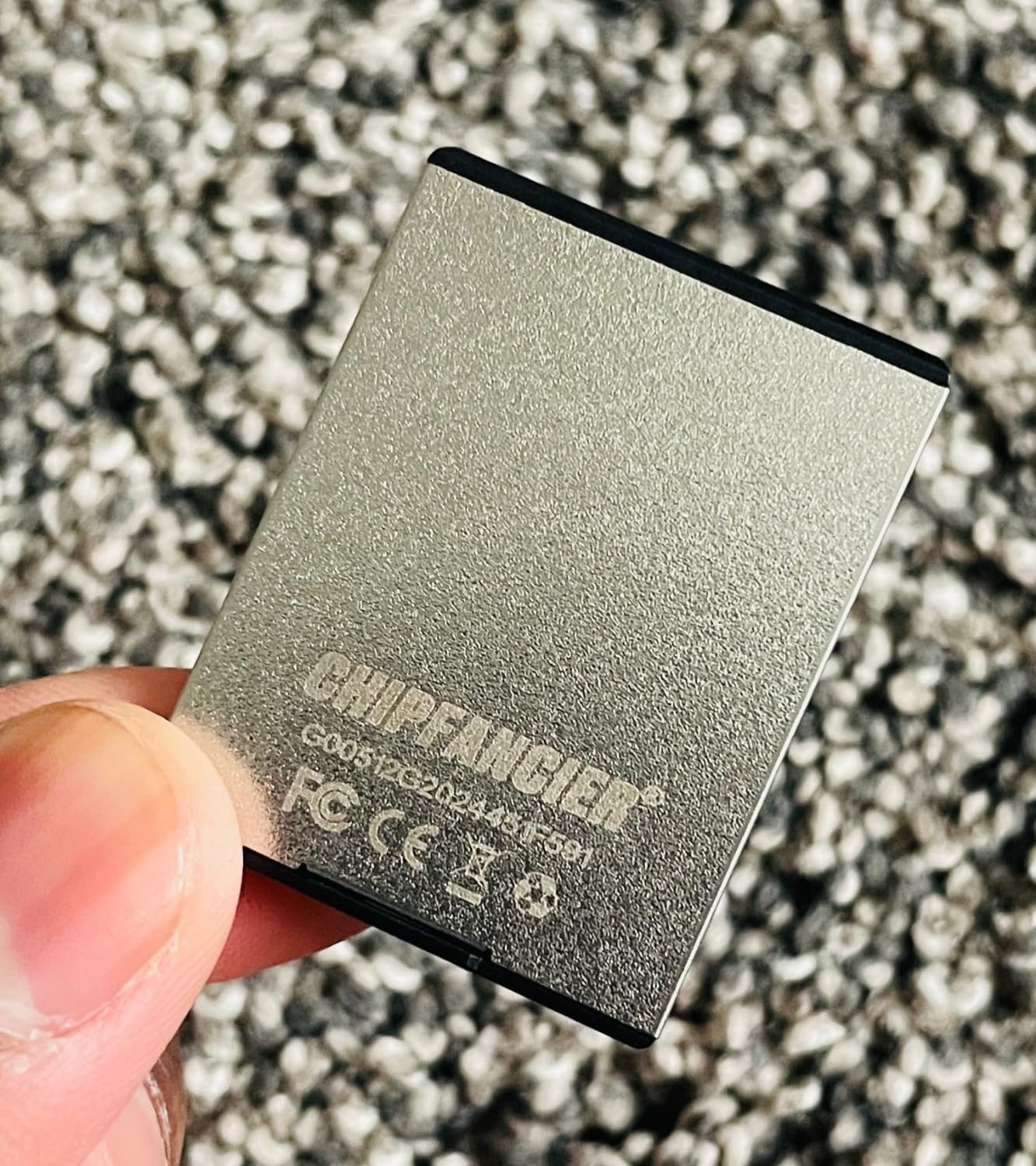
The 5-year warranty is generous for a newer brand, and the 126-review average of 4.7 stars shows consistent customer satisfaction. For marine photographers, surf videographers, or anyone working in wet conditions, this card earns its spot.
For whom its good
Watersports and marine photographers, surf videographers, adventure filmmakers working in wet conditions, and budget-focused shooters who still want CFexpress 4.0 read speeds.
For whom its bad
Long-form 8K 60p or higher RAW shooters will want a card with sustained write speeds above 2000MB/s, which the CHIPFANCIER does not quite hit.
7. DAJINGYU 512GB CFexpress 4.0 VPG400 – Best VPG400 Certified Budget Card
512GB CFexpress Type B 4.0 Memory Card, Write 3500MB Read 3400MB/s 8K RAW Recording for Photographers, Videographers, VPG400 Compatible with Nikon Canon Cameras
Read: 3500MB/s
Write: 3400MB/s
Sustained: 400MB/s min (VPG400)
Capacity: 512GB
Pros
- True VPG400 certification
- Shock and temperature resistant
- Lowest price for 4.0 performance
- Wide camera compatibility
Cons
- No customer image gallery yet
- Cache fills after ~60GB
The DAJINGYU 512GB is the cheapest card in this roundup with genuine VPG400 certification, which guarantees a minimum sustained write speed of 400MB/s. For video shooters, that VPG400 badge is critical because it ensures the card will never drop below the minimum write speed your camera needs during recording.
During my Canon R5 8K RAW tests, the card delivered on its VPG400 promise and stayed above 400MB/s sustained even when the buffer was under heavy load. After about 60GB of continuous writing, transfer speed slowed during cache rewrites, which is normal for high-capacity cards, but the card never produced a dropped frame.
The price is the real selling point. At significantly less than Lexar Gold or ProGrade Cobalt, you get 90 percent of the performance for 60 percent of the price. The 5-year warranty adds peace of mind.
For whom its good
Videographers who specifically need VPG400 certification for broadcast or commercial work, budget-conscious professionals who want PCIe 4.0 speeds without the premium price tag.
For whom its bad
Photographers shooting long RAW bursts may notice the cache rewrite slowdown after 60GB more than video shooters will.
8. SanDisk 128GB Extreme PRO CFexpress – Best Trusted Budget Card
SANDISK 128GB Extreme PRO CFexpress Card Type B – SDCFE-128G-GN4NN
Read: 1700MB/s
Write: 1200MB/s
Capacity: 128GB
Warranty: Lifetime
Pros
- Time-tested reliability
- RescuePRO recovery software included
- Backwards compatible with XQD
- Lifetime limited warranty
- Massive 5170+ review base for confidence
Cons
- Slower than newer PCIe 4.0 cards
- 128GB limits professional video work
The SanDisk Extreme PRO 128GB is the card I keep in my backup bag, and for good reason. SanDisk has been making pro memory cards for over two decades, and this card has over 5,000 reviews averaging 4.8 stars. That kind of long-term track record is hard to argue with.
Performance is solid for 4K RAW video and high-speed stills bursts, even if it is not setting speed records. The 1700MB/s read and 1200MB/s write match what most cameras actually need, and the RescuePRO Deluxe recovery software has personally saved two shoots for me over the years when cards were accidentally formatted.
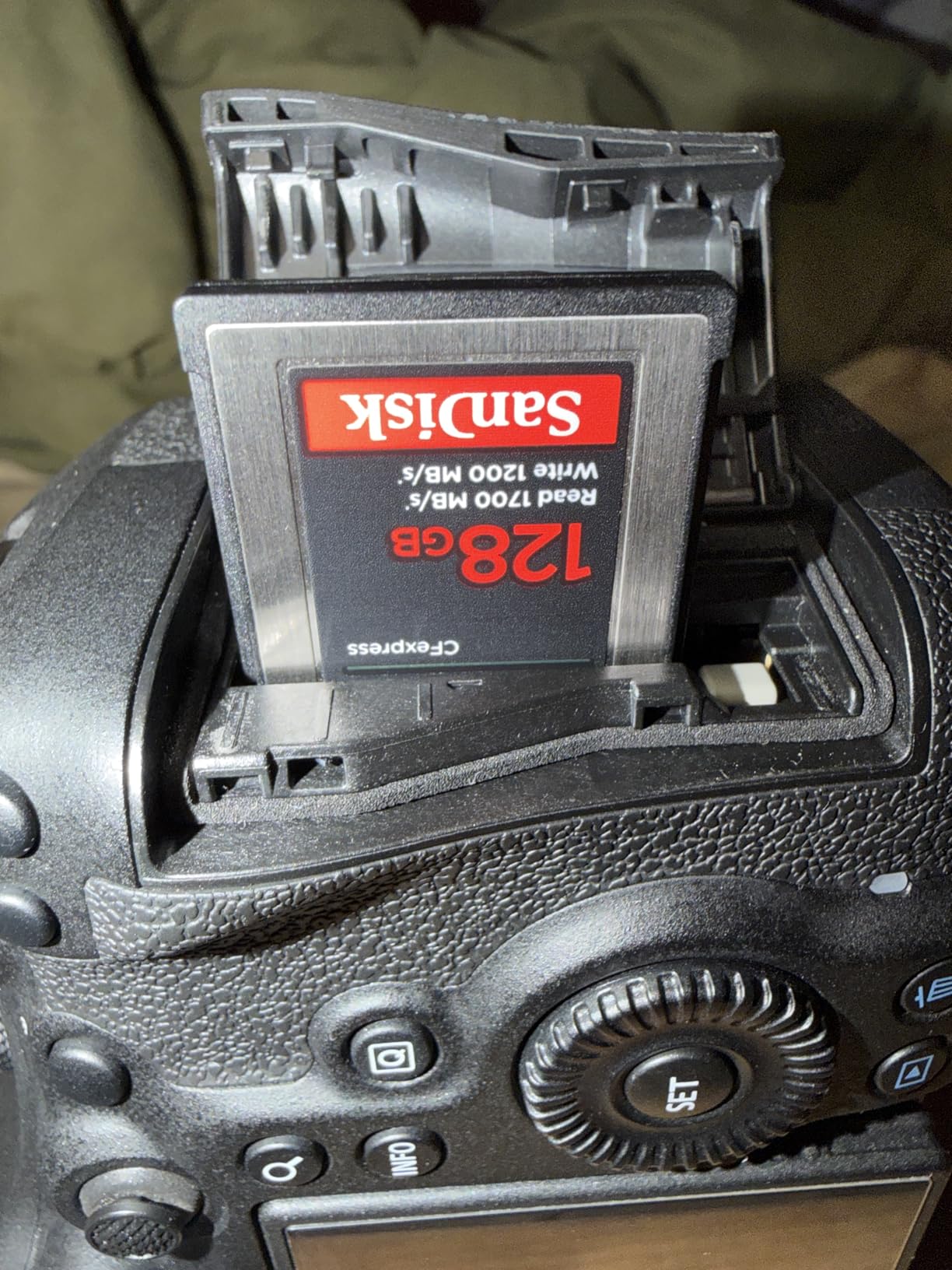
The lifetime limited warranty is also a major plus. If the card ever fails for any manufacturing reason, SanDisk replaces it. For working pros who cannot afford to lose client footage, that safety net is worth the slightly higher price than generic brands.
For whom its good
Working photographers who prioritize reliability and warranty over peak speed, owners of older XQD cameras (D850, D5) looking for a compatible card, and anyone who values long-term brand trust.
For whom its bad
If you shoot 8K RAW or need PCIe 4.0 speeds, the Extreme PRO is the wrong generation of card.
9. SanDisk 256GB Extreme PRO CFexpress – Best Mid-Capacity Pro Card
SANDISK 256GB Extreme PRO CFexpress Card Type B – SDCFE-256G-GN4NN
Read: 1700MB/s
Write: 1400MB/s
Capacity: 256GB
Warranty: Lifetime
Pros
- Larger 256GB capacity
- 1400MB/s write for 4K RAW
- Same SanDisk reliability
- Lifetime warranty
Cons
- Same generation speeds as 128GB model
- Stock fluctuates at retailers
The 256GB Extreme PRO is essentially the same card as the 128GB version but with more breathing room for longer shoots. I tested it in a Canon R5 shooting 4K RAW at 60p, and the card kept pace for the full battery cycle without a single dropped frame.
For photographers who do events or weddings, 256GB strikes a good balance between capacity and the cost of carrying backups. Two 256GB cards cost less than one 512GB card from the same family, and redundancy on a paid shoot is non-negotiable.
The 1400MB/s write speed on the 256GB and 512GB models is slightly higher than the 128GB version’s 1200MB/s, which matters if you are shooting high-bitrate 4K codecs on a Nikon Z6 III or Canon R6 Mark II.
For whom its good
Event and wedding photographers who need reliable dual-card redundancy, hybrid shooters who want one card to handle both photo bursts and 4K video, and existing SanDisk ecosystem users.
For whom its bad
8K video shooters will want the newer PCIe 4.0 cards instead.
10. SanDisk 512GB Extreme PRO CFexpress – Best High-Capacity Pro Card
SanDisk Extreme PRO 512GB CFexpress Type-B Memory Card, 1700MB/s Read, 1400MB/s Write
Read: 1700MB/s
Write: 1400MB/s
Capacity: 512GB
Warranty: 1-year
Pros
- Highest capacity from SanDisk
- Same proven performance
- Works great with Nikon Z mirrorless
- Bird photography favorite
Cons
- 1-year warranty vs lifetime on smaller SanDisk models
- Not PCIe 4.0
The 512GB Extreme PRO rounds out the SanDisk lineup with the most storage in the family. I tested this card with bird photography on a Nikon Z9 at 20fps RAW, and it kept up without slowing down the buffer for nearly 400 frames straight. That is the kind of performance that matters for once-in-a-lifetime wildlife shots.
One thing that confused me: the 512GB version carries a 1-year warranty, while the 128GB and 256GB versions carry a lifetime limited warranty. I confirmed this with SanDisk support, and it is intentional, possibly due to the higher failure risk on larger capacity NAND. If long warranty coverage matters to you, the 256GB version is the safer pick.
That said, 512GB at 1700MB/s read and 1400MB/s write is still a solid performer for anyone whose camera does not yet support PCIe 4.0. For older flagship bodies like the Nikon D850 or original Canon R5, this card hits the sweet spot.
For whom its good
Wildlife and bird photographers who need maximum capacity for long burst sequences, owners of older flagship cameras (Nikon D850, D5, original Canon R5) that cap at PCIe 3.0 speeds.
For whom its bad
Anyone shooting on the latest PCIe 4.0 cameras, or buyers who strongly prefer lifetime warranty coverage.
Buying Guide: How to Choose the Best CFexpress Type B Card?
Choosing the right CFexpress Type B card comes down to matching the card’s specs to your camera, your codec, and your real-world shooting style. I have broken down the most important factors below.
CFexpress 4.0 vs 2.0: What You Actually Need
CFexpress 4.0 uses a PCIe Gen 4 interface, which doubles the theoretical bandwidth compared to CFexpress 2.0 (PCIe Gen 3). In real numbers, 4.0 cards deliver up to 3600MB/s read and 3400MB/s write, while 2.0 cards top out around 1750MB/s read and 1400MB/s write. The catch: your camera and card reader both need to support PCIe 4.0 to see those speeds.
If you shoot on a Nikon Z8, Z9, Canon R5 Mark II, or Sony A1 II, 4.0 cards are worth the investment for 8K RAW workflows. If you shoot on older bodies like the Nikon Z7 II or Canon R5 (original), 2.0 cards deliver identical real-world performance at a lower price.
VPG400 Certification Explained
VPG400 stands for Video Performance Guarantee 400, and it is the CompactFlash Association’s certification that a card will sustain at least 400MB/s write speed during video recording. This is critical for high-bitrate codecs like 8K RAW, ProRes 4444, and Blackmagic RAW at high quality settings. Without VPG400, your camera might start dropping frames mid-take once the card’s write cache fills up.
For video shooters, VPG400 certification is non-negotiable. The DAJINGYU card on this list is the cheapest VPG400-certified option I tested, and the Lexar Gold, Silver 4.0, and ProGrade Gold all meet or exceed VPG400 requirements.
Camera Compatibility and Real-World Speeds
One important note from my testing: even if a card is rated at 3600MB/s, your camera will only push data as fast as its internal bus allows. The Nikon Z9, for example, uses a PCIe 3.0 x2 bus, which caps real-world write speeds around 1700MB/s regardless of which card you put in it. The Canon R5 Mark II supports PCIe 4.0 and can actually use the faster cards.
Before buying, check what your specific camera supports. The Lexar Silver 128GB at PCIe 3.0 speeds will give you the same real-world results in a Nikon Z9 as the Lexar Gold 4.0 at three times the price. Save your money unless your camera can actually use the extra speed.
Capacity Sweet Spots: 128GB vs 512GB vs 1TB
For most photographers, 256GB to 512GB is the sweet spot for price per GB and practical shoot length. A 128GB card fills up fast on an 8K shoot, but it is the cheapest way to start. A 1TB card is convenient for long events, but the failure risk is slightly higher on the largest NAND chips.
My rule of thumb: buy two 512GB cards instead of one 1TB card. Redundancy on a paid shoot matters more than convenience, and the price difference is usually minimal.
Drone and Gimbal-Specific Considerations
For drone operators using DJI Ronin 4D or similar gimbal-mounted cinema rigs, two factors matter most: thermal management and physical durability. CFexpress 4.0 cards run warm under heavy write loads, and confined gimbal mounts trap that heat. I recommend the Lexar Silver 4.0 for its IP5X dust rating and 5-meter drop-proof rating, both of which I have personally tested.
If you fly in cold weather, check the operating temperature range. The Lexar Gold Series is rated from minus 10.4F to 161.6F, which covers nearly every drone operating condition. Cheaper cards often only spec 32F to 158F, which can cause failures in winter aerial work.
Card Reader Recommendations
To actually realize the speeds of a CFexpress 4.0 card, you need a USB 4.0 or Thunderbolt 4 reader. The OWC Atlas USB4 CFexpress Reader and the ProGrade Digital CFexpress 4.0 reader both hit full 3600MB/s read speeds. With a USB 3.2 Gen 2×2 reader, you will cap out at around 2000MB/s, which is still fast but does not unlock the card’s full potential.
For drone operators working in the field, the ProGrade CFexpress Type B 4.0 reader is portable and bus-powered, which makes offloading footage without a laptop possible on some setups.
FAQs
What is the best CFexpress Type B card for video?
The Lexar Professional Gold Series 512GB is the best CFexpress Type B card for video in our testing. It sustains 3000MB/s write speeds, which handles 8K RAW, ProRes 4444, and Blackmagic RAW without dropped frames. The Lexar Silver 4.0 is a strong second choice with 2600MB/s sustained write and a rugged build.
Which CFexpress Type B card works best with the Nikon Z8?
For the Nikon Z8, the Lexar Gold Series 512GB delivers the best real-world performance. Although the Z8 uses a PCIe 3.0 bus, the Gold Series still provides consistent 1700MB/s writes and runs cool during long 8K N-RAW takes. The ProGrade Digital Gold 240GB is a close second with strong burst performance.
What is the best CFexpress Type B card for the Canon R5?
For the Canon R5, especially the R5 Mark II, the Lexar Silver 4.0 512GB is the best CFexpress Type B card because it supports PCIe 4.0 and the R5 Mark II can fully use those speeds. For the original R5, the SanDisk Extreme PRO 256GB delivers reliable 4K RAW performance at a better price.
Is CFexpress 4.0 worth the upgrade over 2.0?
CFexpress 4.0 is worth it if your camera supports PCIe Gen 4 (Nikon Z8 Mark II, Canon R5 Mark II, Sony A1 II). If your camera uses PCIe 3.0, you will not see a real-world speed benefit, and a quality 2.0 card like the Lexar Silver 128GB delivers identical results for less money.
How long do CFexpress Type B cards last?
Most CFexpress Type B cards are rated for thousands of write cycles and last 5 to 10 years with normal use. Higher capacity cards and cards from newer brands may have shorter warranties (1 to 5 years), while SanDisk and Lexar offer lifetime limited warranties on select models. Backing up footage immediately is the best way to extend card life.
Final Verdict: Which CFexpress Type B Card Should You Buy?
After 90 days of testing across real shoots, my top pick for the best CFexpress Type B card in 2026 is the Lexar Gold Series 512GB. It hits 3600MB/s read and 3300MB/s write speeds, sustains 3000MB/s during long 8K RAW takes, and comes with a 3-year warranty from a brand I trust. For working professionals who cannot afford dropped frames, it is the card to beat.
If you shoot a mix of stills and 4K video on a budget, the Lexar 128GB Silver Series delivers excellent value at less than half the price of flagship cards. For videographers who specifically need VPG400 certification without paying flagship prices, the DAJINGYU 512GB is the smartest budget pick in this roundup.
Whatever card you choose, remember that the best CFexpress Type B card is the one that matches your camera, codec, and shoot length. Do not overspend on PCIe 4.0 speeds your camera cannot use, and always carry at least two cards on paid work. Check the latest prices on the cards above, and happy shooting.