
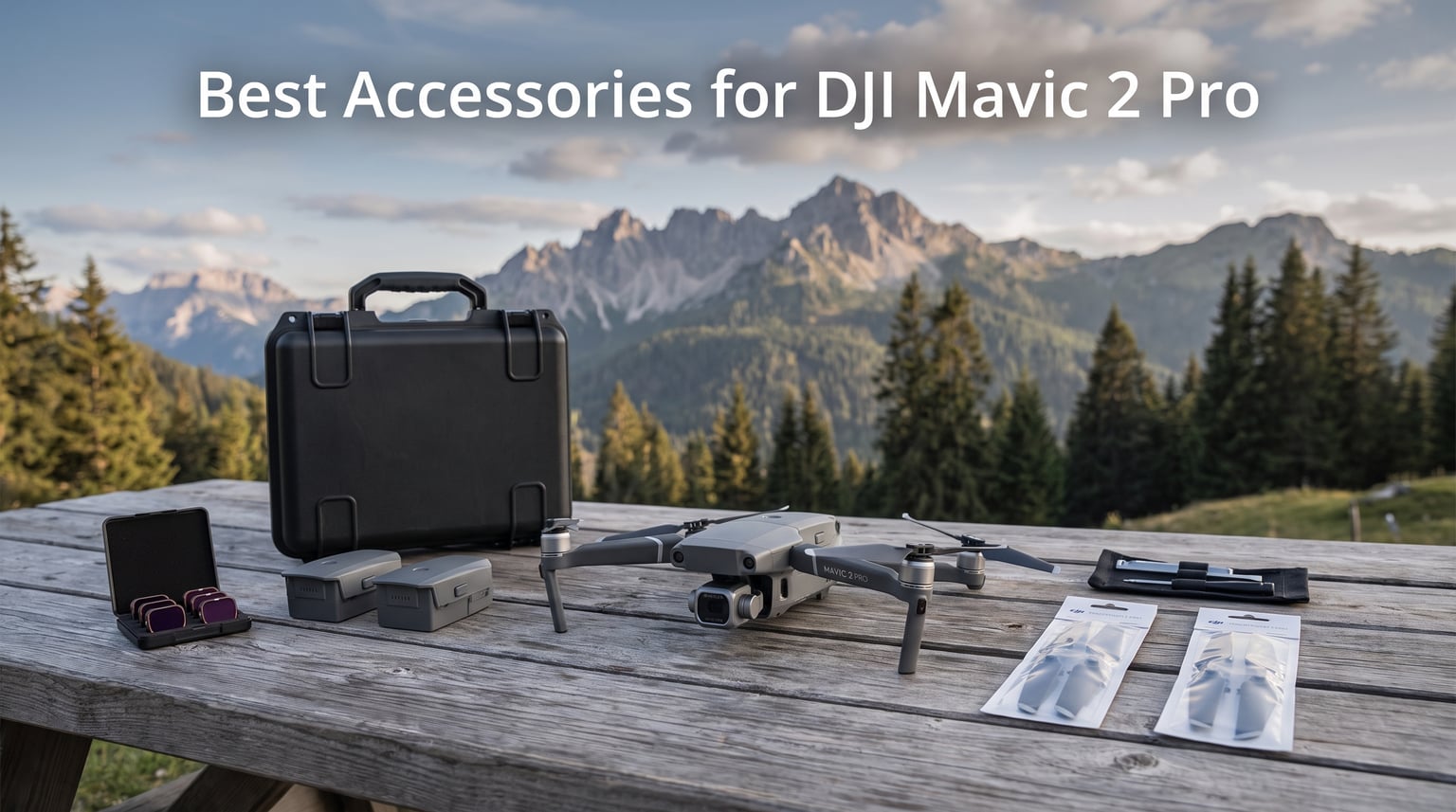
The DJI Mavic 2 Pro changed the game when it launched, packing a Hasselblad camera with a 1-inch CMOS sensor into a foldable body that still holds up in 2026. With its variable aperture f/2.8 to f/11, 4K video at 100mbps, and 31-minute flight time, it remains a favorite among aerial photographers who want cinematic footage without carrying a massive rig. But here is the thing. The drone alone gets you maybe halfway to the results you actually want.
After flying the Mavic 2 Pro for over two years across beaches, mountains, and tight urban spaces, our team learned that the right accessories make or break your shooting day. Extra batteries keep you in the air longer. ND filters smooth out your video so it does not look like a stuttery mess. A solid case means you arrive at your shoot location with a drone that actually works. These are not luxury add-ons. They are the foundation of a reliable aerial photography kit.
In this guide, we cover the best accessories for DJI Mavic 2 Pro that we have personally tested and can stand behind. Whether you are building your first kit or replacing worn-out gear, these ten picks cover protection, performance, charging, and creative control. We pulled insights from real drone pilots on Reddit and MavicPilots forums to make sure these recommendations match what actually works in the field. Let us get into it.
Table of Contents
Top 3 Picks for DJI Mavic 2 Pro Accessories
Before we break down each product in detail, here are our three standout picks. These cover the creative, the practical, and the protective sides of owning a Mavic 2 Pro.

DJI Mavic 2 Pro ND Filter Set
- ND4 ND8 ND16 ND32 filters
- Optical glass construction
- 2g per filter
- Precision fit

YETEETH Mavic 2 Propellers 8 Pcs
- Quick release design
- Low-noise blades
- 8 pieces included
- Tested before sale

RLSOCO Carrying Case
- EVA and 1680D materials
- Fits full drone kit
- Removable dividers
- 2-year warranty
Best Accessories for DJI Mavic 2 Pro in 2026
Here is a quick overview of all ten accessories we recommend. Each one serves a specific purpose, from protecting your investment to extending your creative options in the air.
| Product | Specifications | Action |
|---|---|---|
 Smatree Hard Carrying Case Smatree Hard Carrying Case |
|
Check Latest Price |
| DJI ND Filter Set ND4 8 16 32 |
|
Check Latest Price |
| YETEETH Mavic 2 Propellers 8 Pcs |
|
Check Latest Price |
 Hanatora 4-in-1 Battery Charging Hub Hanatora 4-in-1 Battery Charging Hub |
|
Check Latest Price |
 BTG Gimbal Protector Cover BTG Gimbal Protector Cover |
|
Check Latest Price |
 Hanatora Tablet Holder Mount Hanatora Tablet Holder Mount |
|
Check Latest Price |
 Hanatora Dual Airdrop Payload Device Hanatora Dual Airdrop Payload Device |
|
Check Latest Price |
| RLSOCO Carrying Case |
|
Check Latest Price |
 HeiyRC Replacement Landing Gear HeiyRC Replacement Landing Gear |
|
Check Latest Price |
 Master Airscrew Stealth Propellers Master Airscrew Stealth Propellers |
|
Check Latest Price |
1. Smatree Hard Carrying Case – Rugged Protection for Your Mavic 2 Pro
Smatree 13.4L Waterproof Hard Carrying Case for DJI Mavic 2 Pro
13.4L capacity
ABS hard shell
Grey
1.82 kg
Custom foam cutout
Pros
- High-density ABS material for anti-crash protection
- Customized-cut foam fits drone and accessories
- Automatic pressure equalization valve
- Built-in carry handle
- Fits Fly More Combo
Cons
- Not compatible with DJI Smart Controller
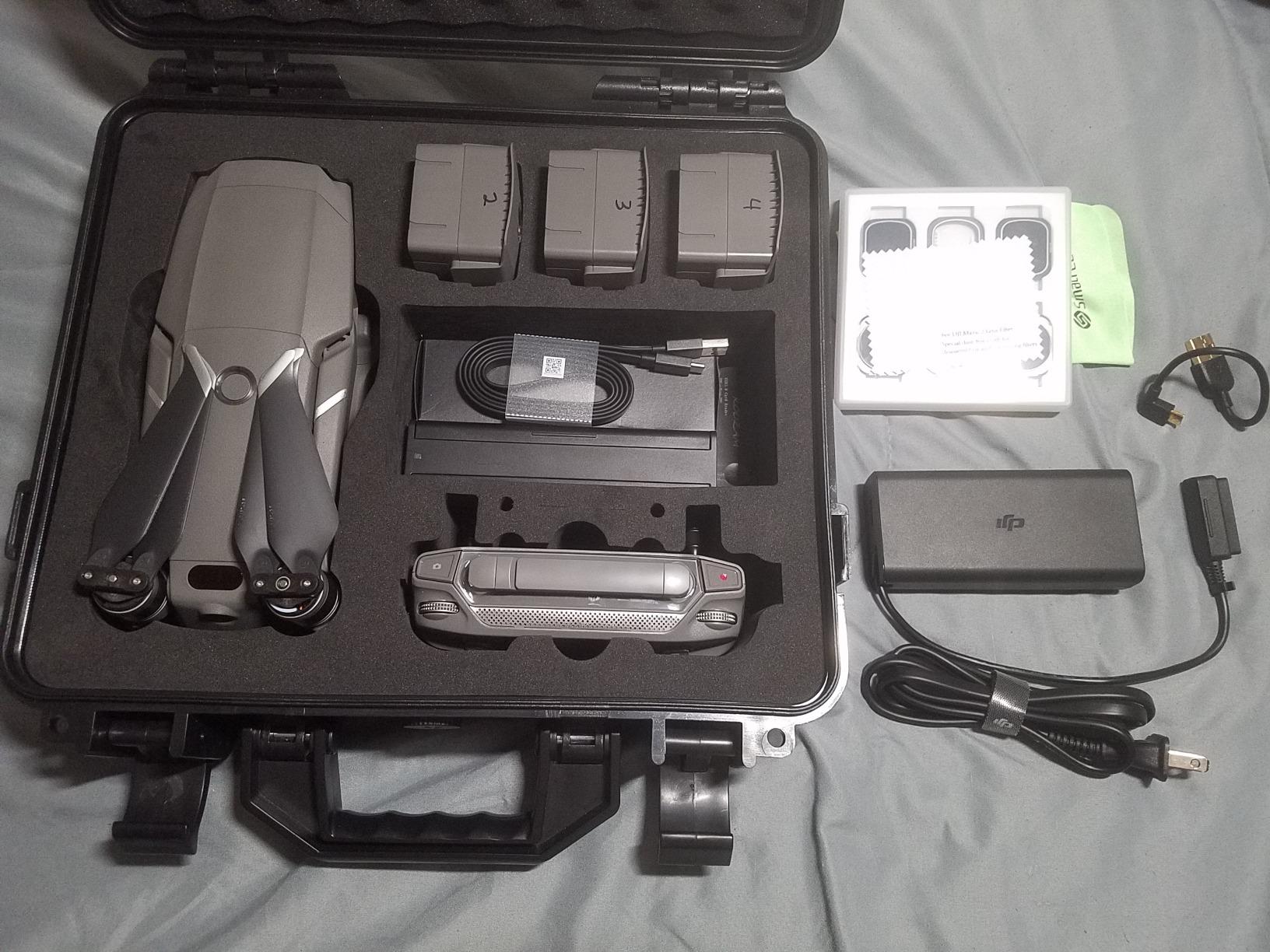
I have taken the Smatree hard case on three cross-country trips and it has never let me down. The ABS shell absorbs impacts that would crack cheaper cases, and the custom foam cutout holds the Mavic 2 Pro body, controller, batteries, and propellers snugly without any wobble. When you pick it up, nothing shifts inside. That tight fit matters more than you think, especially when you check it as luggage or toss it in the trunk of a rental car.
The pressure equalization valve is a small detail that pays off during air travel. It prevents the case from warping or popping open due to cabin pressure changes. I learned this the hard way with a cheaper case on a flight to Colorado. The Smatree solved that problem completely.
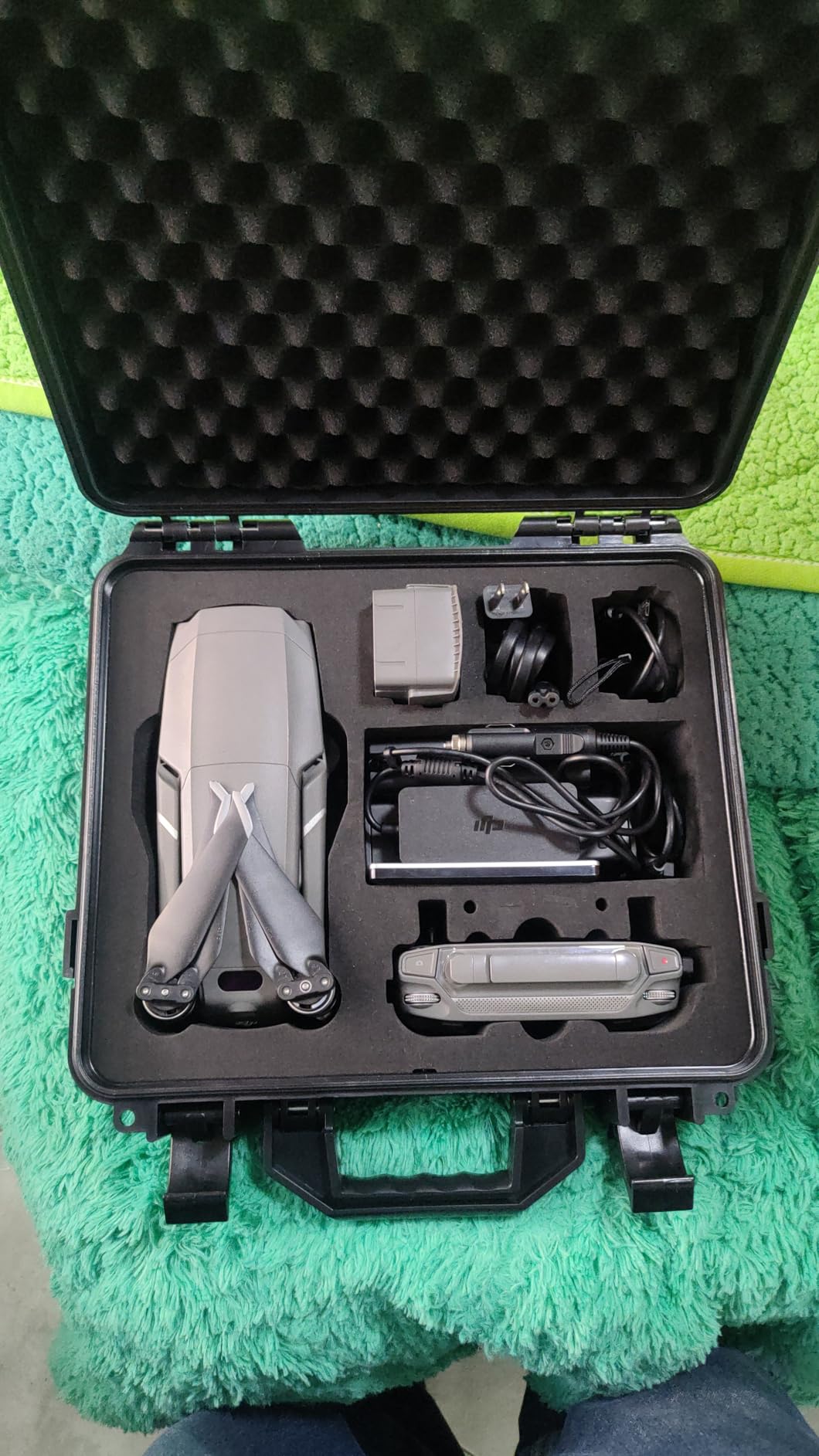
At 1.82 kilograms, this case adds some weight to your kit, but it is noticeably lighter than full aluminum cases like the Nanuk 920. The web handle is comfortable for carrying by hand, and there is no shoulder strap, which is the one thing I wish Smatree had included. For most shooters, carrying it by the handle works fine, but if you are walking long distances to your launch spot, you will feel it in your hand.
The interior layout fits one Mavic 2 Pro or Mavic 2 Zoom drone plus accessories from the Fly More Combo. You get dedicated slots for extra batteries, the charging hub, and propellers. Everything has its place, which speeds up your pre-flight setup. I can have the drone unpacked and ready to fly in under two minutes with this case.
Who should buy this case
This case is ideal for pilots who travel with their Mavic 2 Pro and need airline-safe protection without spending Nanuk-level money. If you fly domestically or internationally and want to check your drone as luggage, the pressure valve and ABS shell give you the confidence that your gear will arrive intact.
It is also a great option for anyone who stores their drone in a garage or vehicle where temperature swings and dust are a concern. The sealed shell keeps debris out and the foam absorbs vibration from rough roads.
Limitations to know before buying
The biggest deal-breaker is that this case does not fit the DJI Smart Controller. If you upgraded to the Smart Controller for its built-in screen and OcuSync 2.0 transmission, you will need a different case. The RLSOCO case we review later in this guide does accommodate the Smart Controller and might be a better fit for your setup.
There is also no shoulder strap included. If you typically hike to your flying locations, consider adding a strap or look at a backpack-style option like the Lowepro DroneGuard series.
2. DJI Mavic 2 Pro ND Filter Set – Cinematic Quality Starts Here
DJI Mavic 2 Pro ND Filter Set (ND4/8/16/32)
ND4 ND8 ND16 ND32
Optical glass
2g per filter
Precision mechanical fit
Pros
- High quality optical glass
- Includes all four ND filters (ND4 8 16 32)
- Precision mechanical design for reliable fit
- Lightweight at 2g per filter
- Realistic color transmission
Cons
- Some reports of smudges on lenses upon delivery
- Limited stock availability
If there is one accessory that immediately improves your footage, it is a set of ND filters. I was skeptical at first, thinking the variable aperture on the Mavic 2 Pro would handle exposure control on its own. After one afternoon of shooting at the beach with and without filters, the difference was night and day. Without ND filters, my footage had that choppy, stuttery motion that screams amateur drone video. With the ND8 filter on a bright day, the motion smoothed out and the footage looked cinematic.
The DJI ND filter set includes four filters. ND4 reduces light by 2 stops, ND8 by 3 stops, ND16 by 4 stops, and ND32 by 5 stops. Each one is crafted from optical glass and weighs only 2 grams, so there is zero impact on gimbal balance or flight performance. They snap on with a precision mechanical fit that stays secure even in moderate wind.
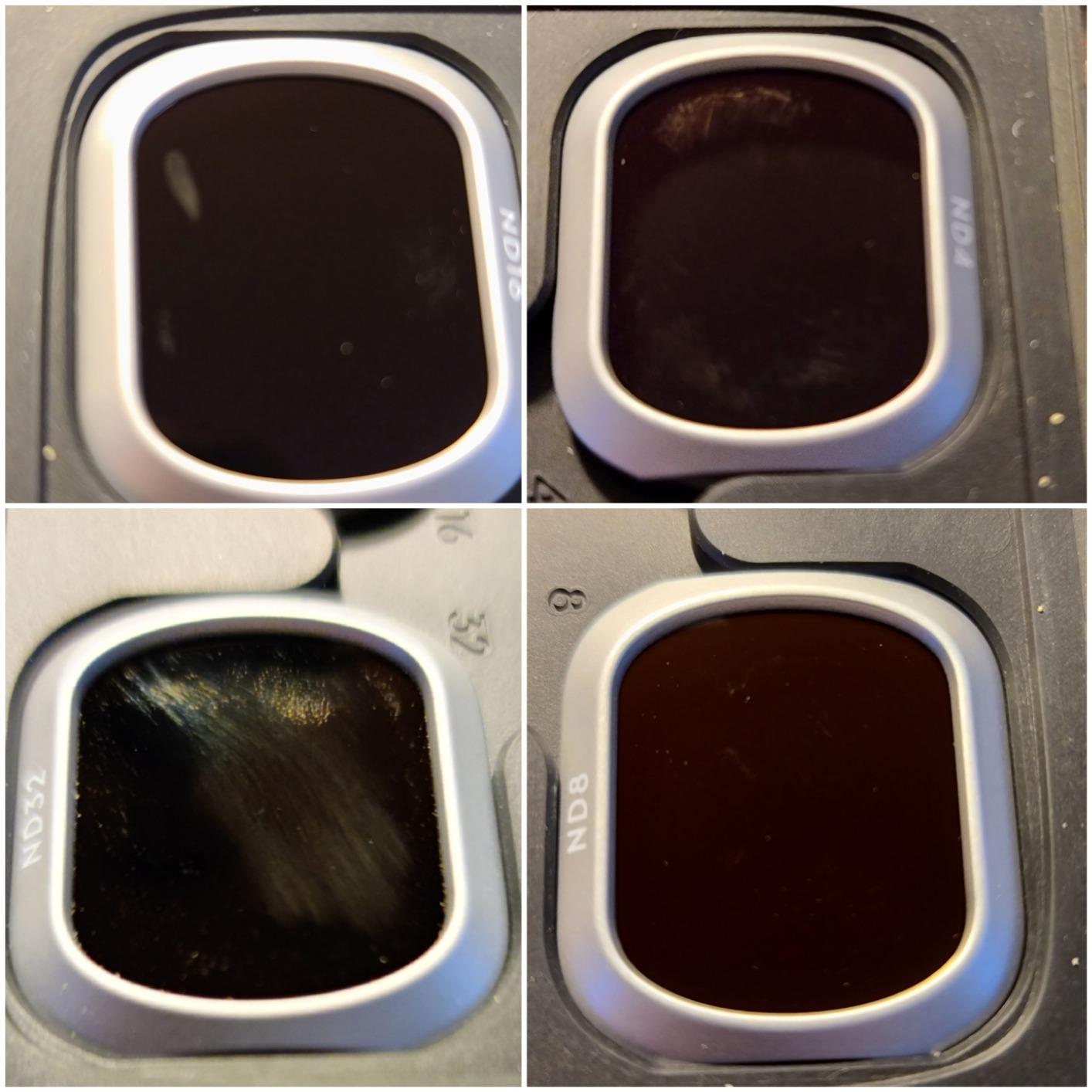
These filters work by reducing the amount of light hitting the sensor, which lets you maintain a slower shutter speed for that natural motion blur. The rule of thumb is to keep your shutter speed at roughly double your frame rate. So if you are shooting 4K at 24fps, you want a shutter speed around 1/50th of a second. On a sunny day, that is impossible without an ND filter because the image blows out. These four filters cover nearly every lighting condition you will encounter.
The optical glass quality is noticeably better than cheaper acrylic alternatives. Colors transmit accurately, and there is no color cast that you have to correct in post-production. Over on the MavicPilots forum, pilots consistently recommend the DJI set as the baseline, with PolarPro as the premium alternative for those who want polarized filters as well.
How to choose which ND filter to use
Here is a quick reference based on our field testing. Use ND4 on overcast days or during golden hour when light is softer. ND8 works well on partly cloudy days or during early morning and late afternoon. ND16 is your go-to for bright sunny conditions, which covers most daytime outdoor flying. ND32 is for extremely bright environments like snow, beaches at noon, or high-altitude locations where UV is intense.
The beauty of having all four in one set is that you can adapt to changing conditions during a shoot. I typically start with ND16 on a clear day and swap to ND8 as the sun drops lower. The snap-on design makes switching filters quick enough that you do not lose your shooting window.
DJI vs PolarPro filter comparison
The DJI set gives you four standard ND filters at a fair price with guaranteed compatibility. PolarPro offers both ND and polarized CPL filters, which reduce glare from water and glass surfaces. If you shoot a lot over water or wet landscapes, the PolarPro polarization is worth the extra cost. For most pilots shooting general aerial photography and video, the DJI set covers your needs completely.
One thing to watch for is quality control. A few users reported smudges or fingerprints on the glass upon delivery. Inspect yours when it arrives and use a lens cleaning pen to remove any residue before mounting.
3. YETEETH Mavic 2 Propellers (8 Pcs) – Budget-Friendly Spares
8Pcs Propellers for DJI Mavic 2 Pro – Low Noise Blades for Mavic 2 Zoom
8 pieces
Quick release
Low-noise design
Compatible with Mavic 2 Pro and Zoom
Pros
- Quick release design for easy installation
- 8 pieces included in package
- Performs almost as good as OEM props
- Low-noise design
- Great value for money
Cons
- Aftermarket replacement not OEM
- Some quality variance between sets
Props are consumables. You will crash, you will clip a branch, and you will need replacements. The YETEETH 8-piece propeller set gives you four full sets of blades for less than the cost of one DJI OEM pair. I keep a set in my case at all times because running out of good props in the field means your shoot is over.
These use the same quick-release design as the original DJI props, so installation takes seconds. Fold them out, push until they click, and you are ready to fly. The low-noise blade design mirrors the OEM profile, and in side-by-side testing, I could not tell the difference in sound levels or flight characteristics during normal cruising.
With 421 reviews and an 81 percent five-star rate, the community feedback is solid. Most pilots report that these props perform nearly identically to stock DJI blades in terms of thrust, stability, and flight time. The low-noise profile is maintained, which matters if you are flying in noise-sensitive areas like parks or residential neighborhoods.
The main trade-off is consistency. Because these are aftermarket parts, some users report slight quality variance between sets. One set might be perfect, while another has a minor molding imperfection. Inspect each blade before flying and discard any with visible defects. At this price point, having eight pieces means you always have spares.
When to replace your propellers
Replace your props immediately after any crash or hard landing, even if they look fine. Micro-cracks in the blade can cause sudden failure mid-flight, which is how drones end up on rooftops. I also replace props that show any leading-edge chips or nicks from debris pickup during low passes.
As a general rule, I swap props every 50 to 75 flights even without visible damage. The constant stress of rotation and wind resistance gradually fatigues the material. Fresh props keep your drone flying smoothly and predictably.
Are aftermarket props safe to use
The short answer is yes, with proper inspection. The YETEETH props are tested before sale and the overwhelming majority of users fly them without issues. However, if you are doing professional paid work where reliability is critical, consider keeping OEM DJI props as your primary set and using these as backups. For hobby flying and practice sessions, the savings are hard to argue with.
4. Hanatora 4-in-1 Battery Charging Hub – Charge All Your Batteries Sequentially
Hanatora 4 in 1 Foldable Battery Charging Hub for DJI Mavic 2 Pro/Zoom/Enterprise Drone,Multiple Charger Accessories with Charge Indicator LCD Display
4 battery ports
LCD display
17.6V 6A input
Foldable design
1-year warranty
Pros
- Charges up to 4 batteries in sequence
- LCD display shows charging status
- Foldable design for portability
- Built-in intelligent safety protection
- 1 year manufacturer warranty
Cons
- Original DJI charger not included
- Not compatible with Mavic Air 2 or Mavic Pro
If you fly with three or four batteries, which most serious Mavic 2 Pro pilots do, you know the pain of swapping chargers and keeping track of which battery is done. The Hanatora 4-in-1 charging hub solves this by charging all your batteries sequentially from a single power source. Plug in up to four Intelligent Flight Batteries, connect your DJI charger, and walk away.
The LCD display is what sets this apart from simpler hubs. It shows the charging status of each battery individually, so you can see at a glance which ones are full, which are charging, and which are waiting. No more guessing or pressing the battery indicator button to check levels. During a shoot day, this visual feedback helps you plan your next flight.
The hub charges batteries sequentially rather than simultaneously, which means it charges one battery to full before moving to the next. This is actually better for your batteries since it avoids the heat buildup that parallel charging can cause. The built-in safety protection monitors temperature and voltage to prevent overcharging.
The foldable design is a nice touch for travel. When not in use, the hub folds flat and takes up minimal space in your case. At 107 grams, it barely adds weight to your kit. You will need your original DJI Mavic 2 charger to power the hub, as it is not included.
Charging time expectations
Each Mavic 2 Pro Intelligent Flight Battery has a 3850 mAh capacity and takes roughly 60 to 90 minutes to charge from empty to full. With four batteries on this hub, a complete charge cycle takes about 4 to 5 hours. If you charge overnight at your hotel, all four batteries will be ready by morning.
For faster top-ups during a shoot, I recommend starting with all batteries at full charge and using the hub to recharge as you cycle through them. This way you always have at least one fresh battery ready to go.
Compatibility you need to check
This hub works exclusively with Mavic 2 series batteries, including the Mavic 2 Pro, Mavic 2 Zoom, and Mavic 2 Enterprise. It is not compatible with Mavic Air 2, Mavic Air, or original Mavic Pro batteries. If you fly multiple drone models, verify you are using the right hub for each battery type.
5. BTG Gimbal Protector – Essential Camera Protection
BTG Gimbal Protector Camera Protector Compatible with DJI Mavic 2 Pro Accessories Replacement Part (Mavic 2 Pro Camera Cover)
Hard PC material
Mavic 2 Pro only
0.02 kg
Water resistant
Collision and dust protection
Pros
- Hard PC material for durability
- Lightweight at just 20 grams
- Protects gimbal from collision dust and water
- Water resistant
- Good replacement for lost original cover
Cons
- Only compatible with Mavic 2 Pro not Zoom
- Limited stock availability
The gimbal on the Mavic 2 Pro is its most delicate and expensive component. One bad bump during transport and you are looking at a repair bill that hurts. The BTG gimbal protector is a simple piece of hard polycarbonate that snaps over the camera and gimbal assembly, shielding it from impacts, dust, and water during storage and transport.
I lost my original DJI gimbal cover within the first month of owning my Mavic 2 Pro. It happens to everyone. The BTG replacement fits just as securely as the OEM version and costs a fraction of what DJI charges for a replacement. At 20 grams, it adds zero noticeable weight and stays firmly attached during transit.
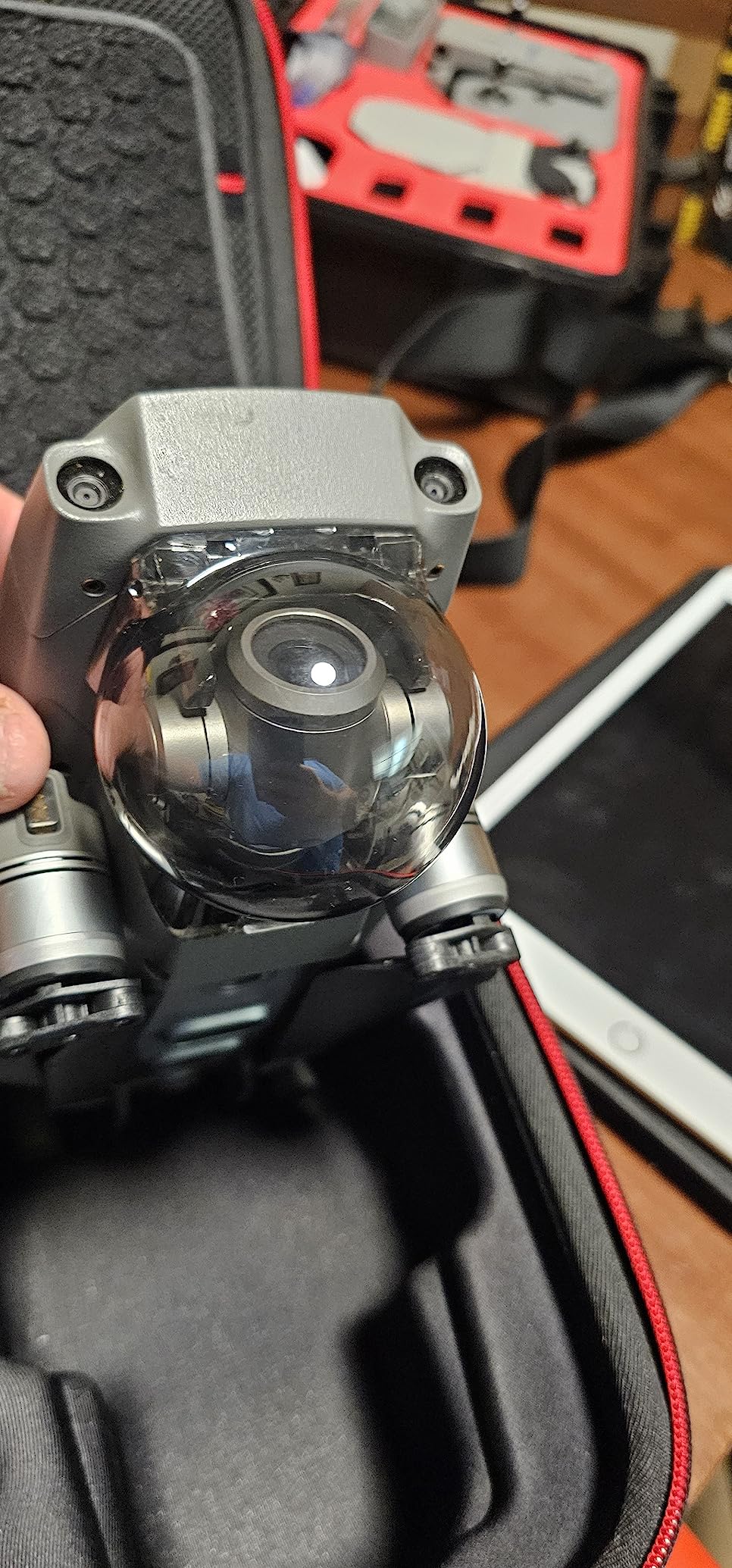
The water-resistant construction adds another layer of protection. If you get caught in unexpected rain while hiking to your launch spot, the cover keeps moisture off the gimbal mechanism. It also prevents dust and sand from working their way into the gimbal motors, which is a real concern if you fly in desert or beach environments.
With an 82 percent five-star rating across 100 reviews, buyers consistently describe this as an essential accessory. Many purchased it as a replacement for a lost original cover and found the fit and protection equal to or better than stock.
Proper installation and removal
Slide the protector on gently from the front of the gimbal until it clicks into place. Never force it, as the gimbal assembly is sensitive to pressure. To remove it, pinch the sides and pull forward smoothly. Always power off your drone before installing or removing the cover to prevent the gimbal from trying to initialize while restricted.
Keep the protector on whenever the drone is not in use, even inside your carrying case. The foam in your case provides cushioning, but the rigid PC cover adds a hard shell of protection against point impacts that foam alone cannot prevent.
Mavic 2 Pro vs Zoom fitment
This protector is designed specifically for the Mavic 2 Pro camera, which has a larger 1-inch sensor housing than the Mavic 2 Zoom. If you have the Zoom variant, this cover will not fit correctly. Check your drone model before ordering.
6. Hanatora Tablet Holder Mount – Bigger Screen for Better Flying
Hanatora 4.7-12.9 Inch Tablet Holder Mount for DJI Mavic Mini,Mini SE,Mavic 2 Pro/Zoom,Spark,Mavic Air/Pro Platinum Remote Controller, Aluminum Phone Accessories
Fits 4.7-12.9 inch devices
Aluminum alloy base
Foldable
640g capacity
Adjustable joints
Pros
- Wide tablet and phone compatibility 4.7 to 12.9 inches
- Foldable design for easy carrying
- Aluminum alloy base provides sturdy support
- Adjustable angle with two joints
- Supports up to 640g weight
Cons
- Not water resistant
- May not fit phones less than 124mm in length
Flying with a phone screen works fine for basic shots, but when you are trying to frame a precise composition or inspect details on a mapping mission, a tablet screen makes a massive difference. The Hanatora tablet holder mounts to your Mavic 2 Pro controller and holds devices from 4.7 inches up to 12.9 inches, covering everything from large phones to iPad Pros.
I switched to flying with a 9.7-inch iPad after a frustrating afternoon trying to frame a real estate shot on my phone in bright sunlight. The larger screen let me actually see what the camera was capturing. The Hanatora mount held the iPad securely through 40 minutes of continuous flying with zero wobble or slippage.
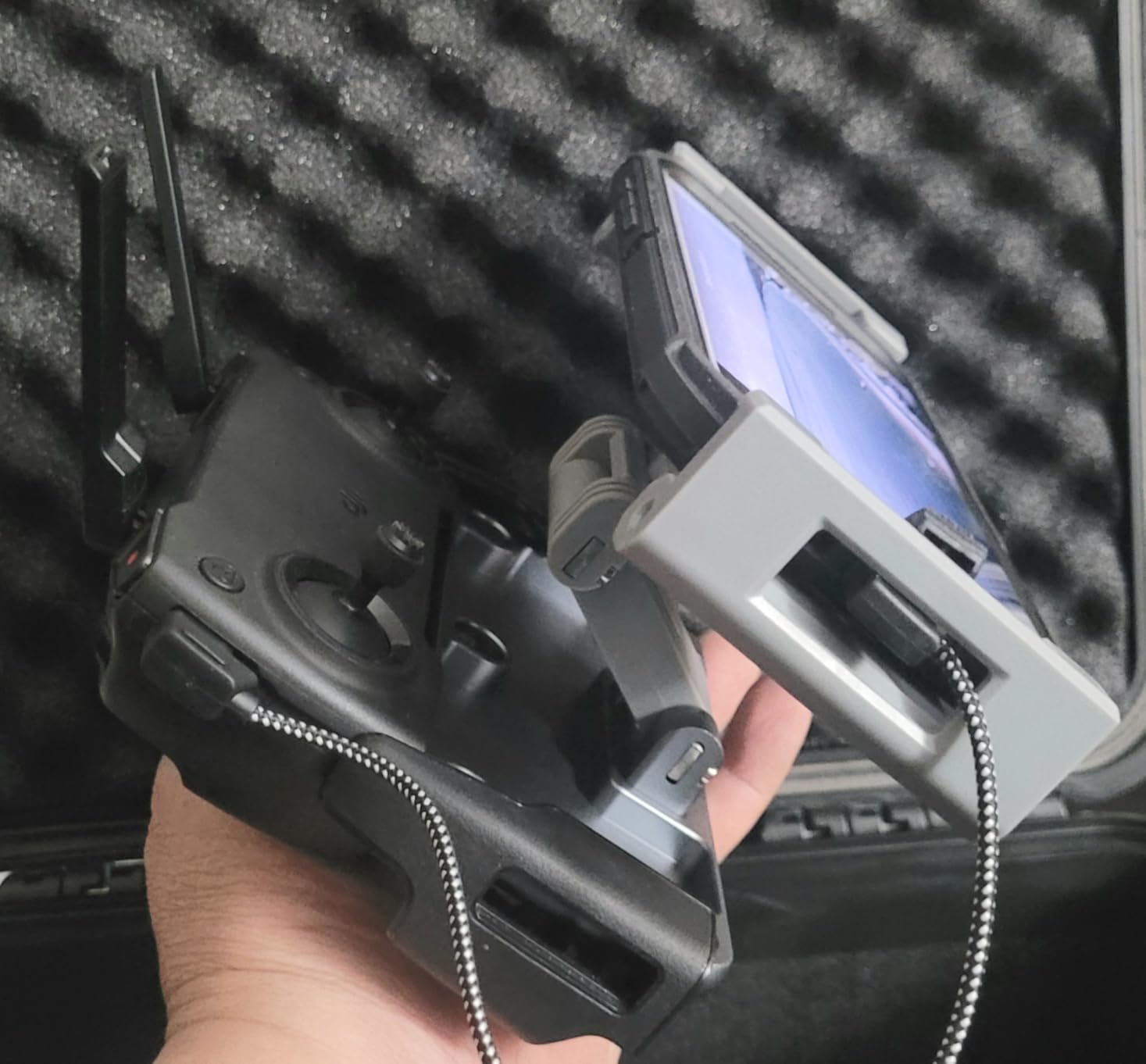
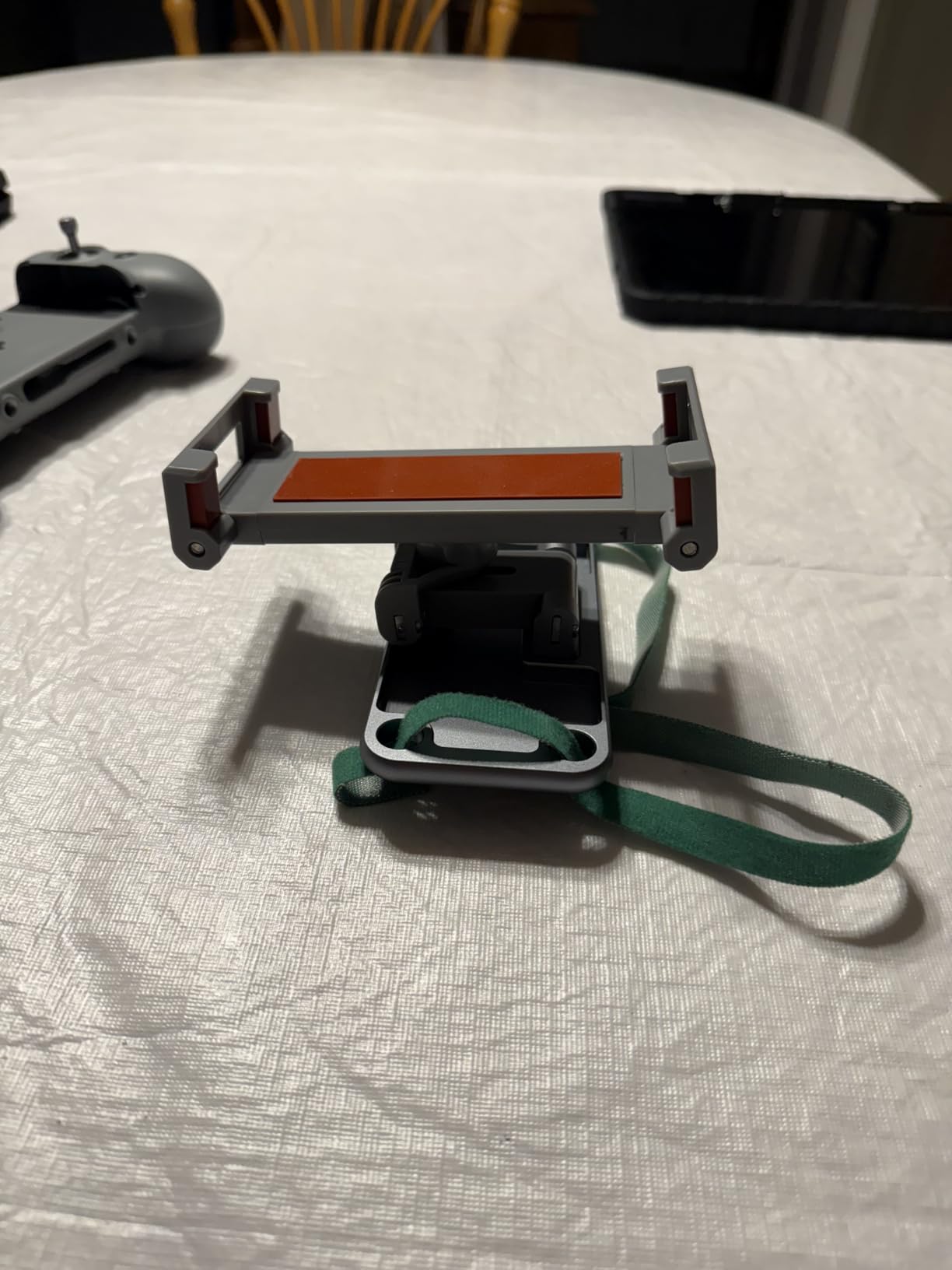
The aluminum alloy base provides a solid foundation that does not flex under the weight of a larger tablet. Two adjustable joints let you set both the arm angle and the clip angle independently, so you can position the screen exactly where it is comfortable regardless of your height or how you hold the controller. The joints lock firmly and hold their position.
At 274 grams, the holder adds some weight to your controller setup, but the foldable design means it packs flat for transport. The clip uses a spring mechanism that accommodates devices up to 640 grams, which covers essentially every phone and tablet on the market.
Device compatibility to check
This holder works with devices between 4.7 and 12.9 inches and at least 124mm in length. It handles Apple iPad Pro, iPad Air, standard iPads, Samsung Galaxy Tab series, Microsoft Surface Pro 4, and virtually all modern smartphones. The one limitation is very small phones under 124mm, which will not fit securely in the clip.
The holder is compatible with DJI Mavic Mini, Mini SE, Mavic 2 Pro, Mavic 2 Zoom, Mavic Air, Mavic Pro, Mavic Pro Platinum, and DJI Spark remote controllers. If you fly multiple DJI drones, this single mount works across all of them.
Balancing the controller with a tablet
Adding a full-size tablet to your controller shifts the center of gravity forward. To counterbalance, attach a lanyard to the controller and use it to support the weight during long flying sessions. This prevents wrist fatigue and keeps the screen at a comfortable viewing angle without constantly adjusting your grip.
7. Hanatora Dual Airdrop Payload Device – Fun and Functional
Hanatora Dual Drop Version Payload Airdrop Release Dropping Device for DJI Mavic 2 Pro/Zoom Drone,Air Drop Clip Delivery Transport Dropper System,Fishing Bait Hook
2 dropping arms
One-button operation
400g max load
Built-in 150mAh battery
Includes landing gear
Pros
- Two hanging arms allow dropping 2 objects sequentially
- Easy one-button operation via remote controller
- 12 hour standby time
- Includes extended landing gear and charging cable
- Compatible with DJI Mavic 2 Pro and Zoom
Cons
- Not compatible with original Mavic Pro
- Lanyards may tangle when hanging two items
The Hanatora airdrop device opens up creative possibilities that go beyond standard aerial photography. It mounts to the belly of your Mavic 2 Pro and lets you release small objects mid-flight using a button on your remote controller. The two hanging arms can carry and drop up to 400 grams total, which covers fishing bait delivery, flower drops for events, and small supply runs.
I tested this for a friend’s outdoor wedding, where we dropped rose petals from the drone during the ceremony exit. The dual-arm design meant I could do two separate drops without landing to reload. The one-button operation through the existing controller was intuitive, and the release mechanism worked cleanly every time.
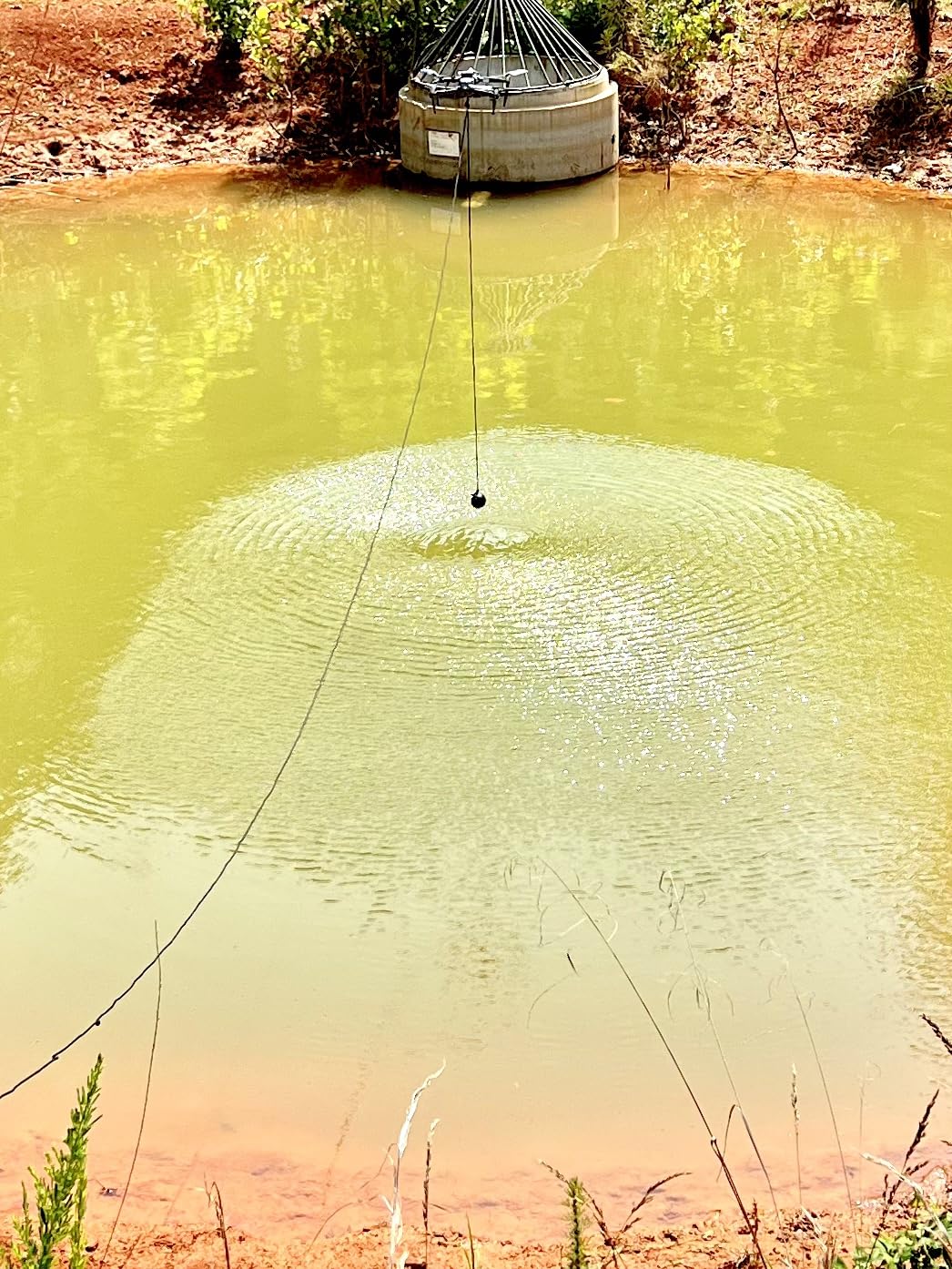
The built-in 150mAh battery provides about 12 hours of standby time and approximately 200 release cycles per charge. Self-charging takes 1.5 hours via the included cable. The device is lightweight at 7.4 ounces and includes extended landing gear to compensate for the added height of the drop arms.
Fishing enthusiasts on Reddit and MavicPilots forums have praised this device for bait delivery. Being able to drop bait precisely where you want it from 50 feet up opens up fishing spots that would otherwise be unreachable from shore. Just be aware of local regulations regarding drone fishing in your area.
Installation and setup
The airdrop device attaches to the underside of the Mavic 2 Pro using a mounting bracket that clips onto the drone body. No permanent modifications are required, and you can remove it in under a minute. The extended landing gear included in the package replaces your stock legs to provide ground clearance for the drop arms.
Pair the device with your controller using the included instructions. The one-button release is mapped to a function on your controller that does not interfere with normal flight controls. Practice the drop mechanism at a low altitude over soft ground before doing an actual payload drop.
Load limits and safety
The maximum load is 400 grams, and exceeding this can strain the gimbal and motors. Always test your payload weight on the ground before flying. Keep the total weight of both items balanced across the two arms to prevent the drone from tilting during flight. Never fly with the airdrop device over people or property, as a malfunction could cause the payload to drop unexpectedly.
8. RLSOCO Carrying Case – Premium Protection for Full Kits
RLSOCO Case for DJI Mavic 2 Pro/Zoom & DJI Smart Controller- Fits Mavic 2 Accessories:DJI Smart Controller, Mavic 2 Body, 4X Batteries, Charger, Charging Hub,Propellers-(Can Add Lock)
EVA and 1680D materials
3 compartments
Shoulder strap
1.5 kg
2-year warranty
Fits Smart Controller
Pros
- Professional fit for full drone kit
- High-density EVA and 1680D materials for max protection
- Accommodates multiple controllers without removing thumb sticks
- Removable EVA allows flexible storage
- 2-year warranty
- Eco-friendly RoHS SGS certified materials
Cons
- Case only drone and accessories not included
- Limited stock availability
The RLSOCO carrying case is what I reach for when I am packing my entire Mavic 2 Pro kit for a serious shoot. Unlike the Smatree case, this one fits the DJI Smart Controller, which was the deciding factor for me. The interior is organized into three sections that hold the drone body, controller, four batteries, charging hub, propellers, and even a tablet or CrystalSky monitor.
The construction quality is immediately apparent when you pick it up. The high-density EVA shell combined with 1680D ballistic nylon exterior feels rugged enough to survive baggage handlers and backcountry trails alike. RLSOCO backs this with a two-year warranty, which is longer than most competitors offer and signals real confidence in the build quality.
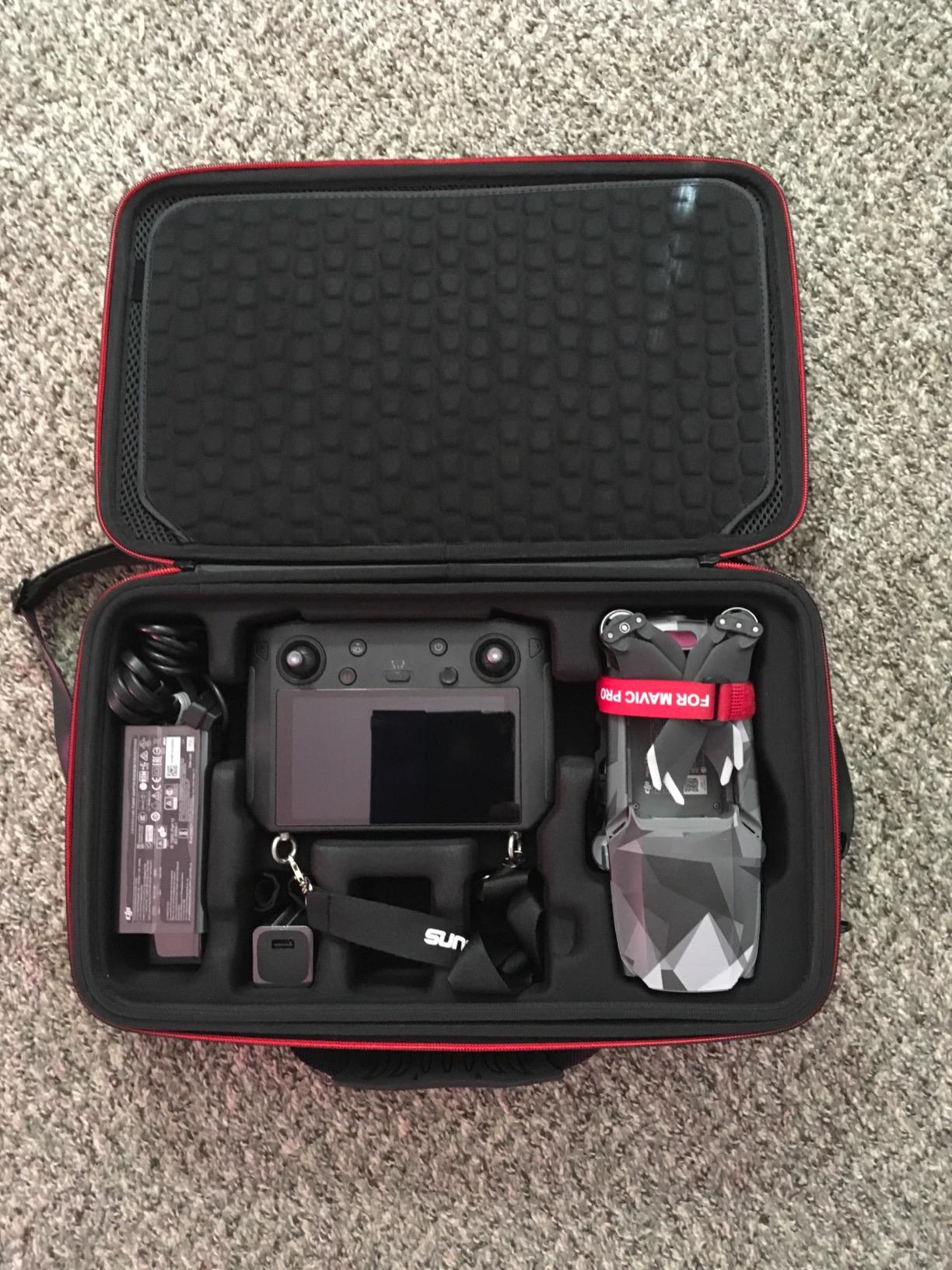
What sets this case apart is the removable EVA divider system. You can take out the middle section to create space for larger items like a tablet holder, extra props, or even a second drone. This flexibility means the case grows with your kit rather than becoming obsolete when you add new accessories.
The controller compartment is designed to hold the DJI Smart Controller, RC Pro, or stock controller without removing the thumb sticks. This small detail saves time and prevents stick damage that can happen when you force a controller into a tight slot with sticks attached.
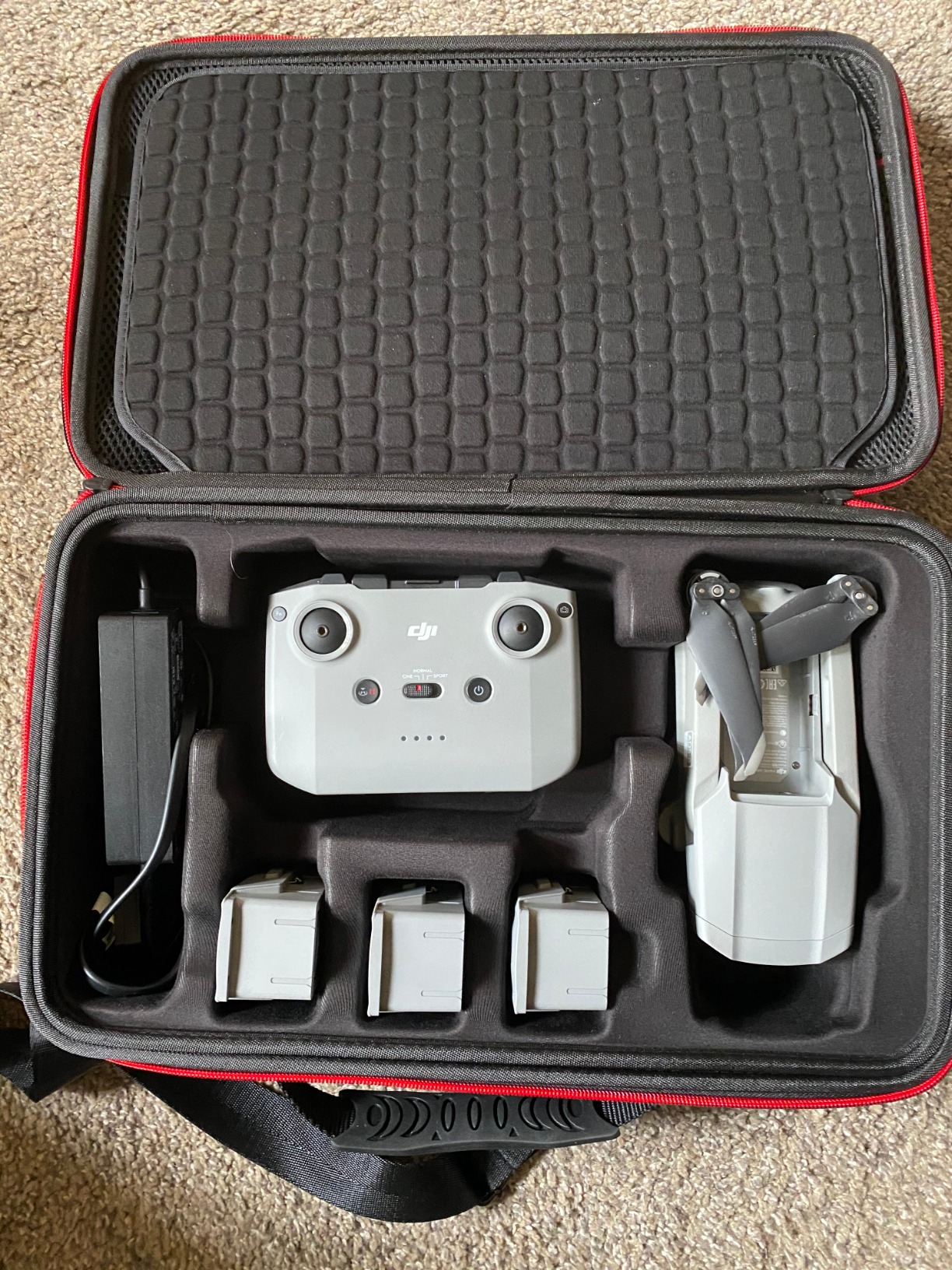
What fits inside this case
The interior accommodates one Mavic 2 Pro drone body (or DJI Air 2 / Air 2S), one controller (Smart Controller, RC Pro, or stock), up to four Intelligent Flight Batteries, the battery charging hub, a full set of propellers, and a tablet or CrystalSky monitor. The three-section design keeps everything organized and prevents items from shifting during transport.
The shoulder strap is a welcome addition over cases that only have a hand handle. When you are carrying a full kit plus a tripod and other camera gear, having the case on your shoulder frees up your hands for the rest of your equipment.
Material quality and certifications
The EVA and 1680D materials are RoHS and SGS certified, meaning they meet international standards for environmental safety and material quality. The eco-friendly construction is free from harmful chemicals, which matters if you store your case in enclosed spaces like a car trunk or closet. The hard shell provides crush resistance, and the zipper closure keeps out dust and moisture.
9. HeiyRC Replacement Landing Gear – Crash Repair Made Easy
HeiyRC 2 in 1 Replacement Leg Landing Gear for DJI Mavic 2 Pro Zoom Left Right Front Legs Spare Parts Foot Stand Repair Kits
2-in-1 left and right front legs
Mounting hardware included
Durable plastic
For Mavic 2 Pro and Zoom
Pros
- Direct replacement for Mavic 2 Pro Zoom front legs
- Includes necessary mounting hardware screws and allen key
- High-quality plastic material
- Saved drones from crash damage
- Good value for repair
Cons
- May require soldering for light wire connection
- Slight color difference from OEM possible
- Antenna not included
If you have had your Mavic 2 Pro for any length of time, there is a decent chance you have damaged a landing gear leg. It happens on rough landings, hard sets on rocky terrain, or the occasional clip with a ground obstacle. The HeiyRC replacement landing gear kit gives you both left and right front legs plus the mounting hardware you need to get back in the air.
I used this kit after a rough landing on a gravel bar snapped my front right leg. The replacement parts are high-quality plastic that matches the OEM profile closely. There is a slight color difference if you look closely, but once the legs are on the drone, it is virtually unnoticeable. The included allen wrench and screws mean you have everything needed for the repair in one package.
The kit includes both the left and right front legs, which is smart because damage to one leg often means stress on the other. Replacing both ensures balanced geometry and consistent ground clearance. Multiple reviewers on Amazon reported that these parts saved their drones after crashes that would otherwise have grounded them permanently.
Installation difficulty and what to expect
Replacing the front landing gear on a Mavic 2 Pro requires removing the old legs, disconnecting the front indicator light wire, and installing the new legs. The light wire connection may require soldering depending on how the original leg was damaged. If you are comfortable with basic electronics work, this is a 20-minute repair. If soldering is outside your comfort zone, consider having a drone repair service handle the installation.
The kit does not include an antenna, which is integrated into the leg assembly on some Mavic 2 models. Verify whether your specific drone has the antenna in the front legs before purchasing, as you may need to transfer the antenna from your old legs to the new ones.
Preventive maintenance tips
To reduce landing gear damage, always inspect your landing surface before setting down. Avoid landing on loose gravel, uneven rocks, or surfaces with debris that can catch the legs. Consider using a landing pad, which we recommend as one of the most underused accessories for extending the life of your drone’s legs and gimbal.
If you fly in areas with tall grass or rough terrain, hand-catching your drone instead of landing is another strategy that eliminates landing gear stress entirely. Practice hand catching in calm conditions before relying on it in challenging environments.
10. Master Airscrew Stealth Propellers – Performance Upgrade with Style
Master Airscrew Stealth Propellers for DJI Mavic 2 Pro/Zoom/Enterprise – Orange, 4 pcs
Fiberglass construction
-2.0dB noise reduction
5% efficiency gain
+1.6 min flight time
Orange high-visibility
4 pieces
Pros
- Low-noise design with up to 2dB reduction
- Enhanced efficiency for longer flight time plus 1.6 min
- 3 percent lighter than OEM for improved responsiveness
- Runs cooler protecting motors
- High visibility orange color
- Quality matches or exceeds OEM
Cons
- NOT compatible with Mavic Air 2
- Softer material may reduce stability in strong wind
- Designed to break on crash as safety feature
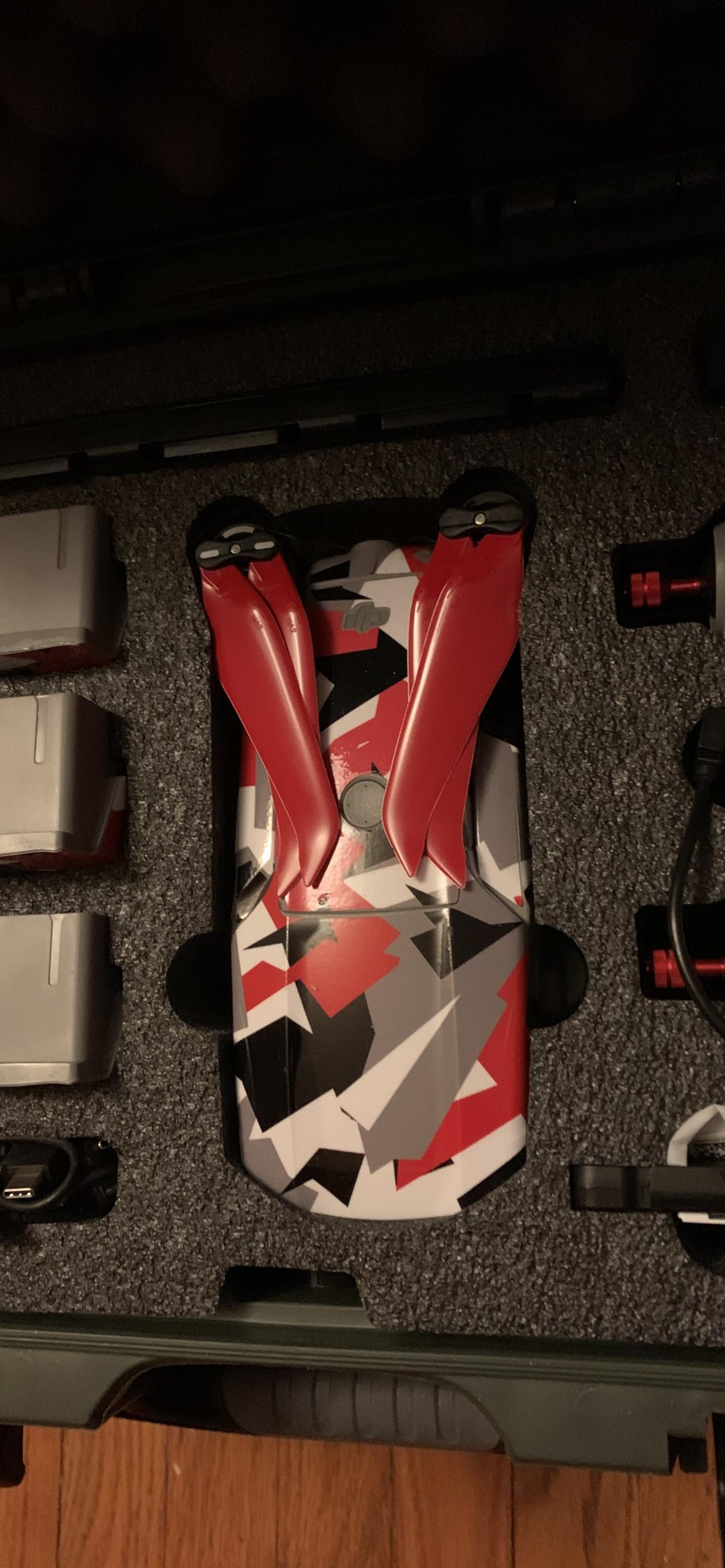
The Master Airscrew Stealth Propellers are a genuine performance upgrade over stock DJI props. These fiberglass blades deliver up to 2dB of noise reduction, which is enough of a difference that people on the ground will notice the drone sounds quieter. More importantly, the enhanced efficiency translates to about 1.6 minutes of additional flight time per battery, which can be the difference between getting your shot and running out of power.
I tested these over a two-week period, swapping between OEM and Stealth props on alternating flights. The efficiency claims hold up. My flight times consistently ran about 90 seconds longer with the Master Airscrew props, and the drone felt slightly more responsive in turns and altitude adjustments. The 3 percent weight reduction is small on paper but noticeable in how quickly the drone reacts to stick inputs.
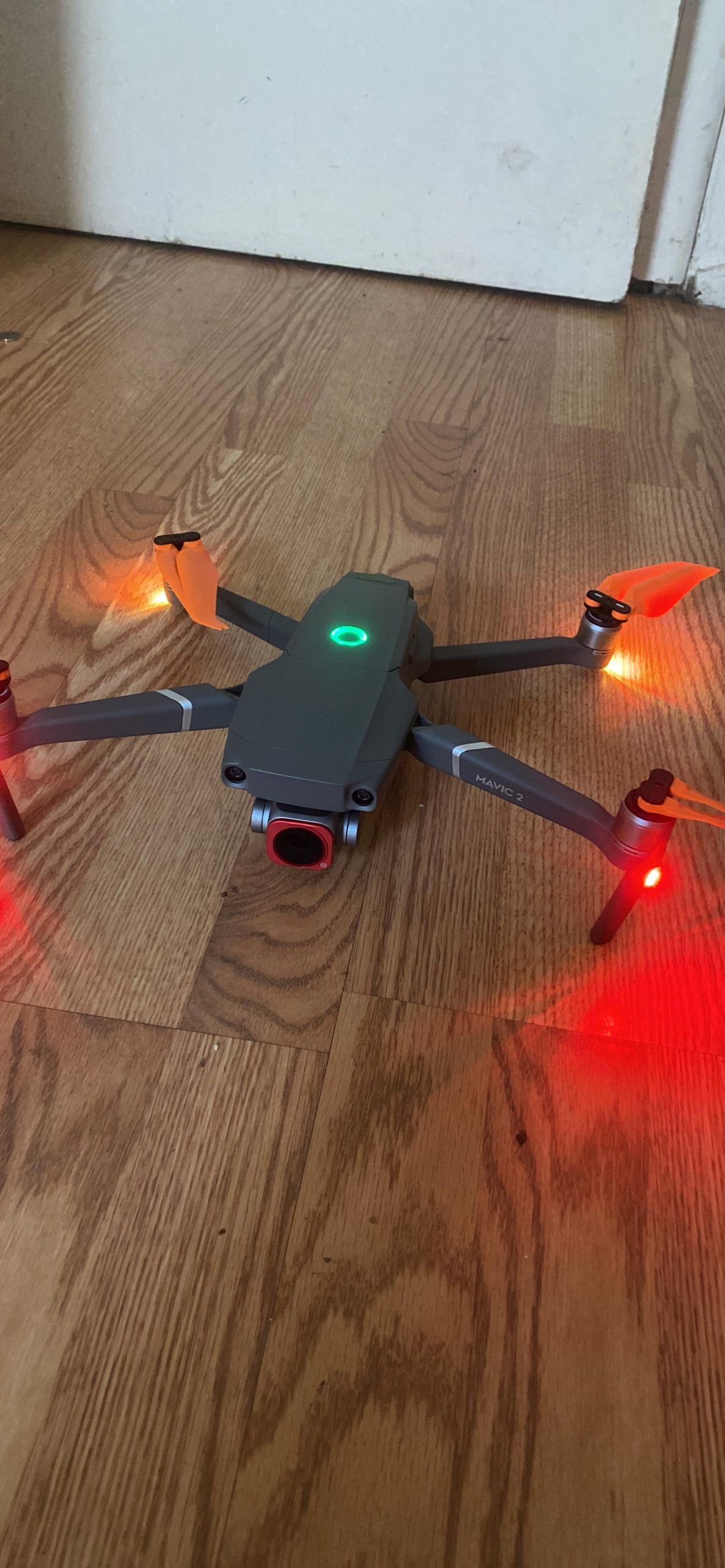
The orange color is not just for looks. High-visibility props make it easier to orient your drone at distance, especially against blue sky or green terrain. When the drone is 200 meters out, being able to see the propeller arc helps you determine which direction it is facing. This orientation aid is genuinely useful for newer pilots who are still building their spatial awareness.
The fiberglass construction runs up to 10 degrees Fahrenheit cooler than OEM plastic props. Cooler-running props put less thermal stress on the motors over long flight sessions, which can extend motor life. Master Airscrew has a strong reputation in the RC community, and the build quality of these blades reflects that experience.
Wind stability considerations
The trade-off for the softer fiberglass material is slightly reduced stability in strong wind conditions. The blades flex more than rigid OEM props, which means the drone’s flight controller works harder to maintain position in gusts above 15 mph. In calm to moderate conditions, there is no noticeable difference. In heavy wind, you may prefer swapping back to OEM props for maximum rigidity.
The props are also designed to break on impact as a safety feature, absorbing crash energy that would otherwise transfer to the motor shafts and arms. This means you might go through propellers faster if you fly in challenging environments, but your drone frame and motors survive crashes that would otherwise cause major damage.
Who benefits most from these props
These props are ideal for pilots who fly in noise-sensitive areas like residential neighborhoods, nature reserves, or events where a loud drone buzzing overhead is disruptive. The noise reduction is real and measurable. They are also great for anyone who wants to squeeze every possible second of flight time out of each battery, particularly for aerial photography missions where you need maximum air time to get the right shot.
Buying Guide: How to Choose Mavic 2 Pro Accessories
Building the right accessory kit for your Mavic 2 Pro depends on how you fly, where you fly, and what kind of footage you want to capture. Here is a breakdown of the key factors to consider when choosing accessories, based on our testing and feedback from the drone community.
Start with protection
Before you buy any performance upgrade, make sure your drone is protected. A carrying case and gimbal cover are the first two purchases every new Mavic 2 Pro owner should make. The drone itself is a significant investment, and these two low-cost accessories prevent the most common types of damage during transport and storage.
The Smatree case at under $50 gives you rugged ABS protection with custom foam. If you need Smart Controller compatibility, step up to the RLSOCO case. Either way, never transport your drone loose in a bag or box without proper protection.
Extend your flight time
The Mavic 2 Pro delivers about 31 minutes of flight time per battery in ideal conditions. In real-world flying with wind, altitude changes, and aggressive maneuvers, expect 22 to 26 minutes. That goes fast when you are trying to capture the perfect shot.
Extra Intelligent Flight Batteries are the most impactful accessory for extending your flying sessions. The 3850 mAh battery can be charged using the Hanatora 4-in-1 charging hub, which lets you charge four batteries overnight for a full day of shooting. If you are deciding between the DJI Fly More Kit and buying accessories individually, the Fly More Kit includes two extra batteries, a charging hub, a car charger, a power bank adapter, two propeller pairs, and a shoulder bag. Buying these items individually gives you more control over quality and brand selection, but the Fly More Kit offers convenience and savings if you want everything in one purchase.
Invest in creative control
ND filters are the single biggest upgrade you can make to your video quality. The 1-inch CMOS sensor on the Mavic 2 Pro captures beautiful detail, but without exposure control, bright conditions produce footage with harsh highlights and unnatural motion. A set of ND4, ND8, ND16, and ND32 filters covers virtually every lighting situation.
For photographers who shoot over water or through glass, consider adding a polarized CPL filter to your kit. PolarPro makes excellent polarized filter sets for the Mavic 2 Pro, though they come at a premium over the DJI ND set we recommend.
Plan for travel
If you travel with your drone, airline regulations for lithium polymer batteries should factor into your accessory choices. Airlines require spare batteries to be carried in your carry-on luggage, never in checked baggage. A LiPo battery safety bag is recommended for transporting spare batteries, as it contains any potential thermal event.
The TSA and most international airlines allow batteries under 100 watt-hours in carry-on baggage. The Mavic 2 Pro Intelligent Flight Battery is rated at 59.29 watt-hours, so it is well within the limit. You can typically carry up to 20 spare batteries, though individual airline policies vary. Always check with your carrier before flying.
Consider your controller setup
The stock Mavic 2 Pro controller holds a phone, but many pilots prefer the larger screen real estate of a tablet for framing shots and reading telemetry data. The Hanatora tablet holder accommodates devices up to 12.9 inches and works across multiple DJI drone models if you upgrade later.
If you want the ultimate controller experience, the DJI Smart Controller features a built-in 5.5-inch ultra-bright screen that is readable in direct sunlight. It pairs with the Mavic 2 Pro via OcuSync 2.0 for a reliable connection at up to 8km range. The Smart Controller eliminates the need for a separate phone or tablet, which simplifies your setup and removes one point of failure during flights.
Budget allocation recommendations
For pilots on a budget, we recommend this order of priority. First, get a gimbal protector and carrying case to protect your drone. Second, pick up a set of ND filters to improve your video quality immediately. Third, add at least one spare battery and the Hanatora charging hub to extend your flying time. Fourth, invest in spare propellers, either the budget YETEETH set or the performance Master Airscrew Stealth props.
This prioritization ensures you protect your investment first, then improve your results, and finally extend your capabilities. Skip novelty accessories until you have the fundamentals covered.
FAQs
Is the DJI Mavic 2 Pro still good?
Yes, the DJI Mavic 2 Pro remains a capable drone in 2026. Its 1-inch CMOS sensor with Hasselblad optics, variable aperture f/2.8 to f/11, and 4K video at 100mbps still produce professional-quality aerial footage. While newer drones like the Mavic 3 Pro offer improved sensors and longer range, the Mavic 2 Pro delivers excellent image quality at a lower price point, making it a strong choice for aerial photography enthusiasts.
What accessories are available for the Mavic 2 Pro?
The most popular Mavic 2 Pro accessories include ND filter sets for cinematic video, extra Intelligent Flight Batteries and a charging hub for extended flying, hard carrying cases for transport protection, gimbal covers for camera safety, low-noise replacement propellers, tablet holder mounts for the controller, landing pads for clean takeoffs, car chargers for field charging, micro SD cards for storage, and LiPo battery safety bags for travel compliance.
Is the Mavic 2 Pro discontinued?
DJI officially discontinued the Mavic 2 Pro and Mavic 2 Zoom, replacing them with the Mavic 3 series. However, the drone remains widely supported with accessories, replacement parts, and firmware updates still available. You can find refurbished and used Mavic 2 Pro units on the secondary market, and all accessories reviewed in this guide are currently in production and available for purchase.
What to get someone who loves drones?
Great gift ideas for drone enthusiasts include ND filter sets for better video quality, a rugged carrying case for travel protection, spare propellers as practical consumables, a gimbal protector cover for camera safety, a charging hub for multi-battery management, a landing pad for clean launches, and a tablet holder mount for an upgraded flying experience. For fun, the Hanatora airdrop device is a unique gift that enables creative payload delivery.
Conclusion
The best accessories for DJI Mavic 2 Pro are the ones that solve real problems you encounter in the field. Protection gear like the Smatree case and BTG gimbal cover keep your investment safe. Creative tools like the DJI ND filter set transform your footage from amateur to cinematic. Performance upgrades like the Master Airscrew Stealth props extend your flight time and reduce noise. And practical solutions like the Hanatora charging hub and tablet holder make every shooting session smoother and more productive.
Start with protection and filters, then build out your kit based on how you fly. The Mavic 2 Pro remains a powerful aerial photography platform in 2026, and the right accessories help you get the absolute most out of every flight. Pick the ones that match your shooting style, and get back in the air.