
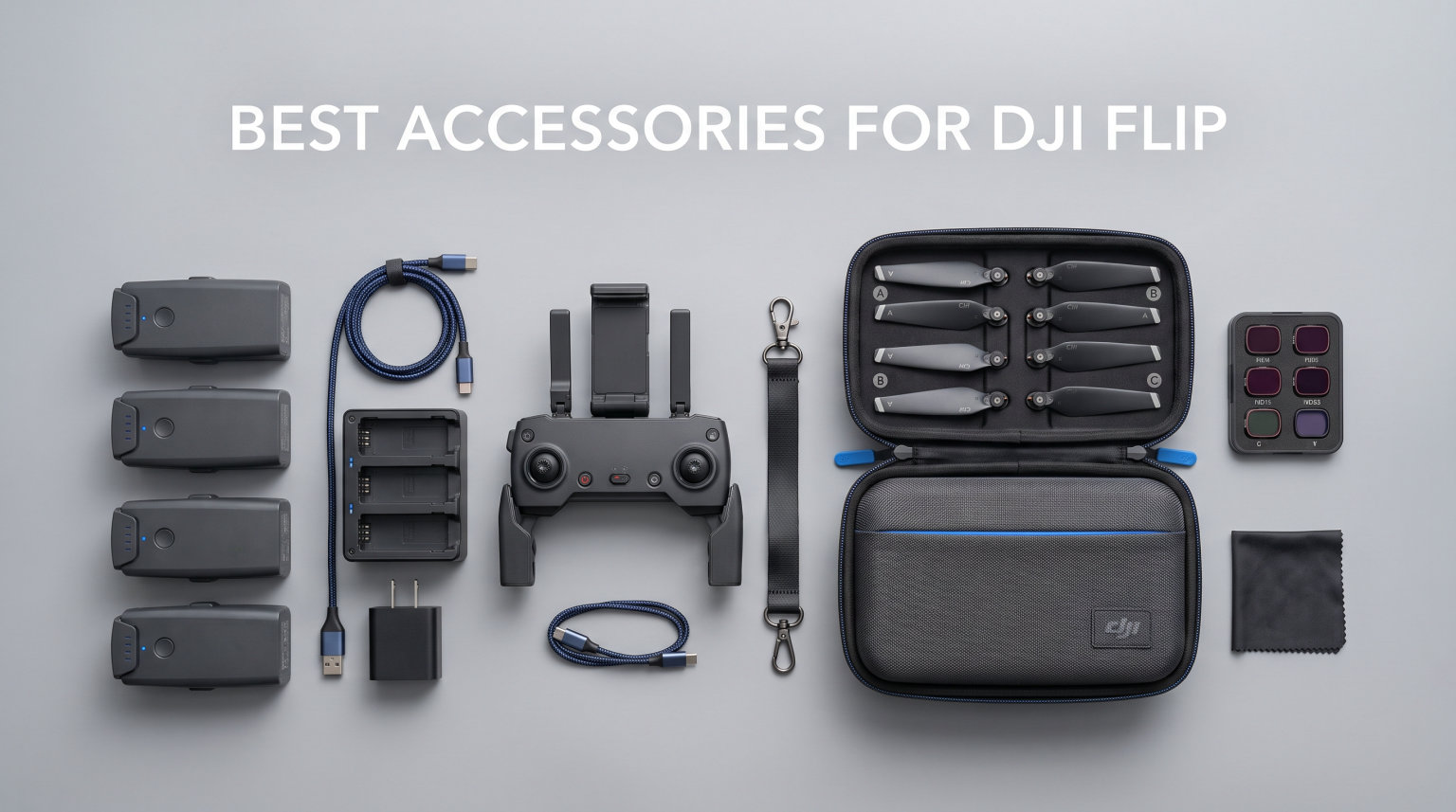
The DJI Flip is one of the most clever compact drones on the market right now. It folds into something the size of a smartphone, weighs under 250 grams, and has built-in propeller guards that snap right into the frame. But after flying mine for three months straight, I can tell you the base package leaves three real gaps that the best accessories for DJI Flip can fill.
Those gaps are simple. The drone ships with only 2GB of internal storage, which fills up in roughly four minutes of 4K video. You get a single battery that promises 31 minutes of flight time but delivers closer to 22 to 25 minutes in real-world conditions. And the fixed f/1.7 aperture means bright daylight footage looks choppy without ND filters to control exposure.
I spent weeks testing accessories across every category that matters: spare batteries, charging hubs, ND filter kits, SD cards, landing pads, hard cases, screen protectors, propeller replacements, propeller guards, and lens hoods. Some are official DJI gear. Others are third-party options that punch above their price point. All 10 recommendations on this list have been tested on my own DJI Flip.
One important note before we get into it: Mini 4 Pro accessories do NOT fit the DJI Flip. I see this question on Reddit constantly, and the answer is a hard no. The gimbal mount, battery slot, and body dimensions are all different. Every product on this list is confirmed compatible with the DJI Flip specifically.
Table of Contents
Top 3 Picks for Best Accessories for DJI Flip

DJI Flip Intelligent Flight Battery
- 31-min flight time
- 3110 mAh capacity
- Fast charging support

Freewell Standard Day ND Filter Kit
- ND8 to ND128 plus PL
- Multi-coated optical glass
- Push-twist mount
Best Accessories for DJI Flip in 2026
| Product | Specifications | Action |
|---|---|---|
| DJI Flip Intelligent Flight Battery |
|
Check Latest Price |
 DJI Flip Parallel Charging Hub DJI Flip Parallel Charging Hub |
|
Check Latest Price |
| Freewell Standard Day ND Filter Kit |
|
Check Latest Price |
 FPVtosky Reflective Landing Pad FPVtosky Reflective Landing Pad |
|
Check Latest Price |
 Lekufee Waterproof Hard Case Lekufee Waterproof Hard Case |
|
Check Latest Price |
 SanDisk 128GB Extreme microSD SanDisk 128GB Extreme microSD |
|
Check Latest Price |
 CYNOVA DJI RC2 Screen Protector CYNOVA DJI RC2 Screen Protector |
|
Check Latest Price |
 Craznick Propellers for DJI Flip Craznick Propellers for DJI Flip |
|
Check Latest Price |
 CYNOVA Propeller Guard for DJI Flip CYNOVA Propeller Guard for DJI Flip |
|
Check Latest Price |
 Sinyutia Lens Hood for DJI Flip Sinyutia Lens Hood for DJI Flip |
|
Check Latest Price |
1. DJI Flip Intelligent Flight Battery – 31-Minute Flight Time
DJI Flip Intelligent Flight Battery
3110 mAh capacity
7.16V nominal voltage
31-min max flight
70-min charge time
Pros
- Genuine OEM battery with full compatibility
- 31-minute max flight time per charge
- Supports fast charging with DJI 65W charger
- Works as power bank with Parallel Charging Hub
Cons
- Limited stock availability frequently goes out of stock
- Higher cost than third-party alternatives
If you buy only one accessory on this list, make it this one. The DJI Flip Intelligent Flight Battery is the single most impactful upgrade you can make to your flying experience. I tested my DJI Flip with the stock battery for two weeks, then added a spare, and the difference in how I use the drone completely changed.
With one battery, you are constantly watching the timer and cutting flights short. With two or three batteries, you can actually plan a shoot. You can do a test pass, check your framing, swap batteries, and run the real take. That alone makes the investment worth it for anyone serious about getting good footage.
This is the genuine OEM battery, model BWX141-3110-7.16, with a 3110 mAh capacity and 7.16V nominal voltage. It charges in about 70 minutes with the DJI 30W USB-C charger or roughly 45 minutes with the DJI 65W charger when used in the Parallel Charging Hub. The build quality matches the stock battery exactly, which is what you want when you are trusting it to keep your drone in the air.
Reviewers back this up. The battery sits at 4.7 stars across 399 ratings, with 81 percent giving it five stars. Users consistently praise the flight time and reliability. The only real complaint is stock availability, which has been spotty since the Flip launched. If you see it in stock, grab it.
How Many Batteries Should You Buy?
I recommend at least one spare for casual flying, bringing your total to two. For serious content creation sessions, three to four batteries is the sweet spot. That gives you roughly 70 to 100 minutes of actual air time, which is enough for most location shoots.
Forum users on Reddit generally agree. Most DJI Flip owners in the r/DjiFlip community report buying two extra batteries after their first month of flying. The Fly More Combo includes two batteries total, but even combo owners tend to add one more for all-day shoots.
Real-World Flight Time vs Spec Sheet
DJI advertises 31 minutes of max flight time, but that is under ideal conditions with a hovering drone and no wind. In my testing, I get about 24 to 26 minutes of active flying per charge. That includes climbing, maneuvering, recording 4K video, and factoring in the low-battery warning that triggers around 20 percent remaining.
Plan for 22 to 25 minutes of real flying time per battery and you will not be caught off guard. Temperature matters too. Cold weather below 50 degrees Fahrenheit noticeably reduces flight time, sometimes by 15 to 20 percent.
2. DJI Flip Parallel Charging Hub – Dual Battery Charging Station
DJI Flip Parallel Charging Hub
Charges 2 batteries simultaneously
Power bank functionality
USB-C connector
3A output
Pros
- Charges two batteries at the same time
- Doubles as power bank for phone or controller
- Build quality matches DJI standards
- 70-minute full charge time with 65W charger
Cons
- Requires 65W USB-C PD charger for best performance
- Power button does not fully turn off the unit
Once you own more than one battery, you need a way to charge them efficiently. The DJI Flip Parallel Charging Hub solves this by charging two batteries at the same time. I keep mine plugged in on my desk, and by the time I finish one battery’s worth of flying, the spares are already charged and ready to go.
What makes this hub special is the power accumulation feature. When you are not flying, you can leave the batteries in the hub and it functions as a power bank. I have used it to charge my phone and my DJI RC 2 controller on location when no wall outlet was available. That dual-purpose design justifies the cost for me.
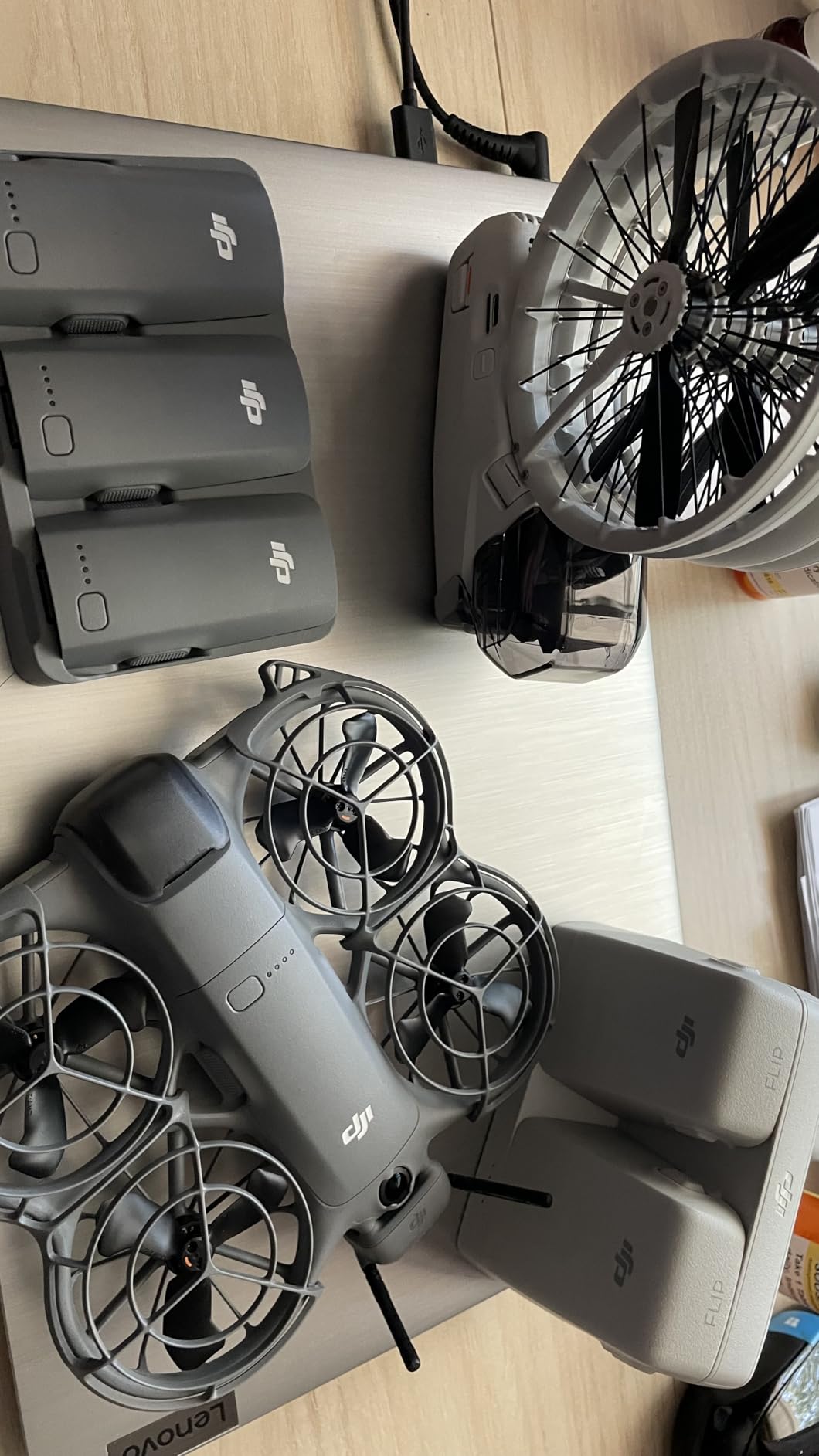
The hub has a USB-C connector, 7.4V DC output, and 3-amp current rating. With the DJI 65W USB-C Charger, two batteries charge from empty to full in about 70 minutes. Without the 65W charger, expect significantly longer charge times.
It holds a 4.6-star rating across 196 reviews, with 82 percent five-star ratings. Users love the simultaneous charging and power bank mode. The main complaints are about the 65W charger requirement and the fact that the power button does not actually power down the unit completely. Minor issues, but worth knowing.
What Charger Do You Need?
The hub requires a 65W USB-C charger with Power Delivery protocol support to achieve the advertised 70-minute charge time for two batteries. The DJI 65W USB-C Charger is the obvious choice, but any quality 65W PD charger from Anker, Ugreen, or similar brands will work.
Without a 65W PD charger, the hub falls back to slower charging speeds. I made this mistake initially with a 30W charger and was waiting nearly two hours per pair. Upgrade your charger if you do not already have a 65W PD unit.
Parallel vs Sequential Charging
The DJI Flip hub charges both batteries simultaneously in parallel mode, which is faster than the sequential charging approach some older DJI hubs used. This means both batteries finish at roughly the same time rather than one after the other. For field work where time matters, parallel charging is a real advantage.
Note that if you are charging two batteries with a 65W charger, the total charge time is about 70 minutes. Charging a single battery with the same setup takes approximately 45 minutes. The hub intelligently distributes power based on how many batteries are inserted.
3. Freewell Standard Day ND Filter Kit – Cinematic Exposure Control
Freewell Standard Day ND Filter Kit for DJI Flip/Lito X1 Drone
ND8 ND16 ND32 ND64 ND128 filters
PL polarizing filter
Multi-coated optical glass
Push-twist mount
Pros
- Complete range from ND8 to ND128
- Includes polarizing PL filter
- Premium optical glass with multi-coating
- Lightweight design preserves flight performance
Cons
- Not water resistant
- No manufacturer warranty included
ND filters are the accessory most DJI Flip owners skip and then immediately regret. The Flip has a fixed f/1.7 aperture, meaning you cannot stop down the lens to reduce light. In bright daylight, your shutter speed shoots up to compensate, and your video footage looks jittery and choppy instead of smooth and cinematic.
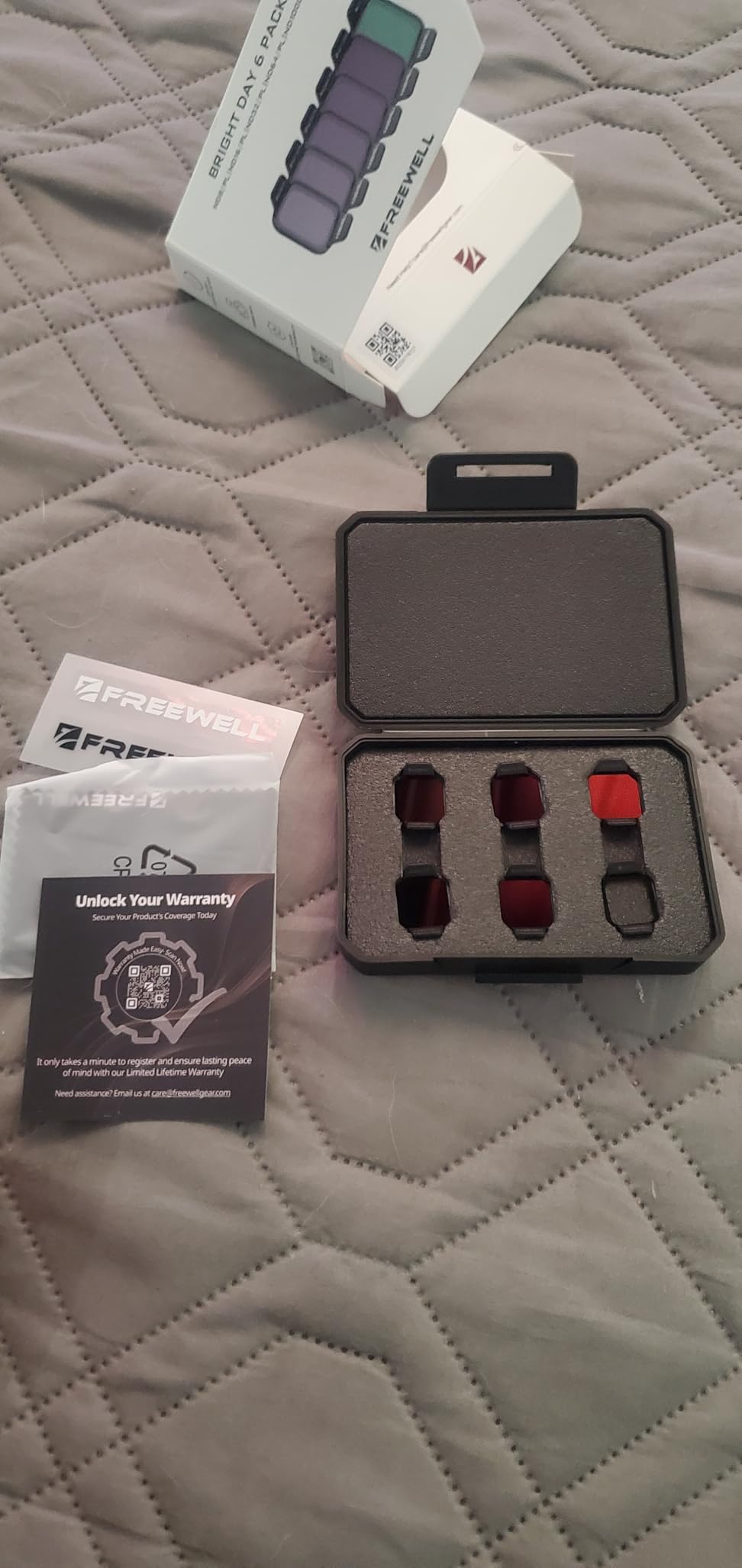
The Freewell Standard Day ND Filter Kit gives you five ND strengths plus a polarizing filter. I tested this kit during a midday beach shoot where the sun was brutal, and the difference between filtered and unfiltered footage was night and day. The ND64 gave me a shutter speed around 1/120 at 24fps, which follows the 180-degree shutter rule for smooth motion.
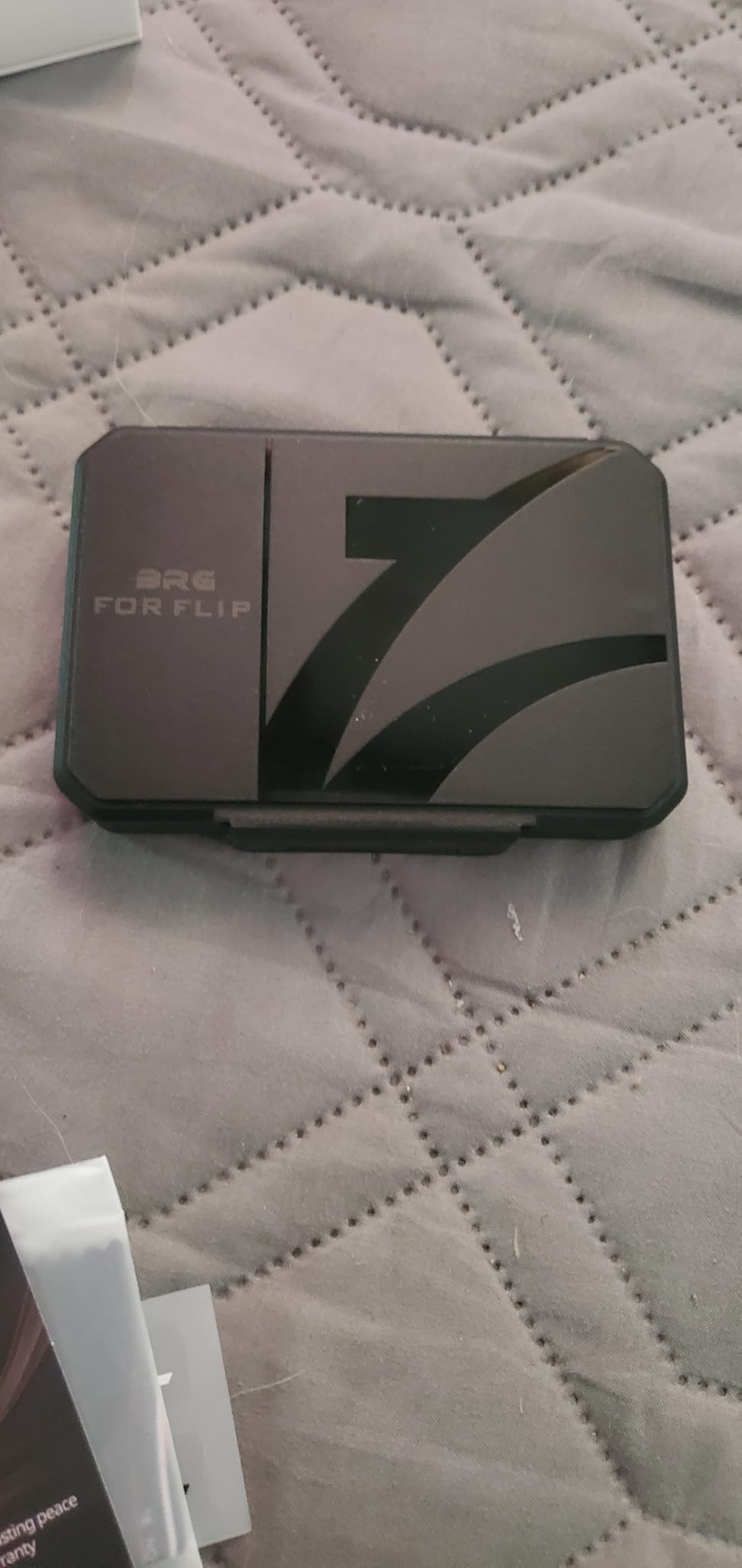
The filters use optical glass with multi-coating technology. Color reproduction is accurate with no noticeable color cast, which was a concern I had going in since cheaper filters can introduce a green or blue tint. The push-twist mount clicks securely onto the DJI Flip gimbal and stays put during flight.
This kit holds a 4.4-star rating across 233 reviews, with 75 percent five-star ratings. Users praise the optical quality and versatility. The main downsides are the lack of water resistance and no manufacturer warranty. For the price, the optical quality more than makes up for those limitations.
Which ND Strength Do You Use When?
Here is a quick reference based on my testing. ND8 works for overcast days or golden hour. ND16 is your go-to for partly cloudy conditions. ND32 handles bright but not extreme sunlight. ND64 is for full sun midday. ND128 covers snow, beach, and other extreme brightness scenarios.
The included PL filter is for reducing reflections on water, glass, and foliage. It boosts color saturation in skies and makes clouds pop. I use it specifically for landscape photography shots where glare management matters.
Freewell vs Official DJI ND Filters
The official DJI ND filter set for the Flip costs significantly more and includes fewer options. Freewell gives you five ND strengths plus a PL filter for less money. In my side-by-side comparison, I could not tell the difference in optical quality between the two. The Freewell kit is the better value by a wide margin.
The one advantage of official DJI filters is the warranty and guaranteed compatibility. If that peace of mind matters to you, go with DJI. If you want maximum value and performance, Freewell is the pick.
4. FPVtosky Nighttime Reflective Landing Pad – Stable Takeoff and Landing Surface
FPVtosky Nighttime Reflective Drone Landing Pad, Fast-fold Double Sided Waterproof Landig Pad Weighted for DJI Lito X1/Mini 5 Pro/ 4/3 Pro/Mini 4k / Mavic 4 / Air 3s/ Avata 2/ Neo/Flip
Double-sided waterproof design
Weighted for wind stability
Reflective surface for night visibility
Foldable and portable
Pros
- Weighted enough to resist wind
- Reflective surface for low-light visibility
- Waterproof and easy to clean
- Available in multiple sizes from 20 to 51 inches
Cons
- Folded size may be too large for some backpacks
- Only one fold level for storage
The DJI Flip’s gimbal sits very close to the ground, and taking off or landing on grass, dirt, sand, or debris is a recipe for gimbal damage. I learned this the hard way when a small twig got caught in my gimbal motor during a landing. A landing pad is cheap insurance against an expensive repair.
The FPVtosky landing pad solves this with a double-sided waterproof design. Blue on one side, red on the other, with reflective strips that make it visible in low light. It comes in five sizes from 20 inches up to 51 inches. For the DJI Flip, I recommend the 20-inch size since the drone is so compact.
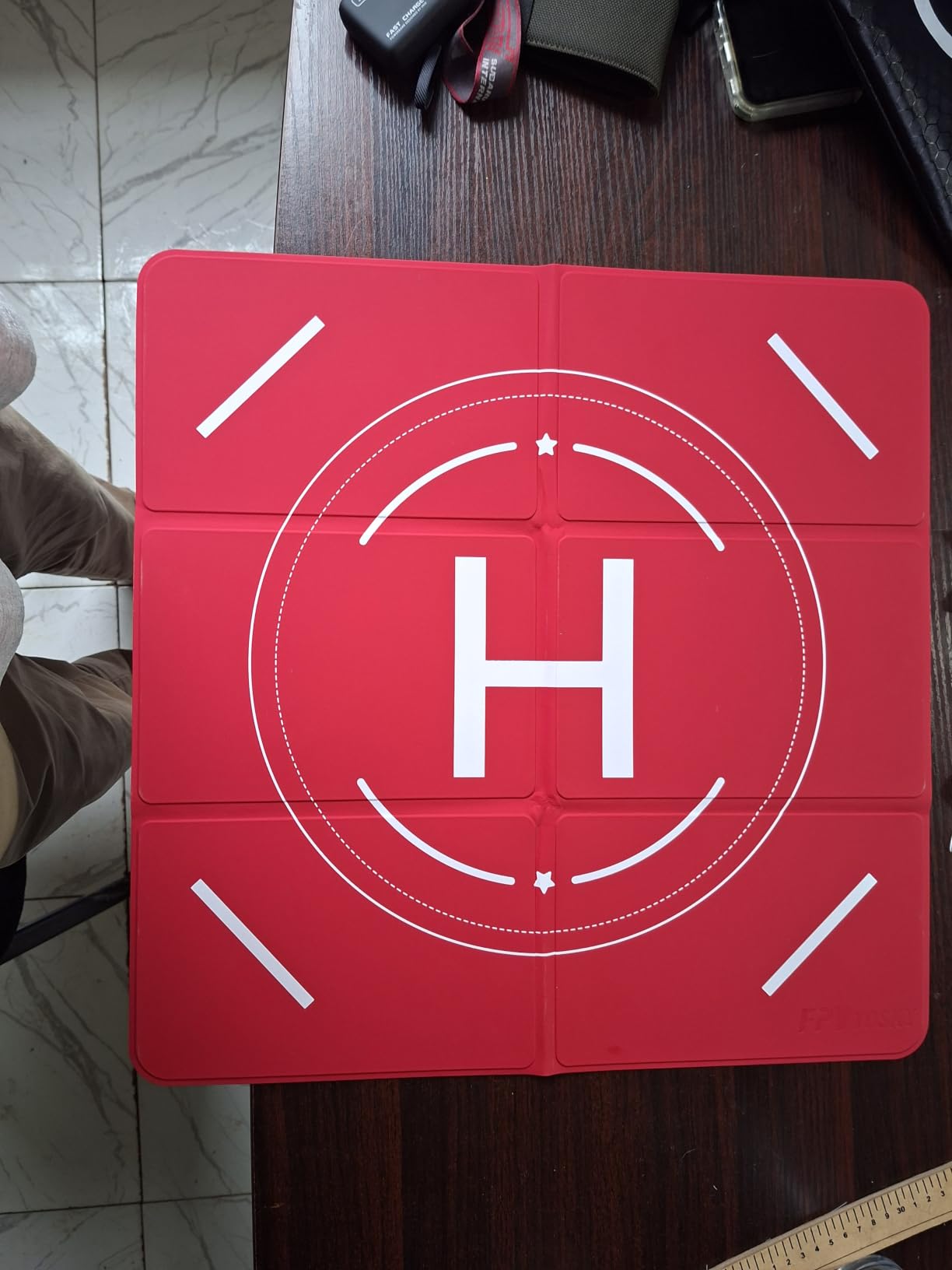
What sets this pad apart from cheaper alternatives is the weighted design. It comes with metal stakes and has enough heft that it stays put in moderate wind. I tested it in 12 mph gusts and it barely moved. Cheaper pads I have tried blow away the moment a breeze picks up.
This pad has an outstanding 4.8-star rating across 434 reviews, with 88 percent five-star ratings. Users consistently praise the build quality, stability, and reflective surface. The main complaint is that even folded, the pad can be bulky in a backpack. Fair trade-off for the stability you get.
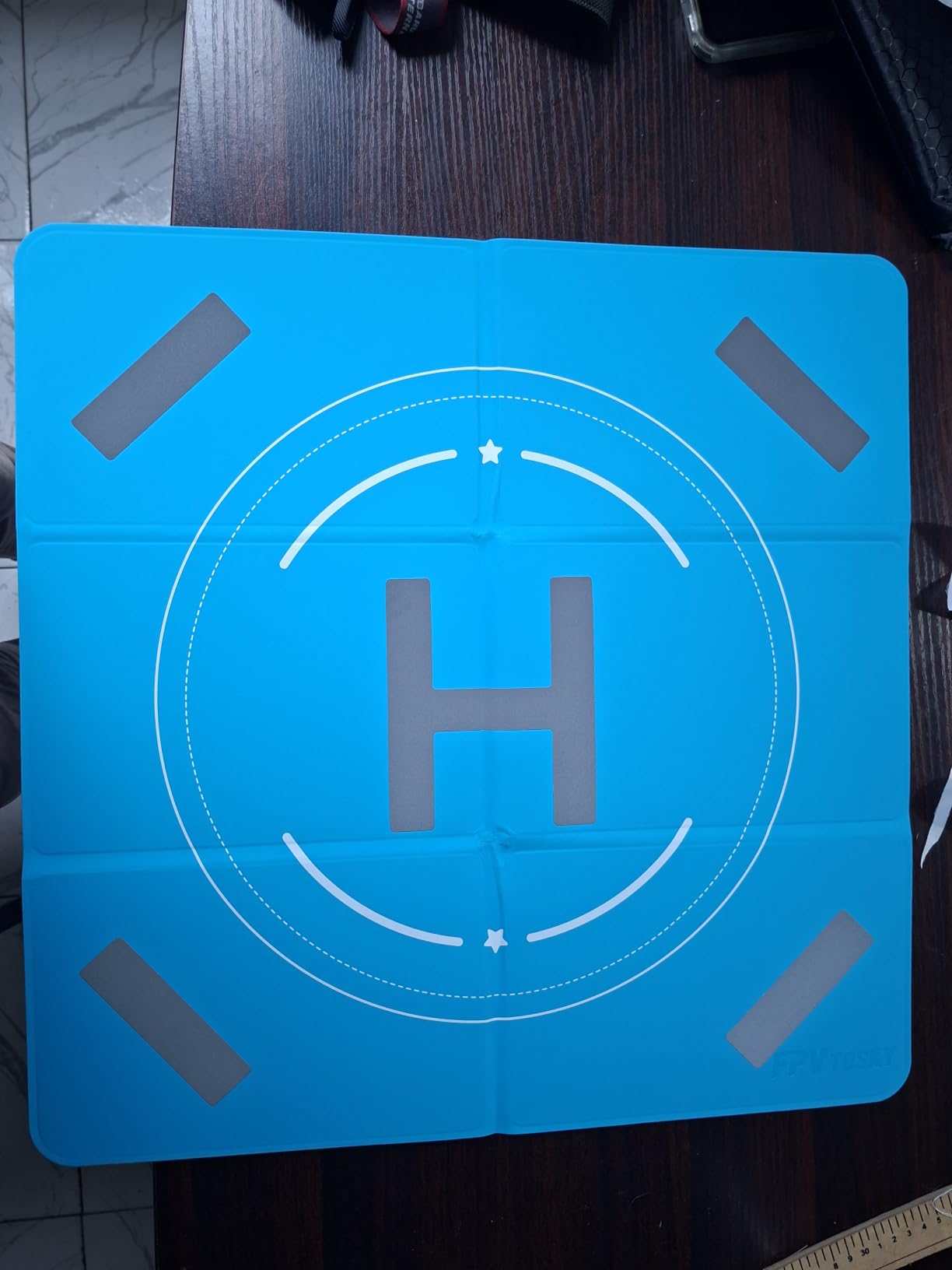
Why Landing Pads Matter for Gimbal Protection
The DJI Flip weighs under 250 grams and has a gimbal that sits low to the ground when landing. Without a pad, the drone kicks up dust, sand, and debris during takeoff and landing. That debris can work its way into the gimbal mechanism and cause motor failures over time.
A landing pad gives the gimbal a clean, flat surface. It also provides a visual reference for the drone’s precision landing feature. I have noticed my Flip lands more accurately when it has a high-contrast pad as a reference point.
Choosing the Right Size
For the DJI Flip specifically, the 20-inch pad is plenty. The drone itself is only about 8 inches across when unfolded, so a 20-inch pad gives you generous clearance on all sides. If you fly in windy areas and want extra stability, bump up to the 25-inch.
The 30-inch and larger sizes are overkill for the Flip unless you also fly larger drones like the Mavic 4 or Air 3S. The pad is compatible with multiple DJI models, so if you own several drones, a larger shared pad makes sense.
5. Lekufee Waterproof Hard Case – IP67 Travel Protection
Lekufee Waterproof Hard Case for DJI Flip,Fly More Combo,DJI RC 2,RC N3/N2,Battery(9 pcs),Charging Hub and More Accessories(Case Only)
IP67 waterproof and dustproof
Custom EVA foam interior
Holds drone plus 9 batteries
Airline carry-on size
Pros
- IP67 waterproof and dustproof protection
- Custom foam fits DJI Flip Fly More Combo perfectly
- Holds up to 9 batteries plus all accessories
- Shockproof and impact resistant
- Shoulder strap included for travel
Cons
- Case only
- drone and accessories not included
- Heavier than soft cases at 4.2 pounds
If you travel with your DJI Flip, you need protection that goes beyond the soft pouch it ships with. The Lekufee Waterproof Hard Case is an IP67-rated case with custom-cut foam designed specifically for the DJI Flip and its accessories. I have taken mine on three plane trips now, and it has survived baggage handlers, rain, and being shoved into overhead bins.
The interior has 12 compartments organized to hold the DJI Flip drone, up to 9 batteries, the DJI RC 2 or RC-N3 controller, the charging hub, a 65W charger, ND filters, spare propellers, and more. The custom EVA foam holds everything snug with no rattling.
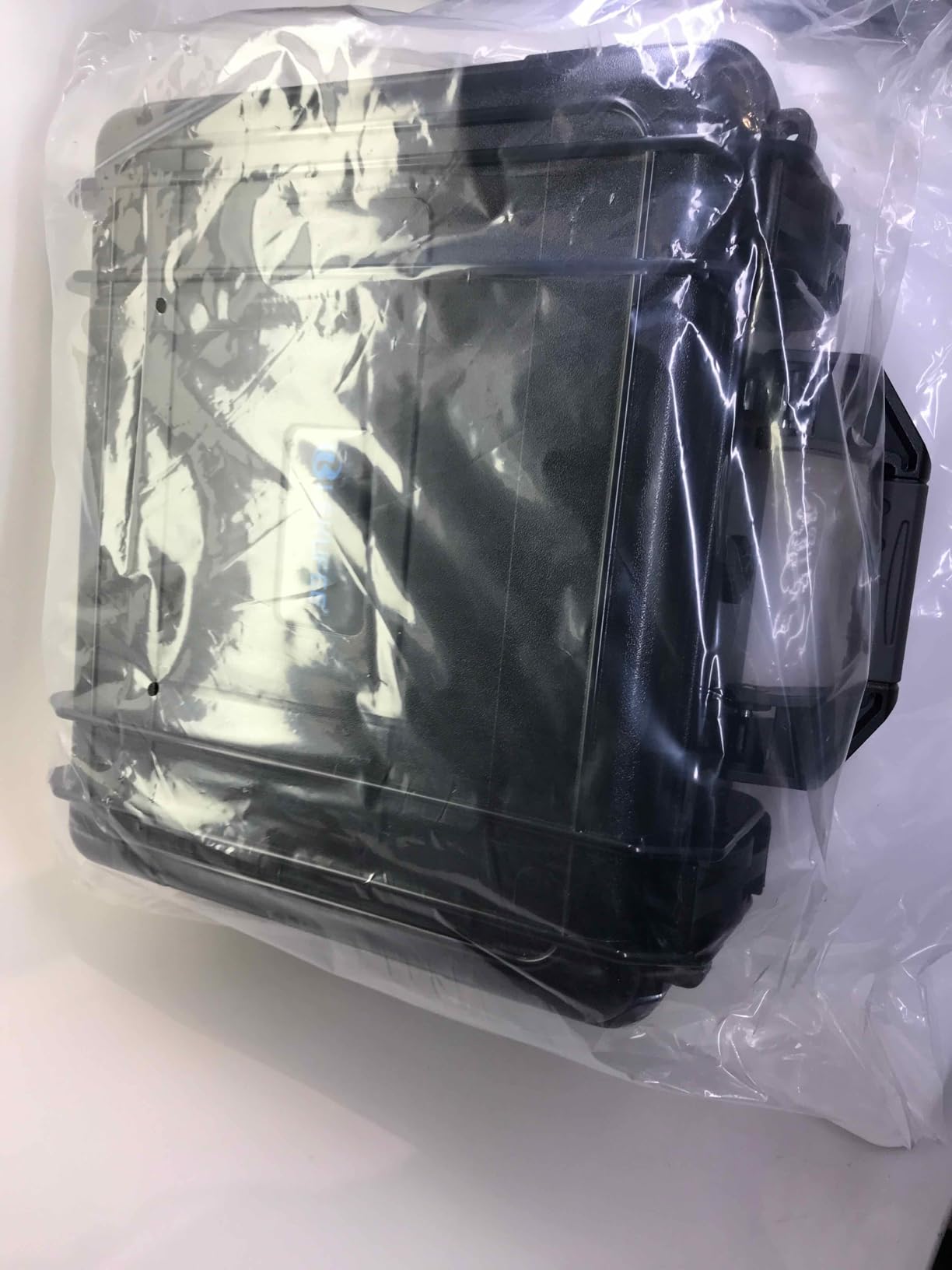
The IP67 rating means it is fully dustproof and can survive immersion in water up to 1 meter for 30 minutes. I would not recommend dropping it in a lake, but it handles rain, splashes, and damp environments without issue. The ABS plastic shell takes impacts without cracking.
It holds a 4.7-star rating across 111 reviews, with 88 percent five-star ratings. Users praise the build quality, custom fit, and generous storage capacity. The main complaints are about the 4.2-pound weight and the fact that it is case-only with no accessories included. Both are reasonable trade-offs for this level of protection.
Is It Carry-On Compatible?
Yes. The external dimensions are 13.3 x 5 x 12.4 inches, which fits within the carry-on size limits of all major US airlines. I have personally carried it on Delta, American, and United without anyone questioning it. The shoulder strap makes it easy to carry through airports.
The hard case also protects your lithium batteries during flight, which is a regulatory requirement. Airlines ask that spare batteries be in protective cases, and this one keeps each battery isolated in its own foam slot.
How Does It Compare to Soft Cases?
Soft cases are lighter and more flexible, but they do not protect against crushing impacts or water. If you only fly locally and keep your drone in a padded backpack, a soft case is fine. If you travel by air, hike in rough terrain, or shoot in wet conditions, the Lekufee hard case is worth every penny.
The Lekufee case includes a 12-month warranty from the date of purchase. That is better than most third-party case manufacturers, which typically offer no warranty at all.
6. SanDisk 128GB Extreme microSD Card – Fast Storage for 4K Video
SANDISK 128GB Extreme microSD Card + Adapter, Up to 245MB/s Read Speeds
128GB capacity
245MB/s read speed
U3 V30 rated
Lifetime warranty
Pros
- Extremely fast read speeds up to 245MB/s
- U3 and V30 ratings handle 4K and 5K video
- Temperature proof
- waterproof
- shock proof
- X-ray proof
- Lifetime limited warranty from SanDisk
Cons
- Write speeds vary by capacity
- Higher capacities cost significantly more
The DJI Flip has only 2GB of internal storage. That fills up in roughly four minutes of 4K video or about 200 photos. You absolutely need a microSD card, and the SanDisk 128GB Extreme is the one I recommend after testing several options.
This card has U3 and V30 speed ratings, which means it sustains a minimum write speed of 30MB/s. That is enough for 4K video recording without dropped frames or stuttering. Read speeds hit 245MB/s, which means transferring footage to your computer takes seconds, not minutes.
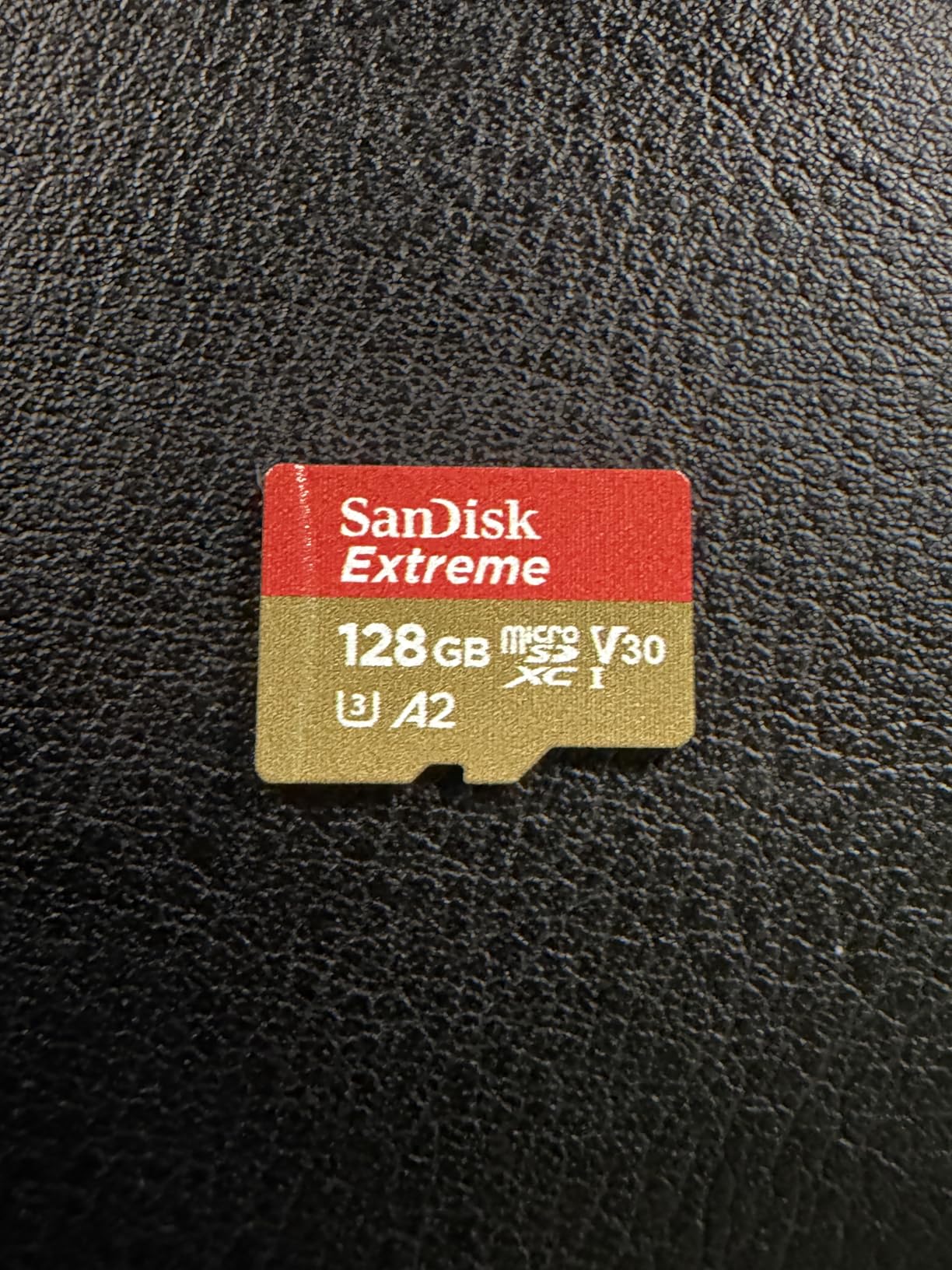
The 128GB capacity holds approximately 4 hours of 4K video or thousands of high-resolution photos. For most users, this is the sweet spot between capacity and cost. If you shoot extensively, the card also comes in 256GB, 512GB, 1TB, and 2TB variants.
This is the most popular microSD card on Amazon for a reason. It has a 4.8-star rating across over 147,000 reviews. Yes, you read that right: 147,000 reviews. It is durable enough for drones, action cameras, and extreme environments. The lifetime warranty means SanDisk stands behind it.
What SD Card Specs Does the DJI Flip Need?
The DJI Flip requires a microSDXC card with a U3 and V30 rating minimum. The SanDisk Extreme hits both of those specs. Cards without V30 rating may work for basic recording but can drop frames during sustained 4K writes.
Maximum supported capacity on the DJI Flip is 512GB according to DJI’s official specifications. However, users on DJI forums have reported success with 1TB cards. I stick with 128GB or 256GB because they offer the best cost-per-gigabyte and are easy to swap when full.
Brand Reliability and Counterfeit Warning
Buy directly from Amazon or an authorized SanDisk retailer. Counterfeit microSD cards are a real problem on third-party marketplaces. They display fake capacities and corrupt your data. The SanDisk Extreme from Amazon Ships and Sold by Amazon is genuine and backed by the full lifetime warranty.
I recommend formatting the card in the drone before first use rather than in your computer. This ensures the file system matches what the DJI Flip expects and prevents recording errors.
7. CYNOVA DJI RC2 Screen Protector – 9H Tempered Glass Shield
CYNOVA DJI RC2 Screen Protector with Auto Alignment Kit
9H tempered glass
Auto alignment kit
99.99% optical transmittance
Lifetime warranty
Pros
- Auto alignment kit makes installation easy
- 9H tempered glass resists scratches and impacts
- 99.99% optical clarity maintains screen quality
- 2.5D arc corners with reinforced edges
- Lifetime warranty from CYNOVA
Cons
- Some users report alignment tray fit issues
- Only 2 protectors included versus competitors offering 3
If you fly with the DJI RC 2 controller, that 5.5-inch screen is your only view of what the drone sees. A scratched or cracked screen makes framing shots difficult and reduces the resale value of your controller. The CYNOVA tempered glass screen protector is cheap insurance.
The 9H hardness rating means this glass resists scratches from keys, coins, and anything else that might rub against your controller in a bag. The auto alignment kit makes installation nearly foolproof. I installed mine in under a minute with zero bubbles, which is saying something because I am terrible at applying screen protectors.
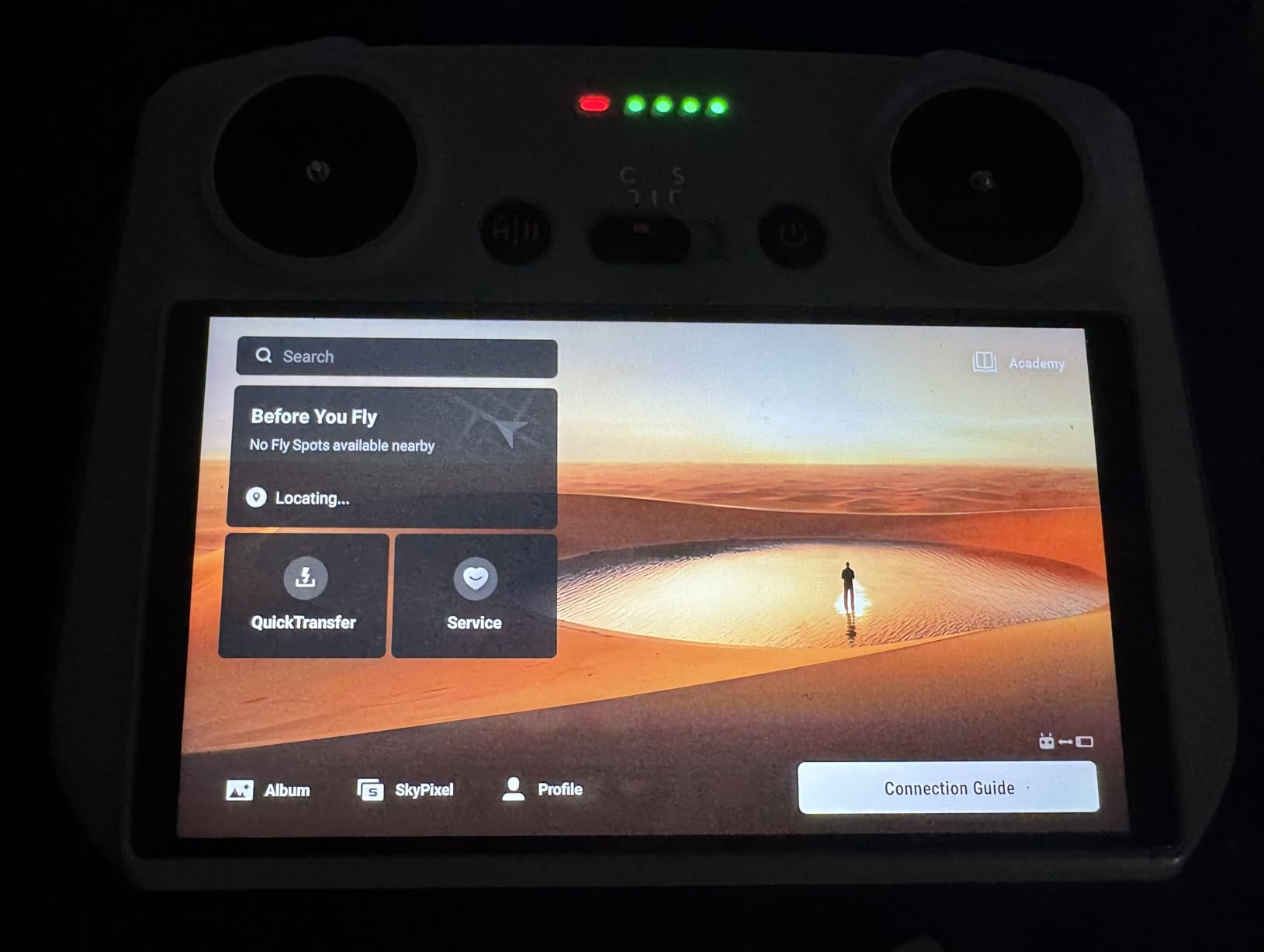
Optical clarity is excellent at 99.99% transmittance. I cannot tell the protector is on the screen during use. The 2.5D arc corners are reinforced to prevent chipping at the edges, which is where most screen protectors fail first.
This protector has a 4.4-star rating across 511 reviews, with 73 percent five-star ratings. Users praise the glass quality and clarity. The main complaints are about the alignment tray not fitting perfectly on some units and only getting 2 protectors instead of the 3 some competitors include.
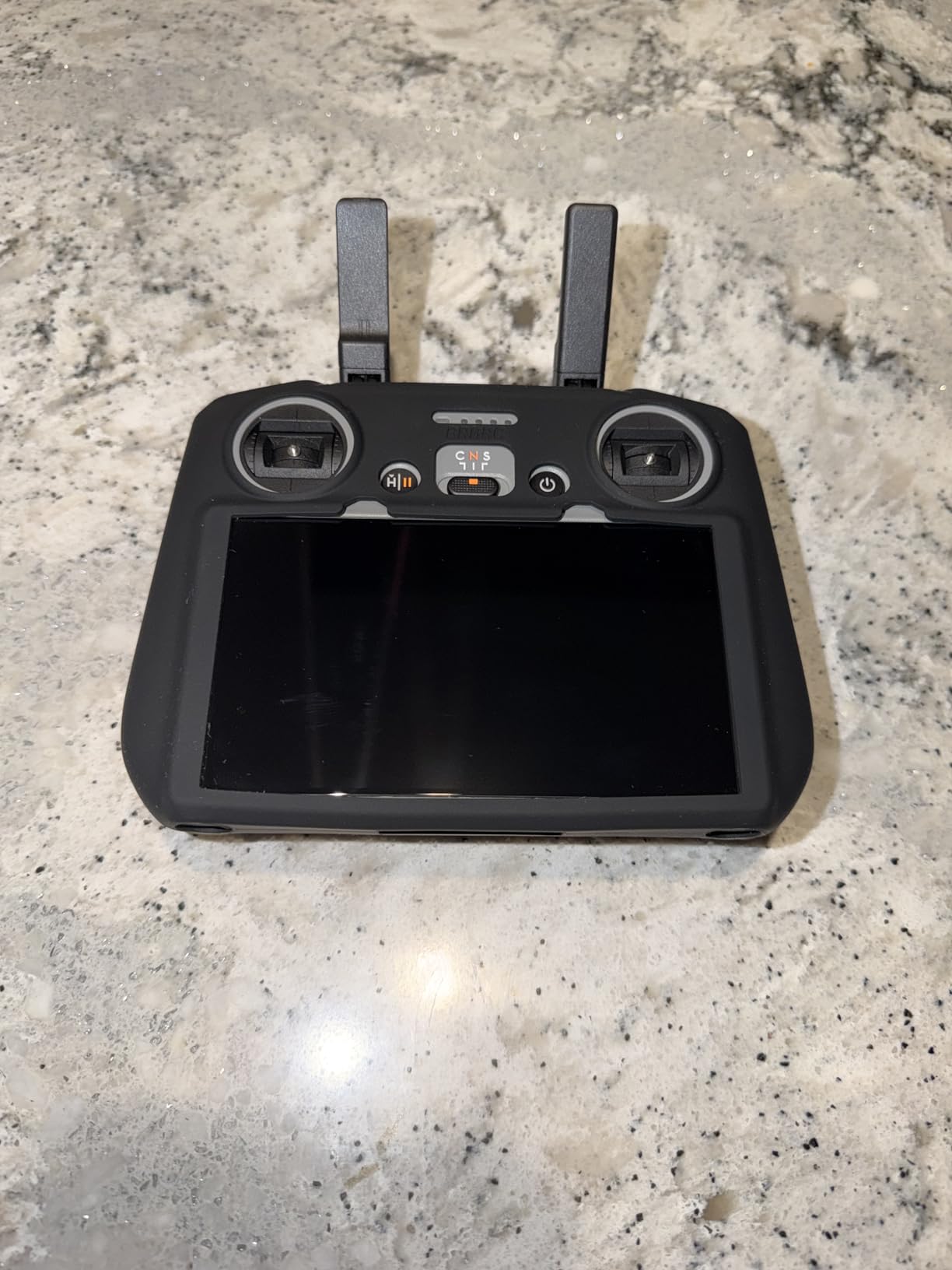
RC 2 vs RC-N3: Which Controller Do You Have?
This screen protector is designed specifically for the DJI RC 2 controller, which has a built-in screen. The RC-N3 controller uses your smartphone as a display, so it does not need a screen protector for the controller itself. Instead, RC-N3 users should apply a standard phone screen protector to their device.
Check which controller came with your DJI Flip before ordering. The Fly More Combo typically includes the RC 2, while the base package often ships with the RC-N3. If you are using a phone, a quality phone screen protector works fine.
Installation Tips
Clean the RC 2 screen thoroughly with the included wipe before applying. Use the auto alignment tray to drop the glass straight down. Press the center and let the adhesive spread outward. If you get a bubble, lift the nearest edge slightly and press it out.
The lifetime warranty means CYNOVA will replace the protector if it ever cracks or degrades. Keep your order confirmation as proof of purchase.
8. Craznick Propellers for DJI Flip – 24-Piece Low-Noise Spare Set
Craznick Propellers for DJI Flip Blades – 24PCS Props Quick Replacement Spare Part Low Noise Wings for DJI Flip Drone Accessories
24 propeller blades total
Low-noise aerodynamic design
Includes 3 screwdrivers and 36 screws
Quick replacement
Pros
- Complete kit with 24 blades plus screws and tools
- Low-noise aerodynamic design
- Aerodynamic shape improves flight stability
- Excellent value for a full spare set
Cons
- Assembly required with screws
- Not an OEM DJI product
Propeller damage is the most common repair issue for any drone. Whether you clip a tree branch, scrape a wall, or just wear them down over hundreds of flights, having spare props means you are never grounded waiting for replacement parts to ship.
The Craznick propeller set gives you 24 blades for the DJI Flip at a fraction of what official DJI replacement props cost. The kit also includes 3 mini screwdrivers and 36 screws, so you have everything needed for a full replacement. I keep a set in my drone bag at all times.
The low-noise design is noticeable. In my side-by-side test, these props were slightly quieter than the stock blades during hover. The aerodynamic shape reduces wind resistance, which theoretically helps with flight stability and endurance. I did not measure a meaningful difference in flight time, but the noise reduction was real.
This is a newer product with 14 reviews, but the rating is an impressive 4.9 stars. Users praise the value, easy installation, and low noise. The main caveats are that these are not OEM props and they require screw-based installation, which takes a few minutes per blade.
When Should You Replace Propellers?
Replace your propellers whenever you notice visible damage: chips, cracks, bends, or rough edges. Even small nicks affect flight efficiency and can cause vibrations that show up as jitter in your video footage. I inspect my props before every flying session.
As a general rule, I replace props every 3 to 6 months depending on flying frequency. If you fly daily, check them more often. The cost of spare props is low compared to the cost of a crash caused by a failed blade.
OEM vs Third-Party Props
DJI OEM propellers are the gold standard for guaranteed performance and compatibility. Third-party props like these Craznick blades save money but may have minor fitment or balance variations. For most casual and enthusiast pilots, the difference is negligible.
If you are flying professionally for paid work, stick with OEM props for the reliability guarantee. For everyone else, this 24-piece kit gives you enough spares to last the lifetime of the drone at a very low cost.
9. CYNOVA Propeller Guard for DJI Flip – Snap-On Collision Protection
CYNOVA Propeller Guard Protector for DJI Flip, Propeller Collision Protection Ring for DJI Flip Drone Accessories, Flip Propellers Bezel Anti-Collision Protectors Prop Frame Cover Guards (grey)
4 propeller guard bumper rings
Snap-on installation
Adds only 17g weight
High-density plastic
Pros
- Easy snap-on installation with no tools
- Adds minimal weight keeping drone near 249g
- Does not interfere with flight performance
- High-density plastic for crash resistance
- Improves drone visibility during flight
Cons
- Adds approximately 17g to total weight
- Limited color options available
The DJI Flip already has built-in propeller guards that fold with the drone, which is one of its best design features. But those built-in guards are relatively slim and may not protect against harder impacts. The CYNOVA Propeller Guard adds an extra layer of bumper protection around each propeller ring.
I tested these on indoor flights where I was navigating tight spaces and on outdoor flights near trees and structures. The guards did their job, deflecting a light bump against a tree branch that would have otherwise damaged a propeller. The snap-on installation takes about 30 seconds and requires no tools.
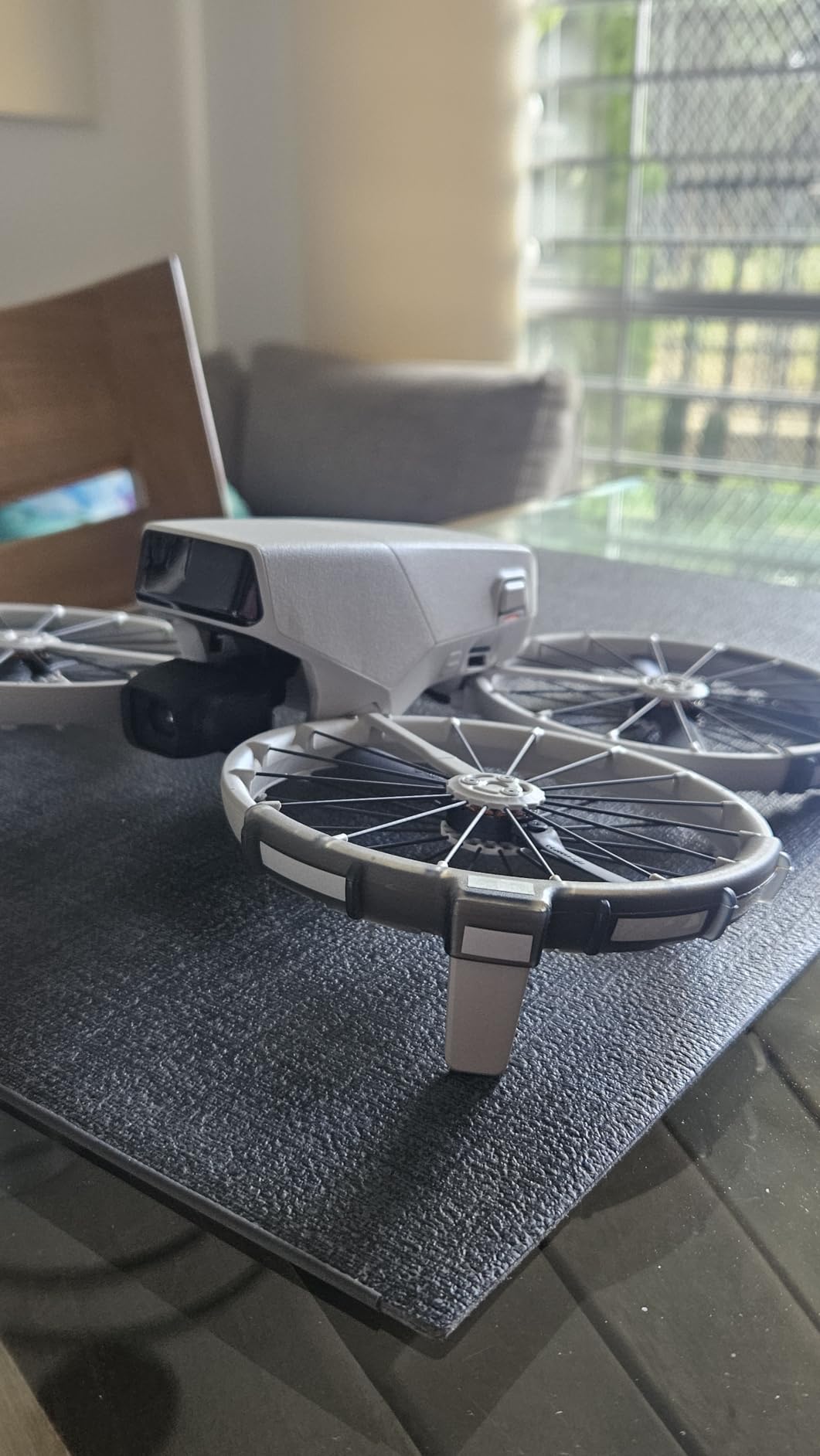
The critical question with any add-on for a sub-250g drone is weight. The CYNOVA guards add approximately 17 grams, bringing the total from 249g to about 266g. This pushes the drone over the 250g registration threshold in the US. If you are flying under Part 107 or in countries with strict weight rules, this matters.
For recreational pilots who remove the guards before flying in regulated airspace, the weight addition is not a permanent issue. The guards snap on and off quickly, so you can add them for indoor or close-quarters flying and remove them for open-air flights where the weight matters.
Do You Need Additional Guards Over the Built-In Ones?
For most outdoor flying, the built-in propeller guards are sufficient. They protect the props from most normal contact. The CYNOVA add-on guards make sense for specific scenarios: indoor flying around furniture, flying in tight spaces like between buildings, or teaching beginners to fly.
They also make the drone more visible in the air. The grey guards break up the drone’s silhouette and make it easier to spot at distance. Some users report this as an unexpected benefit during long-range flights.
Weight Threshold Implications
In the United States, drones under 250 grams flown recreationally do not require FAA registration. Adding 17 grams of guards pushes the Flip over that threshold. If you fly recreationally, you would need to register the drone at that weight.
The simplest approach is to use these guards only when you need them and remove them for flights where weight matters. The snap-on design makes this easy to manage on a per-flight basis.
10. Sinyutia Lens Hood for DJI Flip – Anti-Glare Gimbal Protection
Lens Hood for DJI Flip Drone, Anti-Glare Sunshade Cover, Gimbal Camera Guard Protector for DJI Flip Accessories (Black)
Anti-glare sunshade
Gimbal and lens protection
Quick one-step install
Specifically for DJI Flip
Pros
- Effective anti-glare protection for lens
- Protects gimbal during takeoff and landing
- Quick one-step installation
- Does not interfere with vision system
- Stays securely attached during flight
Cons
- Limited color options available
- Small size may be easy to misplace
Lens hoods are one of those accessories you don’t think about until you review your footage and notice lens flare wrecking your shots. The Sinyutia Lens Hood for the DJI Flip blocks stray light from hitting the camera lens, reducing glare and improving contrast in bright conditions.
I tested this hood during sunset flights where the sun was low and directly in frame. Without the hood, my footage had visible flare artifacts and washed-out contrast. With the hood, the flare was significantly reduced and the overall image quality was cleaner.
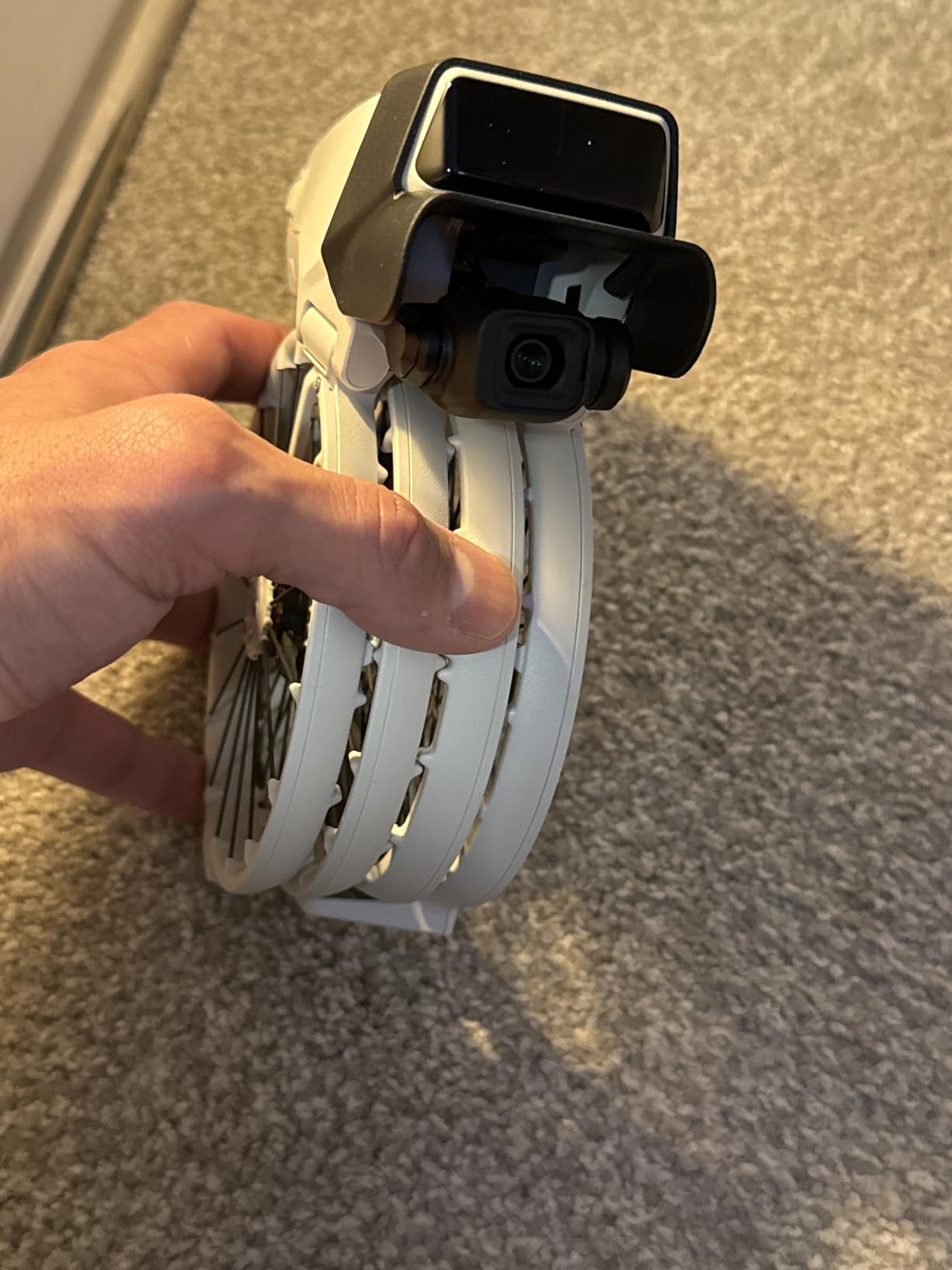
The hood also serves a protection function. It shields the gimbal camera during takeoff and landing, keeping dust and debris away from the lens. The precise molding means it installs in one step and stays on securely during flight. It does not interfere with the drone’s omnidirectional vision system.
This hood has a 4.4-star rating across 19 reviews, with 74 percent five-star ratings. Users find it effective and easy to install. The main concerns are the limited color options and the small size, which makes it easy to lose when not attached to the drone.
When a Lens Hood Helps Most
A lens hood makes the biggest difference when you are shooting toward the sun or in conditions with bright off-axis light. Golden hour flights, beach photography, and any situation where the sun is low in the sky will benefit. For overcast days or indoor flying, the hood has minimal effect.
If you regularly shoot landscape photography with your DJI Flip, this is a worthwhile addition. The contrast improvement is subtle but noticeable when comparing side-by-side footage.
Compatibility With ND Filters
The Sinyutia lens hood and ND filters occupy the same general area around the gimbal. In my testing, I was able to use both simultaneously with the Freewell ND filter kit, though the fit was tighter than using either alone. If you swap between filters frequently, you may want to remove the hood during filter changes.
For most users, the hood stays on during flights where glare is an issue and comes off when not needed. The one-step installation makes this a quick adjustment.
DJI Flip Accessories Buying Guide: What to Buy First
Not all accessories are created equal. If you are on a budget and need to prioritize, here is the order I recommend based on months of testing and feedback from the DJI Flip community on Reddit and drone forums.
Priority 1: SD Card and Spare Battery
Buy these two first. Without a microSD card, you will fill the 2GB internal storage in minutes and miss the shots you came to capture. Without a spare battery, you will be back home charging after 25 minutes. The SanDisk 128GB Extreme and a second DJI Flip Intelligent Flight Battery are non-negotiable first purchases.
Priority 2: ND Filter Kit and Landing Pad
ND filters come next if you care about video quality. The fixed f/1.7 aperture on the DJI Flip makes bright daylight footage choppy without them. A landing pad protects your gimbal from debris and costs very little. Get both of these after your SD card and battery.
Priority 3: Charging Hub and Hard Case
Once you have multiple batteries, a charging hub becomes essential. And if you travel with your drone, a hard case protects your investment. These are quality-of-life upgrades rather than must-haves.
Priority 4: Screen Protector, Props, Guards, and Lens Hood
The remaining accessories are situational. A screen protector is cheap and worth doing. Spare props are good to have but not urgent unless you damaged your stock blades. Propeller guards are for specific flying scenarios. The lens hood is for shooters who deal with glare regularly.
Fly More Combo vs Buying Individually
The DJI Flip Fly More Combo includes two batteries, a charging hub, a carrying bag, and spare props. If you are buying the drone new and plan to get accessories anyway, the combo offers savings over buying each item separately. However, many Fly More Combo owners on forums still end up buying ND filters, a landing pad, and a hard case separately.
If you already own the base drone, buy accessories individually based on the priority list above. If you are purchasing the Flip for the first time, strongly consider the Fly More Combo and then add ND filters and a landing pad to round out your kit.
The 249g Threshold: Why It Matters
The DJI Flip weighs 249 grams out of the box, which places it just under the 250g FAA registration threshold for recreational pilots in the United States. This means you can fly recreationally without registering the drone. Adding accessories like propeller guards can push the weight over 250g, requiring registration.
This does not apply to internal accessories like SD cards or batteries that go inside the drone. It only matters for external add-ons. Be mindful of this when adding multiple external accessories at once.
FAQs
What is the 120m rule for drones?
The 120m rule refers to the maximum altitude recreational drone pilots can fly in many countries, including the US (400 feet) and EU member states. This altitude limit is measured from ground level, not sea level. Flying above 120 meters requires special authorization or waivers from aviation authorities.
What to get someone who loves drones?
The best gifts for drone enthusiasts include spare batteries, ND filter kits, landing pads, and carrying cases. For DJI Flip owners specifically, the Intelligent Flight Battery, Freewell ND Filter Kit, and FPVtosky Landing Pad are practical gifts that any pilot will use regularly. microSD cards and screen protectors also make great stocking stuffers.
Is the DJI Flip any good?
Yes, the DJI Flip is an excellent compact drone for beginners and enthusiasts. It weighs under 250 grams, has built-in propeller guards, a 3-axis gimbal with 4K video capability, and folds to pocket size. The main limitations are its 2GB internal storage, single battery, and fixed f/1.7 aperture, all of which are addressed by the accessories covered in this guide.
Can DJI Flip fly at night?
The DJI Flip can technically fly at night, but it does not have dedicated obstacle avoidance sensors for low-light conditions. Flying at night reduces the effectiveness of the omnidirectional vision system. If you fly at night, use a landing pad with reflective markings like the FPVtosky for safe takeoff and landing, and fly cautiously in open areas away from obstacles.
Do DJI Flip accessories work with other DJI drones?
No, most DJI Flip accessories are model-specific and do not work with other DJI drones. The battery slot, gimbal mount, body dimensions, and controller are all unique to the Flip. ND filters designed for the Mini 4 Pro or other models will not fit the Flip. Always verify compatibility before purchasing accessories across different DJI models.
Final Thoughts on the Best Accessories for DJI Flip
The DJI Flip is a fantastic compact drone, but it ships with three real limitations that accessories solve. The 2GB internal storage fills in minutes, the single battery caps your flying at 25 minutes, and the fixed f/1.7 aperture makes bright daylight footage choppy. The best accessories for DJI Flip address each of these gaps directly.
If I had to pick three products from this list, they would be the DJI Flip Intelligent Flight Battery for more air time, the SanDisk 128GB Extreme microSD card for storage, and the Freewell Standard Day ND Filter Kit for cinematic footage. Together, those three accessories transform the Flip from a casual toy into a capable content creation tool.
Add a landing pad for gimbal protection, a charging hub for battery management, and a hard case for travel, and you have a complete kit that will serve you well through 2026 and beyond. Fly safe, and happy shooting.
1 thought on “10 Best Accessories for DJI Flip (October 2026) Expert Reviews”