
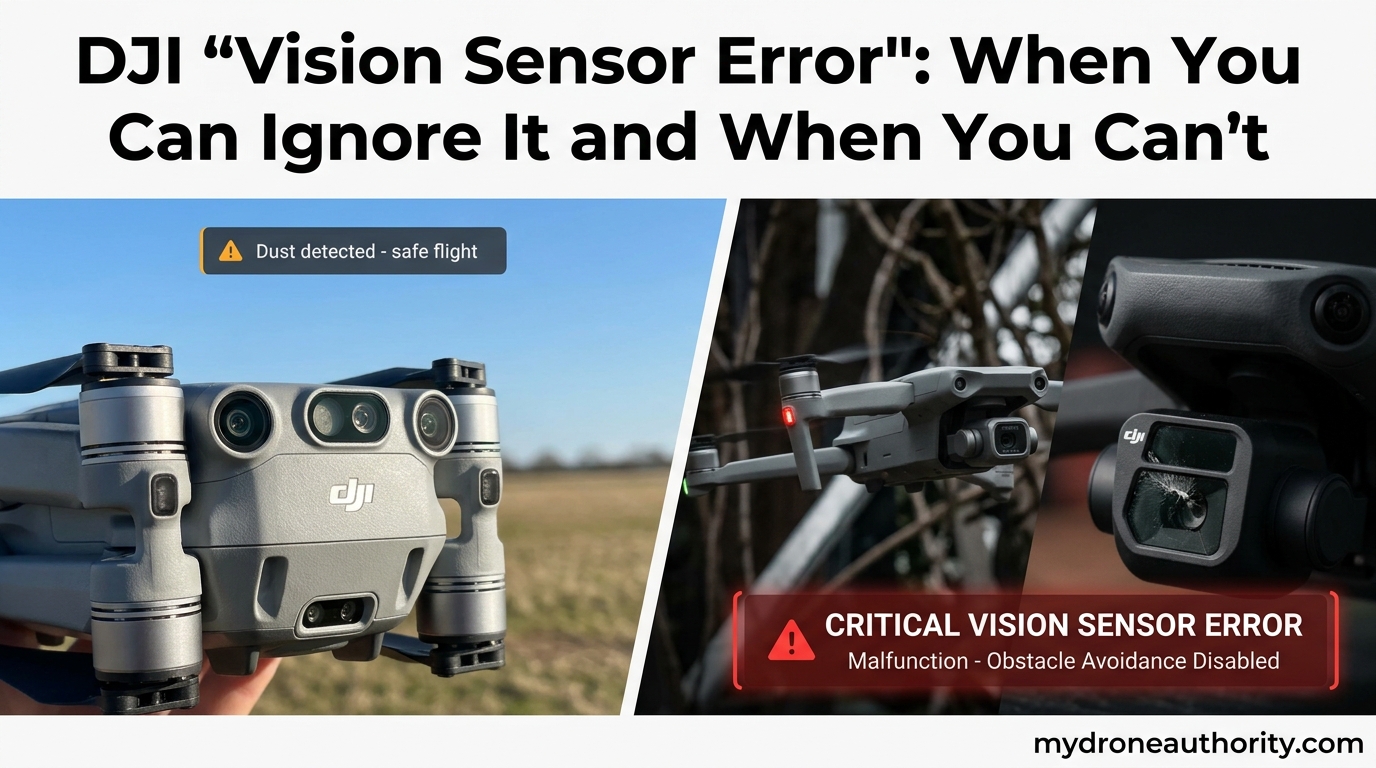
Seeing a DJI Vision Sensor Error on your drone can stop a flight before it starts. I have seen pilots ground their Mini 4 Pro, Air 3, and Mavic 3 for a warning that, in some cases, is a false alarm triggered by cold weather or dirty lenses. I have also seen the same warning mask a real hardware failure that sent a drone into a tree. The difference between the two comes down to when the error appears, which error code shows up, and what your drone did before it triggered. This guide gives you the decision framework I use to tell those two situations apart, plus the exact steps to fix both, including a field calibration you can run without DJI Assistant 2.
If you have ever typed “DJI Vision Sensor Error” into a search bar at 6 a.m. before a shoot, you already know the panic this warning causes. The good news is that most of these errors are recoverable. The bad news is that some are not, and flying through them can void your warranty or cost you your aircraft. I will walk you through both sides so you can make the right call on the spot.
Table of Contents
What a DJI Vision Sensor Error Actually Means
A DJI Vision Sensor Error means your drone’s obstacle avoidance cameras or visual positioning system (VPS) has detected a problem with calibration, signal quality, or hardware function. The error appears in the DJI Fly or DJI Go 4 app and freezes the affected safety feature, usually obstacle avoidance, precision hovering, or precision landing.
DJI drones use stereoscopic vision cameras mounted on the front, back, and bottom of the aircraft. Two cameras spaced a known distance apart create depth perception the same way your eyes do. The flight controller compares the two images in real time to calculate distance, identify obstacles, and hold position when GPS is weak. When the two images do not line up, the system flags an error to protect you from flying blind.
The error is the system saying, “I cannot trust my own eyes right now.” Whether that distrust is fixable in 30 seconds with a lens wipe or signals a serious core board replacement is what the rest of this guide answers.
How Vision Sensors Power the Safety Features You Rely On
Vision sensors are not a nice-to-have feature. They are the brains behind the safety net most pilots fly under every time they take off:
- Obstacle avoidance: Stops the drone from flying into trees, walls, and people when you are flying manually or using APAS.
- Precision hovering: Holds position indoors or near buildings where GPS is unreliable.
- Precision landing: Records the takeoff point and lands within centimeters of it, even when GPS drift would otherwise put you in a pond.
- Return to Home (RTH): Uses downward sensors as a backup to GPS for low-altitude RTH in tight spaces.
- Terrain follow: Maintains a constant altitude over uneven ground for Quickshots and ActiveTrack.
When the vision system errors out, all of these features degrade or disable. The drone falls back to GPS-only positioning, which is fine over an open field and risky under tree cover or indoors. That is why understanding the error matters.
When You Can Safely Ignore a Vision Sensor Error
Not every vision sensor error needs to ground your drone. I have personally dismissed the warning in these five situations and flown without incident, after verifying the root cause was environmental, not hardware. The decision rule is simple: if the error clears with a power cycle and does not return under the same conditions, it was probably a false positive.
Five Times You Can Probably Fly Through the Warning
- Cold-start errors below 32°F (0°C): Stereoscopic cameras can fail to initialize when the lens or sensor housing is frosted. Warm the drone inside a car for 10 minutes, power cycle, and the error usually clears.
- Single occurrence after a firmware update: DJI pushes firmware that occasionally invalidates the previous calibration. One error right after an update is normal. Recurring errors are not.
- Direct sunlight or glare on takeoff: Bright light can wash out the downward cameras during initialization. Tilt the drone, shield it with your hand, and re-initiate.
- Sensor blocked by rain, snow, or dust: The app literally says “Vision sensor blocked.” That is the drone telling you the lens is covered, not that the sensor is broken. Wipe the lenses and re-arm.
- Takeoff from a highly reflective surface: Water, glass, and shiny rooftops can confuse VPS until the drone gains 6 to 10 feet of altitude. Let it climb and the system recalibrates.
A pilot on MavicPilots shared a story that captures this exact pattern. He got a “Forward Vision Sensor Calibration Error” while flying his Mavic Pro, dismissed it, and continued the flight without issues. When he landed and recalibrated at home, the error never returned. The drone had likely suffered a temporary signal disruption from another device.
If your error falls into one of these five buckets, recalibrate, do a 30-second hover test at 3 feet altitude, and watch the app for recurrence. If the warning stays gone for two consecutive flights, you are almost certainly clear.
The 30-Second Hover Test I Use to Confirm a Fix
This is the field test I run after any vision sensor error. It costs you 30 seconds and tells you in real time whether the system is functional.
- Find a flat, well-lit surface with visible texture (a driveway, not glass).
- Take off to exactly 3 feet altitude.
- Let go of both sticks. Do not touch them.
- Watch the drone for 30 seconds. It should hold position within a few inches with no drift, no oscillation, and no new error message.
- If the app shows “VPS Available” and the drone holds steady, the vision system is working.
If the drone drifts, climbs, descends, or triggers the error again, the problem is not environmental. Move to the next section.
When You Cannot Ignore a Vision Sensor Error
Some vision sensor errors are the drone’s way of telling you something is broken. Flying through them is how I have seen pilots lose aircraft, lose warranty coverage, and lose money. If your error matches any of the following six patterns, ground the drone until you resolve it.
Six Red Flags That Mean Stop Flying
- Error appears immediately after a crash or hard landing: Even a low-impact bump can shift the sensor mounting bracket by a fraction of a degree. The system sees this as a calibration mismatch. Power cycle first. If the error returns, the bracket is bent or the ribbon cable is damaged.
- Persistent error across multiple power cycles: If the warning shows on every cold start, in multiple environments, and after recalibration, the sensor or mainboard has a fault.
- Error appears mid-flight, not at startup: Mid-flight errors usually mean a sensor is overheating, losing connection, or physically separating from the mount. Land immediately.
- Specific error codes: 180030, 180043, 0x0400: These codes correspond to known hardware faults in DJI’s diagnostic tree. The drone is reporting a component failure, not a calibration drift.
- Drone drifts in a controlled hover even after recalibration: A drone that physically moves when the sticks are centered has a sensor reading wrong, not just temporarily confused.
- Error on a brand new drone out of the box: A factory-fresh drone with a vision sensor error has a shipping damage or production defect. Contact DJI support before your return window closes.
A Reddit user on r/dji captured the worst-case version of this. His Mini 4 Pro threw a persistent “Vision Sensors Error Online” message that no amount of recalibration, factory reset, or firmware flash could clear. DJI support eventually confirmed it was a core board failure requiring mainboard replacement. The drone was effectively a brick outside warranty.
The Safety Math of Flying With a Vision Error
Here is how I think about the risk when a pilot asks me whether they can fly with a vision sensor error. The drone will still fly on GPS alone. GPS alone is reliable over open ground, in clear weather, with 8 or more satellites locked. GPS alone is unreliable near buildings, under trees, indoors, or over water.
If your flight is in a wide-open field with no obstacles between you and the drone, you can probably complete it. If your flight involves flying backward, flying under a bridge, flying near trees, or landing in a tight space, the risk of a flyaway or crash goes up sharply. The repair for a core board runs into the high hundreds of dollars not including labor, and a replacement aircraft can cost several thousand. The cost math almost always favors grounding the drone.
Step-by-Step Troubleshooting Guide for Vision Sensor Errors
Once you have decided the error is not environmental, run through this sequence. I have ordered the steps from cheapest and easiest to most involved. Most pilots resolve their issue within the first three steps.
Step 1: Clean the Sensor Lenses and Re-Arm
Use a clean microfiber cloth (the kind you use on glasses) to gently wipe each camera lens. Do not use compressed air, paper towels, or any liquid. Even a thin film of oil from a fingerprint can cause the system to misread the scene. After cleaning, power cycle the drone and the remote.
Step 2: Update Firmware and Recalibrate IMU First
Open DJI Fly or DJI Go 4, connect the drone, and check for firmware updates. Install any pending updates and restart. Many vision sensor errors clear after a firmware flash because the new firmware resets the calibration baseline. If the app prompts you to recalibrate the IMU, do that first. An uncalibrated IMU can produce a phantom vision sensor error.
Step 3: Run Vision Sensor Calibration in DJI Assistant 2
This is the official fix and where most errors resolve. Here is the exact process:
- Download DJI Assistant 2 (Consumer Edition) from DJI’s official site. Use version 2.1.40 or newer for Mini 4 Pro, Air 3, and Mavic 3 series.
- Connect the drone to your computer via a USB-C data cable. Make sure it is a data cable, not a charge-only cable.
- Power on the drone. Open DJI Assistant 2 and log in with your DJI account.
- Select your device, then click “Calibration” on the left menu.
- Choose “Vision Sensor Calibration.” The app will guide you through rotating the drone in front of the screen to display calibration patterns.
- Important: Use a 1080p monitor if possible. Several pilots on MavicPilots and PhantomPilots have reported that 4K monitors cause calibration to fail. If you have a 4K screen and the button stays greyed out, try a 1080p laptop or external monitor.
- Follow the on-screen prompts to rotate the drone 360 degrees in different orientations. Do this slowly, on a stable surface, in good lighting.
- Wait for the “Calibration Successful” message. Do not unplug until Assistant 2 confirms the data has been written.
If the button never enables or the process hangs, the issue is likely a hardware fault, not a calibration issue. Skip to Step 5.
Step 4: Try a Field Calibration Through the App (No Computer Needed)
For Mini 4 Pro, Air 3, and newer DJI models, the DJI Fly app includes a field calibration option that does the same job as Assistant 2. From the app’s settings, go to “Safety” then “Vision Assistance” then “Calibrate.” The drone will rotate itself on the ground using its motors and camera system. It is less precise than the Assistant 2 method, but it works in a pinch.
One forum user fixed a persistent forward vision sensor error on a brand new Mavic 4 Pro by running this app-based calibration in a parking lot with good lighting. The error never returned. This is worth trying if you do not have a computer handy.
Step 5: When to Send It to DJI or a Repair Shop
If you have completed Steps 1 through 4 and the error still appears, the issue is almost certainly hardware. Common culprits include:
- Damaged gimbal ribbon cable: Often the cause of downward vision sensor errors. Inexpensive to replace with the right part.
- Bent sensor mounting bracket: Usually caused by a crash. Requires disassembly to realign or replace.
- Core board failure: The most expensive repair, often the only option when diagnostics point to the mainboard. Usually diagnosed only by DJI or an authorized service center.
You have two repair options: DJI Care Refresh claims (if you have active coverage) or DJI’s out-of-warranty repair service. Third-party repair shops can handle ribbon cable and bracket issues for less, but be cautious with core board work. Several pilots have shared stories of their drones coming back from third-party shops with a different serial number. Once you lose the original serial, you lose DJI’s ability to verify ownership.
DJI Vision Sensor Error Codes by Model and What They Mean
DJI does not publish a public list of vision sensor error codes, but the pilot community has mapped the most common ones. This is the cheat sheet I keep on my phone.
Common Error Codes for Mini 4 Pro and Air 3
- Error 180030: Vision system initialization failed. Usually a calibration or cold-start issue. Recalibrate first; if it returns, check the ribbon cable.
- Error 180043: Downward vision sensor communication error. Almost always a hardware issue with the downward sensor or its connection to the mainboard.
- “Vision Sensors Error Online”: Reported by Mini 4 Pro pilots on Reddit. Tends to indicate a mainboard or firmware mismatch. A factory reset sometimes helps, but persistent occurrence requires DJI service.
Common Error Codes for Mavic 3 and Mavic Pro
- Error 0x0400: Forward vision sensor calibration failed. Most often resolved by recalibrating with Assistant 2. Some pilots see this when their monitor resolution is too high.
- “Forward Vision Sensor Calibration Error”: Reported widely on MavicPilots. Often clears after a single Assistant 2 calibration cycle.
- “Vision Sensor Calibration Aircraft Movement Error”: The drone detected motion during calibration. Recalibrate with the drone on a perfectly stable surface, ideally a tripod or foam pad.
Phantom 4 Pro V2 Specific Errors
- “Vision Sensor Error after FW Update”: A known issue in the Phantom 4 Pro V2 community where a firmware update breaks the existing calibration. The fix is a full recalibration through Assistant 2 after the firmware flash.
Regardless of model, if the same error code appears three or more times in different environments after full calibration, treat it as a hardware fault and contact DJI.
Field Tips From Real Pilots
A few pieces of wisdom have saved me and other pilots from unnecessary repair bills. I want to share them here because they rarely show up in official DJI documentation.
Tip 1: The 4K Monitor Trap
If you are running DJI Assistant 2 and the “Start Calibration” button is greyed out, do not assume the drone is broken. Switch to a 1080p monitor or a laptop. The 4K monitor resolution mismatch is one of the most common reasons calibration fails to even start, and it has wasted hours of pilots’ time.
Tip 2: The Gimbal Ribbon Cable Quick Check
Before sending a drone in for a downward vision sensor error, check the gimbal ribbon cable. Open the gimbal compartment (usually 4 to 6 screws on the bottom of the airframe) and look for a kinked, frayed, or partially disconnected flat cable. An inexpensive cable replacement has fixed more “broken” drones than I can count.
Tip 3: Cold-Start Warm-Up
Store your drone and batteries in a warm place before flying in winter. A 10-minute warm-up inside a heated car turns most cold-start vision errors into clean startups. This is the single cheapest fix in this entire guide.
Tip 4: Document the Error With a Photo
If you do need to contact DJI support, take a clear photo of the error message in the app. Support agents escalate faster and run fewer diagnostic steps when they can see the exact wording and code. This can cut your repair turnaround by days.
Frequently Asked Questions About DJI Vision Sensor Errors
Why is my DJI saying vision sensor error?
Your DJI drone is showing a vision sensor error because one of its stereoscopic cameras is failing to initialize, is blocked, has lost calibration, or has a hardware fault. The most common triggers are dirty lenses, cold starts below freezing, firmware updates, post-crash sensor shift, and damaged gimbal ribbon cables. The error freezes the affected safety feature, usually obstacle avoidance or precision hovering.
Can I fly my DJI drone with a vision sensor error?
You can fly with a vision sensor error if the drone is in an open area with strong GPS, no nearby obstacles, and good visibility. You should not fly with the error present if you are near trees, buildings, water, or indoors, or if the error is persistent across power cycles. The drone will fall back to GPS-only positioning, which works over open ground but fails in tight or covered environments.
How do I recalibrate my DJI vision sensors?
Recalibrate your DJI vision sensors using DJI Assistant 2 (Consumer Edition, version 2.1.40 or newer). Connect the drone to your computer with a USB-C data cable, power it on, open Assistant 2, select your device, click Calibration, and choose Vision Sensor Calibration. Use a 1080p monitor if possible, as 4K screens can prevent the calibration button from enabling. For Mini 4 Pro and Air 3, you can also run a field calibration through the DJI Fly app under Safety and Vision Assistance.
What does DJI error code 180030 mean?
DJI error code 180030 means the vision system failed to initialize. On Mini 4 Pro and Air 3 drones, this error is most often a calibration issue that clears with a full Assistant 2 recalibration. If the error returns after successful calibration, it usually points to a hardware fault, often in the downward sensor or its connection to the mainboard.
What is the difference between a vision sensor error and an IMU error on DJI?
A vision sensor error relates to the obstacle avoidance and positioning cameras, which use stereoscopic vision to perceive depth and hold position. An IMU error relates to the inertial measurement unit, which tracks acceleration and rotation. Vision sensor errors disable obstacle avoidance and precision landing, while IMU errors disable the drone’s ability to know its own orientation. Both can cause drift and instability, but they affect different systems and require different fixes. Vision errors often resolve with recalibration, while IMU errors almost always require a full Assistant 2 IMU calibration or hardware service.
The Bottom Line on DJI Vision Sensor Errors
DJI Vision Sensor Errors are not all created equal. Some are environmental false alarms that disappear with a lens wipe or a warm-up. Others are the first warning of a serious core board failure. The difference comes down to when the error happens, whether it clears with a power cycle, and which error code shows up.
Start with the cheapest fix: clean the lenses, update the firmware, and recalibrate with DJI Assistant 2 on a 1080p screen. If the error persists across two calibration cycles in two different environments, treat it as hardware. Ground the drone, check the gimbal ribbon cable, and contact DJI or a trusted repair shop. The cost of a basic ribbon cable replacement is always less than the cost of a drone in a tree.
Fly safe, document every error with a photo, and keep your firmware current. That is the simplest path to keeping the vision sensors in the air where they belong.