
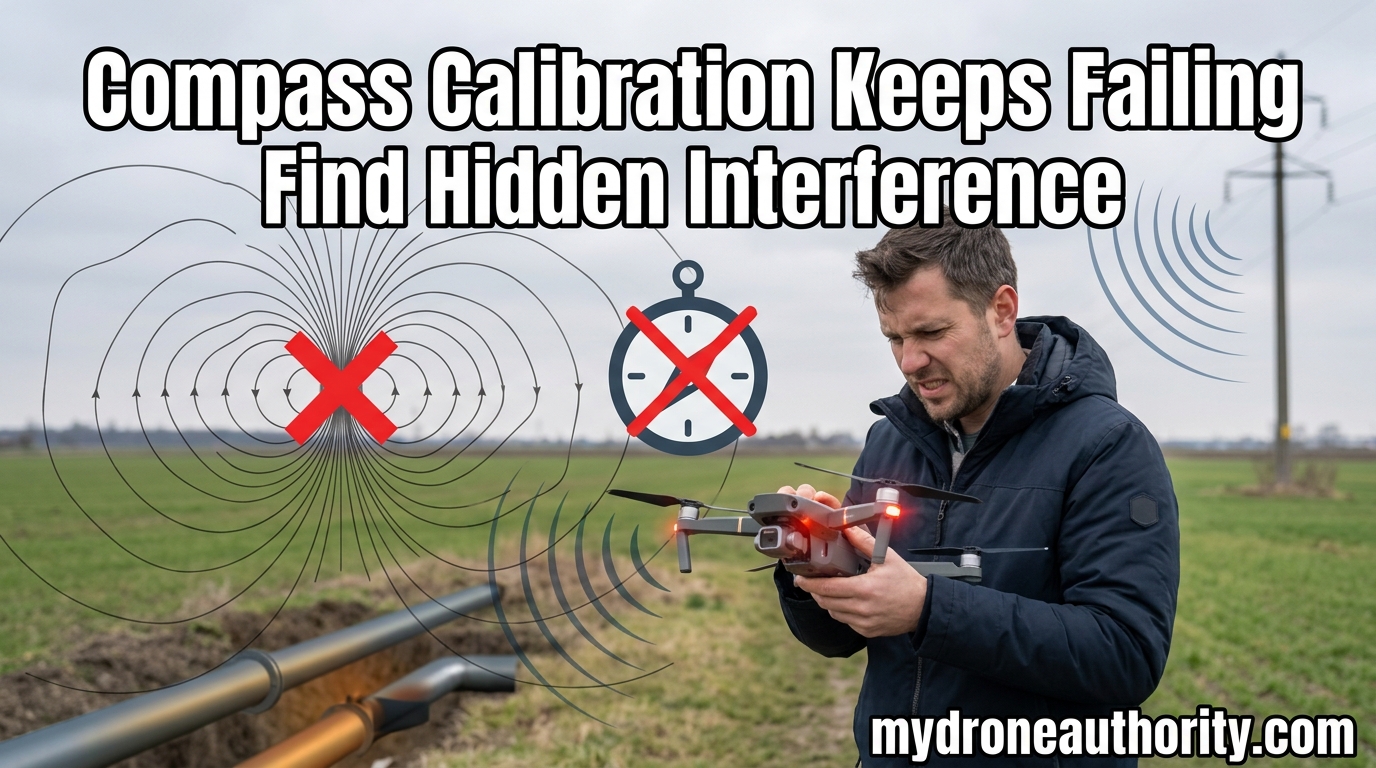
I’ve watched a perfectly good drone sit on a runway for forty minutes because the compass calibration would not stick. Nothing had changed about the drone. Nothing had changed about the pilot. But that day, the magnetometer refused to cooperate, and the only way I got airborne was by treating the failure as a clue, not a problem.
If your drone compass calibration fails over and over, the drone is trying to tell you something about the environment. Most pilots chase the obvious metal objects. The persistent failures almost always come from sources you cannot see. I have spent the last three years troubleshooting compass errors on consumer and commercial rigs, and the patterns I see in the field match what the pilot forums complain about constantly. This guide walks through the same troubleshooting sequence I use, and it covers the hidden interference sources that the official documentation barely mentions.
By the end, you will have a decision tree for figuring out whether you are dealing with a bad spot on the ground, a sneaky source of magnetic interference, or a sensor that has actually failed. You will also know when it is time to stop tinkering and call for backup.
Table of Contents
Why Drone Compass Calibration Fails: The Core Problem
Your drone has a magnetometer, a tiny digital compass that measures the Earth’s magnetic field so the flight controller knows which way the aircraft is pointing. The magnetometer is what makes Return-to-Home point in the right direction, what stabilizes the GPS heading, and what prevents the aircraft from drifting in a slow circle when there is no wind.
Calibration teaches the magnetometer what the local magnetic field looks like in your exact spot. You spin the drone horizontally, then vertically, and the sensor maps the field in 360 degrees. When that map does not match a clean reading, the flight controller rejects it. That rejection is what the app is telling you when calibration times out or hangs at 99%.
There are only two reasons calibration fails. Either the environment is contaminated with magnetic interference, or the sensor itself is damaged or misaligned. Everything in this guide is built around separating those two causes, because the fix for one is useless against the other.
The Sensor Wants a Clean Field, Always
A healthy magnetometer sitting in an open field away from metal will calibrate in under 30 seconds. If it does not, something is wrong with the place, not the drone. I keep a mental rule: if calibration fails twice in the same spot, I move. The first failure is data. The second failure is a pattern.
The Visible Magnetic Interference Sources You Can Eliminate First
Start with the obvious. Most pilots skip this step because they assume the parking lot looks clean. It usually is not. I once lost an hour of shooting time because the drone was sitting three feet from a steel-reinforced trash can I had not noticed.
Walk a 10-foot circle around your takeoff point and look for:
- Vehicles, especially running ones with the engine on
- Dumpsters, shipping containers, and metal fencing
- Concrete with visible rebar or wire mesh
- Your phone, tablet, or smartwatch on a charger
- Your buddy’s phone clipped to the controller
- Metal landing pads, toolboxes, and tripod legs
The 10-foot rule comes straight from DJI’s official guidance. Interference falls off quickly with distance, so even a small move can flip a failing calibration to a passing one. The drone community on mavicpilots.com and phantompilots.com confirms this over and over: same drone, same day, two feet to the left, suddenly it calibrates.
Smartphones and Smartwatches Are Sneaky
Modern phones contain magnets in the speakers, haptics, and MagSafe-style charging rings. A watch with a metal band or a magnetic clasp sits right on the wrist that is also holding the controller. I have seen this cause failures in three different pilot groups in the last year. The fix is silly simple: take the watch off, put the phone in airplane mode, and set both at least six feet away before calibrating.
Hidden Magnetic Interference Most Pilots Never Consider
This is where the official guides fall short. The visible stuff is easy. The invisible stuff is what grounds you for an entire afternoon.
Underground Power Lines and Conduit
Buried high-voltage lines leak a 60Hz magnetic field that can extend 15 to 30 feet upward depending on depth and current load. The pilot standing on top has no idea. The drone sees a magnetically noisy spot that never quite cleans up. I learned this the hard way shooting a real estate job in a residential cul-de-sac; every launch failed until I moved 40 feet sideways, off the easement.
Reinforced Concrete and Rebar
Most modern concrete contains steel rebar or wire mesh. Parking decks, sidewalks, driveways, and building slabs all qualify. The rebar grid acts like a giant soft magnet, especially if it is carrying a stray current from nearby electrical systems. Takeoff from grass in a park is almost always cleaner than takeoff from the parking lot next to it.
Magnetite Deposits and Geological Anomalies
Some soil types contain high concentrations of magnetite, an iron mineral that creates a localized magnetic distortion. Volcanic regions, certain mountain ranges, and old mining areas are hotspots. If you calibrate in the same field you have used for years and it suddenly fails, the cause is not your drone; it is the ground itself shifting as buried ferrous material reorients, or simply your new spot being closer to a vein.
Elevated Steel Structures
Bridge decks, observation platforms, and rooftop HVAC units all sit on steel framing. Pilots launching from these surfaces often see persistent compass errors that vanish the moment they step onto a wooden deck or grass area nearby. Standing on steel is the same as standing on a giant metal detector plate.
How to Find the Hidden Interference: A Step-by-Step Diagnostic
When calibration keeps failing and I have already cleared the obvious sources, I run this exact sequence. It is the same decision tree I have watched commercial pilots use at job sites, and it works on DJI, Autel, and Skydio aircraft.
Step 1: Move 30 Feet in Any Direction
Pick a cardinal direction and walk 30 feet. Retry calibration. If it passes, the problem was localized interference at your original spot. Mark it on your mental map and never launch from there again.
Step 2: Get Airborne or Elevated
Sometimes the interference is in the ground plane but not a few feet up. Hold the drone at arm’s length above your head and try the calibration there. If it suddenly passes, you have a surface contamination problem, often rebar or buried utilities.
Step 3: Drive to a Known Clean Reference Point
Every serious pilot should have a backup launch site they trust. A public park with grass, no underground utilities on record, and no nearby structures is ideal. If your drone calibrates perfectly there, the issue is environmental, not hardware. You have just ruled out a $500 sensor replacement.
Step 4: Calibrate at Altitude
Some pilots report success by doing a partial calibration on the ground, taking off in ATTI or sport mode briefly, and finishing the rotation sequence a few meters in the air. I do not recommend this for beginners, but for experienced operators, an elevated calibration can sometimes bypass ground-plane interference that the magnetometer cannot otherwise escape.
Step 5: Check the Sensor Health Menu
DJI Fly, Autel Sky, and Skydio apps all have a sensor health or IMU status screen. Look for the magnetometer’s X, Y, and Z axis values. Healthy sensors should show values changing smoothly as you rotate the drone. Flatline values on one or more axes, even when you spin the aircraft, indicate a dead magnetometer that no amount of relocation will fix.
The Toilet Bowl Effect: When a Bad Calibration Goes Airborne
The toilet bowl effect is the visual signature of a compromised compass. The drone appears to fly normally, then begins drifting in a slow, widening circle as if being pulled by a gentle current. It is the GPS fighting a magnetometer that is feeding the flight controller bad heading data.
Modern drones will often switch to ATTI mode when the compass is untrustworthy, removing GPS heading from the equation. The trade-off is that the aircraft will drift with the wind and will not hold position. If you see the toilet bowl, switch to manual or sport mode immediately, fly back toward you, and land. Do not rely on Return-to-Home in this state, because RTH uses the same broken compass heading.
The forum reports on mavicpilots.com are full of toilet bowl stories. Almost all of them trace back to either a skipped calibration or a calibration done in a contaminated spot. The drone believed its own sensors, the pilot trusted the drone, and the result was a circular flight path that looked funny from the ground and felt terrifying from the sticks.
Advanced Fixes: Degaussing, Firmware, and Sensor Resets
When relocation does not solve the problem, there are a few more moves worth trying before you declare hardware failure.
The Handheld Degaussing Trick
Magnetometers can pick up residual magnetization from being stored near strong magnetic fields, including the speaker magnets in your car, a clip on a case, or even a magnetic mount. The fix is degaussing. You can use a handheld degausser, the kind sold for tools and tapes, or in a pinch, a bulk tape eraser from a recording studio will do the job. Pass the drone over the degausser in slow circles on both horizontal and vertical axes, then try calibration again.
I have used this trick four times in the last two years, and three of those drones came back to a clean calibration. The fourth one was actually broken, which the degaussing confirmed by making no difference at all.
Firmware Refresh as a Software Reset
Sometimes a bad firmware update or a corrupted config file is the real cause. The fix is a clean firmware reinstall, often a downgrade followed by an upgrade, with a full aircraft restart in between. DJI Assistant 2 is the standard tool for this on consumer drones. Autel and Skydio have their own equivalent apps.
Back up your flight logs first, since a hard reset can wipe some user settings. Then run the firmware refresh with the drone in a clean, open area, ideally on a wooden table away from anything metal.
IMU and Compass Recalibration Combo
The magnetometer shares a calibration relationship with the IMU. If the IMU is slightly off, the compass can show drift that looks like interference. Most apps let you recalibrate the IMU on a perfectly level surface, then run the compass calibration afterward. Doing both, in that order, on a known clean surface, is the official reset path for many persistent errors.
Hardware Failure vs. Environmental Interference: How to Tell the Difference
This is the question that determines whether you troubleshoot the launch site or the drone. Here is the comparison I use.
Environmental interference usually resolves with relocation. The drone calibrates somewhere else. The error appears only in specific spots. The drone is fine on a wooden table in a clean field. The flight logs show the magnetometer struggling only at takeoff, then settling once the drone gains altitude.
Hardware failure shows up everywhere. The drone will not calibrate in a clean field that has worked for years. The error appears immediately after a hard landing, a crash, or a firmware update. Flight logs show flatline X, Y, or Z values on the magnetometer. Calibration hangs at 99% repeatedly. Re-binding or factory reset does not help.
The 99% hang is the most common sign of a real hardware issue. If the calibration gets all the way to the end and then refuses to commit, the sensor is often reporting a value that the flight controller cannot reconcile. That is a damaged ribbon cable, a dislodged sensor module, or a magnet that has been knocked off-axis in a previous crash. Forum threads on phantompilots.com going back years show this exact pattern tied to broken compass modules hidden in landing gear or arms.
Reading the Flight Logs
If you are seeing intermittent errors, the flight log is your best friend. DJI, Autel, and Skydio all export CSV or JSON logs that can be opened in tools like DashWare, FlightReader, or AirData. Look at the magnetometer’s three axis values over time. Healthy sensors show a smooth sinusoidal pattern as the drone yaws. Dead sensors show flat lines or jagged jumps. That single data point will tell you whether you are buying a new compass module or just relocating to a better launch pad.
When to Seek Professional Repair for a Stuck Compass
If you have moved 50 feet, tried a clean reference field, run a firmware refresh, attempted degaussing, and the compass still will not calibrate, the sensor is almost certainly damaged. Continuing to fly in this state risks flyaways, hard landings, and lost aircraft. At this point, professional repair is the right call.
DJI Care Refresh, Autel Robotics service centers, and Skydio’s enterprise support all handle compass module replacement. A typical repair runs between 150 and 400 depending on the model, and it is far cheaper than a flyaway. Third-party repair shops that specialize in consumer drones can do the same work, often for less, and the work itself is usually a 30-minute swap of the magnetometer module and a fresh calibration against a reference field.
The pilots I trust most follow one rule: if the drone will not calibrate in a known clean field after a firmware refresh, it does not fly that day. Period. The risk of a flyaway is not worth the shoot.
Frequently Asked Questions
Why is my drone saying magnetic interference in an open field?
Even in an open field, hidden sources can cause magnetic interference. Buried power lines, magnetite-rich soil, rebar in nearby concrete, and elevated steel structures can all create localized magnetic distortion. Move 30 to 50 feet, try a wooden deck, and test in a different location to rule out environment before suspecting hardware.
What causes compass interference in drones?
Compass interference in drones comes from any magnetic or electromagnetic source near the magnetometer. Common causes include vehicles, fences, phones, smartwatches, rebar in concrete, buried power lines, magnetite soil, cell towers, and even residual magnetization on the drone itself. Distance is the main fix: move 10 to 30 feet away and retry.
How to fix compass calibration that keeps failing?
Start with the 60-second fix: walk 10 feet from any visible metal, take off smartwatches, and put phones in airplane mode. If it still fails, move 30 to 50 feet and retry. If it still fails, drive to a known clean field. If it still fails, run a firmware refresh, try degaussing, and read the flight logs. If all of those fail, the sensor is likely damaged.
Will a phone or smartwatch cause a drone compass error?
Yes. Phones contain magnets in speakers, haptics, and magnetic charging rings. Smartwatches with metal bands or magnetic clasps add more. Both can hold the magnetometer in a noisy enough field to fail calibration. Set both devices at least six feet away and in airplane mode before running any compass sequence.
What happens if a drone is not calibrated?
An uncalibrated drone may still fly, but the compass heading is untrustworthy. The aircraft can drift in a slow circle, the toilet bowl effect, or switch to ATTI mode where it will not hold position. Return-to-Home becomes unreliable because the drone does not know which direction home actually is. Always calibrate before flying in a new location.
How often should I calibrate my drone’s compass?
Calibrate when flying in a new location, after a firmware update, after a hard landing, or when the app flags interference. Many pilots only calibrate when prompted. Consumer drones store magnetic data per region, so once a clean calibration is on file, you usually only need to re-verify before each flight in a new spot.
What is the difference between IMU and compass calibration?
IMU calibration tunes the gyroscope and accelerometer that control orientation and stability. Compass calibration tunes the magnetometer that controls heading. The two share data, and a sloppy IMU can throw off the compass. For best results, calibrate the IMU on a level surface first, then run the compass rotation sequence in a clean area.
Why does my drone compass calibration hang at 99%?
A 99% hang means the sensor has mapped the field but the flight controller will not commit the data. The most common causes are a damaged ribbon cable, a dislodged sensor module, or residual magnetization on the magnetometer. Try degaussing and a clean field first. If it still hangs, the sensor module likely needs replacement.
Closing the Loop on a Stubborn Compass
A failing compass is not a mystery. It is data. Every rejection tells you the magnetometer is reading a field it cannot trust, and your job is to figure out whether the contamination is around you, in you, or in the drone. The decision tree is simple: clear the obvious, clear the hidden, drive to a reference field, and only then suspect hardware.
If you take one thing from this guide, take the 30-foot rule. Move 30 feet in any direction and retry. If the calibration passes, you have your answer, and you have just saved an afternoon. If it fails, you have also saved an afternoon, because you have ruled out a $400 sensor module and can move up the troubleshooting chain with confidence.
Hidden interference is real, it is everywhere, and it is the reason the most experienced pilots I know carry a small wooden plate in their gear bag for emergency calibrations. Treat the environment as the suspect first. The drone is innocent until proven otherwise.