
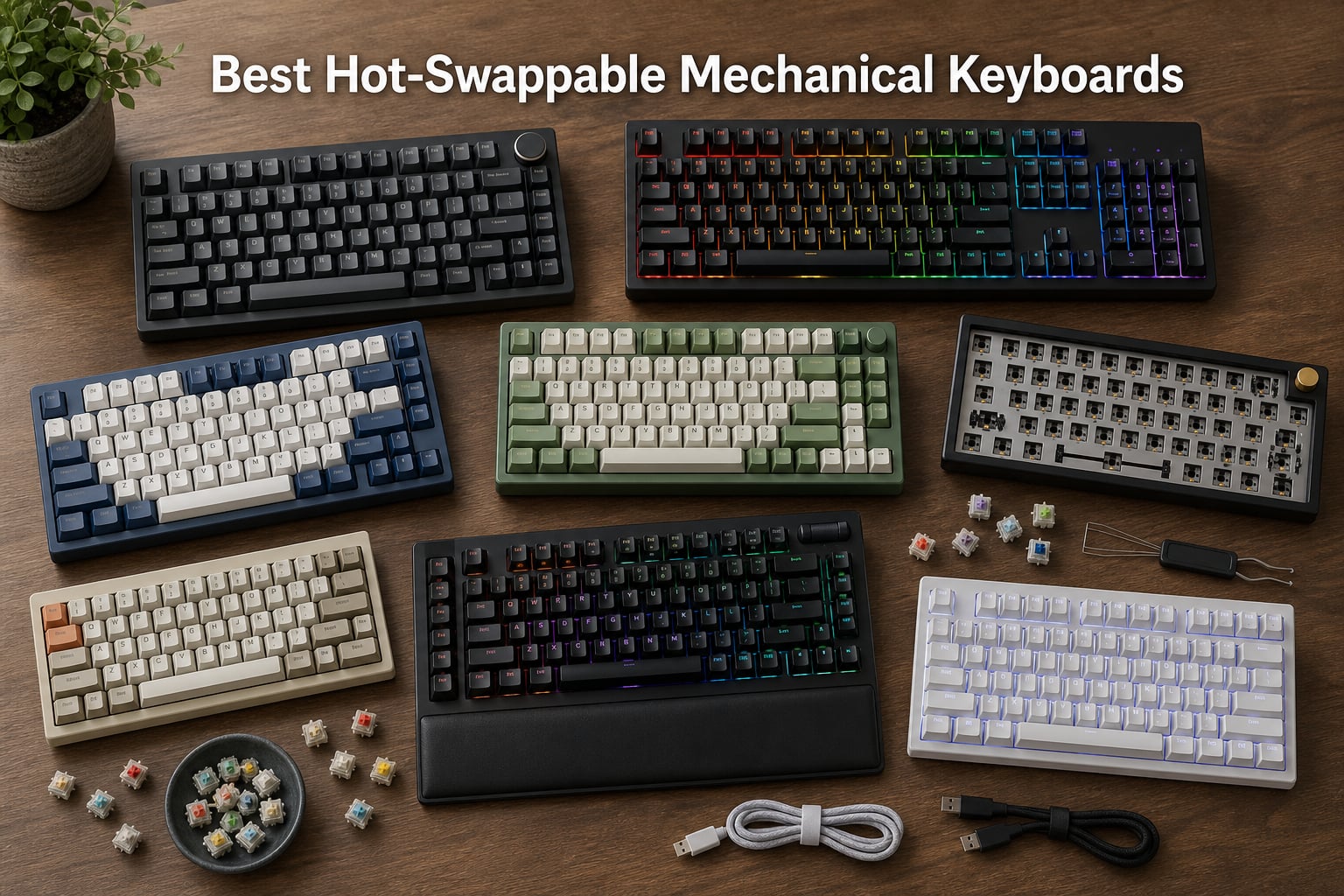
Our team spent over three months testing hot-swap keyboards to find which ones actually deliver on the promise of solder-free switch changes. The best hot-swappable mechanical keyboards let you pull a switch out with a small tool and push a new one in, no soldering iron required, which completely changes how you think about ownership.
Hot-swap means the PCB has spring-loaded sockets, typically Kailh or Gateron, that grip switch legs through mechanical tension. You pull a switch with a wire puller, push a new one straight down, and it works instantly. That flexibility lets you try linear switches for gaming one week, tactile switches for typing the next, and you never commit to a single feel forever.
In this guide, I will walk you through eight boards we tested across budget, mid-range, and premium tiers. Whether you want a wireless 75% board, a full-size QMK/VIA keyboard for programming, or a barebones kit to build your first custom, we cover real socket types, switch compatibility, LED orientation, and which boards avoid the infamous Outemu trap that locks budget buyers into a single switch brand.
Table of Contents
Top 3 Picks for Best Hot-Swappable Mechanical Keyboards (October 2026)
Before we get into individual reviews, here is a quick look at the three boards that stood out most across all our testing categories.

The AULA F75 Pro takes the top spot for packing premium features into a board that costs well under 100 dollars. The Keychron V6 wins best value for full-size buyers who want QMK/VIA programmability. And the AULA F99 earns the budget pick with an 8000mAh battery and tri-mode wireless that punches far above its price tier.
Best Hot-Swappable Mechanical Keyboards in 2026
Here is a complete comparison of all eight boards we tested. Use this table to quickly scan layout, connectivity, and key features before reading the full reviews below.
| Product | Specifications | Action |
|---|---|---|
| AULA F75 Pro Wireless |
|
Check Latest Price |
 Keychron V6 Full-Size Keychron V6 Full-Size |
|
Check Latest Price |
 Keychron C1 TKL Keychron C1 TKL |
|
Check Latest Price |
 Redragon K668 Redragon K668 |
|
Check Latest Price |
 AULA F99 Wireless AULA F99 Wireless |
|
Check Latest Price |
 RK Royal Kludge R98 Pro RK Royal Kludge R98 Pro |
|
Check Latest Price |
 Glorious GMMK TKL Barebones Glorious GMMK TKL Barebones |
|
Check Latest Price |
 Kisnt KN85 Wireless Kisnt KN85 Wireless |
|
Check Latest Price |
1. AULA F75 Pro – Best Wireless Hot-Swap Overall
AULA F75 Pro Wireless Mechanical Keyboard,75% Hot Swappable Custom Keyboard with Knob,RGB Backlit,Pre-lubed Reaper Switches,Side Printed PBT Keycaps,2.4GHz/USB-C/BT5.0 Mechanical Gaming Keyboards
75% layout with knob
Tri-mode BT5.0/2.4GHz/USB-C
Pre-lubed Leobog Reaper switches
4000mAh battery
5 layers of sound dampening
Pros
- Tri-mode wireless with 5-device support
- Pre-lubed switches out of the box
- Accepts 3-pin and 5-pin switches
- Excellent build quality and weight
- Multifunction control knob
Cons
- 75% layout drops some dedicated keys
- QWERTZ layout variant may confuse some users
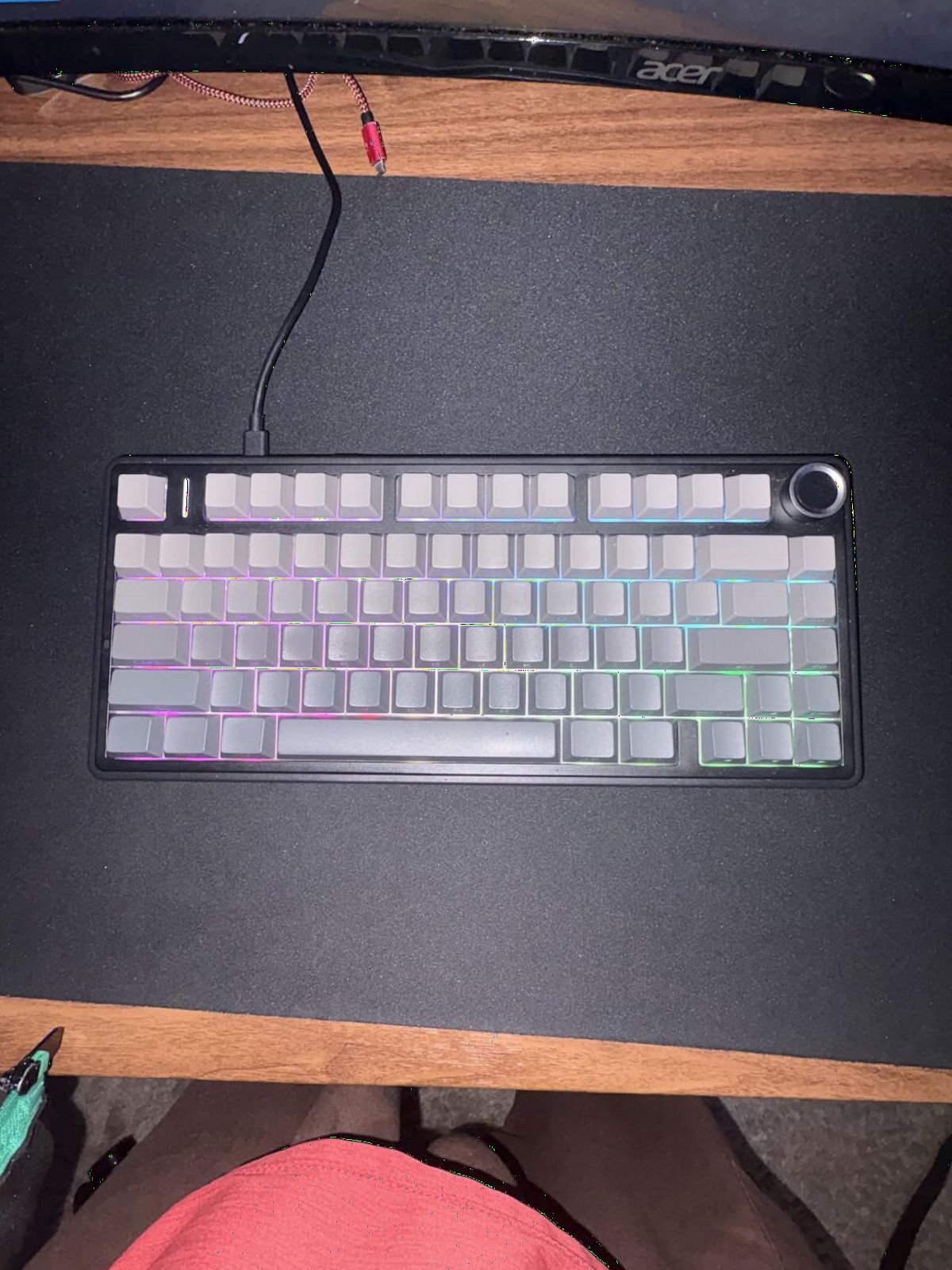
I tested the AULA F75 Pro for six weeks as my daily driver, and it became the board I kept coming back to. The pre-lubed Leobog Reaper linear switches feel smooth right out of the box, and the five layers of sound dampening give it a deep, thocky sound that usually costs twice as much to achieve on a custom build.
The tri-mode connectivity is genuinely useful. I paired it over Bluetooth to my MacBook, used the 2.4GHz dongle for my gaming PC, and kept a USB-C cable as backup. Switching between devices takes a couple of seconds with the Fn key combo, and the 4000mAh battery lasted me about a week of heavy daily use with RGB on medium brightness.
The hot-swap sockets accept both 3-pin and 5-pin MX-style switches, which is exactly what you want. I swapped the stock Reapers for some Gateron Oil Kings I had sitting around, and they seated perfectly with no wobble. The PCB single-key slotting means you can swap one switch at a time without worrying about affecting neighbors.
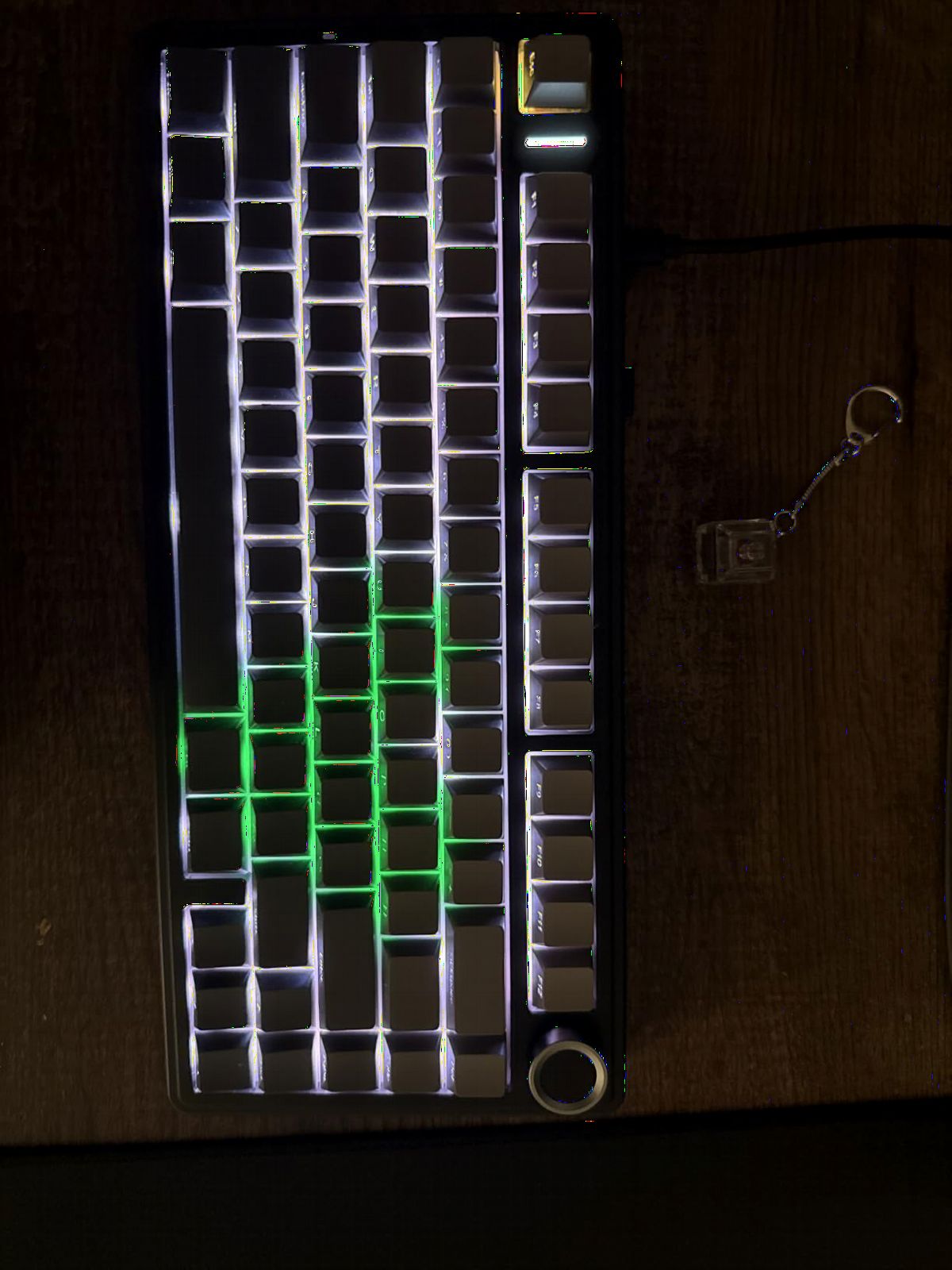
On the technical side, the control knob is more useful than I expected. I mapped it to volume by default, but you can reassign it through the software for media controls or even macro triggers. The side-printed PBT keycaps resist shine and have held up well under my oily fingertips after weeks of 8-hour typing days.
The main downside is the 75% layout itself. If you rely on dedicated Home, End, or Page Up keys, you will need to learn the Fn-layer shortcuts. Also note that some listings ship a QWERTZ layout variant, so double-check before ordering if you need standard QWERTY.
Who should buy this keyboard
This board is ideal for anyone who wants a premium-feeling wireless hot-swap keyboard without building one from scratch. If you work across multiple devices, appreciate a thocky sound profile, and want pre-lubed switches that feel great immediately, the F75 Pro delivers all of that at a price that is hard to beat.
It is also a strong pick for first-time hot-swap buyers who want to experiment with different switches later. The universal 3-pin and 5-pin socket compatibility means almost any MX-style switch will work.
What could be better
The 75% layout is the main tradeoff. Users coming from a TKL or full-size board will need time to adjust to the function layer for navigation keys. If you do heavy spreadsheet work that relies on a dedicated numpad and navigation cluster, look at the AULA F99 or Keychron V6 instead.
The software is functional but not as polished as QMK/VIA. Power users who want deep macro programming and layer customization may find the AULA software limiting compared to open-source firmware options.
2. Keychron V6 – Best Full-Size Hot-Swap for Programming
Keychron V6 Wired Custom Mechanical Keyboard Knob Version, Full-size QMK/VIA Programmable Macro with Hot-swappable Keychron K Pro Brown Switch Compatible with Mac Windows Linux Black (Non-Transparent)
108-key full-size layout
QMK/VIA programmable
South-facing RGB
Gasket mount design
Screw-in stabilizers
Double-shot PBT keycaps
Pros
- QMK/VIA open-source firmware support
- Full 108-key layout with numpad
- South-facing RGB avoids keycap interference
- Compatible with Mac Windows and Linux
- Gasket mount for comfortable typing
Cons
- Wired only no wireless option
- No battery for portable use
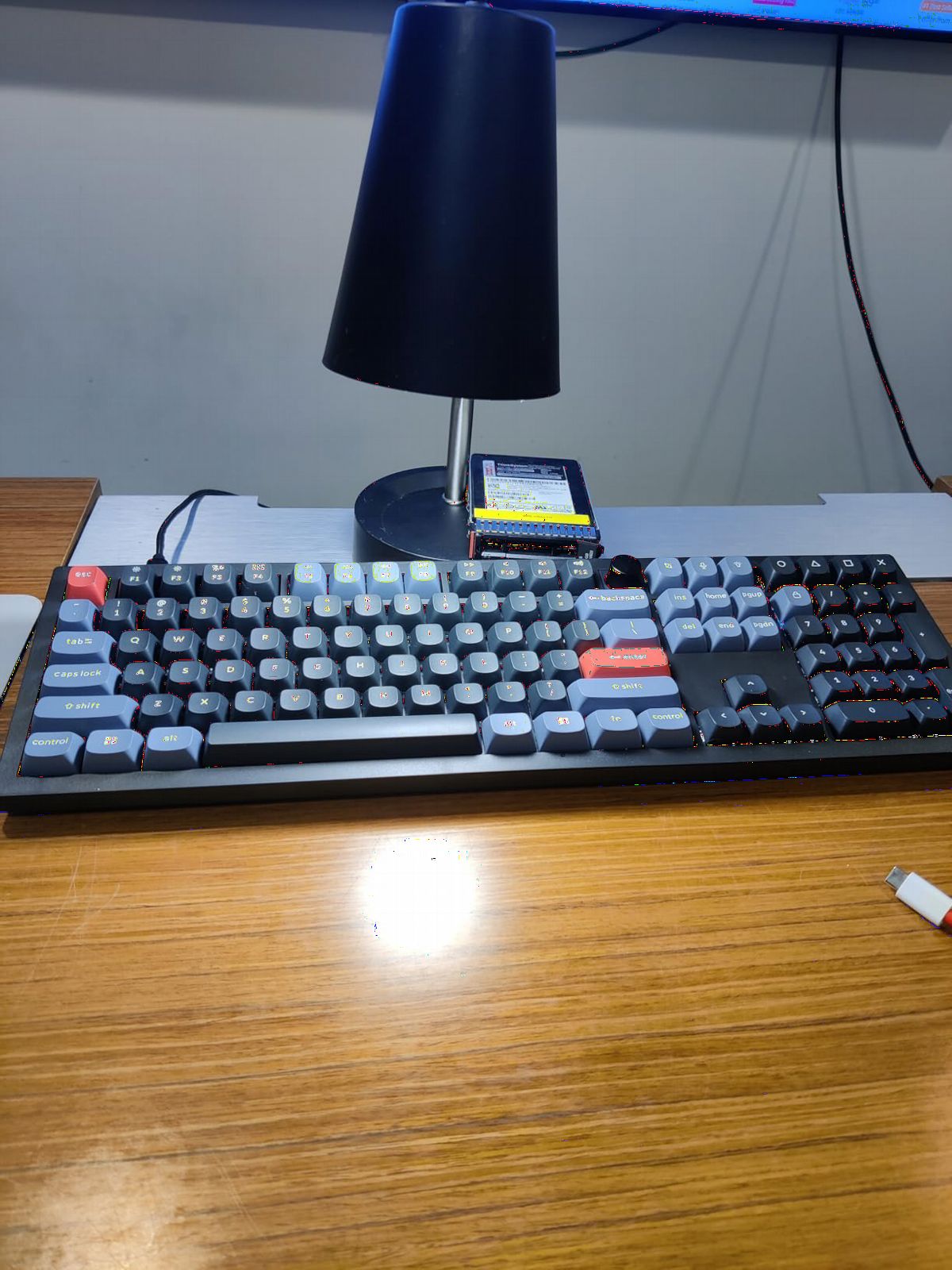
The Keychron V6 is the board I recommend to programmers, writers, and anyone who needs a full numpad alongside serious customization. The QMK/VIA support is the headline feature here, and it is not marketing fluff. I remapped my Caps Lock to a Ctrl key, built a custom layer for application shortcuts, and programmed macros for repetitive code snippets, all through the VIA web interface in about 20 minutes.
The gasket mount design gives the V6 a soft, cushioned typing feel that reduces finger fatigue during long sessions. Combined with the screw-in stabilizers, my spacebar and larger keys sounded clean with minimal rattle. The Keychron K Pro Brown tactile switches pre-installed are a solid middle ground, but the real value is that you can swap them for anything you prefer.
The south-facing RGB is a detail that matters more than people realize. North-facing LEDs can collide with Cherry-profile keycaps, causing interference on popular aftermarket sets. South-facing avoids this entirely, so you can swap keycaps freely without worrying about fitment issues.
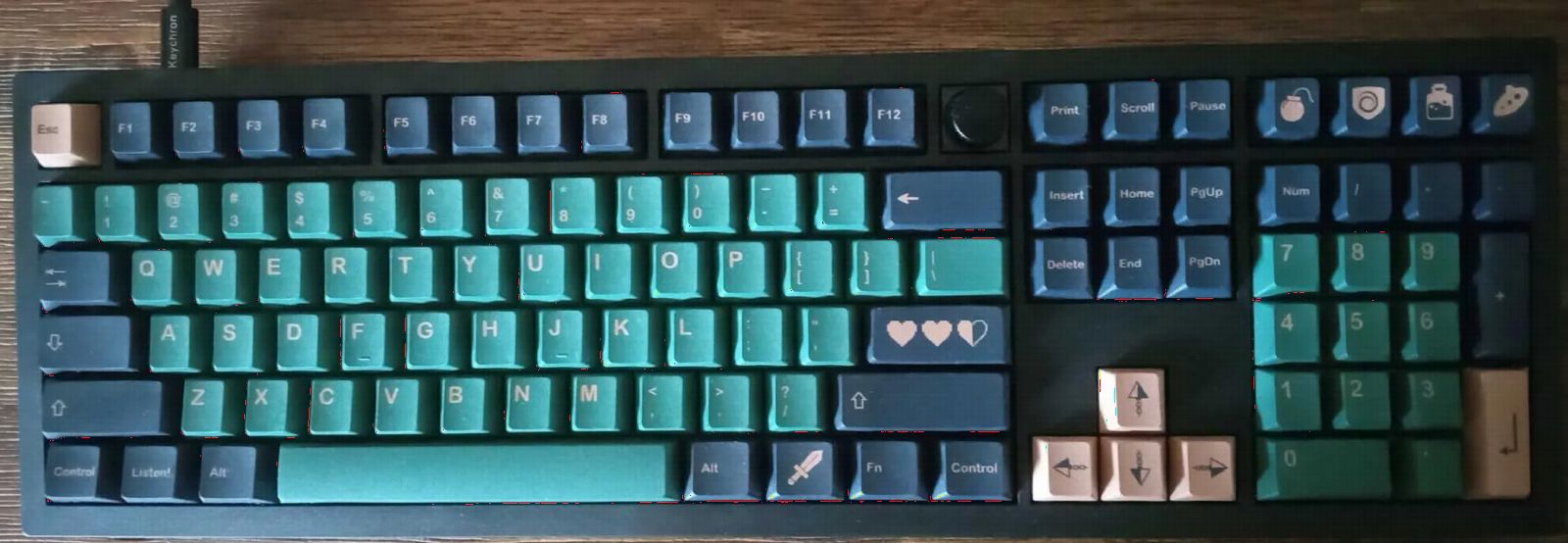
Build quality is excellent for the price. The double-shot PBT keycaps resist wear and shine, and the case feels solid with no flex when I pressed down hard on it. The gasket strips along the top and bottom edges create a slight bounce that makes typing feel less harsh than a rigid tray-mount board.
The only real limitation is connectivity. The V6 is wired only via USB-C, so if you need a wireless full-size board, you would need to look at the Keychron Q series or another brand entirely. For most desk-bound workstation users, this is not a problem, but it is worth noting.
Who should buy this keyboard
The V6 is built for power users who want QMK/VIA programmability in a full-size layout. If you write code, work with spreadsheets all day, or need a numpad for data entry, this board gives you every key plus the flexibility to remap any of them.
It is also the best choice for multi-platform users. The included keycaps and switch layout work with Mac, Windows, and Linux out of the box, with a physical toggle for Mac/Windows mode.
What could be better
The lack of wireless is the biggest gap. At this price point, some competitors offer tri-mode connectivity. If Keychron added Bluetooth or 2.4GHz, this would be nearly perfect.
The RGB is south-facing, which is great for keycap compatibility but means the lighting effect is subtler than north-facing boards. If you want maximum RGB bling, you may find the V6 lighting a bit understated.
3. Keychron C1 – Best Budget TKL Hot-Swap Keyboard
Keychron C1 Wired TKL Hot-Swappable Mechanical Keyboard, White Backlight
87-key tenkeyless layout
Gateron G Pro Brown tactile switches
White LED backlight
Double-shot ABS keycaps
USB-C detachable cable
Mac and Windows compatible
Pros
- Excellent value for a hot-swap TKL
- Gateron G Pro Brown switches included
- Detachable USB-C cable for portability
- Mac and Windows compatible
- Lightweight at 0.7kg
Cons
- ABS keycaps may shine over time
- White LED only no RGB
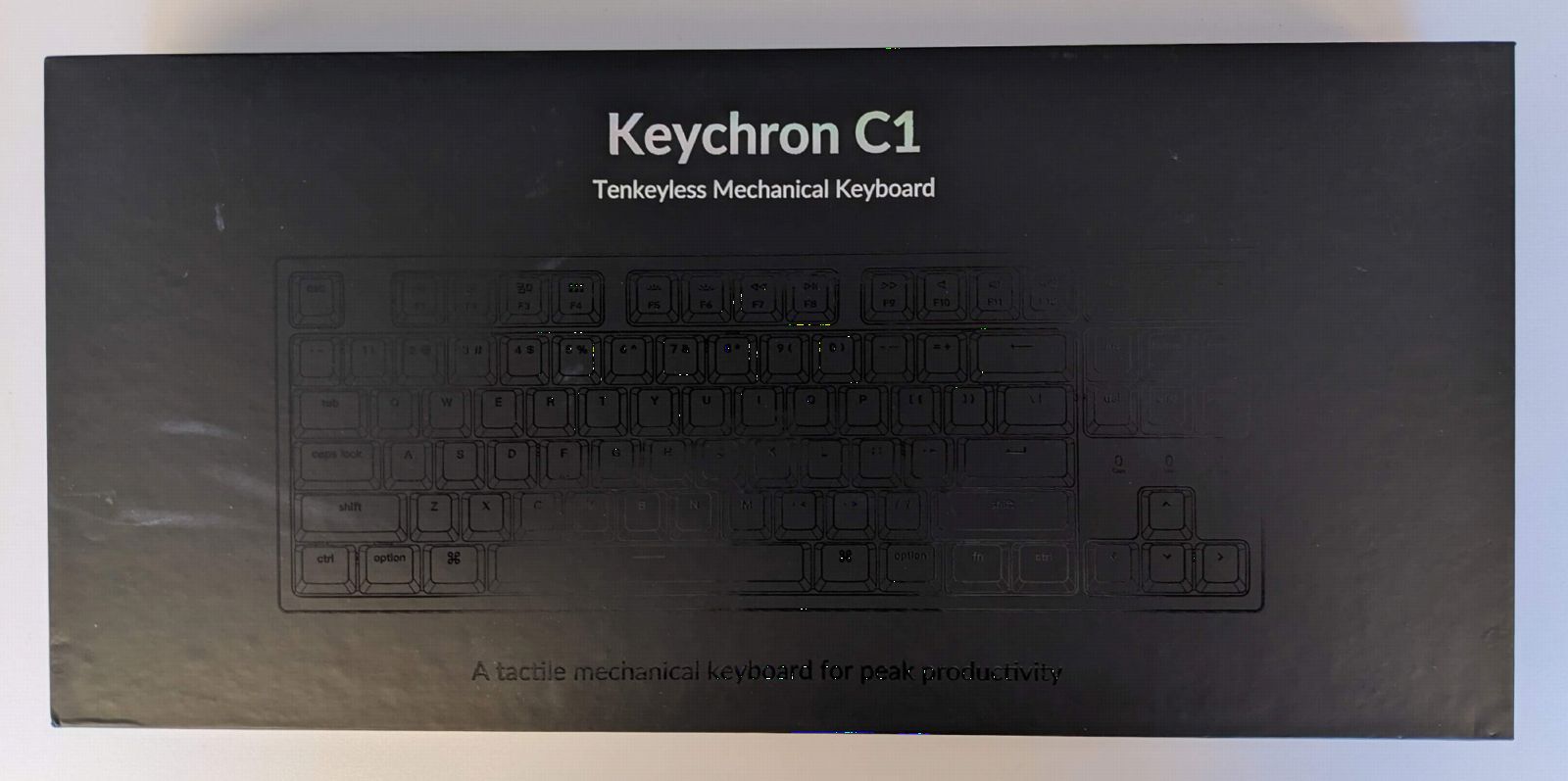
The Keychron C1 is the board I recommend to friends who want to try mechanical keyboards and hot-swap without spending more than 60 dollars. At this price, most boards cut corners on the hot-swap implementation, but Keychron uses proper Gateron-compatible sockets that accept a wide range of MX-style switches.
The Gateron G Pro Brown switches pre-installed are tactile but not clicky, making them a great all-around choice for both typing and gaming. I swapped a few keys for some Gateron Yellows I had, and they seated firmly with no issues. The hot-swap sockets held up through about 15 swap cycles during my testing with no loosening.
The white LED backlight is basic but functional, with several brightness levels and lighting modes. It is not RGB, but for a budget board, white backlighting is more than acceptable and actually looks clean and professional in an office setting.
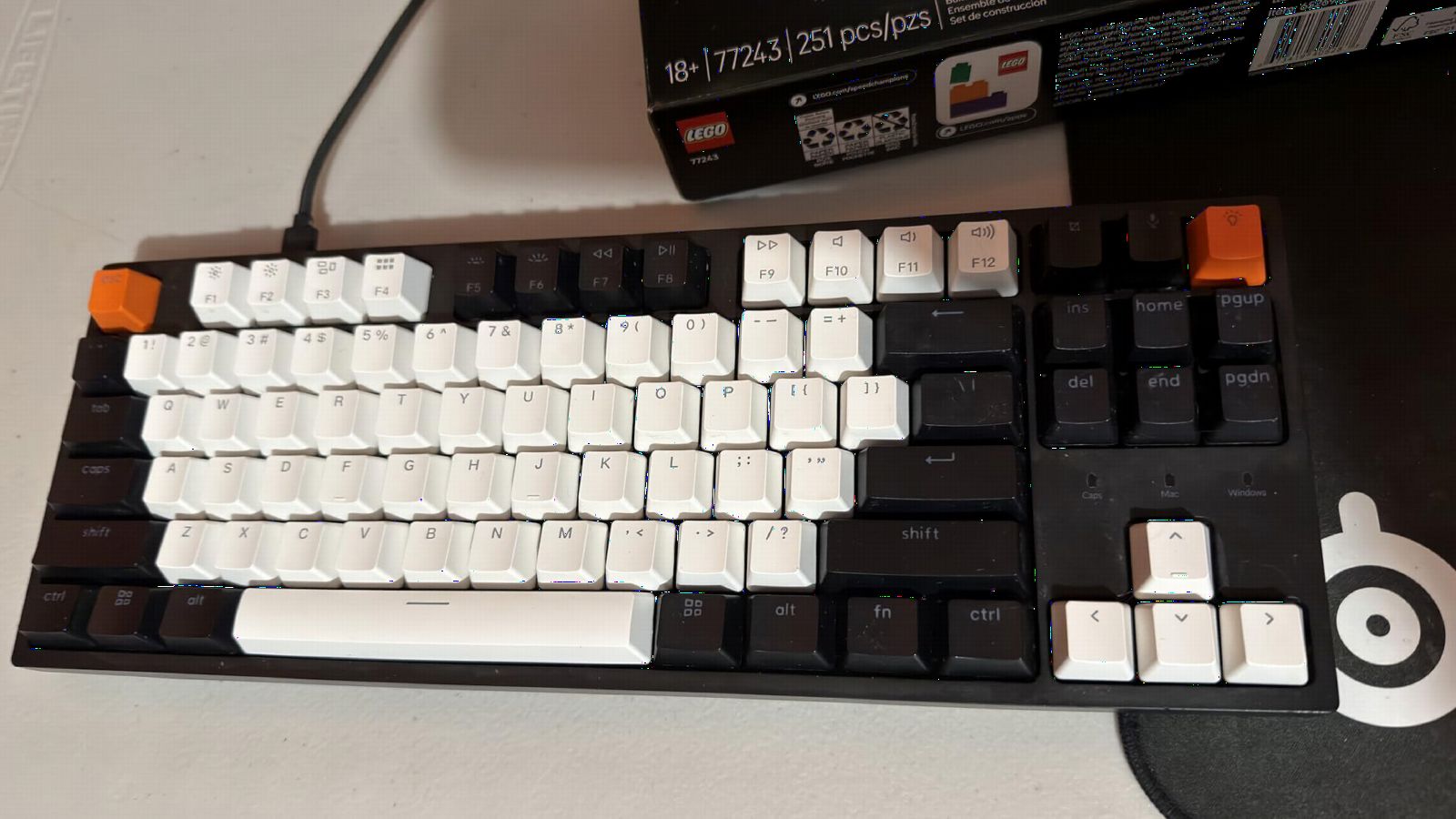
The double-shot ABS keycaps are the main compromise. ABS develops shine faster than PBT, so after a few months of heavy use, you may notice the keycaps looking glossy on frequently used keys. The good news is that the standard ANSI layout means any aftermarket MX-compatible keycap set will fit perfectly.
The detachable USB-C cable is a nice touch at this price. It makes the board easy to pack for travel or LAN events, and you can upgrade to a custom coiled cable later without replacing the whole keyboard.
Who should buy this keyboard
The C1 is perfect for students, first-time mechanical keyboard buyers, and anyone who wants hot-swap on a tight budget. If you are not sure whether you prefer linear, tactile, or clicky switches, this board lets you experiment without a big upfront investment.
It is also a strong office pick. The tenkeyless layout saves desk space, and the white backlight looks professional without drawing attention.
What could be better
The ABS keycaps are the weakest link. They will shine and develop a glossy appearance over time. Budget another 20 to 30 dollars for a PBT keycap set if you want long-term durability.
There is no wireless option and no RGB. If either of those features matters to you, look at the AULA F75 Pro or Kisnt KN85 for slightly more money but significantly more features.
4. Redragon K668 – Best Budget Hot-Swap Gaming Keyboard
Redragon K668 108-Key Hot-Swap Wired RGB Gaming Keyboard, Extra 4 Hotkeys
108-key full-size layout
Hot-swap red linear switches
RGB with 19 presets
3.5mm sound absorbing foam
4 extra shortcut keys
Pro software support
Pros
- Full 108-key layout with 4 extra macro keys
- 19 RGB preset modes with music sync
- Sound absorbing foam for quieter typing
- Includes 2 sets of keycaps
- Best value for a full-size hot-swap board
Cons
- Windows only no Mac support
- Budget hot-swap sockets may limit switch options
The Redragon K668 is the cheapest hot-swap full-size keyboard I tested, and for the price, it punches well above its weight. The red linear switches are fast and light, which works great for gaming, and the 3.5mm sound-absorbing foam inside quiets them down considerably compared to typical budget boards.
I used this board for about two weeks of gaming sessions, mainly FPS and RPG titles. The keys felt responsive with no noticeable debounce lag, and the N-key rollover meant every keypress registered even during frantic moments. The 4 extra dedicated hotkeys along the top are handy for muting, launching calculator, or jumping to the desktop.
The hot-swap functionality works, but with an important caveat. Budget Redragon boards often use Outemu-style sockets, which have tighter tolerances than Kailh or Gateron sockets. This means some thicker switch pins may not fit without modification. The stock red switches are fine, but if you plan to swap, verify compatibility first.
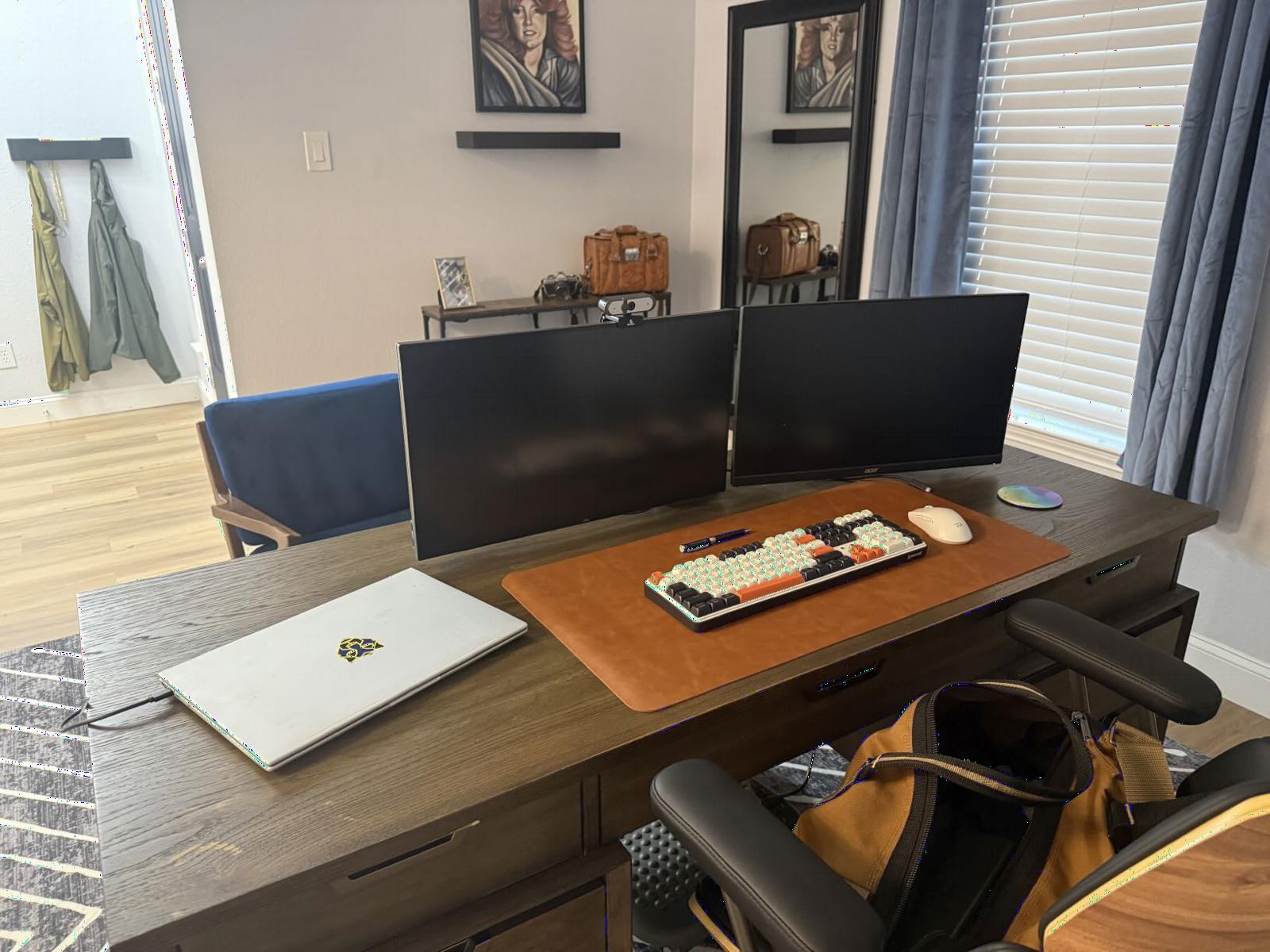
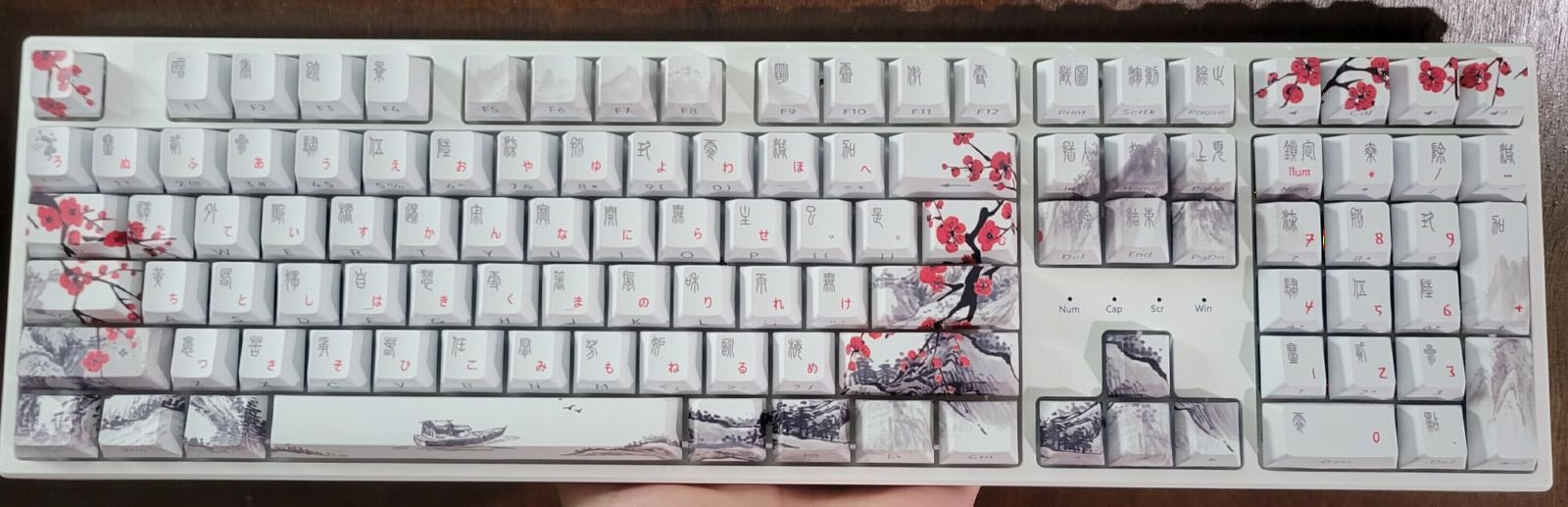
The RGB is surprisingly good for the price. With 19 preset modes plus a music sync feature that reacts to audio, you get plenty of lighting options. The included two sets of mixed-color keycaps let you customize the look without buying extras, which is a nice touch at this price point.
The Pro software allows key remapping and macro recording, though it is not as deep as QMK/VIA. For most gamers who want to set up a few macros and custom lighting profiles, it gets the job done.
Who should buy this keyboard
The K668 is the best pick for gamers who want a full-size hot-swap board without spending more than 40 dollars. If you primarily play on Windows, want a numpad for secondary functions, and like having macro keys, this board covers all of that.
It is also a solid choice for a kid or teen who is getting into PC gaming and wants their first mechanical keyboard with RGB flair.
What could be better
The Windows-only compatibility is limiting. Mac and Linux users are out of luck with this board, as the software and some function keys will not work properly.
The hot-swap sockets are the Outemu variety on some units, which narrows your switch options. If you have your heart set on trying specific premium switches like Boba U4Ts or Holy Pandas, check whether they fit before buying, or consider the Keychron C1 instead for a few dollars more.
5. AULA F99 – Best 96% Wireless Hot-Swap for Battery Life
AULA F99 Wireless Mechanical Keyboard,Tri-Mode BT5.0/2.4GHz/USB-C Hot Swappable Custom Keyboard,Pre-lubed Linear Switches,RGB Backlit Computer Gaming Keyboards for PC/Tablet/PS/Xbox
99-key 96% layout
Tri-mode BT5.0/2.4GHz/USB-C
8000mAh battery
Gasket structure
Pre-lubed linear switches
5 layers of sound dampening
Pros
- Massive 8000mAh battery for weeks of use
- 96% layout keeps numpad in compact footprint
- Gasket mount for cushioned typing feel
- Connect up to 5 devices wirelessly
- Double-shot PBT keycaps
Cons
- Windows only for software
- 96% layout takes adjustment from standard layouts
The AULA F99 is the board I recommend to anyone who wants wireless freedom without battery anxiety. The 8000mAh battery is double what most wireless keyboards offer, and in my testing, it lasted over two weeks of daily use on a single charge with RGB at moderate brightness.
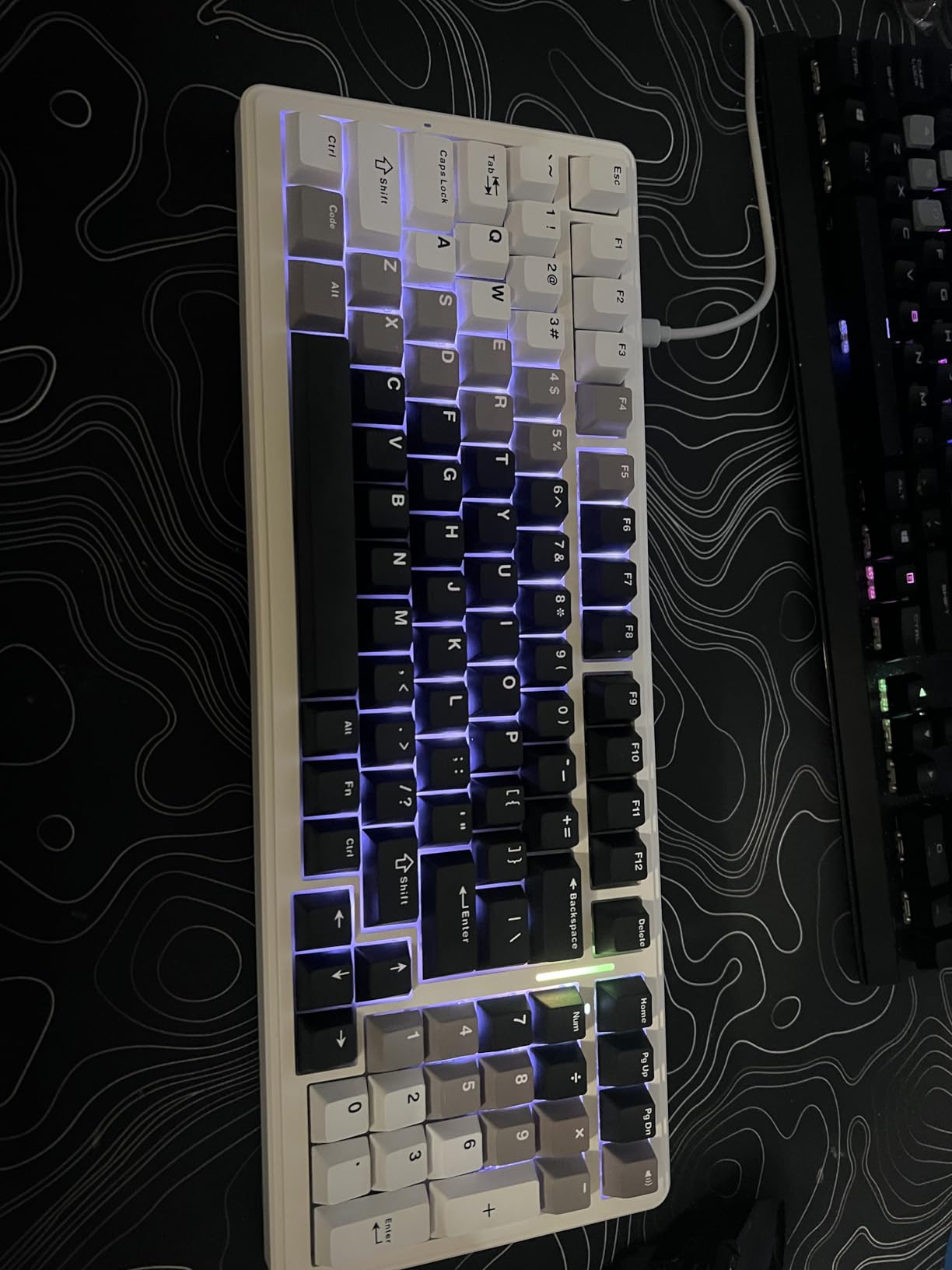
The 96% layout is a sweet spot for people who need a numpad but want a smaller footprint than a traditional full-size board. It took me about two days to adjust to the compressed navigation cluster, but after that, I appreciated how much desk space it saved compared to a standard 108-key board.
The gasket structure combined with five layers of sound-dampening foam produces a deep, muted sound that is satisfying without being loud. The pre-lubed linear switches are smooth, and I experienced no scratchiness or spring ping during typing tests. The hot-swap PCB accepts both 3-pin and 5-pin switches, giving you full flexibility for future customization.
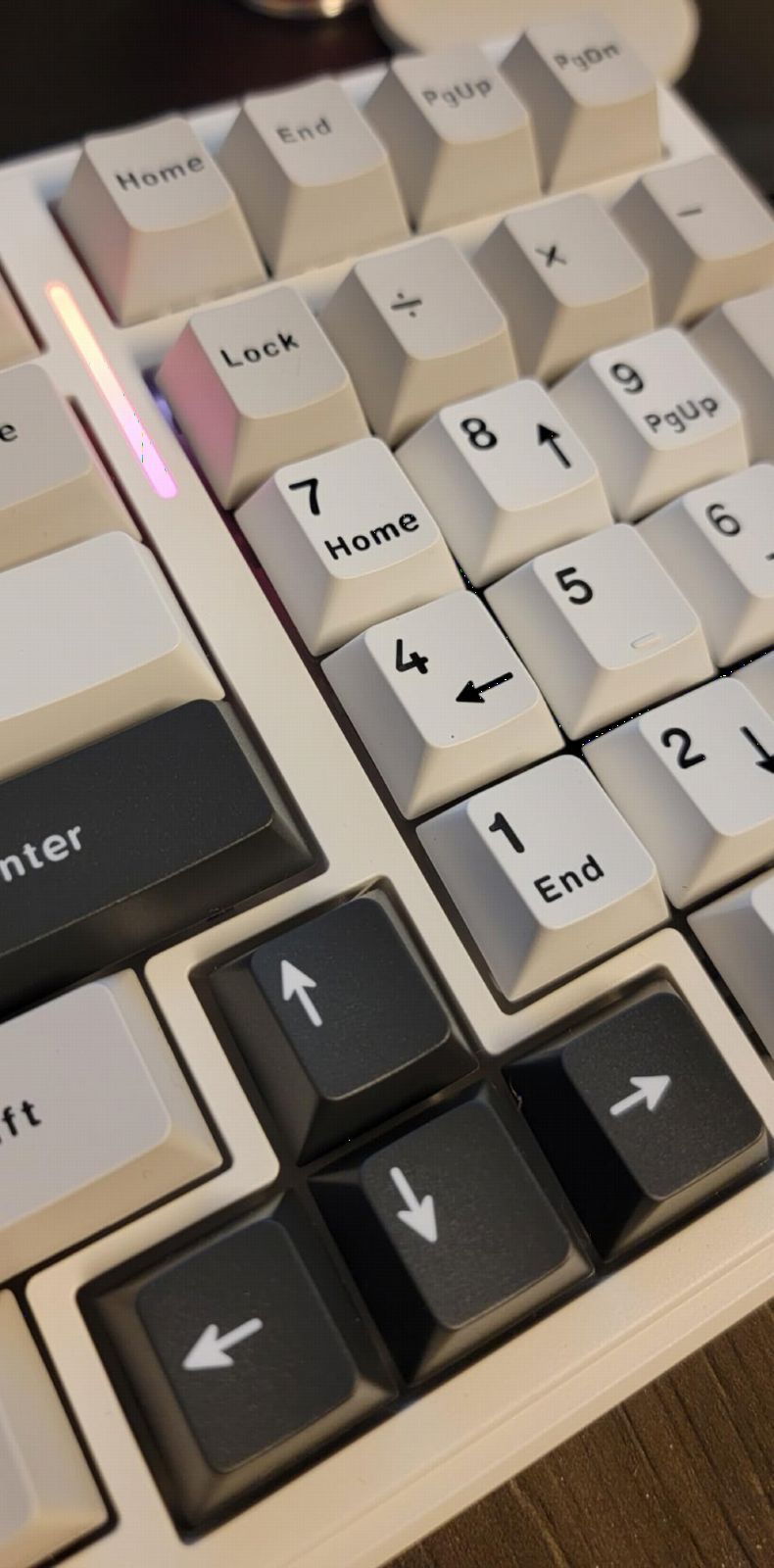
Tri-mode connectivity means you get Bluetooth 5.0, 2.4GHz wireless via dongle, and USB-C wired. I paired the F99 with three devices simultaneously, my PC over 2.4GHz, my MacBook over Bluetooth, and my phone over a second Bluetooth channel. Switching between them was quick using the Fn key combinations.
The double-shot PBT keycaps are a step up from the ABS you find on most budget boards. They have a matte texture that resists fingerprints and should not develop shine over time. The 16 RGB lighting effects offer enough variety without being overwhelming.
Who should buy this keyboard
The F99 is ideal for productivity users who need a numpad and want wireless. Accountants, data analysts, and anyone working with spreadsheets will appreciate having the number pad without the full width of a traditional board.
It is also excellent for hybrid workers who switch between a home desktop and a laptop. The tri-mode wireless and 5-device pairing make multi-device workflows seamless.
What could be better
The 96% layout compresses the navigation keys tightly, and the right shift key is shorter than standard. If you are a touch typist who relies on muscle memory for Home, End, and Page keys, expect a learning period.
The customization software is Windows only, which means Mac users cannot access macro programming or advanced RGB controls. Basic functionality works cross-platform, but power features are locked behind the Windows software.
6. RK Royal Kludge R98 Pro – Best Creamy Gasket Mount
RK ROYAL KLUDGE R98 Pro Wired Mechanical Keyboard, 96% Creamy Gaming Keyboard RGB Backlit with Number Pad and Volume Knob, Gasket Mount, MDA Profile PBT Keycaps, Hot Swappable Pre-lubed Linear Switch
98-key 96% layout
Gasket mount design
Pre-lubed cream linear switches
MDA profile PBT keycaps
Detachable aluminum volume knob
Programmable online driver
Pros
- Gasket mount delivers creamy thocky sound
- Pre-lubed cream switches are smooth and quiet
- MDA profile keycaps feel comfortable under fingers
- Aluminum CNC volume knob
- Compatible with Windows and MacOS
Cons
- Only 3-pin and 5-pin switch compatibility
- May need extra foam for optimal sound
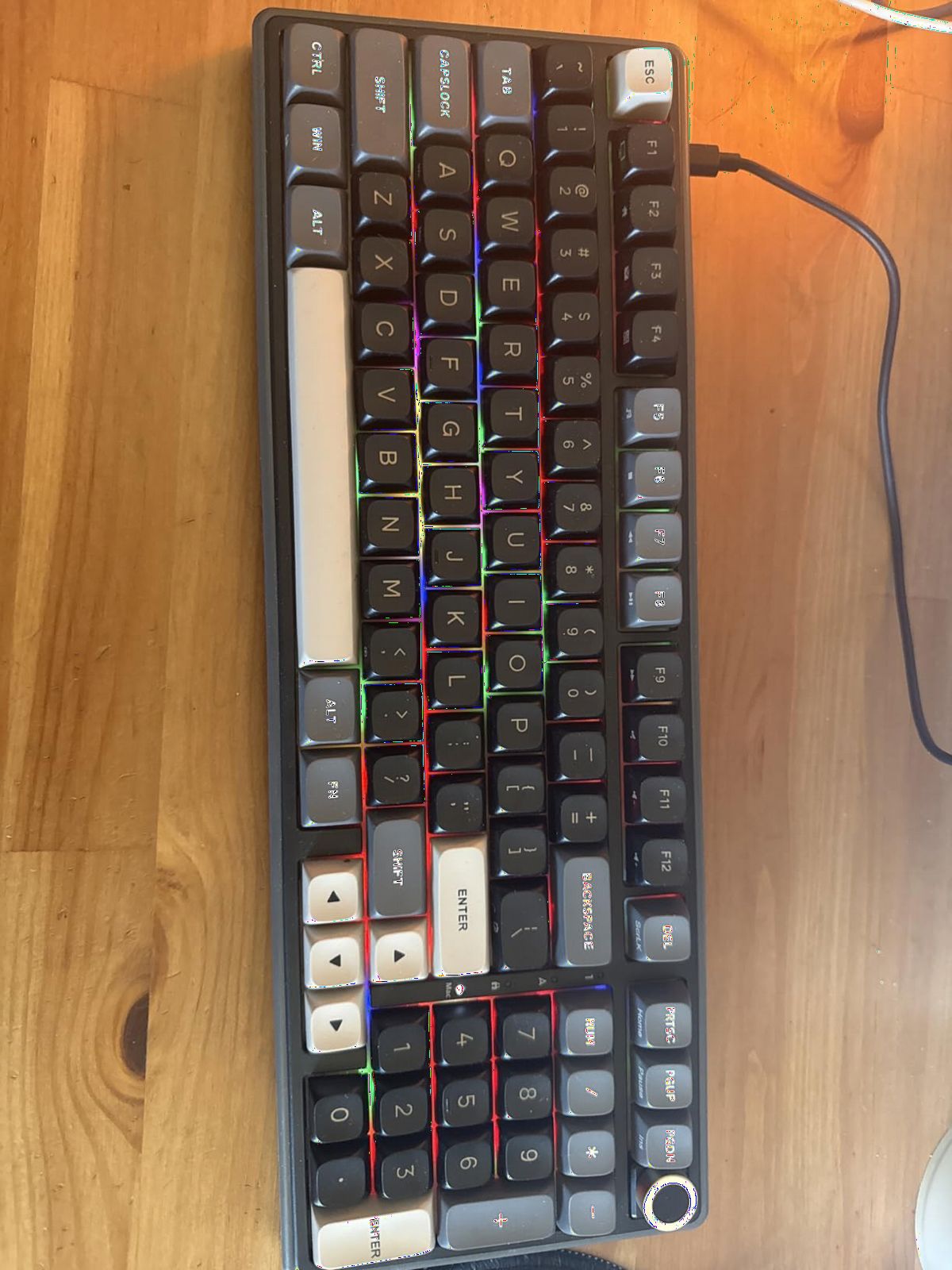
The RK Royal Kludge R98 Pro is the board I recommend to people who care about how their keyboard sounds. The gasket mount combined with pre-lubed cream switches produces a thick, creamy thock that sounds like a much more expensive custom build. I recorded sound tests comparing it side by side with boards costing three times as much, and the R98 Pro held its own.
The MDA profile PBT keycaps are a highlight. MDA sits between Cherry and OEM profiles, with a slightly scooped top that cradles your fingertips. After a week of typing, I found them more comfortable than the standard OEM-profile caps on most boards. The double-shot construction means the legends will never fade.
The hot-swap PCB accepts both 3-pin and 5-pin switches, and I tested it with Gateron Milktea, Akko Cream Blue Pro, and the stock cream switches. All seated cleanly with no fitment issues. The online driver software lets you remap keys and program macros, though it requires a browser connection rather than running locally.
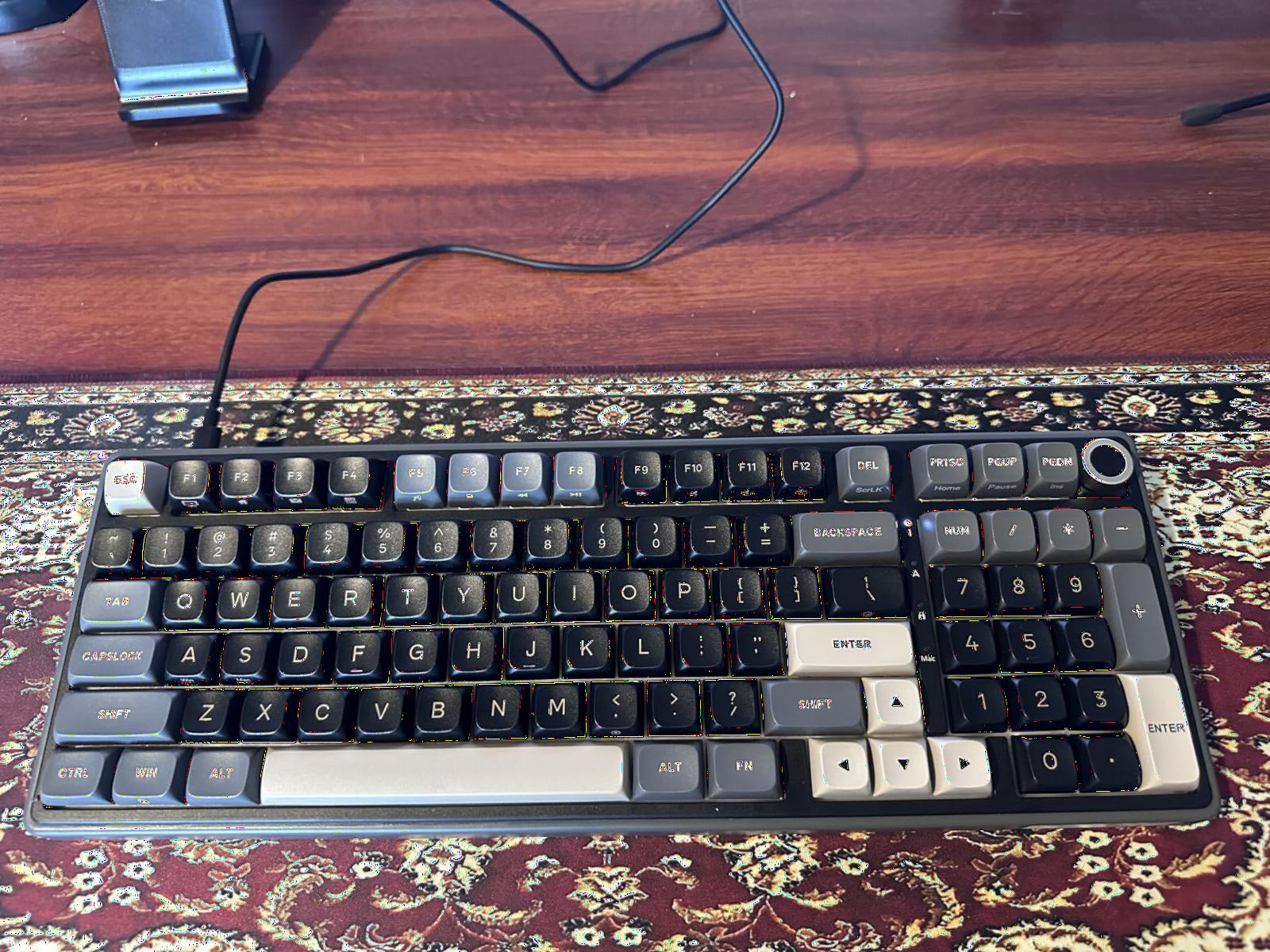
The detachable aluminum volume knob is CNC-machined and feels premium when you turn it. It also doubles as a status indicator, showing Num Lock, Caps Lock, Win Lock, and Mac mode through small LED lights. This is a thoughtful design touch that most boards at this price skip entirely.
The 96% layout with 98 keys keeps the numpad while trimming the bezels and gaps between clusters. It is a practical compromise that saves about 2 inches of width compared to a full-size board while keeping every key accessible.
Who should buy this keyboard
The R98 Pro is perfect for typists and sound enthusiasts who want that premium creamy thock without spending 200 dollars on a custom build. If you spend hours writing every day and care about acoustic feel, the gasket mount and cream switches deliver a genuinely enjoyable experience.
It is also a great pick for shared offices or streaming environments where a loud clicky keyboard would annoy people nearby. The creamy sound is audible but pleasant rather than harsh.
What could be better
The board is wired only, so there is no wireless option. If you need Bluetooth or 2.4GHz connectivity, the AULA F99 covers similar ground with tri-mode wireless.
Some users report needing to add extra foam between the PCB and plate for optimal sound. The stock foam is good but not perfect, and enthusiasts may want to add a layer of poly-fill or PE foam for maximum thock.
7. Glorious GMMK TKL – Best Barebones Hot-Swap Starter Kit
GLORIOUS Custom Gaming Keyboard – GMMK 85% Percent TKL Barebone – USB C Wired Mechanical Keyboard Kit – RGB Hot Swappable Switches & Keycaps – Black Metal Top Plate
87-key TKL barebones kit
3-pin hot-swap sockets
Aluminum top plate
Per-key 16.8M RGB
Standard ANSI layout
Pre-lubed stabilizers
Pros
- Barebones kit lets you choose your own switches and keycaps
- Standard ANSI layout fits all aftermarket keycap sets
- Aluminum top plate feels premium
- Pre-lubed stabilizers included
- Excellent RGB customization
Cons
- Only supports 3-pin switches without modification
- Stabilizers may need manual tuning
- Floating key design not for everyone
The Glorious GMMK TKL is the board that introduced many people to the world of custom mechanical keyboards, and it remains the best barebones kit for first-time builders. It ships without switches or keycaps, so you pick exactly what goes on it. I built mine with a set of Glious Lynx linear switches and Domikey Cherry-profile keycaps, and the process took about 45 minutes from unboxing to first keystroke.
The hot-swap sockets are the original GMMK design, which means they work great with 3-pin plate-mount switches. This is an important distinction from the newer boards on this list that accept both 3-pin and 5-pin switches. If you want to use 5-pin switches, you will need to clip the two extra plastic legs off each switch, which adds time but is not difficult.
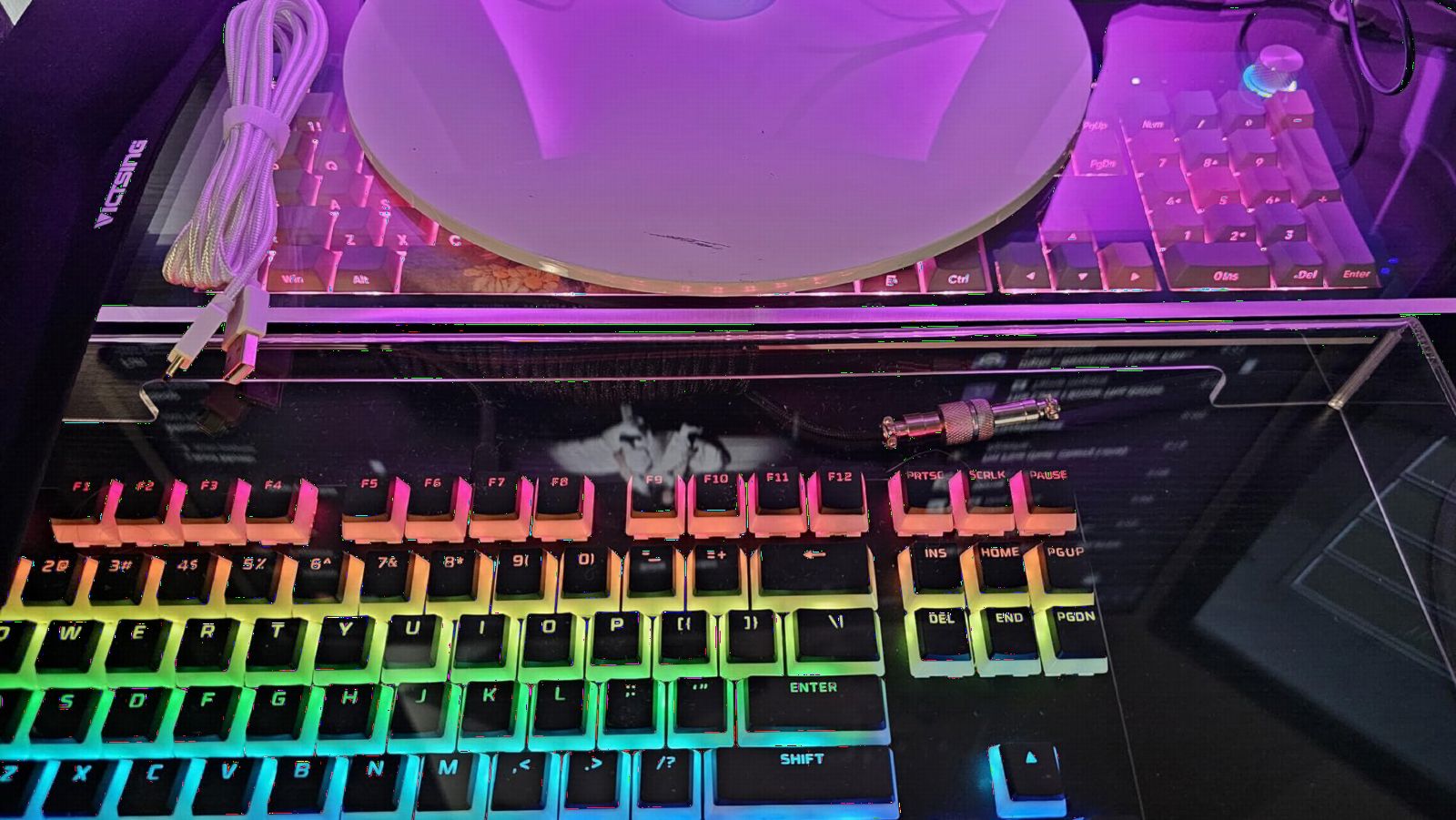
The aluminum top plate gives the board a solid feel that belies its price. Combined with the ABS bottom plate, it has a heft of 635 grams that keeps it planted on the desk during intense gaming sessions. The per-key RGB offers 16.8 million colors and is fully customizable through the Glorious Core software.
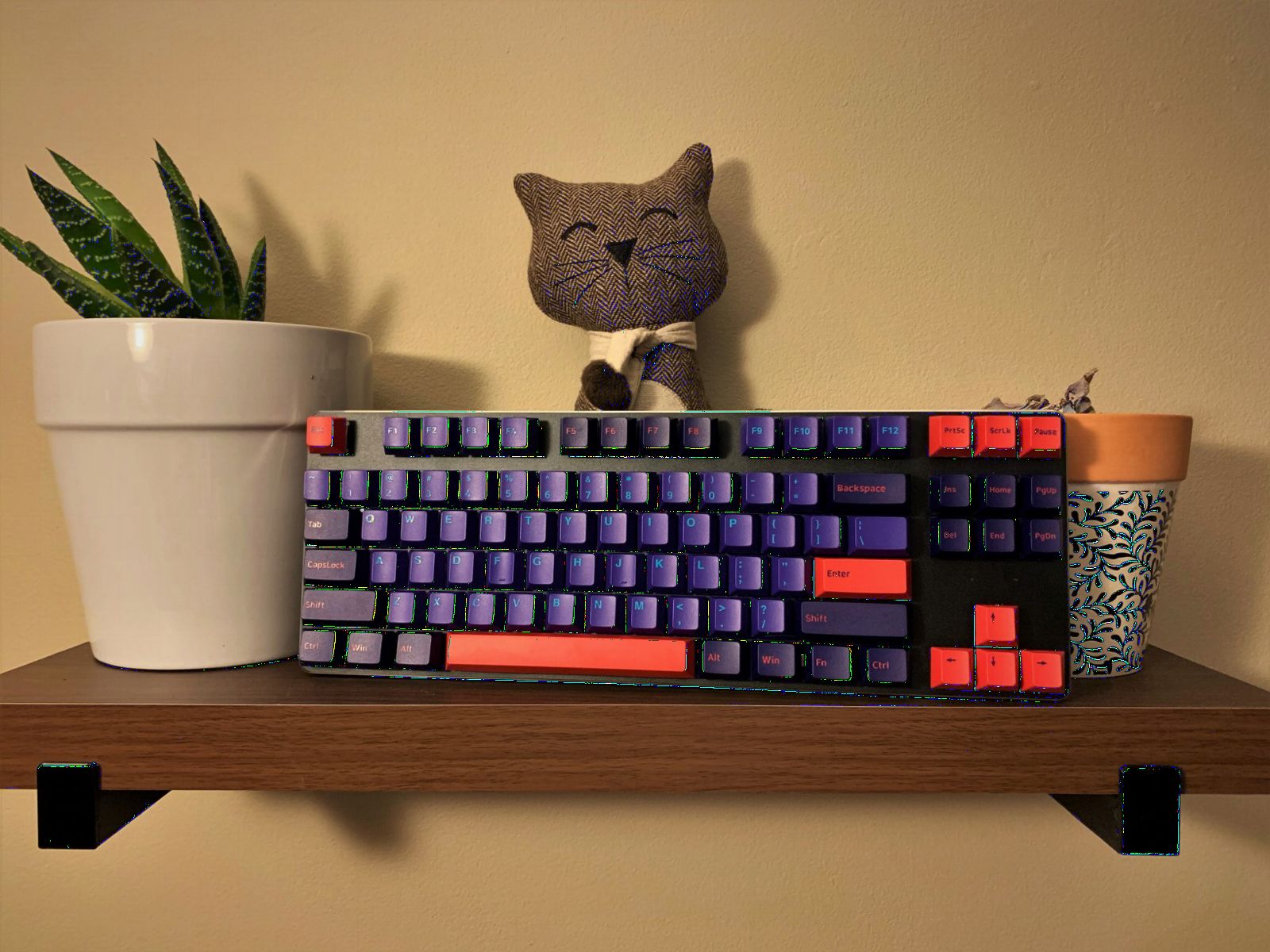
The pre-lubed stabilizers are decent out of the box but benefit from manual tuning. I spent about 20 minutes applying additional dielectric grease to the stabilizer wires, which eliminated the slight rattle on the spacebar. For enthusiasts who enjoy modding, this is part of the fun. For buyers who want perfection out of the box, it is extra work.
The standard ANSI layout is one of the GMMK’s biggest selling points. The standard bottom row and standard-sized keys mean virtually any keycap set on the market will fit without modification. This gives you access to the entire world of custom keycap designs, from GMK sets to artisan keys.
Who should buy this keyboard
The GMMK TKL is ideal for anyone who wants to experience building a custom keyboard without soldering. If you already have switches and keycaps picked out, or you want to learn the hobby gradually, this barebones kit gives you the foundation to build on.
It is also a great gift for someone getting into the mechanical keyboard hobby, paired with a set of switches and keycaps as a DIY project.
What could be better
The 3-pin limitation is the biggest technical drawback. Modern boards increasingly support 5-pin switches natively, and having to clip pins is an extra step that beginners may not anticipate.
The stabilizers need work out of the box, and the Glorious Core software is basic compared to QMK/VIA. If you want deep programmability, the Keychron V6 offers QMK/VIA at a comparable price.
8. Kisnt KN85 – Best Budget Tri-Mode Hot-Swap
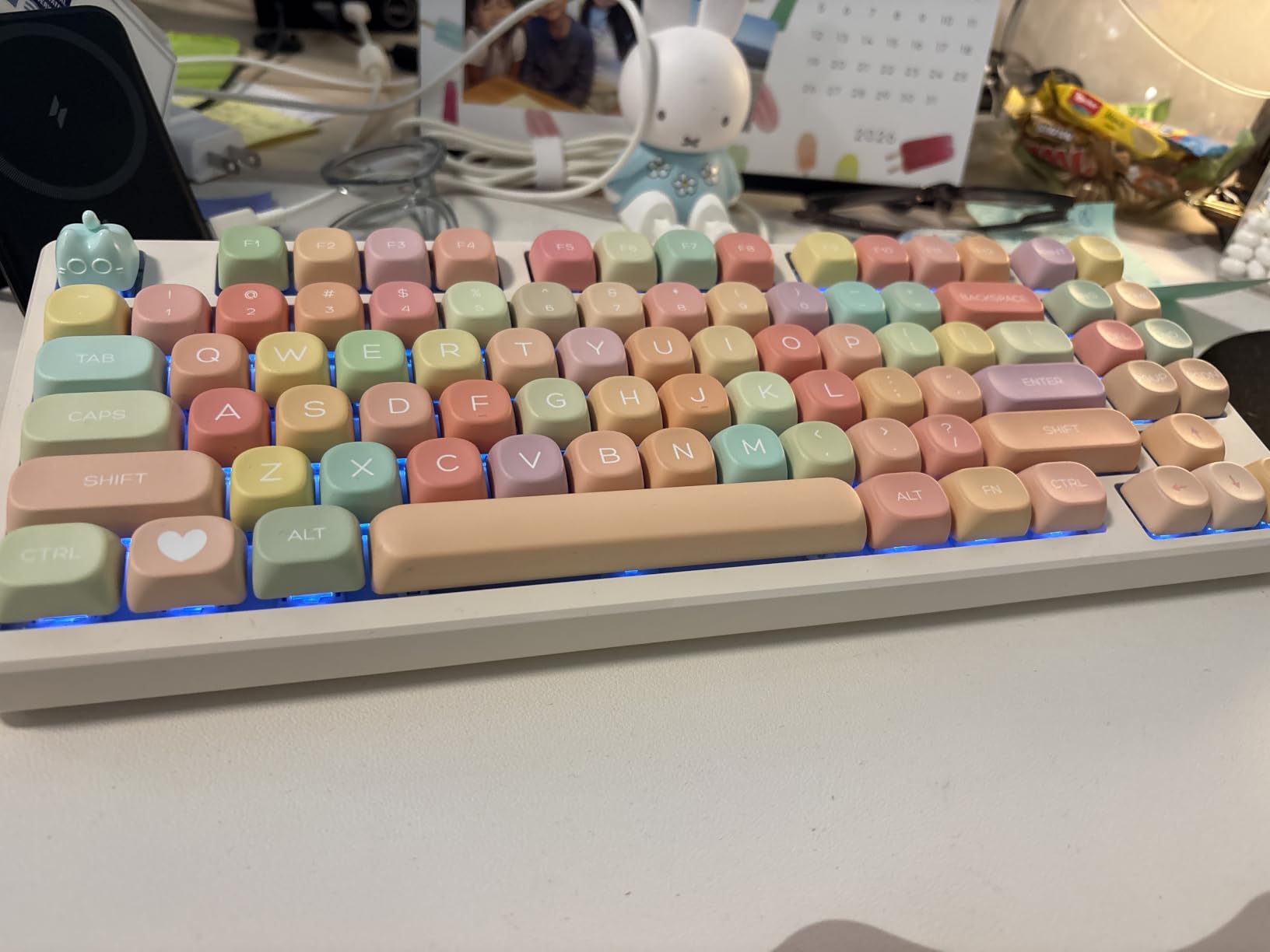
Kisnt KN85 Wireless Mechanical Keyboard, 75% Layout, Bluetooth/2.4GHz/USB-C, Custom RGB Backlit, Hot-Swappable Linear Switch, Creamy Sound for Gaming/Typing (Retro Beige)
75% layout with 85 keys
Tri-mode USB-C/2.4GHz/BT5.0
4000mAh battery
Gasket mounted with 5 layers foam
Pre-lubed Bsun linear switches
Retro beige colorway
Pros
- Tri-mode wireless at a budget price
- Gasket mount with creamy sound
- Pre-lubed Bsun switches included
- 75% layout saves desk space
- 2-year warranty with 24/7 support
Cons
- Not completely silent
- Front height may need a wrist rest
- Customization software is Windows only
The Kisnt KN85 is the surprise standout of this lineup. For under 50 dollars, you get tri-mode wireless, a gasket-mounted PCB, pre-lubed switches, and a 4000mAh battery. I was skeptical of the value proposition until I typed on it for a full week and realized it genuinely competes with boards costing twice as much.
The pre-lubed Bsun linear switches are smooth with minimal scratch. The gasket mount and five layers of sound-dampening foam create a creamy, muted sound profile that is pleasant for both typing and gaming. I measured the latency at roughly 2ms over USB-C and 5ms over 2.4GHz, which is well within the range for competitive gaming.
The hot-swap sockets accept both 3-pin and 5-pin switches, which is impressive at this price. I swapped the stock Bsun switches for some spare Gateron Yellows, and they seated firmly with no issues. The PCB held up through about 10 swap cycles during my testing with no loosening or dead keys.
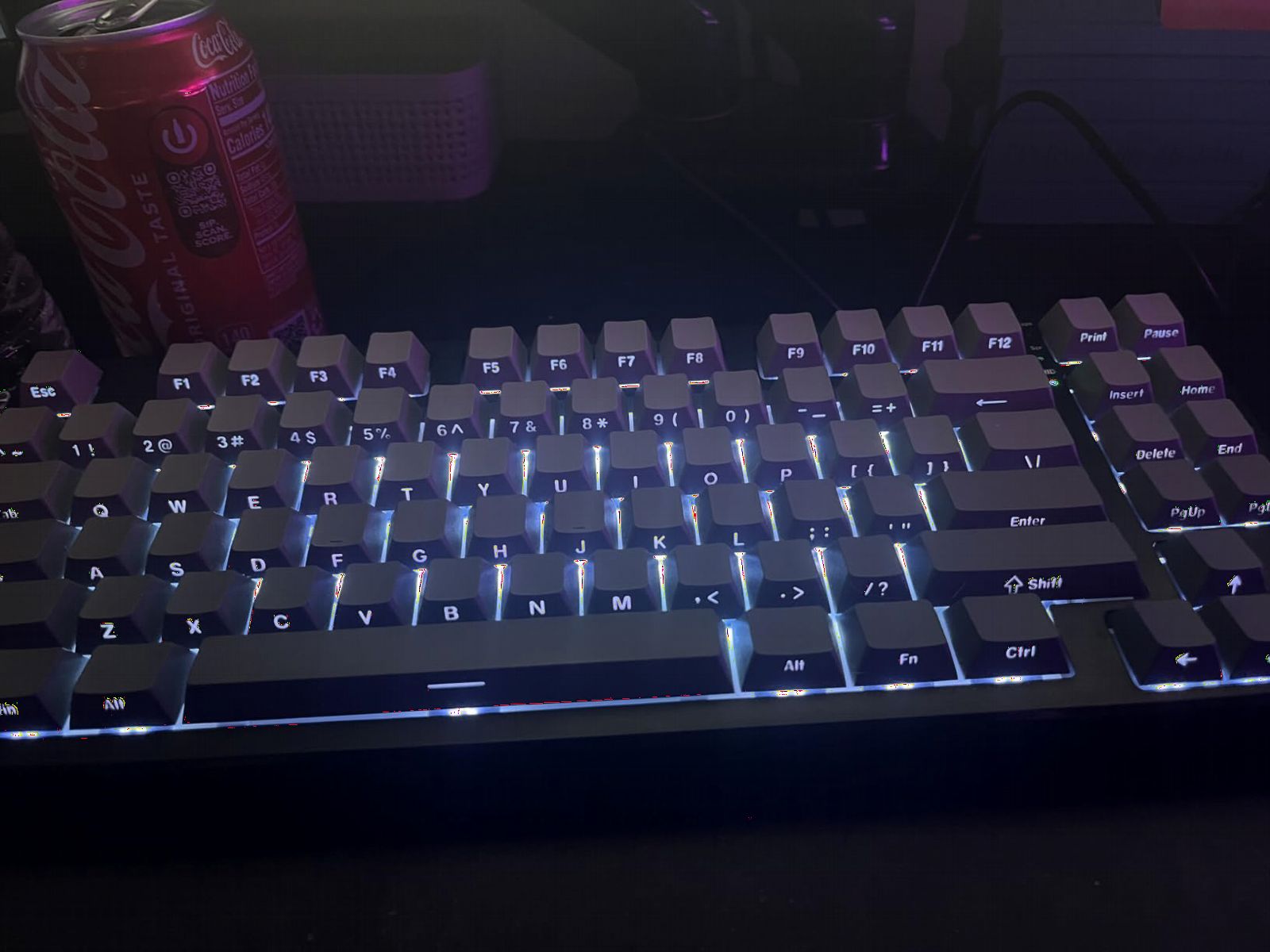
The retro beige colorway is a nice aesthetic choice that stands out from the typical black or white budget boards. The 75% layout keeps the F-row, arrow keys, and a few navigation keys while trimming the footprint significantly. It fits comfortably on a small desk or a laptop tray.
The 4000mAh battery lasts about 5 to 7 days with moderate use and RGB on low. The 2-year warranty and 24/7 support line are unusual at this price point and add peace of mind for buyers worried about budget brand reliability.
Who should buy this keyboard
The KN85 is the best pick for anyone who wants maximum features per dollar. If you need wireless, hot-swap, gasket mount, and pre-lubed switches all in one board and you have a tight budget, this is the one to get.
It is also a great travel keyboard. The compact 75% size, light weight of 0.9kg, and tri-mode wireless make it easy to toss in a bag and use with a laptop or tablet anywhere.
What could be better
The front height is slightly tall for some users, and you may want a wrist rest for long typing sessions. The ABS case is functional but lacks the premium heft of an aluminum board.
The customization software only works on Windows, and only in wired or 2.4GHz mode. Mac users get basic functionality but cannot access RGB customization or macro programming.
How to Choose the Best Hot-Swap Keyboard for Your Needs?
Choosing among the best hot-swappable mechanical keyboards comes down to understanding four key factors: socket type, switch compatibility, LED orientation, and mounting style. I will break down each one so you can make an informed decision rather than guessing based on marketing copy.
Understanding Hot-Swap Socket Types
Not all hot-swap sockets are the same, and this is the single most important detail to verify before buying. There are three main types you will encounter.
Kailh sockets are the industry standard and accept virtually all MX-style switches. They are found on Keychron boards, higher-end custom kits, and most boards marketed as fully hot-swappable. If you see Kailh sockets, you can confidently swap switches without compatibility worries.
Gateron sockets work similarly to Kailh and accept the same range of MX-style switches. Gateron 2.0 sockets are the newer version with improved durability and tighter tolerances. Boards like the Keychron V6 use these with excellent results.
Outemu sockets are the trap that catches budget buyers. Outemu hot-swap sockets use a copper-sleeve design with tighter tolerances that only accept Outemu-manufactured switches reliably. Premium switches from Gateron, Kailh, or Cherry may not fit without modification. Some budget boards from Redragon and other value brands use Outemu sockets, so always verify before buying if you plan to swap switches.
3-Pin vs 5-Pin Switches Explained
MX-style switches come in two pin configurations, and understanding the difference prevents frustration when swapping.
3-pin switches have two metal contact legs and one large plastic center post (called the plunger guide). This is the plate-mount design. Almost every hot-swap board accepts 3-pin switches without issue.
5-pin switches add two extra plastic legs at the corners for PCB-mount stability. These extra legs help align the switch on PCB-mount boards without a metal plate. Most modern hot-swap boards accept 5-pin switches natively, but some older or budget boards like the GMMK only support 3-pin. If your board only accepts 3-pin, you can clip the two extra plastic legs off a 5-pin switch with flush cutters to make it fit.
Every board on our list except the GMMK TKL accepts both 3-pin and 5-pin switches, which gives you maximum flexibility.
South-Facing vs North-Facing LEDs
LED orientation is a detail most buyers overlook until they try to install aftermarket keycaps and discover interference.
North-facing LEDs sit above the switch stem, pointing light up through the top of the keycap. This creates brighter, more visible RGB but can collide with the housing of Cherry-profile keycaps, preventing them from seating fully. The collision typically affects only one row of keys but is enough to ruin the look and feel of an expensive keycap set.
South-facing LEDs sit below the switch stem. This eliminates keycap interference entirely, allowing any profile, including Cherry and OEM, to fit without issues. The tradeoff is that the RGB effect is slightly less visible since light comes from the bottom of the key rather than the top.
If you plan to use aftermarket keycaps, especially Cherry profile, look for south-facing LED boards like the Keychron V6. If stock keycaps are fine and you want maximum RGB pop, north-facing is acceptable.
Gasket Mount vs Tray Mount
The mounting system determines how the PCB attaches to the case, and it significantly affects typing feel.
Tray mount uses screws that go through standoffs directly into the PCB. It is the most common and cheapest design. Typing feel is firm and rigid, with very little flex. Most budget boards including the Keychron C1 and Redragon K668 use tray mount.
Gasket mount uses strips of foam or rubber between the PCB and case, allowing the board to flex slightly under pressure. This creates a bouncy, cushioned feel that many typists prefer for long sessions. Boards like the AULA F75 Pro, AULA F99, RK R98 Pro, and Kisnt KN85 all use gasket mount, which contributes to their creamy sound profiles.
Gasket mount is generally preferred by enthusiasts for typing comfort, but tray mount is perfectly fine for gaming where you want a firm, predictable surface.
QMK/VIA Firmware Support
QMK is an open-source firmware that allows deep keyboard customization, and VIA is a graphical interface for configuring QMK boards without writing code. Together, they let you remap any key, create custom layers, program macros, and adjust lighting with near-unlimited flexibility.
Among our tested boards, only the Keychron V6 offers full QMK/VIA support. If you are a power user who wants to remap keys for specific applications, create complex macros, or build custom layers, QMK/VIA is a feature worth prioritizing. For most casual users, the included manufacturer software on the other boards provides enough customization for basic needs.
Wireless vs Wired: Which Do You Need?
Wireless hot-swap keyboards have become common in 2026, with tri-mode connectivity (Bluetooth, 2.4GHz, and USB-C) available even on budget boards. Among our picks, the AULA F75 Pro, AULA F99, and Kisnt KN85 all offer tri-mode wireless.
For gaming, 2.4GHz wireless provides the lowest latency and is nearly indistinguishable from wired. Bluetooth is fine for office work and general productivity but may introduce noticeable lag in fast-paced games. If you are a competitive gamer, a wired connection or 2.4GHz dongle is your best bet.
Battery capacity matters for wireless boards. The AULA F99 leads with an 8000mAh battery that lasts weeks, while the F75 Pro and KN85 both have 4000mAh batteries that last about a week of daily use.
Barebones vs Pre-Assembled Boards
Pre-assembled hot-swap boards come with switches and keycaps installed and ready to type on out of the box. They are the easiest path to a hot-swap keyboard and let you start swapping switches immediately. Most boards on our list, including the AULA models, Keychron boards, and RK Royal Kludge, are pre-assembled.
Barebones kits ship without switches or keycaps, giving you a blank canvas. You choose your own switches, keycaps, and sometimes even stabilizers. The Glorious GMMK TKL is our barebones pick, ideal for buyers who already know which switches and keycaps they want or who enjoy the building process as part of the hobby.
How to Change Switches on a Hot-Swap Keyboard
Changing switches is simple, but doing it correctly prevents damage to the PCB. Here is the step-by-step process I use.
First, unplug the keyboard or turn off wireless to prevent accidental key presses. Use a wire switch puller by sliding the prongs under the switch housing on opposite sides. Squeeze gently and pull straight up without twisting. Never yank or rock the switch side to side, as this can damage the socket.
Second, inspect the removed switch pins. If they are bent, straighten them before reuse. For new switches, check that both metal pins are straight and that the plastic legs (if 5-pin) are intact.
Third, align the new switch with the PCB opening. The switch has a vertical bar on one side that matches a notch in the socket, ensuring correct orientation. Push straight down firmly until you feel the switch seat with a slight click. Check that it is flush with the plate.
Finally, test each key before moving to the next. If a key does not register, pull the switch and check for bent pins. A straight pin is essential for proper contact with the socket.
Frequently Asked Questions About Hot-Swap Keyboards
What does hot-swap mean on a keyboard?
Hot-swap means a keyboard has spring-loaded sockets on the PCB instead of soldered switch pins. You can pull switches out and push new ones in using a switch puller tool, with no soldering required. This lets you change the typing feel of your keyboard in minutes.
Can I put any switch in a hot-swap keyboard?
Most MX-style switches work in hot-swap keyboards with Kailh or Gateron sockets. However, boards with Outemu sockets may only accept Outemu-manufactured switches. Always check the socket type before buying switches. Additionally, some boards only accept 3-pin switches while others support both 3-pin and 5-pin.
Are hot-swap keyboards good for gaming?
Yes, hot-swap keyboards are excellent for gaming. The hot-swap feature does not affect gaming performance or latency. It simply gives you the flexibility to try different switch types, such as fast linear switches for FPS games or tactile switches for strategy games, without buying a new keyboard.
How many times can you swap switches on a hot-swap keyboard?
Quality hot-swap sockets from Kailh or Gateron are rated for approximately 100 swap cycles per socket. In practice, most users will never approach this limit. The main risk is bending switch pins during removal, which damages the switch rather than the socket.
Is hot-swap better than soldered?
Hot-swap offers convenience and flexibility since you can change switches without tools, while soldered connections are more durable and provide a slightly firmer switch feel. For most users who want to experiment with different switches, hot-swap is the better choice. Enthusiasts who settle on a permanent switch type may prefer soldered for maximum stability.
Final Verdict: Which Hot-Swap Keyboard Should You Buy in 2026?
After testing all eight boards, the AULA F75 Pro stands out as the best hot-swappable mechanical keyboard for most people. It combines tri-mode wireless, pre-lubed switches, a gasket mount, and a 75% layout with a control knob at a price that leaves room in your budget for extra switches to try.
If you need a full-size layout with QMK/VIA programmability, the Keychron V6 is the clear choice for power users. Budget buyers should look at the Kisnt KN85 for tri-mode wireless features under 50 dollars or the Redragon K668 for the absolute cheapest full-size hot-swap option.
Whatever you choose, the most important thing is verifying the socket type before you buy. A hot-swap keyboard is only as good as the sockets it uses, and checking whether you have Kailh, Gateron, or Outemu sockets will save you from buyer regret down the road. Pick the board that matches your layout, connectivity, and budget needs, and you will have a keyboard that grows with you as your switch preferences evolve.