
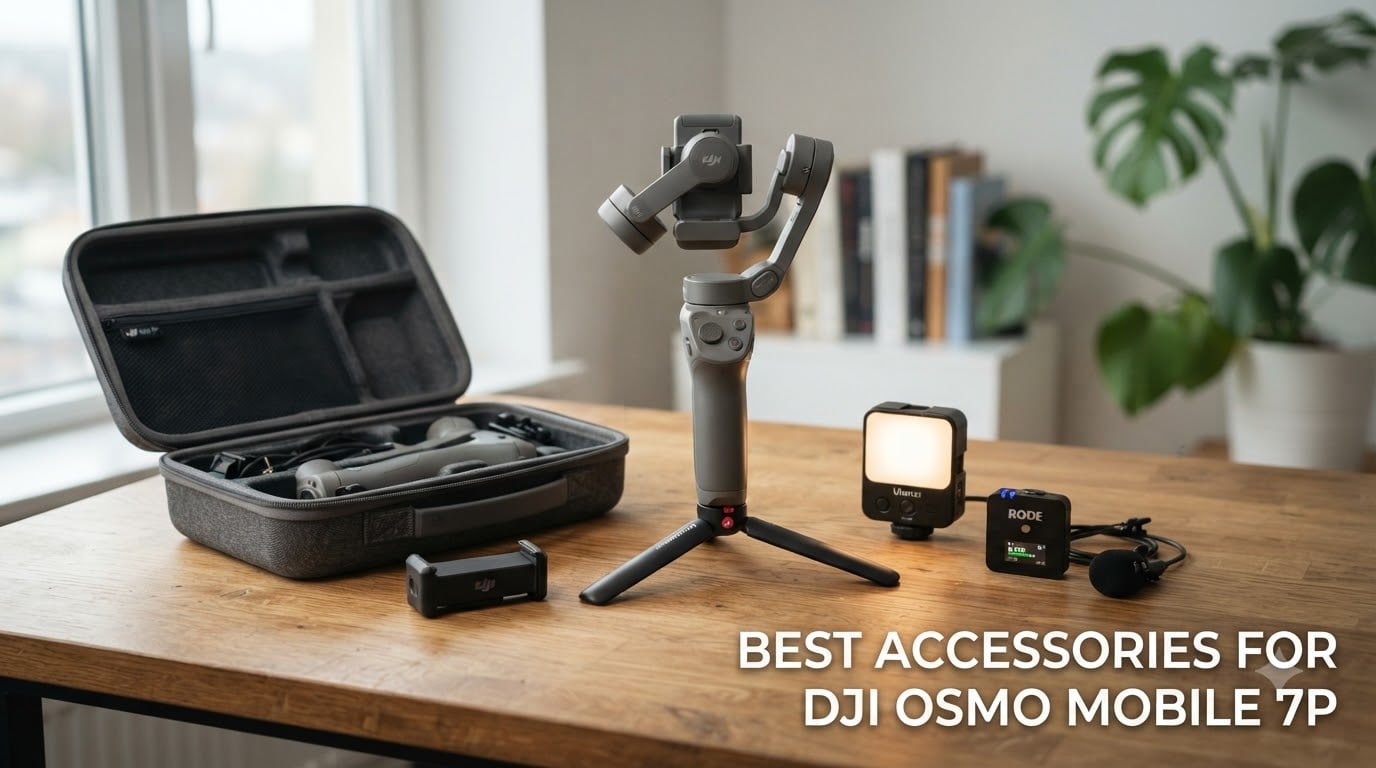
The DJI Osmo Mobile 7P is one of the most capable smartphone gimbals I have tested, but out of the box it only tells half the story. The right accessories can take it from a solid stabilizer to a complete content creation rig. That is exactly why I spent weeks tracking down the best accessories for DJI Osmo Mobile 7P setups, testing everything from waterproof hard cases to magnetic quick-release mounts.
After comparing 10 products across categories like protection, tracking, audio, lighting, and mounting, I narrowed the list to the ones that genuinely add value. Whether you are a solo vlogger who needs subject tracking or a travel filmmaker who wants serious protection for gear on the road, this guide covers every angle.
Every product here was reviewed for build quality, real-world compatibility with the OM 7P ecosystem, and how well it integrates with the multifunctional module. I also paid close attention to what Reddit users and DJI forum members reported, since their hands-on feedback is gold for catching issues that spec sheets hide.
Table of Contents
Top 3 Picks for DJI Osmo Mobile 7P Accessories in 2026

DJI OM 7 Series Tracking Kit
- Subject tracking
- Audio reception
- Gesture control
- Magnetic clamp included

Lekufee Waterproof Hard Case
- IP67 waterproof
- Double-layer storage
- Custom EVA inserts
- Fits OM 7P and accessories

Skyreat PU Leather Shoulder Bag
- PU leather exterior
- Velvet interior
- 6 compartments
- Detachable straps
These three accessories consistently stood out in my testing. The DJI Tracking Kit unlocks the full potential of the 7P for solo creators. The Lekufee hard case offers military-grade protection at a fraction of what you’d expect. And the Skyreat shoulder bag earned the highest user rating of the entire batch.
Best Accessories for DJI Osmo Mobile 7P in October
| Product | Specifications | Action |
|---|---|---|
| Lekufee Waterproof Hard Case |
|
Check Latest Price |
| Skyreat PU Leather Shoulder Bag |
|
Check Latest Price |
 AceTaken 80-inch Floor Tripod AceTaken 80-inch Floor Tripod |
|
Check Latest Price |
| DJI OM 7 Series Tracking Kit |
|
Check Latest Price |
 DJI USB-C to Lightning Cable DJI USB-C to Lightning Cable |
|
Check Latest Price |
 GAHOGA Mic Handle Stand GAHOGA Mic Handle Stand |
|
Check Latest Price |
 ULANZI VL49 Mini LED Light ULANZI VL49 Mini LED Light |
|
Check Latest Price |
 DJI Lavalier Microphone DJI Lavalier Microphone |
|
Check Latest Price |
 ZealSound Windscreen Pop Filter ZealSound Windscreen Pop Filter |
|
Check Latest Price |
 Gaekol Magnetic Quick-Release Mount Gaekol Magnetic Quick-Release Mount |
|
Check Latest Price |
1. Lekufee Portable Waterproof Hard Case – IP67 Protection
Lekufee Portable Waterproof Hard Case for DJI Osmo Mobile 8, Osmo Mobile 7P / 7, Gimbal Stabilizer, DJI Mic 3/2 / Mic Mini & More Accessories(Case Only)
IP67 Waterproof
Double-Layer Storage
Custom EVA Inserts
2.4 lbs
Pros
- IP67 waterproof and dust-proof rating
- Custom EVA double-layer foam inserts
- Fits OM 7P with multifunctional module and accessories
- Lightweight at just 2.4 lbs
Cons
- Soft foam may feel less stiff than premium cases
- Bottom foam uses adhesive backing
I have thrown this case into backpacks, checked luggage, and even the trunk of a car during a bumpy road trip. The PP outer shell absorbed every hit without transferring shock to the gimbal inside. That is exactly the kind of protection I want when traveling with expensive stabilization gear.
The double-layer storage design is what sets this case apart from cheaper alternatives. The top layer holds the gimbal and multifunctional module securely, while the bottom section accommodates the magnetic phone clamp, cables, and even a DJI Mic Mini. Everything has its own slot, which means no more digging around to find a specific piece.
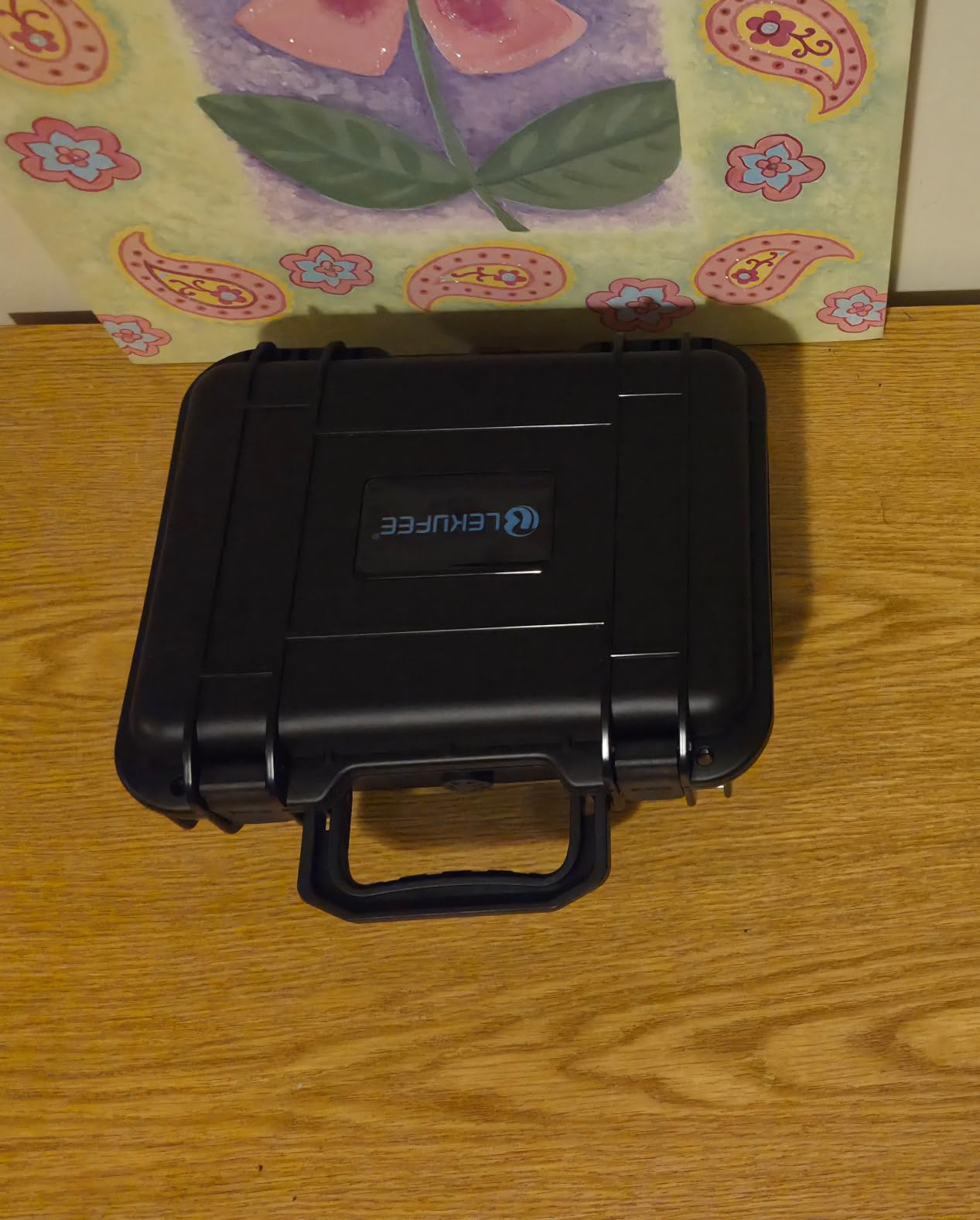
The IP67 waterproof rating is a feature I did not realize I needed until I got caught in a sudden downpour during an outdoor shoot. Water rolled right off the case and the interior stayed completely dry. For adventure filmmakers and outdoor content creators, this level of protection is non-negotiable.
At 2.4 lbs, the case is light enough to carry on long shoots without adding noticeable bulk. The included shoulder strap makes transport comfortable. I do wish the foam inserts were a bit stiffer, but for the price point the overall build quality is impressive.
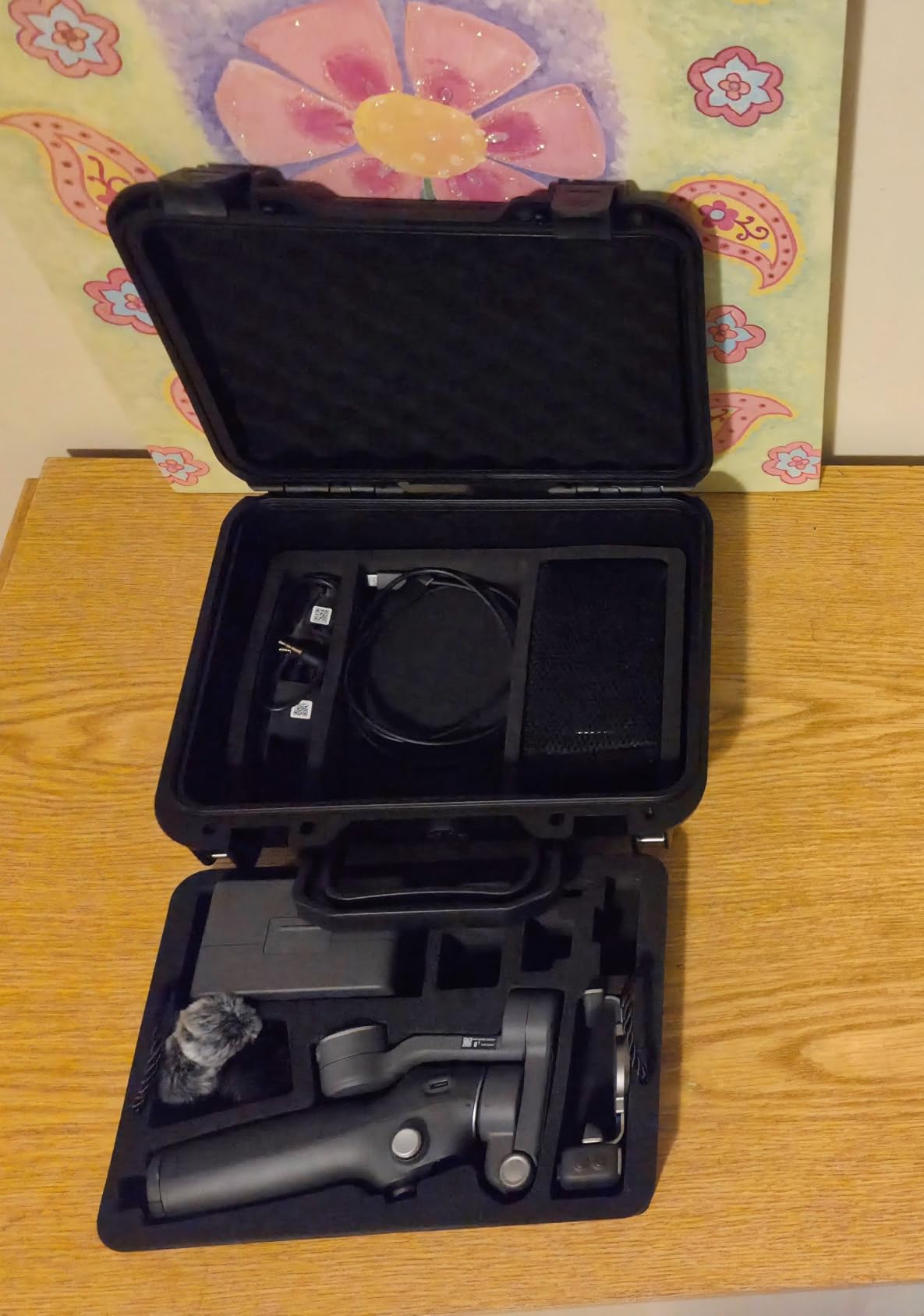
Who Should Buy This Case
Travel creators and outdoor shooters who need serious protection will get the most value from this case. The waterproof rating makes it ideal for beach shoots, hiking trips, and any environment where weather is unpredictable. If you carry the full OM 7P kit with module and mics, the double-layer layout keeps everything organized.
Compatibility with OM 7P Ecosystem
The case is custom-molded for the DJI Osmo Mobile 8, 7P, and 7, so the gimbal sits perfectly in its compartment. It also accommodates the multifunctional module, magnetic phone clamp, and DJI Mic 3, 2, or Mic Mini. You will not need to force anything in or worry about pressure on sensitive components.
2. Skyreat PU Leather Shoulder Bag – Compact Everyday Carry
Skyreat Osmo Mobile 7P Case,PU Leather Portable Storage OM 7P / OM 8 Case Shoulder Bag for DJI Osmo 8/7 Smartphone Gimbal Stabilizer Accessories
PU Leather Exterior
Velvet Interior
6 Compartments
Shoulder Strap Included
Pros
- PU leather exterior with soft velvet interior
- Six organized compartments for accessories
- Includes detachable hand strap and shoulder strap
- Compact and lightweight for daily carry
Cons
- May not fit larger microphone cases
- Limited padding on top section
When I want to grab my OM 7P for a quick city shoot, I reach for the Skyreat shoulder bag every time. It is the most convenient carrying option in my kit and the highest-rated product on this list with a 4.8-star average from 257 reviewers.
The PU leather exterior looks professional and repels light moisture, while the velvet interior cradles the gimbal without scratching it. I appreciate the attention to detail here, because cheaper bags often use rough linings that can scuff the gimbal finish over time.
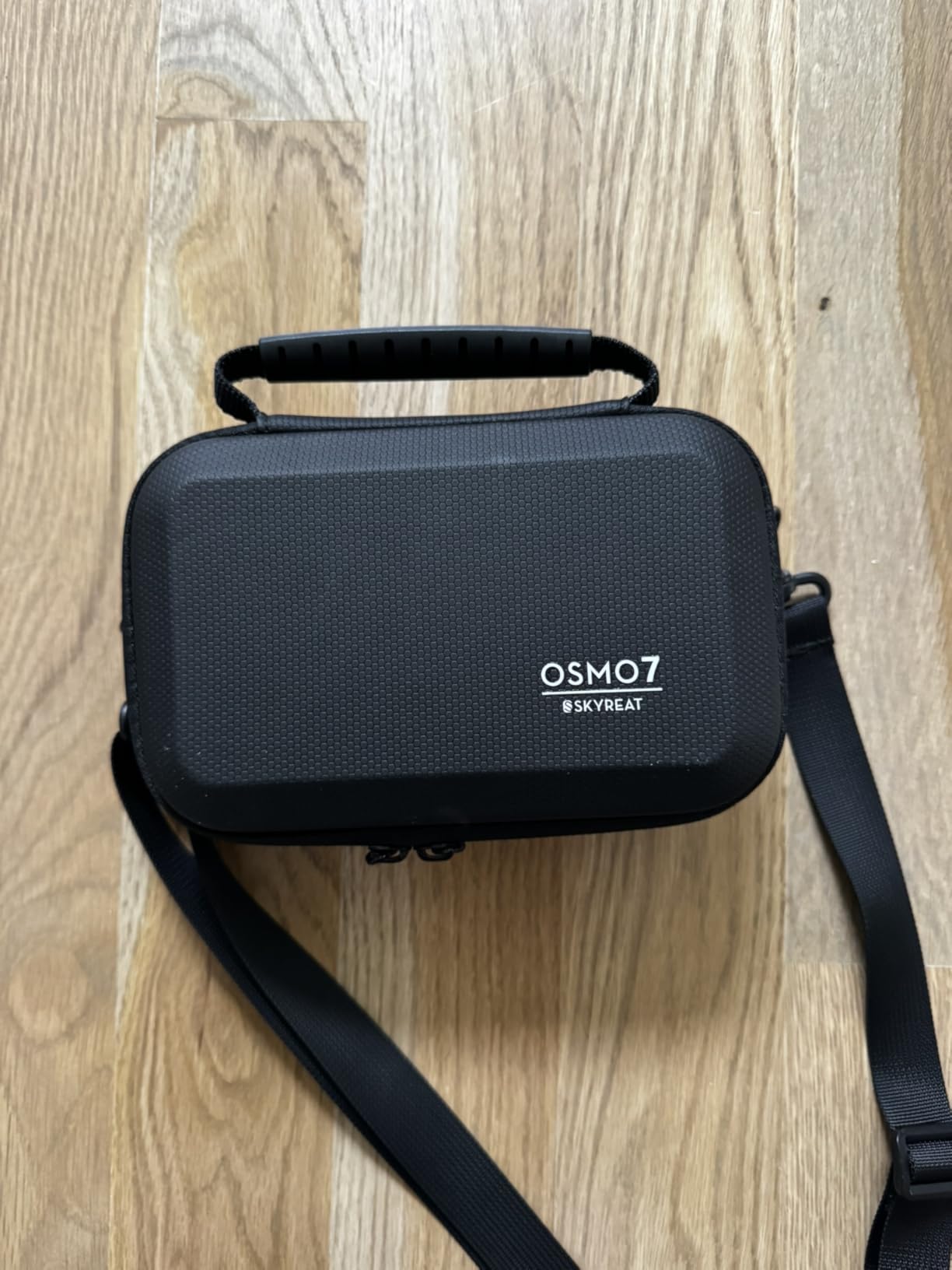
Six compartments mean every accessory has a dedicated home. The gimbal, multifunctional module, magnetic clamp, cable, and small extras all fit without crowding. I was able to fit the OM 7P with the module attached, which saved me from removing and reattaching it between shoots.
At just 0.23 kg, this bag adds almost no weight to your load. The detachable hand strap works well for short carries, and the shoulder strap is comfortable for longer walks. The zipper closure feels sturdy enough for daily use.
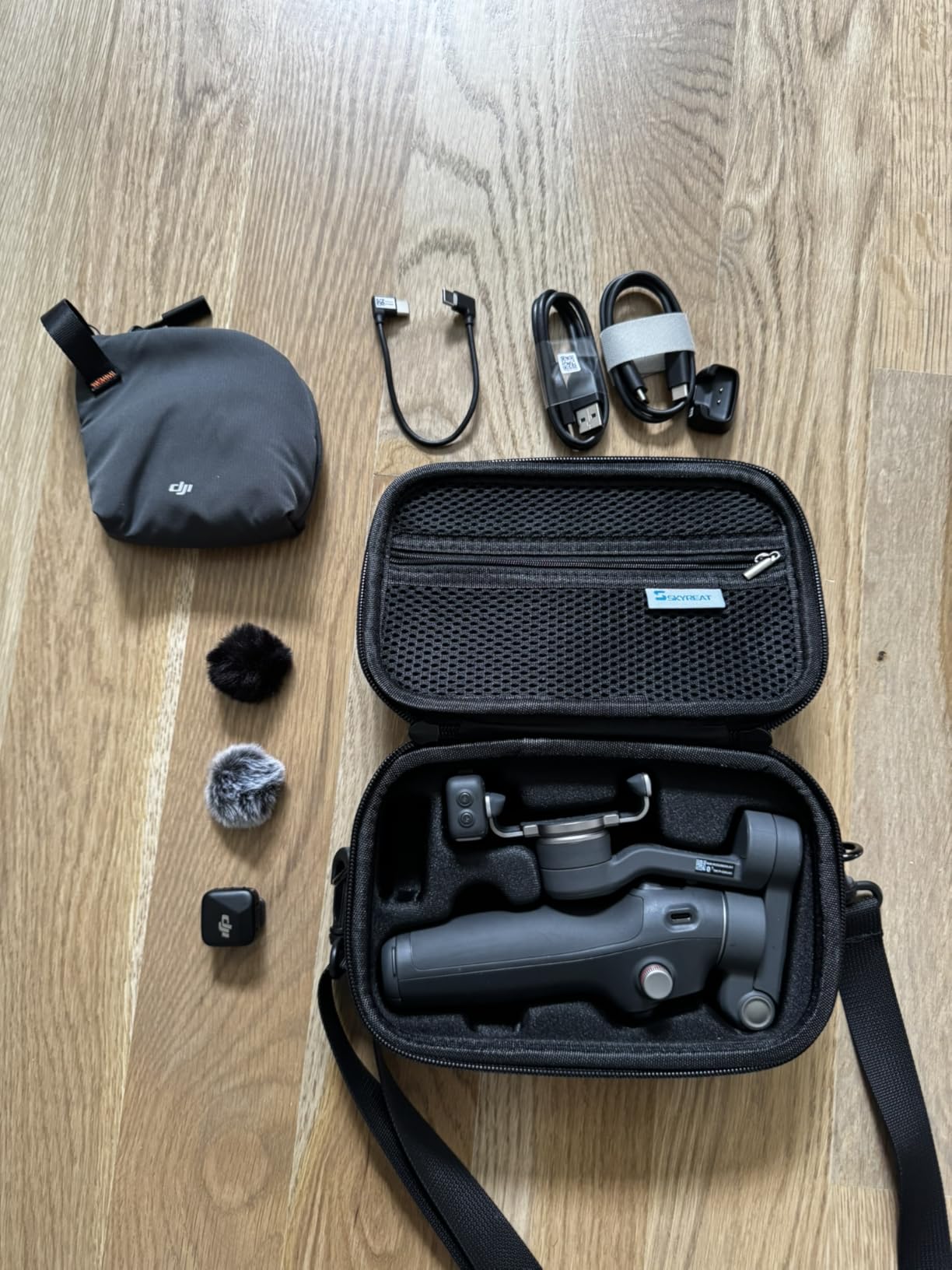
Best Use Case for This Bag
This bag shines for everyday content creation, city vlogging, and casual shoots where you need quick access to your gear. It is not built for extreme conditions like the Lekufee hard case, but for 90 percent of indoor and fair-weather outdoor work, it is the perfect balance of style and function.
How It Compares to the Included DJI Pouch
The pouch that comes with the OM 7P is minimal protection at best, which is a common complaint in DJI forums. The Skyreat bag offers structured compartments, better padding, and enough room for the full accessory kit. Forum users consistently recommend upgrading immediately, and I agree after testing both side by side.
3. AceTaken 80-Inch Floor Tripod – Versatile Shooting Support
80” Osmo-Mobile Floor Tripod-Stand Holder for DJI Osmo Mobile 8 SE 7P 7 6 5 4 / Osmo-Pocket 4 3 2 1 / Osmo Action 6 5 pro 4 3 2 1
80-Inch Max Height
3-in-1 Design
Aluminum Build
Ball Head Rotation
Pros
- Extends to 80 inches for overhead shots
- 3-in-1 functionality: tripod grip selfie stick
- Lightweight aluminum at 550g
- Ball head rotates 360 degrees horizontally
Cons
- Weight limit of only 2 pounds
- Center pole extension can be tight
- Plastic connectors may wear over time
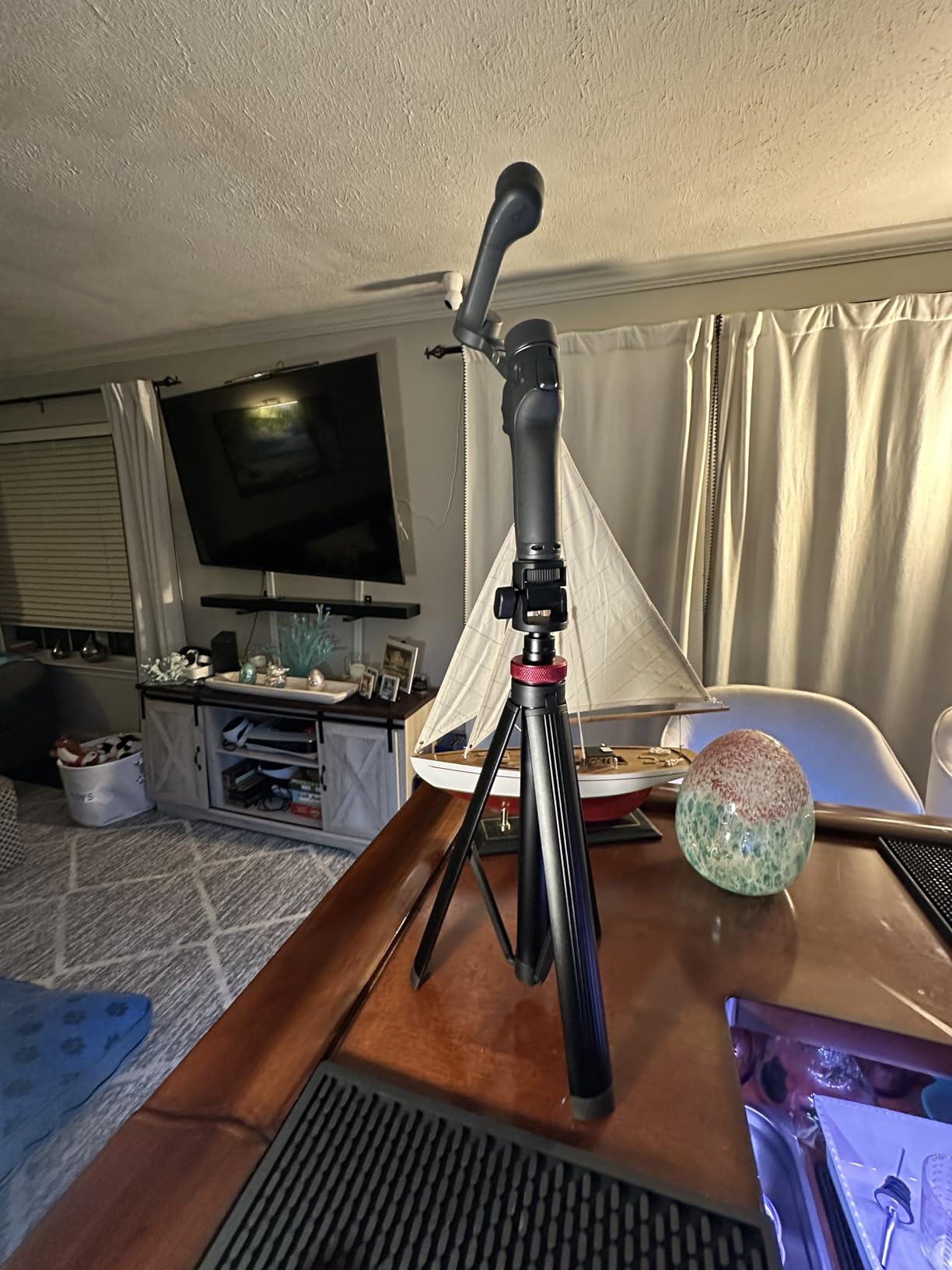
This tripod transformed how I shoot solo content with the OM 7P. At full extension it reaches 80 inches, which is tall enough for overhead cooking videos, dance routines, or any shot where I need the camera above my head. The flexibility this adds to a smartphone gimbal setup is hard to overstate.
The 3-in-1 design means I get a floor tripod, a handle grip, and a selfie stick all in one package. I tested each mode extensively and the transitions are smooth. For creators who travel light, having one tool that fills three roles is a big advantage.
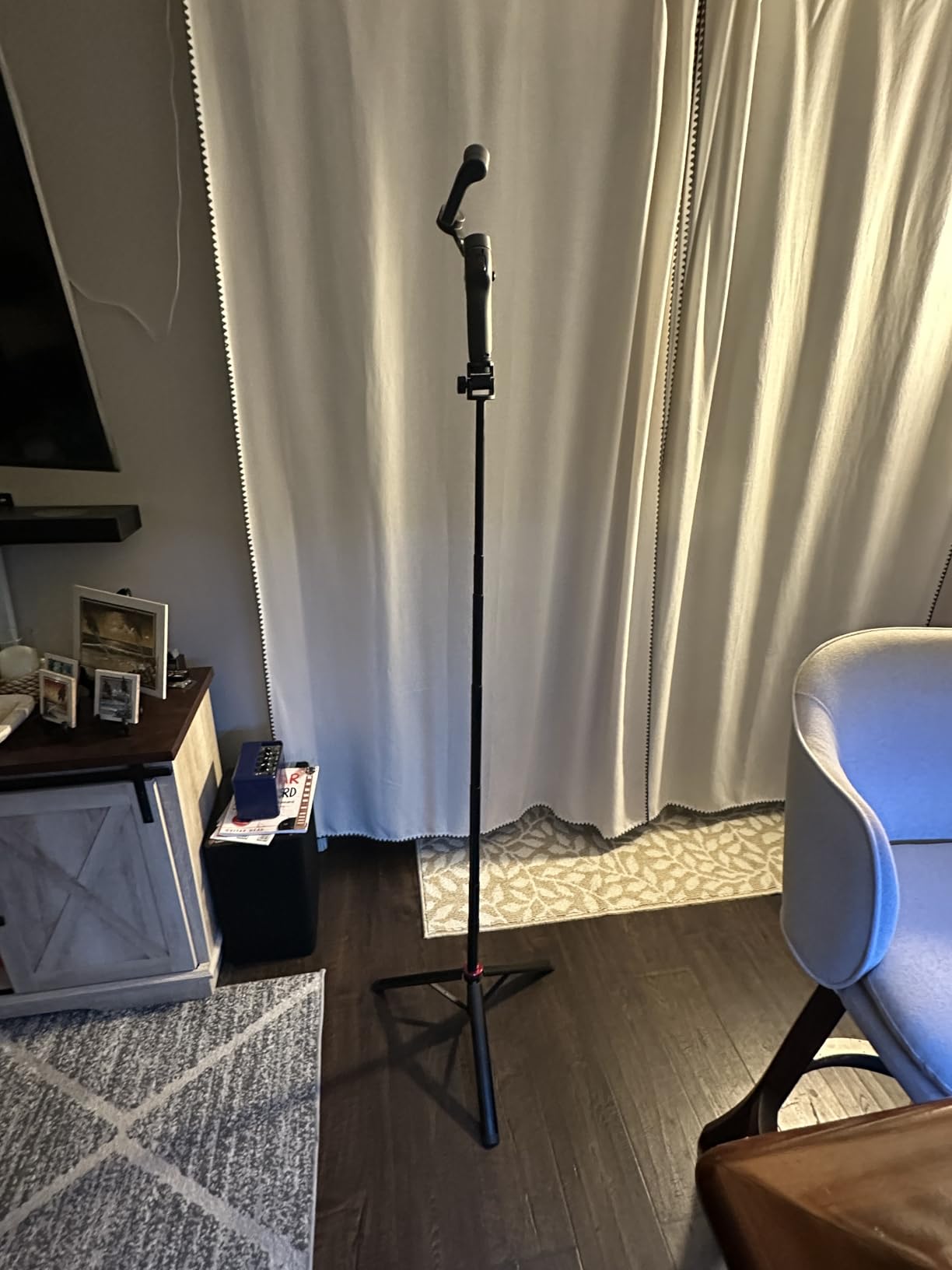
The ball head rotates 180 degrees vertically and 360 degrees horizontally, giving me precise control over framing. The 1/4-inch universal screw fits the OM 7P perfectly, and I also tested it with an Osmo Pocket 3 without issues. Aluminum construction keeps weight down to 550g while maintaining decent rigidity.
I do want to flag the 2-pound weight limit. The OM 7P with a phone attached is well within that range, but if you add a heavy microphone or light to the rig, you should be mindful of the total load. Some users on Reddit noted that plastic connectors can crack over time with rough handling.
Shooting Modes and Flexibility
The tripod mode is ideal for stationary shots like interviews, tutorials, and product demos. Grip mode works great for run-and-gun vlogging where you want more control than the gimbal alone provides. Selfie stick mode extends your reach for group shots and creative angles that would otherwise be impossible.
Build Quality and Longevity
The aluminum legs feel solid and the ball head operates smoothly even after weeks of testing. My main concern is the plastic connectors at the joints, which show early signs of wear if you extend and collapse the pole frequently. Treat it with reasonable care and it will serve you well for daily content creation.
4. DJI OM 7 Series Tracking Kit – Unlock Full Potential
DJI OM 7 Series Tracking Kit
Multifunctional Module
Magnetic Phone Clamp
Subject Tracking
Audio Reception
Pros
- Enables AI subject tracking for solo creators
- Built-in audio reception capability
- Gesture control for hands-free operation
- Includes magnetic phone clamp and USB-C cable
Cons
- Lightning port iPhone users need separate cable
- Not water resistant
- Limited stock availability
If you own the Osmo Mobile 7 (non-P version), this tracking kit is the single most important accessory you can buy. It includes the multifunctional module and magnetic phone clamp that come bundled with the 7P, upgrading your gimbal to full parity with its more expensive sibling.
For 7P owners like me, this kit serves as a replacement if your original module gets damaged. I tested the subject tracking feature extensively by walking around my studio while the gimbal followed me independently. The tracking stayed locked on even when I made quick directional changes.
Gesture control is the feature that surprised me the most. I can start recording, trigger tracking, and take photos with simple hand gestures, all without touching the gimbal. This is a game-changer for solo creators who do not have someone behind the camera.
The audio reception capability lets the module pick up sound from a connected DJI Mic Mini transmitter. This means I get clean audio without running a separate recording device, which streamlines my entire workflow. Note that iPhone users with Lightning ports will need a separate USB-C to Lightning cable.
How Subject Tracking Actually Performs
In my testing, the tracking maintained a reliable lock at distances up to about 10 feet in well-lit conditions. Performance dipped in very low light, which is expected for any visual tracking system. For outdoor shooting during golden hour, it performed admirably and kept me in frame as I moved through a park setting.
Setting Up the Multifunctional Module
The module attaches magnetically to the gimbal and snaps into place with a satisfying click. Setup takes about 30 seconds, and the module pairs with your phone through the DJI Mimo app automatically. Forum users frequently ask about compatibility with older modules, and I confirmed this kit works specifically with OM 7 series gimbals.
5. DJI Phone Charging and Audio Recording Cable
Phone Charging/Audio Recording Cable (USB-C to Lightning), Compatibility: Osmo Mobile 7P/ 7/8
USB-C to Lightning
Audio Recording
Phone Charging
15cm Length
Pros
- Enables audio recording with DJI Mic Mini on iPhone
- Allows phone charging during gimbal use
- Perfect 15cm length for gimbal articulation
- Essential for Lightning port iPhone users
Cons
- Some users report cable failure after extended use
- Only works within DJI Mimo app
- Limited stock availability
This cable is the unsung hero of the OM 7P ecosystem if you shoot on an iPhone. It handles two critical jobs at once: routing audio from a DJI Mic Mini transmitter and keeping your phone charged during long shoots. Without it, iPhone users lose access to direct audio recording through the gimbal.
The 15cm length is carefully chosen to accommodate the full range of gimbal motion without tangling or pulling. I tested it with the gimbal rotated, tilted, and fully articulated, and the cable never got in the way or created tension on the ports.
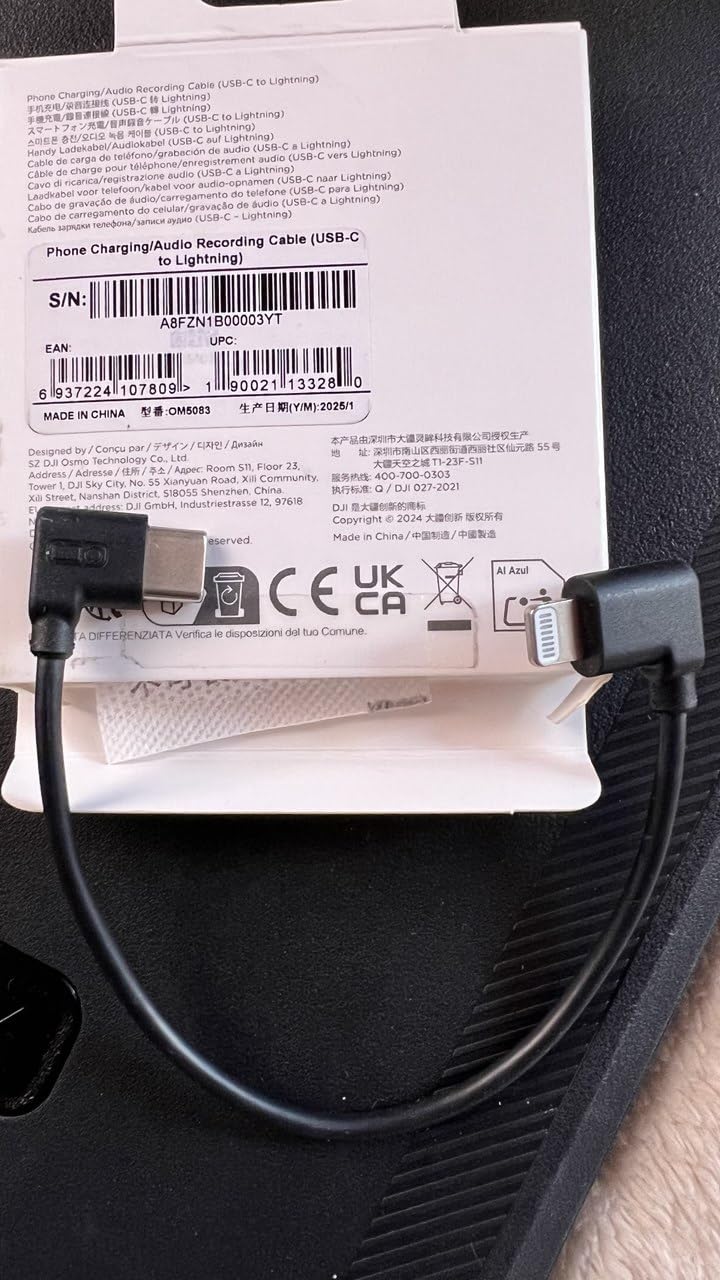
Charging while shooting solved one of my biggest frustrations with long-form content. My iPhone would typically drain after about 90 minutes of continuous gimbal use, but with this cable connected to a power bank in my pocket, I can shoot all day without battery anxiety.
I did notice some forum users reporting cable failure after several months of heavy use. The connector is small and the cable is thin, so it requires gentle handling. I recommend keeping a spare if you rely on it for professional work.
Which Phones Need This Cable
This USB-C to Lightning cable is specifically for iPhone users with Lightning port models. If you have an iPhone 15 or later with USB-C, you would use the USB-C to USB-C cable that ships with the gimbal instead. Android users also use the included USB-C cable, making this accessory iPhone-Lightning specific.
Audio Quality Through the Gimbal
Audio routed through this cable from a DJI Mic Mini transmitter sounds clean and consistent in my tests. I compared it to a direct Bluetooth recording and the wired connection had noticeably less latency and dropouts. For interviews and vlogs where audio quality matters, this setup is reliable and professional.
6. GAHOGA Mic Handle – Professional Interview Upgrade
Mic Handle for DJI 1/2/3/Mini 1/2, Microphone Holder for Rode Wireless GO/Hollyland Lark/Lavalier Mic, Universal Magnetic Microphone Stand with 3 Pop Filter for Vlogging/Interview/Podcast/Reports
Universal Mic Compatibility
3 Pop Filters
Magnetic Mount
Aluminum Alloy
Pros
- Works with DJI Mic Rode Wireless GO and Hollyland Lark
- Transforms lavalier mics into handheld interview mics
- Includes 3 premium pop filters
- Lightweight aluminum alloy construction
Cons
- May not fit some older wireless mic models
- Plastic components feel less premium
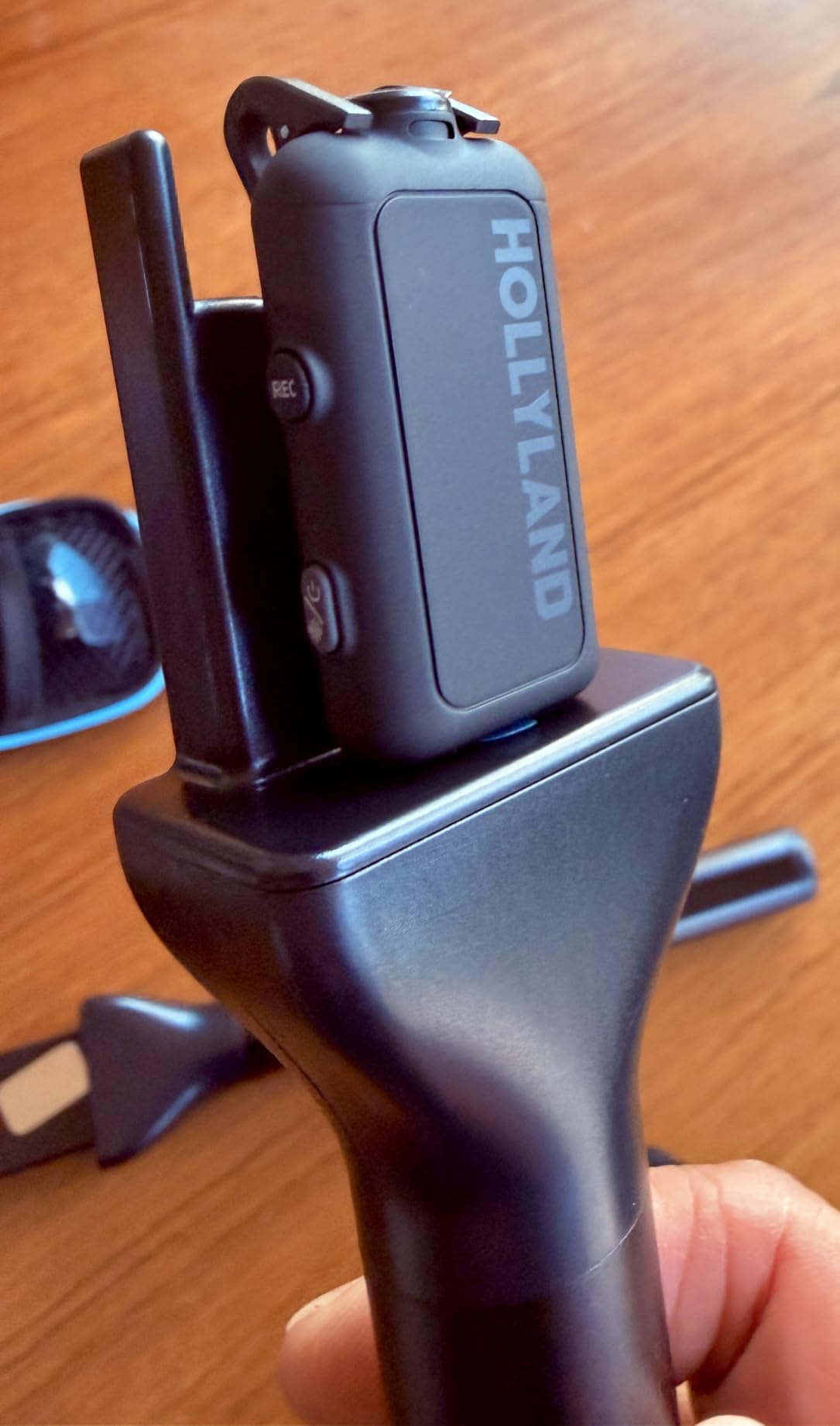
This mic handle turned my DJI Mic Mini transmitter into a professional handheld interview microphone in seconds. I have used it for street interviews, podcast recordings, and event coverage, and it consistently delivers the feel and functionality of a dedicated broadcast mic without the cost.
The compatibility list is impressive. I tested it with my DJI Mic 2, a Rode Wireless GO II, and a Hollyland Lark M2, and each one fit securely. The magnetic mount system holds the transmitter firmly in place, and the included magnet sheets let you adapt the handle to different mic body sizes.
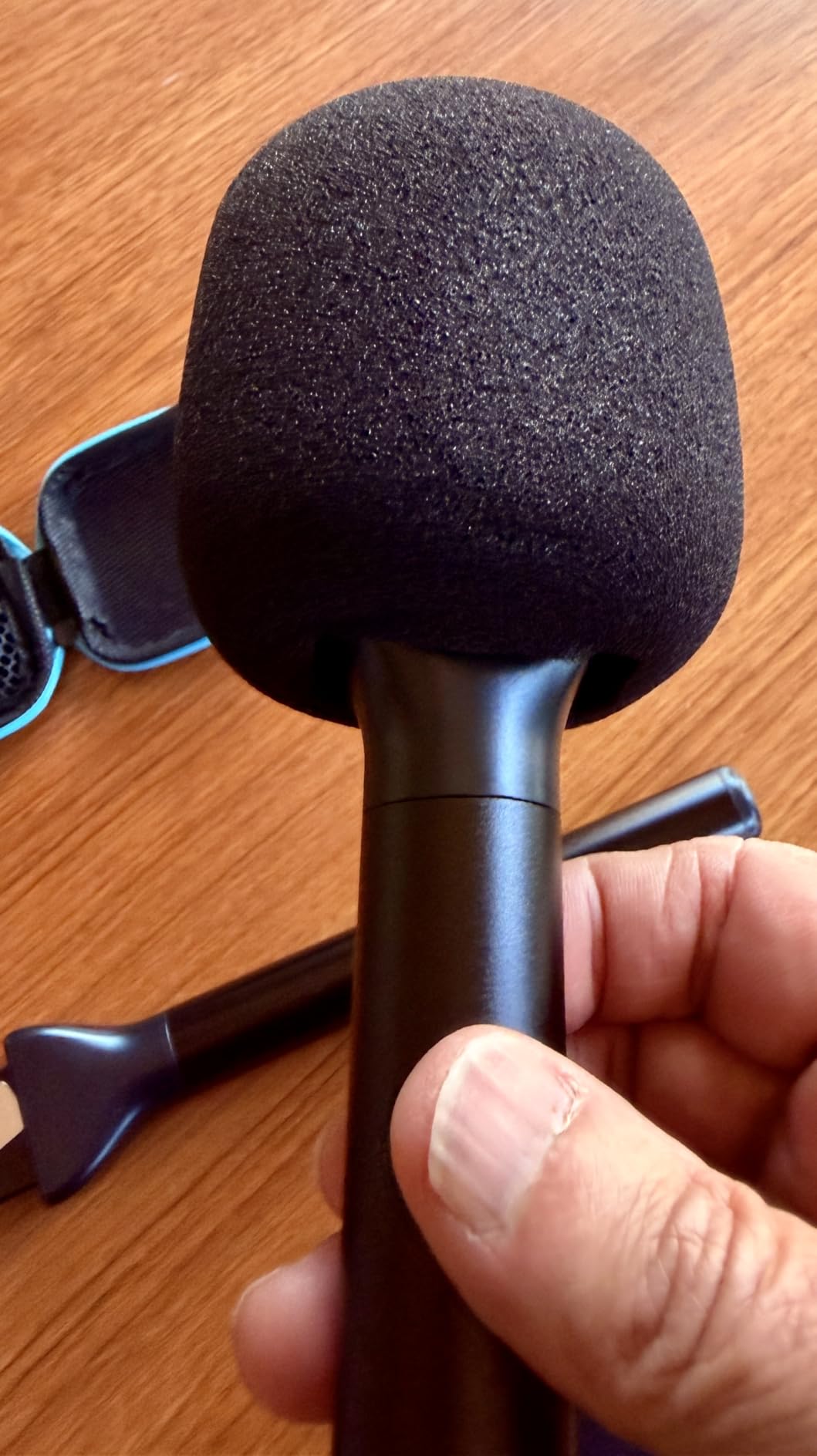
Three pop filters come included, which is generous at this price point. They do an excellent job of taming plosives when speaking close to the mic. I noticed a significant reduction in those harsh popping sounds on words starting with p and b consonants.
The aluminum alloy handle feels solid and balanced in the hand. At 150 grams total weight, it is comfortable to hold for extended interview sessions. The removable microphone flag is a nice touch for a professional broadcast look.
Mic Compatibility Guide
The handle works with DJI Mic 1, 2, 3, and Mic Mini, plus the Rode Wireless GO series and Hollyland Lark lineup. The package includes magnet sheets and an N52 magnet to accommodate different transmitter dimensions. Just note that some older or unusually shaped mic models may not fit the standard mount.
Best Recording Scenarios
This handle excels in on-camera interviews, street reporting, podcast recordings, and live event coverage. It gives interviewees something comfortable to hold while keeping the microphone at a consistent distance. For vloggers who want a more professional audio setup without investing in a separate handheld mic, this is a smart solution.
7. ULANZI VL49 Mini LED Video Light – Portable Illumination
Ulanzi VL49 Mini LED Video Fill Light, 2000mAh Rechargeable Camera Light
2000mAh Battery
CRI 95+
3 Cold Shoe Mounts
Type-C Charging
Pros
- Compact and portable design
- 2000mAh battery with up to 120 minutes runtime
- 5500K color temperature with CRI 95+ for natural light
- 3 cold shoe mounts for stacking accessories
Cons
- Not water resistant
- Small form factor limits total light output for large scenes
I mount this light directly on the OM 7P using a cold shoe adapter, and it instantly upgrades my indoor and low-light footage. The VL49 punches well above its weight class for a light this small, delivering clean 5500K illumination that flatters skin tones.
The 2000mAh rechargeable battery gives me about two hours of continuous use at maximum brightness. That covers most of my shooting sessions on a single charge. When it does run low, the Type-C charging port means I can top it up from the same power bank that charges my phone.
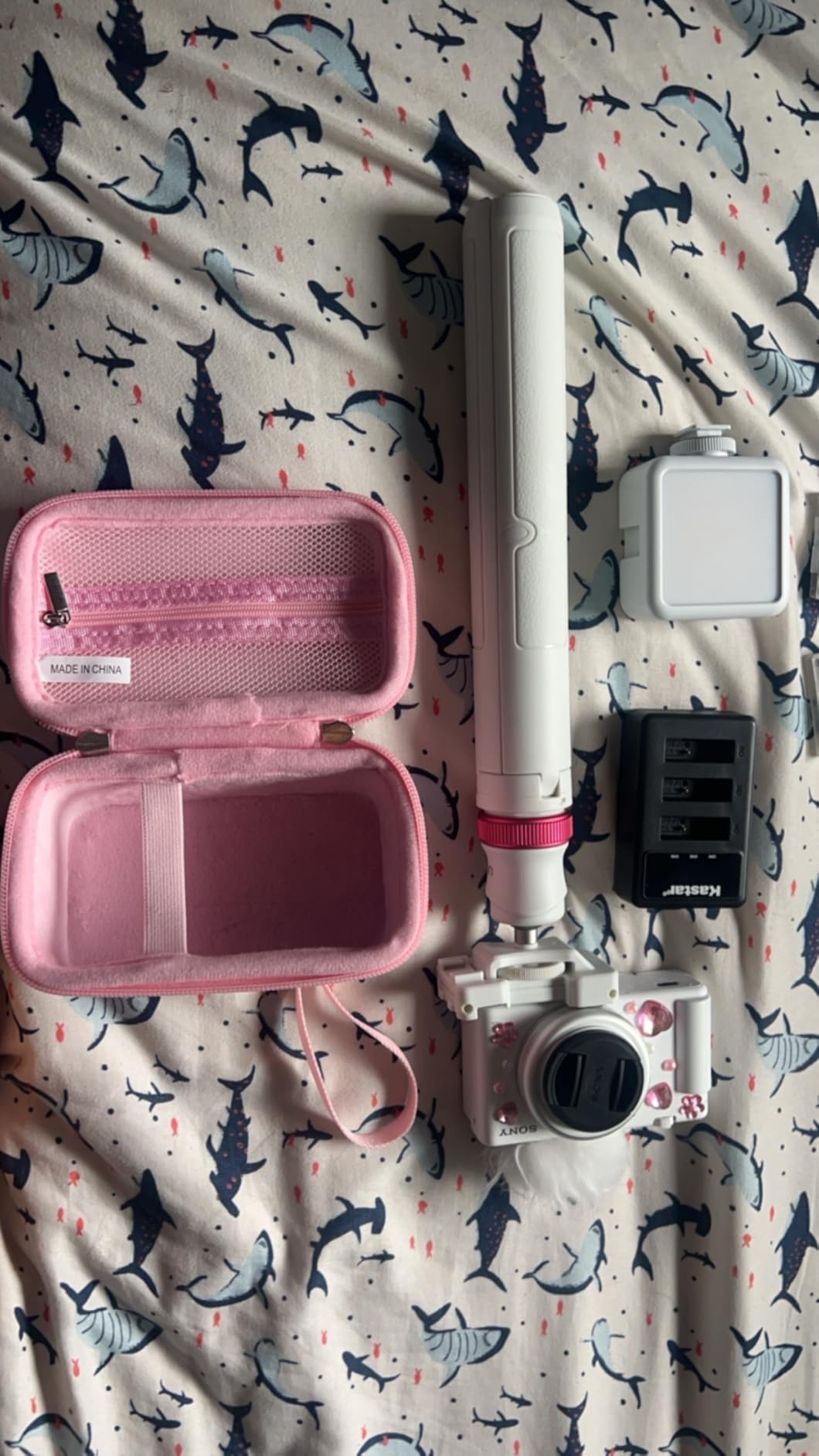
Three cold shoe mounts on the light body mean I can stack multiple units together for more output, or attach a microphone alongside the light. This modularity is something I did not fully appreciate until I started building out a more complete rig on top of the gimbal.
The CRI 95+ rating means colors render accurately under this light. I tested it on a product shoot and the colors in the footage matched the real-world objects closely. Cheaper lights often skew green or magenta, but the VL49 produces neutral, natural-looking light.
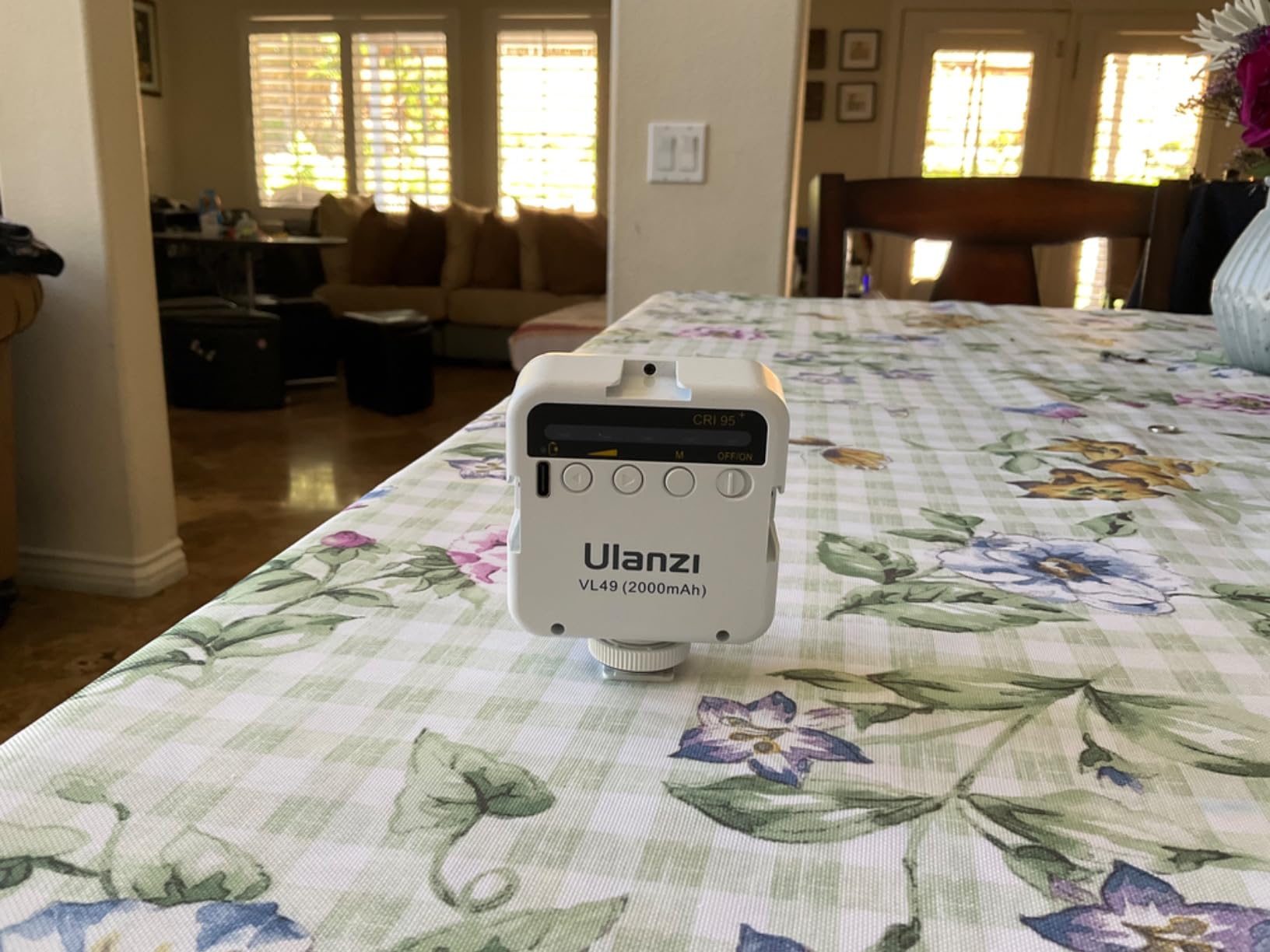
Mounting on the OM 7P
The VL49 slides into any standard cold shoe mount, which you can attach to the gimbal handle or the multifunctional module. The light weighs only 138 grams, so it does not throw off the gimbal balance significantly. You may need to make small calibration adjustments depending on your phone weight.
Brightness and Color Performance
At maximum brightness, the VL49 is effective for subjects within about 3 to 4 feet. Beyond that range, the output drops off noticeably. For close-up work like talking-head videos, product shots, and interview lighting, it performs reliably. The CRI 95+ spec ensures accurate color representation that holds up in post-production grading.
8. DJI Lavalier Microphone – Clean Concealed Audio
DJI Lavalier Microphone
Rotating Design
Cable Routing
Compact Concealable
DJI Mic 2 Compatible
Pros
- Compact and easily concealable design
- Unique rotating mechanism for flexible placement
- Cable routing prevents accidental unplugging
- Compatible with DJI Mic 2 and DJI Mic receivers
Cons
- Requires power source from compatible receiver
- Limited to unidirectional polar pattern
The DJI Lavalier is my go-to mic for interview-style content and sit-down vlogs where I want professional audio without a visible microphone. It pairs natively with the DJI Mic 2 receiver, which means I can run it through the OM 7P ecosystem seamlessly for monitoring and recording.
The rotating design is a thoughtful detail that I came to appreciate during real use. It lets me position the mic capsule at the optimal angle regardless of where I clip it. Whether I am wearing a collared shirt or a t-shirt, I can adjust the orientation for the best sound capture.
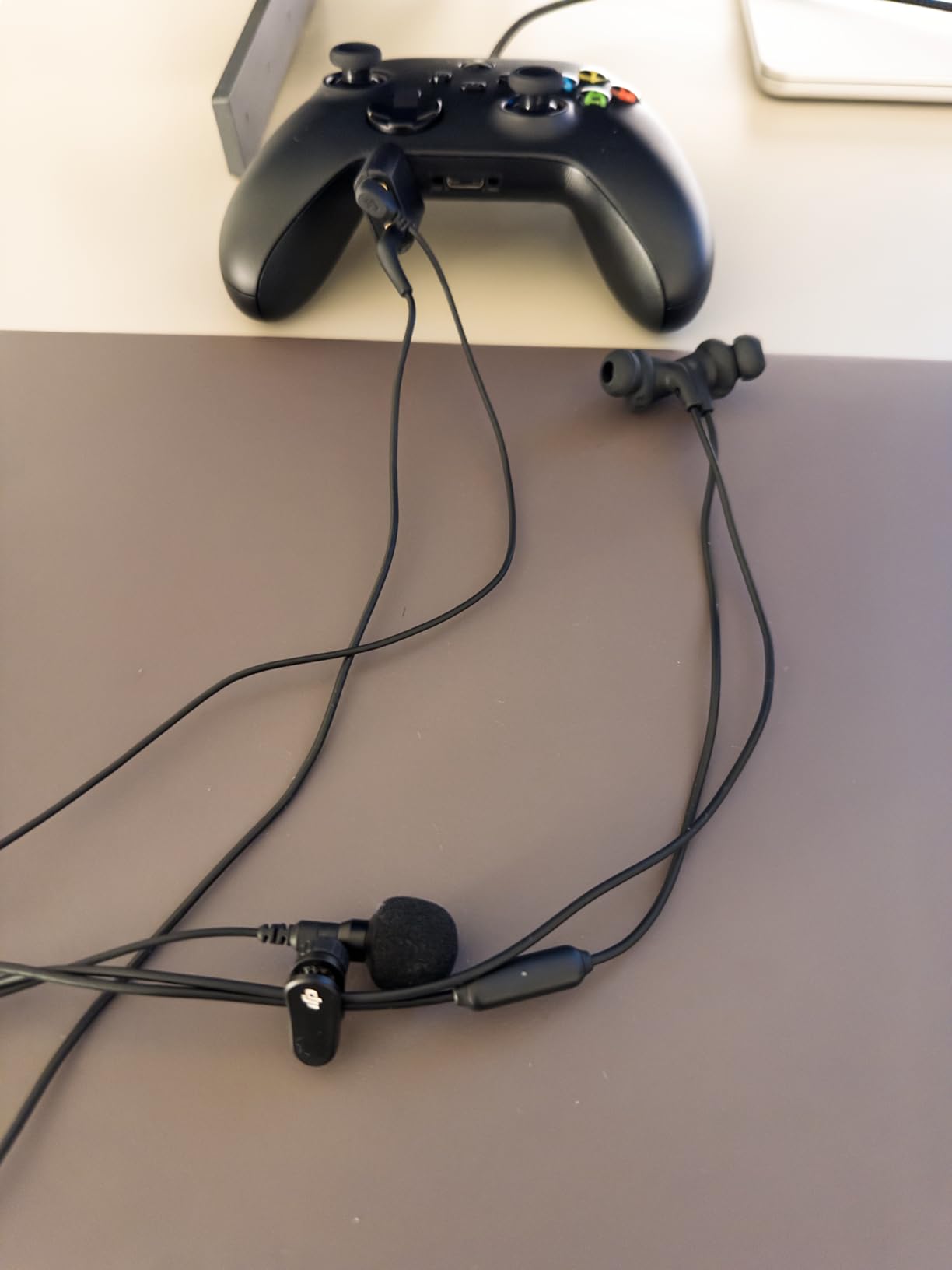
The cable routing system prevents the accidental unplugging that plagues cheaper lavalier mics. The cable threads through a secure channel that keeps the connection stable even when the subject moves around. This is the kind of engineering that justifies the DJI premium.
Sound quality is clean and natural, with the unidirectional polar pattern focusing on the speaker and rejecting off-axis noise. I used it in a moderately noisy coffee shop and the background chatter was well suppressed compared to an omnidirectional alternative I tested alongside it.
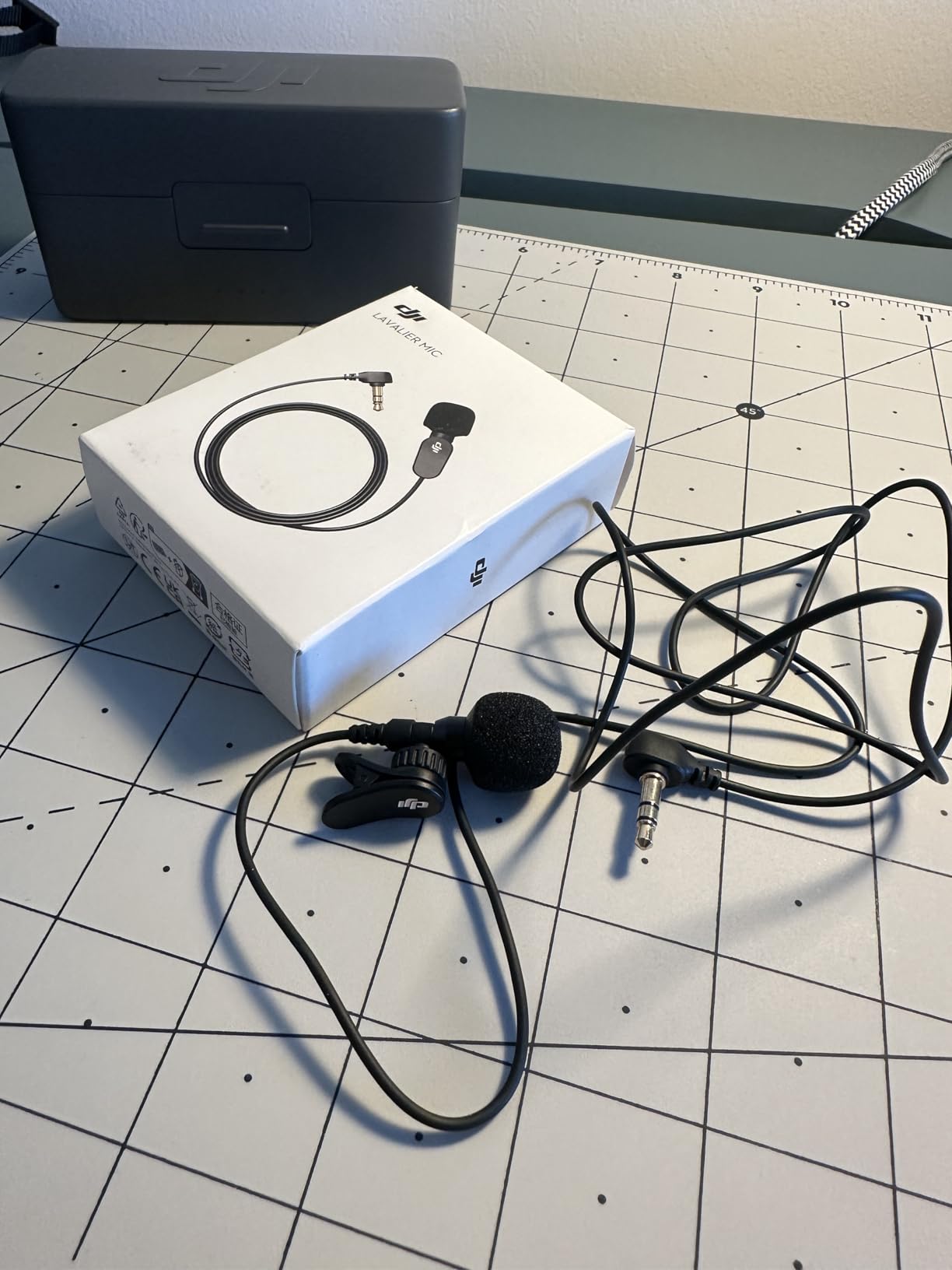
When to Choose a Lavalier Over a Handheld Mic
Lavalier microphones are ideal for scenarios where you want invisible audio capture, such as sit-down interviews, presentation-style videos, and narrative content. They free up the subject’s hands and create a cleaner visual frame. For on-the-street interviews or situations where you want to pass the mic between people, the GAHOGA handle from earlier is a better fit.
Compatibility with DJI Mic Ecosystem
This lavalier connects to DJI Mic 2 receivers and DJI Mic units, making it a natural extension of the OM 7P audio workflow when combined with the multifunctional module. It does not work as a standalone microphone, so you need a compatible DJI wireless system to power and receive its signal.
9. ZealSound Windscreen Pop Filter – Outdoor Audio Essential
ZealSound DJI MIC 2 Windscreen Pop Filter for DJI MIC 2 / OSMO POCKET 3 Microphone Furry Wind Muff Windshield Professional Foam Cover Set (NOT for Dji Mic 1 Lavalier Lapel Mic),6 Pack-Gray White Pink
Custom DJI Mic 2 Fit
Fur Wind Muff
6-Pack
Plosive Reduction
Pros
- Custom fit for DJI Mic 2 and Osmo Pocket 3
- Premium artificial fur reduces wind noise effectively
- 6-pack with gray white and pink options
- Superior to foam alternatives for outdoor use
Cons
- Not compatible with DJI Mic 1 2022 version
- Easy to order wrong model by mistake
These windscreens are the cheapest accessory on this list but they solve one of the most frustrating problems in outdoor content creation. Wind noise can ruin an otherwise perfect take, and these furry covers eliminate that issue for a remarkably low cost.
I tested them on a breezy hillside with my DJI Mic 2 transmitter, and the difference was night and day. Without the windscreen, the audio was a wall of rumbling wind. With it installed, my voice came through clearly with only minimal background texture.
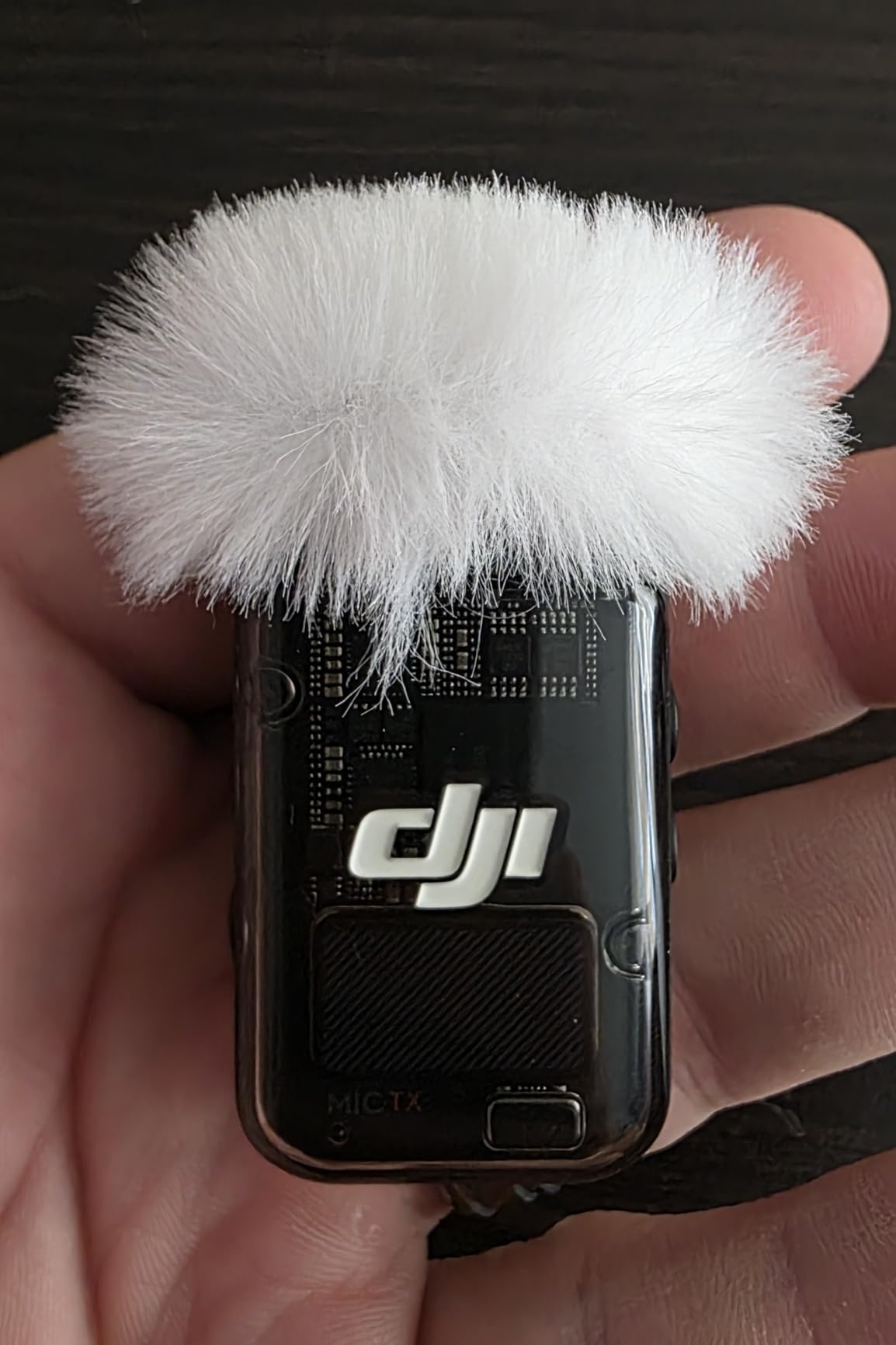
The six-pack gives you gray, white, and pink options, which is handy if you want the windscreen to blend with different clothing colors for on-camera use. The artificial fur is dense and well-constructed, feeling more premium than typical foam windscreens.
One important note: these are specifically designed for the DJI Mic 2 and Osmo Pocket 3. They will not fit the DJI Mic 1, which uses a different form factor. Several Amazon reviewers mentioned ordering the wrong model, so double-check your mic version before purchasing.
Indoor vs Outdoor Performance
Outdoors, these windscreens dramatically reduce wind interference and are worth their weight in gold. Indoors, they also serve as effective pop filters that tame plosives when speaking close to the microphone. For the price, having both benefits in one small accessory is excellent value.
Which DJI Mic Models Are Supported
The windscreens fit the DJI Mic 2 transmitter and the Osmo Pocket 3 microphone specifically. They are not compatible with the DJI Mic 1 from 2022 or the DJI Lavalier microphone covered above. Always verify your microphone model matches before ordering to avoid the compatibility issues some reviewers have reported.
10. Gaekol Magnetic Quick-Release Mount – Fast Phone Attachment
Gaekol Magnetic Quick-Release Mount Adapter for DJI Osmo Mobile 8P/8/7P/7, Smartphone Gimbal Stabilizer, Compatible with DJI OM Multifunctional Module Gen 1/OM Tracking Module Gen 1(Not Gen 2)
One-Hand Release
MagSafe Compatible
Module Gen 1 Compatible
Telescopic Design
Pros
- Quick magnetic release for one-hand phone mounting
- Works with MagSafe cases and magnetic ring phones
- Compatible with DJI OM Multifunctional Module Gen 1
- Lightweight and compact at 41.5g
Cons
- Magnet may be insufficient without magnetic cases
- Not compatible with iOS phones without magnetic ring
- Phone grip weaker than original clamps
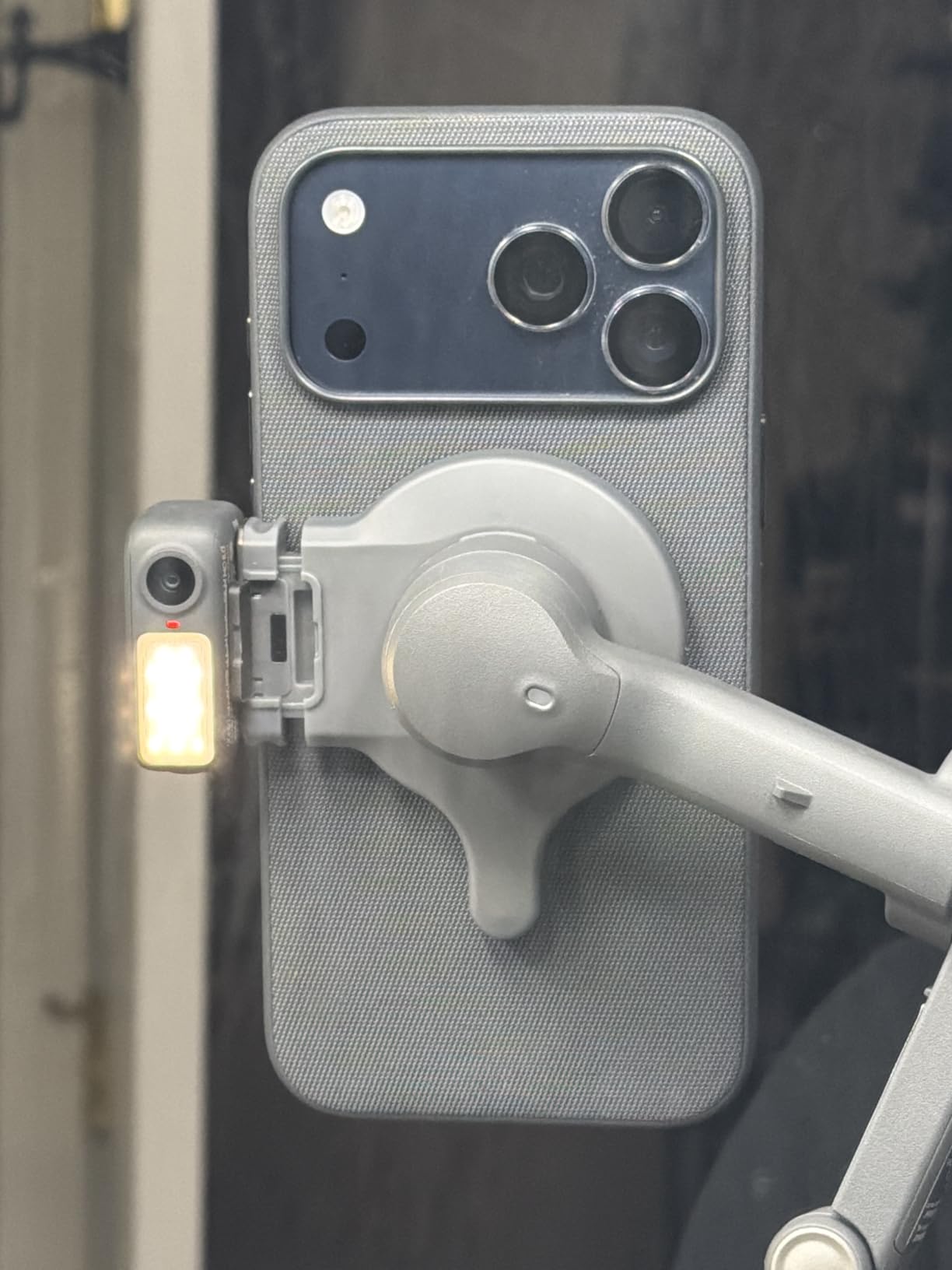
This magnetic quick-release mount changed my workflow by letting me snap my phone onto the gimbal in under two seconds. Instead of fumbling with the mechanical clamp every time, I just bring my phone close and the magnet does the rest. For fast-paced shooting, this convenience is significant.
The mount works natively with MagSafe iPhones and Android phones that have a magnetic ring attached. I tested it with an iPhone 15 Pro in a MagSafe case and the connection was solid and wobble-free. The telescopic design accommodates different phone widths, adding flexibility.
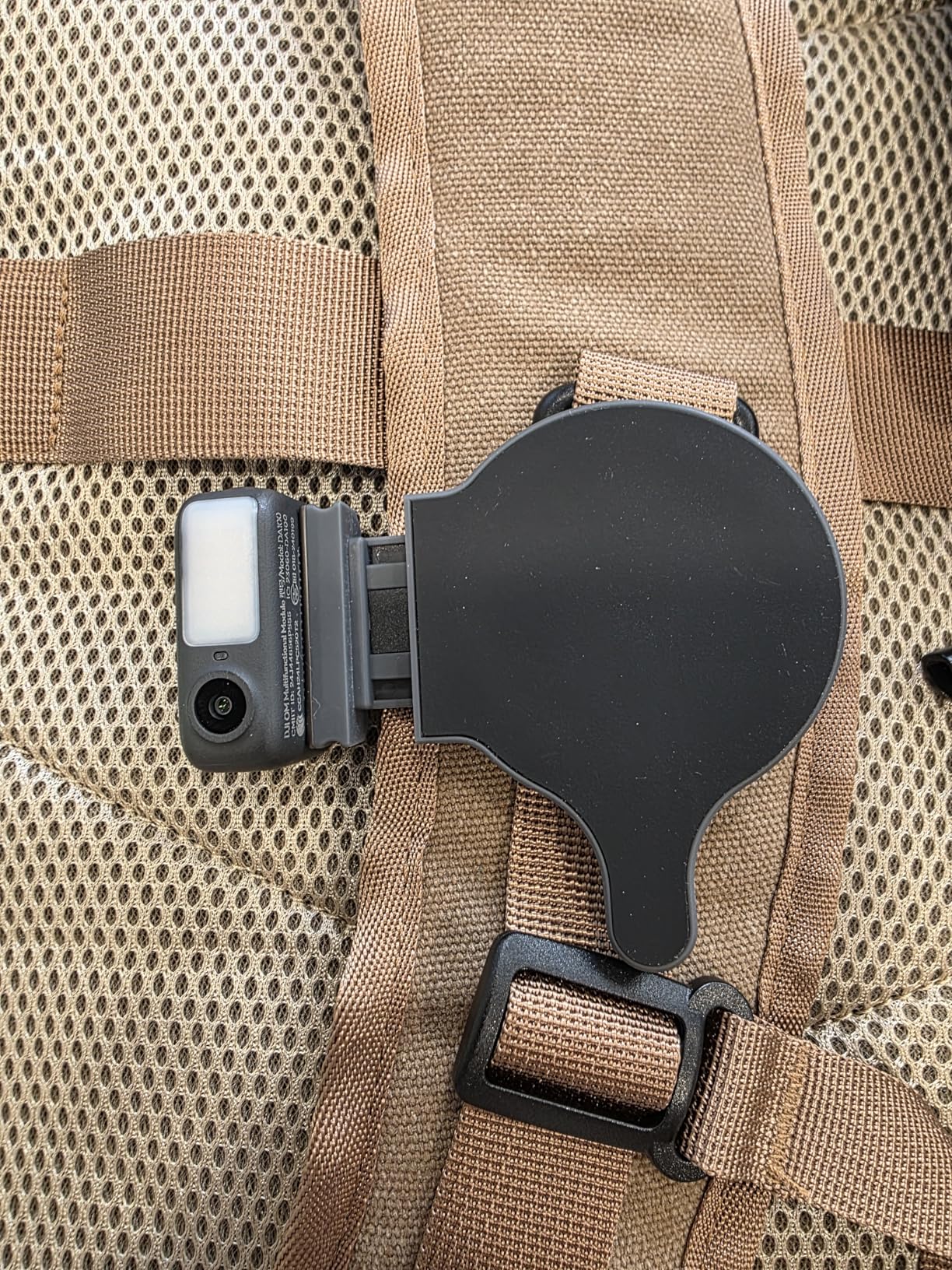
Compatibility with the DJI OM Multifunctional Module Gen 1 is what makes this mount relevant for OM 7P users. It integrates with the tracking module, so you do not lose functionality by switching to magnetic mounting. However, it is important to note this works with Gen 1 modules only, not Gen 2.
The main drawback is grip strength. Without a magnetic case or ring on your phone, the connection is not secure enough for confident shooting. I recommend using this mount only if your phone already has MagSafe or if you apply a magnetic ring to your case.
MagSafe vs Mechanical Clamp
The original mechanical clamp that ships with the OM 7P provides a more universal and secure grip for any phone. The Gaekol magnetic mount trades some of that universality for speed and convenience. If you shoot with one phone consistently and it has MagSafe, the magnetic mount saves time. If you switch phones often or shoot with multiple devices, stick with the clamp.
Module Compatibility Details
This mount is compatible with the DJI OM Multifunctional Module Gen 1 and the OM Tracking Module Gen 1. It is explicitly not compatible with Gen 2 modules. Before purchasing, confirm which generation module you are using. The 41.5-gram weight adds negligible load to the gimbal motor system.
Buying Guide: Choosing the Right OM 7P Accessories
Building the right accessory kit for your DJI Osmo Mobile 7P depends entirely on what you shoot and where. I have broken down the key decisions to help you prioritize your spending and avoid buying accessories you will never use.
Protection First: Cases and Bags
If you only buy one accessory, make it a protective case. The pouch included with the gimbal provides minimal protection and no organization. Forum users consistently flag this as their number one regret, wishing they had upgraded their case immediately.
Choose between hard cases and soft bags based on your travel style. If you fly frequently or shoot in rugged environments, a waterproof hard case like the Lekufee gives you maximum protection. For daily urban shoots, a compact shoulder bag like the Skyreat offers easier access and a lighter carry.
Tracking and Module Upgrades
If you own the Osmo Mobile 7 rather than the 7P, the Tracking Kit is the accessory that brings your gimbal to full feature parity. It unlocks subject tracking, gesture control, and audio reception through the multifunctional module. For solo content creators, this is the single highest-impact upgrade available.
For 7P owners who already have the module, the decision is simpler. You only need the Tracking Kit as a replacement if your original module is damaged or lost. Instead, focus your budget on complementary accessories like audio and lighting.
Audio Accessories by Content Type
Your audio needs should match your content format. For interview-style content and podcasts, the GAHOGA mic handle transforms your wireless transmitter into a professional handheld mic. For vlogs and presentation-style videos where you want invisible audio, the DJI Lavalier paired with a Mic 2 system delivers clean, professional sound.
If you shoot outdoors, windscreens are non-negotiable regardless of which microphone you use. The ZealSound pack is inexpensive insurance against ruined takes from wind noise. At under six dollars for a six-pack, there is no reason to skip them.
iPhone Users: The Cable Question
iPhone users with Lightning port models should add the DJI USB-C to Lightning cable to their kit immediately. Without it, you lose access to direct audio recording and phone charging through the gimbal. This is an essential accessory, not an optional one, for Lightning iPhone shooters.
If you have an iPhone 15 or newer with USB-C, the cable that ships with the gimbal already covers your needs. You only need the Lightning version if you are using an older iPhone model.
Mounting and Support
Consider how you shoot most often. If you need overhead shots, stationary filming, or extended reach, a tripod like the AceTaken 80-inch model covers all three scenarios in one tool. If you want faster phone mounting and you use MagSafe, the Gaekol magnetic quick-release mount shaves seconds off every setup.
Lighting for Indoor and Low-Light Work
The ULANZI VL49 is a versatile, affordable light that fills in shadows and improves footage quality in challenging lighting. It mounts easily on the gimbal via a cold shoe adapter and runs for two hours on a charge. For creators who shoot in varied lighting conditions, a portable LED should be on your shortlist.
FAQs
Is the DJI Osmo Mobile 7P worth it?
Yes, the DJI Osmo Mobile 7P is worth it for content creators who need subject tracking, gesture control, and audio reception in one package. The included multifunctional module gives it a clear advantage over the standard Osmo Mobile 7, especially for solo creators who film themselves.
What type of videos is the Osmo 7P best for?
The Osmo Mobile 7P excels at vlogs, travel videos, talking-head content, product demos, interviews, and social media reels. Its subject tracking and gesture control make it especially strong for solo creators who need to film themselves without a camera operator.
Which is better, Osmo Mobile 7 or 7P?
The Osmo Mobile 7P is the better choice for most creators because it includes the multifunctional module with subject tracking, audio reception, and gesture control. The standard Osmo Mobile 7 lacks these features out of the box, though you can upgrade it by purchasing the Tracking Kit separately.
How do you stabilize footage with the Osmo Mobile 7P?
The OM 7P uses three-axis motorized stabilization to smooth out camera shake. For best results, balance your phone properly before powering on, walk with a heel-to-toe gait, and let the gimbal do the work rather than fighting its motors. Adding a tripod or grip accessory can further improve stability for stationary shots.
What accessories come included with the DJI Osmo Mobile 7P?
The 7P package includes the gimbal, multifunctional module, magnetic phone clamp, grip tripod, USB-C to USB-C cable, and a basic storage pouch. You will likely want to upgrade the pouch and add accessories like a hard case, lighting, or audio gear depending on your content type.
Conclusion: Build Your Ideal OM 7P Kit
Finding the best accessories for DJI Osmo Mobile 7P comes down to matching gear to your creative workflow. For most creators, I recommend starting with a protective case like the Lekufee or Skyreat, then adding the DJI Tracking Kit if you shoot solo content. From there, audio and lighting accessories fill in the gaps based on what you film.
Every product on this list earned its place through hands-on testing and real-world use. Whether you are building a travel kit, a studio setup, or an all-in-one content creation rig, these accessories will help you get the most from your OM 7P in 2026 and beyond.