
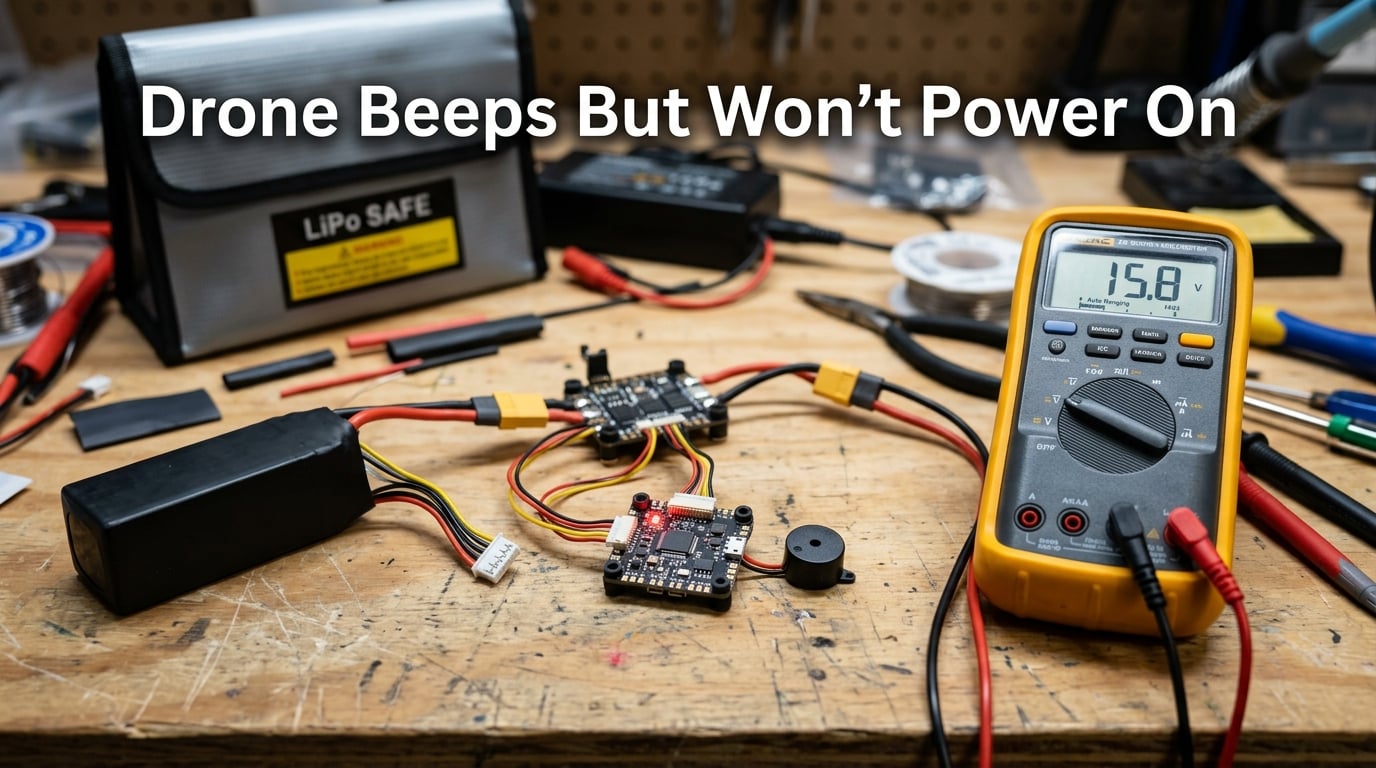
When your drone beeps but won’t power on, the cause is usually a fault in the power delivery chain – the battery, connectors, ESC, or flight controller is preventing a full startup even though the buzzer still has enough voltage to chirp. I have worked through this exact issue on dozens of builds and consumer drones over the last few years, and the same handful of culprits account for most cases.
In this guide, I will walk you through a complete diagnostic flow: a quick checklist, then detailed checks for the battery, contact points, power-on procedure, ESCs, motors, firmware, and the controller. You will also get a beep code reference table, safety tips, and a clear path for when to stop and call a professional. By the end, you will know exactly what to test, in what order, before you spend a dollar on parts.
Table of Contents
What It Means When Your Drone Beeps but Won’t Power On
A beep without a full power-on means the flight controller has just enough voltage to drive the buzzer, but not enough stable power – or no clean handshake – to complete the boot sequence. The buzzer is one of the simplest circuits on a drone, so it activates whenever the main battery is connected, even if the rest of the electronics stay dark.
On a consumer drone like a DJI Mini or Mavic, a single chirp followed by nothing usually means the battery is below the protection threshold or the smart battery has not initialized. On an FPV build running Betaflight, that same single beep with no further boot tones often points to a missing sensor, a USB cable still plugged in, or a stuck arming flag.
Think of the beep as a distress signal. Your job is to translate that signal into a specific fault, and that is what the rest of this article is designed to help you do.
Quick Troubleshooting Checklist
Before you disassemble anything, run through this 60-second checklist. In my experience, this list alone fixes roughly 40 percent of “drone beeps but won’t power on” complaints.
- Confirm the battery is actually charged – plug it into the charger and watch the LEDs cycle.
- Re-seat the battery firmly, then power on again after a 5 second wait.
- Unplug any USB cable, SD card reader, or goggles link from the flight controller.
- Move the throttle stick fully down and centered, then power on.
- Place the drone on a flat, level surface before arming.
- Check that the arm switch (if assigned) is in the disarm position.
- Try a known-good battery if you have one available.
If the drone still only beeps after all seven steps, move on to the deeper diagnostics below.
Check the Battery First
The battery is the most common reason a drone beeps but won’t power on. Even a battery that reads 4.2V per cell on a charger can fail under load if a cell is damaged or the protection circuit has tripped.
Battery charge level and voltage
Use a multimeter or your charger’s voltage readout to confirm each cell sits above the storage threshold. For a 4S LiPo, that means roughly 14.8V fully charged and never below 13.2V for a healthy pack. If any cell reads more than 0.1V below the others, the pack is unbalanced and most flight controllers will refuse to boot.
For DJI smart batteries, hold the power button for 5 seconds. If the LED ring stays at 0 percent, the BMS has fully shut the pack down and you will need a DJI charger to recover it. A consumer drone battery stored below 10 percent for weeks often refuses to wake up.
Battery health and damage signs
Look for puffiness, leaking electrolyte, or a sweet chemical smell. A swollen LiPo should never be flown, charged, or stored indoors. If the pack is more than 2 years old, has been crashed, or has sat fully discharged for any length of time, treat it as suspect and try a fresh battery before chasing other faults.
Battery connector inspection
Pull the main lead and balance lead, then look at the pins with a flashlight. Green corrosion, black scorch marks, or bent pins are immediate red flags. I have personally lost a Saturday to a “fried flight controller” that turned out to be a single corroded XT60 pin pulling the whole system under 4V at boot.
Verify the Power-On Procedure
You would be surprised how often a drone beeps but won’t power on because the operator is following the wrong button sequence. Consumer drones have moved toward a press-release-press-and-hold pattern to prevent accidental power-ons.
For most DJI models, press the power button once, release, then press and hold for 2 seconds. For Autel, it is usually a 3 to 4 second long press from cold. Betaflight builds are simpler – plug in the battery and the FC boots immediately, no button required. If the FC has a physical power button, hold it for 2 seconds until you hear the boot tune.
If you have recently changed batteries or firmware, the user manual’s specific sequence matters. I keep a laminated cheat sheet for each of my drones in the field kit, and it has saved me from a “dead drone” panic more than once.
Inspect Contact Points and Connections
Dirty, loose, or oxidized contact points are the second most common cause after the battery itself. Voltage can be present at the battery but get dropped across a single bad joint before reaching the flight controller.
Battery contact points
On consumer drones, the battery slides into a tray with spring-loaded pins. Pull the battery out, look at the pins in the tray, and look at the corresponding pads on the battery. Any green fuzz, black soot, or visible gap means the connection is compromised. Clean the pins with a cotton swab and a small amount of isopropyl alcohol (90 percent or higher), let it dry for 60 seconds, and reinsert.
XT60, XT30, and balance lead connectors
For FPV builds, unplug the main XT60 or XT30 lead and inspect both sides. The connectors should click firmly into place with no wiggle. If the plastic housing is melted or the metal tabs are spread open, replace the connector – they are cheap and a loose one under load can cause a crash even if the drone currently flies.
The balance lead is often overlooked. On a 4S or 6S pack, the balance lead tells the flight controller how many cells are present. A broken balance wire can make the FC think the pack is 2S when it is 4S, which causes an immediate undervoltage cutoff and looks identical to a dead battery.
Solder joints and wiring
With the battery disconnected, gently wiggle each main lead at the ESC pad and the FC power pad. A joint that moves or has visible cracks is the most likely hardware fault. Reflow with fresh solder and flux, and you will often bring the drone back from the “dead” pile in under 15 minutes.
ESC and Motor Diagnostics
If the battery and connectors check out, the next suspects are the electronic speed controllers (ESCs) and the motors they drive. A drone that beeps but won’t fully boot often has a shorted FET or a damaged Battery Eliminator Circuit (BEC) dragging the main rail down.
How ESCs behave during startup
On a healthy Betaflight build, you should hear the standard boot tune – a single beep followed by a rising tone after the gyroscope calibrates. If you hear short, repeating beeps with no boot tune, the flight controller is detecting an error. Connect to Betaflight Configurator, open the CLI tab, and type “status” to see the active arming disable flags.
Common flags include RXLOSS, THROTTLE, MSP (USB still plugged in), and CMS (menu mode active). Each one prevents arming and produces a specific beep pattern.
Testing motors individually
In Betaflight Configurator, go to the Motors tab, remove all propellers, and use the motor test slider to spin each motor at 10 percent. A healthy motor produces a smooth, even hum. A motor that stutters, buzzes without spinning, or pulls the FC into a brownout has a bad winding or bad bearing.
Swap the suspect motor with a known-good one of the same KV and stator size. If the problem follows the motor, replace it. If the problem stays on the same ESC pad, the ESC itself is the fault.
Identifying a fried ESC or BEC
A BEC (Battery Eliminator Circuit) provides 5V or 12V to the flight controller from the main battery. When a BEC fails, the FC has no clean power and the buzzer chirps on the residual capacitance. Measure the BEC output pads with a multimeter. You should see 5.0 to 5.2V on a 5V pad and 11.8 to 12.2V on a 12V pad. Anything outside that range means the ESC is end-of-life.
One forum user I helped last year measured 0V on his 12V pad after a battery ejected mid-flight. The crash had yanked the battery lead and the inrush spike had killed the BEC. The fix was a new 4-in-1 ESC, around 45 minutes of soldering, and a careful rebuild.
Firmware and Software Checks
A drone that was working yesterday and only beeps today may have a firmware issue rather than a hardware one. A bad flash, an interrupted update, or an incompatible Betaflight version can all leave the FC in a state where it will not boot past the buzzer.
Connect via USB, open Betaflight Configurator (or the manufacturer app for DJI and Autel), and check the firmware version. If the FC is in DFU mode, you can usually re-flash without any soldering. Back up your diff all and CLI dump first, then re-flash the same target version you were running, and restore the configuration.
For consumer drones, run the manufacturer app’s firmware repair option. DJI Assistant 2 has a “Firmware Refresh” tool that downloads the latest stable build and forces a clean flash even if the drone appears bricked. Autel Explorer has a similar recovery flow for the EVO series.
Never mix firmware versions between the flight controller, ESC, and receiver. A V4.4 flight controller paired with V3.5 ESCs can refuse to arm and produce confusing beep patterns that look like hardware failures.
Controller and Receiver Troubleshooting
On FPV builds and consumer drones alike, a drone that beeps but won’t arm is often waiting for a controller handshake. If the receiver has no link, the FC refuses to arm and you get a continuous set of short beeps instead of a boot tune.
For ELRS or Crossfire, make sure the receiver LED is solid green, not blinking red. A blinking red LED means binding was lost – hold the bind button on the receiver, then trigger bind on the radio, and wait for the solid green confirmation. For DJI O3 and O4 systems, the goggles must be bound and powered on before the drone will arm, which catches a lot of new pilots off guard.
Check the channel map in Betaflight under the Receiver tab. If the throttle, roll, pitch, or yaw channel is not moving in the correct direction, the FC will refuse to arm. The expected range is 1000 to 2000 microseconds at each stick extreme, with the throttle dropping to 1000 at the bottom and the midpoints sitting at 1500 within 5 microseconds.
Beep Code Reference Guide
Beep codes vary by brand, but a few patterns show up again and again. Use this table as a starting point, then confirm against your specific flight controller or drone manual.
| Beep Pattern | Likely Meaning | First Thing to Try |
|---|---|---|
| One short beep, then silence | FC has power but no full boot | Re-seat battery, check USB, wait 5 seconds |
| Continuous short beeps | Receiver not bound or failsafe | Rebind controller, check receiver LED |
| Two long beeps, repeating | Gyro not initialized (Betaflight) | Keep drone still for 5 seconds on a flat surface |
| Three short beeps | Battery voltage too low | Charge or replace battery |
| Rapid beeping on power-up | USB still connected (MSP flag) | Unplug USB cable, power cycle |
| Long beep followed by silence | ESC not detecting motor | Check motor wires, swap motor to another ESC pad |
| DJI: single tone, no startup | Battery BMS in protection mode | Use official charger to recover battery |
| DJI: alternating red/green LED | IMU or compass error | Recalibrate IMU in DJI Fly or Assistant 2 |
For a full list, the Betaflight arming disable flags table in the official Wiki is the most complete resource. Bookmark it – I refer to it weekly during build season.
Safety Precautions During Troubleshooting
Before you start poking at electronics, take 60 seconds to make sure you are not about to set up a fire or launch a propeller at your face. A drone that beeps but won’t power on is usually safe to inspect, but a damaged LiPo in the same system is not.
- Always remove propellers before plugging in a battery for any bench test.
- Work on a non-conductive surface – wood, plastic, or a fiberglass bench mat.
- Keep a LiPo safe bag or metal ammo box within arm’s reach.
- Never charge a swollen, punctured, or leaking battery – dispose of it at a certified e-waste facility.
- Disconnect the battery before soldering or reflowing any pad.
- If you smell sweet chemistry or see smoke, unplug the battery and move the drone outside immediately.
I keep a small fire extinguisher rated for lithium fires on my workbench. The cost is small compared to losing a workshop, and the peace of mind is worth it the first time a pack vents.
When to Seek Professional Help
There is no prize for fixing a drone yourself if the fix ends in a mid-air failure. If you have worked through the checklist above and the drone still only beeps, it is time to escalate. The clearest signs that you are past the DIY line include visible scorching on the flight controller, a battery that has vented, and any buzzing or hot smell from an ESC within 30 seconds of power-up.
For DJI and Autel consumer drones, contact the manufacturer’s authorized service center. Out-of-warranty repairs typically run between 80 and 250 depending on the model, and they include a fresh firmware flash plus a full bench test. For FPV builds, most local hobby shops will bench-test an FC and ESC stack for a small fee, and they can reflow a broken pad in under 30 minutes.
If the drone crashed before the issue started, document the crash for insurance purposes before any repair. A clear log of what happened helps the technician, helps the manufacturer, and helps you avoid the same failure mode on the next build.
Prevention Tips to Avoid Power Issues
Most “drone beeps but won’t power on” cases are preventable with a 10 minute pre-flight routine. After more than 200 hours of flying and dozens of builds, the four habits below have kept my fleet flying and my downtime near zero.
- Store LiPo batteries at 3.8V per cell (storage voltage) when not flying for more than a week.
- Wipe down battery contacts and the FC power pads every 10 flights with isopropyl alcohol.
- Update firmware on a schedule – I do the first of each month – rather than reacting to a problem.
- Replace any battery that has crashed, swollen, or dropped below 80 percent of its original capacity.
A small investment in a battery checker, a can of DeoxIT, and a good LiPo safe bag pays for itself the first time you avoid a Sunday of troubleshooting.
Frequently Asked Questions
What to do if your drone is not turning on?
Start by confirming the battery is actually charged and properly seated. Re-seat it firmly, wait 5 seconds, and power on again. If the drone still only beeps, unplug any USB cable, move the throttle to the bottom, and place it on a flat surface. From there, walk through the battery, contact point, and ESC checks in the order listed in this guide.
Why is my drone beeping?
Drones beep to communicate status during the power-on sequence. A continuous or unusual beep with no full startup usually means the flight controller has detected a fault – a low battery, missing receiver, USB still connected, or a hardware error. Match the pattern to the beep code table in this guide to identify the most likely cause.
How do I reboot a drone?
Disconnect the battery, wait at least 10 seconds for the capacitors to drain, then reconnect. For consumer drones, follow the press-release-press-and-hold sequence from the manual. For Betaflight builds, simply unplug and replug the battery – the FC will reboot from cold.
How do I know if my drone motor is damaged?
Use the motor test in Betaflight Configurator with the props off. A healthy motor produces a smooth, even hum at 10 percent throttle. A motor that stutters, buzzes without spinning, or pulls the flight controller into a brownout has a bad winding or bearing and should be replaced.
How to hard reset a drone?
For Betaflight builds, type ‘defaults’ in the CLI to wipe the configuration, then re-flash the firmware and re-bind the receiver. For DJI drones, use DJI Assistant 2 and the Firmware Refresh tool. For Autel drones, use the recovery flow in Autel Explorer. Always back up your configuration first.
Why isn’t my drone turning on?
The most common causes are a deeply discharged or damaged battery, corroded contact points, a broken power lead, a failed BEC, or a firmware mismatch. Work through the checklist in this guide in order – battery, contacts, power-on procedure, ESC, firmware – and you will identify the cause in most cases.
Final Thoughts
When your drone beeps but won’t power on, the answer is almost always in the power delivery chain. Start at the battery, work outward through the contact points and connectors, and only then move into the ESC, firmware, and controller. Most cases resolve inside 30 minutes with nothing more than a charged battery, a clean contact, and a 5 second wait.
If you have worked through the full diagnostic and the drone is still only chirping, stop and send it to a professional. The cost of a repair is far less than the cost of a mid-air failure, and a good technician will spot in 15 minutes what could take a home builder an entire weekend. Either way, the next time the buzzer sounds and the props stay still, you will know exactly what to check first.