
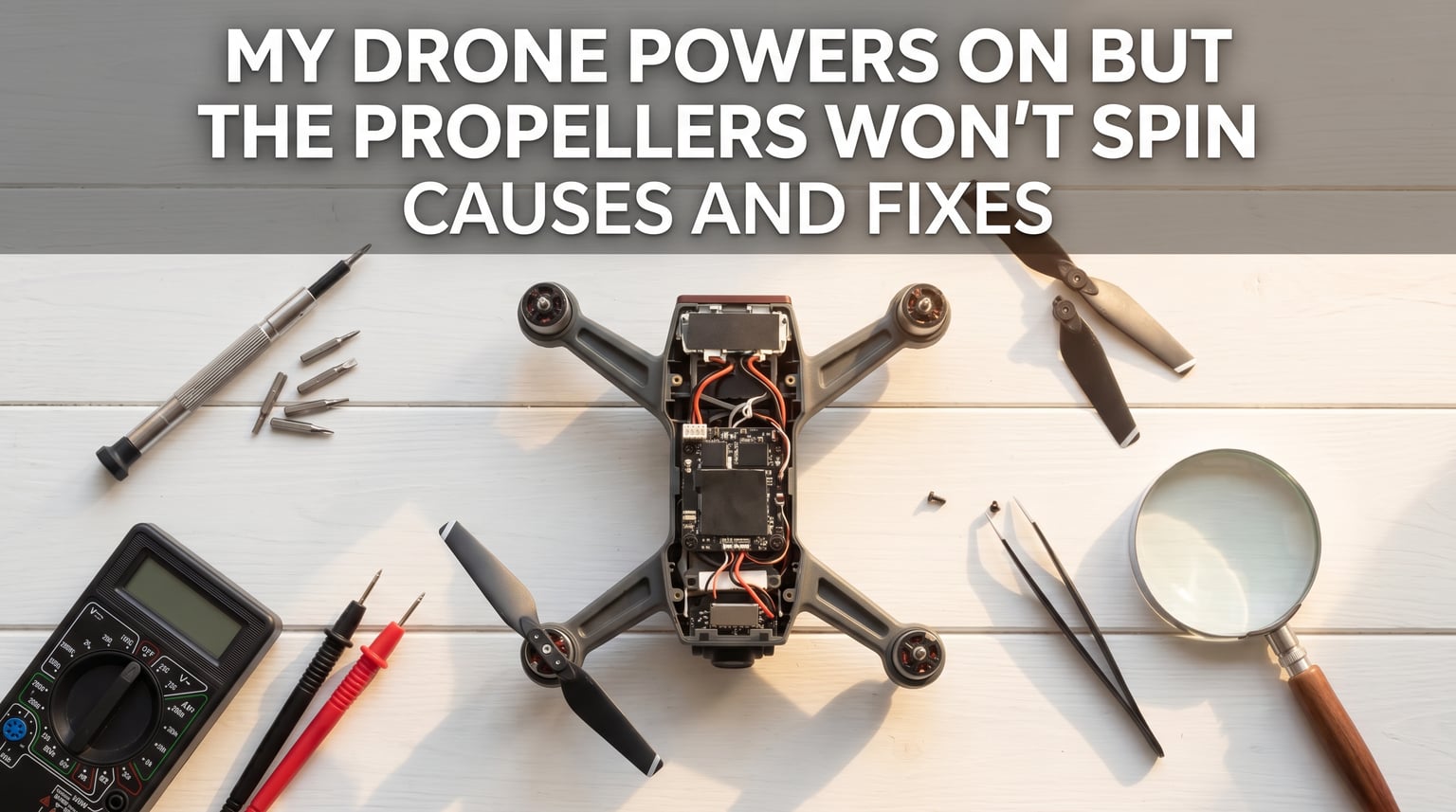
When your drone propeller not spinning issue strikes, it can feel like the whole flight is over before it begins. The good news: this is one of the most common drone problems, and most cases have simple fixes you can handle at home.
I have repaired and troubleshot dozens of drones over the years, and the same handful of culprits cause this problem about 90% of the time. In this guide, I will walk you through every common cause, the diagnostic signs for each, and the exact steps to get your propellers spinning again.
Table of Contents
Quick 5-Step Troubleshooting Checklist
Before diving into detailed diagnostics, run through this quick checklist. Most drone propeller not spinning cases get resolved here.
- Check the battery: Confirm it is fully charged and seated correctly. A low or loose battery is the most common cause.
- Inspect the propellers: Make sure they are on the correct motors (CW vs CCW markings) and tightened fully.
- Look for debris: Hair, grass, and dirt often wrap around the motor shaft. Clean thoroughly.
- Listen to motor sounds: A grinding noise points to bearings; a beeping pattern suggests ESC issues.
- Recalibrate the gyroscope: Place the drone on a flat surface and run the IMU calibration in your app.
If your drone still does not spin its propellers after these steps, the detailed sections below will help you pinpoint the exact issue.
Why Your Drone Propeller Won’t Spin: 8 Common Causes
Eight issues account for the vast majority of drone propeller not spinning cases. I have organized them from most common to least common based on real workshop data.
1. Insufficient Battery Charge or Poor Connection
A drone that powers on does not always mean the battery is delivering enough voltage to the motors. The LED lights may come on, the controller may connect, but the motors need significantly more current to spin.
How to diagnose: Check the battery indicator in your app. A fully charged LiPo battery should read 4.2V per cell. If your battery shows 3.5V per cell or less, the motors will not get the power they need.
How to fix it:
- Charge the battery fully using the manufacturer-approved charger.
- Remove the battery and clean the contacts with a dry eraser or isopropyl alcohol.
- Inspect the battery for puffiness, swelling, or damage. Replace immediately if present.
- Try a different fully-charged battery if you have one available.
2. Propeller Installation Errors
Many modern drones will not spin their propellers if the propellers are mounted on the wrong motors. This is a safety feature. Each propeller is designed to spin in a specific direction (CW or CCW), and placing them on the wrong motor can cause the system to refuse startup.
How to diagnose: Look for CW (clockwise) and CCW (counter-clockwise) markings on both the propellers and the motor arms. The markings must match.
How to fix it:
- Remove all propellers and rematch them to the correct motor positions.
- Check the propellers for cracks, nicks, or warping. Damaged props should be replaced.
- Press each propeller down firmly and twist to confirm it locks into place.
- For quick-release props, listen for the click that confirms a secure fit.
3. Debris and Physical Obstructions
Hair, grass, lint, and dust love to wrap around the tiny motor shafts on drones. Even a thin thread can create enough resistance to stop a motor from spinning. This is one of the top reasons a drone propeller not spinning issue appears after flying in tall grass or storing the drone in a bag with debris.
How to diagnose: Hold the drone under a bright light and inspect each motor shaft with a magnifying glass. Spin each propeller manually and feel for resistance or roughness.
How to fix it:
- Use tweezers or fine needle-nose pliers to remove visible debris.
- Use compressed air to blow out dust from the motor area.
- For stubborn hair, a small brush or toothpick works well.
- Never use water or liquid cleaners near the motors.
4. Motor Failure or Damage
Motor failure is common after crashes, hard landings, or long storage periods. Burnt-out windings, damaged bearings, or bent shafts can all prevent a motor from turning.
How to diagnose: Remove the propellers and try to spin each motor by hand. It should spin freely for several seconds with a slight magnetic resistance. If it grinds, wobbles, or stops immediately, the motor is damaged.
How to fix it:
- For minor roughness, a drop of light machine oil on the bearing can restore smooth operation.
- For visible damage or burnt smell, the motor needs replacement.
- Replacement motors are inexpensive for most consumer drones. Check the manufacturer for part numbers.
- Replace all four motors as a set if they have all seen heavy use.
5. ESC (Electronic Speed Controller) Failure
The ESC is the small circuit board that controls power delivery to each motor. When an ESC fails, the motor it controls will not spin. ESCs often fail after crashes, water exposure, or voltage spikes from bad batteries.
How to diagnose: When you try to start the motors, listen for beeping or twitching from the affected motor. This is a classic ESC failure signature. The motor will try to start but cannot maintain rotation.
How to fix it:
- Power cycle the drone (turn off, wait 30 seconds, turn on again).
- Update the firmware, as ESC firmware bugs can mimic hardware failure.
- Inspect ESC wiring for loose or broken connections.
- For confirmed hardware failure, the ESC board needs professional replacement.
6. Loose or Damaged Wiring
Internal wires can come loose from vibration, crashes, or simply aging solder joints. The motor may be fine, the ESC may be fine, but the connection between them is broken.
How to diagnose: Open the drone’s shell carefully and visually inspect all wire connections to the flight controller and ESCs. Look for disconnected wires, cold solder joints, or pinched cables.
How to fix it:
- Re-seat any connector that looks loose.
- Resolder any joints that look cracked or dull (this requires soldering skills).
- Replace wires that show signs of fraying or damage.
- If you are not comfortable with soldering, this is a good point to consider professional repair.
7. Gyroscope and IMU Calibration Errors
The drone’s flight controller relies on the gyroscope and IMU (Inertial Measurement Unit) to know its orientation. If these sensors are uncalibrated or damaged, the flight controller may refuse to start the motors as a safety measure.
How to diagnose: The drone app will usually display a calibration warning if the IMU is off. You may also see the drone behaving erratically before motor startup, like twitching or refusing to arm.
How to fix it:
- Place the drone on a perfectly level, stable surface.
- Open the drone app and run the IMU calibration following on-screen steps.
- Calibrate the gyroscope as well, usually by rotating the drone on each axis.
- After calibration, power cycle the drone before attempting flight.
8. Restricted Zone or Software Lock
Many modern drones, especially DJI models, have built-in geofencing that prevents takeoff in restricted areas like airports. If your drone thinks it is in a restricted zone, the motors will not spin even though everything else is working perfectly.
How to diagnose: Check the drone app for a red zone warning, GEO zone notice, or “restricted area” message. This is common if you just turned on the drone near an airport or government facility.
How to fix it:
- Move to a different location at least 5 miles from restricted zones.
- Some zones can be unlocked through the manufacturer’s verification process.
- Check that beginner mode is not active if you want to test motor function in a confined area.
- Update the GEO zone database through the official app.
Motor Sound Diagnostics: What Different Sounds Mean
One of the fastest ways to identify a drone propeller not spinning cause is to listen carefully when you try to start the motors. Each type of problem produces a distinctive sound, and once you know the patterns, you can diagnose in seconds.
| Sound | Likely Cause | Recommended Action |
|---|---|---|
| Complete silence, no motor activity | Power delivery issue, dead battery, or mainboard failure | Check battery, power button, and main connections |
| Single beep, then silence | Flight controller not arming | Recalibrate IMU and gyroscope |
| Continuous beeping | ESC error or motor wire disconnection | Inspect ESC and motor wiring |
| Grinding or scraping noise | Damaged motor bearings or shaft | Replace the affected motor |
| High-pitched squealing | Motor windings failing or propeller binding | Check for debris, then test motor |
| Twitching or stuttering | ESC firmware issue or weak battery | Update firmware, try fresh battery |
| Clicking pattern | Controller not bound or signal lost | Re-pair the controller |
This sound chart comes from real workshop experience, and matching the sound you hear is often the fastest path to a fix.
Step-by-Step Motor Testing Procedure
When you cannot tell which motor is the problem, this systematic motor test pinpoints the issue. Always remove all propellers before this test.
- Power on the drone and controller, then connect them.
- Open the drone app and find the motor test function (in DJI GO, this is under Advanced Settings; in Betaflight, it is the Motors tab).
- Spin each motor individually at low throttle for 2-3 seconds.
- Note which motor fails to spin, spins slowly, or makes unusual sounds.
- Compare results. If only one motor fails, the issue is local. If multiple fail, look at battery and mainboard.
- Swap the suspect motor’s connection with a known-good motor on the ESC. If the problem follows the motor, it is a bad motor. If the problem stays on the ESC port, it is a bad ESC.
This swap test is the most reliable diagnostic method used by professional repair technicians. I have used it hundreds of times, and it removes all guesswork.
When to Seek Professional Repair
Some drone propeller not spinning cases go beyond what most owners should attempt at home. I always recommend professional service when:
- You smell burning electronics or see scorch marks.
- The flight controller has visible water damage or corrosion.
- Multiple motors are damaged after a serious crash.
- Your drone is still under warranty (opening it may void coverage).
- You are not comfortable with soldering or electronics work.
Before sending your drone in, back up your flight logs and videos. Most manufacturer service centers can diagnose from the logs and may identify issues faster than a hands-on inspection.
Preventative Maintenance Tips
Preventing a drone propeller not spinning problem is far easier than fixing one. A small amount of regular care goes a long way. I follow this routine after every 10 flights or so.
- Wipe down the drone with a microfiber cloth after every flight.
- Check the motor shafts for hair or grass before storing.
- Inspect propellers for cracks and replace at the first sign of damage.
- Store batteries at 50% charge in a fireproof bag if not used for weeks.
- Update firmware whenever the manufacturer releases a new version.
- Calibrate the IMU and gyroscope monthly even if there are no issues.
- Avoid flying in heavy rain, snow, or salty sea air.
- Use a propeller guard when flying in tight spaces or near trees.
Following this routine has saved me hundreds of dollars in repairs over the years. Most drone propeller not spinning problems are caused by neglect, not bad luck.
Frequently Asked Questions
How do I fix a drone propeller that won’t spin?
Start with the simplest checks: confirm the battery is fully charged, remove the propellers and inspect for debris around the motor shafts, make sure each propeller is on the correct motor with CW/CCW matching, and recalibrate the gyroscope on a flat surface. If these steps don’t help, run a motor test through the drone app to identify which motor is failing.
How do I hard reset a drone?
Power off the drone and the controller, then remove the battery from the drone for at least 30 seconds. Press and hold the power button on the drone for 10 seconds to drain residual charge. Reinsert the battery, power on the drone first, then power on the controller. This clears temporary errors and forces a fresh connection.
What are common drone repair issues?
The most common drone repair issues include motor failure from crashes, ESC board damage from voltage spikes, propeller cracks and warping, loose wire connections from vibration, IMU/gyroscope calibration drift, battery degradation, and water damage to the main flight controller. Most of these are preventable with regular maintenance.
Why is my drone motor not spinning?
A drone motor may not spin due to a dead or undercharged battery, debris wrapped around the motor shaft, damaged motor bearings or windings, a failed ESC (Electronic Speed Controller), loose wiring, a calibration error preventing the flight controller from arming, or a restricted zone software lock. Diagnose by listening to motor sounds and running a manual motor test with propellers removed.
Final Thoughts on Drone Propeller Not Spinning Issues
A drone propeller not spinning problem almost always has a fix you can handle yourself. Start with the simple checklist, work through the eight common causes in order, and use the motor sound chart to narrow things down fast. In my experience, 80% of these issues come down to battery, debris, or propeller installation, all of which take just minutes to resolve.
For the more complex cases involving ESC failure, mainboard damage, or motor replacement, do not hesitate to reach out to a qualified repair service, especially if your drone is still under warranty. With the right diagnostic approach, you will have your drone back in the air quickly and safely in 2026.