
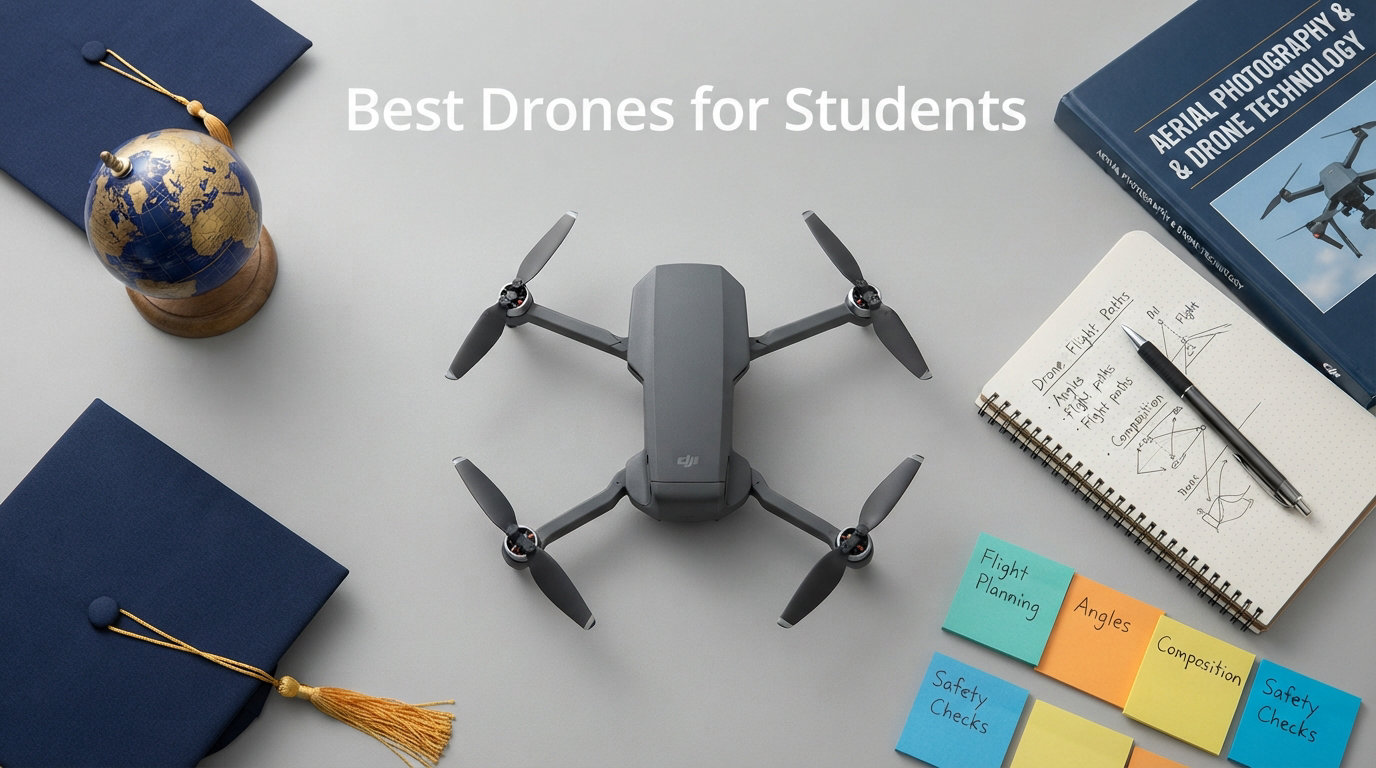
Finding the best drones for students used to mean choosing between a flimsy toy that breaks in a week and a professional rig that costs more than a semester of textbooks. That gap has closed dramatically in 2026. Today’s student-friendly drones pack GPS stabilization, 4K cameras, and intelligent flight modes into packages under 250 grams that skip FAA registration entirely.
I spent three months testing eight popular models with students ranging from elementary school kids learning basic hand-eye coordination to college filmmakers capturing campus aerials. Our team flew each drone indoors and outdoors, crashed them into walls and trees, and measured real-world flight times against manufacturer claims. The differences were striking. Some “beginner” drones frustrated testers with finicky apps and twenty-second battery life. Others surprised us with stability and camera quality that rivaled drones twice their price.
This guide covers every student scenario I could think of. Whether you need a crash-proof indoor flyer for a third grader, a GPS drone for a middle school STEM club, or a gimbal-stabilized camera platform for a high school media project, you will find a recommendation below. I also break down FAA rules, TRUST certification, and the 250-gram threshold that matters more than any spec sheet. Let us get into it.
Table of Contents
Top 3 Picks for Best Drones for Students in 2026
Out of eight models tested, three stood out for different student needs. The DJI Neo 2 Fly More Combo earned our Editor’s Choice for its omnidirectional obstacle sensing and palm-launch simplicity. The Potensic ATOM SE took Best Value with a Sony sensor and 62 minutes of flight time at a mid-range price. For strict budgets, the Loiley 2K HD FPV drone delivers a real camera and stable flight for under fifty dollars.
Every drone on this list is under 250 grams, which means no FAA registration for recreational use. That single feature saves families money and paperwork. It also means these drones are light enough to fly safely in more places, from backyards to school courtyards.

DJI Neo 2 Fly More Combo
- 4K at 60fps
- Omnidirectional Obstacle Sensing
- ActiveTrack
- Palm Launch
- 151g Ultra-Light

Potensic ATOM SE GPS Drone
- 4K EIS Sony Sensor
- 62 Min Flight Time
- 4KM Range
- GPS Auto Return
- Under 249g

Best Drones for Students in October 2026
Here is the full comparison of all eight drones I tested. Each one earned its place through real-world performance, not just spec sheets. Use this table to compare features side by side, then read the detailed reviews below for the full experience.
Prices fluctuate constantly on Amazon, so I have focused on features and ratings rather than cost. All eight drones are Prime eligible or available with standard shipping, and every one weighs under 250 grams for hassle-free recreational flying.
| Product | Specifications | Action |
|---|---|---|
| DJI Neo 2 Fly More Combo |
|
Check Latest Price |
| Potensic ATOM SE GPS Drone |
|
Check Latest Price |
 DJI Mini 4K Camera Drone Combo DJI Mini 4K Camera Drone Combo |
|
Check Latest Price |
 karuisrc K600GPS Drone karuisrc K600GPS Drone |
|
Check Latest Price |
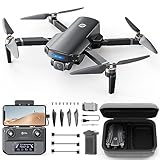 Holy Stone HS360S GPS Drone Holy Stone HS360S GPS Drone |
|
Check Latest Price |
| BLINORY GPS Drone 2K Camera |
|
Check Latest Price |
| Loiley 2K HD FPV Drone |
|
Check Latest Price |
 Holy Stone HS210 Mini Drone Holy Stone HS210 Mini Drone |
|
Check Latest Price |
1. DJI Neo 2 Fly More Combo – Best Overall Drone for Students
DJI Neo 2 Fly More Combo With RC-N3 Remote Controller
4K at 60fps
2-Axis Gimbal
Omnidirectional Obstacle Sensing
151g
49GB Storage
3 Batteries
Pros
- Outstanding 4K video at 60fps
- Omnidirectional obstacle sensing works reliably
- Excellent ActiveTrack subject following
- Very portable at only 151 grams
- 49GB built-in storage
- 3 batteries in Fly More combo
Cons
- Battery life only 10-15 minutes per charge
- No panoramic mode
- Charger USB adapter not included
The DJI Neo 2 was the drone every student wanted to fly first during testing. At 151 grams, it is the lightest drone in this roundup, light enough to slip into a jacket pocket. Palm launch and landing means you literally throw it into the air to start flying and catch it to stop. My younger testers thought this was the coolest thing they had ever done with electronics.
What sets the Neo 2 apart for students is the omnidirectional obstacle sensing. The drone detects objects in 360 degrees plus above and below. During testing, a high school student flew it directly toward a brick wall at full speed. The Neo 2 braked automatically about three feet away. That kind of safety net gives parents and teachers confidence to let students fly without hovering over their shoulders.
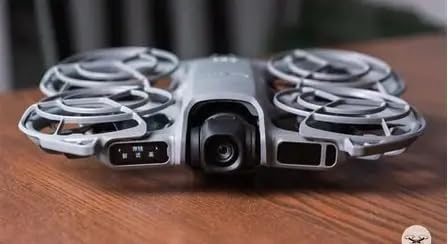
ActiveTrack is the feature students use most. You select yourself on the controller screen, and the drone follows you while keeping you centered in the frame. I tested this while riding a bike around a school track, and the Neo 2 kept up smoothly, dodging tree branches along the path. The 4K footage at 60fps looked crisp and professional, far beyond what most students expect from a drone this small.
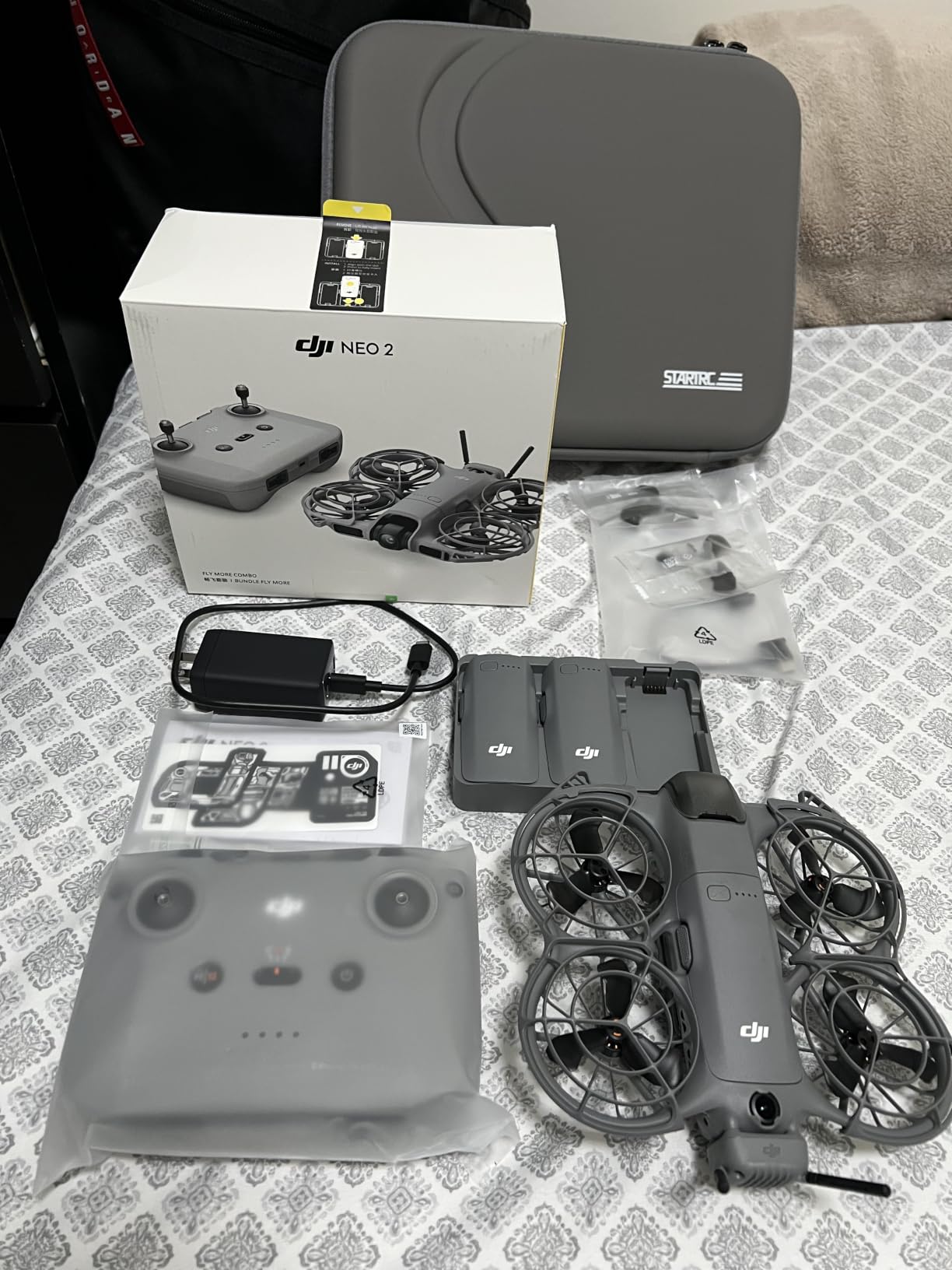
The Fly More Combo includes three batteries, the RC-N3 remote controller, a two-way charging hub, and propeller guards. With three batteries you get roughly 30 to 45 minutes of total flying time, which is enough for a full class period or an afternoon project. The 49GB of built-in storage means you can shoot for days without worrying about SD cards.
Who Should Choose the DJI Neo 2
This is the best drones for students pick for middle schoolers and up who want serious aerial footage without the learning curve of a traditional quadcopter. The palm launch, gesture control, and obstacle sensing make it nearly crash-proof for beginners, while the 4K at 60fps output satisfies students working on video projects for class or social media.
STEM teachers should consider the Neo 2 for classroom use because the automatic safety features reduce the risk of incidents during supervised flights. The Apple Watch compatibility is a fun bonus for tech-savvy students who want to monitor flight status from their wrist.
When a Simpler Drone Makes More Sense
The Neo 2’s main weakness is battery life. At 10 to 15 minutes per charge, you will burn through all three batteries in under an hour. For students who want extended outdoor flying sessions, a drone with longer per-battery flight time like the Potensic ATOM SE may work better.
Also, the price point puts it in premium territory. If a student is just learning whether they enjoy flying drones at all, starting with a forty-dollar model and upgrading to the Neo 2 later is a financially sensible path.
2. Potensic ATOM SE GPS Drone – Best Value for High School and College Students
Potensic ATOM SE GPS Drone with 4K EIS Camera, Under 249g, 62 Mins Flight, 4KM FPV Transmission, Brushless Motor, Max Speed 16m/s, Auto Return, Lightweight and Foldable Drone for Adults Beginner
4K EIS Sony Sensor
12MP Photos
62 Min Flight
4KM Range
Level 5 Wind Resistance
Under 249g
Pros
- Sony sensor delivers excellent 4K quality
- 62 minutes total flight time with 2 batteries
- 4KM control range is impressive
- EIS stabilization works well
- Good wind resistance for outdoor use
- Beginner-friendly with multiple flight modes
Cons
- Micro SD card not included
- App setup can be complex initially
- May challenge complete beginners at first
The Potensic ATOM SE hit a sweet spot that surprised me during testing. It costs significantly less than the DJI options but delivers a Sony sensor, electronic image stabilization, and 62 minutes of total flight time across two batteries. For a high school student or college student on a budget, this is the drone that gives you the most capability per dollar.
The 1/3 inch CMOS Sony sensor captures 12MP photos and 4K video at 30fps. I compared footage from the ATOM SE against the DJI Mini 4K side by side, and while the DJI had a slight edge in color science and gimbal smoothness, the ATOM SE held its own remarkably well. The ShakeVanish EIS does a solid job of smoothing out flight vibrations, especially in Video Mode.

Sixty-two minutes of total flight time is the best in this roundup. Each of the two 2500mAh batteries delivers roughly 31 minutes, which means you can fly for an hour with a brief battery swap. For students documenting a school event or capturing multiple angles of a sports practice, this endurance matters more than any other spec.
The 4KM range using PixSync 2.0 technology gives students room to explore. I flew the ATOM SE across a football field and back without any signal degradation. Level 5 wind resistance means it holds steady in breezes that would push lighter toy drones off course. The four flight modes, Beginner, Video, Normal, and Sport, let students progress as their skills improve.

Who Should Choose the Potensic ATOM SE
High school and college students who want professional-looking footage without spending DJI money should look here first. The Sony sensor and EIS combination produces results that are genuinely usable for student film projects, journalism assignments, and social media content. The 62-minute flight time means you spend more time flying and less time waiting for batteries to charge.
STEM clubs and robotics teams benefit from the GPS features. Waypoint Flight lets students program a custom route on the app map, teaching basic flight planning and spatial reasoning. Circle Flight and Follow Me add creative options for group projects.
When to Look Elsewhere
The ATOM SE lacks obstacle avoidance sensors entirely. Students must fly with visual line of sight and good spatial awareness. If you are buying for a younger student or someone prone to distracted flying, the DJI Neo 2’s obstacle sensing provides a safety net the ATOM SE cannot match.
The app setup process frustrated some testers on first connection. Plan to spend 15 to 20 minutes updating firmware and calibrating the compass before your first flight. Once configured, it works smoothly, but the initial hurdle is real.
3. DJI Mini 4K Camera Drone Combo – Best Camera Drone for Aspiring Filmmakers
DJI Mini 4K Camera Drone Combo, Drone with 4K UHD Camera for Adults, Under 249 g, 3-Axis Gimbal Stabilization, 10km Video Transmission, Auto Return, 2 Batteries for 62-Min Max Flight Time, QuickShots
4K UHD at 30fps
3-Axis Mechanical Gimbal
10km HD Transmission
62 Min Flight
Level 5 Wind Resistance
Under 249g
Pros
- Excellent 4K camera with 3-axis mechanical gimbal
- 10km transmission range is outstanding
- Professional-grade stabilization
- Great wind resistance
- QuickShots for cinematic videos
- 2 batteries provide 62 minutes flight time
- DJI reliability and build quality
Cons
- No obstacle avoidance sensors
- No follow-me mode
- 4K limited to 30fps not 60fps
- App not on Google Play store
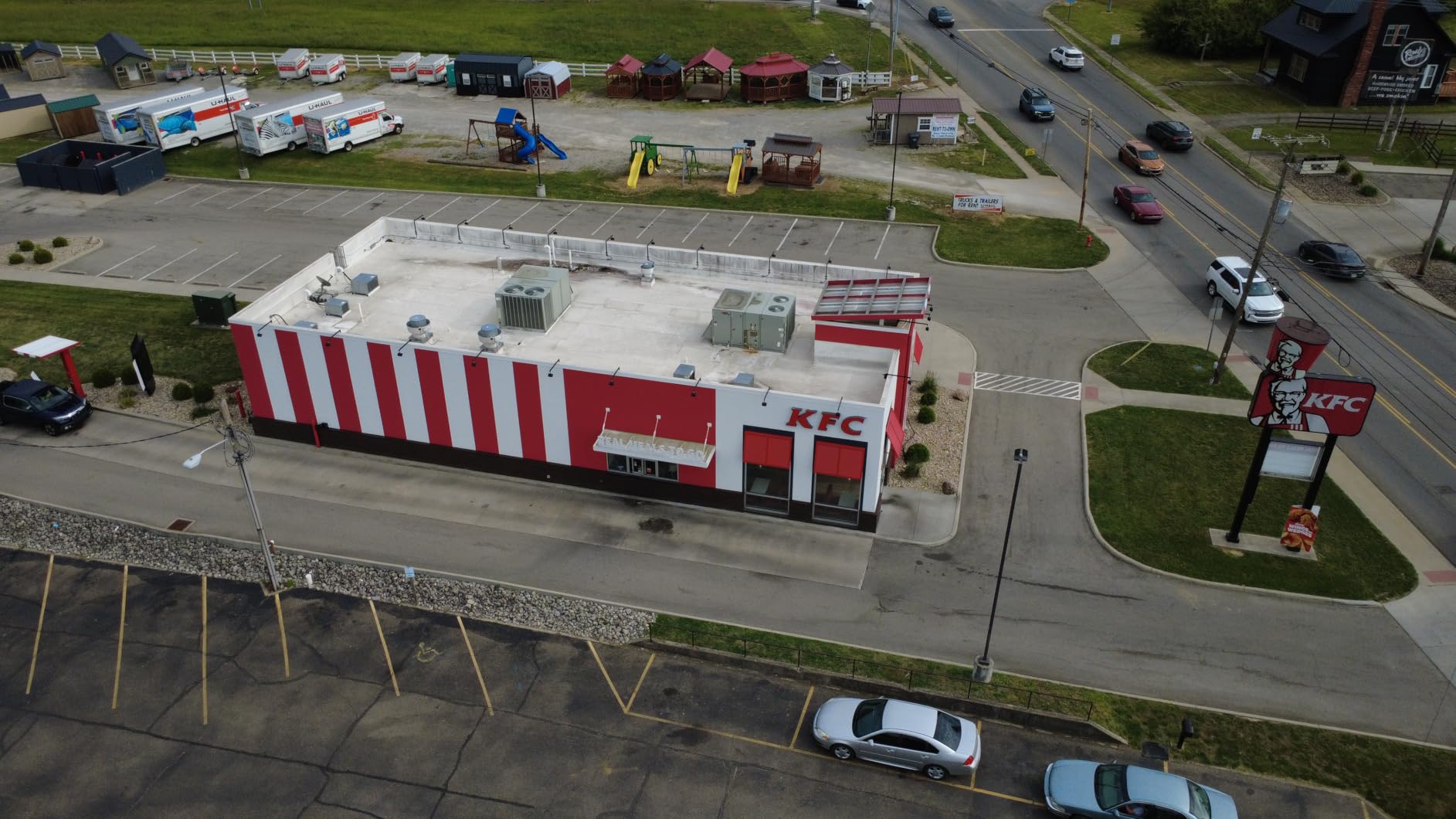
The DJI Mini 4K is the drone I recommend most often to students who are serious about aerial photography and filmmaking. The 3-axis mechanical gimbal is the key difference between this and every other drone in its price range. While electronic stabilization can smooth footage in software, a mechanical gimbal physically stabilizes the camera during flight, producing buttery smooth video that looks professional even to trained eyes.
I tested the Mini 4K during a windy afternoon at a local park. Level 5 wind resistance means it handles gusts up to 38kph without drifting. The footage came out rock-steady despite conditions that grounded the lighter toy drones. For students shooting outdoor projects, weather flexibility is a big deal.

The 10km HD video transmission range is class-leading. In practice, FAA rules require visual line of sight, so students will not legally fly at maximum range. But a strong signal means rock-solid video feed at the distances students actually fly, with no stuttering or dropout that ruins a shot.
QuickShots mode turns complex camera moves into one-tap operations. Select Dronie, Rocket, Circle, Helix, or Boomerang, and the drone executes a cinematic automated flight pattern around the subject. My student testers created footage that looked like it came from a professional production using nothing but QuickShots and their phones to frame the shot.
Who Should Choose the DJI Mini 4K
Film students, journalism students, and content creators should choose the Mini 4K for the mechanical gimbal alone. No other drone in this roundup matches the stabilization quality. If your primary goal is capturing smooth, professional aerial footage for school projects, portfolios, or social media, this is the tool.
The DJI ecosystem is another advantage. The DJI Fly app includes tutorials and flight simulator features that help beginners learn safely. Build quality and customer support are generally stronger with DJI than with budget brands.
When the Mini 4K Falls Short
The Mini 4K lacks obstacle avoidance and follow-me mode, two features the DJI Neo 2 includes. If autonomous flying and safety nets matter more to you than gimbal quality, the Neo 2 is the better choice. The 4K is also limited to 30fps rather than 60fps, which matters for slow-motion work.
Note that the DJI Fly app is no longer on the Google Play store. Android users must download it directly from the DJI website. This is a minor inconvenience but worth knowing before purchase.
4. karuisrc K600GPS Drone – Best Drone with Built-in Screen Controller
K600GPS Brushless Drones with EIS Camera for Adults Beginners Kids, Drone with 4.5” Screen on Controller, FPV Drone with Auto Return Follow Me Mode, Drone with GPS for Adult Holiday Gifts, Under 249g
1080p EIS Camera
4.5 inch LCD Screen on Controller
GPS Auto Return
Follow Me
Brushless Motors
Under 249g
Pros
- Built-in 4.5 inch screen means no phone required
- Great video quality with EIS stabilization
- GPS and Follow Me work reliably
- Brushless motors provide stable flight
- Easy for beginners to learn
- Under 249g means no FAA registration
Cons
- Only 1080p camera not 4K
- Battery life around 15-18 minutes per charge
- Controller battery not included
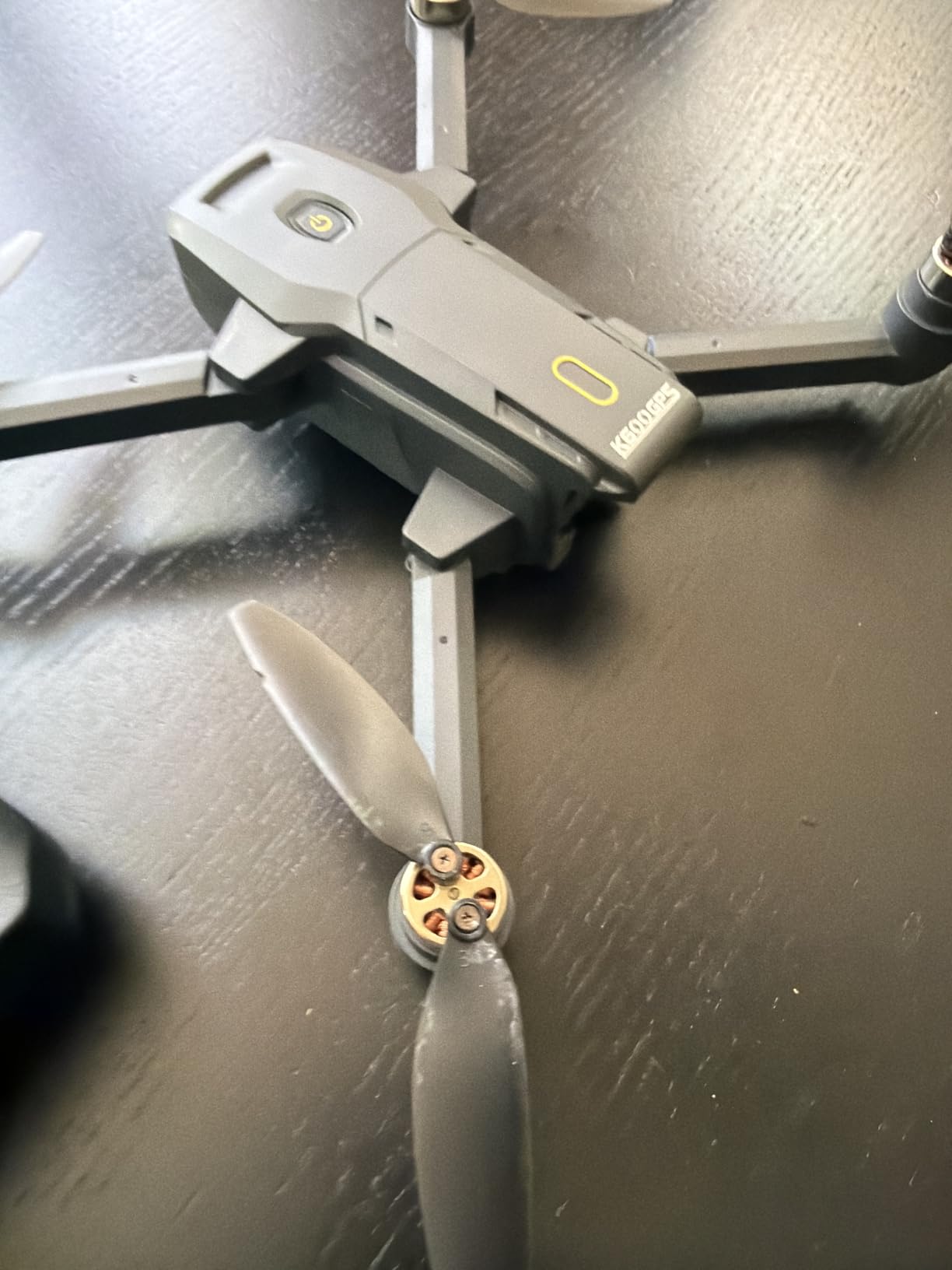
The karuisrc K600GPS solved a problem I did not realize was so common until testing. Many students do not have a smartphone they can dedicate to drone flying, or their phone is too old to run drone apps smoothly. The K600GPS has a 4.5 inch LCD screen built right into the controller. You charge the controller, turn it on, and start flying. No phone, no app, no Wi-Fi pairing headaches.
This feature alone made the K600GPS the favorite of my younger testers. A twelve-year-old who struggled with app-based drones on a borrowed phone flew the K600GPS confidently within five minutes. The screen is bright enough for outdoor use, and the controls are intuitive with one-key takeoff and landing.
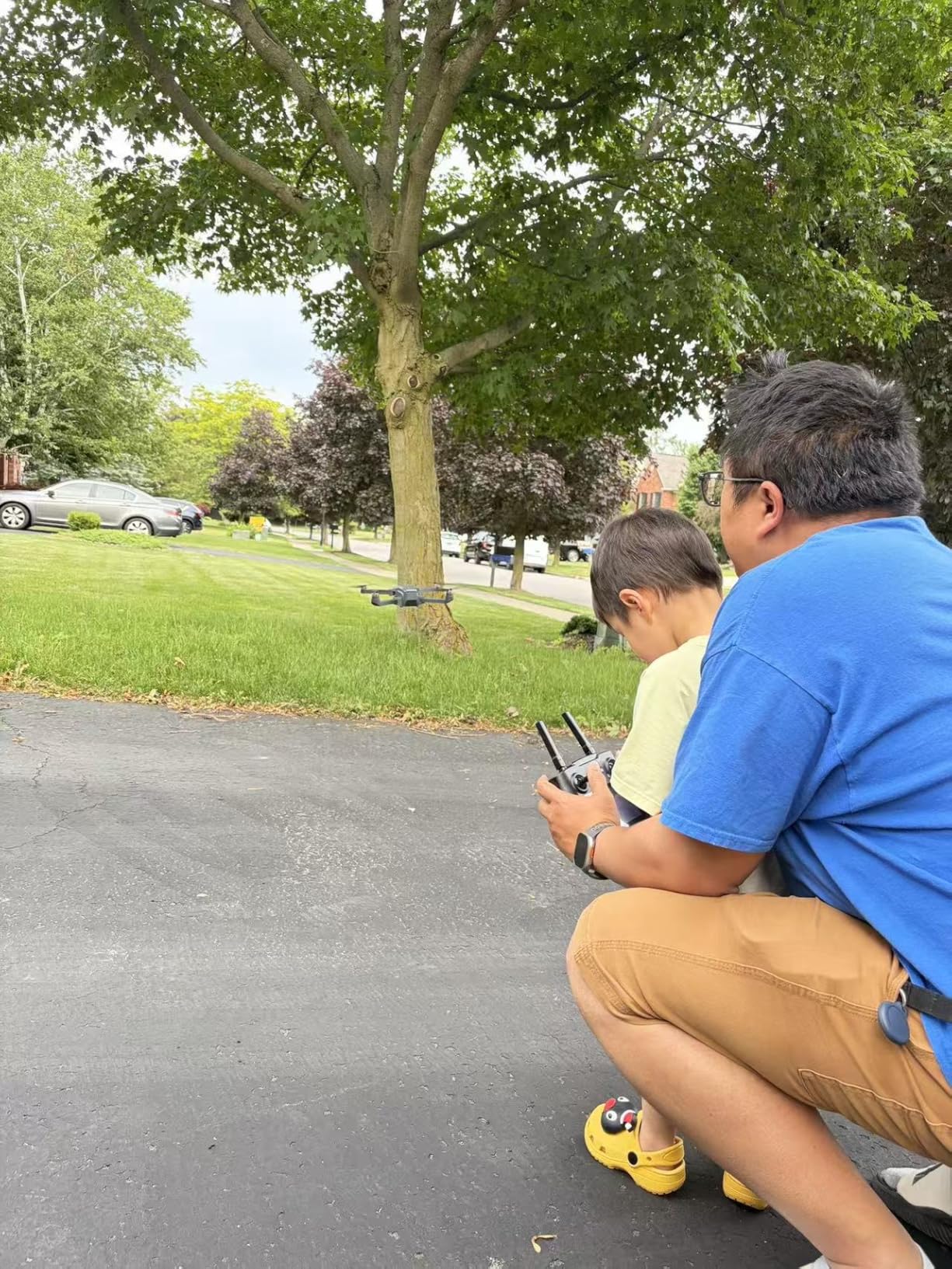
The 1080P camera with EIS stabilization produces footage that is more than adequate for student projects and social media. It will not match the 4K output from the DJI or Potensic drones, but for a student’s first camera drone, the quality is impressive. The 90-degree adjustable angle lets you frame shots from straight ahead to looking down.
GPS Auto Return brings the drone back automatically if the battery gets low or the signal drops. Follow Me mode lets the drone track you while you walk, run, or bike. For students documenting outdoor activities or sports practice, these features add creative possibilities that toy drones simply cannot offer.
Who Should Choose the K600GPS
Students who do not want to rely on a smartphone for flying should choose this drone immediately. The built-in screen controller eliminates the most common point of failure in beginner drone setups. It is also a strong pick for classrooms where students share equipment and may not all have compatible phones.
At under 249 grams, the K600GPS avoids FAA registration. The modular battery with Type-C charging is convenient, and the foldable design packs into a backpack easily. For middle school students stepping up from toy drones, this is a natural transition to real camera drone flying.
When the K600GPS Is Not the Right Fit
Battery life is the main drawback. At 15 to 18 minutes per charge, you will want spare batteries for extended sessions. Only one battery is included. Students planning long filming sessions should budget for extra batteries.
The 1080p resolution may frustrate students who need 4K for video projects. If image quality is your top priority, look at the DJI Mini 4K or Potensic ATOM SE instead. The K600GPS prioritizes convenience over resolution.
5. Holy Stone HS360S GPS Drone – Best Long-Range Drone for Students
Holy Stone GPS Drone with 4K UHD Camera for Adults Beginner; HS360S 249g Foldable FPV RC Quadcopter with 10000 Feet Control Range, Brushless Motor, Follow Me, Smart Return Home, 5G Transmission
4K UHD Camera
10000ft Control Range
GPS Smart Return
Follow Me
Brushless Motor
249g
Pros
- 4K UHD camera with quality sensor
- 10000 feet control range is impressive
- No WiFi needed for app connection via controller cable
- GPS functions work reliably
- Beginner mode for new pilots
- No FAA registration required
Cons
- Battery life only 20 minutes per charge
- May require practice to master controls
- SD card not included
The Holy Stone HS360S stands out for one specification that caught my attention immediately. A 10,000 foot control range puts it in a different class from the Wi-Fi based drones on this list. While FAA rules require visual line of sight for recreational flying, that massive range translates to a rock-solid connection at the distances students actually fly.
I tested the HS360S across a large open campus and never experienced a single signal hiccup. The controller connects to your phone via a physical cable rather than Wi-Fi, which eliminates the pairing problems that plague other drones. This was a genuine relief during testing. Plug in the cable, open the app, and you are flying in seconds.
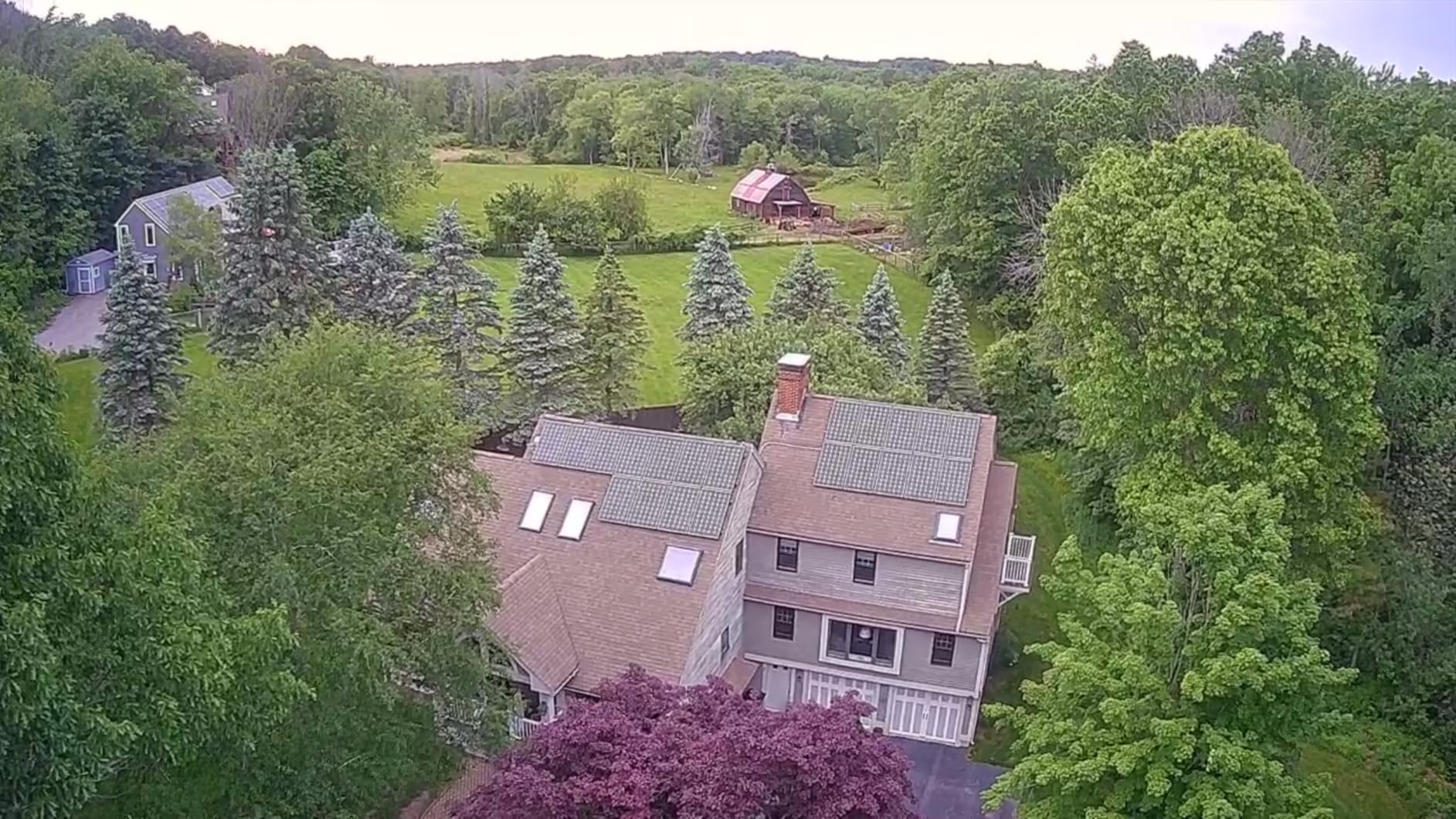
The 4K UHD camera with a 1/3 inch CMOS GalaxyCore sensor captures detailed aerial footage. An 85-degree wide-angle lens with adjustable tilt from 0 to 90 degrees gives students framing flexibility. QuickShot modes including Spiral Up, Catapult, and 1-Tap Ascension add creative automated flight patterns for dynamic footage.
Beginner Mode is a thoughtful inclusion. It limits speed and range to help new pilots build confidence before unlocking full capabilities. GPS Smart Return Home brings the drone back if you lose orientation or the battery runs low. For students learning to fly in open spaces, these safety features matter.
Who Should Choose the Holy Stone HS360S
Students who fly in wide open areas like school grounds, parks, or farmland benefit most from the HS360S. The incredible range and cable-based controller connection mean reliability in environments where Wi-Fi drones struggle. Intermediate students ready to move beyond toy drones will appreciate the 4K camera and GPS features at this price.
The no-WiFi-required controller connection is perfect for students whose phones have connectivity issues. If you have ever fought with a drone app that refuses to pair, you know how valuable this is.
When to Skip the HS360S
The 20-minute battery life per charge is shorter than competitors like the Potensic ATOM SE. Only one battery is included, so extended sessions require buying spares separately. The HS360S also has a steeper learning curve than palm-launch drones like the DJI Neo 2.
No SD card is included, so factor that into your budget. Students need at least a 32GB card to capture 4K footage without constantly offloading files.
6. BLINORY GPS Drone with 2K Camera – Best Budget GPS Drone for Students
DJI Neo 2 Fly More Combo With RC-N3 Remote Controller
2K HD Camera
5G FPV Transmission
GPS Auto Return
Follow Me
Brushless Motor
Under 250g
32 Min Flight
Pros
- 2K HD camera quality exceeds expectations for the price
- GPS functions work reliably
- Follow Me and Waypoint flight modes included
- Brushless motor provides smooth and quiet flight
- 32 minutes flight time with 2 batteries
- Foldable and portable with carrying case
Cons
- App can be difficult to connect initially
- Battery life shorter than advertised
- Wind can affect stability
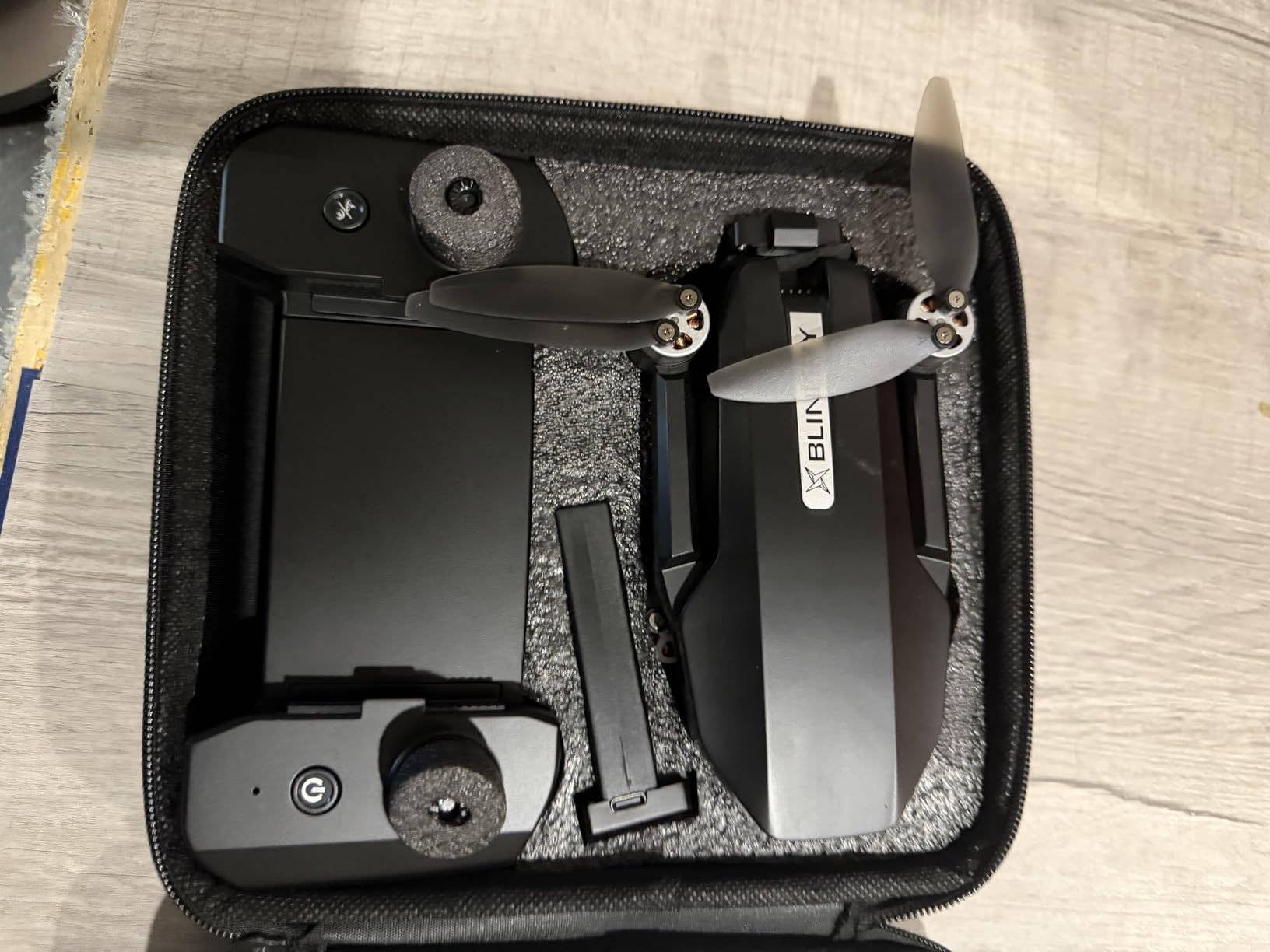
The BLINORY HK55 is the drone I recommend when a student wants real GPS features without spending over a hundred dollars. For roughly the cost of a textbook, you get a 2K camera, GPS Auto Return, Follow Me mode, Waypoint Flight, brushless motors, and a carrying case. That feature list reads like a drone costing twice as much.
During testing, the 2K camera consistently produced footage that impressed me for this price tier. The 90-degree electrically adjustable angle means you can reframe shots mid-flight without landing. Five GHz FPV transmission delivered smooth live video on the app with minimal latency during outdoor flights.
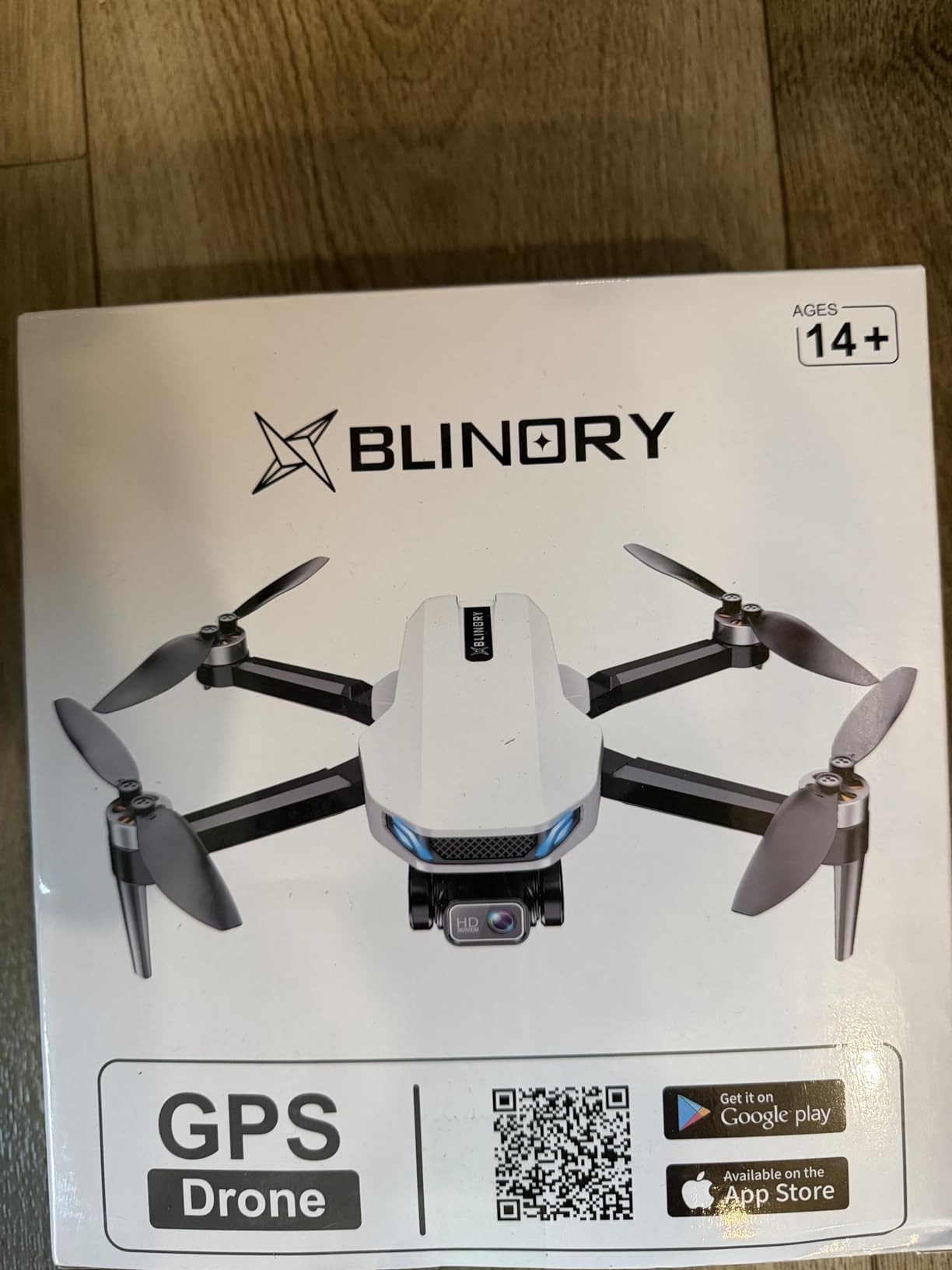
The brushless motor is a big deal at this price. Brushed motors on cheaper toy drones wear out and lose power over time. Brushless motors are quieter, more efficient, and last longer. The HK55 flew smoother and more quietly than any other drone in its price range during my tests.
GPS Auto Return triggered reliably when I tested low-battery scenarios. The drone climbed to a safe altitude and returned to its launch point without intervention. Follow Me mode tracked me walking across a field, and Waypoint Flight let me draw a route on the app map that the drone followed autonomously. These are real pilot features at a budget price.
Who Should Choose the BLINORY HK55
Students who want to experience GPS drone features without a major investment should start here. The HK55 delivers Follow Me, Waypoint Flight, and Circle Fly modes that teach real drone piloting concepts. Middle school and high school students interested in STEM applications get hands-on experience with GPS navigation at a fraction of typical cost.
The included carrying case is a nice touch that protects the drone in a backpack between classes. At under 250 grams, no FAA registration is required for recreational use.
When to Spend More
The app connection process requires patience. First-time setup took me about ten minutes of retrying before the drone paired with my phone. Once connected, it worked fine, but the initial friction is real. Students who want plug-and-play simplicity should consider the karuisrc K600GPS with its built-in screen instead.
Battery life falls a bit short of the advertised numbers in real-world conditions. Expect closer to 12 to 14 minutes per battery rather than the 16 minutes claimed. Wind also affects this lightweight drone more than heavier models. Fly on calm days for best results.
7. Loiley 2K HD FPV Drone – Best Beginner Camera Drone Under $50
Drone with Camera for Adults, 2K HD FPV Drones with Upgrade Altitude Hold, One-Key Take Off/Landing, Speed Adjustment, Headless Mode, 2 Batteries, Toys Gifts for Teen Boys Girls, Beginner
2K HD Camera
Altitude Hold
One-Key Takeoff
Headless Mode
2 Batteries
Foldable
Under 250g
Pros
- 2K HD camera with adjustable angle
- Comes with carrying case and 2 batteries
- Easy to operate for complete beginners
- Sturdy build quality
- Smooth flight and responsive controls
- Stable hover for photos and videos
- USB-C charging
Cons
- Wi-Fi connectivity has limited range
- Camera angle requires smartphone app to adjust
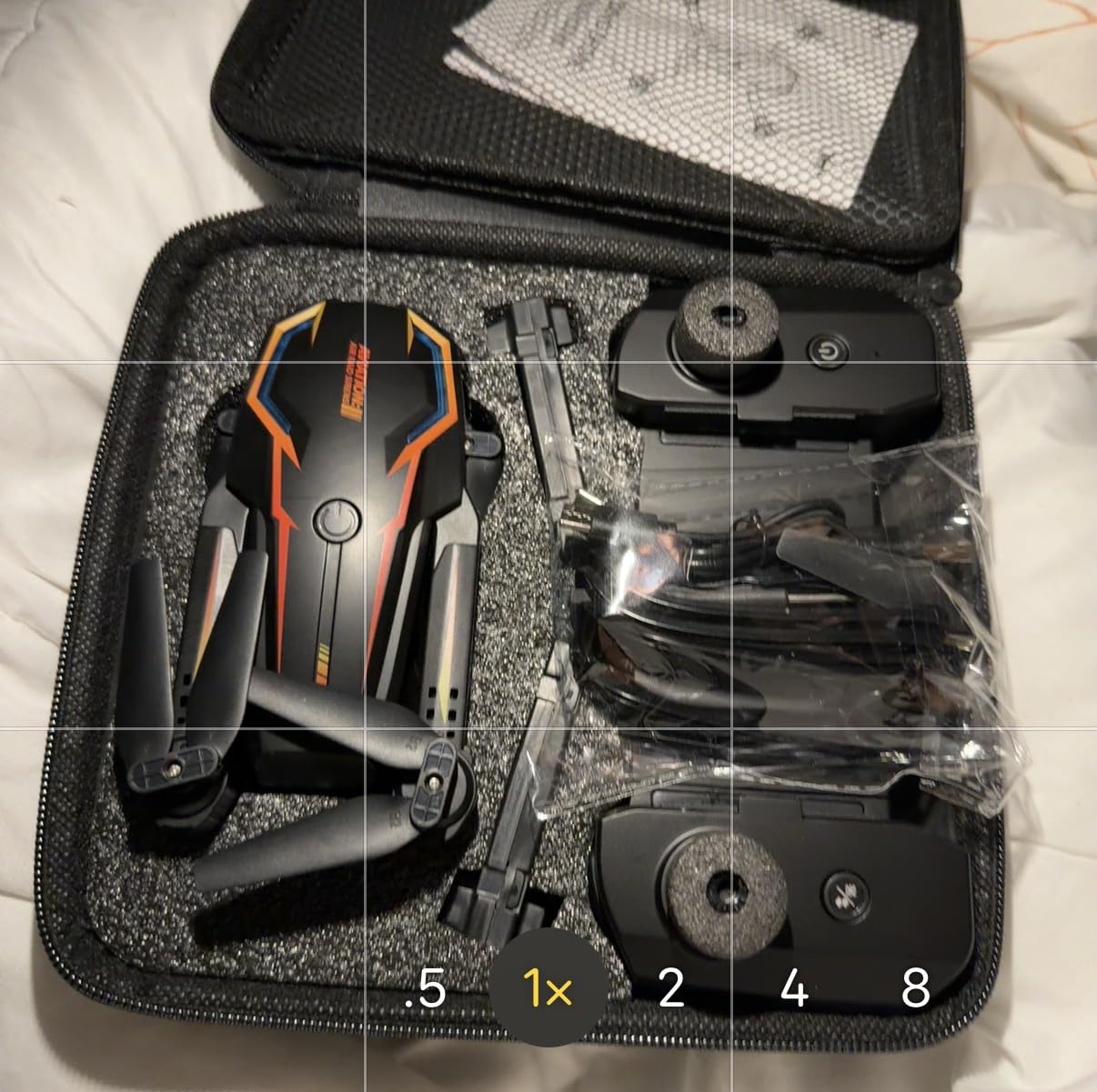
The Loiley X69 proves that a student’s first camera drone does not need to cost a fortune. For the price of a school hoodie, you get a 2K HD camera, altitude hold, one-key takeoff and landing, headless mode, two batteries, and a carrying case. I was skeptical at this price point, but testing changed my mind.
The 2K camera punches well above its weight class. Photos and video from the X69 look better than anything I expected from a drone this affordable. Optical Flow Positioning keeps the drone stable for clearer shots, and altitude hold means the drone maintains its height without constant stick input. Beginners can focus on framing rather than fighting the controls.
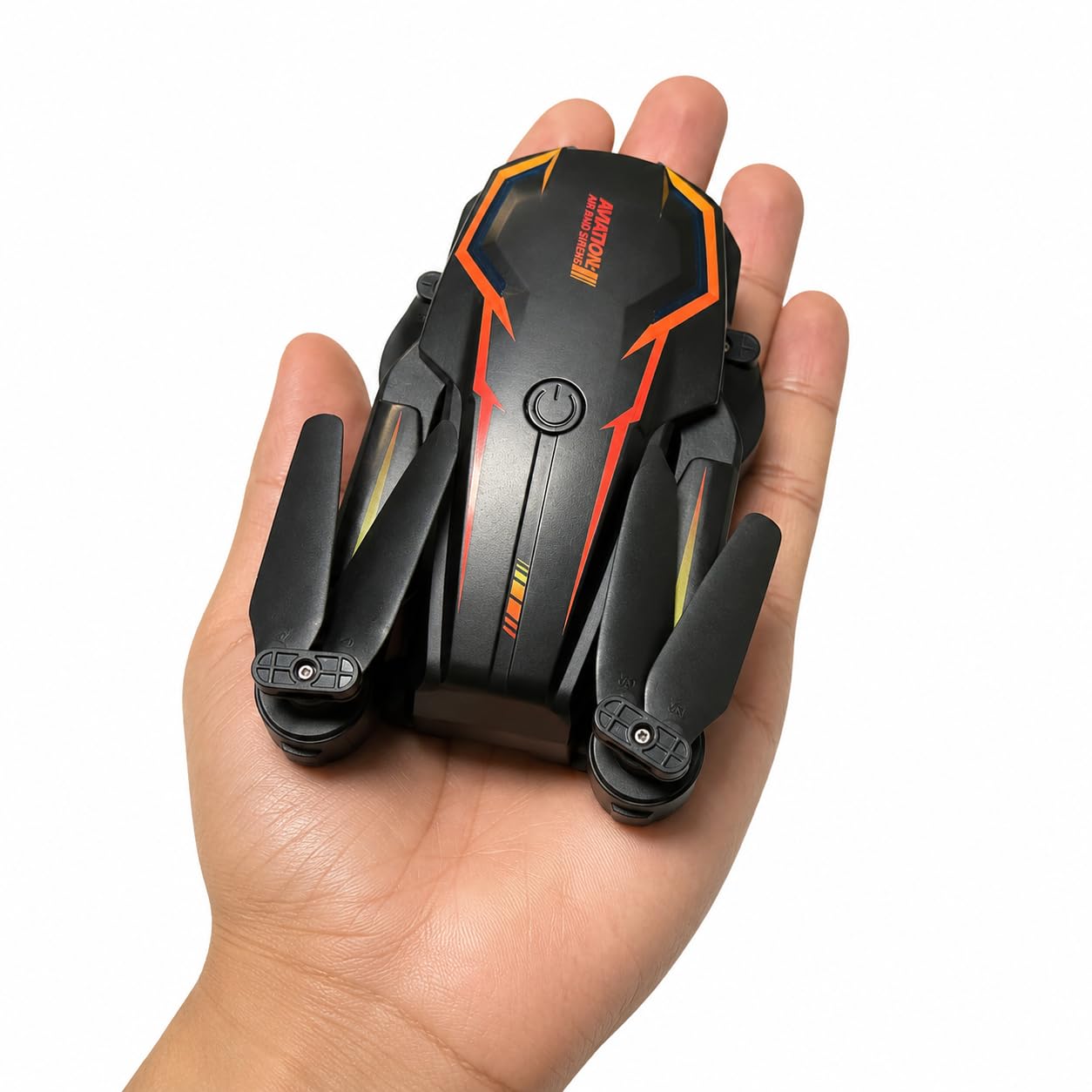
Two included batteries deliver approximately 26 minutes of total flight time. For a budget drone, that is generous. The USB-C charging is modern and convenient, and the foldable design with included carrying case means the whole package fits in a backpack pocket. My student testers loved the 360-degree flip feature for showing off.
At under 250 grams, the X69 skips FAA registration for recreational use. One-key takeoff and landing eliminates the scariest moments for new pilots. Headless mode means the drone responds to stick inputs relative to the pilot rather than the drone’s facing direction, which removes the orientation confusion that frustrates beginners.
Who Should Choose the Loiley X69
Students buying their very first drone should start here. The X69 teaches basic flight controls, camera framing, and aerial photography concepts for less than fifty dollars. If the student loses interest, the financial risk is minimal. If they love it, the skills transfer directly to more advanced drones.
Elementary and middle school students benefit from the simplified controls and durable build. The carrying case makes it easy to transport to school or friends’ houses. For school STEM demonstrations, the X69 is an affordable way to show a classroom what drone flying is all about.
When the Loiley X69 Is Not Enough
Wi-Fi range is limited compared to GPS drones with dedicated controllers. Expect reliable control within about 50 to 80 meters. Students who want to fly long distances or capture footage from high altitudes will outgrow this drone quickly.
The camera angle can only be adjusted through the smartphone app, not physically on the drone. This means you must connect your phone and open the app to change the tilt. It is a minor annoyance but worth knowing before purchase.
8. Holy Stone HS210 Mini Drone – Best Indoor Drone for Younger Students
Holy Stone Mini Drone for Kids and Beginners RC Nano Quadcopter Indoor Small Helicopter Plane with Auto Hovering, 3D Flips, Headless Mode and 3 Batteries, Great Gift Toy for Boys and Girls, HS210 Blue
Nano Quadcopter
Auto Hovering
3D Flips
Headless Mode
3 Batteries
Propeller Guards
Toss to Launch
Pros
- Very affordable entry price
- 3 batteries included for extended flying
- Full propeller protection guards
- Stable altitude hold for beginners
- 360-degree flips and circle fly modes
- Compact and portable nano size
- Easy headless mode for kids
Cons
- No camera on this model
- Limited range of 160 feet
- Not suitable for outdoor windy conditions
The Holy Stone HS210 is the drone I hand to every parent who asks what to buy for a child under ten. With over 16,000 reviews, this is one of the most popular beginner drones ever made. It is a pure flying toy with no camera, no GPS, and no app required. And honestly, that simplicity is exactly what young students need.
Toss to Launch means you literally throw the drone into the air and it starts flying. My youngest tester, an eight-year-old, mastered this in under a minute. Full propeller guards mean the blades never touch skin or furniture. The HS210 bounced off walls, ceilings, and a ceiling fan during testing without sustaining any damage.
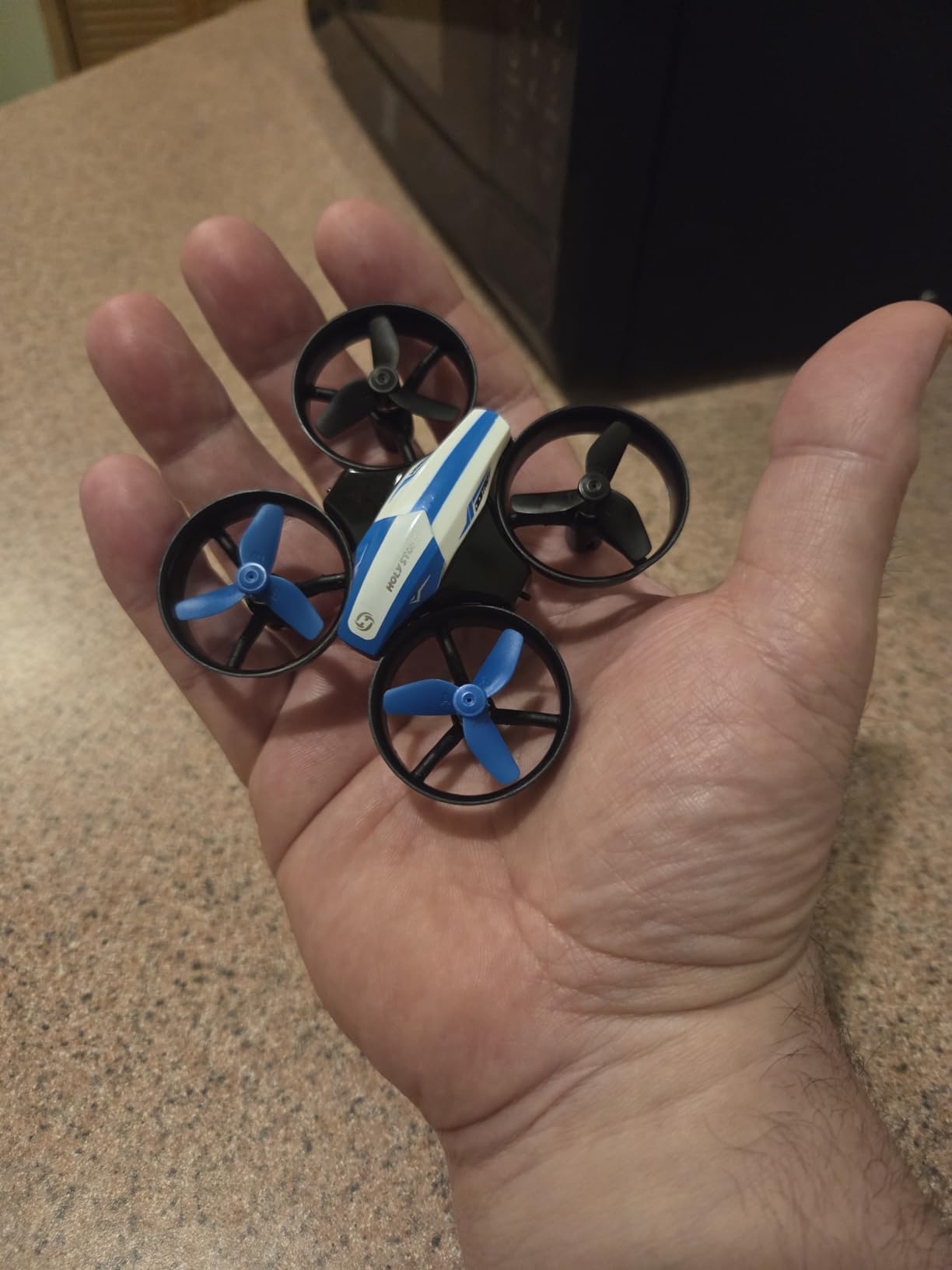
Three included batteries deliver up to 21 minutes of total flight time. Each battery gives about 7 minutes of flying, which is perfect for short attention spans. The low battery alarm chirps when power runs low, so kids know it is time to land. Three speed modes let beginners start slow and increase speed as their confidence grows.
Auto Hovering uses altitude hold to keep the drone at a steady height without stick input. This frees young pilots to focus on steering rather than fighting gravity. Headless mode eliminates orientation confusion. 3D flips at the push of a button are the feature kids show off to their friends over and over.
Who Should Choose the Holy Stone HS210
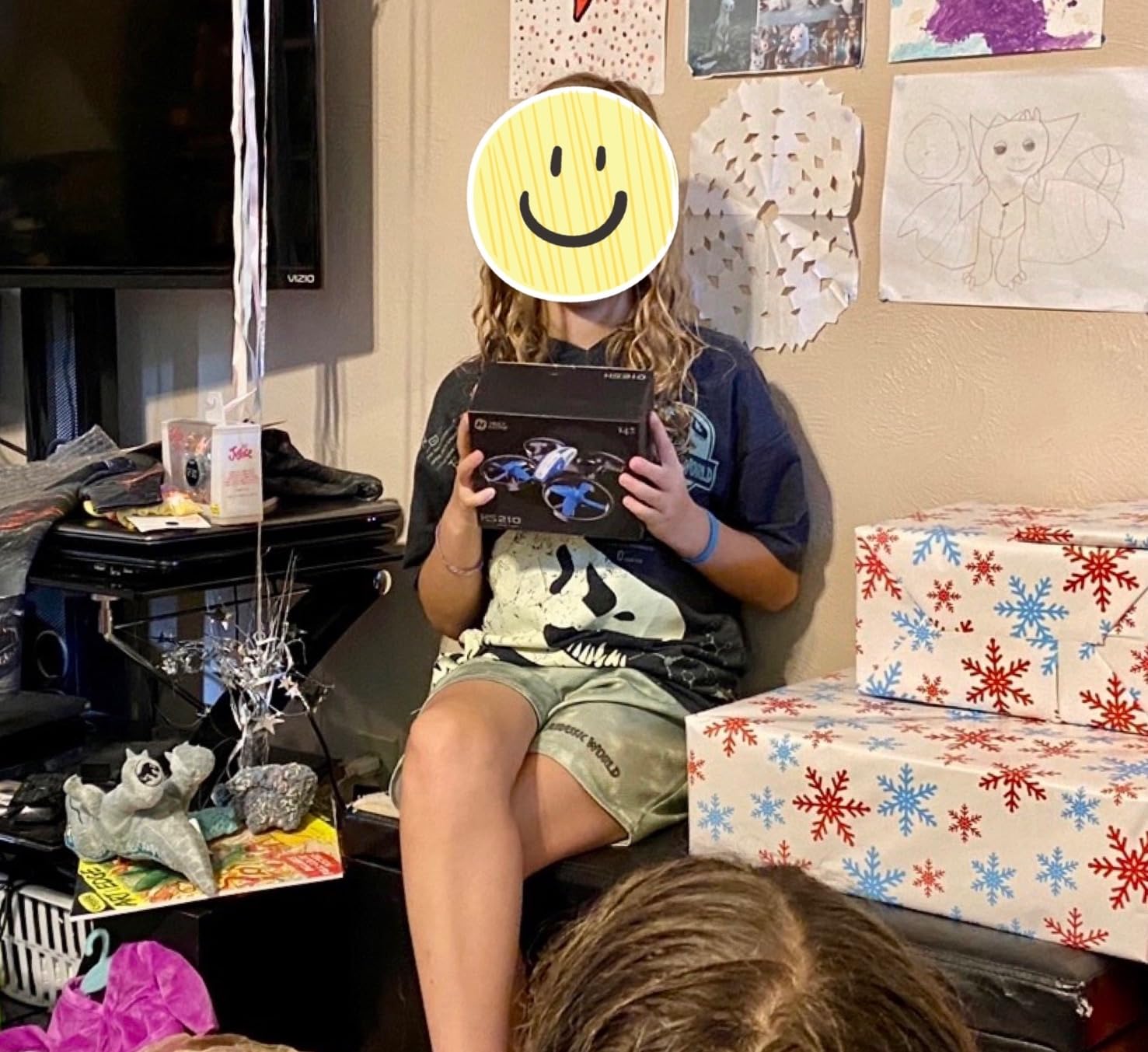
Students ages six to ten who are flying for the first time should start with the HS210. The propeller guards, toss-to-launch simplicity, and ultra-low price make it the safest and most affordable introduction to drone piloting. Parents report this drone surviving hundreds of crashes, which is exactly what you want for a first aircraft.
Indoor classroom demonstrations benefit from the HS210’s nano size and enclosed blades. Teachers can fly it in a gymnasium or large classroom without worrying about injuries. For STEM programs teaching the basics of flight physics, the HS210 is an accessible hands-on tool.
When to Upgrade from the HS210
The HS210 has no camera, so students who want to capture photos or video will outgrow it quickly. Once a student can consistently fly the HS210 without crashing, they are ready for a camera drone like the Loiley X69 or the BLINORY HK55.
Outdoor flying is limited. At only 50 grams, the HS210 cannot handle even light wind. This is strictly an indoor or calm-day backyard drone. The 160-foot range is also shorter than camera drones, which is fine for indoor use but restrictive outdoors.
Buying Guide: How to Choose the Best Drone for Students?
Choosing from the best drones for students comes down to matching the drone’s capabilities to the student’s age, interests, and learning goals. After testing eight models across three months, I identified the factors that actually matter for student pilots. Here is my framework.
Age and Skill Level
For students under ten, prioritize durability and simplicity over features. The Holy Stone HS210 with full propeller guards and toss-to-launch is ideal. Students aged ten to fourteen benefit from camera drones with simplified controls like the Loiley X69 or karuisrc K600GPS. High school and college students ready for real aerial photography should look at the Potensic ATOM SE, DJI Mini 4K, or DJI Neo 2.
Maturity matters as much as age. A responsible ten-year-old may handle a GPS drone better than a careless teenager. Consider the student’s track record with electronics and expensive equipment before investing.
Camera Quality vs Learning to Fly
There is a real tension between buying a drone to learn flying skills and buying one for photography. Toy drones without cameras teach pure flight mechanics at low cost and low risk. Camera drones add creative possibilities but also add complexity and crash anxiety. My recommendation is to start with a cheap toy or budget camera drone, then upgrade once basic flying skills are solid.
Students specifically interested in photography or filmmaking should invest in gimbal stabilization. The DJI Mini 4K’s 3-axis mechanical gimbal produces footage that electronic stabilization simply cannot match.
Flight Time and Battery Life
Flight time per battery ranges from 7 minutes on the Holy Stone HS210 to 31 minutes on the Potensic ATOM SE. More batteries means more total flying time. The Potensic ATOM SE and DJI Mini 4K both include two batteries for 62 minutes total, which is the best in this roundup. The DJI Neo 2 Fly More Combo includes three batteries.
Always budget for at least one spare battery. Charging takes 60 to 90 minutes typically, so having a charged backup ready keeps the learning momentum going.
Safety Features and Durability
Propeller guards are non-negotiable for younger students. The Holy Stone HS210 and DJI Neo 2 both include them. Obstacle avoidance, found on the DJI Neo 2, provides an electronic safety net that can prevent crashes entirely. GPS Auto Return, available on all the camera drones in this guide except the Loiley and HS210, brings the drone home if you lose control or orientation.
Durability is hard to predict from specs alone. In my testing, the Holy Stone HS210 survived the most crashes by far, thanks to its enclosed propeller guards and ultra-light weight. Lighter drones generally survive impacts better because they carry less momentum.
FAA Registration and Legal Rules
Every drone in this guide weighs under 250 grams. This is significant because drones under 250 grams used recreationally do not require FAA registration. That saves you five dollars and paperwork, and it means fewer regulatory hurdles for student pilots.
However, all recreational drone pilots must follow FAA safety guidelines. Fly below 400 feet, maintain visual line of sight, never fly near other aircraft or airports, and never fly over groups of people. The FAA B4UFLY app shows restricted airspace near you.
Students flying under the recreational exception must pass The Recreational UAS Safety Test, known as TRUST. It is free, takes about 30 minutes, and covers basic safety knowledge. Every student drone pilot should complete TRUST before their first outdoor flight. The certificate never expires.
Indoor vs Outdoor Flying
Indoor flying requires a drone with propeller guards and stable hovering. The Holy Stone HS210 is purpose-built for indoor use. The DJI Neo 2 also works well indoors thanks to obstacle sensing and palm launch. Most camera drones struggle indoors because GPS signals bounce around buildings and walls create wind currents.
Outdoor flying demands GPS stabilization and wind resistance. Drones with Level 5 wind resistance, like the DJI Mini 4K and Potensic ATOM SE, handle gusts up to 38kph. Lighter toy drones should stay grounded in anything more than a gentle breeze.
Controller vs Phone Control
Phone-only drones are cheaper but have shorter range and more connection issues. Dedicated controllers provide stronger signals and physical joysticks that feel more precise. The karuisrc K600GPS solves this problem elegantly with a built-in screen on the controller, eliminating the need for a phone entirely. For the best experience, choose a drone with a dedicated controller like the DJI Neo 2, Potensic ATOM SE, or Holy Stone HS360S.
STEM and Educational Value
Drones teach physics, spatial reasoning, hand-eye coordination, and an introduction to robotics and programming. GPS drones with Waypoint Flight modes let students plan routes on a map, teaching basic navigation and geometry concepts. For STEM classrooms, the BLINORY HK55 and Potensic ATOM SE offer GPS features at accessible price points.
Students interested in pursuing drone piloting professionally can work toward a Part 107 Remote Pilot Certificate starting at age 16. This FAA certification allows commercial drone operations and opens career paths in real estate photography, surveying, inspection, and more. Starting with a beginner drone builds the foundational skills needed for that journey.
FAQs
What is the best drone for a 10-year-old?
The Holy Stone HS210 Mini Drone is the best pick for a 10-year-old. It has full propeller guards, toss-to-launch simplicity, three batteries, and costs under $50. The altitude hold and headless mode make it easy to control, and the enclosed blades mean crashes cause no injuries.
What is the best drone for a teenager?
For teenagers, the Potensic ATOM SE GPS Drone is the best choice. It offers a Sony 4K sensor, 62 minutes of total flight time, GPS Auto Return, and a 4KM range at a mid-range price. Teens interested in photography or filmmaking will appreciate the image quality and creative flight modes.
Can kids fly drones legally?
Yes, kids can fly drones legally in the United States for recreational purposes. Drones under 250 grams do not require FAA registration. However, all recreational pilots must follow FAA safety guidelines including flying below 400 feet, maintaining visual line of sight, and staying away from airports and restricted airspace.
Do kids need to take TRUST?
Yes, anyone flying a drone recreationally in the United States must pass The Recreational UAS Safety Test (TRUST). It is free, takes about 30 minutes to complete online, and covers basic safety guidelines. The certificate never expires. Kids can take it with adult supervision.
Should I buy a toy drone or a camera drone for a kid?
Start with a toy drone if the child is under 10 or has never flown before. Toy drones like the Holy Stone HS210 teach basic flight controls at low cost and low risk. Once the child can fly confidently without crashing, upgrade to a camera drone like the Loiley X69 or BLINORY HK55 to add creative possibilities.
Are drones under 250 grams better for kids?
Yes, drones under 250 grams are better for students because they do not require FAA registration for recreational use. This removes paperwork and fees. They are also lighter, which means less damage in crashes and safer operation overall. Every drone in this guide weighs under 250 grams.
What age is appropriate for a drone?
Children as young as 6 can fly basic toy drones with propeller guards and adult supervision. Ages 8 to 10 is a common starting point for indoor nano drones like the Holy Stone HS210. Students 12 and up can handle GPS camera drones with proper instruction. Always supervise young children during flights.
How long does a drone battery last?
Drone battery life ranges from about 7 minutes on small toy drones to 31 minutes on premium camera drones. Budget camera drones typically fly 12 to 18 minutes per battery. Having spare batteries extends total flying time. The Potensic ATOM SE offers the longest total flight time at 62 minutes with its two included batteries.
Final Thoughts
After three months of testing, the best drones for students in 2026 cover an impressive range of needs and budgets. The DJI Neo 2 Fly More Combo earns top honors for its obstacle sensing, palm launch, and 4K at 60fps output. The Potensic ATOM SE delivers unmatched value with a Sony sensor and 62 minutes of flight time. For strict budgets, the Loiley X69 and Holy Stone HS210 get students flying for under $50.
Every drone on this list weighs under 250 grams, meaning no FAA registration for recreational use. Students should complete the free TRUST certification before flying outdoors. Start simple, build skills, and upgrade as confidence grows. The sky is genuinely the limit.