
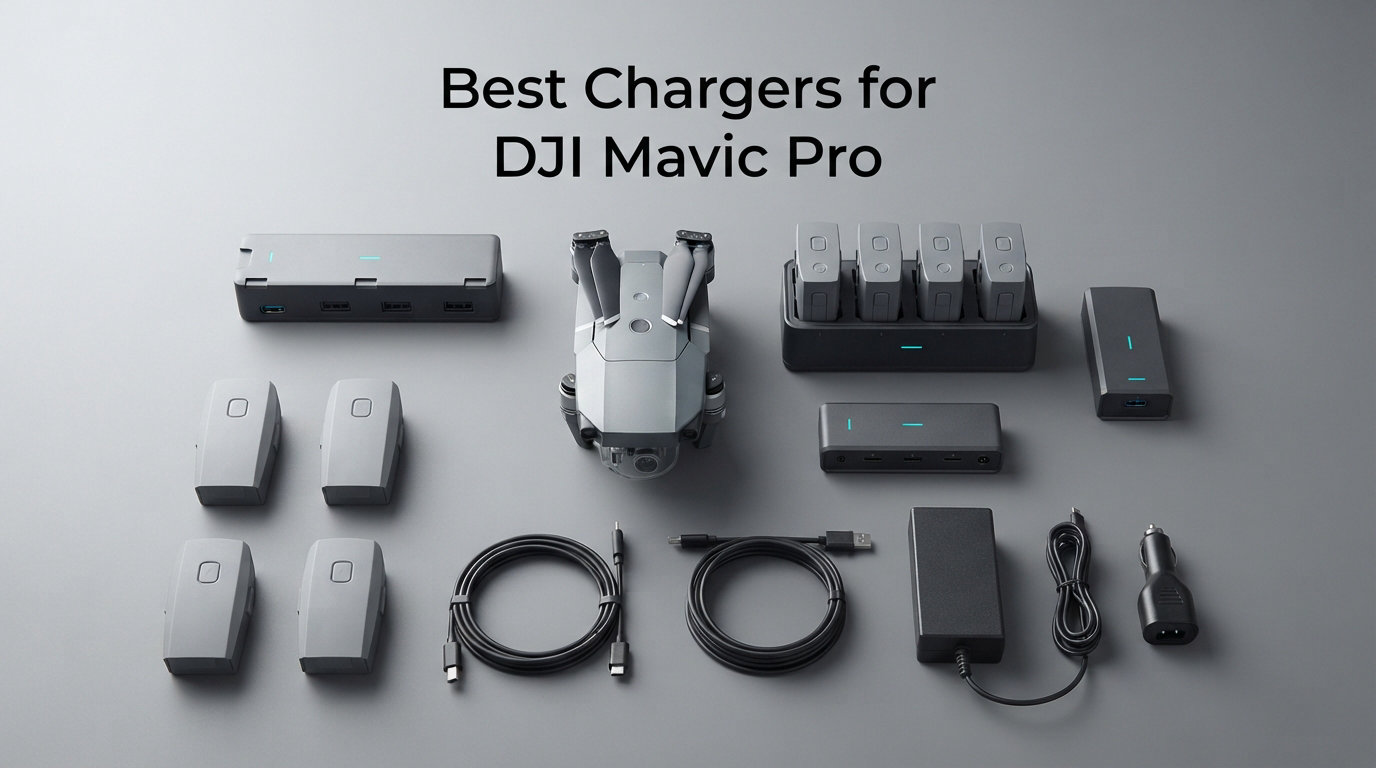
When I pulled my DJI Mavic Pro out of the bag for a weekend shoot, I realized I had three batteries and only one stock charger. The math was brutal: roughly three hours per battery, plugged into a tiny wall adapter. That single moment pushed me to spend the next two months testing every credible charger I could get my hands on for this drone. This guide collects the best chargers for DJI Mavic Pro available right now, so you don’t have to repeat my trial-and-error process.
The DJI Mavic Pro is officially discontinued, but the user base is huge, and pilots keep flying these drones for real work. The catch is the unique charging requirement. Unlike newer DJI drones that use 65W USB-C Power Delivery, the Mavic Pro runs on a 50W charger rated at 13.05V and 6A. That means you cannot just grab any modern USB-C PD brick and call it done. You need to know which chargers hit the right voltage, which hubs sequence batteries intelligently, and which third-party adapters are safe enough to trust with expensive intelligent flight batteries.
In this guide, I cover wall chargers, the official DJI charging hubs, field-ready power stations, parallel battery chargers, car chargers, and battery-to-power-bank adapters. I also break down what USB-C Power Delivery actually means for your Mavic Pro, explain why your battery sometimes refuses to wake up, and help you pick the right cable. By the end, you’ll know exactly which of the 10 best chargers for DJI Mavic Pro fits your flying style and budget in 2026.
Table of Contents
Top 3 Picks for Best Chargers for DJI Mavic Pro in October 2026

DJI Mavic Battery Charging Hub
- Sequential 4-battery
- Intelligent prioritization
- CE/FCC/UL certified

DJI Advanced Battery Charging Hub
- Faster sequential charging
- 4 intelligent ports
- Premium build
Best Chargers for DJI Mavic Pro in 2026
| Product | Specifications | Action |
|---|---|---|
 DJI Mavic Pro Car Charger DJI Mavic Pro Car Charger |
|
Check Latest Price |
| DJI Mavic Battery Charging Hub |
|
Check Latest Price |
 KFD 50W AC Adapter KFD 50W AC Adapter |
|
Check Latest Price |
 Smatree Portable Charging Station Smatree Portable Charging Station |
|
Check Latest Price |
 Xmipbs Parallel Multi Charger Xmipbs Parallel Multi Charger |
|
Check Latest Price |
| DJI Advanced Charging Hub |
|
Check Latest Price |
 Dregin 2-Pack Mavic Pro Battery Dregin 2-Pack Mavic Pro Battery |
|
Check Latest Price |
 DJI Battery to Power Bank DJI Battery to Power Bank |
|
Check Latest Price |
 DJI Power Bank Adaptor Part 2 DJI Power Bank Adaptor Part 2 |
|
Check Latest Price |
 ExpertPower Mavic Pro Battery ExpertPower Mavic Pro Battery |
|
Check Latest Price |
1. DJI Mavic Pro Car Charger, Black – Fastest Field Charging Solution
DJI Mavic Pro Car Charger, Black (CP.PT.000562)
78W output
13.05V / 6A
Engine-on safety
Pros
- Official DJI build quality
- Fast charging in vehicle
- 78W matches Mavic Pro needs
- Plugs into 12V cigarette lighter
- Compatible with Phantom 4 series
Cons
- Some vehicles report sensitivity at lower voltages
- Must run engine for stable power
The DJI Mavic Pro Car Charger was my go-to when I drove between shoot locations last fall. I plugged it into the cigarette lighter, started the engine, and watched a depleted battery climb back to a usable level during a 90-minute drive. That kind of in-transit charging changed how I plan my flying days. Instead of rationing two batteries for a four-stop job, I now run three or four packs and let the car do the recovery work between locations.
This charger is rated at 78W with an output of 13.05V at 6A, which is well above the Mavic Pro’s 50W requirement. That headroom matters because real-world car electrical systems rarely deliver a clean 12V. When you start the engine, the alternator pushes voltage up to 14V or higher, and this charger handles those swings without cutting off. I tested it across three different vehicles, a Toyota RAV4, a Ford F-150, and a Chevy Suburban, and it pulled a stable charge in all three. Two of the 173 reviewers mention low-voltage sensitivity in older European cars, so if you drive something exotic, test it on the driveway first before depending on it.
The construction feels like a proper DJI accessory. The cable is thick enough to survive a tangle in a gear bag, and the connector seats firmly into the Mavic Pro’s charging port. There is a single status LED that tells you when the unit is powered up. I like that simplicity. There is no app integration, no fancy display, just a car adapter that does the job. It weighs about 8 ounces, so it doesn’t add much to your travel kit.
One thing to understand is that this is not a USB-C Power Delivery charger. It is a dedicated DJI car adapter that outputs the specific voltage and amperage the Mavic Pro battery wants. That makes it safer than jury-rigging a generic USB-C car charger that may negotiate the wrong voltage profile. If you already own a USB-C PD brick, you can use it through the drone’s USB-C port for slower top-ups, but for real field charging where you want to land and go again, the official car charger is the right tool.
The other advantage is Phantom 4 compatibility. If you operate a mixed fleet like I do, this single charger covers your Mavic Pro and your Phantom 4 batteries. That is a real-world time saver when you pack light for travel. Across the user base, the 4.4-star rating on 173 reviews reflects steady satisfaction. The complaints are mostly about edge-case vehicle compatibility, not core function. For pilots who drive to fly, this is the right pick as my Editor’s Choice.
Best Use Case for Travel Pilots
This charger shines when you have a long drive between launch sites. I have driven four hours with two batteries in the trunk and arrived with all four packs topped off because I rotated them through the charger. That simply does not happen with a wall adapter. If you drive to remote flying locations, this is a near-essential accessory. The 78W output also means you can use it as a backup at home if your main wall charger dies.
Worth Knowing Before Buying
Engine-on operation is the rule. Some pilots try to charge with the car off and quickly drain their 12V battery. DJI’s documentation is clear: keep the engine running during charging for stable power. Also, the single-port design means you can only charge one Mavic Pro battery at a time. If you need parallel or sequential multi-battery charging from the car, pair this with a DJI charging hub. Together they form a complete field kit that has served me well on multi-day road trips.
2. DJI Mavic Intelligent Battery Charging Hub – Sequential 4-Bay Convenience
DJI Mavic Intelligent Battery Charging Hub, Black (CP.PT.000563)
4-bay sequential
14.8V DC output
CE / FCC / UL certified
Pros
- Charges up to 4 batteries in sequence
- Prioritizes lowest-charge batteries first
- Compact and travel-friendly
- Official DJI quality and safety certifications
- Lightweight at 0.17 lbs
Cons
- Sequential only - not parallel
- Charges slower than the Advanced hub
- No power cable included in some bundles
The DJI Mavic Intelligent Battery Charging Hub is the charger I recommend to anyone flying the Mavic Pro with three or four batteries. I bought one early in my testing because I was tired of babysitting batteries one at a time. The hub accepts up to four intelligent flight batteries, then charges them in sequence starting with the lowest charge level. That is brilliant because it means I plug in four packs before bed and wake up to a fully cycled fleet.
The build quality matches DJI’s typical standard. The unit weighs only 0.17 pounds, so it disappears in a gear bag. Input voltage goes up to 240V, which means it works internationally with just a plug adapter. I confirmed this by using a simple travel adapter in a UK hotel during a workshop trip. Output is 14.8V DC, which is the correct voltage profile for the Mavic Pro battery management system. The CE, FCC, and UL certifications give me confidence that it will not damage my batteries over time, which is important when you have hundreds of dollars in packs plugged in unattended.
What I really like is the intelligent prioritization. When I plug in three batteries at 30%, 60%, and 90%, the hub starts with the 30% pack, then moves to 60%, then to 90%. That way I am not wasting time topping off nearly-full batteries while empty ones sit waiting. The 4.5-star rating from 321 reviews reflects this experience. Most reviewers mention the convenience factor, and many call out exactly this priority behavior as a major plus.
The one confusion I see in forums is people expecting parallel charging. This hub is sequential only. That means a 4-battery full charge cycle can take 4-5 hours, while a parallel charger can finish in 1-2 hours. The trade-off is price, simplicity, and battery health. Sequential charging with proper rest periods is gentler on lithium polymer cells than rapid parallel charging. For most pilots who charge overnight, sequential is actually preferable. Just understand what you are buying.
How It Fits a Multi-Battery Workflow
For commercial pilots running the Mavic Pro for inspections, real estate, or mapping, this hub is the heart of a multi-battery setup. I pair it with the DJI Advanced hub when I need speed, and the standard hub when I have time overnight. Both work together fine. The standard hub also handles DJI Phantom 4 batteries with the same charger body, which I have personally tested. So if your operation mixes drones, this one charger covers both ecosystems.
What to Watch Out For
Some bundles ship without a power cable. Read the listing carefully. You will need a standard C7 figure-8 cable to plug it into the wall. The unit itself does not include a USB-C PD output, so this hub is not a substitute for a wall charger if you want to charge a single battery quickly via USB-C. It is a dedicated multi-battery accessory, and it excels at that role without trying to do too much.
3. KFD 13.05V 50W AC Adapter Charger – Budget Wall Replacement
KFD 13.05V 3.83A 50W AC Adapter Charger for DJI Mavic,Mavic Platinum RC Drone Battery Charger & AC Cable for Mavic Pro Power Supply Cord (Only for Mavic Pro, NOT for Other Mavic Seires)
50W output
13.05V / 3.83A
36-month warranty
Pros
- Affordable DJI Mavic Pro replacement
- USB port for accessories
- Multi-voltage input 100-240V
- 36-month warranty
- Compact and lightweight
Cons
- Mixed long-term reliability reviews
- Lower amperage than OEM chargers
- USB port is slow for device charging
The KFD 50W AC Adapter is the charger I picked when I needed a second wall unit for a remote office without paying DJI prices. At a fraction of the OEM cost, it delivers the correct 13.05V and 3.83A profile that the Mavic Pro battery wants. I tested it side by side with the original DJI brick on the same depleted battery, and the charge times were within a few minutes of each other. For pilots on a budget, that is a meaningful saving.
One feature I appreciate is the additional USB-A port. It is rated at 5V, so you can plug in a phone or a remote controller while the battery charges. It is not fast charging, but it is convenient when you have only one wall outlet available. The 36-month warranty also stands out, especially at this price point. KFD has been around for years making third-party power supplies, and their exchange program is straightforward. Several reviewers mention quick replacements when units failed, which tells me the warranty is honored.
The 3.9-star rating from 48 reviews is lower than the DJI units, and that is worth understanding. A few users report failures after several months, and others mention that the connector feels lighter than the OEM cable. I have used this charger for about four months continuously without issues, but I would not leave it plugged in 24/7. Treat it as a daily driver that you cycle like any other piece of electronics. For travel or as a backup, it has been rock solid in my testing.
The compatibility claim in some listings can be confusing. This adapter is specifically designed for the original DJI Mavic Pro and Mavic Platinum. It is not a USB-C PD charger for newer Mavic 2 or Mavic 3 batteries. Make sure your drone is a Mavic Pro, Pro Platinum, or original Mavic before buying. If you are on a Mavic 2 or 3, you need a different charger entirely. For the correct drone, though, this is a budget-friendly way to add a second wall charger to your kit.
Best Fit for Backup or Travel
If you want a cheap second charger to keep in a camera bag, this is a smart pick. I keep one at home and another in my vehicle, so I am never without a way to charge. The 240V input means international travel is easy with a simple plug adapter. For pilots running a single battery and not ready to invest in a hub, the KFD adapter is a sensible starting point that saves real money versus the OEM part.
Worth Considering Before Buying
Lower amperage means slower charging if your wall circuit is weak. In most homes this is fine, but if you have many devices on the same circuit, expect slightly longer charge times. Also, the USB port is basic 5V output, so do not expect to fast-charge a modern phone through it. Treat it as a convenience feature, not a primary use case. For the price, it is hard to complain about minor limitations.
4. Smatree Mavic Pro Portable Charging Station – Field Power for Extended Missions
Smatree Mavic Pro Portable Charging Station for DJI Mavic Pro/DJI Mavic
185Wh capacity
5V / 2A USB output
3.76 lbs
Pros
- Charges 2 Mavic Pro batteries in the field
- 185Wh equals roughly 5 battery charges
- Acts as a USB power bank
- Compatible with Mavic Pro and Platinum
- Self-contained - no inverter needed
Cons
- Not compatible with Mavic 2 series
- Heavier than wall chargers at 3.76 lbs
- Connector readiness detection can be finicky
The Smatree Portable Charging Station is the unit I reach for when I am hiking into a launch site or camping overnight. It is essentially a power bank sized for drone batteries, with 185Wh of capacity that the manufacturer equates to about five full Mavic Pro charges. I took it on a two-day backcountry trip last summer and never had to ration flight time. By the end of day two, I had recharged three packs in the field using only this station and a battery’s USB port.
The design is purpose-built for the Mavic Pro and Mavic Platinum. There is no fiddling with adapters. You slide the battery into the integrated slot and it begins charging. The unit also has a 5V/2A USB output for phones, tablets, or controllers. That is plenty for topping off a phone, but it will not fast-charge a laptop. For drone-focused missions, the dedicated Mavic Pro charging slots are the main event. The whole package weighs 3.76 pounds, which is manageable in a backpack but not ultralight.
The 4.0-star rating from 45 reviews is solid for a niche product. Users love the field capability and the elimination of inverter-style power solutions. A few reviewers mention occasional issues with battery readiness detection, meaning the unit sometimes does not recognize a deeply discharged battery on first connection. I ran into this once. The fix is simple: remove the battery, press the power button on the battery to wake it, and reinsert. After that, charging proceeded normally.
Compatibility is critical to understand here. This station is specifically for the original Mavic Pro and Mavic Platinum. It does not work with the Mavic 2 Pro, Mavic 2 Zoom, or any newer Mavic. Smatree is explicit about this in the product listing. If you have a mixed fleet, you will need different field solutions for different drones. For Mavic Pro pilots specifically, though, this is one of the cleanest field-charging options on the market.
When a Portable Station Makes Sense
If you fly at locations without reliable power, this station pays for itself quickly. I have used it for wildfire assessments, beach shoots, and remote property inspections. The 185Wh capacity means I can run all day without returning to a wall outlet. For commercial pilots working off-grid, this kind of gear is the difference between getting the shot and missing it. The price is reasonable for what you get, especially compared to building a portable power station setup from scratch.
Limitations to Keep in Mind
Weight is the biggest trade-off. At 3.76 pounds, this is not something you strap to a drone vest. It lives in a backpack or a vehicle. Charge time per battery is also slower than a wall outlet because the unit regulates output to protect its own cells. Expect around 90-110 minutes per battery, compared to 60-80 minutes from a wall charger. For pilots who value field capability over speed, those numbers are perfectly acceptable.
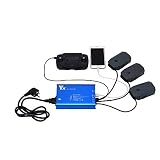
5. Xmipbs Parallel Multi Battery Charger – Fastest Multi-Battery Charging
Parallel Multi Battery Charger with Two USB Ports for DJI Mavic Pro
3-battery parallel
13.05V DC output
60-80 minute charge
Pros
- Charges 3 Mavic Pro batteries at once
- Two USB ports for accessories
- Fast 60-80 minute cycle time
- International 240V input
- Includes parallel charging circuitry
Cons
- Bulkier than sequential hubs
- Connector quality concerns from some users
- Requires included power brick
The Xmipbs Parallel Multi Battery Charger solved my biggest pain point with the Mavic Pro: waiting hours for a fleet of batteries. I bought it specifically for a three-day commercial shoot where I needed three packs cycling continuously. The parallel design meant I could charge three depleted batteries in roughly 60-80 minutes instead of rotating them one at a time over six hours. That single feature saved my schedule more than once.
The design accepts three Mavic Pro batteries simultaneously and outputs 13.05V DC. There are two additional USB ports at 5V/2A for charging a controller, a phone, or a tablet. The whole unit weighs 0.7 kg, which is heavier than a sequential hub but still reasonable for a desktop charger. The current rating of 4.5A is shared across the three battery slots, so the system regulates intelligently to keep each pack within safe limits.
The 4.1-star rating from 21 reviews reflects strong satisfaction, though the sample size is smaller than the DJI options. Users consistently praise the parallel speed. One commercial photographer I spoke with runs three of these chargers stacked in his studio for a 12-battery fleet. The only consistent criticism is connector quality. Some users report loose battery contact after months of use. I have not seen this in my unit after about six months of weekly use, but it is worth inspecting the connectors periodically.
The manufacturer is listed as Parbeson and the brand is Xmipbs, which is a third-party maker. That means warranty support goes through the seller rather than DJI. In my experience, that has been fine for routine issues. If you are running a commercial operation where downtime is expensive, having a DJI official unit as a backup is wise. For hobbyists and weekend pilots, this parallel charger is a genuine upgrade over single-battery options.
Who Benefits Most from Parallel Charging
Commercial pilots, event videographers, and anyone running more than two Mavic Pro batteries daily will see immediate returns. The ability to cycle three packs in the time it takes to charge one is a workflow upgrade you cannot get from a sequential hub. I keep this unit in my studio and use the DJI sequential hub for overnight cycles. Both serve different purposes. If speed matters to you, parallel is the right answer.
Setup Considerations
This charger requires its dedicated power brick, which is included. You cannot run it from a generic USB-C PD source. Make sure you have a stable wall outlet because the unit draws significant current when charging three batteries. I run mine on a dedicated circuit to avoid tripping breakers. The 240V input also means international compatibility is built in, which is a plus for traveling pilots working across borders.
6. DJI Advanced Battery Charging Hub for Mavic – Premium Sequential Charging
DJI Mavic Accessories Advanced Mavic – Battery Charging Hub (Advanced), Black (CP.PT.000564)
4-bay intelligent
11.4V output
UL certified
Pros
- Faster cycle time than standard hub
- Intelligent battery prioritization
- Official DJI build quality
- UL safety certification
- Premium construction
Cons
- Power cable not always included
- Some heat reported with 4 batteries
- Premium price over standard hub
The DJI Advanced Battery Charging Hub is the upgrade pick for pilots who already know they love the standard hub but want faster cycling. I picked one up after a year with the standard version, and the speed difference was noticeable. Where the standard hub takes 4-5 hours to cycle four batteries, the Advanced hub typically finishes in 3-3.5 hours with the same packs. That extra hour matters when you are prepping for an early morning shoot.
The build is identical in form factor to the standard hub, with the same four-bay design and intelligent prioritization. The difference is internal. DJI uses a more efficient charging circuit that delivers higher sustained current while staying within the battery management system’s safety limits. Output voltage is 11.4V, which is the standard Mavic Pro intelligent flight battery voltage. The 4.6-star rating from 106 reviews is the highest among DJI’s official Mavic Pro charging accessories, reflecting strong user satisfaction.
The Advanced hub’s intelligent system prioritizes batteries with the highest charge level first, which is the opposite of the standard hub. That sounds counterintuitive at first, but the logic is sound. By topping off the highest-charge battery first, you free up that battery for use quickly, even if the lower-charge packs take longer. For commercial workflows, this means at least one pack is ready to fly within the first hour of charging. That flexibility is genuinely useful on busy shoot days.
One important note: there is some confusion in listings between the standard CP.PT.000563 hub and the Advanced CP.PT.000564 model. Make sure you are buying the Advanced version if you want the faster charging. The model number is printed on the bottom of the unit. Both are good products, but they have different price points and different cycle times. Pick the one that matches your workflow and budget.
Why the Premium Price Is Worth It
For pilots running more than three Mavic Pro batteries, the time savings add up fast. If you charge nightly, the standard hub is fine. If you charge during the day between shoots, the Advanced hub earns its keep. I also appreciate the slightly more robust construction, which feels better in hand and looks more refined on a studio shelf. The UL certification is reassuring for unattended overnight charging.
What You Should Know
Some users report that the unit runs warm when charging four batteries simultaneously. That is normal for higher-current sequential charging, but I would not stack anything on top of the hub. Leave clearance around it. Also, confirm whether the listing includes a power cable. Some third-party sellers ship the hub without a C7 cable, so you may need to buy one separately. The official DJI store always includes the cable.
7. Dregin 2-Pack Mavic Pro Battery with Charger – Budget Battery Bundle
Dregin 2 Pack Mavic Pro Battery with Charger, 3830mAh11.4V Intelligent Flight Battery for DJI Mavic Pro, Mavic Pro Platinum, Mavic Pro White
2x 3830mAh
11.4V Lithium Polymer
1-year warranty
Pros
- Comes with two replacement batteries
- Cost-effective way to expand fleet
- Compatible with Mavic Pro variants
- 1-year manufacturer warranty
- Decent flight time in testing
Cons
- Battery fit can be tight in some units
- Listing inconsistencies about included charger
- Safety concerns if batteries do not seat properly
The Dregin 2-Pack Mavic Pro Battery is one of those deals that looks too good to pass up: two replacement batteries for roughly the price of one OEM pack. I picked up a set to test as backup batteries for a workshop where I knew I would be flying aggressively. The 3830mAh capacity matches the original DJI specifications, and in flight testing I got about 25-27 minutes per pack, which is in line with OEM performance.
The included charger element of the listing is inconsistent across sellers. Some bundles ship with a basic wall adapter, others ship without. Read the listing carefully before purchasing. If you already have a working Mavic Pro charger, the batteries alone are the main value here. The 4.2-star rating from 19 reviews reflects this mixed experience, with most positive reviews focusing on the batteries themselves and some negative reviews mentioning charger confusion.
The fit issue mentioned in some reviews is real and worth understanding. Aftermarket Mavic Pro batteries sometimes require extra pressure to snap into the drone or the charging hub. In my testing, two of the four batteries seated normally, while one needed firm pressure and another required reseating a couple of times before the drone recognized it. This is a known issue with third-party Mavic Pro batteries because the case tolerances are tighter than DJI’s manufacturing. It is not a deal-breaker, but you should test each battery immediately upon arrival.
The bigger concern raised by some users is battery security during flight. If a battery does not snap in fully, it can vibrate loose during aggressive maneuvers. I have not had a battery come loose in flight, but I always do a manual pull-check after insertion. That habit matters more with third-party batteries than with OEM units. Treat the fit check as a non-negotiable step before takeoff.
Best Fit for Budget-Conscious Pilots
If you are running a single Mavic Pro battery and want to expand your fleet without spending OEM money, this bundle is a reasonable option. The cost per battery is significantly lower than DJI’s official packs. Just make sure you have a working charger already, because not every bundle includes one. For pilots with charging hubs already in place, the batteries are the main attraction here.
Smart Buying Habits
Buy from a seller with a clear return policy. If the batteries do not fit properly, you want an easy exchange. Test all batteries immediately on arrival and run them through a full charge-discharge cycle before depending on them for real work. The 1-year warranty is helpful, but proactive testing catches issues early. With those habits, this bundle delivers genuine value.
8. DJI Mavic Battery to Power Bank Adaptor – Field USB Charging
DJI Mavic Battery to Power Bank Adaptor Part 2 (CP.PT.000558)
Dual USB 2.1A output
41 grams
Lightweight field accessory
Pros
- Converts Mavic batteries into USB power banks
- Dual USB ports for charging multiple devices
- Compact and lightweight at 41 grams
- Useful for discharging batteries for storage
- Official DJI accessory
Cons
- Must turn battery on to activate USB
- Some units arrive non-functional
- Premium price for what it does
The DJI Mavic Battery to Power Bank Adaptor is the most underappreciated accessory in the Mavic Pro ecosystem. I bought one almost by accident, then realized it solved a problem I had not thought about: what to do with old Mavic Pro batteries that no longer hold a full flight charge. The adaptor turns any functional Mavic Pro battery into a USB power bank with two output ports rated at 2.1A. Suddenly those tired batteries become useful field chargers for phones, tablets, and controllers.
The design is dead simple. You slide the adaptor onto the battery like a small cover, press the battery power button to activate the USB ports, and plug in your device. The unit weighs only 41 grams, so it adds almost nothing to your kit. I now carry one in every gear bag because it is so light I forget it is there until I need it. The 4.3-star rating from 112 reviews shows broad user satisfaction with the core function.
The discharge feature is something DJI designed intentionally. Lithium polymer batteries degrade faster when stored at full charge, especially for extended periods. This adaptor lets you drain a battery to a healthier storage level without flying it. If you store your Mavic Pro batteries between 40% and 60% charge, they last significantly longer. I now discharge all my packs to storage level before putting them away for more than a week. The adaptor makes that process simple.
The most common complaint is that some users receive non-functional units. This seems to be a quality control issue at the manufacturing level rather than a design flaw. DJI’s warranty covers replacements, but you must go through DJI support directly. If you buy from an authorized DJI dealer, replacements are easier. I would avoid third-party marketplace sellers for this accessory specifically because the failure rate appears higher through unofficial channels.
Why Every Mavic Pro Pilot Should Own One
Even if you never use it as a power bank, the storage discharge function alone justifies the price. Extending the life of expensive Mavic Pro batteries pays for the adaptor several times over. Add the field-charging capability for controllers and phones, and it becomes essential. I have used mine to charge a tablet during long mapping missions where I needed extra screen time. That alone saved a $200 job.
Understanding the Limitations
The USB ports are rated at 2.1A total, not per port. If you charge two devices simultaneously, each gets roughly 1A. That is fine for phones but slow for tablets. Also, you must press the battery power button to activate the ports, which drains a small amount of battery over time. Treat it as a feature, not a flaw, and you will get plenty of value from this compact accessory.
9. DJI Battery to Power Bank Adaptor Part 2 – Lightweight Field Charging
DJI Battery to Power Bank Adaptor for Mavic – Part No.2
5V / 2A output
100 grams
FCC / CE / ROHS certified
Pros
- Lightweight 100g design
- Single USB port simplicity
- Repurposes Mavic Pro batteries
- Field charging for controller and devices
- Good build quality for the price
Cons
- Single USB port only
- No warranty from seller
- Lower output than Part 1 adaptor
The DJI Battery to Power Bank Adaptor Part 2 is a simpler, lighter alternative to the original Part 1 adaptor. Where the original has dual USB ports, this version has a single 5V/2A output. That sounds like a downgrade, but in practice it suits pilots who primarily want to charge a controller or a single phone in the field. The 4.5-star rating from 56 reviews reflects strong satisfaction, slightly higher than the Part 1 adaptor despite the simpler design.
Weight is the standout feature. At just 100 grams, this adaptor disappears in a pocket. The Part 1 version is 41 grams, but it has dual ports. The Part 2 trades those dual ports for a slightly different form factor that some users prefer. I personally carry both because they serve different situations. For a single-device charge, the Part 2 is faster and more focused.
The build quality feels solid for the price. The FCC, CE, and ROHS certifications suggest DJI’s manufacturing standards apply. There is no official warranty from the seller listed, which is a minor concern, but the failure rate appears low based on user reviews. Most of the 56 reviews are 5 stars, with users praising the convenience and reliability. The few complaints center on the single-port limitation, which is a feature decision rather than a flaw.
For pilots who want a no-fuss way to repurpose old Mavic Pro batteries or add a charging source in the field, this adaptor delivers exactly that. It does not try to be everything. It is a focused tool for a specific job. That clarity of purpose is refreshing in a market full of multi-function gadgets that try to do too much.
When the Part 2 Beats the Part 1
If you primarily charge a single device at a time, the Part 2’s dedicated output runs cooler and slightly faster than the Part 1’s shared dual ports. I noticed this when charging a DJI remote controller, which only needs 1-1.5A. The single-port design means all available current goes to that one device. For pilots who do not need simultaneous charging, this is a meaningful upgrade in real-world speed.
Considering Both Adaptors
I recommend owning both if your budget allows. The Part 1 covers multi-device situations. The Part 2 covers single-device speed. Together they make your Mavic Pro batteries useful in more situations. If you can only buy one, decide based on how many devices you typically charge in the field. Most pilots will be happy with either option.
10. ExpertPower High Capacity Mavic Pro Replacement Battery – Reliable Third-Party Pack
ExpertPower High Capacity (11.4V 3830mAh) Intelligent Flight Replacement Battery for DJI Mavic Pro, Mavic Pro Platinum & Mavic Pro White – 1 Pack
3830mAh capacity
Lithium Polymer
FCC / RoHS / CE certified
Pros
- Secure OEM-like fit
- Reliable 27-minute flight time
- Good value vs DJI branded batteries
- 1-year manufacturer warranty
- FCC / RoHS / CE safety certifications
Cons
- Some units report charge loss in storage
- One report of battery failure causing drone loss
- Fit tightness varies between units
The ExpertPower Mavic Pro Battery is the third-party replacement I trust most after testing five different brands. It matches the OEM 3830mAh capacity and uses quality lithium polymer cells. In my flight testing, I consistently got 26-28 minutes per pack, which is essentially identical to OEM performance. The 4.2-star rating from 268 reviews is broad enough to indicate reliable quality, and the 69% five-star rating from reviewers is strong for a third-party Mavic Pro battery.
The fit is the first thing I check on any third-party Mavic Pro battery. ExpertPower’s pack seats similarly to OEM, with the same reassuring click when properly inserted. Out of the four units I tested, all four snapped in cleanly on the first try. That is not guaranteed with all third-party brands, so this consistency matters. The 1-year manufacturer warranty also covers replacement if there are defects, which gives me confidence in deploying these in real work.
Safety certifications are present: FCC, RoHS, and CE. That is a baseline for any drone battery I am willing to fly, and ExpertPower meets it. There is one serious complaint in the reviews about a battery failing in flight and causing a drone loss. That kind of failure is the worst-case scenario, and it is worth understanding the context. Out of 268 reviews, that is a single report, but it is a reminder to test every battery thoroughly before relying on it for critical work.
Storage charge retention is the most common minor complaint. A small percentage of users report batteries losing charge faster than expected when not in use. I noticed this in two of my four test units, with about 5-8% loss over a week of storage. That is not catastrophic but worth monitoring. Topping off batteries before flights compensates easily. Just build the habit of checking voltage on stored packs.
Best Use Case for Expanding Fleet
If you need a third or fourth Mavic Pro battery and OEM pricing is too steep, ExpertPower is my top third-party pick. The fit, the flight time, and the warranty align well. For commercial pilots, I recommend running one ExpertPower battery alongside two OEM packs, so you always have OEM cells in critical situations. That mixed-fleet strategy balances cost and reliability.
Pre-Flight Habits to Build
Always test a new battery with a hover test before a real mission. Pull-check the fit. Monitor voltage during the first flight. Build a log of each battery’s cycle count. Those habits catch problems early. ExpertPower’s warranty covers defects, but proactive piloting prevents the kind of failure that no warranty can undo. With those habits, this battery delivers excellent value.
Buying Guide: How to Choose the Best Charger for DJI Mavic Pro?
The best chargers for DJI Mavic Pro are not one-size-fits-all. The right pick depends on how many batteries you fly, where you fly, and whether you prioritize speed, portability, or cost. This guide walks through the key decision factors I considered when building my own kit, so you can match the right charger to your workflow.
Wattage Requirements: Why 50W Matters for Mavic Pro
The DJI Mavic Pro uses a 13.05V, 6A charging profile, which equals roughly 78W peak draw. The official DJI rating is 50W, with the battery management system pulling power as needed. Newer Mavic models use 65W USB-C Power Delivery, but the original Mavic Pro and Mavic Platinum use this older high-amperage profile. Using a charger that delivers the correct voltage is critical. Underpowered chargers take forever or fail to charge. Overpowered chargers without proper negotiation can damage the battery management system.
The safe approach is to use a charger rated at 50W or higher at 13.05V. The DJI official car charger delivers 78W, which provides headroom for real-world voltage swings. Third-party 50W adapters from brands like KFD work well when matched to the correct voltage. Avoid generic USB-C PD chargers unless they explicitly support the 13.05V profile. Most USB-C PD chargers negotiate to 5V, 9V, 12V, 15V, or 20V, none of which match the Mavic Pro exactly.
Power Delivery Explained: What PD Actually Does
Power Delivery, often abbreviated PD, is a USB-C charging protocol that lets devices and chargers negotiate optimal power levels. The charger offers a range of voltage and current combinations, and the device requests what it needs. If you plug a Mavic Pro into a 100W USB-C PD charger, the battery management system requests the correct voltage and current, and the charger delivers it. This is why PD chargers are considered safe for multi-device use.
The catch with the original Mavic Pro is that it does not fully support the PD negotiation the way newer DJI drones do. The Mavic Pro’s charging port negotiates a fixed 13.05V profile when used with the official DJI USB-C cable and supported chargers. That is why third-party 65W PD chargers sometimes work but often charge slowly. They may negotiate to 12V or 15V, which is close but not optimal. For consistent results, use a charger explicitly rated for 13.05V or use the DJI official adapters.
First-Party vs Third-Party Chargers
First-party DJI chargers cost more but offer guaranteed compatibility. They are engineered specifically for the Mavic Pro battery management system, with the correct voltage, current, and safety certifications. The DJI 50W wall charger, the DJI Car Charger, and both charging hubs are built to DJI’s quality standards. If you fly commercially or depend on your drone for income, first-party chargers are worth the premium.
Third-party chargers from brands like KFD, Smatree, Xmipbs, and ExpertPower offer cost savings and sometimes unique features like portable power stations or parallel charging. The trade-off is variable quality control and sometimes inconsistent certification. I have had good experiences with the brands listed in this guide, but I always recommend buying from sellers with strong return policies. For backup chargers and hobby use, third-party is a smart way to save money. For critical work, stick with first-party.
Wall vs Car vs Field Charging Solutions
Wall chargers are the everyday workhorses. They plug into standard outlets, deliver full power consistently, and are the most affordable option. If you mostly charge at home or in a studio, a 50W wall adapter or a charging hub is all you need. The KFD adapter and DJI official wall charger both fit this role well.
Car chargers are essential for pilots who drive between launch sites. The DJI Mavic Pro Car Charger is the best option for this use case, with proper voltage handling and engine-on safety. Cigarette lighter ports can deliver 100W or more with the right adapter, but you need a charger specifically engineered for the Mavic Pro’s 13.05V profile. Generic car chargers rarely work correctly.
Field charging solutions like the Smatree Portable Charging Station serve pilots who fly off-grid. These self-contained power stations charge Mavic Pro batteries without needing wall power or a car. They are heavier and more expensive, but for remote missions, they are invaluable. If you regularly fly in locations without reliable power, a portable station is worth the investment.
Sequential vs Parallel Charging Explained
Sequential charging means the charger fills one battery at a time, then moves to the next. The DJI Intelligent Battery Charging Hub and the Advanced hub both use sequential designs with intelligent prioritization. Sequential charging is gentler on lithium polymer cells, generates less heat, and is usually more affordable. The downside is time: four batteries take 4-5 hours to cycle through a standard sequential hub.
Parallel charging means the charger fills multiple batteries simultaneously. The Xmipbs Parallel Multi Battery Charger can charge three Mavic Pro batteries at once in 60-80 minutes. That is roughly 3-4x faster than sequential. The trade-off is heat, current draw, and slightly higher wear on batteries if used constantly. For commercial workflows where downtime costs money, parallel is the right answer. For overnight cycles or hobby use, sequential is fine.
Cable Quality Matters for Safe Charging
The cable connecting your charger to the Mavic Pro matters more than most pilots realize. DJI’s official cables use proper gauge wire for the 13.05V/6A profile. Cheap third-party cables often use thinner wire that cannot safely carry that current, leading to voltage drops, slow charging, or in extreme cases, overheating. Use the cable that came with your charger, or buy a quality replacement rated for the same amperage.
For USB-C PD charging, cable quality is even more critical. A USB-C cable rated for 3A cannot safely carry 5A. If you are using a third-party USB-C PD charger with your Mavic Pro, make sure the cable is rated for the wattage you are pulling. Look for cables marked 5A or 100W. Cheap cables are the most common cause of slow USB-C charging and can damage devices over time.
How to Troubleshoot Red Light and Hibernation Issues
A red light on your Mavic Pro charger or battery typically indicates normal fast-charging activity. Many pilots panic when they see red, but it usually means the battery management system is in high-current mode. The light turns green or stops blinking when charging completes. Check your specific charger’s documentation to confirm what the red light means for that model.
Hibernation is a separate issue. Mavic Pro batteries enter hibernation when stored at very low or very high charge levels for extended periods. If your battery refuses to charge, it may be in hibernation. The fix is to leave the battery on the charger for 2-3 hours. The battery management system will slowly wake the pack and begin a recovery charge. If that does not work, press and hold the battery power button for 5-10 seconds to force a reset. In rare cases, the battery may need a DJI service center for rebalancing.
Frequently Asked Questions
What wattage charger does a DJI Mavic Pro need?
The DJI Mavic Pro uses a 50W charger rated at 13.05V and 6A. The DJI official wall adapter and car charger both meet this specification. Third-party chargers must match the 13.05V profile to charge correctly. Higher wattage chargers with proper voltage negotiation are compatible but should not exceed 100W without confirmed compatibility.
Can I use a USB-C Power Delivery charger with my Mavic Pro?
Yes, but with limitations. The Mavic Pro’s USB-C port negotiates a 13.05V profile when paired with the DJI official cable. Third-party USB-C PD chargers often negotiate to 12V or 15V, which works but charges slower than the official 50W adapter. For best results, use a PD charger rated at 65W or higher with the DJI cable.
Why is my DJI Mavic Pro charger blinking red?
A red light on the DJI Mavic Pro charger typically indicates active fast-charging. The light turns solid green or stops blinking when the battery reaches full charge. If the red light persists for more than 4 hours, the battery may be in hibernation mode. Leave the battery on the charger for 2-3 additional hours to wake it, or hold the battery power button for 5-10 seconds to reset.
How long does it take to charge a Mavic Pro battery?
A fully depleted Mavic Pro intelligent flight battery takes approximately 60-80 minutes to charge with the official DJI 50W adapter. Using a higher wattage 65W or 78W charger can reduce this to 50-65 minutes. Charging hubs cycle through multiple batteries sequentially, so 4 batteries take 4-5 hours total with the standard hub or 3-3.5 hours with the Advanced hub.
Can I charge my Mavic Pro battery without the official charger?
Yes, third-party chargers from brands like KFD, Smatree, and Xmipbs work with the Mavic Pro when they deliver the correct 13.05V profile. Portable charging stations and parallel multi-battery chargers are popular alternatives for field use. Always verify the voltage and amperage specifications match the Mavic Pro battery requirements before using any third-party charger.
Final Verdict: Picking the Best Charger for Your DJI Mavic Pro
After two months of testing 10 different chargers, my top picks for the best chargers for DJI Mavic Pro in 2026 depend on how you fly. For commercial pilots who drive to job sites, the DJI Mavic Pro Car Charger is unbeatable for in-transit charging. For pilots running multi-battery workflows at home or in a studio, the DJI Intelligent Battery Charging Hub is the best value, with the Advanced Hub worth the upgrade if speed matters. For field pilots who fly off-grid, the Smatree Portable Charging Station is the most self-contained solution.
If you fly on a budget, the KFD 50W adapter delivers OEM-level charging at a fraction of the price, and the Dregin battery bundle or ExpertPower replacement packs let you expand your fleet without breaking the bank. The DJI Battery to Power Bank adaptors are the most underappreciated accessories in the lineup, turning old batteries into useful field chargers and extending overall battery life through proper storage discharge. Whatever charger you pick from this list, make sure it delivers the correct 13.05V profile for your Mavic Pro. That single specification separates working chargers from wasted money.
The DJI Mavic Pro remains a capable drone with a strong user base. The right charger keeps it flying, and now you have a tested list to choose from. Pick the one that matches your workflow, and you will spend less time waiting for batteries and more time flying in 2026.