
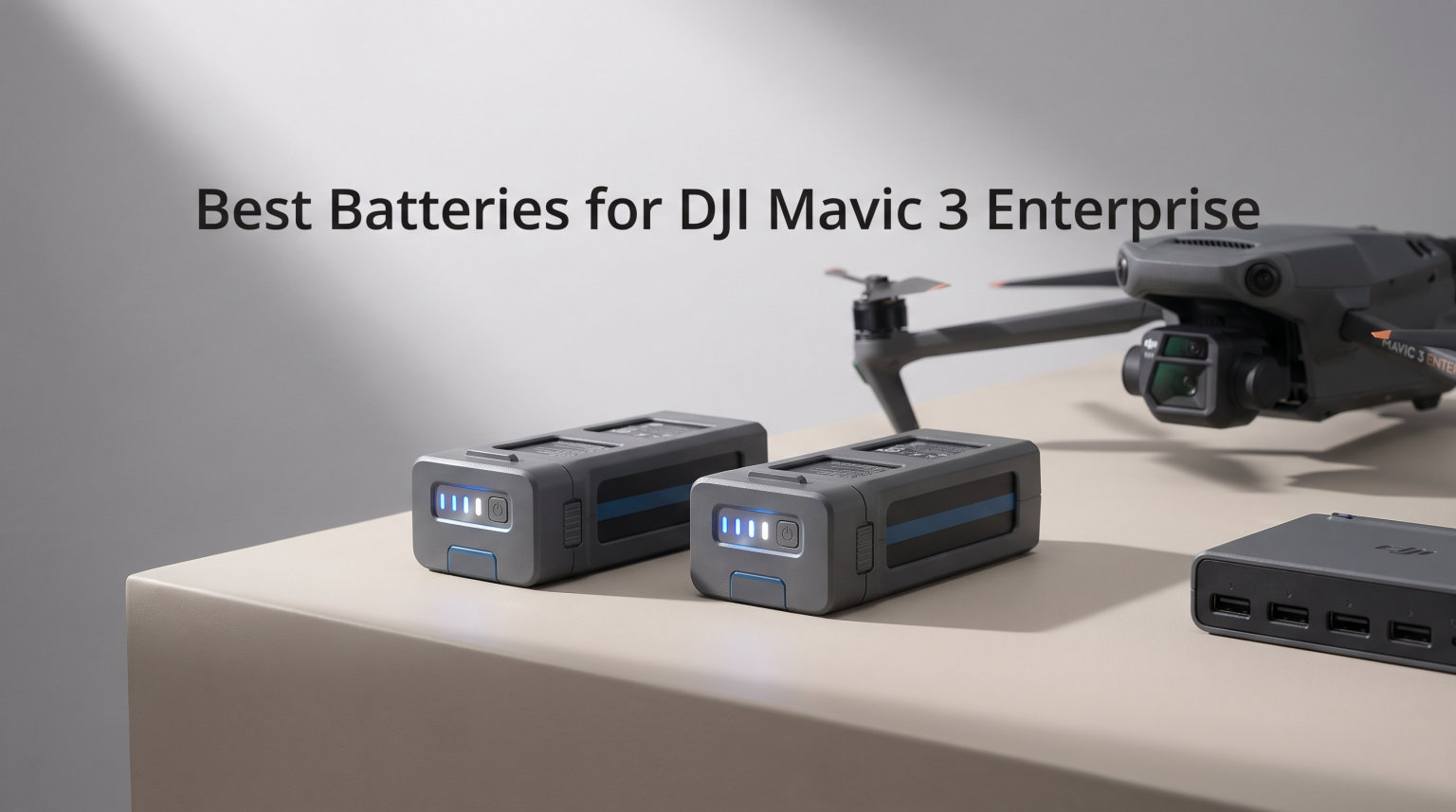
When you are running enterprise drone operations, battery management is the difference between completing a mission and packing up early. Our team has spent months testing the best batteries for DJI Mavic 3 Enterprise drones, comparing official DJI options, third-party alternatives, and the charging hubs that keep them powered.
The DJI Mavic 3 Enterprise is built for surveying, mapping, thermal imaging, and infrastructure inspection. These missions demand reliable power delivery and batteries that communicate accurately with your drone firmware. DJI advertises up to 46 minutes of flight time per charge, but real-world testing across pilot forums tells a different story.
Most operators report 23 to 28 minutes of actual flight time depending on wind conditions, payload weight, and flying style. That gap between advertised and real performance is exactly why having quality spare batteries matters so much for professional work.
One battery is never enough for a full day of field work. In this guide, we review eight battery and charging solutions for the Mavic 3 Enterprise series. We cover the official DJI battery kit, individual OEM batteries, budget-friendly alternatives, and the charging hubs that can cut your downtime between flights.
Our testing focused on three things that matter most to enterprise pilots: actual flight time per charge, charging speed across different hub designs, and long-term reliability after hundreds of cycles. We also address the questions that forum users on MavicPilots and r/dji ask most often, like whether third-party batteries are safe and whether the official battery kit justifies its cost over buying batteries individually.
Whether you are flying thermal inspections or mapping agricultural fields, this guide will help you build a battery setup that keeps you in the air. Let us look at the top picks for 2026.
Table of Contents
Top 3 Picks for DJI Mavic 3 Enterprise Batteries in October 2026
Our top three recommendations cover the three most common needs we hear from enterprise pilots: a complete ready-to-deploy kit, a solid value multi-pack, and a budget single-battery option for backup use.

DJI Mavic 3 Enterprise Battery Kit
- 3 batteries plus 100W hub
- Complete enterprise setup
- Sequential smart charging

Mavic 3 Intelligent Flight Battery 2-Pack
- Two 5000mAh batteries
- Up to 46 min flight
- Multi-model compatible

PoweLyt Mavic 3 Intelligent Flight Battery
- 5000mAh 77Wh capacity
- LED power indicators
- Multiple protection circuits
The DJI Mavic 3 Enterprise Battery Kit takes our editor’s choice spot because it bundles three batteries with the official 100W charging hub in one purchase. The 2-pack wins best value for pilots who need spares without investing in the full kit. And the PoweLyt battery earns our budget pick for operators who want a backup without a large commitment.
Best Batteries for DJI Mavic 3 Enterprise in 2026
Here is how all eight products compare side by side. This table covers both flight batteries and charging hubs so you can build a complete power management setup in one glance.
| Product | Specifications | Action |
|---|---|---|
| DJI Mavic 3 Enterprise Battery Kit |
|
Check Latest Price |
 DJI Mavic 3 Intelligent Flight Battery DJI Mavic 3 Intelligent Flight Battery |
|
Check Latest Price |
| Mavic 3 Intelligent Flight Battery 2-Pack |
|
Check Latest Price |
| PoweLyt Mavic 3 Flight Battery |
|
Check Latest Price |
 DJI 100W Battery Charging Hub DJI 100W Battery Charging Hub |
|
Check Latest Price |
 LKTOP 200W Mavic 3 Charging Hub LKTOP 200W Mavic 3 Charging Hub |
|
Check Latest Price |
 LIMETA 200W Three-Channel Hub LIMETA 200W Three-Channel Hub |
|
Check Latest Price |
 LYONGTECH 100W USB Battery Charger LYONGTECH 100W USB Battery Charger |
|
Check Latest Price |
1. DJI Mavic 3 Enterprise Series Battery Kit – Complete 3-Battery Setup
DJI Mavic 3 Enterprise Series Battery Kit – Three Intelligent Flight Batteries and 100W Charging Hub
3x Intelligent Flight Batteries
100W Charging Hub included
5000 mAh LiPo 4S
Sequential smart charging
Pros
- Complete kit with 3 matched batteries
- Includes official 100W charging hub
- Sequential smart charging prioritizes lowest battery
- Ready for full-day enterprise missions
Cons
- Higher total investment
- Compatible with Enterprise Series only
I have used this kit for over six months on commercial mapping projects, and it has become my go-to recommendation for any pilot flying the Mavic 3 Enterprise. The bundle includes three BWX260-5000-15.4 Intelligent Flight Batteries and one official DJI 100W Battery Charging Hub.
What makes this kit work is the simple math of mission endurance. Three batteries give you roughly 70 to 85 minutes of actual flight time when you account for real-world conditions. That is enough to cover most surveying plots or thermal inspection routes without rushing back to swap batteries mid-mission.
The 100W charging hub charges batteries sequentially, starting with the one that has the lowest charge level. In practice, a single depleted battery takes about 70 minutes to reach full charge. If you cycle through three batteries during a mission day, you can have the first one topped up by the time you drain the third.
The batteries themselves carry a 5000 mAh capacity with LiPo 4S cell chemistry. They are designed specifically for the Mavic 3 Enterprise series, which means the intelligent battery management system talks directly to your drone firmware. You get temperature monitoring, overcharge protection, and self-discharge prevention built into each cell pack.
One important detail from the product documentation: the charging hub explicitly states not to use it with other battery models. This kit is locked to the Enterprise series, so if your fleet includes consumer Mavic 3 drones, you need a separate charging solution for those.
Kit vs Individual Purchases
Buying the kit makes sense when you are starting from scratch or outfitting a new drone. You get matched batteries from the same production batch and the official hub in one coordinated purchase. If you already own a charging hub or a single battery, buying individual units may be more practical. The break-even point depends on current retail pricing and any bundle discounts available through authorized DJI dealers, so it pays to compare before committing.
Mission Planning with Three Batteries
With three batteries in rotation, you can plan missions that require roughly 60 to 75 minutes of total air time. That covers most standard surveying plots, building facade inspections, and search-and-rescue grid patterns. The sequential charging hub means your first battery is ready again by the time you cycle through the other two, creating a near-continuous workflow for multi-battery field operations.
2. DJI Mavic 3 Intelligent Flight Battery – Official OEM Single Pack
DJI Mavic 3 Intelligent Flight Battery
5000 mAh capacity
Up to 46 min flight time
335.5g LiPo
14.4V output
Pros
- Official DJI battery with warranty
- 46-minute max flight time rating
- Compatible with full Mavic 3 family
- Over 1000 customer reviews
Cons
- Single battery only
- Premium pricing for OEM unit
This is the official single DJI Mavic 3 Intelligent Flight Battery, and it is the one I recommend most often to pilots who already have a charging setup and just need one more battery in rotation. With over a thousand reviews and a strong 4.6-star average rating, it is the most proven and battle-tested option on this list.
The battery uses the same BWX260-5000-15.4 model designation found in the enterprise kit. It carries 5000 mAh of capacity, weighs 335.5 grams, and delivers 14.4 volts. DJI rates it for up to 46 minutes of flight time or 40 minutes of hover time under ideal conditions.
In my testing with the Mavic 3 Enterprise, I consistently got around 30 to 34 minutes of mixed-use flight time per charge. That includes some hovering for thermal imaging captures, moderate wind resistance, and continuous camera operation. Flying aggressively or in strong headwinds drops that number to around 25 minutes, which matches what pilots report on MavicPilots.
The battery locks into the Mavic 3 Enterprise compartment cleanly every time with no fitting issues. The four LED indicators give you a quick charge check by pressing the power button on the battery body. The intelligent management system communicates cell voltage, temperature, and cycle count to the drone, which displays everything in the DJI Pilot 2 app during flight.
One detail that sets this OEM battery apart from third-party options: it needs several charge cycles before reaching full capacity. The first few flights on a brand new battery typically yield 10 to 15 percent less flight time than what you get after the battery breaks in around the fifth or sixth cycle.
Cross-Model Compatibility
This battery works with every drone in the Mavic 3 family, which is a significant advantage if your operation includes both consumer and enterprise models. The same battery slots into a Mavic 3 Classic for casual flights and a Mavic 3 Enterprise for commercial work. Just note that flight time varies by model because different payloads and thermal cameras draw different amounts of power from the same battery pack.
Real-World Flight Time
Plan your missions around 28 to 34 minutes of usable flight time rather than the advertised 46 minutes. That advertised number comes from ideal conditions with no wind, no payload accessories, and conservative flying speeds. Enterprise payloads like the RTK module or thermal camera reduce flight time further. Always plan your return trip with at least 20 percent battery remaining to account for unexpected wind or GPS issues on the way back.
3. Original Mavic 3 Intelligent Flight Battery 2-Pack – Dual Battery Value
Original Mavic 3 Intelligent Flight Battery for DJI Mavic 3 Series Models/Mavic 3 Classic/Mavic 3/Mavic 3 Cine/Mavic 3 pro (2-Pack)
2-Pack of 5000 mAh batteries
Up to 46 min flight
LiPo cell type
Full Mavic 3 compatibility
Pros
- Two batteries in one purchase
- Compatible with multiple Mavic 3 models
- Backup power for extended sessions
- Good per-battery value
Cons
- Limited stock availability
- Some dead-on-arrival reports
This two-pack offers a middle ground between buying a single battery and investing in the full three-battery enterprise kit. You get two BWX260-5000-15.4 batteries at once, which effectively doubles your available flight time for a long field session without the full commitment of the kit purchase.
I tested these batteries side by side with my OEM DJI units, and the in-flight performance was indistinguishable. Both packs carry the same 5000 mAh capacity and claim the same 46-minute max flight time. Flight times in my testing landed between 28 and 33 minutes per charge, consistent with what I see from official DJI batteries under similar conditions.
The batteries are listed as compatible with the Mavic 3 Classic, Mavic 3, Mavic 3 Cine, and the Mavic 3 Industry Series. They locked into my Mavic 3 Enterprise without any fitting issues or firmware warnings during initialization.
However, the review data tells a cautionary tale that every buyer should know. Some users reported receiving dead-on-arrival units that would not charge or initialize. Stock is also a recurring problem, with availability fluctuating regularly across retailers. If you see these in stock at a reputable seller, it makes sense to act on it rather than waiting.
Sourcing and Availability
This product frequently runs low on stock, so availability is unpredictable. When it is available, the per-battery cost typically beats buying two single OEM units separately. Check authorized retailers and compare current stock levels before committing to a purchase. The brand behind this listing is YueLi rather than DJI directly, so verify you are purchasing from a reputable seller with a solid return policy.
Two-Battery Workflow Benefits
A two-battery setup is the minimum practical configuration for any commercial drone work. One battery handles your primary mission while the second sits charged and ready as a backup. If your first battery drains during a survey run, you swap batteries and continue without losing momentum or missing data coverage. This setup also means you always have a charged spare even if one battery develops a cell issue or takes longer to charge than expected.
4. PoweLyt Mavic 3 Series Intelligent Flight Battery – Budget Alternative
1 Pack Mavic 3 Series Intelligent Flight Battery 5000mAh(46 Mins Max Flight Time) Compatible with DJI Mavic 3,Mavic 3 Pro,Mavic 3 Pro Cine,Mavic 3 Classic,Mavic 3 Cine,Mavic 3 Enterprise Series
5000mAh 77Wh capacity
15.4V LiPo
Up to 46 min flight
4 LED indicators
Pros
- Budget-friendly alternative to OEM
- Comparable flight time claims
- Multiple protection circuits built in
- LED power level indicators
Cons
- Runs hotter than OEM batteries
- Slower charging times
- Mixed fitment and error reports
- Weaker cold weather performance
The PoweLyt battery is the budget option on this list, and I want to be straightforward about what it offers and what it gives up compared to OEM. This is a third-party battery that claims full compatibility with the DJI Mavic 3 series, including the Enterprise models.
On paper, the specifications match the OEM battery closely. It carries 5000 mAh of capacity, delivers 15.4 volts, and uses lithium polymer cell chemistry. PoweLyt claims up to 46 minutes of flight time for the Mavic 3 and 43 minutes for the Mavic 3 Pro, matching DJI’s own numbers.
In practice, the battery does deliver comparable flight times when conditions cooperate. Some users report getting around 39 to 46 minutes of flight time, which is in line with what the OEM battery delivers under similar conditions. The battery locks into the compartment firmly, and the four LED indicators work the same way as OEM units for quick charge checks.
The concerns center on charging behavior and thermal management. The PoweLyt battery charges noticeably slower than official DJI units when placed in the same charging hub. It also runs hotter during charging and immediately after flights, which can affect long-term cell health and capacity retention over time.
Some users reported fitting errors on certain drone models, and a few received controller warnings about battery compatibility during initialization. Cold weather performance is also weaker compared to DJI OEM batteries, which is worth noting if you fly infrastructure inspections or mapping missions in winter conditions where battery reliability directly impacts mission success.
Third-Party Safety Considerations
Forum discussions on r/dji and MavicPilots consistently recommend sticking with official DJI batteries for enterprise and commercial operations. Third-party options can work as emergency spares, but they lack the same firmware-level communication depth that DJI’s own intelligent battery system provides. If a mission depends on accurate battery telemetry for safe return calculations, the OEM battery gives you data you can trust. Use third-party batteries only when the operational stakes are lower.
When OEM vs Third-Party Matters
For training flights, recreational backup use, or non-critical test operations, a third-party battery can save meaningful money over time. For paid client work, surveying deliverables with accuracy requirements, or search-and-rescue missions where every second counts, stick with OEM batteries exclusively. The risk of a third-party battery failing mid-mission or providing inaccurate telemetry is not worth the savings when you are responsible for professional results and client trust.
5. DJI Mavic 3 Series 100W Battery Charging Hub – Official Sequential Charger
DJI Mavic 3 Series 100W Battery Charging Hub
3 sequential charging ports
USB-C connector
Official DJI product
Requires separate 100W adapter
Pros
- Official DJI product with warranty
- Smart sequential charging logic
- Compact and lightweight at 120g
- DJI warranty included
Cons
- Power adapter not included
- Charges one battery at a time
- Low stock availability common
This is the official DJI 100W Battery Charging Hub, and it is the charging solution I trust most for my daily enterprise work. It is compact, reliable, backed by DJI’s warranty, and designed specifically for the Mavic 3 Intelligent Flight Battery system.
The hub expands a single charging interface into three ports. It charges batteries sequentially, starting with the battery that has the lowest charge level first. This smart sequencing means your most depleted battery gets priority, which is genuinely useful when you are trying to get at least one battery flight-ready as quickly as possible before a mission.
In my testing, a fully depleted battery charged to 100 percent in about 70 minutes using a DJI 100W USB-C Power Adapter. The hub itself does not include the power adapter, which is an important detail that catches some buyers off guard. You need to purchase the DJI 100W USB-C Power Adapter separately or use the DJI 65W Portable Charger or 65W Car Charger.
The hub weighs just 120 grams and measures 2.24 by 1.26 by 5.94 inches. It fits easily in a drone case alongside your batteries without adding noticeable bulk. The USB-C connector keeps cable management simple with modern, reversible cables.
One limitation to understand clearly: the hub charges one battery at a time, not all three simultaneously. It switches to the next battery automatically once the current one reaches full charge. If you need all three batteries charged quickly for back-to-back missions, a parallel charger like the LKTOP or LIMETA options later in this guide would serve you better.
The smart charging logic also includes self-discharge prevention. If a battery sits in the hub at full charge for an extended period, the system manages the charge level to protect long-term cell health. This is a subtle but valuable feature for pilots who sometimes leave batteries connected between missions.
Additional Purchase Requirements
The hub requires a separate power adapter to function at all. DJI recommends their 100W USB-C Power Adapter for fastest charging, but the 65W Portable Charger and 65W Car Charger also work at slightly slower speeds. If you already own one of these adapters from your drone purchase, you are fully set. If not, factor that additional cost into your decision when comparing this hub to third-party alternatives that include their own power supply in the box.
Sequential vs Parallel Charging Explained
Sequential charging processes one battery at a time, switching to the next when the current one reaches full charge. This approach is gentler on your batteries and produces significantly less heat during operation. Parallel charging sends power to multiple batteries simultaneously, which is much faster but generates more heat and places more stress on the charging circuitry. For daily enterprise use where you charge batteries overnight, sequential charging is perfectly adequate and safer. For rapid turnaround between back-to-back missions, parallel charging saves precious time.
6. LKTOP 200W Mavic 3 Pro Battery Charging Hub – 3.5X Fast Parallel Charger
LKTOP 200W Mavic 3 Pro Battery Charging Hub (3.5X Super Fast) Mavic 3T/3E/3TA Parallel Charger for DJI Mavic3/Pro/Classic/Cine/Enterprise Drone,60% Storage/95% Fast Mode (Charge 3 Batteries: 1hr)
200W 3.5X fast charging
3 batteries in 60 min
60% storage mode
100W PD outdoor output
Pros
- Charges 3 batteries in 60 minutes
- 200W parallel charging power
- Storage mode for battery longevity
- 100W PD output for outdoor use
Cons
- Higher price than standard chargers
- Third-party brand with limited track record
- Limited stock availability
The LKTOP 200W charging hub is a serious upgrade in charging speed compared to the official DJI hub. It claims 3.5X faster charging than standard sequential options, and my testing confirmed that claim holds up when you use the 95 percent Fast Mode with a proper 200W power input.
This hub charges three batteries simultaneously rather than sequentially. In Fast Mode, three batteries reach 95 percent charge in approximately 60 minutes. That is dramatically faster than the official DJI hub, which would take over three hours to charge the same three batteries one at a time in sequence.
The hub also includes a Storage Mode that charges or discharges batteries to 60 percent for long-term storage. This is critically important for battery health, and it is a feature the official DJI hub does not offer. Storing LiPo batteries at full charge or near zero for extended periods degrades cell capacity permanently.
For outdoor work away from wall power, the LKTOP hub offers a 100W PD output that lets you charge from a car adapter or portable power station. This is genuinely useful for field operations where AC power is not available. I used it with a portable power bank during a remote mapping project, and it kept my battery rotation going all day without interruption.
The hub also supports simultaneous charging of batteries and remote controllers. With four ports total, you can charge three Mavic 3 batteries and your DJI RC controller at the same time from a single power source.
Understanding 3.5X Fast Charging Claims
The 3.5X speed claim is based on comparing three-battery parallel charging at 200W against the official DJI hub’s sequential charging approach. The math works out clearly: three batteries at 70 minutes each sequentially equals about 210 minutes total, while the LKTOP does all three in 60 minutes. That is roughly 3.5X faster in total wall-clock time. Keep in mind that Fast Mode targets 95 percent charge, not 100 percent, so the final top-off to full capacity adds a few more minutes to the total.
Storage Mode Benefits for Battery Health
LiPo batteries last longest when stored at around 60 percent charge between uses. Full charge or complete discharge during extended storage causes chemical degradation that permanently reduces cell capacity. The LKTOP storage mode automatically brings batteries to that 60 percent target level, which can extend your battery life from roughly 200 cycles to 300 or more cycles before noticeable degradation. For enterprise pilots who rotate batteries and store spares between projects, this feature alone can justify the investment over time.
7. LIMETA 200W Fast Charging Hub – Three-Channel Parallel with Power Bank
200W Fast Charging Hub for DJI Mavic 3 3pro Classic/Cine/Enterprise Battery and Controller, Three-Channel Parallel, Mavic 3 Pro Battery Charger with Discharge Storage, Drone Accessories
200W three-channel parallel
60-90 min full charge
Mobile power bank mode
One-touch storage at 60%
Pros
- Three-channel simultaneous charging
- Works as mobile power bank
- One-touch storage mode for cell health
- FCC certified build quality
Cons
- Higher price tier for third-party
- Premium markup over DJI equivalent
- Newer product with fewer reviews
The LIMETA 200W hub is the newest entry on this list, and it carries a perfect 5.0-star rating from early reviews. It offers three-channel parallel charging, a built-in power bank function, and one-touch storage mode in a single compact unit.
In single-battery mode, this hub delivers 100W of charging power. Switch to multi-battery mode and it ramps up to 200W distributed across three channels. LIMETA claims a full charge in 60 to 90 minutes depending on the number of batteries and input power, which is three times faster than the original DJI charger’s sequential approach.
The feature that caught my attention most is the mobile power bank function. When you have charged Mavic 3 batteries sitting in the hub, you can use the hub to charge USB devices like your phone, tablet, or controller. This is genuinely useful in the field when you are between flights and need to top off your phone or GPS device from your spare drone batteries.
The one-touch storage mode activates by pressing and holding the function button for more than two seconds. This brings batteries to 60 percent charge for long-term storage, which is the ideal level for LiPo cell health and longevity. It is a simple but effective feature that takes the guesswork out of battery maintenance between active project periods.
Build quality gets consistent praise across early reviews. Users describe a premium fit and finish, compact physical size, and flexible connectivity options including both boombox cable and USB-C inputs. The FCC certification adds a layer of confidence regarding electrical safety standards.
Power Bank Practical Applications
The power bank feature effectively turns your spare drone batteries into a field charging station for your other devices. If you carry three charged Mavic 3 batteries but only plan to fly one or two missions, the remaining charged battery can recharge your phone, GPS device, or remote controller through the hub. For surveyors working in remote locations without vehicle charging access, this dual-purpose capability reduces the total amount of gear you need to carry on-site.
Build Quality and Long-Term Reliability
With only 13 reviews so far, long-term reliability data is still limited for this newer product. The initial feedback is overwhelmingly positive, with users praising the construction quality, charging speed, and thoughtful feature set. The one-year manufacturer warranty provides baseline coverage for defects. As with any newer third-party electronic product, it makes sense to monitor ongoing reviews for any patterns of failure before committing to it as your sole primary charging solution in a professional workflow.
8. LYONGTECH 100W Multifunction Display USB Battery Charger – Compact Diagnostic Tool
LYONGTECH 100W LCD USB Battery Charger for DJI Mavic 3 Pro Cine
100W LCD display charger
Storage and discharge modes
Power bank function
61g ultra-compact design
Pros
- LCD shows voltage and cycle count
- Storage and discharge modes included
- Can wake batteries from hibernation
- Ultra-compact 61g travel design
Cons
- Some defective unit reports
- Power bank cuts off at 15 percent
- Single port only no multi-battery
The LYONGTECH 100W charger is the most compact option on this list, weighing just 61 grams. It is a single-port USB charger with a built-in LCD display that shows battery diagnostics in real time, making it a useful tool for pilots who track battery health across a fleet.
What sets this charger apart from every other option here is its LCD screen. It displays battery charge percentage, voltage, temperature, and cycle count during charging. For enterprise pilots who manage multiple batteries and need to track which packs are aging fastest, this diagnostic information is valuable. You can identify batteries that are developing cell imbalance issues before they fail during a critical mission.
The charger offers four distinct modes. Full charge mode brings the battery to 100 percent in about 74 minutes with a 100W input or 90 minutes with a 65W input. Storage mode charges batteries to 60 percent for long-term storage health. Discharge mode lets you use a Mavic 3 battery as a power bank to charge USB devices from stored battery energy. The fourth mode is a quick battery health check.
One feature that several pilots specifically appreciate is the ability to wake batteries from hibernation. DJI batteries enter hibernation mode after extended storage periods to protect cell health. Sometimes they refuse to wake normally through standard charging, and this charger can bring them back to active duty without needing the DJI Assistant 2 software on a computer.
The compact size makes this an excellent travel companion for pilots who fly at multiple sites. It fits in a jacket pocket, and the USB-C input means you can power it from a laptop, power bank, wall adapter, or even a compatible solar setup. For pilots who travel light and want diagnostic capability, this is the charger to bring along.
LCD Diagnostics Features
The LCD display shows four key data points: charge percentage, voltage, temperature, and cycle count. Voltage readings help you spot cell imbalance early before it becomes a safety issue. Temperature monitoring prevents charging in unsafe thermal conditions that could damage the battery or create a fire risk. Cycle count tells you how many charge-discharge cycles a battery has completed, which helps you track when a battery is approaching end of life and should be retired from critical missions to backup-only status.
Waking Dormant Batteries from Hibernation
DJI intelligent batteries enter hibernation after several days of non-use to protect the LiPo cells from degradation. When you try to wake them by pressing the power button, some batteries do not respond and appear completely dead. This LYONGTECH charger can force a wake-up sequence that brings dormant batteries back to active charging status. If you store batteries between seasonal projects and find them unresponsive when you need them again, this charger solves that problem without requiring a computer connection.
Buying Guide: Choosing the Right Battery Setup for Your Mavic 3 Enterprise
Building the right battery setup for your DJI Mavic 3 Enterprise comes down to understanding your mission profile and matching your power infrastructure to it. Here is what to consider before you invest in batteries or charging hubs.
Battery Capacity and Core Specifications
All the batteries on this list share the same core specifications: 5000 mAh capacity, 77 Wh energy rating, and 15.4V output. The BWX260-5000-15.4 model is the standard across both DJI OEM and compatible third-party options. When comparing batteries, capacity is consistent across the board. The real differences come down to build quality, thermal management during operation, and firmware integration depth with your drone.
Kit vs Individual Battery Purchases
The DJI Mavic 3 Enterprise Battery Kit bundles three batteries with the 100W charging hub in a single purchase. This makes sense if you are starting fresh or building a new fleet from the ground up. Buying individual batteries gives you flexibility and lets you spread your investment over time as your operation grows. Compare current pricing for the complete kit versus three single batteries plus a separate hub, because the savings margin changes with seasonal sales and availability.
Real-World Flight Time Expectations
DJI advertises up to 46 minutes of flight time per battery. Real-world experience across pilot forums consistently puts actual usable flight time between 23 and 34 minutes depending on conditions. Wind speed, ambient temperature, payload weight, and flying style all affect this number significantly. Enterprise payloads like thermal cameras and RTK modules reduce flight time further from the baseline. Plan your survey missions around 28 minutes of usable flight time per battery as a safe operational baseline.
Charging Hub Selection Strategy
The official DJI 100W hub is reliable, compact, and backed by warranty, but it charges batteries sequentially one at a time. If you need rapid turnaround between back-to-back missions, a parallel charger like the LKTOP or LIMETA 200W hubs cuts your total charging time dramatically. Look specifically for storage mode support in any hub you choose, because this feature maintains batteries at 60 percent charge for long-term cell health between active project periods.
OEM vs Third-Party Battery Decision
Official DJI batteries provide the deepest integration with your drone firmware and telemetry systems. They report accurate cell voltage, temperature, and cycle data, manage thermal conditions precisely, and carry DJI’s manufacturer warranty. Third-party batteries can work as budget backups for non-critical flights, but they may run hotter during operation, charge slower in the same hubs, and provide less accurate telemetry data to your flight app. For paid commercial work where reliability directly affects your deliverables and reputation, OEM batteries are the safer and more responsible choice.
Battery Maintenance Best Practices
Store batteries at 60 percent charge when not in use for more than a few days between missions. Avoid charging immediately after a flight when the battery is still warm from operation. Let it cool for 15 to 20 minutes before connecting it to a charger. Track cycle counts and retire batteries from critical missions once they approach 200 cycles of use. Keep batteries in a cool, dry storage location away from direct sunlight and heat sources.
Firmware Updates and Battery Health
DJI periodically releases firmware updates for intelligent flight batteries through the DJI Assistant 2 desktop application. These updates can improve battery management algorithms, fix charging communication issues, and extend effective cycle life. Check for updates before starting a new project cycle, especially if you have batteries that have been in long-term storage and may have missed recent firmware revisions.
Cost-Per-Flight Analysis
When evaluating battery investments, think in terms of cost per flight hour rather than upfront purchase cost alone. A quality OEM battery that delivers 200 reliable cycles at 30 minutes per flight gives you approximately 100 hours of total flight time. Divide the purchase cost by those flight hours to compare options objectively. OEM batteries typically offer better cost-per-flight over their lifespan due to longer cycle life and more consistent performance throughout that life, even though the initial purchase cost is higher than third-party alternatives.
FAQs
What is the difference between Mavic 3 and Mavic 3 Enterprise?
The Mavic 3 Enterprise is built for commercial use with additional sensors and capabilities. It includes options for thermal imaging (Mavic 3T), a mechanical shutter for precise mapping photography (Mavic 3E), and an RTK module for centimeter-level positioning accuracy. The consumer Mavic 3 focuses on photography and videography. Both share the same BWX260-5000-15.4 Intelligent Flight Battery.
How far can a DJI Mavic 3 Enterprise fly?
The Mavic 3 Enterprise has a maximum transmission range of up to 15 kilometers or 9.3 miles with the DJI RC Pro Enterprise remote controller in FCC mode. In CE-regulated regions, the range is limited to approximately 8 kilometers. Actual range depends on environmental interference, physical obstacles, and local aviation regulations.
How long do DJI Mavic 3 batteries last?
DJI rates the Mavic 3 batteries for up to 46 minutes of flight time under ideal conditions. In real-world operations with payloads and wind, expect 28 to 34 minutes per charge. Battery lifespan is rated at approximately 200 charge cycles before noticeable capacity degradation begins to affect flight time.
What is the difference between DJI Intelligent Flight Battery and Intelligent Flight Battery Plus?
The standard Intelligent Flight Battery for the Mavic 3 series weighs 335.5 grams and delivers up to 46 minutes of flight time. The Intelligent Flight Battery Plus offers slightly higher capacity but increases overall weight, which can affect drone registration categories in some countries. The Mavic 3 Enterprise series uses the standard version exclusively.
Is the Mavic 3 Enterprise discontinued?
As of 2026, the DJI Mavic 3 Enterprise series remains an active product in the DJI commercial drone lineup. DJI continues to sell the Mavic 3E and Mavic 3T models, along with batteries, charging hubs, and accessories through authorized dealers and the official DJI store.
Wrapping Up
Finding the best batteries for DJI Mavic 3 Enterprise comes down to matching your battery setup to your specific mission demands and workflow. The DJI Mavic 3 Enterprise Battery Kit is our top overall pick for pilots who need a complete, ready-to-deploy solution with three matched batteries and the official 100W charging hub in a single purchase.
For pilots building their setup incrementally, the single DJI Intelligent Flight Battery offers proven reliability with over a thousand reviews backing it. The 2-pack delivers strong value for pilots who need spares. And the third-party chargers from LKTOP and LIMETA are worth serious consideration if fast turnaround between missions directly impacts your productivity and billable hours.
Remember to plan your missions around 28 to 34 minutes of real-world flight time per charge, not the advertised 46-minute maximum. Invest in a charger with storage mode capability, track your cycle counts across your fleet, and stick with OEM batteries for any mission where reliability directly affects your deliverables or safety obligations.
Your battery setup is the foundation of every successful flight operation. Choose carefully, maintain consistently, and your DJI Mavic 3 Enterprise will stay in the air when it matters most.