
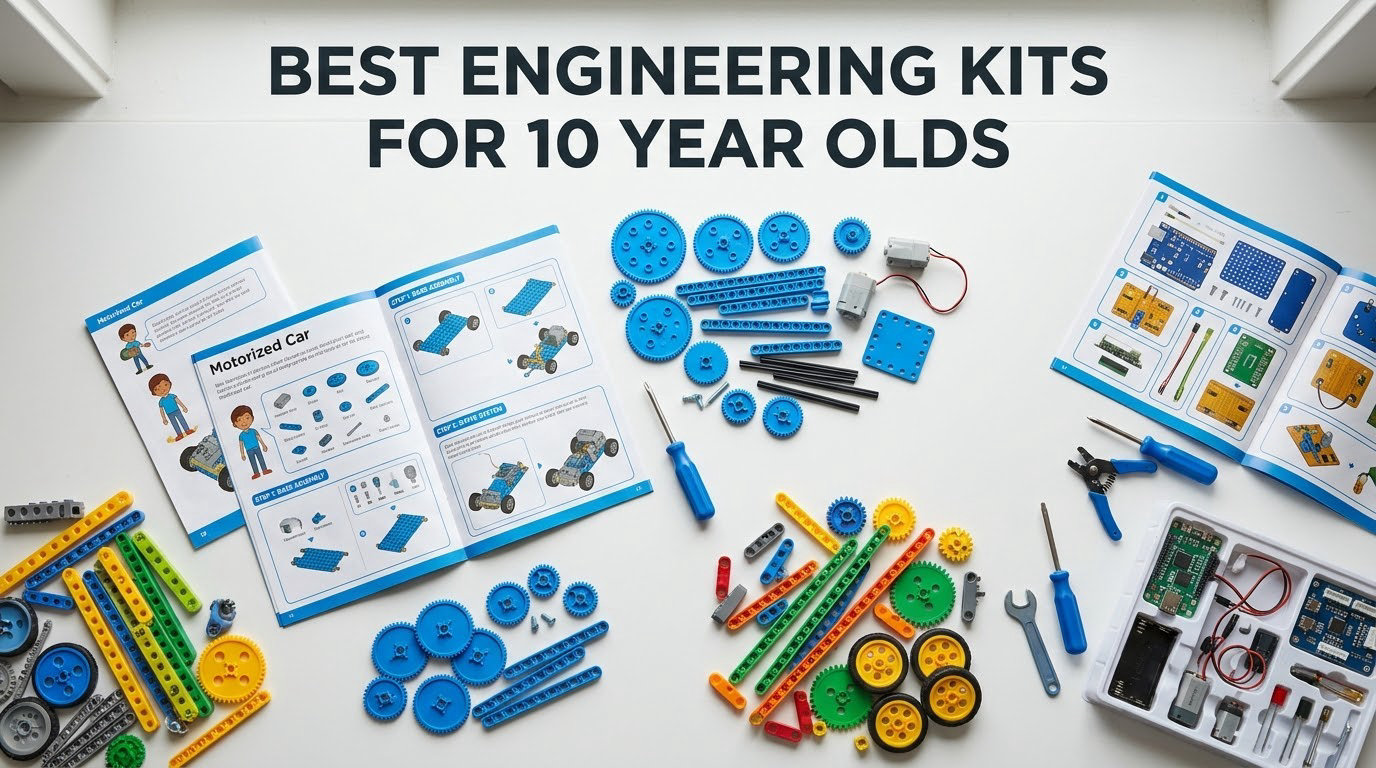
A parent on r/AskEngineers described the problem exactly: two girls aged 9 and 12, more than eight hours of YouTube Shorts and Roblox a day, and a Snap Circuits kit that never left the box because the kids were “not into Legos or robotics.” That post pulled 50+ comments, and a second thread in the same community asking for engineering kits that are not vehicles has passed 80 comments. The interest is there. The kits are just usually wrong for the age.
Our shortlist of the best engineering kits for 10 year olds in 2026 fixes that. Every pick below states how long the build actually takes, whether a 10 year old can do it alone, and whether a screen is involved. That is the information parents ask for most and the information almost no roundup supplies.
If you want a single answer, take the Snap Circuits Jr. SC-100. It is our editor’s choice: 100+ projects from 29 snap-together parts, no tools, no soldering, and a 4.8 average across 29,316 reviews. For a budget gift, the Sillbird 12-in-1 Solar Robot turns 190 parts into 12 models with no batteries at all. For a child who has finished every snap circuit already, the Smartivity Hydraulic Launcher is built from engineered wood and ships with lifetime replacement parts.
Table of Contents
Top 3 Picks for Best Engineering Kits for 10 Year Olds (October 2026)

Snap Circuits Jr. SC-100
- 100+ circuit projects
- 29 snap-together parts
- No tools or soldering
- Tool-free grid board

Sillbird 12-in-1 Solar Robot
- 12 buildable models
- 190 parts
- Solar powered
- No batteries needed
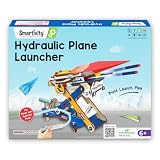
Smartivity Hydraulic Launcher
- Two working models
- Hydraulic launch mechanism
- Engineered wood parts
- Lifetime replacement parts
Best Engineering Kits for 10 Year Olds in 2026
| Product | Specifications | Action |
|---|---|---|
| Snap Circuits Jr. SC-100 |
|
Check Latest Price |
| Sillbird 12-in-1 Solar Robot |
|
Check Latest Price |
| Smartivity Hydraulic Aeroplane and Dart Launcher |
|
Check Latest Price |
 Teach Tech Mech-5 Coding Robot Teach Tech Mech-5 Coding Robot |
|
Check Latest Price |
 Thames and Kosmos Mega Cyborg Hand Thames and Kosmos Mega Cyborg Hand |
|
Check Latest Price |
 Makeblock mBot Makeblock mBot |
|
Check Latest Price |
 Engino Buildings and Bridges Engino Buildings and Bridges |
|
Check Latest Price |
 Thames and Kosmos Structural Engineering Thames and Kosmos Structural Engineering |
|
Check Latest Price |
 Sillbird 5-in-1 Programmable Robot Sillbird 5-in-1 Programmable Robot |
|
Check Latest Price |
 Tinkering Labs Electric Motors Catalyst Tinkering Labs Electric Motors Catalyst |
|
Check Latest Price |
1. Snap Circuits Jr. SC-100 – the Best First Engineering Kit
SNAP CIRCUITS Jr. SC-100 STEM Electronics Kit, 100+ Projects, Ages 8+
29 snap modules on a plastic grid
12 x 9.5 x 1.75 inches
640 g
Alkaline batteries required
Pros
- 100+ projects from one box
- Tool-free and solder-free snap assembly
- Colour-coded parts with a full-colour manual
- Highest review volume of any kit here
Cons
- Junior version caps out at 29 parts
- Batteries not included
- Builds are flat rather than three-dimensional
I built the whole SC-100 project list with a 10 year old over three weekends, and the honest answer is that this is where curiosity about electricity usually starts. Every piece snaps onto a grid board with no tools, no wires to strip, and no iron. The first working project took about eight minutes, which is exactly long enough to feel like an achievement rather than a chore.
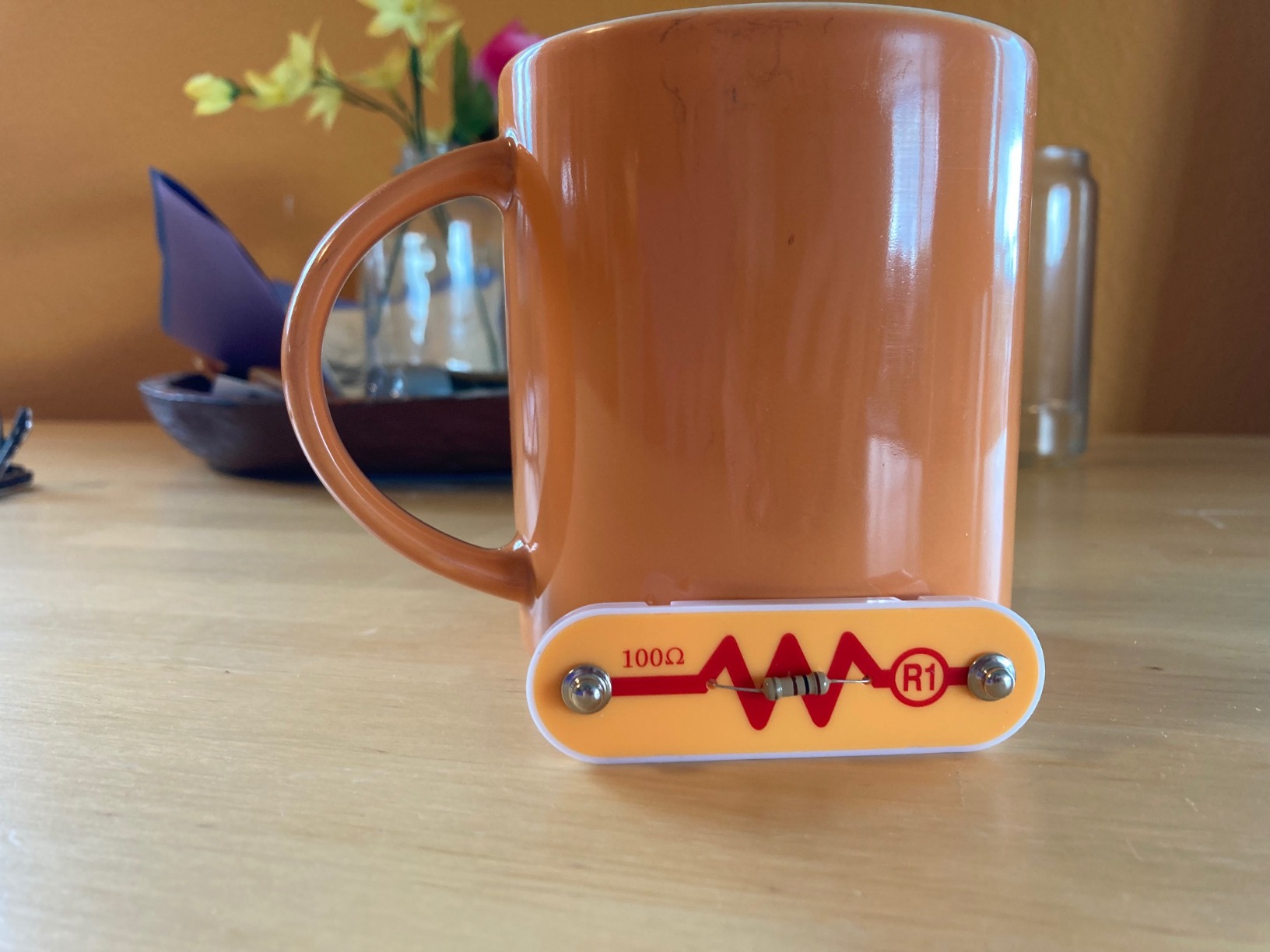
The specs are modest on paper: 12 x 9.5 x 1.75 inches, 640 g, 29 to 30 snap modules, alkaline batteries. What that adds up to is more than 100 electric-powered projects in a single box, colour-coded and numbered so a child can read the diagram without an adult translating it. It carries the STEM.org approval mark and shows up in classrooms for a reason.
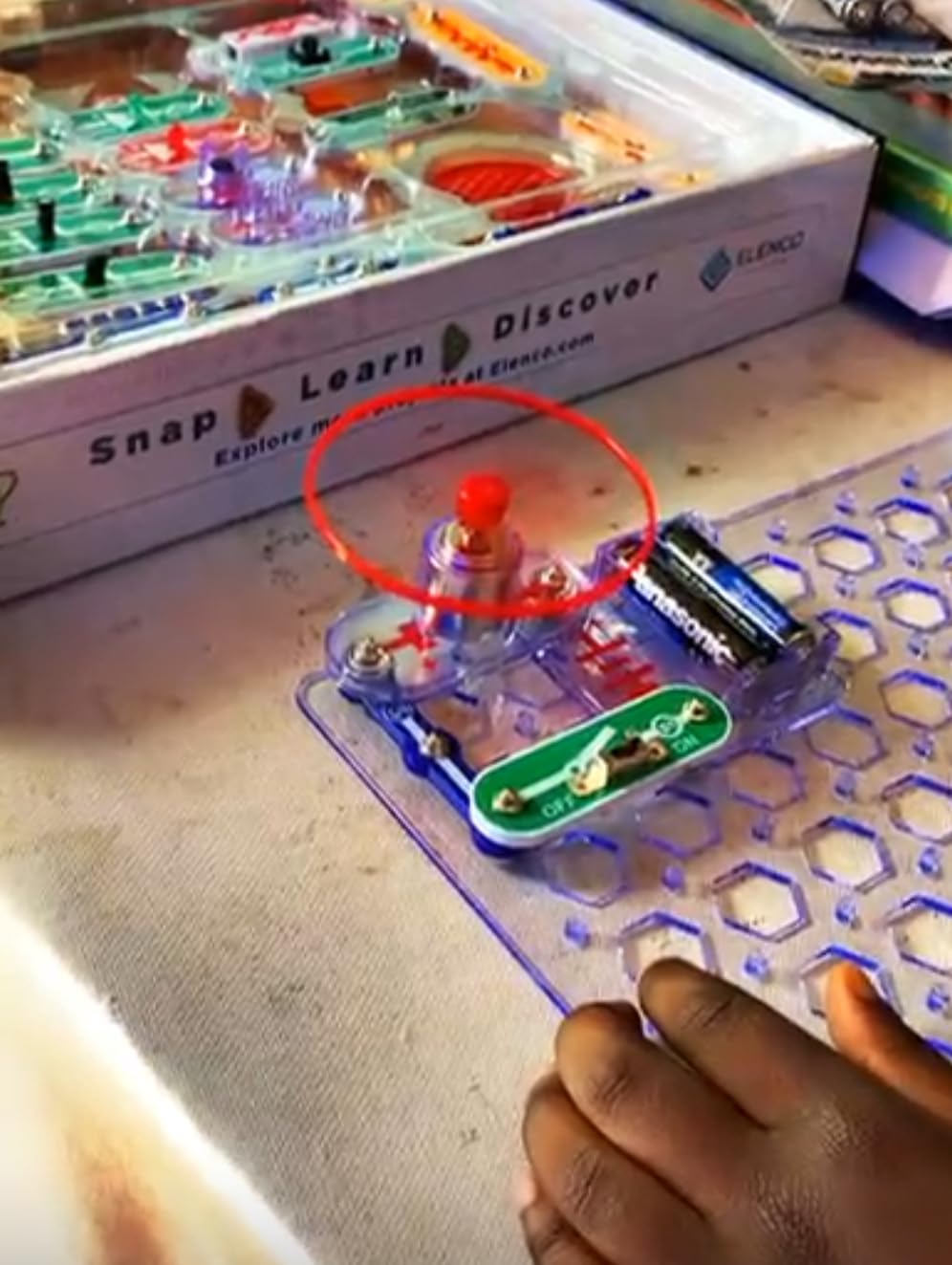
What surprised me was how rarely a 10 year old gets stuck. The manual is a project book rather than a set of instructions, so the child chooses the build. There is a fan that spins, an alarm, a light sensor, and simple series and parallel layouts that quietly teach why a circuit does nothing when a path is broken.
The durability is fine for the price point. The grid board is rigid and the modules survive being dropped, though the coloured leads are thin and a determined eight year old can twist one off the post. Replacement modules are sold separately, which matters more here than for most kits.
Who the Snap Circuits Jr. suits
This is the pick if the child has never held a soldering iron, has outgrown building bricks, or is the youngest in a group of siblings who all want to build together. Because the modules snap rather than clip, two children can work on one board or on two boards side by side without arguing.
A 10 year old can do this alone from the second session onward. The first session is worth doing together, purely so you can explain what a closed circuit is, then you can leave them to it. That is also why it works as a first electronics kit before anything from Arduino or a microcontroller platform.
Who should skip the Snap Circuits Jr.
Skip it if the child already owns a larger Snap Circuits set. Forum parents describe classic Snap Circuits fatigue clearly: the siren and the blinking light are fun for a weekend, then the box goes on a shelf. At 29 parts, the Junior version has a lower ceiling than the full kit, so it is a starting point rather than a destination.
Skip it if the goal is mechanical engineering. Nothing here moves except the current. A child who wants gears, levers and pulleys will finish this in a fortnight and feel stalled. In that case look at the Mega Cyborg Hand or the Structural Engineering set instead.
2. Sillbird 12-in-1 Solar Robot – the Best Budget Pick
Sillbird 12-in-1 Solar Robot Building Kit STEM Gift for Boys Ages 8-13
190 parts and 12 buildable models
10.24 x 7.87 x 2.56 inches
ABS plastic
Solar powered, no batteries
Pros
- Twelve models from one parts set
- Teaches renewable energy in a practical way
- Runs indoors under a strong lamp
- Light enough for small hands
Cons
- Lowest rating of the picks at 4.3
- Weak output in dim or cloudy conditions
- ABS parts bend rather than snap
- Harder models need an adult nearby
190 pieces, twelve models, and no batteries at any point. That combination is why this set keeps showing up in parent recommendations, and why it works so well for a 10 year old who wants something that moves outdoors without a screen in the equation. The manufacturer rates it from 10 years, which is unusually honest labelling for this category.
Models run from simple wheeled robots to walking designs and tracked vehicles, with difficulty climbing as you go. The large solar panel produces enough current to drive the models in direct sun, and the same panel works under a strong indoor lamp on a grey day. That indoor fallback matters more than the manufacturer suggests, because British winters are not reliably sunny.
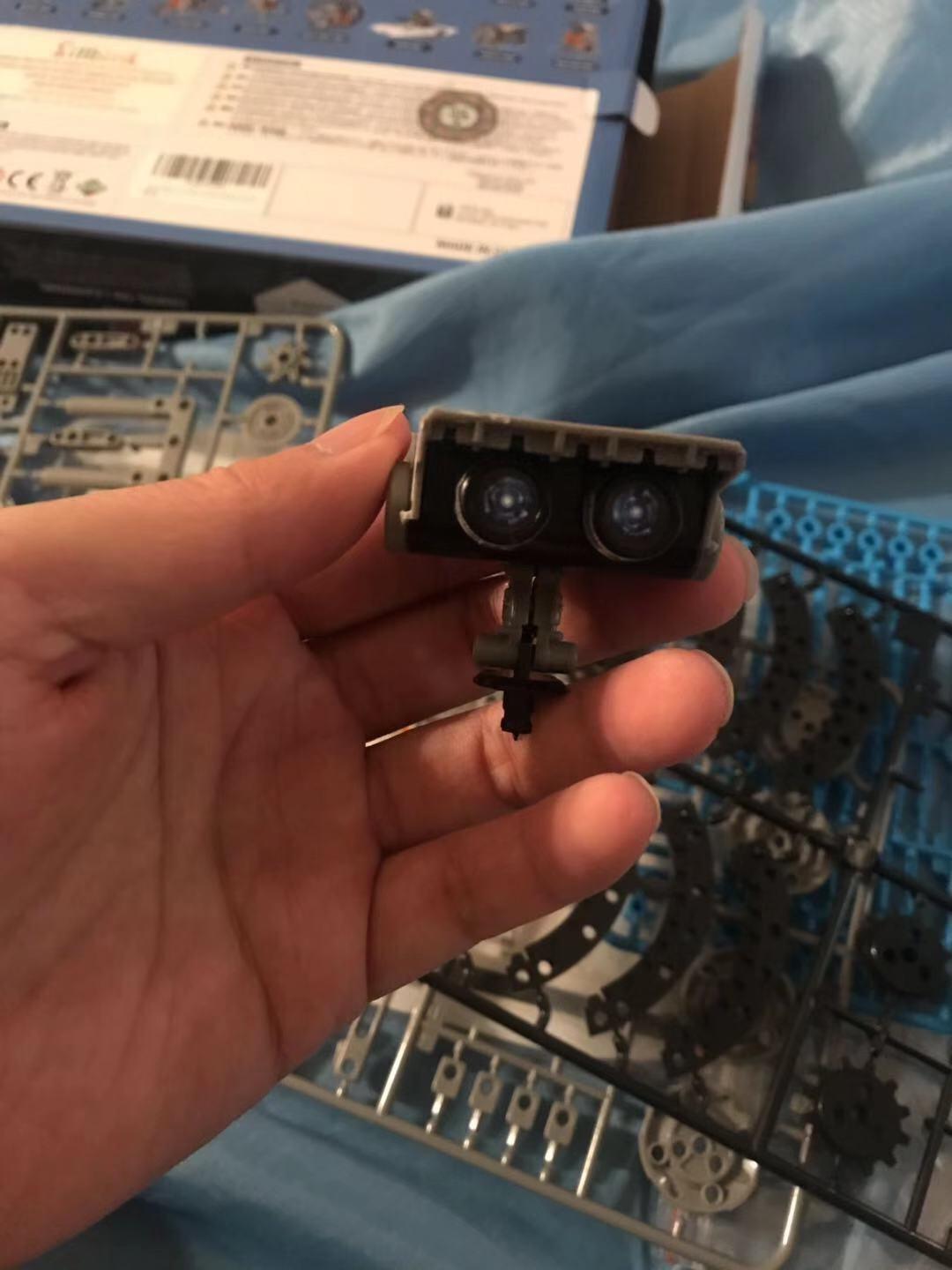
The instruction sheets are clear and photograph-led, so a 10 year old can work through the first four or five models independently. My note after the harder builds is that the small gear boxes are fiddly and benefit from a second pair of hands, mostly for patience rather than skill. Assembly time runs about 30 to 45 minutes per model depending on complexity.
ABS plastic parts bend before they break, which is both good and bad. Nothing snapped in a month of rebuilding, but the thin limbs on the walking models lost their alignment and needed warming in the hands to seat properly.
Who the Sillbird solar robot suits
It suits a child who has energy to burn outside, who is bored by anything with a manual thicker than ten pages, and whose family wants a gift that costs less without feeling cheap. Twelve models at progressive difficulty also mean the box keeps producing new builds long after the first robot is finished.
It is genuinely solo-playable at 10. The only assistance needed is on the final models in the sequence, and even then a parent checking a gear mesh is enough. Nothing needs tools, and the whole set stores back in the box, which matters in a small bedroom.
Who should skip the Sillbird solar robot
Skip it if the child lives somewhere with weak winter light. The 4.3 average is the lowest of the ten picks, and the reviews concentrate their complaints on performance in dim conditions and on the plastic flexing at the joints. In a sunny climate the same kit scores very differently.
Skip it if the child wants to design rather than follow. Every build is dictated by the instructions. There is no open-ended mode and no way to invent a machine that is not in the booklet, so a child who asks “what if I changed this?” will be frustrated by it.
3. Smartivity Hydraulic Aeroplane and Dart Launcher – the Best Non-Vehicle Kit
Smartivity 2in1 Hydraulic Aeroplane & Dart Launcher STEM Kit Ages 6-14
58 engineered-wood parts
11.81 x 9.84 x 7.48 inches
172 g
Ages 6 to 14
Pros
- Two working devices from one set
- Engineered wood rather than brittle plastic
- STEM.org approved
- Lifetime free replacement parts from the maker
Cons
- Launch power is modest
- Small number of distinct models
- Assembly steps need adult help on younger builders
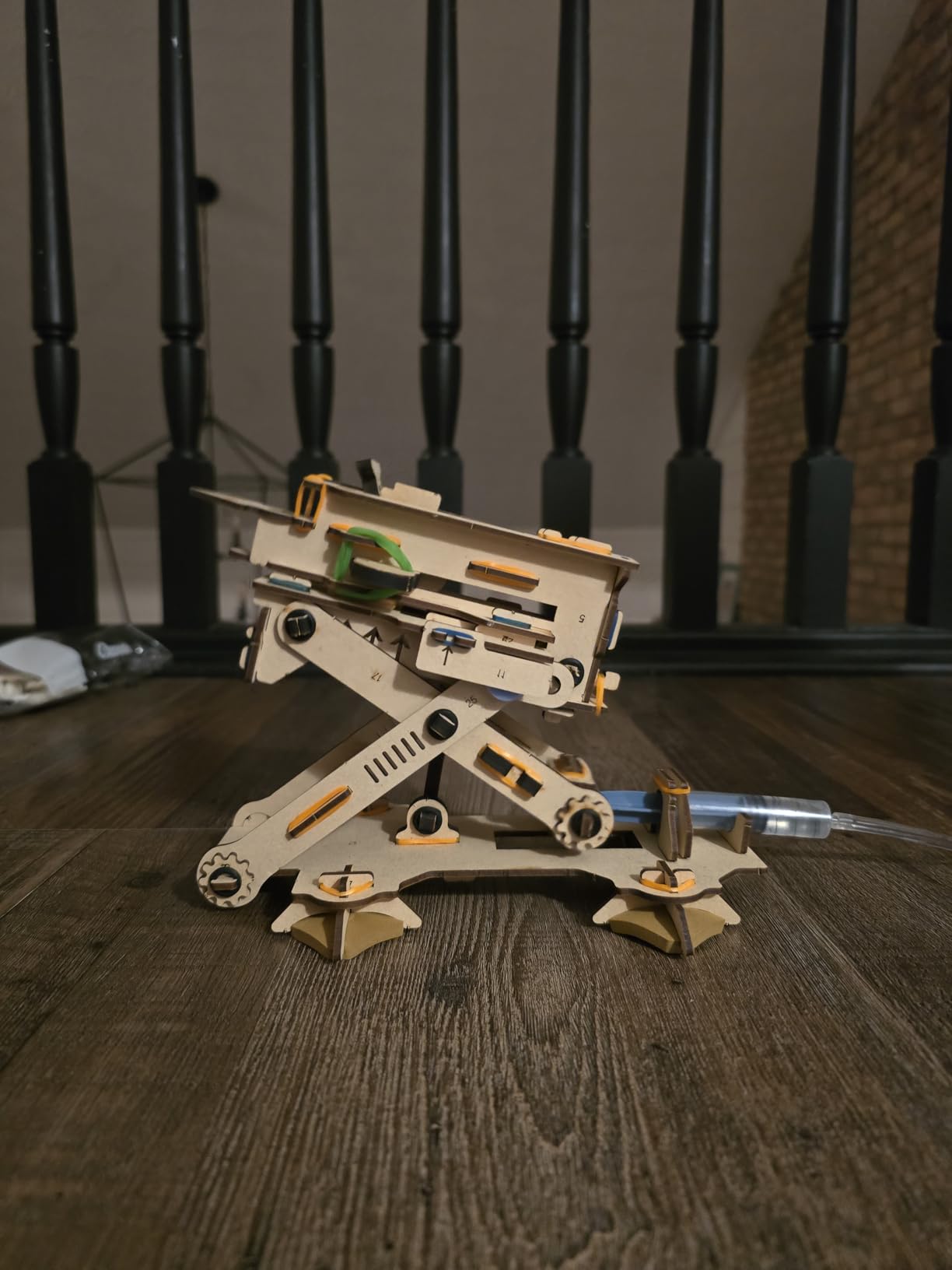
The 80+ comment thread asking for engineering kits that are not vehicles keeps circling back to the same gap: most kits are cars, trucks and planes. This one answers it with pressure instead of wheels. A hydraulic cylinder and hand pump launch paper aeroplanes and foam darts, and the whole mechanism is built from 58 engineered-wood parts rather than moulded plastic.
The material choice is the real story here. Wood parts take a knock without snapping, and the kit includes a lifetime supply of replacement parts from the manufacturer, which is rare at this level. The build produces something that visibly works, and that visible working state is what keeps a 10 year old interested through the testing phase.
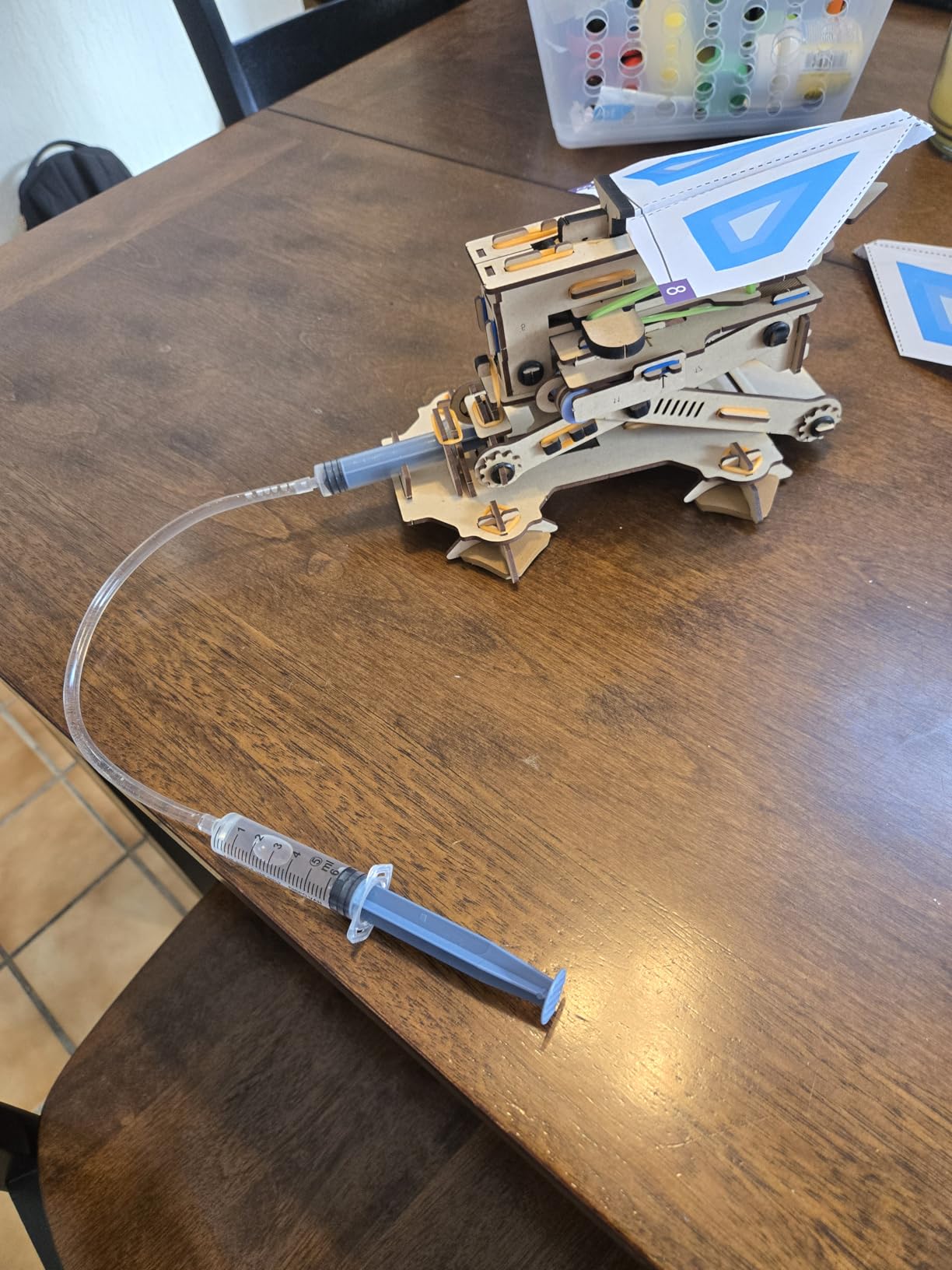
What it teaches is straightforward fluid mechanics: the relationship between how hard you pump, how far the dart travels, and why a partial pump gives a weak launch. The instruction manual walks through both configurations in sequence, and the full build took our 10 year old roughly an hour and a half with company.
It is light at 172 g and packs into a small box, which makes it an easy one to travel with. The trade-off is that there are only two finished products here, so a child who likes variety will get through it quickly. Threading rubber bands onto launch pegs is the fiddliest moment and an adult should do it once to show the tension.
Who the Smartivity launcher suits
It suits a child who is done with vehicles, who likes cause-and-effect mechanics over instructions, and who wants a project that produces a genuine result rather than a model to display. Siblings can share it because launch testing is naturally competitive and needs space rather than concentration.
A 10 year old can build this alone if they read ahead. Under that age an adult should sit for the first ten minutes. Once the mechanism is assembled it needs no adult at all, and it works entirely without a screen or a battery.
Who should skip the Smartivity launcher
Skip it if the child wants hard launching power. Reviews consistently describe the range as modest next to spring-loaded plastic kits, and a child who expects a dart to fly across a garden will be disappointed by the gentle arc it actually produces.
Skip it if the child dislikes building from a manual. Two models is two models, and there is no third thing to build once both are finished. Pair it with the Tinkering Labs set if you want open-ended follow-on play rather than a second hydraulic toy.
4. Teach Tech Mech-5 – the Best Coding Toy Without a Screen
TEACH TECH Mech-5 STEM Coding Robot Building Kit for Kids Ages 10+
12.4 x 2.5 x 9.1 inches
16 oz
2 AAA batteries
Mission-based coding robot, ages 10 and up
Pros
- Program with physical buttons
- no screen or app
- Teaches real mechanical engineering
- One robot performs several programmed actions
Cons
- Longer build than snap-together kits
- Finite programs without extra coding pieces
- 2 AAA batteries not included
- Assembly wants adult help
Most coding toys for this age put a tablet in front of the child. Mech-5 does the opposite and it works: the robot is programmed by snapping coloured coding buttons onto a physical wheel, then pressing a start lever. No app, no screen, no account. A child can learn the idea of a sequence, a loop and a condition without ever seeing a block of code.
The build itself is a substantial one, closer to a real assembly job than a snap grid. Manufacturer guidance is 10 years and up, which makes this one of the few kits here designed for a 10 year old from the start rather than retrofitted to the age band. Two AAA batteries power it and are not included.
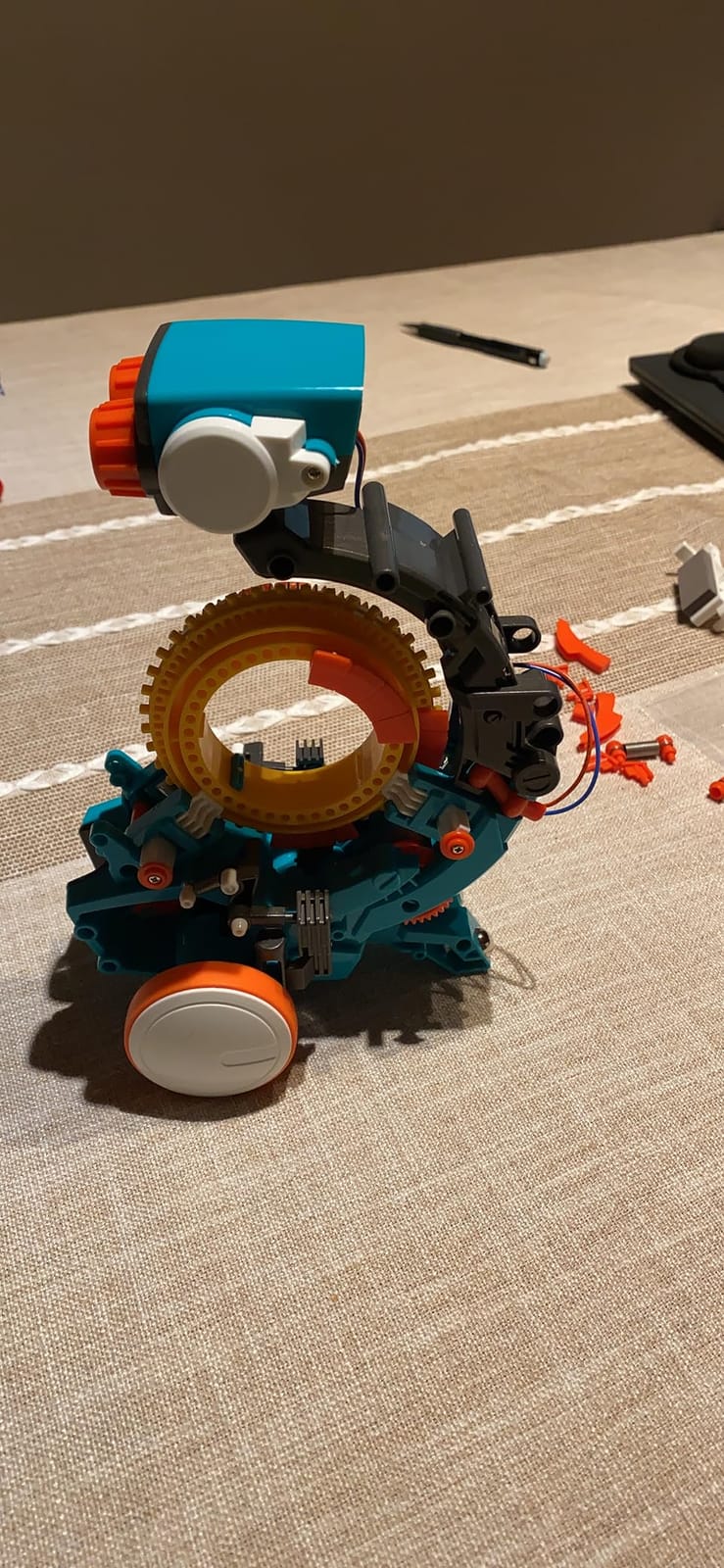
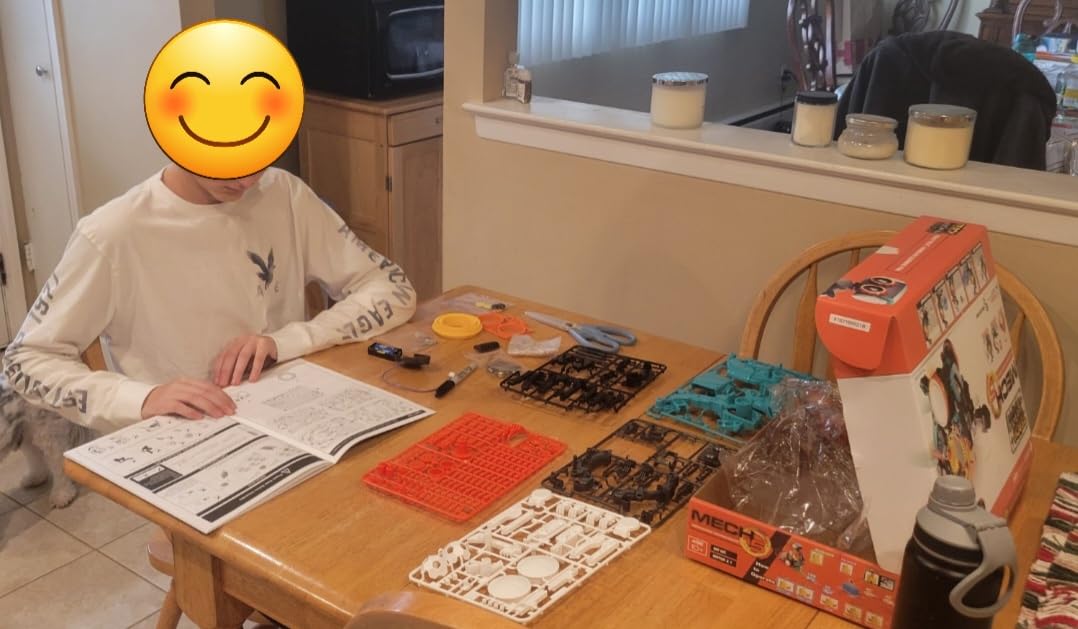
Our session notes: the chassis took an evening, the arm and gripper assembly took most of a second, and programming took about fifteen minutes once the hardware was built. Total hands-on time was somewhere near six hours across four or five sittings, which is more than any other kit in this roundup.
The result is a robot that throws, lifts, kicks and draws using the sequences your child encodes. Reviews rate it 4.5 across 4,999 reviews and single out the mission-based structure, which gives a 10 year old a goal instead of a parts inventory. Plastic construction is light rather than premium, and the coding wheel accepts only so many programs.
Who the Mech-5 suits
It suits a child who has outgrown snap circuits, who wants to understand programming without an adult managing a software install, and whose family limits screen time on a weekday. Because nothing is downloaded, it also works on a laptop-free weekend or during a power cut.
Plan on building it together. The manufacturer rates it from age 10, but reviews note that younger builders need an adult alongside during assembly, and ours needed one for the gear alignment stage. Once assembled it is fully solo, and programming becomes the child’s own problem to solve.
Who should skip the Mech-5
Skip it for an impatient child. This is a multi-hour build with an involved instruction manual, and a 10 year old who wants something working in twenty minutes will abandon the chassis. If you want instant results, pick the mBot, which assembles in about fifteen minutes.
Skip it if your child wants to write text-based code or use a real microcontroller. Physical buttons are a superb on-ramp, but they cap out at simple sequences. A child ready for Scratch or Python should move toward the Makeblock mBot instead.
5. Thames and Kosmos Mega Cyborg Hand – the Best Hydraulics Project
Thames & Kosmos Mega Cyborg Hand STEM Experiment Kit | Build Your Own GIANT Hydraulic Amazing Gripping Capabilities Adjustable for Different Sizes Learn Pneumatic Systems
10 x 4.75 x 11 inches
1.8 lb
Hydraulic pistons, no batteries
Ages 7 and up
Pros
- Genuine hydraulic and pneumatic mechanism
- No motors or batteries at all
- Adjustable to different hand sizes
- Comic-style manual keeps the build engaging
Cons
- Assembly is genuinely difficult
- Small cylinder and seal parts break with no spares in the box
- Grip hard to operate for small hands
- Break-off points can leave rough edges
This is the one that looks like engineering on the table. Five fingers, each driven by a hydraulic cylinder fed by flexible tubing, all actuated by squeezing a hand pump or pouring water through a reservoir. No motors, no batteries, no electronics. It was a 2021 Toy Association STEAM Toy of the Year for good reason.
It builds into three configurations: a right hand, a mirror-image hand, and a claw, with adjustable joint angles to fit different hand sizes. The mirror configuration answers a question parents raise often and that most kits ignore, namely whether a child who is a mirror-image of the standard build can use the finished device comfortably.
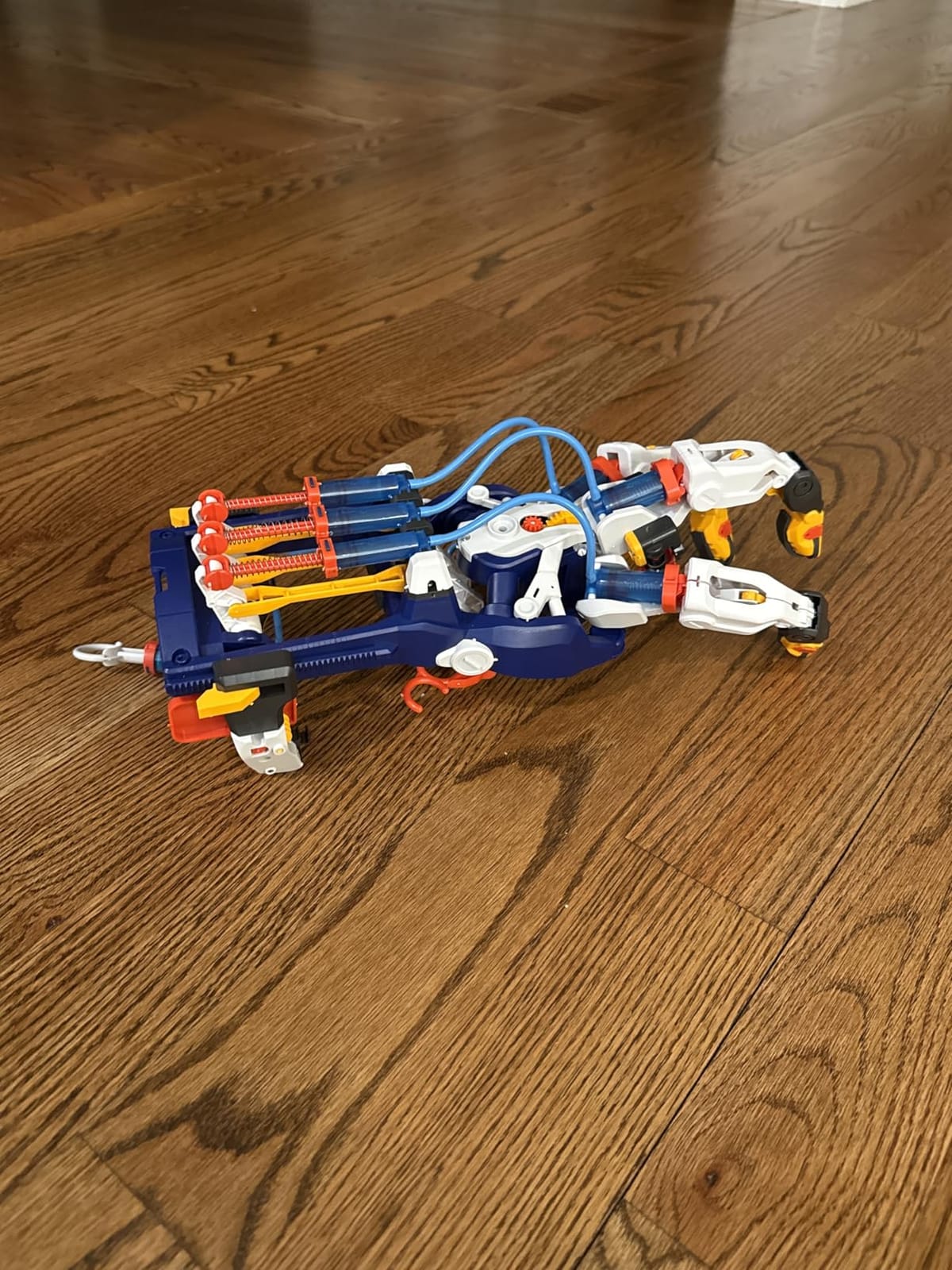
The honest caveat: this is a hard build. Reviews put assembly at three to four hours even for older children, and our experience matched that. It is a genuine parent-and-child project over a couple of evenings, and the payoff is watching a mechanism you both assembled actually close its fingers around a cup.
Durability is the weak point. The tiny cylinder and piston seals are fragile, no spares are included in the box, and the frame has break-off points that can leave rough edges if a child forces them. The manufacturer’s support does supply replacements quickly, which turns a serious problem into a delay rather than a write-off.

Who the Mega Cyborg Hand suits
It suits a child who is fascinated by how machines move rather than by what they do, who likes long projects with a dramatic finish, and who will sit through an instruction manual with an adult nearby. It is also the strongest pick here for a child who finds gadgets boring because nothing needs charging.
It is not a solo build at 10. Treat it as a shared weekend project with an adult, then hand the finished hand over for independent play. Running it needs no adult once the tubing is connected, and the finger adjustments can be reconfigured as the child grows.
Who should skip the Mega Cyborg Hand
Skip it if you need a gift that works on the morning it is opened. This is not a present a child unwraps and uses at lunchtime. It is a present that gets started with a parent and finished over a weekend, which is exactly what you want and exactly what some households do not.
Skip it for a child who is rough with small parts or impatient with fiddly tubing. Breaking a seal on the first hour ends the project, and the replacement part has to be requested from the manufacturer rather than bought on a shelf. The Smartivity launcher gives you hydraulics with far less risk.
6. Makeblock mBot – the Best Robotics and Coding Pick
Makeblock mBot STEM Coding Toys Robotics for Kids Ages 8-12
6.69 x 3.54 x 7.87 inches
0.93 kg
Metal and plastic body
Lithium-ion plus 4 AA and one coin cell
Pros
- Builds in about 15 minutes
- Metal and plastic body feels durable
- Path to Scratch then Arduino
- Expands with 100-plus modules and LEGO pieces
Cons
- Highest cost of the ten picks
- Screen-based learning needs a device
- Batteries for robot and remote not included
- Software needs setup before play
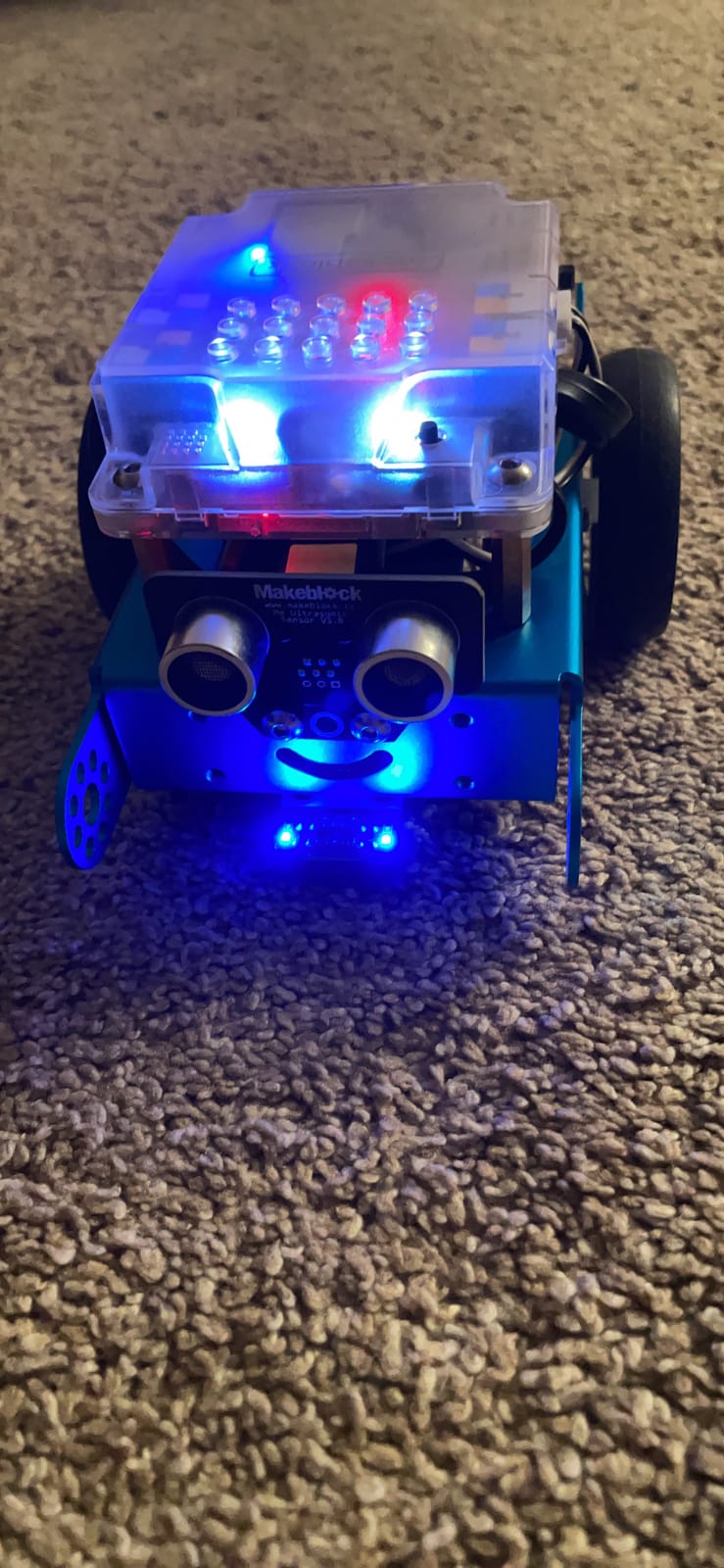
The mBot is the shortest build in the roundup: roughly fifteen minutes from the box to a robot driving a line across the floor. That speed matters at this age. A 10 year old who spends six hours on assembly before anything moves often loses interest, and this one gets to the interesting part almost immediately.
Out of the box it line-follows, avoids obstacles and responds to the included remote. Programmable through mBlock software and three free Makeblock apps using Scratch, with an Arduino path when the child is ready for text-based C++. Reviews rate it 4.6 across 2,874 reviews and consistently praise the metal body as more durable than plastic kits at a similar level.
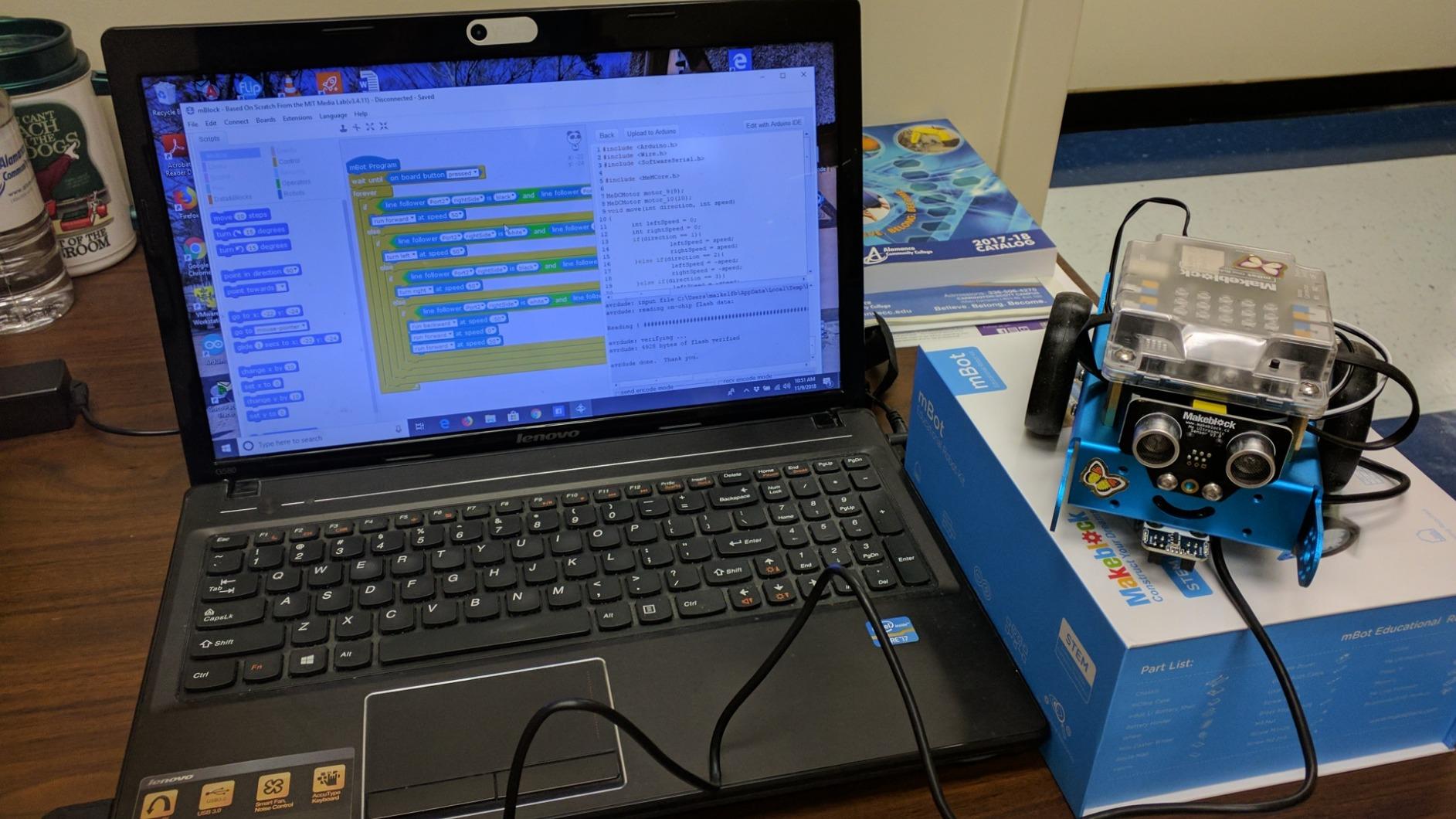
The build is genuinely independent work for a 10 year old. Four AA batteries run the robot and a CR2025 runs the remote, neither included, so budget for those before the first session. Software installation on a tablet or laptop is the only part that genuinely needs an adult, and it takes a few minutes.
Replay value comes from the expansion system rather than the kit itself. It is compatible with 100+ modules, 500+ parts and standard LEGO pieces, which means a child who starts here can keep building for years without buying a new robot. That is the strongest argument for spending more at the start.
Who the mBot suits
It suits a child who wants to write instructions rather than follow them, who already enjoys block-based coding, and who is likely to still be interested in a year. For a child ready to move from Snap Circuits toward real robotics, this is the sensible next step and the pick we would buy first for a confident programmer.
A 10 year old manages the whole thing alone after the initial software setup. Session length is 20 to 40 minutes per programming challenge, which suits a child with school homework in the evenings. It also works well alongside a parent who wants to learn the Scratch interface together.
Who should skip the mBot
Skip it if screen-free is a hard requirement. Every programming task runs through a device. The Mech-5 teaches the same core idea of sequence and condition with physical buttons and no display, which makes it the better choice for a child whose screen time is already contested.
Skip it on value alone if the budget is tight. It is the most expensive pick here, and the app-based alternatives in the same rough range generally cost more over a year. If a laptop for an older child is also on the shopping list, our guide to laptops built for engineering students is worth reading, since coding kits need a machine that keeps up with a compiler.
7. Engino Buildings and Bridges – the Best Structural Engineering Kit
Engino- STEM Toys, Structures, Buildings & Bridges, Building Toys for Kids 9+, STEM Projects, Creative Engineering Kit, Gifts for Boys & Girls (9 Model Options)
14.6 x 2.7 x 10.6 inches
680 g
ABS plastic with snap-fit system
Ages 9 and up
Pros
- Nine models each teaching a real structural principle
- Patented multi-direction snap-fit parts made in Europe
- Theory pages experiments and a quiz
- Zoomable 3D app instructions
Cons
- App effectively required beyond the simplest models
- Cable and rope steps are not explained anywhere
- Printed instructions are small
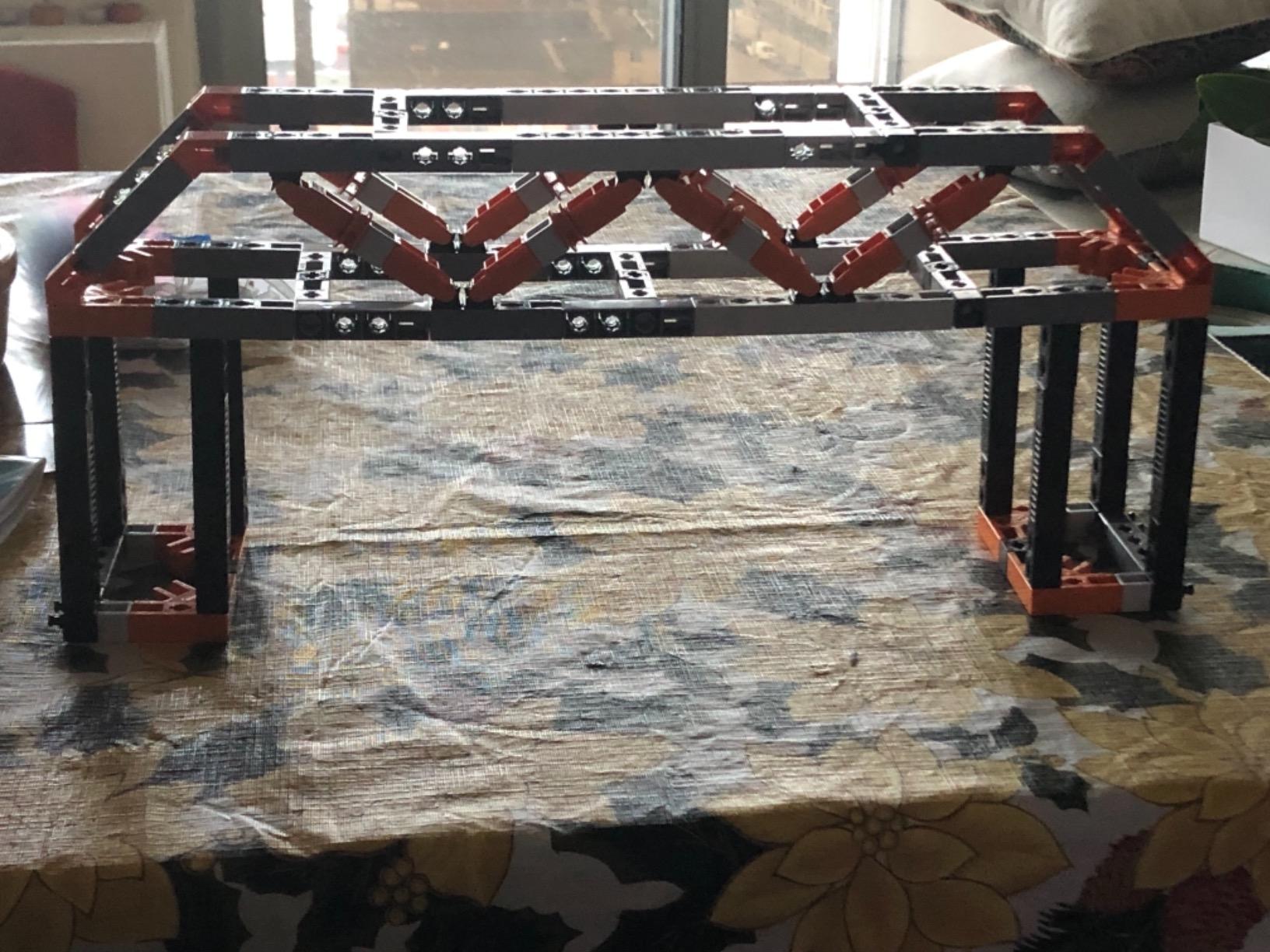
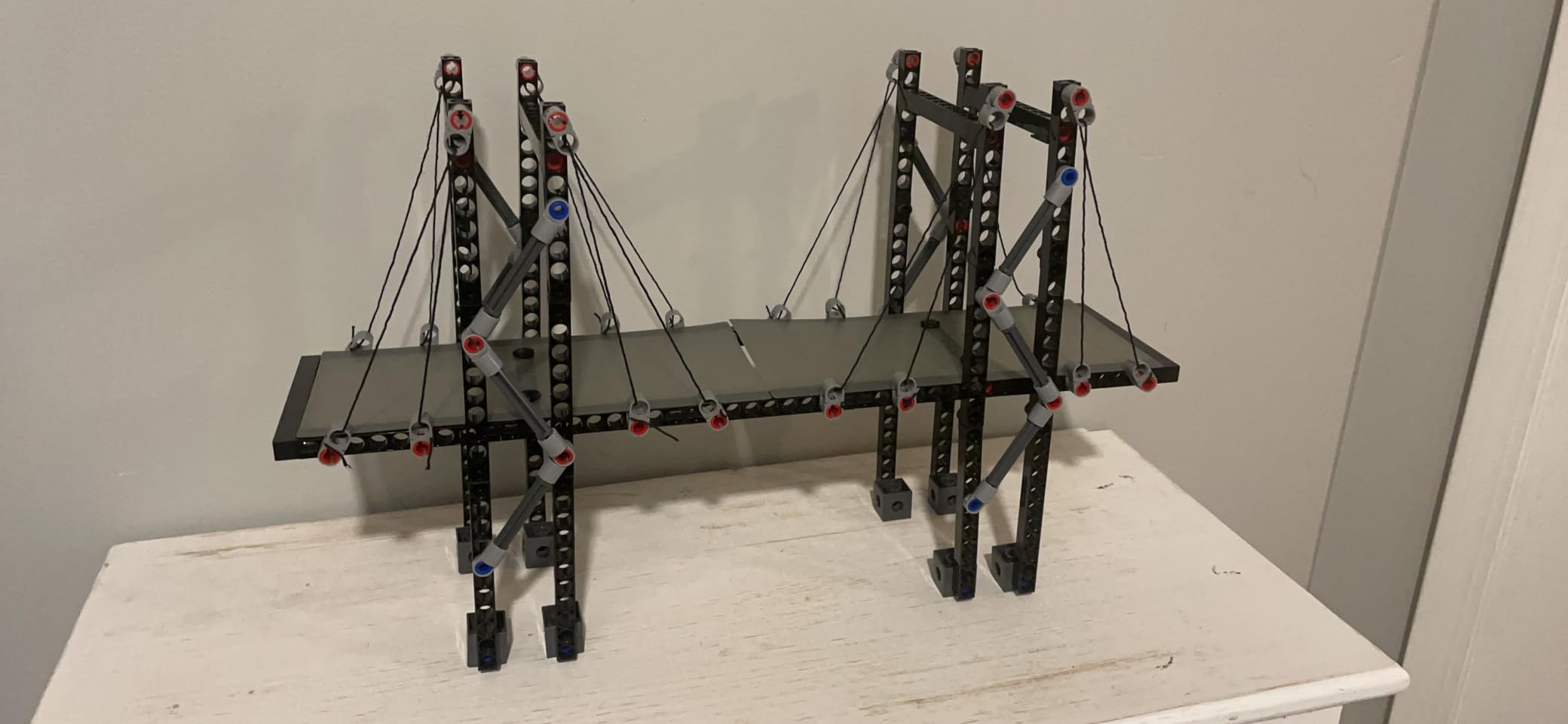
Most building sets teach a child that snapping blocks together is the goal. This one teaches load paths. Nine models cover a house, a pyramid, a beam bridge, an arch bridge, a truss bridge, a cable-stayed bridge and a suspension bridge, and each one demonstrates why that shape survives and why a badly built version of the same shape does not.
The snap-fit system is multi-directional, which is unusual and genuinely useful here, and the parts are made in Europe from ABS that reviewers describe as sturdy across repeated rebuilding. A 10 page theory and experiments booklet plus a three-page quiz turns it into something a homeschool family can use as a short unit of study.
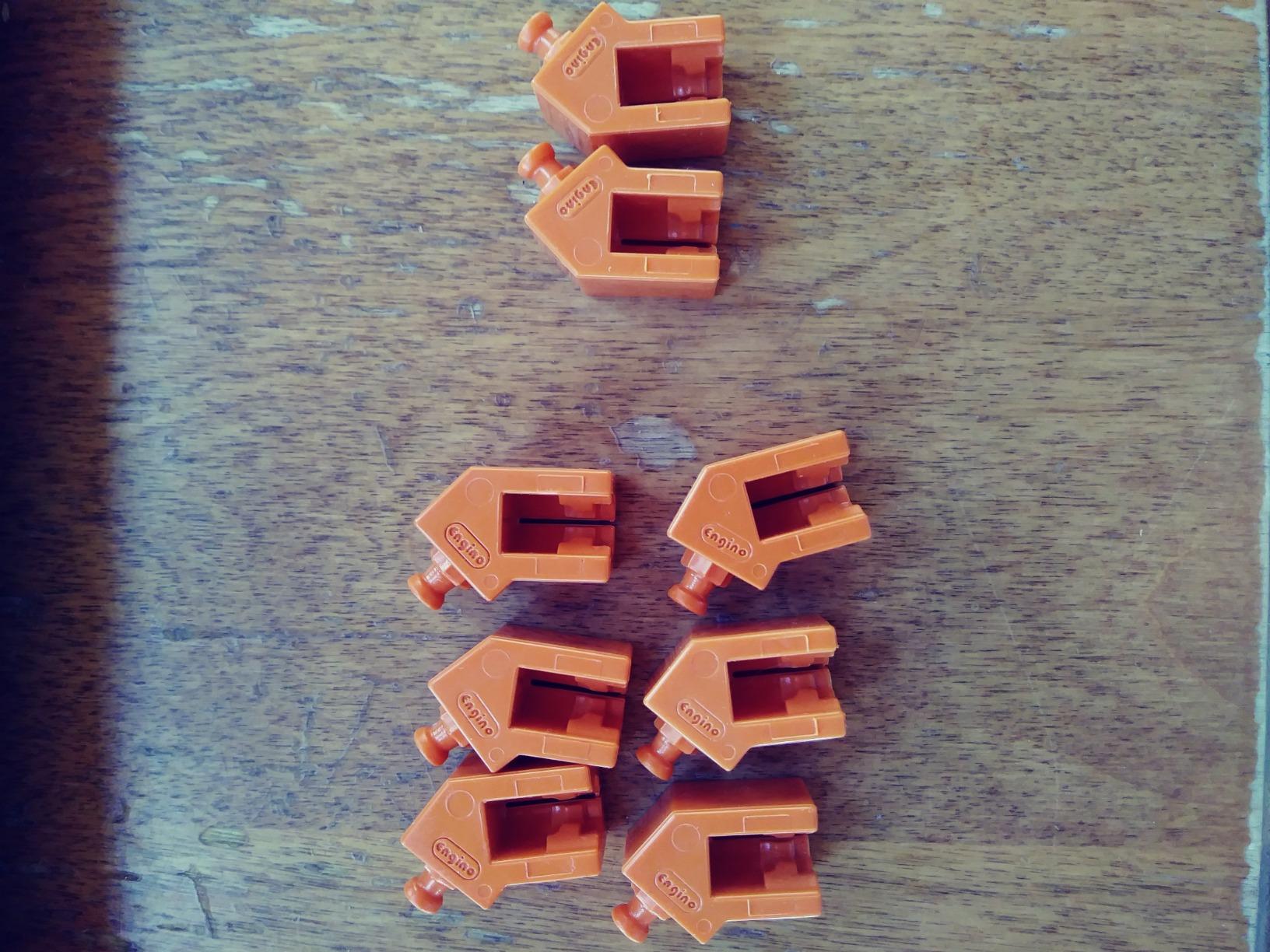
Session length is 40 to 60 minutes per model for a 10 year old working alone, with the cable-stayed and suspension bridges taking considerably longer. Our notes: allow an extra evening for those two, because they introduce elements that the earlier models do not prepare a child for.
The clear weakness is instruction quality. The free app with zoomable 3D views is effectively mandatory beyond the simplest builds, and reviewers specifically report that the cable and rope attachment steps are missing from both the booklet and the app. A 10 year old will need an adult for that stage specifically.
Who the Engino set suits
It suits a child who likes buildings, who asks how things stay up, and who does not want a vehicle. The packaging also makes it an easy gift for a child of any gender, which matters given how heavily this category is coded blue.
The first four or five models are solo work at 10. Plan to help with the two suspension models, or read the app instructions to the child first so they can attempt them independently. The quiz and theory pages reward a second pass through the models, which keeps the set alive after the last bridge is built.
Who should skip the Engino set
Skip it if you need a screen-free kit. The app dependency undercuts the main advantage of a physical construction set. The Thames and Kosmos Structural Engineering set covers similar ground with 20 models and a printed manual, with no device required.
Skip it if your child wants machines rather than structures. Every model here is a building. Gears, motors and moving parts are not part of this set, and a child drawn to mechanics will finish the last bridge and ask what to build next with no answer available.
8. Thames and Kosmos Structural Engineering – the Best Kit for Forces and Loads
Thames & Kosmos Structural Eng: Bridges & Skyscrapers | Engineering Set
13.1 x 1.8 x 11.6 inches
16 oz
285-plus pieces, 20 models
36-page manual, ages 8 to 14
Pros
- 20 models covering force load compression and tension
- Large part count allows constant rearranging
- Matches school physics and mechanics content
- Printed manual is easy to follow
Cons
- Plastic joints crack once forced apart repeatedly
- Included separation tool does not grip well
- String models need adult assistance
- Intermediate skill level
This is the set that connects most cleanly to a school syllabus. Twenty models, 285-plus interchangeable pieces, and a 36-page illustrated experiment manual organised around force, load, compression and tension. Teachers and parents rate it 4.6 across 1,025 reviews and point to that direct match with mechanics lessons as the reason it holds up.
The part count is the quiet advantage. A 10 year old can rebuild the same model three different ways, poke a weak point to see where it fails, and then add pieces to make it stronger. That iterative loop, guess, build, test, rebuild, is the actual behaviour we want an engineering kit to produce, and it happens naturally here.
Time per model is 30 to 50 minutes for a 10 year old working alone, with the string-and-cable models slower because thin string is awkward at this age. Our advice is to do one model together first so the joint technique is clear, then let the child work through the rest unsupervised.
Durability is the honest weakness. The tight-fitting plastic joints crack under repeated forcing, which matters in a kit explicitly designed to be rebuilt many times. The included yellow tool for separating pieces is also widely reported to grip poorly, so a flat screwdriver or a fingernail plus patience is more reliable.

Who the Structural Engineering set suits
It suits a child who enjoys school physics, who wants to understand why a bridge collapses, and who will happily build the same thing twice to see what changes. It is the pick for a homeschool family looking for a hands-on unit on forces rather than a toy that gets played with once.
At 10, a child can work through most of the twenty models alone. The pieces are small enough to be fumbled but not tiny, and the manual illustrations are readable without magnification, unlike some competitors. Budget for a couple of adult-assisted sessions on the string models.
Who should skip the Structural Engineering set
Skip it if your child has a habit of taking constructions apart aggressively. The crack-prone joints are a poor match for a child who treats a kit as something to deconstruct rather than rebuild. Engino parts take more punishment in the same category.
Skip it for a child who wants finished models to keep rather than experiments to repeat. Twenty rebuildable experiments produce twenty things that then come apart again. A child who builds to display will be happier with the Snap Circuits Jr. and its shelf-stable projects.
9. Sillbird 5-in-1 Programmable Robot – the Best Long Weekend Build
Sillbird STEM Robot Building Kit with Remote Control Gifts for Boys 8-13
488 pieces, 5 buildable models
6 x 7 x 8 inches
1.8 lb
Rechargeable plus one D cell, ages 6 to 16
Pros
- 488 pieces and 5 models at progressive difficulty
- Works with the remote and a Bluetooth app
- Rechargeable battery with about 40 minutes of play
- 82 percent of reviews are five star
Cons
- Remote stick mapping can run in opposite directions
- Remote battery type is awkward to find
- Build can take a full day at age 10
- Small parts can be snapped
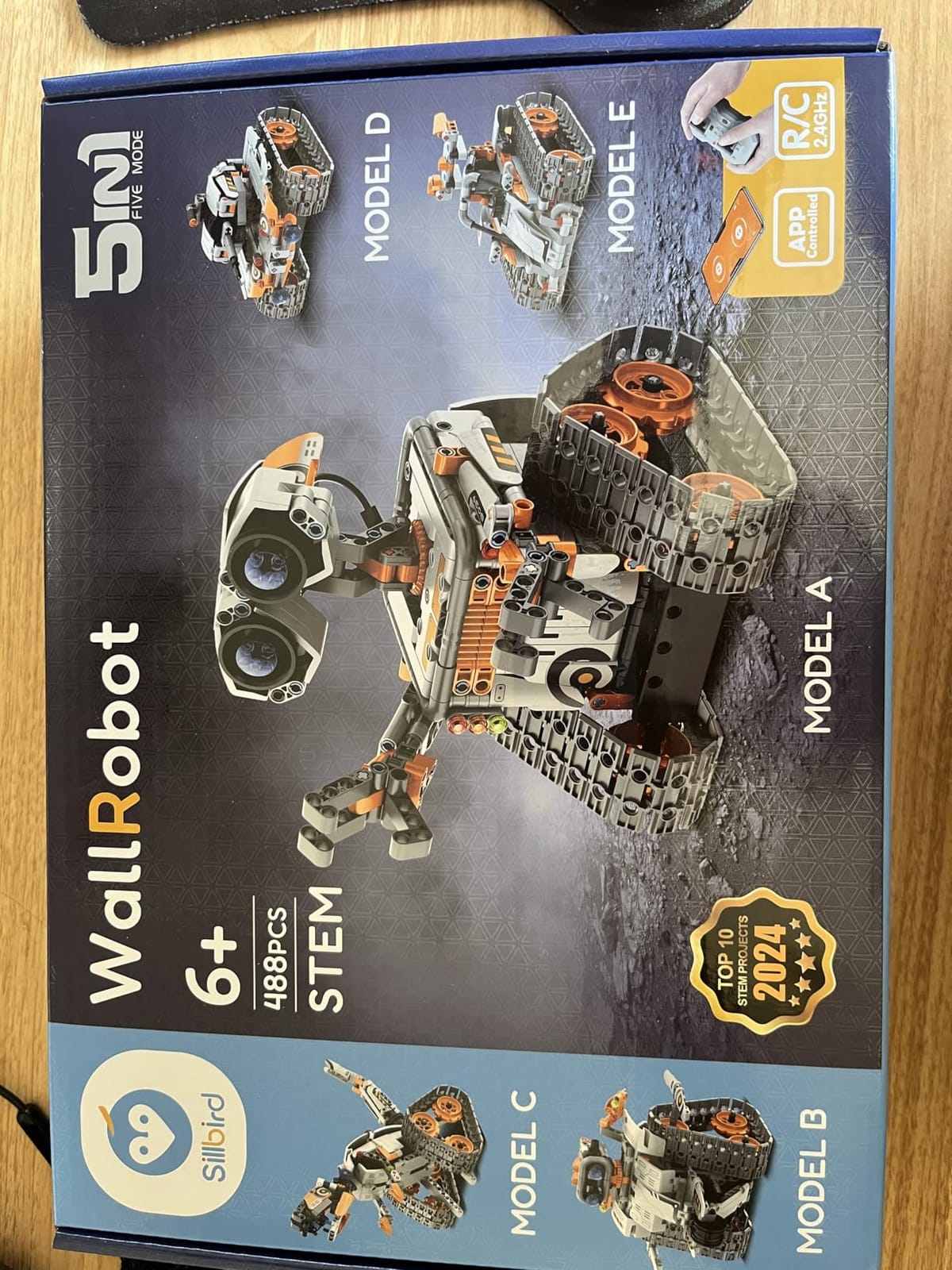
Five models, including a robot, a dinosaur and a tracked vehicle, built from 488 pieces with difficulty rising each time. The set is rated from 6 to 16, and the 82 percent five-star share across 2,089 reviews is the strongest rating distribution in this roundup. Buyers consistently mention the number of pieces and the dual control as the reasons.
Control works two ways. The included remote drives it directly, and a Bluetooth app adds basic programming. The rechargeable battery gives roughly 40 minutes of play per charge, which is about right for a 10 year old and avoids the constant battery buying that plagues kits with alkaline cells. One D cell for the remote is included.
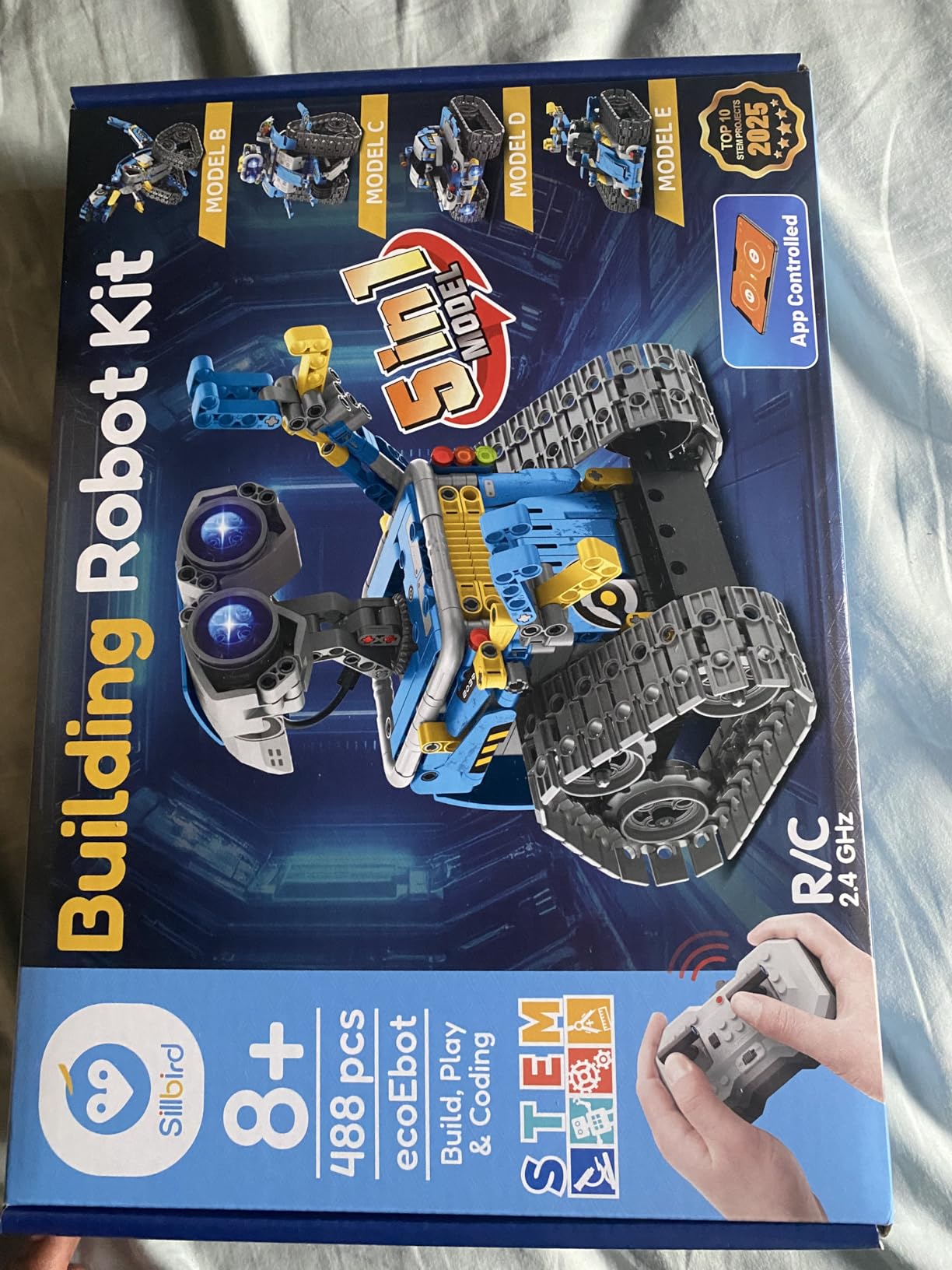
This is the longest build here. Reviews describe a full day of focused work for a 10 year old, and our estimate of six to eight hours across two weekends matched that. The smaller Wall-E-style components on some models are fiddly for younger fingers, and a determined child can snap them during assembly.
The most common complaint is the remote. Stick mapping is inconsistent, with the two controls sometimes working in opposite directions, which takes a while for a child to adapt to. The replacement battery type for the remote is also reported as awkward to source, so keep spares from the original pack.
Who the 5-in-1 robot suits
It suits a child with a long free weekend, a school holiday, or a stay with grandparents where a large box is worth opening slowly. Because there are five models, the value per model works out well, and a parent buying a Christmas gift gets more than one afternoon out of it.
Reviews report that children aged 8 to 11 can typically complete the build themselves, so an adult is optional but useful for the first model. After that, the child can work independently and the robot is entirely solo play, whether through the remote or the app.
Who should skip the 5-in-1 robot
Skip it if the gift needs to be playable immediately. A child who opens this on their birthday and finds 488 loose pieces and an instruction booklet will likely need help immediately, and the first model still takes hours. The mBot is the opposite: fifteen minutes to something moving.
Skip it if you want coding depth. The app programming here is basic preset behaviour rather than a block-based environment a child can build sequences in. For real programming at this age, the Makeblock mBot or the Mech-5 serve the purpose properly.
10. Tinkering Labs Electric Motors Catalyst – the Best Open-Ended Making Kit
Tinkering Labs STEM Kits for Kids Age 8-10 | Inventors Kids Science Kit, Robot Building, and Engineering with Electricity Circuits | Coolest DIY Toys and Best Birthday Gifts for 10 Year Old Boy Girl
10.59 x 6.69 x 4.09 inches
Laser-cut wood and metal motors
50-plus parts, tools and guides
Ages 8 to 12
Pros
- Real electric motors and hardware connectors
- Children invent machines rather than follow one model
- Guides written by US educators
- Durable non-toxic reusable parts that work with LEGO
Cons
- Among the most expensive picks here
- Needs some reading and adult guidance to start
- No finished model so it is less immediately satisfying
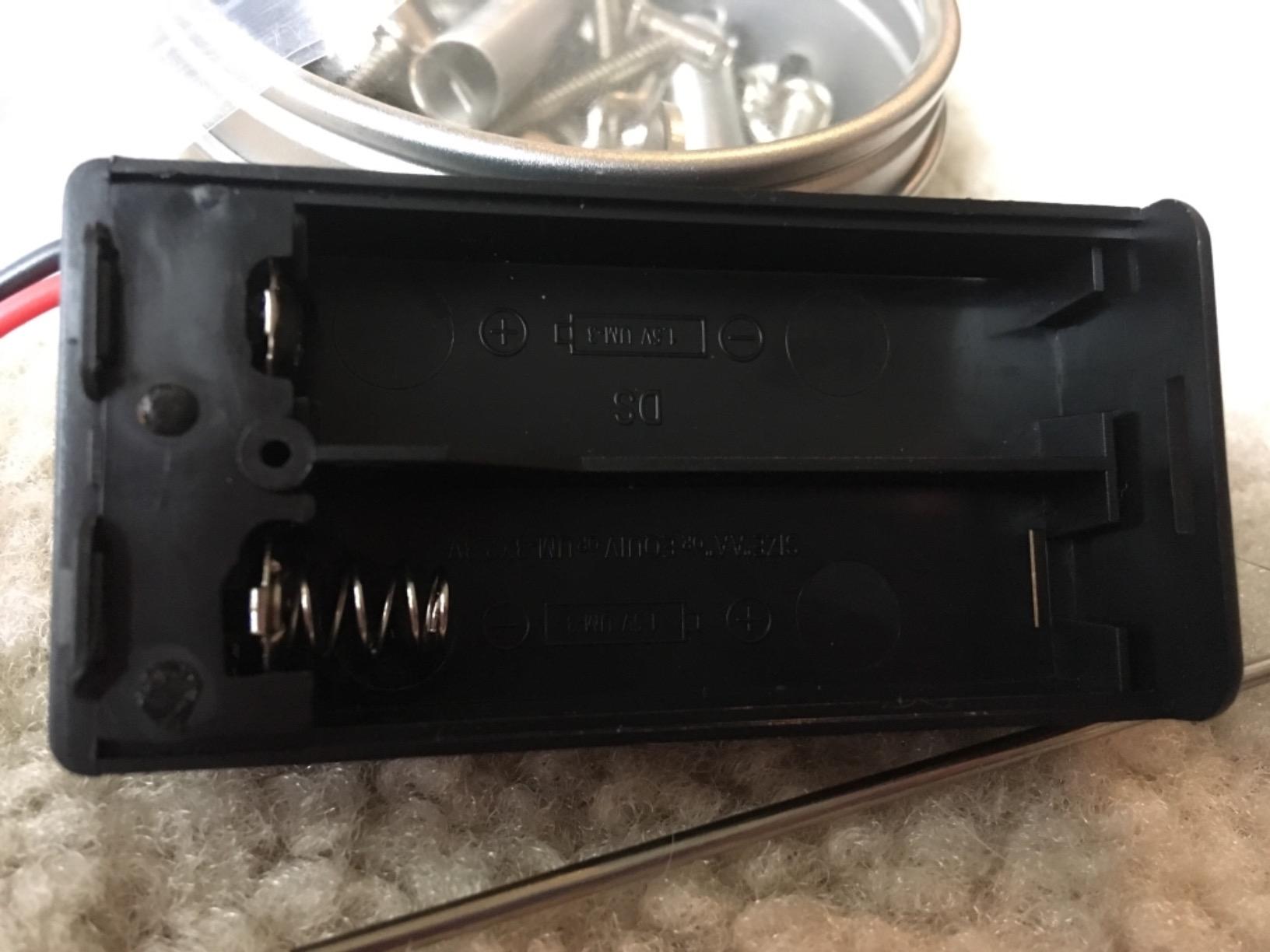
This is the only kit in the roundup with no finished project to build. It is a box of over 50 real parts, including electric motors, hardware connectors, laser-cut wood, rubber bands and actual tools, and the expectation is that your child invents a machine that has never existed before. For a 10 year old who has already been told what to assemble twenty times, that inversion is the whole appeal.
The parts are metal and wood rather than snap-together plastic, which is why it holds up to repeated destructive testing. LEGO brick compatibility extends it further. Reviews rate it 4.5 across 755 reviews, a smaller base than the others but consistently positive, and they single out the teacher-written guides as the reason it does not become a box of loose bits.
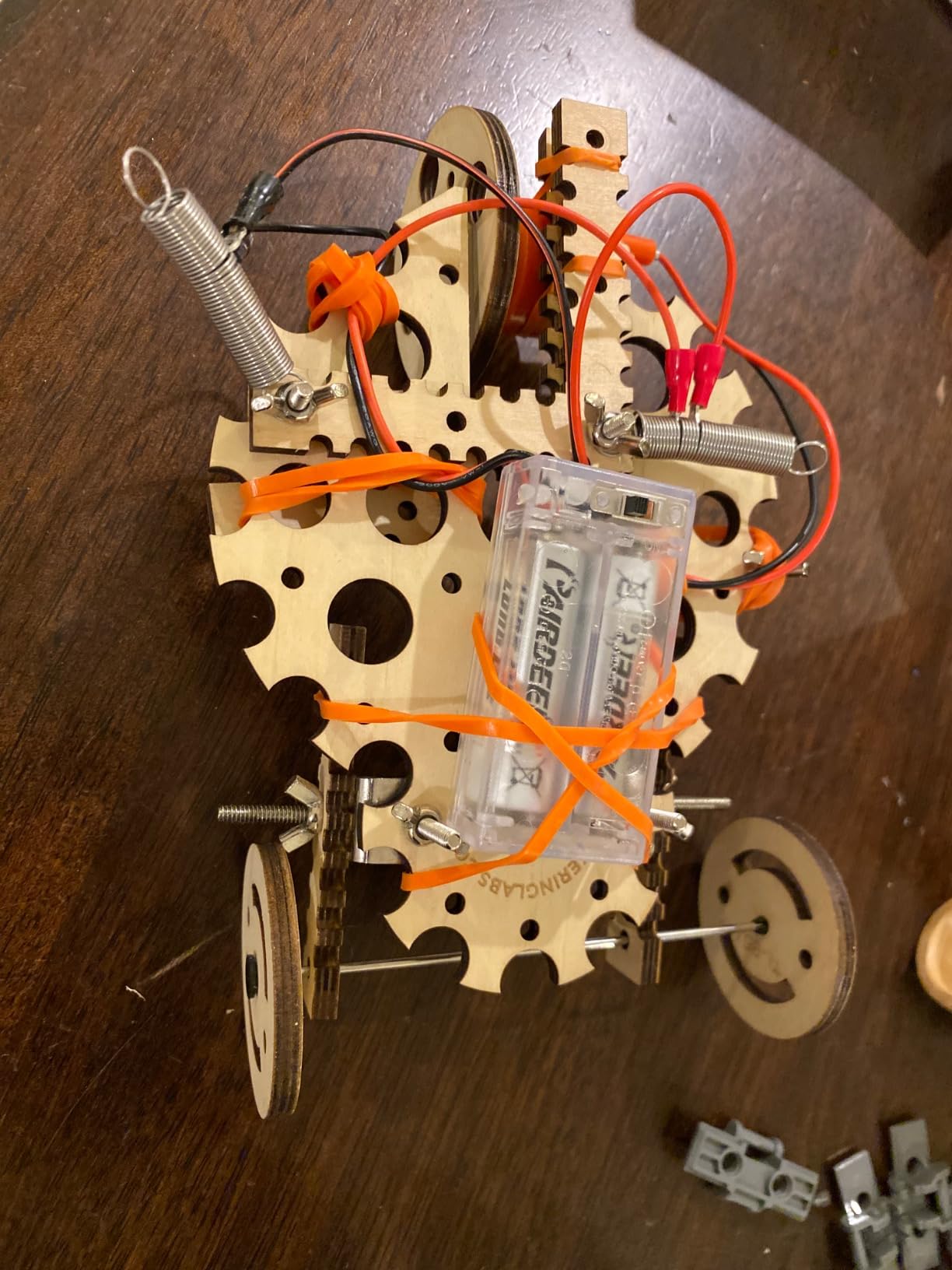
Expect the first session to end without a product. Our 10 year old spent forty minutes testing which motor spins which attachment fastest before building anything at all, which is exactly the intended behaviour and exactly what a parent expecting a finished object would misread as failure.
The guides give structure without prescribing, and they were written for classroom use, which makes this the pick for a homeschool family. Some adult guidance is needed to get going, and after that the child works alone indefinitely. Skill here transfers directly to the kind of open projects a maker space rewards.
Who the Electric Motors Catalyst suits
It suits a child who asks to build something of their own design, who has finished every guided kit on the shelf, and who gets bored when the manual tells them exactly what to do. It also suits a child who likes taking things apart, since here that behaviour is the point rather than a problem.
Solo play after a short orientation session. Once the child understands the connectors and the motor options, the box supports weeks of independent work. It is the pick we would pair with a set of resin kits for crafts for a child who likes making physical objects across several crafts at once.
Who should skip the Electric Motors Catalyst
Skip it as a birthday gift for a child who wants to unwrap something usable straight away. There is no finished object on day one and no single goal to aim at, so it can read as underwhelming next to a box that produces a working robot in an hour.
Skip it if the child will not read. The guides carry the structure, and a child who resists text will stall. The Engino set gives the same open-ended feeling with clearer theory pages and a quiz, though its models are more directed. For screen-free solo time with a definite finish, go back to the Snap Circuits Jr.
How to Choose an Engineering Kit for a 10 Year Old
Most buying guides tell you to match the age band on the box. That is the least useful filter available, because the same kit routinely claims 8-10, 9-12 and 10-12 on different listings. These six criteria are more dependable.
1. Check what a session actually produces. A 10 year old can concentrate for 60 to 90 minutes on something they chose. Kits with a 15-minute build leave them stranded, and kits with a 12-hour build lose them by Sunday afternoon. The sweet spot is a build that fits one sitting and a project that stays interesting afterward.
2. Decide on supervision before you buy. This is the question parents ask most and listings answer least. Snap circuits, solar models and structural sets are solo from the second session. The Mech-5 and the Mega Cyborg Hand want an adult for the build and are solo afterward. The Tinkering Labs box needs orientation and then gets out of the way.
3. Decide about screens before you buy. Roughly half of this roundup is entirely screen-free, which is genuinely rare in a category that markets itself as an alternative to screen time. The mBot and the 5-in-1 robot need a device to program. Ask what you are optimising for before you pay for the wrong one.
4. Look for the discipline, not the badge. STEM on a box is a marketing claim, not a specification. Circuits, gears, hydraulics, load paths and code are different skills. A kit that teaches one of them properly beats a kit that claims five and does none.
5. Check the parts, not the project count. Project counts are the most inflated number in this category. A survey across households aged 4 to 14 found that cheap generic kits routinely advertise 100-plus experiments that are variations on the same four builds. Part count and part quality tell you more than the headline figure.
6. Find out what happens when something breaks. Replacement parts are sold separately for snap circuits, Smartivity supplies them free for life, and the Mega Cyborg Hand requires a support request. If a kit has no path to a spare part, assume the whole box is disposable the first time a joint cracks.
Subscription box or one-time kit?
A parent on r/Parenting reported signing up for a monthly STEM subscription for a tween and being delighted that it kept him off screens, then asking only for more brands. That single-vendor satisfaction is the pattern. Subscriptions work when you want variety every month and you will actually open them.
Aggregation across parent reviews puts KiwiCo at roughly 20 dollars per box with the widest age range, and CrunchLabs at roughly 30 with better hardware but more reports of delayed deliveries, missing parts and support friction. Subscription fatigue typically arrives around months four to six, which is the point at which a one-time kit is the better value.
Our read: buy one-time kits for a specific birthday or Christmas, and use a subscription only to test whether your child still opens the boxes eagerly in month two. One box is a trial; six boxes is a commitment.
What to buy at 12 instead
Ten is early for text-based programming and for soldering. At 12 to 13, a microcontroller platform, a metal construction system such as Meccano or Erector, or a more capable robotics kit becomes the natural upgrade. Work backwards from there and choose an age-10 kit whose parts and skills still make sense a year later, which is why the open-ended sets like Tinkering Labs and the Expandable mBot age well.
What to Avoid in Engineering Kits for 10 Year Olds
Inflated project counts. A box advertising 100-plus projects from 30 parts is telling you the same circuit is being rebuilt with a different output component. That is fine as an entry point and misleading as a headline.
Unbranded kits with no safety grading. Look for ASTM F963 compliance and the CPSIA certification required for US toys. Generic marketplace listings frequently omit both, and at exactly age 10 you are right on the small-parts line that families worry about most.
Costume premiums. A lab coat and safety goggles sold as a bonus for older children cost more than the components do and add nothing to the engineering. The same applies to character-branded kits, where a licensed shell often carries a surcharge over the identical generic version.
Plumbing-heavy kits for impatient children. Anything with thin tubing or tiny seals will be broken within a week by a child moving fast. Save those for a child who has already demonstrated patience with small parts.
Kits pitched at a 6 year old. A 6-to-8 kit will be finished in an afternoon by a 10 year old, which reads as failure. Check the upper end of the stated age range, not the lower one.
Frequently Asked Questions
What is a good STEM kit for a 10-year-old?
For a first kit, the Snap Circuits Jr. SC-100 is the strongest choice: 100+ circuit projects from 29 snap-together parts, no tools and no soldering, and a 4.8 average across 29,316 reviews. A child who wants to invent rather than follow a manual does better with the Tinkering Labs Electric Motors Catalyst. A child who wants mechanics rather than electronics fits the Teach Tech Mech-5.
What are some good engineering toys for kids?
Good engineering toys fall into five families: electronics and circuits (Snap Circuits), robotics and coding (Makeblock mBot, Teach Tech Mech-5), mechanical and simple machines (Mech-5, Smartivity launcher), structural and civil (Engino Buildings and Bridges, Thames and Kosmos Structural Engineering), and creative making (Tinkering Labs). Choose the family that matches the child rather than the box with the biggest project count.
What are some good robot toys for a 10-year-old?
The Makeblock mBot is the best overall: it builds in about 15 minutes, has a metal and plastic body, and moves from Scratch to Arduino. The Sillbird 12-in-1 Solar Robot is the best budget option with 12 models and no batteries. For a child who wants to avoid screens entirely, the Teach Tech Mech-5 programs with physical buttons on a wheel instead of an app.
What is the best coding toy for a 10-year-old?
At age 10 the Makeblock mBot is the best coding toy because it uses Scratch-based block programming in a free app and builds fast enough that the child reaches the programming within minutes. For a screen-free option, the Teach Tech Mech-5 teaches sequences and conditions using physical coding buttons on a wheel. For a child ready to leave blocks behind, the mBot has an Arduino path built in.
How long does a STEM kit take to build?
Most kits here take 30 to 60 minutes at age 10. Exceptions matter: the Makeblock mBot takes about 15 minutes, the Sillbird 5-in-1 robot set can take a full day across two weekends, and the Thames and Kosmos Mega Cyborg Hand takes three to four hours even with an adult helping. Check the single-model time rather than the total project count before you commit.
Is Crunch Labs better than KiwiCo?
KiwiCo has the broader age range and a lower monthly cost at roughly 20 dollars per box. CrunchLabs, built around Mark Rober, has better hardware quality but is commonly reported to have delayed deliveries, occasionally missing parts and more support friction, at roughly 30 dollars per box. For a 10 year old who is not into vehicles, either works, but test with one box before committing to six months.
The Best Engineering Kit for a 10 Year Old
The Snap Circuits Jr. SC-100 wins this comparison because it is the only kit here that combines a genuine 4.8 rating across 29,316 reviews with a build a 10 year old can finish alone and a project list that does not run out. Nothing else in the roundup has that much evidence behind it.
Buy the Sillbird 12-in-1 Solar Robot if the budget is tight or the child needs to burn energy outside. Buy the Smartivity Hydraulic Launcher if vehicles are the problem, and the Engino or Thames and Kosmos structural sets if the child wants to understand why things stand up. Buy the Makeblock mBot if the child is already asking to program.
None of these finishes the job on its own. A parent on r/AskEngineers put it well when she described her own interest as something that took six years to develop. Kids need runway, not instant engagement, so the best single move is to buy one kit and then stay in the room for the first session. Everything in this roundup in 2026 is a better use of that hour than another afternoon of screens.